
Task Management: Is it for ME?
 How some people manage to be so organized!!!
 Fed up managing stuffs with repetitive work schedules???
 Your team lost tracks on what to do next who is suppose

to do it????
 Looking to Increase your company’s productivity
 Then

“Task Management is
Meant for
you……………….”
Task Management

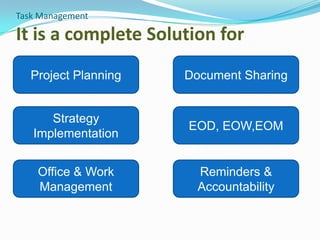
It is a complete Solution for
Project Planning

Document Sharing

Strategy
Implementation

EOD, EOW, EOM
Activity

Office & Work
Management

Reminders &
Accountability
Objective of Task Management
 An effective and efficient Task Management Includes

Principal Of “Getting Things Done”
 Highly configured work flow
 Can be deployed in-house or through cloud
 Design your own process and put control over them.
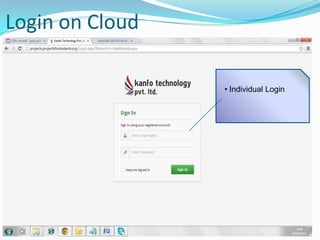
Login on Cloud
• Individual Login
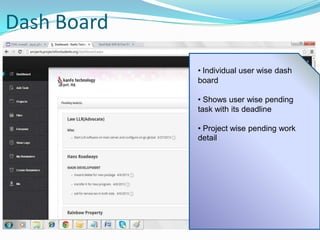
Dash Board
• Individual user wise dash
board
• Shows user wise pending
task with its deadline
• Project wise pending work
detail
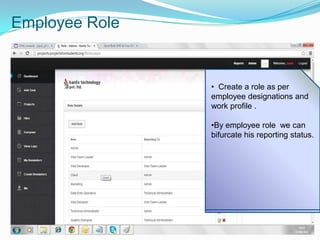
Employee Role

• Create a role as per
employee designations and
work profile .
• Create a Designation or
assign a role of your
•By employee role we can
employee as per their area of
bifurcate his reporting status.
work and template designed
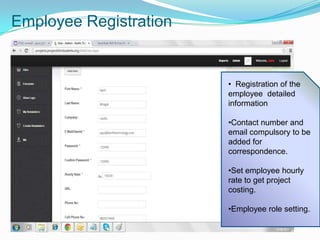
Employee Registration

• Registration of the
employee detailed
information
•Contact number and
email compulsory to be
added for
correspondence.
•Set employee hourly
rate to get project
costing.
•Employee role setting.
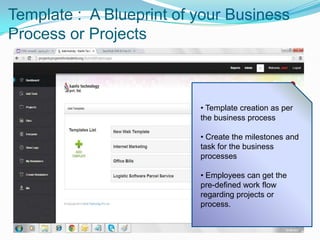
Template : A Blueprint of your Business
Process or Projects

• Template creation as per
the business process

• Create the milestones and
task for the business
processes
• Employees can get the
pre-defined work flow
regarding projects or
process.
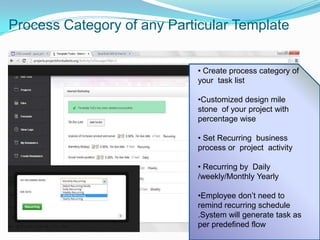
Process Category of any Particular Template
• Create process category of
your task list
•Customized design mile
stone of your project with
percentage wise

• Set Recurring business
process or project activity
• Recurring by Daily
/weekly/Monthly Yearly
•Employee don’t need to
remind recurring schedule
.System will generate task as
per predefined flow
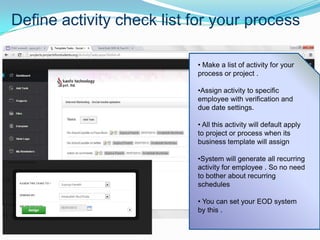
Define activity check list for your process
• Make a list of activity for your
process or project .
•Assign activity to specific
employee with verification and
due date settings.
• All this activity will default apply
to project or process when its
business template will assign
•System will generate all recurring
activity for employee . So no need
to bother about recurring
schedules
• You can set your EOD system
by this .
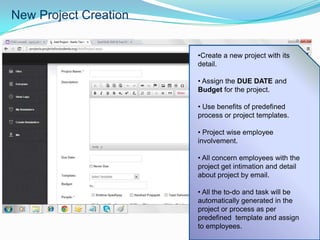
New Project Creation
•Create a new project with its
detail.
• Assign the DUE DATE and
Budget for the project.
• Use benefits of predefined
process or project templates.
• Project wise employee
involvement.
• All concern employees with the
project get intimation and detail
about project by email.
• All the to-do and task will be
automatically generated in the
project or process as per
predefined template and assign
to employees.
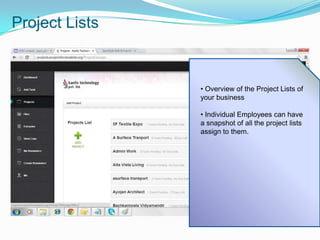
Project Lists

• Overview of the Project Lists of
your business
• Individual Employees can have
a snapshot of all the project lists
assign to them.
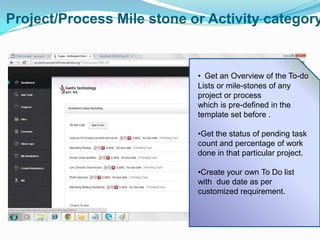
Project/Process Mile stone or Activity category

• Get an Overview of the To-do
Lists or mile-stones of any
project or process
which is pre-defined in the
template set before .

•Get the status of pending task
count and percentage of work
done in that particular project.
•Create your own To Do list
with due date as per
customized requirement.
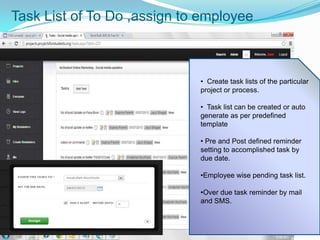
Task List of To Do ,assign to employee

• Create task lists of the particular
project or process.
• Task list can be created or auto
generate as per predefined
template
• Pre and Post defined reminder
setting to accomplished task by
due date.
•Employee wise pending task list.

•Over due task reminder by mail
and SMS.
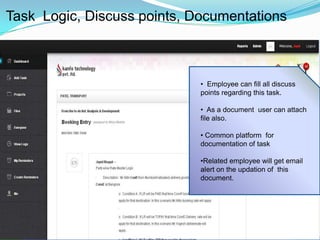
Task Logic, Discuss points, Documentations

• Employee can fill all discuss
points regarding this task.
• As a document user can attach
file also.

• Common platform for
documentation of task
•Related employee will get email
alert on the updation of this
document.
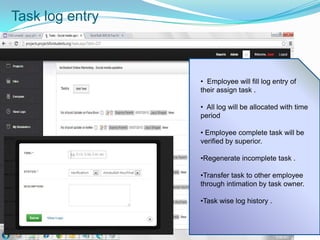
Task log entry

• Employee will fill log entry of
their assign task .
• All log will be allocated with time
period

• Employee complete task will be
verified by superior.
•Regenerate incomplete task .
•Transfer task to other employee
through intimation by task owner.
•Task wise log history .
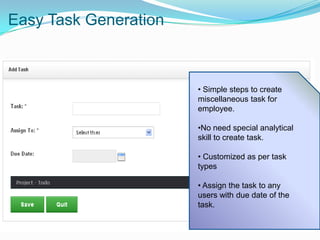
Easy Task Generation

• Simple steps to create
miscellaneous task for
employee.
•No need special analytical
skill to create task.
• Customized as per task
types
• Assign the task to any
users with due date of the
task.
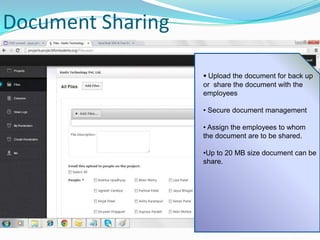
Document Sharing
 Upload the document for back up
or share the document with the
employees
• Secure document management
• Assign the employees to whom
the document are to be shared.
•Up to 20 MB size document can be
share.
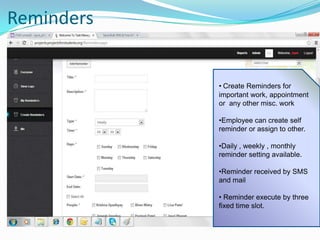
Reminders

• Create Reminders for
important work, appointment
or any other misc. work
•Employee can create self
reminder or assign to other.
•Daily , weekly , monthly
reminder setting available.
•Reminder received by SMS
and mail
• Reminder execute by three
fixed time slot.
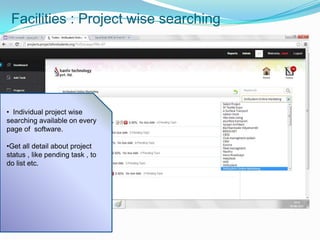
Facilities : Project wise searching

• Individual project wise
searching available on every
page of software.
•Get all detail about project
status , like pending task , to
do list etc.
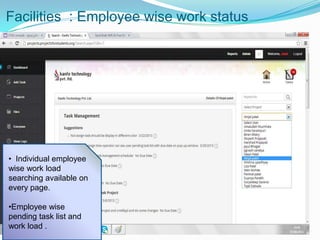
Facilities : Employee wise work status

• Individual employee
wise work load
searching available on
every page.
•Employee wise
pending task list and
work load .
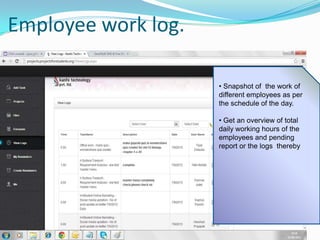
Employee work log.
• Snapshot of the work of
different employees as per
the schedule of the day.
• Get an overview of total
daily working hours of the
employees and pending
report or the logs thereby
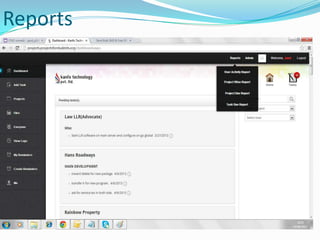
Reports
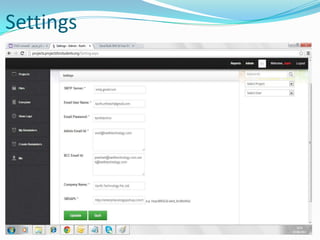
Settings
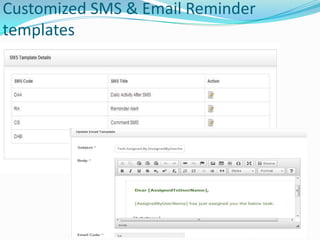
Customized SMS & Email Reminder
templates
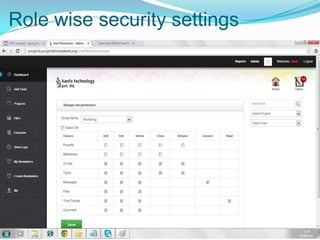
Role wise security settings
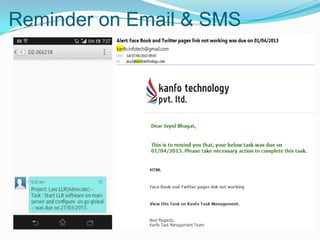
Reminder on Email & SMS
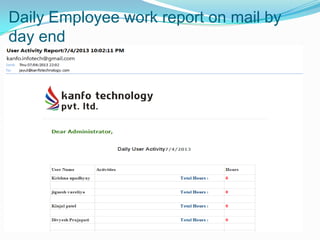
Daily Employee work report on mail by
day end
Add a Task via Email
Accessible Anywhere and Anytime

Using email, you can
easily assign a task to
your employee.

Task management System (TMS)

  • 2.
    Task Management: Isit for ME?  How some people manage to be so organized!!!  Fed up managing stuffs with repetitive work schedules???  Your team lost tracks on what to do next who is suppose to do it????  Looking to Increase your company’s productivity  Then “Task Management is Meant for you……………….”
  • 3.
    Task Management It isa complete Solution for Project Planning Document Sharing Strategy Implementation EOD, EOW, EOM Activity Office & Work Management Reminders & Accountability
  • 4.
    Objective of TaskManagement  An effective and efficient Task Management Includes Principal Of “Getting Things Done”  Highly configured work flow  Can be deployed in-house or through cloud  Design your own process and put control over them.
  • 5.
    Login on Cloud •Individual Login
  • 6.
    Dash Board • Individualuser wise dash board • Shows user wise pending task with its deadline • Project wise pending work detail
  • 7.
    Employee Role • Createa role as per employee designations and work profile . • Create a Designation or assign a role of your •By employee role we can employee as per their area of bifurcate his reporting status. work and template designed
  • 8.
    Employee Registration • Registrationof the employee detailed information •Contact number and email compulsory to be added for correspondence. •Set employee hourly rate to get project costing. •Employee role setting.
  • 9.
    Template : ABlueprint of your Business Process or Projects • Template creation as per the business process • Create the milestones and task for the business processes • Employees can get the pre-defined work flow regarding projects or process.
  • 10.
    Process Category ofany Particular Template • Create process category of your task list •Customized design mile stone of your project with percentage wise • Set Recurring business process or project activity • Recurring by Daily /weekly/Monthly Yearly •Employee don’t need to remind recurring schedule .System will generate task as per predefined flow
  • 11.
    Define activity checklist for your process • Make a list of activity for your process or project . •Assign activity to specific employee with verification and due date settings. • All this activity will default apply to project or process when its business template will assign •System will generate all recurring activity for employee . So no need to bother about recurring schedules • You can set your EOD system by this .
  • 12.
    New Project Creation •Createa new project with its detail. • Assign the DUE DATE and Budget for the project. • Use benefits of predefined process or project templates. • Project wise employee involvement. • All concern employees with the project get intimation and detail about project by email. • All the to-do and task will be automatically generated in the project or process as per predefined template and assign to employees.
  • 13.
    Project Lists • Overviewof the Project Lists of your business • Individual Employees can have a snapshot of all the project lists assign to them.
  • 14.
    Project/Process Mile stoneor Activity category • Get an Overview of the To-do Lists or mile-stones of any project or process which is pre-defined in the template set before . •Get the status of pending task count and percentage of work done in that particular project. •Create your own To Do list with due date as per customized requirement.
  • 15.
    Task List ofTo Do ,assign to employee • Create task lists of the particular project or process. • Task list can be created or auto generate as per predefined template • Pre and Post defined reminder setting to accomplished task by due date. •Employee wise pending task list. •Over due task reminder by mail and SMS.
  • 16.
    Task Logic, Discusspoints, Documentations • Employee can fill all discuss points regarding this task. • As a document user can attach file also. • Common platform for documentation of task •Related employee will get email alert on the updation of this document.
  • 17.
    Task log entry •Employee will fill log entry of their assign task . • All log will be allocated with time period • Employee complete task will be verified by superior. •Regenerate incomplete task . •Transfer task to other employee through intimation by task owner. •Task wise log history .
  • 18.
    Easy Task Generation •Simple steps to create miscellaneous task for employee. •No need special analytical skill to create task. • Customized as per task types • Assign the task to any users with due date of the task.
  • 19.
    Document Sharing  Uploadthe document for back up or share the document with the employees • Secure document management • Assign the employees to whom the document are to be shared. •Up to 20 MB size document can be share.
  • 20.
    Reminders • Create Remindersfor important work, appointment or any other misc. work •Employee can create self reminder or assign to other. •Daily , weekly , monthly reminder setting available. •Reminder received by SMS and mail • Reminder execute by three fixed time slot.
  • 21.
    Facilities : Projectwise searching • Individual project wise searching available on every page of software. •Get all detail about project status , like pending task , to do list etc.
  • 22.
    Facilities : Employeewise work status • Individual employee wise work load searching available on every page. •Employee wise pending task list and work load .
  • 23.
    Employee work log. •Snapshot of the work of different employees as per the schedule of the day. • Get an overview of total daily working hours of the employees and pending report or the logs thereby
  • 24.
  • 25.
  • 26.
    Customized SMS &Email Reminder templates
  • 27.
  • 28.
  • 29.
    Daily Employee workreport on mail by day end
  • 30.
    Add a Taskvia Email Accessible Anywhere and Anytime Using email, you can easily assign a task to your employee.