How to Work Smart with a Task
Tracker (Benefits, Best Tools)
Source: Time Doctor’s Blog - How to Work Smart with a Task Tracker
What is a Task Tracker?
This way, a task tracker does
more than just letting you
create tasks and map out
things to be done. It’’ll also
help you stay on deadlines,
improve productivity and reach
the next milestone.
Key Benefits
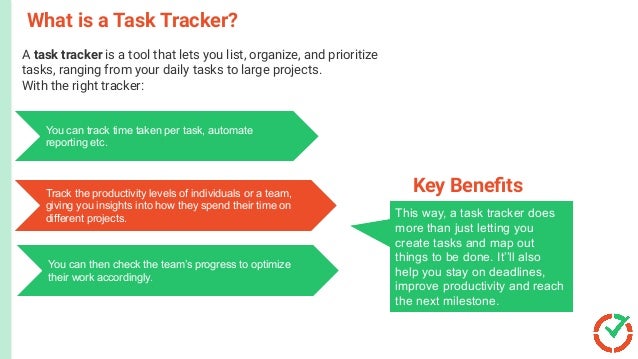
A task tracker is a tool that lets you list, organize, and prioritize
tasks, ranging from your daily tasks to large projects.
With the right tracker:With the right task tracker,
You can track time taken per task, automate
reporting etc.
Track the productivity levels of individuals or a team,
giving you insights into how they spend their time on
different projects.
You can then check the team’s progress to optimize
their work accordingly.
1. Define Project Tasks`
A study states that 85% of people spend
valuable time searching for misplaced docs
and information. Unfortunately, this happens
when you don’t organize your tasks and related
data.
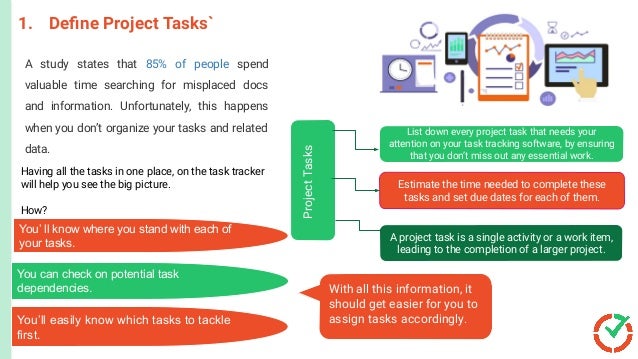
List down every project task that needs your
attention on your task tracking software, by ensuring
that you don’t miss out any essential work.
Estimate the time needed to complete these
tasks and set due dates for each of them.
A project task is a single activity or a work item,
leading to the completion of a larger project.
Project
Tasks
Having all the tasks in one place, on the task tracker
will help you see the big picture.
How?
You’ ll know where you stand with each of
your tasks.
You can check on potential task
dependencies.
You’ll easily know which tasks to tackle
first.
With all this information, it
should get easier for you to
assign tasks accordingly.
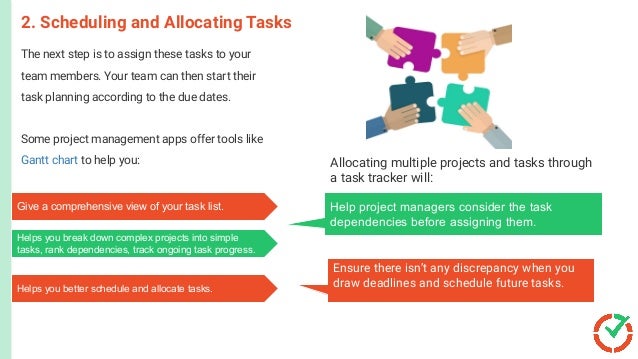
The next step is to assign these tasks to your
team members. Your team can then start their
task planning according to the due dates.
Some project management apps offer tools like
Gantt chart to help you:
2. Scheduling and Allocating Tasks
Give a comprehensive view of your task list.
Helps you break down complex projects into simple
tasks, rank dependencies, track ongoing task progress.
Helps you better schedule and allocate tasks.
Help project managers consider the task
dependencies before assigning them.
Ensure there isn’t any discrepancy when you
draw deadlines and schedule future tasks.
Allocating multiple projects and tasks through
a task tracker will:
3. Automate Time Tracking
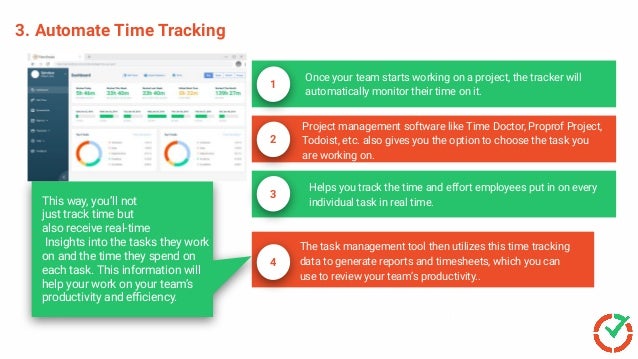
Once your team starts working on a project, the tracker will
automatically monitor their time on it.
1
Project management software like Time Doctor, Proprof Project,
Todoist, etc. also gives you the option to choose the task you
are working on.
2
3
Helps you track the time and effort employees put in on every
individual task in real time.
4
The task management tool then utilizes this time tracking
data to generate reports and timesheets, which you can
use to review your team’s productivity..
Escalate Issues Faster
This way, you’ll not
just track time but
also receive real-time
Insights into the tasks they work
on and the time they spend on
each task. This information will
help your work on your team’s
productivity and efficiency.
4. Track Task Status
Nobody likes to be micromanaged or have
their project manager look over their
shoulders every five minutes.
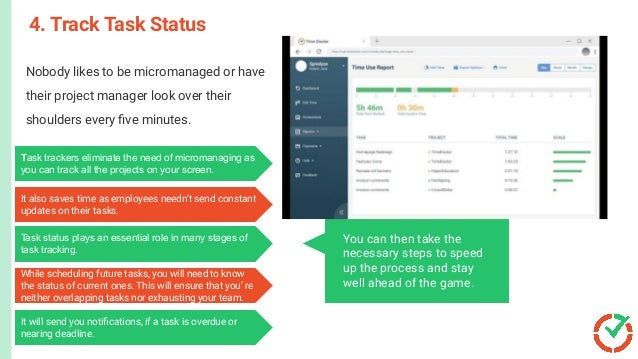
Task trackers eliminate the need of micromanaging as
you can track all the projects on your screen.
It also saves time as employees needn’t send constant
updates on their tasks.
Task status plays an essential role in many stages of
task tracking.
While scheduling future tasks, you will need to know
the status of current ones. This will ensure that you’ re
neither overlapping tasks nor exhausting your team.
It will send you notifications, if a task is overdue or
nearing deadline.
You can then take the
necessary steps to speed
up the process and stay
well ahead of the game.
The final stage of task tracking would be
the progress review. You need to
routinely review your team’s productivity
if you’re looking to improve team
performance.
5. Review Task Performance
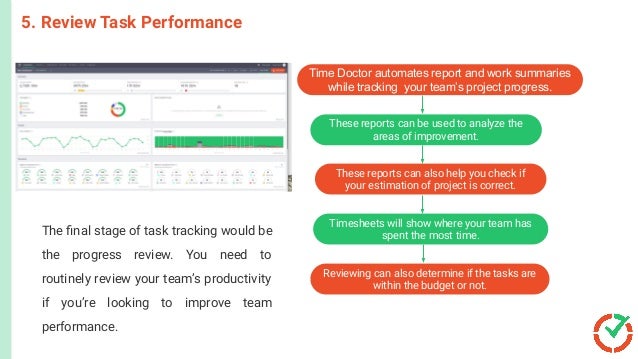
Time Doctor automates report and work summaries
while tracking your team’s project progress.
Timesheets will show where your team has
spent the most time.
These reports can be used to analyze the
areas of improvement.
These reports can also help you check if
your estimation of project is correct.
Reviewing can also determine if the tasks are
within the budget or not.
The Best Task Tracking Solution for 2022: Time Doctor
TimeDoctor is a powerful employee productivity
management tool used by major companies like
Verizon and Ericsson, as well as small ones like
Thrive Market to boost productivity.
Microsoft
PowerPoint
C
r
e
a
t
e
l
y
a
n
d
C
o
n
c
e
p
t
D
r
a
w
It lets you assign tasks, track them, and check the
time spent on each individual task.
You can even create work schedules for your
employees with Time Doctor’s work scheduling
feature.
It also generates automated payrolls and productivity
reports.
It saves a lot of time to work on other important
areas of your project.
Here are some of the features that make it a powerful
task tracking and project management tool:
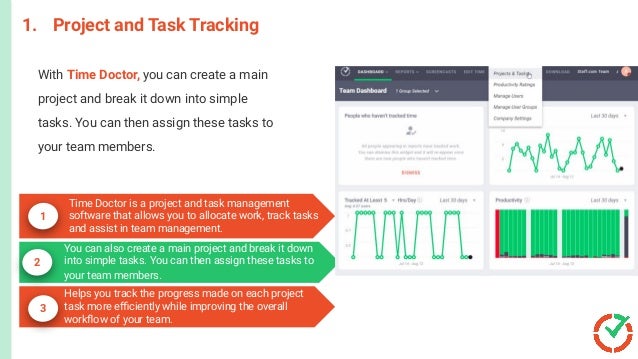
1. Project and Task Tracking
1
2
3
Time Doctor is a project and task management
software that allows you to allocate work, track tasks
and assist in team management.
With Time Doctor, you can create a main
project and break it down into simple
tasks. You can then assign these tasks to
your team members.
You can also create a main project and break it down
into simple tasks. You can then assign these tasks to
your team members.
Helps you track the progress made on each project
task more efficiently while improving the overall
workflow of your team.
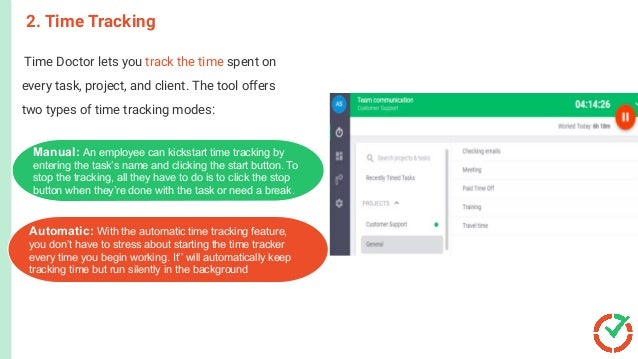
Time Doctor lets you track the time spent on
every task, project, and client. The tool offers
two types of time tracking modes:
2. Time Tracking
This activates the shipment process.
The customer receives the product.
The order is closed.
er i
Customer orders a product or a
service.
Manual: An employee can kickstart time tracking by
entering the task’s name and clicking the start button. To
stop the tracking, all they have to do is to click the stop
button when they’re done with the task or need a break.
Automatic: With the automatic time tracking feature,
you don’t have to stress about starting the time tracker
every time you begin working. It’’ will automatically keep
tracking time but run silently in the background
4. Chrome Extensions and Integrations
1
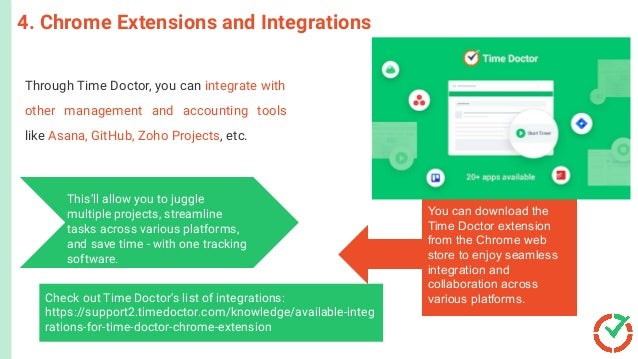
Through Time Doctor, you can integrate with
other management and accounting tools
like Asana, GitHub, Zoho Projects, etc.
Project and Task Report: This shows how much
Time an employee spends on individual projects
and tasks.
This’ll allow you to juggle
multiple projects, streamline
tasks across various platforms,
and save time - with one tracking
software.
You can download the
Time Doctor extension
from the Chrome web
store to enjoy seamless
integration and
collaboration across
various platforms.
Check out Time Doctor’s list of integrations:
https://support2.timedoctor.com/knowledge/available-integ
rations-for-time-doctor-chrome-extension
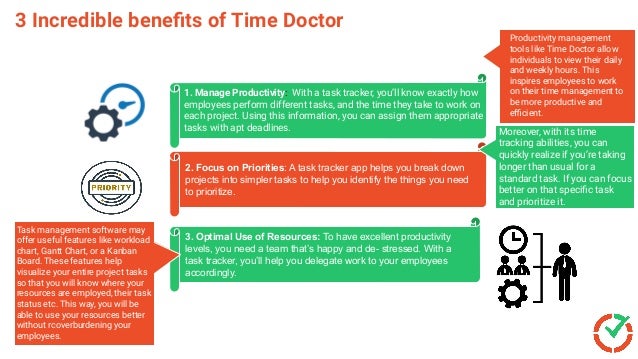
3 Incredible benefits of Time Doctor
2. Focus on Priorities: A task tracker app helps you break down
projects into simpler tasks to help you identify the things you need
to prioritize.
3. Optimal Use of Resources: To have excellent productivity
levels, you need a team that’s happy and de- stressed. With a
task tracker, you’ll help you delegate work to your employees
accordingly.
1. Manage Productivity: With a task tracker, you’ll know exactly how
employees perform different tasks, and the time they take to work on
each project. Using this information, you can assign them appropriate
tasks with apt deadlines.
Productivity management
tools like Time Doctor allow
individuals to view their daily
and weekly hours. This
inspires employees to work
on their time management to
be more productive and
efficient.
Moreover, with its time
tracking abilities, you can
quickly realize if you’re taking
longer than usual for a
standard task. If you can focus
better on that specific task
and prioritize it.
Task management software may
offer useful features like workload
chart, Gantt Chart, or a Kanban
Board. These features help
visualize your entire project tasks
so that you will know where your
resources are employed, their task
status etc. This way, you will be
able to use your resources better
without rcoverburdening your
employees.
Establish Accountability
Escalate Issues Faster
Blog Post source
To read more content
from Time Doctor,
visit our blog page:
Related Blog Post
https://biz30.timedoctor.com/task-tracker/
https://biz30.timedoctor.com/

How to work smart with a task tracker (benefits, best tools)

  • 1.
    How to WorkSmart with a Task Tracker (Benefits, Best Tools) Source: Time Doctor’s Blog - How to Work Smart with a Task Tracker
  • 2.
    What is aTask Tracker? This way, a task tracker does more than just letting you create tasks and map out things to be done. It’’ll also help you stay on deadlines, improve productivity and reach the next milestone. Key Benefits A task tracker is a tool that lets you list, organize, and prioritize tasks, ranging from your daily tasks to large projects. With the right tracker:With the right task tracker, You can track time taken per task, automate reporting etc. Track the productivity levels of individuals or a team, giving you insights into how they spend their time on different projects. You can then check the team’s progress to optimize their work accordingly.
  • 3.
    1. Define ProjectTasks` A study states that 85% of people spend valuable time searching for misplaced docs and information. Unfortunately, this happens when you don’t organize your tasks and related data. List down every project task that needs your attention on your task tracking software, by ensuring that you don’t miss out any essential work. Estimate the time needed to complete these tasks and set due dates for each of them. A project task is a single activity or a work item, leading to the completion of a larger project. Project Tasks Having all the tasks in one place, on the task tracker will help you see the big picture. How? You’ ll know where you stand with each of your tasks. You can check on potential task dependencies. You’ll easily know which tasks to tackle first. With all this information, it should get easier for you to assign tasks accordingly.
  • 4.
    The next stepis to assign these tasks to your team members. Your team can then start their task planning according to the due dates. Some project management apps offer tools like Gantt chart to help you: 2. Scheduling and Allocating Tasks Give a comprehensive view of your task list. Helps you break down complex projects into simple tasks, rank dependencies, track ongoing task progress. Helps you better schedule and allocate tasks. Help project managers consider the task dependencies before assigning them. Ensure there isn’t any discrepancy when you draw deadlines and schedule future tasks. Allocating multiple projects and tasks through a task tracker will:
  • 5.
    3. Automate TimeTracking Once your team starts working on a project, the tracker will automatically monitor their time on it. 1 Project management software like Time Doctor, Proprof Project, Todoist, etc. also gives you the option to choose the task you are working on. 2 3 Helps you track the time and effort employees put in on every individual task in real time. 4 The task management tool then utilizes this time tracking data to generate reports and timesheets, which you can use to review your team’s productivity.. Escalate Issues Faster This way, you’ll not just track time but also receive real-time Insights into the tasks they work on and the time they spend on each task. This information will help your work on your team’s productivity and efficiency.
  • 6.
    4. Track TaskStatus Nobody likes to be micromanaged or have their project manager look over their shoulders every five minutes. Task trackers eliminate the need of micromanaging as you can track all the projects on your screen. It also saves time as employees needn’t send constant updates on their tasks. Task status plays an essential role in many stages of task tracking. While scheduling future tasks, you will need to know the status of current ones. This will ensure that you’ re neither overlapping tasks nor exhausting your team. It will send you notifications, if a task is overdue or nearing deadline. You can then take the necessary steps to speed up the process and stay well ahead of the game.
  • 7.
    The final stageof task tracking would be the progress review. You need to routinely review your team’s productivity if you’re looking to improve team performance. 5. Review Task Performance Time Doctor automates report and work summaries while tracking your team’s project progress. Timesheets will show where your team has spent the most time. These reports can be used to analyze the areas of improvement. These reports can also help you check if your estimation of project is correct. Reviewing can also determine if the tasks are within the budget or not.
  • 8.
    The Best TaskTracking Solution for 2022: Time Doctor TimeDoctor is a powerful employee productivity management tool used by major companies like Verizon and Ericsson, as well as small ones like Thrive Market to boost productivity. Microsoft PowerPoint C r e a t e l y a n d C o n c e p t D r a w It lets you assign tasks, track them, and check the time spent on each individual task. You can even create work schedules for your employees with Time Doctor’s work scheduling feature. It also generates automated payrolls and productivity reports. It saves a lot of time to work on other important areas of your project.
  • 9.
    Here are someof the features that make it a powerful task tracking and project management tool:
  • 10.
    1. Project andTask Tracking 1 2 3 Time Doctor is a project and task management software that allows you to allocate work, track tasks and assist in team management. With Time Doctor, you can create a main project and break it down into simple tasks. You can then assign these tasks to your team members. You can also create a main project and break it down into simple tasks. You can then assign these tasks to your team members. Helps you track the progress made on each project task more efficiently while improving the overall workflow of your team.
  • 11.
    Time Doctor letsyou track the time spent on every task, project, and client. The tool offers two types of time tracking modes: 2. Time Tracking This activates the shipment process. The customer receives the product. The order is closed. er i Customer orders a product or a service. Manual: An employee can kickstart time tracking by entering the task’s name and clicking the start button. To stop the tracking, all they have to do is to click the stop button when they’re done with the task or need a break. Automatic: With the automatic time tracking feature, you don’t have to stress about starting the time tracker every time you begin working. It’’ will automatically keep tracking time but run silently in the background
  • 12.
    4. Chrome Extensionsand Integrations 1 Through Time Doctor, you can integrate with other management and accounting tools like Asana, GitHub, Zoho Projects, etc. Project and Task Report: This shows how much Time an employee spends on individual projects and tasks. This’ll allow you to juggle multiple projects, streamline tasks across various platforms, and save time - with one tracking software. You can download the Time Doctor extension from the Chrome web store to enjoy seamless integration and collaboration across various platforms. Check out Time Doctor’s list of integrations: https://support2.timedoctor.com/knowledge/available-integ rations-for-time-doctor-chrome-extension
  • 13.
    3 Incredible benefitsof Time Doctor 2. Focus on Priorities: A task tracker app helps you break down projects into simpler tasks to help you identify the things you need to prioritize. 3. Optimal Use of Resources: To have excellent productivity levels, you need a team that’s happy and de- stressed. With a task tracker, you’ll help you delegate work to your employees accordingly. 1. Manage Productivity: With a task tracker, you’ll know exactly how employees perform different tasks, and the time they take to work on each project. Using this information, you can assign them appropriate tasks with apt deadlines. Productivity management tools like Time Doctor allow individuals to view their daily and weekly hours. This inspires employees to work on their time management to be more productive and efficient. Moreover, with its time tracking abilities, you can quickly realize if you’re taking longer than usual for a standard task. If you can focus better on that specific task and prioritize it. Task management software may offer useful features like workload chart, Gantt Chart, or a Kanban Board. These features help visualize your entire project tasks so that you will know where your resources are employed, their task status etc. This way, you will be able to use your resources better without rcoverburdening your employees.
  • 14.
    Establish Accountability Escalate IssuesFaster Blog Post source To read more content from Time Doctor, visit our blog page: Related Blog Post https://biz30.timedoctor.com/task-tracker/ https://biz30.timedoctor.com/