CREATION OF COMPANY
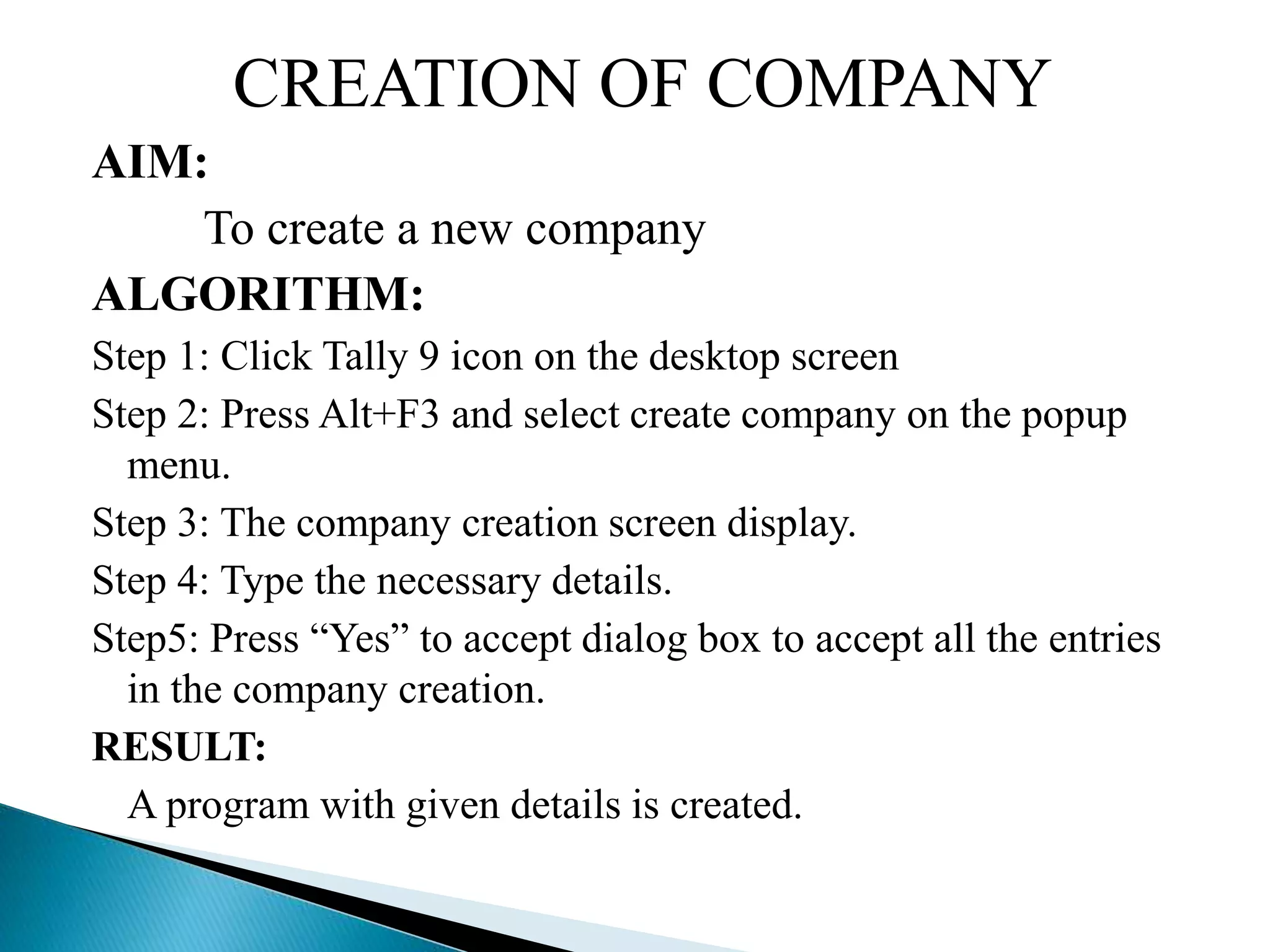
AIM:
To create a new company
ALGORITHM:
Step 1: Click Tally 9 icon on the desktop screen
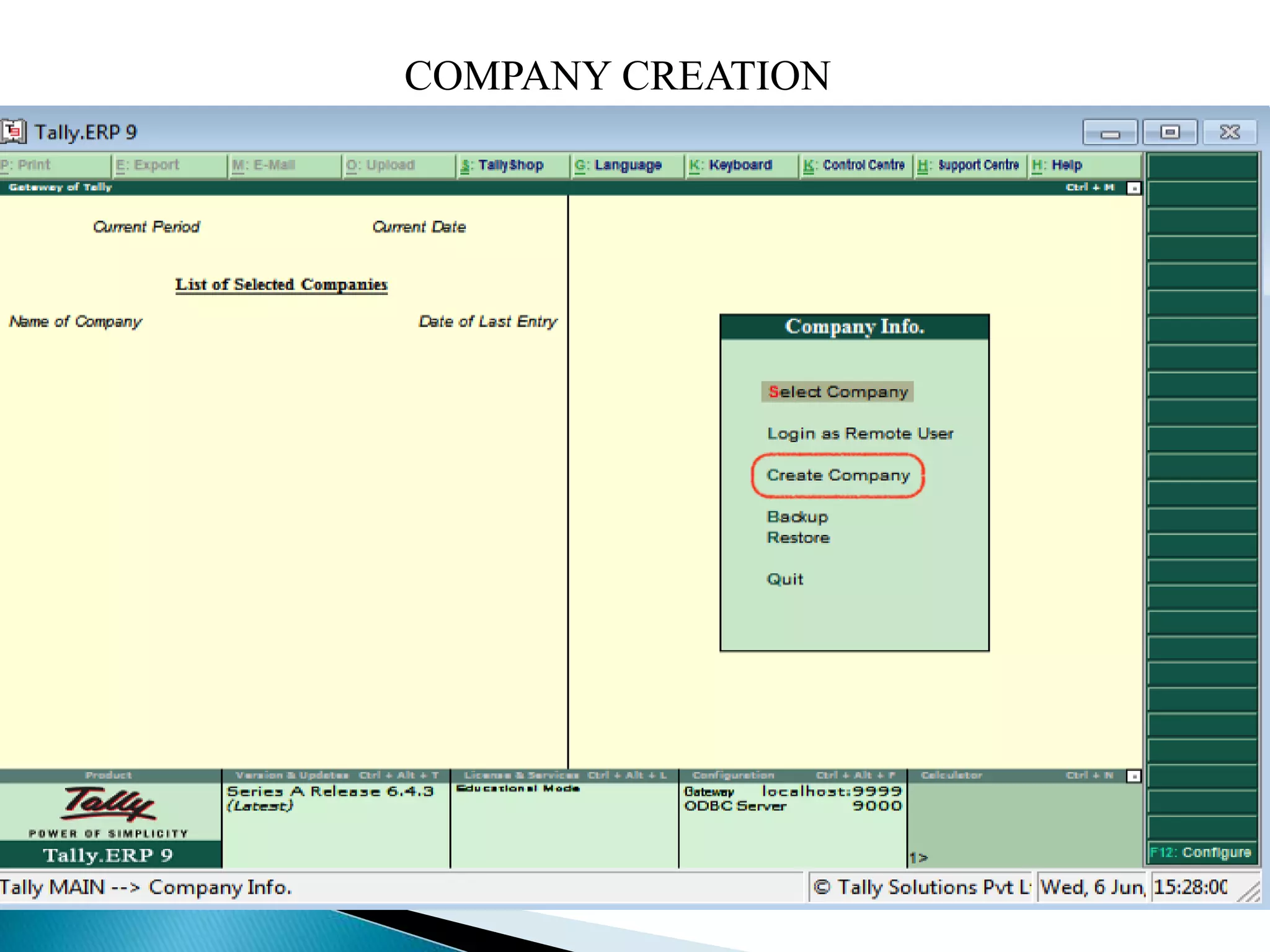
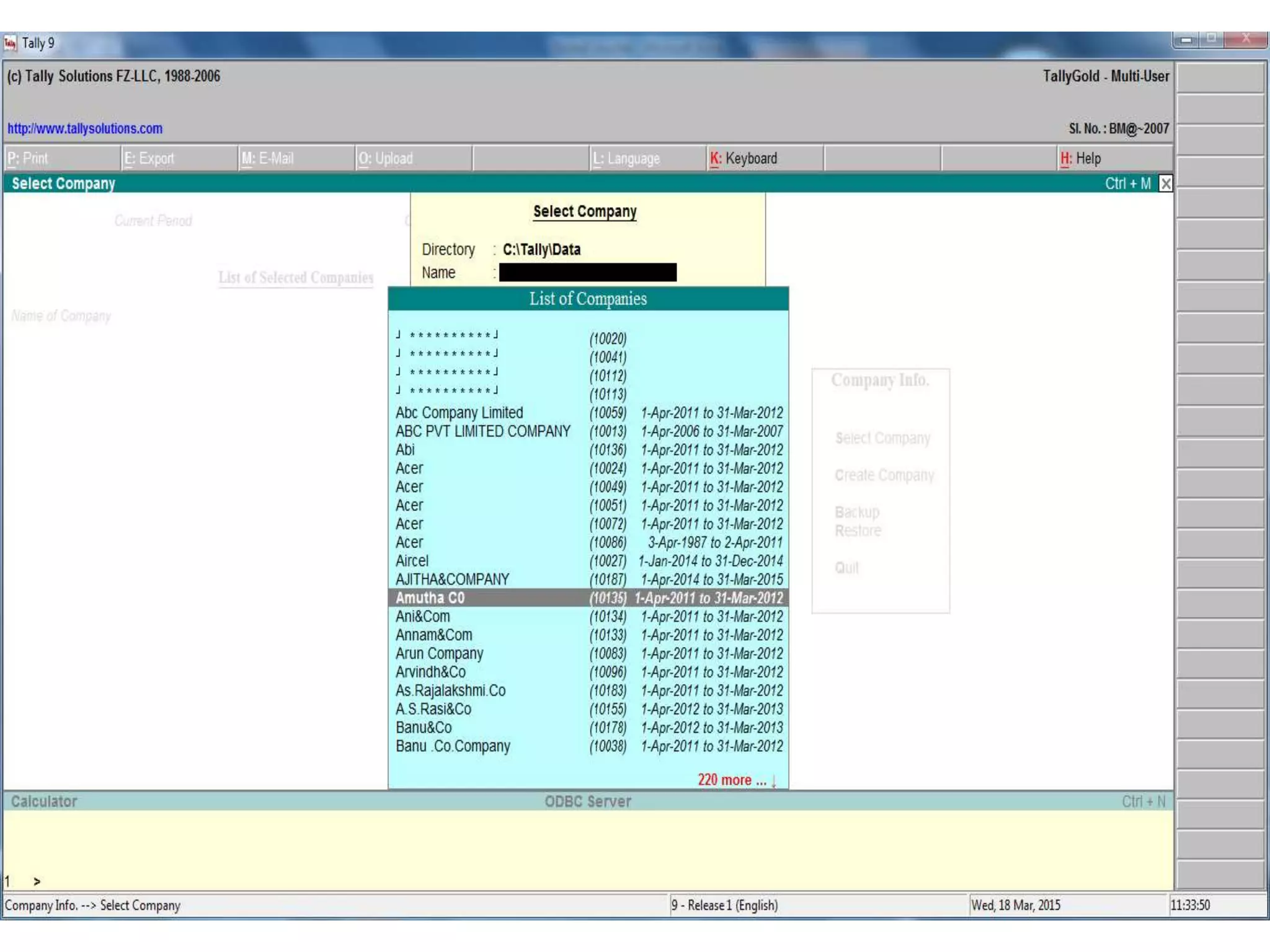
Step 2: Press Alt+F3 and select create company on the popup
menu.
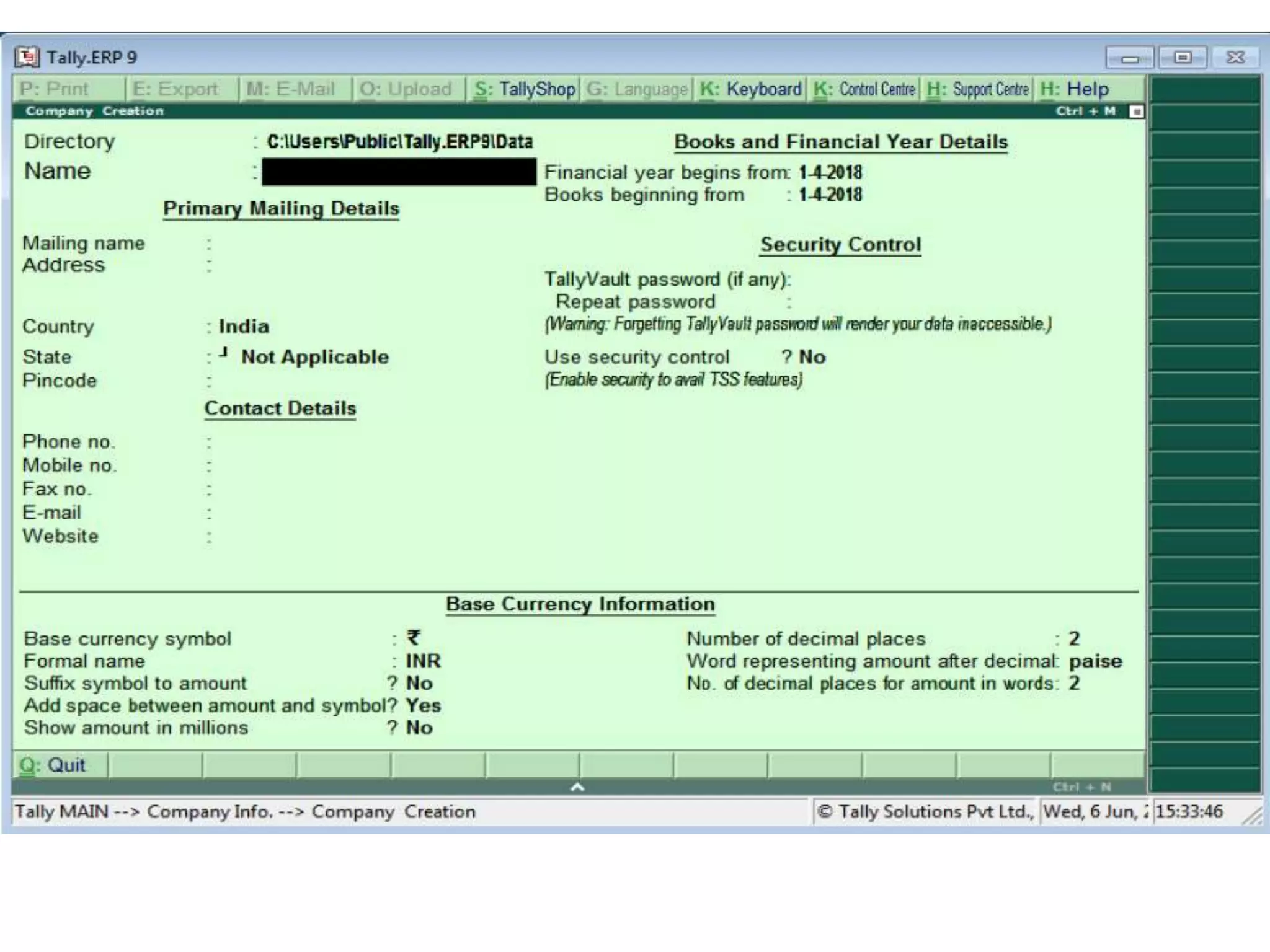
Step 3: The company creation screen display.
Step 4: Type the necessary details.
Step5: Press “Yes” to accept dialog box to accept all the entries
in the company creation.
RESULT:
A program with given details is created.
COMPANY CREATION
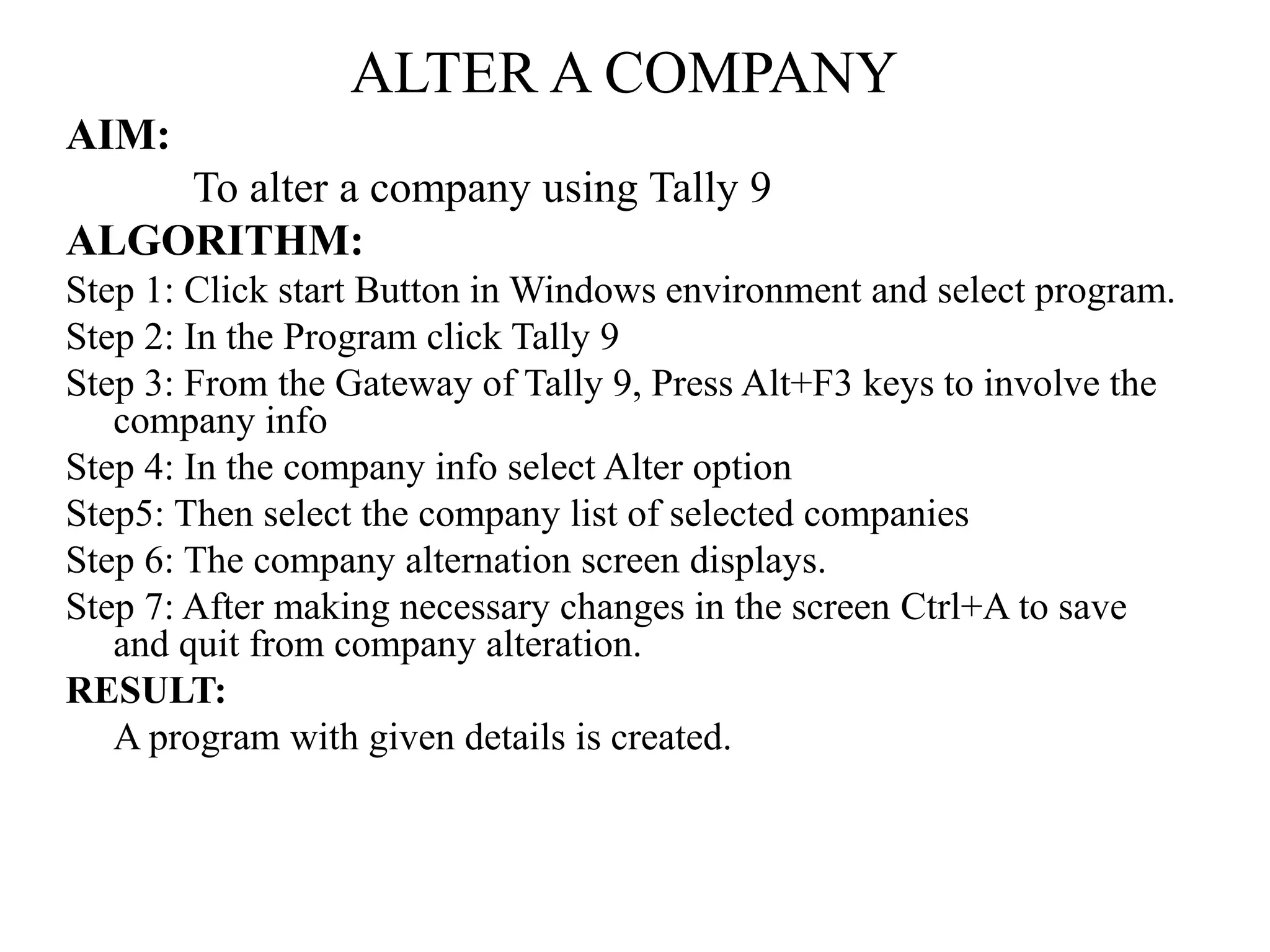
ALTER A COMPANY
AIM:
To alter a company using Tally 9
ALGORITHM:
Step 1: Click start Button in Windows environment and select program.
Step 2: In the Program click Tally 9
Step 3: From the Gateway of Tally 9, Press Alt+F3 keys to involve the
company info
Step 4: In the company info select Alter option
Step5: Then select the company list of selected companies
Step 6: The company alternation screen displays.
Step 7: After making necessary changes in the screen Ctrl+A to save
and quit from company alteration.
RESULT:
A program with given details is created.
Tally

Tally

  • 2.
    CREATION OF COMPANY AIM: Tocreate a new company ALGORITHM: Step 1: Click Tally 9 icon on the desktop screen Step 2: Press Alt+F3 and select create company on the popup menu. Step 3: The company creation screen display. Step 4: Type the necessary details. Step5: Press “Yes” to accept dialog box to accept all the entries in the company creation. RESULT: A program with given details is created.
  • 3.
  • 5.
    ALTER A COMPANY AIM: Toalter a company using Tally 9 ALGORITHM: Step 1: Click start Button in Windows environment and select program. Step 2: In the Program click Tally 9 Step 3: From the Gateway of Tally 9, Press Alt+F3 keys to involve the company info Step 4: In the company info select Alter option Step5: Then select the company list of selected companies Step 6: The company alternation screen displays. Step 7: After making necessary changes in the screen Ctrl+A to save and quit from company alteration. RESULT: A program with given details is created.