How to Take Notes  Using NoodleBib  Nancy Florio, Library Director [email_address] 860-210-2822
NoodleBib helps you … Create, store, organize  Create a bibliography Take notes online Organize your notes Develop your own ideas Think about what’s important  Create [essay, speech, product…]
Citations + notes = Work you’ll be proud of! Create an accurate, relevant [source list, bibliography] Correct style, punctuation, formatting Prompts you to check for quality, balance Take good notes, keep them organized Sources stay linked to notes  Easy to quote and reference Summarize, evaluate, question Organize ideas thoughtfully before writing
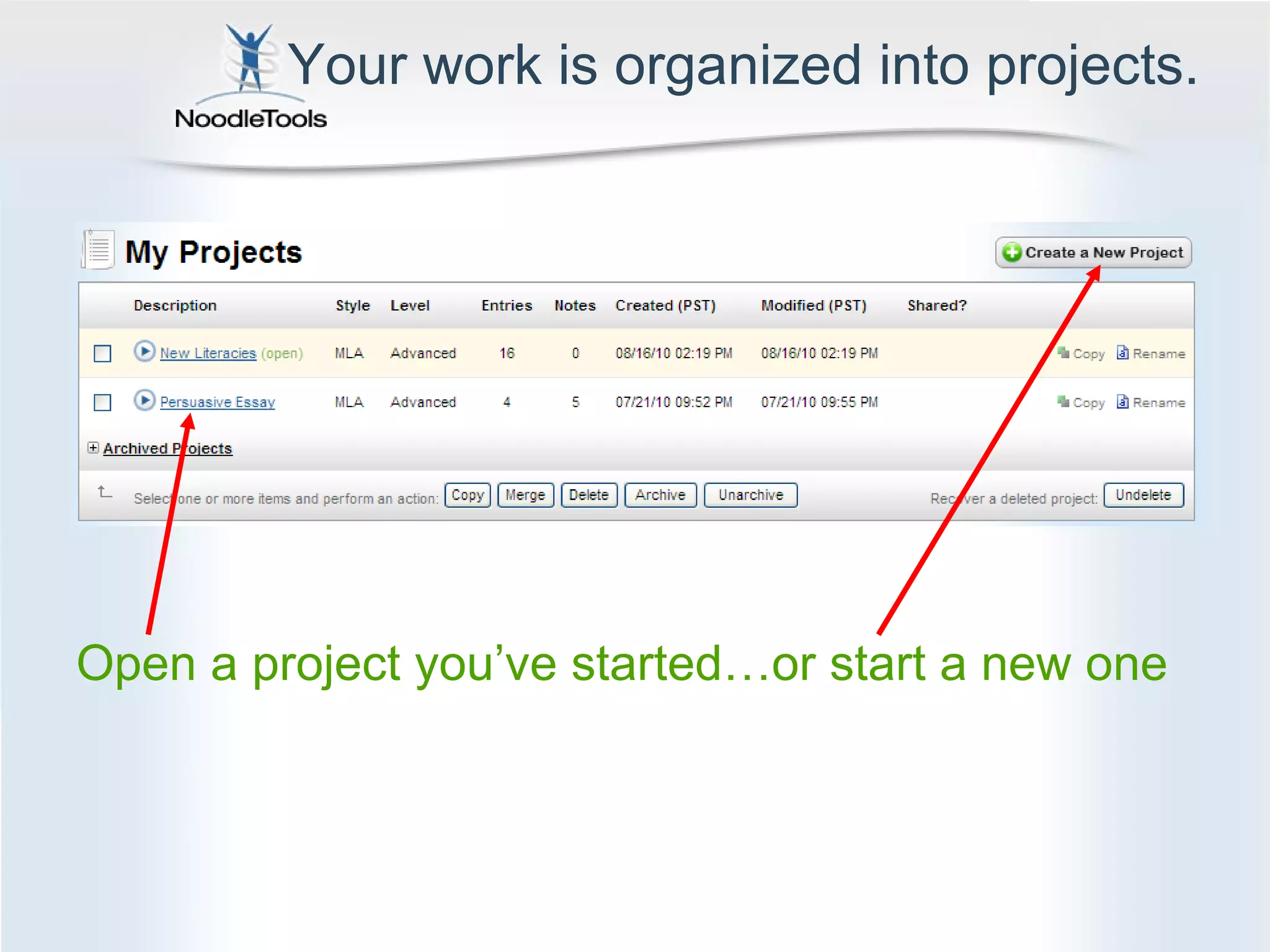
Your work is organized into projects. Open a project you’ve started…or start a new one
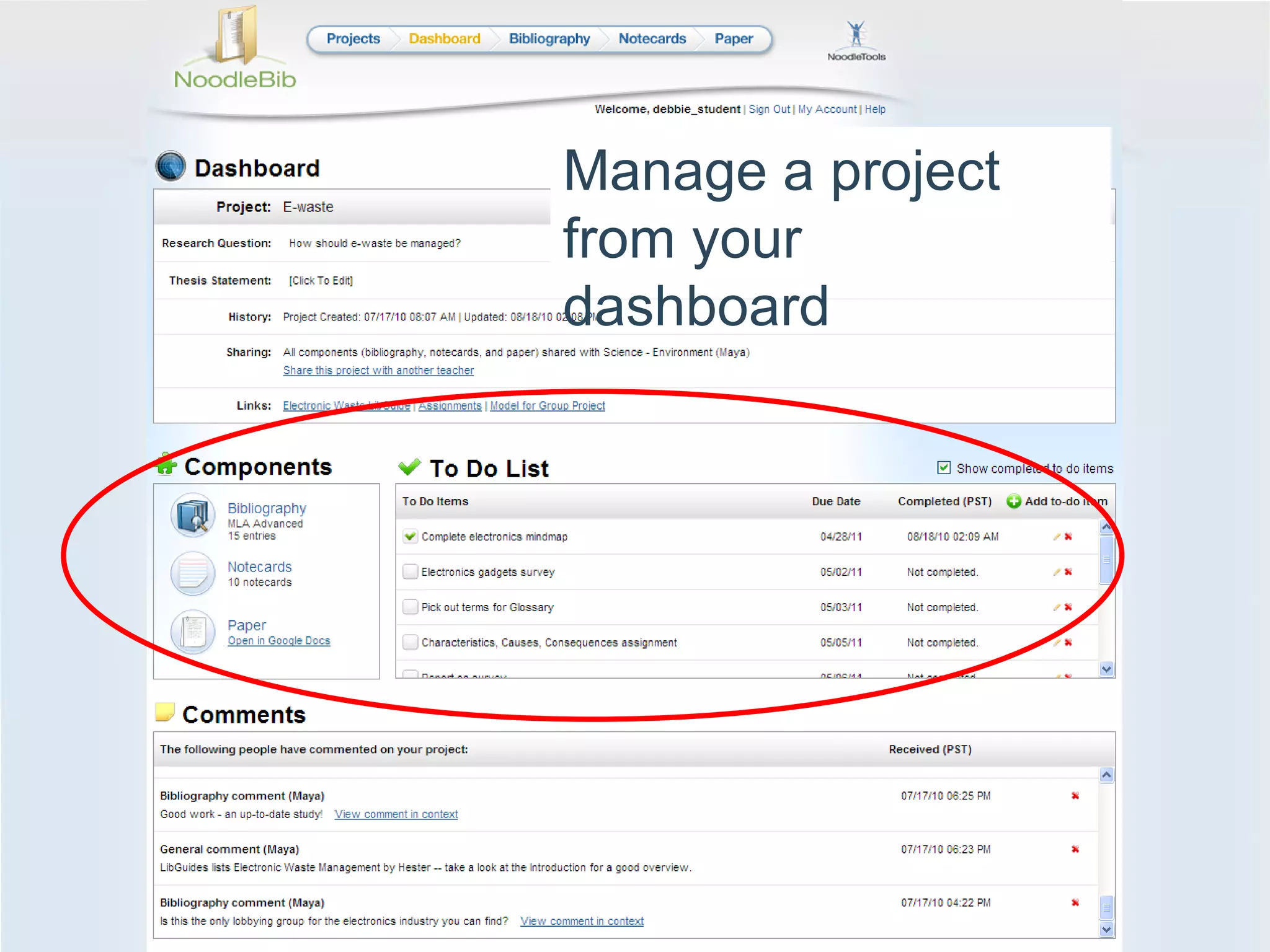
Manage a project from your  dashboard
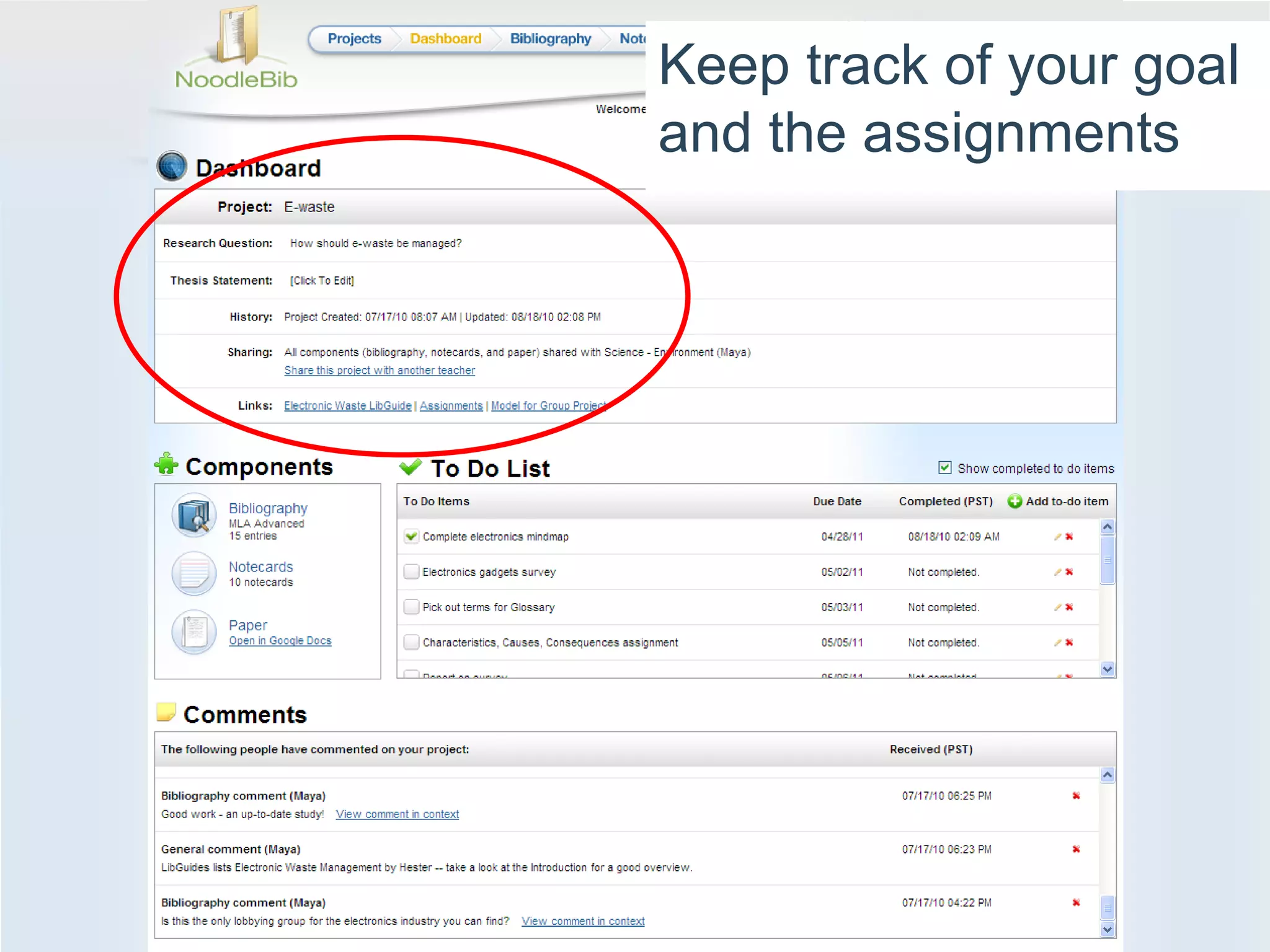
Keep track of your goal and the assignments
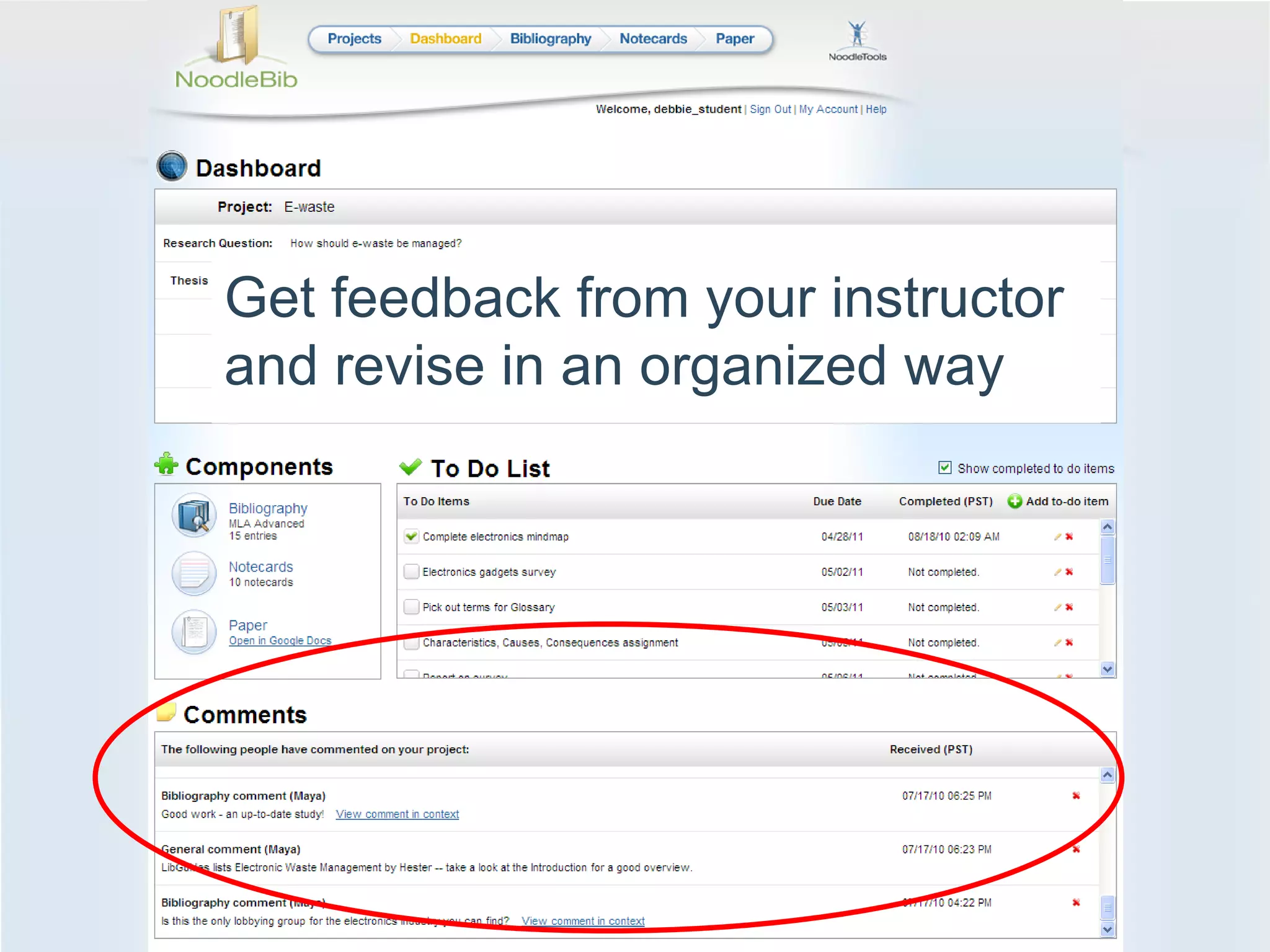
Get feedback from your instructor and revise in an organized way
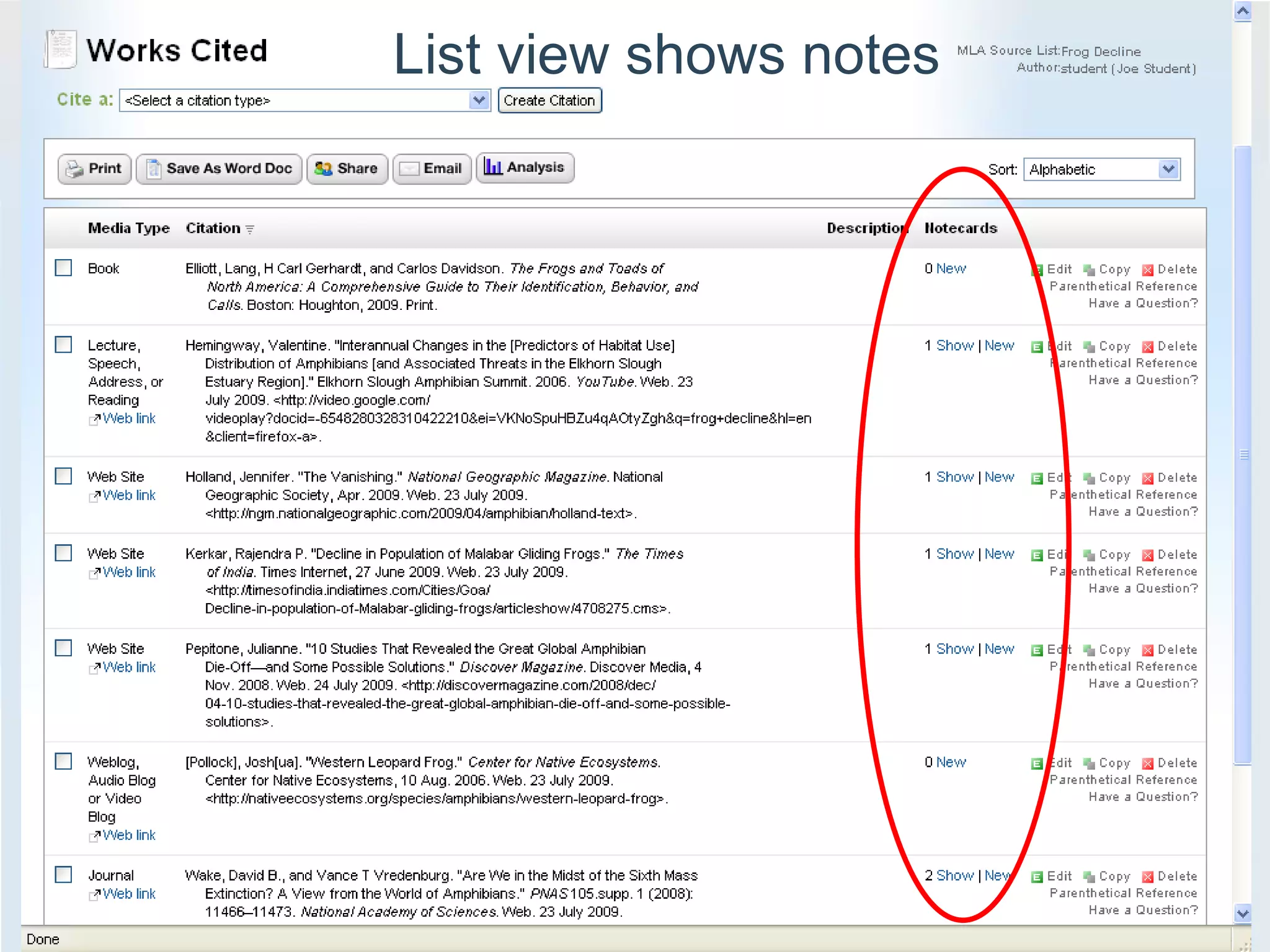
List view shows notes
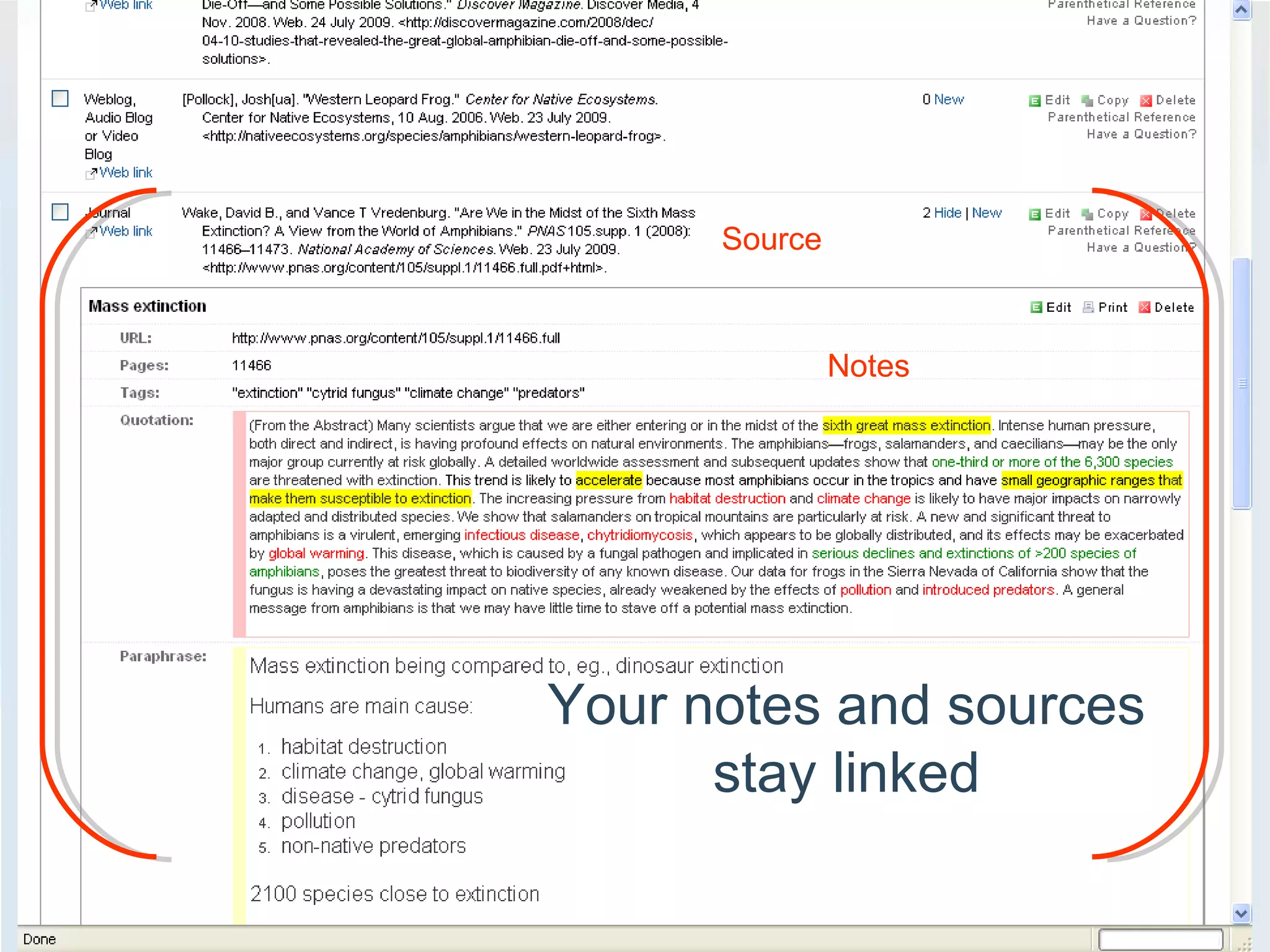
Source Notes Your notes and sources stay linked
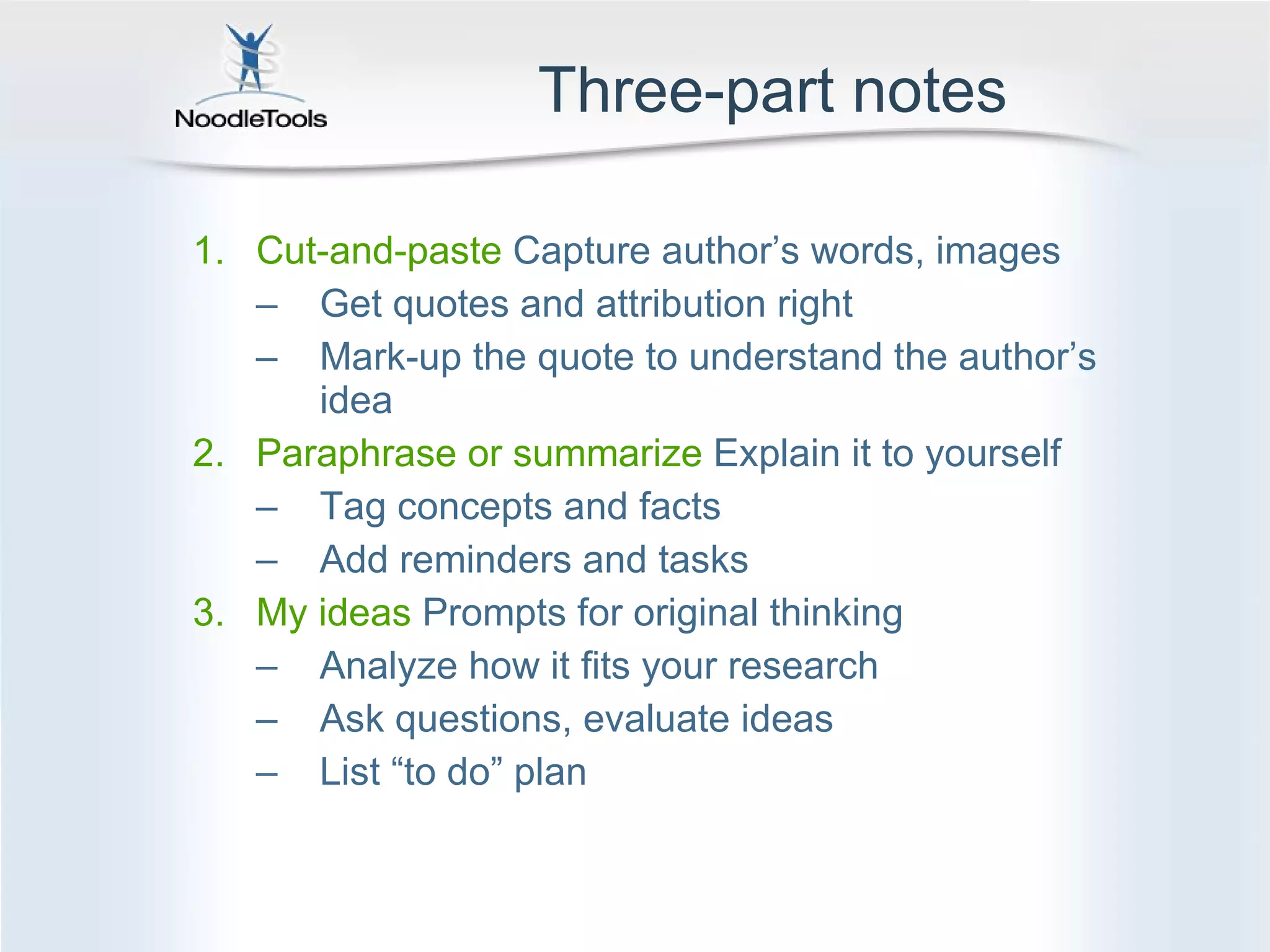
Three-part notes Cut-and-paste  Capture author’s words, images Get quotes and attribution right Mark-up the quote to understand the author’s idea Paraphrase or summarize  Explain it to yourself Tag concepts and facts Add reminders and tasks My ideas  Prompts for original thinking Analyze how it fits your research Ask questions, evaluate ideas List “to do” plan
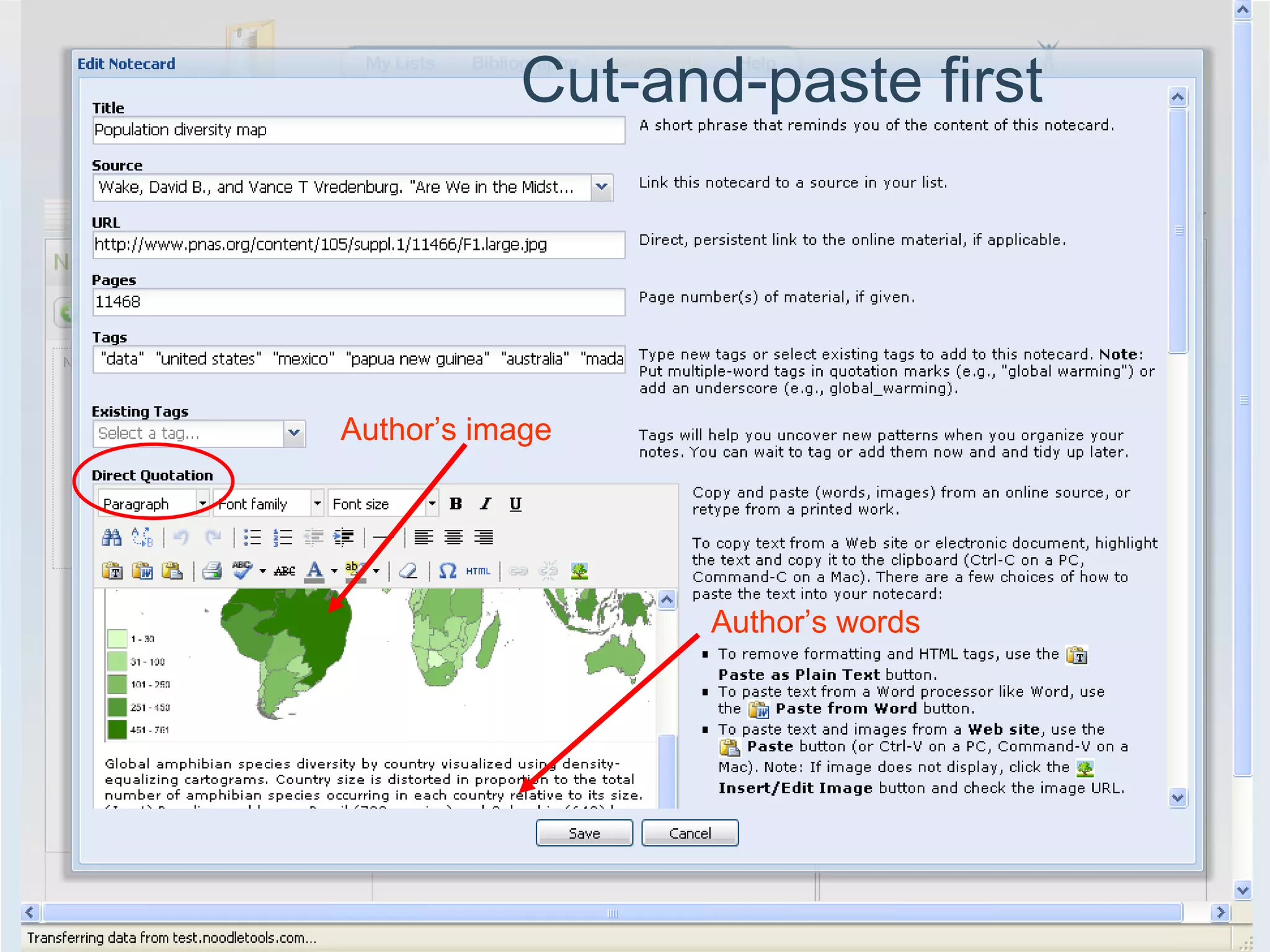
Cut-and-paste first Author’s image Author’s words
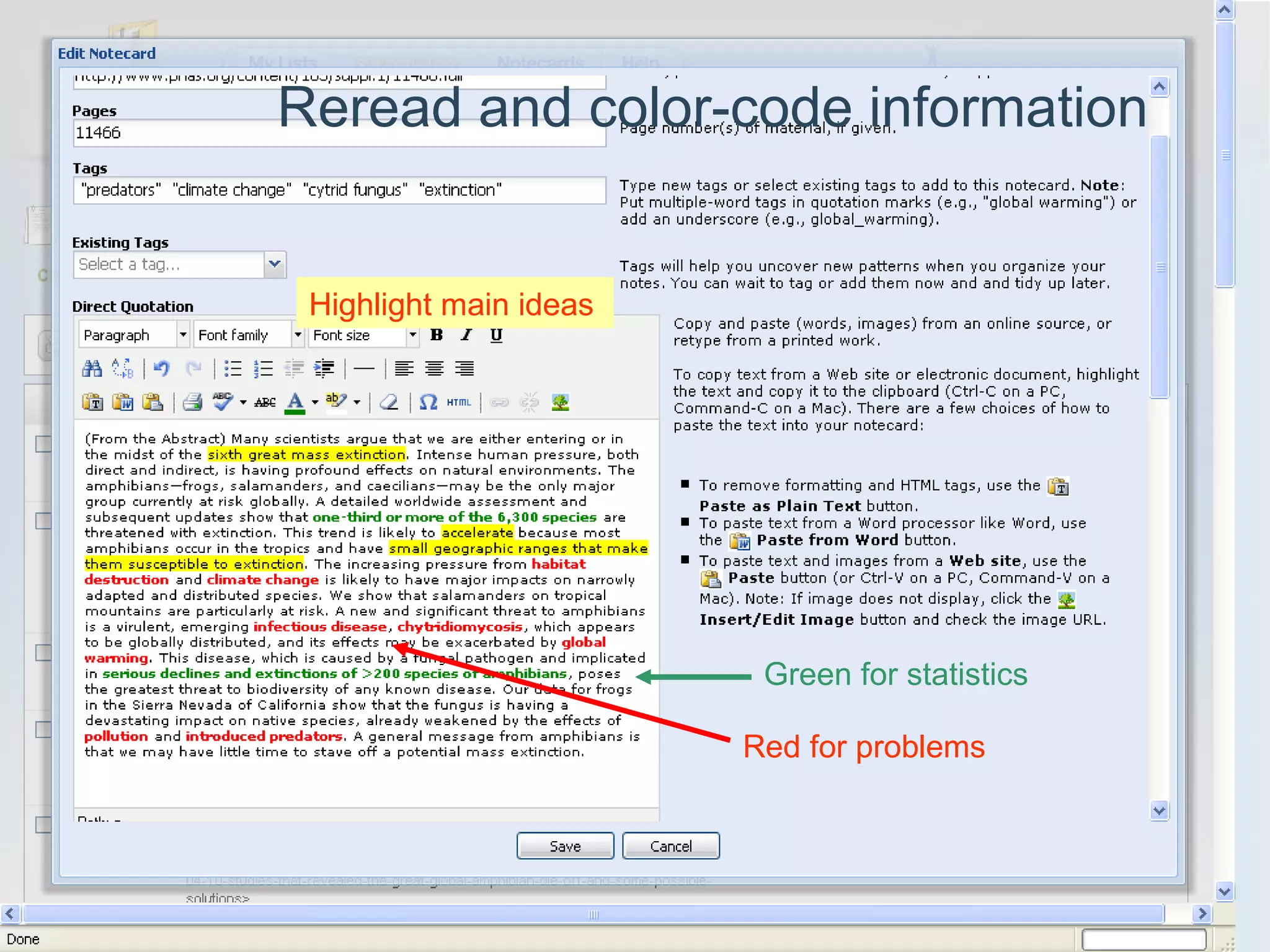
Reread and color-code information Red for problems  Green for statistics Highlight main ideas
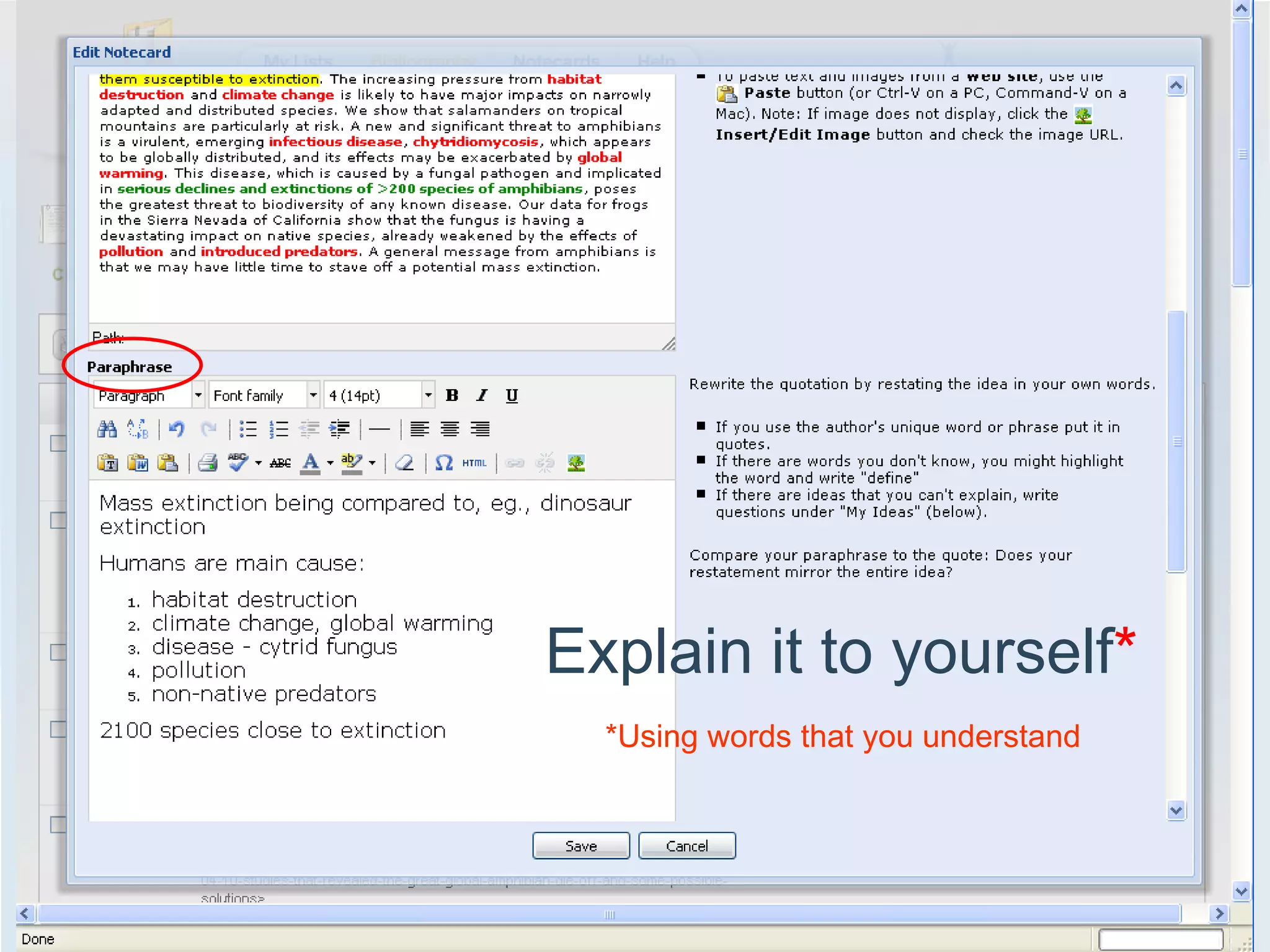
Explain it to yourself * *Using words that you understand
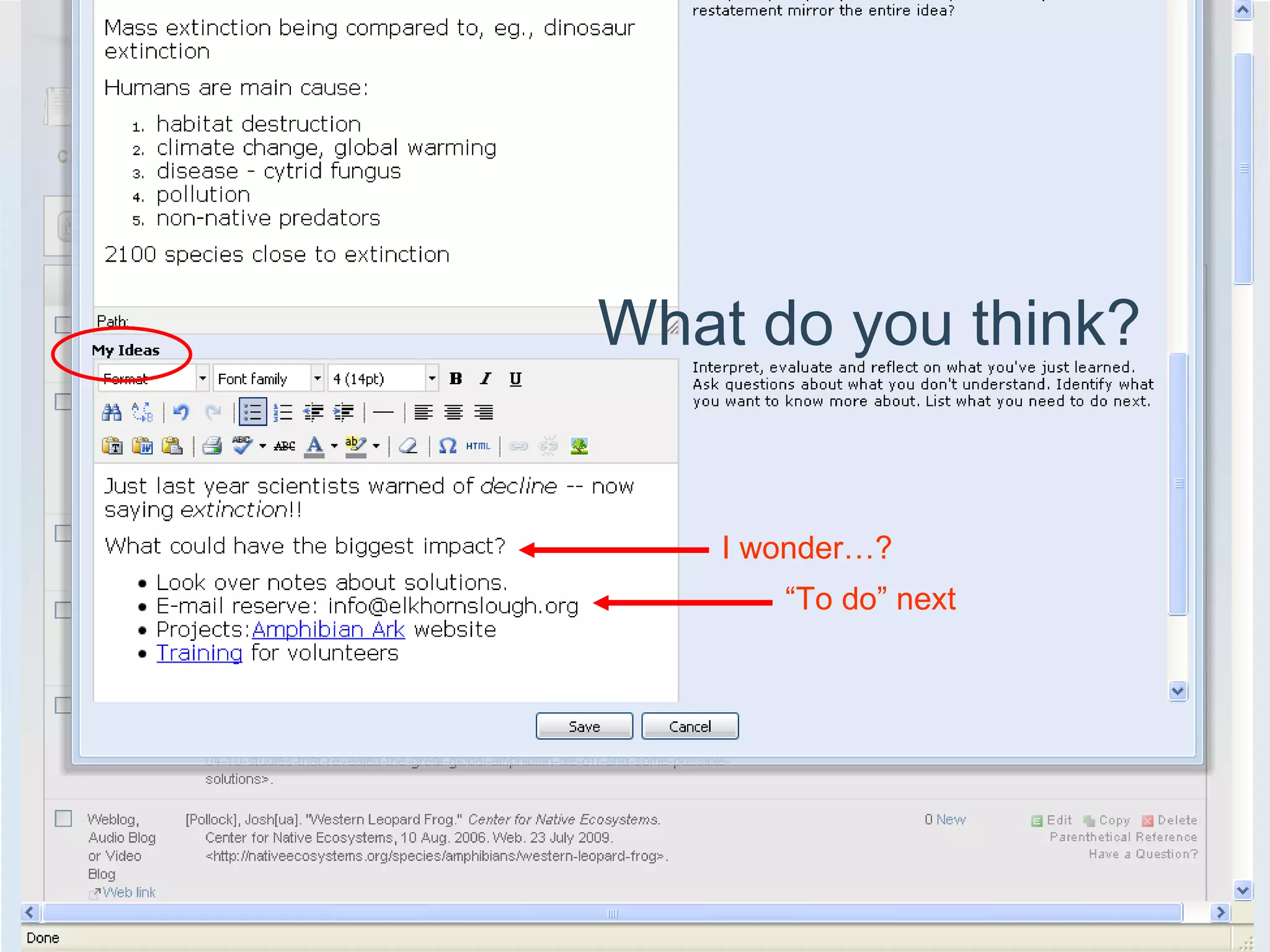
What do you think? I wonder…? “ To do” next
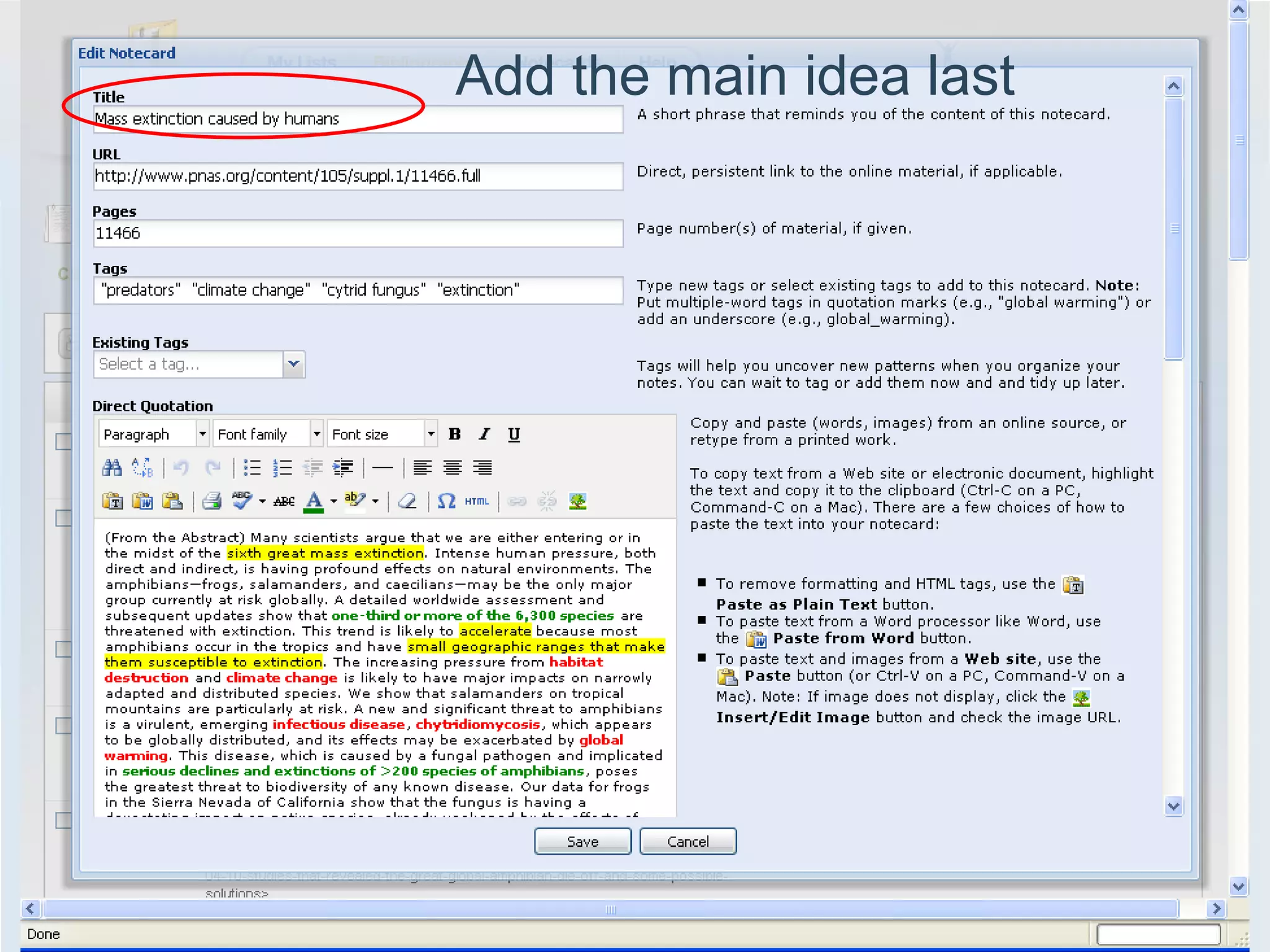
Add the main idea last
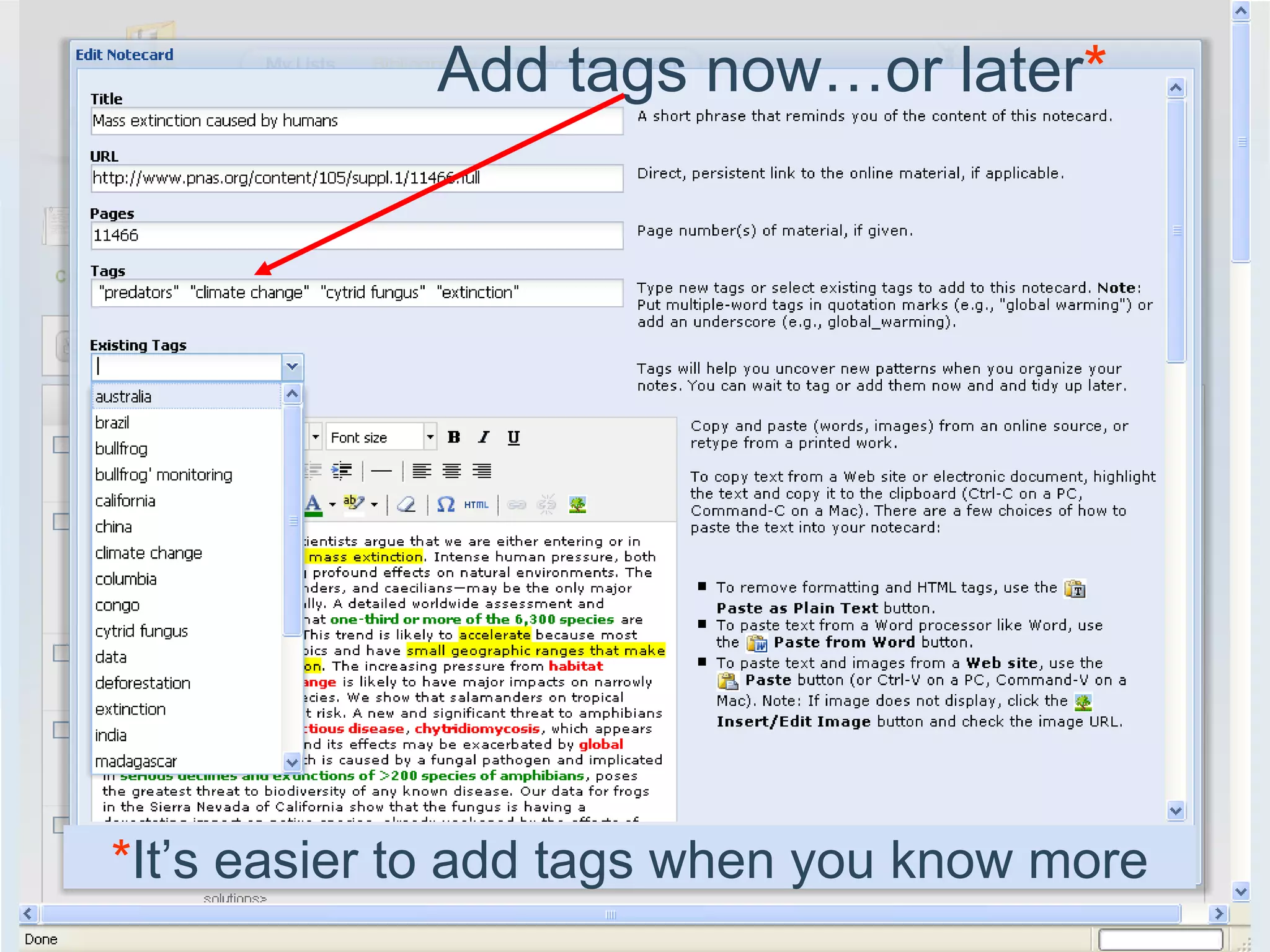
Add tags now…or later * * It’s easier to add tags when you know more
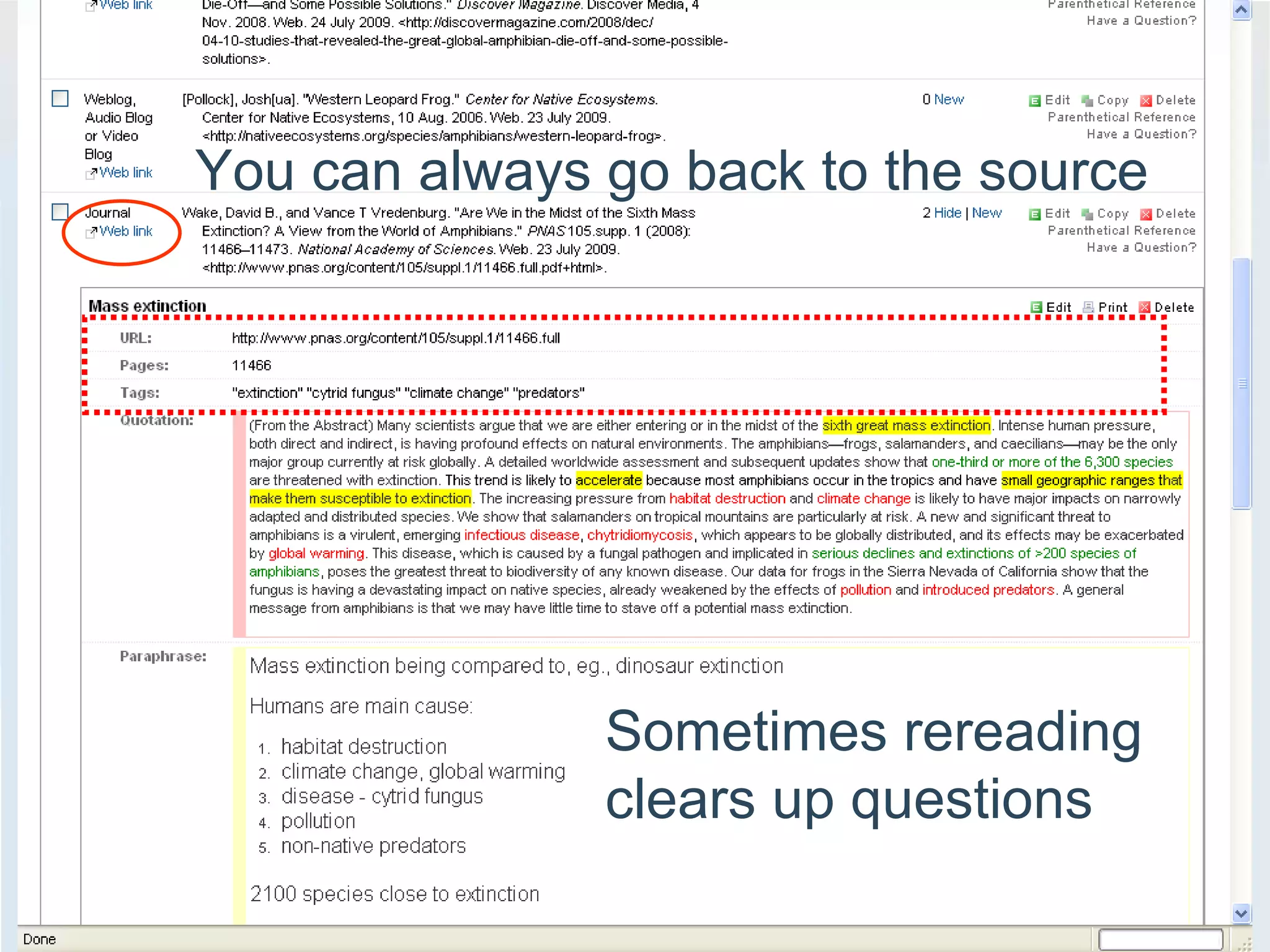
You can always go back to the source Sometimes rereading clears up questions
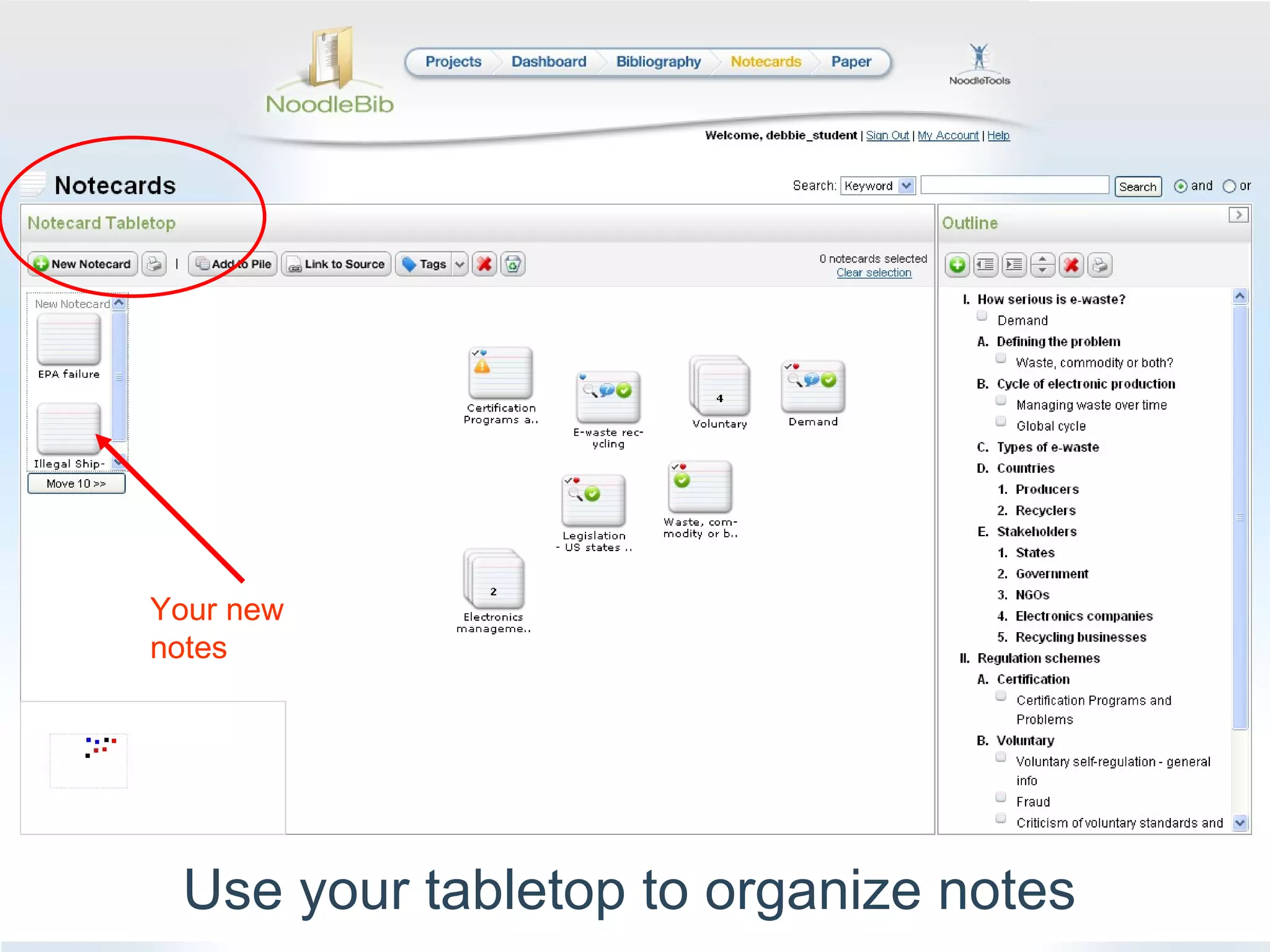
Use your tabletop to organize notes Your new notes
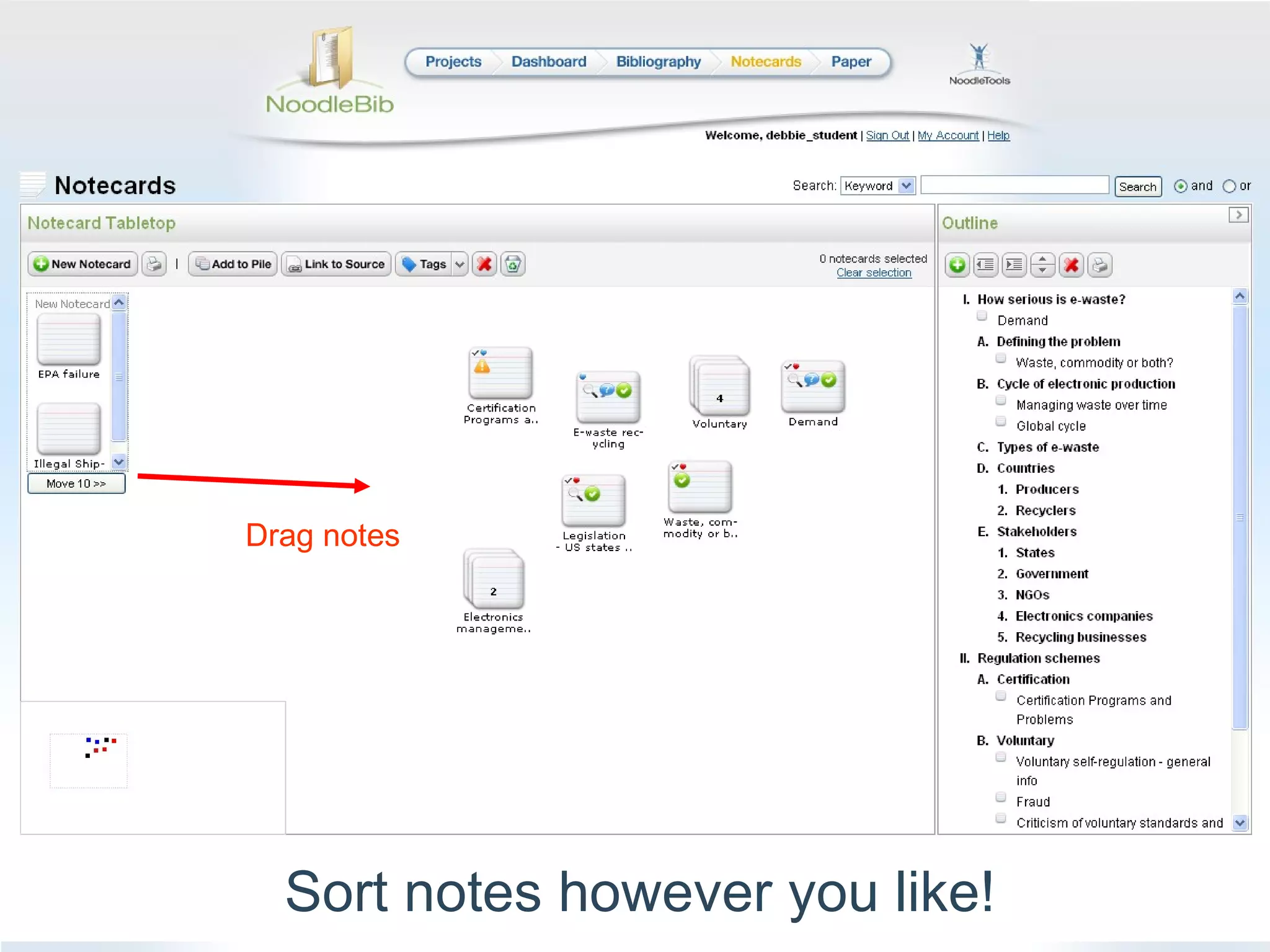
Sort notes however you like! Drag notes
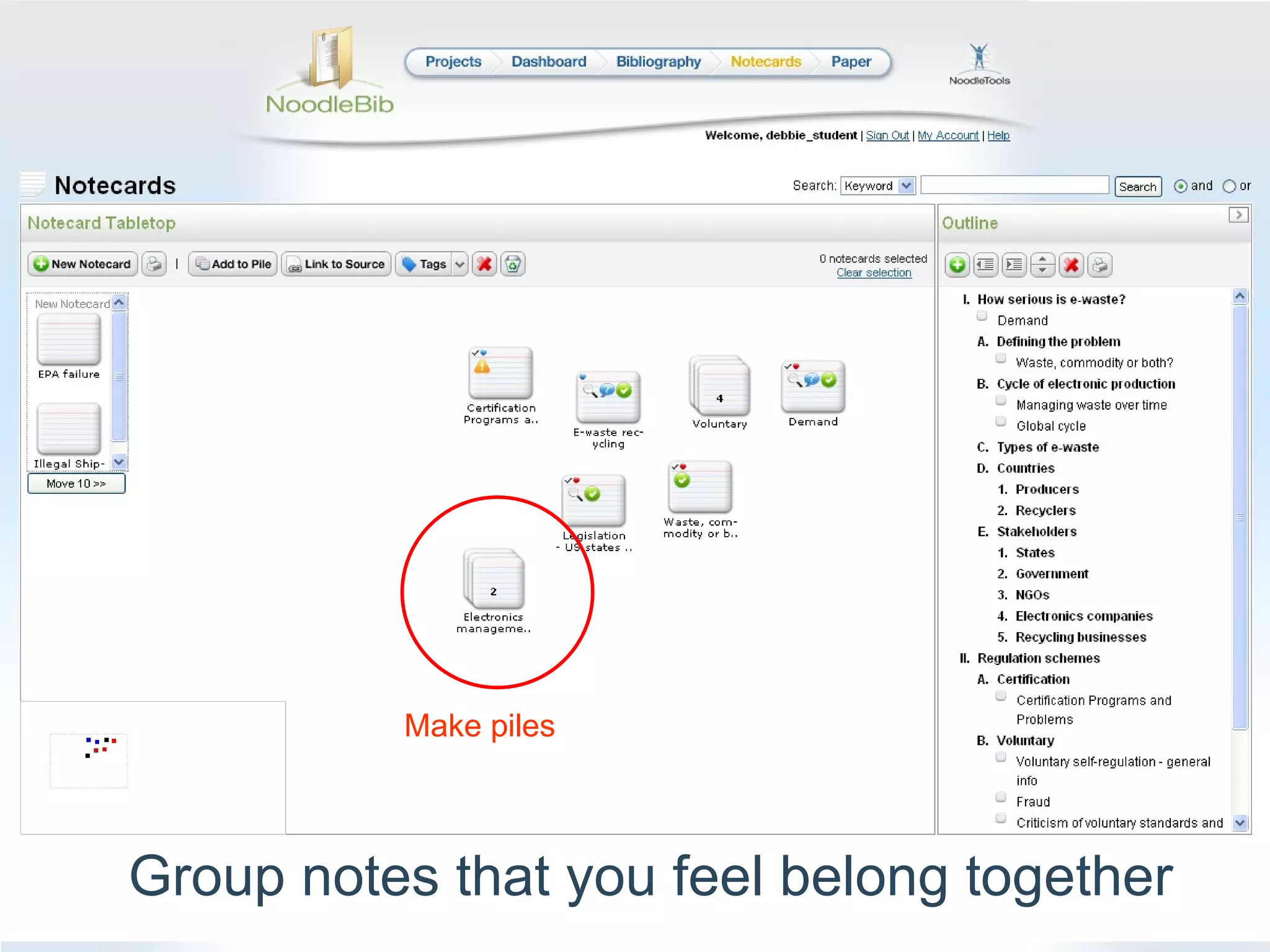
Make piles Group notes that you feel belong together
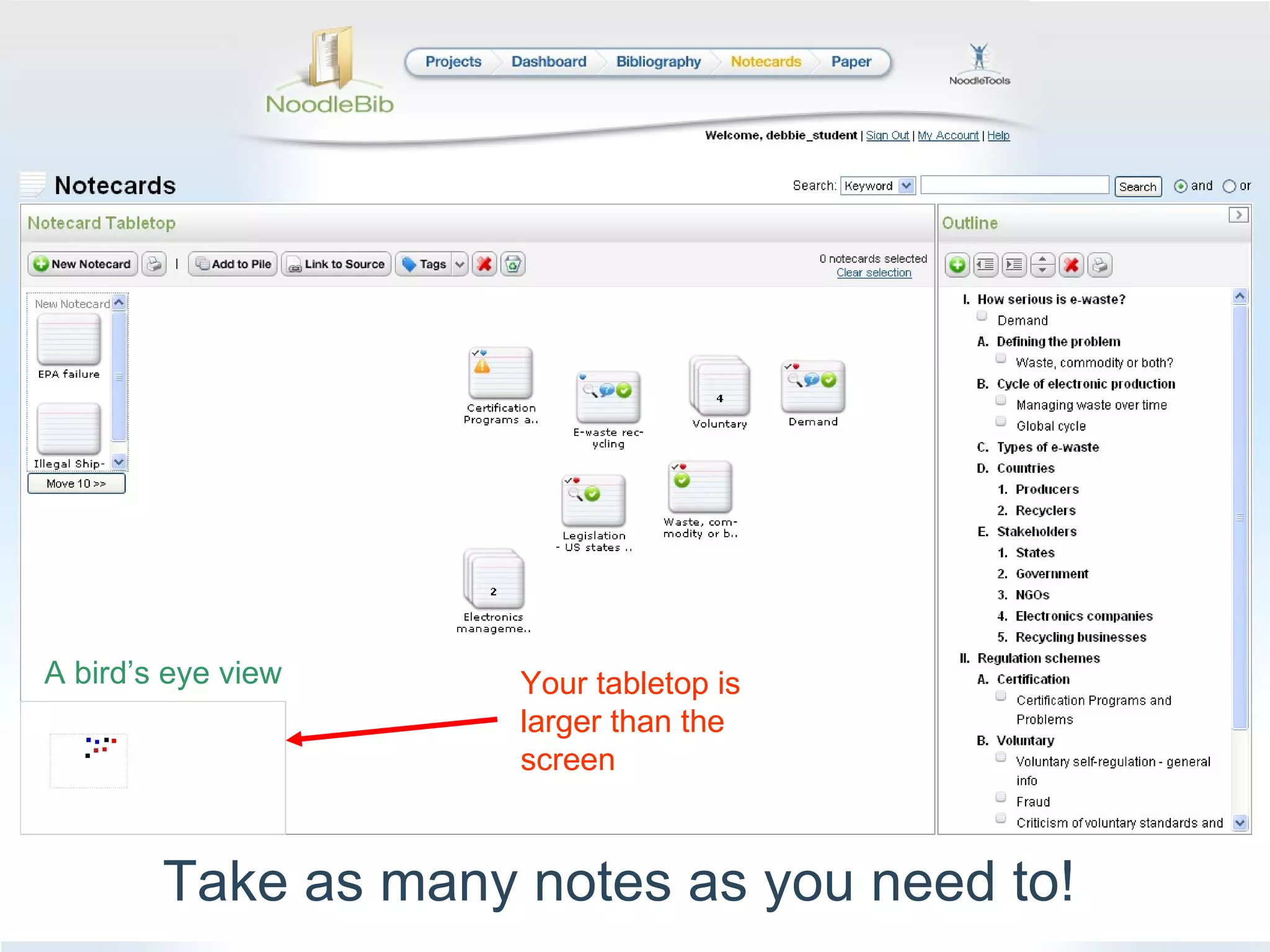
Take as many notes as you need to! Your tabletop is larger than the screen A bird’s eye view
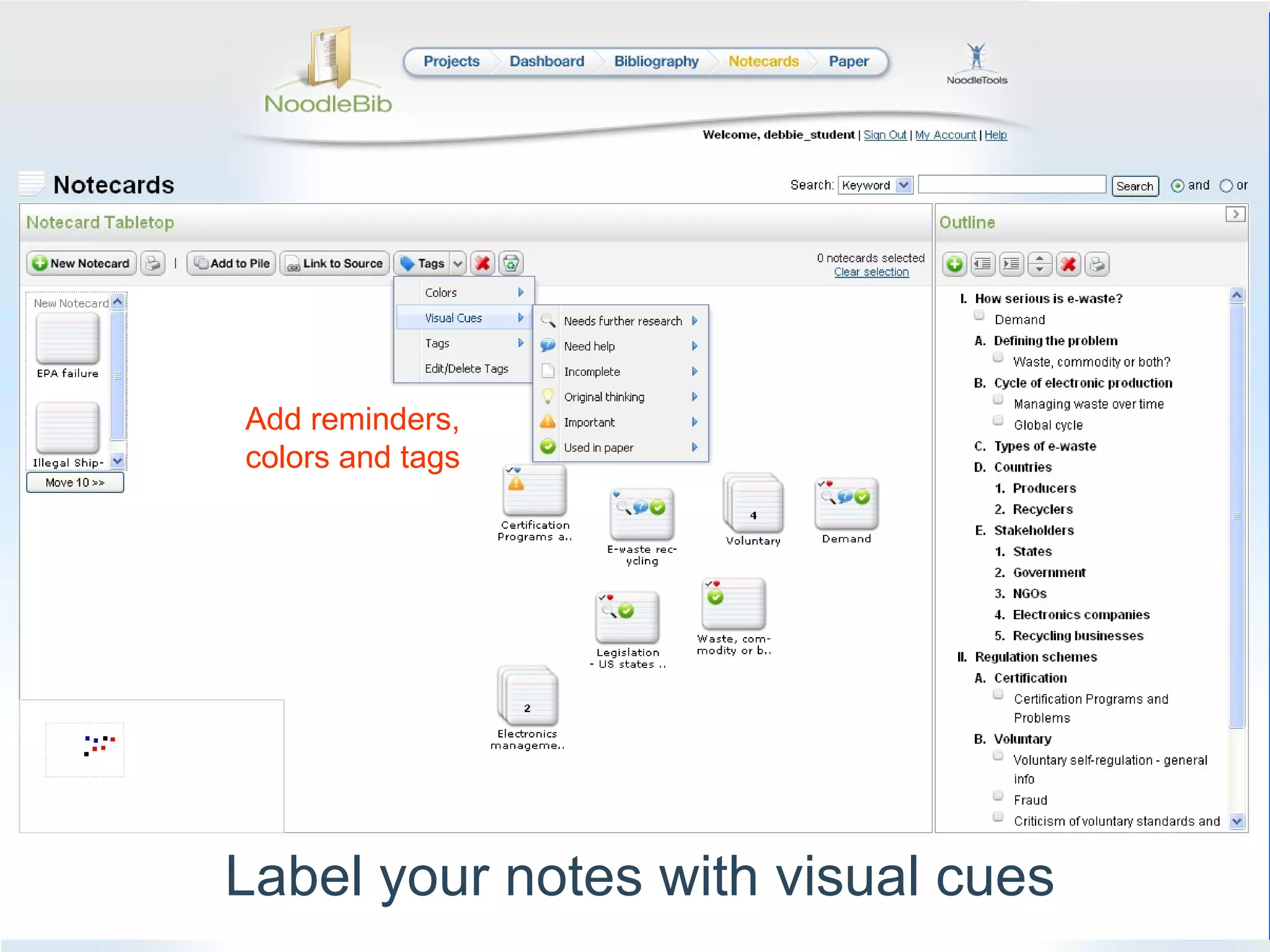
Label your notes with visual cues Add reminders, colors and tags
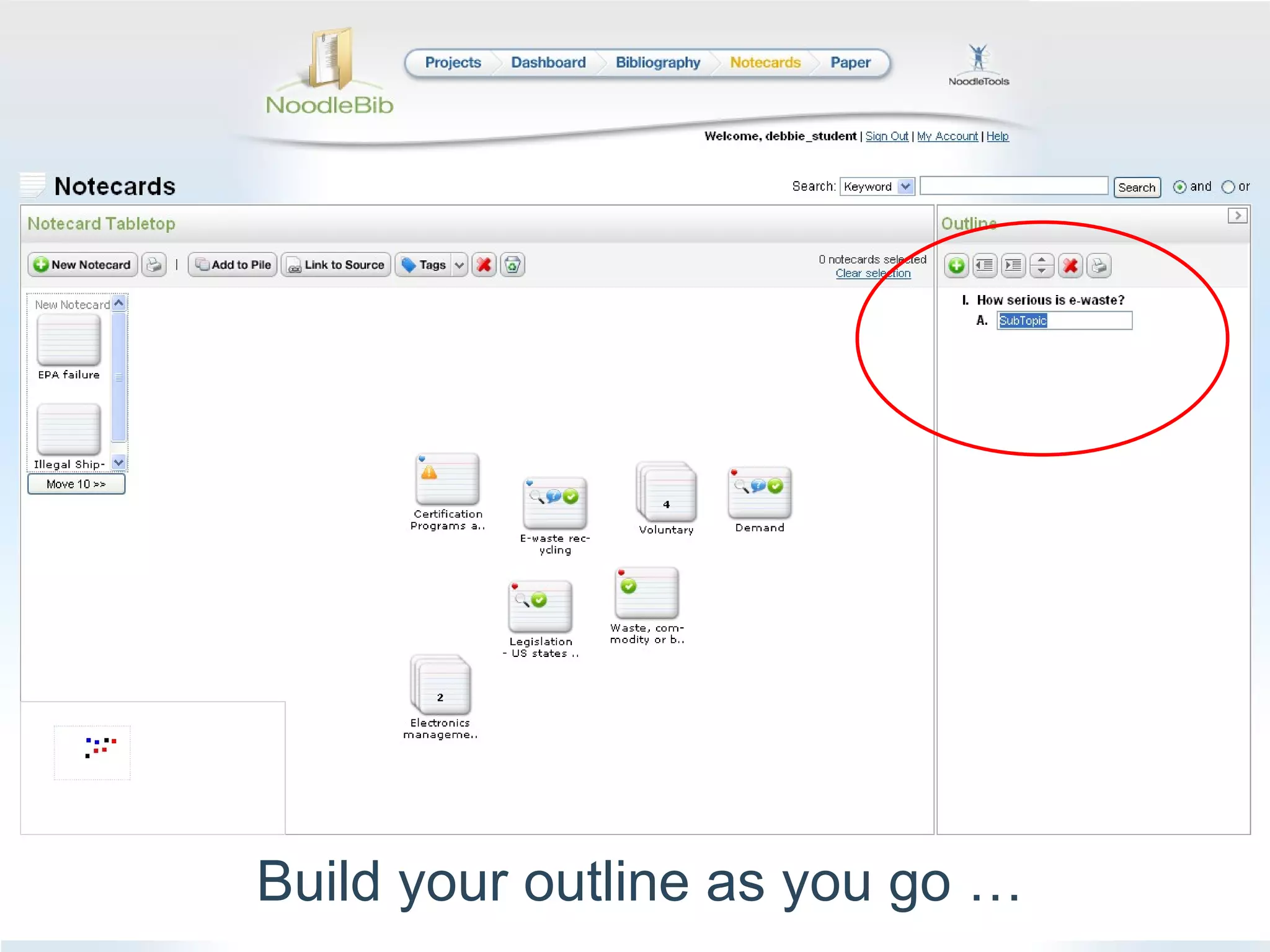
Build your outline as you go …
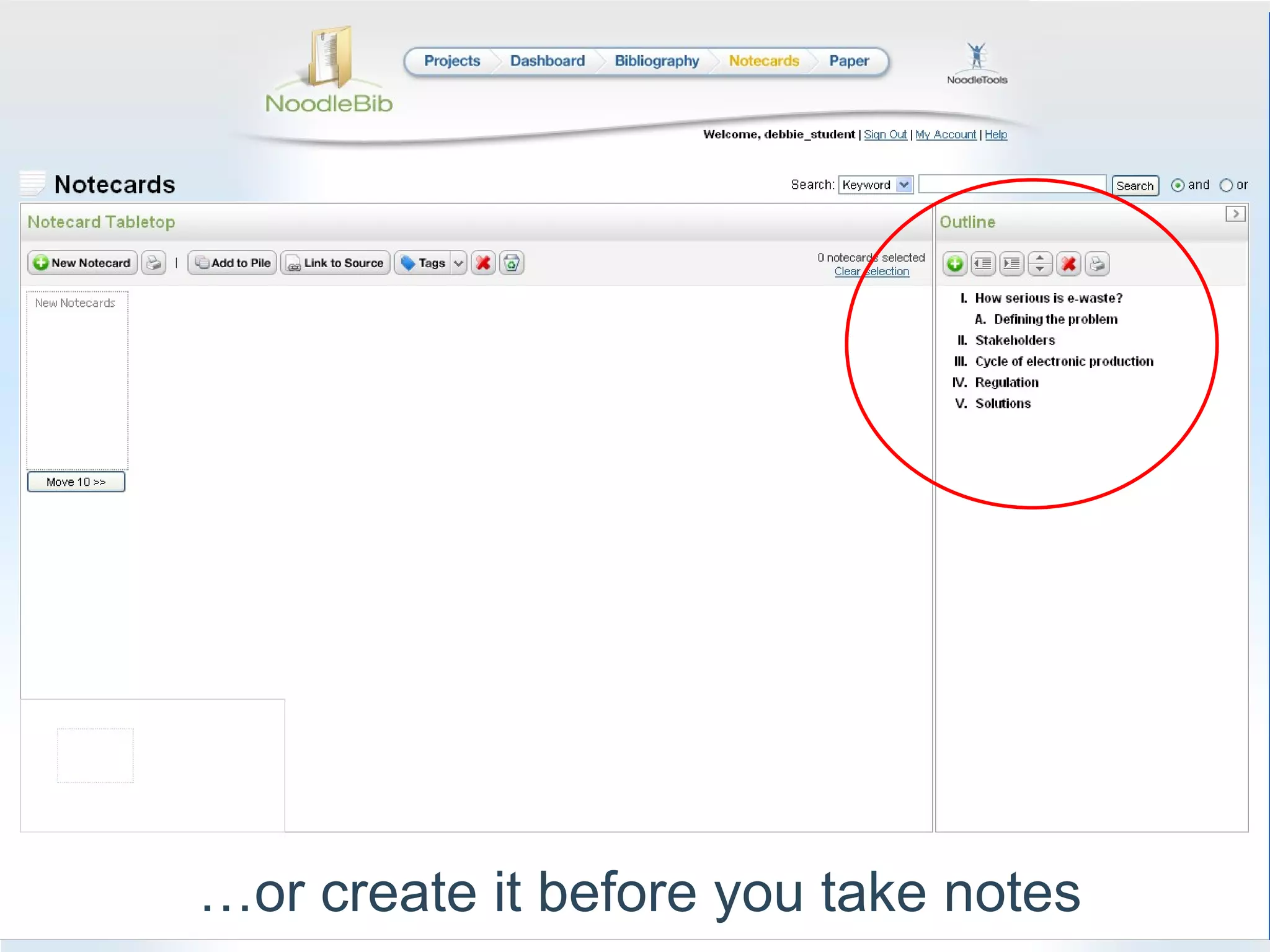
… or create it before you take notes
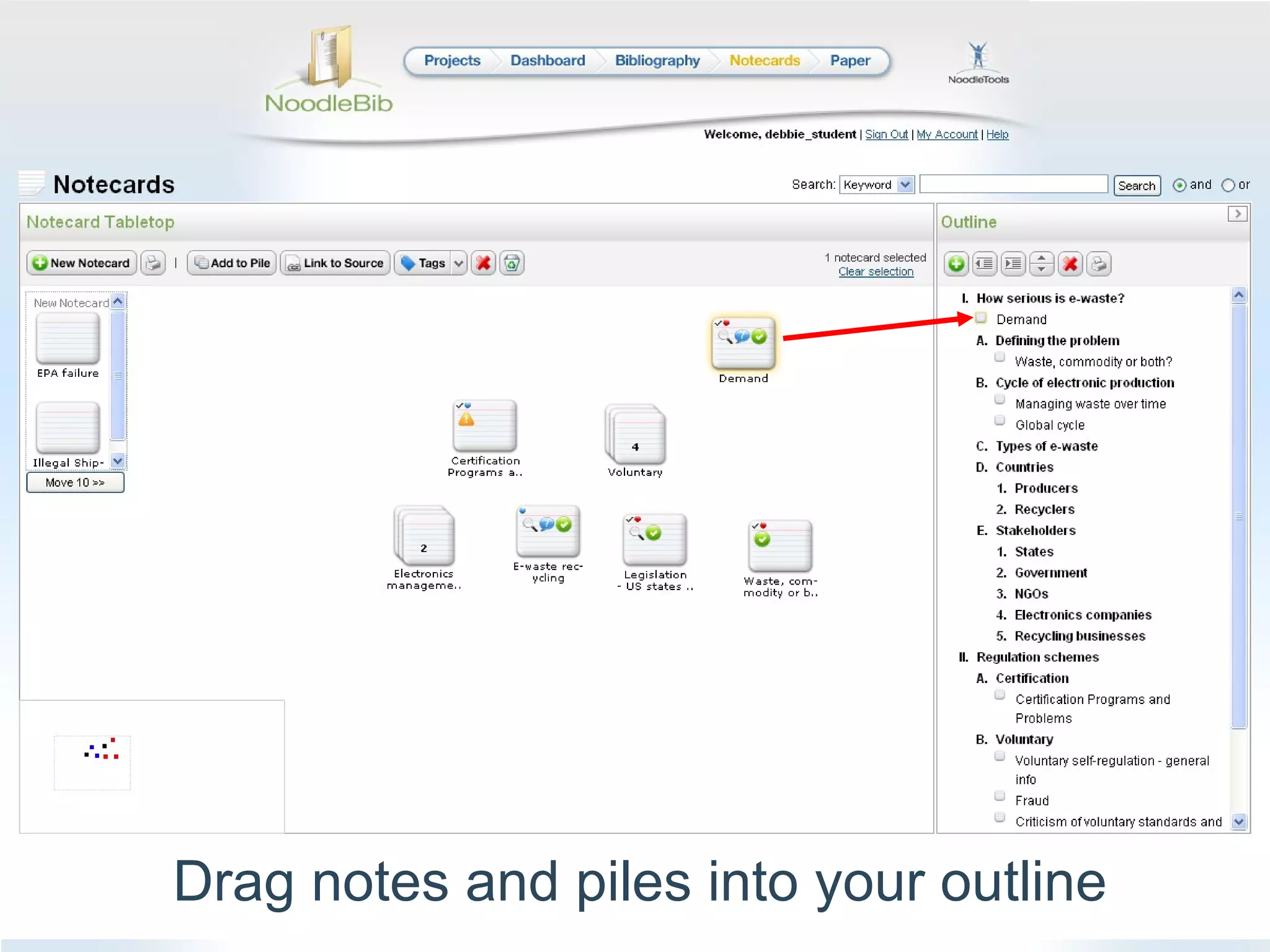
Drag notes and piles into your outline
Get help along the way Get feedback, make changes  Print out [source list, notes] E-mail [source list, notes] Fill in [assignment drop box] to share your list with [Teacher’s name] to get tips and comments
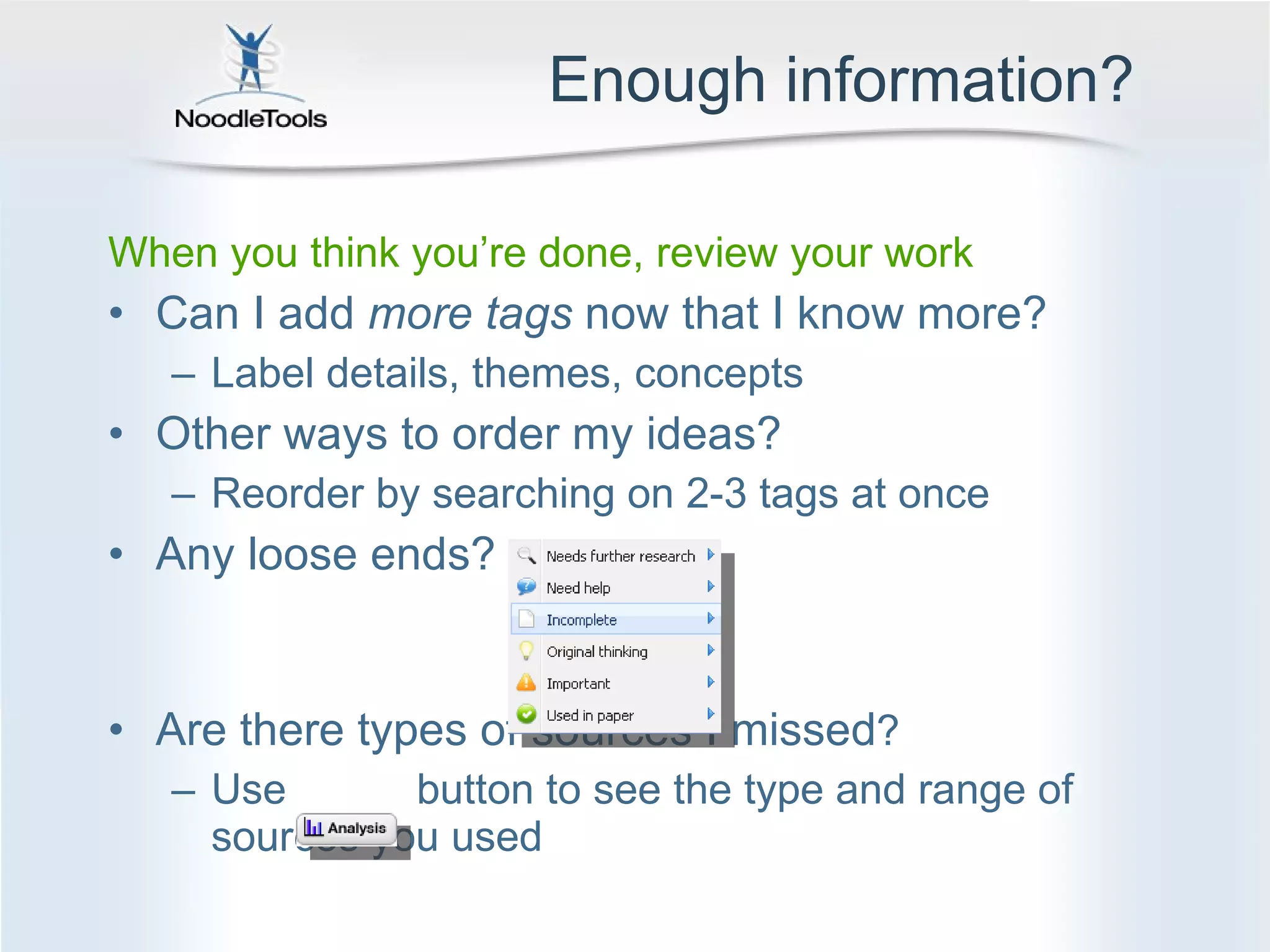
Enough information? When you think you’re done, review your work Can I add  more tags  now that I know more? Label details, themes, concepts Other ways to order my ideas? Reorder by searching on 2-3 tags at once Any loose ends? Are there types of sources I missed ? Use  button to see the type and range of sources you used
Organizing information Create subtopics and outline What notes have similar titles or topics?  Pile them together Add them to your outline Play with the order, be curious! What if I make new combinations of notes?  Search by one or more tags to find common ideas among notes What other ways can I order my outline? Do new grouping suggest new ways to analyze what I know?  New ideas?  New questions?
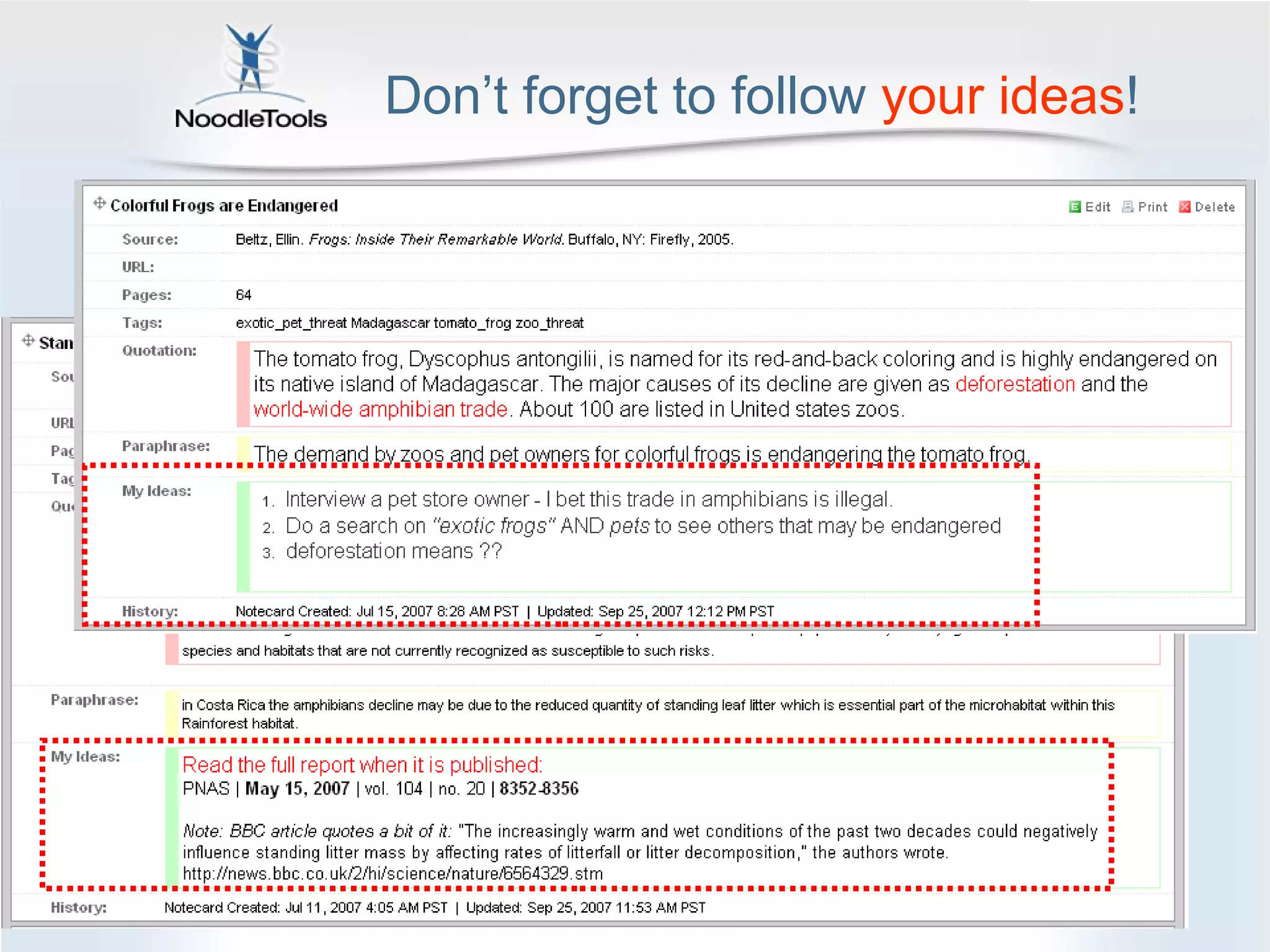
Don’t forget to follow  your   ideas !
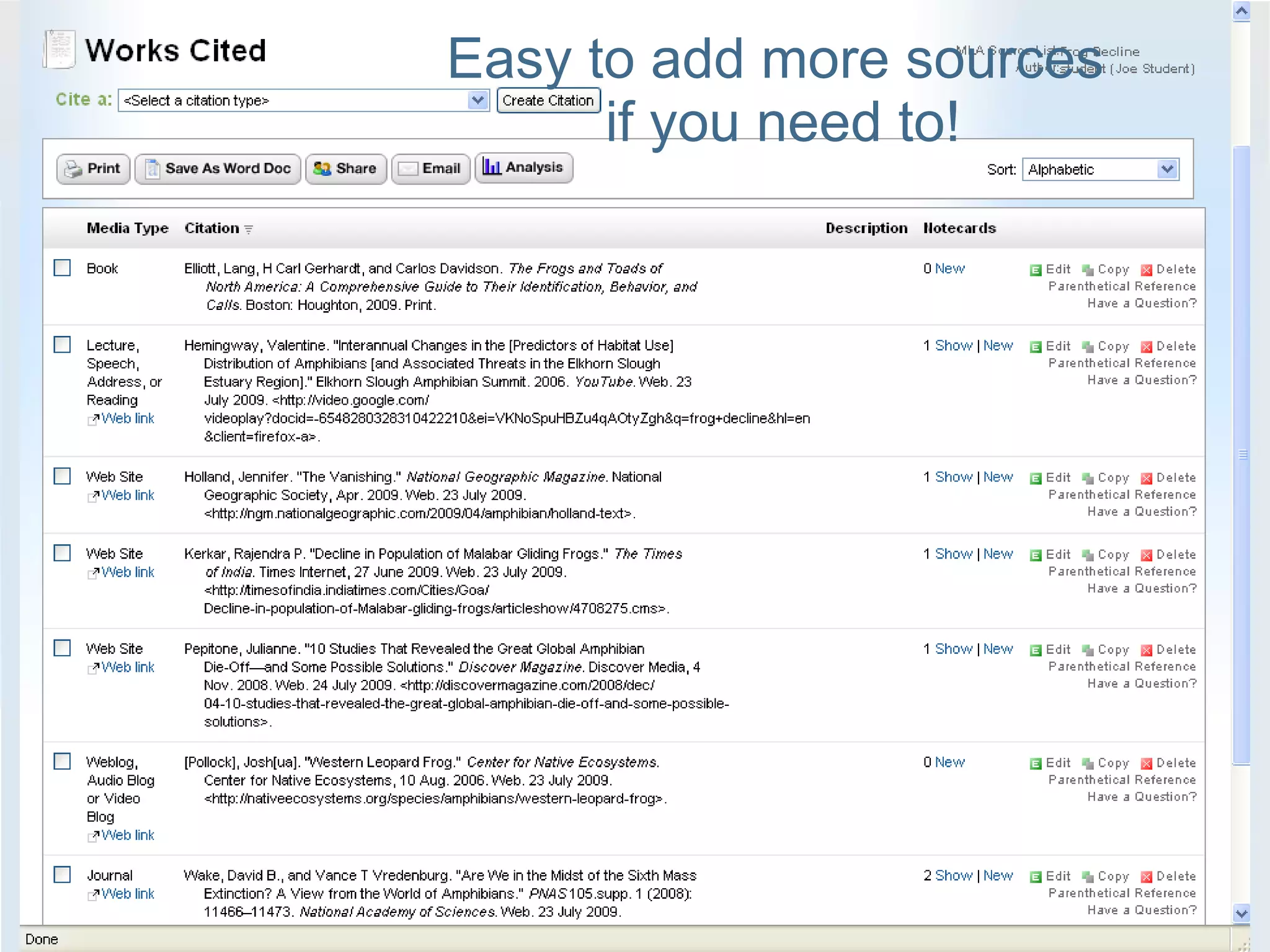
Easy to add more sources  if you need to!
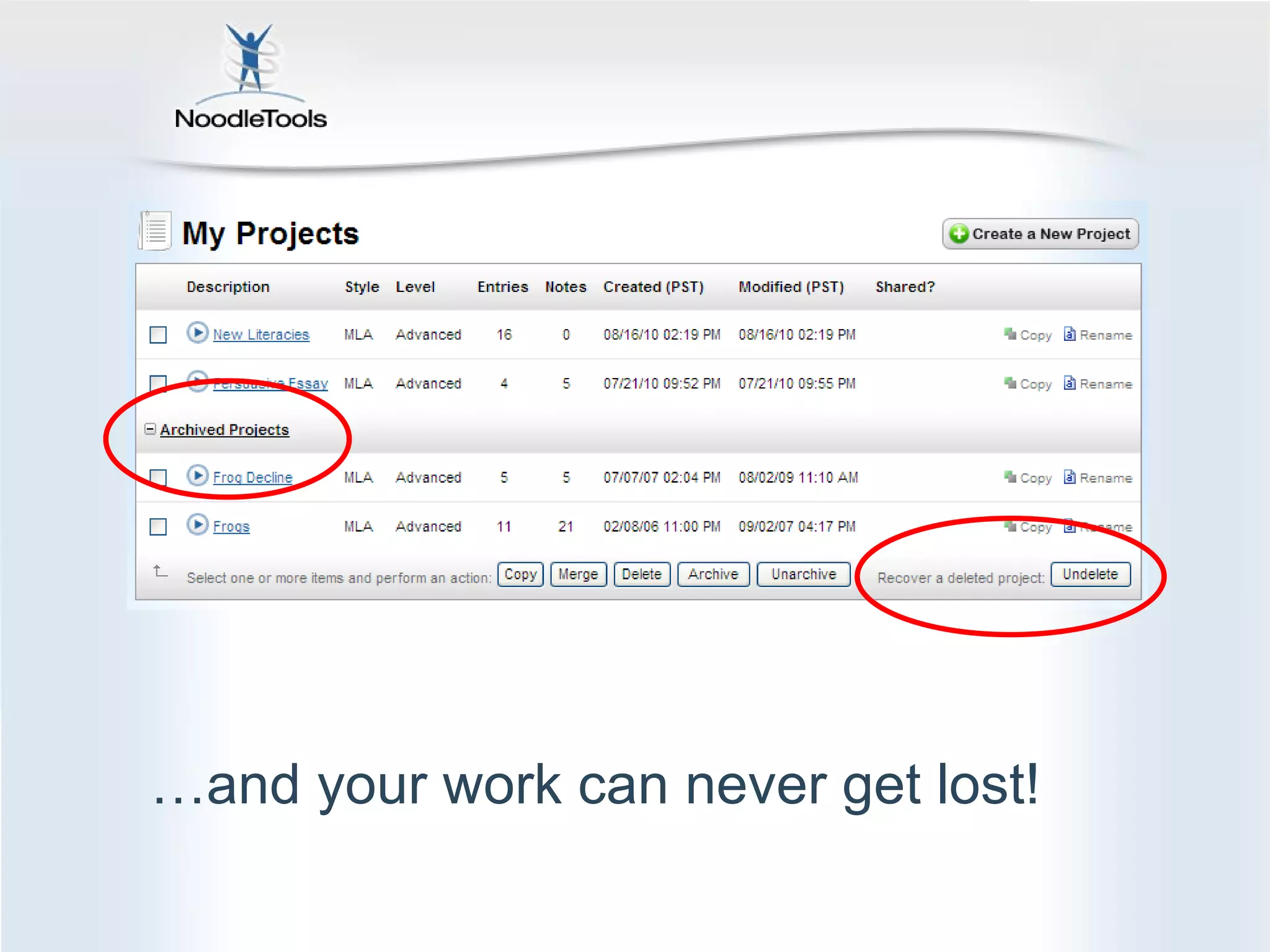
… and your work can never get lost!
Stay Organized, Feel Successful Access your work from home and school Safeguard against accidental plagiarism Spend your time thinking and creating (not on commas) Get curious, feel creative…have fun!
Questions? Ask Ms. Florio –  she’ll be happy to help!

Taking Notes with NoodleBib

  • 1.
    How to TakeNotes Using NoodleBib Nancy Florio, Library Director [email_address] 860-210-2822
  • 2.
    NoodleBib helps you… Create, store, organize Create a bibliography Take notes online Organize your notes Develop your own ideas Think about what’s important Create [essay, speech, product…]
  • 3.
    Citations + notes= Work you’ll be proud of! Create an accurate, relevant [source list, bibliography] Correct style, punctuation, formatting Prompts you to check for quality, balance Take good notes, keep them organized Sources stay linked to notes Easy to quote and reference Summarize, evaluate, question Organize ideas thoughtfully before writing
  • 4.
    Your work isorganized into projects. Open a project you’ve started…or start a new one
  • 5.
    Manage a projectfrom your dashboard
  • 6.
    Keep track ofyour goal and the assignments
  • 7.
    Get feedback fromyour instructor and revise in an organized way
  • 8.
  • 9.
    Source Notes Yournotes and sources stay linked
  • 10.
    Three-part notes Cut-and-paste Capture author’s words, images Get quotes and attribution right Mark-up the quote to understand the author’s idea Paraphrase or summarize Explain it to yourself Tag concepts and facts Add reminders and tasks My ideas Prompts for original thinking Analyze how it fits your research Ask questions, evaluate ideas List “to do” plan
  • 11.
    Cut-and-paste first Author’simage Author’s words
  • 12.
    Reread and color-codeinformation Red for problems Green for statistics Highlight main ideas
  • 13.
    Explain it toyourself * *Using words that you understand
  • 14.
    What do youthink? I wonder…? “ To do” next
  • 15.
    Add the mainidea last
  • 16.
    Add tags now…orlater * * It’s easier to add tags when you know more
  • 17.
    You can alwaysgo back to the source Sometimes rereading clears up questions
  • 18.
    Use your tabletopto organize notes Your new notes
  • 19.
    Sort notes howeveryou like! Drag notes
  • 20.
    Make piles Groupnotes that you feel belong together
  • 21.
    Take as manynotes as you need to! Your tabletop is larger than the screen A bird’s eye view
  • 22.
    Label your noteswith visual cues Add reminders, colors and tags
  • 23.
    Build your outlineas you go …
  • 24.
    … or createit before you take notes
  • 25.
    Drag notes andpiles into your outline
  • 26.
    Get help alongthe way Get feedback, make changes Print out [source list, notes] E-mail [source list, notes] Fill in [assignment drop box] to share your list with [Teacher’s name] to get tips and comments
  • 27.
    Enough information? Whenyou think you’re done, review your work Can I add more tags now that I know more? Label details, themes, concepts Other ways to order my ideas? Reorder by searching on 2-3 tags at once Any loose ends? Are there types of sources I missed ? Use button to see the type and range of sources you used
  • 28.
    Organizing information Createsubtopics and outline What notes have similar titles or topics? Pile them together Add them to your outline Play with the order, be curious! What if I make new combinations of notes? Search by one or more tags to find common ideas among notes What other ways can I order my outline? Do new grouping suggest new ways to analyze what I know? New ideas? New questions?
  • 29.
    Don’t forget tofollow your ideas !
  • 30.
    Easy to addmore sources if you need to!
  • 31.
    … and yourwork can never get lost!
  • 32.
    Stay Organized, FeelSuccessful Access your work from home and school Safeguard against accidental plagiarism Spend your time thinking and creating (not on commas) Get curious, feel creative…have fun!
  • 33.
    Questions? Ask Ms.Florio – she’ll be happy to help!

Editor's Notes

  • #5 http://www.noodletools.com/noodlebib/usersguide/index.html?n=Overview2.html
  • #6 http://www.noodletools.com/noodlebib/usersguide/index.html?n=Overview2.html
  • #7 http://www.noodletools.com/noodlebib/usersguide/index.html?n=Overview2.html
  • #8 http://www.noodletools.com/noodlebib/usersguide/index.html?n=Overview2.html
  • #9 http://www.noodletools.com/noodlebib/usersguide/index.html?n=CreatingANotecard.html
  • #22 http://www.noodletools.com/noodlebib/usersguide/index.html?n=NavigatingTheTabletop.html
  • #23 http://www.noodletools.com/noodlebib/usersguide/index.html?n=Colors.html http://www.noodletools.com/noodlebib/usersguide/index.html?n=VisualCues.html
  • #25 http://www.noodletools.com/noodlebib/usersguide/index.html?n=WhyUseAnOutline.html
  • #32 http://www.noodletools.com/noodlebib/usersguide/index.html?n=Overview2.html