Taking containers from
development to production
FOSDEM 2017
Suraj Deshmukh
About me:
● Works for Red Hat in Developer tooling team
● Contributor to project kompose.
● IRC, slack - surajd
● Twitter - surajd_
● Github - surajssd
● Email - surajssd009005@gmail.com and surajd@redhat.com
Disclaimer: This talk is gonna have a lot of references to Kubernetes,
docker-compose and sometimes OpenShift. It’s okay if you don’t know any of it.
Story of today’s developer
Deploy application in containers
Learn docker
How do I start database with docker?
$ docker run -p 5432:5432 postgres
Code is local python application:
(venv) $ ls
myapp.py requirements.txt
(venv) $ python myapp.py
What do you need to package your application?
● A Dockerfile, here I am copying code from my machine to the container doing
builds locally.
FROM centos
RUN yum install -y python-pip3
COPY . /code
WORKDIR /code
RUN cd /code && pip install -r requirements.txt
CMD [ “myapp” ]
● And few commands
Note: Don’t try this Dockerfile in production :p
● This is what I do everytime I wanna see if my code works, build the container
image and run it as:
$ docker build -t myapp .
$ docker run myapp
● To check if the app works, I curl on some endpoints.
Enter docker-compose
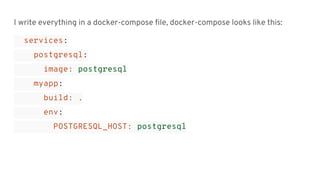
I write everything in a docker-compose file, docker-compose looks like this:
services:
postgresql:
image: postgresql
myapp:
build: .
env:
POSTGRESQL_HOST: postgresql
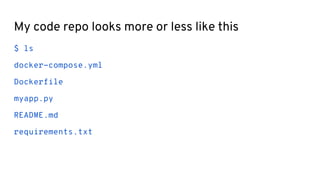
My code repo looks more or less like this
$ ls
docker-compose.yml
Dockerfile
myapp.py
README.md
requirements.txt
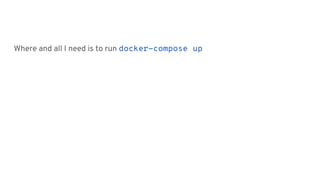
Where and all I need is to run docker-compose up
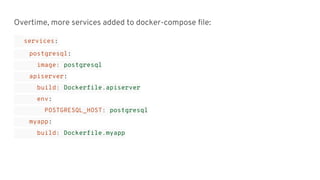
Overtime, more services added to docker-compose file:
services:
postgresql:
image: postgresql
apiserver:
build: Dockerfile.apiserver
env:
POSTGRESQL_HOST: postgresql
myapp:
build: Dockerfile.myapp
Docker-compose is easier for development
I am happy (Not for long).
Now that everything is running locally, how and
where do I deploy this?
● Container orchestration systems
● Docker Swarm, Kubernetes, Mesos Marathon, etc.
● docker-compose I can use with Docker Swarm only
● Cannot use the docker-compose as is with swarm
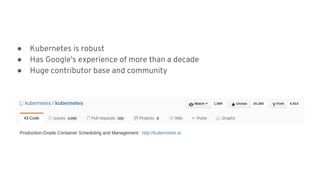
● Kubernetes is robust
● Has Google’s experience of more than a decade
● Huge contributor base and community
So what is this Kubernetes?
● Lot of new concepts for someone new in this world
● Pods, Service, etc.
More google search
I want to make my life easier
Enter Kompose!
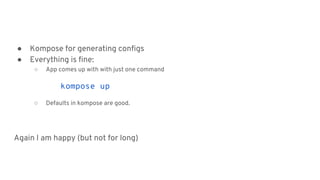
● Kompose for generating configs
● Everything is fine:
○ App comes up with with just one command
kompose up
○ Defaults in kompose are good.
Again I am happy (but not for long)
This is really cool until I have fewer services and generic use cases.
Now my application is no more just database and one app container. This is many
containers.
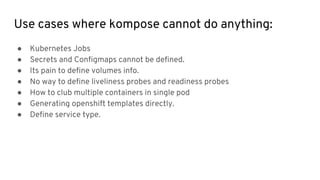
Use cases where kompose cannot do anything:
● Kubernetes Jobs
● Secrets and Configmaps cannot be defined.
● Its pain to define volumes info.
● No way to define liveliness probes and readiness probes
● How to club multiple containers in single pod
● Generating openshift templates directly.
● Define service type.
● Most of the things can be done, but needs change in docker-compose
● May not break application.
● No direct mapping to any docker-compose constructs
● Kompose exploits docker-compose restart.
Kubernetes Jobs
Secrets and Configmaps
● No direct mapping to any docker-compose constructs
● But other ways of doing it.
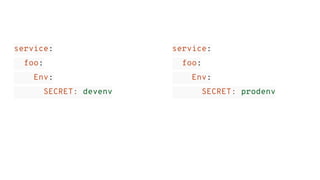
service:
foo:
Env:
SECRET: devenv
service:
foo:
Env:
SECRET: prodenv
Volumes
● Kompose assumes some size for PVC
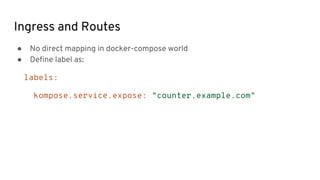
Ingress and Routes
● No direct mapping in docker-compose world
● Define label as:
labels:
kompose.service.expose: "counter.example.com"
Liveliness probe and readiness probe
● No equivalent concept in docker-compose
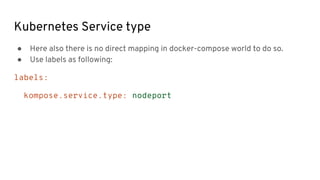
Kubernetes Service type
● Here also there is no direct mapping in docker-compose world to do so.
● Use labels as following:
labels:
kompose.service.type: nodeport
So what do I do to get around it?
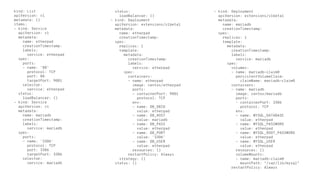
● Generate configs with Kompose
● Edit it yourself
kind: List
apiVersion: v1
metadata: {}
items:
- kind: Service
apiVersion: v1
metadata:
name: etherpad
creationTimestamp:
labels:
service: etherpad
spec:
ports:
- name: '80'
protocol: TCP
port: 80
targetPort: 9001
selector:
service: etherpad
status:
loadBalancer: {}
- kind: Service
apiVersion: v1
metadata:
name: mariadb
creationTimestamp:
labels:
service: mariadb
spec:
ports:
- name: '3306'
protocol: TCP
port: 3306
targetPort: 3306
selector:
service: mariadb
status:
loadBalancer: {}
- kind: Deployment
apiVersion: extensions/v1beta1
metadata:
name: etherpad
creationTimestamp:
spec:
replicas: 1
template:
metadata:
creationTimestamp:
labels:
service: etherpad
spec:
containers:
- name: etherpad
image: centos/etherpad
ports:
- containerPort: 9001
protocol: TCP
env:
- name: DB_DBID
value: etherpad
- name: DB_HOST
value: mariadb
- name: DB_PASS
value: etherpad
- name: DB_PORT
value: '3306'
- name: DB_USER
value: etherpad
resources: {}
restartPolicy: Always
strategy: {}
status: {}
- kind: Deployment
apiVersion: extensions/v1beta1
metadata:
name: mariadb
creationTimestamp:
spec:
replicas: 1
template:
metadata:
creationTimestamp:
labels:
service: mariadb
spec:
volumes:
- name: mariadb-claim0
persistentVolumeClaim:
claimName: mariadb-claim0
containers:
- name: mariadb
image: centos/mariadb
ports:
- containerPort: 3306
protocol: TCP
env:
- name: MYSQL_DATABASE
value: etherpad
- name: MYSQL_PASSWORD
value: etherpad
- name: MYSQL_ROOT_PASSWORD
value: etherpad
- name: MYSQL_USER
value: etherpad
resources: {}
volumeMounts:
- name: mariadb-claim0
mountPath: "/var/lib/mysql"
restartPolicy: Always
What’s next?
● Higher level abstraction for Kubernetes resources
● Easy enough for developers to comprehend and on-board to Kubernetes
As a kompose developer ...
● It’s tempting to extend docker-compose
● Need to build a solution that overcomes docker-compose limitations with
respect to Kubernetes
It’s hard to know where to draw the line.
References:
● kompose http://kompose.io/
● opencompose https://github.com/redhat-developer/opencompose/

Taking containers from development to production

  • 1.
    Taking containers from developmentto production FOSDEM 2017 Suraj Deshmukh
  • 2.
    About me: ● Worksfor Red Hat in Developer tooling team ● Contributor to project kompose. ● IRC, slack - surajd ● Twitter - surajd_ ● Github - surajssd ● Email - surajssd009005@gmail.com and surajd@redhat.com
  • 3.
    Disclaimer: This talkis gonna have a lot of references to Kubernetes, docker-compose and sometimes OpenShift. It’s okay if you don’t know any of it.
  • 4.
  • 5.
  • 6.
  • 7.
    How do Istart database with docker? $ docker run -p 5432:5432 postgres
  • 8.
    Code is localpython application: (venv) $ ls myapp.py requirements.txt (venv) $ python myapp.py
  • 9.
    What do youneed to package your application? ● A Dockerfile, here I am copying code from my machine to the container doing builds locally. FROM centos RUN yum install -y python-pip3 COPY . /code WORKDIR /code RUN cd /code && pip install -r requirements.txt CMD [ “myapp” ] ● And few commands Note: Don’t try this Dockerfile in production :p
  • 10.
    ● This iswhat I do everytime I wanna see if my code works, build the container image and run it as: $ docker build -t myapp . $ docker run myapp ● To check if the app works, I curl on some endpoints.
  • 11.
  • 12.
    I write everythingin a docker-compose file, docker-compose looks like this: services: postgresql: image: postgresql myapp: build: . env: POSTGRESQL_HOST: postgresql
  • 13.
    My code repolooks more or less like this $ ls docker-compose.yml Dockerfile myapp.py README.md requirements.txt
  • 14.
    Where and allI need is to run docker-compose up
  • 15.
    Overtime, more servicesadded to docker-compose file: services: postgresql: image: postgresql apiserver: build: Dockerfile.apiserver env: POSTGRESQL_HOST: postgresql myapp: build: Dockerfile.myapp
  • 16.
    Docker-compose is easierfor development I am happy (Not for long).
  • 17.
    Now that everythingis running locally, how and where do I deploy this?
  • 18.
    ● Container orchestrationsystems ● Docker Swarm, Kubernetes, Mesos Marathon, etc.
  • 19.
    ● docker-compose Ican use with Docker Swarm only ● Cannot use the docker-compose as is with swarm
  • 20.
    ● Kubernetes isrobust ● Has Google’s experience of more than a decade ● Huge contributor base and community
  • 21.
    So what isthis Kubernetes?
  • 22.
    ● Lot ofnew concepts for someone new in this world ● Pods, Service, etc.
  • 23.
    More google search Iwant to make my life easier
  • 24.
  • 25.
    ● Kompose forgenerating configs ● Everything is fine: ○ App comes up with with just one command kompose up ○ Defaults in kompose are good. Again I am happy (but not for long)
  • 26.
    This is reallycool until I have fewer services and generic use cases.
  • 27.
    Now my applicationis no more just database and one app container. This is many containers.
  • 28.
    Use cases wherekompose cannot do anything: ● Kubernetes Jobs ● Secrets and Configmaps cannot be defined. ● Its pain to define volumes info. ● No way to define liveliness probes and readiness probes ● How to club multiple containers in single pod ● Generating openshift templates directly. ● Define service type.
  • 29.
    ● Most ofthe things can be done, but needs change in docker-compose ● May not break application.
  • 30.
    ● No directmapping to any docker-compose constructs ● Kompose exploits docker-compose restart. Kubernetes Jobs
  • 31.
    Secrets and Configmaps ●No direct mapping to any docker-compose constructs ● But other ways of doing it.
  • 32.
  • 33.
    Volumes ● Kompose assumessome size for PVC
  • 34.
    Ingress and Routes ●No direct mapping in docker-compose world ● Define label as: labels: kompose.service.expose: "counter.example.com"
  • 35.
    Liveliness probe andreadiness probe ● No equivalent concept in docker-compose
  • 36.
    Kubernetes Service type ●Here also there is no direct mapping in docker-compose world to do so. ● Use labels as following: labels: kompose.service.type: nodeport
  • 37.
    So what doI do to get around it? ● Generate configs with Kompose ● Edit it yourself
  • 38.
    kind: List apiVersion: v1 metadata:{} items: - kind: Service apiVersion: v1 metadata: name: etherpad creationTimestamp: labels: service: etherpad spec: ports: - name: '80' protocol: TCP port: 80 targetPort: 9001 selector: service: etherpad status: loadBalancer: {} - kind: Service apiVersion: v1 metadata: name: mariadb creationTimestamp: labels: service: mariadb spec: ports: - name: '3306' protocol: TCP port: 3306 targetPort: 3306 selector: service: mariadb status: loadBalancer: {} - kind: Deployment apiVersion: extensions/v1beta1 metadata: name: etherpad creationTimestamp: spec: replicas: 1 template: metadata: creationTimestamp: labels: service: etherpad spec: containers: - name: etherpad image: centos/etherpad ports: - containerPort: 9001 protocol: TCP env: - name: DB_DBID value: etherpad - name: DB_HOST value: mariadb - name: DB_PASS value: etherpad - name: DB_PORT value: '3306' - name: DB_USER value: etherpad resources: {} restartPolicy: Always strategy: {} status: {} - kind: Deployment apiVersion: extensions/v1beta1 metadata: name: mariadb creationTimestamp: spec: replicas: 1 template: metadata: creationTimestamp: labels: service: mariadb spec: volumes: - name: mariadb-claim0 persistentVolumeClaim: claimName: mariadb-claim0 containers: - name: mariadb image: centos/mariadb ports: - containerPort: 3306 protocol: TCP env: - name: MYSQL_DATABASE value: etherpad - name: MYSQL_PASSWORD value: etherpad - name: MYSQL_ROOT_PASSWORD value: etherpad - name: MYSQL_USER value: etherpad resources: {} volumeMounts: - name: mariadb-claim0 mountPath: "/var/lib/mysql" restartPolicy: Always
  • 39.
    What’s next? ● Higherlevel abstraction for Kubernetes resources ● Easy enough for developers to comprehend and on-board to Kubernetes
  • 40.
    As a komposedeveloper ... ● It’s tempting to extend docker-compose ● Need to build a solution that overcomes docker-compose limitations with respect to Kubernetes
  • 41.
    It’s hard toknow where to draw the line.
  • 42.
    References: ● kompose http://kompose.io/ ●opencompose https://github.com/redhat-developer/opencompose/