Kubernetes or OpenShift - choosing
container platform for Dev and Ops
Tomasz Cholewa
DevOpsDays Warsaw 2017
DevOps Enthusiast

Infrastructure as Code
practitioner

Passionate learner &
certificate collector

Lead Cloud Architect 

@
# whoami
What is container?
What is container?
It’s 2017 :-)
In case you’ve been gone for
past 3 years…
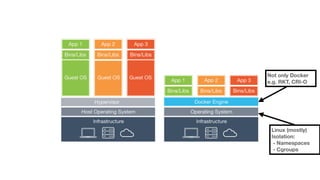
Not only Docker
e.g. RKT, CRI-O
Linux (mostly)
Isolation:
- Namespaces
- Cgroups
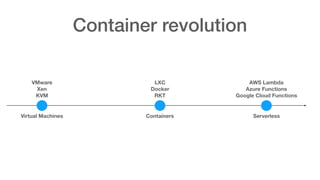
Container revolution
Virtual Machines Containers Serverless
VMware
Xen
KVM
LXC

Docker
RKT
AWS Lambda
Azure Functions
Google Cloud Functions
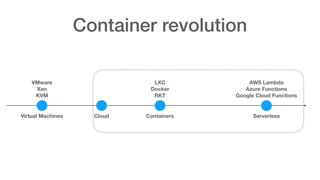
Container revolution
Virtual Machines Containers Serverless
VMware
Xen
KVM
LXC

Docker
RKT
AWS Lambda
Azure Functions
Google Cloud Functions
Cloud
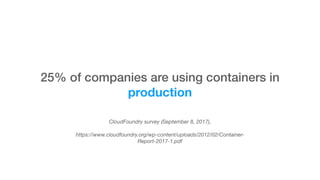
CloudFoundry survey (September 8, 2017), 


https://www.cloudfoundry.org/wp-content/uploads/2012/02/Container-
Report-2017-1.pdf
25% of companies are using containers in
production
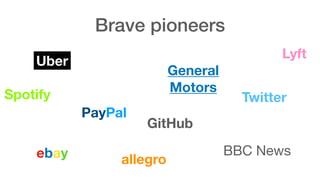
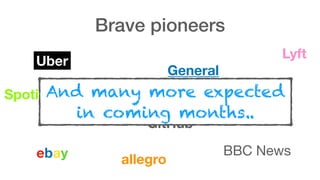
Brave pioneers
Brave pioneers
Uber
Lyft
Twitter
PayPal
General 

Motors
BBC News
Spotify
ebay allegro
GitHub
Brave pioneers
Uber
Lyft
Twitter
PayPal
General 

Motors
BBC News
Spotify
ebay allegro
GitHub
And many more expected 

in coming months..
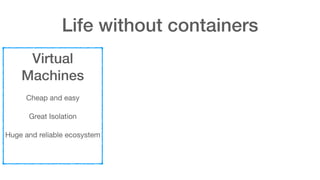
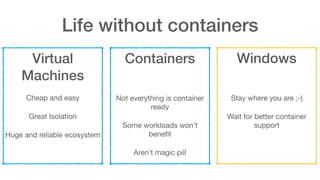
Life without containers
Virtual
Machines
Cheap and easy

Great Isolation

Huge and reliable ecosystem
Life without containers
Virtual
Machines
Cheap and easy

Great Isolation

Huge and reliable ecosystem
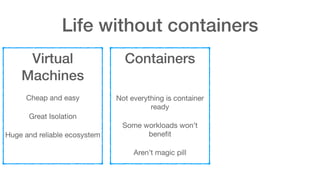
Containers


Not everything is container
ready

Some workloads won’t
benefit

Aren’t magic pill
Life without containers
Virtual
Machines
Cheap and easy

Great Isolation

Huge and reliable ecosystem
Containers


Not everything is container
ready

Some workloads won’t
benefit

Aren’t magic pill
Windows


Stay where you are ;-)

Wait for better container
support
Containers
offer
Containers
offer
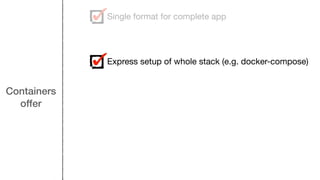
Single format for complete app
Containers
offer
Single format for complete app
Express setup of whole stack (e.g. docker-compose)
Containers
offer
Single format for complete app
Express setup of whole stack (e.g. docker-compose)
Innovation at speed
Containers
offer
Single format for complete app
Express setup of whole stack (e.g. docker-compose)
Innovation at speed
Increased security (less is more)
Containers
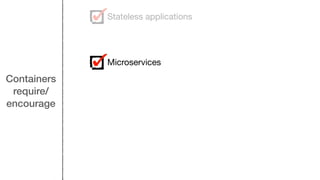
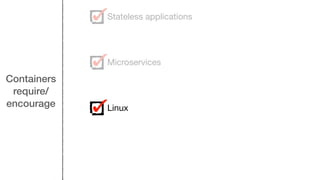
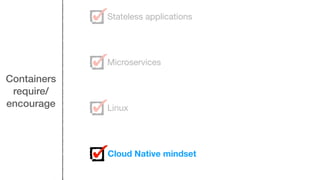
require/
encourage
Containers
require/
encourage
Stateless applications
Containers
require/
encourage
Stateless applications
Microservices
Containers
require/
encourage
Stateless applications
Microservices
Linux
Containers
require/
encourage
Stateless applications
Microservices
Linux
Cloud Native mindset
Containers
forbid/
discourage
Containers
forbid/
discourage
Tampering with running containers
Containers
forbid/
discourage
Tampering with running containers
Putting everything together (data, logs multiple processes)
Containers
forbid/
discourage
Tampering with running containers
Putting everything together (data, logs multiple processes)
Assume it will always work on the same node
Containers
forbid/
discourage
Tampering with running containers
Putting everything together (data, logs multiple processes)
Assume it will always work on the same node
Hardware coupling
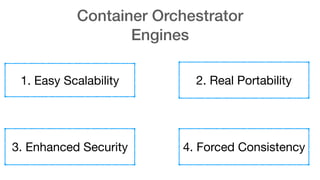
Container Orchestrator
Engines
Container Orchestrator
Engines
1. Easy Scalability
Container Orchestrator
Engines
1. Easy Scalability 2. Real Portability
Container Orchestrator
Engines
1. Easy Scalability 2. Real Portability
3. Enhanced Security
Container Orchestrator
Engines
1. Easy Scalability 2. Real Portability
3. Enhanced Security 4. Forced Consistency
Using containers without
COE
Using containers without
COE
Example valid reasons
Using containers without
COE
Example valid reasons
You want to use as better packaging system
Using containers without
COE
Example valid reasons
You want to use as better packaging system
Your app doesn’t scale, is legacy or hardware constrained
Using containers without
COE
Example valid reasons
You want to use as better packaging system
Your app doesn’t scale, is legacy or hardware constrained
You wait for something even better or wrote your own :-)
Using containers without
COE
Example valid reasons
You want to use as better packaging system
Your app doesn’t scale, is legacy or hardware constrained
You wait for something even better or wrote your own :-)
Just stick with good old VMs
Kubernetes
Kubernetes
Project initiated by
Kubernetes
Project initiated by
Based on Borg
Kubernetes
Project initiated by
Based on Borg
Part of
Kubernetes
Project initiated by
Based on Borg
Part of
Has become the standard for COE
Kubernetes
Project initiated by
Based on Borg
Part of
Has become the standard for COE
Increasing adoption (Docker, GitHub)
OpenShift
Project
Origin
OpenShift
Project Products
Origin
OpenShift
OpenShift
Current release 3.6 includes Kubernetes 1.6
OpenShift
Current release 3.6 includes Kubernetes 1.6
Version 3 based on Kubernetes
OpenShift
Current release 3.6 includes Kubernetes 1.6
Version 3 based on Kubernetes
3.0 Released before Kubernetes 1.0 !
OpenShift
Current release 3.6 includes Kubernetes 1.6
Version 3 based on Kubernetes
3.0 Released before Kubernetes 1.0 !
Red Hat as one of the main contributors (11 of 28 leads
of K8S Special Interest Groups)
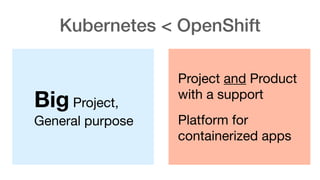
Kubernetes < OpenShift
Big Project,
General purpose
Kubernetes < OpenShift
Big Project,
General purpose
Project and Product
with a support

Platform for
containerized apps
Kubernetes < OpenShift
Kubernetes vs. OpenShift
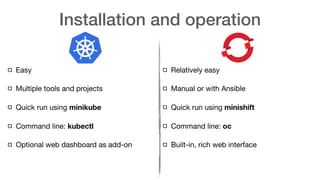
Installation and operation
Easy

Multiple tools and projects

Quick run using minikube

Command line: kubectl

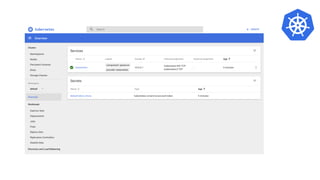
Optional web dashboard as add-on

Relatively easy

Manual or with Ansible

Quick run using minishift

Command line: oc

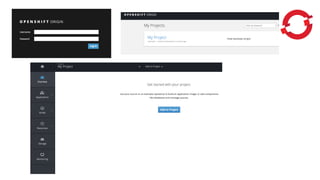
Built-in, rich web interface
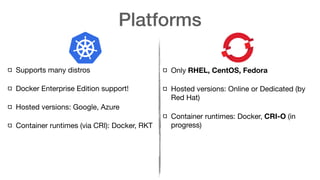
Platforms
Supports many distros

Docker Enterprise Edition support!

Hosted versions: Google, Azure

Container runtimes (via CRI): Docker, RKT
Only RHEL, CentOS, Fedora
Hosted versions: Online or Dedicated (by
Red Hat)

Container runtimes: Docker, CRI-O (in
progress)
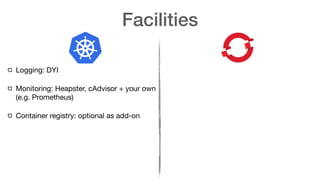
Facilities
Facilities
Logging: DYI

Monitoring: Heapster, cAdvisor + your own
(e.g. Prometheus)

Container registry: optional as add-on
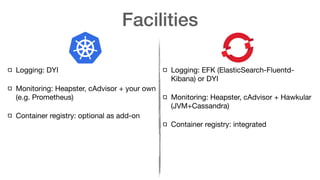
Facilities
Logging: DYI

Monitoring: Heapster, cAdvisor + your own
(e.g. Prometheus)

Container registry: optional as add-on
Logging: EFK (ElasticSearch-Fluentd-
Kibana) or DYI

Monitoring: Heapster, cAdvisor + Hawkular
(JVM+Cassandra)

Container registry: integrated
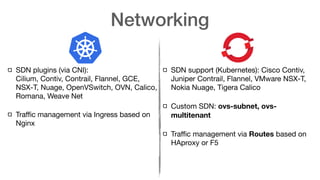
Networking
Networking
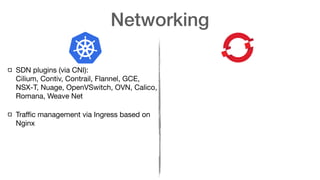
SDN plugins (via CNI):

Cilium, Contiv, Contrail, Flannel, GCE,
NSX-T, Nuage, OpenVSwitch, OVN, Calico,
Romana, Weave Net

Traffic management via Ingress based on
Nginx
Networking
SDN plugins (via CNI):

Cilium, Contiv, Contrail, Flannel, GCE,
NSX-T, Nuage, OpenVSwitch, OVN, Calico,
Romana, Weave Net

Traffic management via Ingress based on
Nginx
SDN support (Kubernetes): Cisco Contiv,
Juniper Contrail, Flannel, VMware NSX-T,
Nokia Nuage, Tigera Calico

Custom SDN: ovs-subnet, ovs-
multitenant

Traffic management via Routes based on
HAproxy or F5
Security
RBAC predefined roles:
Security
RBAC predefined roles:
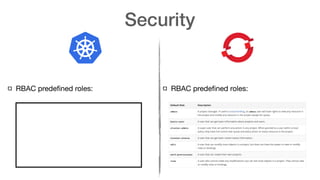
Security
RBAC predefined roles:
 RBAC predefined roles:
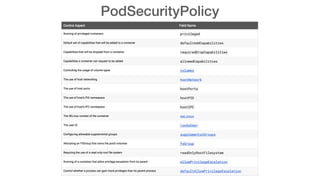
PodSecurityPolicy
Security
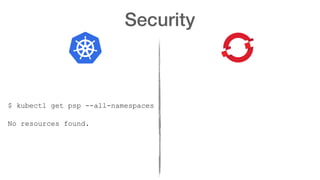
Security
$ kubectl get psp --all-namespaces
No resources found.
Security
$ kubectl get psp --all-namespaces
No resources found.
$ oc get scc
NAME PRIV CAPS SELINUX RUNASUSER FSGROUP
SUPGROUP PRIORITY READONLYROOTFS VOLUMES
anyuid false [] MustRunAs RunAsAny RunAsAny
RunAsAny 10 false [configMap downwardAPI emptyDir
persistentVolumeClaim secret]
hostaccess false [] MustRunAs MustRunAsRange MustRunAs
RunAsAny <none> false [configMap downwardAPI emptyDir hostPath
persistentVolumeClaim secret]
hostmount-anyuid false [] MustRunAs RunAsAny RunAsAny
RunAsAny <none> false [configMap downwardAPI emptyDir hostPath nfs
persistentVolumeClaim secret]
hostnetwork false [] MustRunAs MustRunAsRange MustRunAs
MustRunAs <none> false [configMap downwardAPI emptyDir
persistentVolumeClaim secret]
nonroot false [] MustRunAs MustRunAsNonRoot RunAsAny
RunAsAny <none> false [configMap downwardAPI emptyDir
persistentVolumeClaim secret]
privileged true [*] RunAsAny RunAsAny RunAsAny
RunAsAny <none> false [*]
restricted false [] MustRunAs MustRunAsRange MustRunAs
RunAsAny <none> false [configMap downwardAPI emptyDir
Security
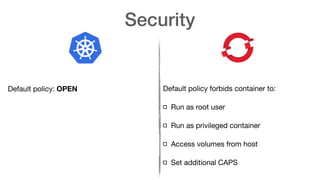
Default policy: OPEN Default policy forbids container to:

Run as root user

Run as privileged container

Access volumes from host

Set additional CAPS
App deployment
App deployment
Deployment unit: Pod

Helm with charms
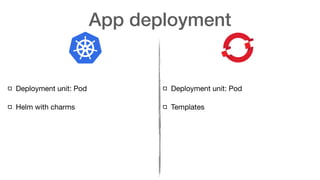
App deployment
Deployment unit: Pod

Helm with charms

Deployment unit: Pod

Templates
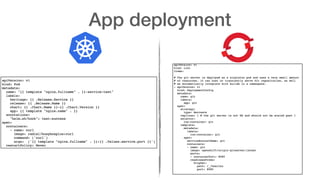
App deployment
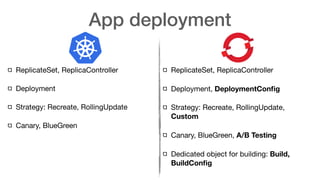
App deployment
ReplicateSet, ReplicaController

Deployment

Strategy: Recreate, RollingUpdate

Canary, BlueGreen
ReplicateSet, ReplicaController

Deployment, DeploymentConfig

Strategy: Recreate, RollingUpdate,
Custom
Canary, BlueGreen, A/B Testing
Dedicated object for building: Build,
BuildConfig
Dev and Ops collaboration
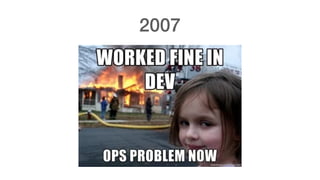
2007
2017
DEV
Apps
Apps
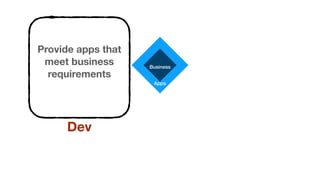
Business
Apps
Business
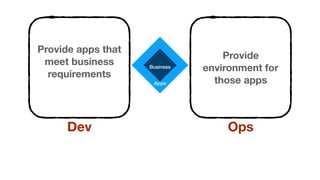
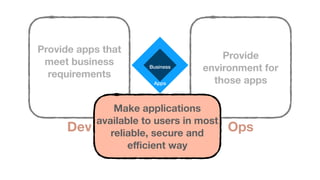
Provide apps that
meet business
requirements
Dev
Apps
Business
Provide apps that
meet business
requirements
Dev
Provide
environment for
those apps
Ops
Apps
Business
Provide apps that
meet business
requirements
Dev
Provide
environment for
those apps
Ops
Make applications
available to users in most
reliable, secure and
efficient way
Scenarios
1. Application is slow
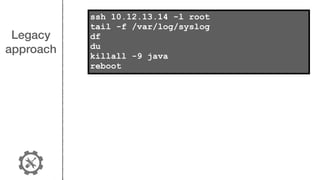
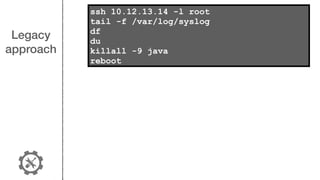
Legacy
approach
ssh 10.12.13.14 -l root
tail -f /var/log/syslog
df
du
killall -9 java
reboot
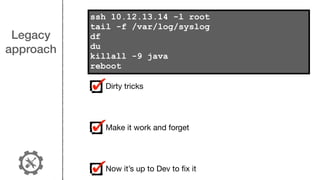
Legacy
approach
ssh 10.12.13.14 -l root
tail -f /var/log/syslog
df
du
killall -9 java
reboot
Dirty tricks

Make it work and forget

Now it’s up to Dev to fix it
Container
approach
Container
approach
Use container and orchestrator metrics
Container
approach
Use container and orchestrator metrics
Applications metrics
Container
approach
Use container and orchestrator metrics
Applications metrics
Easily Scale and autoscale
Container
approach
Use container and orchestrator metrics
Applications metrics
Easily Scale and autoscale
Fix once and deploy everywhere
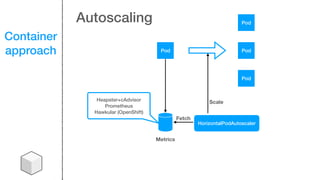
Container
approach Pod
Pod
Pod
Pod
Metrics
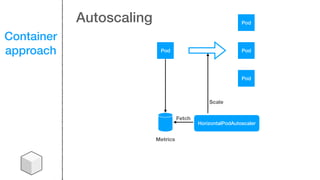
HorizontalPodAutoscaler
Fetch
Scale
Autoscaling
Container
approach Pod
Pod
Pod
Pod
Metrics
HorizontalPodAutoscaler
Heapster+cAdvisor
Prometheus
Hawkular (OpenShift)
Fetch
Scale
Autoscaling
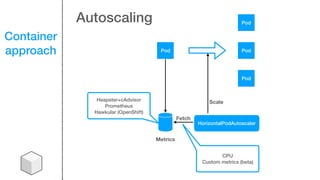
Container
approach Pod
Pod
Pod
Pod
Metrics
HorizontalPodAutoscaler
Heapster+cAdvisor
Prometheus
Hawkular (OpenShift)
CPU
Custom metrics (beta)
Fetch
Scale
Autoscaling
2. Application has crashed
again
Legacy
approach
ssh 10.12.13.14 -l root
tail -f /var/log/syslog
df
du
killall -9 java
reboot
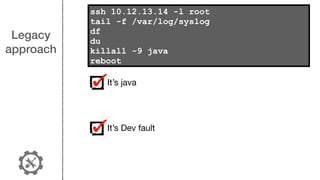
Legacy
approach
It’s java

It’s Dev fault
ssh 10.12.13.14 -l root
tail -f /var/log/syslog
df
du
killall -9 java
reboot
Container
approach
Container
approach
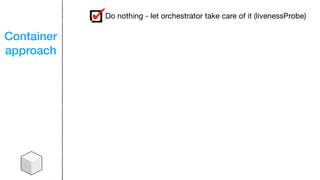
Do nothing - let orchestrator take care of it (livenessProbe)
Container
approach
Do nothing - let orchestrator take care of it (livenessProbe)
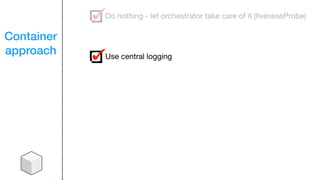
Use central logging
Container
approach
Do nothing - let orchestrator take care of it (livenessProbe)
Use central logging
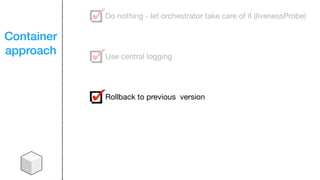
Rollback to previous version
Container
approach
Do nothing - let orchestrator take care of it (livenessProbe)
Use central logging
Rollback to previous version
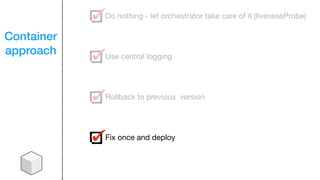
Fix once and deploy
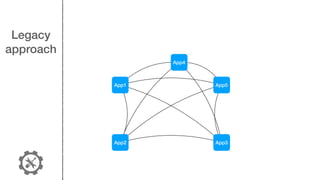
3. Mesh of interconnected
applications
Legacy
approach
App1
App2 App3
App4
App5
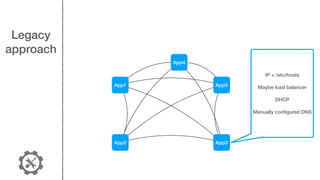
Legacy
approach
App1
App2 App3
App4
App5
IP + /etc/hosts
Maybe load balancer
DHCP
Manually configured DNS
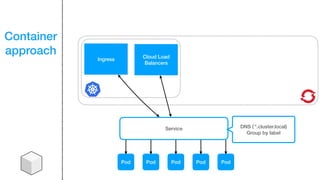
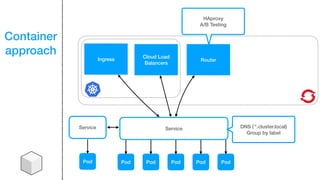
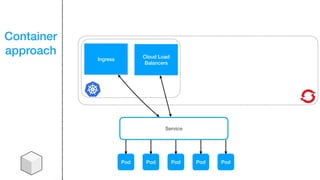
Container
approach
Pod Pod Pod Pod Pod
Service
Ingress
Cloud Load
Balancers
Container
approach
Pod Pod Pod Pod Pod
Service
Ingress
Cloud Load
Balancers
DNS (`*.cluster.local)
Group by label
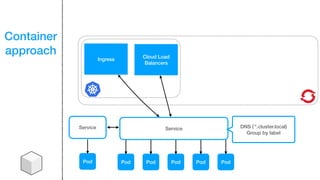
Container
approach
Pod Pod Pod Pod Pod
Service
Ingress
Cloud Load
Balancers
DNS (`*.cluster.local)
Group by label
Service
Pod
Container
approach
Pod Pod Pod Pod Pod
Service
Ingress Router
Cloud Load
Balancers
DNS (`*.cluster.local)
Group by label
HAproxy
A/B Testing
Service
Pod
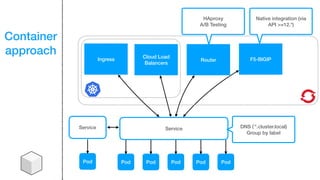
Container
approach
Pod Pod Pod Pod Pod
Service
F5-BIGIPIngress Router
Cloud Load
Balancers
DNS (`*.cluster.local)
Group by label
HAproxy
A/B Testing
Native integration (via
API >=12.*)
Service
Pod
3. Need to store data from my
apps
Legacy
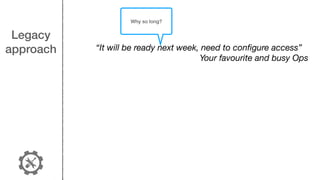
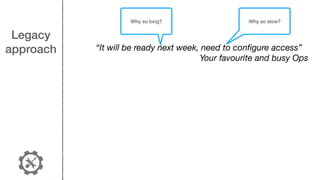
approach “It will be ready next week, need to configure access”
Your favourite and busy Ops
Legacy
approach “It will be ready next week, need to configure access”
Your favourite and busy Ops
Why so long?
Legacy
approach “It will be ready next week, need to configure access”
Your favourite and busy Ops
Why so long? Why so slow?
Legacy
approach “It will be ready next week, need to configure access”
Your favourite and busy Ops
Why so long? Why so slow?


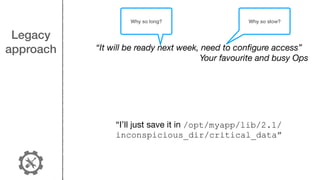
“I’ll just save it in /opt/myapp/lib/2.1/
inconspicious_dir/critical_data”
Legacy
approach “It will be ready next week, need to configure access”
Your favourite and busy Ops
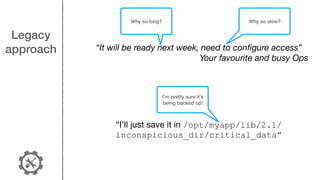
I’m pretty sure it’s
being backed up!
Why so long? Why so slow?


“I’ll just save it in /opt/myapp/lib/2.1/
inconspicious_dir/critical_data”
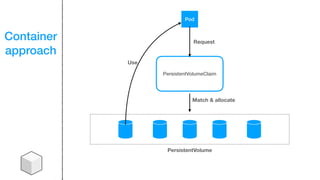
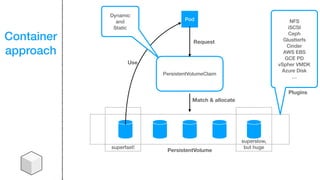
Container
approach
PersistentVolumeClaim
PersistentVolume
Pod
Request
Match & allocate
Use
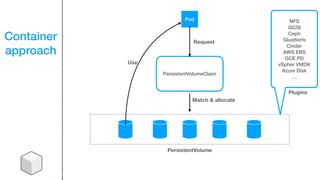
Container
approach
PersistentVolumeClaim
NFS
iSCSI
Ceph
Glustterfs
Cinder
AWS EBS
GCE PD
vSpher VMDK
Azure Disk
…
PersistentVolume
Plugins
Pod
Request
Match & allocate
Use
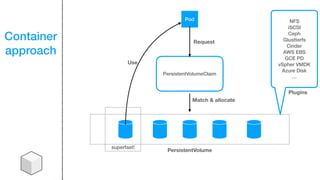
Container
approach
PersistentVolumeClaim
NFS
iSCSI
Ceph
Glustterfs
Cinder
AWS EBS
GCE PD
vSpher VMDK
Azure Disk
…
PersistentVolume
Plugins
Pod
Request
Match & allocate
Use
superfast!
Container
approach
PersistentVolumeClaim
NFS
iSCSI
Ceph
Glustterfs
Cinder
AWS EBS
GCE PD
vSpher VMDK
Azure Disk
…
PersistentVolume
Plugins
Pod
Request
Match & allocate
Use
superfast!
superslow,
but huge
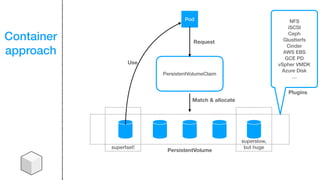
Container
approach
PersistentVolumeClaim
NFS
iSCSI
Ceph
Glustterfs
Cinder
AWS EBS
GCE PD
vSpher VMDK
Azure Disk
…
PersistentVolume
Plugins
Pod
Request
Match & allocate
Use
superfast!
superslow,
but huge
Dynamic
and
Static
4. Another heartbleed-type
bug has appeared


Legacy
approach


Legacy
approach
ssh 10.12.13.14 -l root
apt-get update && apt-get -y update &&
reboot
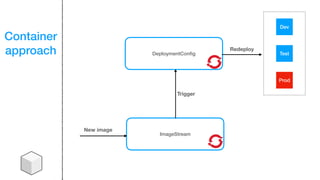
DeploymentConfig
Container
approach
ImageStream
New image
Dev
Test
Prod
Trigger
Redeploy
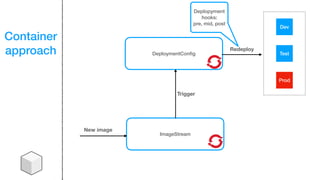
DeploymentConfig
Container
approach
ImageStream
New image
Dev
Test
Prod
Trigger
Redeploy
Deplopyment
hooks: 

pre, mid, post
5. Application provided by
external vendor
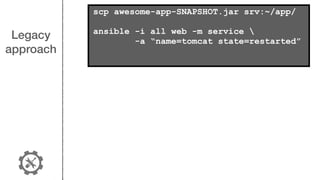
Legacy
approach
scp awesome-app-SNAPSHOT.jar srv:~/app/
ansible -i all web -m service 
-a “name=tomcat state=restarted”
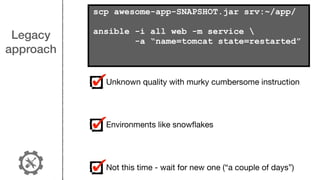
Legacy
approach
Unknown quality with murky cumbersome instruction

Environments like snowflakes

Not this time - wait for new one (“a couple of days”)
scp awesome-app-SNAPSHOT.jar srv:~/app/
ansible -i all web -m service 
-a “name=tomcat state=restarted”
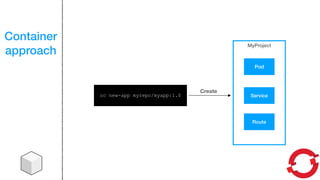
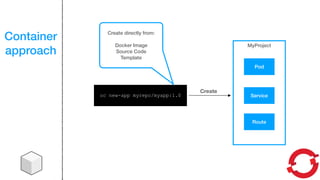
Container
approach
oc new-app myrepo/myapp:1.0
MyProject
Create
Pod
Service
Route
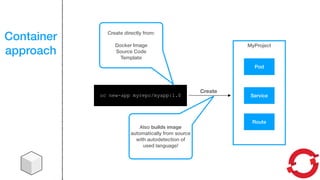
Container
approach
oc new-app myrepo/myapp:1.0
MyProject
Create
Pod
Service
Route
Create directly from:
Docker Image
Source Code
Template
Container
approach
oc new-app myrepo/myapp:1.0
MyProject
Create
Pod
Service
Route
Create directly from:
Docker Image
Source Code
Template
Also builds image
automatically from source
with autodetection of
used language!
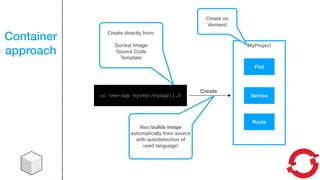
Container
approach
oc new-app myrepo/myapp:1.0
MyProject
Create
Pod
Service
Route
Create directly from:
Docker Image
Source Code
Template
Also builds image
automatically from source
with autodetection of
used language!
Create on
demand
6. Is my new app secure
enough for public release?
Legacy
approach
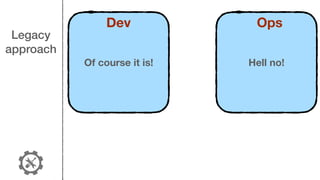
Of course it is!
Dev
Hell no!
Ops
Legacy
approach
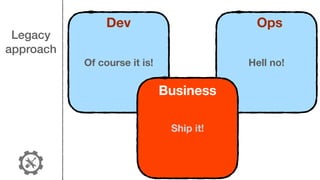
Of course it is!
Dev
Hell no!
Ops
Ship it!
Business
Container
approach
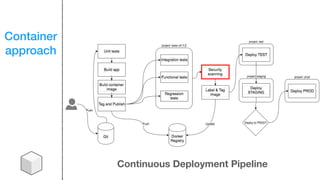
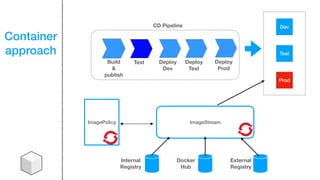
Continuous Deployment Pipeline
Container
approach
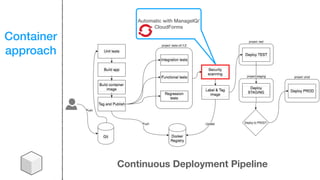
Continuous Deployment Pipeline
Automatic with ManageIQ/
CloudForms
Container
approach
Build

&

publish
Test Deploy 

Dev
ImageStreamImagePolicy
Internal

Registry
Docker

Hub
External

Registry
Deploy 

Test
Deploy 

Prod
Dev
Test
Prod
CD Pipeline
Container
approach
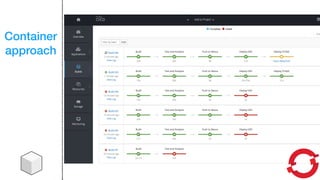
Container
approach
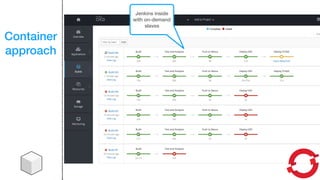
Jenkins inside
with on-demand
slaves
Quick summary
1
You can live without
containers just fine
2
You can use containers
without orchestrators, but
it’s pointless
3
Kubernetes has won the
war and it’s the best and
most versatile container
orchestrator
4
OpenShift = Kubernetes 

+ security rules + better
deployment
5
Cloud, container and
serverless require Cloud
Native mindset
Thank you!
Contact

tomasz@cloudowski.com

Kubernetes or OpenShift - choosing your container platform for Dev and Ops