1
The Smarter SMB’s
Guide to
Ransomware
2
Contents
INTRODUCTION ………………………………………………………………………………........................... 3
WHAT IS RANSOMWARE ……………………………………….…………………………….......................... 4
THE MOST RECENT RANSOMWARE THREATS ………………………………………….............................. 5
THREE STEPS TO RECOVER FROM RANSOMWARE ………………………………………………………… 7
BEST PRACTICES TO PROTECT YOURSELF FROM RANSOMWARE …..…………………….................... 8
CONCLUSION ……………………………………………………………………………….............................. 11
3
Introduction
Ransomware has become a serious epidemic affecting businesses of all sizes, and protecting your company is more essential than
ever before as the number of ransomware attacks continues to rise. A recent U.S. Government interagency report indicates that, on
average, there have been 4,000 daily ransomware attacks since early 2016 — a 300-percent increase over the 1,000 daily
ransomware attacks reported in 2015. 1
As ransomware spreads, it continues to evolve and get more sophisticated — and more lucrative. In fact, according to Internet Crime
Complaint Center, ransomware victims paid more than $24 million to regain access to their data in 2015 alone. 2
What does all this mean for small to medium-sized businesses? In order to protect your organization from cyber threats, you need to
keep ransomware and cybersecurity top-of-mind and educate your employees about this destructive type of malware and the
damage it can do to your business.
To help you address the growing threat of ransomware, we’ve taken a closer look at how ransomware works and the most common
variants that are active today. We’ve also gathered our best advice on how to protect your business both proactively by taking
precautions to avoid ransomware and reactively by being prepared to recover quickly and easily if you do fall victim to an attack.
4
What Is Ransomware?
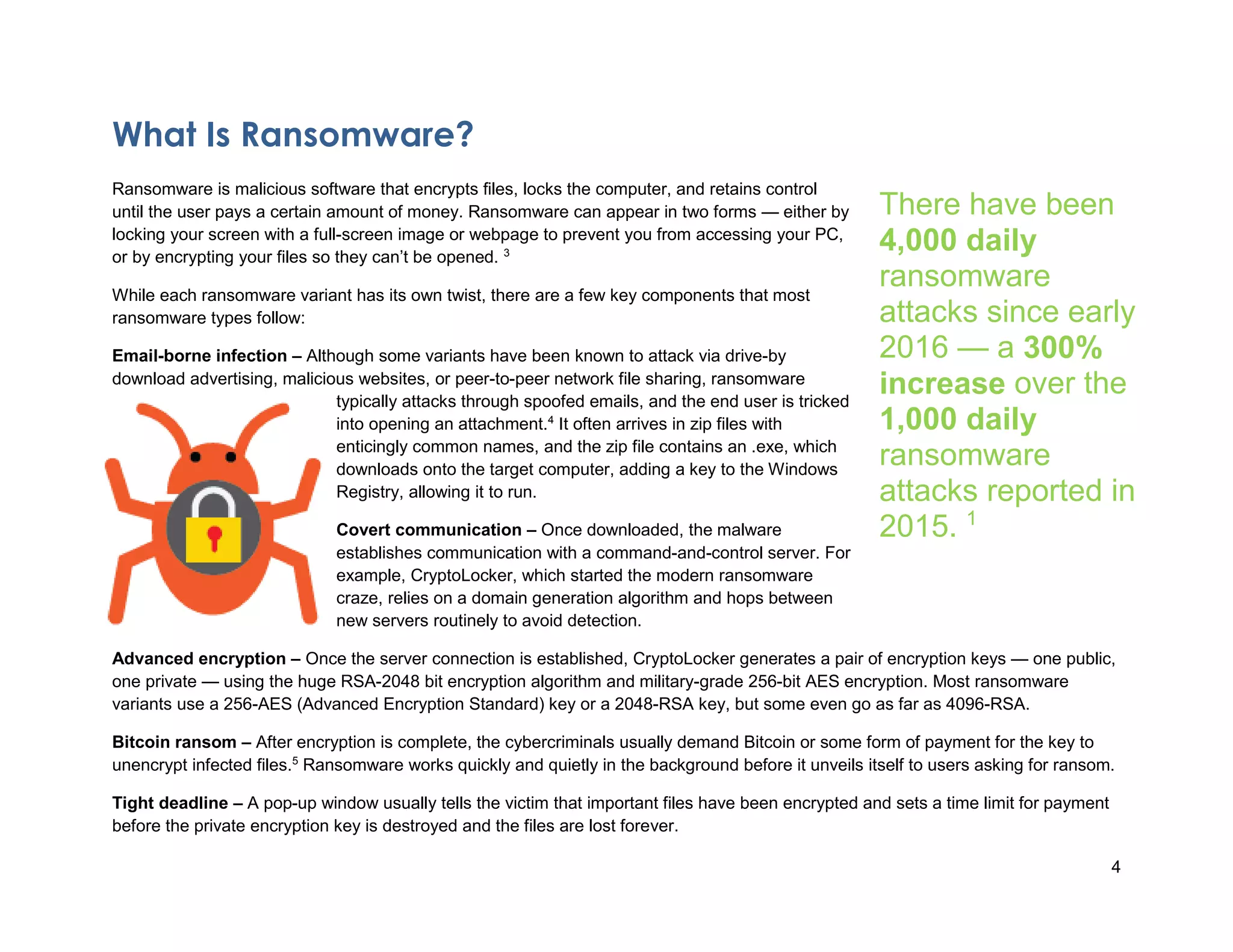
Ransomware is malicious software that encrypts files, locks the computer, and retains control
until the user pays a certain amount of money. Ransomware can appear in two forms — either by
locking your screen with a full-screen image or webpage to prevent you from accessing your PC,
or by encrypting your files so they can’t be opened. 3
While each ransomware variant has its own twist, there are a few key components that most
ransomware types follow:
Email-borne infection – Although some variants have been known to attack via drive-by
download advertising, malicious websites, or peer-to-peer network file sharing, ransomware
typically attacks through spoofed emails, and the end user is tricked
into opening an attachment.4
It often arrives in zip files with
enticingly common names, and the zip file contains an .exe, which
downloads onto the target computer, adding a key to the Windows
Registry, allowing it to run.
Covert communication – Once downloaded, the malware
establishes communication with a command-and-control server. For
example, CryptoLocker, which started the modern ransomware
craze, relies on a domain generation algorithm and hops between
new servers routinely to avoid detection.
Advanced encryption – Once the server connection is established, CryptoLocker generates a pair of encryption keys — one public,
one private — using the huge RSA-2048 bit encryption algorithm and military-grade 256-bit AES encryption. Most ransomware
variants use a 256-AES (Advanced Encryption Standard) key or a 2048-RSA key, but some even go as far as 4096-RSA.
Bitcoin ransom – After encryption is complete, the cybercriminals usually demand Bitcoin or some form of payment for the key to
unencrypt infected files.5
Ransomware works quickly and quietly in the background before it unveils itself to users asking for ransom.
Tight deadline – A pop-up window usually tells the victim that important files have been encrypted and sets a time limit for payment
before the private encryption key is destroyed and the files are lost forever.
There have been
4,000 daily
ransomware
attacks since early
2016 — a 300%
increase over the
1,000 daily
ransomware
attacks reported in
2015. 1
5
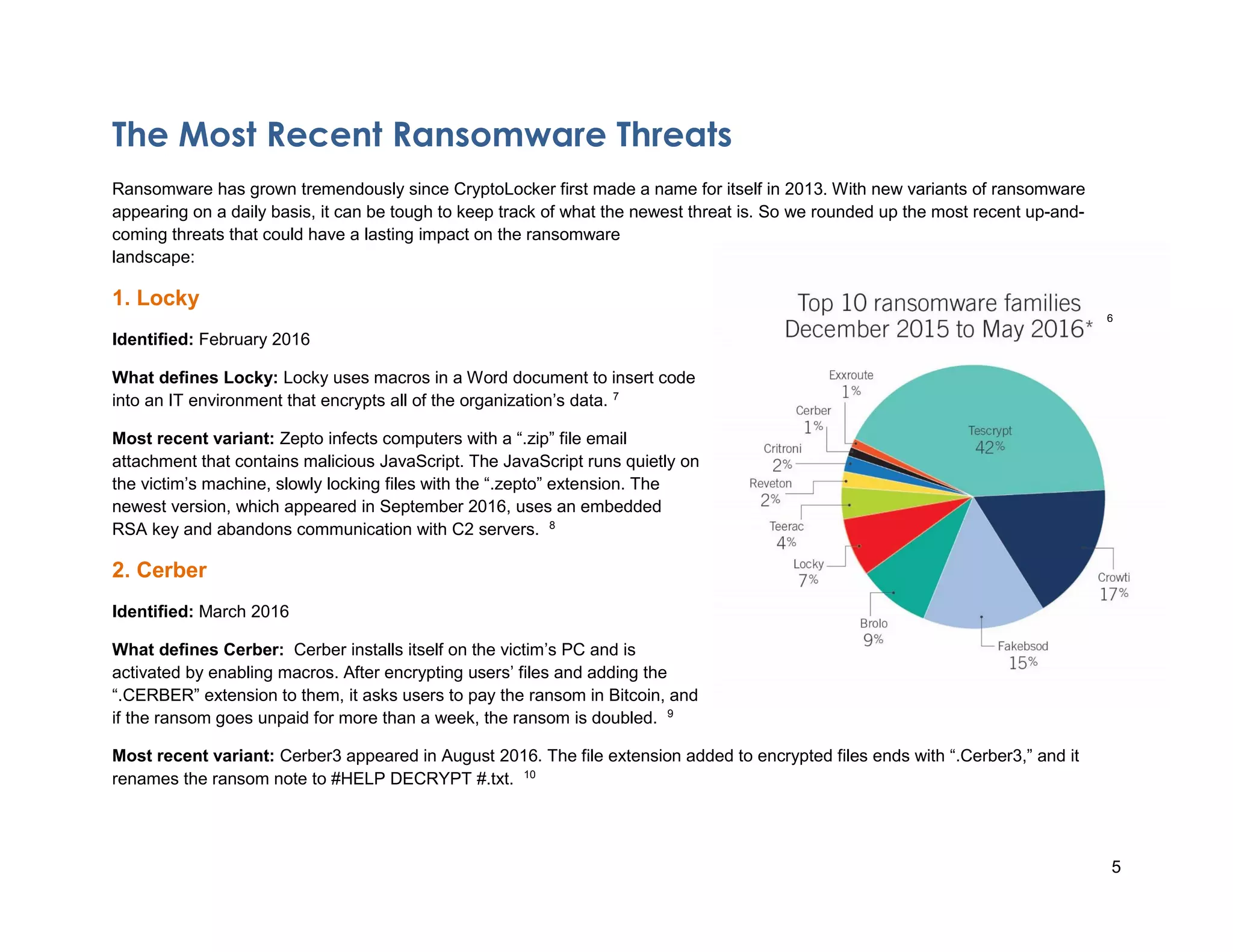
The Most Recent Ransomware Threats
Ransomware has grown tremendously since CryptoLocker first made a name for itself in 2013. With new variants of ransomware
appearing on a daily basis, it can be tough to keep track of what the newest threat is. So we rounded up the most recent up-and-
coming threats that could have a lasting impact on the ransomware
landscape:
1. Locky
Identified: February 2016
What defines Locky: Locky uses macros in a Word document to insert code
into an IT environment that encrypts all of the organization’s data. 7
Most recent variant: Zepto infects computers with a “.zip” file email
attachment that contains malicious JavaScript. The JavaScript runs quietly on
the victim’s machine, slowly locking files with the “.zepto” extension. The
newest version, which appeared in September 2016, uses an embedded
RSA key and abandons communication with C2 servers. 8
2. Cerber
Identified: March 2016
What defines Cerber: Cerber installs itself on the victim’s PC and is
activated by enabling macros. After encrypting users’ files and adding the
“.CERBER” extension to them, it asks users to pay the ransom in Bitcoin, and
if the ransom goes unpaid for more than a week, the ransom is doubled. 9
Most recent variant: Cerber3 appeared in August 2016. The file extension added to encrypted files ends with “.Cerber3,” and it
renames the ransom note to #HELP DECRYPT #.txt. 10
6
6
3. Smrss32
Identified: August 2016
What defines Smrss32: Smrss32 is a CryptoWall copycat, but it isn’t
as sophisticated. It adds “.encrypted” to the targeted files and drops a
ransom note into every folder and desktop containing encrypted files,
before it deletes the folder where it installed itself. 11
4. CryptXXX
Identified: April 2016
What defines CryptXXX: CryptXXX scans the entire drive and then
encrypts files using the “.crypt” extension. The user’s desktop image
changes to a picture of the ransom note, and browsers display an HTML
version of the note as well. 12
Most recent variant: CryptXXX 3.1 scans for shared Windows drives
and quickly encrypts each one — but that’s not all. It also utilizes
StillerX, a credential-stealing DLL tool that can steal emails, browser
data, and even VPN credentials, leaving users vulnerable even after the
ransom is paid and files are unencrypted. 13
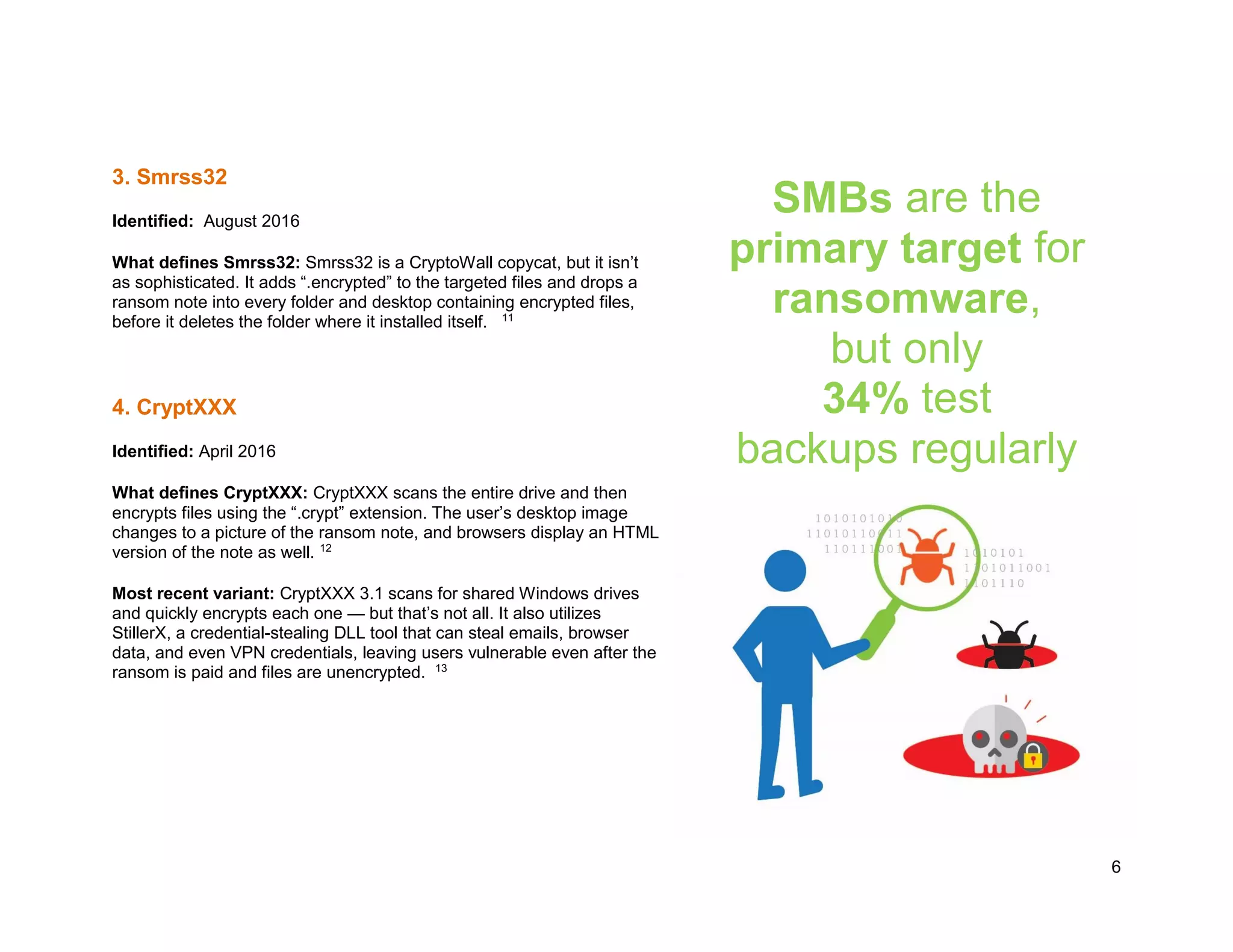
SMBs are the
primary target for
ransomware,
but only
34% test
backups regularly
7
3 Steps to Recover from Ransomware
What do you need to do as an SMB if ransomware strikes your business? You should take the following three steps immediately
after an infection is discovered. If you work with a managed service provider, you should contact them right away so they can help
you execute these steps effectively.
Step 1: Disconnect from the network and stop backing data up immediately
Disconnect the infected machine from the network immediately after the infection is discovered. Not only do some ransomware
variants encrypt shared files on the network, but you’re also stopping the malicious software from overwriting clean backups with
infected files. You should check and see if any other machines have been affected as well.
Step 2: Remove ransomware and clean computers of malicious software
If you have a good restore, remove all traces of the ransomware using antivirus software or an appropriate malware remover before
proceeding. Don’t test or try to recover data until the ransomware is completely gone. It’s important to note that by removing the
ransomware you are effectively forfeiting your ability to unlock files by paying the ransom. This shouldn’t be a problem if you have
backed up your data to a separate offsite location and don’t intend to pay the ransom. As an added precaution before you restore
files, conduct a test run in Safe Mode on the network to see if there are any additional infected files.
Step 3: Restore from the most recent clean backup
Provided that you maintain consistent backups, locate a clean version of the files, and restore to your most recent backup set.
Unfortunately, if you haven’t followed best practices for backup, you won’t have an alternative. You’ll either need to pay the ransom
or accept that all of your data is gone.
*Verizon 2013 Data Breach Investigations Report
8
Best Practices to Protect Your SMB from Ransomware
Tip #1: Educate users on security best practices
Education is still the best way to help your business avoid infection by ransomware — or any other form of
malware. Make your employees aware of popular social engineering methods and tactics so they don’t fall
victim to phishing emails or spoofed messages. It’s particularly helpful to share examples of these kinds of
emails and the types of attachments that are often associated with social engineering attempts so that end
users know to avoid them. An MSP is well equipped to help deliver this sort of training.
A few security best practices to share with your employees:
• Do not open emails from strange or unfamiliar email addresses
• Do not disable or deactivate antivirus or anti-malware software
• Do not download software from torrent sites — official or direct downloads are preferable
• If you receive an email from a familiar contact that includes an attachment or link, verify separately that
the person or organization actually sent you this message
Tip #2: Consistently update operating systems, antivirus and anti-malware
software
Most security vendors are constantly working on updates to catch and stop ransomware before it
infects your files. If you use antivirus or anti-malware services, be sure you are running the most recent
versions of these products and do regular updates. Contact your vendors or your managed service
provider to learn more about how they’re defending against ransomware to see if there is any additional
protection available.
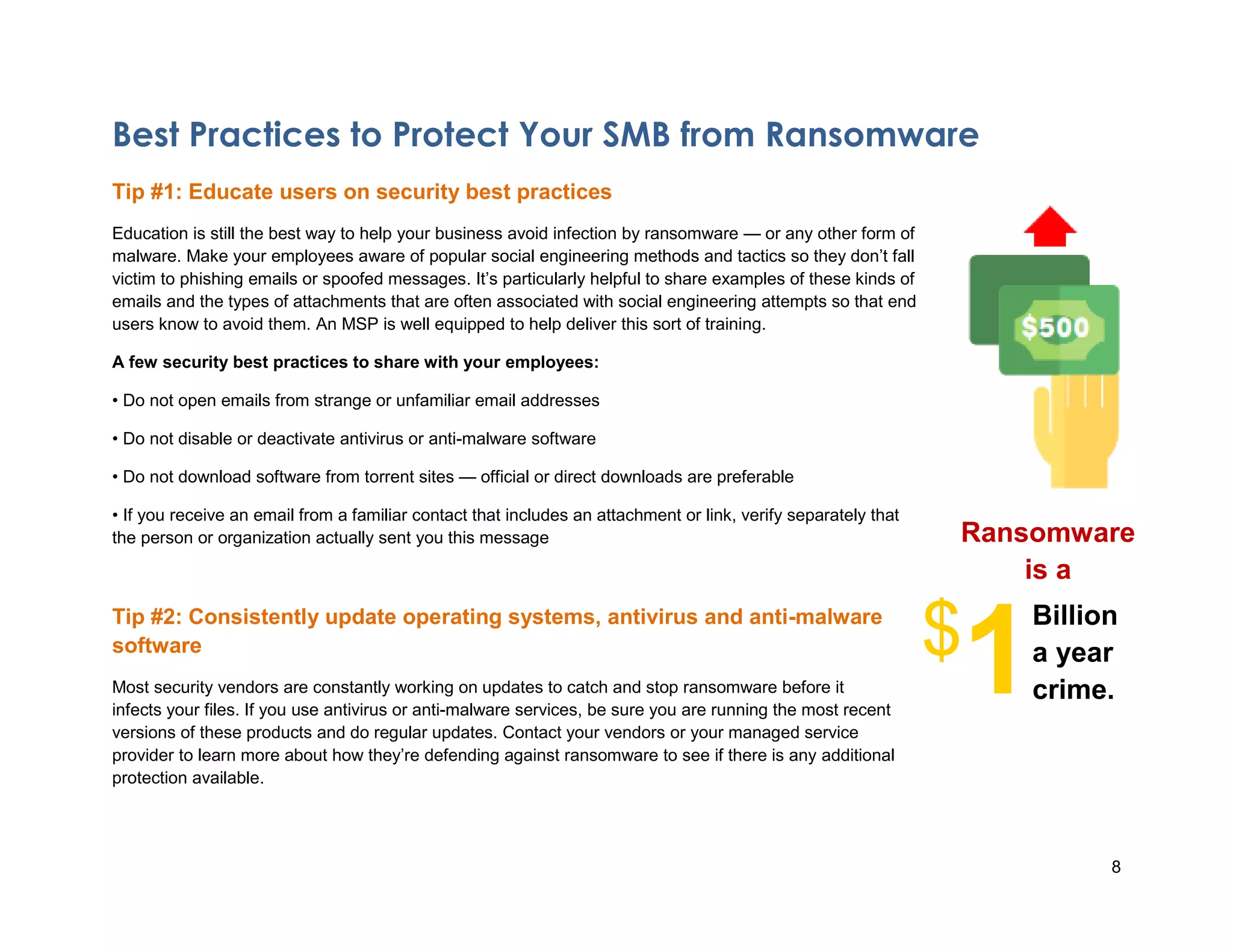
$
1
Ransomware
is a
Billion
a year
crime.
9
It’s also important to be sure your operating systems are up to date with the latest security patches to avoid leaving any backdoors
open. Often, backdoors are fixed in the latest patch or update, and hackers can prey on companies running out-of-date software,
which gives them an easy “in” to the system.
Tip #3: Disable macros in Office documents
Many new ransomware strains trick users into running macros on Microsoft Office programs. Macros automate frequently used tasks
and hold a potentially serious security risk. If malicious macros are introduced, it starts with one file and quickly spreads. Microsoft
Office 2016 automatically disables macros, but if your business is using an older version, an MSP can help you disable it on a GPO
(Group Policy Object). 14
Tip #4: Prevent .exe from running in AppData or LocalAppData folders
Ransomware usually operates within the AppData or LocalAppData folders, so you may be able to prevent the initial malware
download from executing by blocking .exe files from running in these folders.
Tip #5 Set up a next-generation firewall
Cybercriminals are releasing new malware variants into the wild at an increasingly fast pace. A next-generation firewall can combat
numerous threats, and some can even detect zero-day threats before they infiltrate the system. There was a 79-percent increase in
zero-day threats from 2014 to 2015, and that number is expected to continue to climb. 15
Firewalls help your SMB be proactive about defending against ransomware instead of just reacting to an attack. “Network security is
akin to a home alarm system, whereas BDR is like a home owner’s insurance policy that comes into play if something is stolen or
damaged,” says Brian Babineau, senior VP and general manager of Intronis MSP Solutions by Barracuda. 16
Thinking of it that way
will help you understand the importance of both approaches. Network security, like a next-generation firewall, goes hand-in-hand with
a comprehensive BDR plan when protecting your business from the most recent ransomware threats.
10
Tip #6: Back up your data frequently and consistently
Offsite backup is a critical component to a ransomware recovery strategy and should be an
integral part of your disaster recovery plan.
Why offsite? Because ransomware infections have been known to infect local drives and network
shares that are mapped as a drive letter on the infected computer.17
That means if you’re using
only a local backup solution, there’s little chance of recovery without paying the ransom because
your backups will most likely get encrypted as well.
1. Keep multiple versions of your protected files
Certain cloud backup offerings provide the advantage of sophisticated version histories, which is a
critical component to successful restores after a ransomware infection. If you only back up a single
version of your files, it’s possible that your software has backed up an infected file. By saving as
many revisions as possible, you have a better chance of restoring to a clean version of the data.
2. Keep multiple days’ worth of files
Depending on how frequently you perform backups, it’s possible to store multiple versions of a
single file, all of which were backed up the same day. But it’s important to also back up several
days’ — or even weeks’ — worth of files to ensure maximum protection. By retaining clean
backups over days, weeks, or months, you give yourself additional safe restore points, raising the
likelihood of a successful restore.
3. Frequently test your restores
Your backups are only as good as the restore. Test your restores on a frequent basis to make sure
your data is being backed up properly.
More than
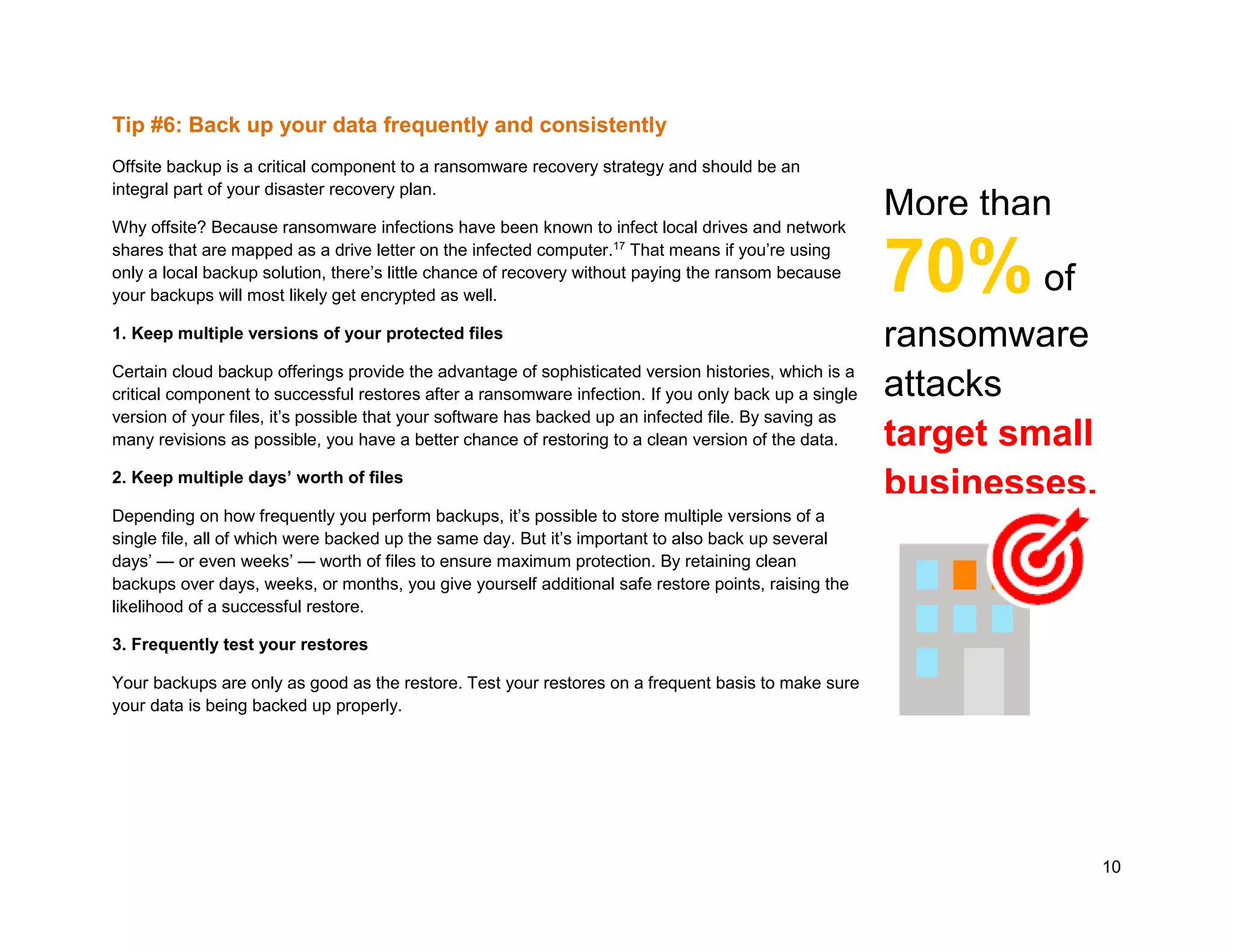
70%of
ransomware
attacks
target small
businesses.
11
Conclusion
The FBI wants businesses to take ransomware seriously. “Because of the global
reach of cybercrime, no single organization, agency, or country can defend
against it,” the organization explained in a recent statement about the growing threat of
ransomware.18
As an SMB, it is impossible to stop the ransomware epidemic. However, taking the right
proactive and reactive measures can help you mitigate the likelihood of an attack for
your business. No business vertical, large or small, is immune to ransomware
attacks, but you can set your business up for success by following best practices and
using the right tools to defend against it.
Contact VelocityMSI to learn more about ransomware and to get
help making sure your business is properly protected.
12
About Velocity Managed Services, Inc.
We are dedicated to helping small businesses traverse the ever-changing landscape of technology. Our proactive IT
solutions deliver peace of mind, allowing you to focus on growing your business and not your IT.
Velocity Managed Services, Inc.
1810 County Line Road, Suite 414
Huntingdon Valley, PA 19006
Main Office: (855) 438-8674
www.velocitymsi.com
Sources
1. How to Protect Your Networks from Ransomware, Justice.gov, Retrieved September 2016.
2. ICIT, The ICIT Ransomware Report, March 2016.
3. What is ransomware?, Microsoft, retrieved September 2016.
4. Cryptolocker 2.0 – new version, or copycat?, We Live Security, December 2013.
5. CryptoLocker Ransomware Information Guide and FAQ, Bleeping Computer, October 2013.
6. Malware Protection Center, Microsoft, Image retrieved September 2016.
7. Here Comes Locky, A Brand New Ransomware Threat, Dark Reading, February 2016.
8. Locky now using Embedded RSA Key instead of contacting Command & Control Servers, Bleeping Computer, September 6, 2016.
9. Combatting the ransomware Blitzkrieg, ICIT, April 2016.
10. Cerber Ransomware Has a New Family Member – Cerber3 Has Been Spotted, Virus Guide, August 31, 2016.
11. Smrss32 Ransomware Encrypts an Astounding 6,674 File Types, Virus Guide, August 15, 2016.
12. CryptXXX Ransomware Help, Information Guide, and FAQ, Bleeping Computer, May 2016.
13. CryptXXX Adapts Again to Outwit Decryptors, Info security, June, 2016.
14. Enable or disable macros in Office documents, Microsoft, Retrieved September, 2016.
15. 3 Ways to Supercharge Your BDR Offering, Business Solutions Magazine, September 2016.
16. CryptoLocker Ransomware Infections, US-CERT, November 2013.
17. 2016 Vulnerability Review, Flexera Software, March 16, 2016.
18. Cyber Crime, FBI, Retrieved September 2016.

SMB Guide-to-Ransomware

  • 1.
  • 2.
    2 Contents INTRODUCTION ………………………………………………………………………………........................... 3 WHATIS RANSOMWARE ……………………………………….…………………………….......................... 4 THE MOST RECENT RANSOMWARE THREATS ………………………………………….............................. 5 THREE STEPS TO RECOVER FROM RANSOMWARE ………………………………………………………… 7 BEST PRACTICES TO PROTECT YOURSELF FROM RANSOMWARE …..…………………….................... 8 CONCLUSION ……………………………………………………………………………….............................. 11
  • 3.
    3 Introduction Ransomware has becomea serious epidemic affecting businesses of all sizes, and protecting your company is more essential than ever before as the number of ransomware attacks continues to rise. A recent U.S. Government interagency report indicates that, on average, there have been 4,000 daily ransomware attacks since early 2016 — a 300-percent increase over the 1,000 daily ransomware attacks reported in 2015. 1 As ransomware spreads, it continues to evolve and get more sophisticated — and more lucrative. In fact, according to Internet Crime Complaint Center, ransomware victims paid more than $24 million to regain access to their data in 2015 alone. 2 What does all this mean for small to medium-sized businesses? In order to protect your organization from cyber threats, you need to keep ransomware and cybersecurity top-of-mind and educate your employees about this destructive type of malware and the damage it can do to your business. To help you address the growing threat of ransomware, we’ve taken a closer look at how ransomware works and the most common variants that are active today. We’ve also gathered our best advice on how to protect your business both proactively by taking precautions to avoid ransomware and reactively by being prepared to recover quickly and easily if you do fall victim to an attack.
  • 4.
    4 What Is Ransomware? Ransomwareis malicious software that encrypts files, locks the computer, and retains control until the user pays a certain amount of money. Ransomware can appear in two forms — either by locking your screen with a full-screen image or webpage to prevent you from accessing your PC, or by encrypting your files so they can’t be opened. 3 While each ransomware variant has its own twist, there are a few key components that most ransomware types follow: Email-borne infection – Although some variants have been known to attack via drive-by download advertising, malicious websites, or peer-to-peer network file sharing, ransomware typically attacks through spoofed emails, and the end user is tricked into opening an attachment.4 It often arrives in zip files with enticingly common names, and the zip file contains an .exe, which downloads onto the target computer, adding a key to the Windows Registry, allowing it to run. Covert communication – Once downloaded, the malware establishes communication with a command-and-control server. For example, CryptoLocker, which started the modern ransomware craze, relies on a domain generation algorithm and hops between new servers routinely to avoid detection. Advanced encryption – Once the server connection is established, CryptoLocker generates a pair of encryption keys — one public, one private — using the huge RSA-2048 bit encryption algorithm and military-grade 256-bit AES encryption. Most ransomware variants use a 256-AES (Advanced Encryption Standard) key or a 2048-RSA key, but some even go as far as 4096-RSA. Bitcoin ransom – After encryption is complete, the cybercriminals usually demand Bitcoin or some form of payment for the key to unencrypt infected files.5 Ransomware works quickly and quietly in the background before it unveils itself to users asking for ransom. Tight deadline – A pop-up window usually tells the victim that important files have been encrypted and sets a time limit for payment before the private encryption key is destroyed and the files are lost forever. There have been 4,000 daily ransomware attacks since early 2016 — a 300% increase over the 1,000 daily ransomware attacks reported in 2015. 1
  • 5.
    5 The Most RecentRansomware Threats Ransomware has grown tremendously since CryptoLocker first made a name for itself in 2013. With new variants of ransomware appearing on a daily basis, it can be tough to keep track of what the newest threat is. So we rounded up the most recent up-and- coming threats that could have a lasting impact on the ransomware landscape: 1. Locky Identified: February 2016 What defines Locky: Locky uses macros in a Word document to insert code into an IT environment that encrypts all of the organization’s data. 7 Most recent variant: Zepto infects computers with a “.zip” file email attachment that contains malicious JavaScript. The JavaScript runs quietly on the victim’s machine, slowly locking files with the “.zepto” extension. The newest version, which appeared in September 2016, uses an embedded RSA key and abandons communication with C2 servers. 8 2. Cerber Identified: March 2016 What defines Cerber: Cerber installs itself on the victim’s PC and is activated by enabling macros. After encrypting users’ files and adding the “.CERBER” extension to them, it asks users to pay the ransom in Bitcoin, and if the ransom goes unpaid for more than a week, the ransom is doubled. 9 Most recent variant: Cerber3 appeared in August 2016. The file extension added to encrypted files ends with “.Cerber3,” and it renames the ransom note to #HELP DECRYPT #.txt. 10 6
  • 6.
    6 3. Smrss32 Identified: August2016 What defines Smrss32: Smrss32 is a CryptoWall copycat, but it isn’t as sophisticated. It adds “.encrypted” to the targeted files and drops a ransom note into every folder and desktop containing encrypted files, before it deletes the folder where it installed itself. 11 4. CryptXXX Identified: April 2016 What defines CryptXXX: CryptXXX scans the entire drive and then encrypts files using the “.crypt” extension. The user’s desktop image changes to a picture of the ransom note, and browsers display an HTML version of the note as well. 12 Most recent variant: CryptXXX 3.1 scans for shared Windows drives and quickly encrypts each one — but that’s not all. It also utilizes StillerX, a credential-stealing DLL tool that can steal emails, browser data, and even VPN credentials, leaving users vulnerable even after the ransom is paid and files are unencrypted. 13 SMBs are the primary target for ransomware, but only 34% test backups regularly
  • 7.
    7 3 Steps toRecover from Ransomware What do you need to do as an SMB if ransomware strikes your business? You should take the following three steps immediately after an infection is discovered. If you work with a managed service provider, you should contact them right away so they can help you execute these steps effectively. Step 1: Disconnect from the network and stop backing data up immediately Disconnect the infected machine from the network immediately after the infection is discovered. Not only do some ransomware variants encrypt shared files on the network, but you’re also stopping the malicious software from overwriting clean backups with infected files. You should check and see if any other machines have been affected as well. Step 2: Remove ransomware and clean computers of malicious software If you have a good restore, remove all traces of the ransomware using antivirus software or an appropriate malware remover before proceeding. Don’t test or try to recover data until the ransomware is completely gone. It’s important to note that by removing the ransomware you are effectively forfeiting your ability to unlock files by paying the ransom. This shouldn’t be a problem if you have backed up your data to a separate offsite location and don’t intend to pay the ransom. As an added precaution before you restore files, conduct a test run in Safe Mode on the network to see if there are any additional infected files. Step 3: Restore from the most recent clean backup Provided that you maintain consistent backups, locate a clean version of the files, and restore to your most recent backup set. Unfortunately, if you haven’t followed best practices for backup, you won’t have an alternative. You’ll either need to pay the ransom or accept that all of your data is gone. *Verizon 2013 Data Breach Investigations Report
  • 8.
    8 Best Practices toProtect Your SMB from Ransomware Tip #1: Educate users on security best practices Education is still the best way to help your business avoid infection by ransomware — or any other form of malware. Make your employees aware of popular social engineering methods and tactics so they don’t fall victim to phishing emails or spoofed messages. It’s particularly helpful to share examples of these kinds of emails and the types of attachments that are often associated with social engineering attempts so that end users know to avoid them. An MSP is well equipped to help deliver this sort of training. A few security best practices to share with your employees: • Do not open emails from strange or unfamiliar email addresses • Do not disable or deactivate antivirus or anti-malware software • Do not download software from torrent sites — official or direct downloads are preferable • If you receive an email from a familiar contact that includes an attachment or link, verify separately that the person or organization actually sent you this message Tip #2: Consistently update operating systems, antivirus and anti-malware software Most security vendors are constantly working on updates to catch and stop ransomware before it infects your files. If you use antivirus or anti-malware services, be sure you are running the most recent versions of these products and do regular updates. Contact your vendors or your managed service provider to learn more about how they’re defending against ransomware to see if there is any additional protection available. $ 1 Ransomware is a Billion a year crime.
  • 9.
    9 It’s also importantto be sure your operating systems are up to date with the latest security patches to avoid leaving any backdoors open. Often, backdoors are fixed in the latest patch or update, and hackers can prey on companies running out-of-date software, which gives them an easy “in” to the system. Tip #3: Disable macros in Office documents Many new ransomware strains trick users into running macros on Microsoft Office programs. Macros automate frequently used tasks and hold a potentially serious security risk. If malicious macros are introduced, it starts with one file and quickly spreads. Microsoft Office 2016 automatically disables macros, but if your business is using an older version, an MSP can help you disable it on a GPO (Group Policy Object). 14 Tip #4: Prevent .exe from running in AppData or LocalAppData folders Ransomware usually operates within the AppData or LocalAppData folders, so you may be able to prevent the initial malware download from executing by blocking .exe files from running in these folders. Tip #5 Set up a next-generation firewall Cybercriminals are releasing new malware variants into the wild at an increasingly fast pace. A next-generation firewall can combat numerous threats, and some can even detect zero-day threats before they infiltrate the system. There was a 79-percent increase in zero-day threats from 2014 to 2015, and that number is expected to continue to climb. 15 Firewalls help your SMB be proactive about defending against ransomware instead of just reacting to an attack. “Network security is akin to a home alarm system, whereas BDR is like a home owner’s insurance policy that comes into play if something is stolen or damaged,” says Brian Babineau, senior VP and general manager of Intronis MSP Solutions by Barracuda. 16 Thinking of it that way will help you understand the importance of both approaches. Network security, like a next-generation firewall, goes hand-in-hand with a comprehensive BDR plan when protecting your business from the most recent ransomware threats.
  • 10.
    10 Tip #6: Backup your data frequently and consistently Offsite backup is a critical component to a ransomware recovery strategy and should be an integral part of your disaster recovery plan. Why offsite? Because ransomware infections have been known to infect local drives and network shares that are mapped as a drive letter on the infected computer.17 That means if you’re using only a local backup solution, there’s little chance of recovery without paying the ransom because your backups will most likely get encrypted as well. 1. Keep multiple versions of your protected files Certain cloud backup offerings provide the advantage of sophisticated version histories, which is a critical component to successful restores after a ransomware infection. If you only back up a single version of your files, it’s possible that your software has backed up an infected file. By saving as many revisions as possible, you have a better chance of restoring to a clean version of the data. 2. Keep multiple days’ worth of files Depending on how frequently you perform backups, it’s possible to store multiple versions of a single file, all of which were backed up the same day. But it’s important to also back up several days’ — or even weeks’ — worth of files to ensure maximum protection. By retaining clean backups over days, weeks, or months, you give yourself additional safe restore points, raising the likelihood of a successful restore. 3. Frequently test your restores Your backups are only as good as the restore. Test your restores on a frequent basis to make sure your data is being backed up properly. More than 70%of ransomware attacks target small businesses.
  • 11.
    11 Conclusion The FBI wantsbusinesses to take ransomware seriously. “Because of the global reach of cybercrime, no single organization, agency, or country can defend against it,” the organization explained in a recent statement about the growing threat of ransomware.18 As an SMB, it is impossible to stop the ransomware epidemic. However, taking the right proactive and reactive measures can help you mitigate the likelihood of an attack for your business. No business vertical, large or small, is immune to ransomware attacks, but you can set your business up for success by following best practices and using the right tools to defend against it. Contact VelocityMSI to learn more about ransomware and to get help making sure your business is properly protected.
  • 12.
    12 About Velocity ManagedServices, Inc. We are dedicated to helping small businesses traverse the ever-changing landscape of technology. Our proactive IT solutions deliver peace of mind, allowing you to focus on growing your business and not your IT. Velocity Managed Services, Inc. 1810 County Line Road, Suite 414 Huntingdon Valley, PA 19006 Main Office: (855) 438-8674 www.velocitymsi.com Sources 1. How to Protect Your Networks from Ransomware, Justice.gov, Retrieved September 2016. 2. ICIT, The ICIT Ransomware Report, March 2016. 3. What is ransomware?, Microsoft, retrieved September 2016. 4. Cryptolocker 2.0 – new version, or copycat?, We Live Security, December 2013. 5. CryptoLocker Ransomware Information Guide and FAQ, Bleeping Computer, October 2013. 6. Malware Protection Center, Microsoft, Image retrieved September 2016. 7. Here Comes Locky, A Brand New Ransomware Threat, Dark Reading, February 2016. 8. Locky now using Embedded RSA Key instead of contacting Command & Control Servers, Bleeping Computer, September 6, 2016. 9. Combatting the ransomware Blitzkrieg, ICIT, April 2016. 10. Cerber Ransomware Has a New Family Member – Cerber3 Has Been Spotted, Virus Guide, August 31, 2016. 11. Smrss32 Ransomware Encrypts an Astounding 6,674 File Types, Virus Guide, August 15, 2016. 12. CryptXXX Ransomware Help, Information Guide, and FAQ, Bleeping Computer, May 2016. 13. CryptXXX Adapts Again to Outwit Decryptors, Info security, June, 2016. 14. Enable or disable macros in Office documents, Microsoft, Retrieved September, 2016. 15. 3 Ways to Supercharge Your BDR Offering, Business Solutions Magazine, September 2016. 16. CryptoLocker Ransomware Infections, US-CERT, November 2013. 17. 2016 Vulnerability Review, Flexera Software, March 16, 2016. 18. Cyber Crime, FBI, Retrieved September 2016.