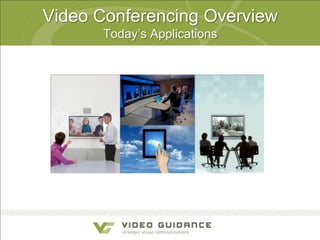
Video Conferencing Overview
Today’s Applications
The Drivers of Visual Communications
are Changing
Mobile Device
Proliferation

High Def &
Network
Readiness

Cloud Delivery

Collaboration &
Social Networks

Generation
Raised on Video

70M

HD / IP

$41B

$16B

4B

Today

UC By 2014

$241B

1B+

Videos
viewed daily
on YouTube

Tablets Today

320M
Tablets
by 2015

3G / 4G
WiFi

By 2020

Users on
Facebook

66%
Mobile
Traffic 2015
Video Conferencing is Changing

Conference room
Deployments
Full Service
Premise-based
Hardware
Technology
Dedicated app
Customer Focus Travel savings

Desktop & mobile
Self Service
Cloud-based
Software
Browser & UC-based
Innovation, decision
making & retention
Visual Collaboration is expanding to
PCs, Tablets and Phones

The conference room and desktop model is being replaced by a model where
the workspace uses communications and collaboration software that runs on
any device, any place, and any network.
New Standard in Communication?

Increase in active video
soft client users1

Of information workers will
have video solutions by 20162

Of the ―Best Companies to Work
for 2013‖ list telecommuting
benefits for employees3
1.
2.
3.
4.

Source: Gartner, ―Market Trends: Videoconferencing Worldwide 2011,‖ April 28, 2011.
Source: Forrester - Preparing for Uneven Corporate Adoption of Video Communications, May 9, 2011
Source: Fortune Magazine ―100 Best Companies to Work For‖ list
Source: End-User Survey: The ―Real‖ Benefits of Video’, February 2013

Agree that video
conferencing improves
efficiency/productivity4
Visual Communications Overview
Why Video Conferencing

and Why Now

Where are we going?

Improving your business
Video Conferencing
Why companies are deploying video…
Accelerate sales - Presenting to and meeting with more customers

Improve customer & employee training - Financial benefits of improving
reach and frequency of training programs

Enhance employee productivity - Increasing effectiveness of product
launches, major project reviews, and inter-office meetings

Improve tele-working – Remote offices.

Dramatically improve communications
capabilities with staff that work from home and remote offices

Enhance sales and customer service - Kiosks, Visual Contact Centers
Disseminating knowledge and improving collaboration
Vertical applications - Telemedicine, distance learning,
interviewing, manufacturing quality control, remote expert, etc.

video banking, remote
Visual Communications
Overview
A Few Vertical

Market Applications
Where are we going?
Today’s Banking Solutions
Demand staffing: Since it is difficult to
have all experts in all branches.
Human Resources : Are conducting
remote interviews and recruiting, employee
training and performance reviews.
Branch offices : Are dealing with loans
and business services.
Virtual Banker Concept: Is providing twoway audio and video conferencing between
consumers and advisors.
Today’s Banking Solutions continued

Video terminals: Are outfitted in branches
providing customers access to remote experts.
Customer Information: Providing customers
the latest in product and services while they are
within the bank.
Training: Providing staff education.
Executives: Are delivering board meetings
and leadership announcements.
Today’s Healthcare Applications
Patient Rooms
Telepharmacy
Emergency Medicine
Remote Dermatology
Remote Pathology
Medical Training
Continuing Education

Remote Surgery
Remote Psychology
Remote Triage
Remote Treatment
Today’s Healthcare Applications
Patient Care Application
Reduce suffering associated with separation
Parent – Child, Parent – Parent , Child – Sibling/Peer/School

Enable presence of off-site parent. Family caregiver
in medical discussions.
Empower patients to remain connected with school
Engage outside provider in medical discussions.
Provide interactive patient and
family preparation and education
prior to visits
Today’s Education Applications
Next Generation Learning
Formal Learning (scheduled, instructor-led)
Virtual Classrooms
Video Portals

Video (live and on-demand)
Field Trips
Class Flipping

Informal Learning (anywhere, anytime, team-based)
CoSpace Meeting Centers
Streaming
Today’s Education Applications
Next Generation Learning

Classrooms

Remote Students

Remote Teachers

Video conferencing helps institutions deploy interactive video communication to:
Utilize remote experts and content from anywhere in the world
Improve professional development and teacher training
Support extended office hours and off-campus teaching
Enable interactive distance learning
Utilize lecture capture for synchronous, asynchronous and blended courses
Visual Communications
Overview
Many Options are Available
Where are we going?
An Option to Consider
Cloud-based Video Collaboration
Ad hoc “In-person” meetings
Select endpoints that are right for you
A fully managed service that includes
a user adoption program

Affordable - Monthly pricing model
Feature rich – User controlled
Supports WebRTC
Cloud-based Architecture

Tablet

IM Client

Mobile
Phone

Laptop /
Desktop

Desk
Phone

Web Client

Lync Client

WebRTC

Video
Endpoint

Productivity
Applications

Personal
Files

User Interface
ONE USER EXPERIENCE
Audio
Conferencing

Video
Conferencing

Web
Conferencing

Dynamic
Desktop/Content

Foundation
INTEGRATION
VCS

Infrastructure

Lync

CUCM

IP-PBX

Transport/
Routing

Directory
Introducing coSpaces
Virtual meeting rooms accessible from any device

Tablet

PC client

Mobile

WebRTC

always available
Personal
Endpoint
Best Practices to Consider
Ensure your success

No video for video sake - Applications
It is OK to start small – Cloud-based solutions
Indentify internal video champions
Seek input from IT department
Set metrics for success from the start
Get executive sponsorship
Communicate your video initiatives
Take advantage of video adoption programs
Grants
The Grant Funding programs targets include:
Education: Public and private K-12 schools, colleges & universities
Health Care: Nonprofit hospitals and public health departments
Government: Local, state and federal agencies
Economic Development: Workforce development and job
creating.

Learn about how we can help —
Identify funding opportunities that specifically target your needs
Assist with determination of grant application specifics and program
eligibility for targeted application
Leverage our network of grant writers and funding specialists
Video Guidance
Focus – Visual communication is our only business!
Consultative approach (business and technology)

Solution Provider using industry-leading vendors
Multiple vendor experience including Cisco, Polycom and LifeSize

Video Guidance “Cloud-based” services “Video as a Service”
VG Connect™ - A comprehensive, outsourced solution to ensure burden-free video conferencing

Video Guidance ONE CALL philosophy & program
Video Guidance understands that conferencing technologies are vital communication tools
essential to the success of your business

Consultative A/V Integration services
Our integration teams will formulate optimized solutions that exceeds your immediate needs.
Questions

Collaboration Platform: Videoconferencing, Dan Driscoll, Video Guidance

  • 1.
  • 2.
    The Drivers ofVisual Communications are Changing Mobile Device Proliferation High Def & Network Readiness Cloud Delivery Collaboration & Social Networks Generation Raised on Video 70M HD / IP $41B $16B 4B Today UC By 2014 $241B 1B+ Videos viewed daily on YouTube Tablets Today 320M Tablets by 2015 3G / 4G WiFi By 2020 Users on Facebook 66% Mobile Traffic 2015
  • 3.
    Video Conferencing isChanging Conference room Deployments Full Service Premise-based Hardware Technology Dedicated app Customer Focus Travel savings Desktop & mobile Self Service Cloud-based Software Browser & UC-based Innovation, decision making & retention
  • 4.
    Visual Collaboration isexpanding to PCs, Tablets and Phones The conference room and desktop model is being replaced by a model where the workspace uses communications and collaboration software that runs on any device, any place, and any network.
  • 6.
    New Standard inCommunication? Increase in active video soft client users1 Of information workers will have video solutions by 20162 Of the ―Best Companies to Work for 2013‖ list telecommuting benefits for employees3 1. 2. 3. 4. Source: Gartner, ―Market Trends: Videoconferencing Worldwide 2011,‖ April 28, 2011. Source: Forrester - Preparing for Uneven Corporate Adoption of Video Communications, May 9, 2011 Source: Fortune Magazine ―100 Best Companies to Work For‖ list Source: End-User Survey: The ―Real‖ Benefits of Video’, February 2013 Agree that video conferencing improves efficiency/productivity4
  • 7.
    Visual Communications Overview WhyVideo Conferencing and Why Now Where are we going? Improving your business
  • 9.
    Video Conferencing Why companiesare deploying video… Accelerate sales - Presenting to and meeting with more customers Improve customer & employee training - Financial benefits of improving reach and frequency of training programs Enhance employee productivity - Increasing effectiveness of product launches, major project reviews, and inter-office meetings Improve tele-working – Remote offices. Dramatically improve communications capabilities with staff that work from home and remote offices Enhance sales and customer service - Kiosks, Visual Contact Centers Disseminating knowledge and improving collaboration Vertical applications - Telemedicine, distance learning, interviewing, manufacturing quality control, remote expert, etc. video banking, remote
  • 10.
    Visual Communications Overview A FewVertical Market Applications Where are we going?
  • 11.
    Today’s Banking Solutions Demandstaffing: Since it is difficult to have all experts in all branches. Human Resources : Are conducting remote interviews and recruiting, employee training and performance reviews. Branch offices : Are dealing with loans and business services. Virtual Banker Concept: Is providing twoway audio and video conferencing between consumers and advisors.
  • 12.
    Today’s Banking Solutionscontinued Video terminals: Are outfitted in branches providing customers access to remote experts. Customer Information: Providing customers the latest in product and services while they are within the bank. Training: Providing staff education. Executives: Are delivering board meetings and leadership announcements.
  • 13.
    Today’s Healthcare Applications PatientRooms Telepharmacy Emergency Medicine Remote Dermatology Remote Pathology Medical Training Continuing Education Remote Surgery Remote Psychology Remote Triage Remote Treatment
  • 14.
    Today’s Healthcare Applications PatientCare Application Reduce suffering associated with separation Parent – Child, Parent – Parent , Child – Sibling/Peer/School Enable presence of off-site parent. Family caregiver in medical discussions. Empower patients to remain connected with school Engage outside provider in medical discussions. Provide interactive patient and family preparation and education prior to visits
  • 15.
    Today’s Education Applications NextGeneration Learning Formal Learning (scheduled, instructor-led) Virtual Classrooms Video Portals Video (live and on-demand) Field Trips Class Flipping Informal Learning (anywhere, anytime, team-based) CoSpace Meeting Centers Streaming
  • 16.
    Today’s Education Applications NextGeneration Learning Classrooms Remote Students Remote Teachers Video conferencing helps institutions deploy interactive video communication to: Utilize remote experts and content from anywhere in the world Improve professional development and teacher training Support extended office hours and off-campus teaching Enable interactive distance learning Utilize lecture capture for synchronous, asynchronous and blended courses
  • 17.
    Visual Communications Overview Many Optionsare Available Where are we going?
  • 19.
    An Option toConsider Cloud-based Video Collaboration Ad hoc “In-person” meetings Select endpoints that are right for you A fully managed service that includes a user adoption program Affordable - Monthly pricing model Feature rich – User controlled Supports WebRTC
  • 20.
    Cloud-based Architecture Tablet IM Client Mobile Phone Laptop/ Desktop Desk Phone Web Client Lync Client WebRTC Video Endpoint Productivity Applications Personal Files User Interface ONE USER EXPERIENCE Audio Conferencing Video Conferencing Web Conferencing Dynamic Desktop/Content Foundation INTEGRATION VCS Infrastructure Lync CUCM IP-PBX Transport/ Routing Directory
  • 21.
    Introducing coSpaces Virtual meetingrooms accessible from any device Tablet PC client Mobile WebRTC always available Personal Endpoint
  • 22.
    Best Practices toConsider Ensure your success No video for video sake - Applications It is OK to start small – Cloud-based solutions Indentify internal video champions Seek input from IT department Set metrics for success from the start Get executive sponsorship Communicate your video initiatives Take advantage of video adoption programs
  • 23.
    Grants The Grant Fundingprograms targets include: Education: Public and private K-12 schools, colleges & universities Health Care: Nonprofit hospitals and public health departments Government: Local, state and federal agencies Economic Development: Workforce development and job creating. Learn about how we can help — Identify funding opportunities that specifically target your needs Assist with determination of grant application specifics and program eligibility for targeted application Leverage our network of grant writers and funding specialists
  • 24.
    Video Guidance Focus –Visual communication is our only business! Consultative approach (business and technology) Solution Provider using industry-leading vendors Multiple vendor experience including Cisco, Polycom and LifeSize Video Guidance “Cloud-based” services “Video as a Service” VG Connect™ - A comprehensive, outsourced solution to ensure burden-free video conferencing Video Guidance ONE CALL philosophy & program Video Guidance understands that conferencing technologies are vital communication tools essential to the success of your business Consultative A/V Integration services Our integration teams will formulate optimized solutions that exceeds your immediate needs.
  • 25.

Editor's Notes

  • #6 INEVITABLE GROWTHBusiness videoconferencing will grow six fold over the forecast period.Additional Context: Business videoconferencing traffic is growing significantly faster than overall business IP traffic, at a CAGR of 48 percent between 2011 and 2016. SOURCECisco Visual Networking Index: Forecast and Methodology, 2011-2016http://www.cisco.com/en/US/solutions/collateral/ns341/ns525/ns537/ns705/ns827/white_paper_c11-481360_ns827_Networking_Solutions_White_Paper.html Globally, the desktop videoconferencing and room-based videoconferencing user bases are growing from 2011-2016 at 43 percent and 14 percent CAGRs, respectivelySOURCECisco Visual Networking Index Services Adoption Forecast: 2011 – 2016http://www.cisco.com/en/US/solutions/collateral/ns341/ns525/ns537/ns705/ns1186/Cisco_VNI_SA_Forecast_WP.html In-person communications matter to business leaders, with 75 percent indicating in-person collaboration as critical to business success, affecting business outcomes more than other forms of communication.SOURCEEconomist Intelligence Unit Study, December 2011https://www.cisco.com/web/telepresence/pro/eiu-research-whitepaper.pdfPOSITIVE EFFECTS AT WORKSOURCE Aberdeen Group Research Brief: The ROI of Video Collaborationhttp://www.cisco.com/en/US/solutions/collateral/ns1168/roi_of_video_collaboration.pdf
  • #7 Before we get into Video Smart Start offers, lets give context to the market forces that are driving video collaboration for everyone, everywhere. We are laser-focused on what our customers need. THIS SLIDE SHOWS WHAT IS HAPPENING AND WHY NEW Solutions are NEEDED TO SOLVE THESE PROBLEMS!!In the mobile, global, social world, video is the new standard in communication. Your business can’t afford to be left behind. The explosive growth in video-enabled workforce has created both opportunities and challenges for companies looking to take advantage of video collaboration solutions. Let’s look at some of the stats that show this growth:Starting with the upper left hand corner – By 2015, there will 132 million active video soft client users and an expected increase in excess of 340% in soft-client deployments across all business sectors and company sizes between 2010 and 2012 alone.Source: Gartner, “Market Trends: Videoconferencing Worldwide 2011,” April 28, 2011. Nearly half of information workers will have some type of personal video solution in 2016, up from just 15% today. Source: Forrester - Preparing for Uneven Corporate Adoption of Video Communications, May 9, 201184 of the “100 Best Companies to Work For 2013” list telecommuting benefits for employees 94% agree that videoconferencing improves efficiency/productivity* Source: End-User Survey: The “Real” Benefits of Video’, February 2013 These companies are weighing their options considering cost, ease-of-use, reliability, interoperability, scalability. But interoperability is the key – in fact: 4. More than 58% of IT leaders cite 'Interoperability' as their chief obstacle to UC success (see lower right hand corner)They are considering video collaboration technology because, simply put, they need an enterprise class solution for multi-party video collaboration that will extend to their existing business applications and process and work with the broadest possible audience, on any device – room, laptop, tablet, etc., without compromising interoperability with existing and future investments. These requirements are rooted in the trends exploding in the industry today including the use of mobile video (desktop, smart phone or tablet) and pitfalls or video collaboration systems, protocols and standards that do not interoperate today.Polycom is addressing these market forces with our new Video Smart Start Offers
  • #9 Video and the visual medium delivers the most natural collaboration experience possible. The Benefits of Visual Communication64% of communication is non-verbalOne third of the human cortex is dedicated to vision1 Kandola, Pearn “The Psychology of Effective Business Communications in Geographically Dispersed Teams”, Cisco Systems, September 20062 Vision Group Research, FMRIB, University of Oxford, UK
  • #16 The ability to collaborate and work together is becoming increasingly important as students enter the workforce. In fact, here at Cisco, our culture is built around collaboration and our ability to use technologies to work better together, in a more seamless way, regardless of time or location.Collaborative learning takes many shapes in schools.It can be formal learning, which is scheduled and instructor-led, and could be based on a solution such as our WebEx Training Center Virtual Classroom, our Show-and-Share Video portal, or TelePresence.Collaborative learning could also take place using either live or on-demand video, again with Show-and-Share, WebEx, TelePresence, and Flip Video cameras. Imagine students recording themselves for a class project, and then posting these videos to a video portal or to their learning portfolios.Finally, collaborative learning can take place informally, anytime, anywhere based on Unified Communications and WebEx. Students can work in groups over WebEx from their homes after school, or they can connect via IM and share folders and files through WebEx Connect.
  • #19 Note to SPEAKER: It’s important you pause and take time to explain this slide. The customer will identify with at least one of these bullets; ask them to elaborate on their past experiences to help transition to subsequent the offer slides. How many of you have ever:Had a limited experience with telepresence, not being able to talk to external participants?Had hard-to-use or ineffective equipment/systems and use cases before?Had issues or perceive issues with managing costs to deploy and manage?Had issues or perceive issues with staffing/support for it?Don’t know how to value telepresence vs. video conferencing vs. video chat?