Chapter 23 – ASP.NET 
Outline 
23.1 Introduction 
23.2 .NET Overview 
23.2.1 .NET Framework 
23.2.2 ASP (Active Server Pages) .NET 
23.3 Setup 
23.4 JScript .NET 
23.5 A Simple ASP.NET Example 
23.6 Web Forms 
23.7 Session Tracking 
23.7.1 Cookies 
23.7.2 Session Tracking with HttpSessionState 
23.8 ASP.NET and XML 
23.9 Reading and Writing Text Files 
23.10 Connecting to a Database in ASP.NET 
23.11 Code-Behind Approach 
23.12 ASP.NET Web Services 
23.13 Web Resources
Objectives 
• In this lesson, you will learn: 
– To program ASP.NET pages using JScript .NET. 
– To understand how ASP.NET pages work. 
– To understand the differences between client-side 
scripting and server-side scripting. 
– To create Web services. 
– To use and manipulate XML files with ASP.NET. 
– To understand Web forms and code-behind files. 
– To be able to use session tracking in an 
ASP.NET application. 
– To use ActiveX Data Objects .NET (ADO.NET) 
to access a database.
23.1 Introduction 
• ASP.NET 
– Server-side technology that dynamically builds 
documents in response to client requests 
– Can be used on a server to create Web 
applications 
– Supports over 25 programming languages 
– Object-oriented programming
23.2 .NET Overview 
• Independent from a specific programming 
language 
• Promotes software reuse 
• Include tools for porting, adapting existing 
software components 
• Web services
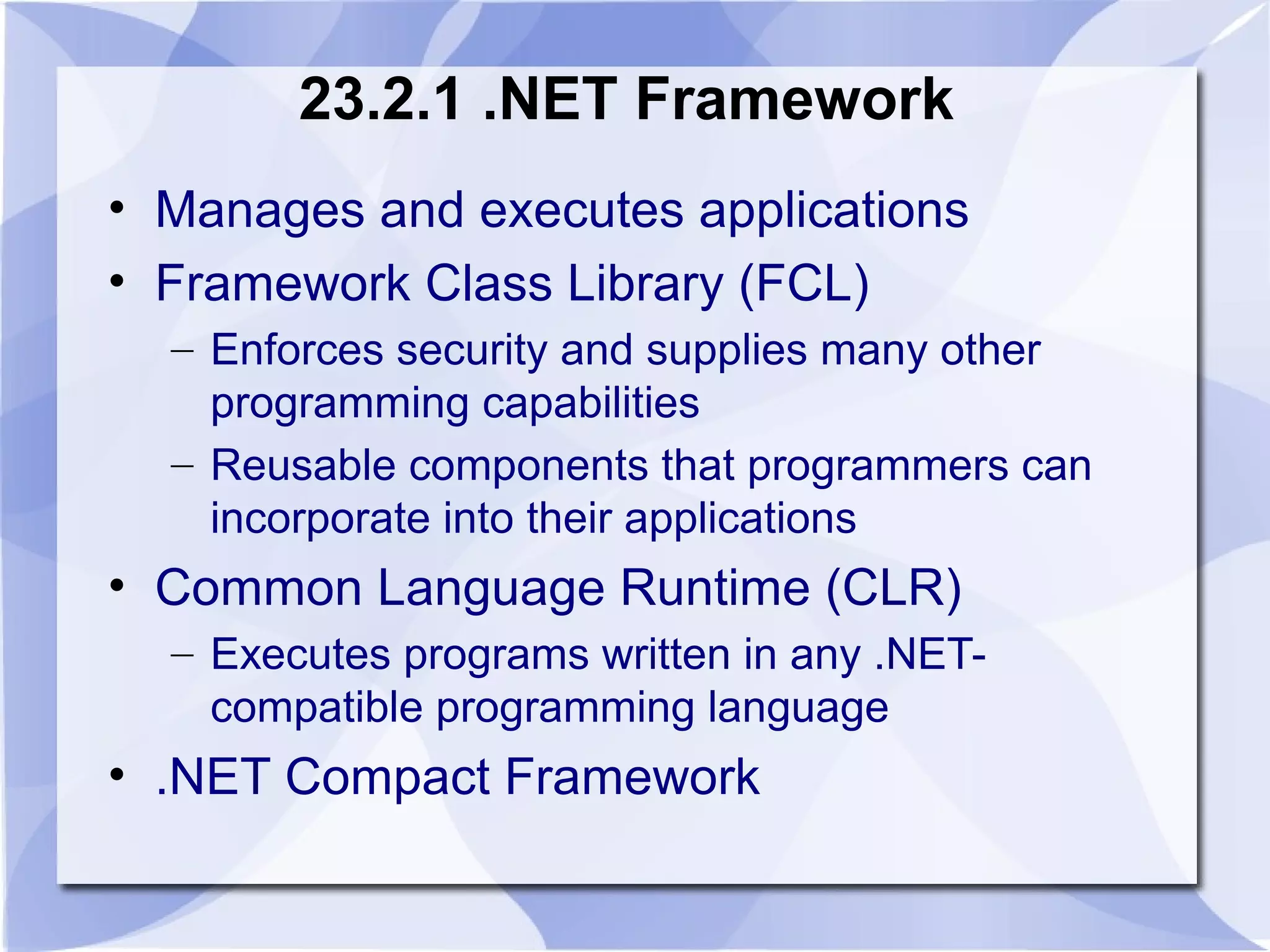
23.2.1 .NET Framework 
• Manages and executes applications 
• Framework Class Library (FCL) 
– Enforces security and supplies many other 
programming capabilities 
– Reusable components that programmers can 
incorporate into their applications 
• Common Language Runtime (CLR) 
– Executes programs written in any .NET-compatible 
programming language 
• .NET Compact Framework
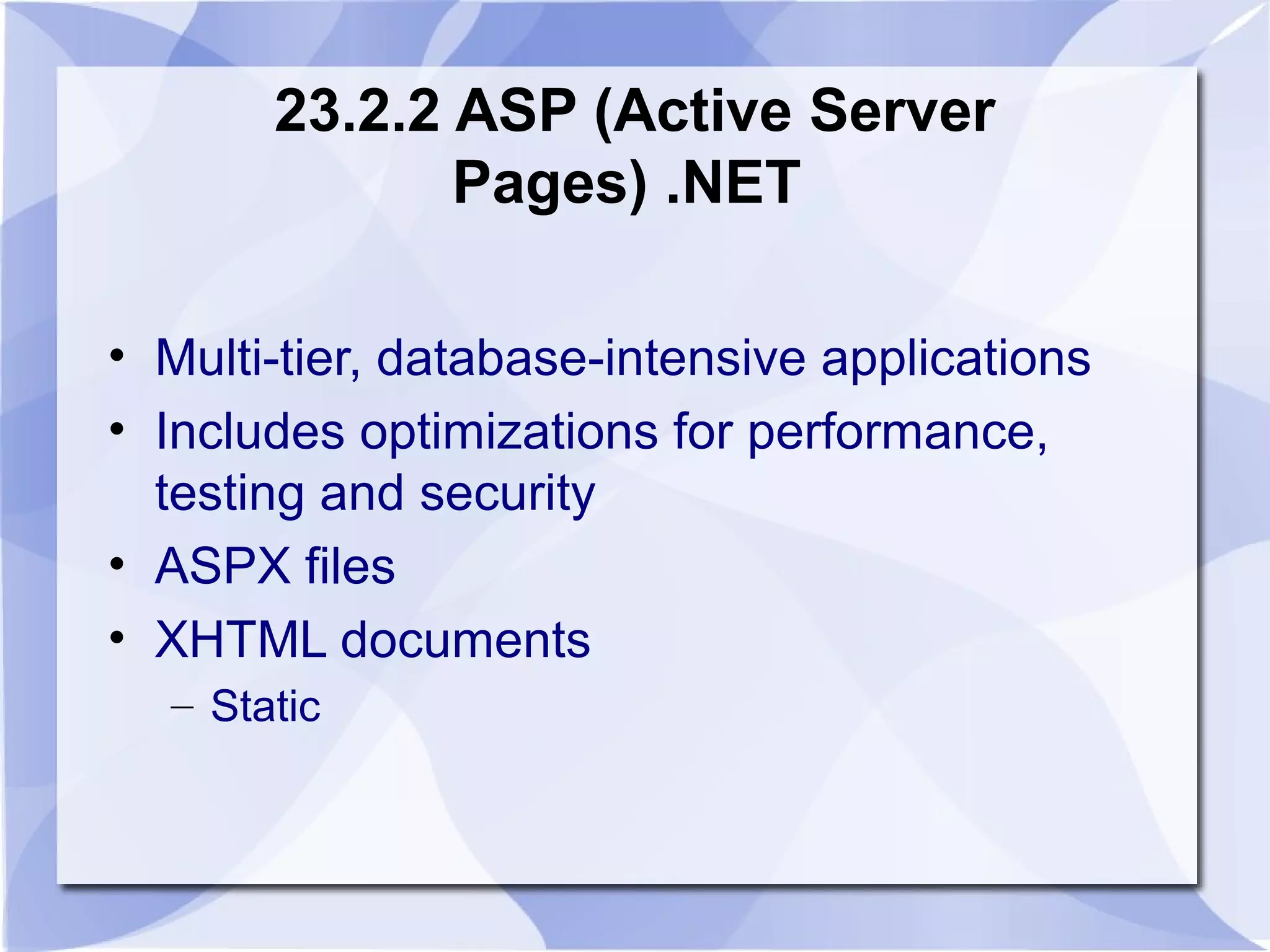
23.2.2 ASP (Active Server 
Pages) .NET 
• Multi-tier, database-intensive applications 
• Includes optimizations for performance, 
testing and security 
• ASPX files 
• XHTML documents 
– Static
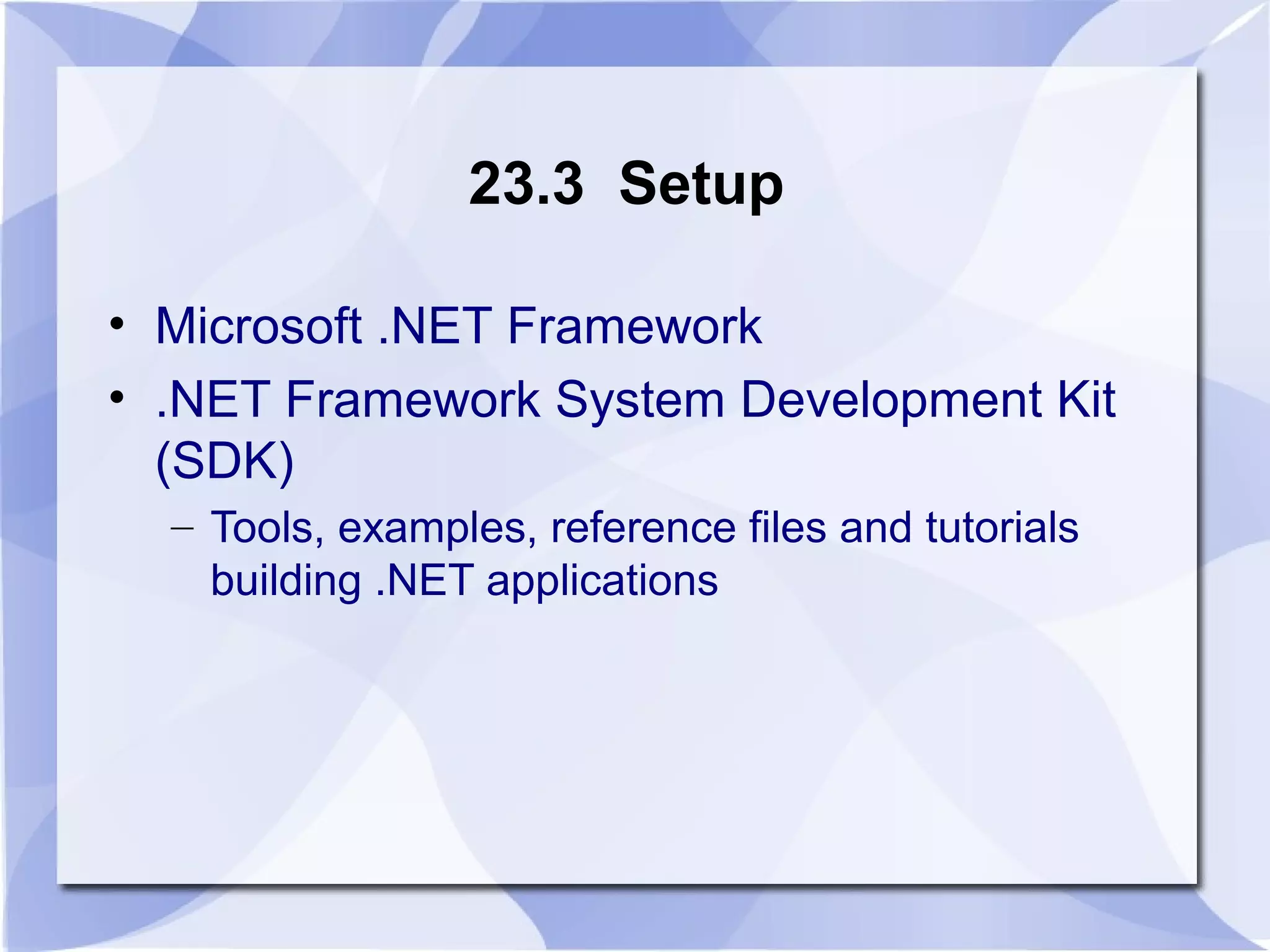
23.3 Setup 
• Microsoft .NET Framework 
• .NET Framework System Development Kit 
(SDK) 
– Tools, examples, reference files and tutorials 
building .NET applications
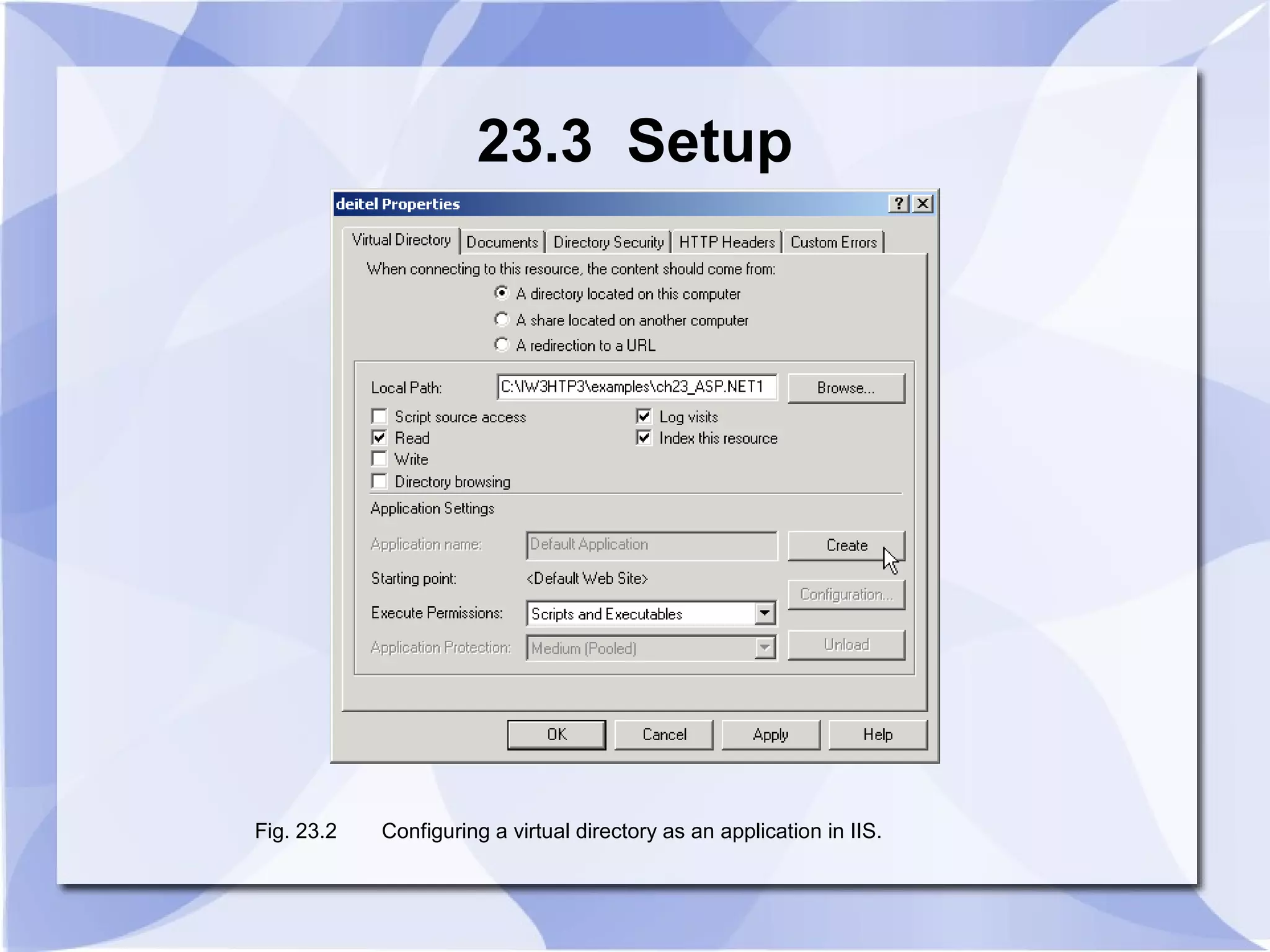
23.3 Setup 
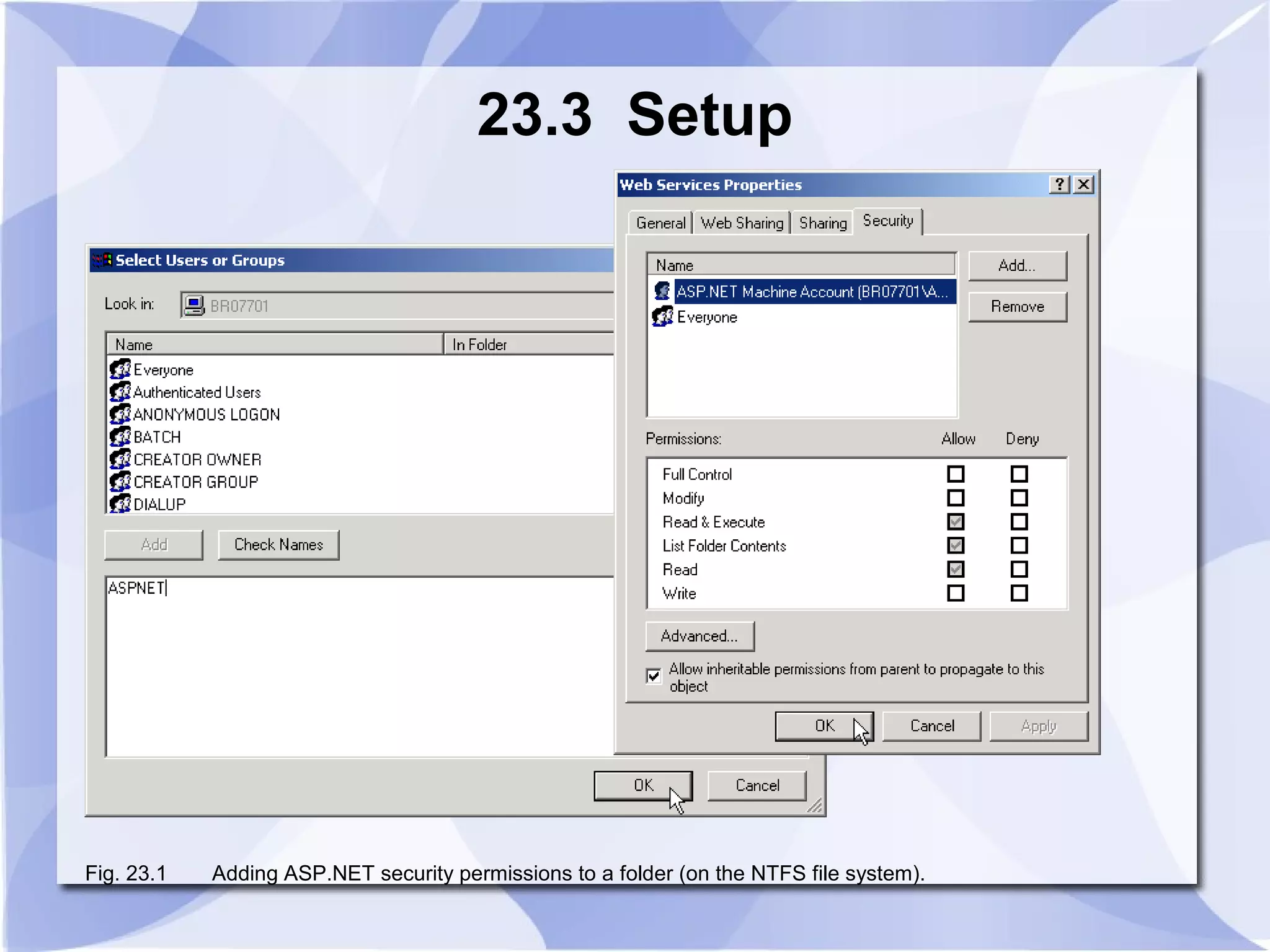
Fig. 23.1 Adding ASP.NET security permissions to a folder (on the NTFS file system).
23.3 Setup 
Fig. 23.2 Configuring a virtual directory as an application in IIS.
23.4 JScript .NET 
• Truly object-oriented language 
• Backward compatible with JScript 
• Adheres to ECMA 262 Edition 4 standard 
• Provides classes, packages, typed variables 
and access to .NET Framework
23.5 A Simple ASP.NET Example 
• Scripting delimiters <% and %> 
– Wrapped around Jscript.NET code 
– Compiled and executed on the server 
– @ Page directive 
• Specifies information needed by CLR to process file 
– Language attribute 
• Specifies JScript.NET as scripting language 
– runat attribute with value “server” 
• Indicates script should be processed on server
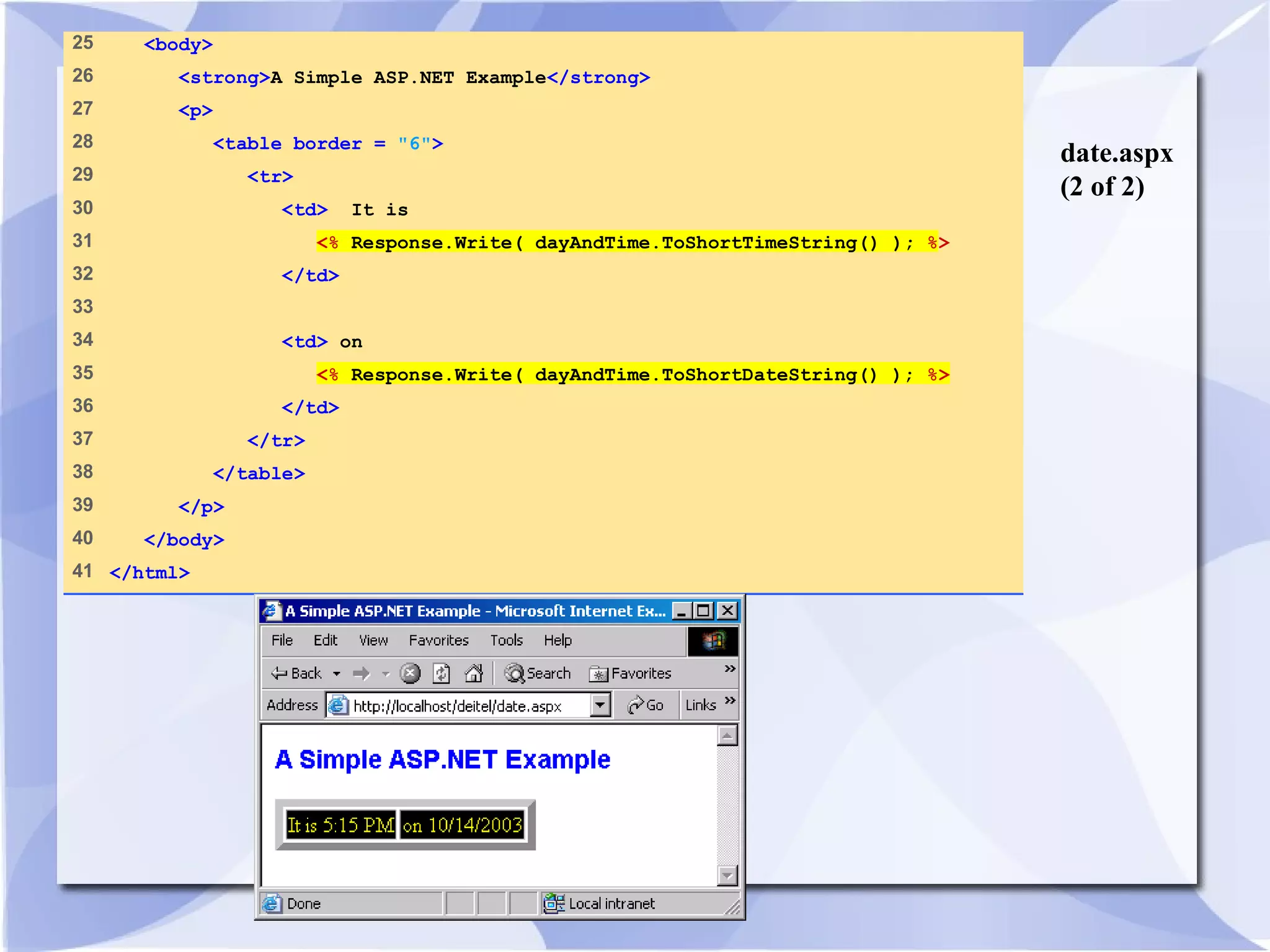
date.aspx 
(1 of 2) 
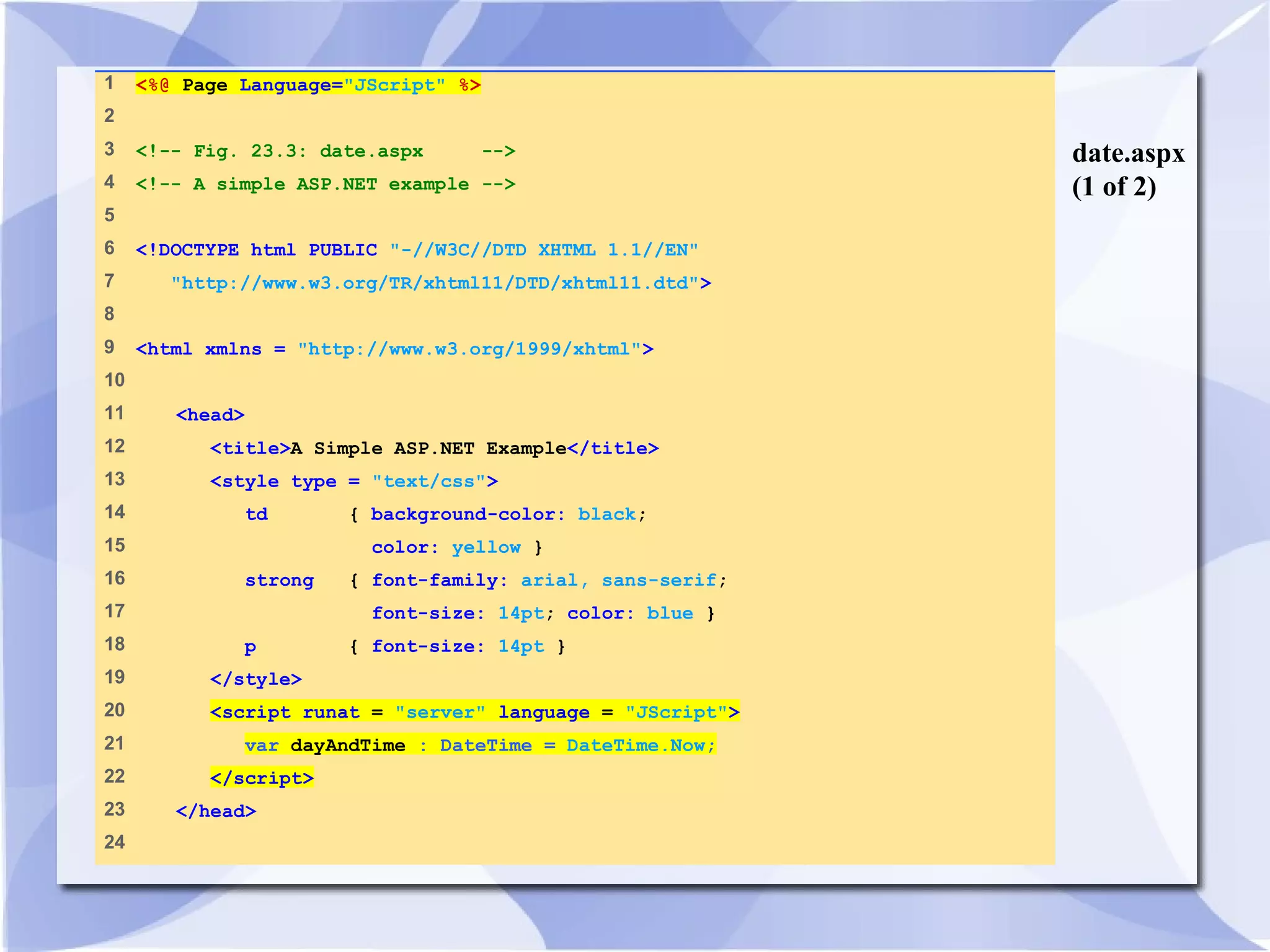
1 <%@ Page Language="JScript" %> 
2 
3 <!-- Fig. 23.3: date.aspx --> 
4 <!-- A simple ASP.NET example --> 
5 
6 <!DOCTYPE html PUBLIC "-//W3C//DTD XHTML 1.1//EN" 
7 "http://www.w3.org/TR/xhtml11/DTD/xhtml11.dtd"> 
8 
9 <html xmlns = "http://www.w3.org/1999/xhtml"> 
10 
11 <head> 
12 <title>A Simple ASP.NET Example</title> 
13 <style type = "text/css"> 
14 td { background-color: black; 
15 color: yellow } 
16 strong { font-family: arial, sans-serif; 
17 font-size: 14pt; color: blue } 
18 p { font-size: 14pt } 
19 </style> 
20 <script runat = "server" language = "JScript"> 
21 var dayAndTime : DateTime = DateTime.Now; 
22 </script> 
23 </head> 
24
date.aspx 
(2 of 2) 
25 <body> 
26 <strong>A Simple ASP.NET Example</strong> 
27 <p> 
28 <table border = "6"> 
29 <tr> 
30 <td> It is 
31 <% Response.Write( dayAndTime.ToShortTimeString() ); %> 
32 </td> 
33 
34 <td> on 
35 <% Response.Write( dayAndTime.ToShortDateString() ); %> 
36 </td> 
37 </tr> 
38 </table> 
39 </p> 
40 </body> 
41 </html>
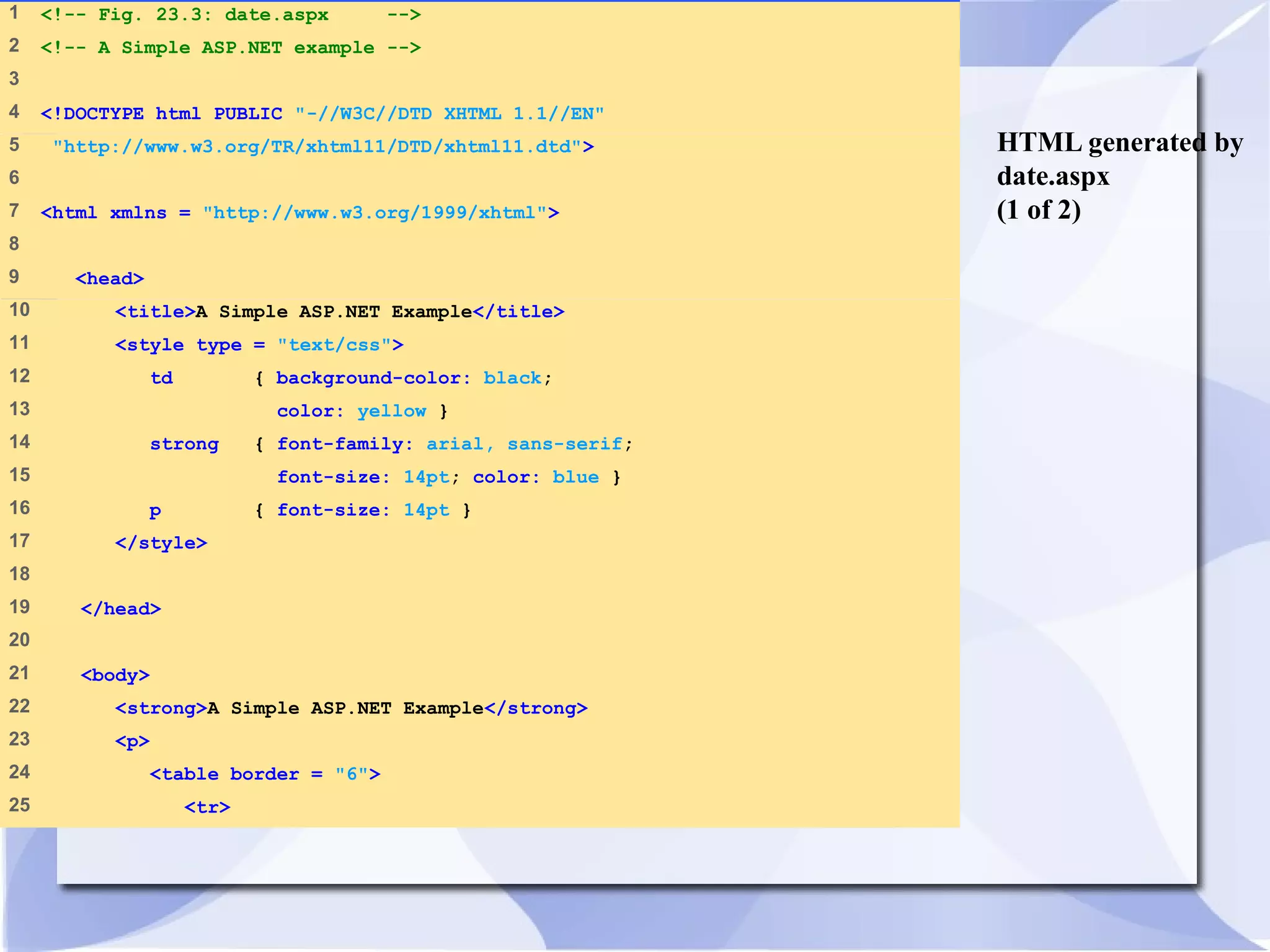
HTML generated by 
date.aspx 
(1 of 2) 
1 <!-- Fig. 23.3: date.aspx --> 
2 <!-- A Simple ASP.NET example --> 
3 
4 <!DOCTYPE html PUBLIC "-//W3C//DTD XHTML 1.1//EN" 
5 "http://www.w3.org/TR/xhtml11/DTD/xhtml11.dtd"> 
6 
7 <html xmlns = "http://www.w3.org/1999/xhtml"> 
8 
9 <head> 
10 <title>A Simple ASP.NET Example</title> 
11 <style type = "text/css"> 
12 td { background-color: black; 
13 color: yellow } 
14 strong { font-family: arial, sans-serif; 
15 font-size: 14pt; color: blue } 
16 p { font-size: 14pt } 
17 </style> 
18 
19 </head> 
20 
21 <body> 
22 <strong>A Simple ASP.NET Example</strong> 
23 <p> 
24 <table border = "6"> 
25 <tr>
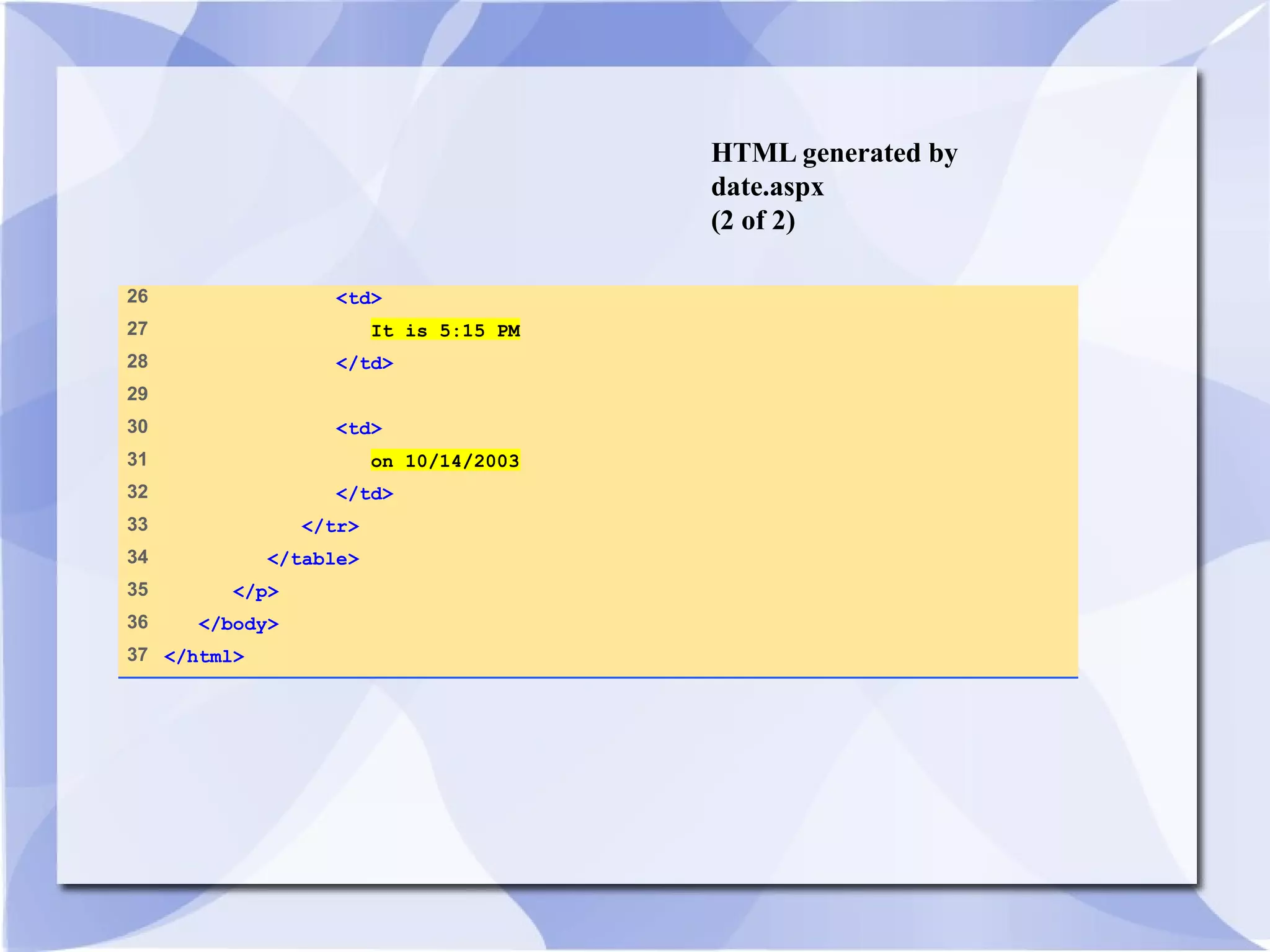
HTML generated by 
date.aspx 
(2 of 2) 
26 <td> 
27 It is 5:15 PM 
28 </td> 
29 
30 <td> 
31 on 10/14/2003 
32 </td> 
33 </tr> 
34 </table> 
35 </p> 
36 </body> 
37 </html>

Synapse india reviews sharing chapter 23 – asp.net

  • 1.
    Chapter 23 –ASP.NET Outline 23.1 Introduction 23.2 .NET Overview 23.2.1 .NET Framework 23.2.2 ASP (Active Server Pages) .NET 23.3 Setup 23.4 JScript .NET 23.5 A Simple ASP.NET Example 23.6 Web Forms 23.7 Session Tracking 23.7.1 Cookies 23.7.2 Session Tracking with HttpSessionState 23.8 ASP.NET and XML 23.9 Reading and Writing Text Files 23.10 Connecting to a Database in ASP.NET 23.11 Code-Behind Approach 23.12 ASP.NET Web Services 23.13 Web Resources
  • 2.
    Objectives • Inthis lesson, you will learn: – To program ASP.NET pages using JScript .NET. – To understand how ASP.NET pages work. – To understand the differences between client-side scripting and server-side scripting. – To create Web services. – To use and manipulate XML files with ASP.NET. – To understand Web forms and code-behind files. – To be able to use session tracking in an ASP.NET application. – To use ActiveX Data Objects .NET (ADO.NET) to access a database.
  • 3.
    23.1 Introduction •ASP.NET – Server-side technology that dynamically builds documents in response to client requests – Can be used on a server to create Web applications – Supports over 25 programming languages – Object-oriented programming
  • 4.
    23.2 .NET Overview • Independent from a specific programming language • Promotes software reuse • Include tools for porting, adapting existing software components • Web services
  • 5.
    23.2.1 .NET Framework • Manages and executes applications • Framework Class Library (FCL) – Enforces security and supplies many other programming capabilities – Reusable components that programmers can incorporate into their applications • Common Language Runtime (CLR) – Executes programs written in any .NET-compatible programming language • .NET Compact Framework
  • 6.
    23.2.2 ASP (ActiveServer Pages) .NET • Multi-tier, database-intensive applications • Includes optimizations for performance, testing and security • ASPX files • XHTML documents – Static
  • 7.
    23.3 Setup •Microsoft .NET Framework • .NET Framework System Development Kit (SDK) – Tools, examples, reference files and tutorials building .NET applications
  • 8.
    23.3 Setup Fig.23.1 Adding ASP.NET security permissions to a folder (on the NTFS file system).
  • 9.
    23.3 Setup Fig.23.2 Configuring a virtual directory as an application in IIS.
  • 10.
    23.4 JScript .NET • Truly object-oriented language • Backward compatible with JScript • Adheres to ECMA 262 Edition 4 standard • Provides classes, packages, typed variables and access to .NET Framework
  • 11.
    23.5 A SimpleASP.NET Example • Scripting delimiters <% and %> – Wrapped around Jscript.NET code – Compiled and executed on the server – @ Page directive • Specifies information needed by CLR to process file – Language attribute • Specifies JScript.NET as scripting language – runat attribute with value “server” • Indicates script should be processed on server
  • 12.
    date.aspx (1 of2) 1 <%@ Page Language="JScript" %> 2 3 <!-- Fig. 23.3: date.aspx --> 4 <!-- A simple ASP.NET example --> 5 6 <!DOCTYPE html PUBLIC "-//W3C//DTD XHTML 1.1//EN" 7 "http://www.w3.org/TR/xhtml11/DTD/xhtml11.dtd"> 8 9 <html xmlns = "http://www.w3.org/1999/xhtml"> 10 11 <head> 12 <title>A Simple ASP.NET Example</title> 13 <style type = "text/css"> 14 td { background-color: black; 15 color: yellow } 16 strong { font-family: arial, sans-serif; 17 font-size: 14pt; color: blue } 18 p { font-size: 14pt } 19 </style> 20 <script runat = "server" language = "JScript"> 21 var dayAndTime : DateTime = DateTime.Now; 22 </script> 23 </head> 24
  • 13.
    date.aspx (2 of2) 25 <body> 26 <strong>A Simple ASP.NET Example</strong> 27 <p> 28 <table border = "6"> 29 <tr> 30 <td> It is 31 <% Response.Write( dayAndTime.ToShortTimeString() ); %> 32 </td> 33 34 <td> on 35 <% Response.Write( dayAndTime.ToShortDateString() ); %> 36 </td> 37 </tr> 38 </table> 39 </p> 40 </body> 41 </html>
  • 14.
    HTML generated by date.aspx (1 of 2) 1 <!-- Fig. 23.3: date.aspx --> 2 <!-- A Simple ASP.NET example --> 3 4 <!DOCTYPE html PUBLIC "-//W3C//DTD XHTML 1.1//EN" 5 "http://www.w3.org/TR/xhtml11/DTD/xhtml11.dtd"> 6 7 <html xmlns = "http://www.w3.org/1999/xhtml"> 8 9 <head> 10 <title>A Simple ASP.NET Example</title> 11 <style type = "text/css"> 12 td { background-color: black; 13 color: yellow } 14 strong { font-family: arial, sans-serif; 15 font-size: 14pt; color: blue } 16 p { font-size: 14pt } 17 </style> 18 19 </head> 20 21 <body> 22 <strong>A Simple ASP.NET Example</strong> 23 <p> 24 <table border = "6"> 25 <tr>
  • 15.
    HTML generated by date.aspx (2 of 2) 26 <td> 27 It is 5:15 PM 28 </td> 29 30 <td> 31 on 10/14/2003 32 </td> 33 </tr> 34 </table> 35 </p> 36 </body> 37 </html>