2
Department of InformationScience
and Engineering
Course Name: INTRODUCTION TO JA
VA
Course Code:18IS6IEJV
A
Semester:6
Faculty: Mrs.Radhika T V
Assistant Professor, Dept of ISE
DSCE
Inheritance basics
• Inheritancecan be defined as the procedure or mechanism of acquiring
all the properties and behavior of one class to another.
• In the terminology of Java, a class that is inherited is called a
superclass.
• The class that does the inheriting is called a subclass.
• It inherits all of the instance variables and methods defined by the
superclass and adds its own, unique elements.
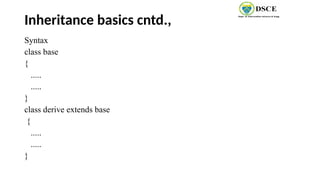
• The keyword extends used to inherit the properties of the base class to
derived class.
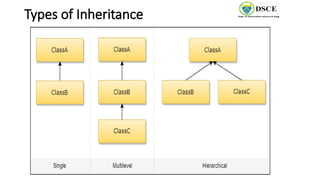
Single Inheritance
When asingle class gets derived from its base class, then this type of inheritance is termed
as single inheritance.
EXAMPLE:
class Teacher {
void teach() {
System.out.println("Teaching subjects");
}
}
class Students extends Teacher {
void listen() {
System.out.println("Listening to teacher");
}
}
class CheckForInheritance {
public static void main(String
args[]) {
Students s1 = new Students();
s1.teach();
s1.listen();
}
}
9.
Multi-level Inheritance
• Inthis type of inheritance, a derived class gets created from another derived class and can have any number
of levels.
EXAMPLE:
Class Teacher{
void teach() {
System.out.println("Teaching subject");
}
}
class Student extends Teacher {
void listen() {
System.out.println("Listening");
}
}
class homeTution extends Student {
void explains() {
System.out.println("Does homework");
}
}
class CheckForInheritance {
public static void main(String argu[]) {
homeTution h = new himeTution();
h.explains();
h.teach();
h.listen();
}
}
10.
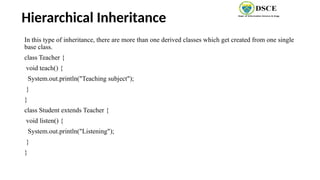
Hierarchical Inheritance
In thistype of inheritance, there are more than one derived classes which get created from one single
base class.
class Teacher {
void teach() {
System.out.println("Teaching subject");
}
}
class Student extends Teacher {
void listen() {
System.out.println("Listening");
}
}
11.
Hierarchical Inheritance cntd.,
classPrincipal extends Teacher {
void evaluate() {
System.out.println("Evaluating");
}
}
class CheckForInheritance {
public static void main(String argu[]) {
Principal p = new Principal();
p.evaluate();
p.teach();
// p.listen(); will produce an error
}
}
12.
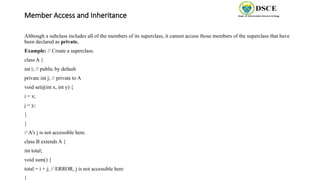
Member Access andInheritance
Although a subclass includes all of the members of its superclass, it cannot access those members of the superclass that have
been declared as private.
Example: // Create a superclass.
class A {
int i; // public by default
private int j; // private to A
void setij(int x, int y) {
i = x;
j = y;
}
}
// A's j is not accessible here.
class B extends A {
int total;
void sum() {
total = i + j; // ERROR, j is not accessible here
}
13.
CNTD.,
class Access {
publicstatic void main(String args[]) {
B subOb = new B();
subOb.setij(10, 12);
subOb.sum();
System.out.println("Total is " + subOb.total);
}
14.
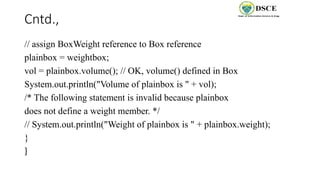
A Superclass VariableCan Reference a Subclass Object
• Areference variable of a superclass can be assigned a reference to any subclass derived from that
superclass.
Example: class RefDemo {
public static void main(String args[]) {
BoxWeight weightbox = new BoxWeight(3, 5, 7, 8.37);
Box plainbox = new Box();
double vol;
vol = weightbox.volume();
System.out.println("Volume of weightbox is " + vol);
System.out.println("Weight of weightbox is " +
weightbox.weight);
System.out.println();
15.
Cntd.,
// assign BoxWeightreference to Box reference
plainbox = weightbox;
vol = plainbox.volume(); // OK, volume() defined in Box
System.out.println("Volume of plainbox is " + vol);
/* The following statement is invalid because plainbox
does not define a weight member. */
// System.out.println("Weight of plainbox is " + plainbox.weight);
}
}
16.
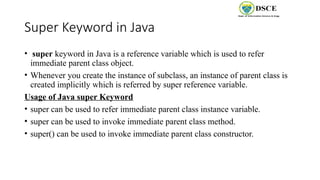
Super Keyword inJava
• super keyword in Java is a reference variable which is used to refer
immediate parent class object.
• Whenever you create the instance of subclass, an instance of parent class is
created implicitly which is referred by super reference variable.
Usage of Java super Keyword
• super can be used to refer immediate parent class instance variable.
• super can be used to invoke immediate parent class method.
• super() can be used to invoke immediate parent class constructor.
17.
Example 1: superis used to refer immediate parent class instance variable.
class Animal{
String color="white";
}
class Dog extends Animal{
String color="black";
void printColor(){
System.out.println(color);//prints color of Dog class
System.out.println(super.color);//prints color of Animal class
}
}
class TestSuper1{
public static void main(String args[]){
Dog d=new Dog();
d.printColor();
}}
Output:
Black
white
black white
black white
black white
18.
Example 2: superis used to invoke parent class method
class Animal{
void eat(){System.out.println("eating...");}
}
class Dog extends Animal{
void eat(){System.out.println("eating bread...");}
void bark(){System.out.println("barking...");}
void work(){
super.eat();
bark();
}
}
class TestSuper2{
public static void main(String args[]){
Dog d=new Dog();
d.work();
}}
Output:
eating...
Barking...
black white
black white
black white
eating... barking..
19.
Example 3: superis used to invoke parent class constructor
class Animal{
Animal(){System.out.println("animal is created");
}
}
class Dog extends Animal{
Dog(){
super();
System.out.println("dog is created");
}
}
class TestSuper3{
public static void main(String args[]){
Dog d=new Dog();
}}
Output:
Animal is created
Dog is created
20.
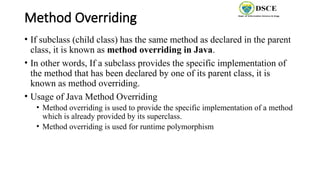
Method Overriding
• Ifsubclass (child class) has the same method as declared in the parent
class, it is known as method overriding in Java.
• In other words, If a subclass provides the specific implementation of
the method that has been declared by one of its parent class, it is
known as method overriding.
• Usage of Java Method Overriding
• Method overriding is used to provide the specific implementation of a method
which is already provided by its superclass.
• Method overriding is used for runtime polymorphism
21.
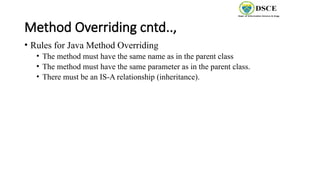
Method Overriding cntd..,
•Rules for Java Method Overriding
• The method must have the same name as in the parent class
• The method must have the same parameter as in the parent class.
• There must be an IS-A relationship (inheritance).
22.
Example: without methodoverriding
//Java Program to demonstrate why we need method overriding
//Here, we are calling the method of parent class with child class object.
//Creating a parent class
class Vehicle{
void run()
{
System.out.println("Vehicle is running");}
}
//Creating a child class
class Bike extends Vehicle{
public static void main(String args[]){
//creating an instance of child class
Bike obj = new Bike();
//calling the method with child class instance
obj.run();
}
}
Output:
vehicle is running
23.
Example: with methodoverriding
//Java Program to illustrate the use of Java Method Overriding
//Creating a parent class.
class Vehicle{
//defining a method
void run(){System.out.println("Vehicle is running");}
}
//Creating a child class
class Bike2 extends Vehicle{
//defining the same method as in the parent class
void run(){System.out.println("Bike is running safely");}
public static void main(String args[]){
Bike2 obj = new Bike2();//creating object
obj.run();//calling method
}
}
Output:
Bike is running
safely
24.
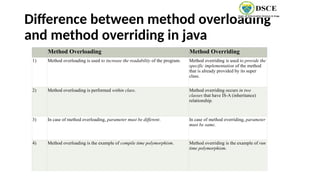
Difference between methodoverloading
and method overriding in java
.
Method Overloading Method Overriding
1) Method overloading is used to increase the readability of the program. Method overriding is used to provide the
specific implementation of the method
that is already provided by its super
class.
2) Method overloading is performed within class. Method overriding occurs in two
classes that have IS-A (inheritance)
relationship.
3) In case of method overloading, parameter must be different. In case of method overriding, parameter
must be same.
4) Method overloading is the example of compile time polymorphism. Method overriding is the example of run
time polymorphism.
25.
Abstract class inJava
• A class which is declared with the abstract keyword is known as an abstract class
in Java. It can have abstract and non-abstract methods (method with the body).
• Abstraction is a process of hiding the implementation details and showing only
functionality to the user.
• That is, sometimes we want to create a superclass that only defines a generalized
form that will be shared by all of its subclasses, leaving it to each subclass to fill
in the details.
• There are two ways to achieve abstraction in java
• Abstract class
• Interface
26.
Cntd.,
• A classwhich is declared as abstract is known as an abstract class.
• It can have abstract and non-abstract methods. It needs to be extended
and its method implemented. It cannot be instantiated.
• Rules for abstract class are as follows
• An abstract class must be declared with an abstract keyword.
• It can have abstract and non-abstract methods.
• It cannot be instantiated.
• It can have constructors and static methods also.
• It can have final methods which will force the subclass not to change the body
of the method.
27.
Example of Abstractclass that has an
abstract method
abstract class Bike{
abstract void run();
}
class Honda4 extends Bike{
void run(){System.out.println("running safely");}
public static void main(String args[]){
Bike obj = new Honda4();
obj.run();
}
}
28.
Example 2: Abstractclass
abstract class Shape{
abstract void draw();
}
//In real scenario, implementation is provided by others i.e. unknown by end user
class Rectangle extends Shape{
void draw(){System.out.println("drawing rectangle");}
}
class Circle1 extends Shape{
void draw(){System.out.println("drawing circle");}
}
//In real scenario, method is called by programmer or user
class TestAbstraction1{
public static void main(String args[]){
Shape s=new Circle1();//In a real scenario, object is provided through method, e.g., getShape() method
s.draw();
}
Output:
drawing circle
drawing circle
29.
Example 3: Abstractclass
abstract class Bank{
abstract int getRateOfInterest();
}
class SBI extends Bank{
int getRateOfInterest(){return 7;}
}
class PNB extends Bank{
int getRateOfInterest(){return 8;}
}
class TestBank{
public static void main(String args[]){
Bank b;
b=new SBI();
System.out.println("Rate of Interest is: "+b.getRateOfInterest()+" %");
b=new PNB();
System.out.println("Rate of Interest is: "+b.getRateOfInterest()+" %");
Output:
Rate of Interest is: 7 %
Rate of Interest is: 8 %
drawing circle
30.
Abstract class havingconstructor, data member and
methods
abstract class Bike{
Bike(){System.out.println("bike is created");}
abstract void run();
void changeGear(){System.out.println("gear changed");}
}
//Creating a Child class which inherits Abstract class
class Honda extends Bike{
void run(){System.out.println("running safely..");}
}
//Creating a Test class which calls abstract and non-abstract methods
class TestAbstraction2{
public static void main(String args[]){
Bike obj = new Honda();
obj.run();
obj.changeGear();
Output:
bike is created
gear changed
running safely..
31.
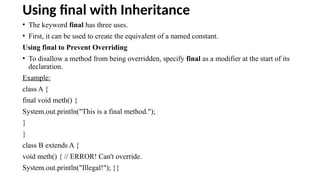
Using final withInheritance
• The keyword final has three uses.
• First, it can be used to create the equivalent of a named constant.
Using final to Prevent Overriding
• To disallow a method from being overridden, specify final as a modifier at the start of its
declaration.
Example:
class A {
final void meth() {
System.out.println("This is a final method.");
}
}
class B extends A {
void meth() { // ERROR! Can't override.
System.out.println("Illegal!"); }}
32.
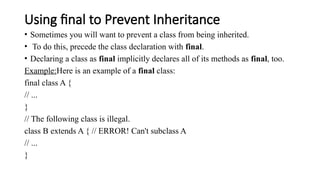
Using final toPrevent Inheritance
• Sometimes you will want to prevent a class from being inherited.
• To do this, precede the class declaration with final.
• Declaring a class as final implicitly declares all of its methods as final, too.
Example:Here is an example of a final class:
final class A {
// ...
}
// The following class is illegal.
class B extends A { // ERROR! Can't subclass A
// ...
}
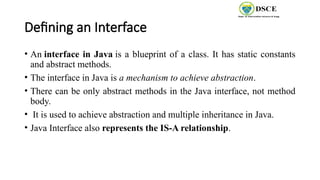
Defining an Interface
•An interface in Java is a blueprint of a class. It has static constants
and abstract methods.
• The interface in Java is a mechanism to achieve abstraction.
• There can be only abstract methods in the Java interface, not method
body.
• It is used to achieve abstraction and multiple inheritance in Java.
• Java Interface also represents the IS-A relationship.
35.
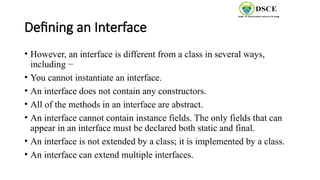
Defining an Interface
•However, an interface is different from a class in several ways,
including −
• You cannot instantiate an interface.
• An interface does not contain any constructors.
• All of the methods in an interface are abstract.
• An interface cannot contain instance fields. The only fields that can
appear in an interface must be declared both static and final.
• An interface is not extended by a class; it is implemented by a class.
• An interface can extend multiple interfaces.
36.
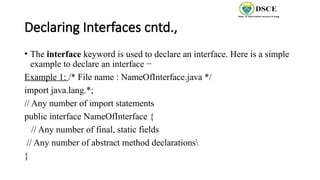
Declaring Interfaces cntd.,
•The interface keyword is used to declare an interface. Here is a simple
example to declare an interface −
Example 1: /* File name : NameOfInterface.java */
import java.lang.*;
// Any number of import statements
public interface NameOfInterface {
// Any number of final, static fields
// Any number of abstract method declarations
}
37.
Declaring Interfaces cntd.,
•Interfaces have the following properties −
• An interface is implicitly abstract. You do not need to use
the abstract keyword while declaring an interface.
• Each method in an interface is also implicitly abstract, so the abstract keyword
is not needed.
• Methods in an interface are implicitly public
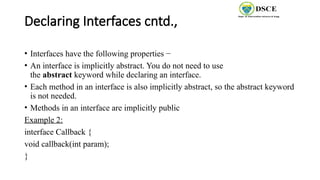
Example 2:
interface Callback {
void callback(int param);
}
38.
Implementing Interfaces
• Oncean interface has been defined, one or more classes can
implement that interface.
• Toimplement an interface, include the implements clause in a class
definition, and then create the methods defined by the interface.
• The general form of a class that includes the implements clause looks
like this:
class classname [extends superclass] [implements interface
[,interface...]] {
// class-body
}
39.
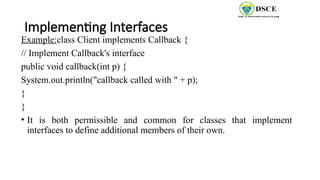
Implementing Interfaces
Example:class Clientimplements Callback {
// Implement Callback's interface
public void callback(int p) {
System.out.println("callback called with " + p);
}
}
• It is both permissible and common for classes that implement
interfaces to define additional members of their own.
40.
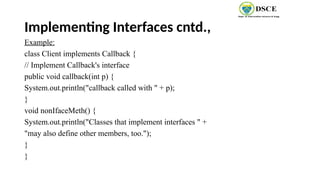
Implementing Interfaces cntd.,
Example:
classClient implements Callback {
// Implement Callback's interface
public void callback(int p) {
System.out.println("callback called with " + p);
}
void nonIfaceMeth() {
System.out.println("Classes that implement interfaces " +
"may also define other members, too.");
}
}
41.
Implementing Interfaces cntd.,
•Example 2:
/* File name : Animal.java */
interface Animal {
public void eat();
public void travel();
}
/* File name : MammalInt.java */
public class MammalInt implements Animal {
public void eat() {
System.out.println("Mammal eats");
}
public void travel() {
System.out.println("Mammal travels");
}
public int noOfLegs() {
return 0;
}
public static void main(String args[]) {
MammalInt m = new MammalInt();
m.eat();
m.travel();
}
}
Output:
Mammal eats
Mammal travels
42.
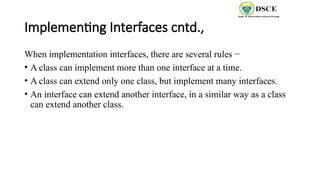
Implementing Interfaces cntd.,
Whenimplementation interfaces, there are several rules −
• A class can implement more than one interface at a time.
• A class can extend only one class, but implement many interfaces.
• An interface can extend another interface, in a similar way as a class
can extend another class.
43.
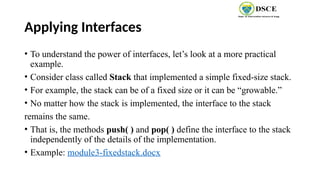
Applying Interfaces
• Tounderstand the power of interfaces, let’s look at a more practical
example.
• Consider class called Stack that implemented a simple fixed-size stack.
• For example, the stack can be of a fixed size or it can be “growable.”
• No matter how the stack is implemented, the interface to the stack
remains the same.
• That is, the methods push( ) and pop( ) define the interface to the stack
independently of the details of the implementation.
• Example: module3-fixedstack.docx
44.
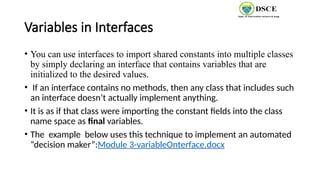
Variables in Interfaces
•You can use interfaces to import shared constants into multiple classes
by simply declaring an interface that contains variables that are
initialized to the desired values.
• If an interface contains no methods, then any class that includes such
an interface doesn’t actually implement anything.
• It is as if that class were importing the constant fields into the class
name space as final variables.
• The example below uses this technique to implement an automated
“decision maker”:Module 3-variableOnterface.docx
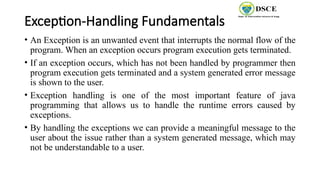
Exception-Handling Fundamentals
• AnException is an unwanted event that interrupts the normal flow of the
program. When an exception occurs program execution gets terminated.
• If an exception occurs, which has not been handled by programmer then
program execution gets terminated and a system generated error message
is shown to the user.
• Exception handling is one of the most important feature of java
programming that allows us to handle the runtime errors caused by
exceptions.
• By handling the exceptions we can provide a meaningful message to the
user about the issue rather than a system generated message, which may
not be understandable to a user.
47.
Exception-Handling Fundamentals cntd.,
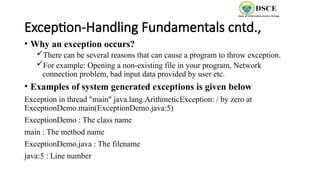
•Why an exception occurs?
There can be several reasons that can cause a program to throw exception.
For example: Opening a non-existing file in your program, Network
connection problem, bad input data provided by user etc.
• Examples of system generated exceptions is given below
Exception in thread "main" java.lang.ArithmeticException: / by zero at
ExceptionDemo.main(ExceptionDemo.java:5)
ExceptionDemo : The class name
main : The method name
ExceptionDemo.java : The filename
java:5 : Line number
48.
Exception-Handling Fundamentals cntd.,
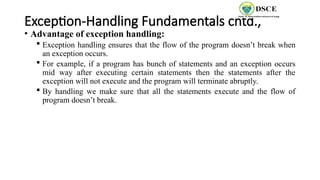
•Advantage of exception handling:
Exception handling ensures that the flow of the program doesn’t break when
an exception occurs.
For example, if a program has bunch of statements and an exception occurs
mid way after executing certain statements then the statements after the
exception will not execute and the program will terminate abruptly.
By handling we make sure that all the statements execute and the flow of
program doesn’t break.
49.
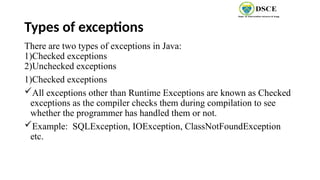
Types of exceptions
Thereare two types of exceptions in Java:
1)Checked exceptions
2)Unchecked exceptions
1)Checked exceptions
All exceptions other than Runtime Exceptions are known as Checked
exceptions as the compiler checks them during compilation to see
whether the programmer has handled them or not.
Example: SQLException, IOException, ClassNotFoundException
etc.
50.
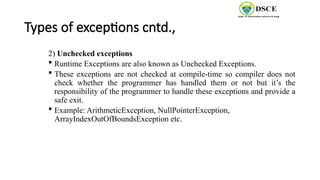
Types of exceptionscntd.,
2) Unchecked exceptions
Runtime Exceptions are also known as Unchecked Exceptions.
These exceptions are not checked at compile-time so compiler does not
check whether the programmer has handled them or not but it’s the
responsibility of the programmer to handle these exceptions and provide a
safe exit.
Example: ArithmeticException, NullPointerException,
ArrayIndexOutOfBoundsException etc.
51.
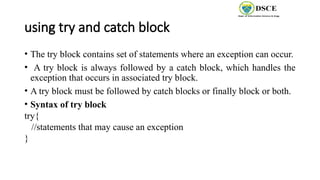
using try andcatch block
• The try block contains set of statements where an exception can occur.
• A try block is always followed by a catch block, which handles the
exception that occurs in associated try block.
• A try block must be followed by catch blocks or finally block or both.
• Syntax of try block
try{
//statements that may cause an exception
}
52.
using try andcatch block cntd.,
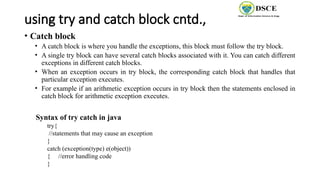
• Catch block
• A catch block is where you handle the exceptions, this block must follow the try block.
• A single try block can have several catch blocks associated with it. You can catch different
exceptions in different catch blocks.
• When an exception occurs in try block, the corresponding catch block that handles that
particular exception executes.
• For example if an arithmetic exception occurs in try block then the statements enclosed in
catch block for arithmetic exception executes.
Syntax of try catch in java
try{
//statements that may cause an exception
}
catch (exception(type) e(object))
{ //error handling code
}
53.
using try andcatch block cntd.,
• To guard against and handle a run-time error, simply enclose the code that you want to monitor
inside a try block.
• Immediately following the try block, include a catch clause that specifies the exception type that
you wish to catch.
• Example:
class Exc2 {
public static void main(String args[]) {
int d, a;
try { // monitor a block of code.
d = 0;
a = 42 / d;
System.out.println("This will not be printed.");
} catch (ArithmeticException e) { // catch divide-by-zero error
System.out.println("Division by zero.");
Output:
Division by zero.
After catch statement.
54.
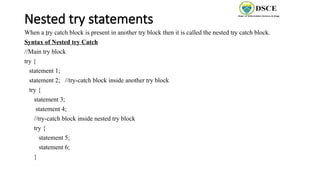
Nested try statements
Whena try catch block is present in another try block then it is called the nested try catch block.
Syntax of Nested try Catch
//Main try block
try {
statement 1;
statement 2; //try-catch block inside another try block
try {
statement 3;
statement 4;
//try-catch block inside nested try block
try {
statement 5;
statement 6;
}
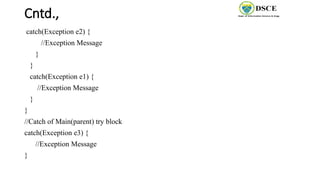
Example-nested try statements
classNestedTry {
// main method
public static void main(String args[])
{
// Main try block
try {
// initializing array
int a[] = { 1, 2, 3, 4, 5 };
// trying to print element at index 5
System.out.println(a[5]);
// try-block2 inside another try block
try {
// performing division by zero
int x = a[2] / 0;
}
catch (ArithmeticException e2) {
System.out.println("division by zero is not possible");
}
}
catch (ArrayIndexOutOfBoundsException e1) {
System.out.println("ArrayIndexOutOfBoundsException");
System.out.println("Element at such index does not exists");
}
}
// end of main method
}
Output:
ArrayIndexOutOfBoundsException Element at such
index does not exists
57.
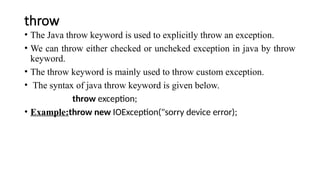
throw
• The Javathrow keyword is used to explicitly throw an exception.
• We can throw either checked or uncheked exception in java by throw
keyword.
• The throw keyword is mainly used to throw custom exception.
• The syntax of java throw keyword is given below.
throw exception;
• Example:throw new IOException("sorry device error);
58.
Throw Example 1:
publicclass TestThrow1{
static void validate(int age){
if(age<18)
throw new ArithmeticException("not valid");
else
System.out.println("welcome to vote");
}
public static void main(String args[]){
validate(13);
System.out.println("rest of the code...");
}
}
Output:
Exception in thread main
java.lang.ArithmeticException:not
valid
59.
Throw Example 2
//Java program that demonstrates the use of throw
class ThrowExcep
{
static void fun()
{
try
{
throw new NullPointerException("demo");
}
catch(NullPointerException e)
{
System.out.println("Caught inside fun().");
throw e; // rethrowing the exception
}
}
public static void main(String args[])
{
try
{
fun();
}
catch(NullPointerException e)
{
System.out.println("Caught in main.");
}
}
}
.
Output:
Caught inside fun().
Caught in main
60.
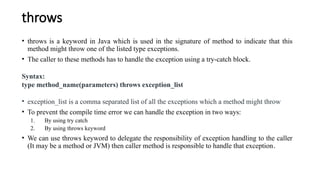
throws
• throws isa keyword in Java which is used in the signature of method to indicate that this
method might throw one of the listed type exceptions.
• The caller to these methods has to handle the exception using a try-catch block.
Syntax:
type method_name(parameters) throws exception_list
• exception_list is a comma separated list of all the exceptions which a method might throw
• To prevent the compile time error we can handle the exception in two ways:
1. By using try catch
2. By using throws keyword
• We can use throws keyword to delegate the responsibility of exception handling to the caller
(It may be a method or JVM) then caller method is responsible to handle that exception.
61.
Throws cntd.,
// Javaprogram to illustrate error in case
// of unhandled exception
class tst
{
public static void main(String[] args)
{
Thread.sleep(10000);
System.out.println("Hello All");
}
}
Output:
error: unreported exception InterruptedException; must be caught or
declared to be thrown
62.
Throws cntd.,
//Java programto illustrate throws
class tst
{
public static void main(String[] args)throws InterruptedException
{
Thread.sleep(10000);
System.out.println("Hello All");
}
}
Output:
Hello All
63.
Throws cntd.,
// Javaprogram to demonstrate working of throws
class ThrowsExecp
{
static void fun() throws IllegalAccessException
{
System.out.println("Inside fun(). ");
throw new IllegalAccessException("demo");
}
public static void main(String args[])
{
try
{
fun();
}
catch(IllegalAccessException e)
{
System.out.println("caught in main.");
}
}
}
Output:
Inside fun().
caught in main.
64.
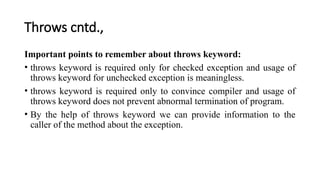
Throws cntd.,
Important pointsto remember about throws keyword:
• throws keyword is required only for checked exception and usage of
throws keyword for unchecked exception is meaningless.
• throws keyword is required only to convince compiler and usage of
throws keyword does not prevent abnormal termination of program.
• By the help of throws keyword we can provide information to the
caller of the method about the exception.
65.
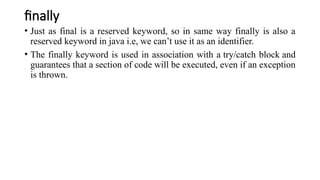
finally
• Just asfinal is a reserved keyword, so in same way finally is also a
reserved keyword in java i.e, we can’t use it as an identifier.
• The finally keyword is used in association with a try/catch block and
guarantees that a section of code will be executed, even if an exception
is thrown.
66.
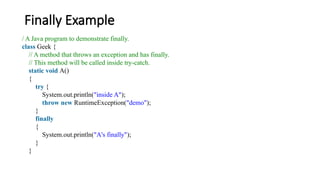
Finally Example
/ AJava program to demonstrate finally.
class Geek {
// A method that throws an exception and has finally.
// This method will be called inside try-catch.
static void A()
{
try {
System.out.println("inside A");
throw new RuntimeException("demo");
}
finally
{
System.out.println("A's finally");
}
}
67.
Finally Example cntd.,
//This method also calls finally. This method
// will be called outside try-catch.
static void B()
{
try {
System.out.println("inside B");
return;
}
finally
{
System.out.println("B's finally");
}
}
public static void main(String args[])
{
try {
A();
}
catch (Exception e) {
System.out.println("Exception caught");
}
B();
}
}
Output:
inside A
A's finally
Exception caught
inside B
B's finally



![Single Inheritance
When a single class gets derived from its base class, then this type of inheritance is termed
as single inheritance.
EXAMPLE:
class Teacher {
void teach() {
System.out.println("Teaching subjects");
}
}
class Students extends Teacher {
void listen() {
System.out.println("Listening to teacher");
}
}
class CheckForInheritance {
public static void main(String
args[]) {
Students s1 = new Students();
s1.teach();
s1.listen();
}
}](https://image.slidesharecdn.com/module3-250415165647-4efcd279/85/Modules-333333333-3444444444444444444-pptx-8-320.jpg)
![Multi-level Inheritance
• In this type of inheritance, a derived class gets created from another derived class and can have any number
of levels.
EXAMPLE:
Class Teacher{
void teach() {
System.out.println("Teaching subject");
}
}
class Student extends Teacher {
void listen() {
System.out.println("Listening");
}
}
class homeTution extends Student {
void explains() {
System.out.println("Does homework");
}
}
class CheckForInheritance {
public static void main(String argu[]) {
homeTution h = new himeTution();
h.explains();
h.teach();
h.listen();
}
}](https://image.slidesharecdn.com/module3-250415165647-4efcd279/85/Modules-333333333-3444444444444444444-pptx-9-320.jpg)
![Hierarchical Inheritance cntd.,
class Principal extends Teacher {
void evaluate() {
System.out.println("Evaluating");
}
}
class CheckForInheritance {
public static void main(String argu[]) {
Principal p = new Principal();
p.evaluate();
p.teach();
// p.listen(); will produce an error
}
}](https://image.slidesharecdn.com/module3-250415165647-4efcd279/85/Modules-333333333-3444444444444444444-pptx-11-320.jpg)
![CNTD.,
class Access {
public static void main(String args[]) {
B subOb = new B();
subOb.setij(10, 12);
subOb.sum();
System.out.println("Total is " + subOb.total);
}](https://image.slidesharecdn.com/module3-250415165647-4efcd279/85/Modules-333333333-3444444444444444444-pptx-13-320.jpg)
![A Superclass Variable Can Reference a Subclass Object
• Areference variable of a superclass can be assigned a reference to any subclass derived from that
superclass.
Example: class RefDemo {
public static void main(String args[]) {
BoxWeight weightbox = new BoxWeight(3, 5, 7, 8.37);
Box plainbox = new Box();
double vol;
vol = weightbox.volume();
System.out.println("Volume of weightbox is " + vol);
System.out.println("Weight of weightbox is " +
weightbox.weight);
System.out.println();](https://image.slidesharecdn.com/module3-250415165647-4efcd279/85/Modules-333333333-3444444444444444444-pptx-14-320.jpg)
![Example 1: super is used to refer immediate parent class instance variable.
class Animal{
String color="white";
}
class Dog extends Animal{
String color="black";
void printColor(){
System.out.println(color);//prints color of Dog class
System.out.println(super.color);//prints color of Animal class
}
}
class TestSuper1{
public static void main(String args[]){
Dog d=new Dog();
d.printColor();
}}
Output:
Black
white
black white
black white
black white](https://image.slidesharecdn.com/module3-250415165647-4efcd279/85/Modules-333333333-3444444444444444444-pptx-17-320.jpg)
![Example 2: super is used to invoke parent class method
class Animal{
void eat(){System.out.println("eating...");}
}
class Dog extends Animal{
void eat(){System.out.println("eating bread...");}
void bark(){System.out.println("barking...");}
void work(){
super.eat();
bark();
}
}
class TestSuper2{
public static void main(String args[]){
Dog d=new Dog();
d.work();
}}
Output:
eating...
Barking...
black white
black white
black white
eating... barking..](https://image.slidesharecdn.com/module3-250415165647-4efcd279/85/Modules-333333333-3444444444444444444-pptx-18-320.jpg)
![Example 3: super is used to invoke parent class constructor
class Animal{
Animal(){System.out.println("animal is created");
}
}
class Dog extends Animal{
Dog(){
super();
System.out.println("dog is created");
}
}
class TestSuper3{
public static void main(String args[]){
Dog d=new Dog();
}}
Output:
Animal is created
Dog is created](https://image.slidesharecdn.com/module3-250415165647-4efcd279/85/Modules-333333333-3444444444444444444-pptx-19-320.jpg)
![Example: without method overriding
//Java Program to demonstrate why we need method overriding
//Here, we are calling the method of parent class with child class object.
//Creating a parent class
class Vehicle{
void run()
{
System.out.println("Vehicle is running");}
}
//Creating a child class
class Bike extends Vehicle{
public static void main(String args[]){
//creating an instance of child class
Bike obj = new Bike();
//calling the method with child class instance
obj.run();
}
}
Output:
vehicle is running](https://image.slidesharecdn.com/module3-250415165647-4efcd279/85/Modules-333333333-3444444444444444444-pptx-22-320.jpg)
![Example: with method overriding
//Java Program to illustrate the use of Java Method Overriding
//Creating a parent class.
class Vehicle{
//defining a method
void run(){System.out.println("Vehicle is running");}
}
//Creating a child class
class Bike2 extends Vehicle{
//defining the same method as in the parent class
void run(){System.out.println("Bike is running safely");}
public static void main(String args[]){
Bike2 obj = new Bike2();//creating object
obj.run();//calling method
}
}
Output:
Bike is running
safely](https://image.slidesharecdn.com/module3-250415165647-4efcd279/85/Modules-333333333-3444444444444444444-pptx-23-320.jpg)
![Example of Abstract class that has an
abstract method
abstract class Bike{
abstract void run();
}
class Honda4 extends Bike{
void run(){System.out.println("running safely");}
public static void main(String args[]){
Bike obj = new Honda4();
obj.run();
}
}](https://image.slidesharecdn.com/module3-250415165647-4efcd279/85/Modules-333333333-3444444444444444444-pptx-27-320.jpg)
![Example 2: Abstract class
abstract class Shape{
abstract void draw();
}
//In real scenario, implementation is provided by others i.e. unknown by end user
class Rectangle extends Shape{
void draw(){System.out.println("drawing rectangle");}
}
class Circle1 extends Shape{
void draw(){System.out.println("drawing circle");}
}
//In real scenario, method is called by programmer or user
class TestAbstraction1{
public static void main(String args[]){
Shape s=new Circle1();//In a real scenario, object is provided through method, e.g., getShape() method
s.draw();
}
Output:
drawing circle
drawing circle](https://image.slidesharecdn.com/module3-250415165647-4efcd279/85/Modules-333333333-3444444444444444444-pptx-28-320.jpg)
![Example 3: Abstract class
abstract class Bank{
abstract int getRateOfInterest();
}
class SBI extends Bank{
int getRateOfInterest(){return 7;}
}
class PNB extends Bank{
int getRateOfInterest(){return 8;}
}
class TestBank{
public static void main(String args[]){
Bank b;
b=new SBI();
System.out.println("Rate of Interest is: "+b.getRateOfInterest()+" %");
b=new PNB();
System.out.println("Rate of Interest is: "+b.getRateOfInterest()+" %");
Output:
Rate of Interest is: 7 %
Rate of Interest is: 8 %
drawing circle](https://image.slidesharecdn.com/module3-250415165647-4efcd279/85/Modules-333333333-3444444444444444444-pptx-29-320.jpg)
![Abstract class having constructor, data member and
methods
abstract class Bike{
Bike(){System.out.println("bike is created");}
abstract void run();
void changeGear(){System.out.println("gear changed");}
}
//Creating a Child class which inherits Abstract class
class Honda extends Bike{
void run(){System.out.println("running safely..");}
}
//Creating a Test class which calls abstract and non-abstract methods
class TestAbstraction2{
public static void main(String args[]){
Bike obj = new Honda();
obj.run();
obj.changeGear();
Output:
bike is created
gear changed
running safely..](https://image.slidesharecdn.com/module3-250415165647-4efcd279/85/Modules-333333333-3444444444444444444-pptx-30-320.jpg)
![Implementing Interfaces
• Once an interface has been defined, one or more classes can
implement that interface.
• Toimplement an interface, include the implements clause in a class
definition, and then create the methods defined by the interface.
• The general form of a class that includes the implements clause looks
like this:
class classname [extends superclass] [implements interface
[,interface...]] {
// class-body
}](https://image.slidesharecdn.com/module3-250415165647-4efcd279/85/Modules-333333333-3444444444444444444-pptx-38-320.jpg)
![Implementing Interfaces cntd.,
• Example 2:
/* File name : Animal.java */
interface Animal {
public void eat();
public void travel();
}
/* File name : MammalInt.java */
public class MammalInt implements Animal {
public void eat() {
System.out.println("Mammal eats");
}
public void travel() {
System.out.println("Mammal travels");
}
public int noOfLegs() {
return 0;
}
public static void main(String args[]) {
MammalInt m = new MammalInt();
m.eat();
m.travel();
}
}
Output:
Mammal eats
Mammal travels](https://image.slidesharecdn.com/module3-250415165647-4efcd279/85/Modules-333333333-3444444444444444444-pptx-41-320.jpg)
![using try and catch block cntd.,
• To guard against and handle a run-time error, simply enclose the code that you want to monitor
inside a try block.
• Immediately following the try block, include a catch clause that specifies the exception type that
you wish to catch.
• Example:
class Exc2 {
public static void main(String args[]) {
int d, a;
try { // monitor a block of code.
d = 0;
a = 42 / d;
System.out.println("This will not be printed.");
} catch (ArithmeticException e) { // catch divide-by-zero error
System.out.println("Division by zero.");
Output:
Division by zero.
After catch statement.](https://image.slidesharecdn.com/module3-250415165647-4efcd279/85/Modules-333333333-3444444444444444444-pptx-53-320.jpg)
![Example-nested try statements
class NestedTry {
// main method
public static void main(String args[])
{
// Main try block
try {
// initializing array
int a[] = { 1, 2, 3, 4, 5 };
// trying to print element at index 5
System.out.println(a[5]);
// try-block2 inside another try block
try {
// performing division by zero
int x = a[2] / 0;
}
catch (ArithmeticException e2) {
System.out.println("division by zero is not possible");
}
}
catch (ArrayIndexOutOfBoundsException e1) {
System.out.println("ArrayIndexOutOfBoundsException");
System.out.println("Element at such index does not exists");
}
}
// end of main method
}
Output:
ArrayIndexOutOfBoundsException Element at such
index does not exists](https://image.slidesharecdn.com/module3-250415165647-4efcd279/85/Modules-333333333-3444444444444444444-pptx-56-320.jpg)
![Throw Example 1:
public class TestThrow1{
static void validate(int age){
if(age<18)
throw new ArithmeticException("not valid");
else
System.out.println("welcome to vote");
}
public static void main(String args[]){
validate(13);
System.out.println("rest of the code...");
}
}
Output:
Exception in thread main
java.lang.ArithmeticException:not
valid](https://image.slidesharecdn.com/module3-250415165647-4efcd279/85/Modules-333333333-3444444444444444444-pptx-58-320.jpg)
![Throw Example 2
// Java program that demonstrates the use of throw
class ThrowExcep
{
static void fun()
{
try
{
throw new NullPointerException("demo");
}
catch(NullPointerException e)
{
System.out.println("Caught inside fun().");
throw e; // rethrowing the exception
}
}
public static void main(String args[])
{
try
{
fun();
}
catch(NullPointerException e)
{
System.out.println("Caught in main.");
}
}
}
.
Output:
Caught inside fun().
Caught in main](https://image.slidesharecdn.com/module3-250415165647-4efcd279/85/Modules-333333333-3444444444444444444-pptx-59-320.jpg)
![Throws cntd.,
// Java program to illustrate error in case
// of unhandled exception
class tst
{
public static void main(String[] args)
{
Thread.sleep(10000);
System.out.println("Hello All");
}
}
Output:
error: unreported exception InterruptedException; must be caught or
declared to be thrown](https://image.slidesharecdn.com/module3-250415165647-4efcd279/85/Modules-333333333-3444444444444444444-pptx-61-320.jpg)
![Throws cntd.,
//Java program to illustrate throws
class tst
{
public static void main(String[] args)throws InterruptedException
{
Thread.sleep(10000);
System.out.println("Hello All");
}
}
Output:
Hello All](https://image.slidesharecdn.com/module3-250415165647-4efcd279/85/Modules-333333333-3444444444444444444-pptx-62-320.jpg)
![Throws cntd.,
// Java program to demonstrate working of throws
class ThrowsExecp
{
static void fun() throws IllegalAccessException
{
System.out.println("Inside fun(). ");
throw new IllegalAccessException("demo");
}
public static void main(String args[])
{
try
{
fun();
}
catch(IllegalAccessException e)
{
System.out.println("caught in main.");
}
}
}
Output:
Inside fun().
caught in main.](https://image.slidesharecdn.com/module3-250415165647-4efcd279/85/Modules-333333333-3444444444444444444-pptx-63-320.jpg)
![Finally Example cntd.,
// This method also calls finally. This method
// will be called outside try-catch.
static void B()
{
try {
System.out.println("inside B");
return;
}
finally
{
System.out.println("B's finally");
}
}
public static void main(String args[])
{
try {
A();
}
catch (Exception e) {
System.out.println("Exception caught");
}
B();
}
}
Output:
inside A
A's finally
Exception caught
inside B
B's finally](https://image.slidesharecdn.com/module3-250415165647-4efcd279/85/Modules-333333333-3444444444444444444-pptx-67-320.jpg)


