‫الرحی‬‫الرحمن‬‫هللا‬ ‫بسم‬‫م‬
LINUX AND UNIX HISTORY
Class A- 5Samester
Present by Ahmad Zia
Instructor Mujiburahman
Date 2016/10/19
● UNIX was developed in 1969 at AT&T Bell Labs
● Many variants since then: BSD, Solaris, Mac
OS X, Linux ...
● The Linux kernel was first developed in 1991 by
Linus Torvalds, a student at the University of
Helsinki
● Linux has been widely adopted for servers and
HPC systems.
● All CCMST servers run Linux.
Linux And Unix history
● The Kernel is the core of Linux.
● Boot code
● Device drivers
● Memory and file management
● The Development Environment
● Compilers, assembler, linker
● System libraries
● Other tools: object archive manager, debugger ...
The Linux Operating System
● The User Interface handles interactions
between user and system
● Command line interface aka the shell (bash, tcsh)
● Graphical desktop (Gnome, KDE)
● Communication software (ftp, ssh)
● The Documentation
● Man pages
● Linux is multi-user and multi-tasking
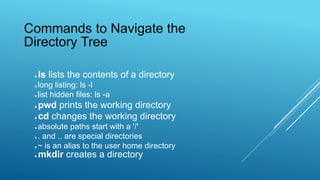
● ls lists the contents of a directory
● long listing: ls -l
● list hidden files: ls -a
● pwd prints the working directory
● cd changes the working directory
● absolute paths start with a '/'
● . and .. are special directories
● ~ is an alias to the user home directory
● mkdir creates a directory
Commands to Navigate the
Directory Tree
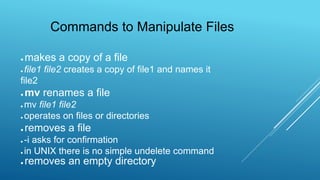
● makes a copy of a file
● file1 file2 creates a copy of file1 and names it
file2
● mv renames a file
● mv file1 file2
● operates on files or directories
● removes a file
● -i asks for confirmation
● in UNIX there is no simple undelete command
● removes an empty directory
Commands to Manipulate Files
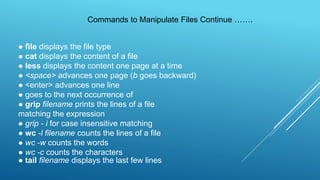
● file displays the file type
● cat displays the content of a file
● less displays the content one page at a time
● <space> advances one page (b goes backward)
● <enter> advances one line
● goes to the next occurrence of
● grip filename prints the lines of a file
matching the expression
● grip - i for case insensitive matching
● wc -l filename counts the lines of a file
● wc -w counts the words
● wc -c counts the characters
● tail filename displays the last few lines
Commands to Manipulate Files Continue …….
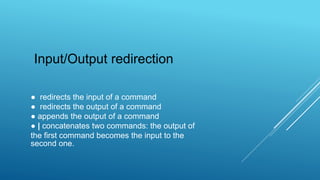
● redirects the input of a command
● redirects the output of a command
● appends the output of a command
● | concatenates two commands: the output of
the first command becomes the input to the
second one.
Input/Output redirection
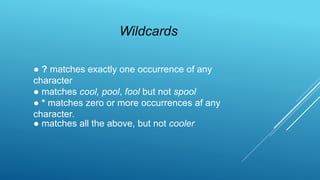
● ? matches exactly one occurrence of any
character
● matches cool, pool, fool but not spool
● * matches zero or more occurrences af any
character.
● matches all the above, but not cooler
Wildcards

بسم الله الرحمن الرحیم

  • 1.
  • 2.
    LINUX AND UNIXHISTORY Class A- 5Samester Present by Ahmad Zia Instructor Mujiburahman Date 2016/10/19
  • 3.
    ● UNIX wasdeveloped in 1969 at AT&T Bell Labs ● Many variants since then: BSD, Solaris, Mac OS X, Linux ... ● The Linux kernel was first developed in 1991 by Linus Torvalds, a student at the University of Helsinki ● Linux has been widely adopted for servers and HPC systems. ● All CCMST servers run Linux. Linux And Unix history
  • 4.
    ● The Kernelis the core of Linux. ● Boot code ● Device drivers ● Memory and file management ● The Development Environment ● Compilers, assembler, linker ● System libraries ● Other tools: object archive manager, debugger ... The Linux Operating System
  • 5.
    ● The UserInterface handles interactions between user and system ● Command line interface aka the shell (bash, tcsh) ● Graphical desktop (Gnome, KDE) ● Communication software (ftp, ssh) ● The Documentation ● Man pages ● Linux is multi-user and multi-tasking
  • 6.
    ● ls liststhe contents of a directory ● long listing: ls -l ● list hidden files: ls -a ● pwd prints the working directory ● cd changes the working directory ● absolute paths start with a '/' ● . and .. are special directories ● ~ is an alias to the user home directory ● mkdir creates a directory Commands to Navigate the Directory Tree
  • 7.
    ● makes acopy of a file ● file1 file2 creates a copy of file1 and names it file2 ● mv renames a file ● mv file1 file2 ● operates on files or directories ● removes a file ● -i asks for confirmation ● in UNIX there is no simple undelete command ● removes an empty directory Commands to Manipulate Files
  • 8.
    ● file displaysthe file type ● cat displays the content of a file ● less displays the content one page at a time ● <space> advances one page (b goes backward) ● <enter> advances one line ● goes to the next occurrence of ● grip filename prints the lines of a file matching the expression ● grip - i for case insensitive matching ● wc -l filename counts the lines of a file ● wc -w counts the words ● wc -c counts the characters ● tail filename displays the last few lines Commands to Manipulate Files Continue …….
  • 9.
    ● redirects theinput of a command ● redirects the output of a command ● appends the output of a command ● | concatenates two commands: the output of the first command becomes the input to the second one. Input/Output redirection
  • 10.
    ● ? matchesexactly one occurrence of any character ● matches cool, pool, fool but not spool ● * matches zero or more occurrences af any character. ● matches all the above, but not cooler Wildcards