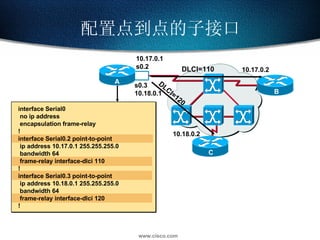
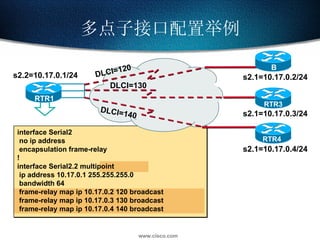
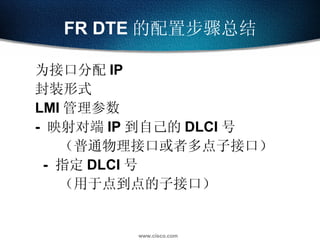
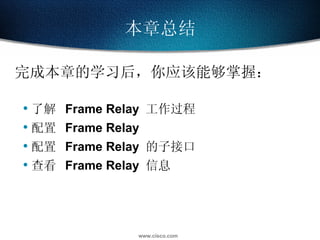
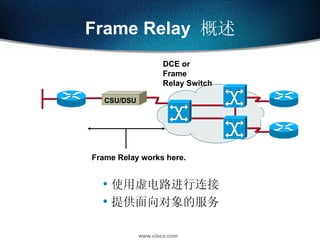
Frame Relay 概述 使用虚电路进行连接 提供面向对象的服务 Frame Relay works here. DCE or Frame Relay Switch CSU/DSU
10.
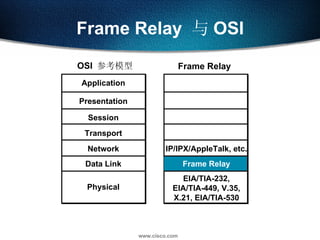
Frame Relay 与 OSI OSI 参考模型 Frame Relay Physical Presentation Session Transport Network Data Link Application EIA/TIA-232, EIA/TIA-449, V.35, X.21, EIA/TIA-530 Frame Relay IP/IPX/AppleTalk, etc.
11.
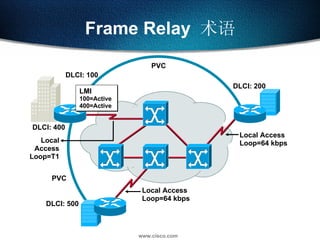
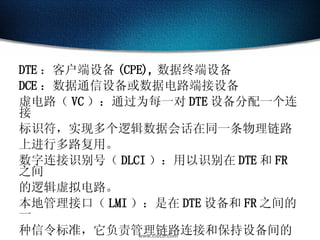
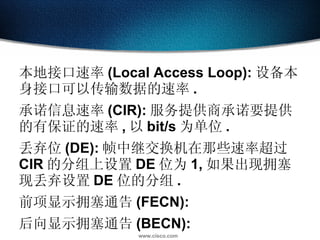
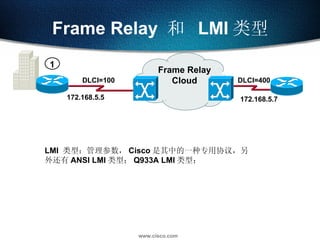
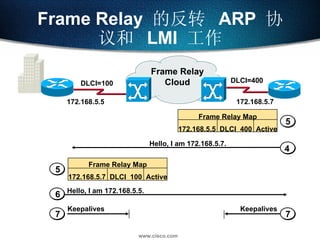
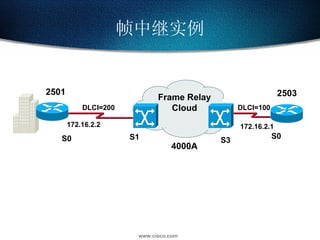
Frame Relay 术语 Local Access Loop=T1 Local Access Loop=64 kbps Local Access Loop=64 kbps DLCI: 400 PVC DLCI: 500 LMI 100=Active 400=Active DLCI: 200 DLCI: 100 PVC
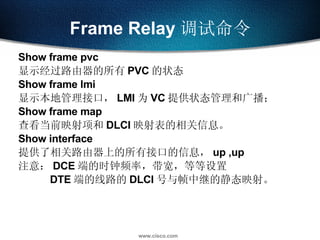
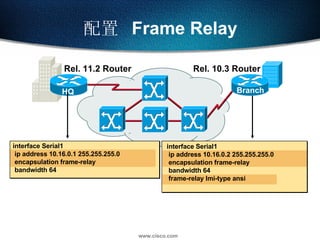
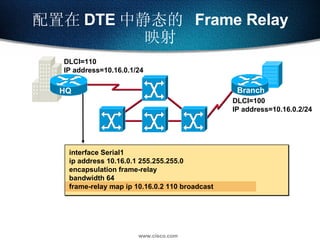
Frame Relay 调试命令Show frame pvc 显示经过路由器的所有 PVC 的状态 Show frame lmi 显示本地管理接口, LMI 为 VC 提供状态管理和广播; Show frame map 查看当前映射项和 DLCI 映射表的相关信息。 Show interface 提供了相关路由器上的所有接口的信息, up ,up 注意: DCE 端的时钟频率,带宽,等等设置 DTE 端的线路的 DLCI 号与帧中继的静态映射。
32.
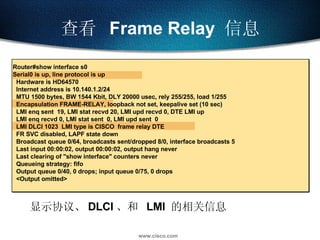
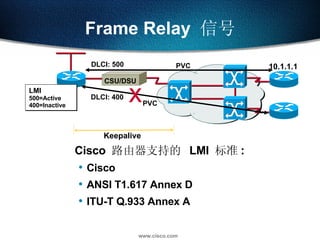
查看 FrameRelay 信息 显示协议、 DLCI 、和 LMI 的相关信息 Router#show interface s0 Serial0 is up, line protocol is up Hardware is HD64570 Internet address is 10.140.1.2/24 MTU 1500 bytes, BW 1544 Kbit, DLY 20000 usec, rely 255/255, load 1/255 Encapsulation FRAME-RELAY, loopback not set, keepalive set (10 sec) LMI enq sent 19, LMI stat recvd 20, LMI upd recvd 0, DTE LMI up LMI enq recvd 0, LMI stat sent 0, LMI upd sent 0 LMI DLCI 1023 LMI type is CISCO frame relay DTE FR SVC disabled, LAPF state down Broadcast queue 0/64, broadcasts sent/dropped 8/0, interface broadcasts 5 Last input 00:00:02, output 00:00:02, output hang never Last clearing of "show interface" counters never Queueing strategy: fifo Output queue 0/40, 0 drops; input queue 0/75, 0 drops <Output omitted>
33.
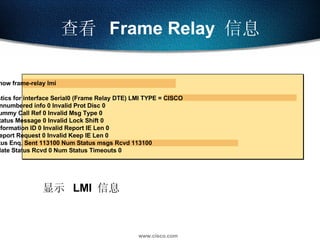
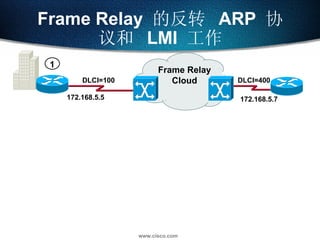
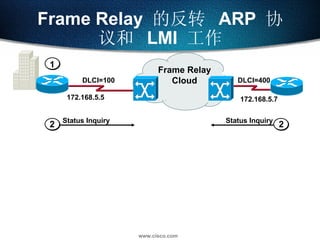
显示 LMI 信息 查看 Frame Relay 信息 Router#show frame-relay lmi LMI Statistics for interface Serial0 (Frame Relay DTE) LMI TYPE = CISCO Invalid Unnumbered info 0 Invalid Prot Disc 0 Invalid dummy Call Ref 0 Invalid Msg Type 0 Invalid Status Message 0 Invalid Lock Shift 0 Invalid Information ID 0 Invalid Report IE Len 0 Invalid Report Request 0 Invalid Keep IE Len 0 Num Status Enq. Sent 113100 Num Status msgs Rcvd 113100 Num Update Status Rcvd 0 Num Status Timeouts 0
34.
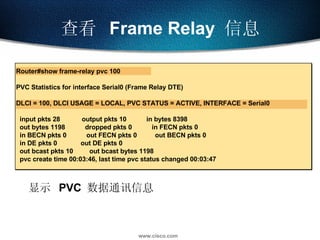
显示 PVC 数据通讯信息 查看 Frame Relay 信息 Router#show frame-relay pvc 100 PVC Statistics for interface Serial0 (Frame Relay DTE) DLCI = 100, DLCI USAGE = LOCAL, PVC STATUS = ACTIVE, INTERFACE = Serial0 input pkts 28 output pkts 10 in bytes 8398 out bytes 1198 dropped pkts 0 in FECN pkts 0 in BECN pkts 0 out FECN pkts 0 out BECN pkts 0 in DE pkts 0 out DE pkts 0 out bcast pkts 10 out bcast bytes 1198 pvc create time 00:03:46, last time pvc status changed 00:03:47
35.
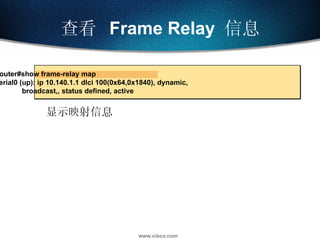
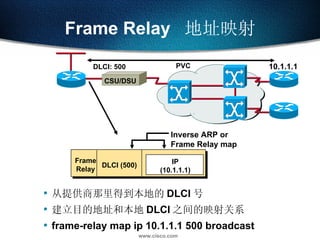
显示映射信息 查看 Frame Relay 信息 Router#show frame-relay map Serial0 (up): ip 10.140.1.1 dlci 100(0x64,0x1840), dynamic, broadcast,, status defined, active
#2 Purpose: This chapter reviews general networking theory and introduces students to some of Cisco’s product line. Timing: This chapter takes approximately 1.5 hours to present. Note: This section has a product selection tool laboratory exercise at the end. Contents: Objectives—This section explains what the student will be able to do at the end of this chapter. Defining Network Components—This section displays where devices are placed in the network. Mapping Business Needs to a Hierarchical Model—This section describes the heirarchical model used in network design. OSI Model Overview—This section reviews the OSI model. Communicating Between Layers—This section describes encapsulation and de-encapsulation. Written Exercise 1—This section has a written exercise to test the students’ knowledge of the OSI model. Physical Layer Functions—This section describes the physical layer of the OSI Model. Data Link Layer Functions—This section describes the data link layer of the OSI Model. Network Layer Functions—This section describes the network layer of the OSI Model. Transport Layer Functions—This section describes the transport layer of the OSI Model.




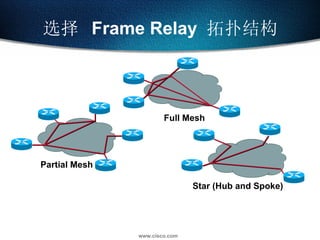

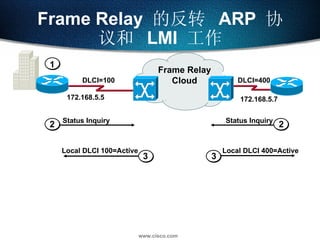
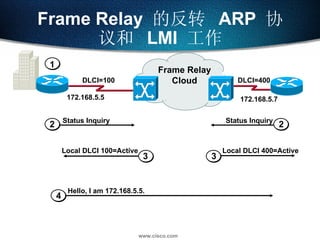
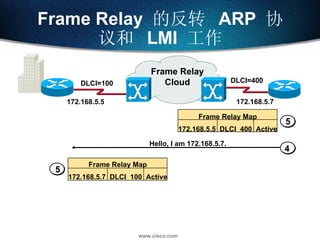
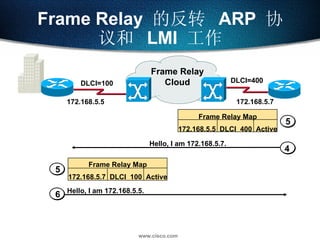
![CISCO 2503 ( DTE ) interface Serial0 ip address 172.16.2.1 255.255.255.0 encapsulation frame-relay ([cisco|ietf]) frame-relay lmi-type cisco(ansi|q933a) frame-relay map ip 172.16.2.2 100 broadcast](https://image.slidesharecdn.com/20128/85/20-29-320.jpg)
![CISCO 2501 ( DTE ) interface Serial0 ip address 172.16.2.2 255.255.255.0 encapsulation frame-relay ([cisco|ietf]) frame-relay lmi-type cisco(ansi|q933a) frame-relay map ip 172.16.2.1 200 broadcast](https://image.slidesharecdn.com/20128/85/20-30-320.jpg)