CHAPTER 12
STRUCTURE
D QUERY
LANGUAGE
Introduction to
SQL
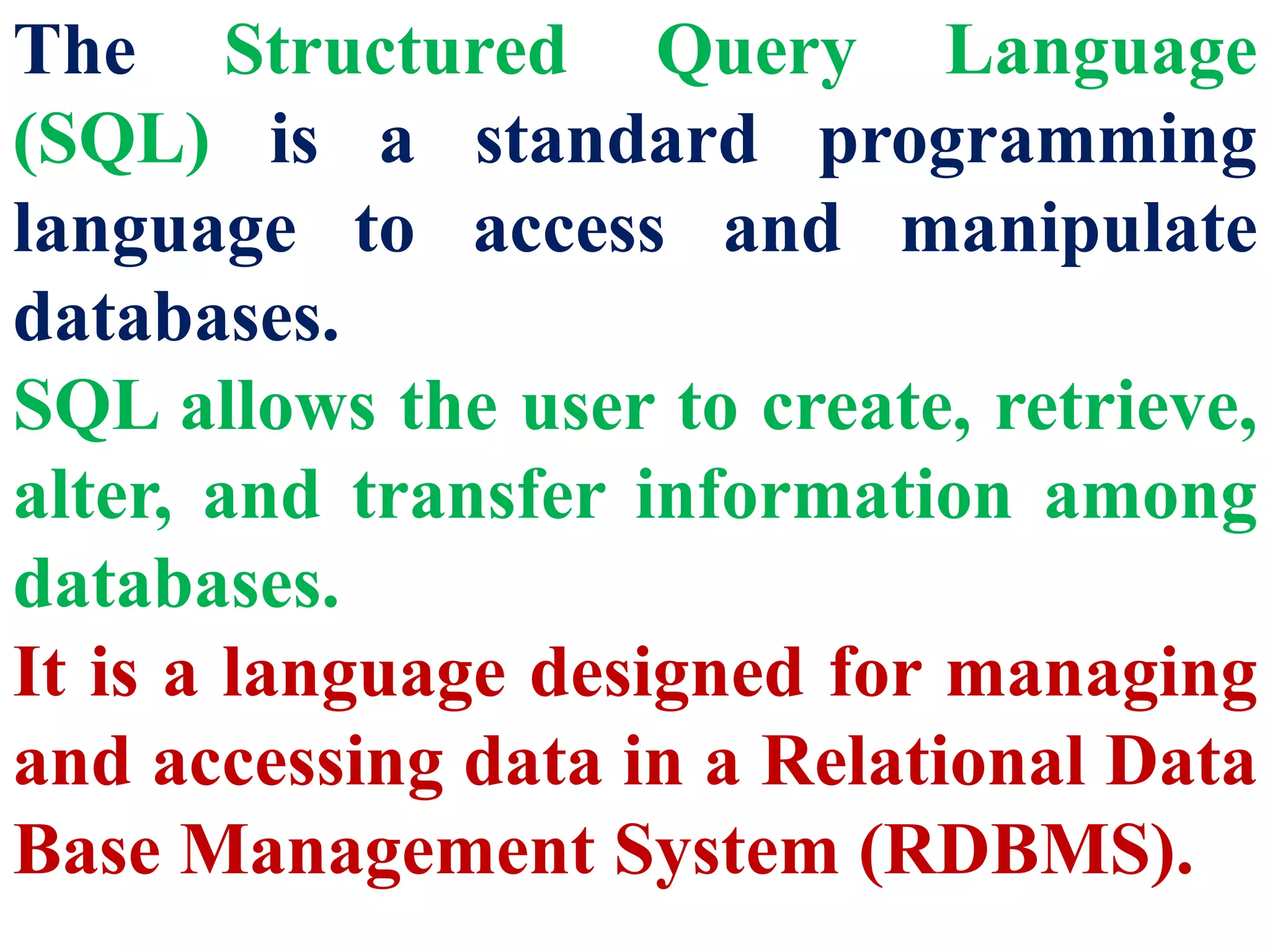
The Structured Query Language
(SQL) is a standard programming
language to access and manipulate
databases.
SQL allows the user to create, retrieve,
alter, and transfer information among
databases.
It is a language designed for managing
and accessing data in a Relational Data
Base Management System (RDBMS).
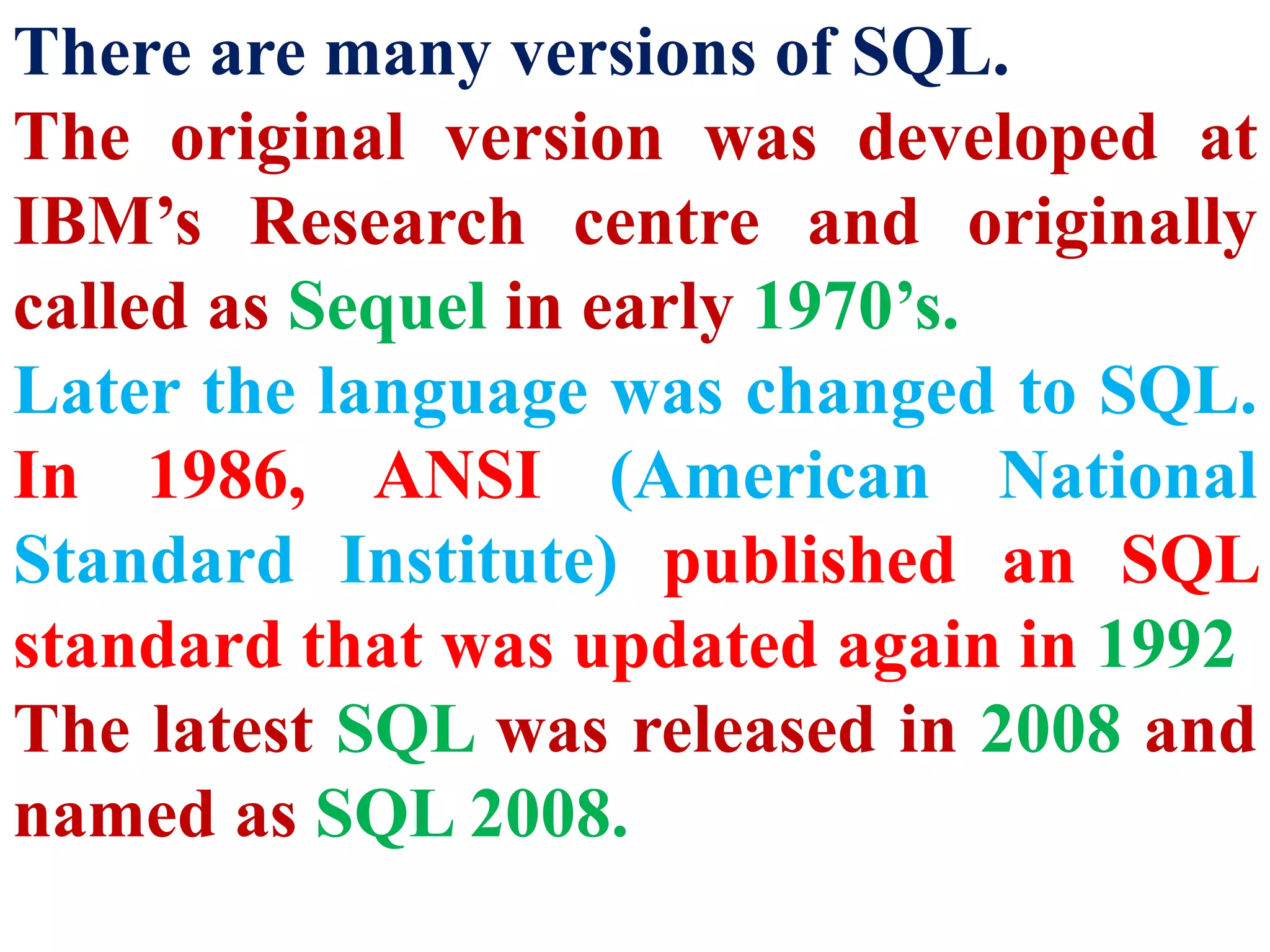
There are many versions of SQL.
The original version was developed at
IBM’s Research centre and originally
called as Sequel in early 1970’s.
Later the language was changed to SQL.
In 1986, ANSI (American National
Standard Institute) published an SQL
standard that was updated again in 1992
The latest SQL was released in 2008 and
named as SQL 2008.
Role of SQL
in RDBMS
RDBMS stands for Relational
DataBase Management System.
Oracle, MySQL, MS SQL
Server, IBM DB2 and
Microsoft Access are RDBMS
packages.
SQL is a language used to
access data in such databases.
Database is a collection of
tables that store sets of data
that can be queried for use in
other applications.
A database management
system supports the
development, administration
and use of database platforms.
RDBMS is a type of DBMS
with a row-based table
structure that connects related
data elements and includes
functions related to Create,
Read, Update and Delete
operations, collectively known
as CRUD.
The data in RDBMS, is
stored in database objects,
called Tables.
A table is a collection of
related data entries and it
consist of rows and
columns.
A field is a column in a table that
is designed to maintain specific
related information about every
record in the table.
It is a vertical entity that
contains all information
associated with a specific field in
a table.
A Record is a row, which is a
collection of related fields or
columns that exist in a table.
A record is a horizontal
entity in a table which
represents the details of a
particular student in a
student table.
Processing
Skills of
SQL
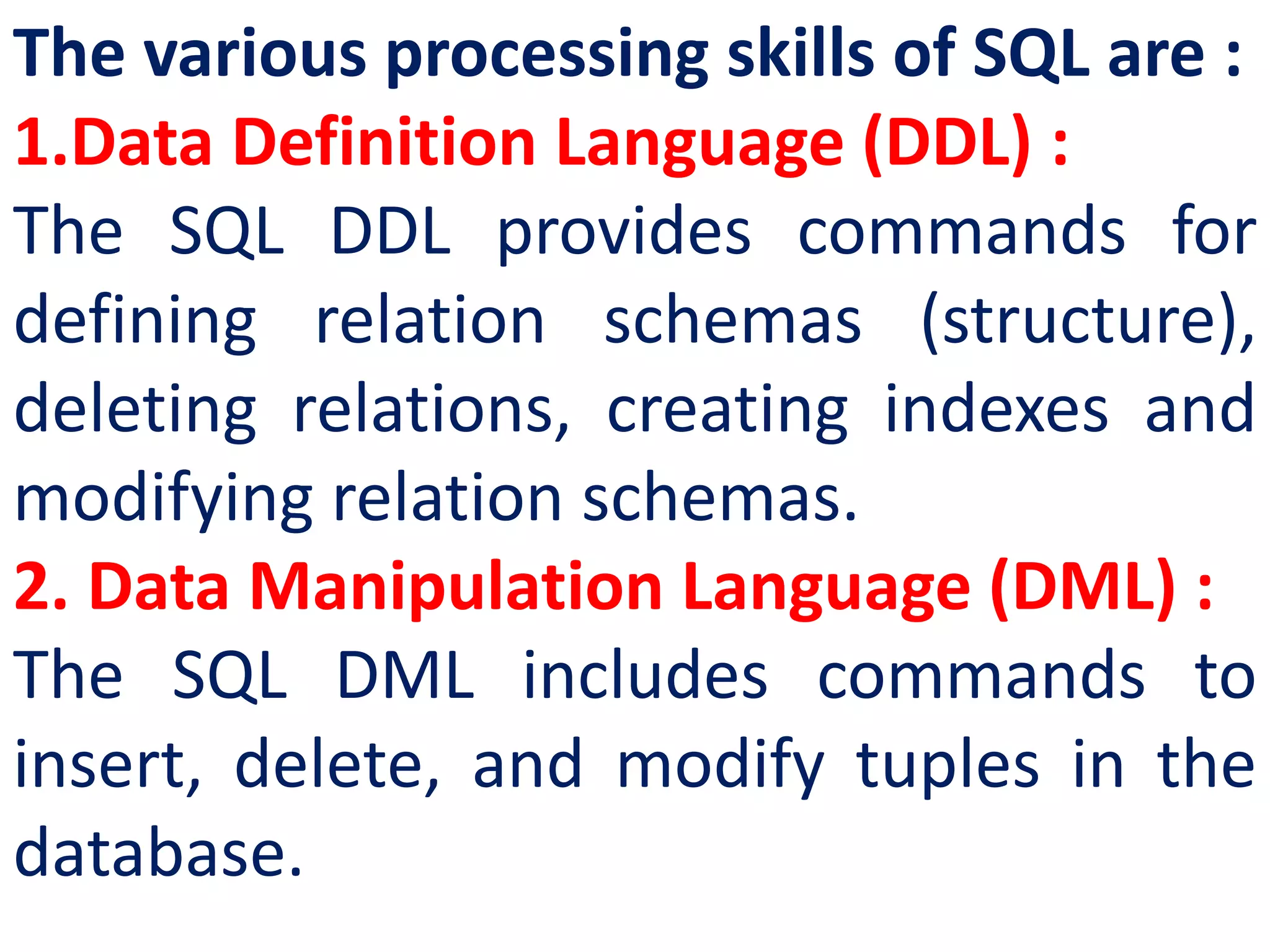
The various processing skills of SQL are :
1.Data Definition Language (DDL) :
The SQL DDL provides commands for
defining relation schemas (structure),
deleting relations, creating indexes and
modifying relation schemas.
2. Data Manipulation Language (DML) :
The SQL DML includes commands to
insert, delete, and modify tuples in the
database.
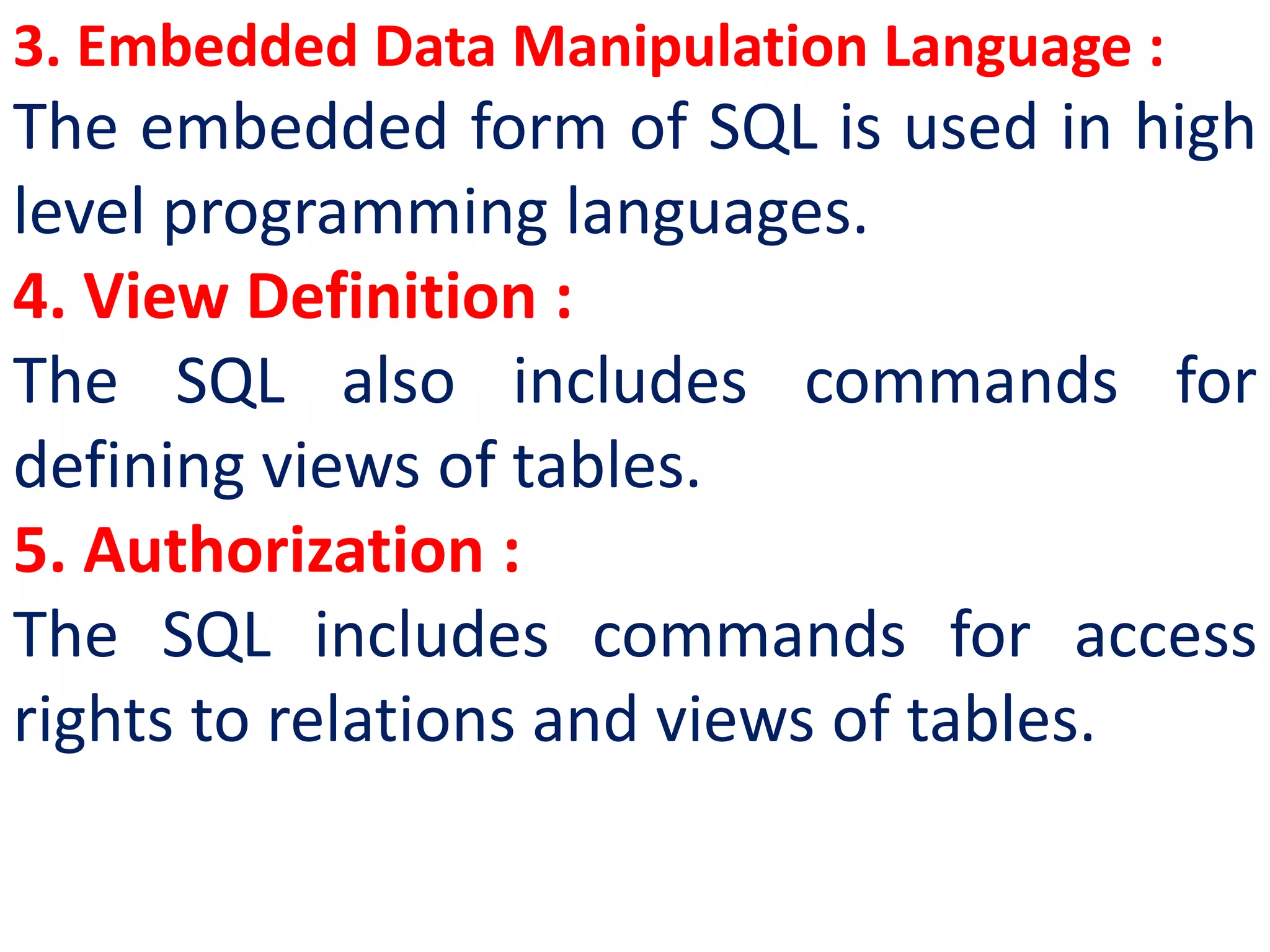
3. Embedded Data Manipulation Language :
The embedded form of SQL is used in high
level programming languages.
4. View Definition :
The SQL also includes commands for
defining views of tables.
5. Authorization :
The SQL includes commands for access
rights to relations and views of tables.
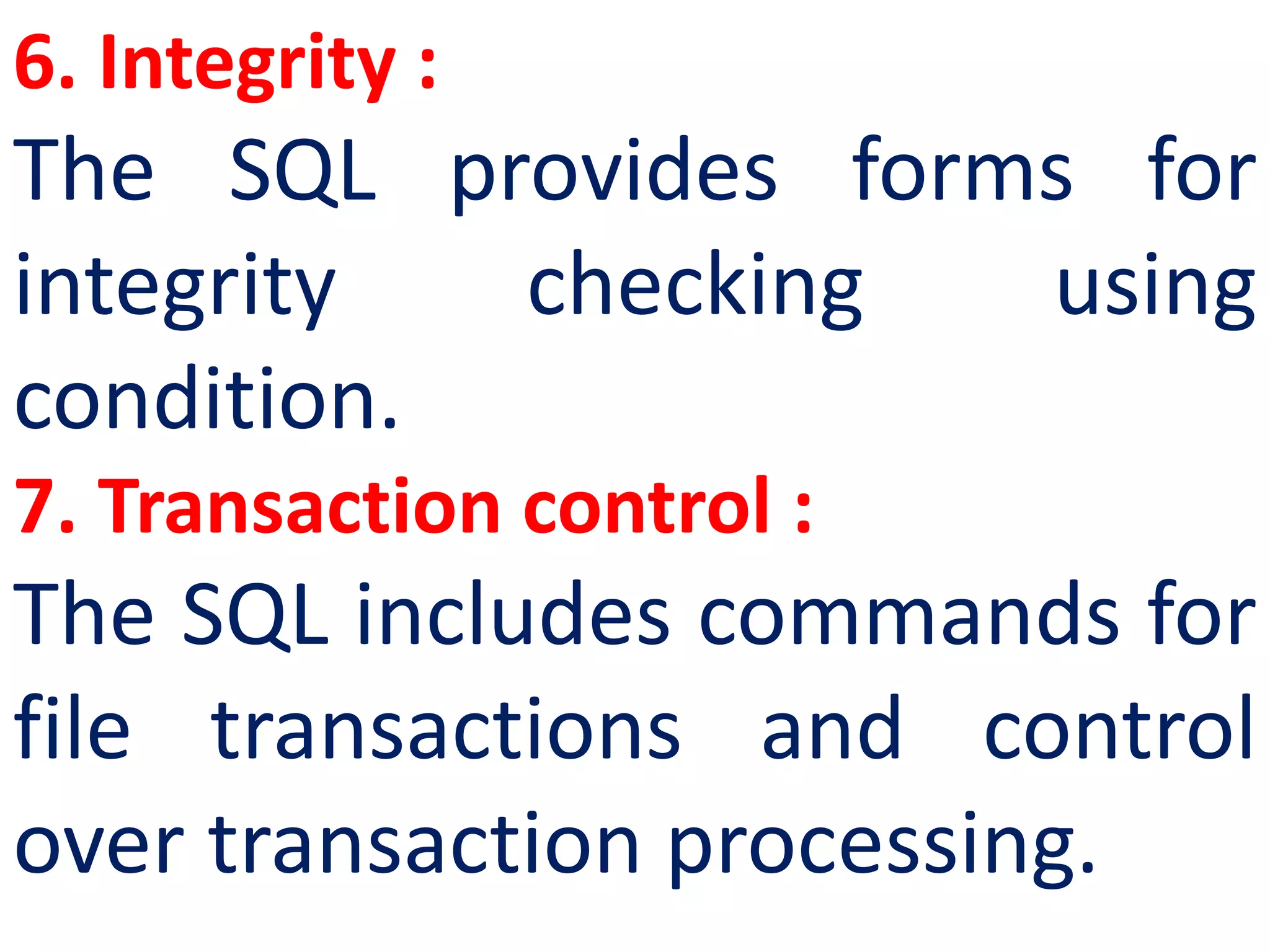
6. Integrity :
The SQL provides forms for
integrity checking using
condition.
7. Transaction control :
The SQL includes commands for
file transactions and control
over transaction processing.
Creating
Database
Components
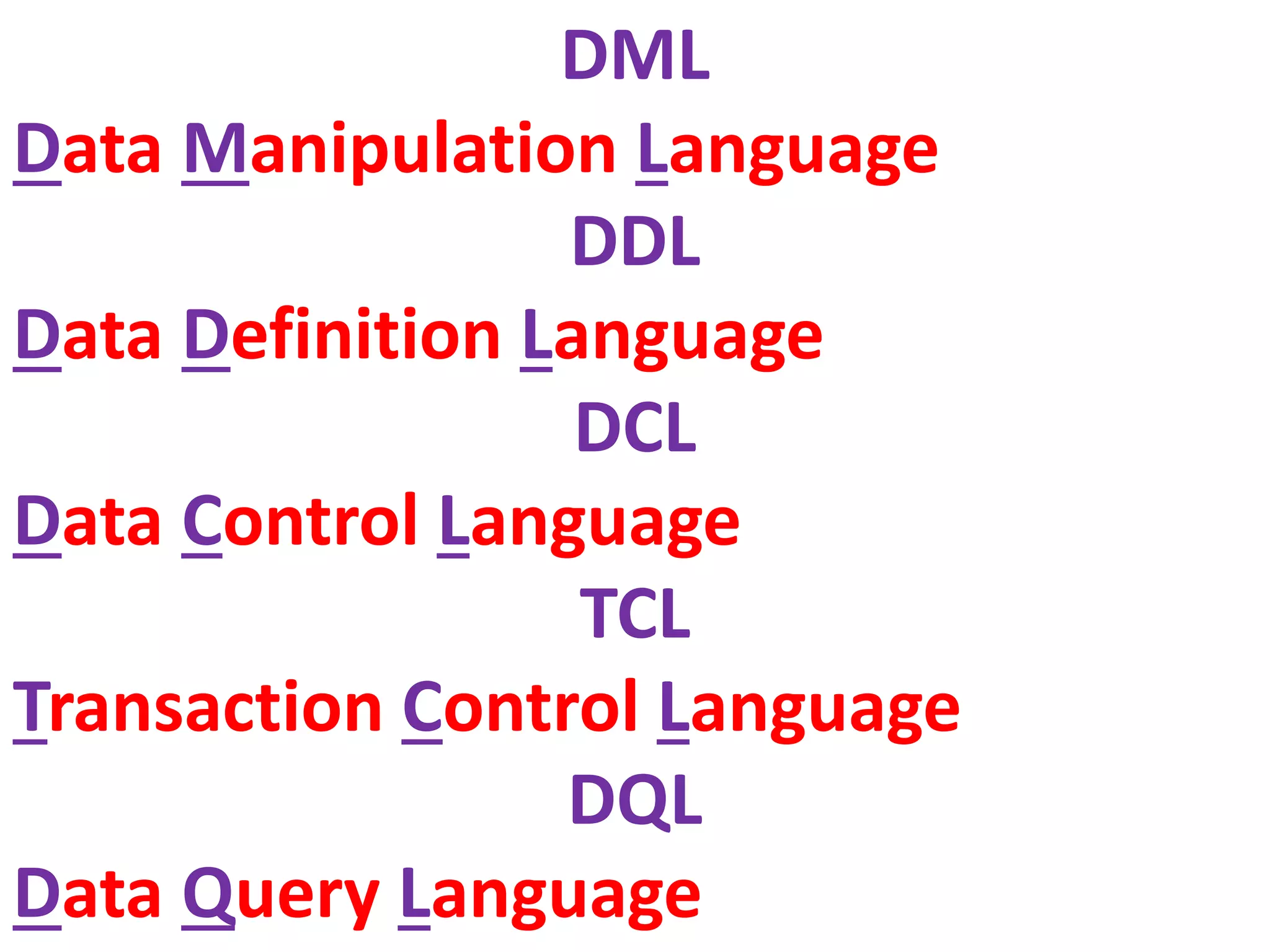
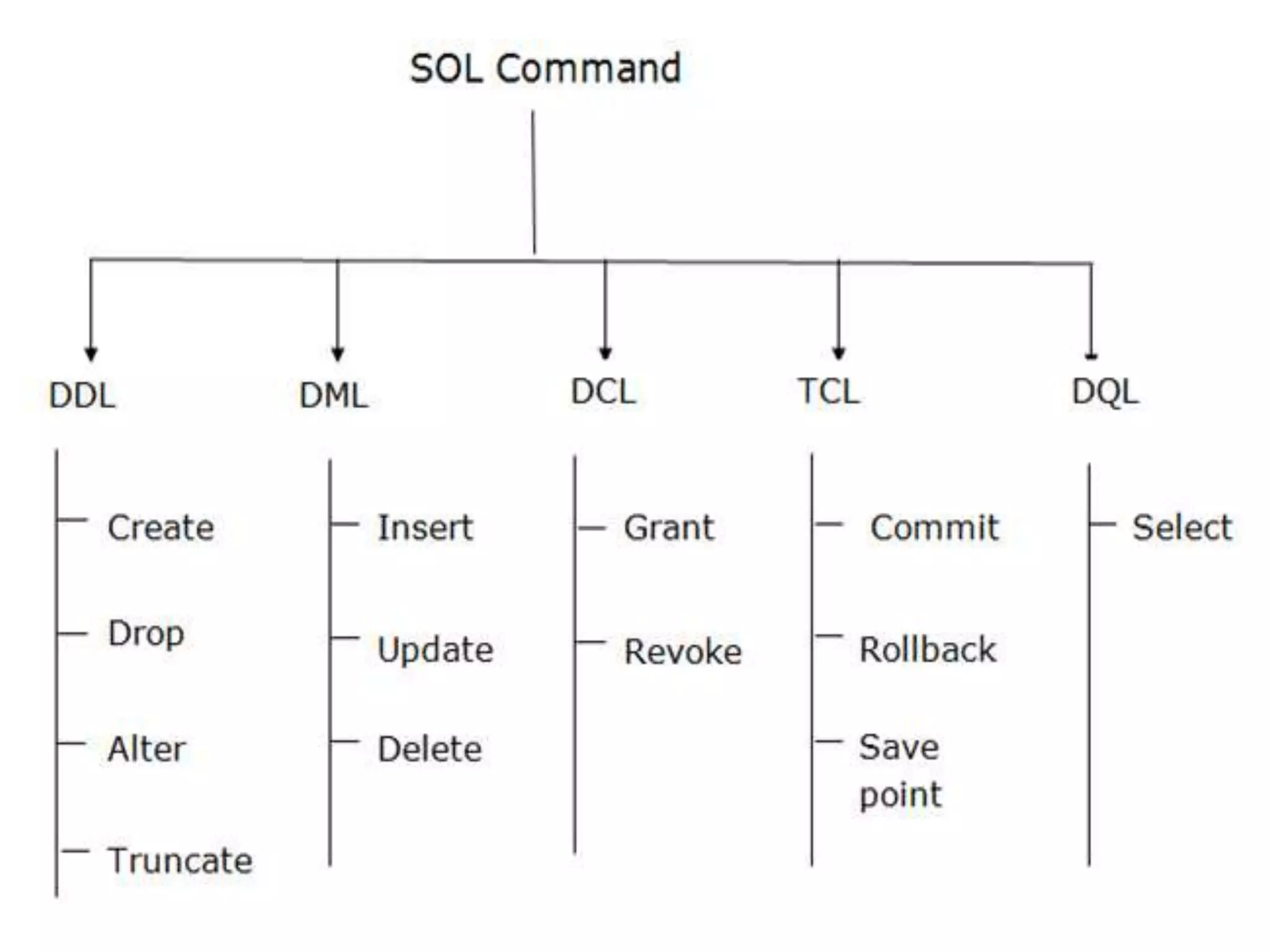
of SQL
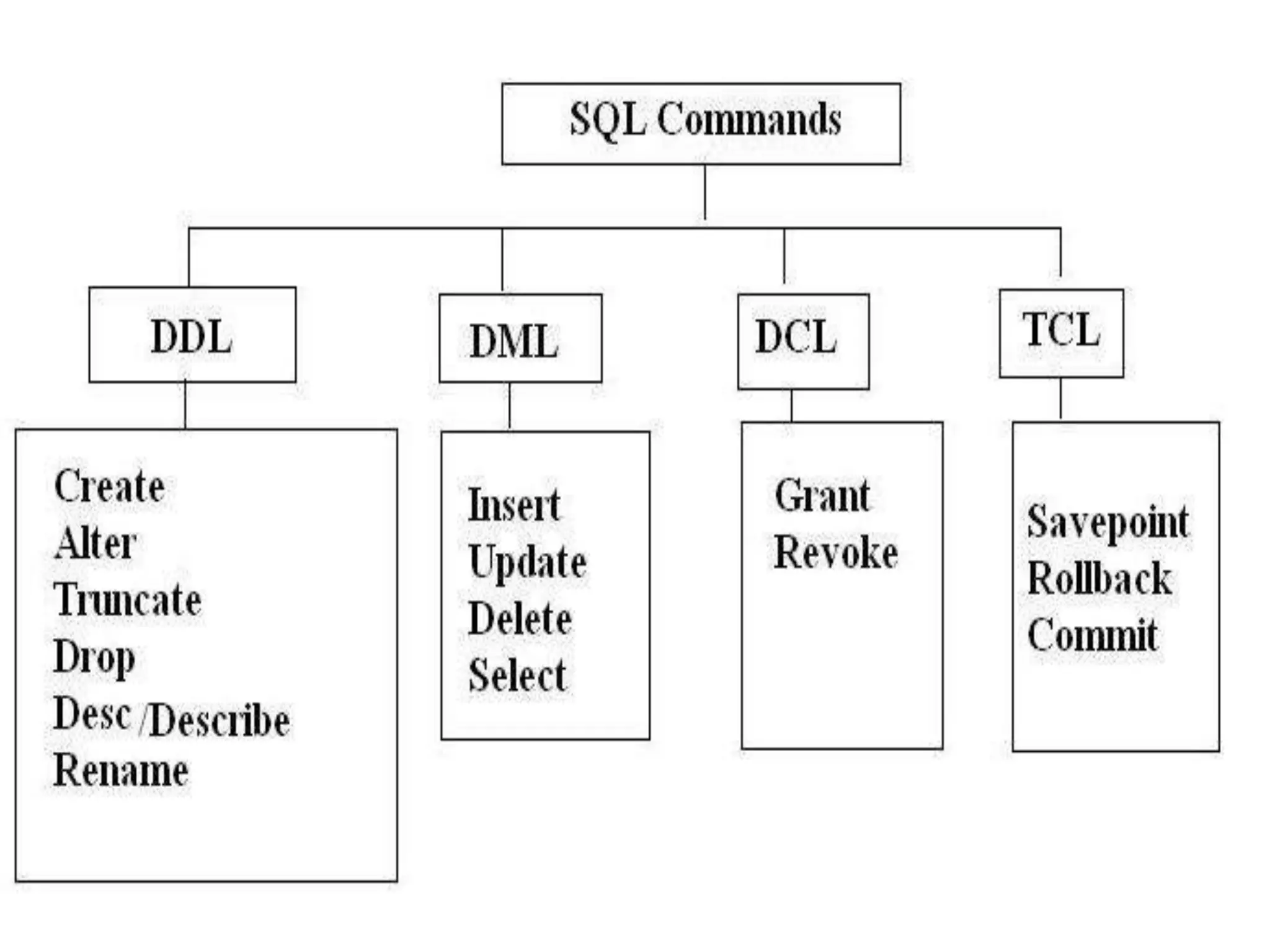
DML
Data Manipulation Language
DDL
Data Definition Language
DCL
Data Control Language
TCL
Transaction Control Language
DQL
Data Query Language
DML
Data Manipulation
Language
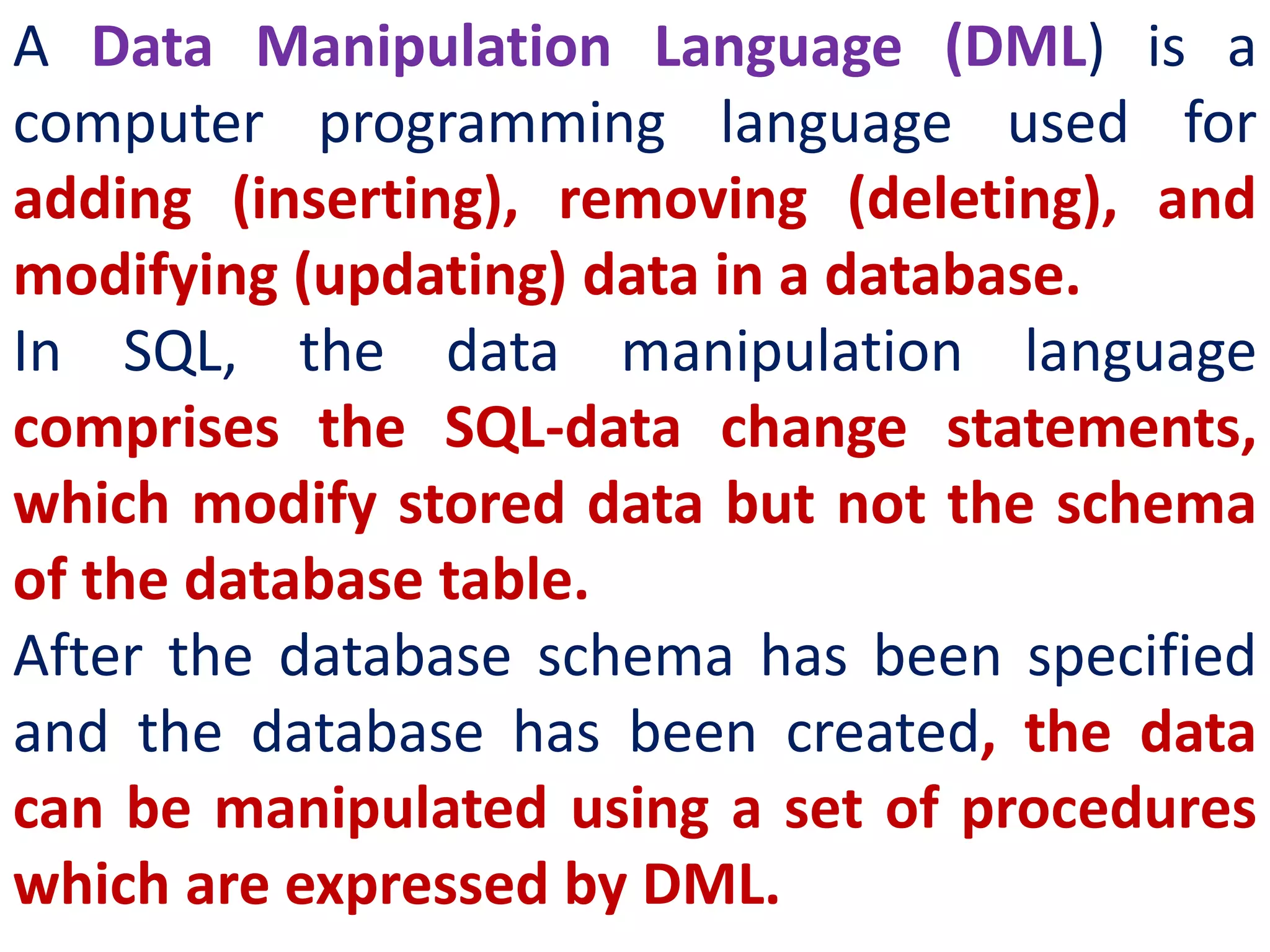
A Data Manipulation Language (DML) is a
computer programming language used for
adding (inserting), removing (deleting), and
modifying (updating) data in a database.
In SQL, the data manipulation language
comprises the SQL-data change statements,
which modify stored data but not the schema
of the database table.
After the database schema has been specified
and the database has been created, the data
can be manipulated using a set of procedures
which are expressed by DML.
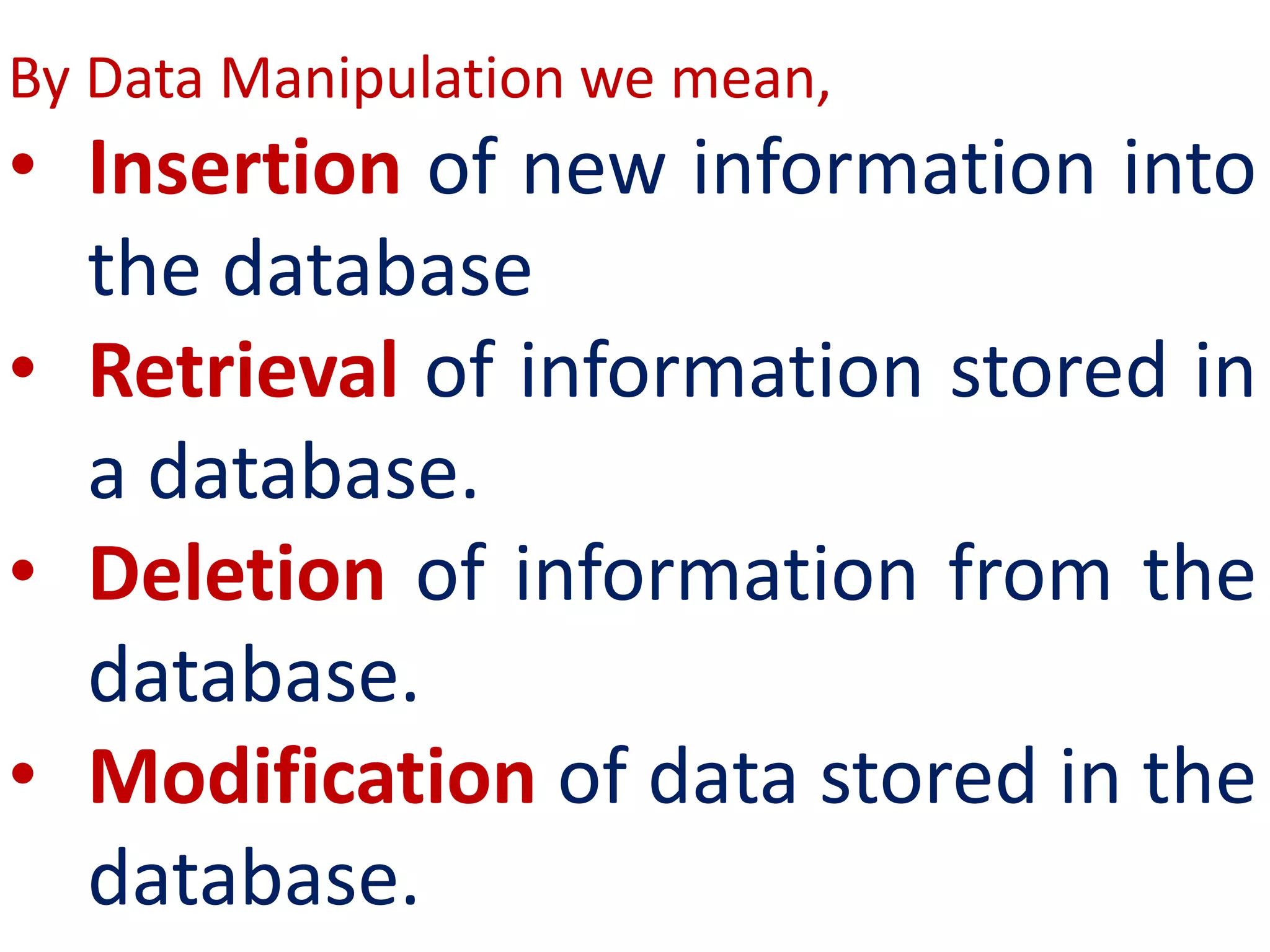
By Data Manipulation we mean,
• Insertion of new information into
the database
• Retrieval of information stored in
a database.
• Deletion of information from the
database.
• Modification of data stored in the
database.
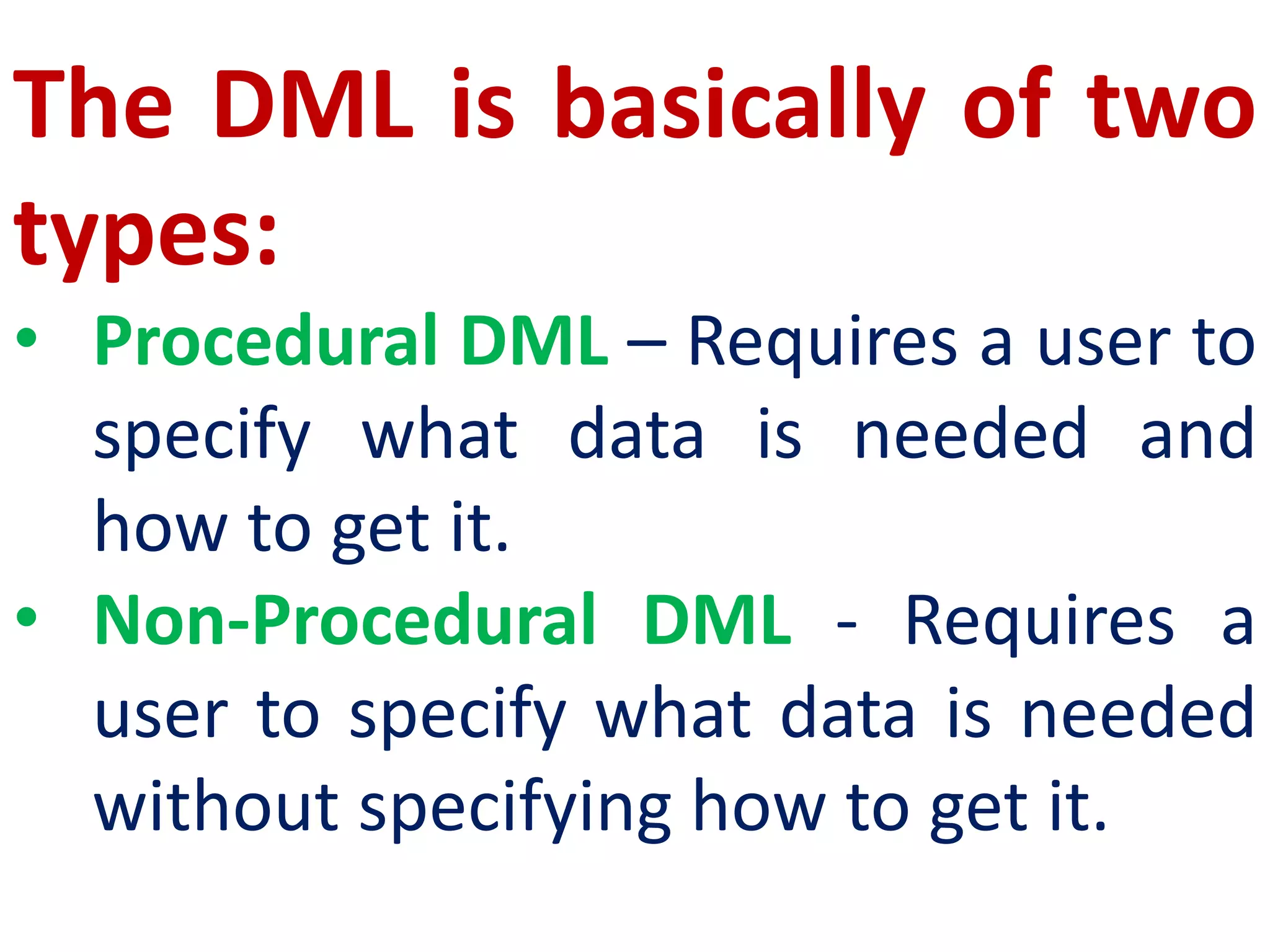
The DML is basically of two
types:
• Procedural DML – Requires a user to
specify what data is needed and
how to get it.
• Non-Procedural DML - Requires a
user to specify what data is needed
without specifying how to get it.
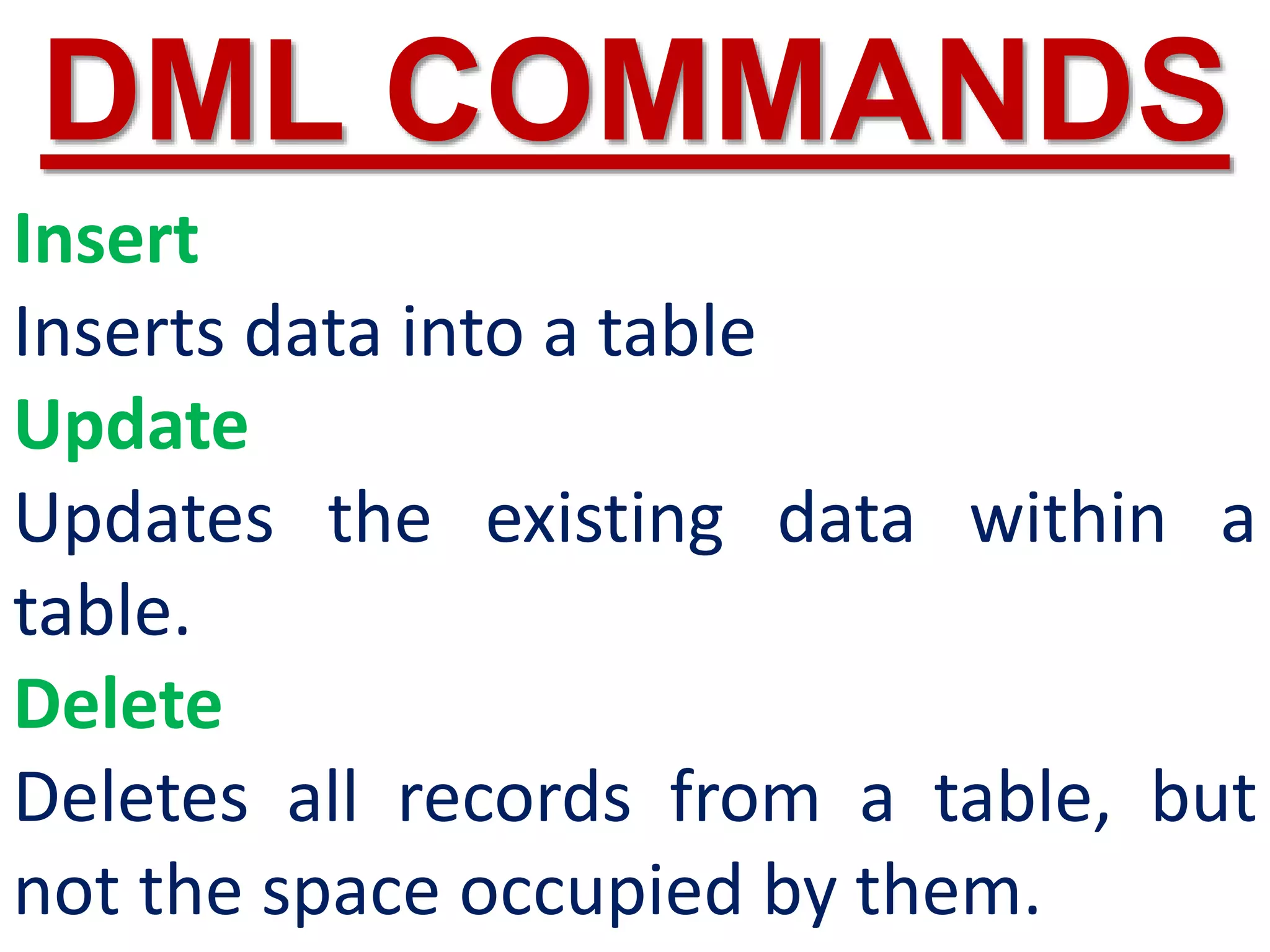
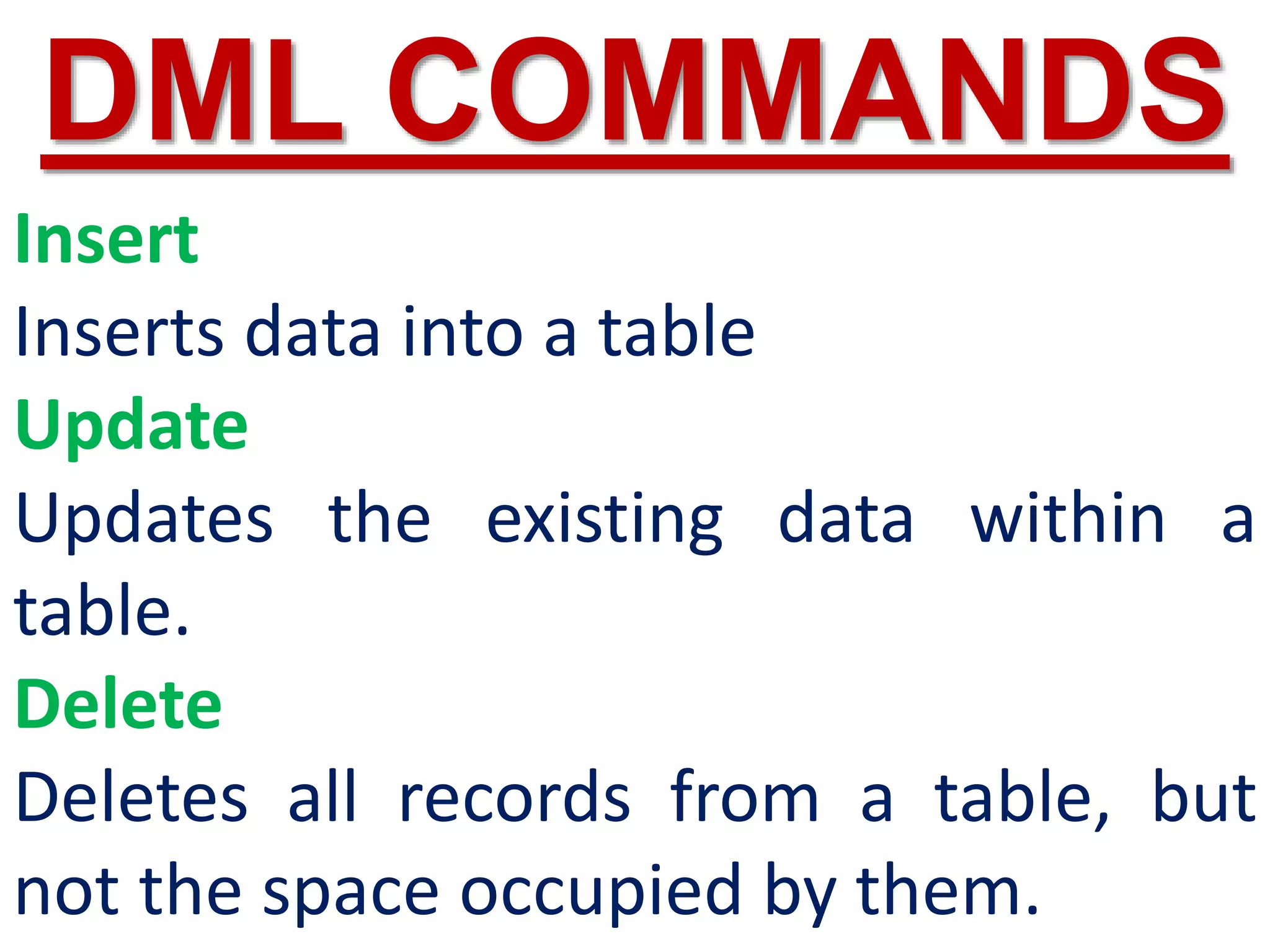
Insert
Inserts data into a table
Update
Updates the existing data within a
table.
Delete
Deletes all records from a table, but
not the space occupied by them.
DML COMMANDS
DDL
Data Definition
Language
The Data Definition Language
(DDL) consist of SQL statements
used to define the database
structure or schema.
It simply deals with descriptions of
the database schema and is used to
create and modify the structure of
database objects in databases.
A DDL performs the following functions :
1. It should identify the type of data division such as
data item, segment, record and database file.
2. It gives a unique name to each data item type,
record type, file type and data base.
3. It should specify the proper data type.
4. It should define the size of the data item.
5. It may define the range of values that a data item
may use.
6. It may specify privacy locks for preventing
unauthorized data entry.
Create
To create tables in the database.
Alter
Alters the structure of the database.
Drop
Delete tables from database.
Truncate
Remove all records from a table, also release
the space occupied by those records.
DDL COMMANDS
create table excel(id int(11) unsigned
auto_increment primary key not null,
name varchar(25) not null,
gender varchar(15) not null,
mobno int(15) not null,
fname varchar(25) not null,
mname varchar(25) not null);
DCL
Data Control
Language
A Data Control Language (DCL) is a
programming language used to
control the access of data stored in a
database. It is used for controlling
privileges in the database
(Authorization).
The privileges are required for
performing all the database
operations such as creating
sequences, views of tables etc.
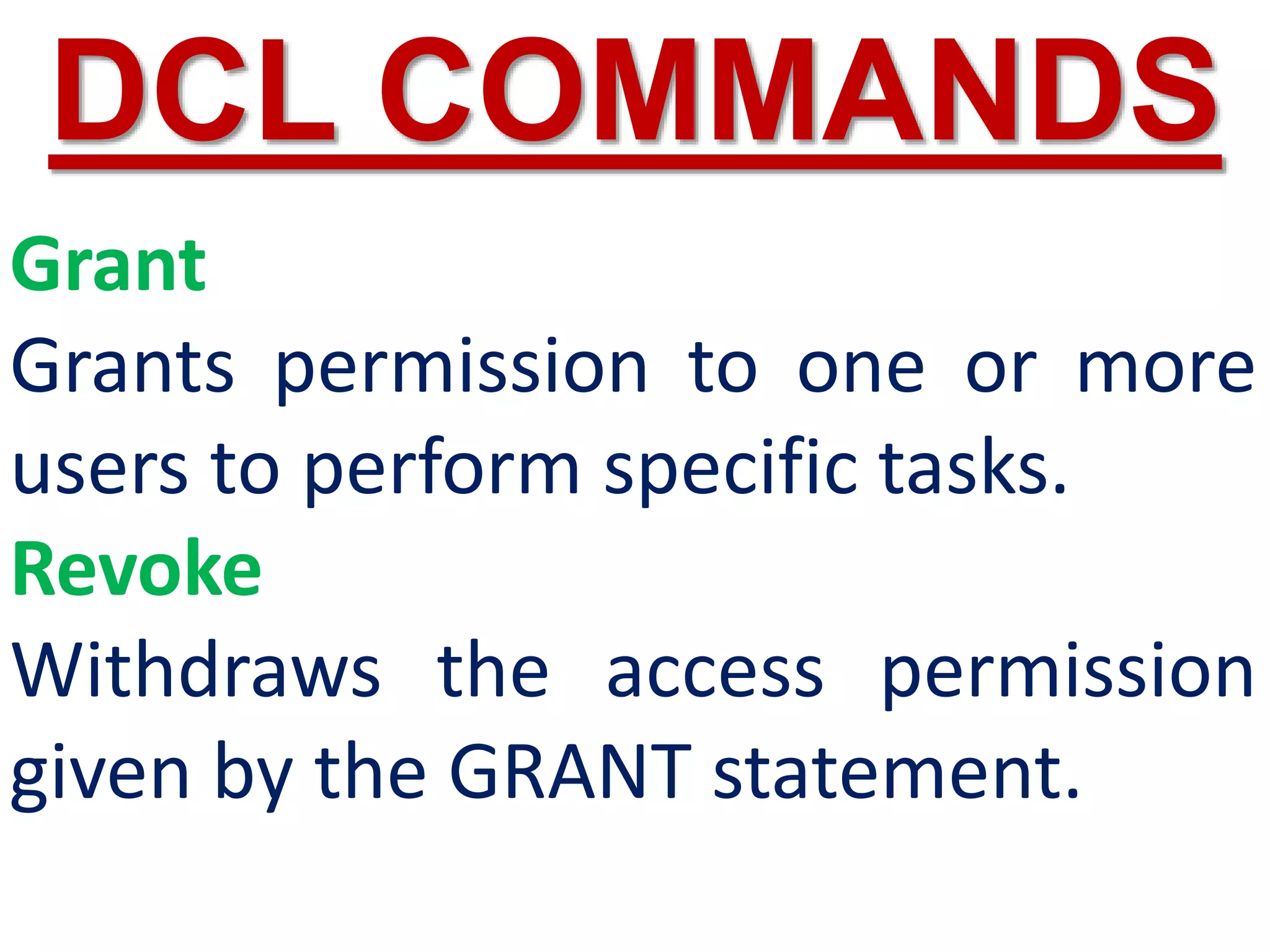
Grant
Grants permission to one or more
users to perform specific tasks.
Revoke
Withdraws the access permission
given by the GRANT statement.
DCL COMMANDS
TCL
Transactional
Control Language
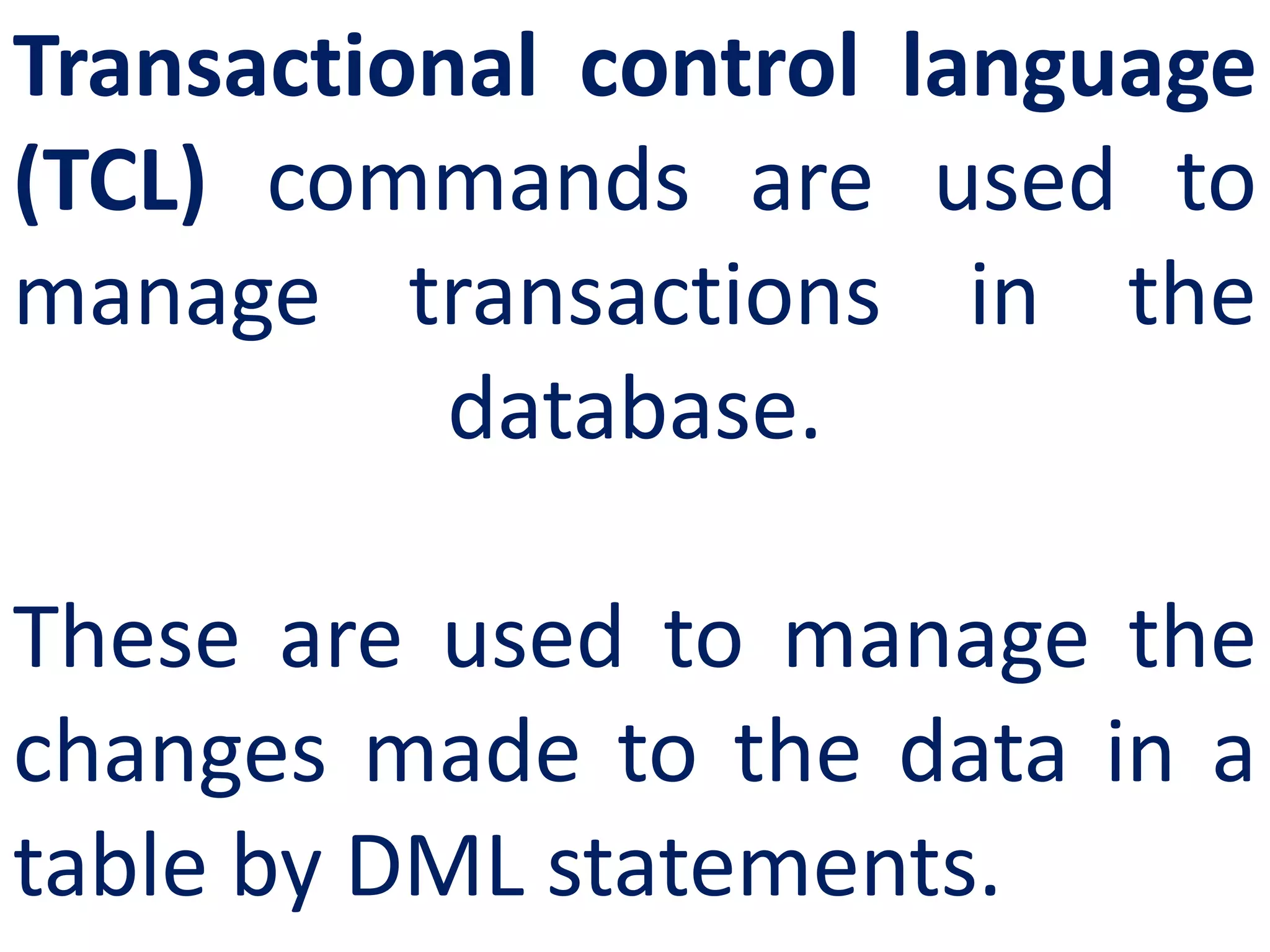
Transactional control language
(TCL) commands are used to
manage transactions in the
database.
These are used to manage the
changes made to the data in a
table by DML statements.
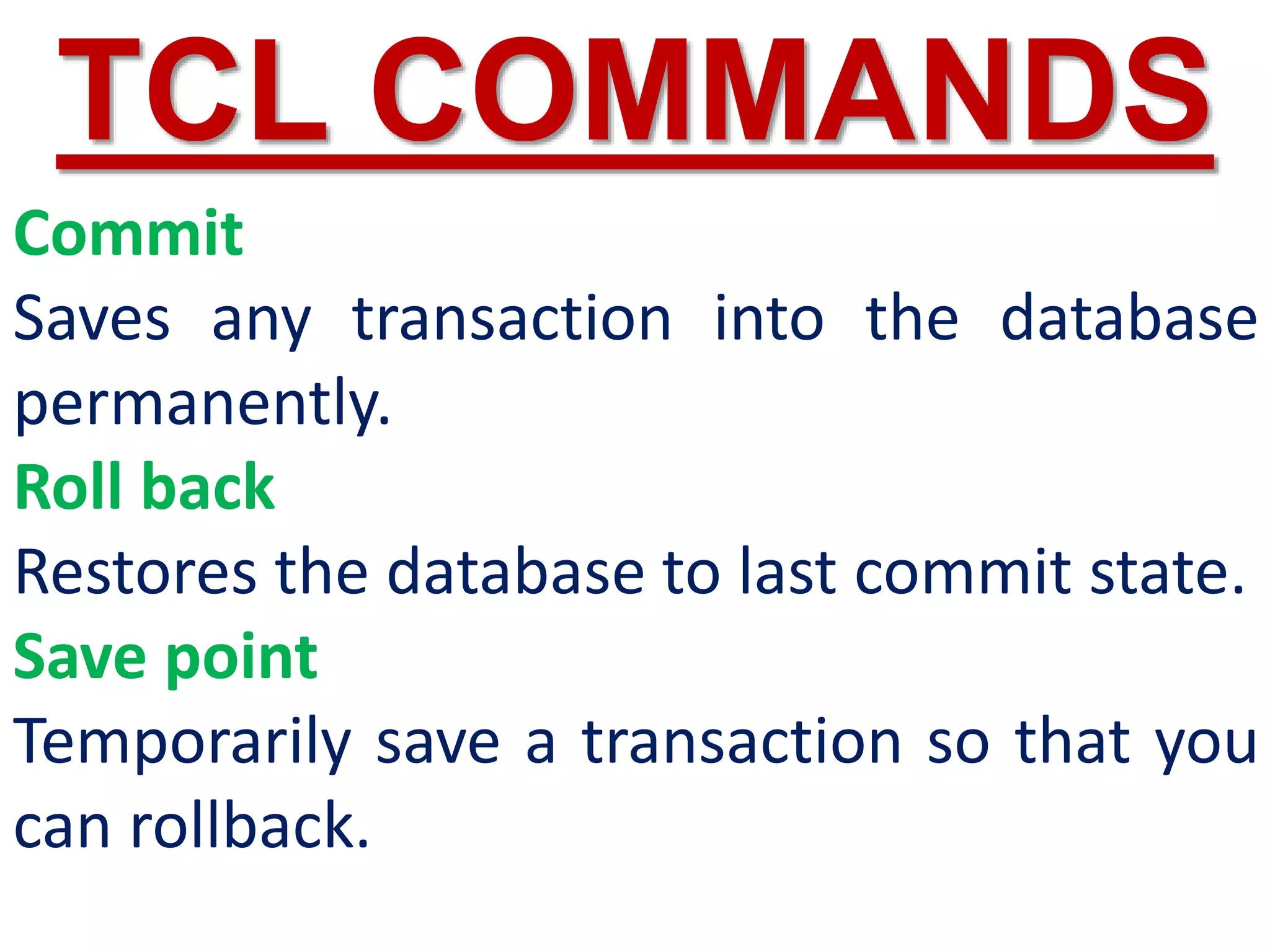
Commit
Saves any transaction into the database
permanently.
Roll back
Restores the database to last commit state.
Save point
Temporarily save a transaction so that you
can rollback.
TCL COMMANDS
DQL
Data Query
Language
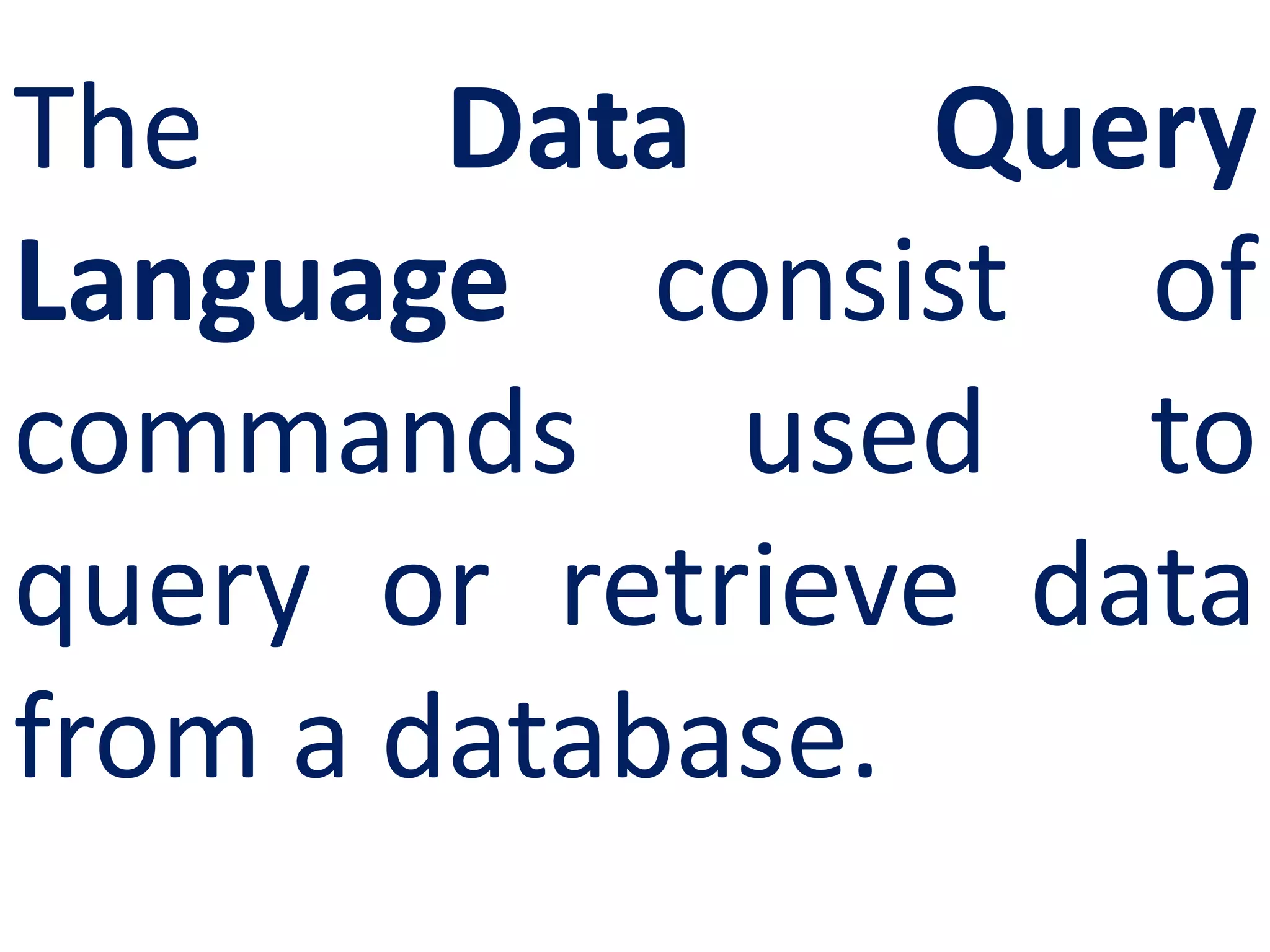
The Data Query
Language consist of
commands used to
query or retrieve data
from a database.
DQL COMMANDS
Select
It displays the
records from the
table.
Data
Types
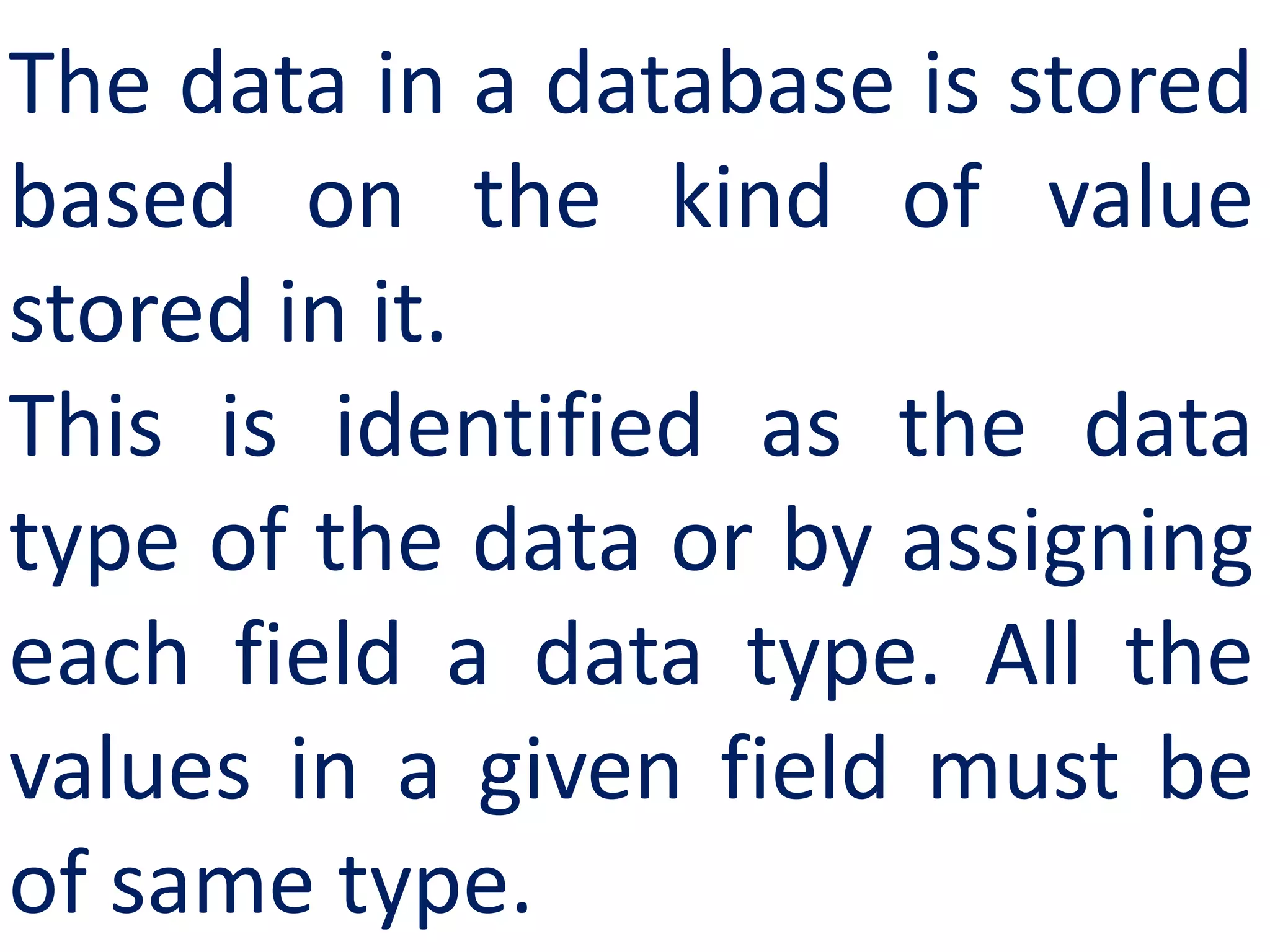
The data in a database is stored
based on the kind of value
stored in it.
This is identified as the data
type of the data or by assigning
each field a data type. All the
values in a given field must be
of same type.
SQL Commands
and their
Functions
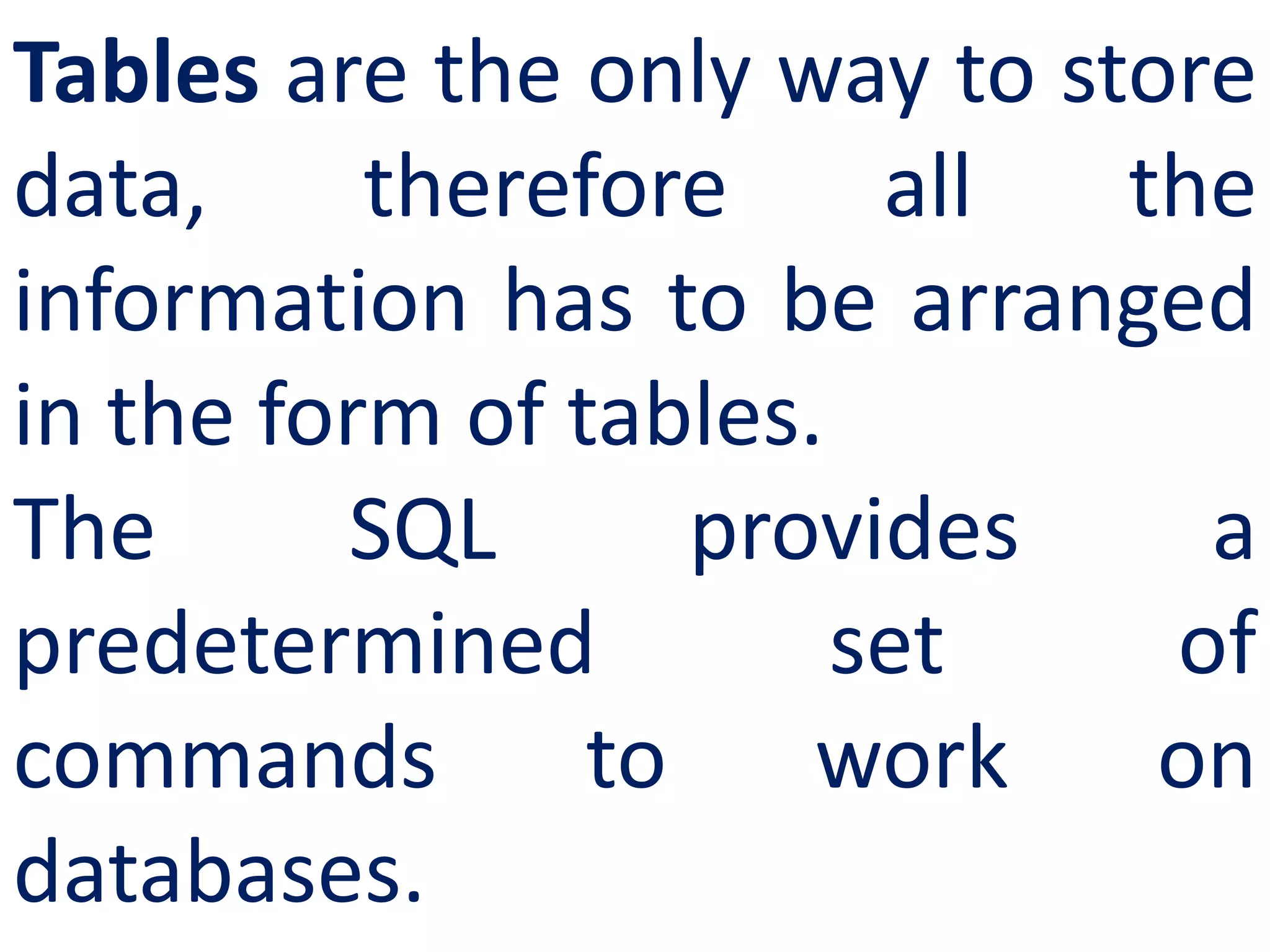
Tables are the only way to store
data, therefore all the
information has to be arranged
in the form of tables.
The SQL provides a
predetermined set of
commands to work on
databases.
Keywords
They have a special meaning in SQL. They are
understood as instructions.
Commands
They are instructions given by the user to the
database also known as statements.
Clauses
They begin with a keyword and consist of
keyword and argument.
Arguments
They are the values given to make the clause
complete.
CREATE
TABLE
Command
DDL COMMANDS
You can create a table by using
the CREATE TABLE command.
When a table is created, its
columns are named, data types
and sizes are to be specified.
Each table must have at least
one column.
SYNTAX
CREATE TABLE <table-name>
(<column name><data type>[<size>]
(<column name><data
type>[<size>]……
);
CREATE TABLE Student
(Admno integer,
Name char(20),
Gender char(1),
Age integer,
Place char(10),
);
Column constraint:
Column constraint apply only to
individual column.
[Limits only column data.]
Table constraint :
Table constraint apply to a group of
one or more columns.
[Limits whole table data.]
NOT NULL Constraint
NOT NULL constraint restricts a
column from having a NULL value.
Once NOT NULL constraint is
applied to a column, you cannot
pass a null value to that column.
It enforces a column to contain a
proper value.
CREATE TABLE <table-name>
(<column name><data type>[<size>]<column constraint>,
(<column name><data type>[<size>]<column constraint>
……
<table constraint>(<column name>,[<column name>….])
…..
);
SYNTAX
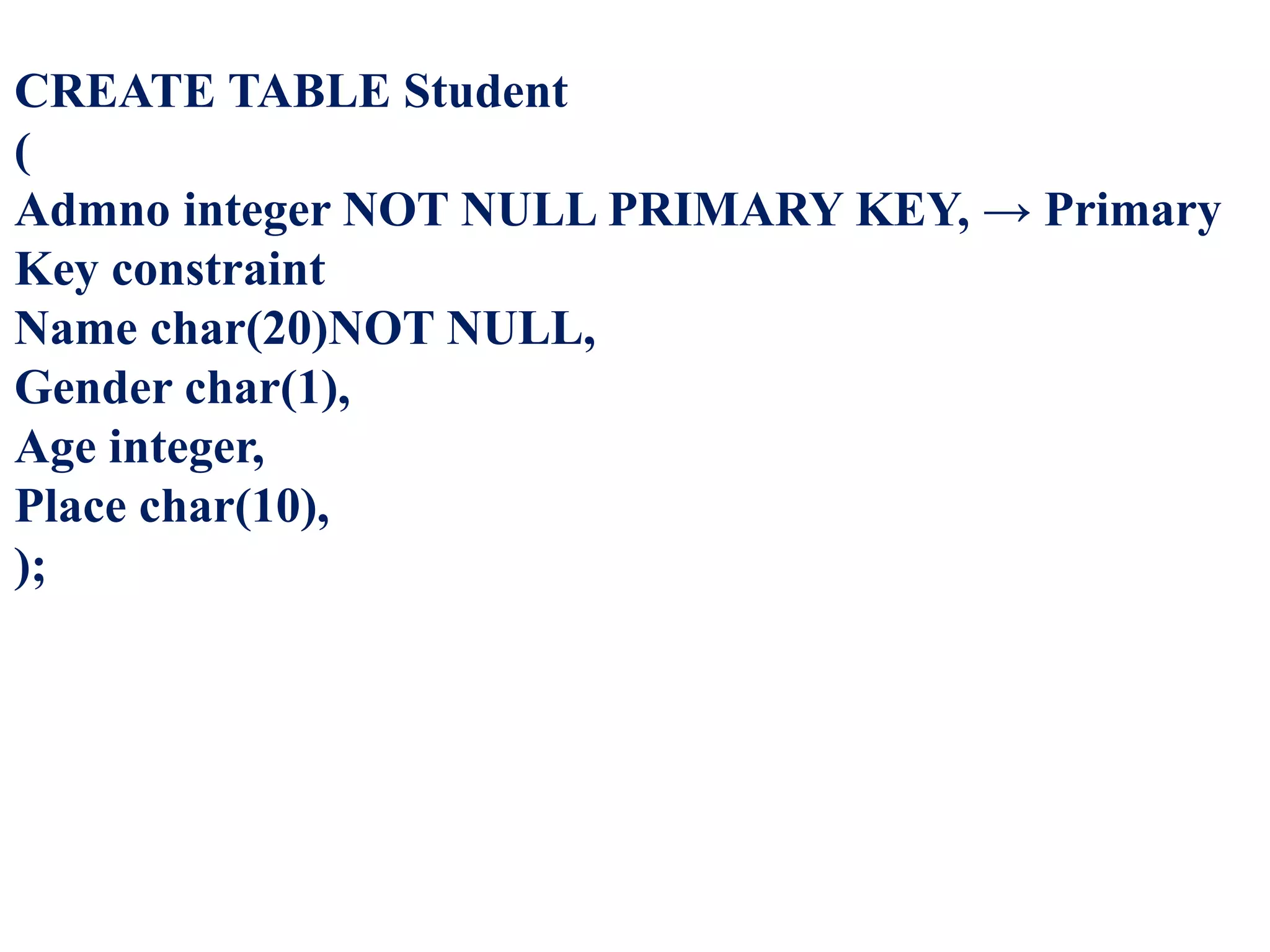
CREATE TABLE Student
(
Admno integer NOT NULL PRIMARY KEY, → Primary
Key constraint
Name char(20)NOT NULL,
Gender char(1),
Age integer,
Place char(10),
);
Type of
Constraints
Constraints ensure database
integrity, therefore known as
database integrity constraints.
The different types of
constraints are :
Unique
CONSTRAIN
T
This constraint
ensures that no
two rows have the
same value in the
specified columns.
CREATE TABLE Student
(Admno integer NOT NULL
UNIQUE, → Unique constraint
Name char (20) NOT NULL,
Gender char (1),
Age integer,
Place char (10),
);
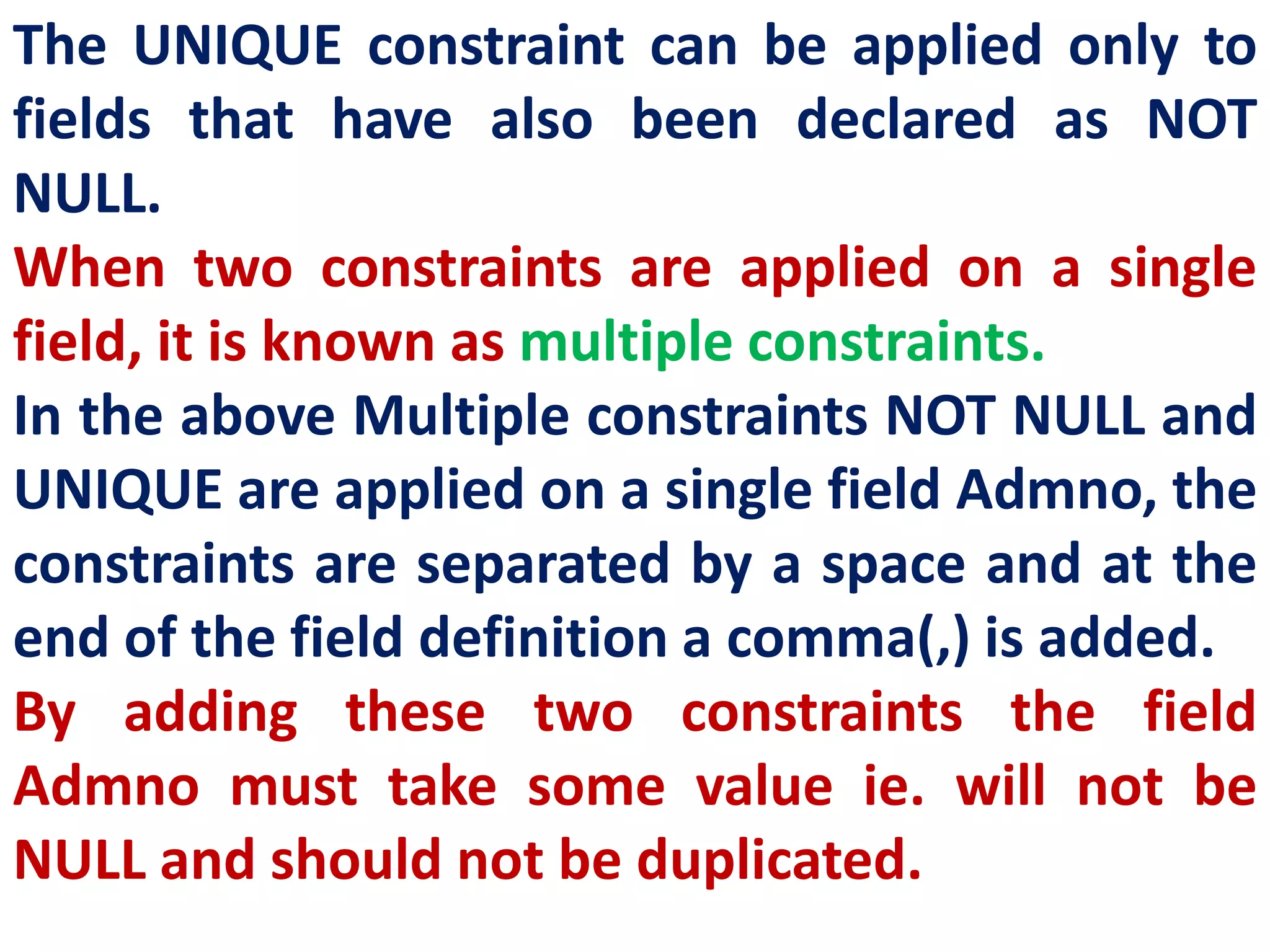
The UNIQUE constraint can be applied only to
fields that have also been declared as NOT
NULL.
When two constraints are applied on a single
field, it is known as multiple constraints.
In the above Multiple constraints NOT NULL and
UNIQUE are applied on a single field Admno, the
constraints are separated by a space and at the
end of the field definition a comma(,) is added.
By adding these two constraints the field
Admno must take some value ie. will not be
NULL and should not be duplicated.
PRIMARY
KEY
CONSTRAIN
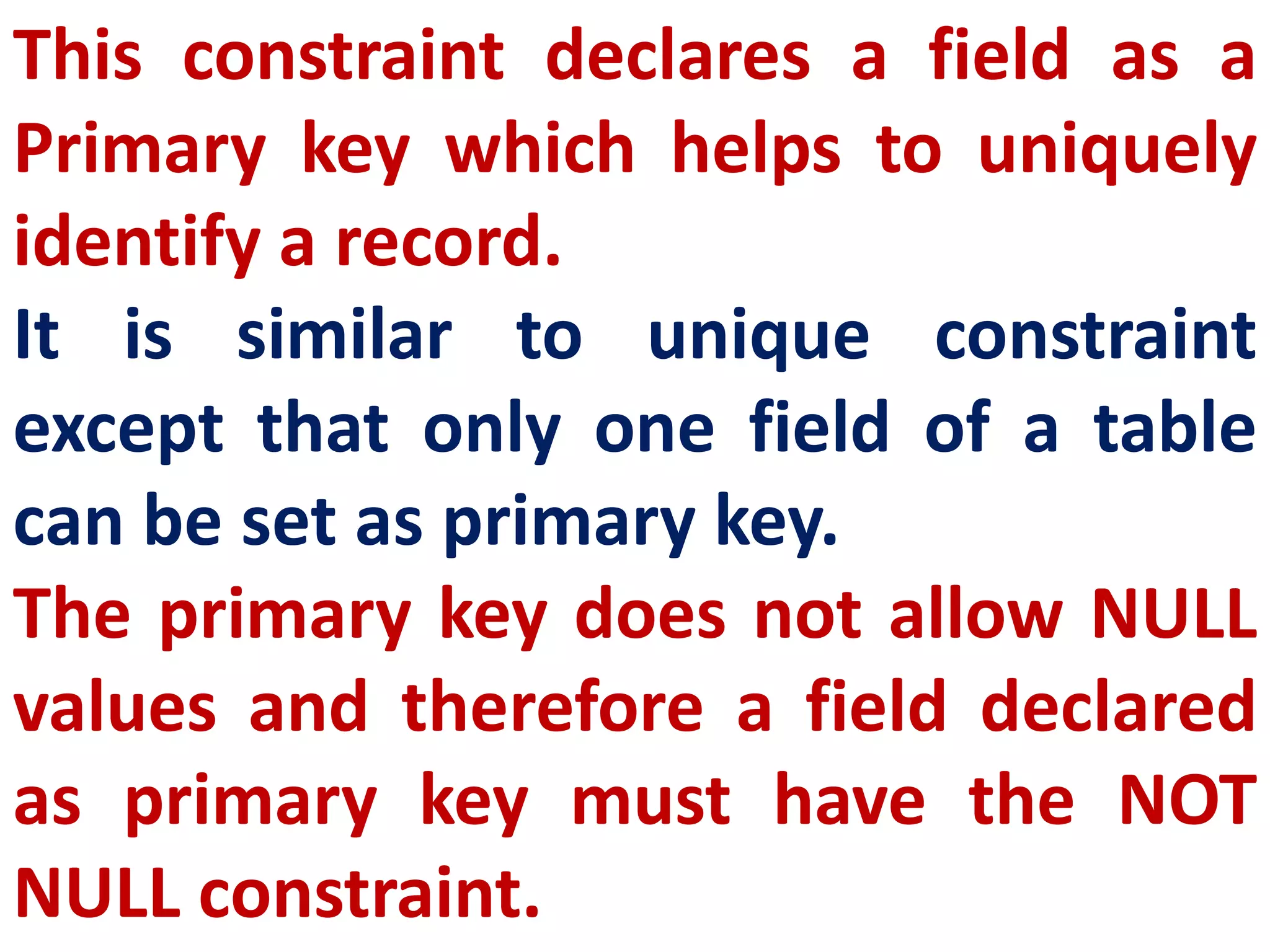
This constraint declares a field as a
Primary key which helps to uniquely
identify a record.
It is similar to unique constraint
except that only one field of a table
can be set as primary key.
The primary key does not allow NULL
values and therefore a field declared
as primary key must have the NOT
NULL constraint.
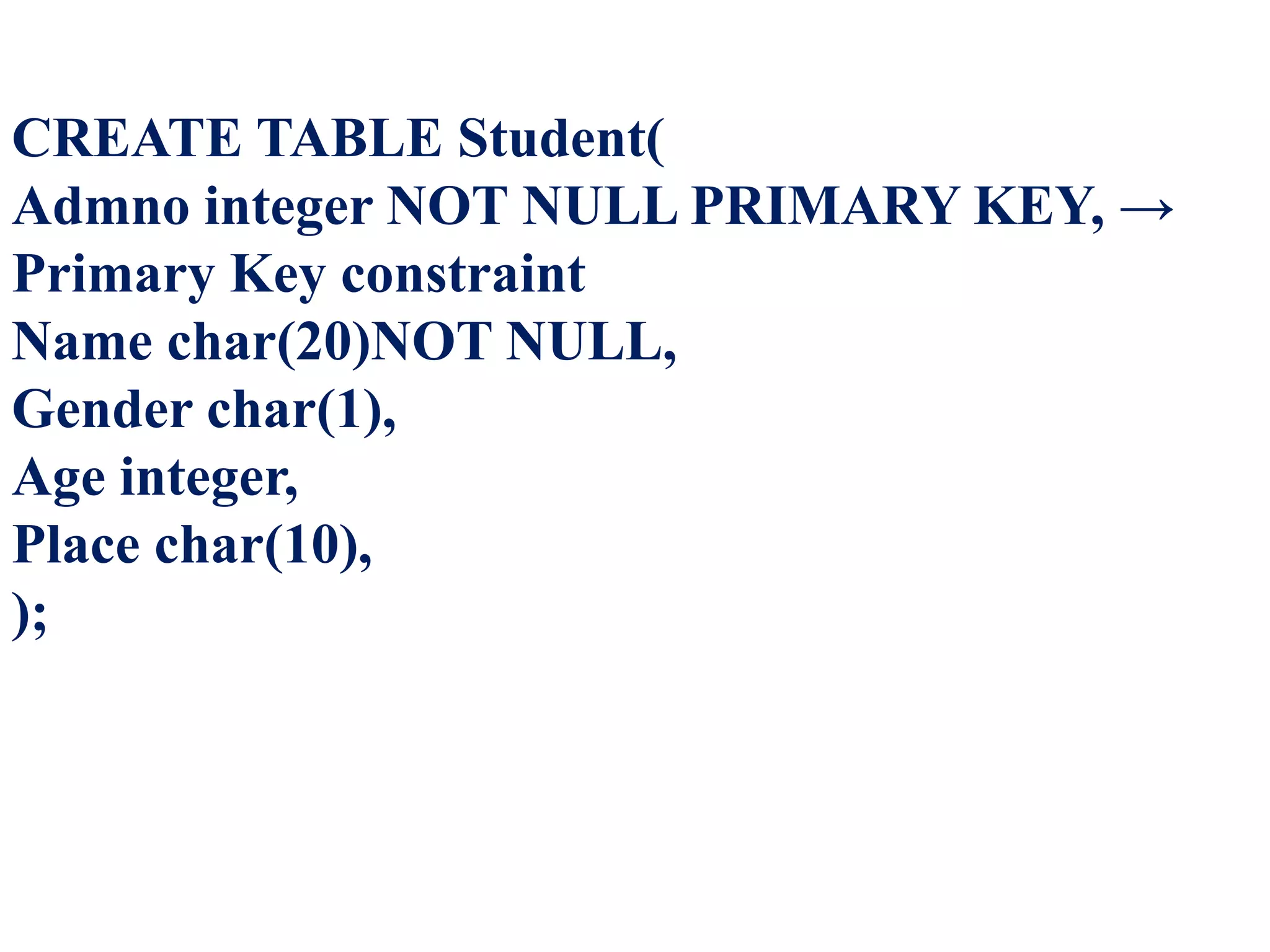
CREATE TABLE Student(
Admno integer NOT NULL PRIMARY KEY, →
Primary Key constraint
Name char(20)NOT NULL,
Gender char(1),
Age integer,
Place char(10),
);
DEFAULT
CONSTRAIN
T
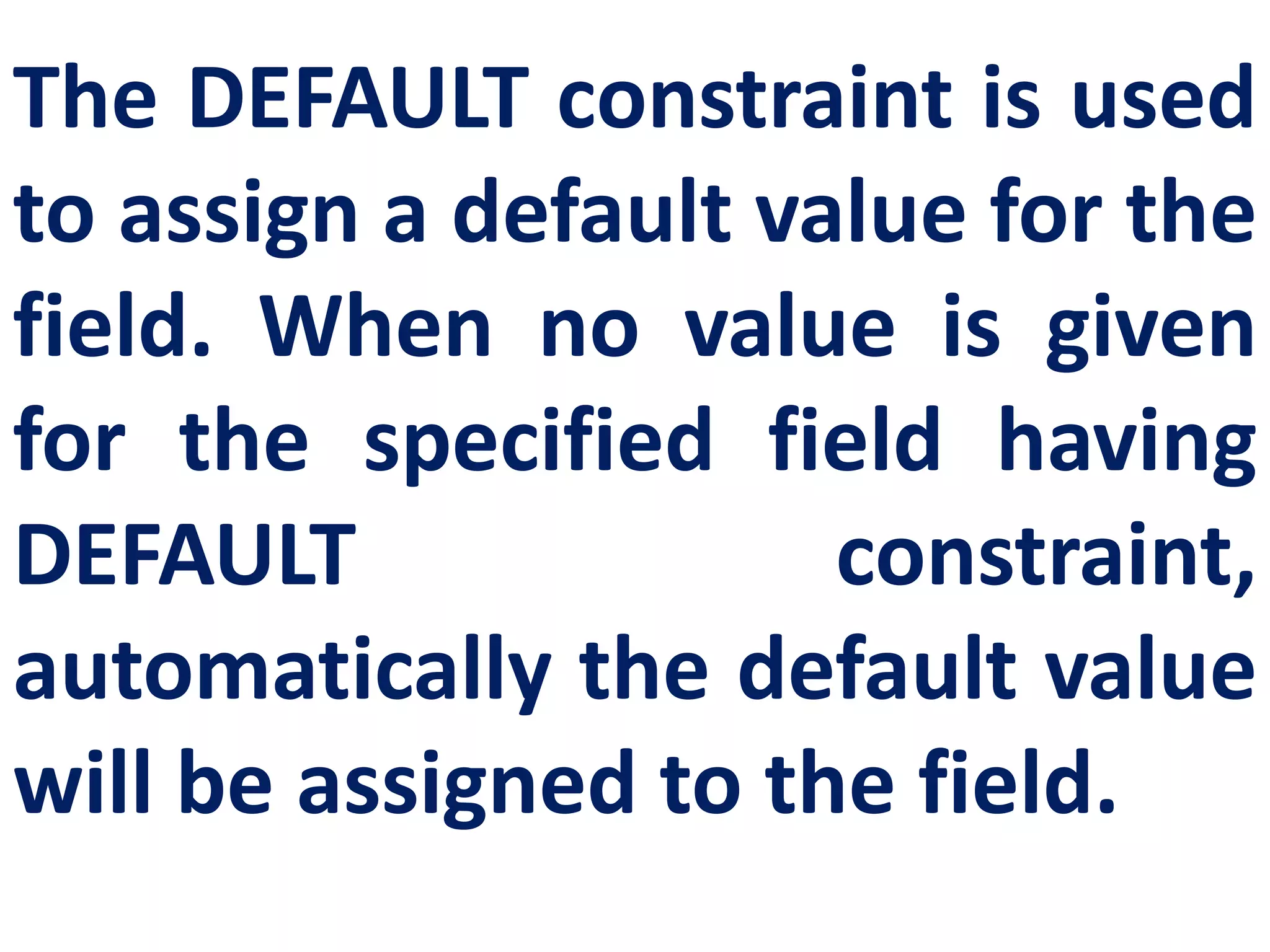
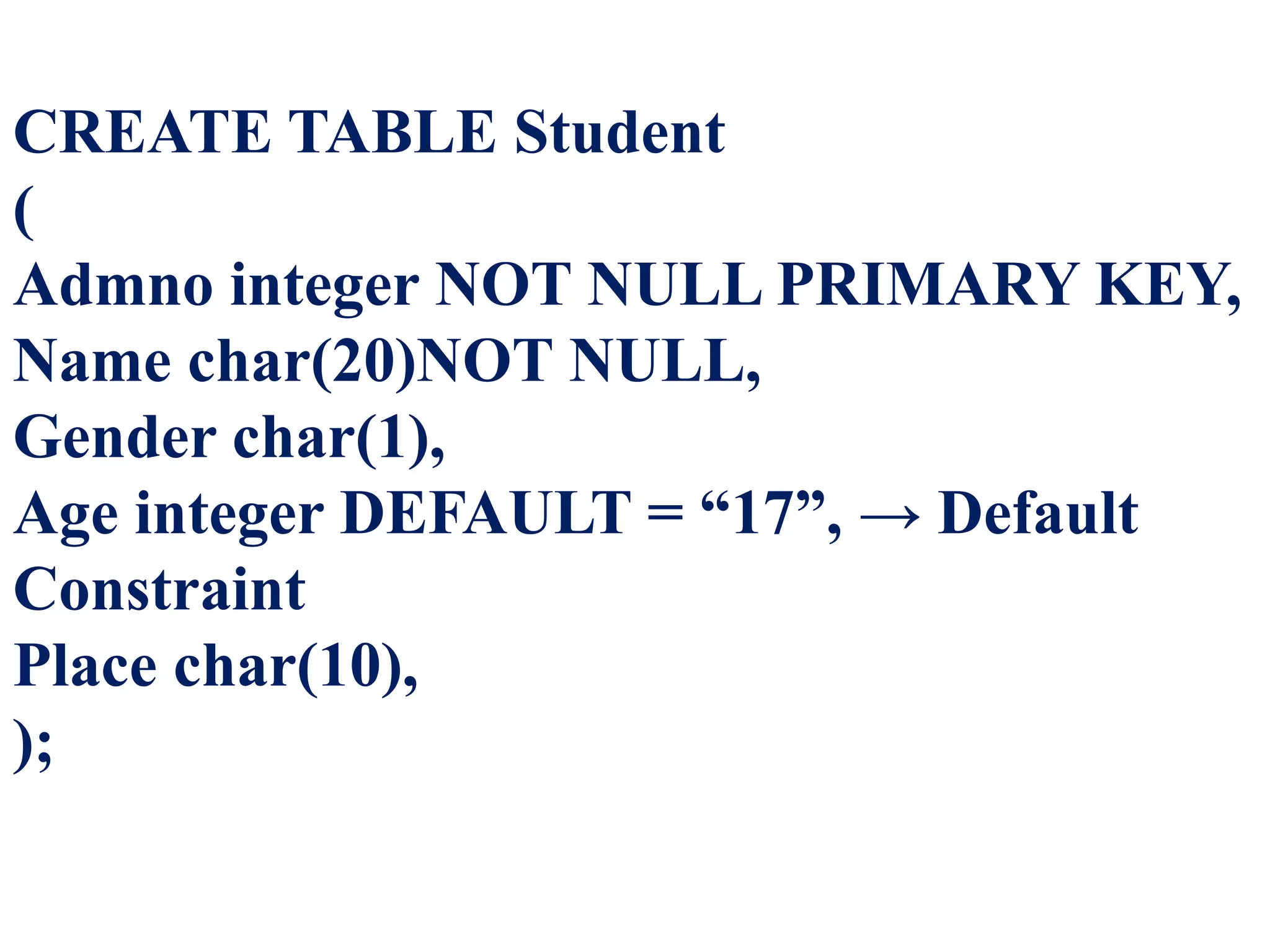
The DEFAULT constraint is used
to assign a default value for the
field. When no value is given
for the specified field having
DEFAULT constraint,
automatically the default value
will be assigned to the field.
CREATE TABLE Student
(
Admno integer NOT NULL PRIMARY KEY,
Name char(20)NOT NULL,
Gender char(1),
Age integer DEFAULT = “17”, → Default
Constraint
Place char(10),
);
CHECK
CONSTRAIN
T
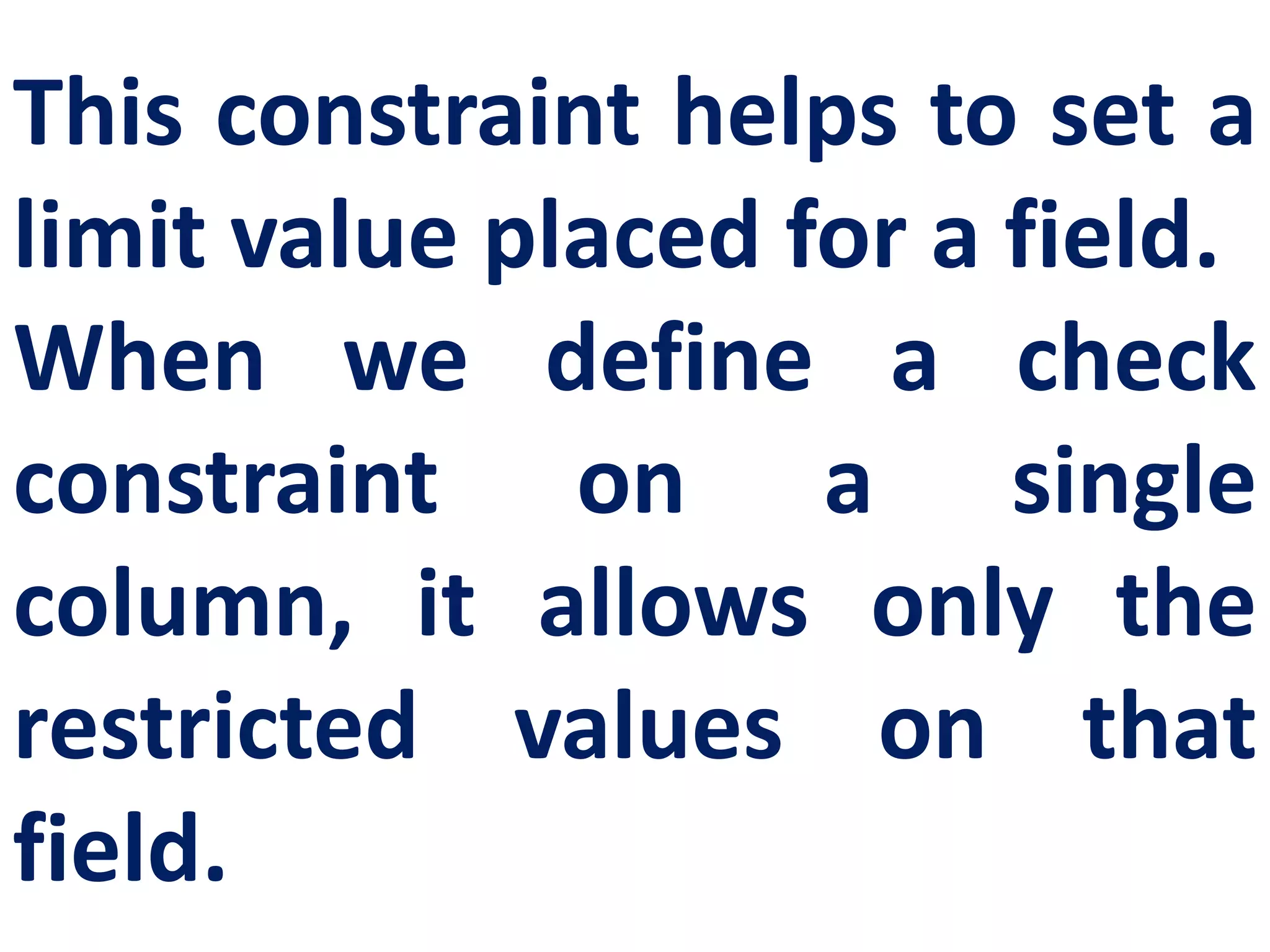
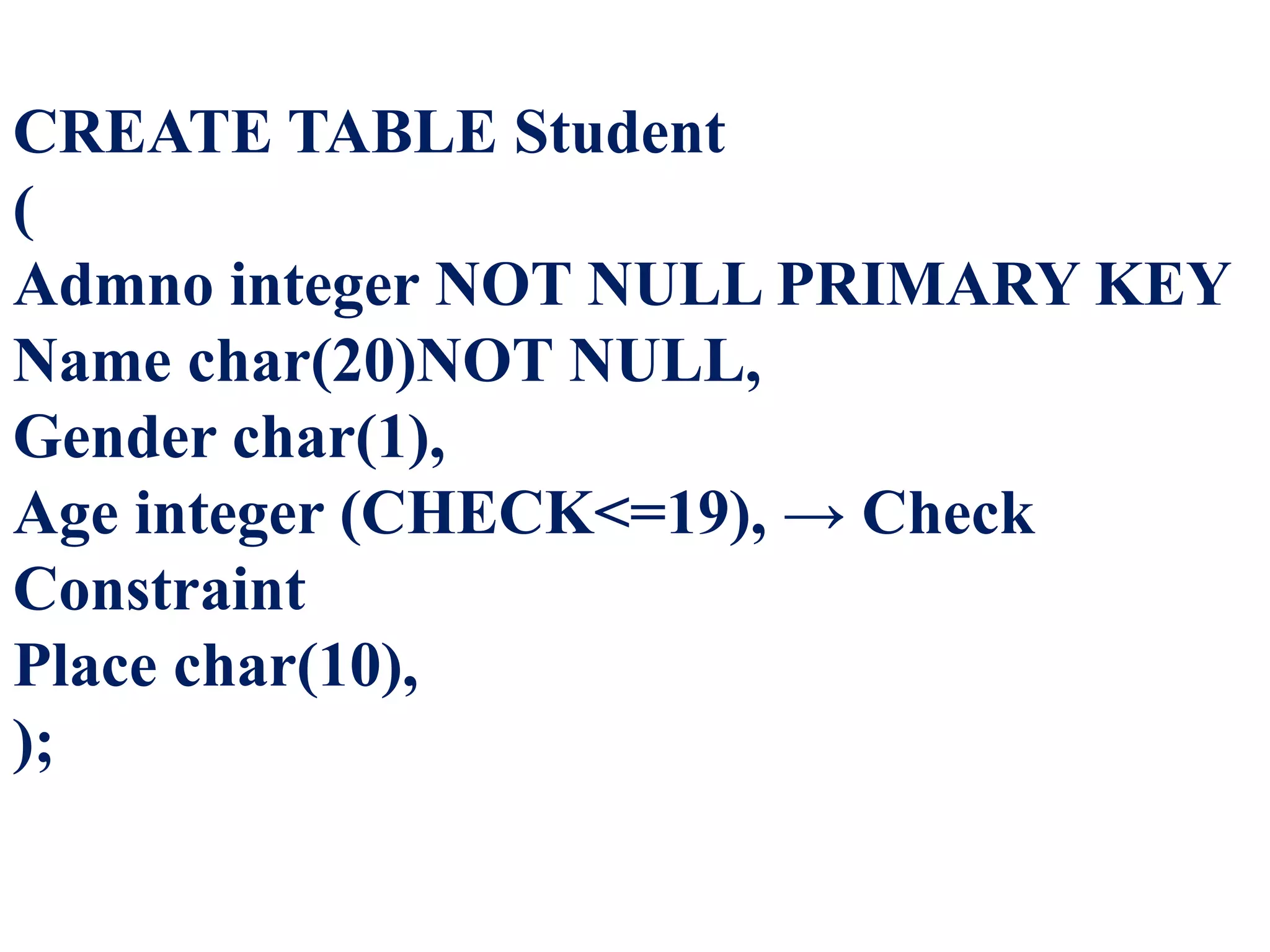
This constraint helps to set a
limit value placed for a field.
When we define a check
constraint on a single
column, it allows only the
restricted values on that
field.
CREATE TABLE Student
(
Admno integer NOT NULL PRIMARY KEY
Name char(20)NOT NULL,
Gender char(1),
Age integer (CHECK<=19), → Check
Constraint
Place char(10),
);
TABLE
CONSTRAIN
T
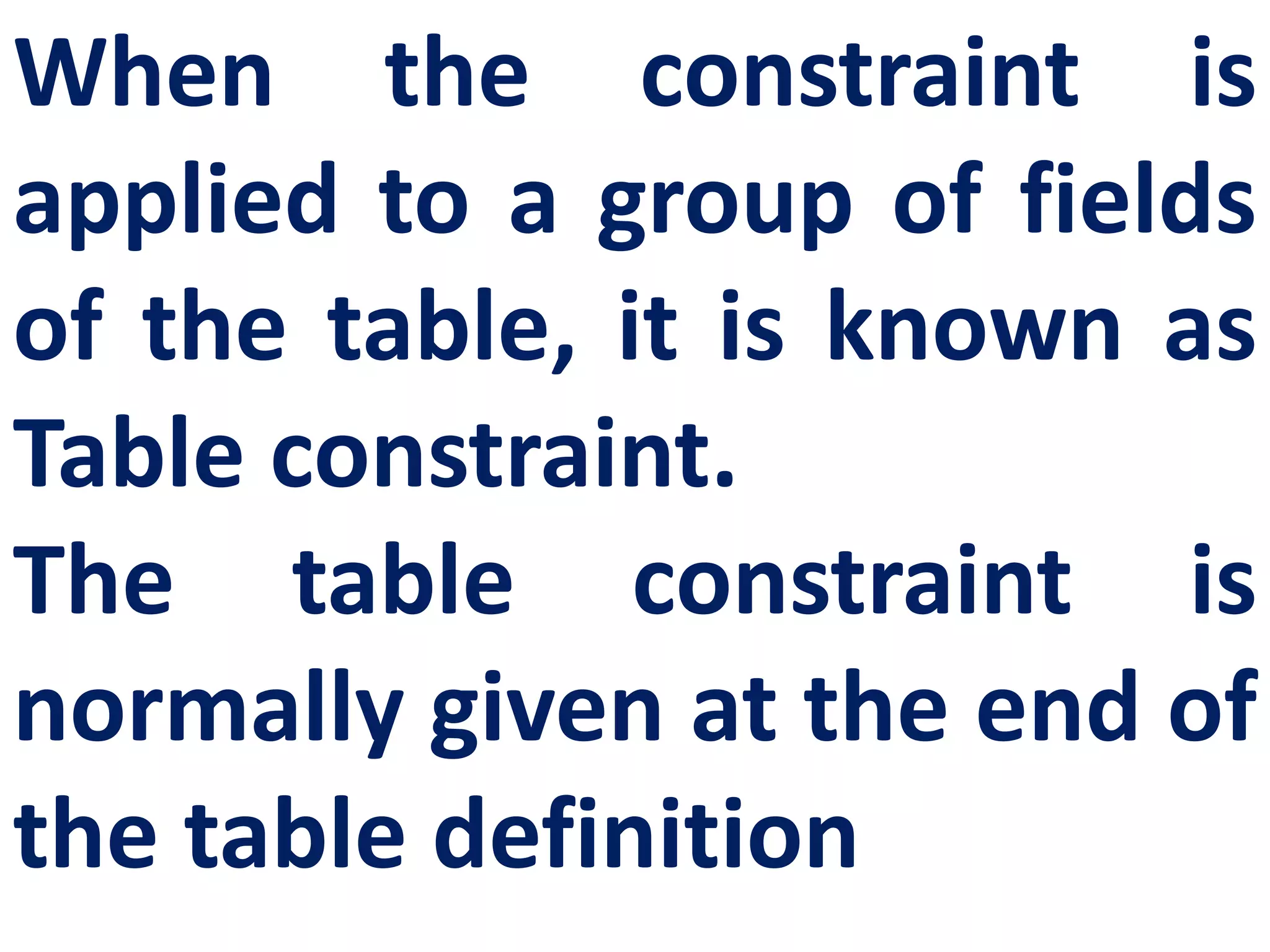
When the constraint is
applied to a group of fields
of the table, it is known as
Table constraint.
The table constraint is
normally given at the end of
the table definition
DML
COMMANDS
Once the schema or
structure of the table is
created, values can be added
to the table.
The DML commands consist
of inserting, deleting and
updating rows into the table.
Insert
Inserts data into a table
Update
Updates the existing data within a
table.
Delete
Deletes all records from a table, but
not the space occupied by them.
DML COMMANDS
INSERT
COMMANDS
The INSERT command helps
to add new data to the
database or add new records
to the table. The command is
used as follows:
INSERT INTO <table-name>
[column-list] VALUES (values);
SYNTAX
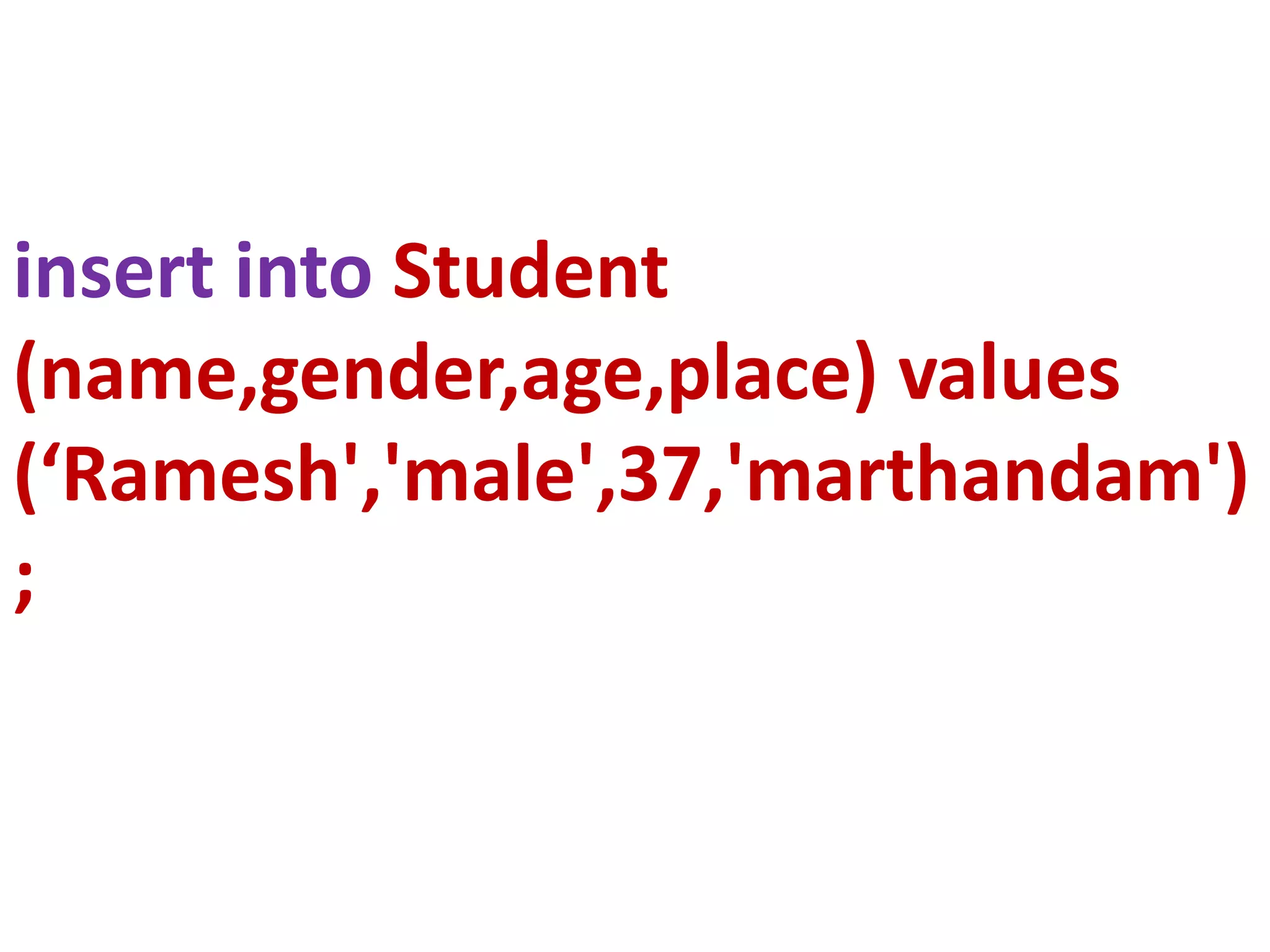
insert into Student
(name,gender,age,place) values
(‘Ramesh','male',37,'marthandam')
;
DELETE
COMMAND
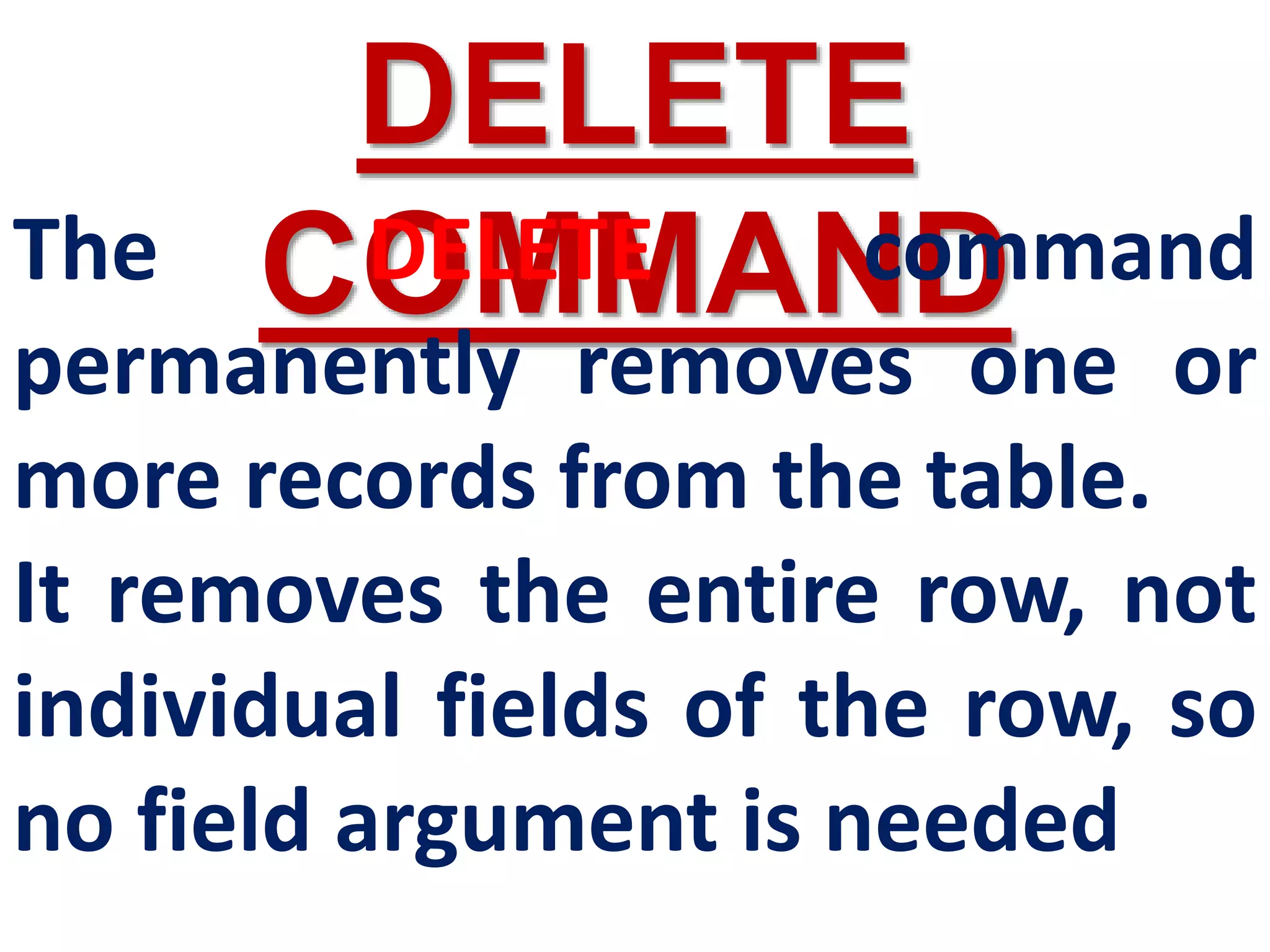
The DELETE command
permanently removes one or
more records from the table.
It removes the entire row, not
individual fields of the row, so
no field argument is needed
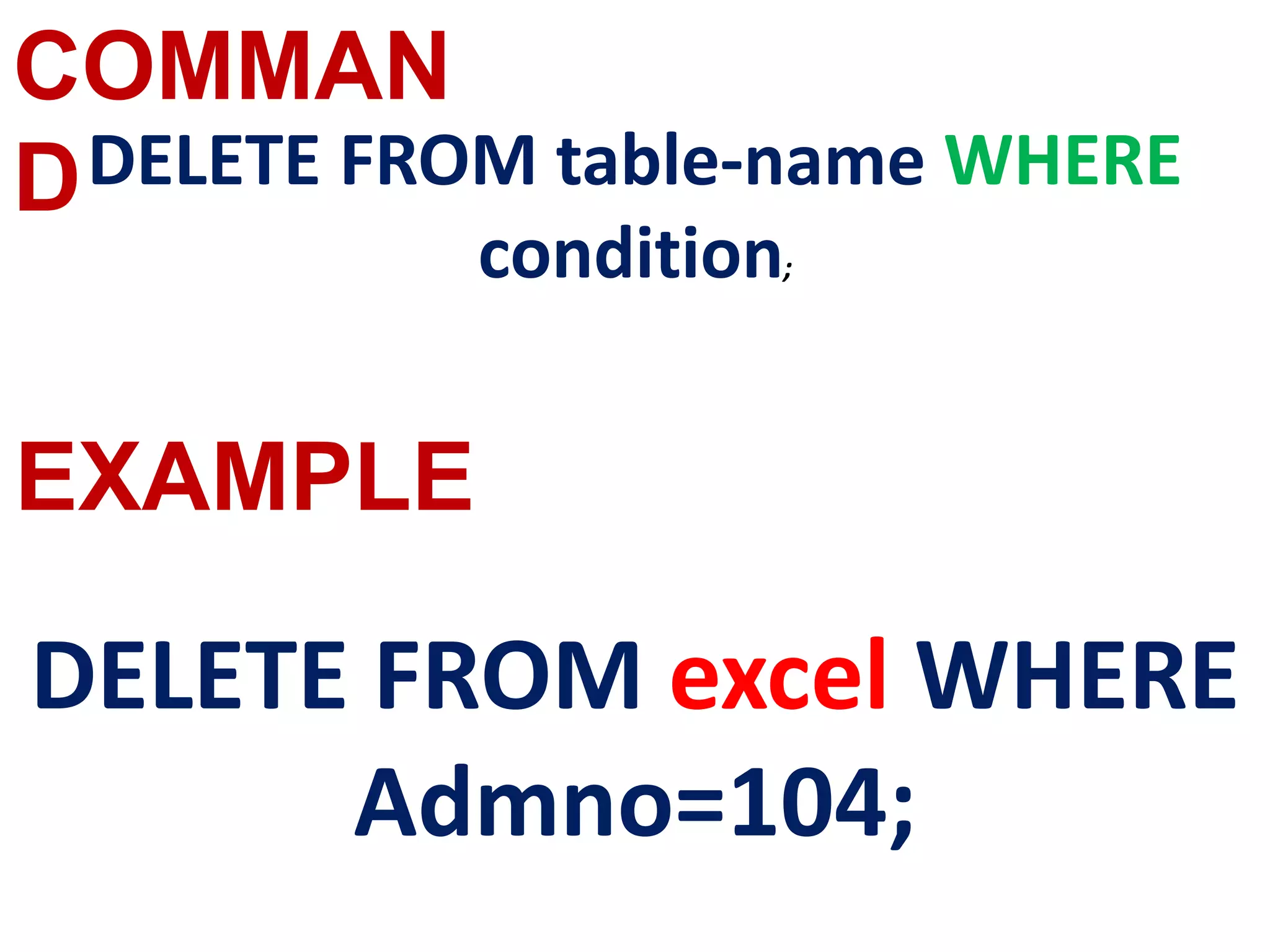
DELETE FROM table-name
WHERE condition;
delete from ebi where
name='excel';
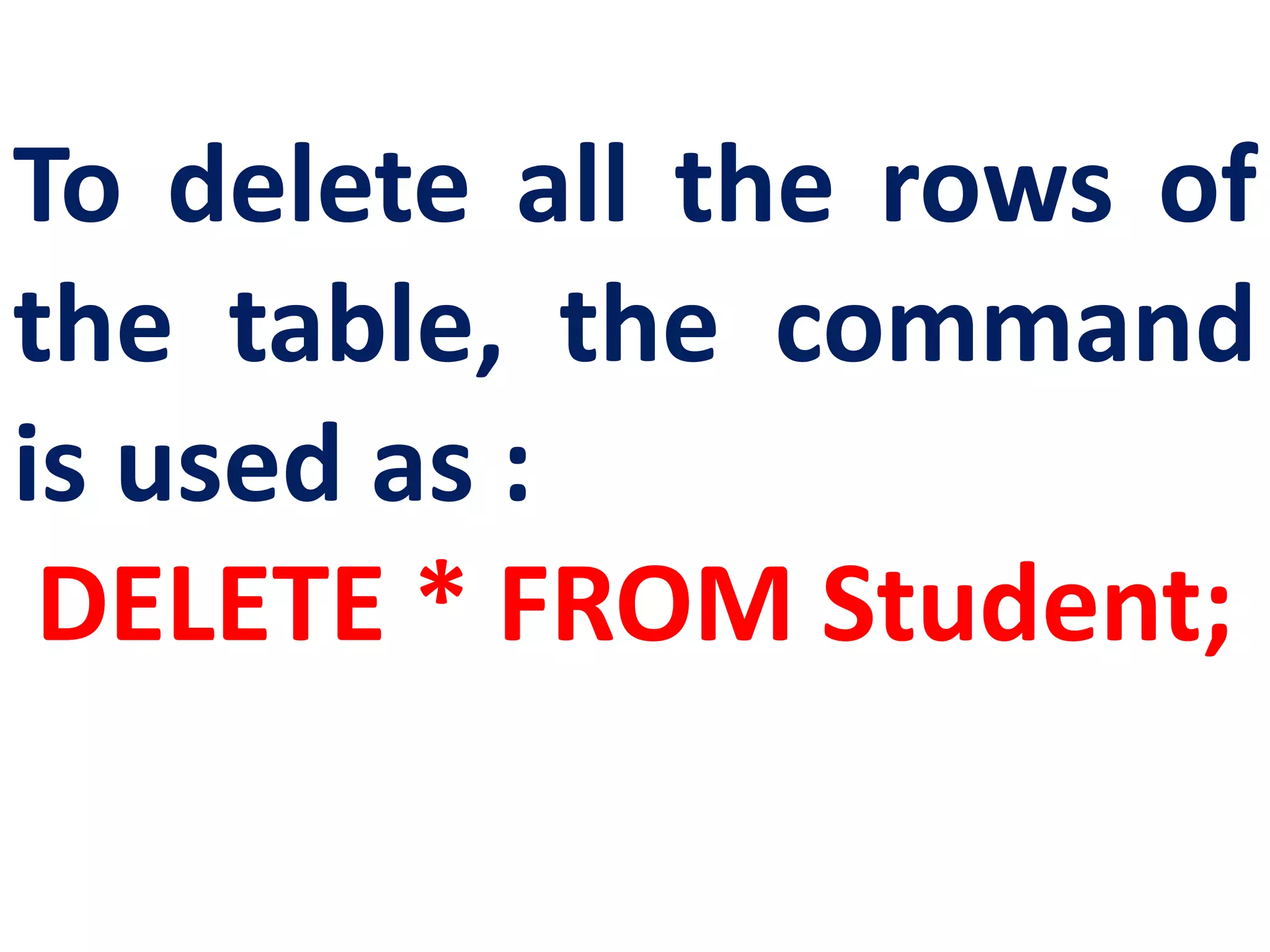
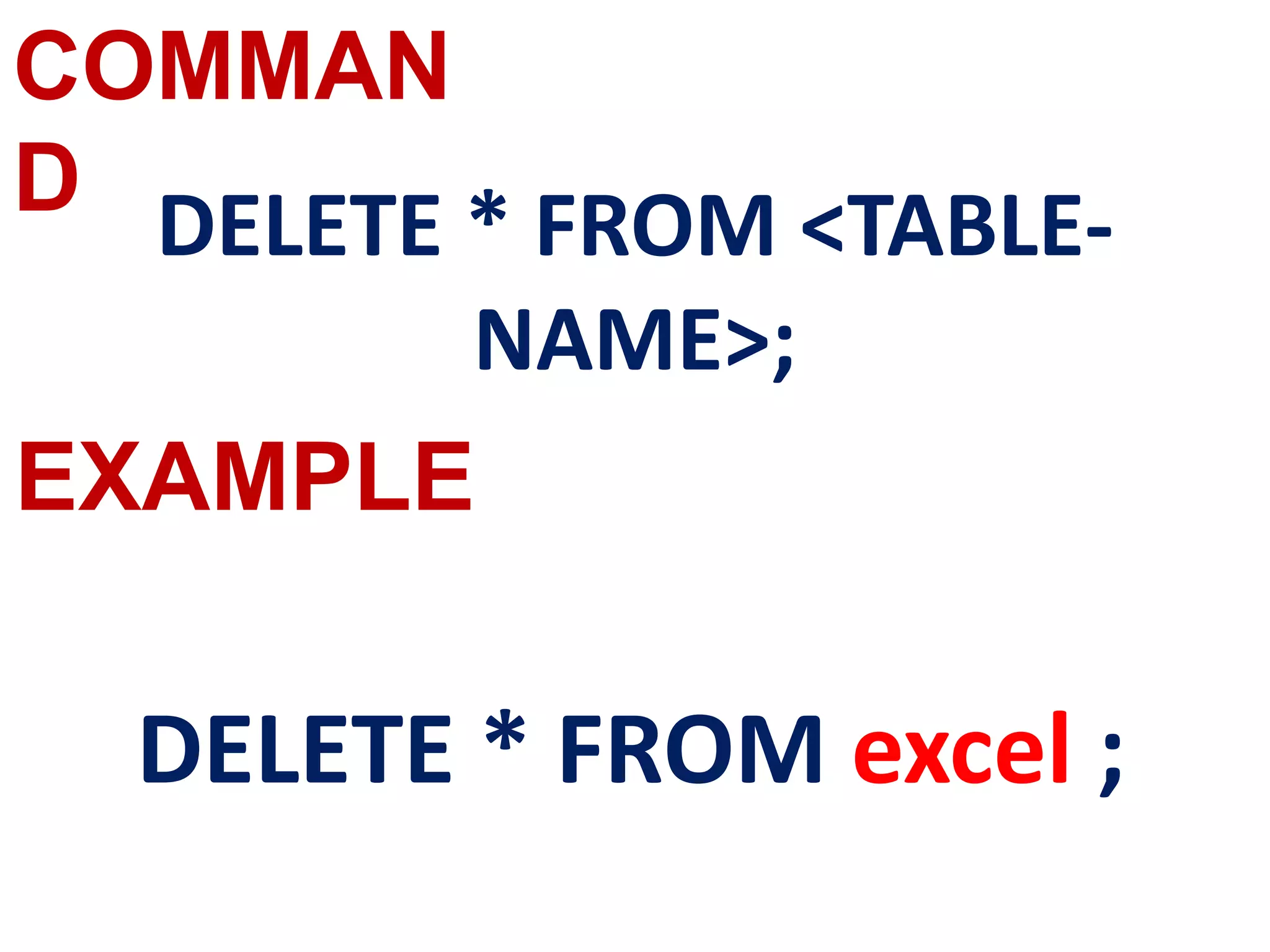
To delete all the rows of
the table, the command
is used as :
DELETE * FROM Student;
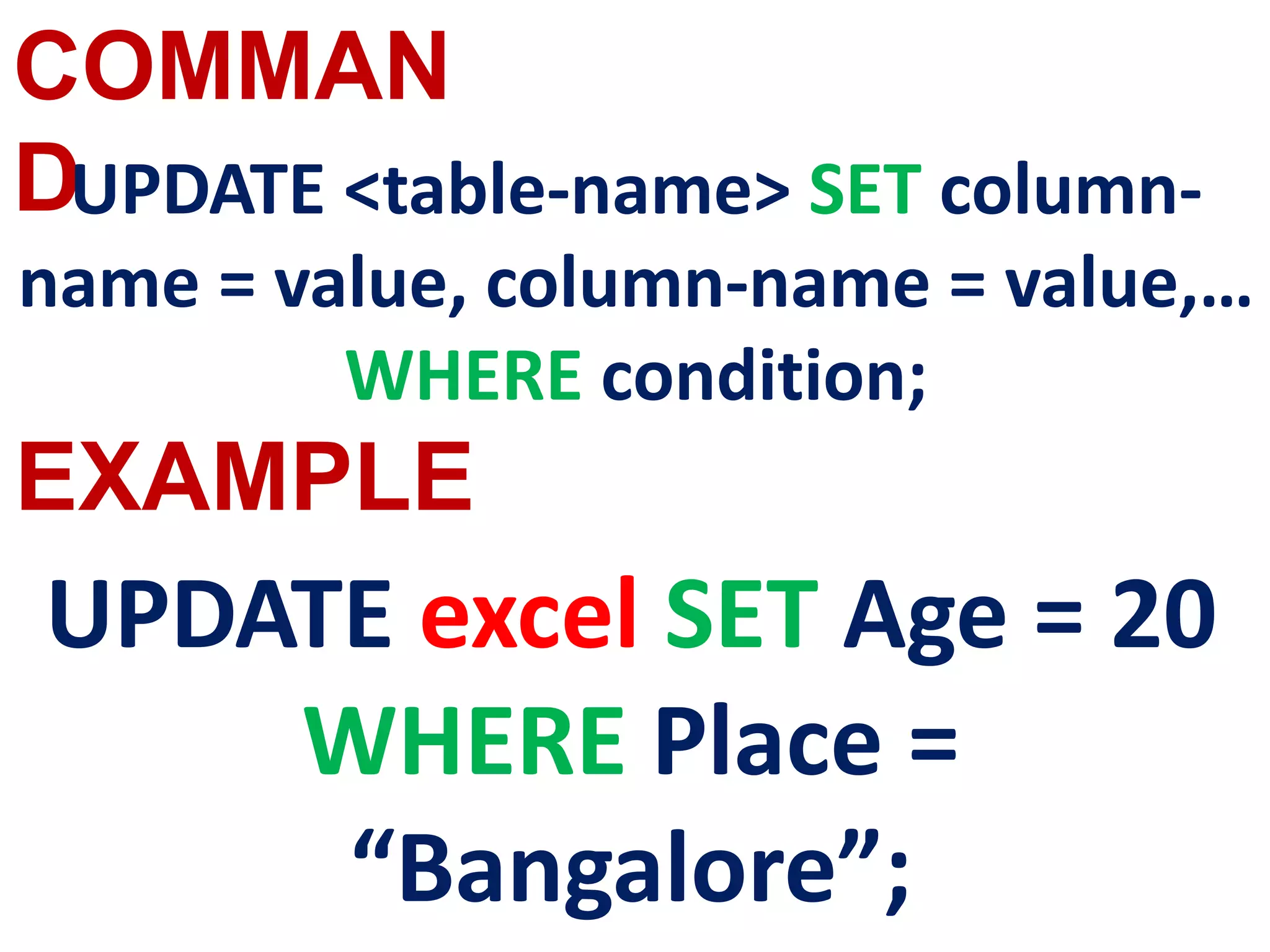
UPDATE COMMAND
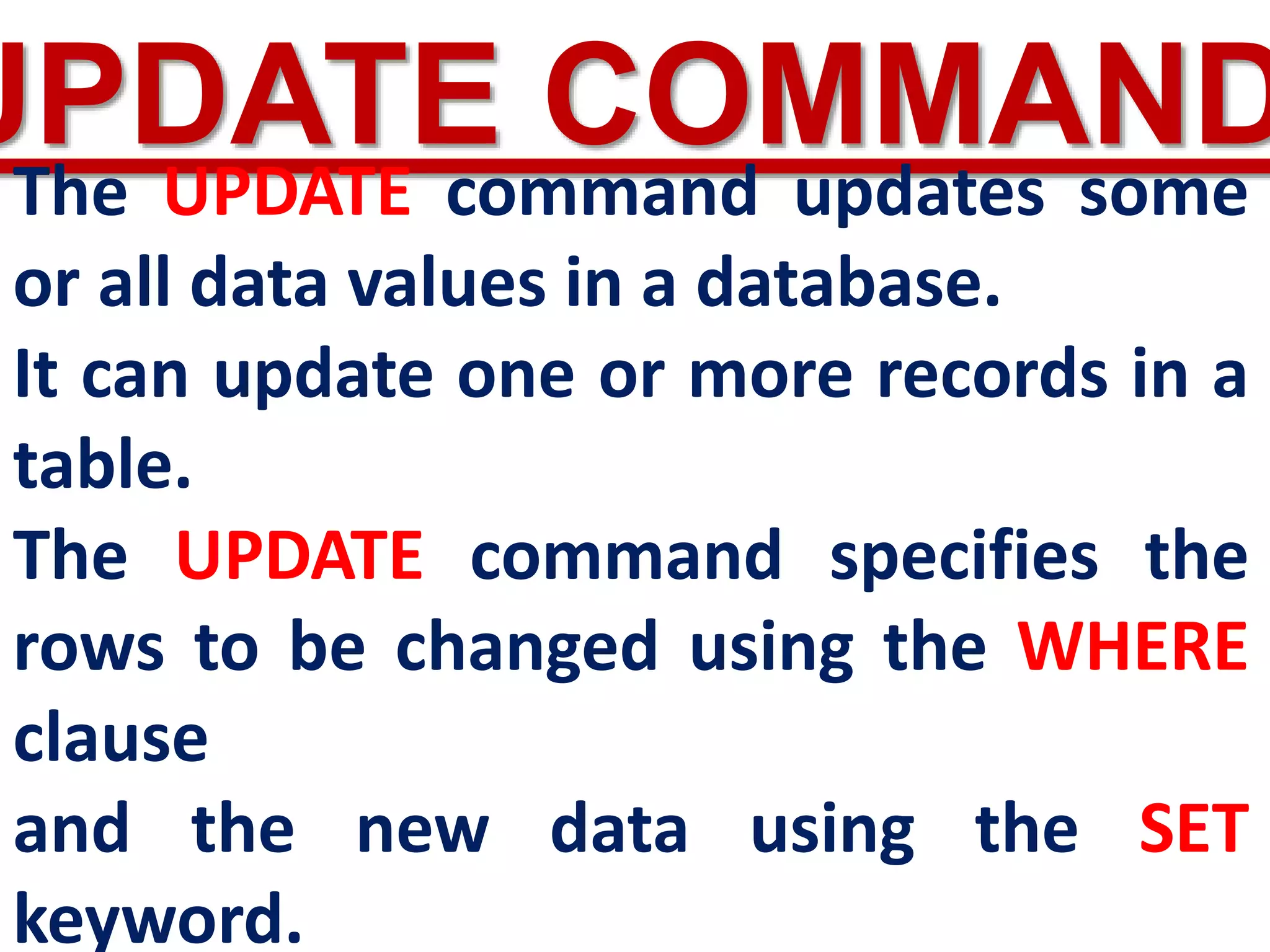
The UPDATE command updates some
or all data values in a database.
It can update one or more records in a
table.
The UPDATE command specifies the
rows to be changed using the WHERE
clause
and the new data using the SET
keyword.
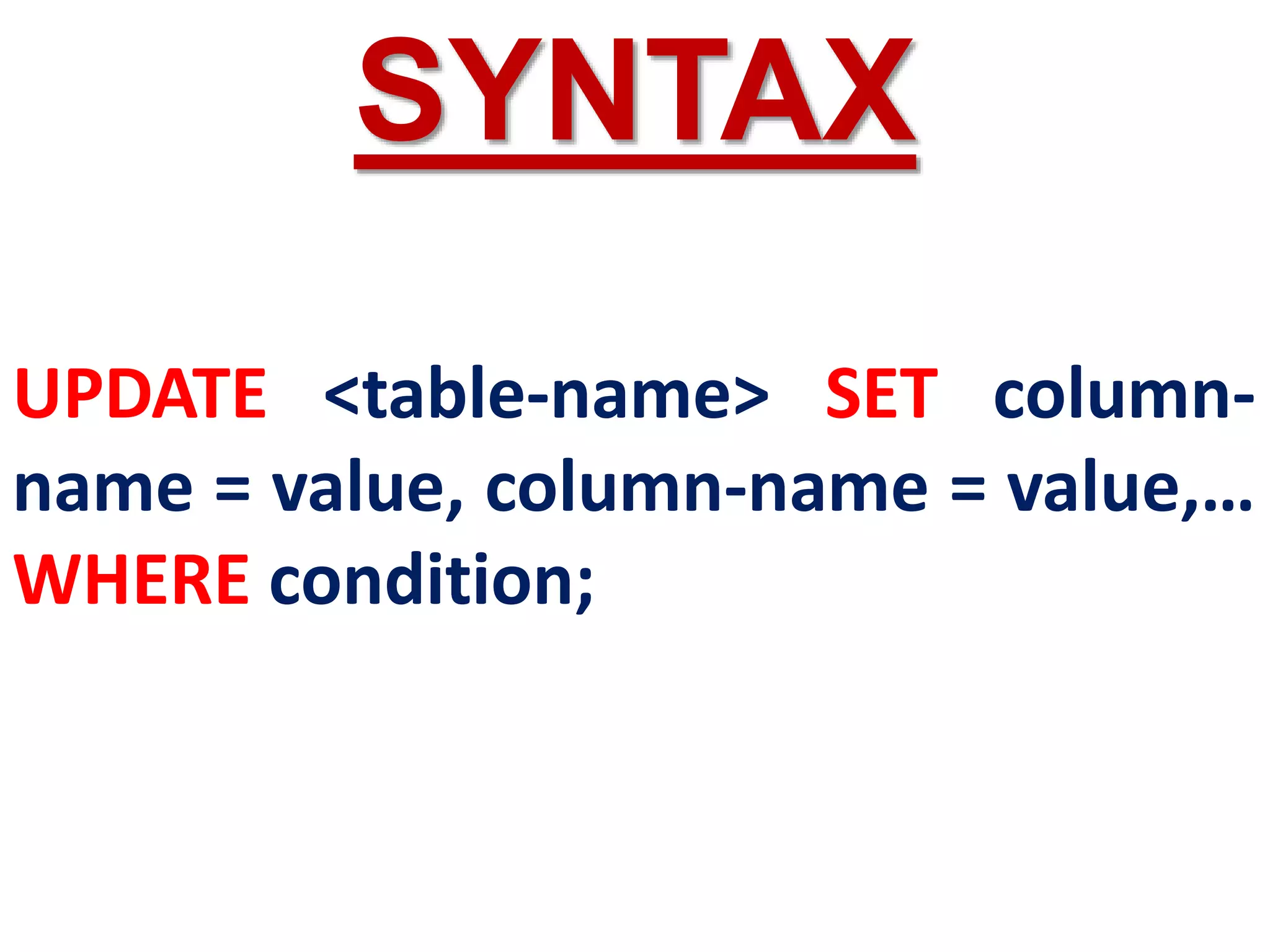
UPDATE <table-name> SET column-
name = value, column-name = value,…
WHERE condition;
SYNTAX
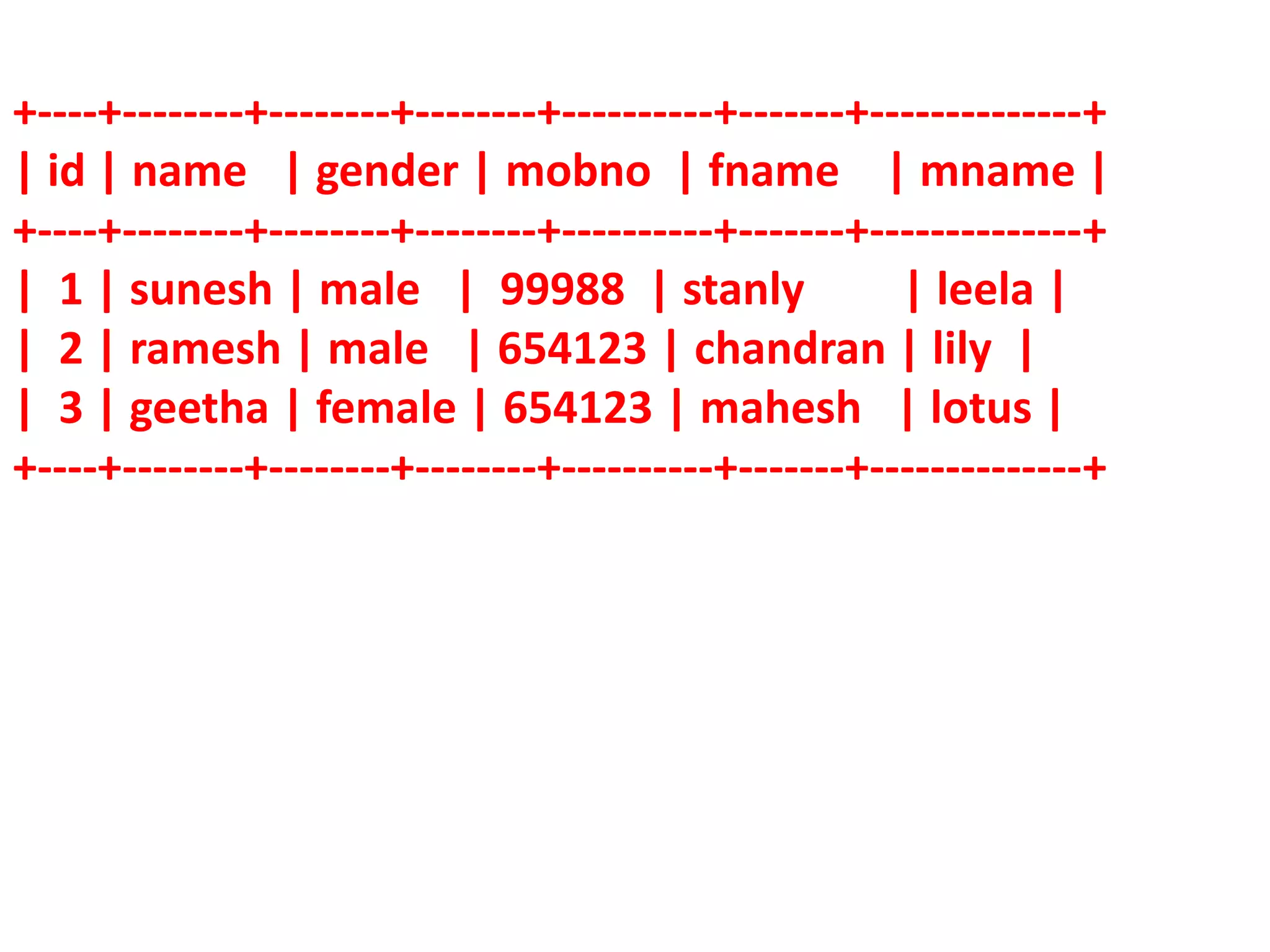
+----+--------+--------+--------+----------+-------+--------------+
| id | name | gender | mobno | fname | mname |
+----+--------+--------+--------+----------+-------+--------------+
| 1 | sunesh | male | 99988 | stanly | leela |
| 2 | ramesh | male | 654123 | chandran | lily |
| 3 | geetha | female | 654123 | mahesh | lotus |
+----+--------+--------+--------+----------+-------+--------------+
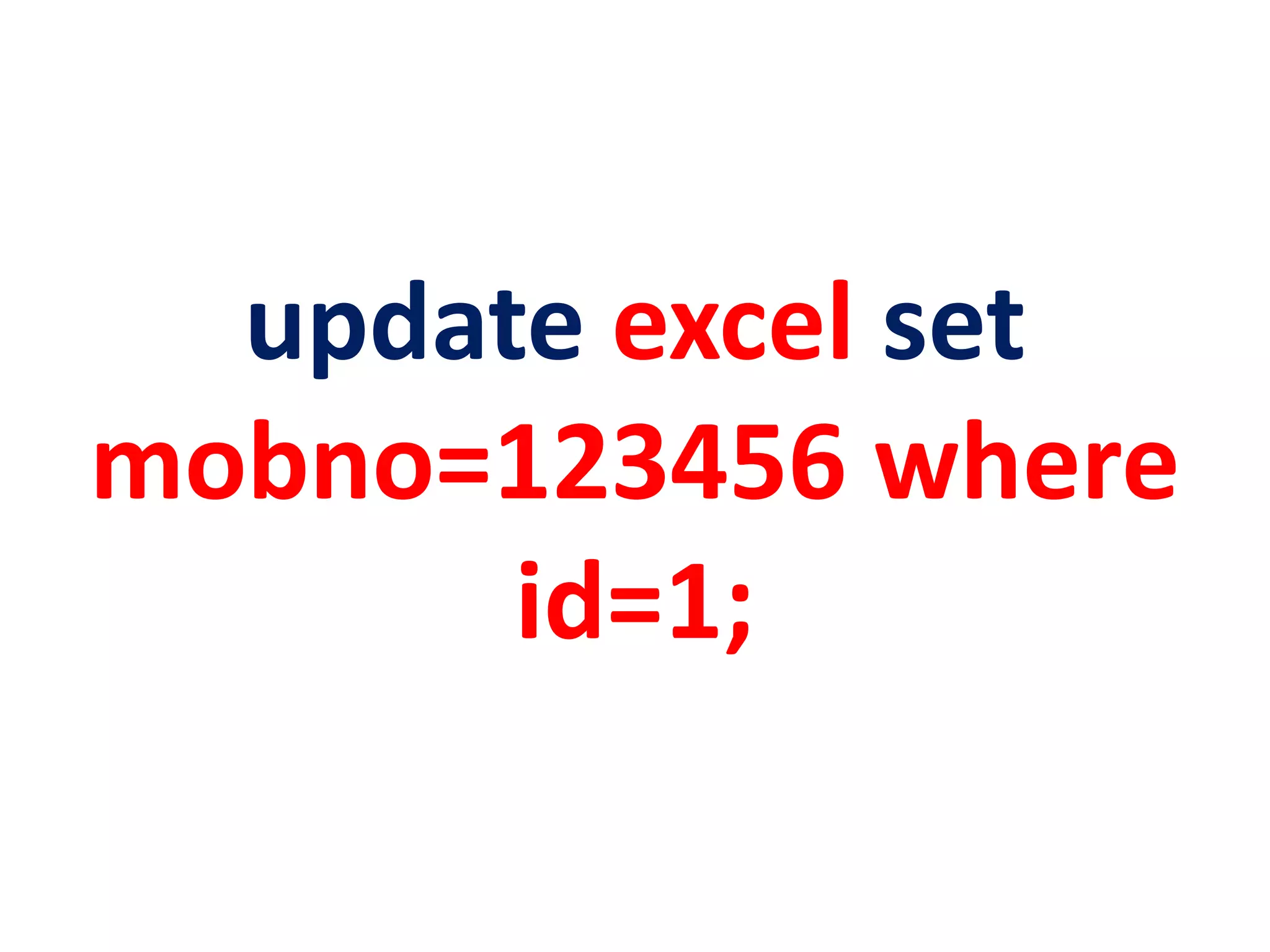
update excel set
mobno=123456 where
id=1;
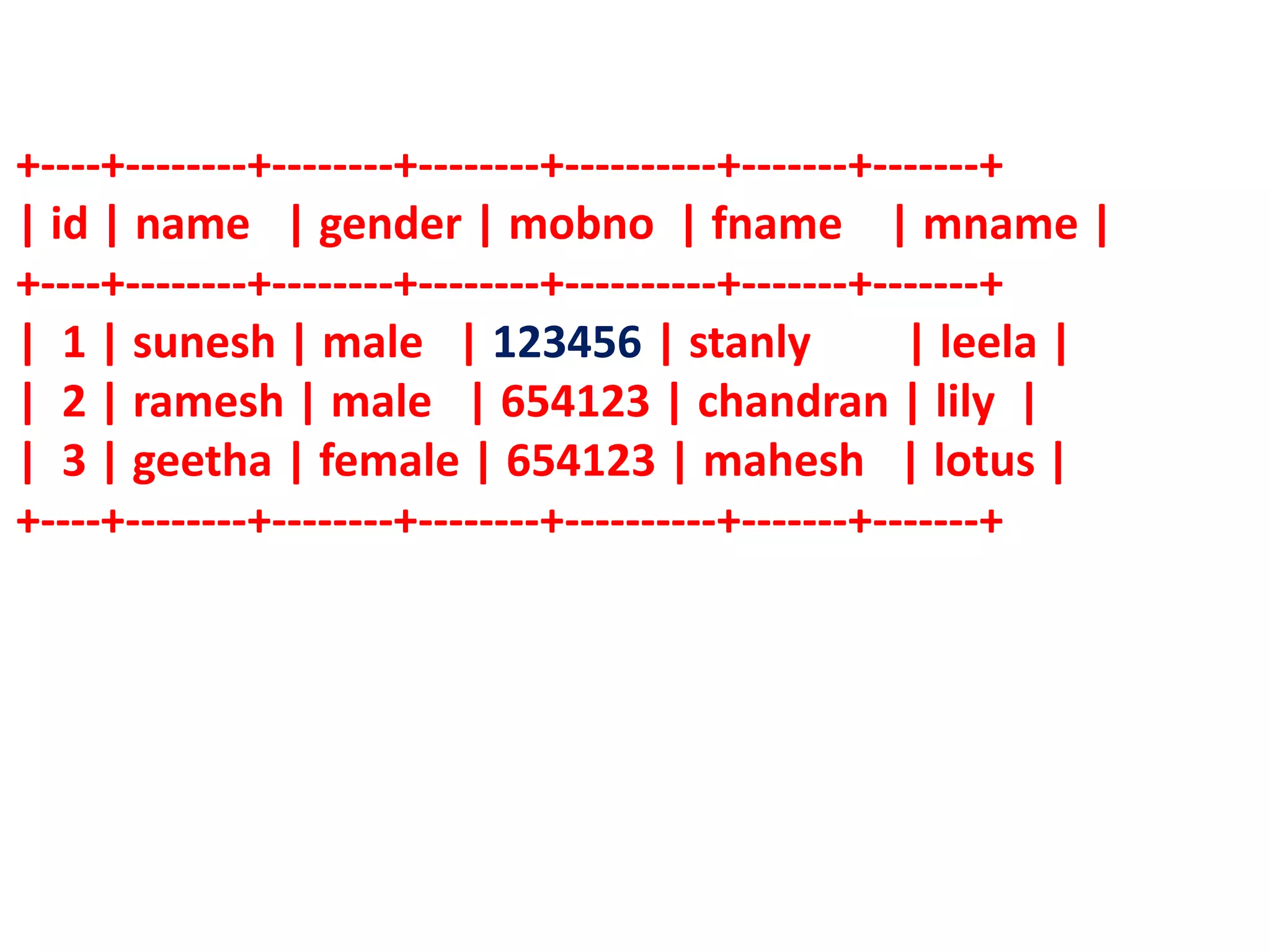
+----+--------+--------+--------+----------+-------+-------+
| id | name | gender | mobno | fname | mname |
+----+--------+--------+--------+----------+-------+-------+
| 1 | sunesh | male | 123456 | stanly | leela |
| 2 | ramesh | male | 654123 | chandran | lily |
| 3 | geetha | female | 654123 | mahesh | lotus |
+----+--------+--------+--------+----------+-------+-------+
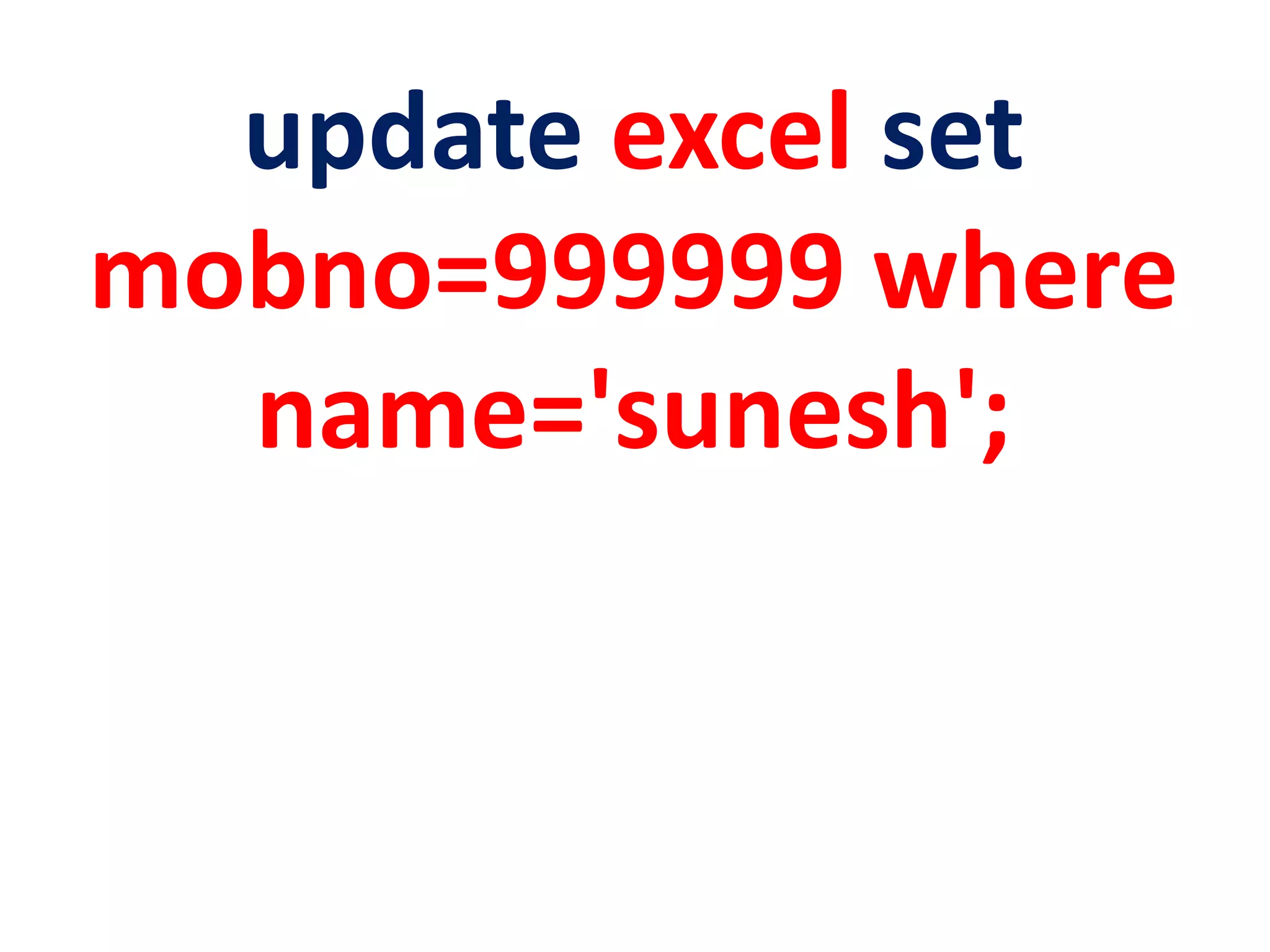
update excel set
mobno=999999 where
name='sunesh';
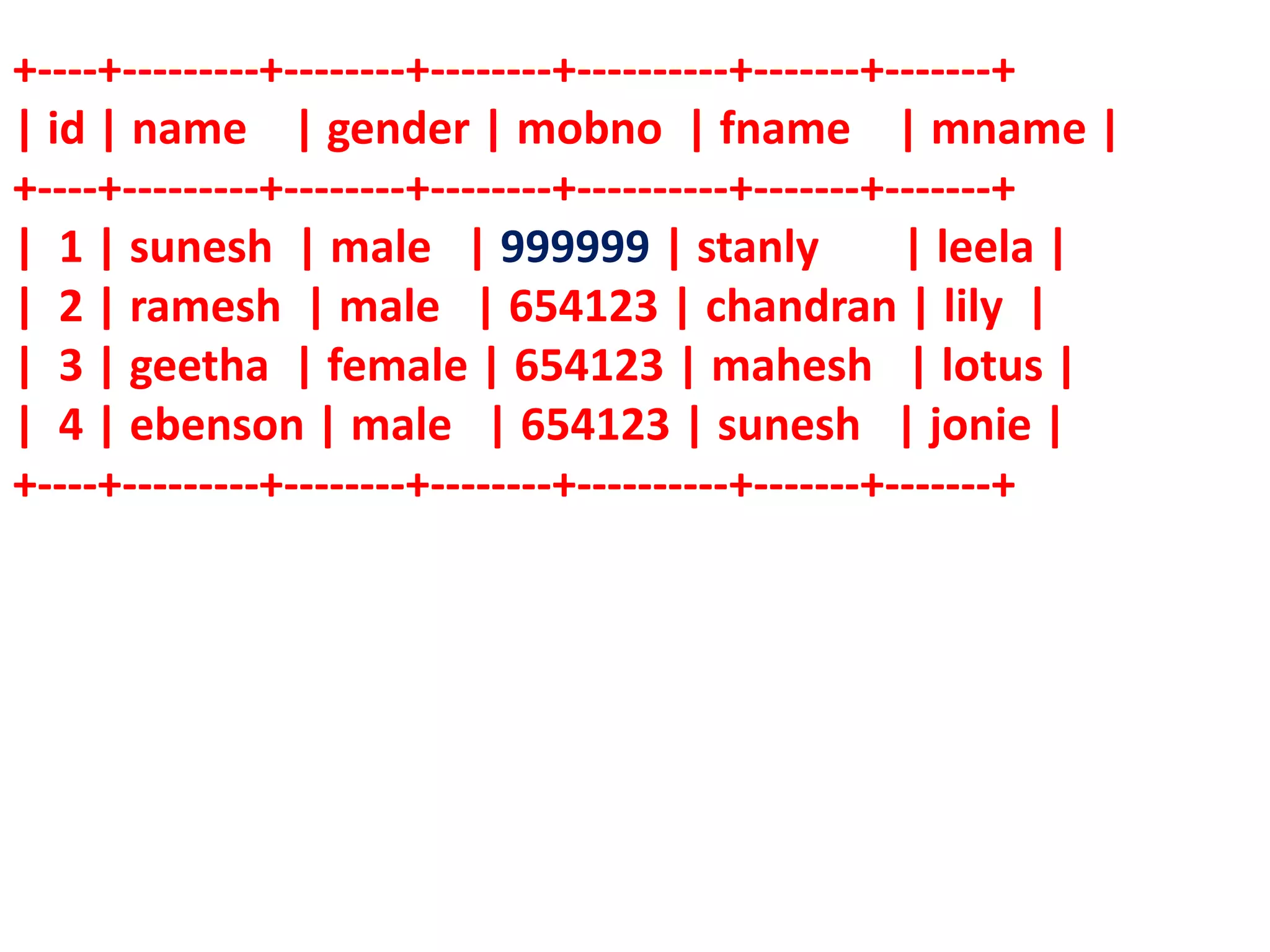
+----+---------+--------+--------+----------+-------+-------+
| id | name | gender | mobno | fname | mname |
+----+---------+--------+--------+----------+-------+-------+
| 1 | sunesh | male | 999999 | stanly | leela |
| 2 | ramesh | male | 654123 | chandran | lily |
| 3 | geetha | female | 654123 | mahesh | lotus |
| 4 | ebenson | male | 654123 | sunesh | jonie |
+----+---------+--------+--------+----------+-------+-------+
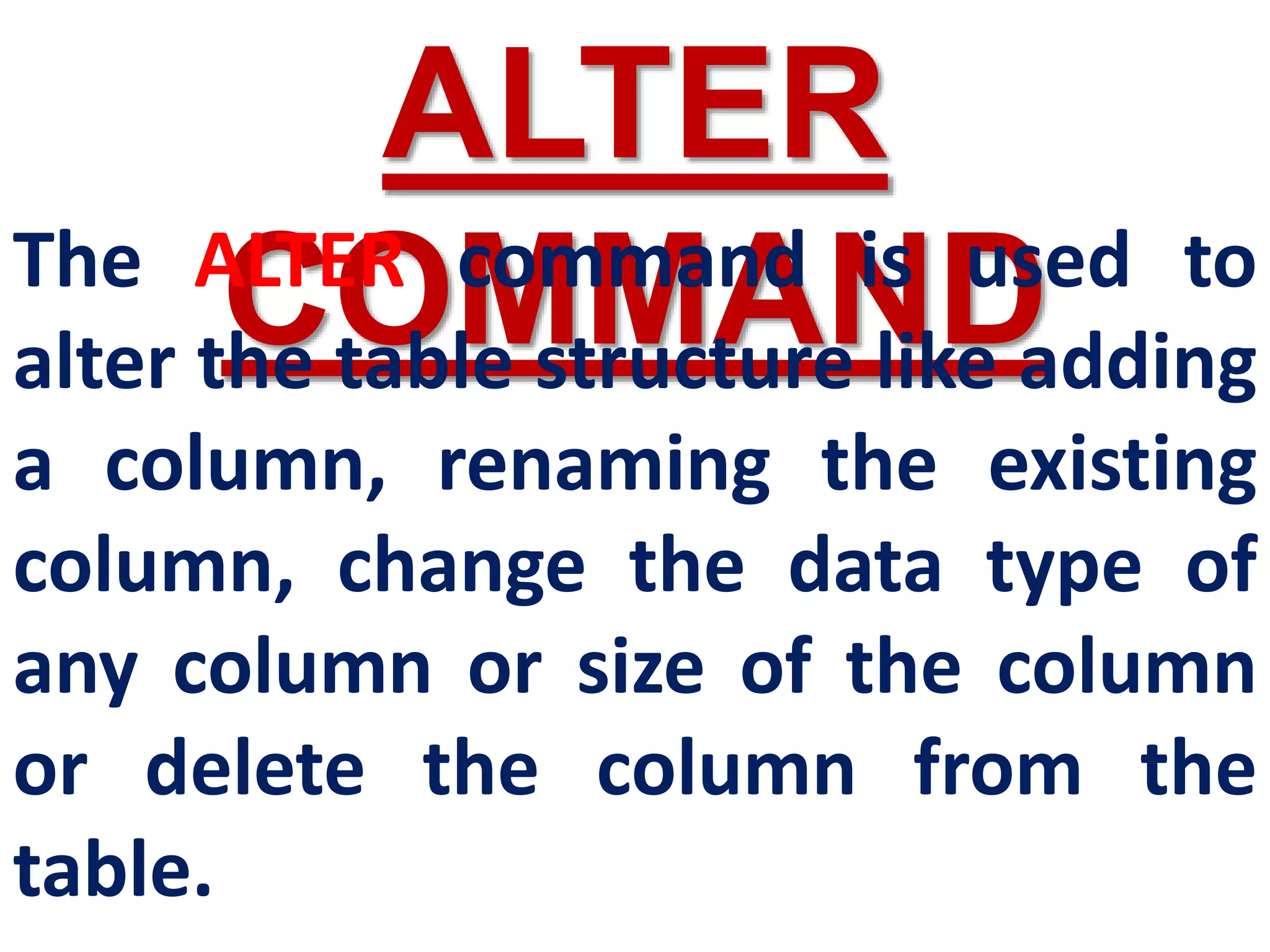
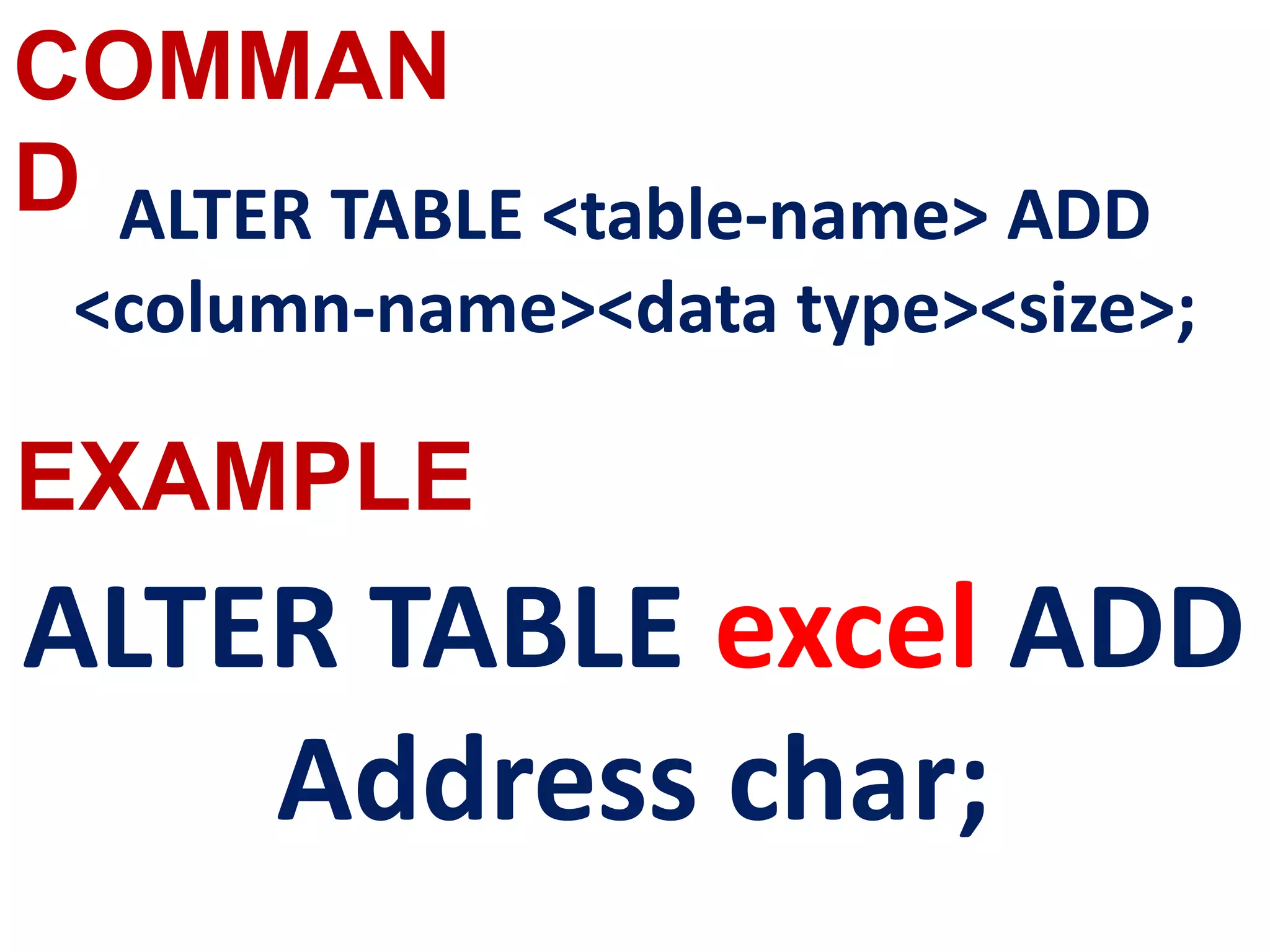
ALTER
COMMAND
The ALTER command is used to
alter the table structure like adding
a column, renaming the existing
column, change the data type of
any column or size of the column
or delete the column from the
table.
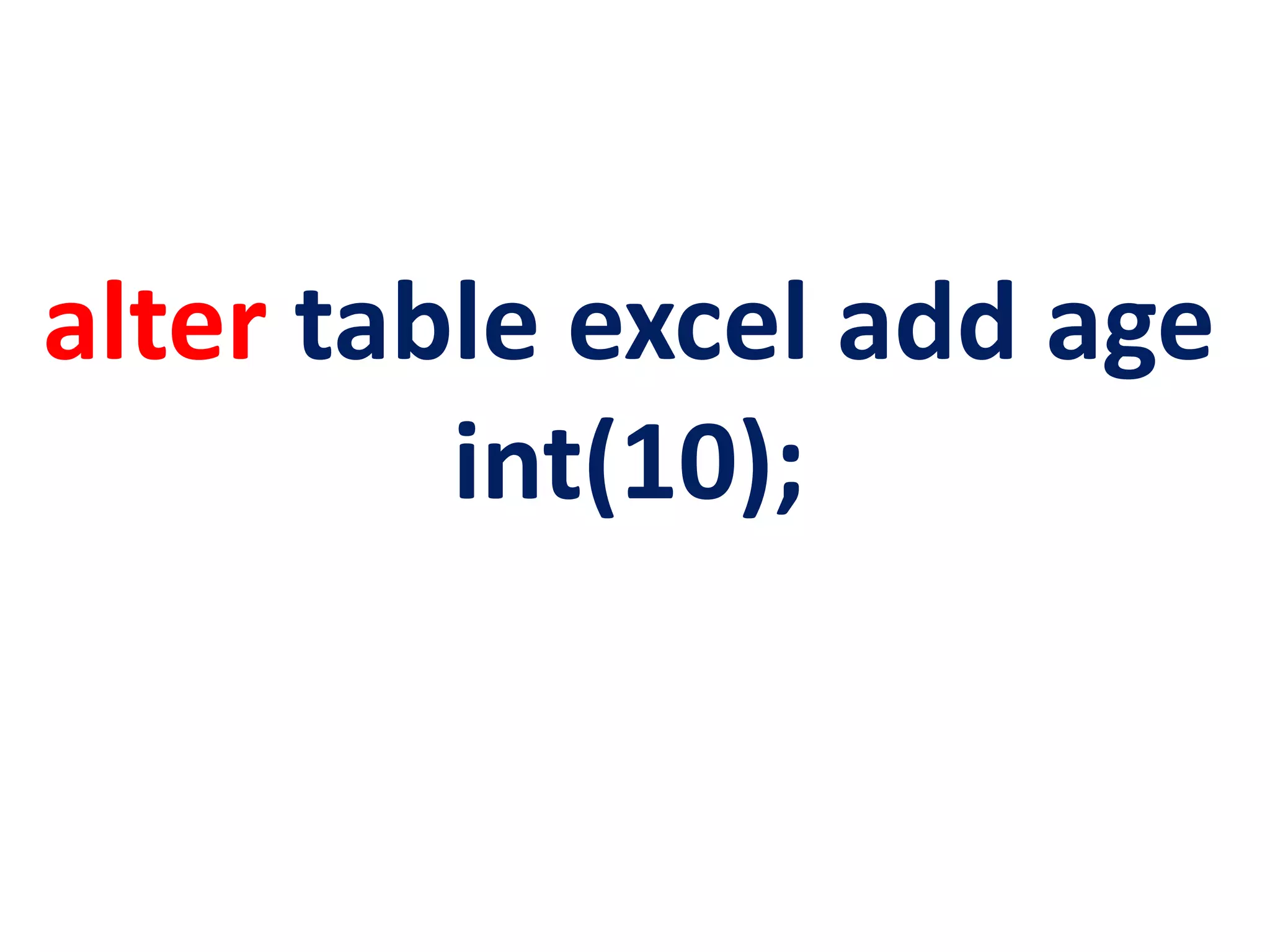
alter table excel add age
int(10);
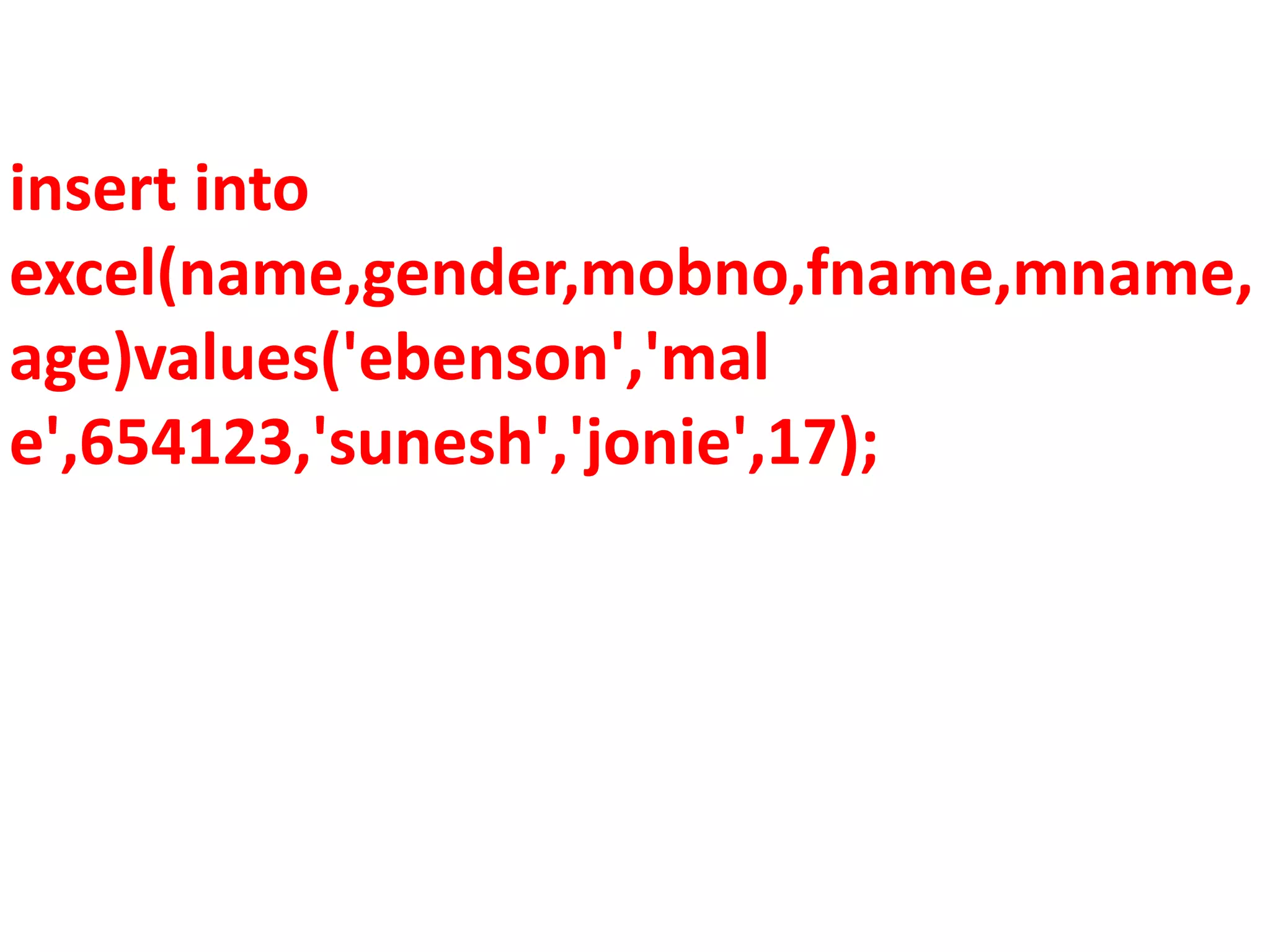
insert into
excel(name,gender,mobno,fname,mname,
age)values('ebenson','mal
e',654123,'sunesh','jonie',17);
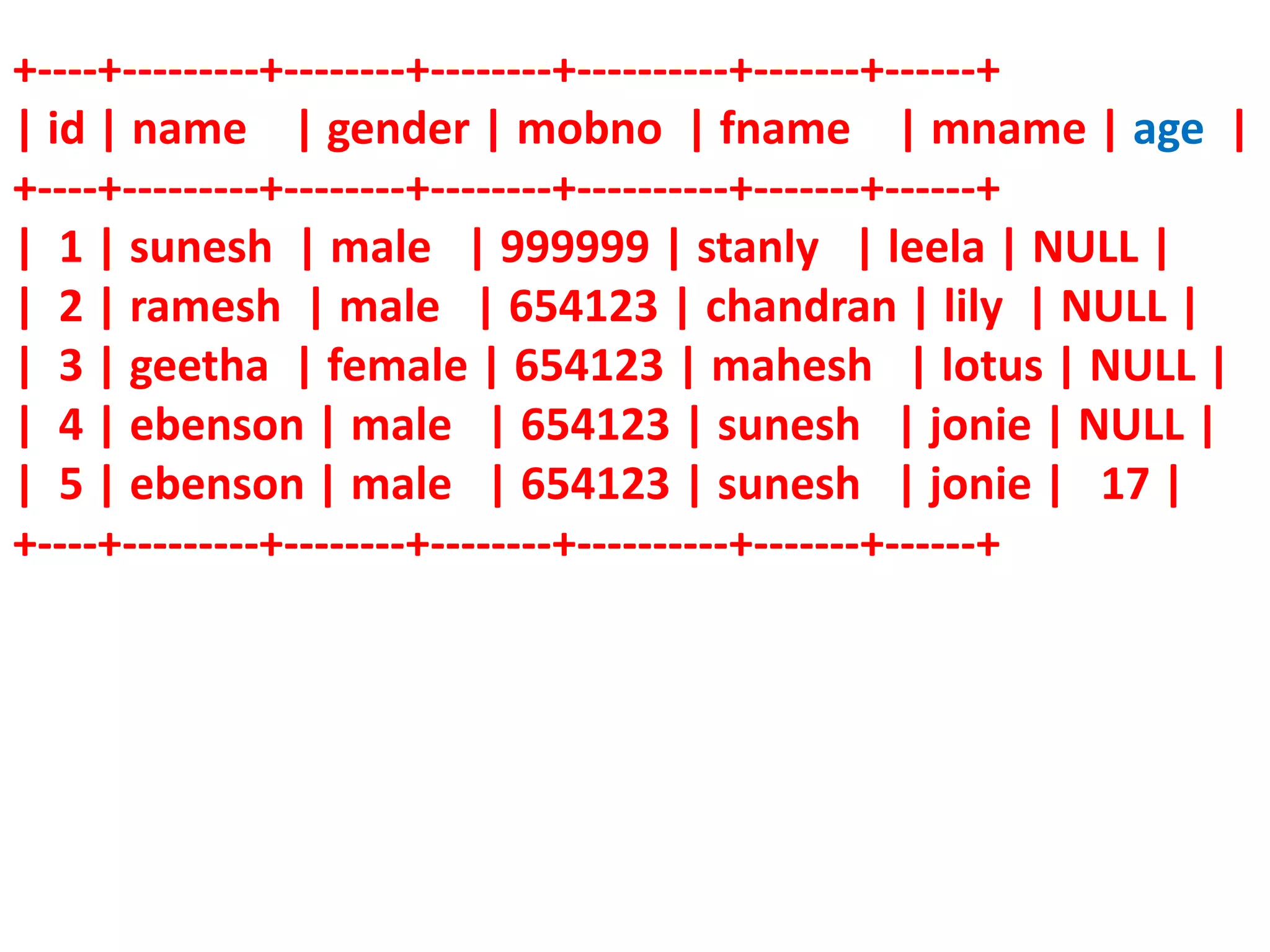
+----+---------+--------+--------+----------+-------+------+
| id | name | gender | mobno | fname | mname | age |
+----+---------+--------+--------+----------+-------+------+
| 1 | sunesh | male | 999999 | stanly | leela | NULL |
| 2 | ramesh | male | 654123 | chandran | lily | NULL |
| 3 | geetha | female | 654123 | mahesh | lotus | NULL |
| 4 | ebenson | male | 654123 | sunesh | jonie | NULL |
| 5 | ebenson | male | 654123 | sunesh | jonie | 17 |
+----+---------+--------+--------+----------+-------+------+
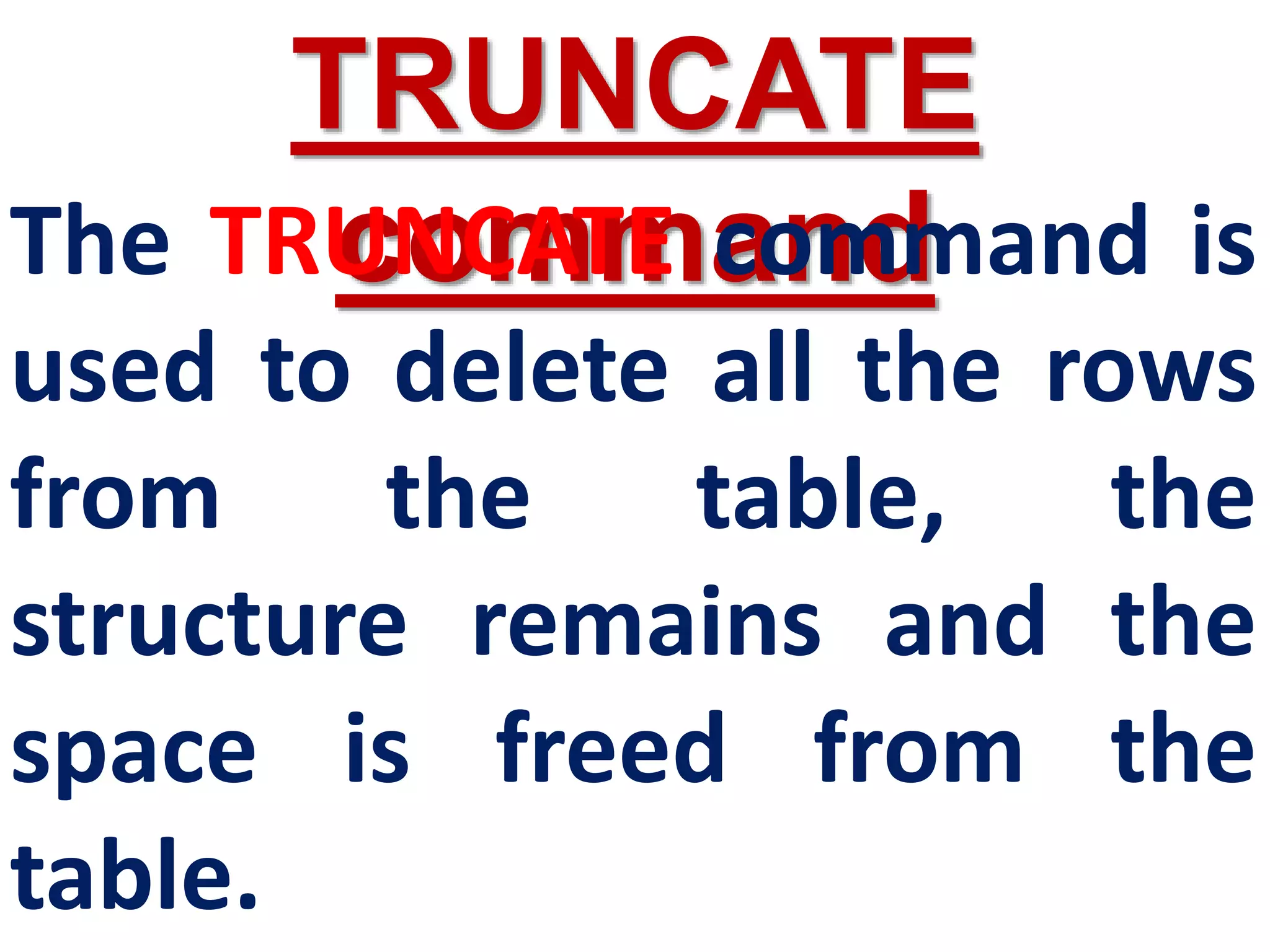
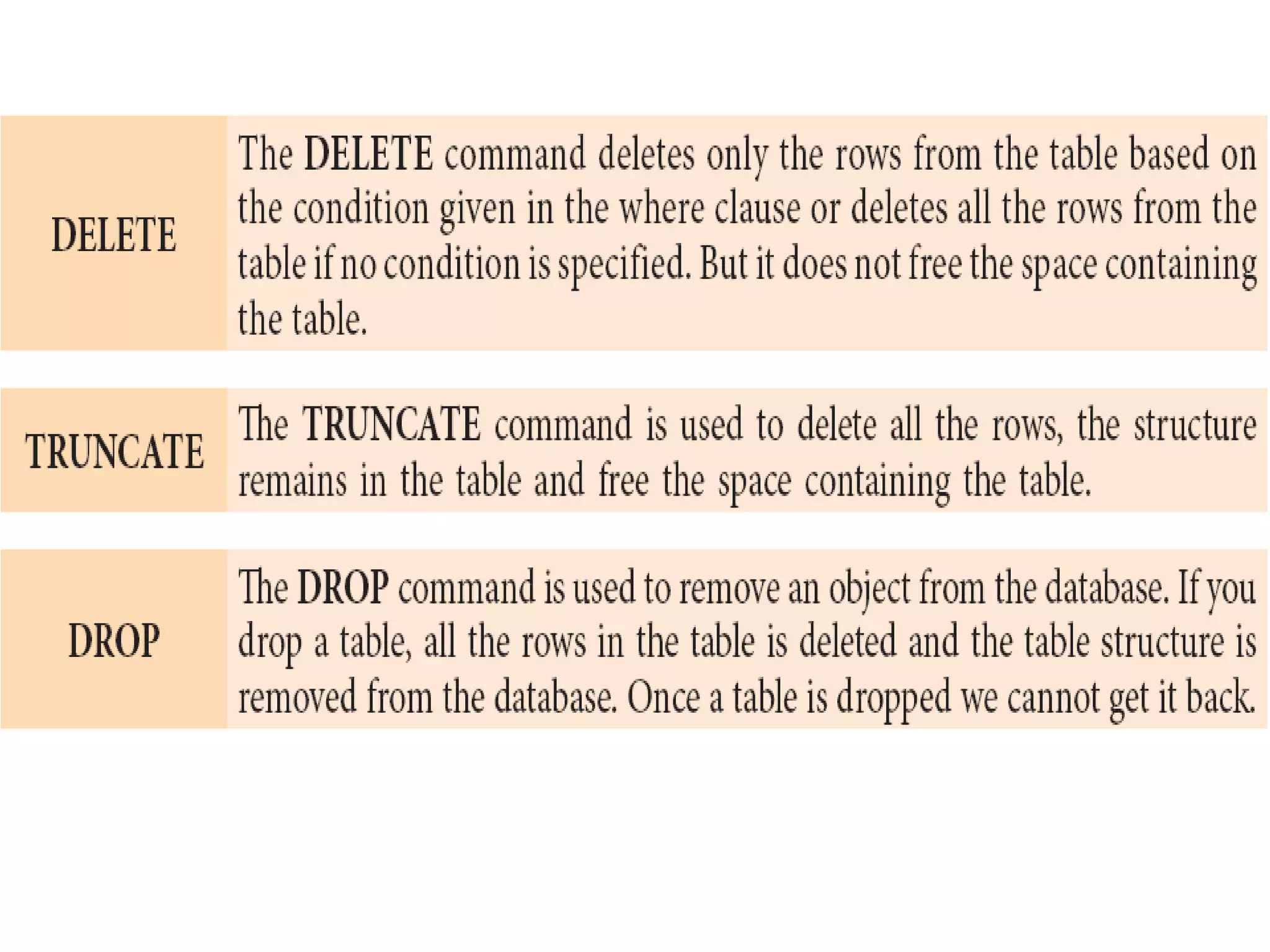
TRUNCATE
command
The TRUNCATE command is
used to delete all the rows
from the table, the
structure remains and the
space is freed from the
table.
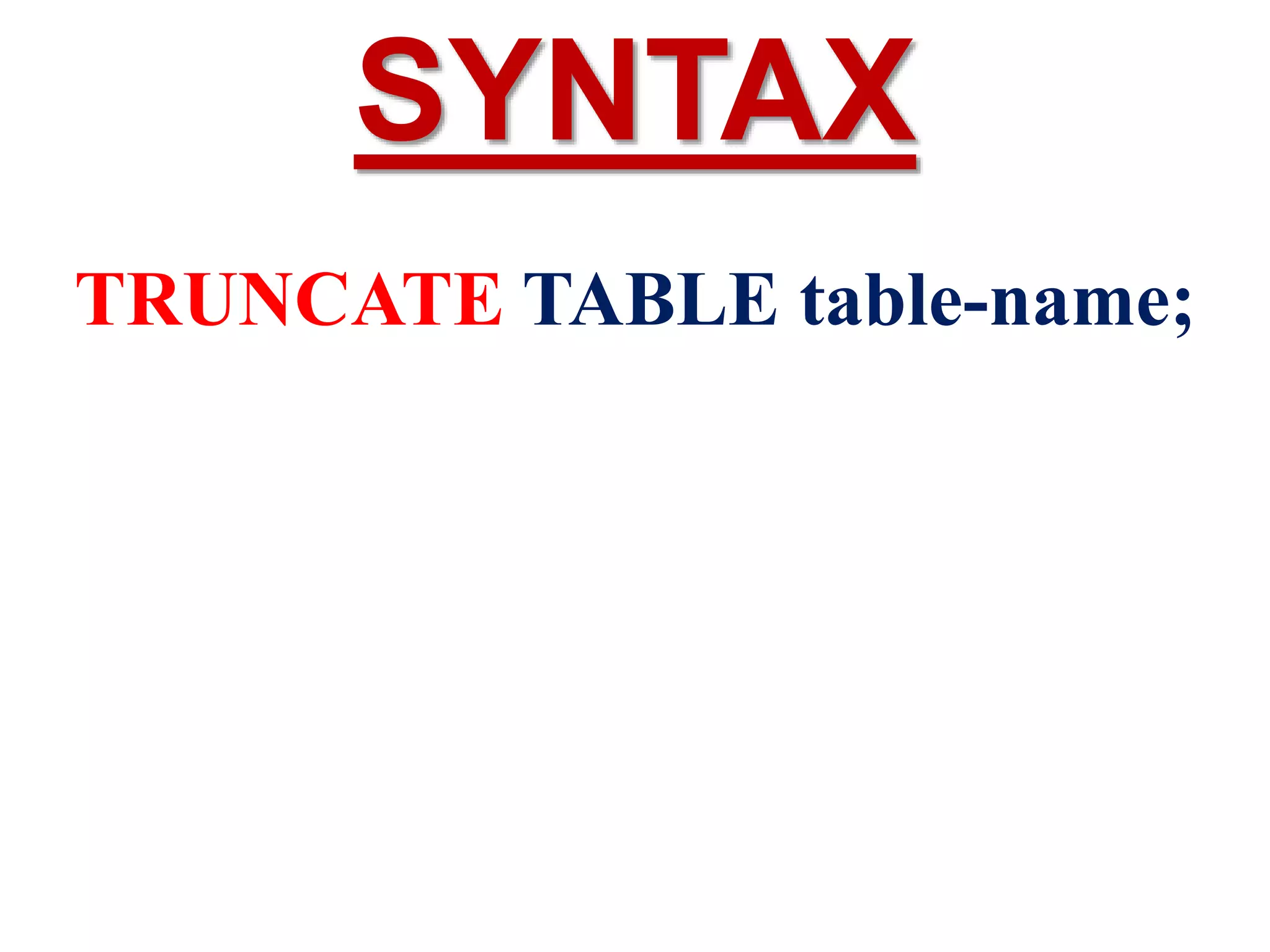
TRUNCATE TABLE table-name;
SYNTAX
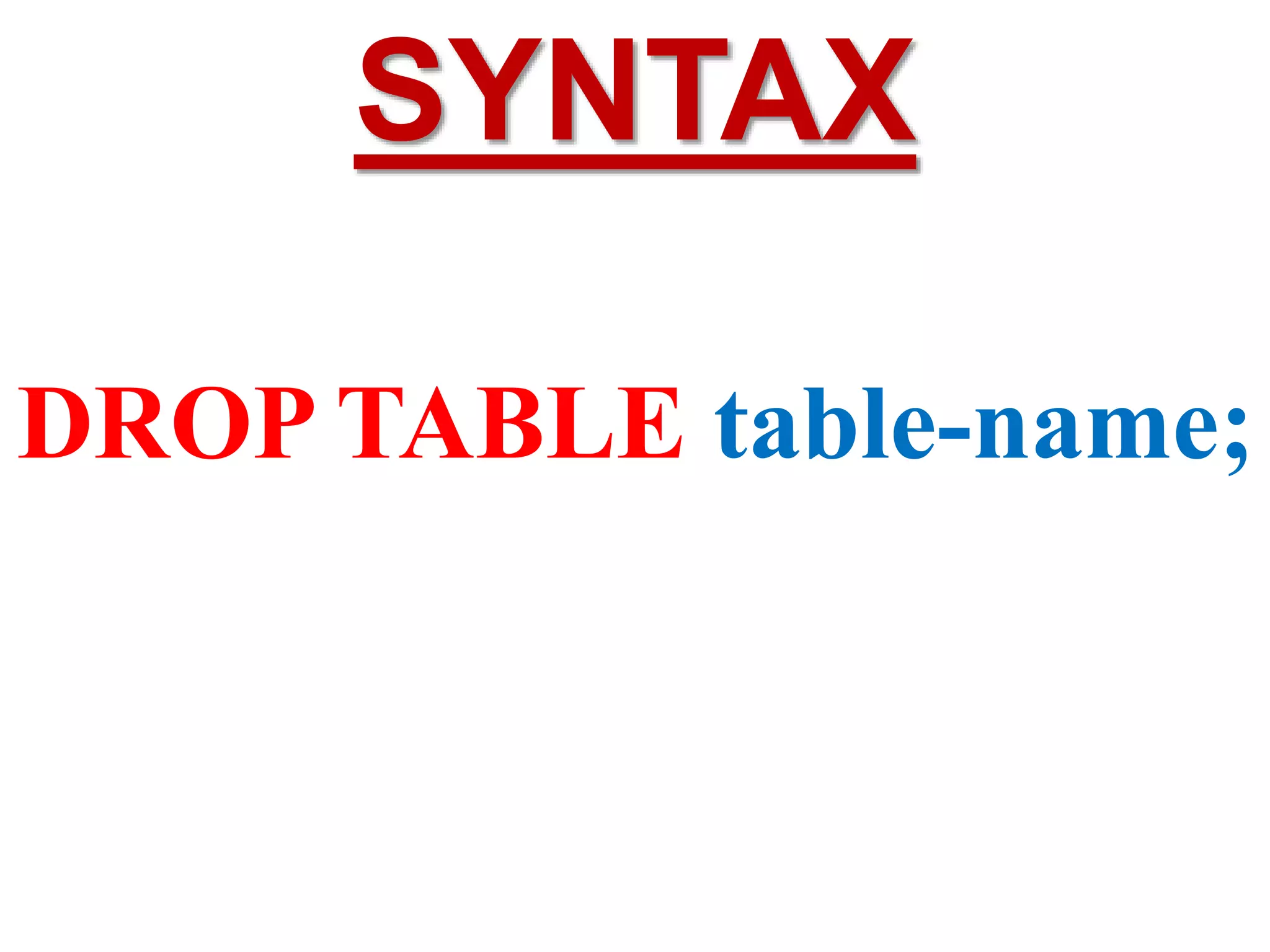
DROP TABLE
command
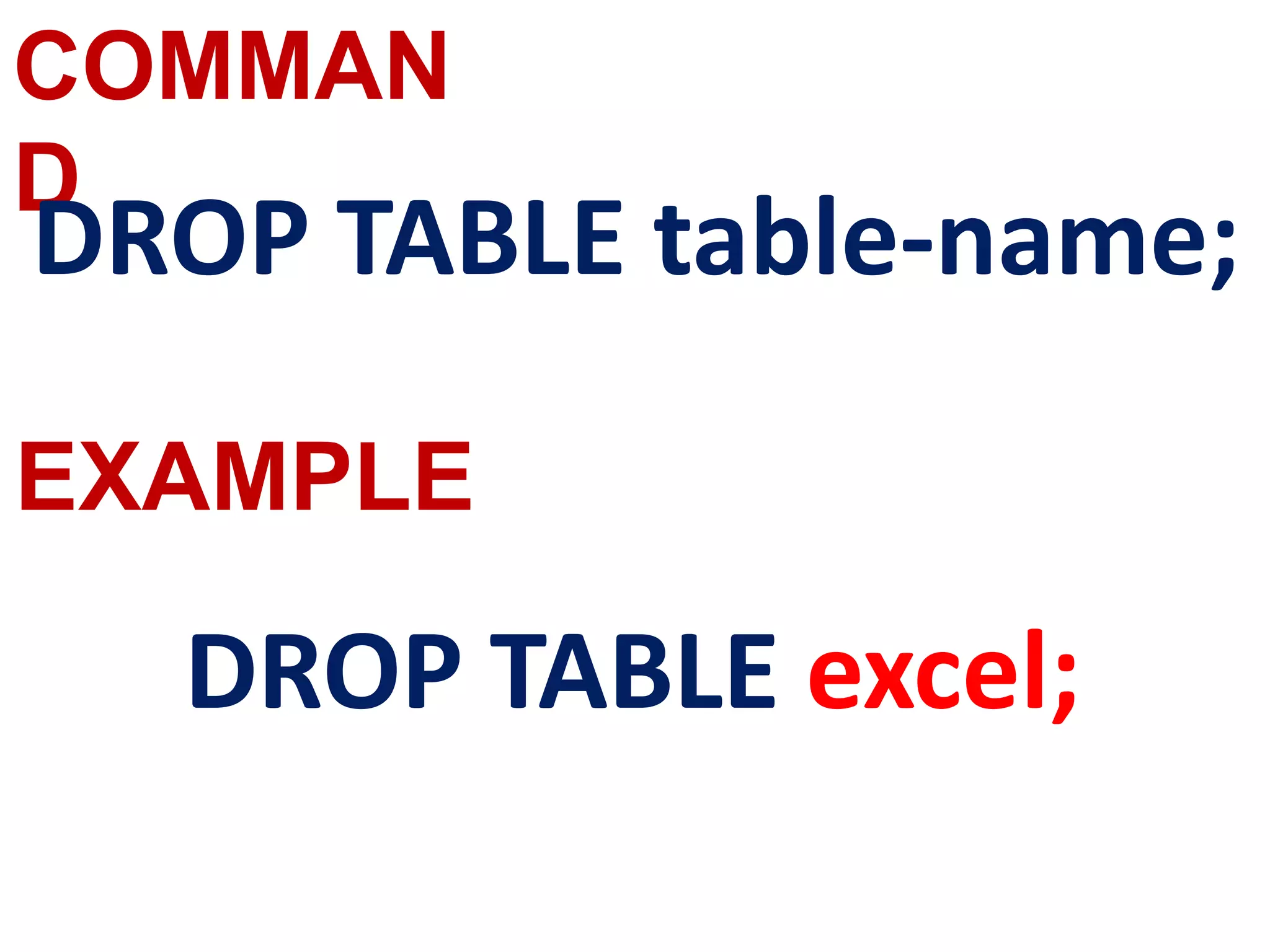
The DROP TABLE command is used to
remove a table from the database.
If you drop a table, all the rows in the table
is deleted and the table structure is
removed from the database.
Once a table is dropped we cannot get it
back, so be careful while using DROP TABLE
command.
But there is a condition for dropping a
table; it must be an empty table.
DROP TABLE table-name;
SYNTAX
DQL COMMAND–
SELECT command
One of the most important tasks when
working with SQL is to generate Queries
and retrieve data.
A Query is a command given to get a
desired result from the database table.
The SELECT command is used to query or
retrieve data from a table in the database.
It is used to retrieve a subset of records
from one or more tables.
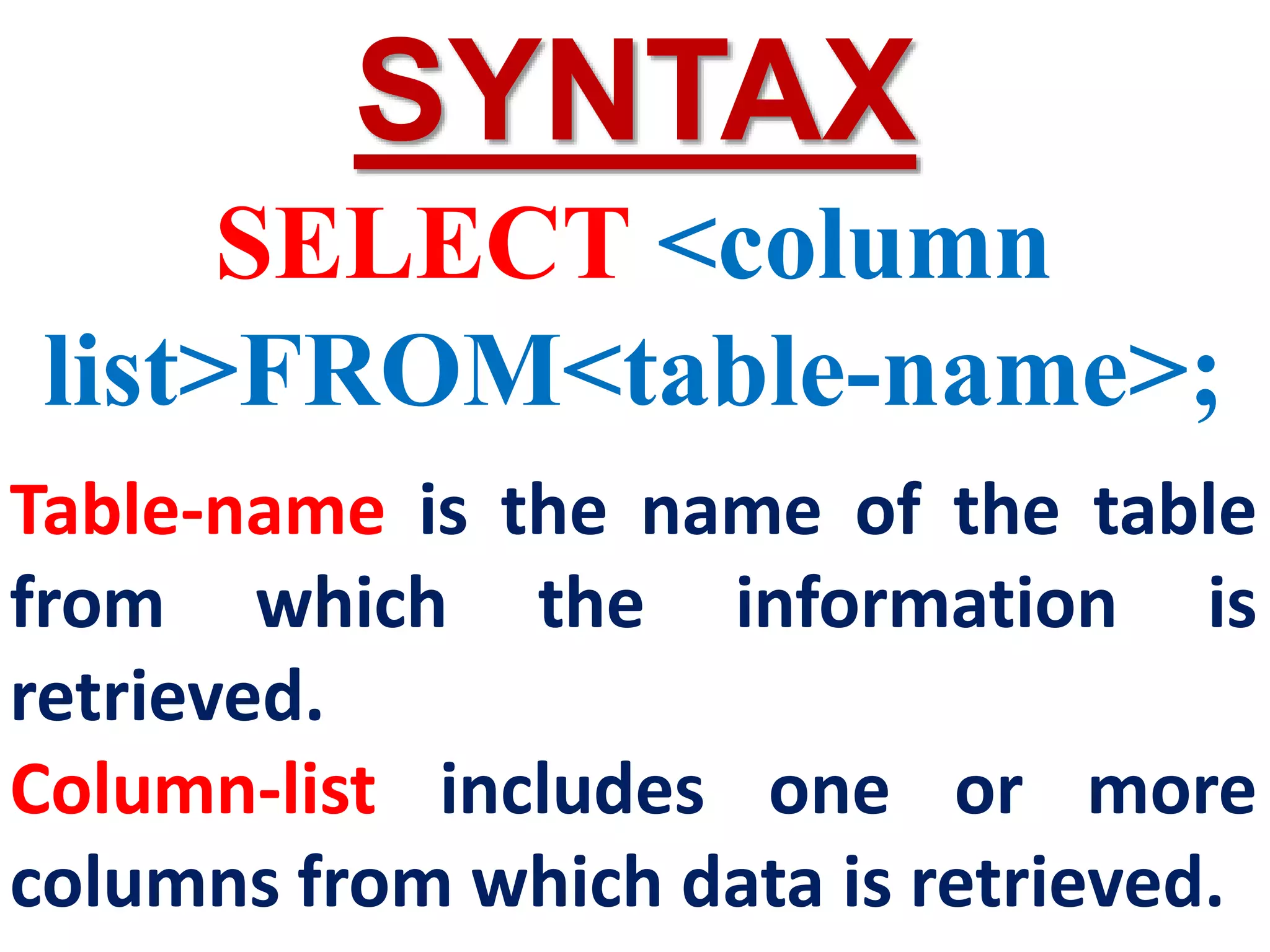
SYNTAX
SELECT <column
list>FROM<table-name>;
Table-name is the name of the table
from which the information is
retrieved.
Column-list includes one or more
columns from which data is retrieved.
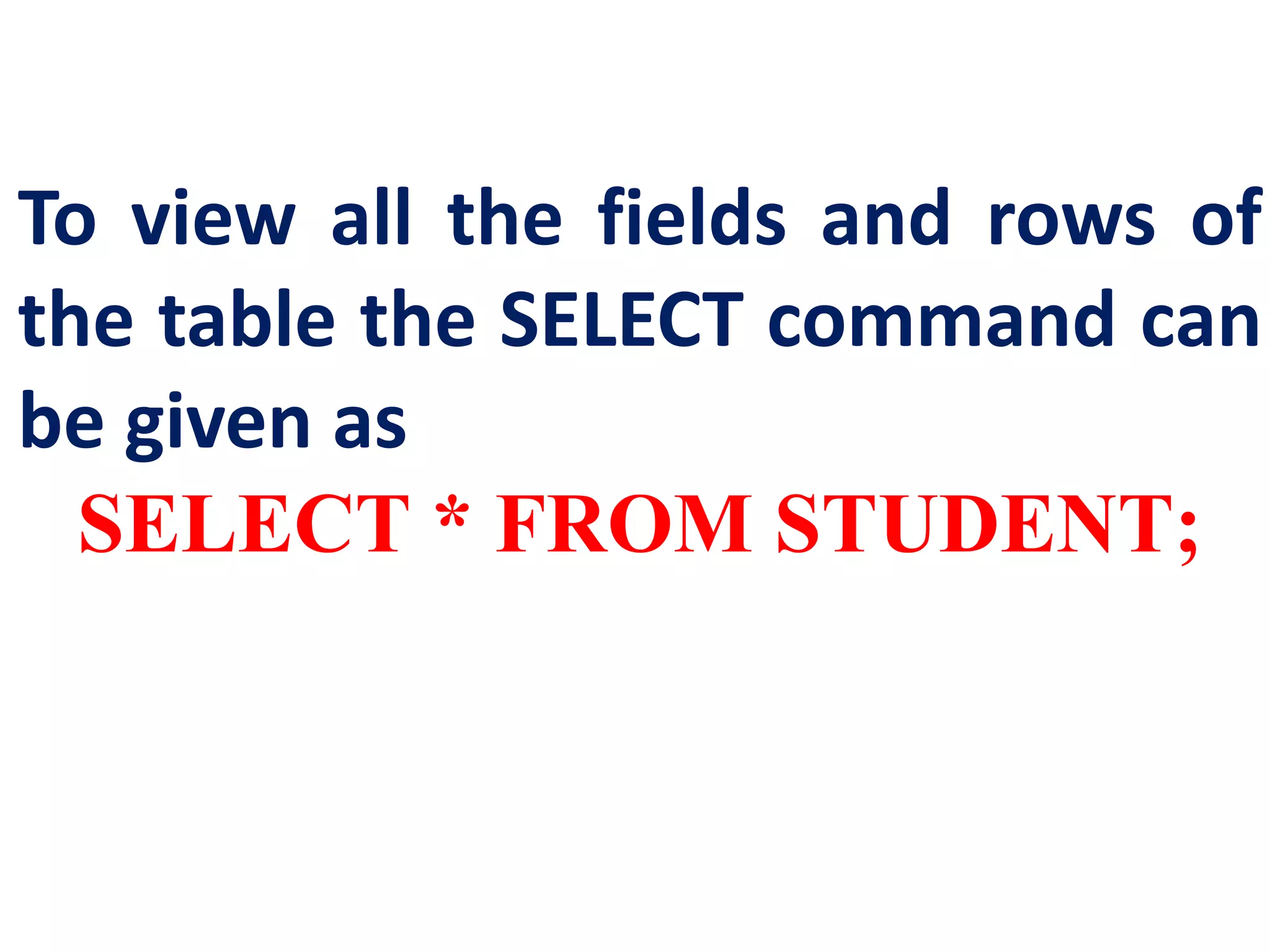
To view all the fields and rows of
the table the SELECT command can
be given as
SELECT * FROM STUDENT;
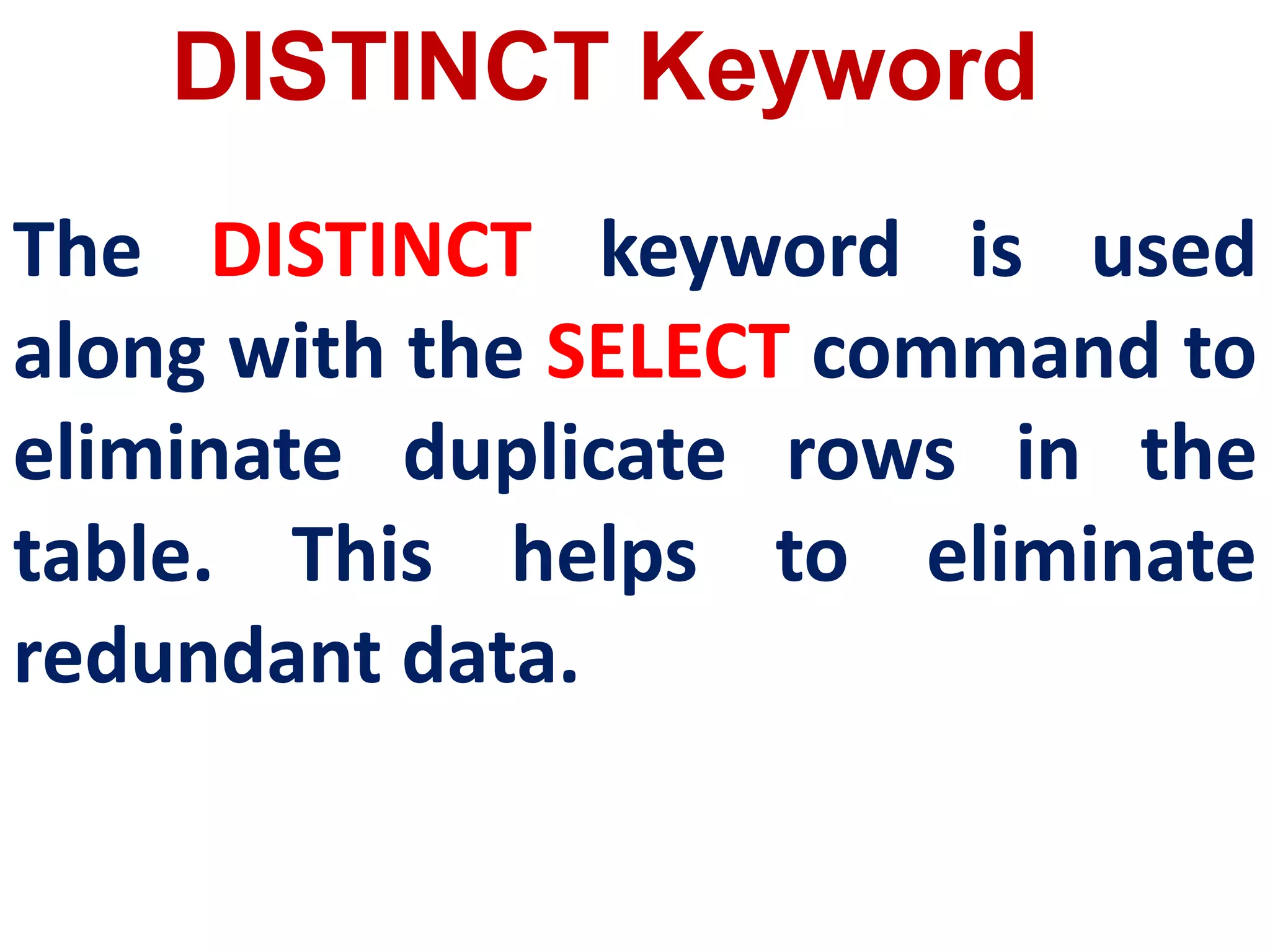
DISTINCT Keyword
The DISTINCT keyword is used
along with the SELECT command to
eliminate duplicate rows in the
table. This helps to eliminate
redundant data.
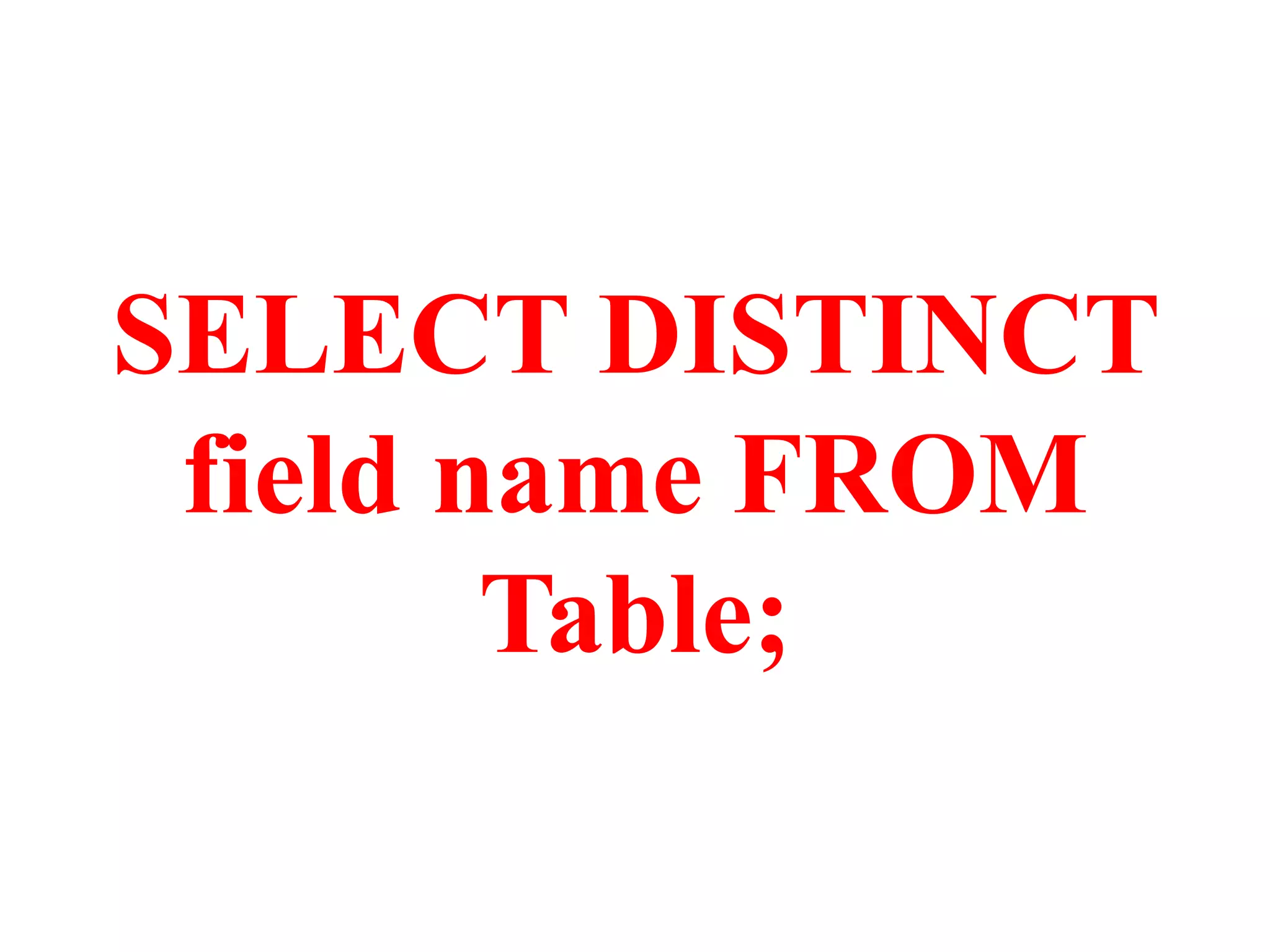
SELECT DISTINCT
field name FROM
Table;
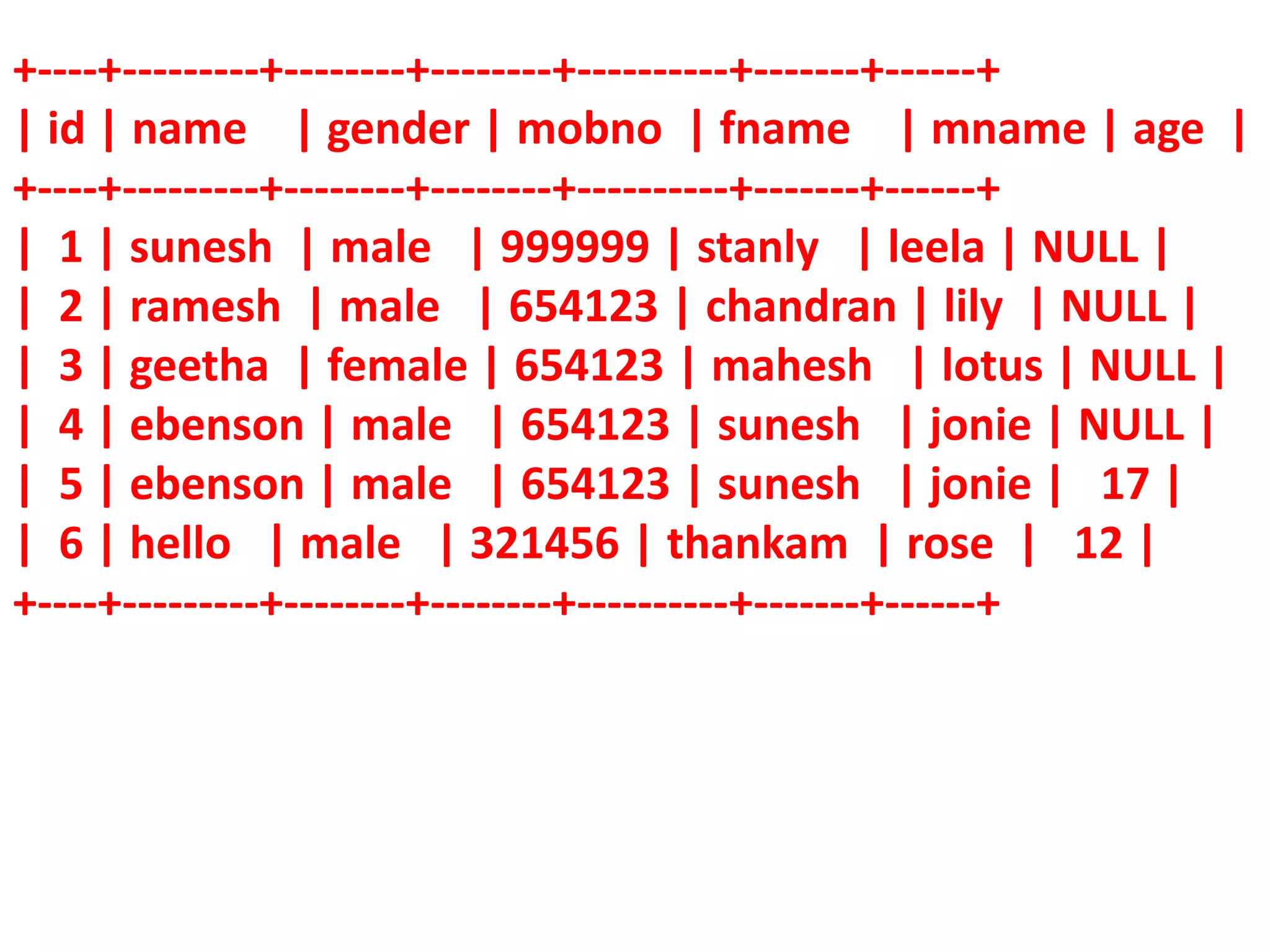
+----+---------+--------+--------+----------+-------+------+
| id | name | gender | mobno | fname | mname | age |
+----+---------+--------+--------+----------+-------+------+
| 1 | sunesh | male | 999999 | stanly | leela | NULL |
| 2 | ramesh | male | 654123 | chandran | lily | NULL |
| 3 | geetha | female | 654123 | mahesh | lotus | NULL |
| 4 | ebenson | male | 654123 | sunesh | jonie | NULL |
| 5 | ebenson | male | 654123 | sunesh | jonie | 17 |
| 6 | hello | male | 321456 | thankam | rose | 12 |
+----+---------+--------+--------+----------+-------+------+
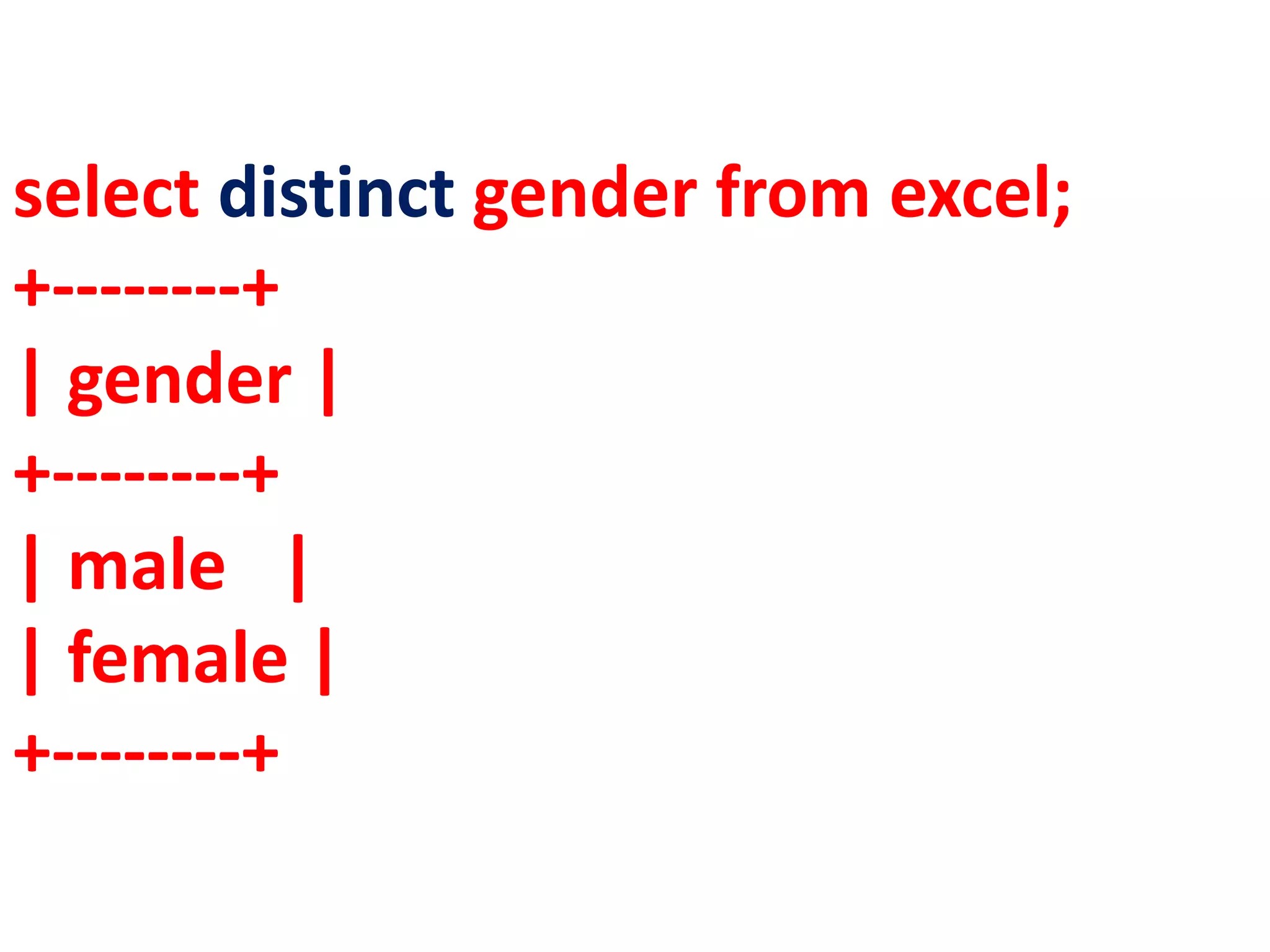
select distinct gender from excel;
+--------+
| gender |
+--------+
| male |
| female |
+--------+
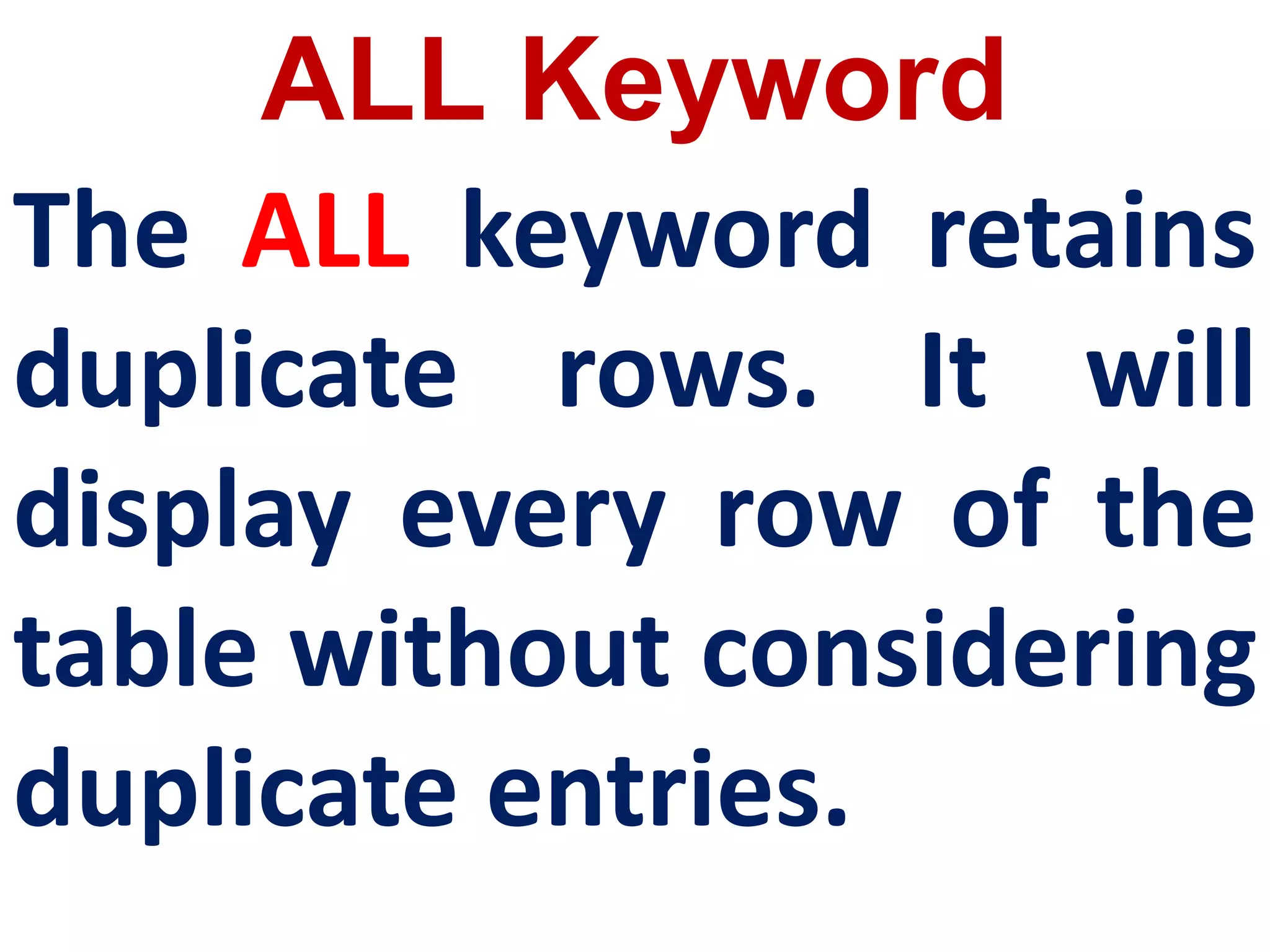
ALL Keyword
The ALL keyword retains
duplicate rows. It will
display every row of the
table without considering
duplicate entries.
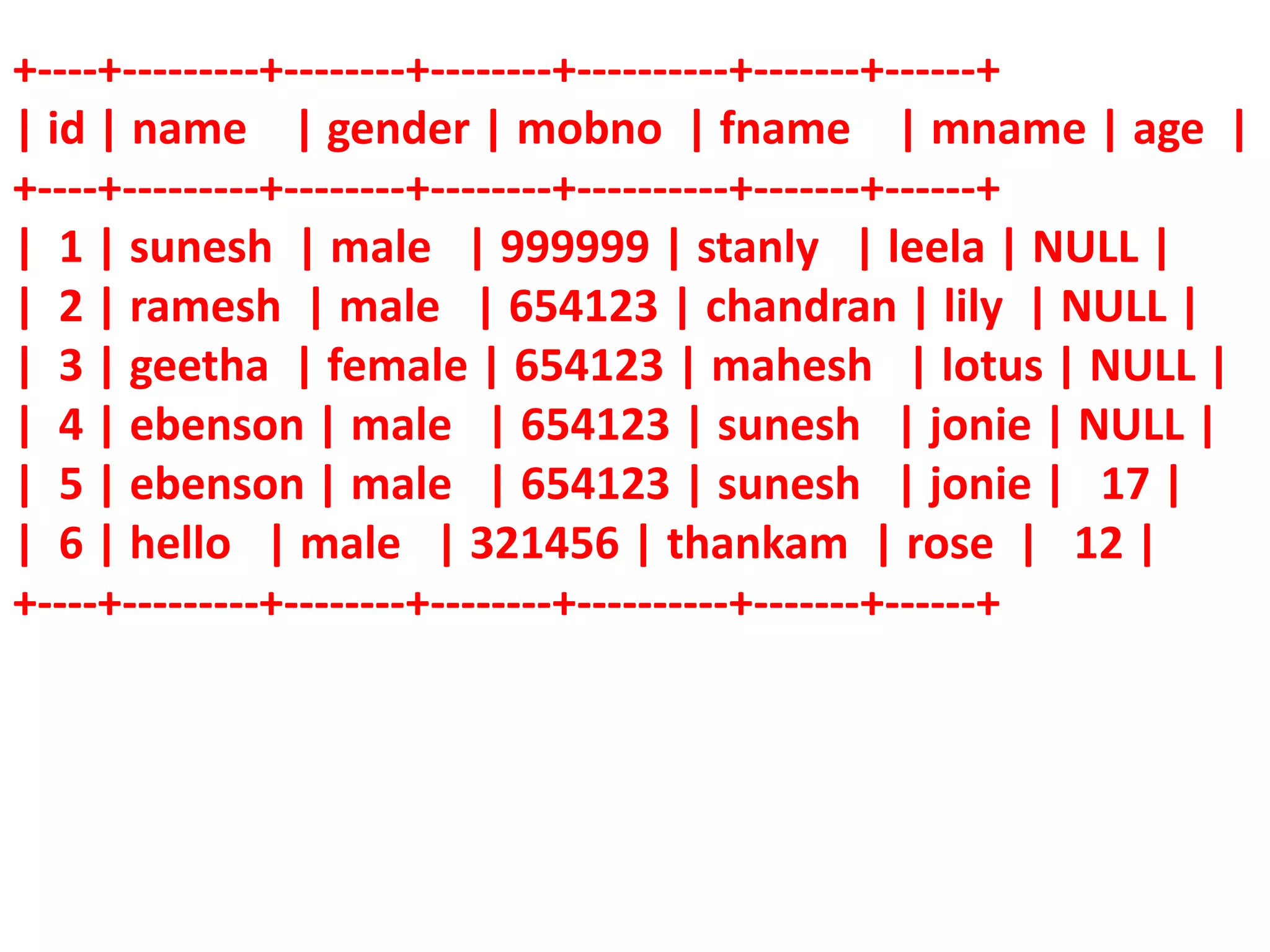
+----+---------+--------+--------+----------+-------+------+
| id | name | gender | mobno | fname | mname | age |
+----+---------+--------+--------+----------+-------+------+
| 1 | sunesh | male | 999999 | stanly | leela | NULL |
| 2 | ramesh | male | 654123 | chandran | lily | NULL |
| 3 | geetha | female | 654123 | mahesh | lotus | NULL |
| 4 | ebenson | male | 654123 | sunesh | jonie | NULL |
| 5 | ebenson | male | 654123 | sunesh | jonie | 17 |
| 6 | hello | male | 321456 | thankam | rose | 12 |
+----+---------+--------+--------+----------+-------+------+
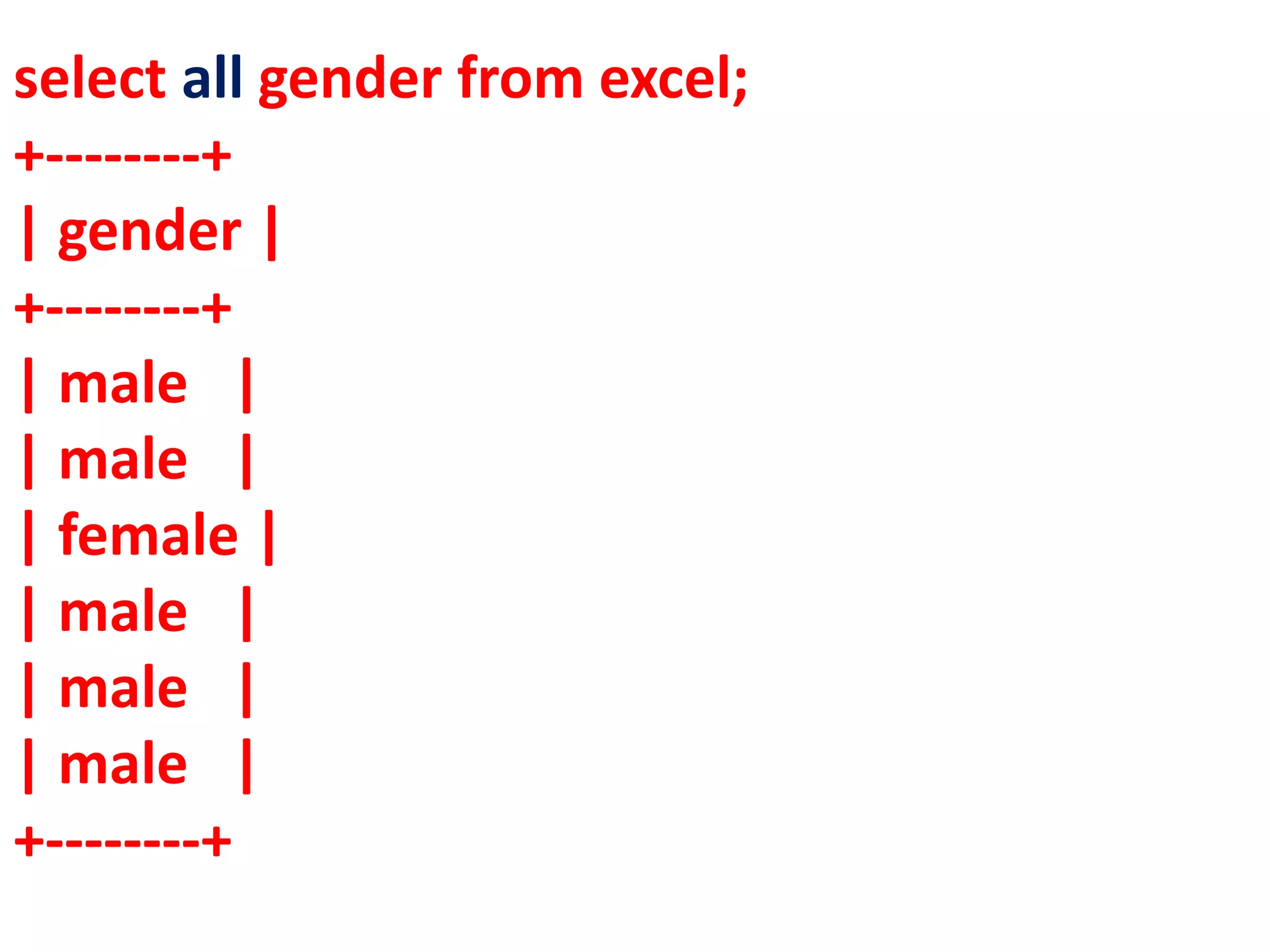
select all gender from excel;
+--------+
| gender |
+--------+
| male |
| male |
| female |
| male |
| male |
| male |
+--------+
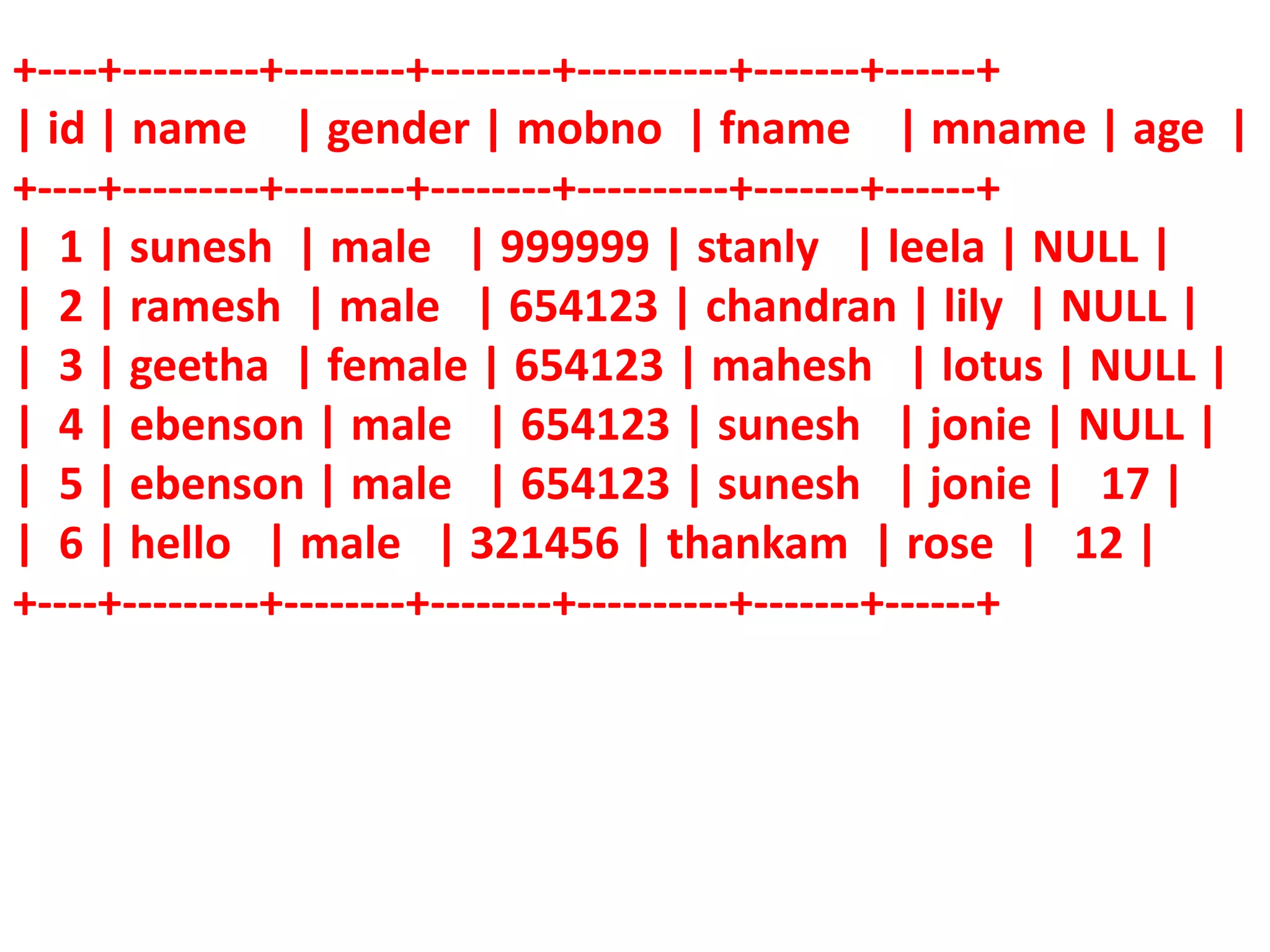
The WHERE clause in the SELECT
command specifies the criteria for getting
the desired result. The general form of
SELECT command with WHERE Clause is:
SELECT <column-name>[,<column-
name>,….] FROM <table-
name>WHERE condition>;
+----+---------+--------+--------+----------+-------+------+
| id | name | gender | mobno | fname | mname | age |
+----+---------+--------+--------+----------+-------+------+
| 1 | sunesh | male | 999999 | stanly | leela | NULL |
| 2 | ramesh | male | 654123 | chandran | lily | NULL |
| 3 | geetha | female | 654123 | mahesh | lotus | NULL |
| 4 | ebenson | male | 654123 | sunesh | jonie | NULL |
| 5 | ebenson | male | 654123 | sunesh | jonie | 17 |
| 6 | hello | male | 321456 | thankam | rose | 12 |
+----+---------+--------+--------+----------+-------+------+
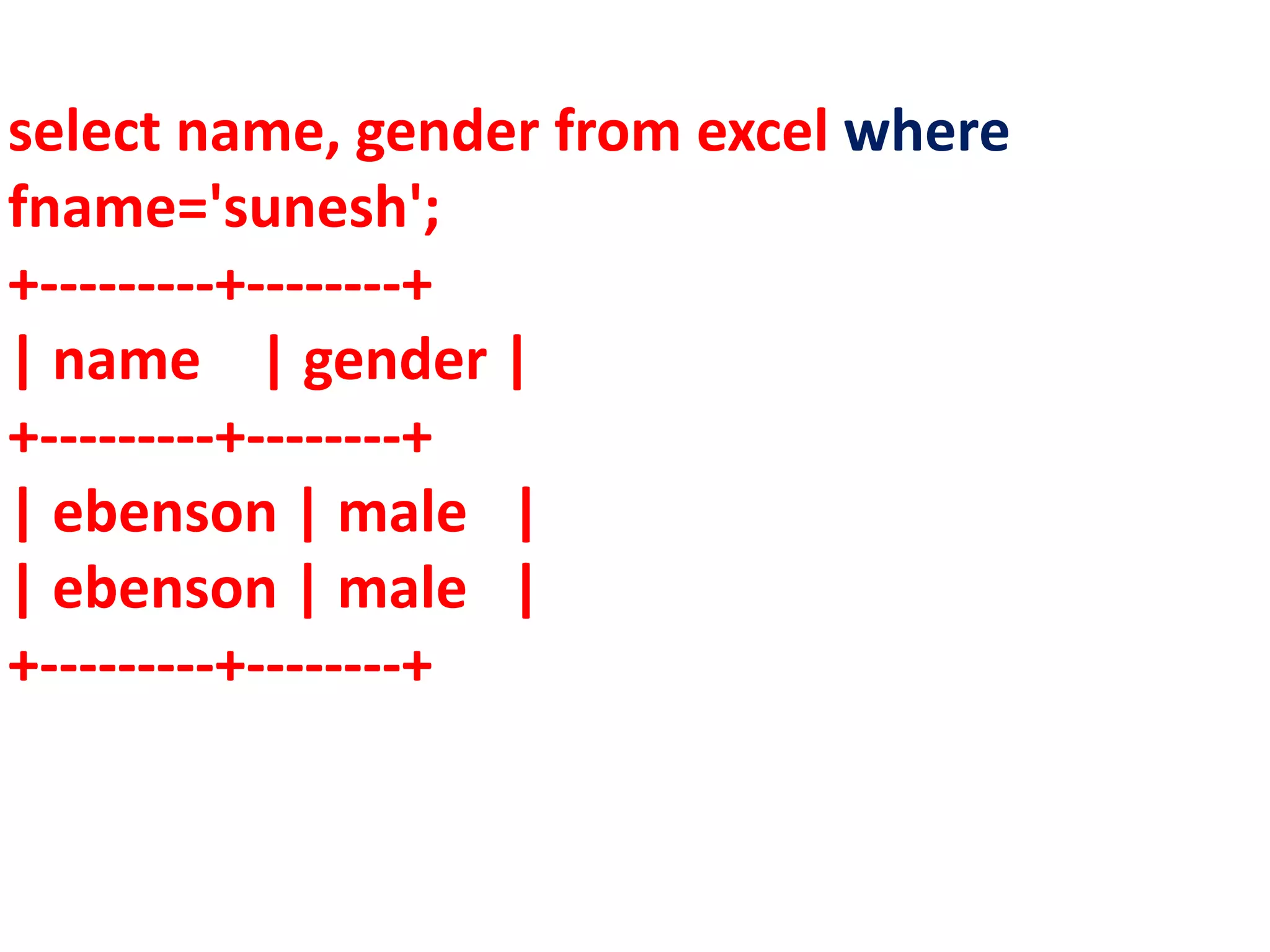
select name, gender from excel where
fname='sunesh';
+---------+--------+
| name | gender |
+---------+--------+
| ebenson | male |
| ebenson | male |
+---------+--------+
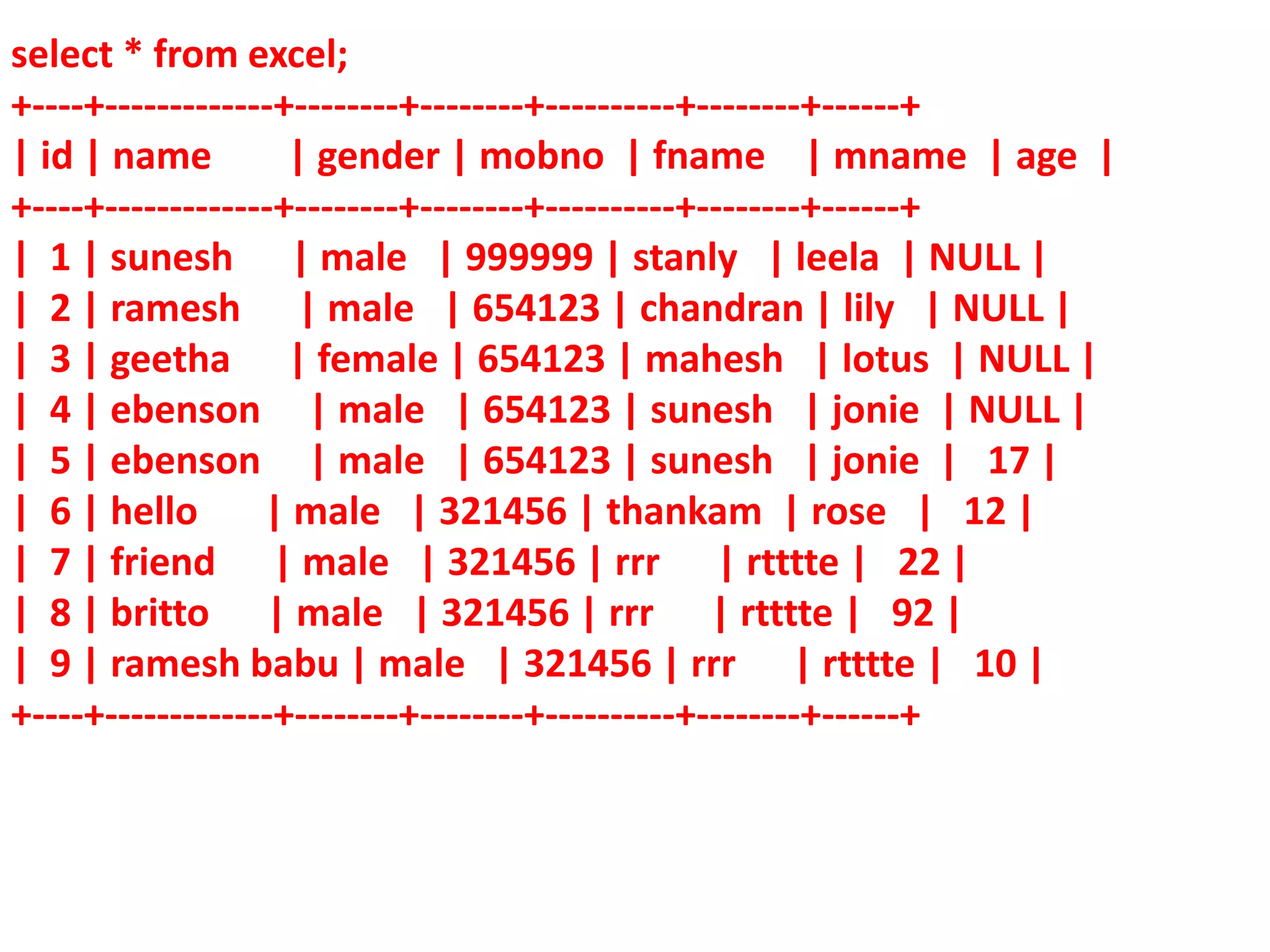
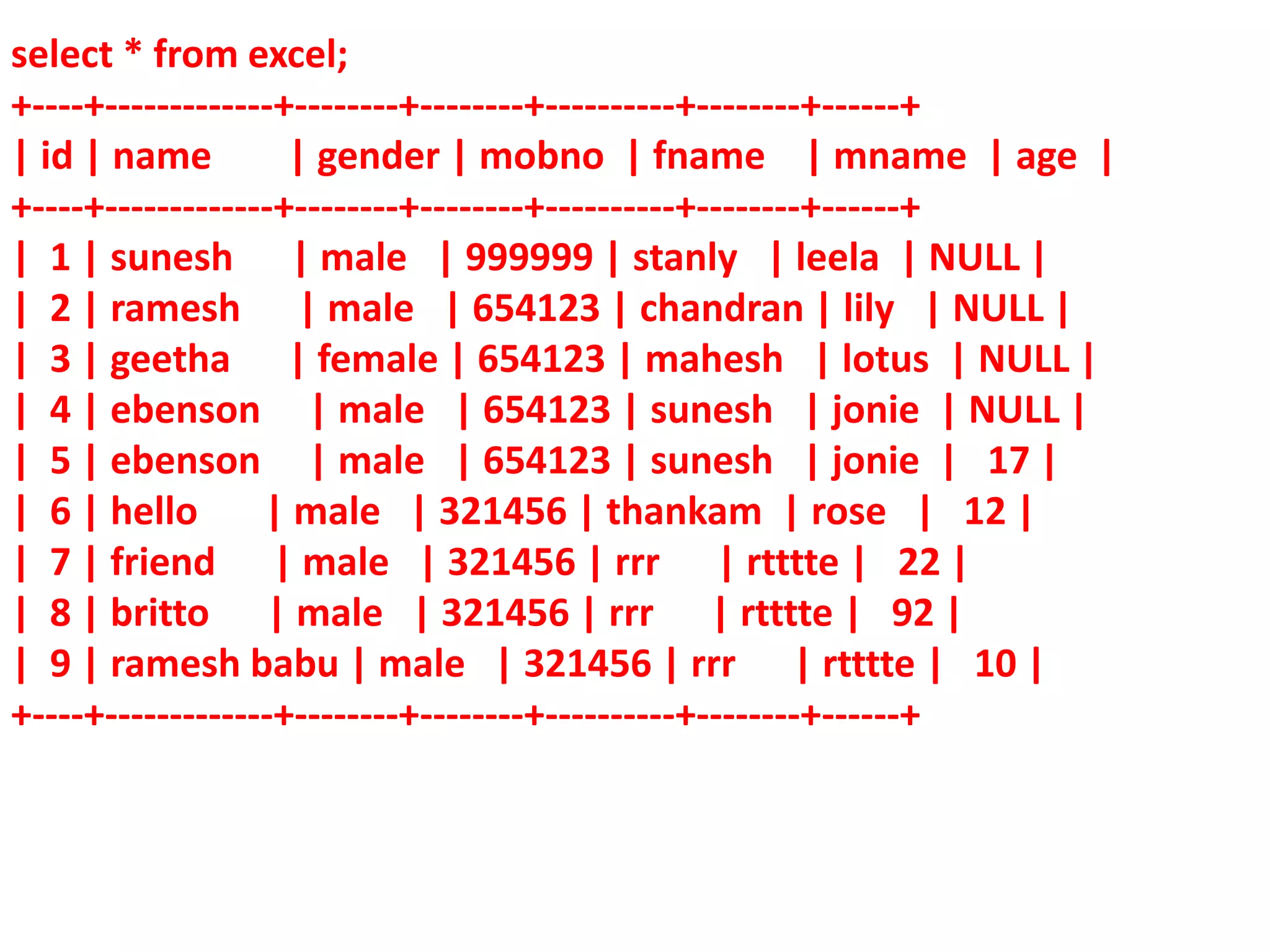
select * from excel;
+----+-------------+--------+--------+----------+--------+------+
| id | name | gender | mobno | fname | mname | age |
+----+-------------+--------+--------+----------+--------+------+
| 1 | sunesh | male | 999999 | stanly | leela | NULL |
| 2 | ramesh | male | 654123 | chandran | lily | NULL |
| 3 | geetha | female | 654123 | mahesh | lotus | NULL |
| 4 | ebenson | male | 654123 | sunesh | jonie | NULL |
| 5 | ebenson | male | 654123 | sunesh | jonie | 17 |
| 6 | hello | male | 321456 | thankam | rose | 12 |
| 7 | friend | male | 321456 | rrr | rtttte | 22 |
| 8 | britto | male | 321456 | rrr | rtttte | 92 |
| 9 | ramesh babu | male | 321456 | rrr | rtttte | 10 |
+----+-------------+--------+--------+----------+--------+------+
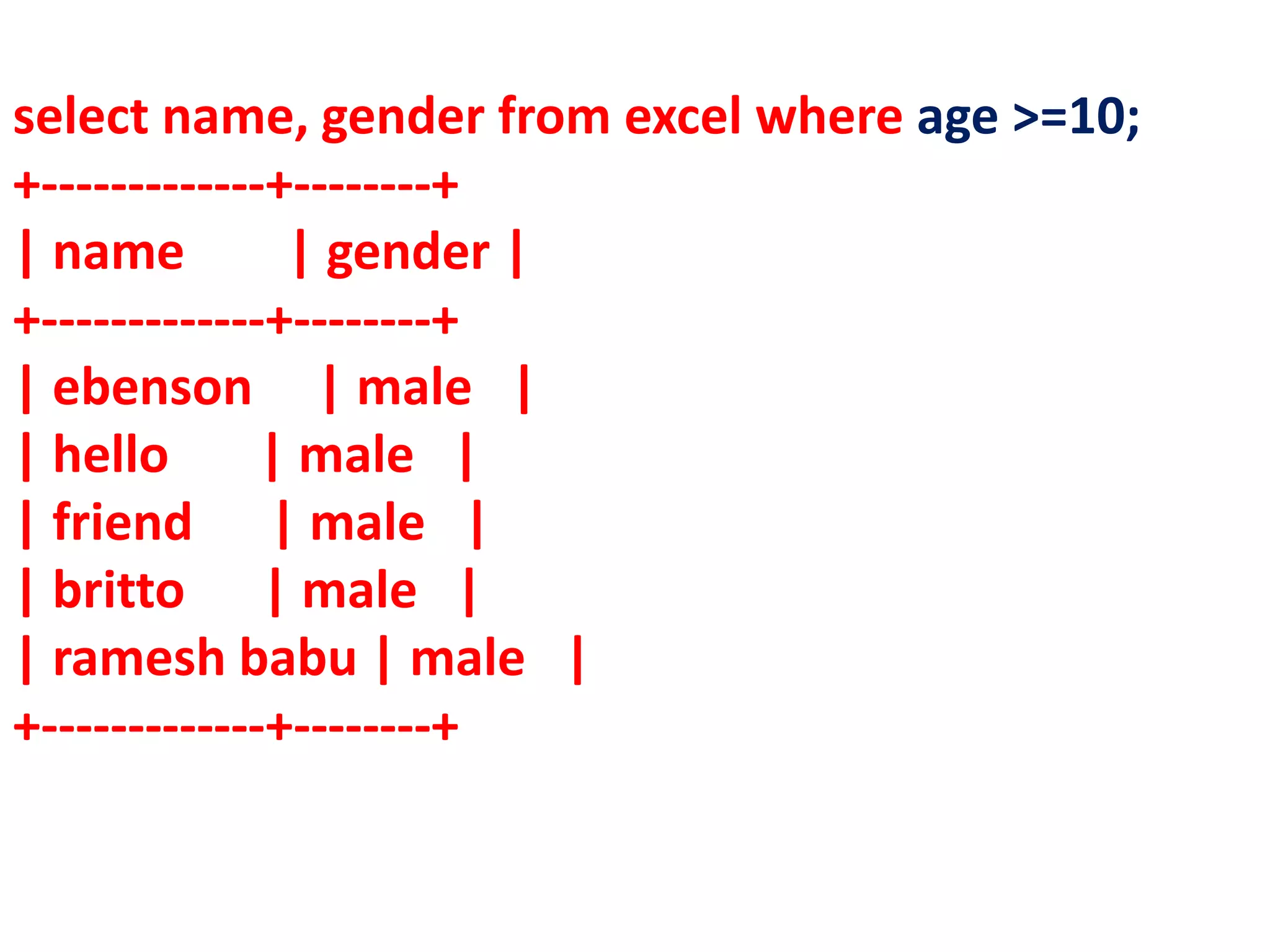
select name, gender from excel where age >=10;
+-------------+--------+
| name | gender |
+-------------+--------+
| ebenson | male |
| hello | male |
| friend | male |
| britto | male |
| ramesh babu | male |
+-------------+--------+
select * from excel;
+----+-------------+--------+--------+----------+--------+------+
| id | name | gender | mobno | fname | mname | age |
+----+-------------+--------+--------+----------+--------+------+
| 1 | sunesh | male | 999999 | stanly | leela | NULL |
| 2 | ramesh | male | 654123 | chandran | lily | NULL |
| 3 | geetha | female | 654123 | mahesh | lotus | NULL |
| 4 | ebenson | male | 654123 | sunesh | jonie | NULL |
| 5 | ebenson | male | 654123 | sunesh | jonie | 17 |
| 6 | hello | male | 321456 | thankam | rose | 12 |
| 7 | friend | male | 321456 | rrr | rtttte | 22 |
| 8 | britto | male | 321456 | rrr | rtttte | 92 |
| 9 | ramesh babu | male | 321456 | rrr | rtttte | 10 |
+----+-------------+--------+--------+----------+--------+------+
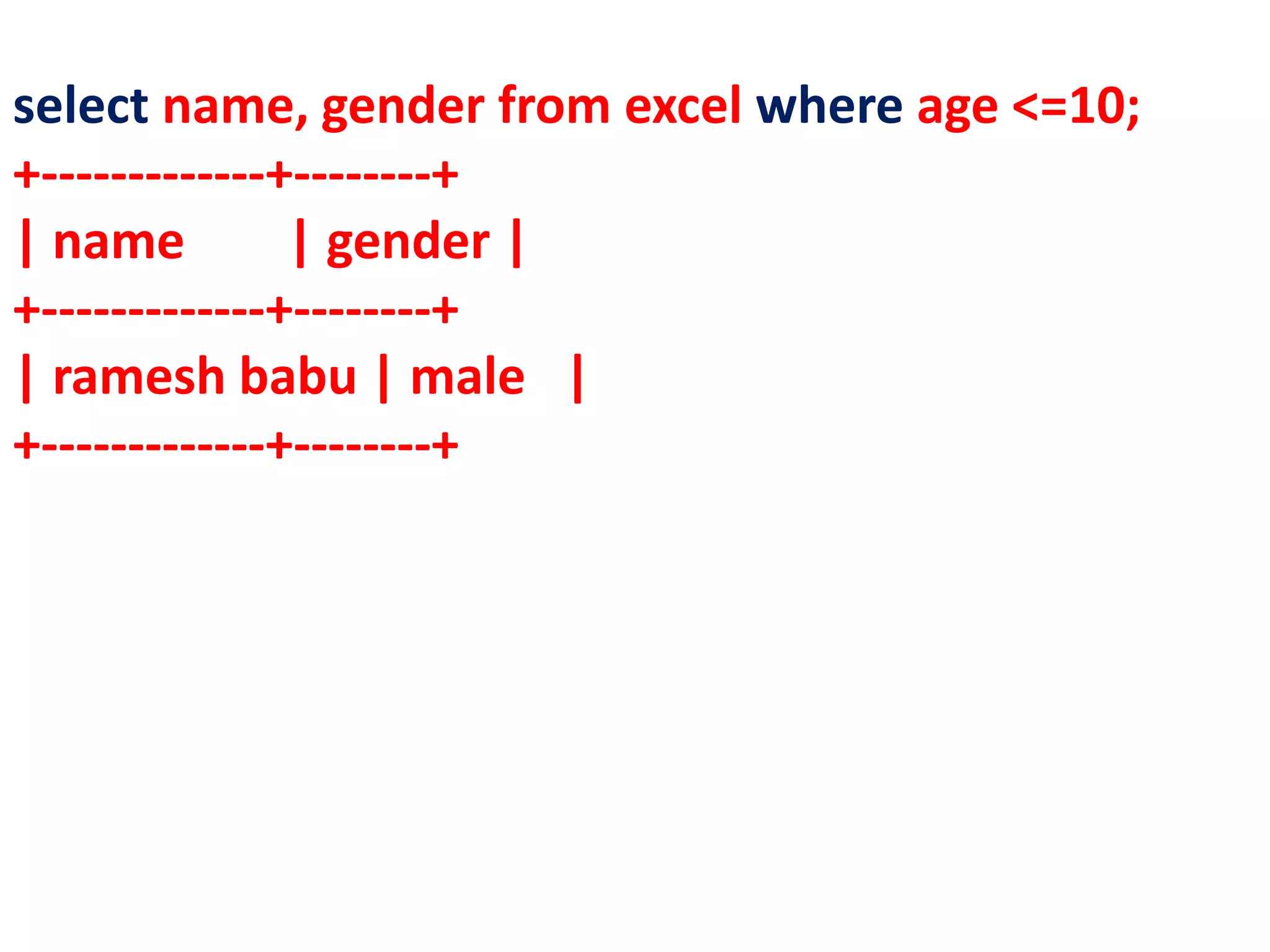
select name, gender from excel where age <=10;
+-------------+--------+
| name | gender |
+-------------+--------+
| ramesh babu | male |
+-------------+--------+
select * from excel;
+----+-------------+--------+--------+----------+--------+------+
| id | name | gender | mobno | fname | mname | age |
+----+-------------+--------+--------+----------+--------+------+
| 1 | sunesh | male | 999999 | stanly | leela | NULL |
| 2 | ramesh | male | 654123 | chandran | lily | NULL |
| 3 | geetha | female | 654123 | mahesh | lotus | NULL |
| 4 | ebenson | male | 654123 | sunesh | jonie | NULL |
| 5 | ebenson | male | 654123 | sunesh | jonie | 17 |
| 6 | hello | male | 321456 | thankam | rose | 12 |
| 7 | friend | male | 321456 | rrr | rtttte | 22 |
| 8 | britto | male | 321456 | rrr | rtttte | 92 |
| 9 | ramesh babu | male | 321456 | rrr | rtttte | 10 |
+----+-------------+--------+--------+----------+--------+------+
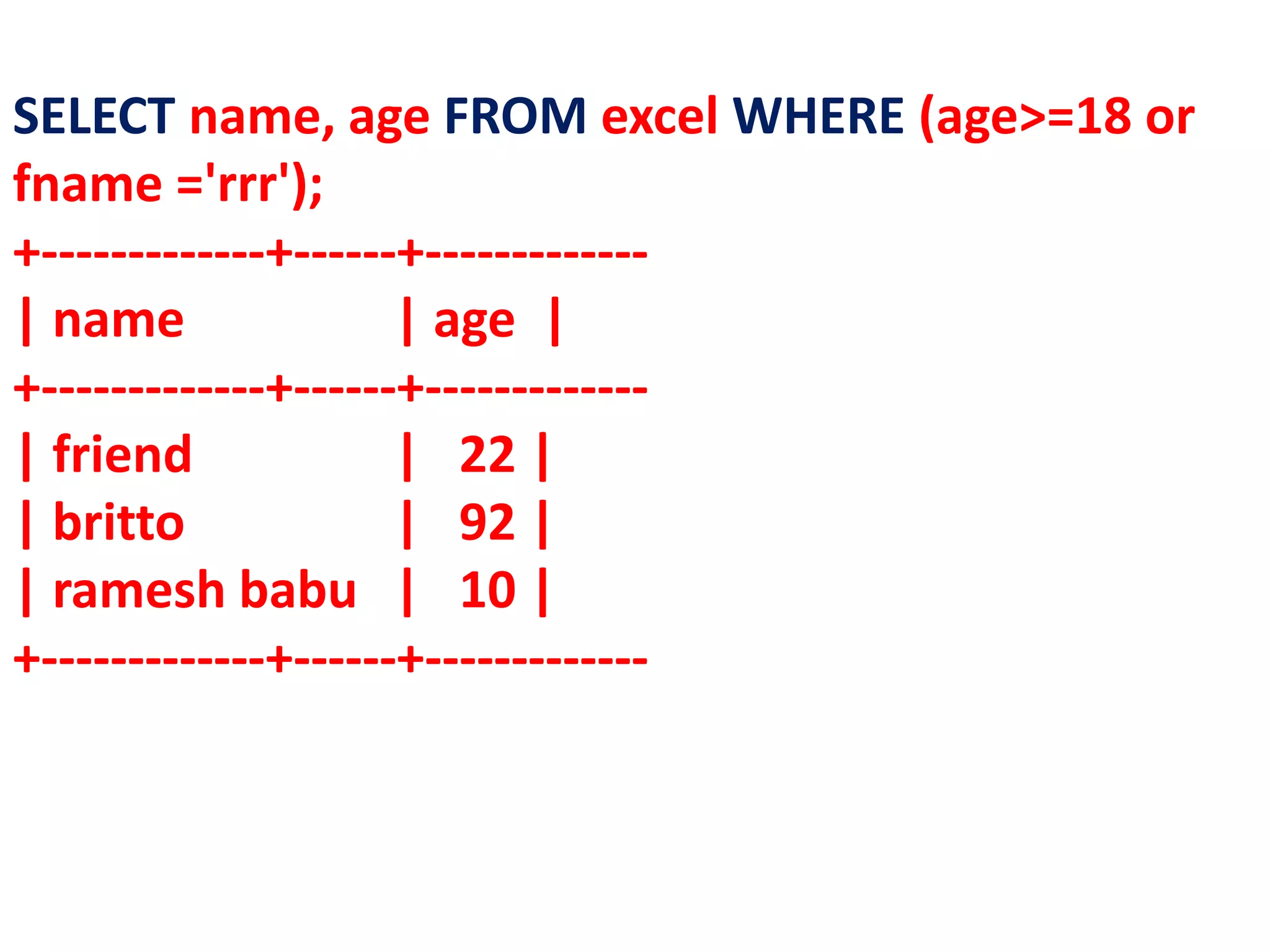
SELECT name, age FROM excel WHERE (age>=18 or
fname ='rrr');
+-------------+------+-------------
| name | age |
+-------------+------+-------------
| friend | 22 |
| britto | 92 |
| ramesh babu | 10 |
+-------------+------+-------------
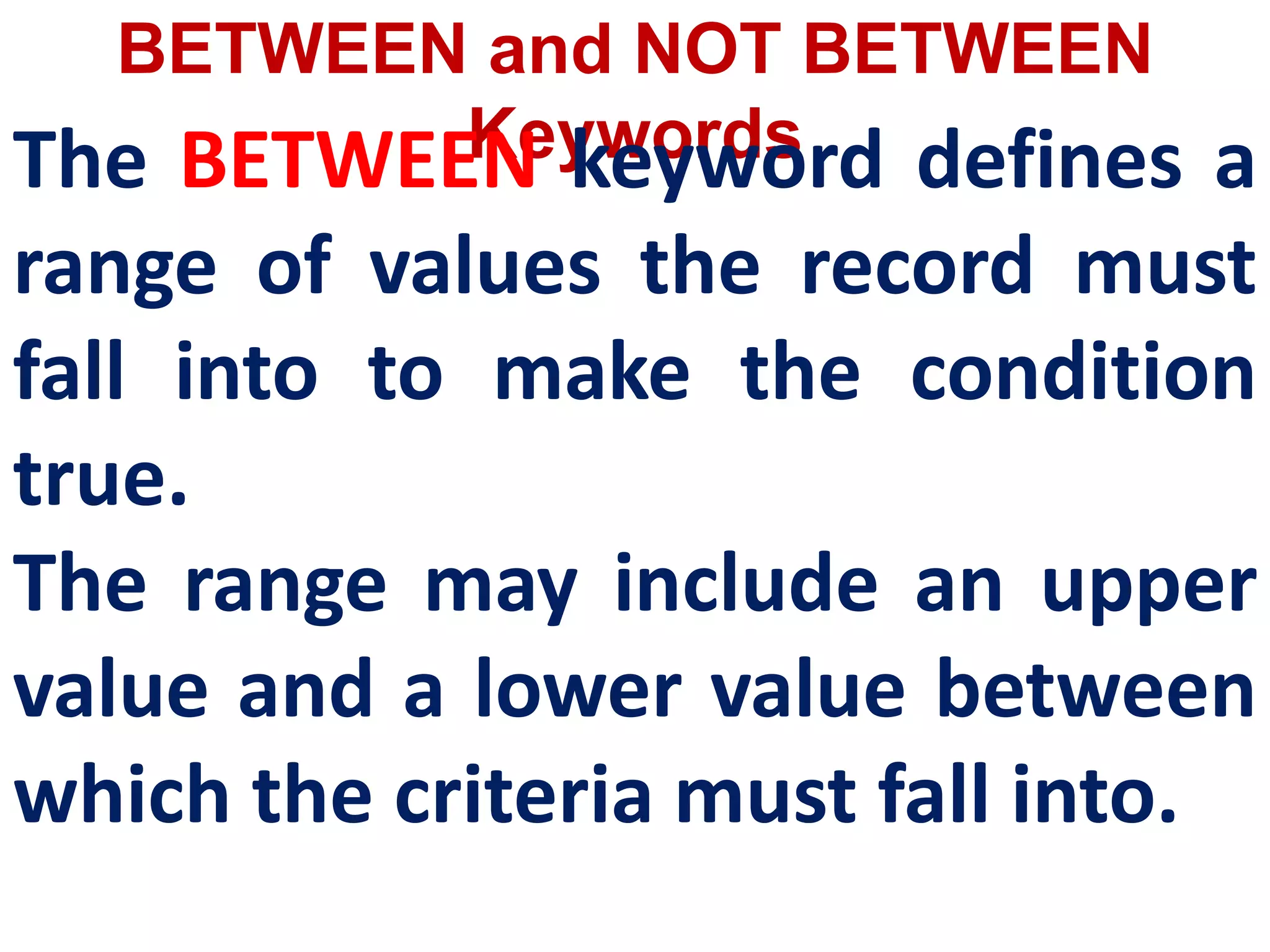
BETWEEN and NOT BETWEEN
Keywords
The BETWEEN keyword defines a
range of values the record must
fall into to make the condition
true.
The range may include an upper
value and a lower value between
which the criteria must fall into.
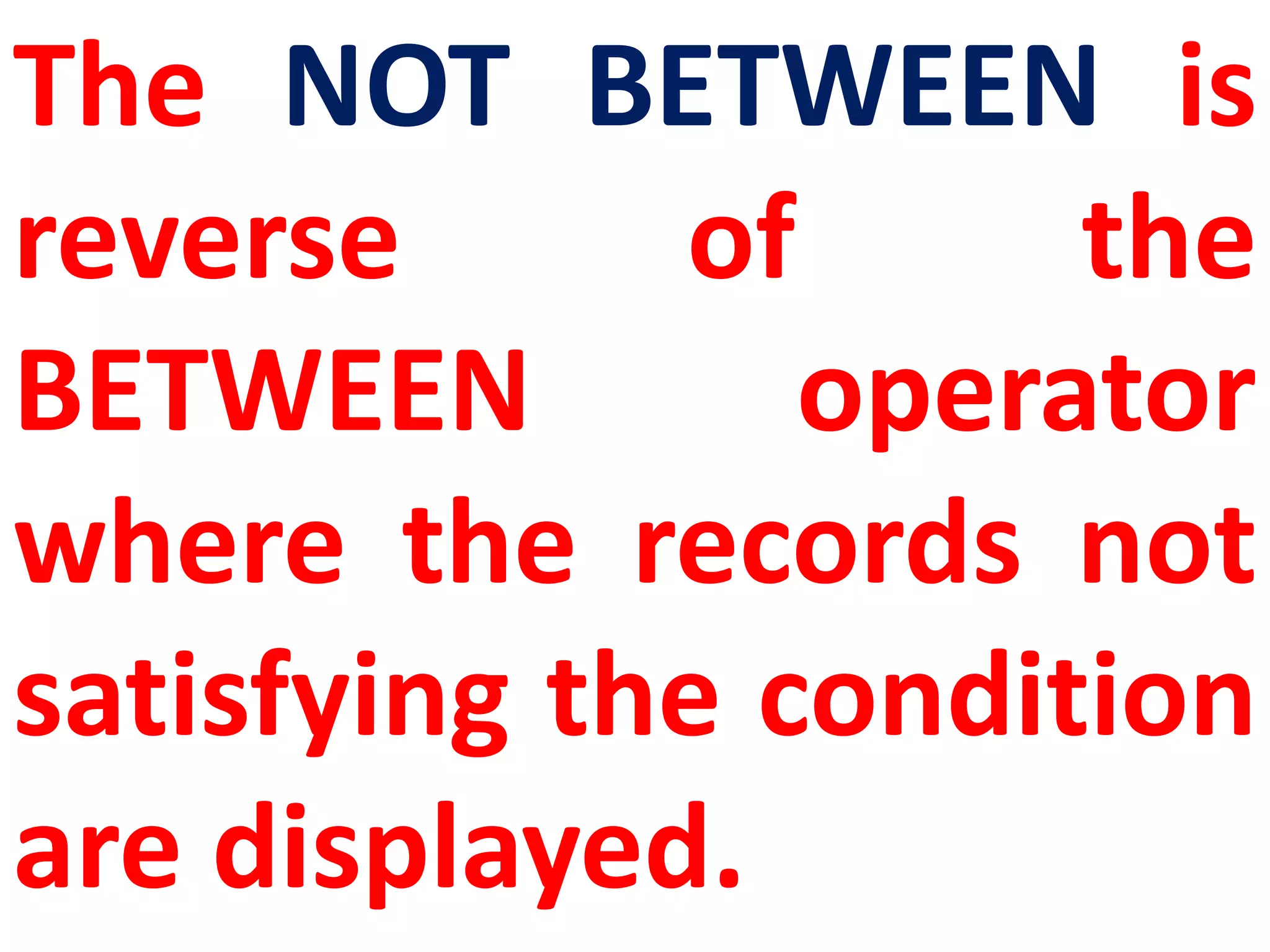
The NOT BETWEEN is
reverse of the
BETWEEN operator
where the records not
satisfying the condition
are displayed.
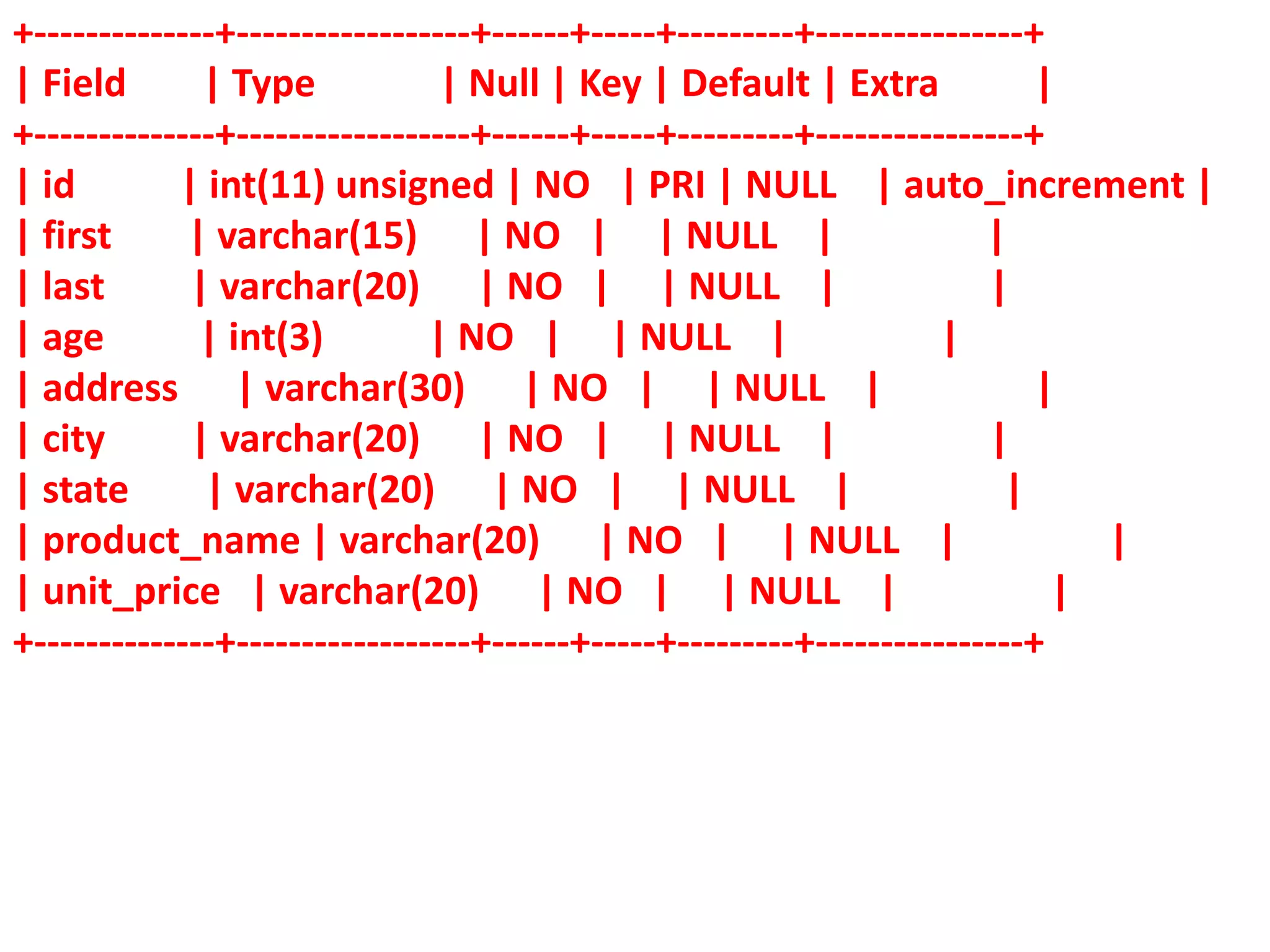
+--------------+------------------+------+-----+---------+----------------+
| Field | Type | Null | Key | Default | Extra |
+--------------+------------------+------+-----+---------+----------------+
| id | int(11) unsigned | NO | PRI | NULL | auto_increment |
| first | varchar(15) | NO | | NULL | |
| last | varchar(20) | NO | | NULL | |
| age | int(3) | NO | | NULL | |
| address | varchar(30) | NO | | NULL | |
| city | varchar(20) | NO | | NULL | |
| state | varchar(20) | NO | | NULL | |
| product_name | varchar(20) | NO | | NULL | |
| unit_price | varchar(20) | NO | | NULL | |
+--------------+------------------+------+-----+---------+----------------+
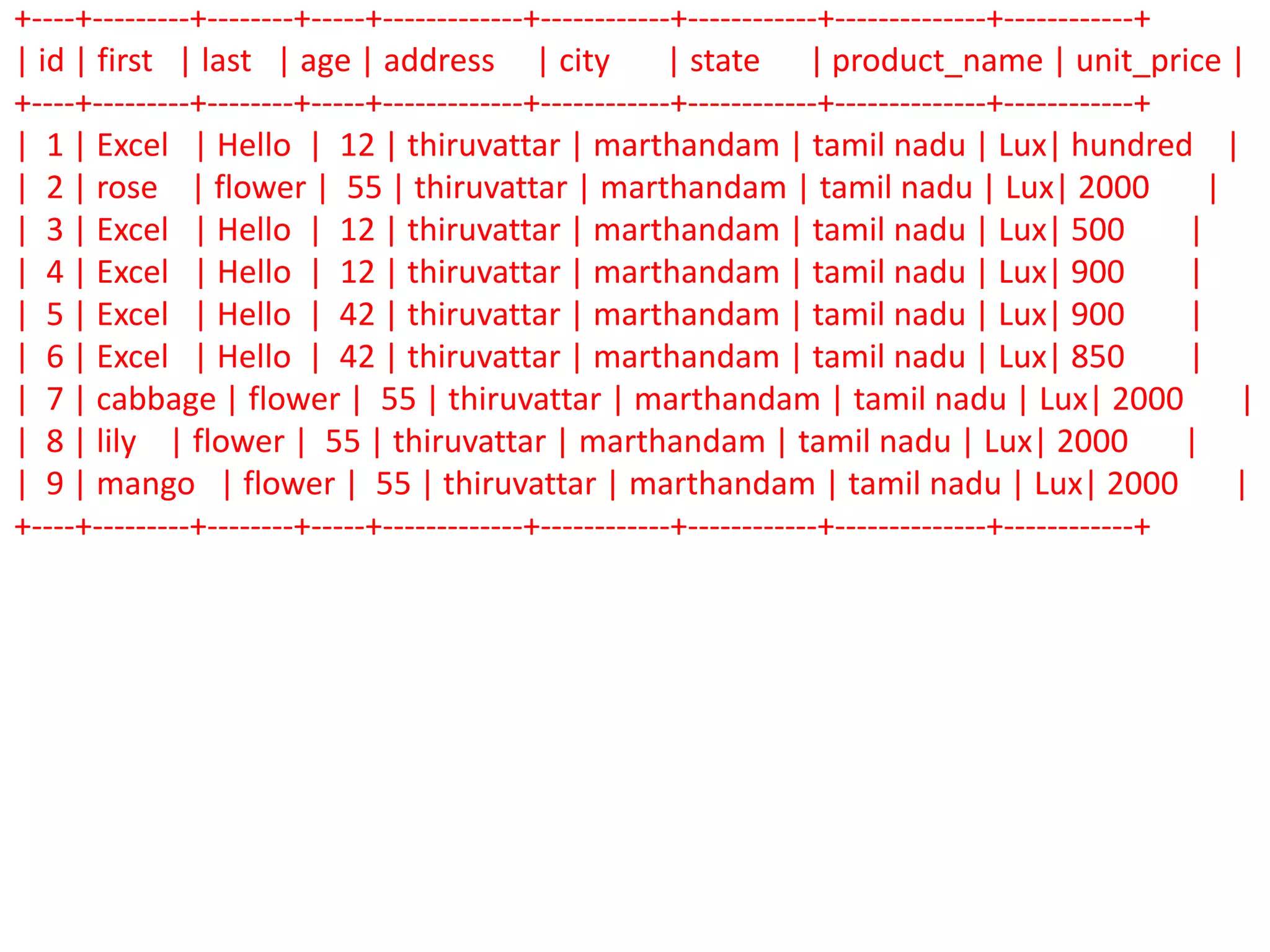
+----+---------+--------+-----+-------------+------------+------------+--------------+------------+
| id | first | last | age | address | city | state | product_name | unit_price |
+----+---------+--------+-----+-------------+------------+------------+--------------+------------+
| 1 | Excel | Hello | 12 | thiruvattar | marthandam | tamil nadu | Lux| hundred |
| 2 | rose | flower | 55 | thiruvattar | marthandam | tamil nadu | Lux| 2000 |
| 3 | Excel | Hello | 12 | thiruvattar | marthandam | tamil nadu | Lux| 500 |
| 4 | Excel | Hello | 12 | thiruvattar | marthandam | tamil nadu | Lux| 900 |
| 5 | Excel | Hello | 42 | thiruvattar | marthandam | tamil nadu | Lux| 900 |
| 6 | Excel | Hello | 42 | thiruvattar | marthandam | tamil nadu | Lux| 850 |
| 7 | cabbage | flower | 55 | thiruvattar | marthandam | tamil nadu | Lux| 2000 |
| 8 | lily | flower | 55 | thiruvattar | marthandam | tamil nadu | Lux| 2000 |
| 9 | mango | flower | 55 | thiruvattar | marthandam | tamil nadu | Lux| 2000 |
+----+---------+--------+-----+-------------+------------+------------+--------------+------------+
SELECT id, product_name,unit_price
FROM employee
WHERE unit_price BETWEEN 500 AND 900
ORDER BY unit_price
+----+--------------+------------+
| id | product_name | unit_price |
+----+--------------+------------+
| 3 | Lux | 500 |
| 6 | Lux | 850 |
| 4 | Lux | 900 |
| 5 | Lux | 900 |
+----+--------------+------------+
+----+---------+--------+-----+-------------+------------+------------+--------------+------------+
| id | first | last | age | address | city | state | product_name | unit_price |
+----+---------+--------+-----+-------------+------------+------------+--------------+------------+
| 1 | Excel | Hello | 12 | thiruvattar | marthandam | tamil nadu | Lux| hundred |
| 2 | rose | flower | 55 | thiruvattar | marthandam | tamil nadu | Lux| 2000 |
| 3 | Excel | Hello | 12 | thiruvattar | marthandam | tamil nadu | Lux| 500 |
| 4 | Excel | Hello | 12 | thiruvattar | marthandam | tamil nadu | Lux| 900 |
| 5 | Excel | Hello | 42 | thiruvattar | marthandam | tamil nadu | Lux| 900 |
| 6 | Excel | Hello | 42 | thiruvattar | marthandam | tamil nadu | Lux| 850 |
| 7 | cabbage | flower | 55 | thiruvattar | marthandam | tamil nadu | Lux| 2000 |
| 8 | lily | flower | 55 | thiruvattar | marthandam | tamil nadu | Lux| 2000 |
| 9 | mango | flower | 55 | thiruvattar | marthandam | tamil nadu | Lux| 2000 |
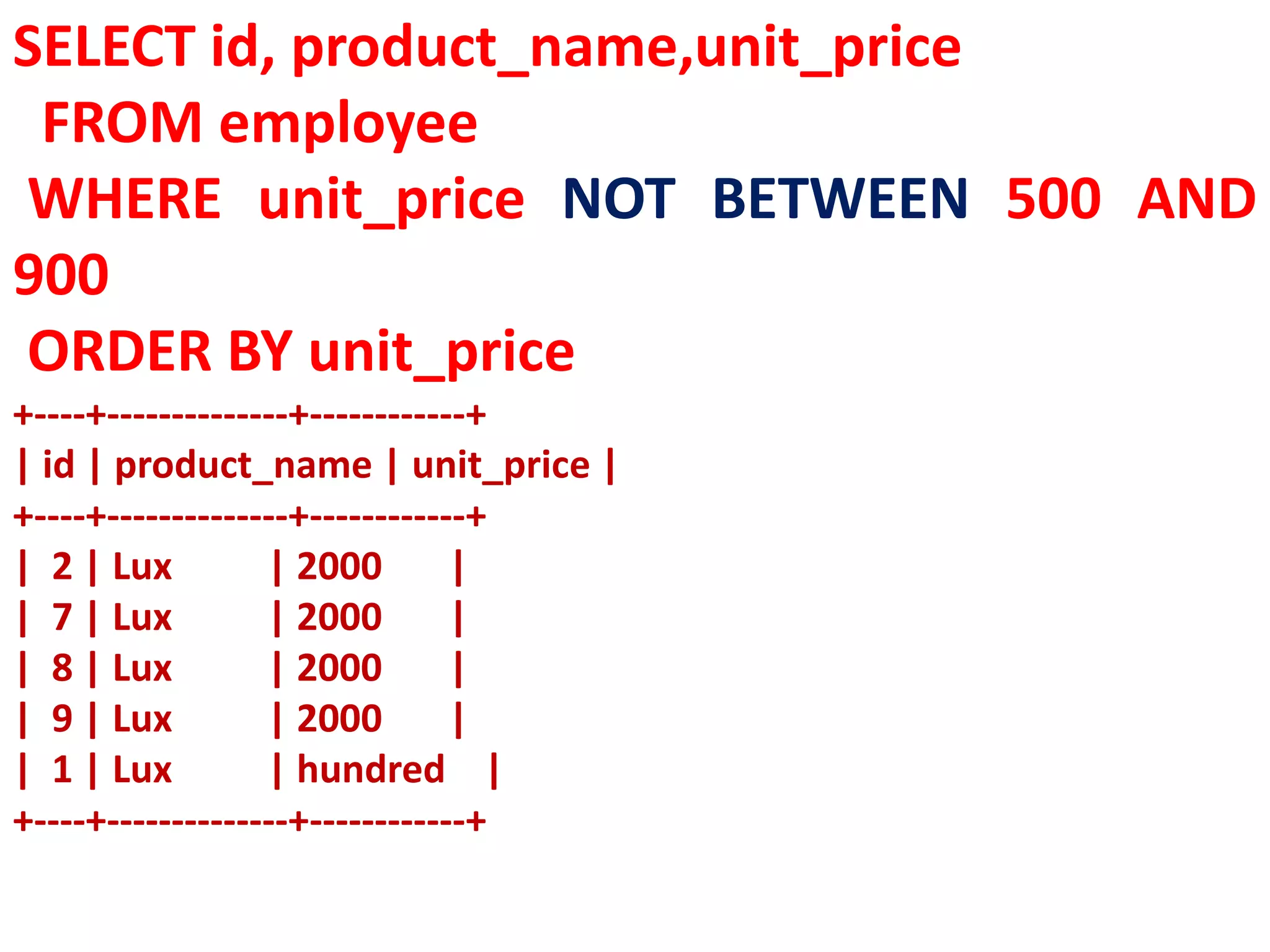
+----+---------+--------+-----+-------------+------------+------------+--------------+------------+
SELECT id, product_name,unit_price
FROM employee
WHERE unit_price NOT BETWEEN 500 AND
900
ORDER BY unit_price
+----+--------------+------------+
| id | product_name | unit_price |
+----+--------------+------------+
| 2 | Lux | 2000 |
| 7 | Lux | 2000 |
| 8 | Lux | 2000 |
| 9 | Lux | 2000 |
| 1 | Lux | hundred |
+----+--------------+------------+
IN Keyword
The IN keyword is used to specify
a list of values which must be
matched with the record values.
In other words it is used to
compare a column with more
than one value. It is similar to an
OR condition.
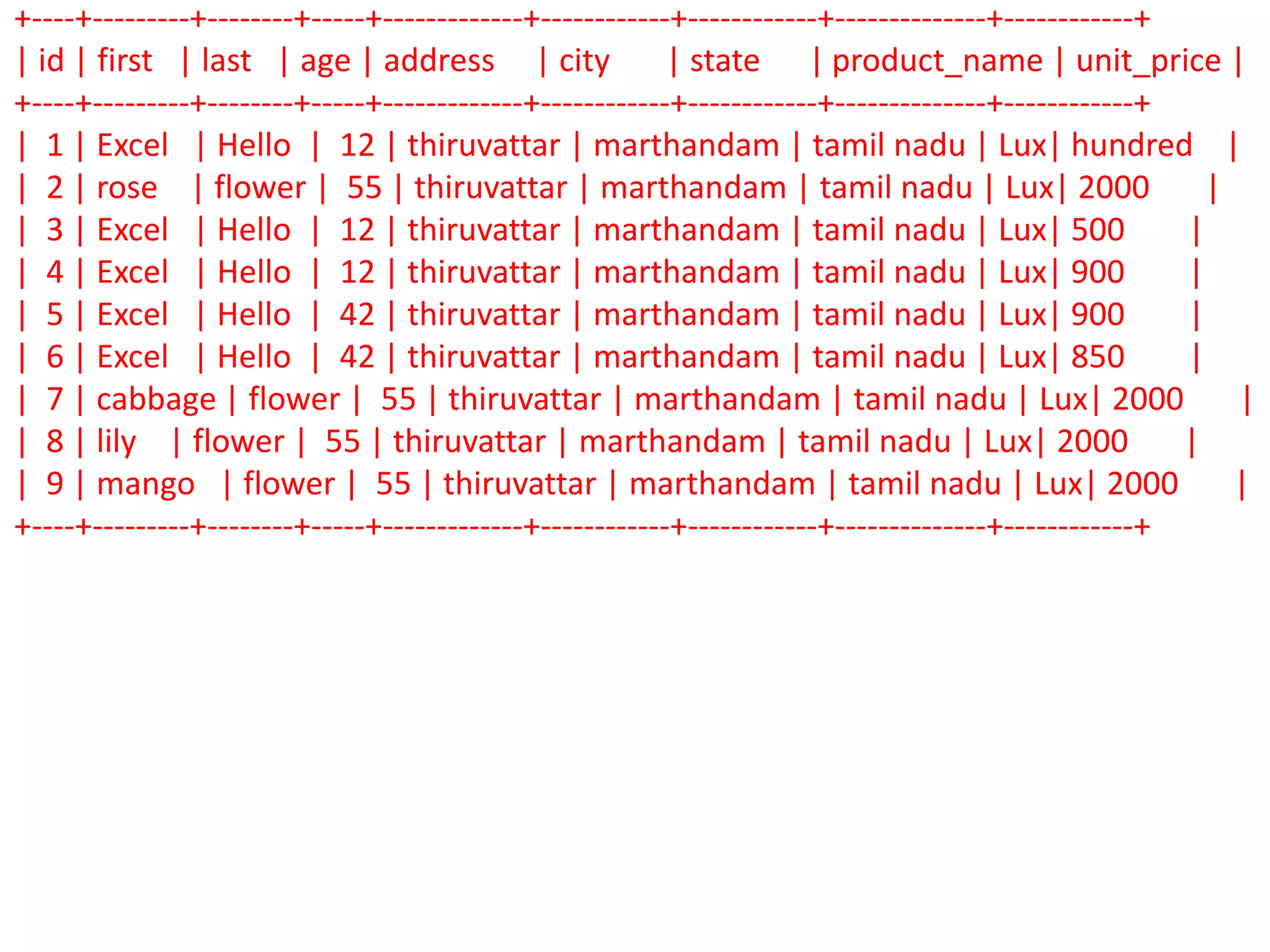
+----+---------+--------+-----+-------------+------------+------------+--------------+------------+
| id | first | last | age | address | city | state | product_name | unit_price |
+----+---------+--------+-----+-------------+------------+------------+--------------+------------+
| 1 | Excel | Hello | 12 | thiruvattar | marthandam | tamil nadu | Lux| hundred |
| 2 | rose | flower | 55 | thiruvattar | marthandam | tamil nadu | Lux| 2000 |
| 3 | Excel | Hello | 12 | thiruvattar | marthandam | tamil nadu | Lux| 500 |
| 4 | Excel | Hello | 12 | thiruvattar | marthandam | tamil nadu | Lux| 900 |
| 5 | Excel | Hello | 42 | thiruvattar | marthandam | tamil nadu | Lux| 900 |
| 6 | Excel | Hello | 42 | thiruvattar | marthandam | tamil nadu | Lux| 850 |
| 7 | cabbage | flower | 55 | thiruvattar | marthandam | tamil nadu | Lux| 2000 |
| 8 | lily | flower | 55 | thiruvattar | marthandam | tamil nadu | Lux| 2000 |
| 9 | mango | flower | 55 | thiruvattar | marthandam | tamil nadu | Lux| 2000 |
+----+---------+--------+-----+-------------+------------+------------+--------------+------------+
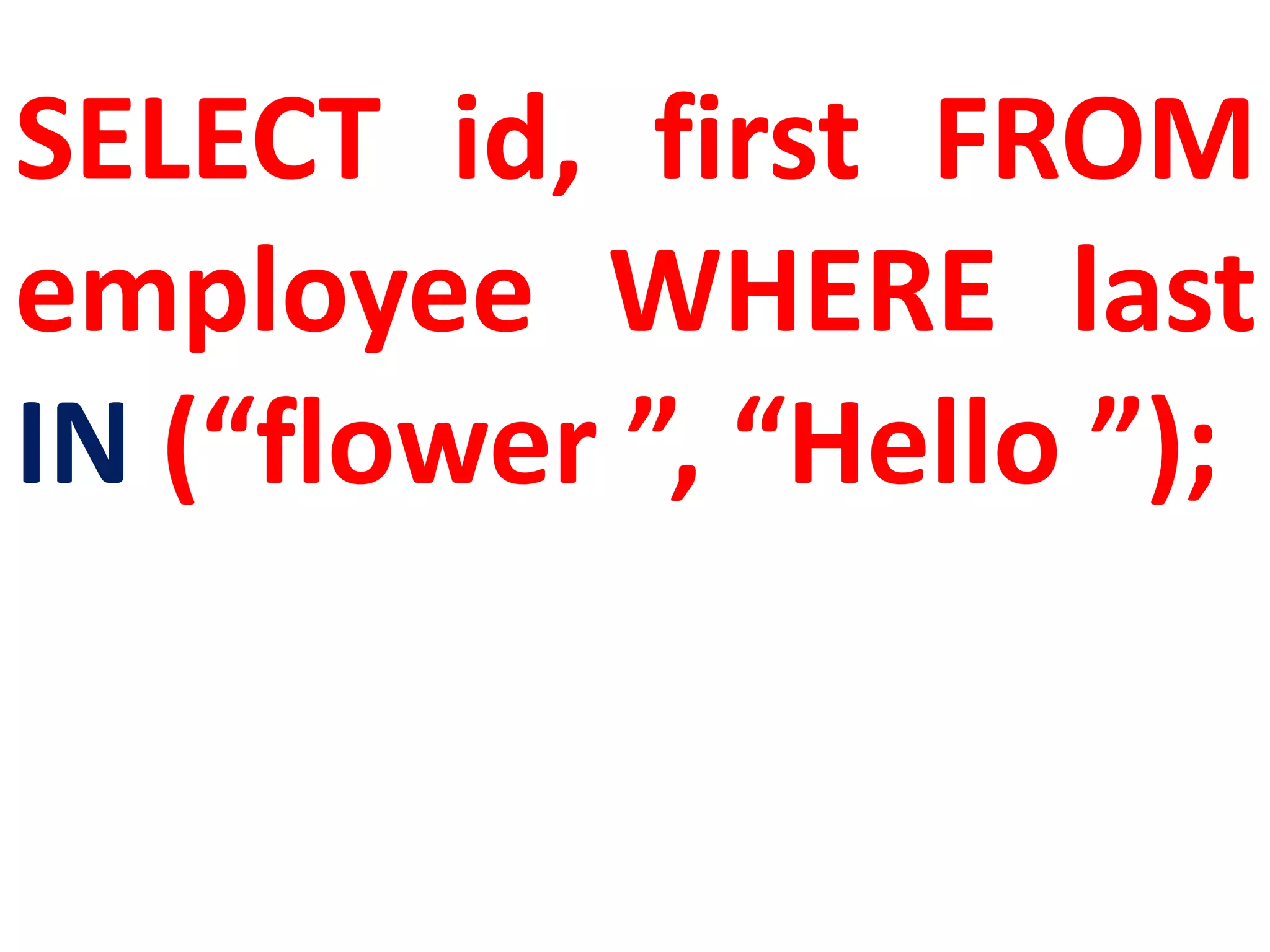
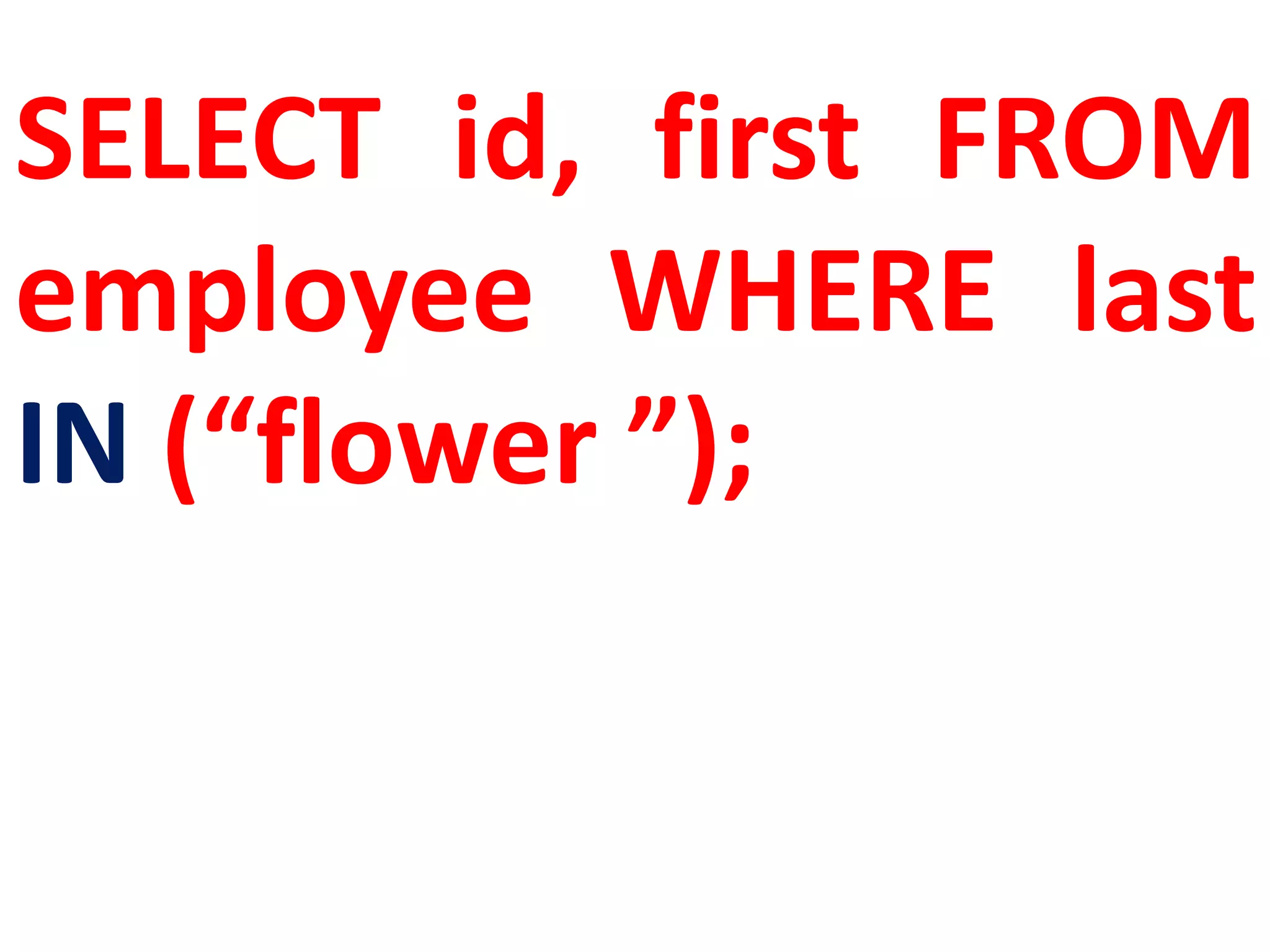
SELECT id, first FROM
employee WHERE last
IN (“flower ”, “Hello ”);
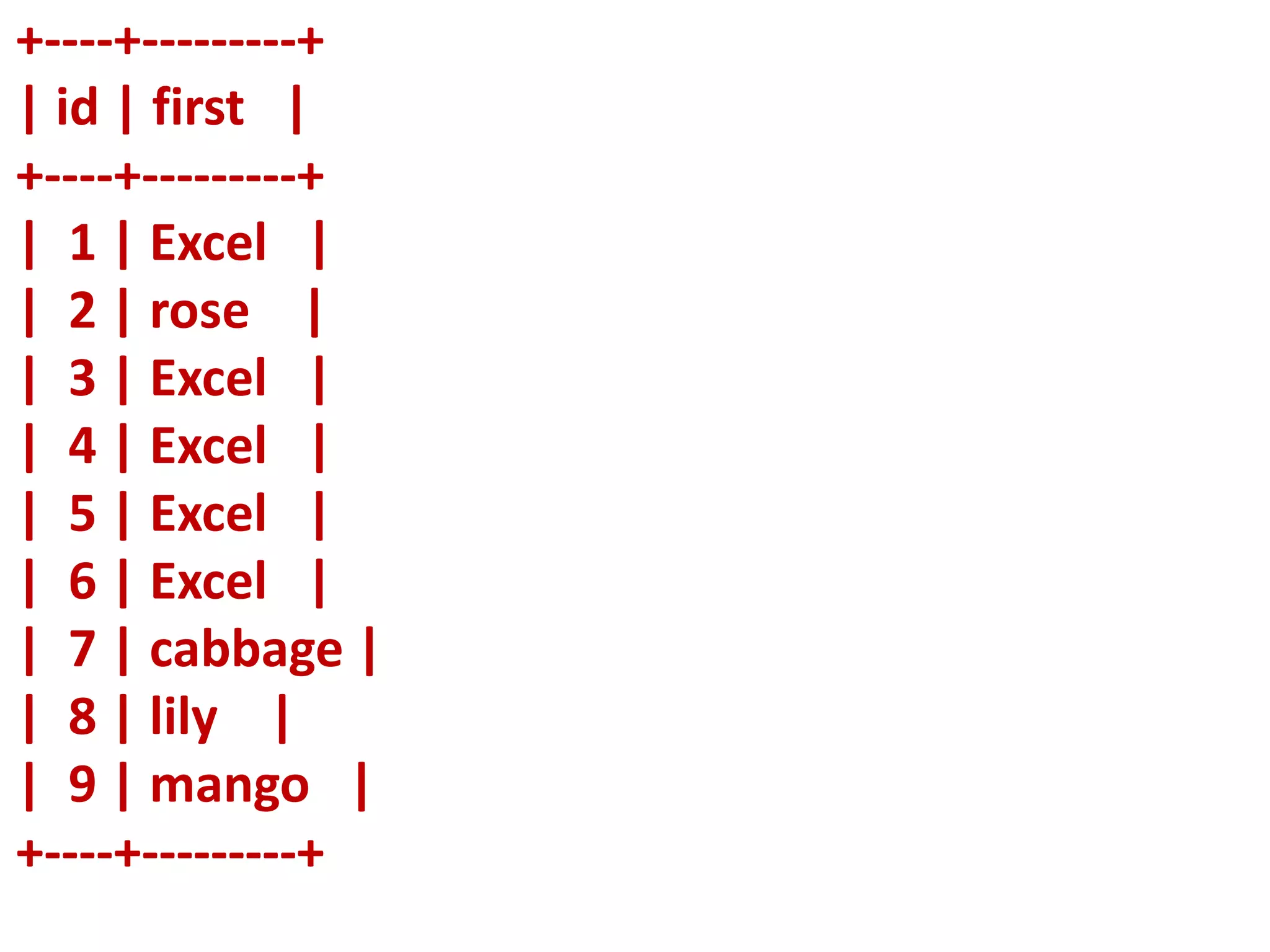
+----+---------+
| id | first |
+----+---------+
| 1 | Excel |
| 2 | rose |
| 3 | Excel |
| 4 | Excel |
| 5 | Excel |
| 6 | Excel |
| 7 | cabbage |
| 8 | lily |
| 9 | mango |
+----+---------+
SELECT id, first FROM
employee WHERE last
IN (“flower ”);
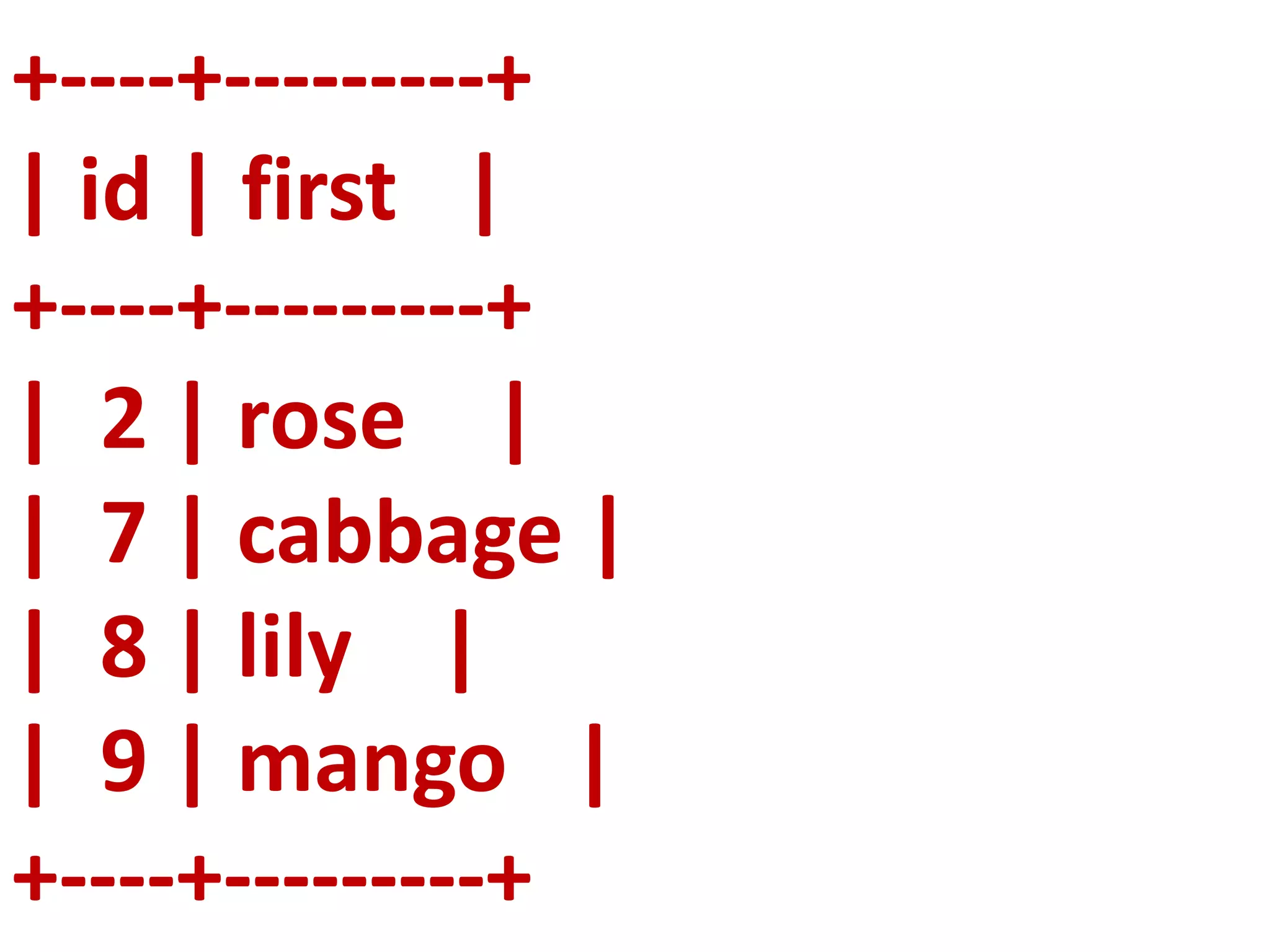
+----+---------+
| id | first |
+----+---------+
| 2 | rose |
| 7 | cabbage |
| 8 | lily |
| 9 | mango |
+----+---------+
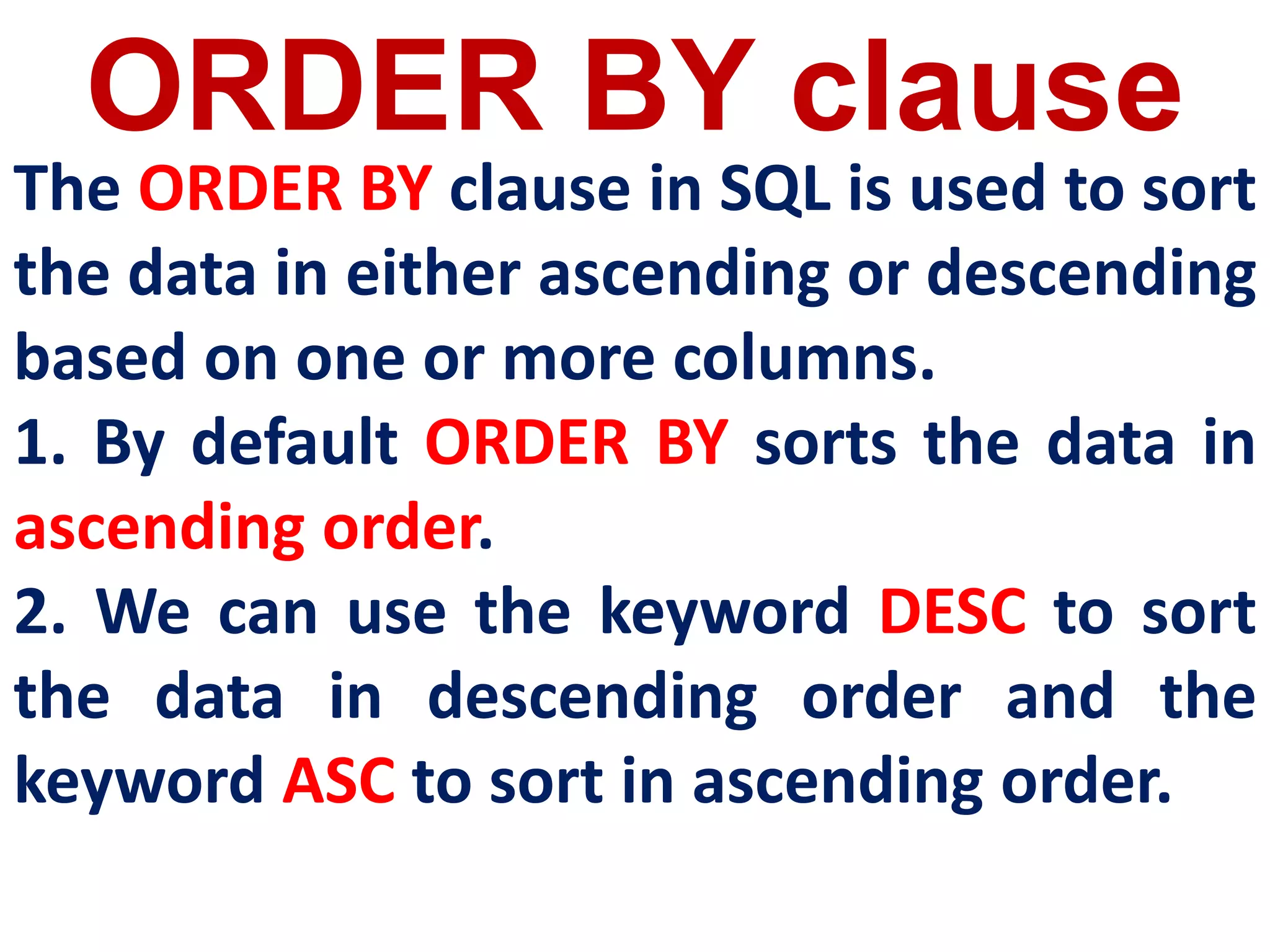
ORDER BY clause
The ORDER BY clause in SQL is used to sort
the data in either ascending or descending
based on one or more columns.
1. By default ORDER BY sorts the data in
ascending order.
2. We can use the keyword DESC to sort
the data in descending order and the
keyword ASC to sort in ascending order.
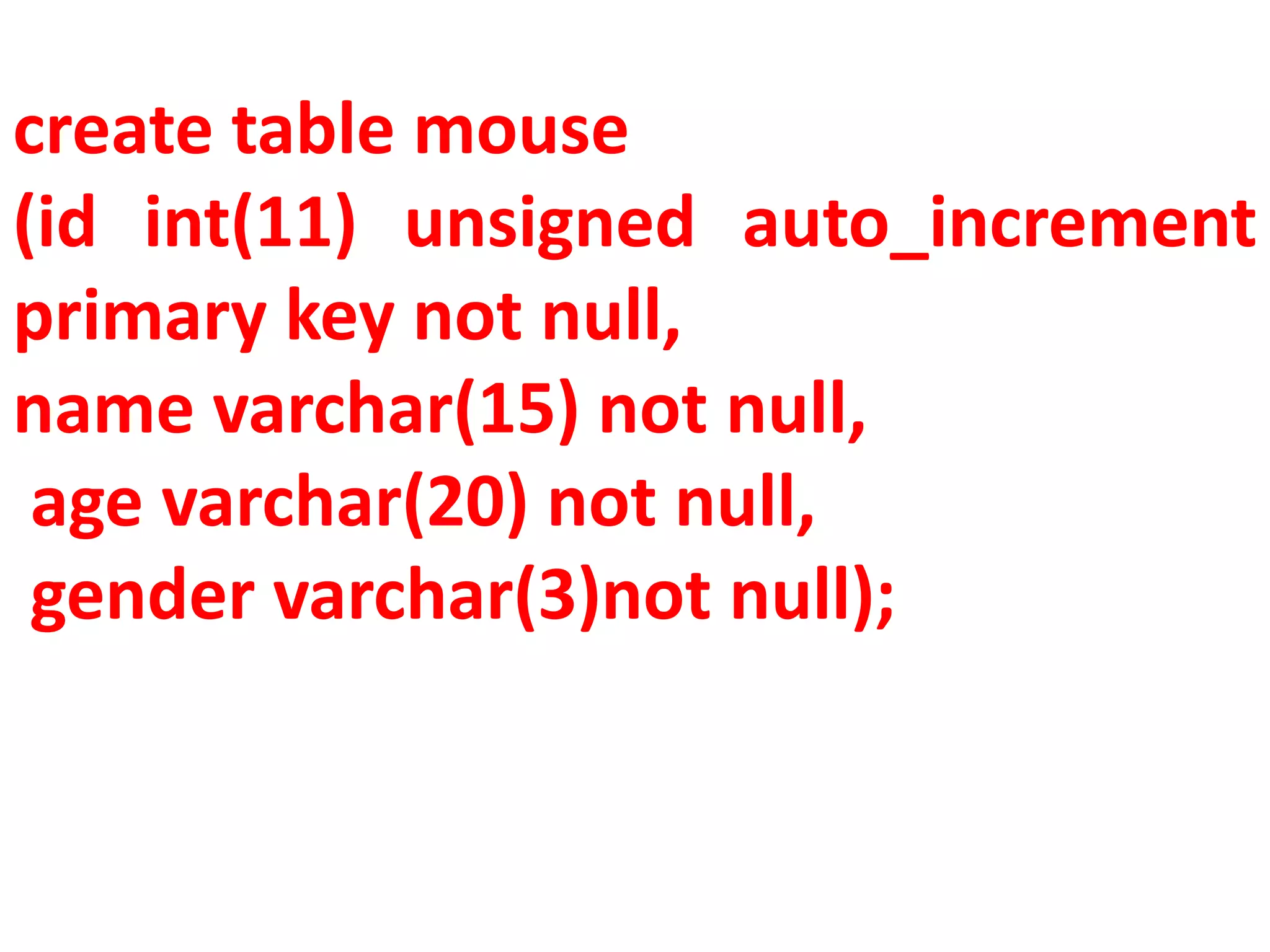
create table mouse
(id int(11) unsigned auto_increment
primary key not null,
name varchar(15) not null,
age varchar(20) not null,
gender varchar(3)not null);
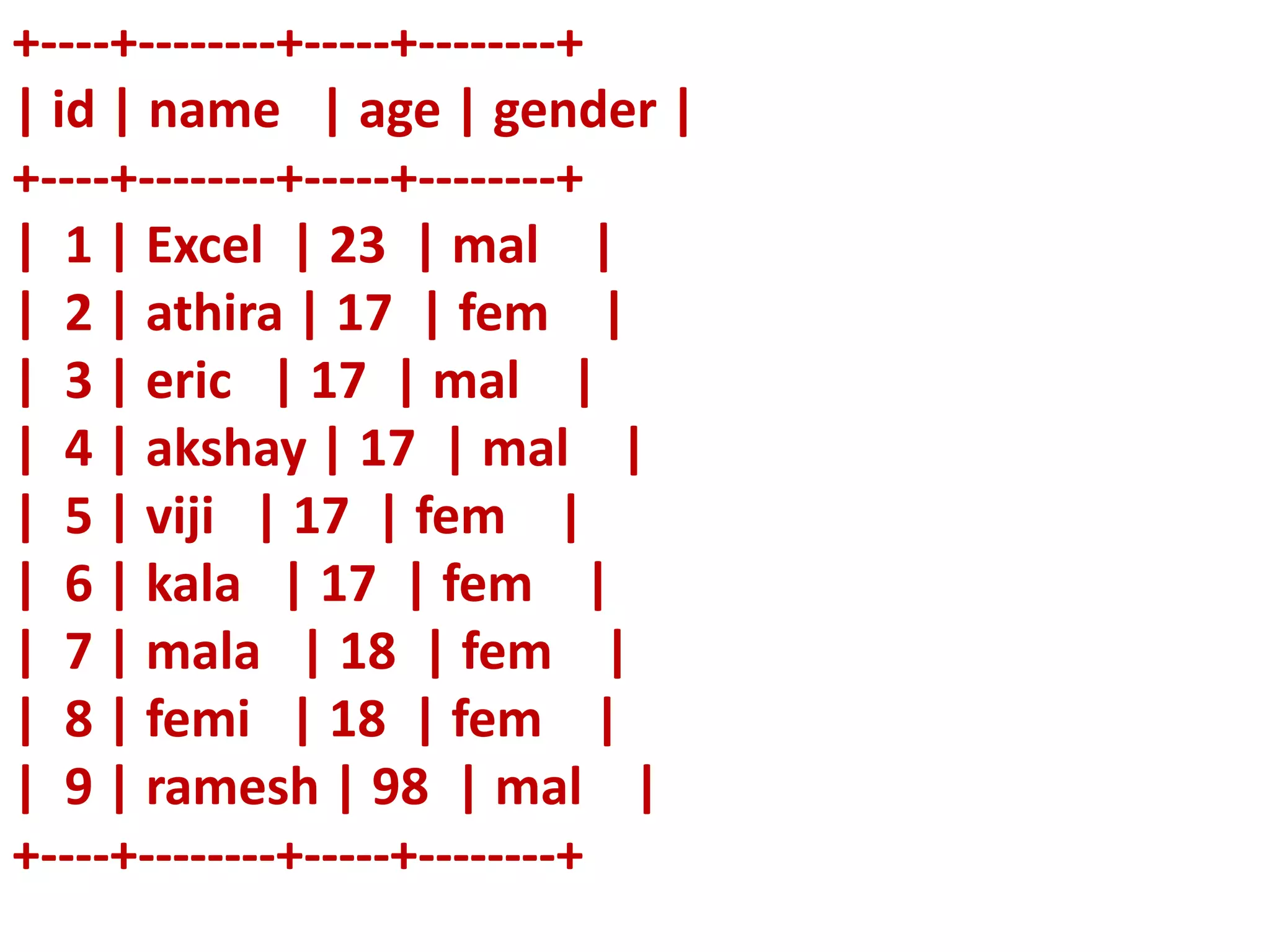
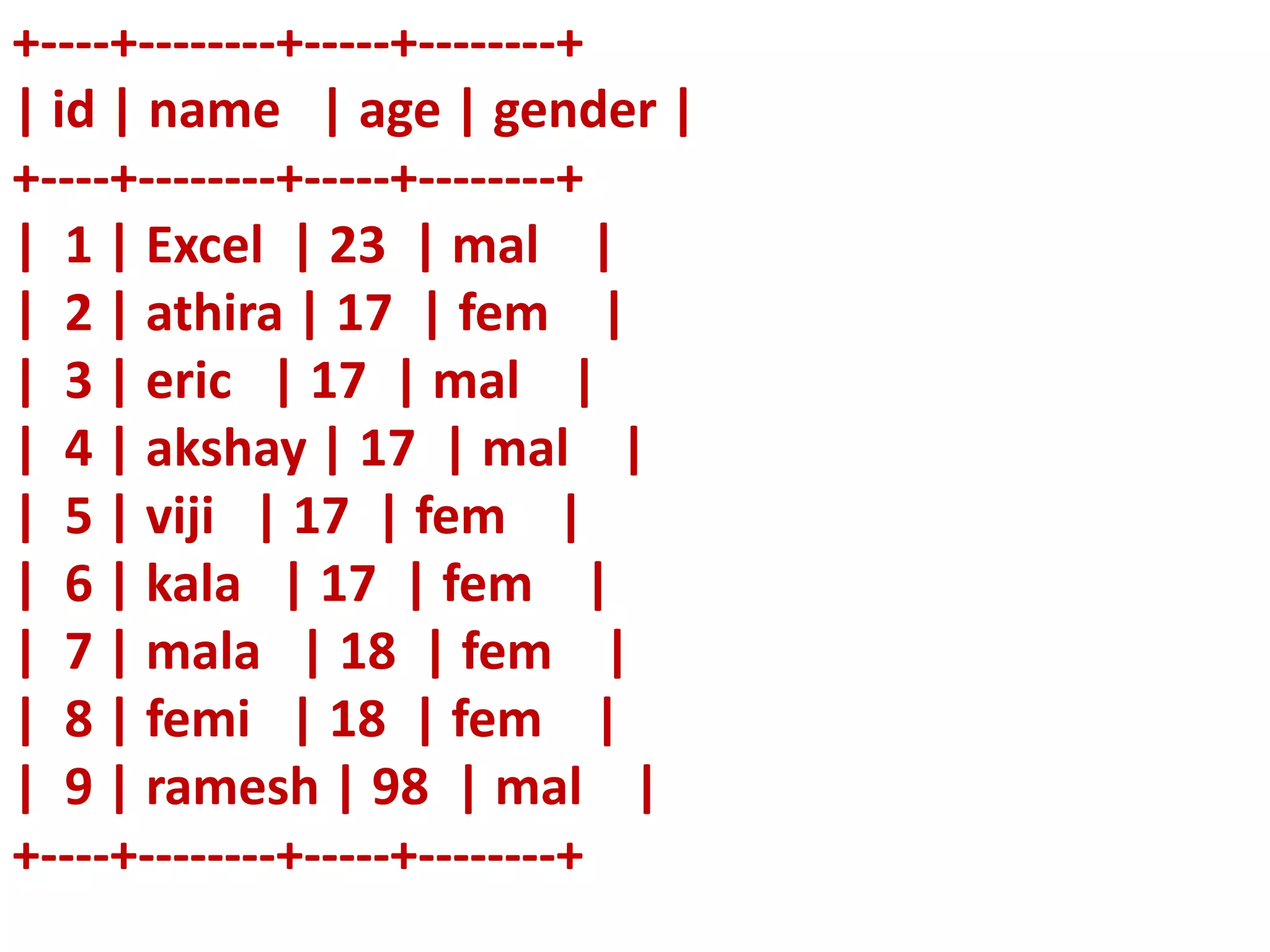
+----+--------+-----+--------+
| id | name | age | gender |
+----+--------+-----+--------+
| 1 | Excel | 23 | mal |
| 2 | athira | 17 | fem |
| 3 | eric | 17 | mal |
| 4 | akshay | 17 | mal |
| 5 | viji | 17 | fem |
| 6 | kala | 17 | fem |
| 7 | mala | 18 | fem |
| 8 | femi | 18 | fem |
| 9 | ramesh | 98 | mal |
+----+--------+-----+--------+
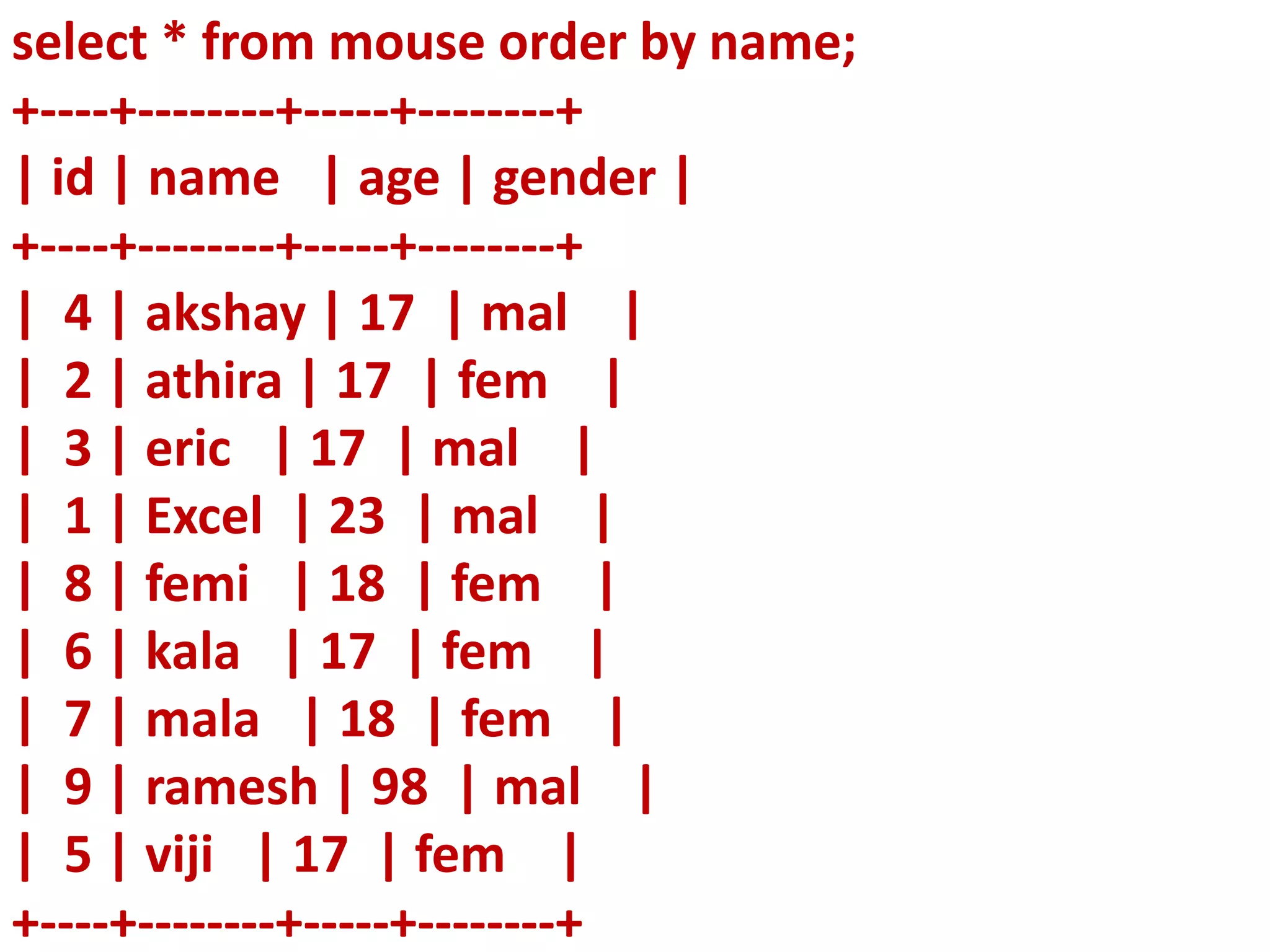
select * from mouse order by name;
+----+--------+-----+--------+
| id | name | age | gender |
+----+--------+-----+--------+
| 4 | akshay | 17 | mal |
| 2 | athira | 17 | fem |
| 3 | eric | 17 | mal |
| 1 | Excel | 23 | mal |
| 8 | femi | 18 | fem |
| 6 | kala | 17 | fem |
| 7 | mala | 18 | fem |
| 9 | ramesh | 98 | mal |
| 5 | viji | 17 | fem |
+----+--------+-----+--------+
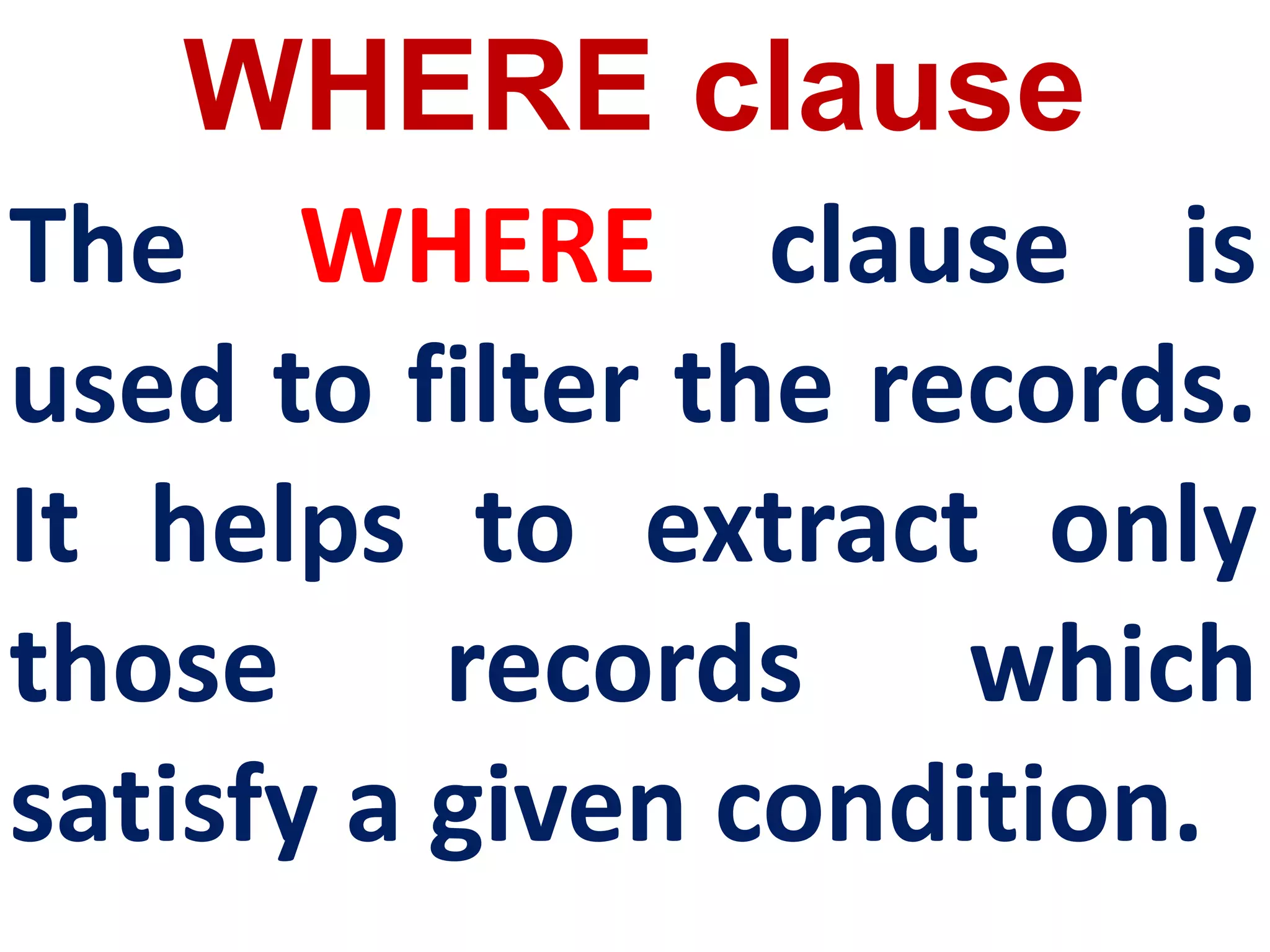
WHERE clause
The WHERE clause is
used to filter the records.
It helps to extract only
those records which
satisfy a given condition.
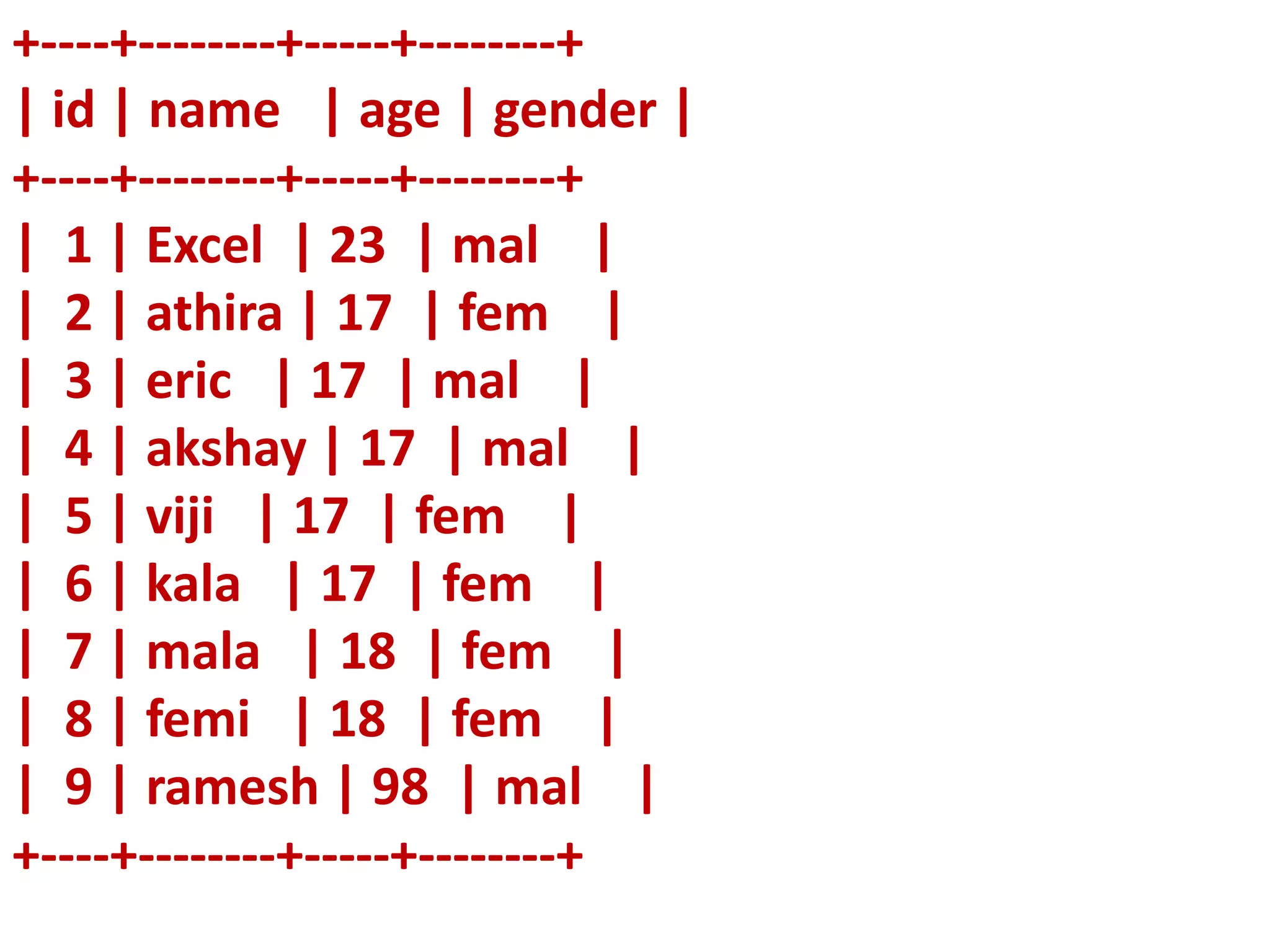
+----+--------+-----+--------+
| id | name | age | gender |
+----+--------+-----+--------+
| 1 | Excel | 23 | mal |
| 2 | athira | 17 | fem |
| 3 | eric | 17 | mal |
| 4 | akshay | 17 | mal |
| 5 | viji | 17 | fem |
| 6 | kala | 17 | fem |
| 7 | mala | 18 | fem |
| 8 | femi | 18 | fem |
| 9 | ramesh | 98 | mal |
+----+--------+-----+--------+
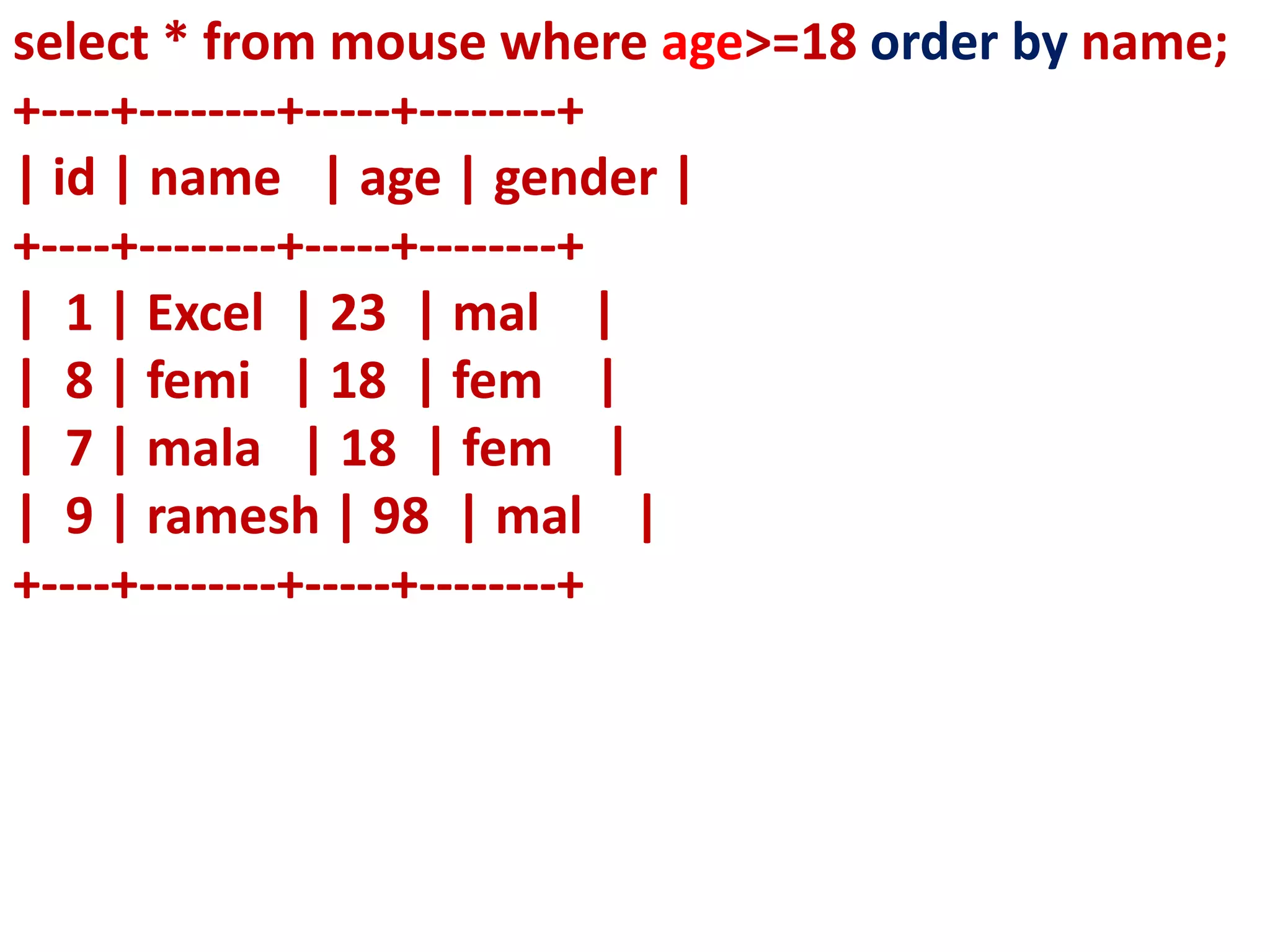
select * from mouse where age>=18 order by name;
+----+--------+-----+--------+
| id | name | age | gender |
+----+--------+-----+--------+
| 1 | Excel | 23 | mal |
| 8 | femi | 18 | fem |
| 7 | mala | 18 | fem |
| 9 | ramesh | 98 | mal |
+----+--------+-----+--------+
+----+--------+-----+--------+
| id | name | age | gender |
+----+--------+-----+--------+
| 1 | Excel | 23 | mal |
| 2 | athira | 17 | fem |
| 3 | eric | 17 | mal |
| 4 | akshay | 17 | mal |
| 5 | viji | 17 | fem |
| 6 | kala | 17 | fem |
| 7 | mala | 18 | fem |
| 8 | femi | 18 | fem |
| 9 | ramesh | 98 | mal |
+----+--------+-----+--------+
+----+--------+-----+--------+
| id | name | age | gender |
+----+--------+-----+--------+
| 9 | ramesh | 98 | mal |
| 8 | femi | 18 | fem |
| 7 | mala | 18 | fem |
| 6 | kala | 17 | fem |
| 5 | viji | 17 | fem |
| 4 | akshay | 17 | mal |
| 3 | eric | 17 | mal |
| 2 | athira | 17 | fem |
| 1 | Excel | 23 | mal |
+----+--------+-----+--------+
select * from mouse order by id desc;
+----+--------+-----+--------+
| id | name | age | gender |
+----+--------+-----+--------+
| 1 | Excel | 23 | mal |
| 2 | athira | 17 | fem |
| 3 | eric | 17 | mal |
| 4 | akshay | 17 | mal |
| 5 | viji | 17 | fem |
| 6 | kala | 17 | fem |
| 7 | mala | 18 | fem |
| 8 | femi | 18 | fem |
| 9 | ramesh | 98 | mal |
+----+--------+-----+--------+
select * from mouse order by name desc;
| id | name | age | gender |
+----+--------+-----+--------+
| 5 | viji | 17 | fem |
| 9 | ramesh | 98 | mal |
| 7 | mala | 18 | fem |
| 6 | kala | 17 | fem |
| 8 | femi | 18 | fem |
| 1 | Excel | 23 | mal |
| 3 | eric | 17 | mal |
| 2 | athira | 17 | fem |
| 4 | akshay | 17 | mal |
+----+--------+-----+--------+
| id | name | age | gender |
+----+--------+-----+--------+
| 1 | Excel | 23 | mal |
| 2 | athira | 17 | fem |
| 3 | eric | 17 | mal |
| 4 | akshay | 17 | mal |
| 5 | viji | 17 | fem |
| 6 | kala | 17 | fem |
| 7 | mala | 18 | fem |
| 8 | femi | 18 | fem |
| 9 | ramesh | 98 | mal |
+----+--------+-----+--------+
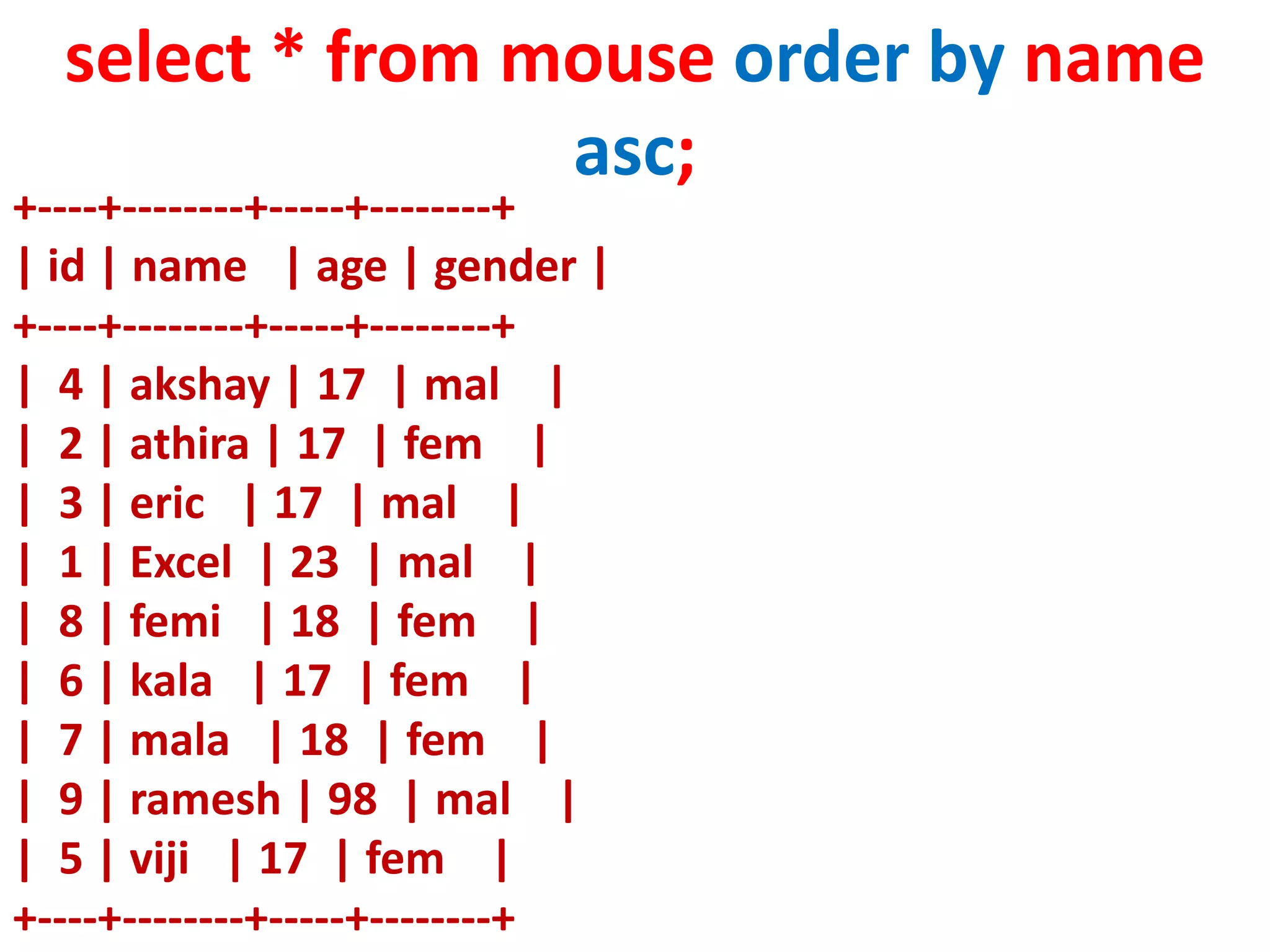
select * from mouse order by name
asc;
+----+--------+-----+--------+
| id | name | age | gender |
+----+--------+-----+--------+
| 4 | akshay | 17 | mal |
| 2 | athira | 17 | fem |
| 3 | eric | 17 | mal |
| 1 | Excel | 23 | mal |
| 8 | femi | 18 | fem |
| 6 | kala | 17 | fem |
| 7 | mala | 18 | fem |
| 9 | ramesh | 98 | mal |
| 5 | viji | 17 | fem |
+----+--------+-----+--------+
GROUP BY clause
The GROUP BY clause is used
with the SELECT statement to
group the students on rows or
columns having identical
values or divide the table in to
groups.
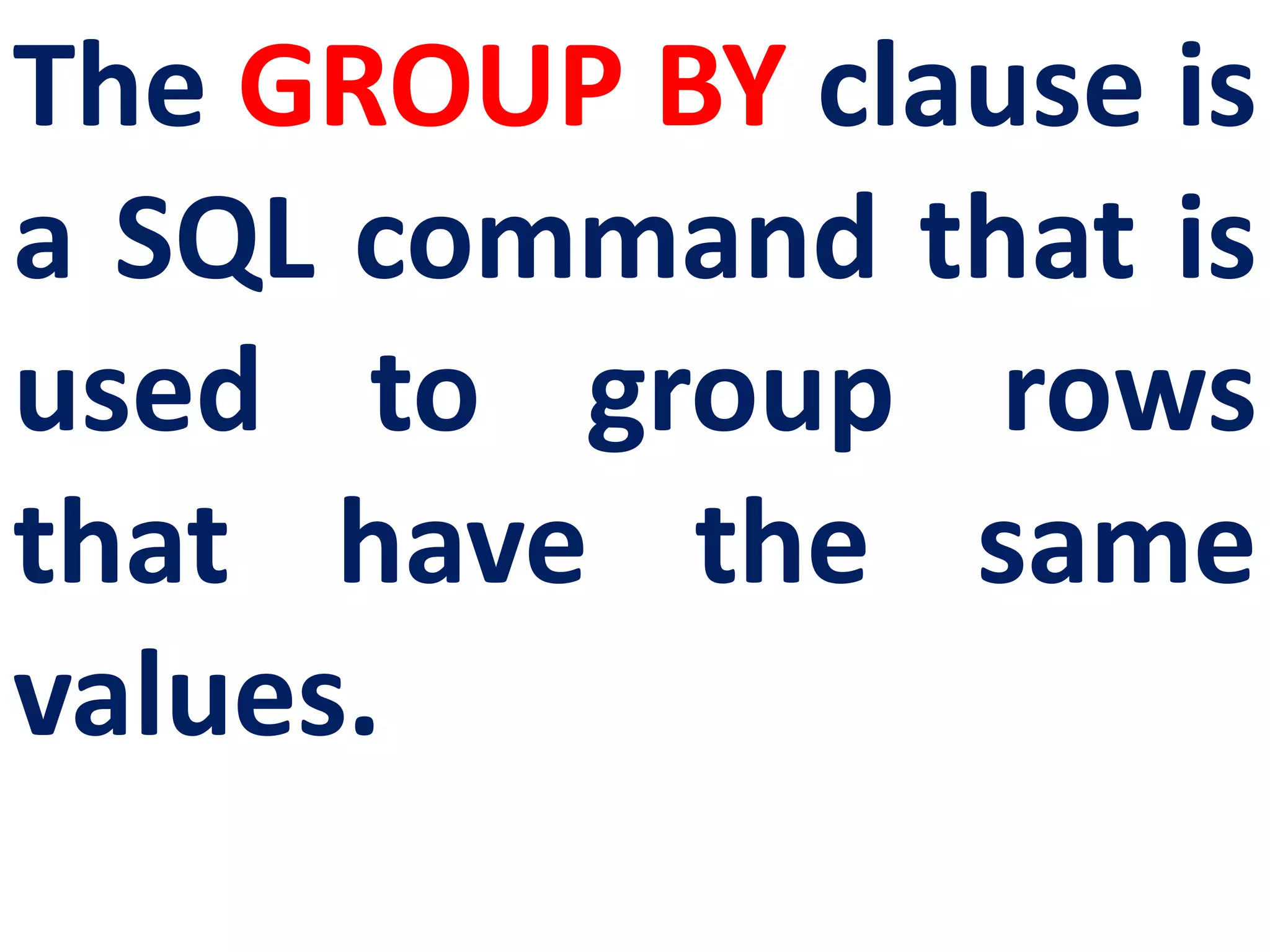
The GROUP BY clause is
a SQL command that is
used to group rows
that have the same
values.
SELECT <column-names> FROM
<table-name> GROUP BY
<column-name>HAVING
condition];
SYNTAX
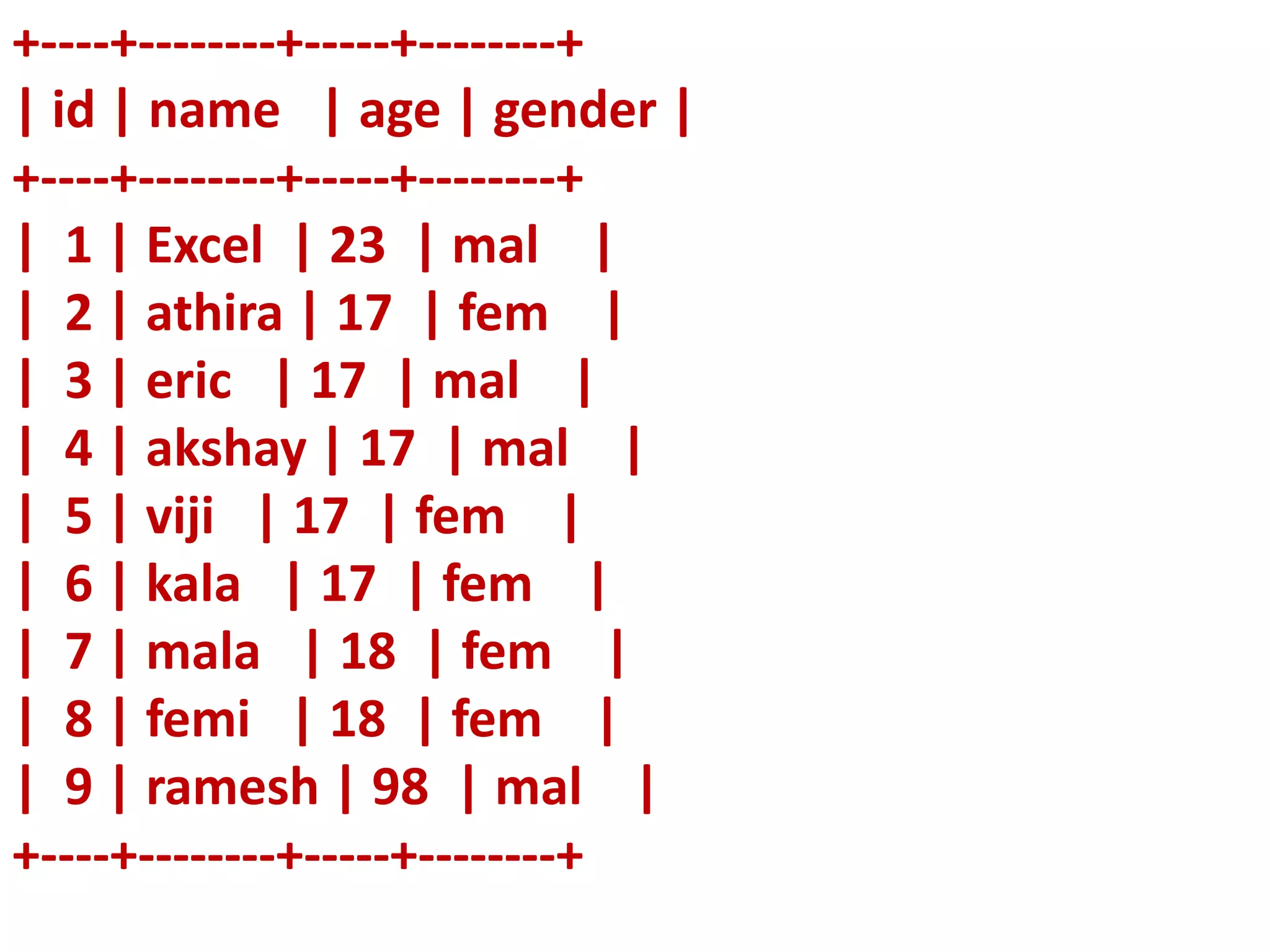
+----+--------+-----+--------+
| id | name | age | gender |
+----+--------+-----+--------+
| 1 | Excel | 23 | mal |
| 2 | athira | 17 | fem |
| 3 | eric | 17 | mal |
| 4 | akshay | 17 | mal |
| 5 | viji | 17 | fem |
| 6 | kala | 17 | fem |
| 7 | mala | 18 | fem |
| 8 | femi | 18 | fem |
| 9 | ramesh | 98 | mal |
+----+--------+-----+--------+
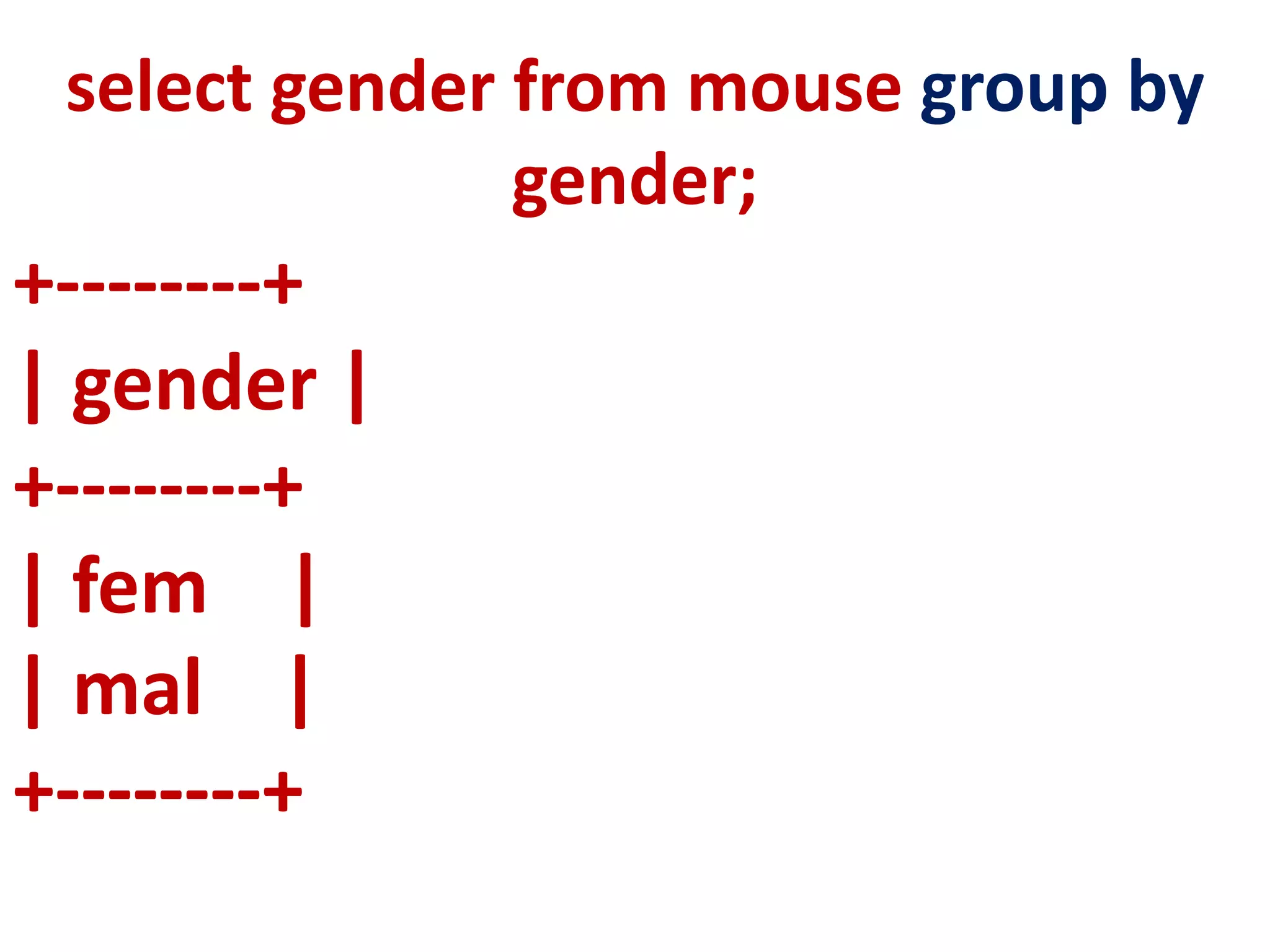
+--------+
| gender |
+--------+
| fem |
| mal |
+--------+
select gender from mouse group by
gender;
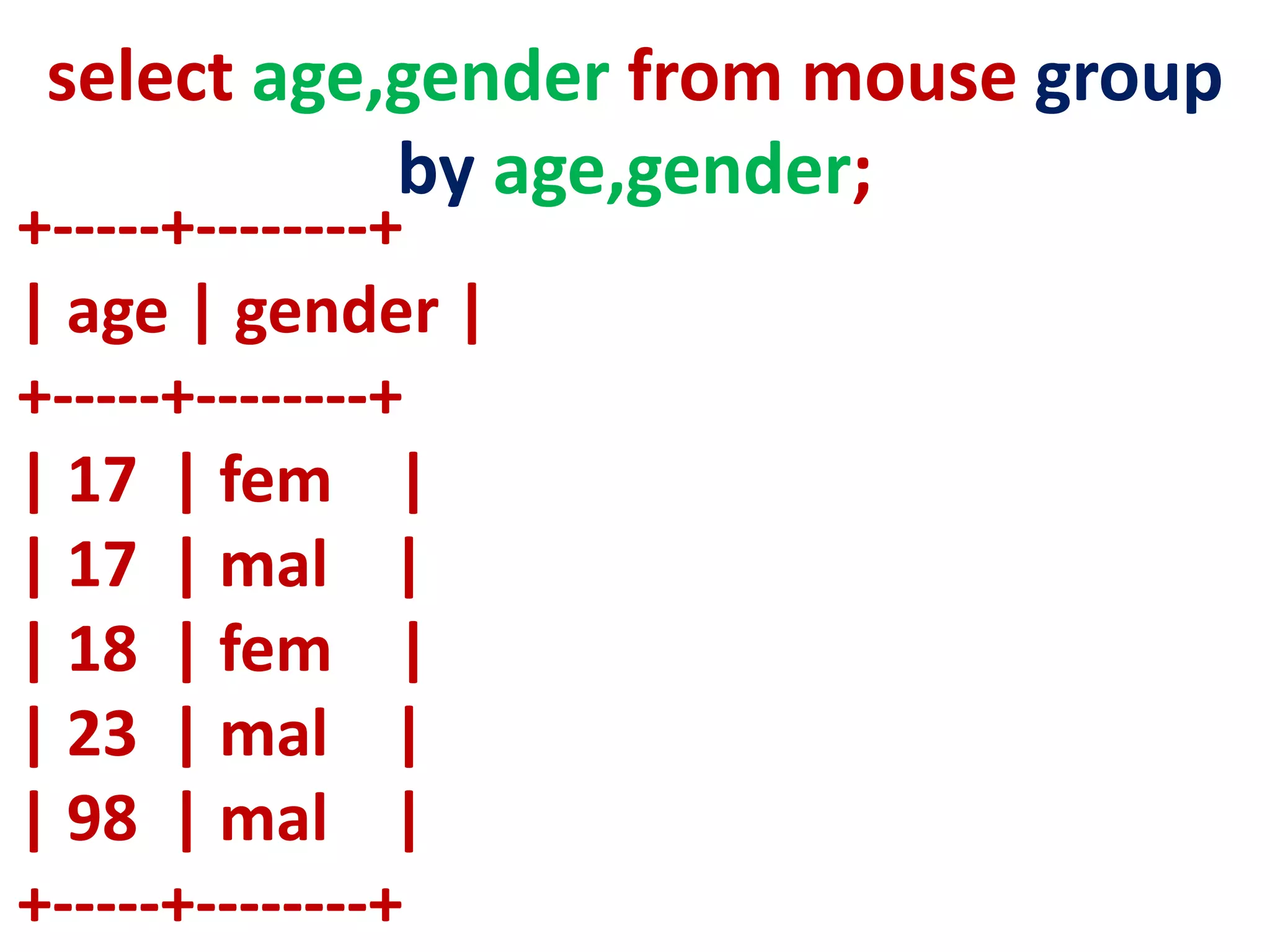
+-----+--------+
| age | gender |
+-----+--------+
| 17 | fem |
| 17 | mal |
| 18 | fem |
| 23 | mal |
| 98 | mal |
+-----+--------+
select age,gender from mouse group
by age,gender;
For example to count the
number of male and female
students in the student
table, the following
command is given :
+--------+----------+
| gender | count(*) |
+--------+----------+
| fem | 5 |
| mal | 4 |
+--------+----------+
select gender,count(*) from mouse
group by gender;
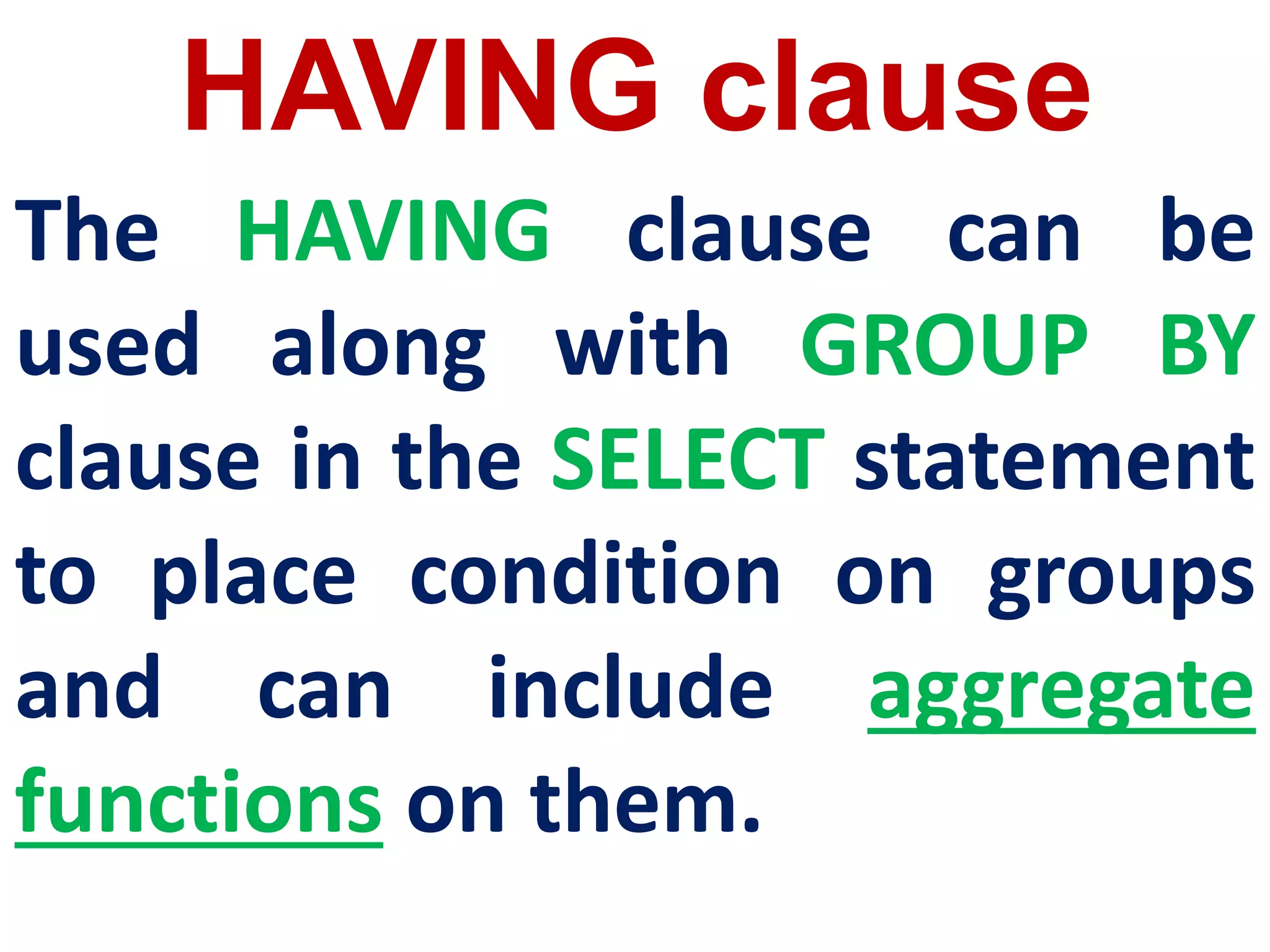
HAVING clause
The HAVING clause can be
used along with GROUP BY
clause in the SELECT statement
to place condition on groups
and can include aggregate
functions on them.
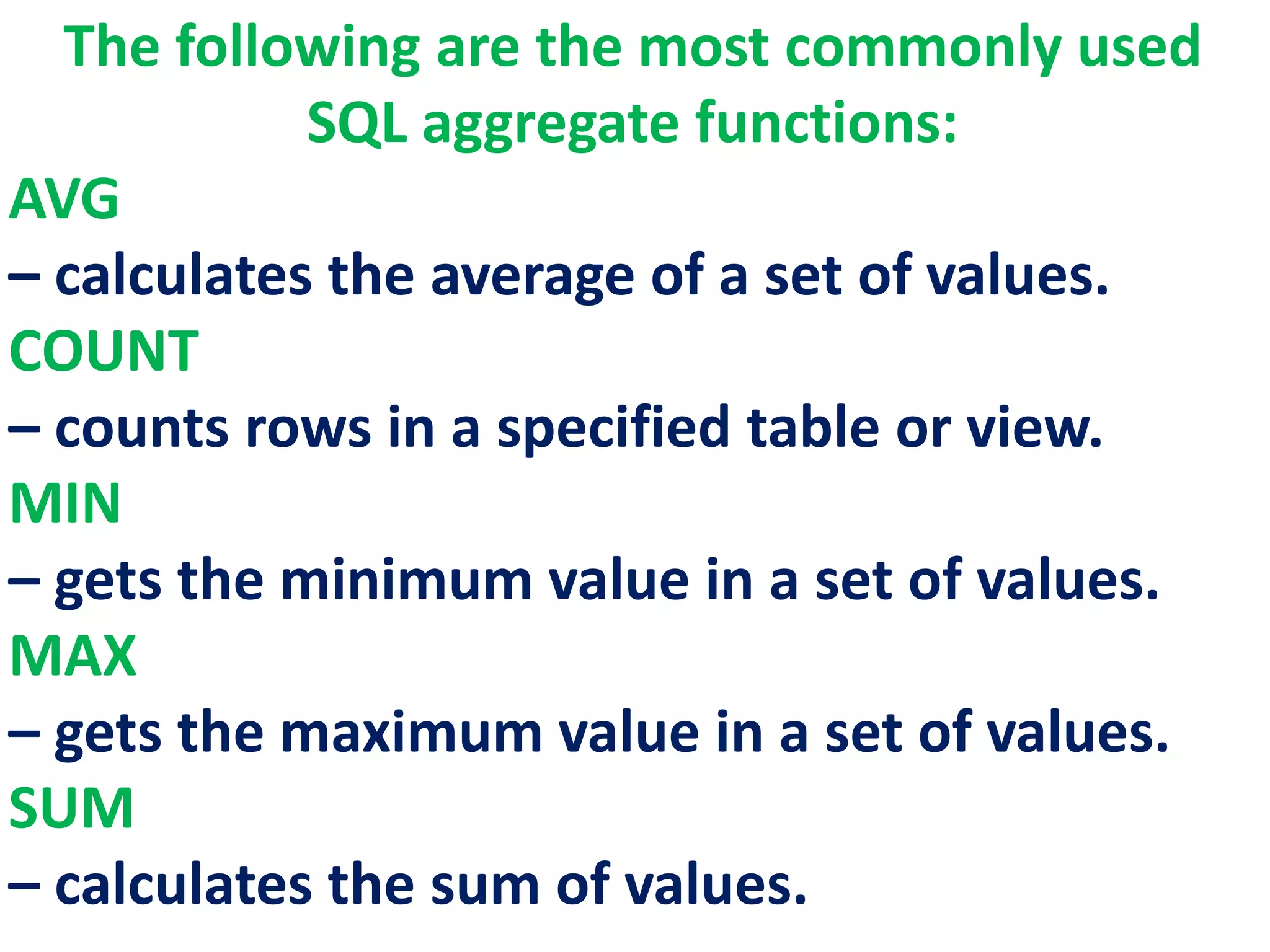
The following are the most commonly used
SQL aggregate functions:
AVG
– calculates the average of a set of values.
COUNT
– counts rows in a specified table or view.
MIN
– gets the minimum value in a set of values.
MAX
– gets the maximum value in a set of values.
SUM
– calculates the sum of values.
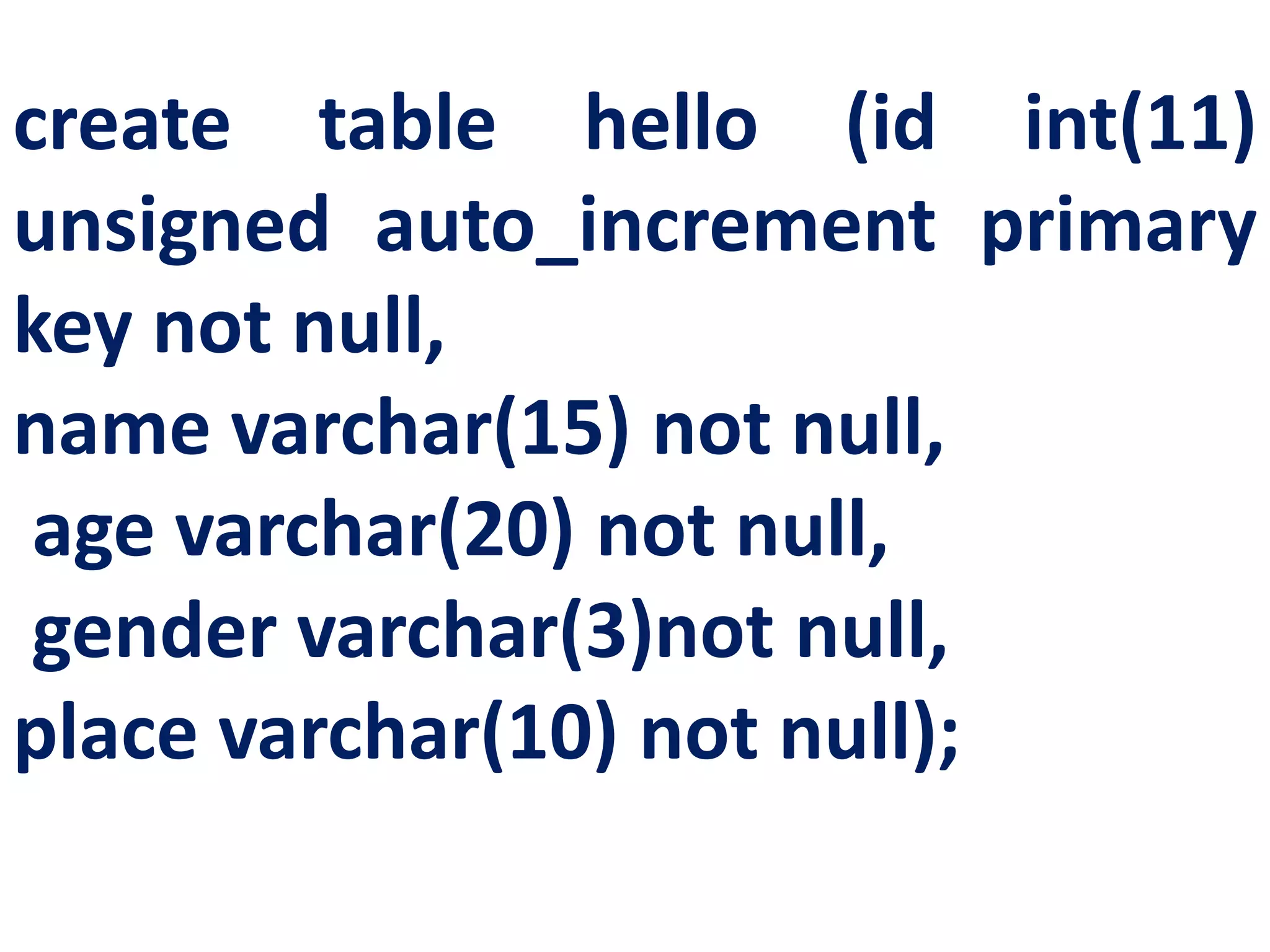
create table hello (id int(11)
unsigned auto_increment primary
key not null,
name varchar(15) not null,
age varchar(20) not null,
gender varchar(3)not null,
place varchar(10) not null);
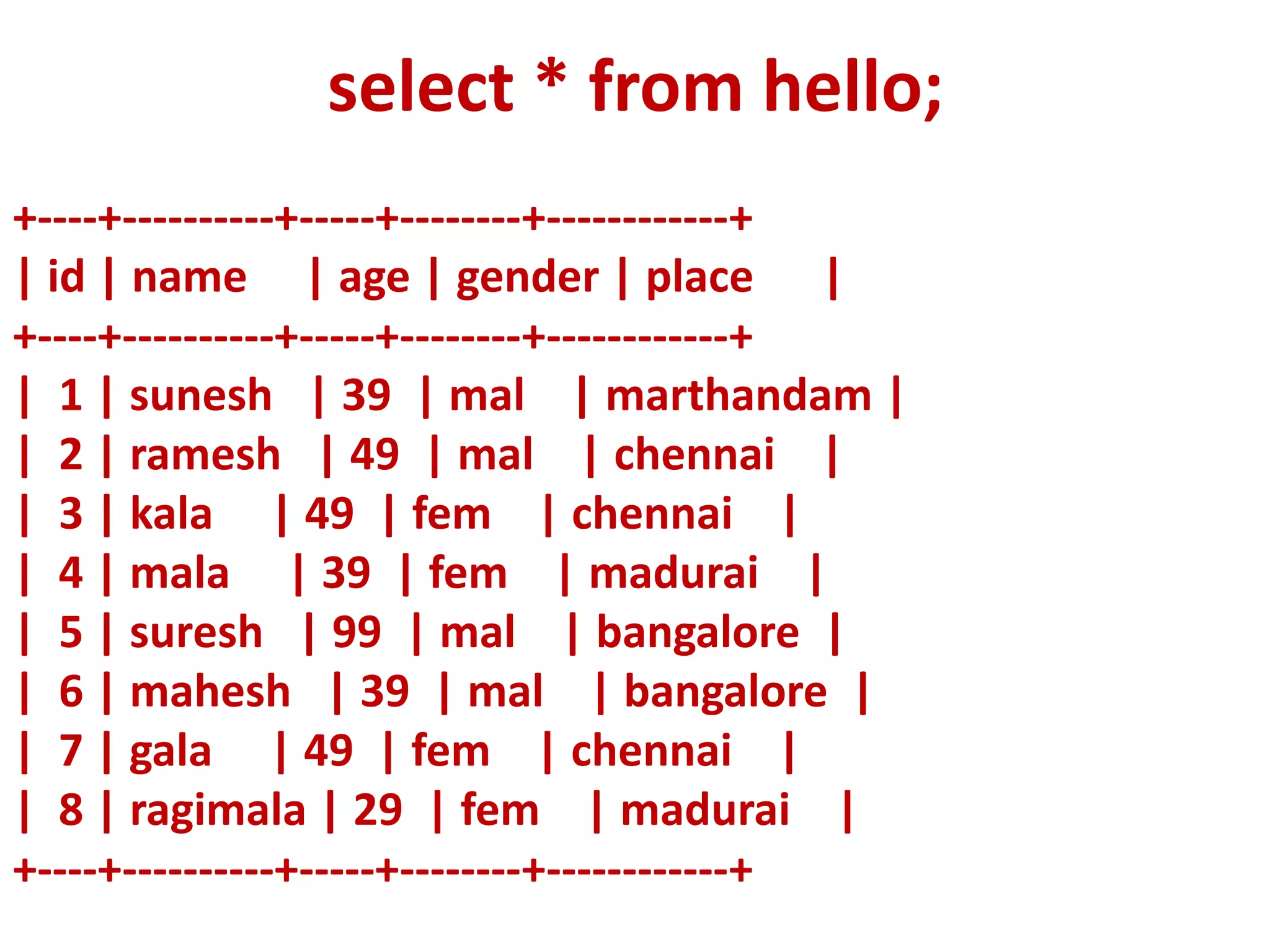
+----+----------+-----+--------+------------+
| id | name | age | gender | place |
+----+----------+-----+--------+------------+
| 1 | sunesh | 39 | mal | marthandam |
| 2 | ramesh | 49 | mal | chennai |
| 3 | kala | 49 | fem | chennai |
| 4 | mala | 39 | fem | madurai |
| 5 | suresh | 99 | mal | bangalore |
| 6 | mahesh | 39 | mal | bangalore |
| 7 | gala | 49 | fem | chennai |
| 8 | ragimala | 29 | fem | madurai |
+----+----------+-----+--------+------------+
select * from hello;
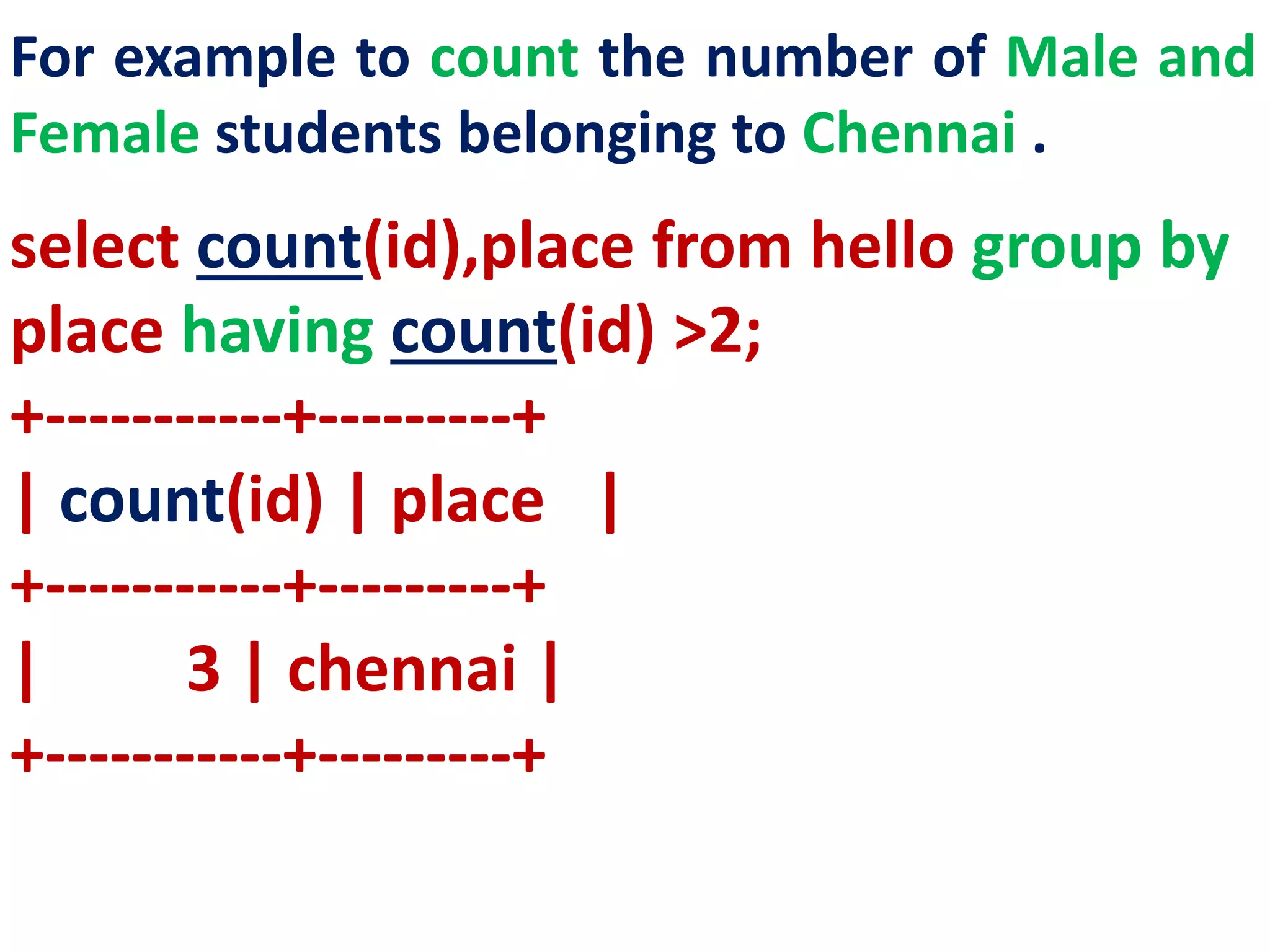
For example to count the number of Male and
Female students belonging to Chennai .
select count(id),place from hello group by
place having count(id) >2;
+-----------+---------+
| count(id) | place |
+-----------+---------+
| 3 | chennai |
+-----------+---------+
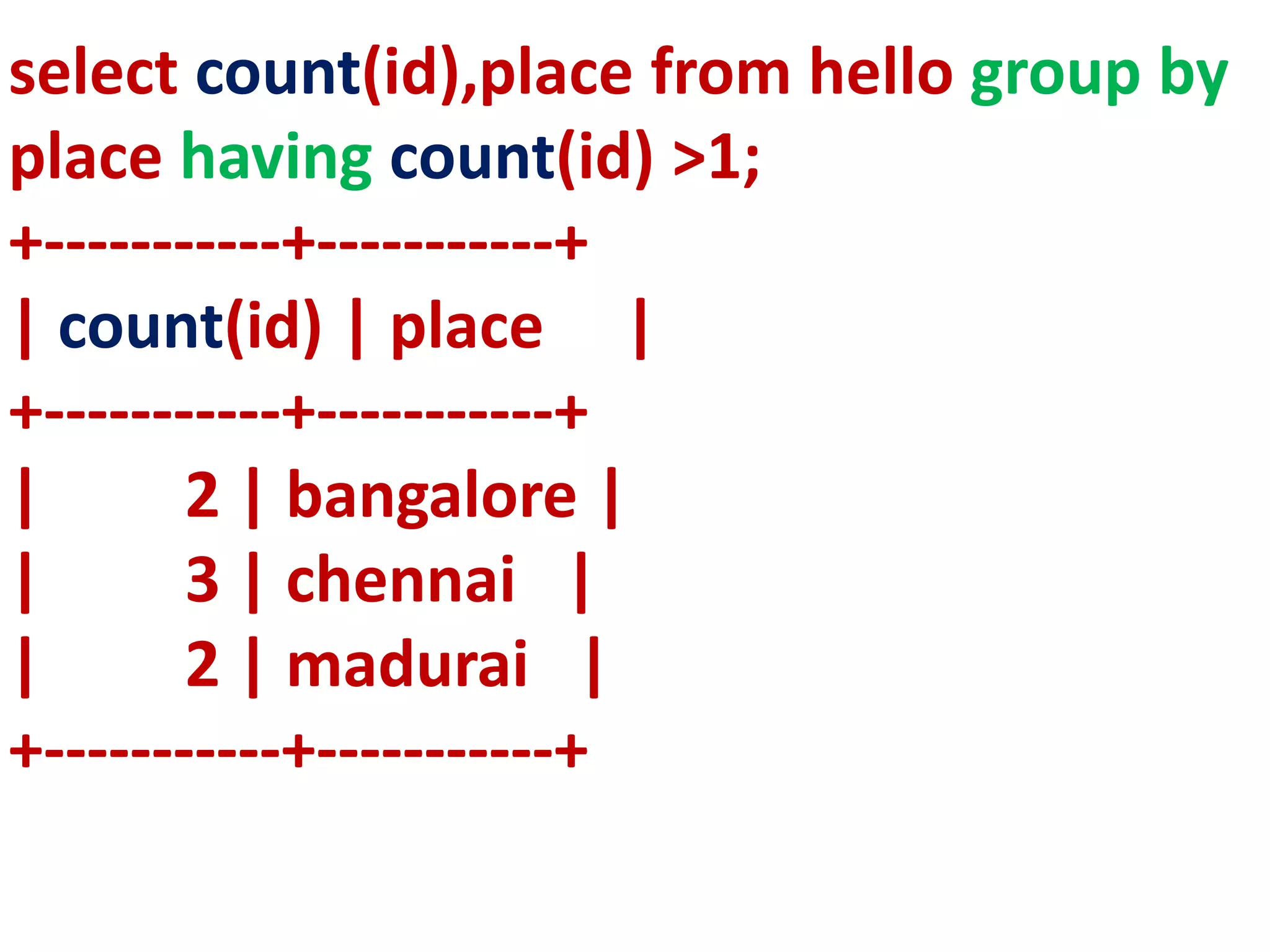
select count(id),place from hello group by
place having count(id) >1;
+-----------+-----------+
| count(id) | place |
+-----------+-----------+
| 2 | bangalore |
| 3 | chennai |
| 2 | madurai |
+-----------+-----------+
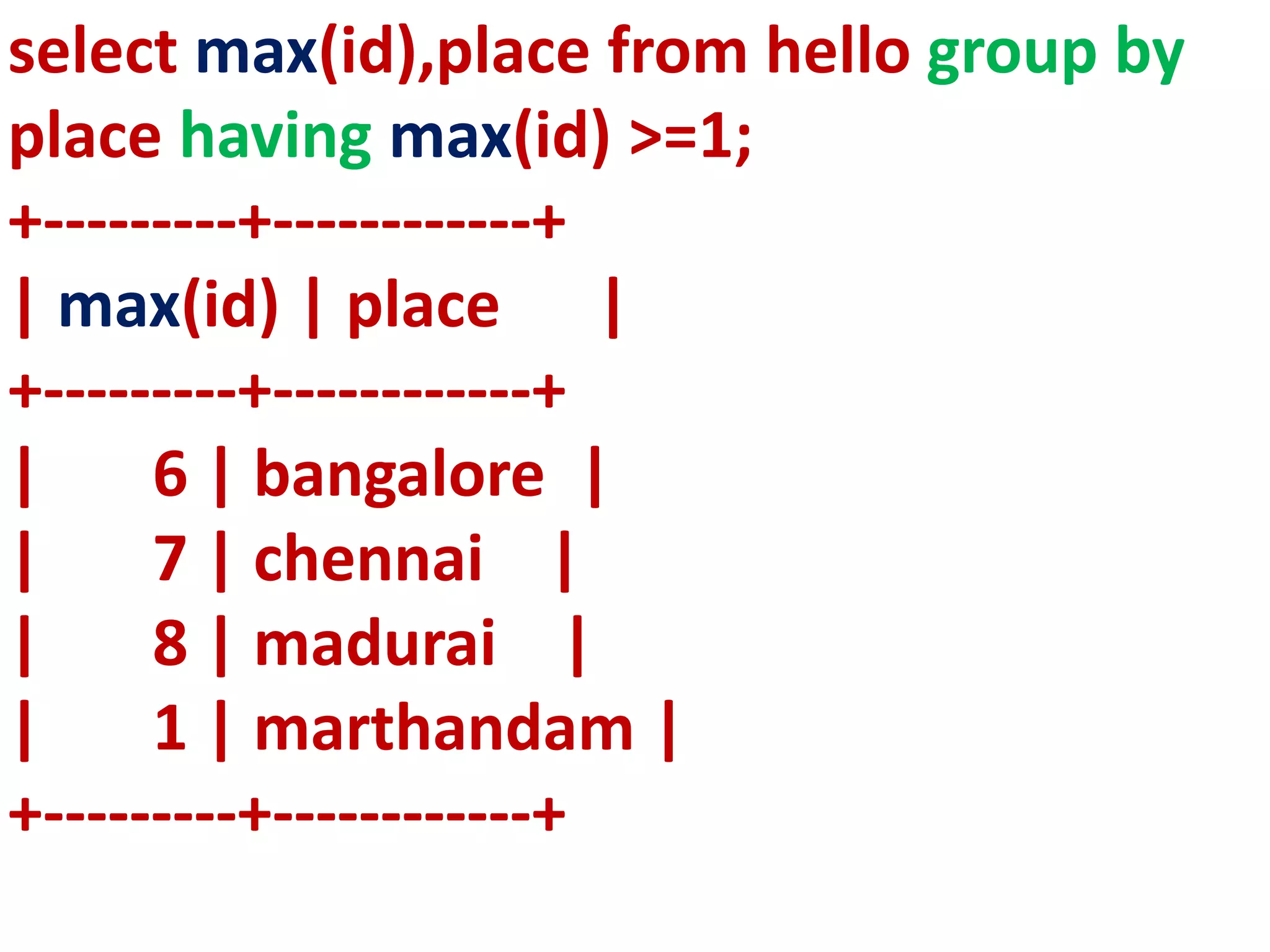
select max(id),place from hello group by
place having max(id) >=1;
+---------+------------+
| max(id) | place |
+---------+------------+
| 6 | bangalore |
| 7 | chennai |
| 8 | madurai |
| 1 | marthandam |
+---------+------------+
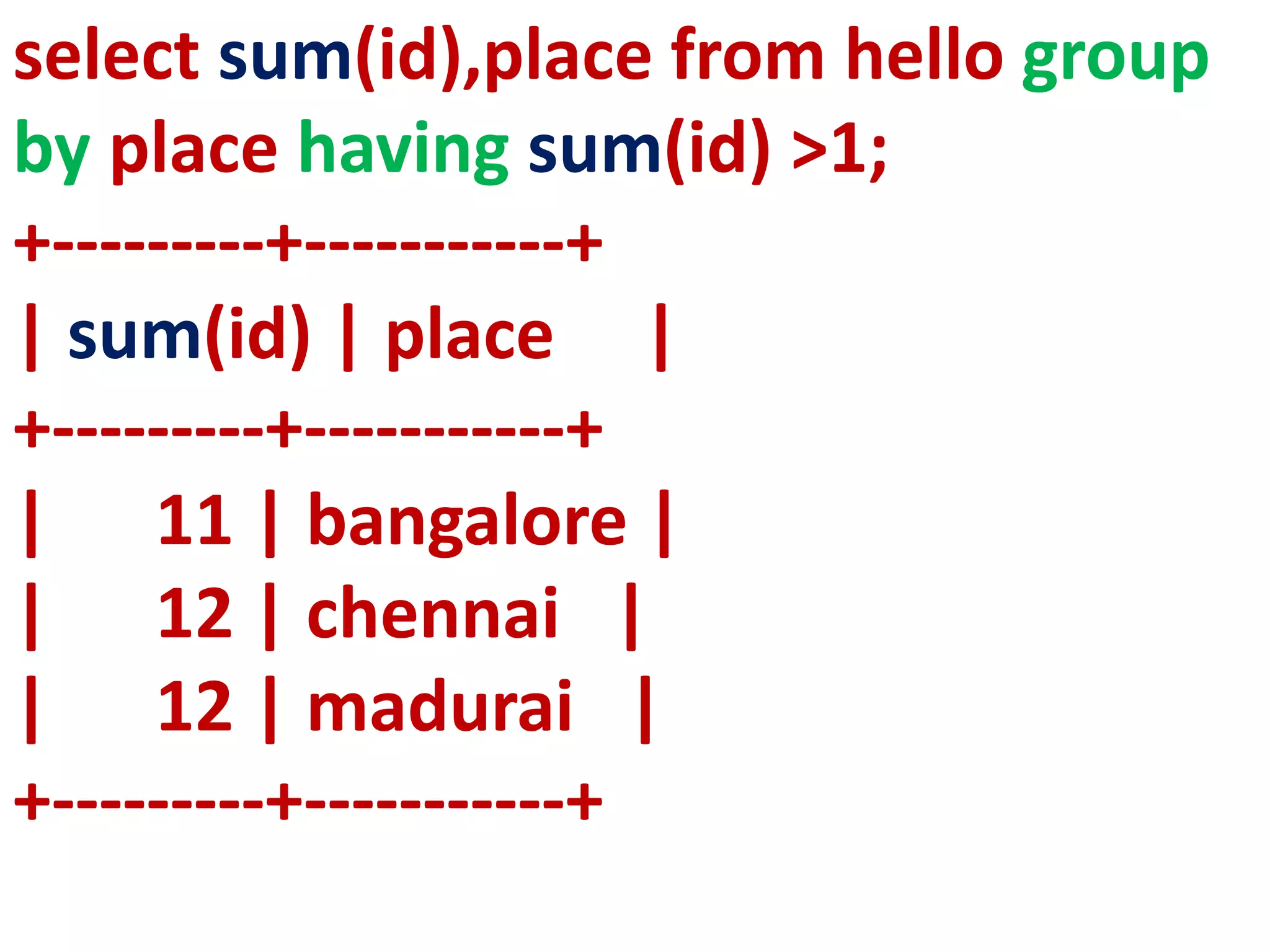
select sum(id),place from hello group
by place having sum(id) >1;
+---------+-----------+
| sum(id) | place |
+---------+-----------+
| 11 | bangalore |
| 12 | chennai |
| 12 | madurai |
+---------+-----------+
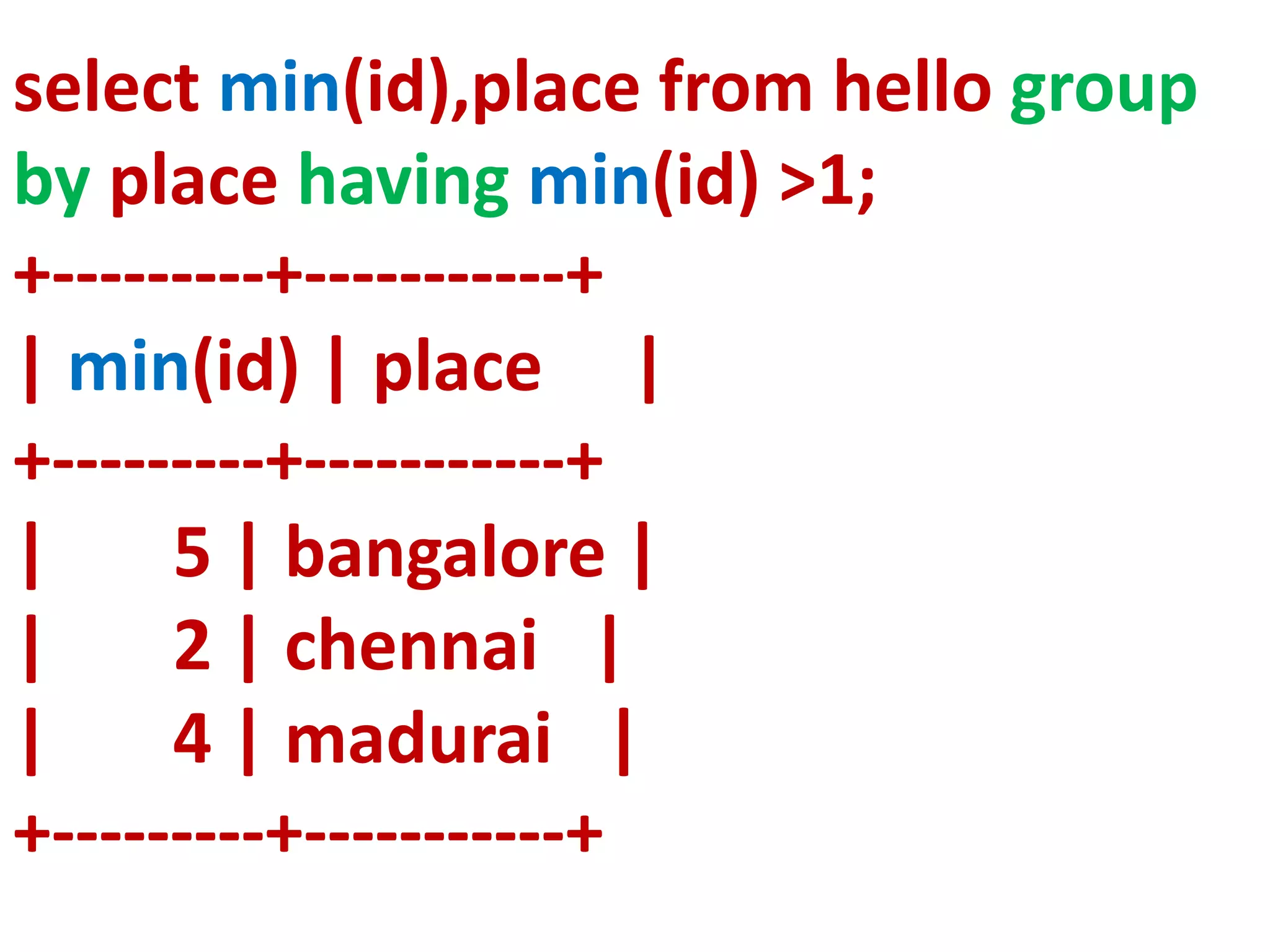
select min(id),place from hello group
by place having min(id) >1;
+---------+-----------+
| min(id) | place |
+---------+-----------+
| 5 | bangalore |
| 2 | chennai |
| 4 | madurai |
+---------+-----------+
SELECT COMMAND
COMMAN
D
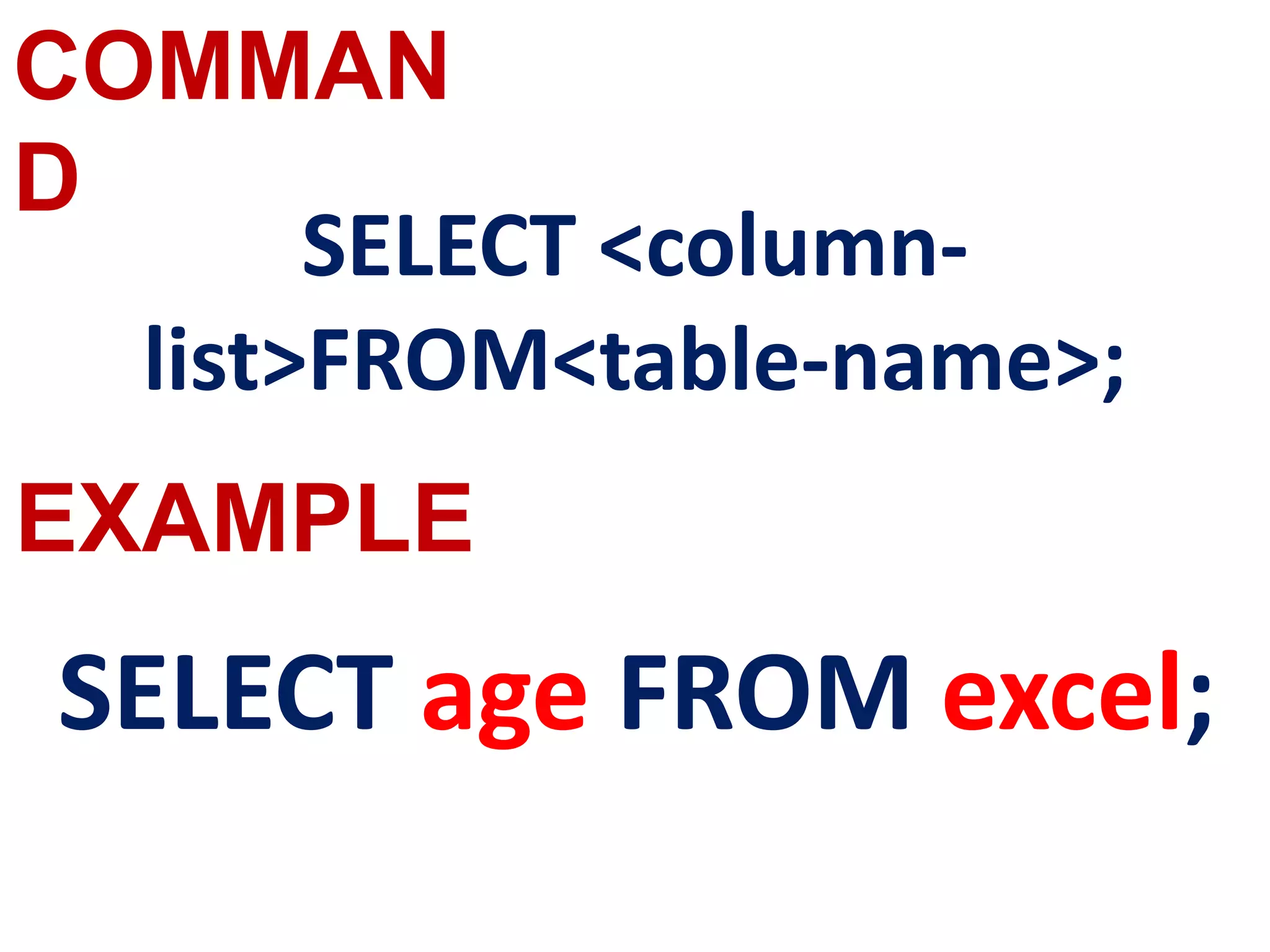
SELECT <column-
list>FROM<table-name>;
SELECT age FROM excel;
EXAMPLE
COMMAN
D
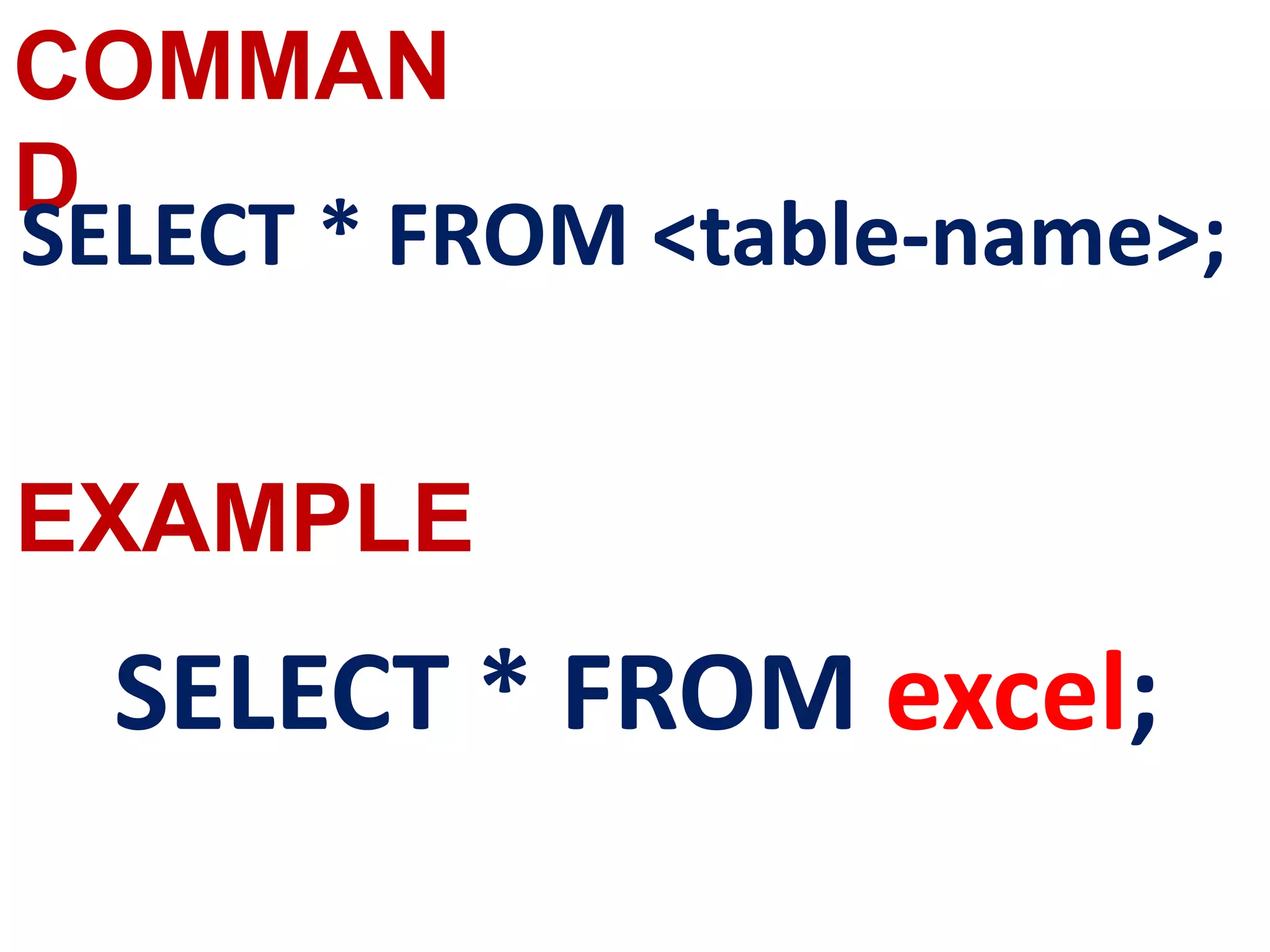
SELECT * FROM <table-name>;
SELECT * FROM excel;
EXAMPLE
COMMAN
D
EXAMPLE
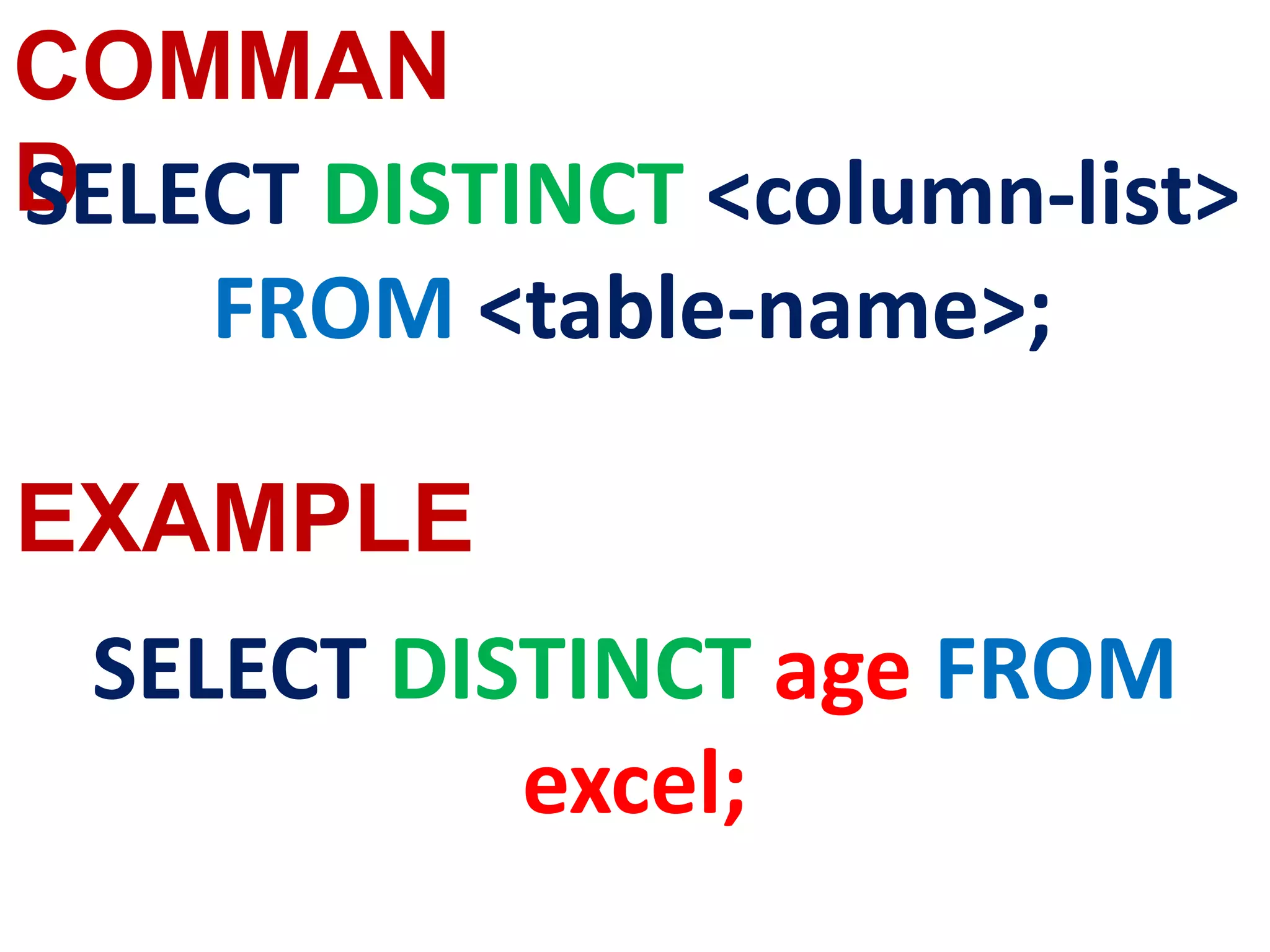
SELECT DISTINCT <column-list>
FROM <table-name>;
SELECT DISTINCT age FROM
excel;
COMMAN
D
EXAMPLE
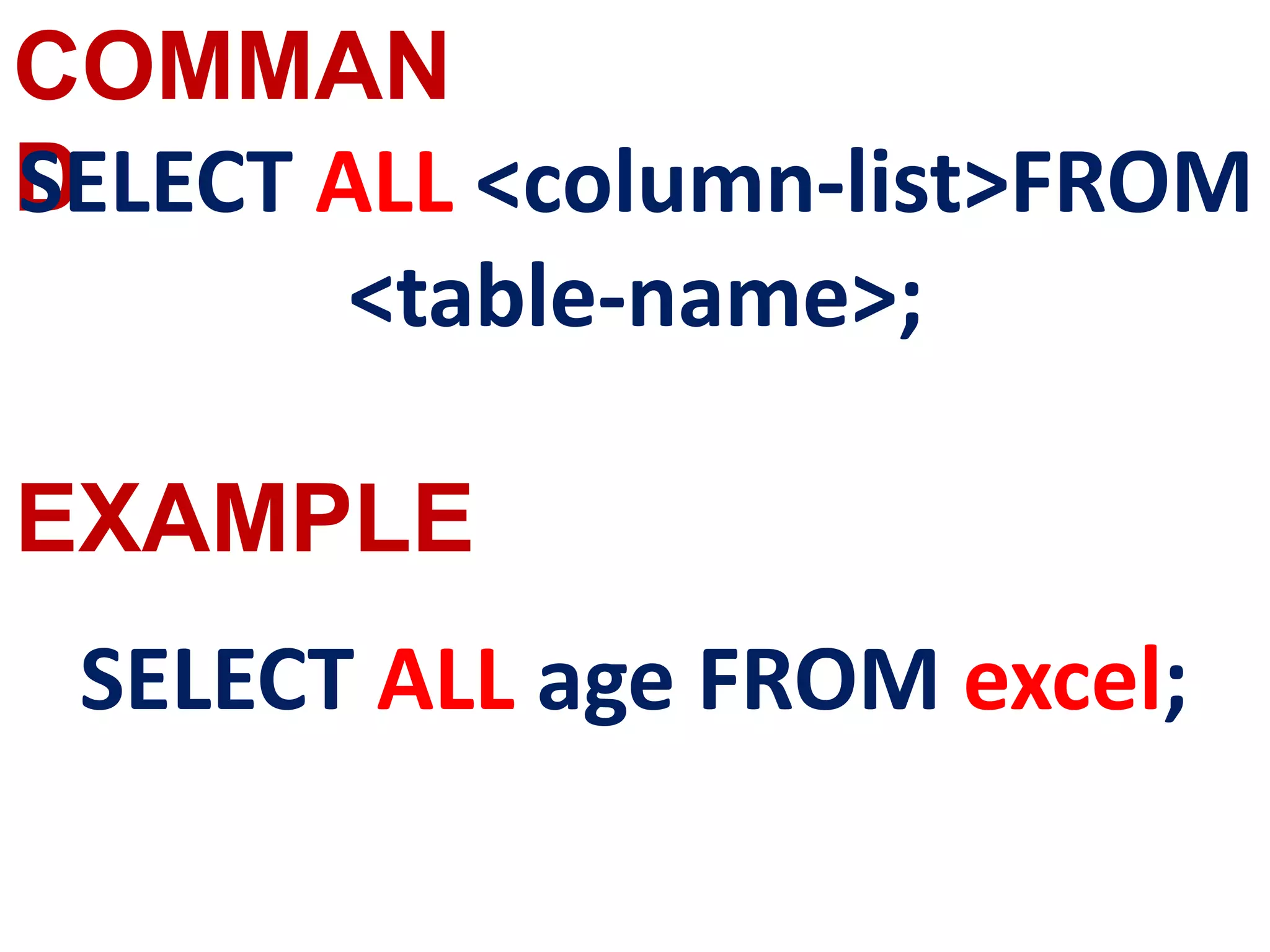
SELECT ALL <column-list>FROM
<table-name>;
SELECT ALL age FROM excel;
COMMAN
D
EXAMPLE
SELECT <column-name>[,<column-
name>,….] FROM <table-name>
WHERE condition>;
SELECT Admno, Name, Place FROM
excel WHERE Place =”Chennai”;
COMMAN
D
EXAMPLE
SELECT <column-list>,<column-list> FROM
<table-name>;
WHERE <BETWEEN <column-list>AND
<column-list>;
SELECT Admno, Name, Age FROM
excel WHERE Age BETWEEN 18 AND
19;
COMMAN
D
EXAMPLE
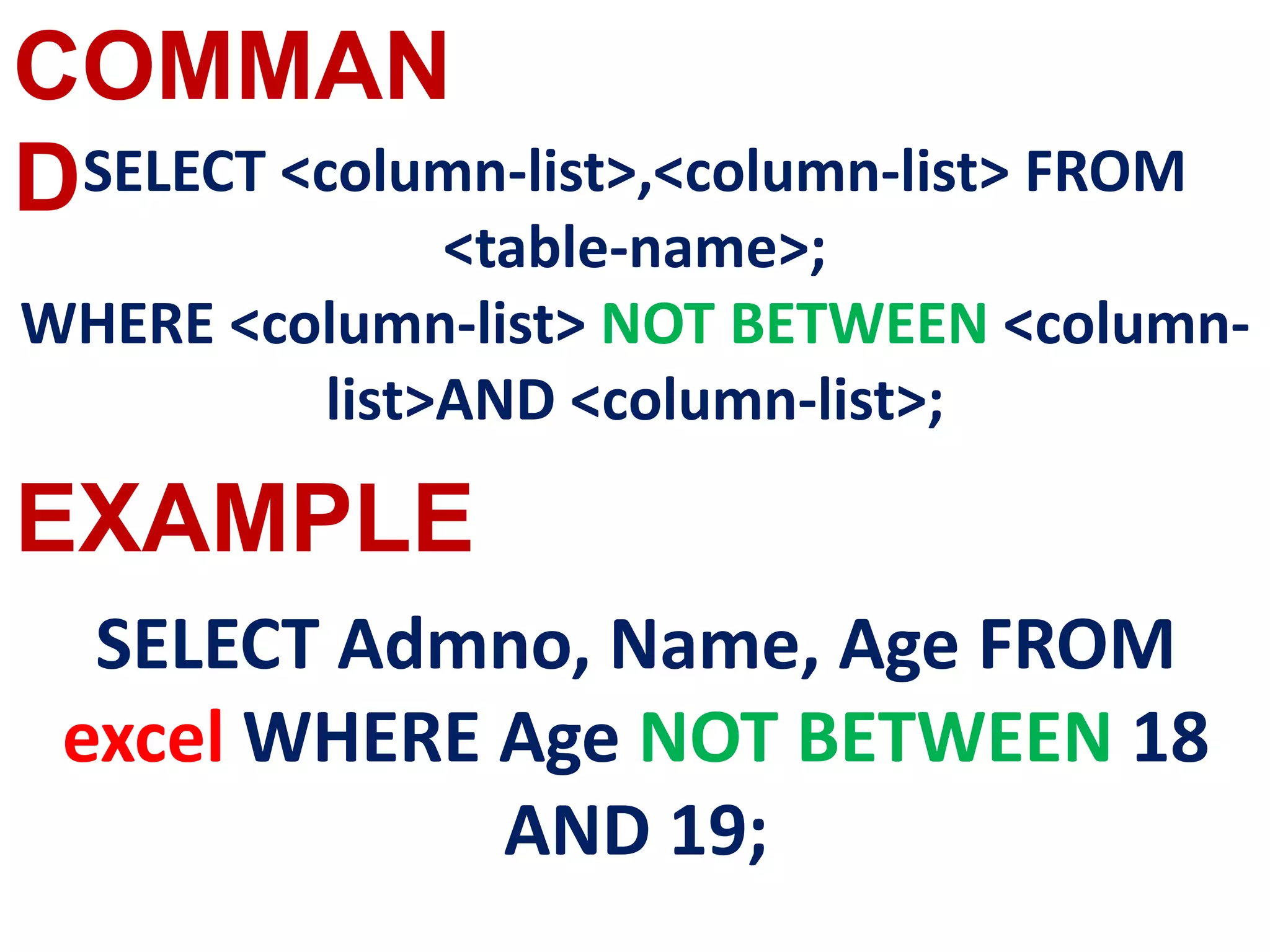
SELECT <column-list>,<column-list> FROM
<table-name>;
WHERE <column-list> NOT BETWEEN <column-
list>AND <column-list>;
SELECT Admno, Name, Age FROM
excel WHERE Age NOT BETWEEN 18
AND 19;
COMMAN
D
EXAMPLE
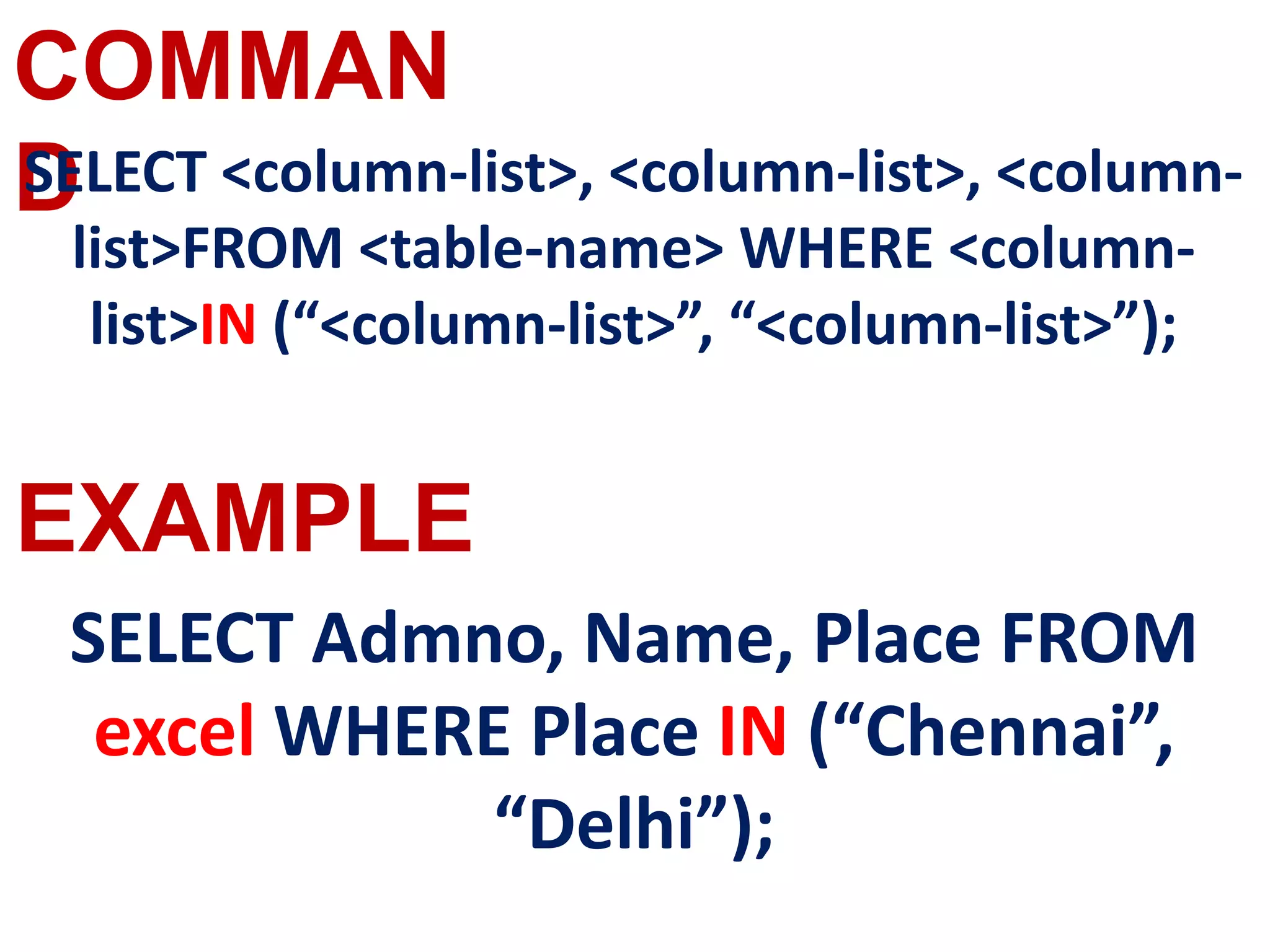
SELECT <column-list>, <column-list>, <column-
list>FROM <table-name> WHERE <column-
list>IN (“<column-list>”, “<column-list>”);
SELECT Admno, Name, Place FROM
excel WHERE Place IN (“Chennai”,
“Delhi”);
COMMAN
D
EXAMPLE
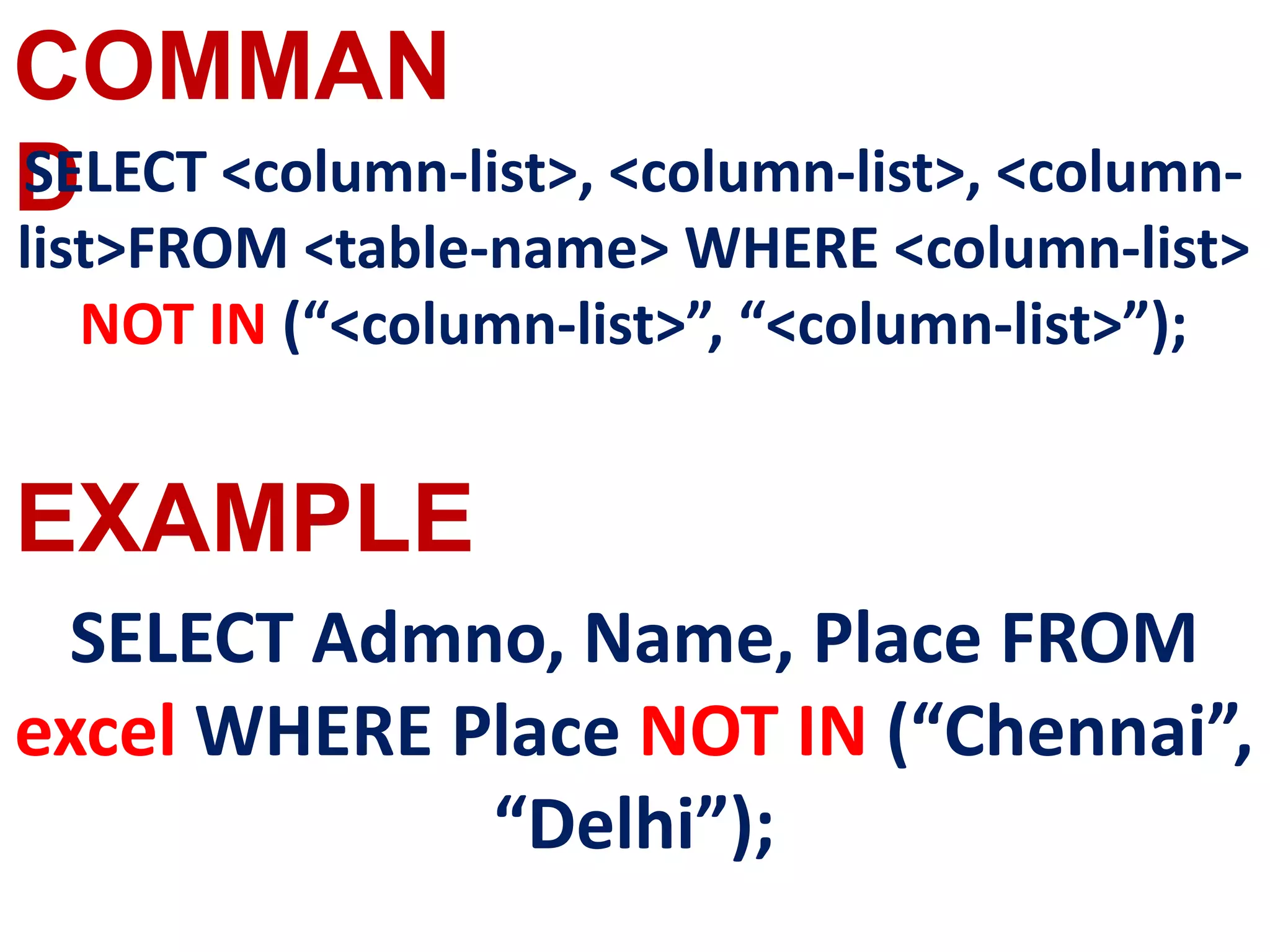
SELECT <column-list>, <column-list>, <column-
list>FROM <table-name> WHERE <column-list>
NOT IN (“<column-list>”, “<column-list>”);
SELECT Admno, Name, Place FROM
excel WHERE Place NOT IN (“Chennai”,
“Delhi”);
COMMAN
D
EXAMPLE
SELECT * FROM <table-name> WHERE
<column-list>IS NULL;
SELECT * FROM excel WHERE Age IS NULL;
COMMAN
D
EXAMPLE
SELECT <column-name>[,<column-
name>,….] FROM <table-name>ORDER BY
<column1>,<column2>,… desc;
select * from excel order by id
desc;
COMMAN
D
EXAMPLE
SELECT <column-name>[,<column-
name>,….] FROM <table-name>ORDER BY
<column1>,<column2>,…ASC;
select * from excel order by id
ASC;
COMMAN
D
EXAMPLE
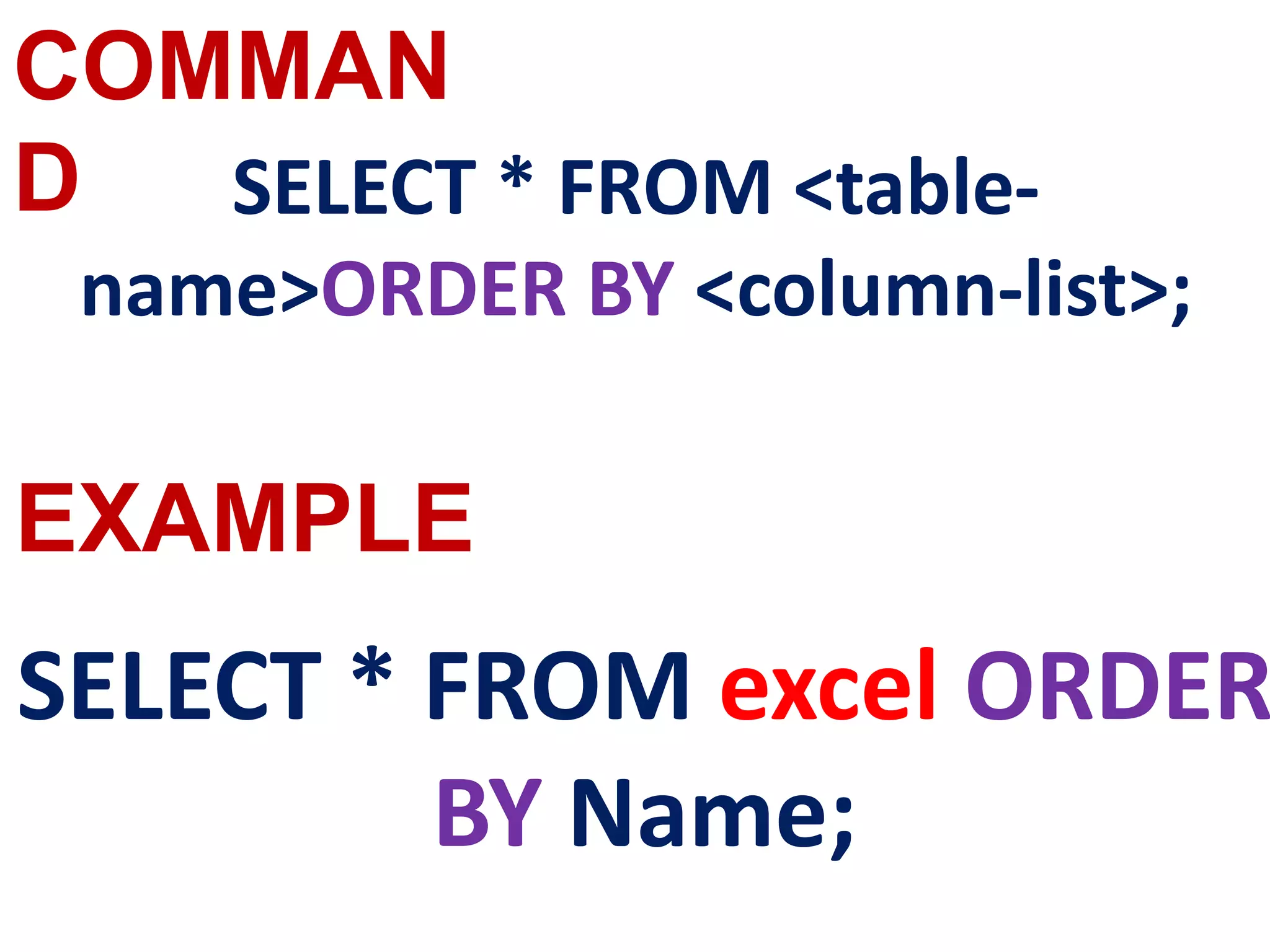
SELECT * FROM <table-
name>ORDER BY <column-list>;
SELECT * FROM excel ORDER
BY Name;
COMMAN
D
EXAMPLE
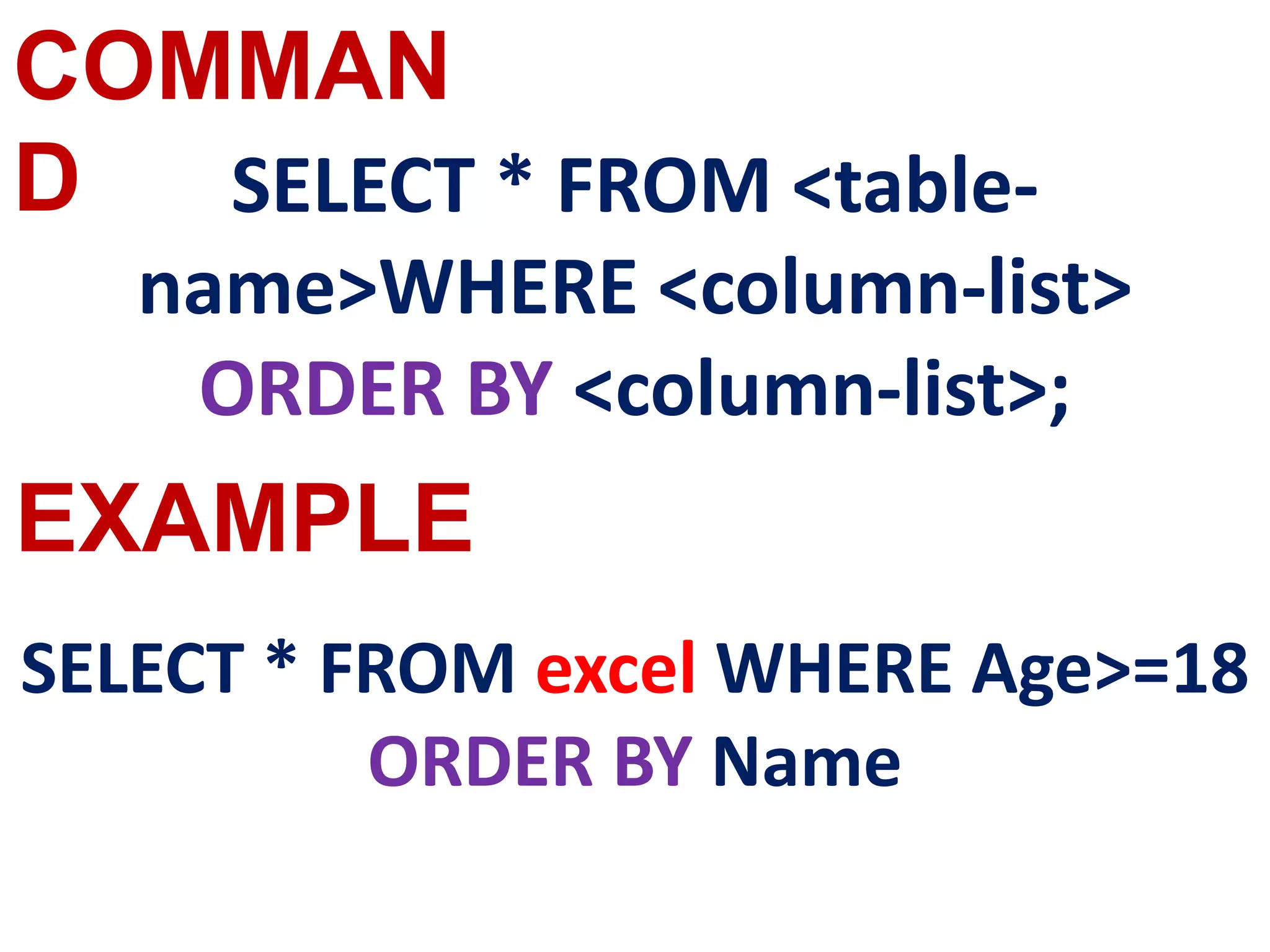
SELECT * FROM <table-
name>WHERE <column-list>
ORDER BY <column-list>;
SELECT * FROM excel WHERE Age>=18
ORDER BY Name
COMMAN
D
EXAMPLE
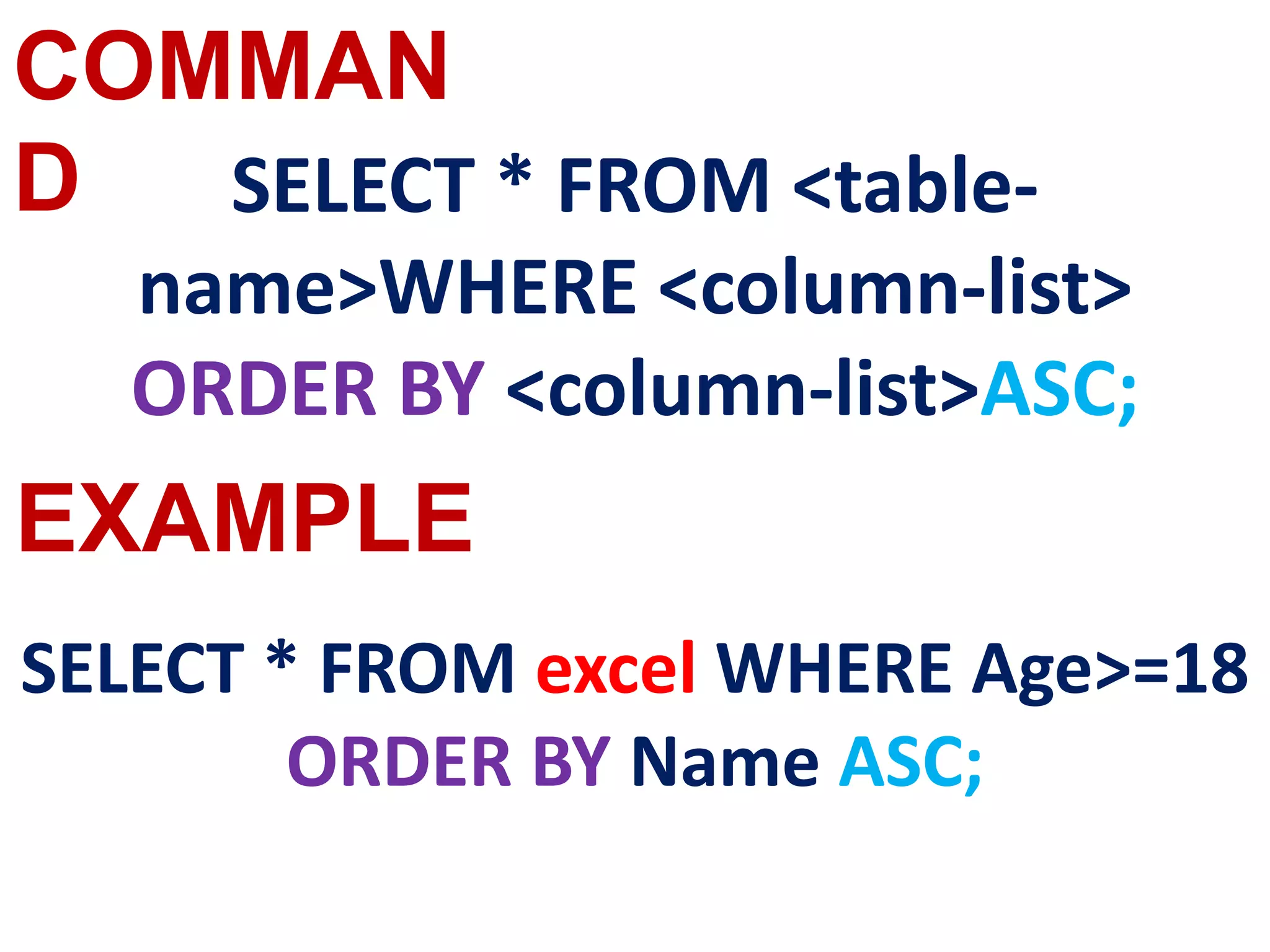
SELECT * FROM <table-
name>WHERE <column-list>
ORDER BY <column-list>ASC;
SELECT * FROM excel WHERE Age>=18
ORDER BY Name ASC;
COMMAN
D
EXAMPLE
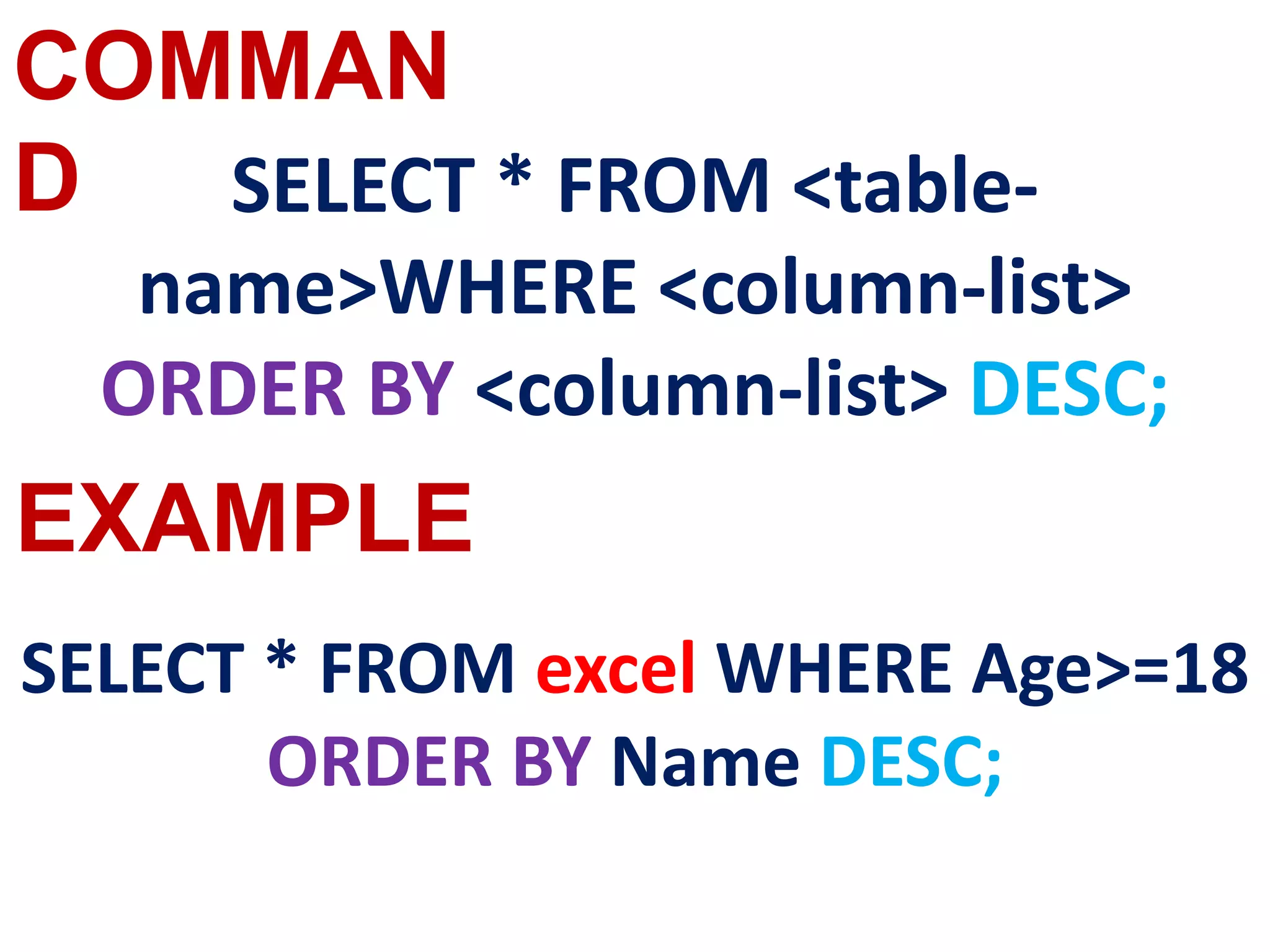
SELECT * FROM <table-
name>WHERE <column-list>
ORDER BY <column-list> DESC;
SELECT * FROM excel WHERE Age>=18
ORDER BY Name DESC;
COMMAN
D
EXAMPLE
SELECT <column-names> FROM
<table-name> GROUP BY <column-
name> HAVING condition];
select count(id),place from excel
group by place having count(id) >1;
COMMAN
D
EXAMPLE
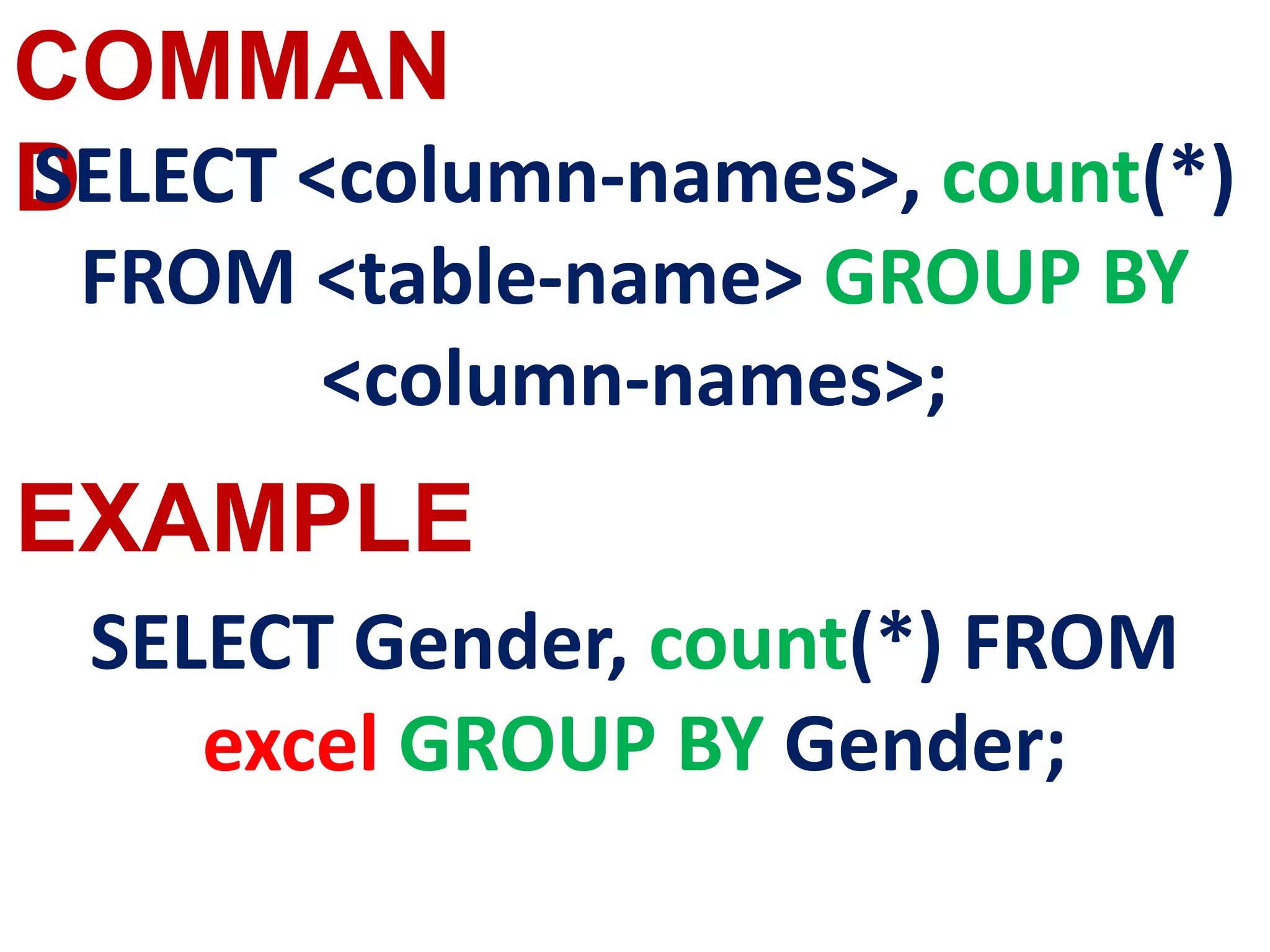
SELECT <column-names>, count(*)
FROM <table-name> GROUP BY
<column-names>;
SELECT Gender, count(*) FROM
excel GROUP BY Gender;
COMMAN
D
EXAMPLE
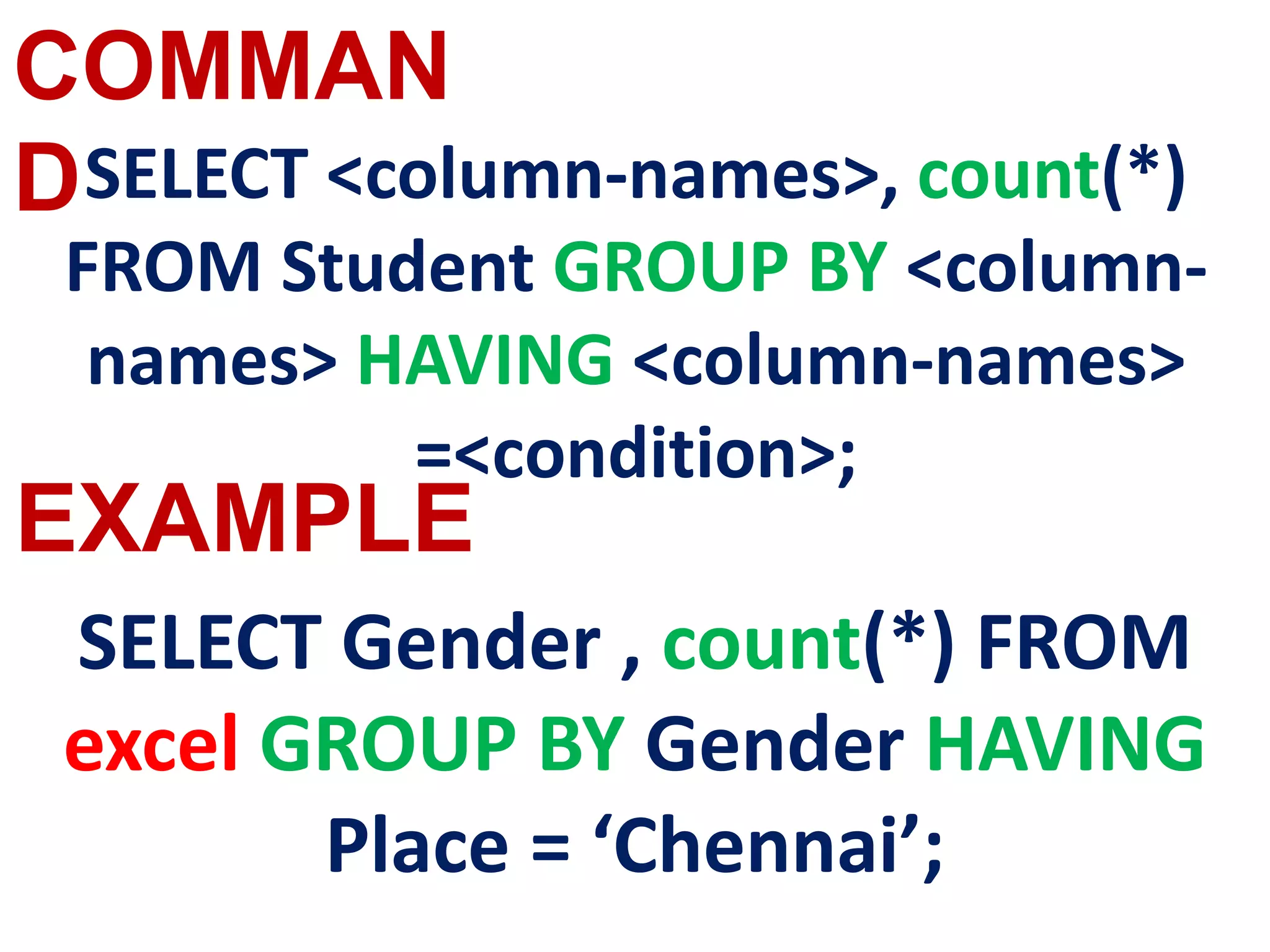
SELECT <column-names>, count(*)
FROM Student GROUP BY <column-
names> HAVING <column-names>
=<condition>;
SELECT Gender , count(*) FROM
excel GROUP BY Gender HAVING
Place = ‘Chennai’;
INSERT COMMAND
INSERT INTO <table-name> [column-
list] VALUES (values);
COMMAN
D
EXAMPLE
INSERT INTO excel (Admno, Name,
Gender, Age, Place)
VALUES (100,’ Ashish’,’ M’, 17,’
Chennai’);
DELETE COMMAND
COMMAN
D
EXAMPLE
DELETE FROM table-name WHERE
condition;
DELETE FROM excel WHERE
Admno=104;
COMMAN
D
EXAMPLE
DELETE * FROM <TABLE-
NAME>;
DELETE * FROM excel ;
UPDATE COMMAND
COMMAN
D
EXAMPLE
UPDATE <table-name> SET column-
name = value, column-name = value,…
WHERE condition;
UPDATE excel SET Age = 20
WHERE Place =
“Bangalore”;
ALTER COMMAND
COMMAN
D
EXAMPLE
ALTER TABLE <table-name> ADD
<column-name><data type><size>;
ALTER TABLE excel ADD
Address char;
DROP TABLE
COMMAND
COMMAN
D
EXAMPLE
DROP TABLE table-name;
DROP TABLE excel;
COMMIT COMMAND
COMMAN
D
EXAMPLE
COMMIT
COMMIT
ROLLBACK
COMMAND
COMMAN
D
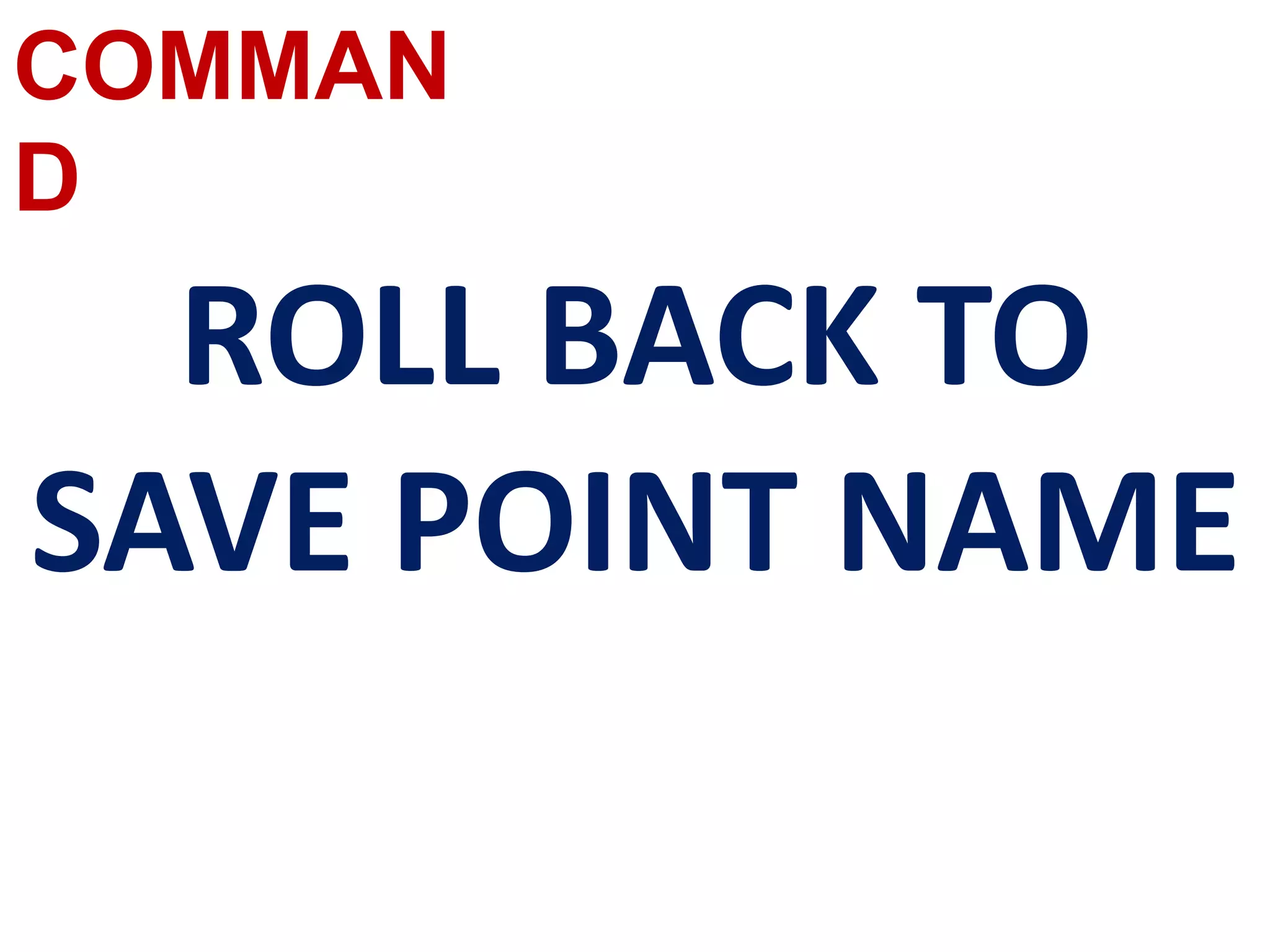
ROLL BACK TO
SAVE POINT NAME
SAVE POINT
COMMAND
COMMAN
D
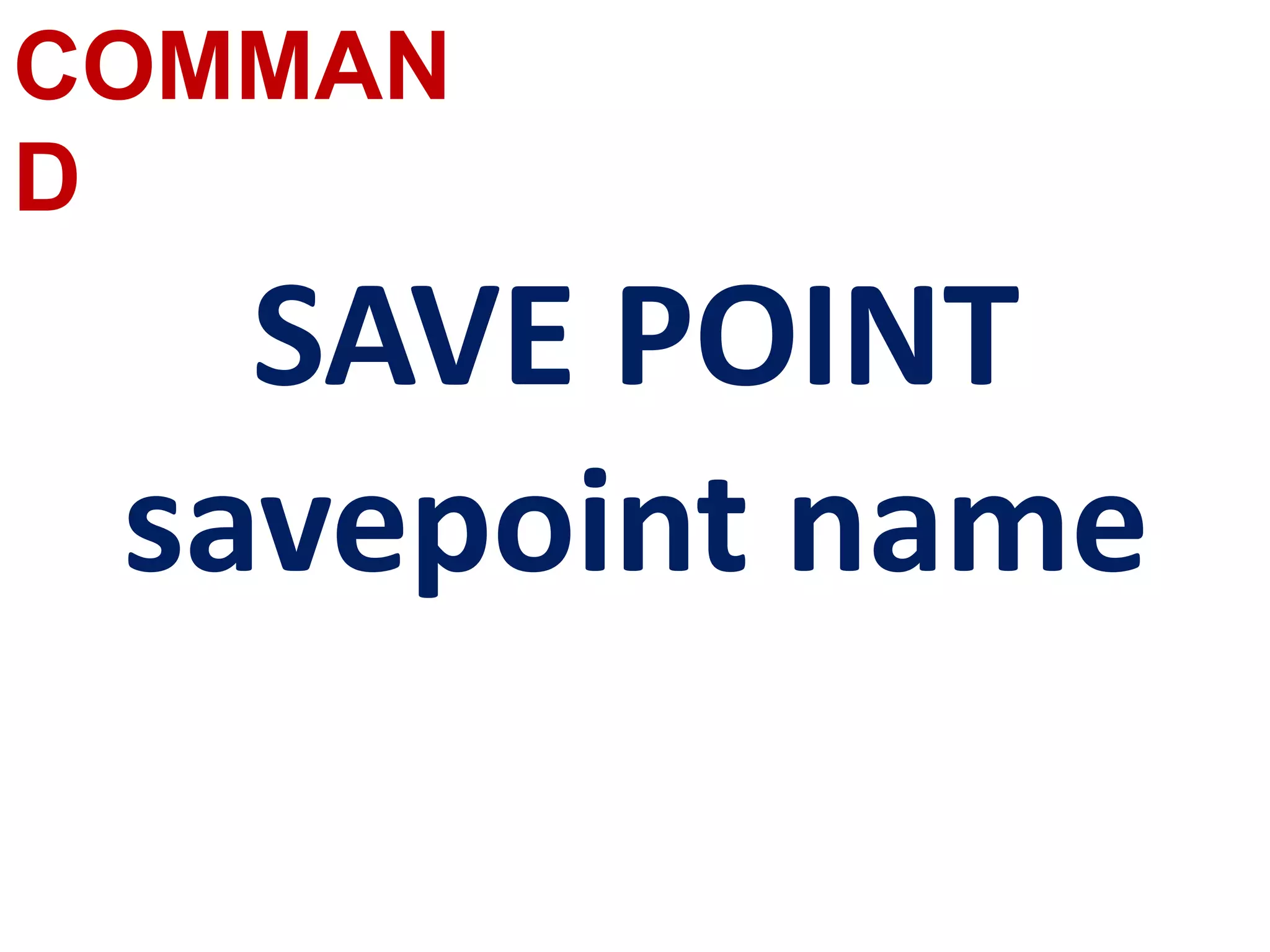
SAVE POINT
savepoint name
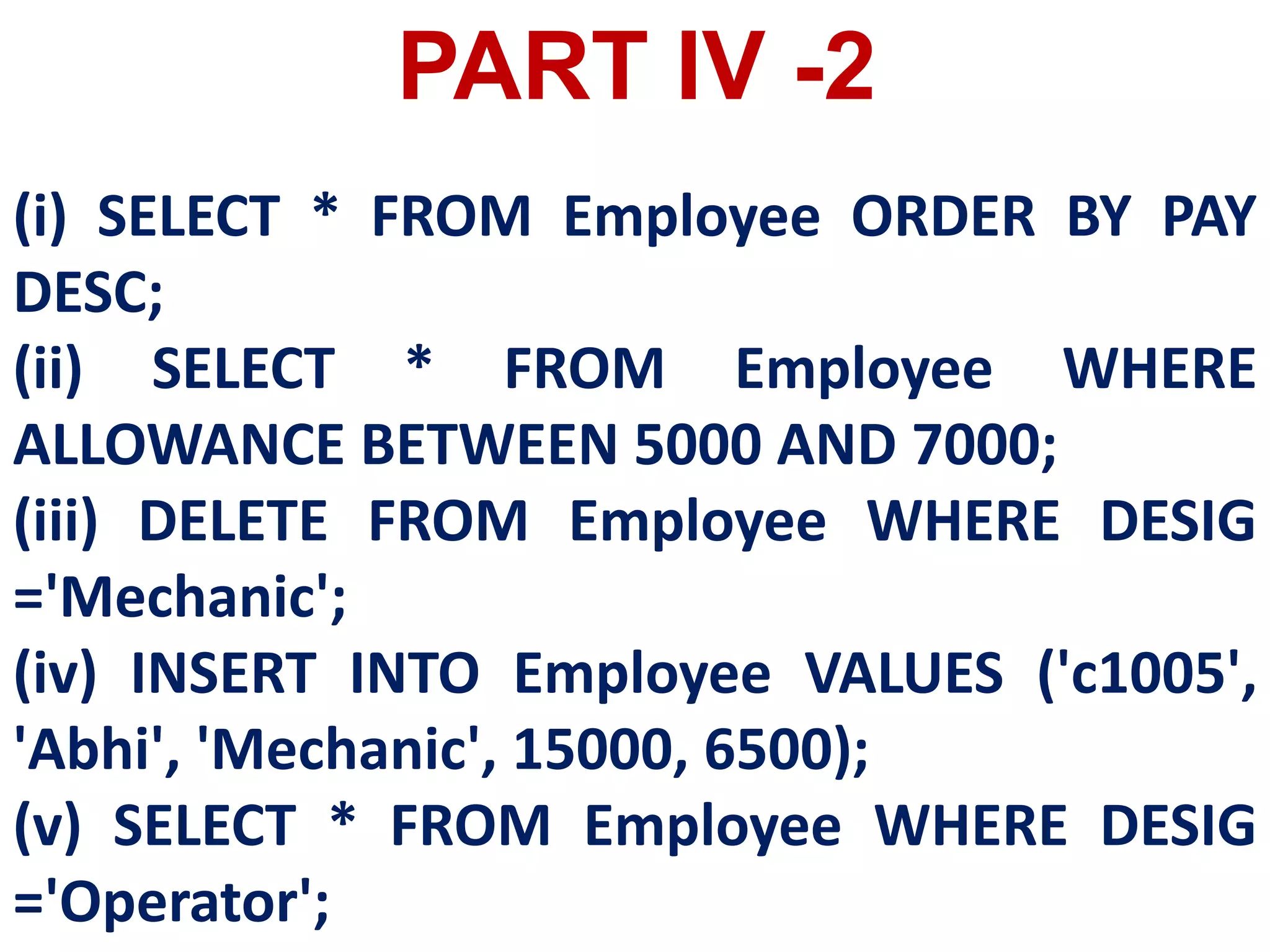
(i) SELECT * FROM Employee ORDER BY PAY
DESC;
(ii) SELECT * FROM Employee WHERE
ALLOWANCE BETWEEN 5000 AND 7000;
(iii) DELETE FROM Employee WHERE DESIG
='Mechanic';
(iv) INSERT INTO Employee VALUES ('c1005',
'Abhi', 'Mechanic', 15000, 6500);
(v) SELECT * FROM Employee WHERE DESIG
='Operator';
PART IV -2
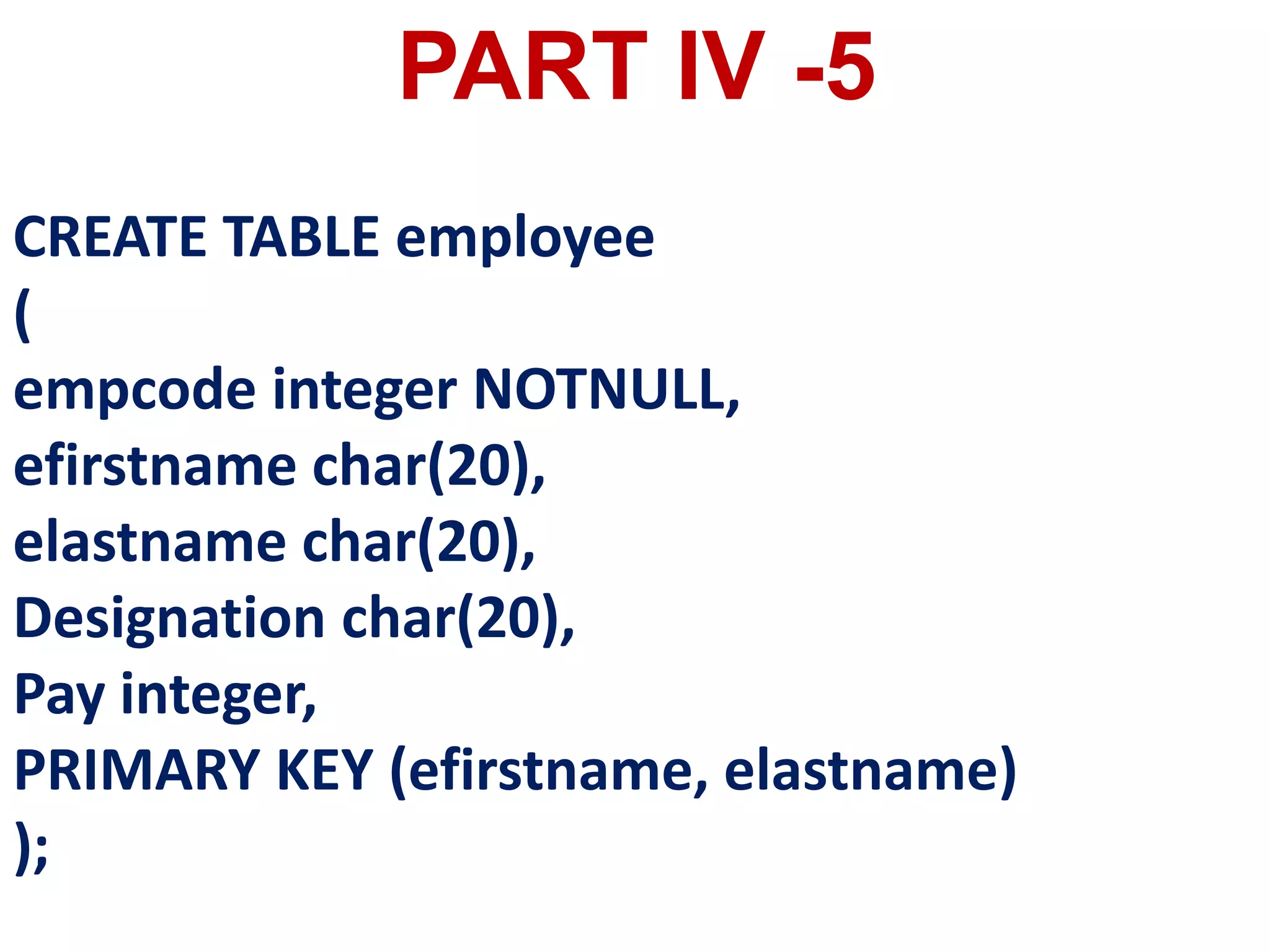
CREATE TABLE employee
(
empcode integer NOTNULL,
efirstname char(20),
elastname char(20),
Designation char(20),
Pay integer,
PRIMARY KEY (efirstname, elastname)
);
PART IV -5

SQL2.pptx

  • 1.
  • 2.
  • 3.
    The Structured QueryLanguage (SQL) is a standard programming language to access and manipulate databases. SQL allows the user to create, retrieve, alter, and transfer information among databases. It is a language designed for managing and accessing data in a Relational Data Base Management System (RDBMS).
  • 4.
    There are manyversions of SQL. The original version was developed at IBM’s Research centre and originally called as Sequel in early 1970’s. Later the language was changed to SQL. In 1986, ANSI (American National Standard Institute) published an SQL standard that was updated again in 1992 The latest SQL was released in 2008 and named as SQL 2008.
  • 5.
  • 6.
    RDBMS stands forRelational DataBase Management System. Oracle, MySQL, MS SQL Server, IBM DB2 and Microsoft Access are RDBMS packages. SQL is a language used to access data in such databases.
  • 7.
    Database is acollection of tables that store sets of data that can be queried for use in other applications. A database management system supports the development, administration and use of database platforms.
  • 8.
    RDBMS is atype of DBMS with a row-based table structure that connects related data elements and includes functions related to Create, Read, Update and Delete operations, collectively known as CRUD.
  • 9.
    The data inRDBMS, is stored in database objects, called Tables. A table is a collection of related data entries and it consist of rows and columns.
  • 10.
    A field isa column in a table that is designed to maintain specific related information about every record in the table. It is a vertical entity that contains all information associated with a specific field in a table.
  • 11.
    A Record isa row, which is a collection of related fields or columns that exist in a table. A record is a horizontal entity in a table which represents the details of a particular student in a student table.
  • 12.
  • 13.
    The various processingskills of SQL are : 1.Data Definition Language (DDL) : The SQL DDL provides commands for defining relation schemas (structure), deleting relations, creating indexes and modifying relation schemas. 2. Data Manipulation Language (DML) : The SQL DML includes commands to insert, delete, and modify tuples in the database.
  • 14.
    3. Embedded DataManipulation Language : The embedded form of SQL is used in high level programming languages. 4. View Definition : The SQL also includes commands for defining views of tables. 5. Authorization : The SQL includes commands for access rights to relations and views of tables.
  • 15.
    6. Integrity : TheSQL provides forms for integrity checking using condition. 7. Transaction control : The SQL includes commands for file transactions and control over transaction processing.
  • 16.
  • 17.
  • 18.
    DML Data Manipulation Language DDL DataDefinition Language DCL Data Control Language TCL Transaction Control Language DQL Data Query Language
  • 19.
  • 20.
    A Data ManipulationLanguage (DML) is a computer programming language used for adding (inserting), removing (deleting), and modifying (updating) data in a database. In SQL, the data manipulation language comprises the SQL-data change statements, which modify stored data but not the schema of the database table. After the database schema has been specified and the database has been created, the data can be manipulated using a set of procedures which are expressed by DML.
  • 21.
    By Data Manipulationwe mean, • Insertion of new information into the database • Retrieval of information stored in a database. • Deletion of information from the database. • Modification of data stored in the database.
  • 22.
    The DML isbasically of two types: • Procedural DML – Requires a user to specify what data is needed and how to get it. • Non-Procedural DML - Requires a user to specify what data is needed without specifying how to get it.
  • 23.
    Insert Inserts data intoa table Update Updates the existing data within a table. Delete Deletes all records from a table, but not the space occupied by them. DML COMMANDS
  • 24.
  • 25.
    The Data DefinitionLanguage (DDL) consist of SQL statements used to define the database structure or schema. It simply deals with descriptions of the database schema and is used to create and modify the structure of database objects in databases.
  • 26.
    A DDL performsthe following functions : 1. It should identify the type of data division such as data item, segment, record and database file. 2. It gives a unique name to each data item type, record type, file type and data base. 3. It should specify the proper data type. 4. It should define the size of the data item. 5. It may define the range of values that a data item may use. 6. It may specify privacy locks for preventing unauthorized data entry.
  • 27.
    Create To create tablesin the database. Alter Alters the structure of the database. Drop Delete tables from database. Truncate Remove all records from a table, also release the space occupied by those records. DDL COMMANDS
  • 28.
    create table excel(idint(11) unsigned auto_increment primary key not null, name varchar(25) not null, gender varchar(15) not null, mobno int(15) not null, fname varchar(25) not null, mname varchar(25) not null);
  • 29.
  • 30.
    A Data ControlLanguage (DCL) is a programming language used to control the access of data stored in a database. It is used for controlling privileges in the database (Authorization). The privileges are required for performing all the database operations such as creating sequences, views of tables etc.
  • 31.
    Grant Grants permission toone or more users to perform specific tasks. Revoke Withdraws the access permission given by the GRANT statement. DCL COMMANDS
  • 32.
  • 33.
    Transactional control language (TCL)commands are used to manage transactions in the database. These are used to manage the changes made to the data in a table by DML statements.
  • 34.
    Commit Saves any transactioninto the database permanently. Roll back Restores the database to last commit state. Save point Temporarily save a transaction so that you can rollback. TCL COMMANDS
  • 35.
  • 36.
    The Data Query Languageconsist of commands used to query or retrieve data from a database.
  • 37.
    DQL COMMANDS Select It displaysthe records from the table.
  • 40.
  • 41.
    The data ina database is stored based on the kind of value stored in it. This is identified as the data type of the data or by assigning each field a data type. All the values in a given field must be of same type.
  • 43.
  • 44.
    Tables are theonly way to store data, therefore all the information has to be arranged in the form of tables. The SQL provides a predetermined set of commands to work on databases.
  • 45.
    Keywords They have aspecial meaning in SQL. They are understood as instructions. Commands They are instructions given by the user to the database also known as statements. Clauses They begin with a keyword and consist of keyword and argument. Arguments They are the values given to make the clause complete.
  • 46.
  • 47.
    You can createa table by using the CREATE TABLE command. When a table is created, its columns are named, data types and sizes are to be specified. Each table must have at least one column.
  • 48.
    SYNTAX CREATE TABLE <table-name> (<columnname><data type>[<size>] (<column name><data type>[<size>]…… );
  • 49.
    CREATE TABLE Student (Admnointeger, Name char(20), Gender char(1), Age integer, Place char(10), );
  • 50.
    Column constraint: Column constraintapply only to individual column. [Limits only column data.] Table constraint : Table constraint apply to a group of one or more columns. [Limits whole table data.]
  • 51.
    NOT NULL Constraint NOTNULL constraint restricts a column from having a NULL value. Once NOT NULL constraint is applied to a column, you cannot pass a null value to that column. It enforces a column to contain a proper value.
  • 52.
    CREATE TABLE <table-name> (<columnname><data type>[<size>]<column constraint>, (<column name><data type>[<size>]<column constraint> …… <table constraint>(<column name>,[<column name>….]) ….. ); SYNTAX
  • 53.
    CREATE TABLE Student ( Admnointeger NOT NULL PRIMARY KEY, → Primary Key constraint Name char(20)NOT NULL, Gender char(1), Age integer, Place char(10), );
  • 54.
  • 55.
    Constraints ensure database integrity,therefore known as database integrity constraints. The different types of constraints are :
  • 57.
  • 58.
    This constraint ensures thatno two rows have the same value in the specified columns.
  • 59.
    CREATE TABLE Student (Admnointeger NOT NULL UNIQUE, → Unique constraint Name char (20) NOT NULL, Gender char (1), Age integer, Place char (10), );
  • 60.
    The UNIQUE constraintcan be applied only to fields that have also been declared as NOT NULL. When two constraints are applied on a single field, it is known as multiple constraints. In the above Multiple constraints NOT NULL and UNIQUE are applied on a single field Admno, the constraints are separated by a space and at the end of the field definition a comma(,) is added. By adding these two constraints the field Admno must take some value ie. will not be NULL and should not be duplicated.
  • 61.
  • 62.
    This constraint declaresa field as a Primary key which helps to uniquely identify a record. It is similar to unique constraint except that only one field of a table can be set as primary key. The primary key does not allow NULL values and therefore a field declared as primary key must have the NOT NULL constraint.
  • 63.
    CREATE TABLE Student( Admnointeger NOT NULL PRIMARY KEY, → Primary Key constraint Name char(20)NOT NULL, Gender char(1), Age integer, Place char(10), );
  • 64.
  • 65.
    The DEFAULT constraintis used to assign a default value for the field. When no value is given for the specified field having DEFAULT constraint, automatically the default value will be assigned to the field.
  • 66.
    CREATE TABLE Student ( Admnointeger NOT NULL PRIMARY KEY, Name char(20)NOT NULL, Gender char(1), Age integer DEFAULT = “17”, → Default Constraint Place char(10), );
  • 67.
  • 68.
    This constraint helpsto set a limit value placed for a field. When we define a check constraint on a single column, it allows only the restricted values on that field.
  • 69.
    CREATE TABLE Student ( Admnointeger NOT NULL PRIMARY KEY Name char(20)NOT NULL, Gender char(1), Age integer (CHECK<=19), → Check Constraint Place char(10), );
  • 70.
  • 71.
    When the constraintis applied to a group of fields of the table, it is known as Table constraint. The table constraint is normally given at the end of the table definition
  • 72.
  • 73.
    Once the schemaor structure of the table is created, values can be added to the table. The DML commands consist of inserting, deleting and updating rows into the table.
  • 74.
    Insert Inserts data intoa table Update Updates the existing data within a table. Delete Deletes all records from a table, but not the space occupied by them. DML COMMANDS
  • 75.
    INSERT COMMANDS The INSERT commandhelps to add new data to the database or add new records to the table. The command is used as follows:
  • 76.
  • 77.
    insert into Student (name,gender,age,place)values (‘Ramesh','male',37,'marthandam') ;
  • 78.
    DELETE COMMAND The DELETE command permanentlyremoves one or more records from the table. It removes the entire row, not individual fields of the row, so no field argument is needed
  • 79.
    DELETE FROM table-name WHEREcondition; delete from ebi where name='excel';
  • 80.
    To delete allthe rows of the table, the command is used as : DELETE * FROM Student;
  • 81.
    UPDATE COMMAND The UPDATEcommand updates some or all data values in a database. It can update one or more records in a table. The UPDATE command specifies the rows to be changed using the WHERE clause and the new data using the SET keyword.
  • 82.
    UPDATE <table-name> SETcolumn- name = value, column-name = value,… WHERE condition; SYNTAX
  • 83.
    +----+--------+--------+--------+----------+-------+--------------+ | id |name | gender | mobno | fname | mname | +----+--------+--------+--------+----------+-------+--------------+ | 1 | sunesh | male | 99988 | stanly | leela | | 2 | ramesh | male | 654123 | chandran | lily | | 3 | geetha | female | 654123 | mahesh | lotus | +----+--------+--------+--------+----------+-------+--------------+
  • 84.
  • 85.
    +----+--------+--------+--------+----------+-------+-------+ | id |name | gender | mobno | fname | mname | +----+--------+--------+--------+----------+-------+-------+ | 1 | sunesh | male | 123456 | stanly | leela | | 2 | ramesh | male | 654123 | chandran | lily | | 3 | geetha | female | 654123 | mahesh | lotus | +----+--------+--------+--------+----------+-------+-------+
  • 86.
    update excel set mobno=999999where name='sunesh';
  • 87.
    +----+---------+--------+--------+----------+-------+-------+ | id |name | gender | mobno | fname | mname | +----+---------+--------+--------+----------+-------+-------+ | 1 | sunesh | male | 999999 | stanly | leela | | 2 | ramesh | male | 654123 | chandran | lily | | 3 | geetha | female | 654123 | mahesh | lotus | | 4 | ebenson | male | 654123 | sunesh | jonie | +----+---------+--------+--------+----------+-------+-------+
  • 88.
    ALTER COMMAND The ALTER commandis used to alter the table structure like adding a column, renaming the existing column, change the data type of any column or size of the column or delete the column from the table.
  • 89.
    alter table exceladd age int(10);
  • 90.
  • 91.
    +----+---------+--------+--------+----------+-------+------+ | id |name | gender | mobno | fname | mname | age | +----+---------+--------+--------+----------+-------+------+ | 1 | sunesh | male | 999999 | stanly | leela | NULL | | 2 | ramesh | male | 654123 | chandran | lily | NULL | | 3 | geetha | female | 654123 | mahesh | lotus | NULL | | 4 | ebenson | male | 654123 | sunesh | jonie | NULL | | 5 | ebenson | male | 654123 | sunesh | jonie | 17 | +----+---------+--------+--------+----------+-------+------+
  • 92.
    TRUNCATE command The TRUNCATE commandis used to delete all the rows from the table, the structure remains and the space is freed from the table.
  • 93.
  • 94.
    DROP TABLE command The DROPTABLE command is used to remove a table from the database. If you drop a table, all the rows in the table is deleted and the table structure is removed from the database. Once a table is dropped we cannot get it back, so be careful while using DROP TABLE command. But there is a condition for dropping a table; it must be an empty table.
  • 95.
  • 97.
    DQL COMMAND– SELECT command Oneof the most important tasks when working with SQL is to generate Queries and retrieve data. A Query is a command given to get a desired result from the database table. The SELECT command is used to query or retrieve data from a table in the database. It is used to retrieve a subset of records from one or more tables.
  • 98.
    SYNTAX SELECT <column list>FROM<table-name>; Table-name isthe name of the table from which the information is retrieved. Column-list includes one or more columns from which data is retrieved.
  • 99.
    To view allthe fields and rows of the table the SELECT command can be given as SELECT * FROM STUDENT;
  • 100.
    DISTINCT Keyword The DISTINCTkeyword is used along with the SELECT command to eliminate duplicate rows in the table. This helps to eliminate redundant data.
  • 101.
  • 102.
    +----+---------+--------+--------+----------+-------+------+ | id |name | gender | mobno | fname | mname | age | +----+---------+--------+--------+----------+-------+------+ | 1 | sunesh | male | 999999 | stanly | leela | NULL | | 2 | ramesh | male | 654123 | chandran | lily | NULL | | 3 | geetha | female | 654123 | mahesh | lotus | NULL | | 4 | ebenson | male | 654123 | sunesh | jonie | NULL | | 5 | ebenson | male | 654123 | sunesh | jonie | 17 | | 6 | hello | male | 321456 | thankam | rose | 12 | +----+---------+--------+--------+----------+-------+------+
  • 103.
    select distinct genderfrom excel; +--------+ | gender | +--------+ | male | | female | +--------+
  • 104.
    ALL Keyword The ALLkeyword retains duplicate rows. It will display every row of the table without considering duplicate entries.
  • 105.
    +----+---------+--------+--------+----------+-------+------+ | id |name | gender | mobno | fname | mname | age | +----+---------+--------+--------+----------+-------+------+ | 1 | sunesh | male | 999999 | stanly | leela | NULL | | 2 | ramesh | male | 654123 | chandran | lily | NULL | | 3 | geetha | female | 654123 | mahesh | lotus | NULL | | 4 | ebenson | male | 654123 | sunesh | jonie | NULL | | 5 | ebenson | male | 654123 | sunesh | jonie | 17 | | 6 | hello | male | 321456 | thankam | rose | 12 | +----+---------+--------+--------+----------+-------+------+
  • 106.
    select all genderfrom excel; +--------+ | gender | +--------+ | male | | male | | female | | male | | male | | male | +--------+
  • 107.
    The WHERE clausein the SELECT command specifies the criteria for getting the desired result. The general form of SELECT command with WHERE Clause is: SELECT <column-name>[,<column- name>,….] FROM <table- name>WHERE condition>;
  • 108.
    +----+---------+--------+--------+----------+-------+------+ | id |name | gender | mobno | fname | mname | age | +----+---------+--------+--------+----------+-------+------+ | 1 | sunesh | male | 999999 | stanly | leela | NULL | | 2 | ramesh | male | 654123 | chandran | lily | NULL | | 3 | geetha | female | 654123 | mahesh | lotus | NULL | | 4 | ebenson | male | 654123 | sunesh | jonie | NULL | | 5 | ebenson | male | 654123 | sunesh | jonie | 17 | | 6 | hello | male | 321456 | thankam | rose | 12 | +----+---------+--------+--------+----------+-------+------+
  • 109.
    select name, genderfrom excel where fname='sunesh'; +---------+--------+ | name | gender | +---------+--------+ | ebenson | male | | ebenson | male | +---------+--------+
  • 110.
    select * fromexcel; +----+-------------+--------+--------+----------+--------+------+ | id | name | gender | mobno | fname | mname | age | +----+-------------+--------+--------+----------+--------+------+ | 1 | sunesh | male | 999999 | stanly | leela | NULL | | 2 | ramesh | male | 654123 | chandran | lily | NULL | | 3 | geetha | female | 654123 | mahesh | lotus | NULL | | 4 | ebenson | male | 654123 | sunesh | jonie | NULL | | 5 | ebenson | male | 654123 | sunesh | jonie | 17 | | 6 | hello | male | 321456 | thankam | rose | 12 | | 7 | friend | male | 321456 | rrr | rtttte | 22 | | 8 | britto | male | 321456 | rrr | rtttte | 92 | | 9 | ramesh babu | male | 321456 | rrr | rtttte | 10 | +----+-------------+--------+--------+----------+--------+------+
  • 111.
    select name, genderfrom excel where age >=10; +-------------+--------+ | name | gender | +-------------+--------+ | ebenson | male | | hello | male | | friend | male | | britto | male | | ramesh babu | male | +-------------+--------+
  • 112.
    select * fromexcel; +----+-------------+--------+--------+----------+--------+------+ | id | name | gender | mobno | fname | mname | age | +----+-------------+--------+--------+----------+--------+------+ | 1 | sunesh | male | 999999 | stanly | leela | NULL | | 2 | ramesh | male | 654123 | chandran | lily | NULL | | 3 | geetha | female | 654123 | mahesh | lotus | NULL | | 4 | ebenson | male | 654123 | sunesh | jonie | NULL | | 5 | ebenson | male | 654123 | sunesh | jonie | 17 | | 6 | hello | male | 321456 | thankam | rose | 12 | | 7 | friend | male | 321456 | rrr | rtttte | 22 | | 8 | britto | male | 321456 | rrr | rtttte | 92 | | 9 | ramesh babu | male | 321456 | rrr | rtttte | 10 | +----+-------------+--------+--------+----------+--------+------+
  • 113.
    select name, genderfrom excel where age <=10; +-------------+--------+ | name | gender | +-------------+--------+ | ramesh babu | male | +-------------+--------+
  • 114.
    select * fromexcel; +----+-------------+--------+--------+----------+--------+------+ | id | name | gender | mobno | fname | mname | age | +----+-------------+--------+--------+----------+--------+------+ | 1 | sunesh | male | 999999 | stanly | leela | NULL | | 2 | ramesh | male | 654123 | chandran | lily | NULL | | 3 | geetha | female | 654123 | mahesh | lotus | NULL | | 4 | ebenson | male | 654123 | sunesh | jonie | NULL | | 5 | ebenson | male | 654123 | sunesh | jonie | 17 | | 6 | hello | male | 321456 | thankam | rose | 12 | | 7 | friend | male | 321456 | rrr | rtttte | 22 | | 8 | britto | male | 321456 | rrr | rtttte | 92 | | 9 | ramesh babu | male | 321456 | rrr | rtttte | 10 | +----+-------------+--------+--------+----------+--------+------+
  • 115.
    SELECT name, ageFROM excel WHERE (age>=18 or fname ='rrr'); +-------------+------+------------- | name | age | +-------------+------+------------- | friend | 22 | | britto | 92 | | ramesh babu | 10 | +-------------+------+-------------
  • 116.
    BETWEEN and NOTBETWEEN Keywords The BETWEEN keyword defines a range of values the record must fall into to make the condition true. The range may include an upper value and a lower value between which the criteria must fall into.
  • 117.
    The NOT BETWEENis reverse of the BETWEEN operator where the records not satisfying the condition are displayed.
  • 118.
    +--------------+------------------+------+-----+---------+----------------+ | Field |Type | Null | Key | Default | Extra | +--------------+------------------+------+-----+---------+----------------+ | id | int(11) unsigned | NO | PRI | NULL | auto_increment | | first | varchar(15) | NO | | NULL | | | last | varchar(20) | NO | | NULL | | | age | int(3) | NO | | NULL | | | address | varchar(30) | NO | | NULL | | | city | varchar(20) | NO | | NULL | | | state | varchar(20) | NO | | NULL | | | product_name | varchar(20) | NO | | NULL | | | unit_price | varchar(20) | NO | | NULL | | +--------------+------------------+------+-----+---------+----------------+
  • 119.
    +----+---------+--------+-----+-------------+------------+------------+--------------+------------+ | id |first | last | age | address | city | state | product_name | unit_price | +----+---------+--------+-----+-------------+------------+------------+--------------+------------+ | 1 | Excel | Hello | 12 | thiruvattar | marthandam | tamil nadu | Lux| hundred | | 2 | rose | flower | 55 | thiruvattar | marthandam | tamil nadu | Lux| 2000 | | 3 | Excel | Hello | 12 | thiruvattar | marthandam | tamil nadu | Lux| 500 | | 4 | Excel | Hello | 12 | thiruvattar | marthandam | tamil nadu | Lux| 900 | | 5 | Excel | Hello | 42 | thiruvattar | marthandam | tamil nadu | Lux| 900 | | 6 | Excel | Hello | 42 | thiruvattar | marthandam | tamil nadu | Lux| 850 | | 7 | cabbage | flower | 55 | thiruvattar | marthandam | tamil nadu | Lux| 2000 | | 8 | lily | flower | 55 | thiruvattar | marthandam | tamil nadu | Lux| 2000 | | 9 | mango | flower | 55 | thiruvattar | marthandam | tamil nadu | Lux| 2000 | +----+---------+--------+-----+-------------+------------+------------+--------------+------------+
  • 120.
    SELECT id, product_name,unit_price FROMemployee WHERE unit_price BETWEEN 500 AND 900 ORDER BY unit_price +----+--------------+------------+ | id | product_name | unit_price | +----+--------------+------------+ | 3 | Lux | 500 | | 6 | Lux | 850 | | 4 | Lux | 900 | | 5 | Lux | 900 | +----+--------------+------------+
  • 121.
    +----+---------+--------+-----+-------------+------------+------------+--------------+------------+ | id |first | last | age | address | city | state | product_name | unit_price | +----+---------+--------+-----+-------------+------------+------------+--------------+------------+ | 1 | Excel | Hello | 12 | thiruvattar | marthandam | tamil nadu | Lux| hundred | | 2 | rose | flower | 55 | thiruvattar | marthandam | tamil nadu | Lux| 2000 | | 3 | Excel | Hello | 12 | thiruvattar | marthandam | tamil nadu | Lux| 500 | | 4 | Excel | Hello | 12 | thiruvattar | marthandam | tamil nadu | Lux| 900 | | 5 | Excel | Hello | 42 | thiruvattar | marthandam | tamil nadu | Lux| 900 | | 6 | Excel | Hello | 42 | thiruvattar | marthandam | tamil nadu | Lux| 850 | | 7 | cabbage | flower | 55 | thiruvattar | marthandam | tamil nadu | Lux| 2000 | | 8 | lily | flower | 55 | thiruvattar | marthandam | tamil nadu | Lux| 2000 | | 9 | mango | flower | 55 | thiruvattar | marthandam | tamil nadu | Lux| 2000 | +----+---------+--------+-----+-------------+------------+------------+--------------+------------+
  • 122.
    SELECT id, product_name,unit_price FROMemployee WHERE unit_price NOT BETWEEN 500 AND 900 ORDER BY unit_price +----+--------------+------------+ | id | product_name | unit_price | +----+--------------+------------+ | 2 | Lux | 2000 | | 7 | Lux | 2000 | | 8 | Lux | 2000 | | 9 | Lux | 2000 | | 1 | Lux | hundred | +----+--------------+------------+
  • 123.
    IN Keyword The INkeyword is used to specify a list of values which must be matched with the record values. In other words it is used to compare a column with more than one value. It is similar to an OR condition.
  • 124.
    +----+---------+--------+-----+-------------+------------+------------+--------------+------------+ | id |first | last | age | address | city | state | product_name | unit_price | +----+---------+--------+-----+-------------+------------+------------+--------------+------------+ | 1 | Excel | Hello | 12 | thiruvattar | marthandam | tamil nadu | Lux| hundred | | 2 | rose | flower | 55 | thiruvattar | marthandam | tamil nadu | Lux| 2000 | | 3 | Excel | Hello | 12 | thiruvattar | marthandam | tamil nadu | Lux| 500 | | 4 | Excel | Hello | 12 | thiruvattar | marthandam | tamil nadu | Lux| 900 | | 5 | Excel | Hello | 42 | thiruvattar | marthandam | tamil nadu | Lux| 900 | | 6 | Excel | Hello | 42 | thiruvattar | marthandam | tamil nadu | Lux| 850 | | 7 | cabbage | flower | 55 | thiruvattar | marthandam | tamil nadu | Lux| 2000 | | 8 | lily | flower | 55 | thiruvattar | marthandam | tamil nadu | Lux| 2000 | | 9 | mango | flower | 55 | thiruvattar | marthandam | tamil nadu | Lux| 2000 | +----+---------+--------+-----+-------------+------------+------------+--------------+------------+
  • 125.
    SELECT id, firstFROM employee WHERE last IN (“flower ”, “Hello ”);
  • 126.
    +----+---------+ | id |first | +----+---------+ | 1 | Excel | | 2 | rose | | 3 | Excel | | 4 | Excel | | 5 | Excel | | 6 | Excel | | 7 | cabbage | | 8 | lily | | 9 | mango | +----+---------+
  • 127.
    SELECT id, firstFROM employee WHERE last IN (“flower ”);
  • 128.
    +----+---------+ | id |first | +----+---------+ | 2 | rose | | 7 | cabbage | | 8 | lily | | 9 | mango | +----+---------+
  • 129.
    ORDER BY clause TheORDER BY clause in SQL is used to sort the data in either ascending or descending based on one or more columns. 1. By default ORDER BY sorts the data in ascending order. 2. We can use the keyword DESC to sort the data in descending order and the keyword ASC to sort in ascending order.
  • 130.
    create table mouse (idint(11) unsigned auto_increment primary key not null, name varchar(15) not null, age varchar(20) not null, gender varchar(3)not null);
  • 131.
    +----+--------+-----+--------+ | id |name | age | gender | +----+--------+-----+--------+ | 1 | Excel | 23 | mal | | 2 | athira | 17 | fem | | 3 | eric | 17 | mal | | 4 | akshay | 17 | mal | | 5 | viji | 17 | fem | | 6 | kala | 17 | fem | | 7 | mala | 18 | fem | | 8 | femi | 18 | fem | | 9 | ramesh | 98 | mal | +----+--------+-----+--------+
  • 132.
    select * frommouse order by name; +----+--------+-----+--------+ | id | name | age | gender | +----+--------+-----+--------+ | 4 | akshay | 17 | mal | | 2 | athira | 17 | fem | | 3 | eric | 17 | mal | | 1 | Excel | 23 | mal | | 8 | femi | 18 | fem | | 6 | kala | 17 | fem | | 7 | mala | 18 | fem | | 9 | ramesh | 98 | mal | | 5 | viji | 17 | fem | +----+--------+-----+--------+
  • 133.
    WHERE clause The WHEREclause is used to filter the records. It helps to extract only those records which satisfy a given condition.
  • 134.
    +----+--------+-----+--------+ | id |name | age | gender | +----+--------+-----+--------+ | 1 | Excel | 23 | mal | | 2 | athira | 17 | fem | | 3 | eric | 17 | mal | | 4 | akshay | 17 | mal | | 5 | viji | 17 | fem | | 6 | kala | 17 | fem | | 7 | mala | 18 | fem | | 8 | femi | 18 | fem | | 9 | ramesh | 98 | mal | +----+--------+-----+--------+
  • 135.
    select * frommouse where age>=18 order by name; +----+--------+-----+--------+ | id | name | age | gender | +----+--------+-----+--------+ | 1 | Excel | 23 | mal | | 8 | femi | 18 | fem | | 7 | mala | 18 | fem | | 9 | ramesh | 98 | mal | +----+--------+-----+--------+
  • 136.
    +----+--------+-----+--------+ | id |name | age | gender | +----+--------+-----+--------+ | 1 | Excel | 23 | mal | | 2 | athira | 17 | fem | | 3 | eric | 17 | mal | | 4 | akshay | 17 | mal | | 5 | viji | 17 | fem | | 6 | kala | 17 | fem | | 7 | mala | 18 | fem | | 8 | femi | 18 | fem | | 9 | ramesh | 98 | mal | +----+--------+-----+--------+
  • 137.
    +----+--------+-----+--------+ | id |name | age | gender | +----+--------+-----+--------+ | 9 | ramesh | 98 | mal | | 8 | femi | 18 | fem | | 7 | mala | 18 | fem | | 6 | kala | 17 | fem | | 5 | viji | 17 | fem | | 4 | akshay | 17 | mal | | 3 | eric | 17 | mal | | 2 | athira | 17 | fem | | 1 | Excel | 23 | mal | +----+--------+-----+--------+ select * from mouse order by id desc;
  • 138.
    +----+--------+-----+--------+ | id |name | age | gender | +----+--------+-----+--------+ | 1 | Excel | 23 | mal | | 2 | athira | 17 | fem | | 3 | eric | 17 | mal | | 4 | akshay | 17 | mal | | 5 | viji | 17 | fem | | 6 | kala | 17 | fem | | 7 | mala | 18 | fem | | 8 | femi | 18 | fem | | 9 | ramesh | 98 | mal | +----+--------+-----+--------+
  • 139.
    select * frommouse order by name desc; | id | name | age | gender | +----+--------+-----+--------+ | 5 | viji | 17 | fem | | 9 | ramesh | 98 | mal | | 7 | mala | 18 | fem | | 6 | kala | 17 | fem | | 8 | femi | 18 | fem | | 1 | Excel | 23 | mal | | 3 | eric | 17 | mal | | 2 | athira | 17 | fem | | 4 | akshay | 17 | mal |
  • 140.
    +----+--------+-----+--------+ | id |name | age | gender | +----+--------+-----+--------+ | 1 | Excel | 23 | mal | | 2 | athira | 17 | fem | | 3 | eric | 17 | mal | | 4 | akshay | 17 | mal | | 5 | viji | 17 | fem | | 6 | kala | 17 | fem | | 7 | mala | 18 | fem | | 8 | femi | 18 | fem | | 9 | ramesh | 98 | mal | +----+--------+-----+--------+
  • 141.
    select * frommouse order by name asc; +----+--------+-----+--------+ | id | name | age | gender | +----+--------+-----+--------+ | 4 | akshay | 17 | mal | | 2 | athira | 17 | fem | | 3 | eric | 17 | mal | | 1 | Excel | 23 | mal | | 8 | femi | 18 | fem | | 6 | kala | 17 | fem | | 7 | mala | 18 | fem | | 9 | ramesh | 98 | mal | | 5 | viji | 17 | fem | +----+--------+-----+--------+
  • 142.
    GROUP BY clause TheGROUP BY clause is used with the SELECT statement to group the students on rows or columns having identical values or divide the table in to groups.
  • 143.
    The GROUP BYclause is a SQL command that is used to group rows that have the same values.
  • 144.
    SELECT <column-names> FROM <table-name>GROUP BY <column-name>HAVING condition]; SYNTAX
  • 145.
    +----+--------+-----+--------+ | id |name | age | gender | +----+--------+-----+--------+ | 1 | Excel | 23 | mal | | 2 | athira | 17 | fem | | 3 | eric | 17 | mal | | 4 | akshay | 17 | mal | | 5 | viji | 17 | fem | | 6 | kala | 17 | fem | | 7 | mala | 18 | fem | | 8 | femi | 18 | fem | | 9 | ramesh | 98 | mal | +----+--------+-----+--------+
  • 146.
    +--------+ | gender | +--------+ |fem | | mal | +--------+ select gender from mouse group by gender;
  • 147.
    +-----+--------+ | age |gender | +-----+--------+ | 17 | fem | | 17 | mal | | 18 | fem | | 23 | mal | | 98 | mal | +-----+--------+ select age,gender from mouse group by age,gender;
  • 148.
    For example tocount the number of male and female students in the student table, the following command is given :
  • 149.
    +--------+----------+ | gender |count(*) | +--------+----------+ | fem | 5 | | mal | 4 | +--------+----------+ select gender,count(*) from mouse group by gender;
  • 150.
    HAVING clause The HAVINGclause can be used along with GROUP BY clause in the SELECT statement to place condition on groups and can include aggregate functions on them.
  • 151.
    The following arethe most commonly used SQL aggregate functions: AVG – calculates the average of a set of values. COUNT – counts rows in a specified table or view. MIN – gets the minimum value in a set of values. MAX – gets the maximum value in a set of values. SUM – calculates the sum of values.
  • 152.
    create table hello(id int(11) unsigned auto_increment primary key not null, name varchar(15) not null, age varchar(20) not null, gender varchar(3)not null, place varchar(10) not null);
  • 153.
    +----+----------+-----+--------+------------+ | id |name | age | gender | place | +----+----------+-----+--------+------------+ | 1 | sunesh | 39 | mal | marthandam | | 2 | ramesh | 49 | mal | chennai | | 3 | kala | 49 | fem | chennai | | 4 | mala | 39 | fem | madurai | | 5 | suresh | 99 | mal | bangalore | | 6 | mahesh | 39 | mal | bangalore | | 7 | gala | 49 | fem | chennai | | 8 | ragimala | 29 | fem | madurai | +----+----------+-----+--------+------------+ select * from hello;
  • 154.
    For example tocount the number of Male and Female students belonging to Chennai . select count(id),place from hello group by place having count(id) >2; +-----------+---------+ | count(id) | place | +-----------+---------+ | 3 | chennai | +-----------+---------+
  • 155.
    select count(id),place fromhello group by place having count(id) >1; +-----------+-----------+ | count(id) | place | +-----------+-----------+ | 2 | bangalore | | 3 | chennai | | 2 | madurai | +-----------+-----------+
  • 156.
    select max(id),place fromhello group by place having max(id) >=1; +---------+------------+ | max(id) | place | +---------+------------+ | 6 | bangalore | | 7 | chennai | | 8 | madurai | | 1 | marthandam | +---------+------------+
  • 157.
    select sum(id),place fromhello group by place having sum(id) >1; +---------+-----------+ | sum(id) | place | +---------+-----------+ | 11 | bangalore | | 12 | chennai | | 12 | madurai | +---------+-----------+
  • 158.
    select min(id),place fromhello group by place having min(id) >1; +---------+-----------+ | min(id) | place | +---------+-----------+ | 5 | bangalore | | 2 | chennai | | 4 | madurai | +---------+-----------+
  • 159.
  • 160.
  • 161.
    COMMAN D SELECT * FROM<table-name>; SELECT * FROM excel; EXAMPLE
  • 162.
    COMMAN D EXAMPLE SELECT DISTINCT <column-list> FROM<table-name>; SELECT DISTINCT age FROM excel;
  • 163.
  • 164.
    COMMAN D EXAMPLE SELECT <column-name>[,<column- name>,….] FROM<table-name> WHERE condition>; SELECT Admno, Name, Place FROM excel WHERE Place =”Chennai”;
  • 165.
    COMMAN D EXAMPLE SELECT <column-list>,<column-list> FROM <table-name>; WHERE<BETWEEN <column-list>AND <column-list>; SELECT Admno, Name, Age FROM excel WHERE Age BETWEEN 18 AND 19;
  • 166.
    COMMAN D EXAMPLE SELECT <column-list>,<column-list> FROM <table-name>; WHERE<column-list> NOT BETWEEN <column- list>AND <column-list>; SELECT Admno, Name, Age FROM excel WHERE Age NOT BETWEEN 18 AND 19;
  • 167.
    COMMAN D EXAMPLE SELECT <column-list>, <column-list>,<column- list>FROM <table-name> WHERE <column- list>IN (“<column-list>”, “<column-list>”); SELECT Admno, Name, Place FROM excel WHERE Place IN (“Chennai”, “Delhi”);
  • 168.
    COMMAN D EXAMPLE SELECT <column-list>, <column-list>,<column- list>FROM <table-name> WHERE <column-list> NOT IN (“<column-list>”, “<column-list>”); SELECT Admno, Name, Place FROM excel WHERE Place NOT IN (“Chennai”, “Delhi”);
  • 169.
    COMMAN D EXAMPLE SELECT * FROM<table-name> WHERE <column-list>IS NULL; SELECT * FROM excel WHERE Age IS NULL;
  • 170.
    COMMAN D EXAMPLE SELECT <column-name>[,<column- name>,….] FROM<table-name>ORDER BY <column1>,<column2>,… desc; select * from excel order by id desc;
  • 171.
    COMMAN D EXAMPLE SELECT <column-name>[,<column- name>,….] FROM<table-name>ORDER BY <column1>,<column2>,…ASC; select * from excel order by id ASC;
  • 172.
    COMMAN D EXAMPLE SELECT * FROM<table- name>ORDER BY <column-list>; SELECT * FROM excel ORDER BY Name;
  • 173.
    COMMAN D EXAMPLE SELECT * FROM<table- name>WHERE <column-list> ORDER BY <column-list>; SELECT * FROM excel WHERE Age>=18 ORDER BY Name
  • 174.
    COMMAN D EXAMPLE SELECT * FROM<table- name>WHERE <column-list> ORDER BY <column-list>ASC; SELECT * FROM excel WHERE Age>=18 ORDER BY Name ASC;
  • 175.
    COMMAN D EXAMPLE SELECT * FROM<table- name>WHERE <column-list> ORDER BY <column-list> DESC; SELECT * FROM excel WHERE Age>=18 ORDER BY Name DESC;
  • 176.
    COMMAN D EXAMPLE SELECT <column-names> FROM <table-name>GROUP BY <column- name> HAVING condition]; select count(id),place from excel group by place having count(id) >1;
  • 177.
    COMMAN D EXAMPLE SELECT <column-names>, count(*) FROM<table-name> GROUP BY <column-names>; SELECT Gender, count(*) FROM excel GROUP BY Gender;
  • 178.
    COMMAN D EXAMPLE SELECT <column-names>, count(*) FROMStudent GROUP BY <column- names> HAVING <column-names> =<condition>; SELECT Gender , count(*) FROM excel GROUP BY Gender HAVING Place = ‘Chennai’;
  • 179.
  • 180.
    INSERT INTO <table-name>[column- list] VALUES (values); COMMAN D EXAMPLE INSERT INTO excel (Admno, Name, Gender, Age, Place) VALUES (100,’ Ashish’,’ M’, 17,’ Chennai’);
  • 181.
  • 182.
    COMMAN D EXAMPLE DELETE FROM table-nameWHERE condition; DELETE FROM excel WHERE Admno=104;
  • 183.
    COMMAN D EXAMPLE DELETE * FROM<TABLE- NAME>; DELETE * FROM excel ;
  • 184.
  • 185.
    COMMAN D EXAMPLE UPDATE <table-name> SETcolumn- name = value, column-name = value,… WHERE condition; UPDATE excel SET Age = 20 WHERE Place = “Bangalore”;
  • 186.
  • 187.
    COMMAN D EXAMPLE ALTER TABLE <table-name>ADD <column-name><data type><size>; ALTER TABLE excel ADD Address char;
  • 188.
  • 189.
  • 190.
  • 191.
  • 192.
  • 193.
  • 194.
  • 195.
  • 196.
    (i) SELECT *FROM Employee ORDER BY PAY DESC; (ii) SELECT * FROM Employee WHERE ALLOWANCE BETWEEN 5000 AND 7000; (iii) DELETE FROM Employee WHERE DESIG ='Mechanic'; (iv) INSERT INTO Employee VALUES ('c1005', 'Abhi', 'Mechanic', 15000, 6500); (v) SELECT * FROM Employee WHERE DESIG ='Operator'; PART IV -2
  • 197.
    CREATE TABLE employee ( empcodeinteger NOTNULL, efirstname char(20), elastname char(20), Designation char(20), Pay integer, PRIMARY KEY (efirstname, elastname) ); PART IV -5