Introduction to SQL
Innovative Academy
Sachin – 8928534415
Atul – 9834474657
Shrikant - 9768687530
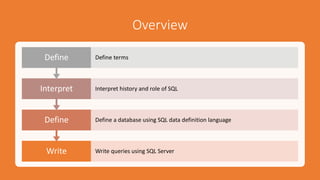
Overview
Write Write queries using SQL Server
Define Define a database using SQL data definition language
Interpret Interpret history and role of SQL
Define Define terms
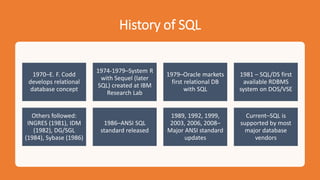
History of SQL
1970–E. F. Codd
develops relational
database concept
1974-1979–System R
with Sequel (later
SQL) created at IBM
Research Lab
1979–Oracle markets
first relational DB
with SQL
1981 – SQL/DS first
available RDBMS
system on DOS/VSE
Others followed:
INGRES (1981), IDM
(1982), DG/SGL
(1984), Sybase (1986)
1986–ANSI SQL
standard released
1989, 1992, 1999,
2003, 2006, 2008–
Major ANSI standard
updates
Current–SQL is
supported by most
major database
vendors
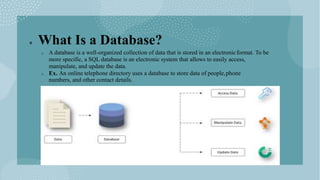
 What Is a Database?
o A database is a well-organized collection of data that is stored in an electronicformat. To be
more specific, a SQL database is an electronic system that allows to easily access,
manipulate, and update the data.
o Ex. An online telephone directory uses a database to store data of people,phone
numbers, and other contact details.
 Why we need Database?
o Manage large amounts of data
o Difficult to manage data in spreadsheets.
o Manual validation of data in spreadsheet is difficult
o Flexibility to update database in Database.
o Multiple people can edit Data at same time.
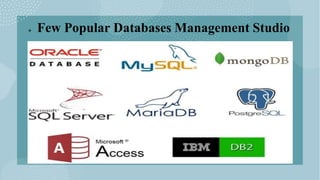
 Few Popular Databases Management Studio
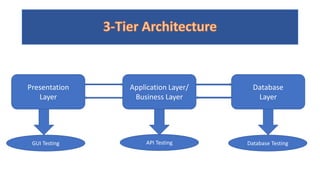
Presentation
Layer
Application Layer/
Business Layer
Database
Layer
GUI Testing API Testing Database Testing
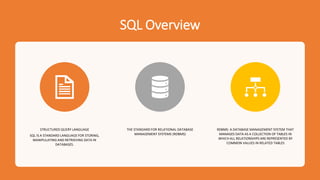
SQL Overview
STRUCTURED QUERY LANGUAGE
SQL IS A STANDARD LANGUAGE FOR STORING,
MANIPULATING AND RETRIEVING DATA IN
DATABASES.
THE STANDARD FOR RELATIONAL DATABASE
MANAGEMENT SYSTEMS (RDBMS)
RDBMS: A DATABASE MANAGEMENT SYSTEM THAT
MANAGES DATA AS A COLLECTION OF TABLES IN
WHICH ALL RELATIONSHIPS ARE REPRESENTED BY
COMMON VALUES IN RELATED TABLES
 What SQL can do?
 SQL can execute queries against a database
 SQL can retrieve data from a database
 SQL can insert records in a database
 SQL can update records in a database
 SQL can delete records from a database
 SQL can create new databases
 SQL can create new tables in a database
 SQL can create stored procedures in a database
 SQL can create views in a database
 SQL can set permissions on tables, procedures, and views
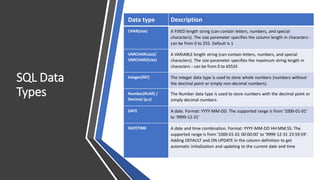
SQL Data
Types
Data type Description
CHAR(size) A FIXED length string (can contain letters, numbers, and special
characters). The size parameter specifies the column length in characters -
can be from 0 to 255. Default is 1
VARCHAR(size)/
VARCHAR2(size)
A VARIABLE length string (can contain letters, numbers, and special
characters). The size parameter specifies the maximum string length in
characters - can be from 0 to 65535
Integer(INT) The integer data type is used to store whole numbers (numbers without
the decimal point or simply non-decimal numbers).
Number(NUM) /
Decimal (p,s)
The Number data type is used to store numbers with the decimal point or
simply decimal numbers.
DATE A date. Format: YYYY-MM-DD. The supported range is from '1000-01-01'
to '9999-12-31'
DATETIME A date and time combination. Format: YYYY-MM-DD HH:MM:SS. The
supported range is from '1000-01-01 00:00:00' to '9999-12-31 23:59:59'.
Adding DEFAULT and ON UPDATE in the column definition to get
automatic initialization and updating to the current date and time
•Definition
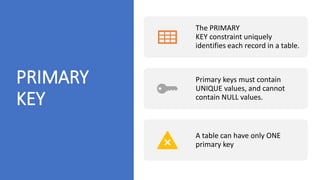
PRIMARY
KEY
The PRIMARY
KEY constraint uniquely
identifies each record in a table.
Primary keys must contain
UNIQUE values, and cannot
contain NULL values.
A table can have only ONE
primary key
FOREIGN KEY
A FOREIGN KEY is a field (or collection
of fields) in one table, that refers to
the PRIMARY KEY in another table.
The table with the foreign key is
called the child table.
And the table with the primary key is
called the referenced or parent table.
UNIQUE
KEY
Ensure that all values in a column are different.
Both the unique and primary key constraints
provide a guarantee for uniqueness for a column
or set of columns.
A primary key constraint automatically has a
UNIQUE constraint.
However, you can have many UNIQUE constraints
per table, but only one PRIMARY KEY constraint
per table.
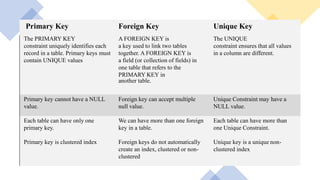
Primary Key Foreign Key Unique Key
The PRIMARY KEY
constraint uniquely identifies each
record in a table. Primary keys must
contain UNIQUE values
A FOREIGN KEY is
a key used to link two tables
together. A FOREIGN KEY is
a field (or collection of fields) in
one table that refers to the
PRIMARY KEY in
another table.
The UNIQUE
constraint ensures that all values
in a column are different.
Primary key cannot have a NULL
value.
Foreign key can accept multiple
null value.
Unique Constraint may have a
NULL value.
Each table can have only one
primary key.
We can have more than one foreign
key in a table.
Each table can have more than
one Unique Constraint.
Primary key is clustered index Foreign keys do not automatically
create an index, clustered or non-
clustered
Unique key is a unique non-
clustered index
SQL
Constraints
SQL constraints are used to specify rules for the data in a
table.
Constraints are used to limit the type of data that can go
into a table.
This ensures the accuracy and reliability of the data in the
table.
If there is any violation between the constraint and the
data action, the action is aborted.
Syntax:- CREATE TABLE table_name (
column1 datatype constraint,
column2 datatype constraint,
column3 datatype constraint, ....
);
Types of
Constraints
•NOT NULL - Ensures that a column cannot have a
NULL value
•UNIQUE - Ensures that all values in a column are
different
•PRIMARY KEY - A combination of a NOT
NULL and UNIQUE. Uniquely identifies each row in a
table
•FOREIGN KEY - Prevents actions that would destroy
links between tables
•CHECK - Ensures that the values in a column satisfies
a specific condition
•DEFAULT - Sets a default value for a column if no
value is specified
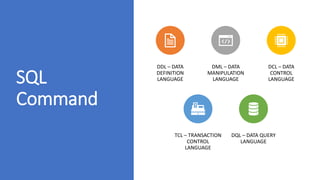
SQL
Command
DDL – DATA
DEFINITION
LANGUAGE
DML – DATA
MANIPULATION
LANGUAGE
DCL – DATA
CONTROL
LANGUAGE
TCL – TRANSACTION
CONTROL
LANGUAGE
DQL – DATA QUERY
LANGUAGE
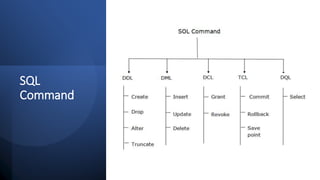
SQL
Command
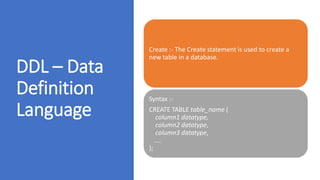
DDL – Data
Definition
Language
Create :- The Create statement is used to create a
new table in a database.
Syntax :-
CREATE TABLE table_name (
column1 datatype,
column2 datatype,
column3 datatype,
....
);
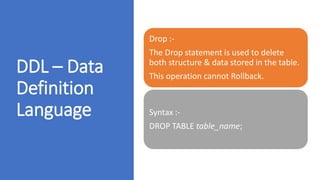
DDL – Data
Definition
Language
Drop :-
The Drop statement is used to delete
both structure & data stored in the table.
This operation cannot Rollback.
Syntax :-
DROP TABLE table_name;
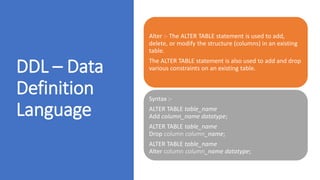
DDL – Data
Definition
Language
Alter :- The ALTER TABLE statement is used to add,
delete, or modify the structure (columns) in an existing
table.
The ALTER TABLE statement is also used to add and drop
various constraints on an existing table.
Syntax :-
ALTER TABLE table_name
Add column_name datatype;
ALTER TABLE table_name
Drop column column_name;
ALTER TABLE table_name
Alter column column_name datatype;
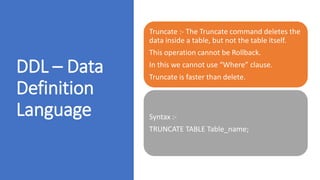
DDL – Data
Definition
Language
Truncate :- The Truncate command deletes the
data inside a table, but not the table itself.
This operation cannot be Rollback.
In this we cannot use “Where” clause.
Truncate is faster than delete.
Syntax :-
TRUNCATE TABLE Table_name;
DML – Data
Manipulation
Language
DELETE (DROP) :- The Drop statement is used to delete
existing all records or Specific records in a table.
After performing a Drop operation we need to used
“Commit” or “Rollback” the command to make the
changes permanent or to Undo It.
In this we can use “Where” clause.
Syntax :-
Delete FROM table_name;
Commit;
Delete FROM table_name WHERE condition;
Rollback;
DML – Data
Manipulation
Language
INSERT :- The Insert
Into statement is used to insert
new records in a table.
Syntax :-
INSERT INTO table_name
VALUES (value1, value2, value3,
...);
DML – Data
Manipulation
Language
UPDATE :- The UPDATE statement is
used to modify the existing records in a
table.
Syntax :-
UPDATE table_name
SET column1 = value1, column2 = value2
...WHERE condition;
TCL –
Transaction
Control
Language
Commit :- It lets a user permanently save all
the changes made in the transaction of a
database or table.
Once you execute the COMMIT, the database
cannot go back to its previous state in any
case.
Syntax :-
Commit transaction;
TCL –
Transaction
Control
Language
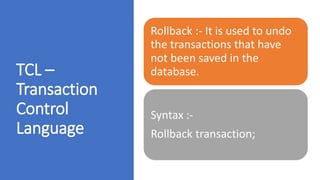
Rollback :- It is used to undo
the transactions that have
not been saved in the
database.
Syntax :-
Rollback transaction;
DQL –
Data Query
Language
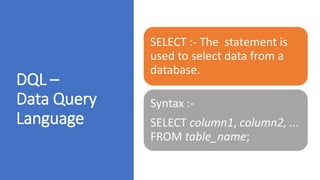
SELECT :- The statement is
used to select data from a
database.
Syntax :-
SELECT column1, column2, ...
FROM table_name;
SQL Aliases
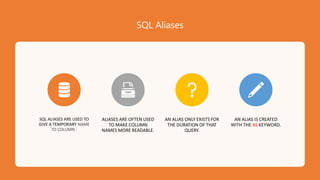
SQL ALIASES ARE USED TO
GIVE A TEMPORARY NAME
TO COLUMN .
ALIASES ARE OFTEN USED
TO MAKE COLUMN
NAMES MORE READABLE.
AN ALIAS ONLY EXISTS FOR
THE DURATION OF THAT
QUERY.
AN ALIAS IS CREATED
WITH THE AS KEYWORD.
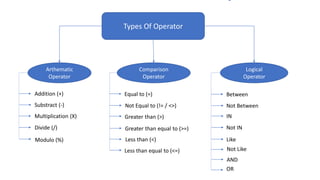
Types Of Operator
Arthematic
Operator
Comparison
Operator
Logical
Operator
Addition (+)
Substract (-)
Multiplication (X)
Divide (/)
Modulo (%)
Equal to (=)
Not Equal to (!= / <>)
Greater than (>)
Greater than equal to (>=)
Less than (<)
Less than equal to (<=)
Between
Not Between
IN
Not IN
Like
Not Like
AND
OR
•Arthmatic Operator
Arthmatic
Operator
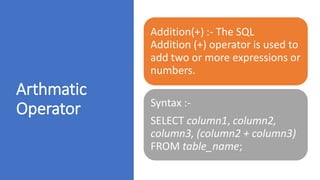
Addition(+) :- The SQL
Addition (+) operator is used to
add two or more expressions or
numbers.
Syntax :-
SELECT column1, column2,
column3, (column2 + column3)
FROM table_name;
Arthmatic
Operator
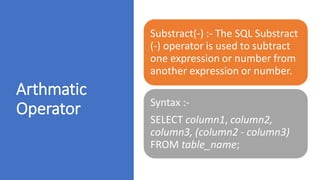
Substract(-) :- The SQL Substract
(-) operator is used to subtract
one expression or number from
another expression or number.
Syntax :-
SELECT column1, column2,
column3, (column2 - column3)
FROM table_name;
Arthmatic
Operator
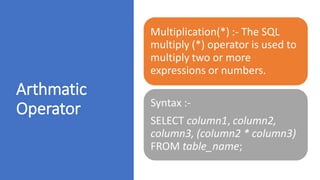
Multiplication(*) :- The SQL
multiply (*) operator is used to
multiply two or more
expressions or numbers.
Syntax :-
SELECT column1, column2,
column3, (column2 * column3)
FROM table_name;
Arthmatic
Operator
DIVIDE(/) :- The SQL divide ( / )
operator is used to divide one
expressions or numbers by
another.
Syntax :-
SELECT column1, column2,
column3, (column2 / column3)
FROM table_name;
Arthmatic
Operator
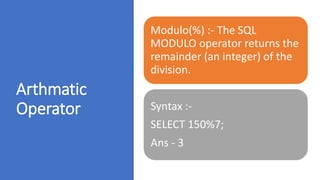
Modulo(%) :- The SQL
MODULO operator returns the
remainder (an integer) of the
division.
Syntax :-
SELECT 150%7;
Ans - 3
•Comparison Operator
Comparison
Operator
Equal To (=):- The equal to (=)
operator is used for equality test
within two numbers or
expressions.
Syntax :-
SELECT * FROM Table_name
WHERE condition = Exact Value;
Comparison
Operator
Not Equal To (!= / <>):- The not
equal to (!= / <>) operator is used
for inequality test between two
numbers or expression.
Syntax :-
SELECT * FROM Table_name
WHERE condition <> Value;
Comparison
Operator
Greater Than (>) :- The greater than
operator is used to test whether an
expression (or number) is greater
than another one.
Syntax :-
SELECT * FROM Table_name
WHERE condition > Value;
Comparison
Operator
Greater Than Equal To (>=) :- The
greater than equal to (>=) operator is
used to test whether an expression (or
number) is either greater than or equal
to another one.
Syntax :-
SELECT * FROM Table_name WHERE
condition >= Value;
Comparison
Operator
Less Than (<) :- The less than
operator (<) is used to test whether
an expression (or number) is less
than another one.
Syntax :-
SELECT * FROM Table_name
WHERE condition < Value;
Comparison
Operator
Less Than Eqaul To (<=) :- The less
than equal to operator is used to test
whether an expression (or number)
is either less than or equal to
another one.
Syntax :-
SELECT * FROM Table_name WHERE
condition <= Value;
•Logical Operator
Logical
Operator
Between :- The operator selects values within a given
range. The values can be numbers, text, or dates.
Syntax :-
SELECT *
FROM table_name
WHERE column_name BETWEEN value1 AND value2;
Logical
Operator
Not Between :- The operator selects
values outside a given range. The
values can be numbers, text, or dates.
Syntax :-
SELECT *
FROM table_name
WHERE column_name
NOT BETWEEN value1 AND value2;
Logical
Operator
IN :- To find multiple exact
values using Where clause.
Syntax :-
SELECT *
FROM table_name
WHERE column_name IN (value1, value2, ...);
Logical
Operator
NOT IN :- To find other than
multiple exact values using
Where clause.
Syntax :-
SELECT *
FROM table_name
WHERE column_name
NOT IN (value1, value2, ...);
Logical
Operator
LIKE :- The LIKE operator is used in a WHERE clause to search
for a specified pattern in a column.
There are two wildcards often used in conjunction with
the LIKE operator:
i) The percent sign (%) represents zero, one, or multiple
characters
Ii) The underscore sign (_) represents one, single character
Syntax :-
SELECT *
FROM table_name
WHERE column_name LIKE pattern;
LIKE
Operator
Patterns
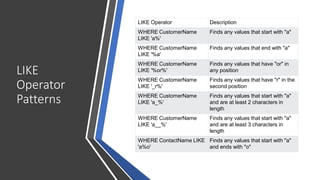
LIKE Operator Description
WHERE CustomerName
LIKE 'a%'
Finds any values that start with "a"
WHERE CustomerName
LIKE '%a'
Finds any values that end with "a"
WHERE CustomerName
LIKE '%or%'
Finds any values that have "or" in
any position
WHERE CustomerName
LIKE '_r%'
Finds any values that have "r" in the
second position
WHERE CustomerName
LIKE 'a_%'
Finds any values that start with "a"
and are at least 2 characters in
length
WHERE CustomerName
LIKE 'a__%'
Finds any values that start with "a"
and are at least 3 characters in
length
WHERE ContactName LIKE
'a%o'
Finds any values that start with "a"
and ends with "o"
Logical
Operator
NOT LIKE :- The NOT LIKE operator is used in a WHERE clause to
search to exclude specified pattern in a column.
There are two wildcards often used in conjunction with
the LIKE operator:
i) The percent sign (%) represents zero, one, or multiple
characters
Ii) The underscore sign (_) represents one, single character
Syntax :-
SELECT *
FROM table_name
WHERE columnN NOT LIKE pattern;
Logical
Operator
AND :- The and operators are used to filter records
based on more than one condition
The AND operator displays a record if all the conditions
separated by AND are TRUE.
Syntax :-
SELECT *
FROM table_name
WHERE condition1 AND condition2 AND condition3 ...;
Logical
Operator
OR :- The OR operators are used to filter records based
on more than one condition
The OR operator displays a record if any of the
conditions separated by OR is TRUE.
Syntax :-
SELECT *
FROM table_name
WHERE condition1 OR condition2 OR condition3 ...;
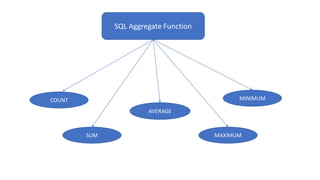
SQL Aggregate Function
COUNT
SUM
AVERAGE
MAXIMUM
MINIMUM
SQL
Aggregate
Function
COUNT() :- The COUNT() aggregate function is used to
count the number of rows in database table.
It works on both number & text data.
It includes Duplicate and NULL values.
Syntax :-
SELECT COUNT(column_name)
FROM table_name
WHERE condition;
SQL
Aggregate
Function
SUM() :- Returns the sum of all the values or specific
values in the expression.
SUM can be used with numeric columns only.
Null values are ignored.
Syntax :-
SELECT Sum(column_name)
FROM table_name
WHERE condition;
SQL
Aggregate
Function
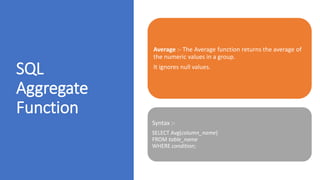
Average :- The Average function returns the average of
the numeric values in a group.
It ignores null values.
Syntax :-
SELECT Avg(column_name)
FROM table_name
WHERE condition;
SQL
Aggregate
Function
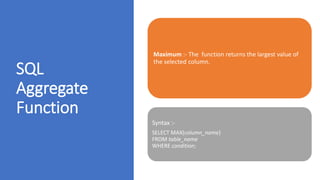
Maximum :- The function returns the largest value of
the selected column.
Syntax :-
SELECT MAX(column_name)
FROM table_name
WHERE condition;
SQL
Aggregate
Function
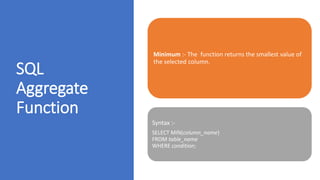
Minimum :- The function returns the smallest value of
the selected column.
Syntax :-
SELECT MIN(column_name)
FROM table_name
WHERE condition;
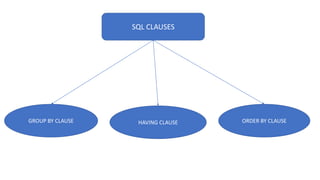
SQL CLAUSES
GROUP BY CLAUSE HAVING CLAUSE ORDER BY CLAUSE
SQL Clauses
• GROUP BY CLAUSE :- The GROUP BY statement groups rows that have
the same values into summary rows The GROUP BY statement is often
used with aggregate functions (COUNT(), MAX(), MIN(), SUM(), AVG())
to group the result-set by one or more columns.
• Syntax :-
SELECT column_name(s)
FROM table_name
GROUP BY column_name(s);
SQL Clauses
HAVING CLAUSE :- The having clause was added to SQL because the
where keyword cannot be used with aggregate functions(Group By,
Order By).
• Syntax :-
Select * from table_name
Group By column_name(s) Having condition;
SQL Clauses
• ORDER BY CLAUSE:- The ORDER BY keyword is used to sort the
result-set in ascending or descending order.
• The ORDER BY keyword sorts the records in ascending order by
default. To sort the records in descending order, use
the DESC keyword.
• Syntax :-
SELECT column_name(s)
FROM table_name
GROUP BY column_name(s)
ORDER BY column1, column2, ... ASC|DESC;
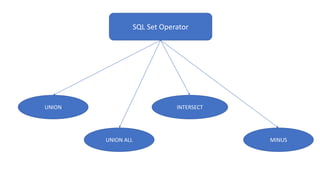
SQL Set Operator
UNION
UNION ALL
INTERSECT
MINUS
SQL Set Operator
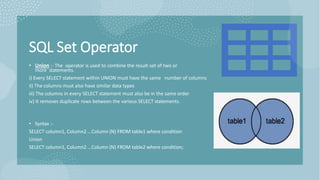
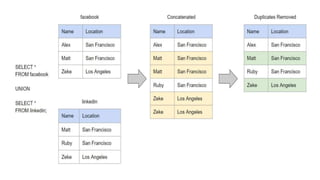
• Union :- The operator is used to combine the result-set of two or
more statements.
i) Every SELECT statement within UNION must have the same number of columns
ii) The columns must also have similar data types
iii) The columns in every SELECT statement must also be in the same order
iv) It removes duplicate rows between the various SELECT statements.
• Syntax :-
SELECT column1, Column2 ...Column (N) FROM table1 where condition
Union
SELECT column1, Column2 ...Column (N) FROM table2 where condition;
SQL Set Operator
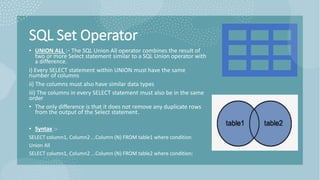
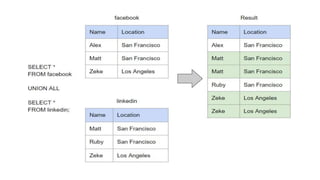
• UNION ALL :- The SQL Union All operator combines the result of
two or more Select statement similar to a SQL Union operator with
a difference.
i) Every SELECT statement within UNION must have the same
number of columns
ii) The columns must also have similar data types
iii) The columns in every SELECT statement must also be in the same
order
• The only difference is that it does not remove any duplicate rows
from the output of the Select statement.
• Syntax :-
SELECT column1, Column2 ...Column (N) FROM table1 where condition
Union All
SELECT column1, Column2 ...Column (N) FROM table2 where condition;
SQL Set Operator
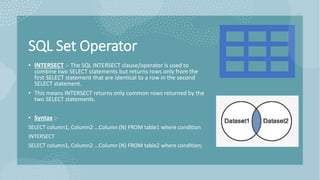
• INTERSECT :- The SQL INTERSECT clause/operator is used to
combine two SELECT statements but returns rows only from the
first SELECT statement that are identical to a row in the second
SELECT statement.
• This means INTERSECT returns only common rows returned by the
two SELECT statements.
• Syntax :-
SELECT column1, Column2 ...Column (N) FROM table1 where condition
INTERSECT
SELECT column1, Column2 ...Column (N) FROM table2 where condition;
SQL Set Operator
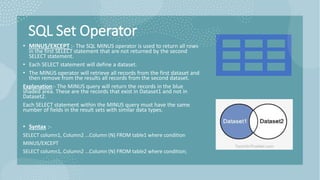
• MINUS/EXCEPT :- The SQL MINUS operator is used to return all rows
in the first SELECT statement that are not returned by the second
SELECT statement.
• Each SELECT statement will define a dataset.
• The MINUS operator will retrieve all records from the first dataset and
then remove from the results all records from the second dataset.
Explanation:- The MINUS query will return the records in the blue
shaded area. These are the records that exist in Dataset1 and not in
Dataset2.
Each SELECT statement within the MINUS query must have the same
number of fields in the result sets with similar data types.
• Syntax :-
SELECT column1, Column2 ...Column (N) FROM table1 where condition
MINUS/EXCEPT
SELECT column1, Column2 ...Column (N) FROM table2 where condition;
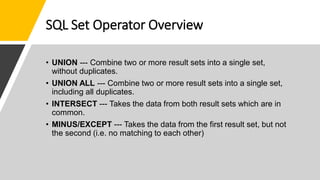
SQL Set Operator Overview
• UNION --- Combine two or more result sets into a single set,
without duplicates.
• UNION ALL --- Combine two or more result sets into a single set,
including all duplicates.
• INTERSECT --- Takes the data from both result sets which are in
common.
• MINUS/EXCEPT --- Takes the data from the first result set, but not
the second (i.e. no matching to each other)
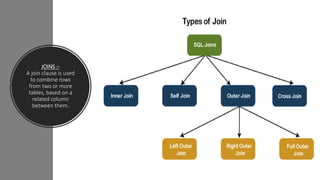
JOINS :-
A join clause is used
to combine rows
from two or more
tables, based on a
related column
between them.
Types Of SQL Joins
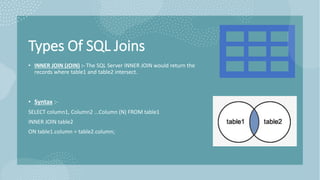
• INNER JOIN (JOIN) :- The SQL Server INNER JOIN would return the
records where table1 and table2 intersect.
• Syntax :-
SELECT column1, Column2 ...Column (N) FROM table1
INNER JOIN table2
ON table1.column = table2.column;
Types Of SQL Joins
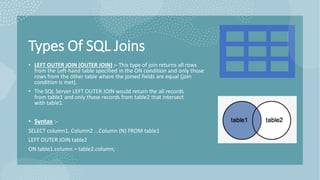
• LEFT OUTER JOIN (OUTER JOIN) :- This type of join returns all rows
from the Left-hand table specified in the ON condition and only those
rows from the other table where the joined fields are equal (join
condition is met).
• The SQL Server LEFT OUTER JOIN would return the all records
from table1 and only those records from table2 that intersect
with table1.
• Syntax :-
SELECT column1, Column2 ...Column (N) FROM table1
LEFT OUTER JOIN table2
ON table1.column = table2.column;
Types Of SQL Joins
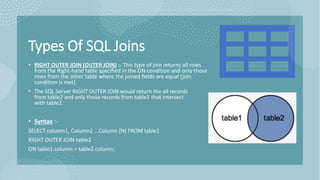
• RIGHT OUTER JOIN (OUTER JOIN) :- This type of join returns all rows
from the Right-hand table specified in the ON condition and only those
rows from the other table where the joined fields are equal (join
condition is met).
• The SQL Server RIGHT OUTER JOIN would return the all records
from table2 and only those records from table1 that intersect
with table2.
• Syntax :-
SELECT column1, Column2 ...Column (N) FROM table1
RIGHT OUTER JOIN table2
ON table1.column = table2.column;
Types Of SQL Joins
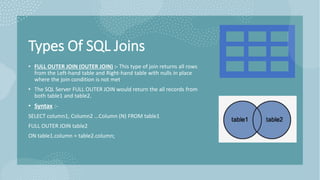
• FULL OUTER JOIN (OUTER JOIN) :- This type of join returns all rows
from the Left-hand table and Right-hand table with nulls in place
where the join condition is not met.
• The SQL Server FULL OUTER JOIN would return the all records from
both table1 and table2.
• Syntax :-
SELECT column1, Column2 ...Column (N) FROM table1
FULL OUTER JOIN table2
ON table1.column = table2.column;
Types Of SQL Joins
• CROSS JOIN :- In SQL, CROSS JOINs are used to combine each row of one
table with each row of another table and return the Cartesian product of
the sets of rows from the tables that are joined.
• When to use the CROSS JOIN?
The CROSS-JOIN query in SQL is used to generate all combinations of records
in two tables. For example, you have two columns: size and color, and you
need a result set to display all the possible paired combinations of those—
that's where the CROSS JOIN will come in handy.
• Syntax :-
SELECT column1, Column2 ...Column (N) FROM table1
CROSS JOIN table2
Types Of SQL Joins
• SELF JOIN :- A self join is a regular join, but the table is joined with
itself.
• Syntax :-
SELECT column1, Column2 ...Column (N)
FROM table1 T1 , table1 T2
Where Condition;
Stored Procedures
i) A stored procedure is a prepared SQL query that you can save, so
the query canbe reused over and over again.
ii) So if you have an SQL query that you write over and over again, save it
as astored procedure, and then just call it to execute it.
iii) You can also pass parameters to a stored procedure, so that the
storedprocedure can act based on the parameter value(s) that is passed.
• SYNTAX :-
i) CREATE PROCEDURE procedure_name AS sql_statement GO;
ii) EXEC procedure_name;
Dense_Rank analytical Function
Purpose :-
1) To find out maximum value from particular column
2) To find out minimum value from particular column
• SYNTAX :-
Select * from (
Select *, Dense_Rank () over (order by column_name ASC|DESC) as alies column
name from table_name) as alies column_name;
Query for Maximum value :-
Select * from (
Select *, Dense_Rank () over (order by Emp_salary DESC) as salary from Employee_a) as
salary;
Query for Minimum value :-
Select * from (
Select *, Dense_Rank () over (order by Emp_salaryASC) as salary from Employee_a) as
salary;

Introduction to SQL..pdf

  • 1.
    Introduction to SQL InnovativeAcademy Sachin – 8928534415 Atul – 9834474657 Shrikant - 9768687530
  • 2.
    Overview Write Write queriesusing SQL Server Define Define a database using SQL data definition language Interpret Interpret history and role of SQL Define Define terms
  • 3.
    History of SQL 1970–E.F. Codd develops relational database concept 1974-1979–System R with Sequel (later SQL) created at IBM Research Lab 1979–Oracle markets first relational DB with SQL 1981 – SQL/DS first available RDBMS system on DOS/VSE Others followed: INGRES (1981), IDM (1982), DG/SGL (1984), Sybase (1986) 1986–ANSI SQL standard released 1989, 1992, 1999, 2003, 2006, 2008– Major ANSI standard updates Current–SQL is supported by most major database vendors
  • 4.
     What Isa Database? o A database is a well-organized collection of data that is stored in an electronicformat. To be more specific, a SQL database is an electronic system that allows to easily access, manipulate, and update the data. o Ex. An online telephone directory uses a database to store data of people,phone numbers, and other contact details.
  • 5.
     Why weneed Database? o Manage large amounts of data o Difficult to manage data in spreadsheets. o Manual validation of data in spreadsheet is difficult o Flexibility to update database in Database. o Multiple people can edit Data at same time.
  • 6.
     Few PopularDatabases Management Studio
  • 7.
  • 8.
    SQL Overview STRUCTURED QUERYLANGUAGE SQL IS A STANDARD LANGUAGE FOR STORING, MANIPULATING AND RETRIEVING DATA IN DATABASES. THE STANDARD FOR RELATIONAL DATABASE MANAGEMENT SYSTEMS (RDBMS) RDBMS: A DATABASE MANAGEMENT SYSTEM THAT MANAGES DATA AS A COLLECTION OF TABLES IN WHICH ALL RELATIONSHIPS ARE REPRESENTED BY COMMON VALUES IN RELATED TABLES
  • 9.
     What SQLcan do?  SQL can execute queries against a database  SQL can retrieve data from a database  SQL can insert records in a database  SQL can update records in a database  SQL can delete records from a database  SQL can create new databases  SQL can create new tables in a database  SQL can create stored procedures in a database  SQL can create views in a database  SQL can set permissions on tables, procedures, and views
  • 10.
    SQL Data Types Data typeDescription CHAR(size) A FIXED length string (can contain letters, numbers, and special characters). The size parameter specifies the column length in characters - can be from 0 to 255. Default is 1 VARCHAR(size)/ VARCHAR2(size) A VARIABLE length string (can contain letters, numbers, and special characters). The size parameter specifies the maximum string length in characters - can be from 0 to 65535 Integer(INT) The integer data type is used to store whole numbers (numbers without the decimal point or simply non-decimal numbers). Number(NUM) / Decimal (p,s) The Number data type is used to store numbers with the decimal point or simply decimal numbers. DATE A date. Format: YYYY-MM-DD. The supported range is from '1000-01-01' to '9999-12-31' DATETIME A date and time combination. Format: YYYY-MM-DD HH:MM:SS. The supported range is from '1000-01-01 00:00:00' to '9999-12-31 23:59:59'. Adding DEFAULT and ON UPDATE in the column definition to get automatic initialization and updating to the current date and time
  • 11.
  • 12.
    PRIMARY KEY The PRIMARY KEY constraintuniquely identifies each record in a table. Primary keys must contain UNIQUE values, and cannot contain NULL values. A table can have only ONE primary key
  • 13.
    FOREIGN KEY A FOREIGNKEY is a field (or collection of fields) in one table, that refers to the PRIMARY KEY in another table. The table with the foreign key is called the child table. And the table with the primary key is called the referenced or parent table.
  • 14.
    UNIQUE KEY Ensure that allvalues in a column are different. Both the unique and primary key constraints provide a guarantee for uniqueness for a column or set of columns. A primary key constraint automatically has a UNIQUE constraint. However, you can have many UNIQUE constraints per table, but only one PRIMARY KEY constraint per table.
  • 15.
    Primary Key ForeignKey Unique Key The PRIMARY KEY constraint uniquely identifies each record in a table. Primary keys must contain UNIQUE values A FOREIGN KEY is a key used to link two tables together. A FOREIGN KEY is a field (or collection of fields) in one table that refers to the PRIMARY KEY in another table. The UNIQUE constraint ensures that all values in a column are different. Primary key cannot have a NULL value. Foreign key can accept multiple null value. Unique Constraint may have a NULL value. Each table can have only one primary key. We can have more than one foreign key in a table. Each table can have more than one Unique Constraint. Primary key is clustered index Foreign keys do not automatically create an index, clustered or non- clustered Unique key is a unique non- clustered index
  • 16.
    SQL Constraints SQL constraints areused to specify rules for the data in a table. Constraints are used to limit the type of data that can go into a table. This ensures the accuracy and reliability of the data in the table. If there is any violation between the constraint and the data action, the action is aborted. Syntax:- CREATE TABLE table_name ( column1 datatype constraint, column2 datatype constraint, column3 datatype constraint, .... );
  • 17.
    Types of Constraints •NOT NULL- Ensures that a column cannot have a NULL value •UNIQUE - Ensures that all values in a column are different •PRIMARY KEY - A combination of a NOT NULL and UNIQUE. Uniquely identifies each row in a table •FOREIGN KEY - Prevents actions that would destroy links between tables •CHECK - Ensures that the values in a column satisfies a specific condition •DEFAULT - Sets a default value for a column if no value is specified
  • 18.
    SQL Command DDL – DATA DEFINITION LANGUAGE DML– DATA MANIPULATION LANGUAGE DCL – DATA CONTROL LANGUAGE TCL – TRANSACTION CONTROL LANGUAGE DQL – DATA QUERY LANGUAGE
  • 19.
  • 20.
    DDL – Data Definition Language Create:- The Create statement is used to create a new table in a database. Syntax :- CREATE TABLE table_name ( column1 datatype, column2 datatype, column3 datatype, .... );
  • 21.
    DDL – Data Definition Language Drop:- The Drop statement is used to delete both structure & data stored in the table. This operation cannot Rollback. Syntax :- DROP TABLE table_name;
  • 22.
    DDL – Data Definition Language Alter:- The ALTER TABLE statement is used to add, delete, or modify the structure (columns) in an existing table. The ALTER TABLE statement is also used to add and drop various constraints on an existing table. Syntax :- ALTER TABLE table_name Add column_name datatype; ALTER TABLE table_name Drop column column_name; ALTER TABLE table_name Alter column column_name datatype;
  • 23.
    DDL – Data Definition Language Truncate:- The Truncate command deletes the data inside a table, but not the table itself. This operation cannot be Rollback. In this we cannot use “Where” clause. Truncate is faster than delete. Syntax :- TRUNCATE TABLE Table_name;
  • 24.
    DML – Data Manipulation Language DELETE(DROP) :- The Drop statement is used to delete existing all records or Specific records in a table. After performing a Drop operation we need to used “Commit” or “Rollback” the command to make the changes permanent or to Undo It. In this we can use “Where” clause. Syntax :- Delete FROM table_name; Commit; Delete FROM table_name WHERE condition; Rollback;
  • 25.
    DML – Data Manipulation Language INSERT:- The Insert Into statement is used to insert new records in a table. Syntax :- INSERT INTO table_name VALUES (value1, value2, value3, ...);
  • 26.
    DML – Data Manipulation Language UPDATE:- The UPDATE statement is used to modify the existing records in a table. Syntax :- UPDATE table_name SET column1 = value1, column2 = value2 ...WHERE condition;
  • 27.
    TCL – Transaction Control Language Commit :-It lets a user permanently save all the changes made in the transaction of a database or table. Once you execute the COMMIT, the database cannot go back to its previous state in any case. Syntax :- Commit transaction;
  • 28.
    TCL – Transaction Control Language Rollback :-It is used to undo the transactions that have not been saved in the database. Syntax :- Rollback transaction;
  • 29.
    DQL – Data Query Language SELECT:- The statement is used to select data from a database. Syntax :- SELECT column1, column2, ... FROM table_name;
  • 30.
    SQL Aliases SQL ALIASESARE USED TO GIVE A TEMPORARY NAME TO COLUMN . ALIASES ARE OFTEN USED TO MAKE COLUMN NAMES MORE READABLE. AN ALIAS ONLY EXISTS FOR THE DURATION OF THAT QUERY. AN ALIAS IS CREATED WITH THE AS KEYWORD.
  • 31.
    Types Of Operator Arthematic Operator Comparison Operator Logical Operator Addition(+) Substract (-) Multiplication (X) Divide (/) Modulo (%) Equal to (=) Not Equal to (!= / <>) Greater than (>) Greater than equal to (>=) Less than (<) Less than equal to (<=) Between Not Between IN Not IN Like Not Like AND OR
  • 32.
  • 33.
    Arthmatic Operator Addition(+) :- TheSQL Addition (+) operator is used to add two or more expressions or numbers. Syntax :- SELECT column1, column2, column3, (column2 + column3) FROM table_name;
  • 34.
    Arthmatic Operator Substract(-) :- TheSQL Substract (-) operator is used to subtract one expression or number from another expression or number. Syntax :- SELECT column1, column2, column3, (column2 - column3) FROM table_name;
  • 35.
    Arthmatic Operator Multiplication(*) :- TheSQL multiply (*) operator is used to multiply two or more expressions or numbers. Syntax :- SELECT column1, column2, column3, (column2 * column3) FROM table_name;
  • 36.
    Arthmatic Operator DIVIDE(/) :- TheSQL divide ( / ) operator is used to divide one expressions or numbers by another. Syntax :- SELECT column1, column2, column3, (column2 / column3) FROM table_name;
  • 37.
    Arthmatic Operator Modulo(%) :- TheSQL MODULO operator returns the remainder (an integer) of the division. Syntax :- SELECT 150%7; Ans - 3
  • 38.
  • 39.
    Comparison Operator Equal To (=):-The equal to (=) operator is used for equality test within two numbers or expressions. Syntax :- SELECT * FROM Table_name WHERE condition = Exact Value;
  • 40.
    Comparison Operator Not Equal To(!= / <>):- The not equal to (!= / <>) operator is used for inequality test between two numbers or expression. Syntax :- SELECT * FROM Table_name WHERE condition <> Value;
  • 41.
    Comparison Operator Greater Than (>):- The greater than operator is used to test whether an expression (or number) is greater than another one. Syntax :- SELECT * FROM Table_name WHERE condition > Value;
  • 42.
    Comparison Operator Greater Than EqualTo (>=) :- The greater than equal to (>=) operator is used to test whether an expression (or number) is either greater than or equal to another one. Syntax :- SELECT * FROM Table_name WHERE condition >= Value;
  • 43.
    Comparison Operator Less Than (<):- The less than operator (<) is used to test whether an expression (or number) is less than another one. Syntax :- SELECT * FROM Table_name WHERE condition < Value;
  • 44.
    Comparison Operator Less Than EqaulTo (<=) :- The less than equal to operator is used to test whether an expression (or number) is either less than or equal to another one. Syntax :- SELECT * FROM Table_name WHERE condition <= Value;
  • 45.
  • 46.
    Logical Operator Between :- Theoperator selects values within a given range. The values can be numbers, text, or dates. Syntax :- SELECT * FROM table_name WHERE column_name BETWEEN value1 AND value2;
  • 47.
    Logical Operator Not Between :-The operator selects values outside a given range. The values can be numbers, text, or dates. Syntax :- SELECT * FROM table_name WHERE column_name NOT BETWEEN value1 AND value2;
  • 48.
    Logical Operator IN :- Tofind multiple exact values using Where clause. Syntax :- SELECT * FROM table_name WHERE column_name IN (value1, value2, ...);
  • 49.
    Logical Operator NOT IN :-To find other than multiple exact values using Where clause. Syntax :- SELECT * FROM table_name WHERE column_name NOT IN (value1, value2, ...);
  • 50.
    Logical Operator LIKE :- TheLIKE operator is used in a WHERE clause to search for a specified pattern in a column. There are two wildcards often used in conjunction with the LIKE operator: i) The percent sign (%) represents zero, one, or multiple characters Ii) The underscore sign (_) represents one, single character Syntax :- SELECT * FROM table_name WHERE column_name LIKE pattern;
  • 51.
    LIKE Operator Patterns LIKE Operator Description WHERECustomerName LIKE 'a%' Finds any values that start with "a" WHERE CustomerName LIKE '%a' Finds any values that end with "a" WHERE CustomerName LIKE '%or%' Finds any values that have "or" in any position WHERE CustomerName LIKE '_r%' Finds any values that have "r" in the second position WHERE CustomerName LIKE 'a_%' Finds any values that start with "a" and are at least 2 characters in length WHERE CustomerName LIKE 'a__%' Finds any values that start with "a" and are at least 3 characters in length WHERE ContactName LIKE 'a%o' Finds any values that start with "a" and ends with "o"
  • 52.
    Logical Operator NOT LIKE :-The NOT LIKE operator is used in a WHERE clause to search to exclude specified pattern in a column. There are two wildcards often used in conjunction with the LIKE operator: i) The percent sign (%) represents zero, one, or multiple characters Ii) The underscore sign (_) represents one, single character Syntax :- SELECT * FROM table_name WHERE columnN NOT LIKE pattern;
  • 53.
    Logical Operator AND :- Theand operators are used to filter records based on more than one condition The AND operator displays a record if all the conditions separated by AND are TRUE. Syntax :- SELECT * FROM table_name WHERE condition1 AND condition2 AND condition3 ...;
  • 54.
    Logical Operator OR :- TheOR operators are used to filter records based on more than one condition The OR operator displays a record if any of the conditions separated by OR is TRUE. Syntax :- SELECT * FROM table_name WHERE condition1 OR condition2 OR condition3 ...;
  • 55.
  • 56.
    SQL Aggregate Function COUNT() :- TheCOUNT() aggregate function is used to count the number of rows in database table. It works on both number & text data. It includes Duplicate and NULL values. Syntax :- SELECT COUNT(column_name) FROM table_name WHERE condition;
  • 57.
    SQL Aggregate Function SUM() :- Returnsthe sum of all the values or specific values in the expression. SUM can be used with numeric columns only. Null values are ignored. Syntax :- SELECT Sum(column_name) FROM table_name WHERE condition;
  • 58.
    SQL Aggregate Function Average :- TheAverage function returns the average of the numeric values in a group. It ignores null values. Syntax :- SELECT Avg(column_name) FROM table_name WHERE condition;
  • 59.
    SQL Aggregate Function Maximum :- Thefunction returns the largest value of the selected column. Syntax :- SELECT MAX(column_name) FROM table_name WHERE condition;
  • 60.
    SQL Aggregate Function Minimum :- Thefunction returns the smallest value of the selected column. Syntax :- SELECT MIN(column_name) FROM table_name WHERE condition;
  • 61.
    SQL CLAUSES GROUP BYCLAUSE HAVING CLAUSE ORDER BY CLAUSE
  • 62.
    SQL Clauses • GROUPBY CLAUSE :- The GROUP BY statement groups rows that have the same values into summary rows The GROUP BY statement is often used with aggregate functions (COUNT(), MAX(), MIN(), SUM(), AVG()) to group the result-set by one or more columns. • Syntax :- SELECT column_name(s) FROM table_name GROUP BY column_name(s);
  • 63.
    SQL Clauses HAVING CLAUSE:- The having clause was added to SQL because the where keyword cannot be used with aggregate functions(Group By, Order By). • Syntax :- Select * from table_name Group By column_name(s) Having condition;
  • 64.
    SQL Clauses • ORDERBY CLAUSE:- The ORDER BY keyword is used to sort the result-set in ascending or descending order. • The ORDER BY keyword sorts the records in ascending order by default. To sort the records in descending order, use the DESC keyword. • Syntax :- SELECT column_name(s) FROM table_name GROUP BY column_name(s) ORDER BY column1, column2, ... ASC|DESC;
  • 65.
    SQL Set Operator UNION UNIONALL INTERSECT MINUS
  • 66.
    SQL Set Operator •Union :- The operator is used to combine the result-set of two or more statements. i) Every SELECT statement within UNION must have the same number of columns ii) The columns must also have similar data types iii) The columns in every SELECT statement must also be in the same order iv) It removes duplicate rows between the various SELECT statements. • Syntax :- SELECT column1, Column2 ...Column (N) FROM table1 where condition Union SELECT column1, Column2 ...Column (N) FROM table2 where condition;
  • 68.
    SQL Set Operator •UNION ALL :- The SQL Union All operator combines the result of two or more Select statement similar to a SQL Union operator with a difference. i) Every SELECT statement within UNION must have the same number of columns ii) The columns must also have similar data types iii) The columns in every SELECT statement must also be in the same order • The only difference is that it does not remove any duplicate rows from the output of the Select statement. • Syntax :- SELECT column1, Column2 ...Column (N) FROM table1 where condition Union All SELECT column1, Column2 ...Column (N) FROM table2 where condition;
  • 70.
    SQL Set Operator •INTERSECT :- The SQL INTERSECT clause/operator is used to combine two SELECT statements but returns rows only from the first SELECT statement that are identical to a row in the second SELECT statement. • This means INTERSECT returns only common rows returned by the two SELECT statements. • Syntax :- SELECT column1, Column2 ...Column (N) FROM table1 where condition INTERSECT SELECT column1, Column2 ...Column (N) FROM table2 where condition;
  • 71.
    SQL Set Operator •MINUS/EXCEPT :- The SQL MINUS operator is used to return all rows in the first SELECT statement that are not returned by the second SELECT statement. • Each SELECT statement will define a dataset. • The MINUS operator will retrieve all records from the first dataset and then remove from the results all records from the second dataset. Explanation:- The MINUS query will return the records in the blue shaded area. These are the records that exist in Dataset1 and not in Dataset2. Each SELECT statement within the MINUS query must have the same number of fields in the result sets with similar data types. • Syntax :- SELECT column1, Column2 ...Column (N) FROM table1 where condition MINUS/EXCEPT SELECT column1, Column2 ...Column (N) FROM table2 where condition;
  • 72.
    SQL Set OperatorOverview • UNION --- Combine two or more result sets into a single set, without duplicates. • UNION ALL --- Combine two or more result sets into a single set, including all duplicates. • INTERSECT --- Takes the data from both result sets which are in common. • MINUS/EXCEPT --- Takes the data from the first result set, but not the second (i.e. no matching to each other)
  • 73.
    JOINS :- A joinclause is used to combine rows from two or more tables, based on a related column between them.
  • 74.
    Types Of SQLJoins • INNER JOIN (JOIN) :- The SQL Server INNER JOIN would return the records where table1 and table2 intersect. • Syntax :- SELECT column1, Column2 ...Column (N) FROM table1 INNER JOIN table2 ON table1.column = table2.column;
  • 75.
    Types Of SQLJoins • LEFT OUTER JOIN (OUTER JOIN) :- This type of join returns all rows from the Left-hand table specified in the ON condition and only those rows from the other table where the joined fields are equal (join condition is met). • The SQL Server LEFT OUTER JOIN would return the all records from table1 and only those records from table2 that intersect with table1. • Syntax :- SELECT column1, Column2 ...Column (N) FROM table1 LEFT OUTER JOIN table2 ON table1.column = table2.column;
  • 76.
    Types Of SQLJoins • RIGHT OUTER JOIN (OUTER JOIN) :- This type of join returns all rows from the Right-hand table specified in the ON condition and only those rows from the other table where the joined fields are equal (join condition is met). • The SQL Server RIGHT OUTER JOIN would return the all records from table2 and only those records from table1 that intersect with table2. • Syntax :- SELECT column1, Column2 ...Column (N) FROM table1 RIGHT OUTER JOIN table2 ON table1.column = table2.column;
  • 77.
    Types Of SQLJoins • FULL OUTER JOIN (OUTER JOIN) :- This type of join returns all rows from the Left-hand table and Right-hand table with nulls in place where the join condition is not met. • The SQL Server FULL OUTER JOIN would return the all records from both table1 and table2. • Syntax :- SELECT column1, Column2 ...Column (N) FROM table1 FULL OUTER JOIN table2 ON table1.column = table2.column;
  • 78.
    Types Of SQLJoins • CROSS JOIN :- In SQL, CROSS JOINs are used to combine each row of one table with each row of another table and return the Cartesian product of the sets of rows from the tables that are joined. • When to use the CROSS JOIN? The CROSS-JOIN query in SQL is used to generate all combinations of records in two tables. For example, you have two columns: size and color, and you need a result set to display all the possible paired combinations of those— that's where the CROSS JOIN will come in handy. • Syntax :- SELECT column1, Column2 ...Column (N) FROM table1 CROSS JOIN table2
  • 79.
    Types Of SQLJoins • SELF JOIN :- A self join is a regular join, but the table is joined with itself. • Syntax :- SELECT column1, Column2 ...Column (N) FROM table1 T1 , table1 T2 Where Condition;
  • 80.
    Stored Procedures i) Astored procedure is a prepared SQL query that you can save, so the query canbe reused over and over again. ii) So if you have an SQL query that you write over and over again, save it as astored procedure, and then just call it to execute it. iii) You can also pass parameters to a stored procedure, so that the storedprocedure can act based on the parameter value(s) that is passed. • SYNTAX :- i) CREATE PROCEDURE procedure_name AS sql_statement GO; ii) EXEC procedure_name;
  • 81.
    Dense_Rank analytical Function Purpose:- 1) To find out maximum value from particular column 2) To find out minimum value from particular column • SYNTAX :- Select * from ( Select *, Dense_Rank () over (order by column_name ASC|DESC) as alies column name from table_name) as alies column_name; Query for Maximum value :- Select * from ( Select *, Dense_Rank () over (order by Emp_salary DESC) as salary from Employee_a) as salary; Query for Minimum value :- Select * from ( Select *, Dense_Rank () over (order by Emp_salaryASC) as salary from Employee_a) as salary;