SQL SERVER
INSTALLATION
AND
CONFIGURATION
What is a SQL Server?
๏ต used to manage and store
information.
๏ต โ€œrelational database management
systemโ€ (RDMS).
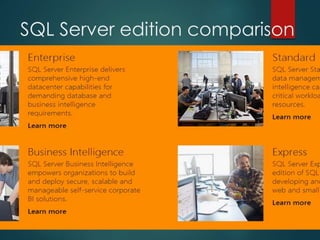
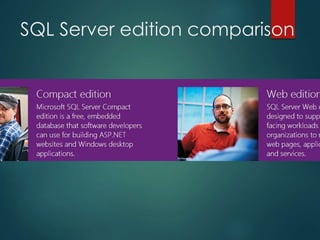
SQL Server Editions and
Version
1. Express Edition:
- Designed for easy deployment and rapid prototyping, and
- performance for embedded application clients, light web
applications, and local data stores.
2. Workgroup Edition:
- designed to provide basic relational database services for
departments and branch offices.
- It supports a maximum of 2 CPUs, 4GB of RAM, and
unlimited database size.
- Its only BI feature is Reporting Services.
3. Standard Edition:
- Designed for small and medium businesses, the Standard
edition supports up to 4 CPUs and 2TB of RAM,
- with unlimited database size. It includes support for all BI
subsystems including Analysis Services, Integration Services,
and Reporting Services, but lacks many of the enterprise-
oriented features from the Enterprise edition.
4. Enterprise (Developer) Edition:
- Enterprise for mission critical applications,
- This is the high-end edition, with the advanced
performance and availability features (e.g., table
partitioning, data compression) required to support
thousands of connections and databases measured by
terabytes.
๏ต The Developer Edition is the same as the Enterprise
Edition, but itโ€™s licensed only for development and
testing and it can run on workstation versions of
Windows.
Continued..
๏ต 5. Datacenter edition:
- More power than all other
editions.
- It costs more compare to others.
- It has all features of enterprise
edition and supports all data
related features.
SQL Server edition comparison
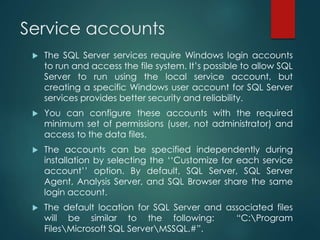
Service accounts
๏ต The SQL Server services require Windows login accounts
to run and access the file system. Itโ€™s possible to allow SQL
Server to run using the local service account, but
creating a specific Windows user account for SQL Server
services provides better security and reliability.
๏ต You can configure these accounts with the required
minimum set of permissions (user, not administrator) and
access to the data files.
๏ต The accounts can be specified independently during
installation by selecting the โ€˜โ€˜Customize for each service
accountโ€™โ€™ option. By default, SQL Server, SQL Server
Agent, Analysis Server, and SQL Browser share the same
login account.
๏ต The default location for SQL Server and associated files
will be similar to the following: โ€œC:Program
FilesMicrosoft SQL ServerMSSQL.#โ€.
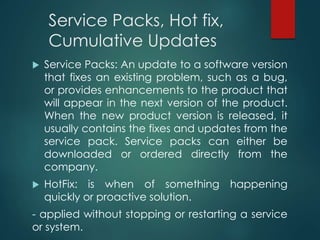
Service Packs, Hot fix,
Cumulative Updates
๏ต Service Packs: An update to a software version
that fixes an existing problem, such as a bug,
or provides enhancements to the product that
will appear in the next version of the product.
When the new product version is released, it
usually contains the fixes and updates from the
service pack. Service packs can either be
downloaded or ordered directly from the
company.
๏ต HotFix: is when of something happening
quickly or proactive solution.
- applied without stopping or restarting a service
or system.
Continued..
๏ตCumulative Updates:
- provides hotfix releases on
a scheduled delivery basis
for Office Server products.
- deliver high-quality fixes on
a predictable schedule.
SQL Server installation-
Hardware/Software Requirements:
o NET Framework 3.5
o SQL Server Native Client
o SQL Server Setup support files
o Windows service pack
o Processor :
Processor type: Minimum: 1.0 GHz,
Recommended: 2.0 GHz or faster
RAM 512 MB & Recommended: 2.048
GB or more
Pre-installation
๏ต We need to have Service account for all
sql services that needs to be installed.
(we get this from Windows team)
๏ต Make sure we have administrator
privilege for the service accounts.
๏ต Make sure we installed .Net Framework
and windows installer.
๏ต Need to have the software
๏ต For clustered servers we should have IP
addresses.
Performing the Installation
๏ต Setup.exe opens the SQL
Server Installation Center,
which brings together into one
UI a broad collection of
installation utilities and
resources --- from the planning
stage to advanced options.
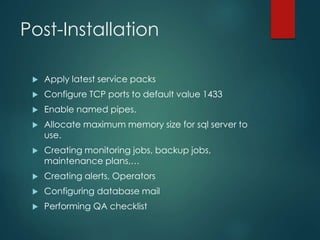
Post-Installation
๏ต Apply latest service packs
๏ต Configure TCP ports to default value 1433
๏ต Enable named pipes.
๏ต Allocate maximum memory size for sql server to
use.
๏ต Creating monitoring jobs, backup jobs,
maintenance plans,โ€ฆ
๏ต Creating alerts, Operators
๏ต Configuring database mail
๏ต Performing QA checklist
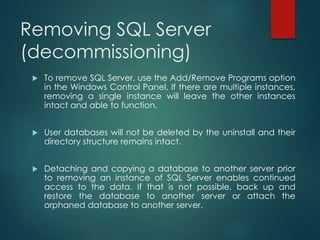
Removing SQL Server
(decommissioning)
๏ต To remove SQL Server, use the Add/Remove Programs option
in the Windows Control Panel. If there are multiple instances,
removing a single instance will leave the other instances
intact and able to function.
๏ต User databases will not be deleted by the uninstall and their
directory structure remains intact.
๏ต Detaching and copying a database to another server prior
to removing an instance of SQL Server enables continued
access to the data. If that is not possible, back up and
restore the database to another server or attach the
orphaned database to another server.

SQL server part 1

  • 1.
  • 2.
  • 3.
    What is aSQL Server? ๏ต used to manage and store information. ๏ต โ€œrelational database management systemโ€ (RDMS).
  • 4.
    SQL Server Editionsand Version 1. Express Edition: - Designed for easy deployment and rapid prototyping, and - performance for embedded application clients, light web applications, and local data stores. 2. Workgroup Edition: - designed to provide basic relational database services for departments and branch offices. - It supports a maximum of 2 CPUs, 4GB of RAM, and unlimited database size. - Its only BI feature is Reporting Services.
  • 5.
    3. Standard Edition: -Designed for small and medium businesses, the Standard edition supports up to 4 CPUs and 2TB of RAM, - with unlimited database size. It includes support for all BI subsystems including Analysis Services, Integration Services, and Reporting Services, but lacks many of the enterprise- oriented features from the Enterprise edition. 4. Enterprise (Developer) Edition: - Enterprise for mission critical applications, - This is the high-end edition, with the advanced performance and availability features (e.g., table partitioning, data compression) required to support thousands of connections and databases measured by terabytes. ๏ต The Developer Edition is the same as the Enterprise Edition, but itโ€™s licensed only for development and testing and it can run on workstation versions of Windows.
  • 6.
    Continued.. ๏ต 5. Datacenteredition: - More power than all other editions. - It costs more compare to others. - It has all features of enterprise edition and supports all data related features.
  • 7.
  • 8.
  • 9.
    Service accounts ๏ต TheSQL Server services require Windows login accounts to run and access the file system. Itโ€™s possible to allow SQL Server to run using the local service account, but creating a specific Windows user account for SQL Server services provides better security and reliability. ๏ต You can configure these accounts with the required minimum set of permissions (user, not administrator) and access to the data files. ๏ต The accounts can be specified independently during installation by selecting the โ€˜โ€˜Customize for each service accountโ€™โ€™ option. By default, SQL Server, SQL Server Agent, Analysis Server, and SQL Browser share the same login account. ๏ต The default location for SQL Server and associated files will be similar to the following: โ€œC:Program FilesMicrosoft SQL ServerMSSQL.#โ€.
  • 10.
    Service Packs, Hotfix, Cumulative Updates ๏ต Service Packs: An update to a software version that fixes an existing problem, such as a bug, or provides enhancements to the product that will appear in the next version of the product. When the new product version is released, it usually contains the fixes and updates from the service pack. Service packs can either be downloaded or ordered directly from the company. ๏ต HotFix: is when of something happening quickly or proactive solution. - applied without stopping or restarting a service or system.
  • 11.
    Continued.. ๏ตCumulative Updates: - provideshotfix releases on a scheduled delivery basis for Office Server products. - deliver high-quality fixes on a predictable schedule.
  • 12.
    SQL Server installation- Hardware/SoftwareRequirements: o NET Framework 3.5 o SQL Server Native Client o SQL Server Setup support files o Windows service pack o Processor : Processor type: Minimum: 1.0 GHz, Recommended: 2.0 GHz or faster RAM 512 MB & Recommended: 2.048 GB or more
  • 13.
    Pre-installation ๏ต We needto have Service account for all sql services that needs to be installed. (we get this from Windows team) ๏ต Make sure we have administrator privilege for the service accounts. ๏ต Make sure we installed .Net Framework and windows installer. ๏ต Need to have the software ๏ต For clustered servers we should have IP addresses.
  • 14.
    Performing the Installation ๏ตSetup.exe opens the SQL Server Installation Center, which brings together into one UI a broad collection of installation utilities and resources --- from the planning stage to advanced options.
  • 15.
    Post-Installation ๏ต Apply latestservice packs ๏ต Configure TCP ports to default value 1433 ๏ต Enable named pipes. ๏ต Allocate maximum memory size for sql server to use. ๏ต Creating monitoring jobs, backup jobs, maintenance plans,โ€ฆ ๏ต Creating alerts, Operators ๏ต Configuring database mail ๏ต Performing QA checklist
  • 16.
    Removing SQL Server (decommissioning) ๏ตTo remove SQL Server, use the Add/Remove Programs option in the Windows Control Panel. If there are multiple instances, removing a single instance will leave the other instances intact and able to function. ๏ต User databases will not be deleted by the uninstall and their directory structure remains intact. ๏ต Detaching and copying a database to another server prior to removing an instance of SQL Server enables continued access to the data. If that is not possible, back up and restore the database to another server or attach the orphaned database to another server.