The Lay of the Land of Client
Side Development circa 2017
Marc D Anderson
President, Sympraxis Consulting
#SPSMonaco
#SPSMonaco
Who Is Marc?
• Co-Founder and President of Sympraxis Consulting
LLC, located in the Boston suburb of Newton, MA,
USA. Sympraxis focuses on enabling collaboration
throughout the enterprise using the SharePoint
application platform.
• Over 30 years of experience in technology
professional services and software development.
Over a wide-ranging career in consulting as well as
line manager positions, Marc has proven himself as a
problem solver and leader who can solve difficult
technology problems for organizations across a wide
variety of industries and organization sizes.
• Author of SPServices
• Awarded Microsoft MVP for SharePoint Server 2011-
2017
Overview
• Are you dazzled by all the noises you hear about client-side
development? Do the grunts and gulps leave you a little confused? In
this introductory session, we’ll talk about the types of things you can
do with client-side development, how SharePoint can be used as a
service (SPaaS?) and what the popular toolsets are. Even between
writing the abstract and doing the session, things may well have
changed.
• Whether you’re a server-side developer who wants to catch up with
the new trends, a power user wanting to flex your muscles in new
ways, or an end user who would like to speak more intelligently with
IT, this session will provide useful foundational information.
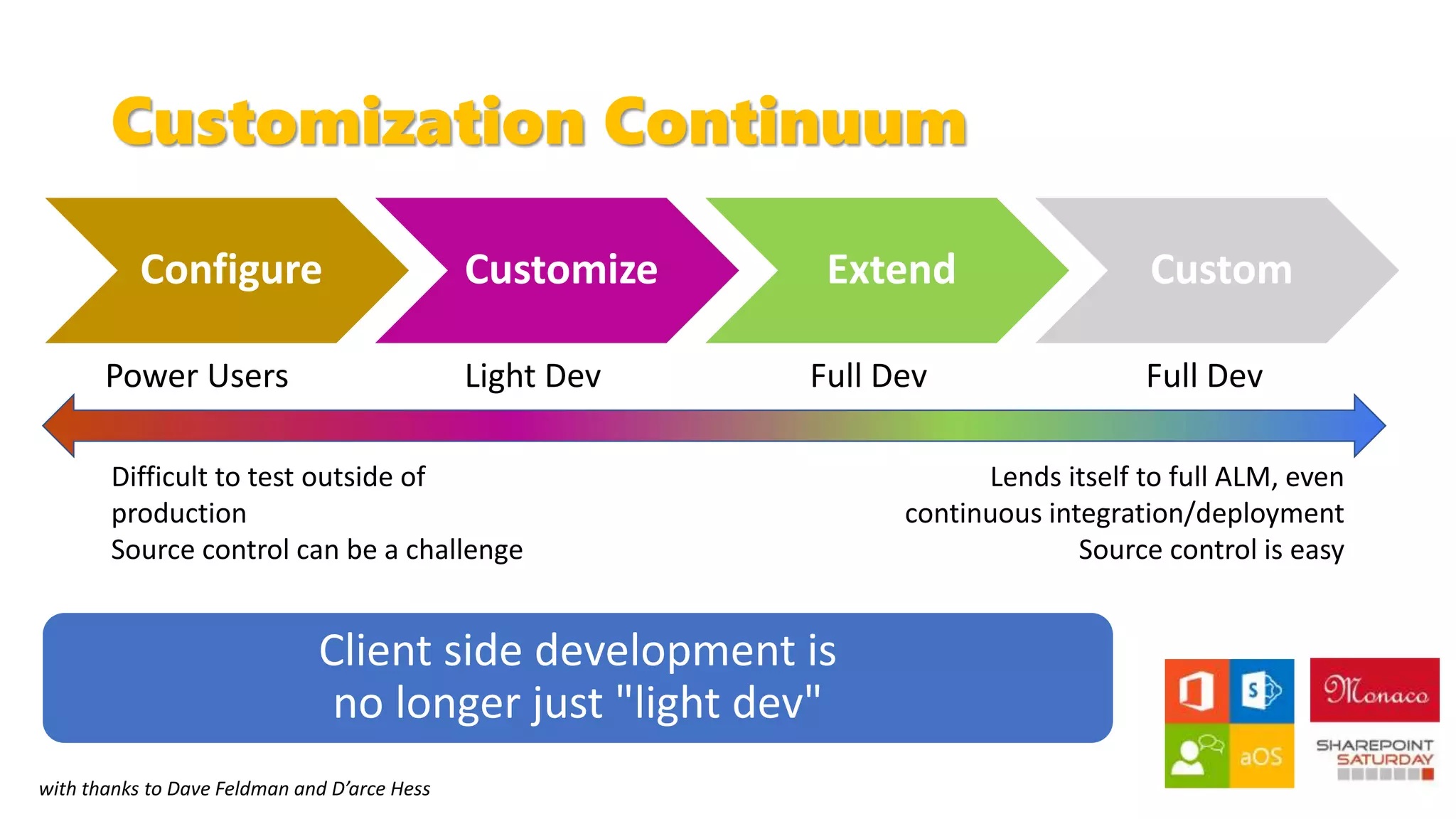
Customization Continuum
Configure Customize Extend Custom
Difficult to test outside of
production
Source control can be a challenge
Lends itself to full ALM, even
continuous integration/deployment
Source control is easy
Power Users Light Dev Full Dev Full Dev
with thanks to Dave Feldman and D’arce Hess
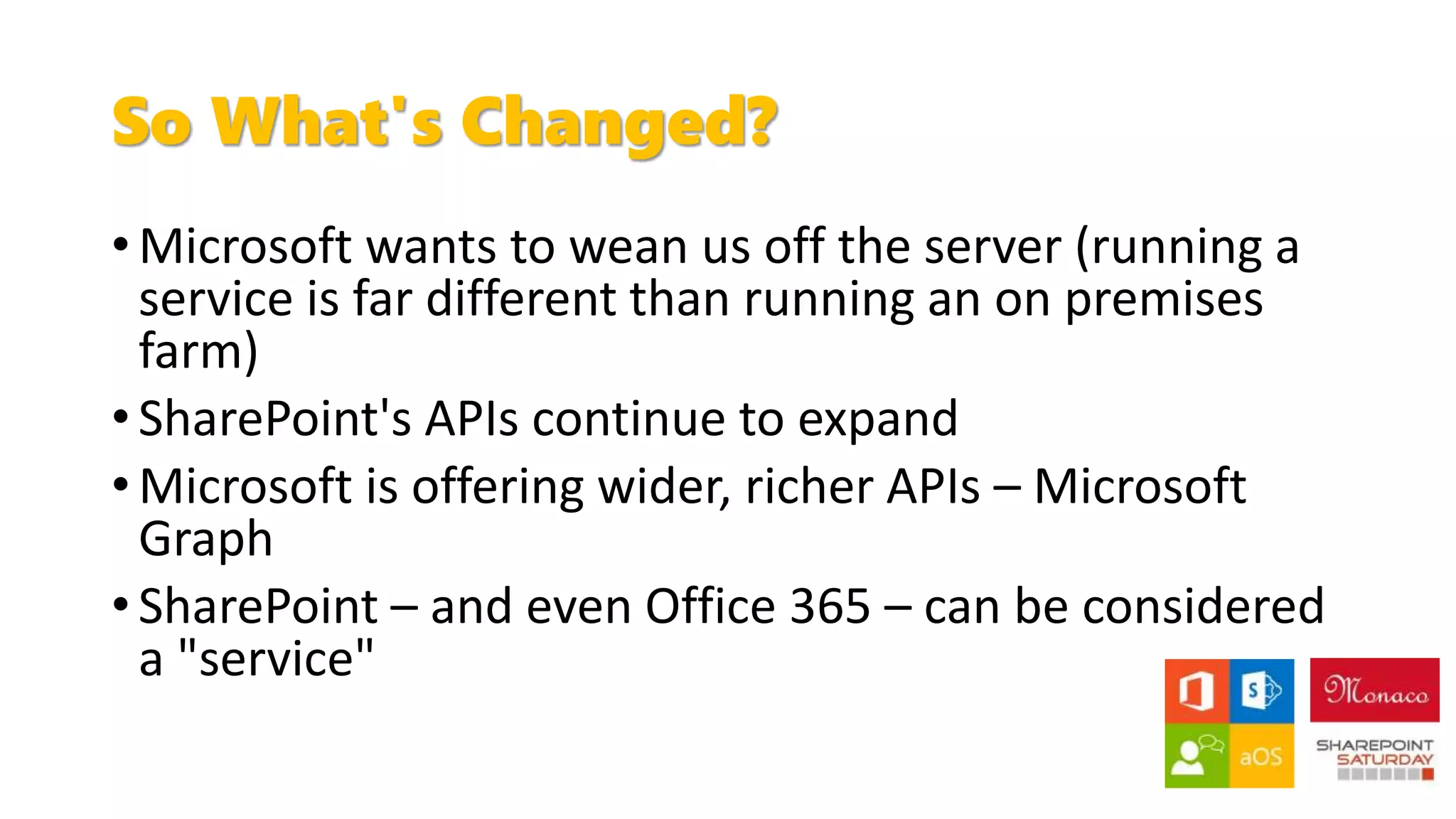
So What's Changed?
• Microsoft wants to wean us off the server (running a
service is far different than running an on premises
farm)
• SharePoint's APIs continue to expand
• Microsoft is offering wider, richer APIs – Microsoft
Graph
• SharePoint – and even Office 365 – can be considered
a "service"
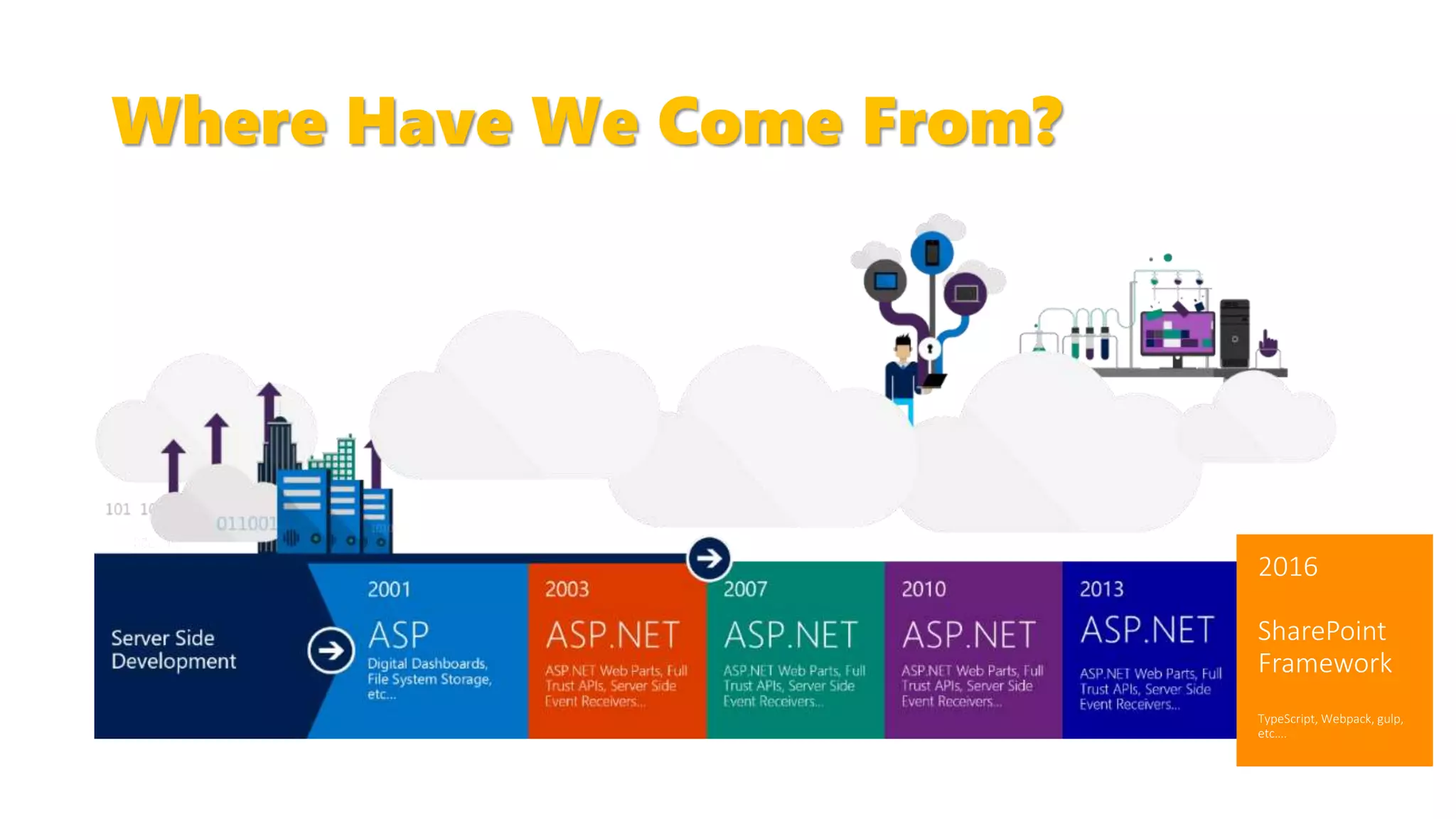
Where Have We Come From?
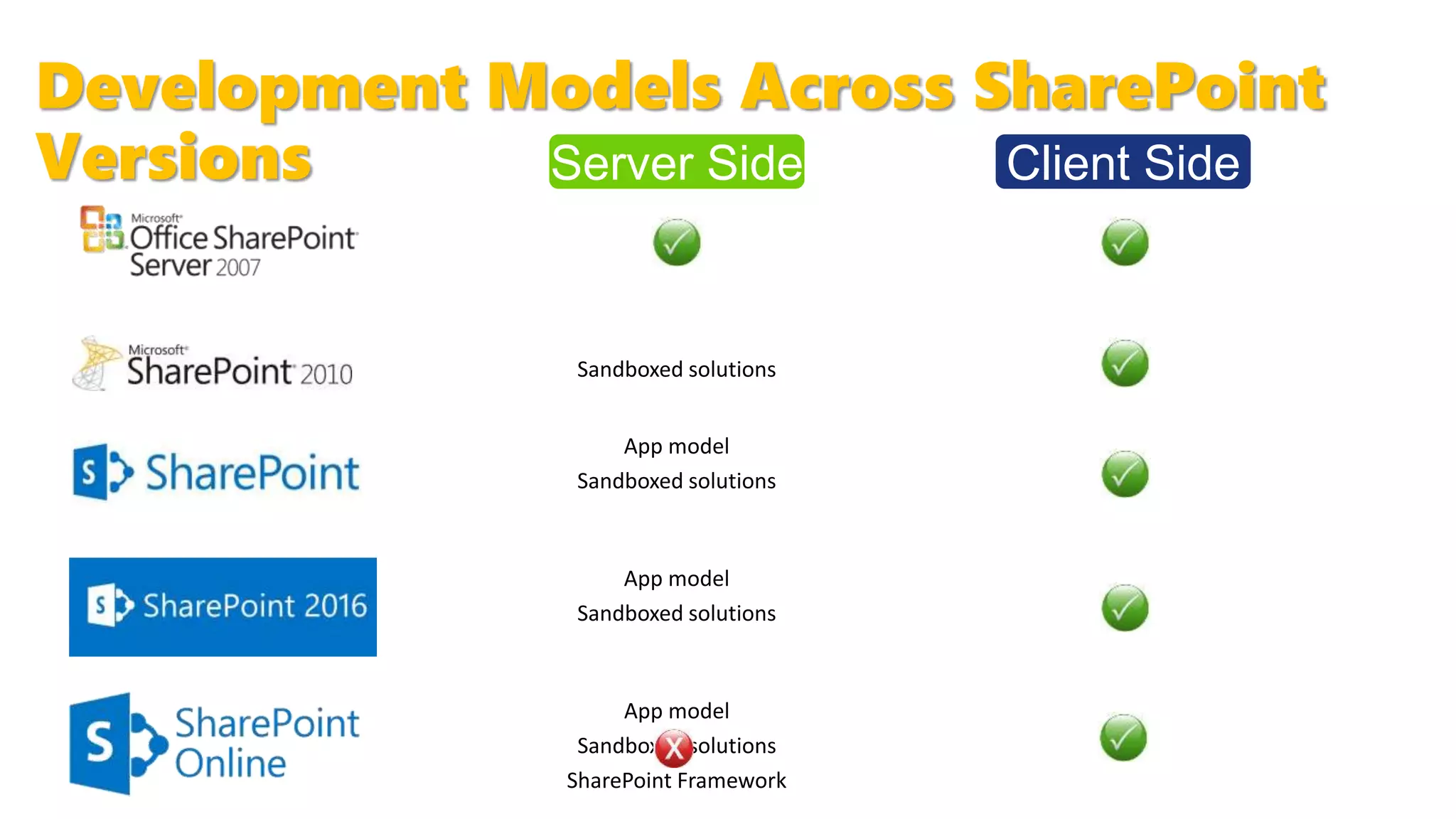
Development Models Across SharePoint
Versions Server Side Client Side
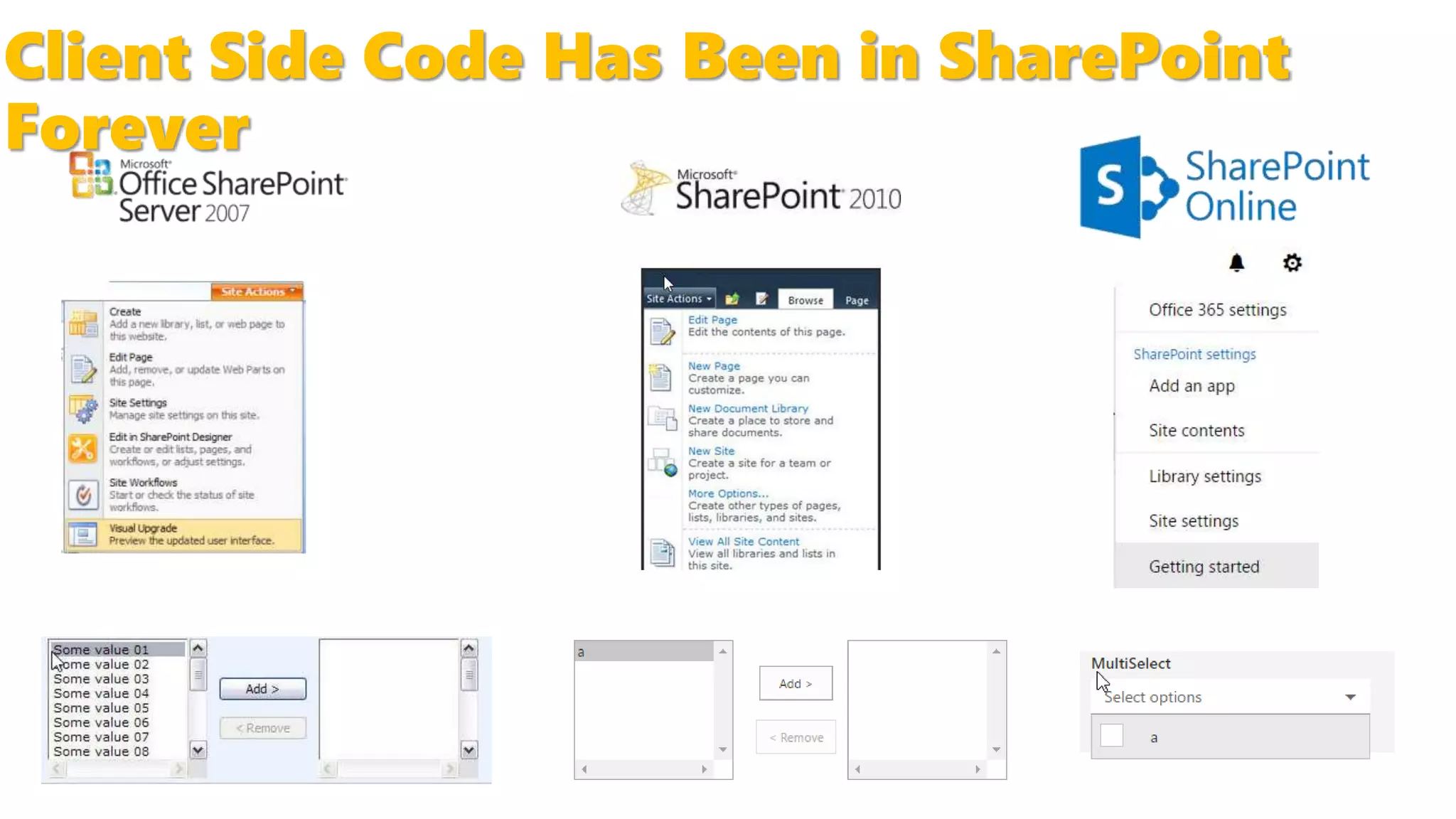
Client Side Code Has Been in SharePoint
Forever
This Is Not Your Grandfather's Client
Side…
SharePoint Development Is
[Becoming] Web Development
• Use your favorite tools
• Choose your favorite
frameworks
• Write your solutions with
HTML, CSS, and JavaScript
• Watch your users smile
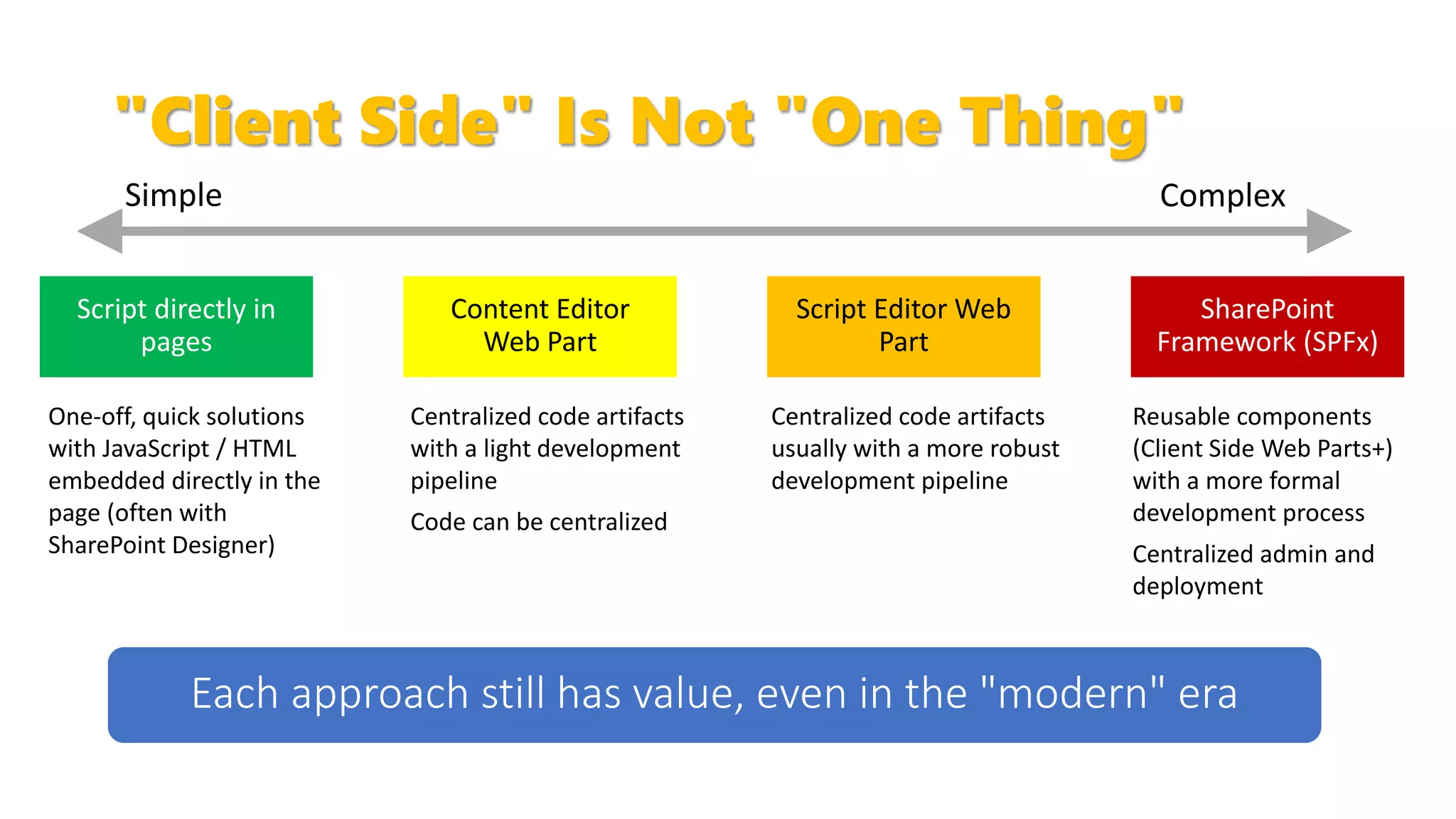
"Client Side" Is Not "One Thing"
Content Editor
Web Part
SharePoint
Framework (SPFx)
One-off, quick solutions
with JavaScript / HTML
embedded directly in the
page (often with
SharePoint Designer)
Script Editor Web
Part
Centralized code artifacts
with a light development
pipeline
Code can be centralized
Centralized code artifacts
usually with a more robust
development pipeline
Reusable components
(Client Side Web Parts+)
with a more formal
development process
Centralized admin and
deployment
Script directly in
pages
Client Side Development Spectrum
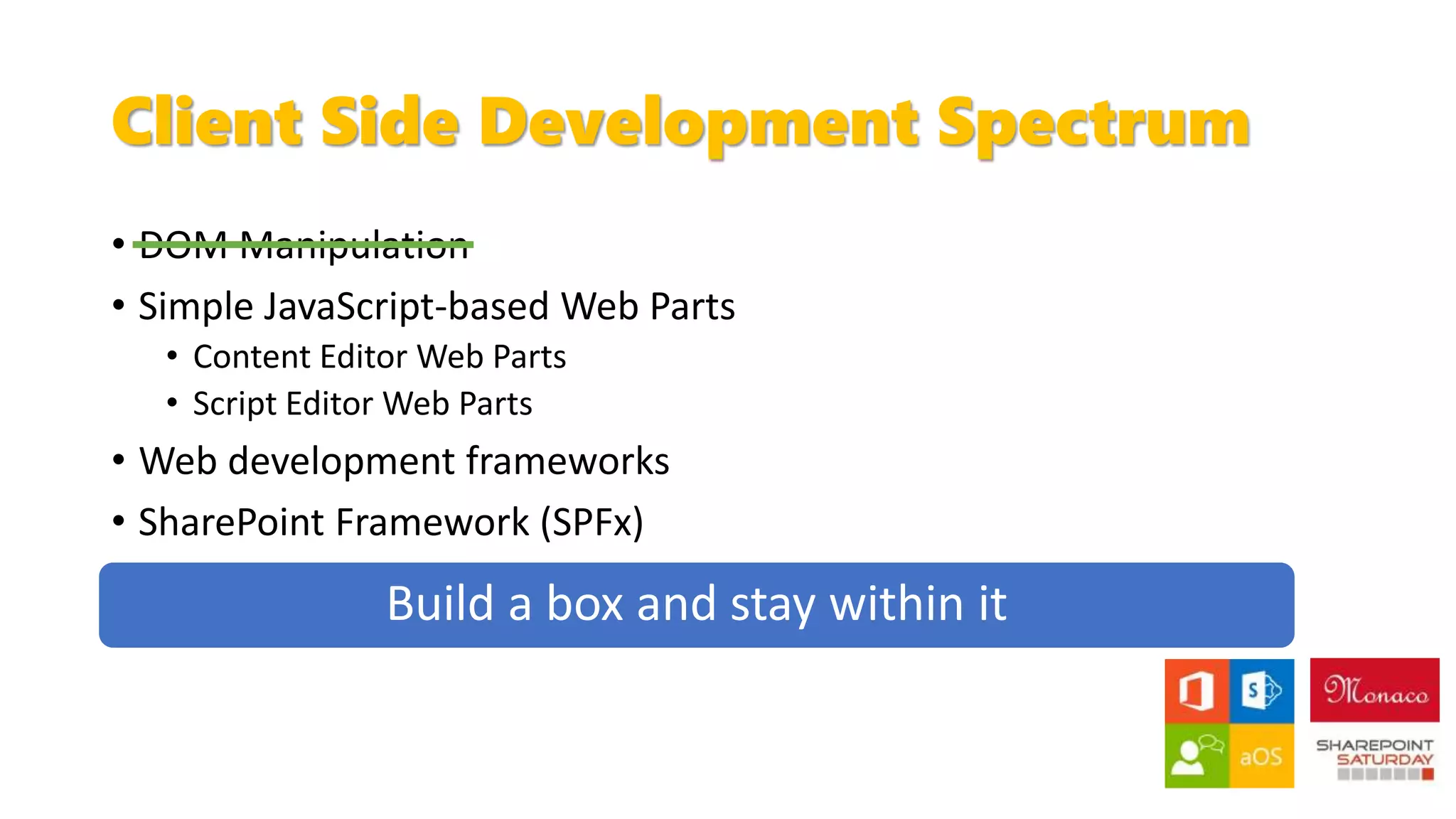
• DOM Manipulation
• Simple JavaScript-based Web Parts
• Content Editor Web Parts
• Script Editor Web Parts
• Web development frameworks
• SharePoint Framework (SPFx)
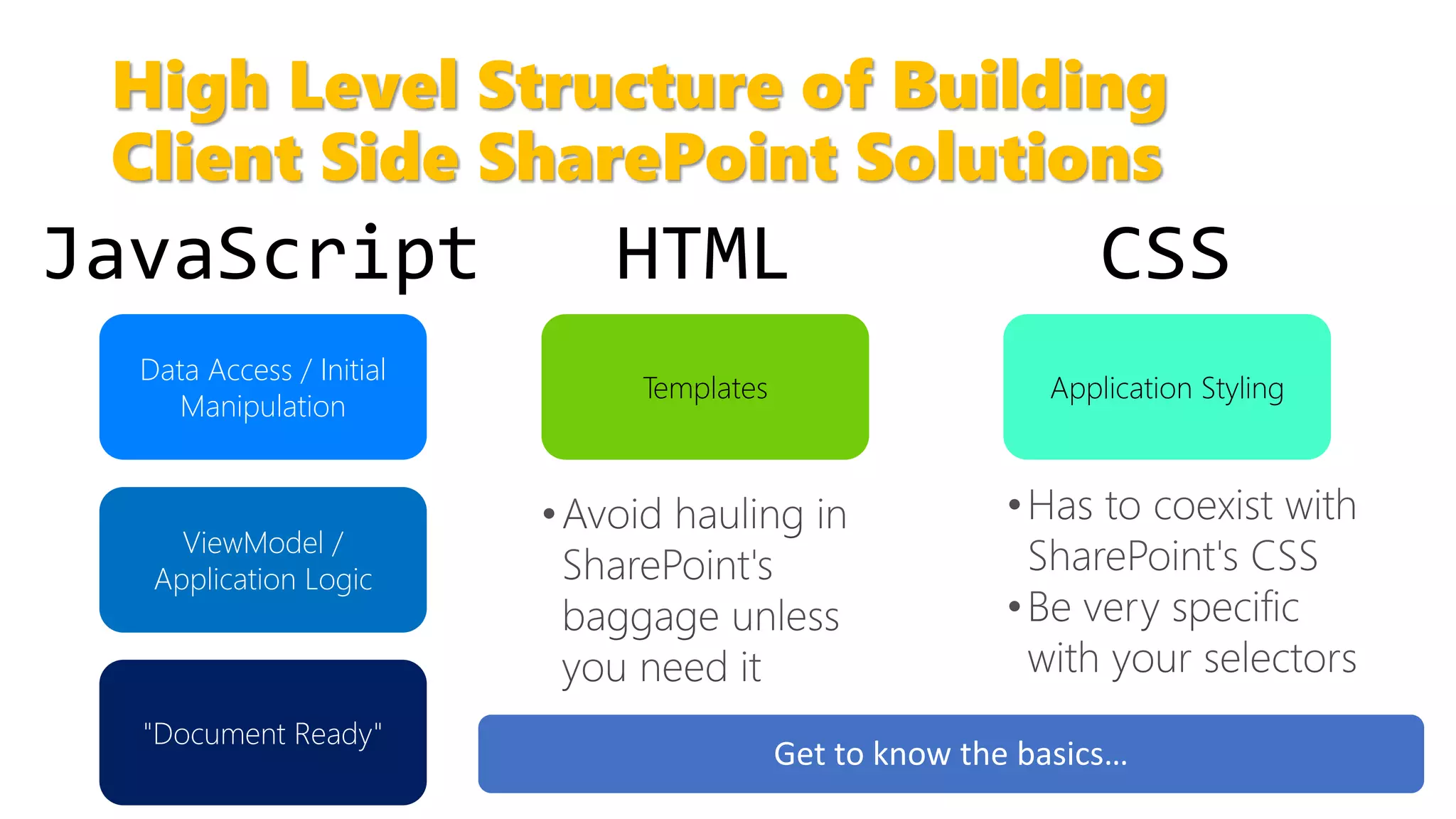
High Level Structure of Building
Client Side SharePoint Solutions
Data Access / Initial
Manipulation
"Document Ready"
ViewModel /
Application Logic
Templates Application Styling
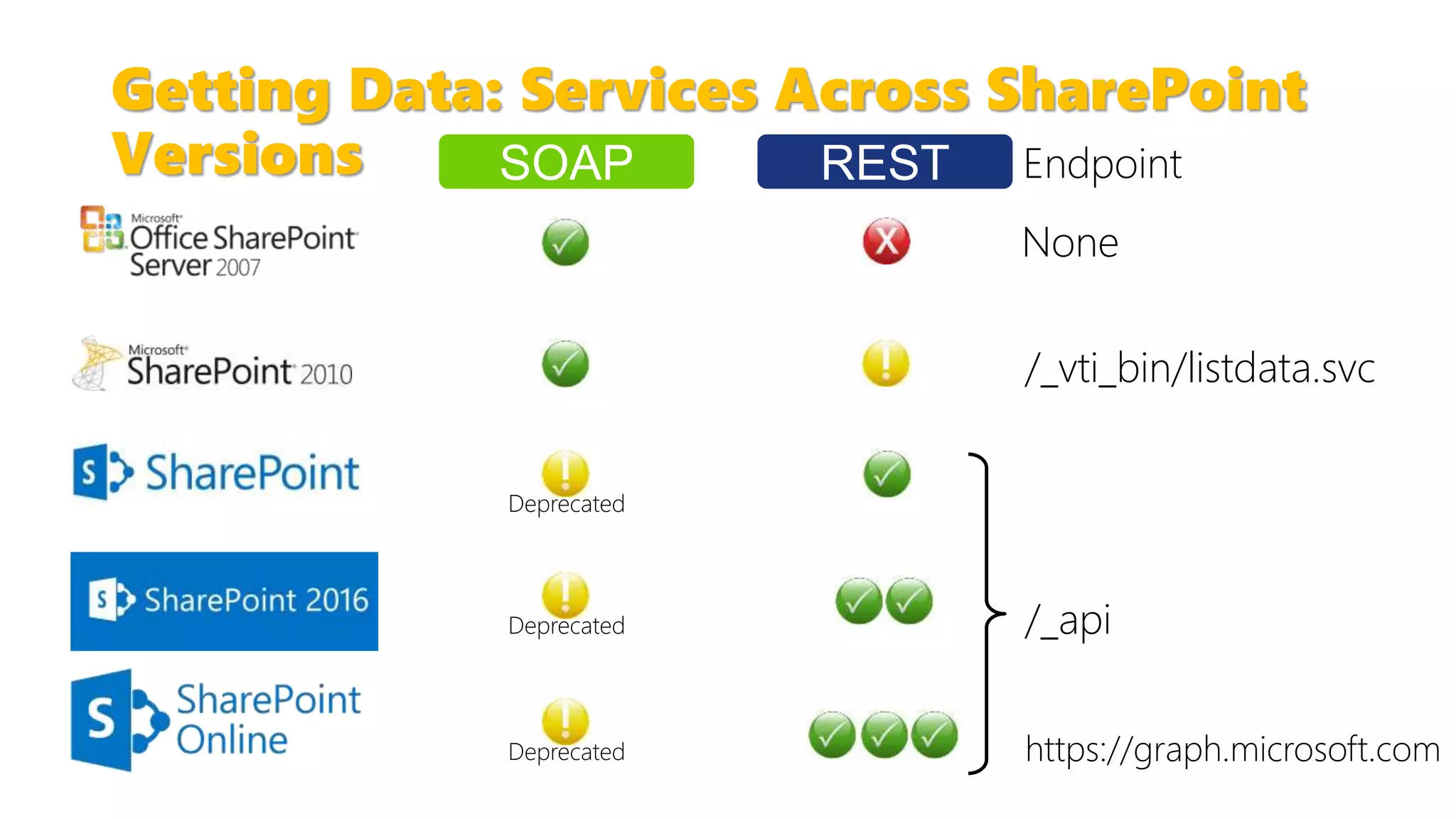
Getting Data: Services Across SharePoint
Versions
Deprecated
Deprecated
Endpoint
/_vti_bin/listdata.svc
/_apiDeprecated
None
SOAP REST
https://graph.microsoft.com
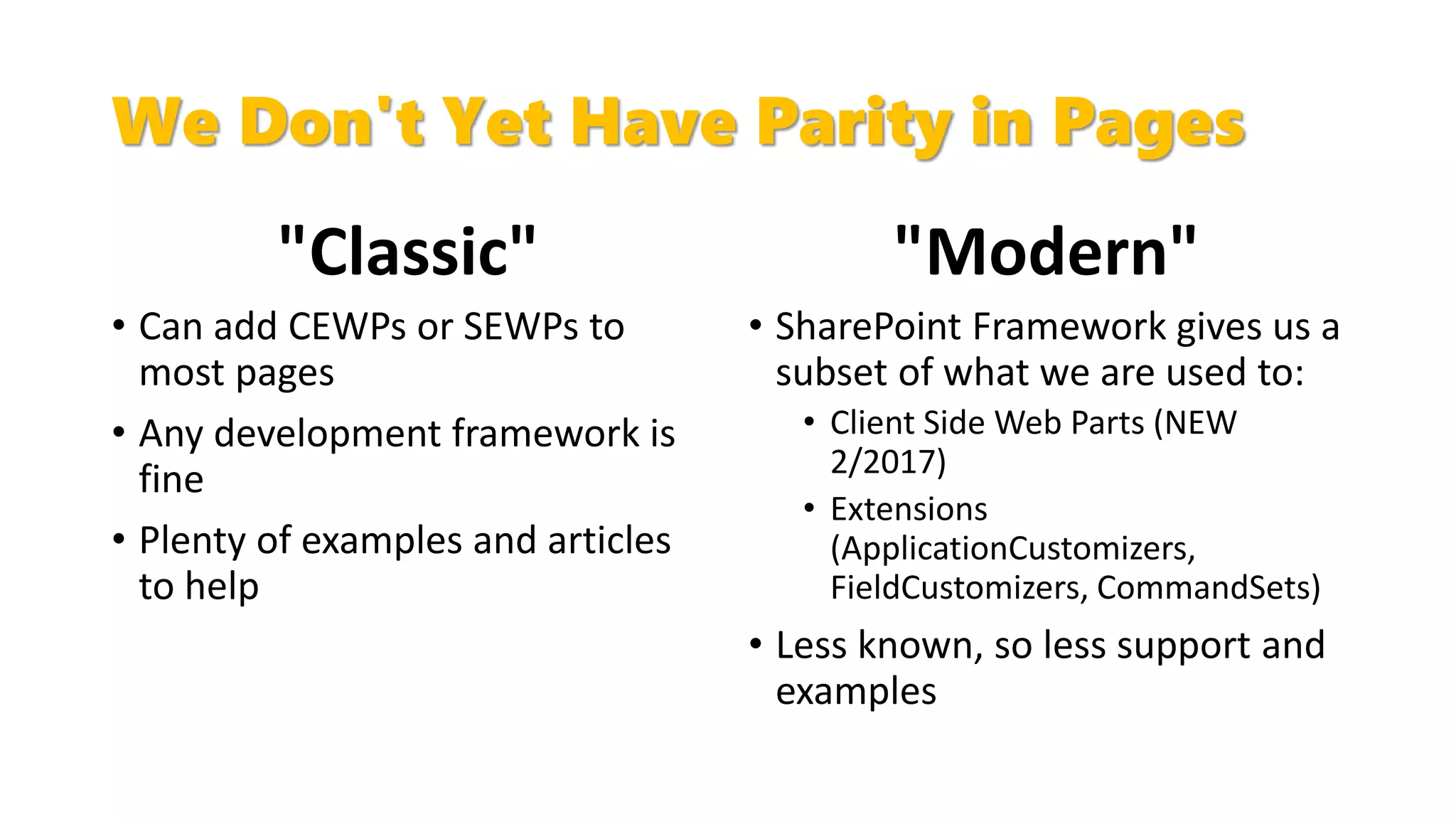
We Don't Yet Have Parity in Pages
"Classic"
• Can add CEWPs or SEWPs to
most pages
• Any development framework is
fine
• Plenty of examples and articles
to help
"Modern"
• SharePoint Framework gives us a
subset of what we are used to:
• Client Side Web Parts (NEW
2/2017)
• Extensions
(ApplicationCustomizers,
FieldCustomizers, CommandSets)
• Less known, so less support and
examples
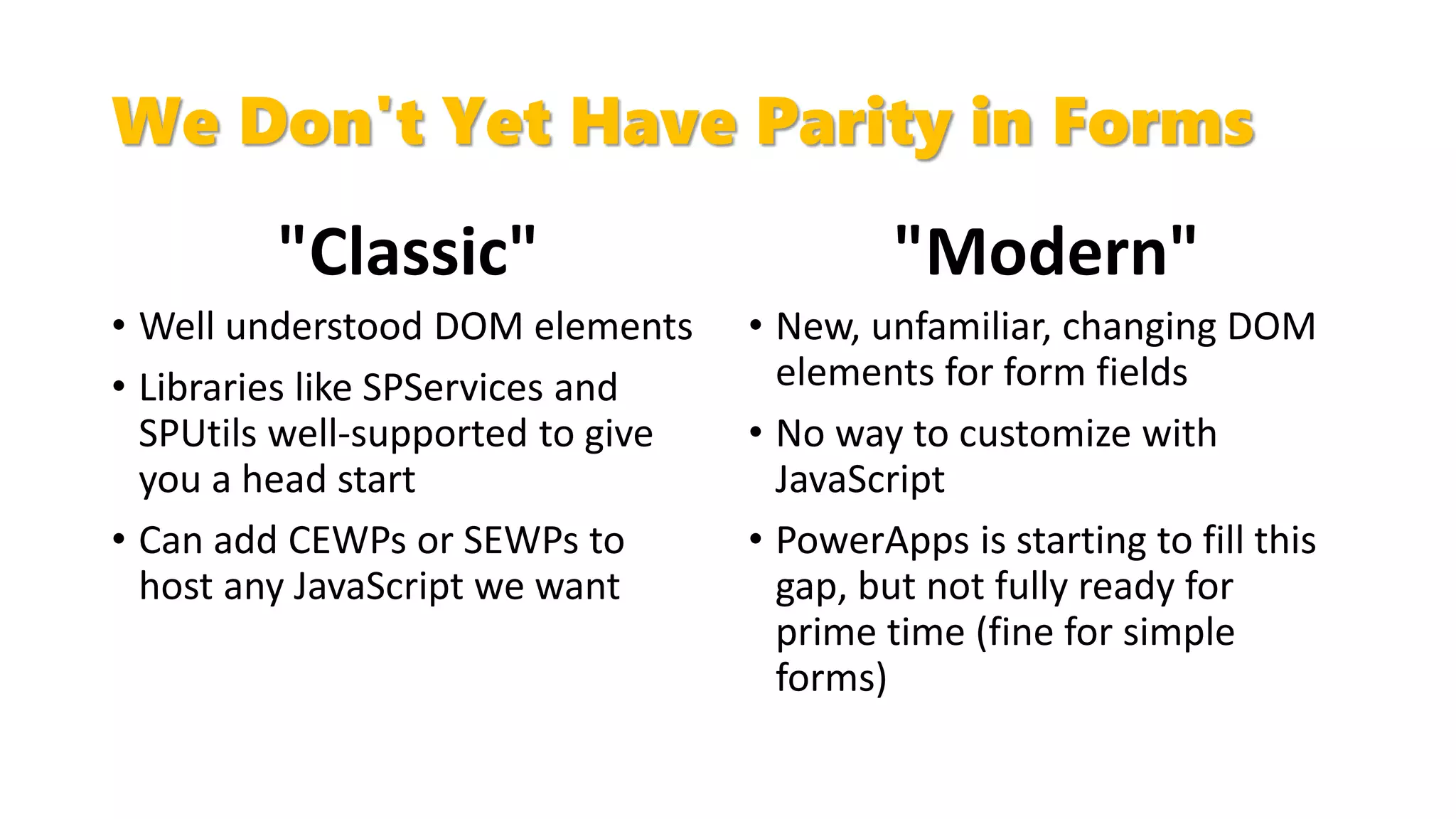
We Don't Yet Have Parity in Forms
"Classic"
• Well understood DOM elements
• Libraries like SPServices and
SPUtils well-supported to give
you a head start
• Can add CEWPs or SEWPs to
host any JavaScript we want
"Modern"
• New, unfamiliar, changing DOM
elements for form fields
• No way to customize with
JavaScript
• PowerApps is starting to fill this
gap, but not fully ready for
prime time (fine for simple
forms)
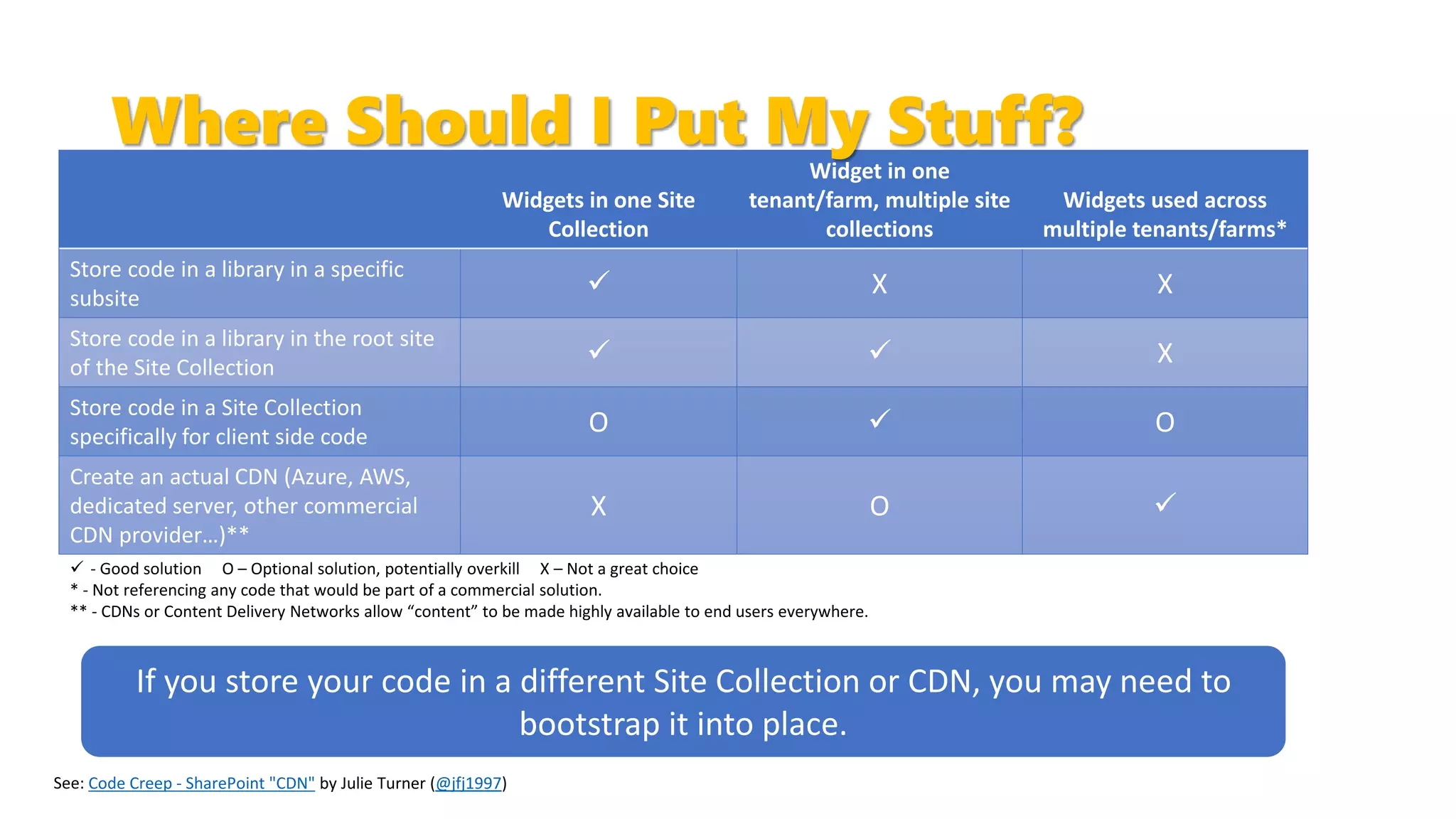
Widgets in one Site
Collection
Widget in one
tenant/farm, multiple site
collections
Widgets used across
multiple tenants/farms*
Store code in a library in a specific
subsite
 X X
Store code in a library in the root site
of the Site Collection
  X
Store code in a Site Collection
specifically for client side code
O  O
Create an actual CDN (Azure, AWS,
dedicated server, other commercial
CDN provider…)**
X O 
 - Good solution O – Optional solution, potentially overkill X – Not a great choice
* - Not referencing any code that would be part of a commercial solution.
** - CDNs or Content Delivery Networks allow “content” to be made highly available to end users everywhere.
Code Creep - SharePoint "CDN" by Julie Turner (@jfj1997)
Where Should I Put My Stuff?
If you store your code in a different Site Collection or CDN, you may need to
bootstrap it into place.
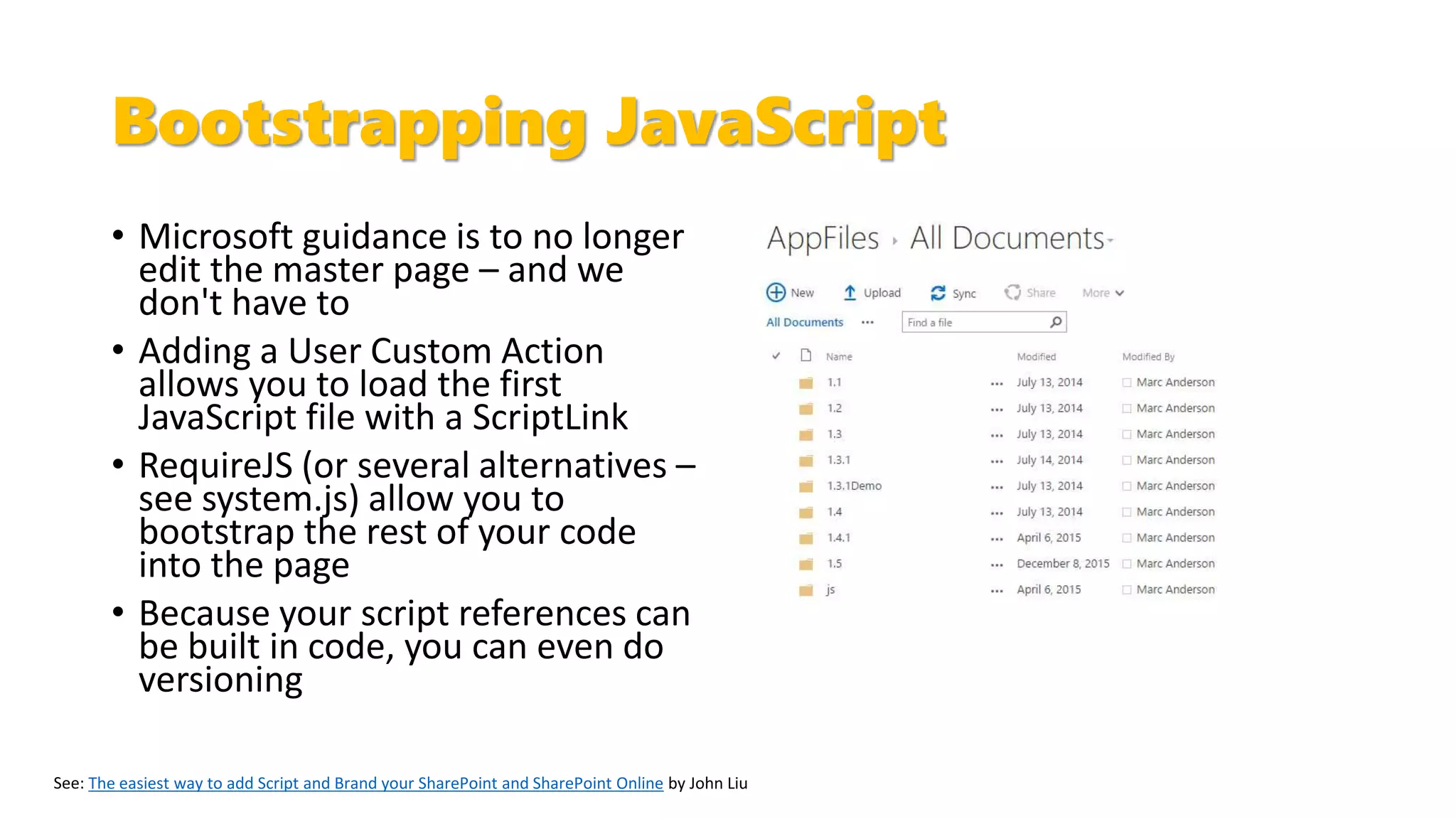
Bootstrapping JavaScript
• Microsoft guidance is to no longer
edit the master page – and we
don't have to
• Adding a User Custom Action
allows you to load the first
JavaScript file with a ScriptLink
• RequireJS (or several alternatives –
see system.js) allow you to
bootstrap the rest of your code
into the page
• Because your script references can
be built in code, you can even do
versioning
The easiest way to add Script and Brand your SharePoint and SharePoint Online by John Liu
Bootstrapping HTML
• HTML files are trickier to load because CEWPs can't
use a Content Link outside the Site Collection
• jQuery $.get()
• Widget Wrangler
• RequireJS with text plugin
$.get() Office Dev PnP Web Cast – Introducing Widget Wrangler for SharePoint development RequireJS text plugin
Choose a Framework
• Don't be caught up in the "shiny penny" syndrome
• Compare your known requirements with the frameworks' capabilities
• Ask yourself:
• What types of solutions do we need to build?
• What does our governance tell us about our deployment model?
• How big is the development team?
• What are our current skills?
What Is the SharePoint Framework?
• 100% Microsoft backed
• Used by Microsoft to build new "experiences"
• Built with React
• Framework independent
• Fully client side
• IDE independent
• Open source "mentality"
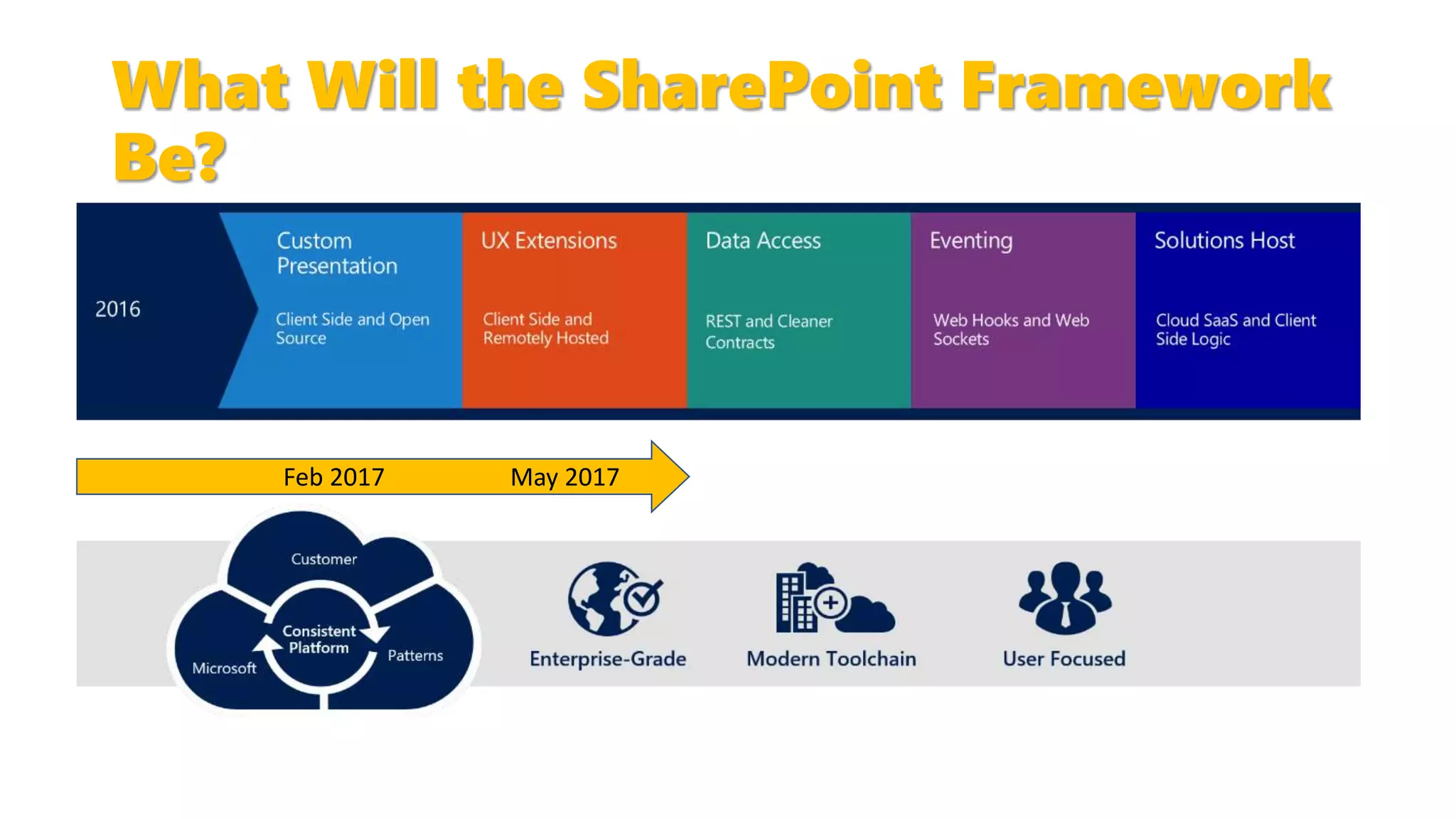
What Will the SharePoint Framework
Be?
Feb 2017 May 2017
What Do You Need to Know?
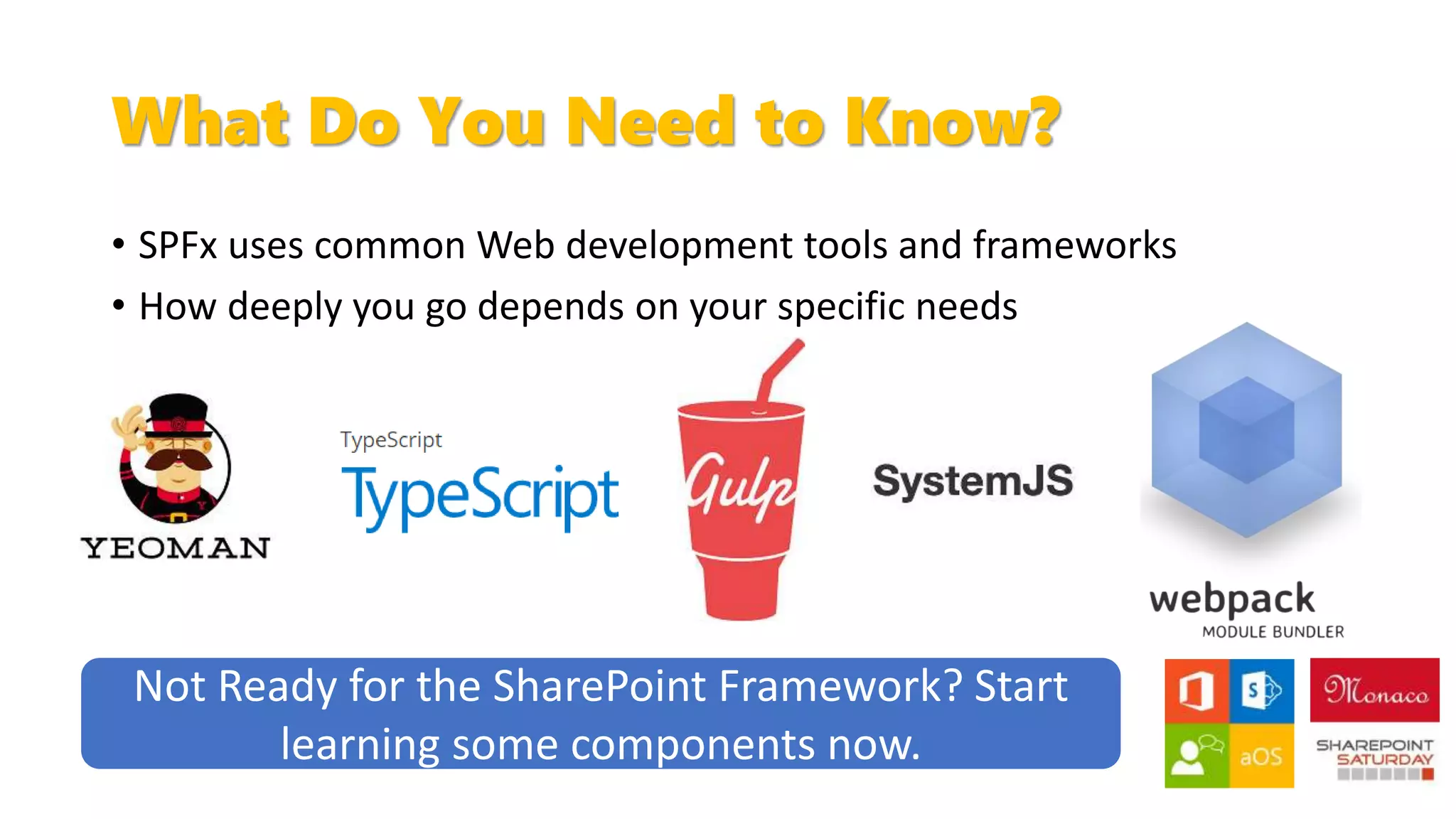
• SPFx uses common Web development tools and frameworks
• How deeply you go depends on your specific needs
Not Ready for the SharePoint Framework? Start
learning some components now.
But Wait – There's More!
• There are new tools coming along where we can use
our client side development skills:
• PowerApps
• Flow
• Azure Functions
• Logic Apps
• …
Stay tuned!
Contact Information
Marc D Anderson
President, Sympraxis Consulting
http://sympmarc.com
https://www.linkedin.com/marcanderson
@sympmarc
http://bit.ly/sympmarcslides
https://github.com/sympmarc
http://sympmarc.github.io/SPServices/
http://spxslt.codeplex.com
Thanks
John Doe
Digital Workplace Consultant, Microsoft.
#SPSMonaco
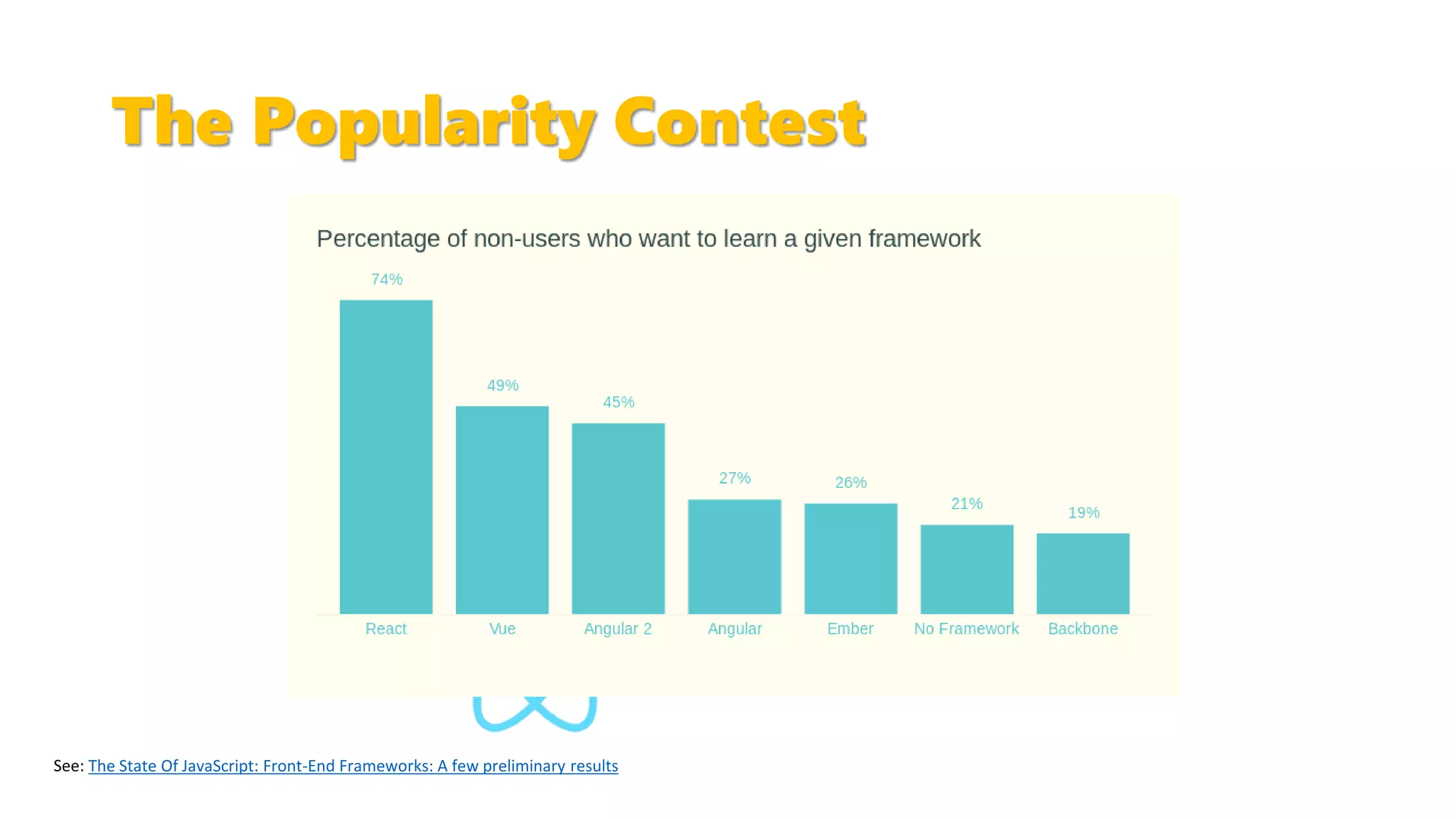
The Popularity Contest
The State Of JavaScript: Front-End Frameworks: A few preliminary results

SPS Monaco 2017 - The Lay of the Land of Client-Side Development circa 2017

  • 1.
    The Lay ofthe Land of Client Side Development circa 2017 Marc D Anderson President, Sympraxis Consulting #SPSMonaco
  • 2.
  • 3.
    Who Is Marc? •Co-Founder and President of Sympraxis Consulting LLC, located in the Boston suburb of Newton, MA, USA. Sympraxis focuses on enabling collaboration throughout the enterprise using the SharePoint application platform. • Over 30 years of experience in technology professional services and software development. Over a wide-ranging career in consulting as well as line manager positions, Marc has proven himself as a problem solver and leader who can solve difficult technology problems for organizations across a wide variety of industries and organization sizes. • Author of SPServices • Awarded Microsoft MVP for SharePoint Server 2011- 2017
  • 4.
    Overview • Are youdazzled by all the noises you hear about client-side development? Do the grunts and gulps leave you a little confused? In this introductory session, we’ll talk about the types of things you can do with client-side development, how SharePoint can be used as a service (SPaaS?) and what the popular toolsets are. Even between writing the abstract and doing the session, things may well have changed. • Whether you’re a server-side developer who wants to catch up with the new trends, a power user wanting to flex your muscles in new ways, or an end user who would like to speak more intelligently with IT, this session will provide useful foundational information.
  • 5.
    Customization Continuum Configure CustomizeExtend Custom Difficult to test outside of production Source control can be a challenge Lends itself to full ALM, even continuous integration/deployment Source control is easy Power Users Light Dev Full Dev Full Dev with thanks to Dave Feldman and D’arce Hess
  • 6.
    So What's Changed? •Microsoft wants to wean us off the server (running a service is far different than running an on premises farm) • SharePoint's APIs continue to expand • Microsoft is offering wider, richer APIs – Microsoft Graph • SharePoint – and even Office 365 – can be considered a "service"
  • 7.
    Where Have WeCome From?
  • 8.
    Development Models AcrossSharePoint Versions Server Side Client Side
  • 9.
    Client Side CodeHas Been in SharePoint Forever
  • 10.
    This Is NotYour Grandfather's Client Side…
  • 12.
    SharePoint Development Is [Becoming]Web Development • Use your favorite tools • Choose your favorite frameworks • Write your solutions with HTML, CSS, and JavaScript • Watch your users smile
  • 13.
    "Client Side" IsNot "One Thing" Content Editor Web Part SharePoint Framework (SPFx) One-off, quick solutions with JavaScript / HTML embedded directly in the page (often with SharePoint Designer) Script Editor Web Part Centralized code artifacts with a light development pipeline Code can be centralized Centralized code artifacts usually with a more robust development pipeline Reusable components (Client Side Web Parts+) with a more formal development process Centralized admin and deployment Script directly in pages
  • 14.
    Client Side DevelopmentSpectrum • DOM Manipulation • Simple JavaScript-based Web Parts • Content Editor Web Parts • Script Editor Web Parts • Web development frameworks • SharePoint Framework (SPFx)
  • 15.
    High Level Structureof Building Client Side SharePoint Solutions Data Access / Initial Manipulation "Document Ready" ViewModel / Application Logic Templates Application Styling
  • 16.
    Getting Data: ServicesAcross SharePoint Versions Deprecated Deprecated Endpoint /_vti_bin/listdata.svc /_apiDeprecated None SOAP REST https://graph.microsoft.com
  • 17.
    We Don't YetHave Parity in Pages "Classic" • Can add CEWPs or SEWPs to most pages • Any development framework is fine • Plenty of examples and articles to help "Modern" • SharePoint Framework gives us a subset of what we are used to: • Client Side Web Parts (NEW 2/2017) • Extensions (ApplicationCustomizers, FieldCustomizers, CommandSets) • Less known, so less support and examples
  • 18.
    We Don't YetHave Parity in Forms "Classic" • Well understood DOM elements • Libraries like SPServices and SPUtils well-supported to give you a head start • Can add CEWPs or SEWPs to host any JavaScript we want "Modern" • New, unfamiliar, changing DOM elements for form fields • No way to customize with JavaScript • PowerApps is starting to fill this gap, but not fully ready for prime time (fine for simple forms)
  • 19.
    Widgets in oneSite Collection Widget in one tenant/farm, multiple site collections Widgets used across multiple tenants/farms* Store code in a library in a specific subsite  X X Store code in a library in the root site of the Site Collection   X Store code in a Site Collection specifically for client side code O  O Create an actual CDN (Azure, AWS, dedicated server, other commercial CDN provider…)** X O   - Good solution O – Optional solution, potentially overkill X – Not a great choice * - Not referencing any code that would be part of a commercial solution. ** - CDNs or Content Delivery Networks allow “content” to be made highly available to end users everywhere. Code Creep - SharePoint "CDN" by Julie Turner (@jfj1997) Where Should I Put My Stuff? If you store your code in a different Site Collection or CDN, you may need to bootstrap it into place.
  • 20.
    Bootstrapping JavaScript • Microsoftguidance is to no longer edit the master page – and we don't have to • Adding a User Custom Action allows you to load the first JavaScript file with a ScriptLink • RequireJS (or several alternatives – see system.js) allow you to bootstrap the rest of your code into the page • Because your script references can be built in code, you can even do versioning The easiest way to add Script and Brand your SharePoint and SharePoint Online by John Liu
  • 21.
    Bootstrapping HTML • HTMLfiles are trickier to load because CEWPs can't use a Content Link outside the Site Collection • jQuery $.get() • Widget Wrangler • RequireJS with text plugin $.get() Office Dev PnP Web Cast – Introducing Widget Wrangler for SharePoint development RequireJS text plugin
  • 22.
    Choose a Framework •Don't be caught up in the "shiny penny" syndrome • Compare your known requirements with the frameworks' capabilities • Ask yourself: • What types of solutions do we need to build? • What does our governance tell us about our deployment model? • How big is the development team? • What are our current skills?
  • 23.
    What Is theSharePoint Framework? • 100% Microsoft backed • Used by Microsoft to build new "experiences" • Built with React • Framework independent • Fully client side • IDE independent • Open source "mentality"
  • 24.
    What Will theSharePoint Framework Be? Feb 2017 May 2017
  • 25.
    What Do YouNeed to Know? • SPFx uses common Web development tools and frameworks • How deeply you go depends on your specific needs Not Ready for the SharePoint Framework? Start learning some components now.
  • 26.
    But Wait –There's More! • There are new tools coming along where we can use our client side development skills: • PowerApps • Flow • Azure Functions • Logic Apps • … Stay tuned!
  • 27.
    Contact Information Marc DAnderson President, Sympraxis Consulting http://sympmarc.com https://www.linkedin.com/marcanderson @sympmarc http://bit.ly/sympmarcslides https://github.com/sympmarc http://sympmarc.github.io/SPServices/ http://spxslt.codeplex.com
  • 28.
    Thanks John Doe Digital WorkplaceConsultant, Microsoft. #SPSMonaco
  • 29.
    The Popularity Contest TheState Of JavaScript: Front-End Frameworks: A few preliminary results

Editor's Notes

  • #18 ePoint's baggage
  • #31 Source: https://en.wikipedia.org/wiki/TypeScript