
Collaboration and 
Enterprise Content 
Management 
SharePoint Online Marianne van Wanrooij 
@Mariannerd
About me 
 Marianne van Wanrooij 
 SharePoint Solution Architect at Connected Solutions 
 Event organizer at Dutch Information Worker User Group (DIWUG) 
 Editor of the DIWUG SharePoint Magazine 
 Organizer SharePoint Saturday Holland 
 SharePoint MVP (5 years) 
 But also… 
 Mom to Jitse (3) and Meghan (1) 
 Current project 
 ProRail: Migration SharePoint 2007 to 
SharePoint Online 
(via Motion10)
Agenda 
 You have decided that SharePoint Online is the platform for your 
organisation to support Collaboration and Enterprise Content 
Management. 
 What are the next steps? 
How do you successfully design a workplace for your users? 
 In this session Marianne will share her experience implementing 
SharePoint Online at an enterprise organisation. She will take you 
through the process of designing, planning, facilitating the 
implementation stage and ensuring end-user adoption. 
 Level 200
In short…. 
How to create an 
Information 
architecture for 
SharePoint
What is 
Information 
Architecture? 
1. Content
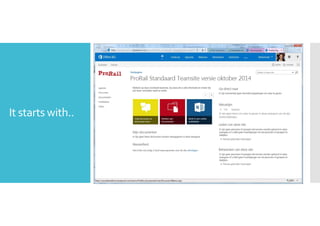
It starts with..
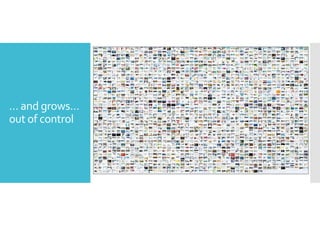
But it grows….
… and grows… 
out of control
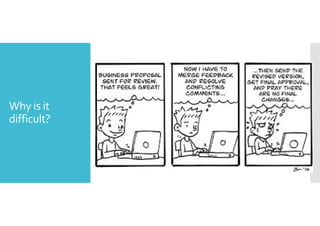
Why is it 
difficult? 
Boundaries? 
 500.000 SiteCollections 
 2.000 SubSites 
 Storage: You can buy what you need…. 
 https://support.office.com/en-us/article/SharePoint-Online-software- 
boundaries-and-limits-8f34ff47-b749-408b-abc0- 
b605e1f6d498
What is 
Information 
Architecture? 
1. Content 
Volume, formats, metadata, 
structure, organization
What is 
Information 
Architecture? 
1. Content 
2. Users
Why is it 
difficult? 
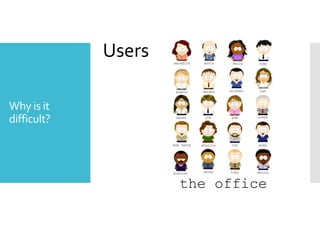
Users
What is 
Information 
Architecture? 
1. Content 
2. Users 
Who are they, what are their 
information seeking behaviors 
and needs.
What is 
Information 
Architecture? 
1. Content 
2. Users 
3. Context
Why is it 
difficult?
What is 
Information 
Architecture? 
1. Content 
2. Users 
3. Context 
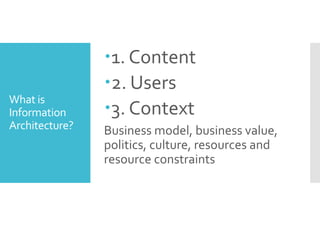
Business model, business value, 
politics, culture, resources and 
resource constraints
What is 
Information 
Architecture? 
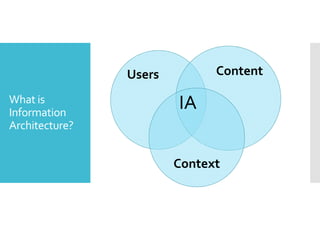
Users Content 
IA 
Context
Tip  tricks 
Pit fall 
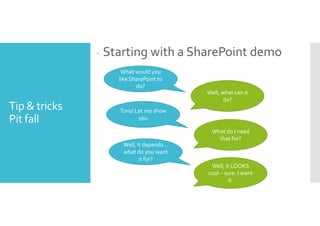
 Starting with a SharePoint demo 
What would you 
like SharePoint to 
do? 
Well, what can it 
do? 
Tons! Let me show 
you 
What do I need 
that for? 
Well, it depends… 
what do you want 
it for? 
Well, it LOOKS 
cool – sure: I want 
it.
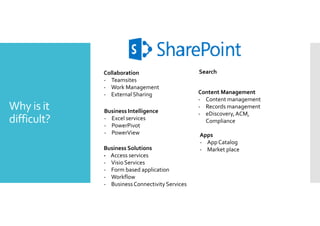
Why is it 
difficult? 
Collaboration 
- Teamsites 
- Work Management 
- External Sharing 
Search 
Content Management 
- Content management 
- Records management 
- eDiscovery, ACM, 
Compliance 
Business Intelligence 
- Excel services 
- PowerPivot 
- PowerView 
Business Solutions 
- Access services 
- Visio Services 
- Form based application 
- Workflow 
- Business Connectivity Services 
Apps 
- App Catalog 
- Market place
Designing How do you get your information
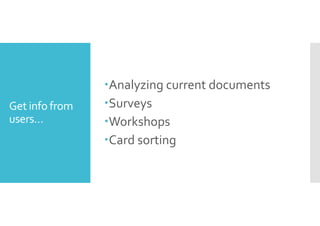
Get info from 
users… 
Analyzing current documents 
Surveys 
Workshops 
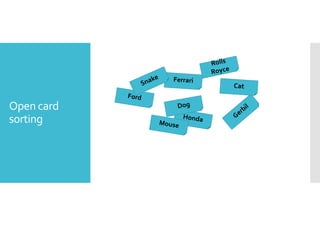
Card sorting
Open card 
sorting
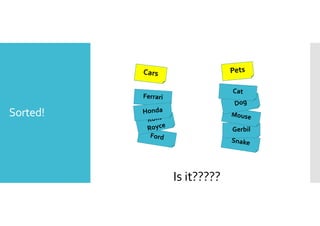
Sorted! 
Gerbil 
Is it?????
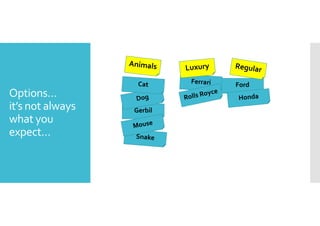
Options… 
it’s not always 
what you 
expect… 
Ford 
Gerbil
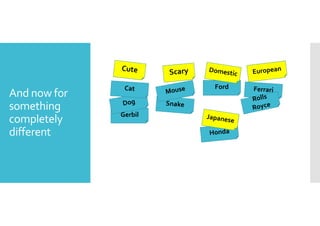
And now for 
something 
completely 
different 
Ford 
Gerbil
Designing IA decisions
just a few…. 
Document  
content 
management 
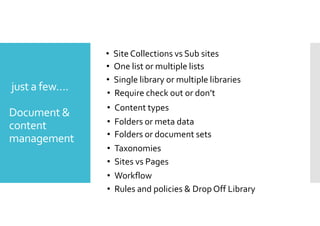
• Site Collections vs Sub sites 
• One list or multiple lists 
• Single library or multiple libraries 
• Require check out or don’t 
• Content types 
• Folders or meta data 
• Folders or document sets 
• Taxonomies 
• Sites vs Pages 
• Workflow 
• Rules and policies  Drop Off Library
just a few…. 
Enterprise 
content 
management 
• Content Type Hub 
• Case Management - eDiscovery 
• Auditing  Monitoring 
• Search 
• Archiving
Designing Tools
Visio 
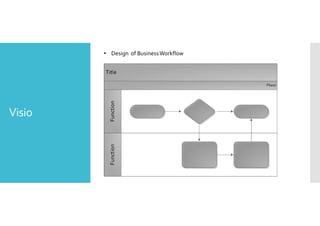
• Design of Business Workflow
Visio 
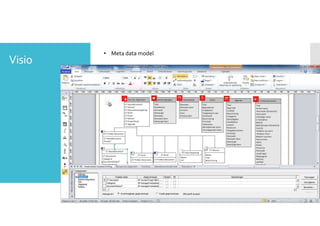
• Meta data model
Mind manager 
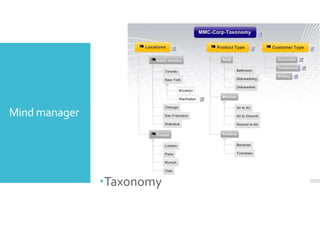
Taxonomy
Survey tools 
 SharePoint ☺ 
 Survey monkey
Planning 
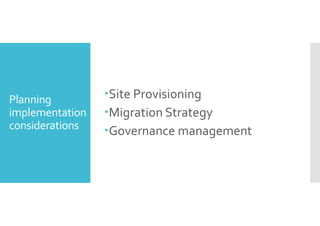
implementation 
considerations 
Site Provisioning 
Migration Strategy 
Governance management
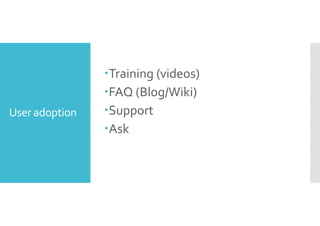
User adoption 
Training (videos) 
FAQ (Blog/Wiki) 
Support 
Ask
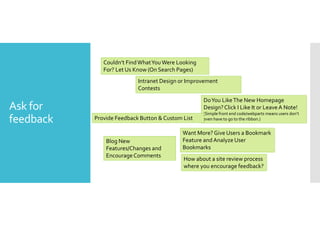
Ask for 
feedback 
Couldn’t Find What You Were Looking 
For? Let Us Know (On Search Pages) 
Intranet Design or Improvement 
Contests 
Do You Like The New Homepage 
Design? Click I Like It or Leave A Note! 
(Simple front end code/webparts means users don’t 
even have to go to the ribbon.) 
Provide Feedback Button  Custom List 
Want More? Give Users a Bookmark 
Feature and Analyze User 
Bookmarks 
Blog New 
Features/Changes and 
Encourage Comments 
How about a site review process 
where you encourage feedback?
Questions? 
Contact 
@mariannerd 
marianne@diwug.nl
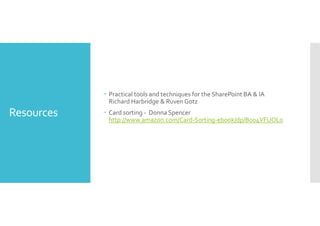
Resources 
 Practical tools and techniques for the SharePoint BA  IA 
Richard Harbridge  RuvenGotz 
 Card sorting - Donna Spencer 
http://www.amazon.com/Card-Sorting-ebook/dp/B004VFUOL0
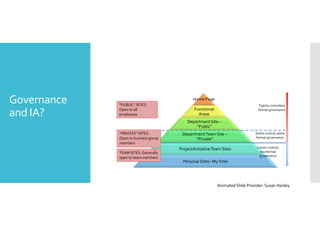
Governance 
and IA? 
Home Page 
Functional 
Areas 
Department Site – 
“Public” 
Department Team Site – 
“Private” 
Project/Initiative Team Sites 
Personal Sites–My Sites 
“PUBLIC” SITES: 
Open to all 
employees 
TEAM SITES: Generally 
open to team members 
Tightly controlled, 
formal governance 
Some control, some 
formal governance 
Looser control, 
less formal 
governance 
“PRIVATE” SITES: 
Open to business group 
members 
Animated Slide Provider: Susan Hanley

Spca2014 marianne vanwanrooij collaboration_and_enterprise_content_management

  • 2.
    Collaboration and EnterpriseContent Management SharePoint Online Marianne van Wanrooij @Mariannerd
  • 3.
    About me Marianne van Wanrooij SharePoint Solution Architect at Connected Solutions Event organizer at Dutch Information Worker User Group (DIWUG) Editor of the DIWUG SharePoint Magazine Organizer SharePoint Saturday Holland SharePoint MVP (5 years) But also… Mom to Jitse (3) and Meghan (1) Current project ProRail: Migration SharePoint 2007 to SharePoint Online (via Motion10)
  • 4.
    Agenda Youhave decided that SharePoint Online is the platform for your organisation to support Collaboration and Enterprise Content Management. What are the next steps? How do you successfully design a workplace for your users? In this session Marianne will share her experience implementing SharePoint Online at an enterprise organisation. She will take you through the process of designing, planning, facilitating the implementation stage and ensuring end-user adoption. Level 200
  • 5.
    In short…. Howto create an Information architecture for SharePoint
  • 6.
    What is Information Architecture? 1. Content
  • 7.
  • 8.
  • 9.
    … and grows… out of control
  • 10.
    Why is it difficult? Boundaries? 500.000 SiteCollections 2.000 SubSites Storage: You can buy what you need…. https://support.office.com/en-us/article/SharePoint-Online-software- boundaries-and-limits-8f34ff47-b749-408b-abc0- b605e1f6d498
  • 11.
    What is Information Architecture? 1. Content Volume, formats, metadata, structure, organization
  • 12.
    What is Information Architecture? 1. Content 2. Users
  • 13.
    Why is it difficult? Users
  • 14.
    What is Information Architecture? 1. Content 2. Users Who are they, what are their information seeking behaviors and needs.
  • 15.
    What is Information Architecture? 1. Content 2. Users 3. Context
  • 16.
    Why is it difficult?
  • 17.
    What is Information Architecture? 1. Content 2. Users 3. Context Business model, business value, politics, culture, resources and resource constraints
  • 18.
    What is Information Architecture? Users Content IA Context
  • 19.
    Tip tricks Pit fall Starting with a SharePoint demo What would you like SharePoint to do? Well, what can it do? Tons! Let me show you What do I need that for? Well, it depends… what do you want it for? Well, it LOOKS cool – sure: I want it.
  • 20.
    Why is it difficult? Collaboration - Teamsites - Work Management - External Sharing Search Content Management - Content management - Records management - eDiscovery, ACM, Compliance Business Intelligence - Excel services - PowerPivot - PowerView Business Solutions - Access services - Visio Services - Form based application - Workflow - Business Connectivity Services Apps - App Catalog - Market place
  • 21.
    Designing How doyou get your information
  • 22.
    Get info from users… Analyzing current documents Surveys Workshops Card sorting
  • 23.
  • 24.
  • 25.
    Options… it’s notalways what you expect… Ford Gerbil
  • 26.
    And now for something completely different Ford Gerbil
  • 27.
  • 28.
    just a few…. Document content management • Site Collections vs Sub sites • One list or multiple lists • Single library or multiple libraries • Require check out or don’t • Content types • Folders or meta data • Folders or document sets • Taxonomies • Sites vs Pages • Workflow • Rules and policies Drop Off Library
  • 29.
    just a few…. Enterprise content management • Content Type Hub • Case Management - eDiscovery • Auditing Monitoring • Search • Archiving
  • 30.
  • 31.
    Visio • Designof Business Workflow
  • 32.
    Visio • Metadata model
  • 33.
  • 34.
    Survey tools SharePoint ☺ Survey monkey
  • 35.
    Planning implementation considerations Site Provisioning Migration Strategy Governance management
  • 36.
    User adoption Training(videos) FAQ (Blog/Wiki) Support Ask
  • 37.
    Ask for feedback Couldn’t Find What You Were Looking For? Let Us Know (On Search Pages) Intranet Design or Improvement Contests Do You Like The New Homepage Design? Click I Like It or Leave A Note! (Simple front end code/webparts means users don’t even have to go to the ribbon.) Provide Feedback Button Custom List Want More? Give Users a Bookmark Feature and Analyze User Bookmarks Blog New Features/Changes and Encourage Comments How about a site review process where you encourage feedback?
  • 38.
  • 39.
    Resources Practicaltools and techniques for the SharePoint BA IA Richard Harbridge RuvenGotz Card sorting - Donna Spencer http://www.amazon.com/Card-Sorting-ebook/dp/B004VFUOL0
  • 41.
    Governance and IA? Home Page Functional Areas Department Site – “Public” Department Team Site – “Private” Project/Initiative Team Sites Personal Sites–My Sites “PUBLIC” SITES: Open to all employees TEAM SITES: Generally open to team members Tightly controlled, formal governance Some control, some formal governance Looser control, less formal governance “PRIVATE” SITES: Open to business group members Animated Slide Provider: Susan Hanley