Software Configuration Management, Quality Assurance and
Maintenance
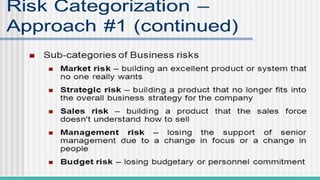
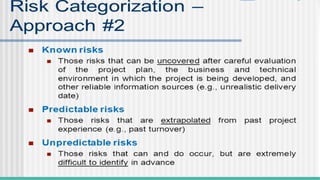
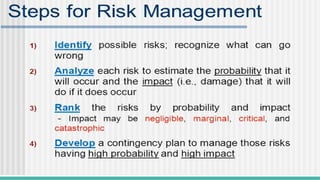
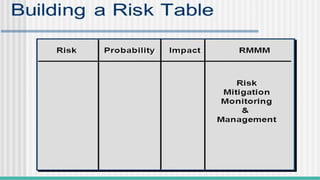
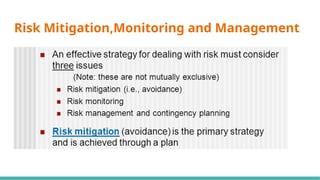
Risk Mitigation,Monitoring and Management
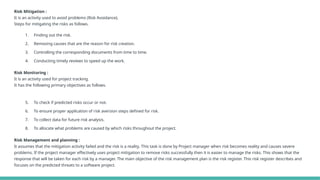
Risk Mitigation :
It is an activity used to avoid problems (Risk Avoidance).
Steps for mitigating the risks as follows.
1. Finding out the risk.
2. Removing causes that are the reason for risk creation.
3. Controlling the corresponding documents from time to time.
4. Conducting timely reviews to speed up the work.
Risk Monitoring :
It is an activity used for project tracking.
It has the following primary objectives as follows.
5. To check if predicted risks occur or not.
6. To ensure proper application of risk aversion steps defined for risk.
7. To collect data for future risk analysis.
8. To allocate what problems are caused by which risks throughout the project.
Risk Management and planning :
It assumes that the mitigation activity failed and the risk is a reality. This task is done by Project manager when risk becomes reality and causes severe
problems. If the project manager effectively uses project mitigation to remove risks successfully then it is easier to manage the risks. This shows that the
response that will be taken for each risk by a manager. The main objective of the risk management plan is the risk register. This risk register describes and
focuses on the predicted threats to a software project.
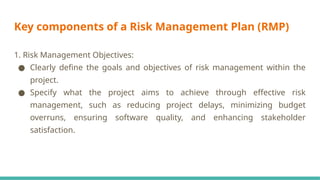
Key components of a Risk Management Plan (RMP)
1. Risk Management Objectives:
● Clearly define the goals and objectives of risk management within the
project.
● Specify what the project aims to achieve through effective risk
management, such as reducing project delays, minimizing budget
overruns, ensuring software quality, and enhancing stakeholder
satisfaction.
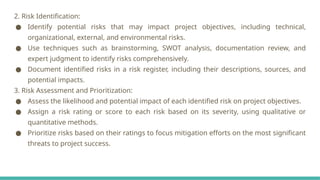
2. Risk Identification:
● Identify potential risks that may impact project objectives, including technical,
organizational, external, and environmental risks.
● Use techniques such as brainstorming, SWOT analysis, documentation review, and
expert judgment to identify risks comprehensively.
● Document identified risks in a risk register, including their descriptions, sources, and
potential impacts.
3. Risk Assessment and Prioritization:
● Assess the likelihood and potential impact of each identified risk on project objectives.
● Assign a risk rating or score to each risk based on its severity, using qualitative or
quantitative methods.
● Prioritize risks based on their ratings to focus mitigation efforts on the most significant
threats to project success.
4. Risk Mitigation Strategies:
● Develop specific strategies to mitigate or control identified risks.
● Define action plans, responsibilities, and timelines for implementing mitigation measures.
● Consider various risk response strategies, including risk avoidance, risk transfer, risk mitigation,
and risk acceptance.
● Allocate resources and budget for implementing mitigation actions effectively.
5. Risk Monitoring and Control:
● Establish procedures for monitoring and tracking identified risks throughout the project lifecycle.
● Regularly review and update the risk register to reflect changes in risk status or new risks that
emerge.
● Implement early warning indicators to detect potential risk triggers and take proactive measures
to prevent or mitigate their impacts.
● Conduct periodic risk reviews and assessments to ensure that risk management strategies
remain effective and relevant.
6. Communication and Reporting:
● Define communication channels, frequency, and stakeholders involved in
risk communication.
● Establish reporting mechanisms for documenting risk-related
information, including status updates, mitigation progress, and
escalation procedures.
● Ensure transparency and open communication regarding project risks to
foster stakeholder awareness and engagement.
Contribution of Risk Management Plan to Project Success in
Software Development
● By proactively identifying and addressing potential risks, the RMP helps prevent project
disruptions and delays, ensuring smoother project execution.
● Effective risk management allows for better allocation of resources and budget to
address critical risks, minimizing wastage and maximizing project efficiency.
● By addressing risks related to software defects, requirements changes, and technology
dependencies, the RMP contributes to delivering high-quality software products that
meet stakeholder expectations.
● Transparent communication and proactive risk management demonstrate the project
team's commitment to project success, enhancing stakeholder confidence and
satisfaction.
● By mitigating risks that could lead to budget overruns or schedule delays, the RMP helps
control project costs and timelines, ensuring adherence to project constraints.
● Regular monitoring and review of risks facilitate learning and continuous improvement
within the project team, enabling better risk management practices in future projects.
Q.Develop a Risk Mitigation, Monitoring, and Management Plan (RMMM)
for a software development project, considering potential risks related
to scope creep, resource constraints, and technology dependencies.
Outline specific mitigation strategies and monitoring mechanisms for
each identified risk.
1. Scope Creep:
Risk Description:
Scope creep refers to uncontrolled changes or additions to project scope, leading to increased project complexity, timeline
extensions, and budget overruns.
Mitigation Strategies:
● Clear Scope Definition: Clearly define project scope, objectives, deliverables, and acceptance criteria at the outset.
● Change Control Process: Establish a formal change control process to evaluate and approve scope changes.
● Stakeholder Engagement: Engage stakeholders regularly to manage expectations and align changes with project goals.
● Regular Reviews: Conduct regular reviews of project scope to identify and address potential scope creep early.
Monitoring Mechanisms:
● Regular Scope Reviews: Schedule periodic reviews of project scope with stakeholders to assess alignment with project
objectives.
● Change Request Log: Maintain a change request log to track all proposed scope changes, including their rationale and
impact assessment.
● Scope Baseline Comparison: Compare actual project scope against the baseline to identify deviations and address them
promptly.
2. Resource Constraints:
Risk Description:
Resource constraints occur when there is a shortage of human, financial, or technical resources required for project execution,
leading to delays or compromised quality.
Mitigation Strategies:
● Resource Planning: Conduct thorough resource planning to identify resource requirements and allocate
them effectively.
● Resource Optimization: Implement resource optimization techniques, such as resource leveling and critical
path analysis, to maximize resource utilization.
● Contingency Planning: Develop contingency plans to address resource shortages, such as outsourcing,
cross-training, or reallocating resources from less critical tasks.
● Prioritization: Prioritize project activities based on resource availability and criticality to ensure essential
tasks are completed first.
Monitoring Mechanisms:
● Resource Allocation Tracking: Monitor resource allocation and utilization regularly to identify
overutilization or underutilization of resources.
● Resource Availability Forecasting: Forecast resource availability for future project phases to anticipate
potential resource constraints and take proactive measures.
● Risk Register Updates: Update the risk register with any changes in resource availability or constraints and
assess their impact on project objectives.
3. Technology Dependencies:
Risk Description:
Technology dependencies arise when the project relies on external technologies, platforms, or components that may
introduce compatibility issues, security vulnerabilities, or availability constraints.
Mitigation Strategies:
● Dependency Analysis: Conduct a thorough analysis of technology dependencies early in the project lifecycle to
identify potential risks and dependencies.
● Alternative Solutions: Identify alternative technologies or solutions to mitigate the impact of potential dependencies
or failures.
● Prototyping: Develop prototypes or proof-of-concepts to test the integration and compatibility of dependent
technologies before full-scale implementation.
● Vendor Relationships: Establish strong relationships with technology vendors or partners to address issues promptly
and collaboratively.
Monitoring Mechanisms:
● Dependency Mapping: Maintain a dependency map that documents all technology dependencies, including their
criticality and potential impact on the project.
● Integration Testing: Conduct rigorous integration testing to validate the compatibility and functionality of dependent
technologies.
● Vendor Communication: Maintain open communication with technology vendors to stay informed about updates,
patches, or changes that may affect project dependencies.
● Risk Register Updates: Regularly update the risk register with any changes in technology dependencies or associated
risks, and assess their impact on project timelines and deliverables.
Overall Monitoring Mechanisms:
● Regular Risk Reviews: Conduct periodic risk reviews to assess the
effectiveness of mitigation strategies and identify new risks.
● Risk Register Updates: Keep the risk register up-to-date with the latest
risk information, including mitigation status, impact assessment, and
ownership.
● Communication Channels: Establish clear communication channels for
reporting and escalating risks, ensuring timely resolution and
stakeholder awareness.
Risk management in bridge or building construction, facilitated by
platforms like Autodesk Construction Cloud, involves identifying, assessing,
mitigating, and monitoring risks throughout the project lifecycle.
Risk Identification: Utilize the collaborative features of Autodesk Construction Cloud to gather input from all stakeholders,
including designers, engineers, contractors, and project managers, to identify potential risks. These risks can include design
flaws, material shortages, weather-related delays, labor disputes, regulatory changes, and more.
Risk Assessment: Evaluate the identified risks based on their probability of occurrence and potential impact on the project's
schedule, budget, quality, safety, and other key objectives. Use tools within the platform to quantify risks and prioritize them
based on their severity.
Risk Mitigation Planning: Develop strategies to mitigate or eliminate identified risks. This may involve redesigning certain
aspects of the project, securing alternative suppliers, implementing safety protocols, diversifying subcontractors, or revising
the project schedule. Collaborate with relevant stakeholders to ensure buy-in and alignment with mitigation plans.
Communication and Documentation: Utilize the communication and document management features of
Autodesk Construction Cloud to ensure that all stakeholders are informed about identified risks, mitigation
plans, and any changes to the project scope, schedule, or budget resulting from risk management activities.
Clear and transparent communication is essential for effective risk management.
Continuous Monitoring and Control: Regularly monitor the progress of risk mitigation activities and track
changes in the project environment that may impact risk exposure. Use the platform's reporting and analytics
tools to assess the effectiveness of risk mitigation measures and adjust strategies as needed. Implement
robust change management processes to address new risks that emerge during the construction phase.
Importance of Quality Concepts in software development
Quality concepts play a crucial role in software development as they provide a
framework for ensuring that software products meet the desired standards
of quality, reliability, and usability. These concepts contribute significantly to
Software Quality Assurance (SQA) by guiding the development process and
facilitating the identification and resolution of defects and deficiencies.
Impact on the overall software development process:
● Quality concepts emphasize the importance of understanding and meeting customer needs and expectations. By focusing
on customer requirements and feedback, software development teams can ensure that the final product delivers value and
satisfies user demands.
Example: Conducting user surveys, interviews, and usability testing to gather feedback and insights from customers, which are
then used to refine the software design and features.
● Quality concepts promote a culture of continuous improvement, where processes, practices, and products are continually
evaluated and refined to achieve higher levels of quality and efficiency.
Example: Implementing regular retrospectives or post-mortems to reflect on past projects, identify areas for improvement, and
implement corrective actions in subsequent iterations.
● Quality concepts advocate for preventing defects and errors from occurring rather than relying solely on detecting and
fixing them post-development. This approach reduces rework, improves efficiency, and enhances overall product quality.
Example: Implementing code reviews and pair programming to catch potential issues early in the development process, before
they escalate into more significant problems.
● Quality concepts emphasize the importance of well-defined and standardized processes throughout the software
development lifecycle. Standardized processes help ensure consistency, predictability, and repeatability in product
delivery.
Example: Adopting Agile methodologies such as Scrum to establish clear roles, responsibilities, and workflows, thereby
● Quality concepts emphasize the use of metrics and measurements to monitor, evaluate, and
improve software quality. By tracking relevant metrics, teams can identify trends, assess
performance, and make data-driven decisions.
Example: Monitoring code coverage, defect density, and customer satisfaction metrics to assess
the effectiveness of testing efforts, identify areas for improvement, and prioritize quality
enhancements.
● Quality concepts advocate for proactive risk management to identify, assess, and mitigate
potential risks that could impact product quality, schedule, or budget.
Example: Conducting risk analysis and creating risk mitigation plans to address potential threats
such as technology dependencies, resource constraints, or changing requirements.
By integrating these quality concepts into the software development process, organizations can
establish a robust SQA framework that ensures the delivery of high-quality software products that
meet user expectations, adhere to industry standards, and drive business success.
Quality concepts are fundamental in software engineering as they directly impact the reliability, usability,
efficiency, and maintainability of software products. Ensuring high quality in software development is crucial
for meeting user expectations, minimizing errors, and maximizing customer satisfaction.
● Requirement Analysis: Quality starts with understanding and analyzing the requirements comprehensively.
Clear, unambiguous requirements help in building the right product from the beginning, reducing rework and
errors later in the development process.
● Quality Planning: Before starting development, a quality plan is devised which outlines quality objectives,
standards, processes, and resources required for achieving the desired level of quality. This ensures that quality
is built into the software development process from the outset.
● Design and Architecture: Good design and architecture are essential for building a reliable and maintainable
software product. Design principles such as modularity, encapsulation, and separation of concerns are applied
to ensure that the software is scalable, extensible, and easy to maintain.
● Testing: Testing plays a critical role in ensuring quality throughout the development lifecycle. Various types of
testing, including unit testing, integration testing, system testing, and acceptance testing, are performed to
detect defects and verify that the software meets its requirements.
● Code Reviews: Code reviews involve systematic examination of code by peers to identify defects, ensure
adherence to coding standards, and promote best practices. Code reviews not only improve code quality but
also facilitate knowledge sharing and collaboration among team members.
● Continuous Integration and Continuous Deployment (CI/CD): CI/CD practices automate the process of
integrating code changes, running tests, and deploying software, ensuring that changes are continuously
validated and delivered to users in a timely manner. This reduces the risk of introducing defects and
enables rapid feedback loops.
● Documentation: Comprehensive documentation, including user manuals, technical specifications, and
design documents, is essential for ensuring that users and developers have the information they need to
understand, use, and maintain the software effectively.
● Feedback and Iteration: Gathering feedback from users and stakeholders is crucial for identifying areas
for improvement and making iterative enhancements to the software. Continuous feedback loops enable
teams to adapt to changing requirements and user needs, ultimately leading to a higher quality product.
● Quality Metrics and Measurement: Quality metrics are used to measure and track various aspects of
software quality, such as defect density, code coverage, and response time. These metrics provide
valuable insights into the health of the software and help in identifying areas that require attention.
● Continuous Improvement: Quality is not a one-time effort but a continuous process of improvement. By
regularly reviewing processes, tools, and practices, teams can identify opportunities for optimization and
strive for ever-higher levels of quality.
Software Quality assurance
Software Quality Assurance (SQA) is simply a way to assure quality in the software. It is
the set of activities which ensure processes, procedures as well as standards are
suitable for the project and implemented correctly.
Software Quality Assurance is a process which works parallel to development of software.
It focuses on improving the process of development of software so that problems can
be prevented before they become a major issue. Software Quality Assurance is a kind of
Umbrella activity that is applied throughout the software process.
Generally, the quality of the software is verified by the third-party organization like
international standard organizations.
Software quality metrics are a subset of software metrics that focus on the
quality aspects of the product, process, and project. These are more closely
associated with process and product metrics than with project metrics.
Some common Software Quality Assurance metrics and how they are
used to assess software quality:
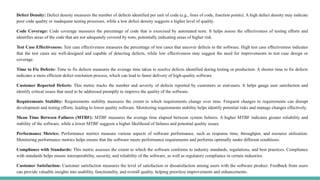
Defect Density: Defect density measures the number of defects identified per unit of code (e.g., lines of code, function points). A high defect density may indicate
poor code quality or inadequate testing processes, while a low defect density suggests a higher level of quality.
Code Coverage: Code coverage measures the percentage of code that is exercised by automated tests. It helps assess the effectiveness of testing efforts and
identifies areas of the code that are not adequately covered by tests, potentially indicating areas of higher risk.
Test Case Effectiveness: Test case effectiveness measures the percentage of test cases that uncover defects in the software. High test case effectiveness indicates
that the test cases are well-designed and capable of detecting defects, while low effectiveness may suggest the need for improvements in test case design or
coverage.
Time to Fix Defects: Time to fix defects measures the average time taken to resolve defects identified during testing or production. A shorter time to fix defects
indicates a more efficient defect resolution process, which can lead to faster delivery of high-quality software.
Customer Reported Defects: This metric tracks the number and severity of defects reported by customers or end-users. It helps gauge user satisfaction and
identify critical issues that need to be addressed promptly to improve the quality of the software.
Requirements Stability: Requirements stability measures the extent to which requirements change over time. Frequent changes to requirements can disrupt
development and testing efforts, leading to lower quality software. Monitoring requirements stability helps identify potential risks and manage changes effectively.
Mean Time Between Failures (MTBF): MTBF measures the average time elapsed between system failures. A higher MTBF indicates greater reliability and
stability of the software, while a lower MTBF suggests a higher likelihood of failures and potential quality issues.
Performance Metrics: Performance metrics measure various aspects of software performance, such as response time, throughput, and resource utilization.
Monitoring performance metrics helps ensure that the software meets performance requirements and performs optimally under different conditions.
Compliance with Standards: This metric assesses the extent to which the software conforms to industry standards, regulations, and best practices. Compliance
with standards helps ensure interoperability, security, and reliability of the software, as well as regulatory compliance in certain industries.
Customer Satisfaction: Customer satisfaction measures the level of satisfaction or dissatisfaction among users with the software product. Feedback from users
can provide valuable insights into usability, functionality, and overall quality, helping prioritize improvements and enhancements.
Formal Technical Reviews
Formal Technical Review (FTR) is a software quality control activity performed by software engineers. It is
an organized, methodical procedure for assessing and raising the standard of any technical paper, including
software objects. Finding flaws, making sure standards are followed, and improving the product or document
under review’s overall quality are the main objectives of a fault tolerance review (FTR). Although FTRs are
frequently utilized in software development, other technical fields can also employ the concept.
Objectives of formal technical review (FTR)
● Detect Identification: Identify defects in technical objects by finding and fixing mistakes,
inconsistencies, and deviations.
● Quality Assurance: To ensure high-quality deliverables, and confirm compliance with project
specifications and standards.
● Risk Mitigation: To stop risks from getting worse, proactively identify and manage possible threats.
● Knowledge Sharing: Encourage team members to work together and build a common knowledge base.
● Consistency and Compliance: Verify that all procedures, coding standards, and policies are followed.
● Learning and Training: Give team members the chance to improve their abilities through learning
opportunities.
Roles and Responsibilities of Participants:
Moderator/Chairperson:
● Leads the review session.
● Sets the agenda and objectives of the review.
● Ensures that the review stays focused and on schedule.
● Facilitates discussions and resolves conflicts.
Author/Designer:
● The individual or team responsible for creating the design being reviewed.
● Presents the design to the review participants.
● Explains design decisions and rationale.
● Responds to questions and clarifications.
Reviewers:
● Experienced team members or stakeholders who evaluate the design.
● Analyze the design against predefined criteria (e.g., requirements, standards, best practices).
● Identify strengths, weaknesses, and potential improvements.
● Provide constructive feedback and suggestions for enhancement.
Scribe/Recorder:
● Records the discussion points, decisions, and action items during the review.
● Ensures that all relevant issues and suggestions are documented accurately.
● Prepares the review report summarizing the outcomes and recommendations.
Quality Assurance Representative:
● Represents the quality assurance or testing team.
● Reviews the design from a quality perspective, focusing on testability,
maintainability, and other quality attributes.
● Raises concerns related to quality assurance and testing strategies.
Types of Formal Technical Reviews:
● Walkthroughs:
In a walkthrough, the author presents the software artifact to the review team, who provide
feedback and ask questions to understand the content and logic.
Strengths:
Promotes active participation and collaboration among team members.
Encourages thorough examination and discussion of the software artifact.
Limitations:
Relies heavily on the presenter's ability to communicate effectively.
May lack rigor and structure compared to other review types.
● Inspections:
Inspections involve a formal, structured process where reviewers examine the software artifact
systematically against predefined criteria or checklists.
Strengths:
Provides a rigorous, systematic approach to defect detection.
Facilitates objective evaluation based on established standards and guidelines.
Limitations:
Requires significant upfront preparation and overhead in defining checklists and procedures.
Can be time-consuming and may slow down the development process.
● Peer Reviews:
Peer reviews involve informal, ad-hoc discussions among team members to
review and discuss software artifacts. This can include code reviews, design
reviews, or document reviews.
Strengths:
Lightweight and flexible, allowing for quick feedback and collaboration.
Encourages knowledge sharing and fosters a culture of continuous
improvement.
Limitations:
May lack the formality and structure of other review types, leading to
inconsistencies in the review process.
Requires active participation and engagement from team members to be
effective.
Comparison:
● Walkthroughs are less formal and structured compared to inspections, which follow a
predefined process and checklist.
● Inspections offer greater rigor and objectivity in defect detection compared to
walkthroughs or peer reviews.
● Peer reviews are more lightweight and flexible, making them suitable for quick feedback
and collaboration, while inspections may be more time-consuming.
Expected Outcomes of a Successful Review:
● Identification of Deficiencies: The review should uncover any flaws, inconsistencies, or shortcomings in the design, such
as violations of requirements, design principles, or standards.
● Feedback and Suggestions: Reviewers provide constructive feedback, suggestions, and recommendations for improving
the design. This may include alternative approaches, optimizations, or enhancements.
● Validation of Design Decisions: The review validates the design decisions made by the author/designer, ensuring that they
are justified and aligned with project goals and constraints.
● Risk Mitigation: The review helps identify and mitigate potential risks associated with the design, such as technical
complexities, dependencies, or performance bottlenecks.
● Consensus and Agreement: Through discussions and debates, the review participants reach a consensus on the
acceptability of the design and any necessary changes or adjustments.
● Action Items: Action items are identified to address issues raised during the review, such as design modifications, further
analysis, or additional documentation.
● Documentation: The outcomes of the review, including feedback, decisions, and action items, are documented in a review
report. This report serves as a record of the review process and guides subsequent design iterations.
Organize a Formal Technical Review (FTR) for a software
requirement specification document.
Steps involved in organizing and executing the FTR:
Step 1: Planning
● Identify Participants: Select reviewers with relevant expertise and knowledge, including developers, testers,
project managers, and stakeholders.
● Schedule Meeting: Determine a suitable time and date for the review meeting, ensuring availability of all
participants.
● Distribute Documents: Circulate the software requirement specification document and any relevant
guidelines or checklists to participants well in advance of the meeting.
Step 2: Preparation
● Review Document: Reviewers thoroughly read and analyze the software requirement specification
document, identifying potential issues, ambiguities, inconsistencies, and deviations from standards.
● Prepare Comments: Reviewers prepare comments, suggestions, questions, and recommendations
regarding the content, clarity, completeness, and feasibility of the requirements.
Step 3: Execution
● Conduct Review Meeting:
● Chairperson/Moderator facilitates the review meeting, outlining objectives, agenda, and ground rules.
● Author presents the software requirement specification document, providing context, background, and
explanations as needed.
● Reviewers discuss their comments, raise concerns, seek clarification, and propose improvements.
● Scribe records discussion points, decisions, action items, and unresolved issues.
● Address Comments: Author responds to reviewers' comments, providing explanations, clarifications,
and revisions to the software requirement specification document as necessary.
Step 4: Documentation
● Review Report: Scribe compiles review meeting minutes and findings into a formal review report,
summarizing discussion points, decisions, action items, and unresolved issues.
● Distribution: Distribute the review report and updated software requirement specification document to
all participants and stakeholders for review and reference.
Step 5: Follow-up
● Action Items: Assign and track action items identified during the review meeting, ensuring that they are
addressed promptly and effectively.
● Review Closure: Chairperson/Moderator confirms review closure, ensuring that all issues and concerns
have been adequately addressed and resolved.
● Lessons Learned: Conduct a post-review evaluation to identify lessons learned, best practices, and
opportunities for process improvement in future reviews.
Follow-up Actions:
● Action Item Resolution: Address and resolve action items identified during
the review meeting, ensuring that necessary revisions are made to the
software requirement specification document.
● Review Report Distribution: Distribute the review report and updated
document to all participants and stakeholders for review and reference.
● Monitoring and Tracking: Monitor progress on action items, track changes
to the document, and ensure that follow-up actions are completed within
agreed timelines.
● Continuous Improvement: Evaluate the effectiveness of the review process,
identify areas for improvement, and incorporate lessons learned into future
reviews to enhance their efficiency and effectiveness.
Software Reliability
Software reliability is defined as the probability of failure-free operation of a
software system for a specified time in a specified environment.
Software reliability plays a crucial role in ensuring the dependability of
software systems, as it directly impacts the ability of the system to perform as
intended under specified conditions and over a defined period. Dependability
refers to the trustworthiness of a system to deliver its services consistently
and predictably, without unexpected failures or disruptions
Use of Reliability Metrics to Assess Software Failures:
Failure Rate: Failure rate metrics measure the frequency of software failures over time,
providing insights into the system's reliability. By tracking failure rates, organizations can
identify trends, patterns, and potential areas of improvement.
Mean Time Between Failures (MTBF): MTBF calculates the average time elapsed between
consecutive failures of the software system. A higher MTBF indicates greater reliability, while a
lower MTBF suggests frequent failures and potential reliability issues.
Mean Time To Failure (MTTF): MTTF estimates the average time until the software system
experiences its first failure. It helps assess the system's initial reliability and predict its
expected lifespan before failures occur.
Reliability Growth Models (RGM): Reliability growth models forecast the improvement in
software reliability over time based on historical failure data. These models help organizations
predict future reliability levels and allocate resources for reliability improvement efforts.
Role of Software Reliability in System Dependability:
Trust and Confidence: Software reliability instills trust and confidence in users,
stakeholders, and customers, assuring them that the system will operate reliably and
consistently under normal operating conditions.
Mitigation of Failures: Reliable software systems minimize the likelihood of failures, errors,
and unexpected behaviors, reducing the risk of disruptions, data loss, or service outages.
User Experience: Reliable software provides a positive user experience by delivering
consistent performance, responsiveness, and availability, leading to increased satisfaction
and trust among users.
Business Continuity: Dependable software systems support business continuity by ensuring
the uninterrupted delivery of services and functions critical to organizational operations,
even in the face of adverse conditions or unexpected events.
Strategies to Improve System Resilience:
Continuous Testing: Implement comprehensive testing methodologies, including unit testing, integration testing,
and system testing, to detect and address defects early in the development lifecycle. Continuous testing helps
improve software quality and reliability.
Fault Tolerance: Design software systems with built-in fault tolerance mechanisms, such as redundancy, error
handling, and graceful degradation. Fault-tolerant systems can continue to operate effectively in the presence of
faults or failures.
Redundancy and Backup: Introduce redundancy and backup mechanisms for critical components and data to
ensure redundancy and data integrity. Redundant systems and data backups can minimize the impact of failures
and facilitate recovery.
Monitoring and Alerting: Implement robust monitoring and alerting systems to proactively detect and respond to
anomalies, failures, and performance degradation. Real-time monitoring helps identify reliability issues early and
prevent service disruptions.
Capacity Planning: Conduct capacity planning exercises to ensure that software systems can handle expected loads
and scale gracefully under increasing demand. Proper capacity planning helps prevent performance bottlenecks and
reliability issues.
Software Reliability Metrics and Techniques:
Failure Rate: This metric measures the frequency of software failures over time, providing
insights into the system's reliability. It can be calculated as the number of failures divided
by the total operating time.
Mean Time Between Failures (MTBF): MTBF calculates the average time elapsed between
consecutive failures of the software system. A higher MTBF indicates greater reliability.
Mean Time To Failure (MTTF): MTTF estimates the average time until the software system
experiences its first failure. It helps assess the system's initial reliability.
Software Reliability Growth Models (SRGM): SRGMs are mathematical models used to
predict the reliability growth of a software system over time. These models incorporate
historical failure data to forecast future reliability improvements.
Factors Influencing Software Reliability:
Complexity: Complex software systems are more prone to errors and failures. Simplifying
design, breaking down tasks into smaller components, and adhering to coding standards can
mitigate this risk.
Quality of Code: Well-written, clean code with proper error handling and defensive
programming techniques enhances software reliability. Code reviews, static analysis tools,
and automated testing can help maintain code quality.
Testing Coverage: Comprehensive testing, including unit testing, integration testing, and
system testing, is crucial for identifying and addressing defects. Increasing test coverage and
adopting test-driven development practices can improve reliability.
External Dependencies: Reliability can be impacted by dependencies on external libraries,
APIs, or third-party services. Regular monitoring, compatibility checks, and contingency plans
can mitigate risks associated with external dependencies.
Strategies for Improving Software Reliability:
Early and Continuous Testing: Start testing early in the development lifecycle and continue testing throughout the
process. Automated testing, including regression testing and performance testing, can identify defects early and
ensure reliability.
Iterative Development: Adopt iterative development methodologies such as Agile or Scrum, allowing for frequent
feedback and iterative improvements. This approach enables the early detection and resolution of reliability issues.
Configuration Management: Implement robust software configuration management practices to manage changes,
track versions, and maintain consistency. Version control systems and change management processes help prevent
configuration-related failures.
Documentation and Knowledge Sharing: Maintain comprehensive documentation, including design documents,
user manuals, and troubleshooting guides, to facilitate understanding and maintenance of the software system.
Continuous Monitoring and Feedback: Monitor software performance and reliability in production environments,
gather user feedback, and address issues promptly. Continuous monitoring helps identify and resolve reliability
issues in real-time.
Invest in Training and Skill Development: Provide training and resources to software development teams to enhance
their skills in coding, testing, debugging, and problem-solving. Well-trained teams are better equipped to build
reliable software.
Software Configuration Management(SCM)
Software Configuration Management (SCM) plays a critical role in managing
software development processes by providing control, visibility, and
traceability over software artifacts throughout their lifecycle. SCM
encompasses a range of practices, tools, and processes aimed at managing
changes to software configurations, ensuring consistency, reproducibility,
and reliability.
Role of SCM in Managing Software Development Processes:
Configuration Management: SCM manages the configuration of software artifacts, including source code,
documentation, libraries, and dependencies. It ensures that the composition and state of software
components are well-defined, documented, and controlled throughout the development lifecycle.
Version Control: SCM tracks changes to software artifacts over time, maintaining a history of revisions,
modifications, and updates. Version control enables developers to collaborate effectively, manage concurrent
development, and revert to previous states if necessary.
Change Management: SCM governs how changes to software artifacts are proposed, reviewed, approved, and
implemented. Change management processes ensure that modifications are made intentionally, with proper
consideration for their impact on software quality, stability, and functionality.
Build and Release Management: SCM facilitates the creation, packaging, and deployment of software
releases. It manages build configurations, dependencies, and deployment environments, ensuring
consistency and reproducibility across different stages of the development lifecycle.
Traceability and Auditing: SCM provides traceability between software artifacts, requirements, and
development activities. It enables stakeholders to track the lineage of changes, understand their rationale,
and assess their impact on project goals and objectives. SCM also supports auditing and compliance
requirements by maintaining a comprehensive audit trail of changes.
Version Control and Change Control
Version control systems (VCS) are essential tools in software development,
impacting productivity, collaboration, and code quality. They provide
mechanisms for managing changes to source code, tracking revisions, and
facilitating teamwork among developers. Centralized and distributed version
control systems are two main types of VCS, each with its own set of
characteristics, strengths, and weaknesses.
Importance of Change Control:
Risk Management: Change control mitigates the risk of introducing defects,
regressions, or inconsistencies into the software. It provides a structured process for
evaluating proposed changes, assessing their impact, and implementing them in a
controlled manner.
Stability and Reliability: Change control helps maintain the stability and reliability of
software systems by preventing unauthorized or unapproved changes. It ensures that
modifications are made systematically, with proper consideration for their implications.
Compliance and Governance: Change control supports compliance with regulatory
requirements, industry standards, and organizational policies. It ensures that changes
are documented, reviewed, and approved according to established guidelines and
procedures.
Importance of Version Control:
Collaboration: Version control enables multiple developers to work concurrently on
the same codebase without conflicts. It provides mechanisms for merging changes,
resolving conflicts, and maintaining a single source of truth.
History and Recovery: Version control maintains a complete history of revisions,
allowing developers to track changes, compare versions, and revert to previous
states if needed. It provides a safety net for experimenting with new features or
troubleshooting issues.
Quality Assurance: Version control supports code reviews, testing, and validation
processes by providing a controlled environment for managing changes. It helps
ensure that only approved and validated changes are integrated into the main
codebase.
Centralized vs. Distributed Version Control Systems:
Centralized Version Control Systems (CVCS):
Architecture: CVCS stores the entire repository on a central server, with developers checking
out files for editing and committing changes back to the server.
Strengths:
● Centralized repository simplifies access control and permissions management.
● Easier to enforce policies and standards across the development team.
● Well-suited for teams with a centralized workflow and limited distributed development.
Weaknesses:
● Single point of failure: If the central server goes down, developers cannot access the
repository.
● Slower performance for operations requiring server access, such as commits and updates.
● Limited offline capabilities and flexibility for distributed development.
Distributed Version Control Systems (DVCS):
Architecture: DVCS mirrors the entire repository on each developer's local machine, allowing them
to work independently and commit changes locally before synchronizing with remote repositories.
Strengths:
● Distributed nature enables offline work and faster access to version history.
● Redundancy and fault tolerance: Each developer has a complete copy of the repository,
reducing the risk of data loss.
● Supports flexible workflows, branching, and merging strategies, facilitating distributed
collaboration.
Weaknesses:
● Complexity: Managing multiple copies of the repository and resolving conflicts can be
challenging.
● Greater risk of divergence and inconsistency among developers if workflows are not well-
defined.
● Requires more storage space on local machines due to full repository copies.
Comparison:
Collaboration: DVCS offers more flexibility and resilience for distributed
teams, while CVCS may be simpler to manage for centralized workflows.
Performance: CVCS may suffer from slower performance due to server
access, while DVCS provides faster access to local repositories.
Offline Work: DVCS allows developers to work offline and commit changes
locally, while CVCS requires constant connectivity to the central server.
Impact of Version Control Systems:
Productivity:
● Collaboration: VCS enables multiple developers to work concurrently on the same codebase, facilitating
collaboration and reducing conflicts.
● History and Tracking: VCS maintains a history of changes, allowing developers to track modifications, revert to
previous versions, and understand the evolution of the codebase.
● Branching and Merging: VCS supports branching and merging, enabling parallel development of features, bug
fixes, and experiments without disrupting the main codebase.
● Automation: VCS integrates with build and deployment pipelines, automating tasks such as code reviews,
testing, and deployment, leading to faster development cycles.
Code Quality:
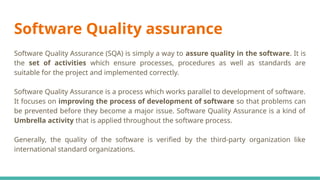
● Code Review: VCS facilitates code reviews by providing mechanisms for sharing, reviewing, and commenting
on code changes. Code reviews improve code quality, identify defects, and ensure adherence to coding
standards.
● Consistency: VCS enforces consistency by maintaining a single source of truth for the codebase, reducing the
risk of divergence and inconsistency among developers.
● Rollback and Recovery: VCS allows developers to roll back changes in case of errors or regressions, minimizing
the impact of defects on the production environment and ensuring system stability.
● Auditing and Compliance: VCS provides audit trails and traceability, enabling organizations to track changes,
document approvals, and ensure compliance with regulatory requirements.

Software Configuration Management and QA.pptx

  • 1.
    Software Configuration Management,Quality Assurance and Maintenance
  • 9.
  • 10.
    Risk Mitigation : Itis an activity used to avoid problems (Risk Avoidance). Steps for mitigating the risks as follows. 1. Finding out the risk. 2. Removing causes that are the reason for risk creation. 3. Controlling the corresponding documents from time to time. 4. Conducting timely reviews to speed up the work. Risk Monitoring : It is an activity used for project tracking. It has the following primary objectives as follows. 5. To check if predicted risks occur or not. 6. To ensure proper application of risk aversion steps defined for risk. 7. To collect data for future risk analysis. 8. To allocate what problems are caused by which risks throughout the project. Risk Management and planning : It assumes that the mitigation activity failed and the risk is a reality. This task is done by Project manager when risk becomes reality and causes severe problems. If the project manager effectively uses project mitigation to remove risks successfully then it is easier to manage the risks. This shows that the response that will be taken for each risk by a manager. The main objective of the risk management plan is the risk register. This risk register describes and focuses on the predicted threats to a software project.
  • 11.
    Key components ofa Risk Management Plan (RMP) 1. Risk Management Objectives: ● Clearly define the goals and objectives of risk management within the project. ● Specify what the project aims to achieve through effective risk management, such as reducing project delays, minimizing budget overruns, ensuring software quality, and enhancing stakeholder satisfaction.
  • 12.
    2. Risk Identification: ●Identify potential risks that may impact project objectives, including technical, organizational, external, and environmental risks. ● Use techniques such as brainstorming, SWOT analysis, documentation review, and expert judgment to identify risks comprehensively. ● Document identified risks in a risk register, including their descriptions, sources, and potential impacts. 3. Risk Assessment and Prioritization: ● Assess the likelihood and potential impact of each identified risk on project objectives. ● Assign a risk rating or score to each risk based on its severity, using qualitative or quantitative methods. ● Prioritize risks based on their ratings to focus mitigation efforts on the most significant threats to project success.
  • 13.
    4. Risk MitigationStrategies: ● Develop specific strategies to mitigate or control identified risks. ● Define action plans, responsibilities, and timelines for implementing mitigation measures. ● Consider various risk response strategies, including risk avoidance, risk transfer, risk mitigation, and risk acceptance. ● Allocate resources and budget for implementing mitigation actions effectively. 5. Risk Monitoring and Control: ● Establish procedures for monitoring and tracking identified risks throughout the project lifecycle. ● Regularly review and update the risk register to reflect changes in risk status or new risks that emerge. ● Implement early warning indicators to detect potential risk triggers and take proactive measures to prevent or mitigate their impacts. ● Conduct periodic risk reviews and assessments to ensure that risk management strategies remain effective and relevant.
  • 14.
    6. Communication andReporting: ● Define communication channels, frequency, and stakeholders involved in risk communication. ● Establish reporting mechanisms for documenting risk-related information, including status updates, mitigation progress, and escalation procedures. ● Ensure transparency and open communication regarding project risks to foster stakeholder awareness and engagement.
  • 15.
    Contribution of RiskManagement Plan to Project Success in Software Development ● By proactively identifying and addressing potential risks, the RMP helps prevent project disruptions and delays, ensuring smoother project execution. ● Effective risk management allows for better allocation of resources and budget to address critical risks, minimizing wastage and maximizing project efficiency. ● By addressing risks related to software defects, requirements changes, and technology dependencies, the RMP contributes to delivering high-quality software products that meet stakeholder expectations. ● Transparent communication and proactive risk management demonstrate the project team's commitment to project success, enhancing stakeholder confidence and satisfaction. ● By mitigating risks that could lead to budget overruns or schedule delays, the RMP helps control project costs and timelines, ensuring adherence to project constraints. ● Regular monitoring and review of risks facilitate learning and continuous improvement within the project team, enabling better risk management practices in future projects.
  • 16.
    Q.Develop a RiskMitigation, Monitoring, and Management Plan (RMMM) for a software development project, considering potential risks related to scope creep, resource constraints, and technology dependencies. Outline specific mitigation strategies and monitoring mechanisms for each identified risk.
  • 17.
    1. Scope Creep: RiskDescription: Scope creep refers to uncontrolled changes or additions to project scope, leading to increased project complexity, timeline extensions, and budget overruns. Mitigation Strategies: ● Clear Scope Definition: Clearly define project scope, objectives, deliverables, and acceptance criteria at the outset. ● Change Control Process: Establish a formal change control process to evaluate and approve scope changes. ● Stakeholder Engagement: Engage stakeholders regularly to manage expectations and align changes with project goals. ● Regular Reviews: Conduct regular reviews of project scope to identify and address potential scope creep early. Monitoring Mechanisms: ● Regular Scope Reviews: Schedule periodic reviews of project scope with stakeholders to assess alignment with project objectives. ● Change Request Log: Maintain a change request log to track all proposed scope changes, including their rationale and impact assessment. ● Scope Baseline Comparison: Compare actual project scope against the baseline to identify deviations and address them promptly. 2. Resource Constraints: Risk Description: Resource constraints occur when there is a shortage of human, financial, or technical resources required for project execution, leading to delays or compromised quality.
  • 18.
    Mitigation Strategies: ● ResourcePlanning: Conduct thorough resource planning to identify resource requirements and allocate them effectively. ● Resource Optimization: Implement resource optimization techniques, such as resource leveling and critical path analysis, to maximize resource utilization. ● Contingency Planning: Develop contingency plans to address resource shortages, such as outsourcing, cross-training, or reallocating resources from less critical tasks. ● Prioritization: Prioritize project activities based on resource availability and criticality to ensure essential tasks are completed first. Monitoring Mechanisms: ● Resource Allocation Tracking: Monitor resource allocation and utilization regularly to identify overutilization or underutilization of resources. ● Resource Availability Forecasting: Forecast resource availability for future project phases to anticipate potential resource constraints and take proactive measures. ● Risk Register Updates: Update the risk register with any changes in resource availability or constraints and assess their impact on project objectives.
  • 19.
    3. Technology Dependencies: RiskDescription: Technology dependencies arise when the project relies on external technologies, platforms, or components that may introduce compatibility issues, security vulnerabilities, or availability constraints. Mitigation Strategies: ● Dependency Analysis: Conduct a thorough analysis of technology dependencies early in the project lifecycle to identify potential risks and dependencies. ● Alternative Solutions: Identify alternative technologies or solutions to mitigate the impact of potential dependencies or failures. ● Prototyping: Develop prototypes or proof-of-concepts to test the integration and compatibility of dependent technologies before full-scale implementation. ● Vendor Relationships: Establish strong relationships with technology vendors or partners to address issues promptly and collaboratively. Monitoring Mechanisms: ● Dependency Mapping: Maintain a dependency map that documents all technology dependencies, including their criticality and potential impact on the project. ● Integration Testing: Conduct rigorous integration testing to validate the compatibility and functionality of dependent technologies. ● Vendor Communication: Maintain open communication with technology vendors to stay informed about updates, patches, or changes that may affect project dependencies. ● Risk Register Updates: Regularly update the risk register with any changes in technology dependencies or associated risks, and assess their impact on project timelines and deliverables.
  • 20.
    Overall Monitoring Mechanisms: ●Regular Risk Reviews: Conduct periodic risk reviews to assess the effectiveness of mitigation strategies and identify new risks. ● Risk Register Updates: Keep the risk register up-to-date with the latest risk information, including mitigation status, impact assessment, and ownership. ● Communication Channels: Establish clear communication channels for reporting and escalating risks, ensuring timely resolution and stakeholder awareness.
  • 21.
    Risk management inbridge or building construction, facilitated by platforms like Autodesk Construction Cloud, involves identifying, assessing, mitigating, and monitoring risks throughout the project lifecycle. Risk Identification: Utilize the collaborative features of Autodesk Construction Cloud to gather input from all stakeholders, including designers, engineers, contractors, and project managers, to identify potential risks. These risks can include design flaws, material shortages, weather-related delays, labor disputes, regulatory changes, and more. Risk Assessment: Evaluate the identified risks based on their probability of occurrence and potential impact on the project's schedule, budget, quality, safety, and other key objectives. Use tools within the platform to quantify risks and prioritize them based on their severity. Risk Mitigation Planning: Develop strategies to mitigate or eliminate identified risks. This may involve redesigning certain aspects of the project, securing alternative suppliers, implementing safety protocols, diversifying subcontractors, or revising the project schedule. Collaborate with relevant stakeholders to ensure buy-in and alignment with mitigation plans.
  • 22.
    Communication and Documentation:Utilize the communication and document management features of Autodesk Construction Cloud to ensure that all stakeholders are informed about identified risks, mitigation plans, and any changes to the project scope, schedule, or budget resulting from risk management activities. Clear and transparent communication is essential for effective risk management. Continuous Monitoring and Control: Regularly monitor the progress of risk mitigation activities and track changes in the project environment that may impact risk exposure. Use the platform's reporting and analytics tools to assess the effectiveness of risk mitigation measures and adjust strategies as needed. Implement robust change management processes to address new risks that emerge during the construction phase.
  • 23.
    Importance of QualityConcepts in software development Quality concepts play a crucial role in software development as they provide a framework for ensuring that software products meet the desired standards of quality, reliability, and usability. These concepts contribute significantly to Software Quality Assurance (SQA) by guiding the development process and facilitating the identification and resolution of defects and deficiencies.
  • 24.
    Impact on theoverall software development process: ● Quality concepts emphasize the importance of understanding and meeting customer needs and expectations. By focusing on customer requirements and feedback, software development teams can ensure that the final product delivers value and satisfies user demands. Example: Conducting user surveys, interviews, and usability testing to gather feedback and insights from customers, which are then used to refine the software design and features. ● Quality concepts promote a culture of continuous improvement, where processes, practices, and products are continually evaluated and refined to achieve higher levels of quality and efficiency. Example: Implementing regular retrospectives or post-mortems to reflect on past projects, identify areas for improvement, and implement corrective actions in subsequent iterations. ● Quality concepts advocate for preventing defects and errors from occurring rather than relying solely on detecting and fixing them post-development. This approach reduces rework, improves efficiency, and enhances overall product quality. Example: Implementing code reviews and pair programming to catch potential issues early in the development process, before they escalate into more significant problems. ● Quality concepts emphasize the importance of well-defined and standardized processes throughout the software development lifecycle. Standardized processes help ensure consistency, predictability, and repeatability in product delivery. Example: Adopting Agile methodologies such as Scrum to establish clear roles, responsibilities, and workflows, thereby
  • 25.
    ● Quality conceptsemphasize the use of metrics and measurements to monitor, evaluate, and improve software quality. By tracking relevant metrics, teams can identify trends, assess performance, and make data-driven decisions. Example: Monitoring code coverage, defect density, and customer satisfaction metrics to assess the effectiveness of testing efforts, identify areas for improvement, and prioritize quality enhancements. ● Quality concepts advocate for proactive risk management to identify, assess, and mitigate potential risks that could impact product quality, schedule, or budget. Example: Conducting risk analysis and creating risk mitigation plans to address potential threats such as technology dependencies, resource constraints, or changing requirements. By integrating these quality concepts into the software development process, organizations can establish a robust SQA framework that ensures the delivery of high-quality software products that meet user expectations, adhere to industry standards, and drive business success.
  • 26.
    Quality concepts arefundamental in software engineering as they directly impact the reliability, usability, efficiency, and maintainability of software products. Ensuring high quality in software development is crucial for meeting user expectations, minimizing errors, and maximizing customer satisfaction. ● Requirement Analysis: Quality starts with understanding and analyzing the requirements comprehensively. Clear, unambiguous requirements help in building the right product from the beginning, reducing rework and errors later in the development process. ● Quality Planning: Before starting development, a quality plan is devised which outlines quality objectives, standards, processes, and resources required for achieving the desired level of quality. This ensures that quality is built into the software development process from the outset. ● Design and Architecture: Good design and architecture are essential for building a reliable and maintainable software product. Design principles such as modularity, encapsulation, and separation of concerns are applied to ensure that the software is scalable, extensible, and easy to maintain. ● Testing: Testing plays a critical role in ensuring quality throughout the development lifecycle. Various types of testing, including unit testing, integration testing, system testing, and acceptance testing, are performed to detect defects and verify that the software meets its requirements. ● Code Reviews: Code reviews involve systematic examination of code by peers to identify defects, ensure adherence to coding standards, and promote best practices. Code reviews not only improve code quality but also facilitate knowledge sharing and collaboration among team members.
  • 27.
    ● Continuous Integrationand Continuous Deployment (CI/CD): CI/CD practices automate the process of integrating code changes, running tests, and deploying software, ensuring that changes are continuously validated and delivered to users in a timely manner. This reduces the risk of introducing defects and enables rapid feedback loops. ● Documentation: Comprehensive documentation, including user manuals, technical specifications, and design documents, is essential for ensuring that users and developers have the information they need to understand, use, and maintain the software effectively. ● Feedback and Iteration: Gathering feedback from users and stakeholders is crucial for identifying areas for improvement and making iterative enhancements to the software. Continuous feedback loops enable teams to adapt to changing requirements and user needs, ultimately leading to a higher quality product. ● Quality Metrics and Measurement: Quality metrics are used to measure and track various aspects of software quality, such as defect density, code coverage, and response time. These metrics provide valuable insights into the health of the software and help in identifying areas that require attention. ● Continuous Improvement: Quality is not a one-time effort but a continuous process of improvement. By regularly reviewing processes, tools, and practices, teams can identify opportunities for optimization and strive for ever-higher levels of quality.
  • 28.
    Software Quality assurance SoftwareQuality Assurance (SQA) is simply a way to assure quality in the software. It is the set of activities which ensure processes, procedures as well as standards are suitable for the project and implemented correctly. Software Quality Assurance is a process which works parallel to development of software. It focuses on improving the process of development of software so that problems can be prevented before they become a major issue. Software Quality Assurance is a kind of Umbrella activity that is applied throughout the software process. Generally, the quality of the software is verified by the third-party organization like international standard organizations.
  • 29.
    Software quality metricsare a subset of software metrics that focus on the quality aspects of the product, process, and project. These are more closely associated with process and product metrics than with project metrics. Some common Software Quality Assurance metrics and how they are used to assess software quality:
  • 30.
    Defect Density: Defectdensity measures the number of defects identified per unit of code (e.g., lines of code, function points). A high defect density may indicate poor code quality or inadequate testing processes, while a low defect density suggests a higher level of quality. Code Coverage: Code coverage measures the percentage of code that is exercised by automated tests. It helps assess the effectiveness of testing efforts and identifies areas of the code that are not adequately covered by tests, potentially indicating areas of higher risk. Test Case Effectiveness: Test case effectiveness measures the percentage of test cases that uncover defects in the software. High test case effectiveness indicates that the test cases are well-designed and capable of detecting defects, while low effectiveness may suggest the need for improvements in test case design or coverage. Time to Fix Defects: Time to fix defects measures the average time taken to resolve defects identified during testing or production. A shorter time to fix defects indicates a more efficient defect resolution process, which can lead to faster delivery of high-quality software. Customer Reported Defects: This metric tracks the number and severity of defects reported by customers or end-users. It helps gauge user satisfaction and identify critical issues that need to be addressed promptly to improve the quality of the software. Requirements Stability: Requirements stability measures the extent to which requirements change over time. Frequent changes to requirements can disrupt development and testing efforts, leading to lower quality software. Monitoring requirements stability helps identify potential risks and manage changes effectively. Mean Time Between Failures (MTBF): MTBF measures the average time elapsed between system failures. A higher MTBF indicates greater reliability and stability of the software, while a lower MTBF suggests a higher likelihood of failures and potential quality issues. Performance Metrics: Performance metrics measure various aspects of software performance, such as response time, throughput, and resource utilization. Monitoring performance metrics helps ensure that the software meets performance requirements and performs optimally under different conditions. Compliance with Standards: This metric assesses the extent to which the software conforms to industry standards, regulations, and best practices. Compliance with standards helps ensure interoperability, security, and reliability of the software, as well as regulatory compliance in certain industries. Customer Satisfaction: Customer satisfaction measures the level of satisfaction or dissatisfaction among users with the software product. Feedback from users can provide valuable insights into usability, functionality, and overall quality, helping prioritize improvements and enhancements.
  • 31.
    Formal Technical Reviews FormalTechnical Review (FTR) is a software quality control activity performed by software engineers. It is an organized, methodical procedure for assessing and raising the standard of any technical paper, including software objects. Finding flaws, making sure standards are followed, and improving the product or document under review’s overall quality are the main objectives of a fault tolerance review (FTR). Although FTRs are frequently utilized in software development, other technical fields can also employ the concept. Objectives of formal technical review (FTR) ● Detect Identification: Identify defects in technical objects by finding and fixing mistakes, inconsistencies, and deviations. ● Quality Assurance: To ensure high-quality deliverables, and confirm compliance with project specifications and standards. ● Risk Mitigation: To stop risks from getting worse, proactively identify and manage possible threats. ● Knowledge Sharing: Encourage team members to work together and build a common knowledge base. ● Consistency and Compliance: Verify that all procedures, coding standards, and policies are followed. ● Learning and Training: Give team members the chance to improve their abilities through learning opportunities.
  • 32.
    Roles and Responsibilitiesof Participants: Moderator/Chairperson: ● Leads the review session. ● Sets the agenda and objectives of the review. ● Ensures that the review stays focused and on schedule. ● Facilitates discussions and resolves conflicts. Author/Designer: ● The individual or team responsible for creating the design being reviewed. ● Presents the design to the review participants. ● Explains design decisions and rationale. ● Responds to questions and clarifications. Reviewers: ● Experienced team members or stakeholders who evaluate the design. ● Analyze the design against predefined criteria (e.g., requirements, standards, best practices). ● Identify strengths, weaknesses, and potential improvements. ● Provide constructive feedback and suggestions for enhancement.
  • 33.
    Scribe/Recorder: ● Records thediscussion points, decisions, and action items during the review. ● Ensures that all relevant issues and suggestions are documented accurately. ● Prepares the review report summarizing the outcomes and recommendations. Quality Assurance Representative: ● Represents the quality assurance or testing team. ● Reviews the design from a quality perspective, focusing on testability, maintainability, and other quality attributes. ● Raises concerns related to quality assurance and testing strategies.
  • 34.
    Types of FormalTechnical Reviews: ● Walkthroughs: In a walkthrough, the author presents the software artifact to the review team, who provide feedback and ask questions to understand the content and logic. Strengths: Promotes active participation and collaboration among team members. Encourages thorough examination and discussion of the software artifact. Limitations: Relies heavily on the presenter's ability to communicate effectively. May lack rigor and structure compared to other review types. ● Inspections: Inspections involve a formal, structured process where reviewers examine the software artifact systematically against predefined criteria or checklists. Strengths: Provides a rigorous, systematic approach to defect detection. Facilitates objective evaluation based on established standards and guidelines. Limitations: Requires significant upfront preparation and overhead in defining checklists and procedures. Can be time-consuming and may slow down the development process.
  • 35.
    ● Peer Reviews: Peerreviews involve informal, ad-hoc discussions among team members to review and discuss software artifacts. This can include code reviews, design reviews, or document reviews. Strengths: Lightweight and flexible, allowing for quick feedback and collaboration. Encourages knowledge sharing and fosters a culture of continuous improvement. Limitations: May lack the formality and structure of other review types, leading to inconsistencies in the review process. Requires active participation and engagement from team members to be effective.
  • 36.
    Comparison: ● Walkthroughs areless formal and structured compared to inspections, which follow a predefined process and checklist. ● Inspections offer greater rigor and objectivity in defect detection compared to walkthroughs or peer reviews. ● Peer reviews are more lightweight and flexible, making them suitable for quick feedback and collaboration, while inspections may be more time-consuming.
  • 37.
    Expected Outcomes ofa Successful Review: ● Identification of Deficiencies: The review should uncover any flaws, inconsistencies, or shortcomings in the design, such as violations of requirements, design principles, or standards. ● Feedback and Suggestions: Reviewers provide constructive feedback, suggestions, and recommendations for improving the design. This may include alternative approaches, optimizations, or enhancements. ● Validation of Design Decisions: The review validates the design decisions made by the author/designer, ensuring that they are justified and aligned with project goals and constraints. ● Risk Mitigation: The review helps identify and mitigate potential risks associated with the design, such as technical complexities, dependencies, or performance bottlenecks. ● Consensus and Agreement: Through discussions and debates, the review participants reach a consensus on the acceptability of the design and any necessary changes or adjustments. ● Action Items: Action items are identified to address issues raised during the review, such as design modifications, further analysis, or additional documentation. ● Documentation: The outcomes of the review, including feedback, decisions, and action items, are documented in a review report. This report serves as a record of the review process and guides subsequent design iterations.
  • 38.
    Organize a FormalTechnical Review (FTR) for a software requirement specification document. Steps involved in organizing and executing the FTR: Step 1: Planning ● Identify Participants: Select reviewers with relevant expertise and knowledge, including developers, testers, project managers, and stakeholders. ● Schedule Meeting: Determine a suitable time and date for the review meeting, ensuring availability of all participants. ● Distribute Documents: Circulate the software requirement specification document and any relevant guidelines or checklists to participants well in advance of the meeting. Step 2: Preparation ● Review Document: Reviewers thoroughly read and analyze the software requirement specification document, identifying potential issues, ambiguities, inconsistencies, and deviations from standards. ● Prepare Comments: Reviewers prepare comments, suggestions, questions, and recommendations regarding the content, clarity, completeness, and feasibility of the requirements.
  • 39.
    Step 3: Execution ●Conduct Review Meeting: ● Chairperson/Moderator facilitates the review meeting, outlining objectives, agenda, and ground rules. ● Author presents the software requirement specification document, providing context, background, and explanations as needed. ● Reviewers discuss their comments, raise concerns, seek clarification, and propose improvements. ● Scribe records discussion points, decisions, action items, and unresolved issues. ● Address Comments: Author responds to reviewers' comments, providing explanations, clarifications, and revisions to the software requirement specification document as necessary. Step 4: Documentation ● Review Report: Scribe compiles review meeting minutes and findings into a formal review report, summarizing discussion points, decisions, action items, and unresolved issues. ● Distribution: Distribute the review report and updated software requirement specification document to all participants and stakeholders for review and reference. Step 5: Follow-up ● Action Items: Assign and track action items identified during the review meeting, ensuring that they are addressed promptly and effectively. ● Review Closure: Chairperson/Moderator confirms review closure, ensuring that all issues and concerns have been adequately addressed and resolved. ● Lessons Learned: Conduct a post-review evaluation to identify lessons learned, best practices, and opportunities for process improvement in future reviews.
  • 40.
    Follow-up Actions: ● ActionItem Resolution: Address and resolve action items identified during the review meeting, ensuring that necessary revisions are made to the software requirement specification document. ● Review Report Distribution: Distribute the review report and updated document to all participants and stakeholders for review and reference. ● Monitoring and Tracking: Monitor progress on action items, track changes to the document, and ensure that follow-up actions are completed within agreed timelines. ● Continuous Improvement: Evaluate the effectiveness of the review process, identify areas for improvement, and incorporate lessons learned into future reviews to enhance their efficiency and effectiveness.
  • 41.
    Software Reliability Software reliabilityis defined as the probability of failure-free operation of a software system for a specified time in a specified environment. Software reliability plays a crucial role in ensuring the dependability of software systems, as it directly impacts the ability of the system to perform as intended under specified conditions and over a defined period. Dependability refers to the trustworthiness of a system to deliver its services consistently and predictably, without unexpected failures or disruptions
  • 42.
    Use of ReliabilityMetrics to Assess Software Failures: Failure Rate: Failure rate metrics measure the frequency of software failures over time, providing insights into the system's reliability. By tracking failure rates, organizations can identify trends, patterns, and potential areas of improvement. Mean Time Between Failures (MTBF): MTBF calculates the average time elapsed between consecutive failures of the software system. A higher MTBF indicates greater reliability, while a lower MTBF suggests frequent failures and potential reliability issues. Mean Time To Failure (MTTF): MTTF estimates the average time until the software system experiences its first failure. It helps assess the system's initial reliability and predict its expected lifespan before failures occur. Reliability Growth Models (RGM): Reliability growth models forecast the improvement in software reliability over time based on historical failure data. These models help organizations predict future reliability levels and allocate resources for reliability improvement efforts.
  • 43.
    Role of SoftwareReliability in System Dependability: Trust and Confidence: Software reliability instills trust and confidence in users, stakeholders, and customers, assuring them that the system will operate reliably and consistently under normal operating conditions. Mitigation of Failures: Reliable software systems minimize the likelihood of failures, errors, and unexpected behaviors, reducing the risk of disruptions, data loss, or service outages. User Experience: Reliable software provides a positive user experience by delivering consistent performance, responsiveness, and availability, leading to increased satisfaction and trust among users. Business Continuity: Dependable software systems support business continuity by ensuring the uninterrupted delivery of services and functions critical to organizational operations, even in the face of adverse conditions or unexpected events.
  • 44.
    Strategies to ImproveSystem Resilience: Continuous Testing: Implement comprehensive testing methodologies, including unit testing, integration testing, and system testing, to detect and address defects early in the development lifecycle. Continuous testing helps improve software quality and reliability. Fault Tolerance: Design software systems with built-in fault tolerance mechanisms, such as redundancy, error handling, and graceful degradation. Fault-tolerant systems can continue to operate effectively in the presence of faults or failures. Redundancy and Backup: Introduce redundancy and backup mechanisms for critical components and data to ensure redundancy and data integrity. Redundant systems and data backups can minimize the impact of failures and facilitate recovery. Monitoring and Alerting: Implement robust monitoring and alerting systems to proactively detect and respond to anomalies, failures, and performance degradation. Real-time monitoring helps identify reliability issues early and prevent service disruptions. Capacity Planning: Conduct capacity planning exercises to ensure that software systems can handle expected loads and scale gracefully under increasing demand. Proper capacity planning helps prevent performance bottlenecks and reliability issues.
  • 45.
    Software Reliability Metricsand Techniques: Failure Rate: This metric measures the frequency of software failures over time, providing insights into the system's reliability. It can be calculated as the number of failures divided by the total operating time. Mean Time Between Failures (MTBF): MTBF calculates the average time elapsed between consecutive failures of the software system. A higher MTBF indicates greater reliability. Mean Time To Failure (MTTF): MTTF estimates the average time until the software system experiences its first failure. It helps assess the system's initial reliability. Software Reliability Growth Models (SRGM): SRGMs are mathematical models used to predict the reliability growth of a software system over time. These models incorporate historical failure data to forecast future reliability improvements.
  • 46.
    Factors Influencing SoftwareReliability: Complexity: Complex software systems are more prone to errors and failures. Simplifying design, breaking down tasks into smaller components, and adhering to coding standards can mitigate this risk. Quality of Code: Well-written, clean code with proper error handling and defensive programming techniques enhances software reliability. Code reviews, static analysis tools, and automated testing can help maintain code quality. Testing Coverage: Comprehensive testing, including unit testing, integration testing, and system testing, is crucial for identifying and addressing defects. Increasing test coverage and adopting test-driven development practices can improve reliability. External Dependencies: Reliability can be impacted by dependencies on external libraries, APIs, or third-party services. Regular monitoring, compatibility checks, and contingency plans can mitigate risks associated with external dependencies.
  • 47.
    Strategies for ImprovingSoftware Reliability: Early and Continuous Testing: Start testing early in the development lifecycle and continue testing throughout the process. Automated testing, including regression testing and performance testing, can identify defects early and ensure reliability. Iterative Development: Adopt iterative development methodologies such as Agile or Scrum, allowing for frequent feedback and iterative improvements. This approach enables the early detection and resolution of reliability issues. Configuration Management: Implement robust software configuration management practices to manage changes, track versions, and maintain consistency. Version control systems and change management processes help prevent configuration-related failures. Documentation and Knowledge Sharing: Maintain comprehensive documentation, including design documents, user manuals, and troubleshooting guides, to facilitate understanding and maintenance of the software system. Continuous Monitoring and Feedback: Monitor software performance and reliability in production environments, gather user feedback, and address issues promptly. Continuous monitoring helps identify and resolve reliability issues in real-time. Invest in Training and Skill Development: Provide training and resources to software development teams to enhance their skills in coding, testing, debugging, and problem-solving. Well-trained teams are better equipped to build reliable software.
  • 48.
    Software Configuration Management(SCM) SoftwareConfiguration Management (SCM) plays a critical role in managing software development processes by providing control, visibility, and traceability over software artifacts throughout their lifecycle. SCM encompasses a range of practices, tools, and processes aimed at managing changes to software configurations, ensuring consistency, reproducibility, and reliability.
  • 49.
    Role of SCMin Managing Software Development Processes: Configuration Management: SCM manages the configuration of software artifacts, including source code, documentation, libraries, and dependencies. It ensures that the composition and state of software components are well-defined, documented, and controlled throughout the development lifecycle. Version Control: SCM tracks changes to software artifacts over time, maintaining a history of revisions, modifications, and updates. Version control enables developers to collaborate effectively, manage concurrent development, and revert to previous states if necessary. Change Management: SCM governs how changes to software artifacts are proposed, reviewed, approved, and implemented. Change management processes ensure that modifications are made intentionally, with proper consideration for their impact on software quality, stability, and functionality. Build and Release Management: SCM facilitates the creation, packaging, and deployment of software releases. It manages build configurations, dependencies, and deployment environments, ensuring consistency and reproducibility across different stages of the development lifecycle. Traceability and Auditing: SCM provides traceability between software artifacts, requirements, and development activities. It enables stakeholders to track the lineage of changes, understand their rationale, and assess their impact on project goals and objectives. SCM also supports auditing and compliance requirements by maintaining a comprehensive audit trail of changes.
  • 50.
    Version Control andChange Control Version control systems (VCS) are essential tools in software development, impacting productivity, collaboration, and code quality. They provide mechanisms for managing changes to source code, tracking revisions, and facilitating teamwork among developers. Centralized and distributed version control systems are two main types of VCS, each with its own set of characteristics, strengths, and weaknesses.
  • 51.
    Importance of ChangeControl: Risk Management: Change control mitigates the risk of introducing defects, regressions, or inconsistencies into the software. It provides a structured process for evaluating proposed changes, assessing their impact, and implementing them in a controlled manner. Stability and Reliability: Change control helps maintain the stability and reliability of software systems by preventing unauthorized or unapproved changes. It ensures that modifications are made systematically, with proper consideration for their implications. Compliance and Governance: Change control supports compliance with regulatory requirements, industry standards, and organizational policies. It ensures that changes are documented, reviewed, and approved according to established guidelines and procedures.
  • 52.
    Importance of VersionControl: Collaboration: Version control enables multiple developers to work concurrently on the same codebase without conflicts. It provides mechanisms for merging changes, resolving conflicts, and maintaining a single source of truth. History and Recovery: Version control maintains a complete history of revisions, allowing developers to track changes, compare versions, and revert to previous states if needed. It provides a safety net for experimenting with new features or troubleshooting issues. Quality Assurance: Version control supports code reviews, testing, and validation processes by providing a controlled environment for managing changes. It helps ensure that only approved and validated changes are integrated into the main codebase.
  • 53.
    Centralized vs. DistributedVersion Control Systems: Centralized Version Control Systems (CVCS): Architecture: CVCS stores the entire repository on a central server, with developers checking out files for editing and committing changes back to the server. Strengths: ● Centralized repository simplifies access control and permissions management. ● Easier to enforce policies and standards across the development team. ● Well-suited for teams with a centralized workflow and limited distributed development. Weaknesses: ● Single point of failure: If the central server goes down, developers cannot access the repository. ● Slower performance for operations requiring server access, such as commits and updates. ● Limited offline capabilities and flexibility for distributed development.
  • 54.
    Distributed Version ControlSystems (DVCS): Architecture: DVCS mirrors the entire repository on each developer's local machine, allowing them to work independently and commit changes locally before synchronizing with remote repositories. Strengths: ● Distributed nature enables offline work and faster access to version history. ● Redundancy and fault tolerance: Each developer has a complete copy of the repository, reducing the risk of data loss. ● Supports flexible workflows, branching, and merging strategies, facilitating distributed collaboration. Weaknesses: ● Complexity: Managing multiple copies of the repository and resolving conflicts can be challenging. ● Greater risk of divergence and inconsistency among developers if workflows are not well- defined. ● Requires more storage space on local machines due to full repository copies.
  • 55.
    Comparison: Collaboration: DVCS offersmore flexibility and resilience for distributed teams, while CVCS may be simpler to manage for centralized workflows. Performance: CVCS may suffer from slower performance due to server access, while DVCS provides faster access to local repositories. Offline Work: DVCS allows developers to work offline and commit changes locally, while CVCS requires constant connectivity to the central server.
  • 56.
    Impact of VersionControl Systems: Productivity: ● Collaboration: VCS enables multiple developers to work concurrently on the same codebase, facilitating collaboration and reducing conflicts. ● History and Tracking: VCS maintains a history of changes, allowing developers to track modifications, revert to previous versions, and understand the evolution of the codebase. ● Branching and Merging: VCS supports branching and merging, enabling parallel development of features, bug fixes, and experiments without disrupting the main codebase. ● Automation: VCS integrates with build and deployment pipelines, automating tasks such as code reviews, testing, and deployment, leading to faster development cycles. Code Quality: ● Code Review: VCS facilitates code reviews by providing mechanisms for sharing, reviewing, and commenting on code changes. Code reviews improve code quality, identify defects, and ensure adherence to coding standards. ● Consistency: VCS enforces consistency by maintaining a single source of truth for the codebase, reducing the risk of divergence and inconsistency among developers. ● Rollback and Recovery: VCS allows developers to roll back changes in case of errors or regressions, minimizing the impact of defects on the production environment and ensuring system stability. ● Auditing and Compliance: VCS provides audit trails and traceability, enabling organizations to track changes, document approvals, and ensure compliance with regulatory requirements.