software and its
types
Made by: Adil khan (DPT 1ST
YEAR
2025)
What are softwares ?
 SOFTWARE“A set of instructions given to the
computer to solve a problem is called Software.”
 “Software is a single/collection of programs that
performs a particular task.”
 Software is also called Program.
 Different software's are used to solve different
problems.
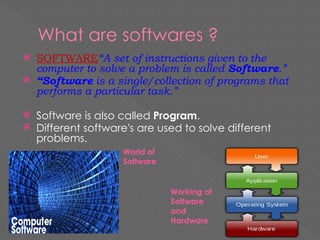
World of
Software
Working of
Software
and
Hardware
Why do we use software?
 Computer needs the software to work.Softwares include
operating sysytem , sysem software and application software.
Without OS we cannot operate the computer. So we need
softwares to run the computer. Software may also be written
in an assembly language, essentially, a
mnemonic representation of a machine language using a
natural language alphabet. Assembly language must be
assembled into object code via an assembler.
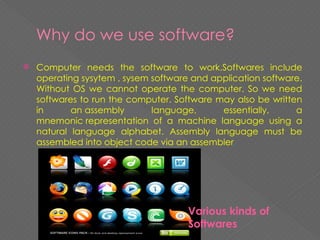
Various kinds of
Softwares
Types of softwares :
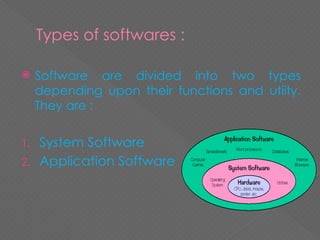
 Software are divided into two types
depending upon their functions and utiity.
They are :
1. System Software
2. Application Software
System softwares
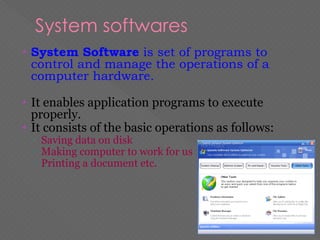
• System Software is set of programs to
control and manage the operations of a
computer hardware.
• It enables application programs to execute
properly.
• It consists of the basic operations as follows:
▫ Saving data on disk
▫ Making computer to work for us
▫ Printing a document etc.
EXAMPLES
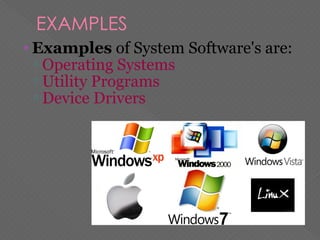
• Examples of System Software's are:
▫ Operating Systems
▫ Utility Programs
▫ Device Drivers
Types of system software
 The different types of system softwares are :
1. BIOS
2. Operating System
3. Device Drivers
4. Language Processors
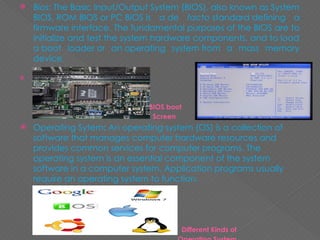
 Bios: The Basic Input/Output System (BIOS), also known as System
BIOS, ROM BIOS or PC BIOS is a de facto standard defining a
firmware interface. The fundamental purposes of the BIOS are to
initialize and test the system hardware components, and to load
a boot loader or an operating system from a mass memory
device.
 BIOS chip
BIOS boot
Screen
 Operating Sytem: An operating system (OS) is a collection of
software that manages computer hardware resources and
provides common services for computer programs. The
operating system is an essential component of the system
software in a computer system. Application programs usually
require an operating system to function.
Different Kinds of
 Device Drivers : In computing, a device driver is a computer
program that operates or controls a particular type of device
that is attached to a computer. A driver typically
communicates with the device through the computer bus or
communications subsystem to which the hardware connects.
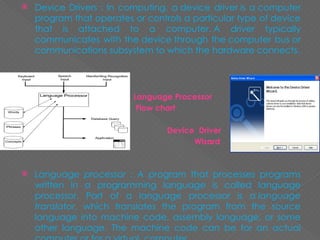
 Language Processor
 Flow chart
 Device Driver
 Wizard
 Language processor : A program that processes programs
written in a programming language is called language
processor. Part of a language processor is a language
translator, which translates the program from the source
language into machine code, assembly language, or some
other language. The machine code can be for an actual
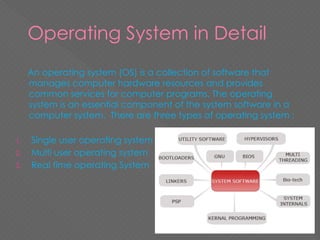
Operating System in Detail
An operating system (OS) is a collection of software that
manages computer hardware resources and provides
common services for computer programs. The operating
system is an essential component of the system software in a
computer system. There are three types of operating system :
1. Single user operating system
2. Multi user operating system
3. Real time operating System
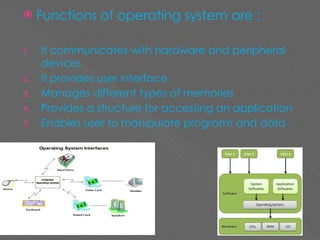
 Functions of operating system are :
1. It communicates with hardware and peripheral
devices
2. It provides user interface
3. Manages different types of memories
4. Provides a structure for accessing an application
5. Enables user to manipulate programs and data .
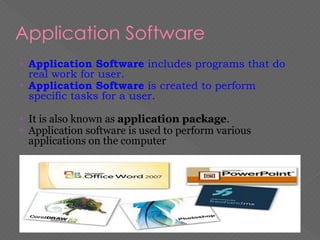
Application Software
• Application Software includes programs that do
real work for user.
• Application Software is created to perform
specific tasks for a user.
• It is also known as application package.
• Application software is used to perform various
applications on the computer
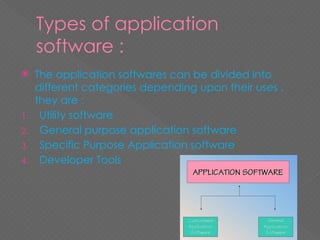
Types of application
software :
 The application softwares can be divided into
different categories depending upon their uses ,
they are :
1. Utility software
2. General purpose application software
3. Specific Purpose Application software
4. Developer Tools
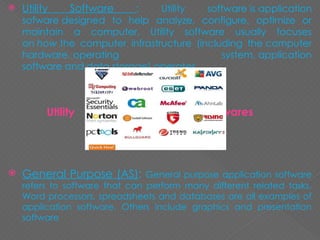
 Utility Software : Utility software is application
sofware designed to help analyze, configure, optimize or
maintain a computer. Utility software usually focuses
on how the computer infrastructure (including the computer
hardware, operating system, application
software and data storage) operates.
Utility Softwares
 General Purpose (AS): General purpose application software
refers to software that can perform many different related tasks.
Word processors, spreadsheets and databases are all examples of
application software. Others include graphics and presentation
software
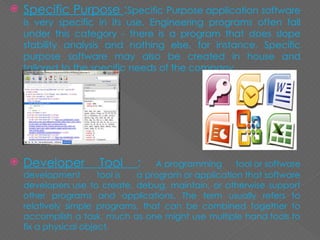
 Specific Purpose :Specific Purpose application software
is very specific in its use. Engineering programs often fall
under this category - there is a program that does slope
stability analysis and nothing else, for instance. Specific
purpose software may also be created in house and
tailored to the specific needs of the company.
 Developer Tool : A programming tool or software
development tool is a program or application that software
developers use to create, debug, maintain, or otherwise support
other programs and applications. The term usually refers to
relatively simple programs, that can be combined together to
accomplish a task, much as one might use multiple hand tools to
fix a physical object.
Utility Software / program:
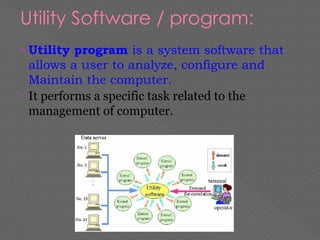
• Utility program is a system software that
allows a user to analyze, configure and
Maintain the computer.
• It performs a specific task related to the
management of computer.
 The different types of utility software are :
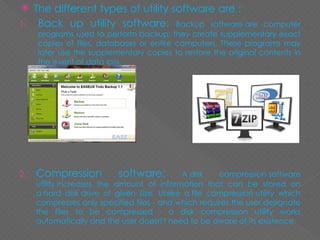
1. Back up utility software: Backup software are computer
programs used to perform backup; they create supplementary exact
copies of files, databases or entire computers. These programs may
later use the supplementary copies to restore the original contents in
the event of data loss.
2. Compression software: A disk compression software
utility increases the amount of information that can be stored on
a hard disk drive of given size. Unlike a file compression utility which
compresses only specified files - and which requires the user designate
the files to be compressed - a disk compression utility works
automatically and the user doesn't need to be aware of its existence.
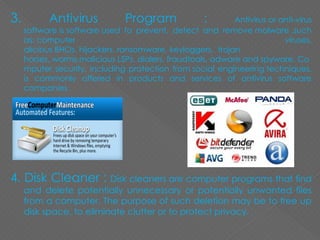
3. Antivirus Program : Antivirus or anti-virus
software is software used to prevent, detect and remove malware ,such
as: computer viruses,
alicious BHOs, hijackers, ransomware, keyloggers, trojan
horses, worms,malicious LSPs, dialers, fraudtools, adware and spyware. Co
mputer security, including protection from social engineering techniques,
is commonly offered in products and services of antivirus software
companies.
4. Disk Cleaner : Disk cleaners are computer programs that find
and delete potentially unnecessary or potentially unwanted files
from a computer. The purpose of such deletion may be to free up
disk space, to eliminate clutter or to protect privacy.
software and its types computer presentation

software and its types computer presentation

  • 1.
    software and its types Madeby: Adil khan (DPT 1ST YEAR 2025)
  • 2.
    What are softwares?  SOFTWARE“A set of instructions given to the computer to solve a problem is called Software.”  “Software is a single/collection of programs that performs a particular task.”  Software is also called Program.  Different software's are used to solve different problems. World of Software Working of Software and Hardware
  • 3.
    Why do weuse software?  Computer needs the software to work.Softwares include operating sysytem , sysem software and application software. Without OS we cannot operate the computer. So we need softwares to run the computer. Software may also be written in an assembly language, essentially, a mnemonic representation of a machine language using a natural language alphabet. Assembly language must be assembled into object code via an assembler. Various kinds of Softwares
  • 4.
    Types of softwares:  Software are divided into two types depending upon their functions and utiity. They are : 1. System Software 2. Application Software
  • 5.
    System softwares • SystemSoftware is set of programs to control and manage the operations of a computer hardware. • It enables application programs to execute properly. • It consists of the basic operations as follows: ▫ Saving data on disk ▫ Making computer to work for us ▫ Printing a document etc.
  • 6.
    EXAMPLES • Examples ofSystem Software's are: ▫ Operating Systems ▫ Utility Programs ▫ Device Drivers
  • 7.
    Types of systemsoftware  The different types of system softwares are : 1. BIOS 2. Operating System 3. Device Drivers 4. Language Processors
  • 8.
     Bios: TheBasic Input/Output System (BIOS), also known as System BIOS, ROM BIOS or PC BIOS is a de facto standard defining a firmware interface. The fundamental purposes of the BIOS are to initialize and test the system hardware components, and to load a boot loader or an operating system from a mass memory device.  BIOS chip BIOS boot Screen  Operating Sytem: An operating system (OS) is a collection of software that manages computer hardware resources and provides common services for computer programs. The operating system is an essential component of the system software in a computer system. Application programs usually require an operating system to function. Different Kinds of
  • 9.
     Device Drivers: In computing, a device driver is a computer program that operates or controls a particular type of device that is attached to a computer. A driver typically communicates with the device through the computer bus or communications subsystem to which the hardware connects.  Language Processor  Flow chart  Device Driver  Wizard  Language processor : A program that processes programs written in a programming language is called language processor. Part of a language processor is a language translator, which translates the program from the source language into machine code, assembly language, or some other language. The machine code can be for an actual
  • 10.
    Operating System inDetail An operating system (OS) is a collection of software that manages computer hardware resources and provides common services for computer programs. The operating system is an essential component of the system software in a computer system. There are three types of operating system : 1. Single user operating system 2. Multi user operating system 3. Real time operating System
  • 11.
     Functions ofoperating system are : 1. It communicates with hardware and peripheral devices 2. It provides user interface 3. Manages different types of memories 4. Provides a structure for accessing an application 5. Enables user to manipulate programs and data .
  • 12.
    Application Software • ApplicationSoftware includes programs that do real work for user. • Application Software is created to perform specific tasks for a user. • It is also known as application package. • Application software is used to perform various applications on the computer
  • 13.
    Types of application software:  The application softwares can be divided into different categories depending upon their uses , they are : 1. Utility software 2. General purpose application software 3. Specific Purpose Application software 4. Developer Tools
  • 14.
     Utility Software: Utility software is application sofware designed to help analyze, configure, optimize or maintain a computer. Utility software usually focuses on how the computer infrastructure (including the computer hardware, operating system, application software and data storage) operates. Utility Softwares  General Purpose (AS): General purpose application software refers to software that can perform many different related tasks. Word processors, spreadsheets and databases are all examples of application software. Others include graphics and presentation software
  • 15.
     Specific Purpose:Specific Purpose application software is very specific in its use. Engineering programs often fall under this category - there is a program that does slope stability analysis and nothing else, for instance. Specific purpose software may also be created in house and tailored to the specific needs of the company.  Developer Tool : A programming tool or software development tool is a program or application that software developers use to create, debug, maintain, or otherwise support other programs and applications. The term usually refers to relatively simple programs, that can be combined together to accomplish a task, much as one might use multiple hand tools to fix a physical object.
  • 16.
    Utility Software /program: • Utility program is a system software that allows a user to analyze, configure and Maintain the computer. • It performs a specific task related to the management of computer.
  • 17.
     The differenttypes of utility software are : 1. Back up utility software: Backup software are computer programs used to perform backup; they create supplementary exact copies of files, databases or entire computers. These programs may later use the supplementary copies to restore the original contents in the event of data loss. 2. Compression software: A disk compression software utility increases the amount of information that can be stored on a hard disk drive of given size. Unlike a file compression utility which compresses only specified files - and which requires the user designate the files to be compressed - a disk compression utility works automatically and the user doesn't need to be aware of its existence.
  • 18.
    3. Antivirus Program: Antivirus or anti-virus software is software used to prevent, detect and remove malware ,such as: computer viruses, alicious BHOs, hijackers, ransomware, keyloggers, trojan horses, worms,malicious LSPs, dialers, fraudtools, adware and spyware. Co mputer security, including protection from social engineering techniques, is commonly offered in products and services of antivirus software companies. 4. Disk Cleaner : Disk cleaners are computer programs that find and delete potentially unnecessary or potentially unwanted files from a computer. The purpose of such deletion may be to free up disk space, to eliminate clutter or to protect privacy.