
HOW TO PROTECT
YOURSELF ON SOCIAL
MEDIA
KNOW THE

FACTS

Step
1
FACEBOOK
 MUST SET PERSONAL PRIVACY SETTINGS
 “Public” Setting – visible to EVERYONE
 Max audience for under 18 – “Friends of Friends”
 Still a pretty big group, don’t you think???
 You can choose only friends

 Even if people aren’t logged into Facebook, you are visible by default

 Mobile requires different settings management
 You can
 Block people
 Review tags

 Location is optional.
 https://www.facebook.com/help/445588775451827

https://www.facebook.com/safety
TWITTER
 YOUR TWEETS ARE PUBLIC. PERIOD.
 You can, however…
 Block
 Require to approve followers

 Location is optional.

 https://twitter.com/privacy
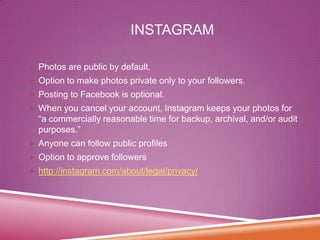
INSTAGRAM
 Photos are public by default.

 Option to make photos private only to your followers.
 Posting to Facebook is optional.
 When you cancel your account, Instagram keeps your photos for

“a commercially reasonable time for backup, archival, and/or audit
purposes.”
 Anyone can follow public profiles
 Option to approve followers
 http://instagram.com/about/legal/privacy/
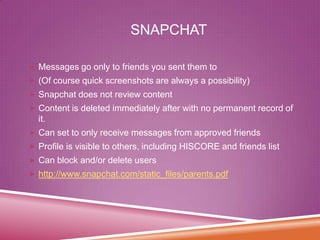
SNAPCHAT
 Messages go only to friends you sent them to

 (Of course quick screenshots are always a possibility)
 Snapchat does not review content
 Content is deleted immediately after with no permanent record of

it.
 Can set to only receive messages from approved friends
 Profile is visible to others, including HISCORE and friends list
 Can block and/or delete users
 http://www.snapchat.com/static_files/parents.pdf
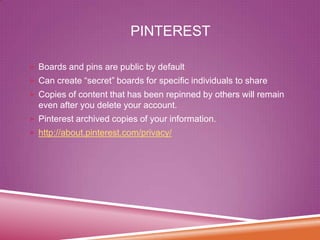
PINTEREST
 Boards and pins are public by default

 Can create “secret” boards for specific individuals to share
 Copies of content that has been repinned by others will remain

even after you delete your account.
 Pinterest archived copies of your information.

 http://about.pinterest.com/privacy/
Step
2
Be Proactive with Your PRIVACY
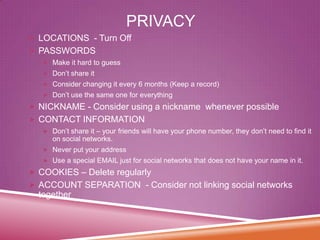
PRIVACY
 LOCATIONS - Turn Off
 PASSWORDS
 Make it hard to guess
 Don’t share it
 Consider changing it every 6 months (Keep a record)
 Don’t use the same one for everything

 NICKNAME - Consider using a nickname whenever possible

 CONTACT INFORMATION
 Don’t share it – your friends will have your phone number, they don’t need to find it

on social networks.
 Never put your address
 Use a special EMAIL just for social networks that does not have your name in it.

 COOKIES – Delete regularly
 ACCOUNT SEPARATION - Consider not linking social networks

together
Step
3
Consider Your “FRIENDS”
Carefully
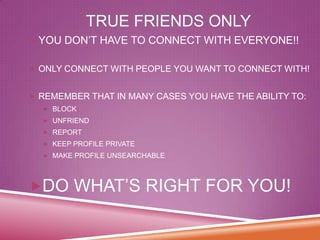
TRUE FRIENDS ONLY
 YOU DON’T HAVE TO CONNECT WITH EVERYONE!!
 ONLY CONNECT WITH PEOPLE YOU WANT TO CONNECT WITH!
 REMEMBER THAT IN MANY CASES YOU HAVE THE ABILITY TO:
 BLOCK

 UNFRIEND
 REPORT
 KEEP PROFILE PRIVATE
 MAKE PROFILE UNSEARCHABLE

DO WHAT’S RIGHT FOR YOU!
Step
4
Consider Your CONTENT
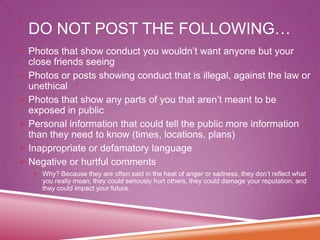
DO NOT POST THE FOLLOWING…
 Photos that show conduct you wouldn’t want anyone but your

close friends seeing
 Photos or posts showing conduct that is illegal, against the law or
unethical
 Photos that show any parts of you that aren’t meant to be
exposed in public
 Personal information that could tell the public more information
than they need to know (times, locations, plans)
 Inappropriate or defamatory language
 Negative or hurtful comments
 Why? Because they are often said in the heat of anger or sadness, they don’t reflect what

you really mean, they could seriously hurt others, they could damage your reputation, and
they could impact your future.
RULE OF THUMB…
If you wouldn’t post it on a

BILLBOARD for your
GRANDMOTHER to see, DON’T post
it online!
The Internet (and friends and future
colleagues and admissions counselors
and bosses) have very long memories.
NOTHING is really private on social
media. Your Digital Footprint stays with
you FOREVER.
AND REMEMBER…
Sometimes it is just best to TURN

IT OFF rather than post anything at
all.
If your mind isn’t in the right space,
don’t post anything (you may regret
what you post later, and then it’s
already out there).
POTENTIAL CONSEQUENCES…
Physical harm
to yourself or someone else

Loss of job
Impact on reputation
Loss of friends
Loss of university acceptance
Criminal investigations
Step
5
Create a Family Social Media
Agreement
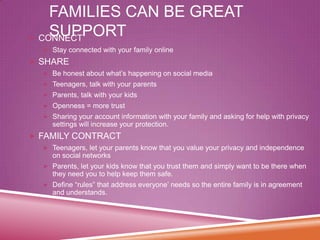
FAMILIES CAN BE GREAT
SUPPORT
 CONNECT
 Stay connected with your family online

 SHARE
 Be honest about what’s happening on social media
 Teenagers, talk with your parents
 Parents, talk with your kids
 Openness = more trust
 Sharing your account information with your family and asking for help with privacy

settings will increase your protection.

 FAMILY CONTRACT
 Teenagers, let your parents know that you value your privacy and independence

on social networks
 Parents, let your kids know that you trust them and simply want to be there when

they need you to help keep them safe.
 Define “rules” that address everyone’ needs so the entire family is in agreement

and understands.
Go Forth, Have Fun…
And STAY
PROTECTED!

Step
6

How to Protect Yourself and Your Famlily on Social Media

  • 1.
    HOW TO PROTECT YOURSELFON SOCIAL MEDIA
  • 2.
  • 3.
    FACEBOOK  MUST SETPERSONAL PRIVACY SETTINGS  “Public” Setting – visible to EVERYONE  Max audience for under 18 – “Friends of Friends”  Still a pretty big group, don’t you think???  You can choose only friends  Even if people aren’t logged into Facebook, you are visible by default  Mobile requires different settings management  You can  Block people  Review tags  Location is optional.  https://www.facebook.com/help/445588775451827 https://www.facebook.com/safety
  • 4.
    TWITTER  YOUR TWEETSARE PUBLIC. PERIOD.  You can, however…  Block  Require to approve followers  Location is optional.  https://twitter.com/privacy
  • 5.
    INSTAGRAM  Photos arepublic by default.  Option to make photos private only to your followers.  Posting to Facebook is optional.  When you cancel your account, Instagram keeps your photos for “a commercially reasonable time for backup, archival, and/or audit purposes.”  Anyone can follow public profiles  Option to approve followers  http://instagram.com/about/legal/privacy/
  • 6.
    SNAPCHAT  Messages goonly to friends you sent them to  (Of course quick screenshots are always a possibility)  Snapchat does not review content  Content is deleted immediately after with no permanent record of it.  Can set to only receive messages from approved friends  Profile is visible to others, including HISCORE and friends list  Can block and/or delete users  http://www.snapchat.com/static_files/parents.pdf
  • 7.
    PINTEREST  Boards andpins are public by default  Can create “secret” boards for specific individuals to share  Copies of content that has been repinned by others will remain even after you delete your account.  Pinterest archived copies of your information.  http://about.pinterest.com/privacy/
  • 8.
  • 9.
    PRIVACY  LOCATIONS -Turn Off  PASSWORDS  Make it hard to guess  Don’t share it  Consider changing it every 6 months (Keep a record)  Don’t use the same one for everything  NICKNAME - Consider using a nickname whenever possible  CONTACT INFORMATION  Don’t share it – your friends will have your phone number, they don’t need to find it on social networks.  Never put your address  Use a special EMAIL just for social networks that does not have your name in it.  COOKIES – Delete regularly  ACCOUNT SEPARATION - Consider not linking social networks together
  • 10.
  • 11.
    TRUE FRIENDS ONLY YOU DON’T HAVE TO CONNECT WITH EVERYONE!!  ONLY CONNECT WITH PEOPLE YOU WANT TO CONNECT WITH!  REMEMBER THAT IN MANY CASES YOU HAVE THE ABILITY TO:  BLOCK  UNFRIEND  REPORT  KEEP PROFILE PRIVATE  MAKE PROFILE UNSEARCHABLE DO WHAT’S RIGHT FOR YOU!
  • 12.
  • 13.
    DO NOT POSTTHE FOLLOWING…  Photos that show conduct you wouldn’t want anyone but your close friends seeing  Photos or posts showing conduct that is illegal, against the law or unethical  Photos that show any parts of you that aren’t meant to be exposed in public  Personal information that could tell the public more information than they need to know (times, locations, plans)  Inappropriate or defamatory language  Negative or hurtful comments  Why? Because they are often said in the heat of anger or sadness, they don’t reflect what you really mean, they could seriously hurt others, they could damage your reputation, and they could impact your future.
  • 14.
    RULE OF THUMB… Ifyou wouldn’t post it on a BILLBOARD for your GRANDMOTHER to see, DON’T post it online! The Internet (and friends and future colleagues and admissions counselors and bosses) have very long memories. NOTHING is really private on social media. Your Digital Footprint stays with you FOREVER.
  • 15.
    AND REMEMBER… Sometimes itis just best to TURN IT OFF rather than post anything at all. If your mind isn’t in the right space, don’t post anything (you may regret what you post later, and then it’s already out there).
  • 16.
    POTENTIAL CONSEQUENCES… Physical harm toyourself or someone else Loss of job Impact on reputation Loss of friends Loss of university acceptance Criminal investigations
  • 17.
    Step 5 Create a FamilySocial Media Agreement
  • 18.
    FAMILIES CAN BEGREAT SUPPORT  CONNECT  Stay connected with your family online  SHARE  Be honest about what’s happening on social media  Teenagers, talk with your parents  Parents, talk with your kids  Openness = more trust  Sharing your account information with your family and asking for help with privacy settings will increase your protection.  FAMILY CONTRACT  Teenagers, let your parents know that you value your privacy and independence on social networks  Parents, let your kids know that you trust them and simply want to be there when they need you to help keep them safe.  Define “rules” that address everyone’ needs so the entire family is in agreement and understands.
  • 19.
    Go Forth, HaveFun… And STAY PROTECTED! Step 6