Social Media Real ways to engage with your customers … .in 10 minutes a day………….
Social Media – Don’t get it? Making the shift from  Selling to helping people buy
Need convincing? http://www.youtube.com/watch?v=sIFYPQjYhv8&feature=player_embedded
What is social media? About making connections with real people  Creating conversations Participating Massive, huge, big….
What social media isn’t Quick sure-fire way to more sales Effortless, but it is easy Shouting…..Don’t go to a party and just talk about what you do ‘ Social’ part of social media
 
 
Real Social Media Strategy Introduction to Blogs Facebook Twitter Integration Promoting your hard work
Inspiration


Inspiration…… www.thinkgeek.com –  Let’s visit the website 3 million unique visitors a month Social media,  68,000 followers on Twitter 50,000 fans on Facebook 11,000 subscribers to their channel on YouTube,  demonstrating items proximity-meter t-shirts  fake-blood-filled, gummy heart for Valentine’s Day
So what do they do so well? Engage, don’t sell  customer retention, not customer acquisition Speak their customers’ language(s) posted an update on their wall — in BINARY CODE Be human “ Operation Guillaume” Allow their customers to express themselves product features customer “action shots” showing the product in use. “ Techie Haiku” video contest for owners of ThinkGeek’s Electronic Guitar Shirt
Unashamedly meet their audience’s needs
Social Media media
Blogs Facebook Twitter
Blogs
Blogs Online journal Blogs help to build your reputation As well as getting links to your site
A thousand words – all about images… not about kodak products
Great blog on crafting


Setting up a Blog On your website or off? On for content Off for in-bound links
WordPress, Blogger Sign up, choose your title wisely http://yourtitle.wordpress.com Choose your theme
Try Wordpress
Just start writing Delete or edit your posts Just have a go in isolation Use your ‘inspiration’ mentor
What to use your blog for Retention Customer updates Product enhancements Customer feedback, interviews Funny stories
 
Sales Keyword rich content The secret of great weddings Top tips for choosing your wedding venue Things you never knew about organising a wedding Safety and risk of wedding planning Part 1 part 2 part 3 part 4
Sales type of blog
How often? Once a week is good Plan the next 4 weeks in one go Write it in your diary
Content Creation ‘ What am I going to write about today, and tomorrow and next week?!’ Customer interviews Photos of team out and about Short video clips Uploads Special offers Events Review related products
Content - recycling ‘ I don’t have time. I can’t write. I hate writing.’ Rewrite for an external audience employee manual/instructions procedures or instructions for your staff: How to assemble the Widget 9000, Quality control for manufacturing Do’s and don’ts when working with clients
How to recycle Why readers would care about it? Internal copy… Make sure the front wheel is tightened completely before you put the bicycle out on the floor. Rewritten / Recycled Version…… 20% of bicycle accidents happen because some part of the bike wasn’t properly installed. The front wheel is a common culprit, so make sure the front wheel is part of your pre-ride safety check.
How to get people to read? Rss feeds to your website Rss feeds to news feeds Keyword rich – search engine, narrow phrases Interesting content Link from forums, other blogs,
Two way conversation Research other blogs related to your business Learn from them, comment Ask them to link to you Ask them to review you Google - Blog
 
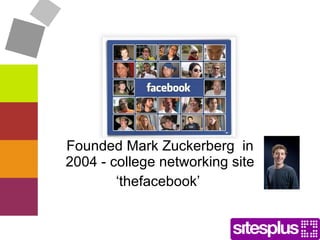
Facebook Founded Mark Zuckerberg  in 2004 - college networking site ‘ thefacebook’
Facebook Facts… 400 Million Global Users Third-largest country in the world 55 minutes every day on Facebook Average Facebook User  Has 130 Friends   Fans 2 Pages per Month
What can you do Post news Email friends Chat Upload photos, share links Create events Read friends’ news and comment, like or share
How to use it for business? Helps change customers into ‘advocates’ Share your news, events, promotions with your ‘fans’ Allow fans to interact
Group Vs Page Groups Common cause, express opinions Can adjust security settings Send out messages to the whole group inbox Wall posts include your contact details Members can share with one another from the group and  any group member can also send bulk invites to the friends of his  – viral marketing Anyone can set up a group
 
Page Fan Page Only set up if you own the brand News feeds    Fans Status updates Fan pages are visible to everyone in FB, can be searched AND are indexed – no privacy setting Separate personal and business FB
 
News feed
Any brands you like?
Create a page for your business http://www.facebook.com/pages/create.php
 
Create a page, don’t publish it yet.
Advertise on Facebook
Twitter Power Tweets, Twitterings,  Twitterers
 
Twitter … . ‘What are you doing now?’ 140 characters – micro blogging Every post is called a ‘Tweet’ Aim of twitter Build Relationships No rich media content to support it
Communication tool Sends your updates to people who want to receive them People follow you, you follow them, their posts appear in your home page
Headline successes Past successes include Red cross – text to twitter in remote locations Mumbai bombings Arrested - Freed
How do people use Twitter? http://www.inc.com/ss/8-types-people-belong-twitter
Business context Brand Extension  Customer service Promotional Promote yourself as an expert
 
What can you use Twitter for? 1. Searching  Type in anything into twitter search Question Ideas for writing Something you know a lot about
 
What can you use Twitter for? 2. Follow  People you know – click on ‘find people’, look at suggestions, email import and browse People you don’t know – experts, famous people, establishments


What can you use Twitter for?  3. Reply and Retweet
What can you use Twitter for?  4. Telling people what you are doing…. Assert your knowledge Create a human face Just for fun Conference, event during the event
How to build a following Use search to look for top 10 experts in your industry look at how many followers they have See how often they post Follow
What then happens? Sometimes, follow you back automatically… Read their tweets Reply to a tweet - people will see you are replying to an expert – see you have something to contribute If they reply….
Then? Send them a personal message – if you have a special request, point to something he might find useful Remember to share, give more that you take
 
How to sign up http://twitter.com Click 'Sign up now’ Enter your full name  a username * be careful password and email address. Click 'Create my account’ Start tweeting!
Username - searchable Your username is important Your name – no long names or numbers  Your website url Or your product Or type of service you are in twitter.com/SitesPlus twitter.com/billgates
Steps 2,3&4 Ignore them. You have nothing to give them at the moment Search your hotmail etc contacts Following anyone in your address book Send a request to everyone you know that isn’t on twitter to set up an account
Step 6 Ignore, click on Settings Profile - More info URL… could be changed if you’re running a promotion
Your bio 160 characters ‘ professional desc1, professional desc 2, and professional desc 3 who likes to personal desc 1 ‘  Wedding photographer and portrait pro who likes to photograph his family at embarrassing moments’
Remember to keep changing Bio, can change to reflect your location or current project Tweets are at the moment, bios can be longer time frame
Design
 
Want to do your own? www.twitback.com Download a template www.box.net/shared/lgw2pz4gso
Promoting your social media
Promote your social media Link on your website  Updates on your website Facebook Fan Box https://twitter.com/badges Author Bio section on articles/blog  Email newsletters  Other social media profiles  Google Profile (Buzz)  
Business Cards Email Signatures, thank you emails  Advertisements Offer freebies to followers – in your bio (Twitter) or in your description (Facebook)
 
Integration – 10 minutes a day Blogs    Twitter SlideShare    LinkedIn LinkedIn profile    Facebook Facebook    Twitter Blog   E-newsletters    Twitter    website feed Twitter sidebar link to facebook/LinkedIn
Strategy ‘ the technology here is not the problem, that’s easy, it’s  how  you are going to use it’
Strategy –  What’s the Point? What’s your primary reason? Sales or Loyalty? 2. What’s your relationship with your audience?
Strategy 3. How does your audience use Social media? 4. What does your audience know about you today? Nothing, Aware of you, but never acted, Acted once, Repeat actions/enthusiasts, Advocate
Strategy cont.. 5. How will you be human? Get the emotional connection? Share the things you ‘love’ Give the human element Don’t preach, or teach Make it fun! Test your products/services, do videos of them
Strategy cont.. 6. What social media strategies will you use? Twitter, Facebook, Blog, Flickr, LinkedIn 7. How will you measure success? Qualititive and quantitive measures referrals in Analytics
But my product is boring… … Inspiration mentor… Cushions – Cath Kidston Holidays – Alpine Elements Coffee shop -  Costa Coffee Charity – Action Aid, Café Direct Technology - O2 (Orange is rubbish) Product selling – Graze Let’s look at a few
Summary Social media is as much about listening, supporting and helping As it is about talking Decide your strategy and give it 6 months Enjoy it!
Questions

Social Media Workshop

  • 1.
    Social Media Realways to engage with your customers … .in 10 minutes a day………….
  • 2.
    Social Media –Don’t get it? Making the shift from Selling to helping people buy
  • 3.
  • 4.
    What is socialmedia? About making connections with real people Creating conversations Participating Massive, huge, big….
  • 5.
    What social mediaisn’t Quick sure-fire way to more sales Effortless, but it is easy Shouting…..Don’t go to a party and just talk about what you do ‘ Social’ part of social media
  • 6.
  • 7.
  • 8.
    Real Social MediaStrategy Introduction to Blogs Facebook Twitter Integration Promoting your hard work
  • 9.
  • 10.
  • 11.
  • 12.
  • 13.
    Inspiration…… www.thinkgeek.com – Let’s visit the website 3 million unique visitors a month Social media, 68,000 followers on Twitter 50,000 fans on Facebook 11,000 subscribers to their channel on YouTube, demonstrating items proximity-meter t-shirts fake-blood-filled, gummy heart for Valentine’s Day
  • 14.
    So what dothey do so well? Engage, don’t sell customer retention, not customer acquisition Speak their customers’ language(s) posted an update on their wall — in BINARY CODE Be human “ Operation Guillaume” Allow their customers to express themselves product features customer “action shots” showing the product in use. “ Techie Haiku” video contest for owners of ThinkGeek’s Electronic Guitar Shirt
  • 15.
    Unashamedly meet theiraudience’s needs
  • 16.
  • 17.
  • 18.
  • 19.
    Blogs Online journalBlogs help to build your reputation As well as getting links to your site
  • 20.
    A thousand words– all about images… not about kodak products
  • 21.
    Great blog oncrafting
  • 22.
  • 23.
  • 24.
  • 25.
  • 26.
    Setting up aBlog On your website or off? On for content Off for in-bound links
  • 27.
    WordPress, Blogger Signup, choose your title wisely http://yourtitle.wordpress.com Choose your theme
  • 28.
  • 29.
    Just start writingDelete or edit your posts Just have a go in isolation Use your ‘inspiration’ mentor
  • 30.
    What to useyour blog for Retention Customer updates Product enhancements Customer feedback, interviews Funny stories
  • 31.
  • 32.
    Sales Keyword richcontent The secret of great weddings Top tips for choosing your wedding venue Things you never knew about organising a wedding Safety and risk of wedding planning Part 1 part 2 part 3 part 4
  • 33.
  • 34.
    How often? Oncea week is good Plan the next 4 weeks in one go Write it in your diary
  • 35.
    Content Creation ‘What am I going to write about today, and tomorrow and next week?!’ Customer interviews Photos of team out and about Short video clips Uploads Special offers Events Review related products
  • 36.
    Content - recycling‘ I don’t have time. I can’t write. I hate writing.’ Rewrite for an external audience employee manual/instructions procedures or instructions for your staff: How to assemble the Widget 9000, Quality control for manufacturing Do’s and don’ts when working with clients
  • 37.
    How to recycleWhy readers would care about it? Internal copy… Make sure the front wheel is tightened completely before you put the bicycle out on the floor. Rewritten / Recycled Version…… 20% of bicycle accidents happen because some part of the bike wasn’t properly installed. The front wheel is a common culprit, so make sure the front wheel is part of your pre-ride safety check.
  • 38.
    How to getpeople to read? Rss feeds to your website Rss feeds to news feeds Keyword rich – search engine, narrow phrases Interesting content Link from forums, other blogs,
  • 39.
    Two way conversationResearch other blogs related to your business Learn from them, comment Ask them to link to you Ask them to review you Google - Blog
  • 40.
  • 41.
    Facebook Founded MarkZuckerberg in 2004 - college networking site ‘ thefacebook’
  • 42.
    Facebook Facts… 400Million Global Users Third-largest country in the world 55 minutes every day on Facebook Average Facebook User Has 130 Friends Fans 2 Pages per Month
  • 43.
    What can youdo Post news Email friends Chat Upload photos, share links Create events Read friends’ news and comment, like or share
  • 44.
    How to useit for business? Helps change customers into ‘advocates’ Share your news, events, promotions with your ‘fans’ Allow fans to interact
  • 45.
    Group Vs PageGroups Common cause, express opinions Can adjust security settings Send out messages to the whole group inbox Wall posts include your contact details Members can share with one another from the group and any group member can also send bulk invites to the friends of his – viral marketing Anyone can set up a group
  • 46.
  • 47.
    Page Fan PageOnly set up if you own the brand News feeds  Fans Status updates Fan pages are visible to everyone in FB, can be searched AND are indexed – no privacy setting Separate personal and business FB
  • 48.
  • 49.
  • 50.
  • 51.
    Create a pagefor your business http://www.facebook.com/pages/create.php
  • 52.
  • 53.
    Create a page,don’t publish it yet.
  • 54.
  • 55.
    Twitter Power Tweets,Twitterings, Twitterers
  • 56.
  • 57.
    Twitter … .‘What are you doing now?’ 140 characters – micro blogging Every post is called a ‘Tweet’ Aim of twitter Build Relationships No rich media content to support it
  • 58.
    Communication tool Sendsyour updates to people who want to receive them People follow you, you follow them, their posts appear in your home page
  • 59.
    Headline successes Pastsuccesses include Red cross – text to twitter in remote locations Mumbai bombings Arrested - Freed
  • 60.
    How do peopleuse Twitter? http://www.inc.com/ss/8-types-people-belong-twitter
  • 61.
    Business context BrandExtension Customer service Promotional Promote yourself as an expert
  • 62.
  • 63.
    What can youuse Twitter for? 1. Searching Type in anything into twitter search Question Ideas for writing Something you know a lot about
  • 64.
  • 65.
    What can youuse Twitter for? 2. Follow People you know – click on ‘find people’, look at suggestions, email import and browse People you don’t know – experts, famous people, establishments
  • 66.
  • 67.
  • 68.
  • 69.
    What can youuse Twitter for? 3. Reply and Retweet
  • 70.
    What can youuse Twitter for? 4. Telling people what you are doing…. Assert your knowledge Create a human face Just for fun Conference, event during the event
  • 71.
    How to builda following Use search to look for top 10 experts in your industry look at how many followers they have See how often they post Follow
  • 72.
    What then happens?Sometimes, follow you back automatically… Read their tweets Reply to a tweet - people will see you are replying to an expert – see you have something to contribute If they reply….
  • 73.
    Then? Send thema personal message – if you have a special request, point to something he might find useful Remember to share, give more that you take
  • 74.
  • 75.
    How to signup http://twitter.com Click 'Sign up now’ Enter your full name a username * be careful password and email address. Click 'Create my account’ Start tweeting!
  • 76.
    Username - searchableYour username is important Your name – no long names or numbers Your website url Or your product Or type of service you are in twitter.com/SitesPlus twitter.com/billgates
  • 77.
    Steps 2,3&4 Ignorethem. You have nothing to give them at the moment Search your hotmail etc contacts Following anyone in your address book Send a request to everyone you know that isn’t on twitter to set up an account
  • 78.
    Step 6 Ignore,click on Settings Profile - More info URL… could be changed if you’re running a promotion
  • 79.
    Your bio 160characters ‘ professional desc1, professional desc 2, and professional desc 3 who likes to personal desc 1 ‘ Wedding photographer and portrait pro who likes to photograph his family at embarrassing moments’
  • 80.
    Remember to keepchanging Bio, can change to reflect your location or current project Tweets are at the moment, bios can be longer time frame
  • 81.
  • 82.
  • 83.
    Want to doyour own? www.twitback.com Download a template www.box.net/shared/lgw2pz4gso
  • 84.
  • 85.
    Promote your socialmedia Link on your website Updates on your website Facebook Fan Box https://twitter.com/badges Author Bio section on articles/blog Email newsletters Other social media profiles Google Profile (Buzz)  
  • 86.
    Business Cards EmailSignatures, thank you emails Advertisements Offer freebies to followers – in your bio (Twitter) or in your description (Facebook)
  • 87.
  • 88.
    Integration – 10minutes a day Blogs  Twitter SlideShare  LinkedIn LinkedIn profile  Facebook Facebook  Twitter Blog  E-newsletters  Twitter  website feed Twitter sidebar link to facebook/LinkedIn
  • 89.
    Strategy ‘ thetechnology here is not the problem, that’s easy, it’s how you are going to use it’
  • 90.
    Strategy – What’s the Point? What’s your primary reason? Sales or Loyalty? 2. What’s your relationship with your audience?
  • 91.
    Strategy 3. Howdoes your audience use Social media? 4. What does your audience know about you today? Nothing, Aware of you, but never acted, Acted once, Repeat actions/enthusiasts, Advocate
  • 92.
    Strategy cont.. 5.How will you be human? Get the emotional connection? Share the things you ‘love’ Give the human element Don’t preach, or teach Make it fun! Test your products/services, do videos of them
  • 93.
    Strategy cont.. 6.What social media strategies will you use? Twitter, Facebook, Blog, Flickr, LinkedIn 7. How will you measure success? Qualititive and quantitive measures referrals in Analytics
  • 94.
    But my productis boring… … Inspiration mentor… Cushions – Cath Kidston Holidays – Alpine Elements Coffee shop - Costa Coffee Charity – Action Aid, Café Direct Technology - O2 (Orange is rubbish) Product selling – Graze Let’s look at a few
  • 95.
    Summary Social mediais as much about listening, supporting and helping As it is about talking Decide your strategy and give it 6 months Enjoy it!
  • 96.