sysco.no
Administration of SOA Suite – a few tips
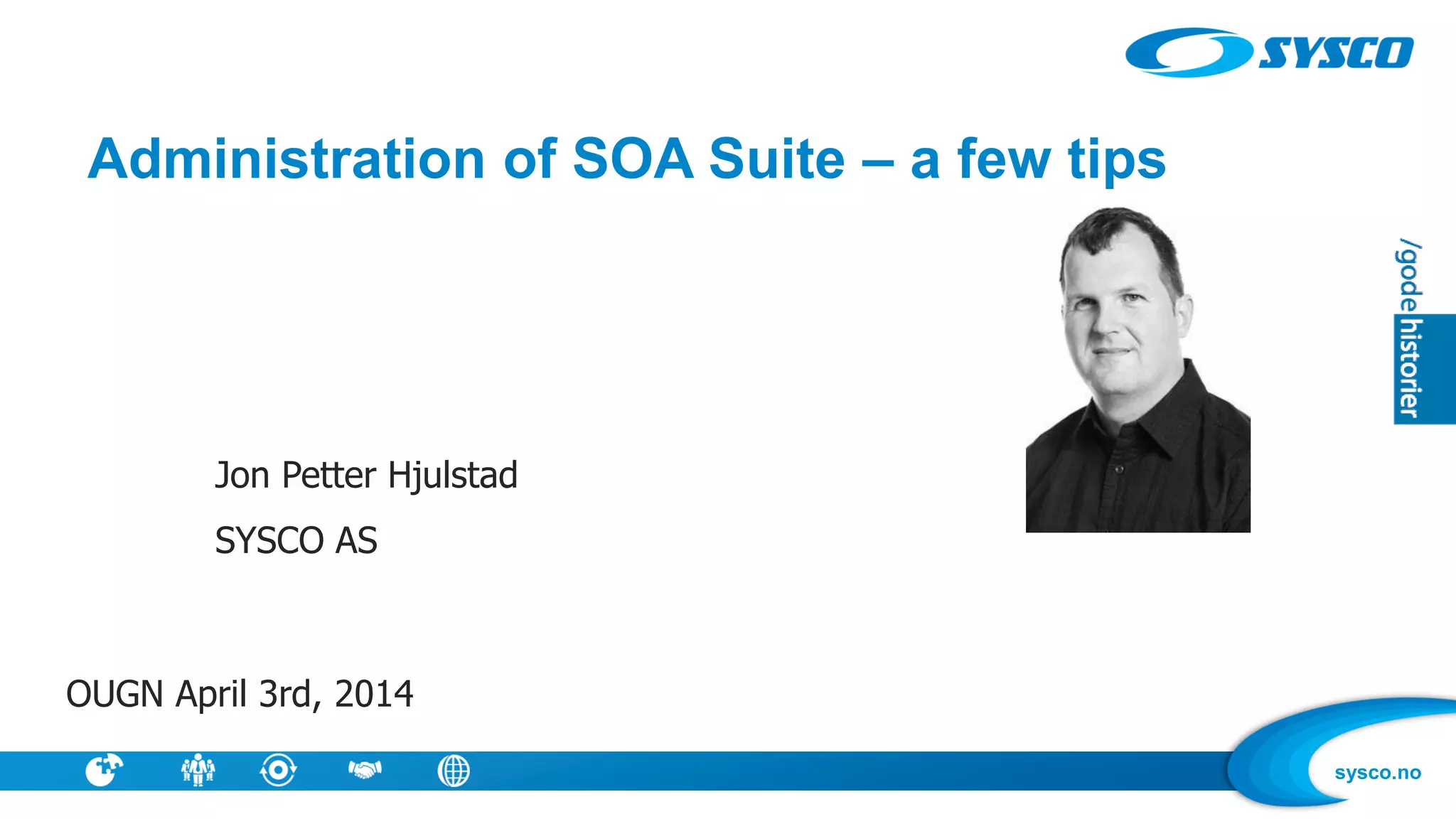
Jon Petter Hjulstad
SYSCO AS
OUGN April 3rd, 2014
sysco.no
Information about me
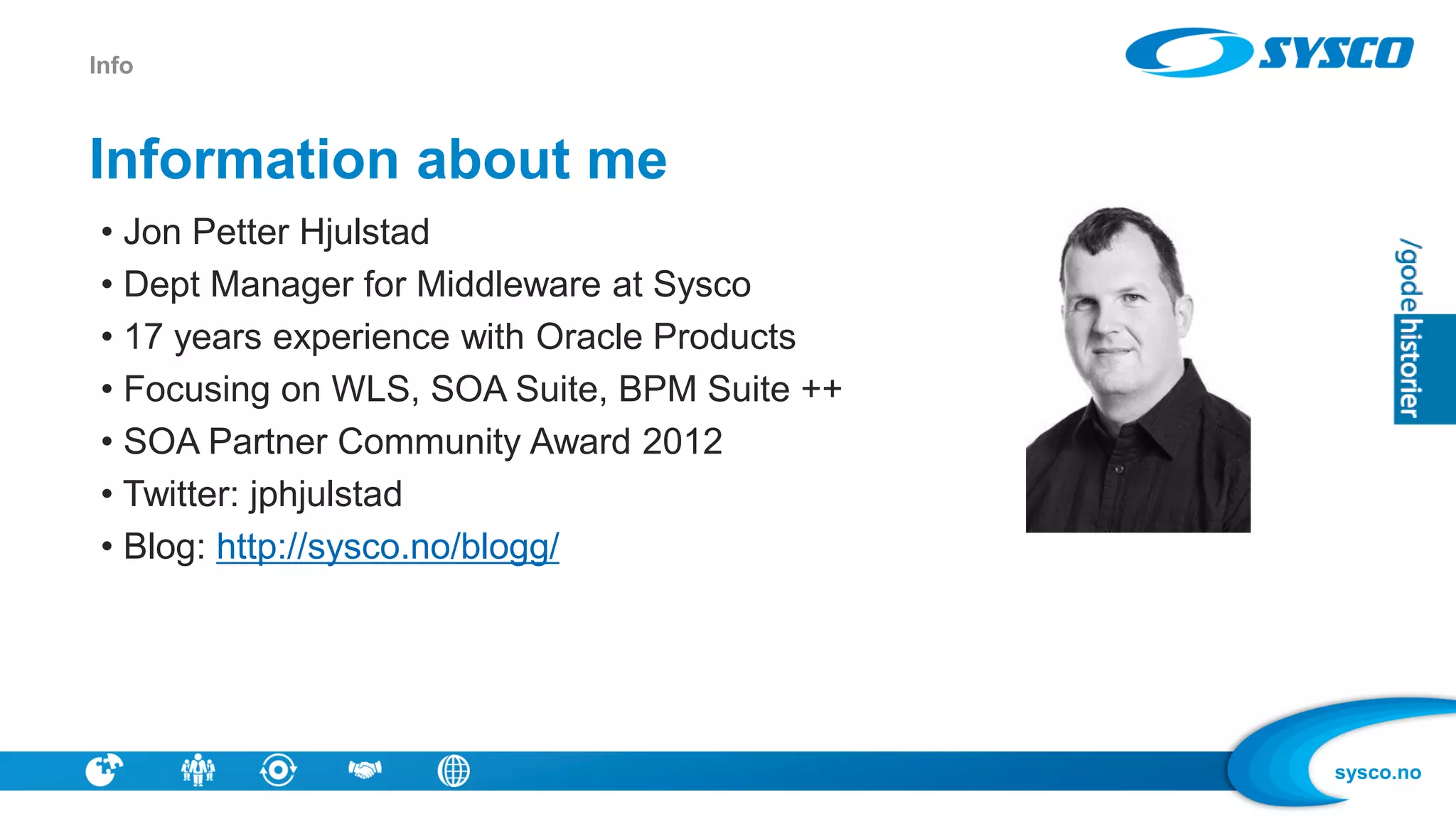
• Jon Petter Hjulstad
• Dept Manager for Middleware at Sysco
• 17 years experience with Oracle Products
• Focusing on WLS, SOA Suite, BPM Suite ++
• SOA Partner Community Award 2012
• Twitter: jphjulstad
• Blog: http://sysco.no/blogg/
Info
sysco.no
Information about SYSCO
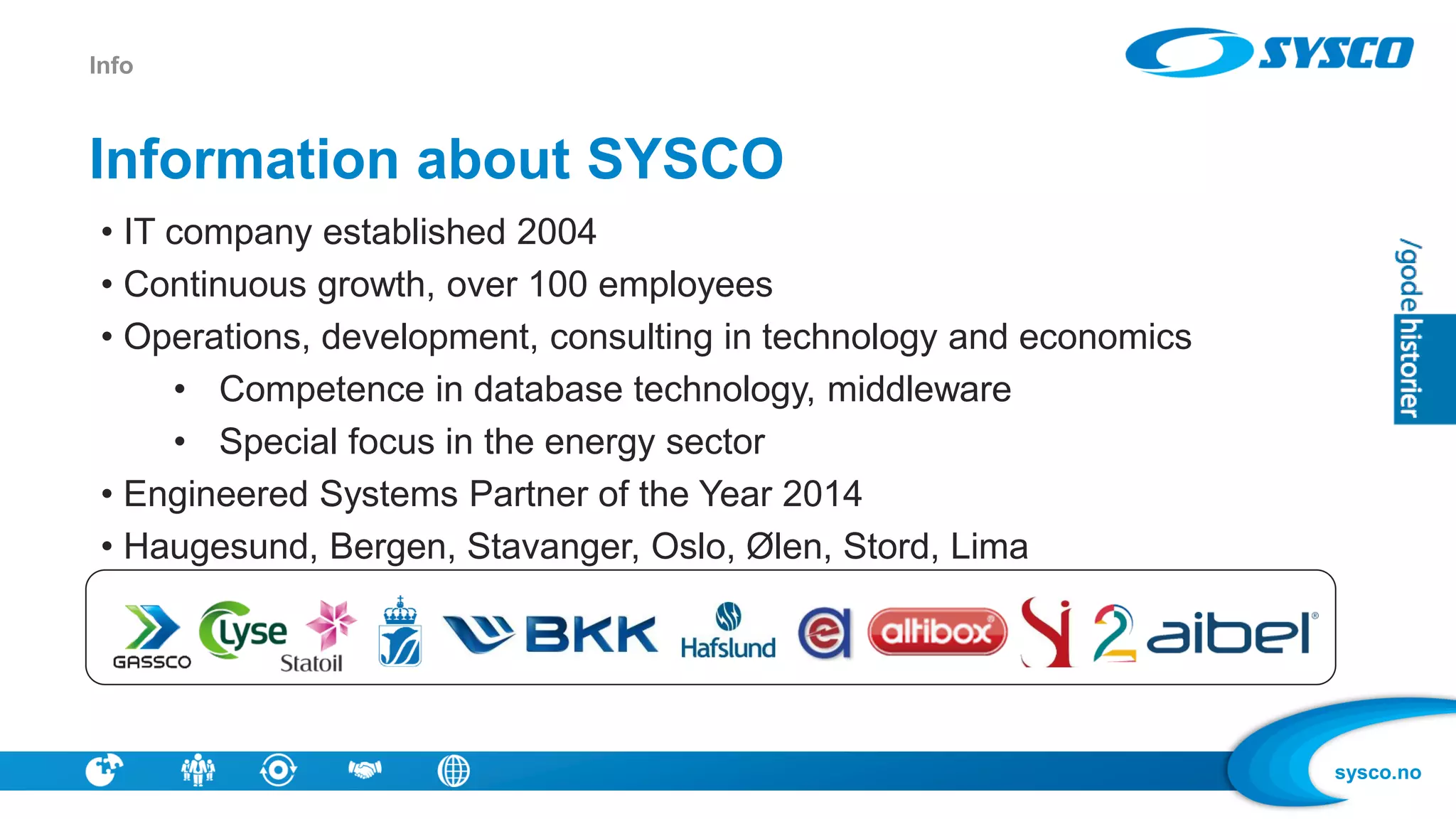
• IT company established 2004
• Continuous growth, over 100 employees
• Operations, development, consulting in technology and economics
• Competence in database technology, middleware
• Special focus in the energy sector
• Engineered Systems Partner of the Year 2014
• Haugesund, Bergen, Stavanger, Oslo, Ølen, Stord, Lima
Info
sysco.no
SYSCO Middleware
Info
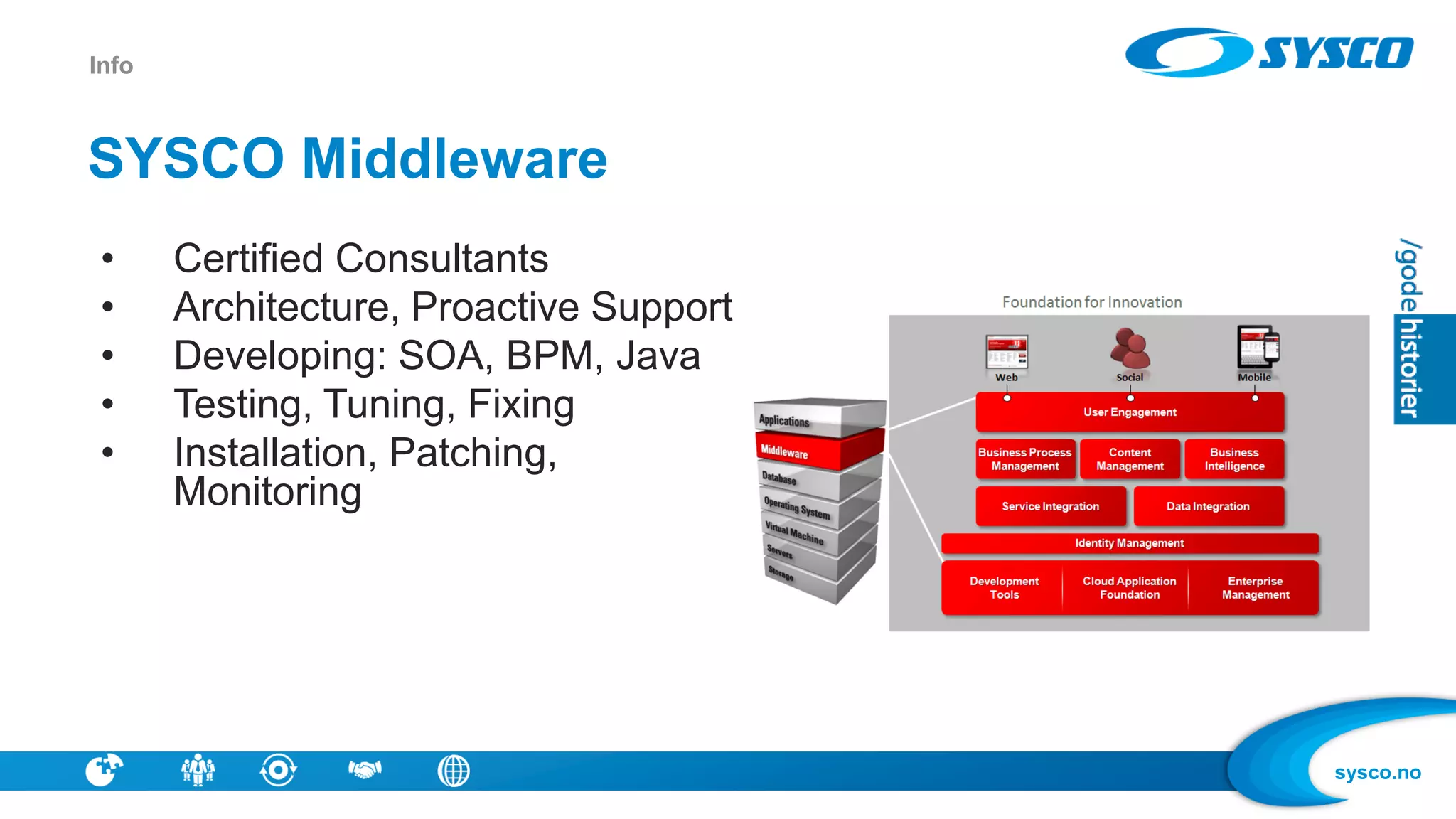
• Certified Consultants
• Architecture, Proactive Support
• Developing: SOA, BPM, Java
• Testing, Tuning, Fixing
• Installation, Patching,
Monitoring
sysco.no
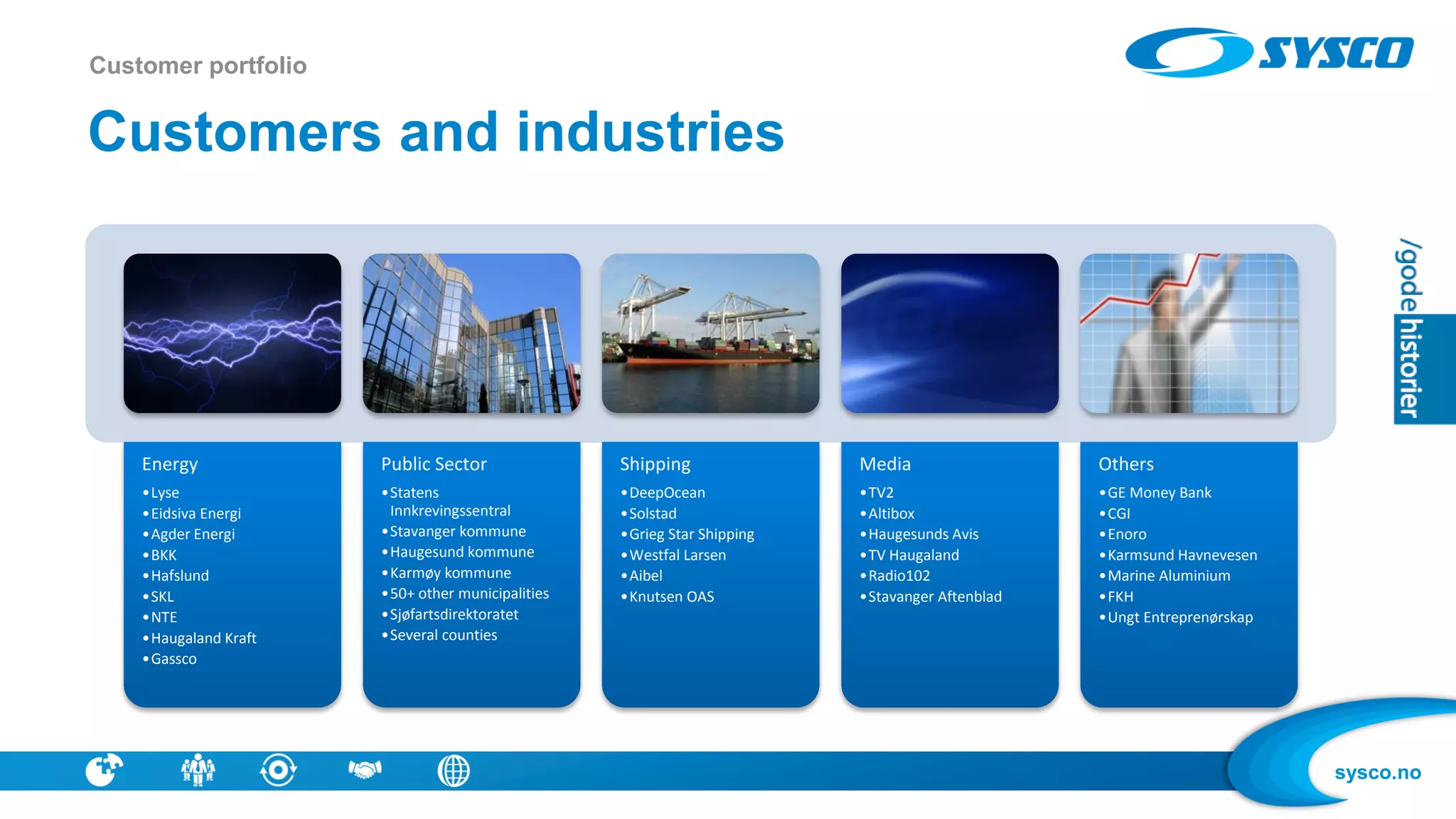
Energy
•Lyse
•Eidsiva Energi
•Agder Energi
•BKK
•Hafslund
•SKL
•NTE
•Haugaland Kraft
•Gassco
Public Sector
•Statens
Innkrevingssentral
•Stavanger kommune
•Haugesund kommune
•Karmøy kommune
•50+ other municipalities
•Sjøfartsdirektoratet
•Several counties
Shipping
•DeepOcean
•Solstad
•Grieg Star Shipping
•Westfal Larsen
•Aibel
•Knutsen OAS
Media
•TV2
•Altibox
•Haugesunds Avis
•TV Haugaland
•Radio102
•Stavanger Aftenblad
Others
•GE Money Bank
•CGI
•Enoro
•Karmsund Havnevesen
•Marine Aluminium
•FKH
•Ungt Entreprenørskap
Customers and industries
Customer portfolio
sysco.no
Overview
• Introduction
• Patching
• Monitoring / Health Check
• RDA
• Purging
• Tuning
sysco.no
What is SOA administration ?
• «Not Development»
– The way NoSQL is defined – «everything but SQL»
• You get a SOA installation, and some SOA apps – what now ?
• Keeping the wheels running - uptime
• Installing, provisioning, monitoring, tuning, checking logs, patching for security,
patching for bugs ..
• How do we make changes with low risk and without breaking SLA ?
• Are you ready ?
Introduction – SOA Administration
sysco.no
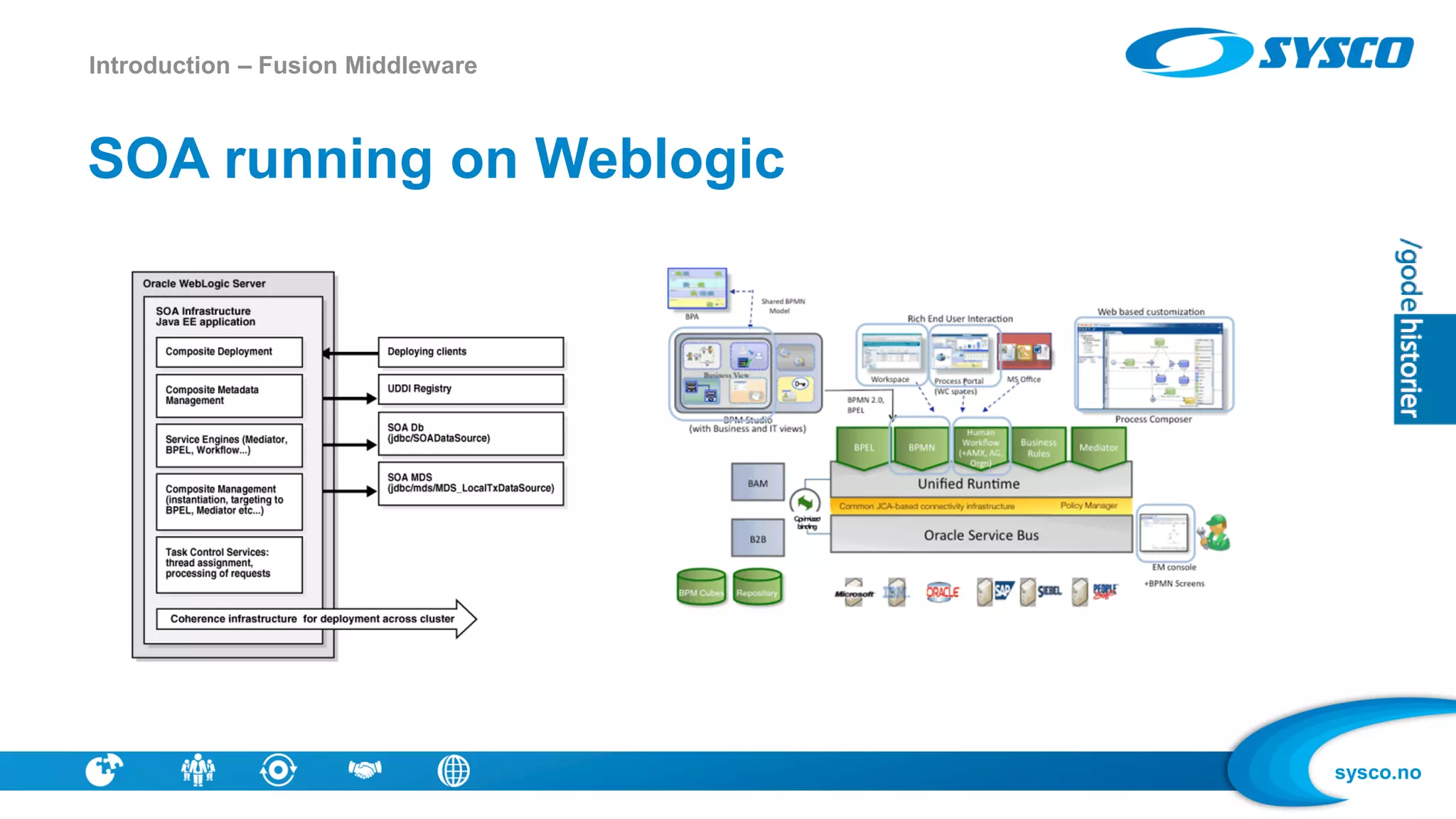
SOA running on Weblogic
Introduction – Fusion Middleware
sysco.no
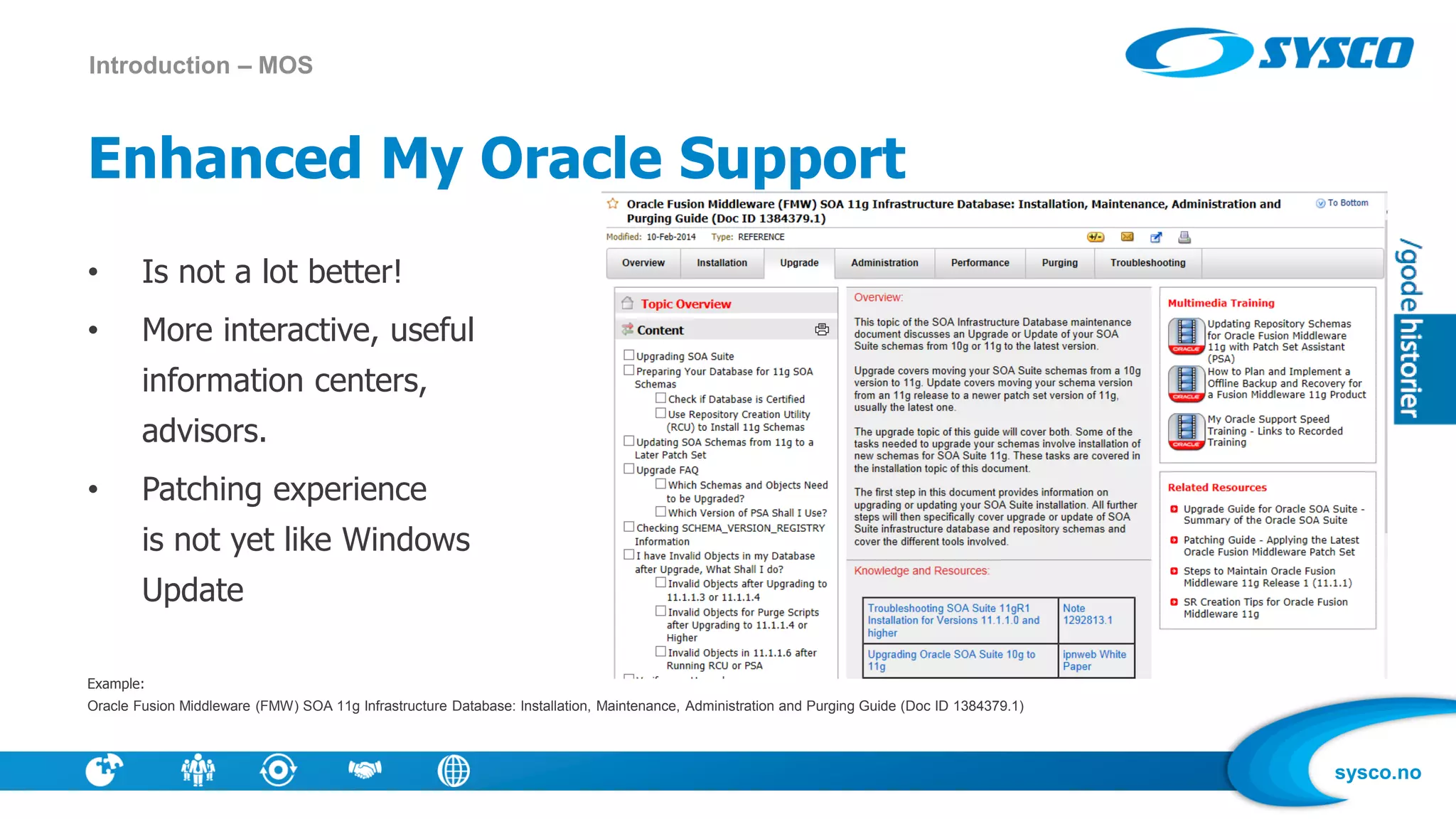
Enhanced My Oracle Support
• Is not a lot better!
• More interactive, useful
information centers,
advisors.
• Patching experience
is not yet like Windows
Update
Example:
Oracle Fusion Middleware (FMW) SOA 11g Infrastructure Database: Installation, Maintenance, Administration and Purging Guide (Doc ID 1384379.1)
Introduction – MOS
sysco.no
Why patch?
• Software is never without bugs
• Others may have experienced problems you have not seen yet
• Changes in load / type of applications may trigger new problems
• You may have problems that you have not yet discovered
• Why not patch: A patch may give other problems (Software is never without bugs)
Patch Management
sysco.no
How do we keep Software up to date?
• What Products ?
– WLS, JVM, SOA, OSB, DB
• New versions coming – 11.1.1.4, 11.1.1.5, ...
• Patch Bundles – SOA 11.1.1.7.1, 11.1.1.7.2
• CPU – Security focused Quarterly updates from Oracle
– Release dates known upfront
Patch Management
sysco.no
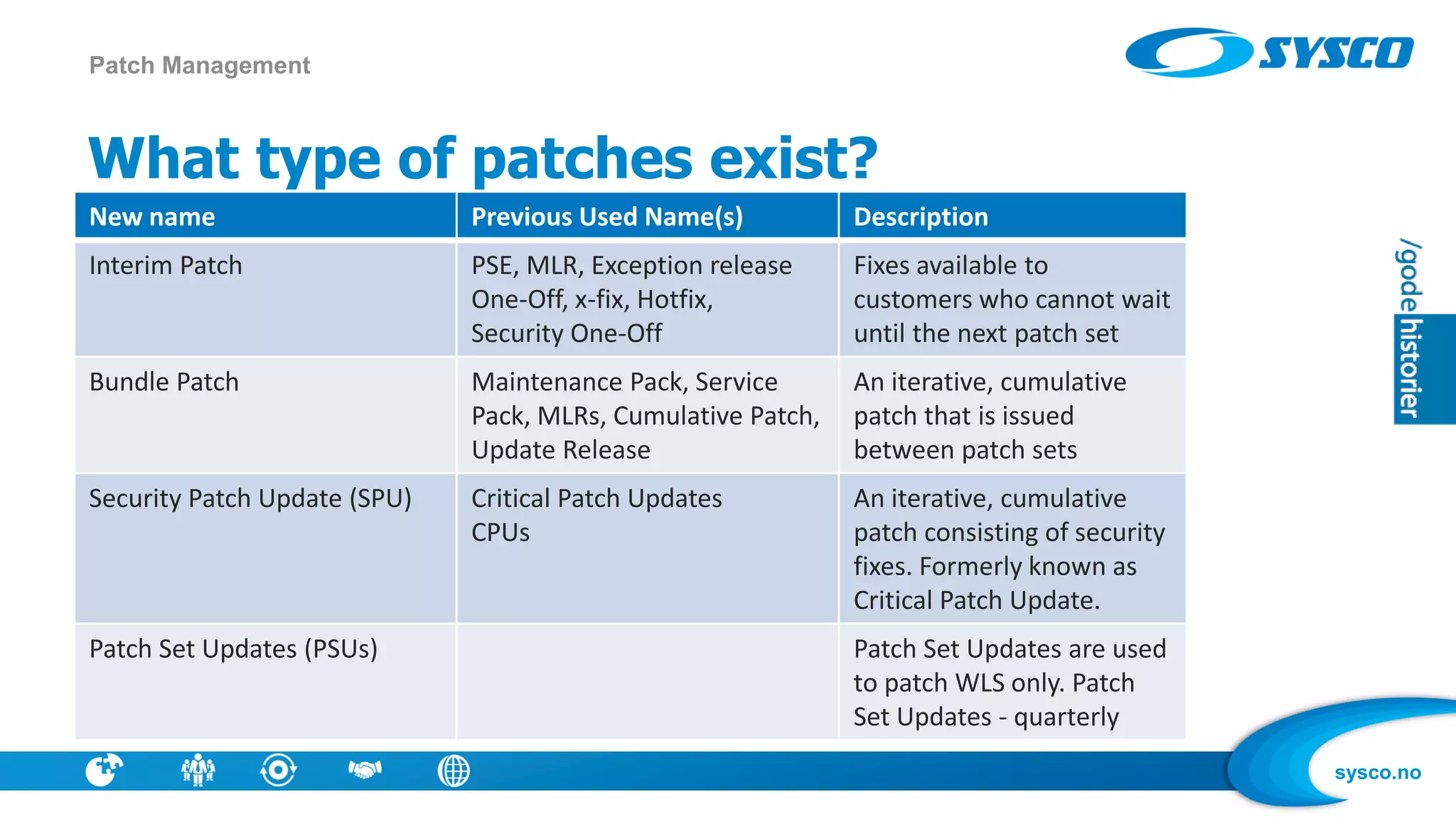
What type of patches exist?
New name Previous Used Name(s) Description
Interim Patch PSE, MLR, Exception release
One-Off, x-fix, Hotfix,
Security One-Off
Fixes available to
customers who cannot wait
until the next patch set
Bundle Patch Maintenance Pack, Service
Pack, MLRs, Cumulative Patch,
Update Release
An iterative, cumulative
patch that is issued
between patch sets
Security Patch Update (SPU) Critical Patch Updates
CPUs
An iterative, cumulative
patch consisting of security
fixes. Formerly known as
Critical Patch Update.
Patch Set Updates (PSUs) Patch Set Updates are used
to patch WLS only. Patch
Set Updates - quarterly
Patch Management
sysco.no
Should we keep SW up to date all the time?
• No! Upgrades cost
• Being the first may be a risk
– Being the last may also not be the best strategy
• Do we need new functionality ?
• Is security a strong consern ?
• Are your problems fixed in newer version?
• Is current version supported ?
Patch Management
sysco.no
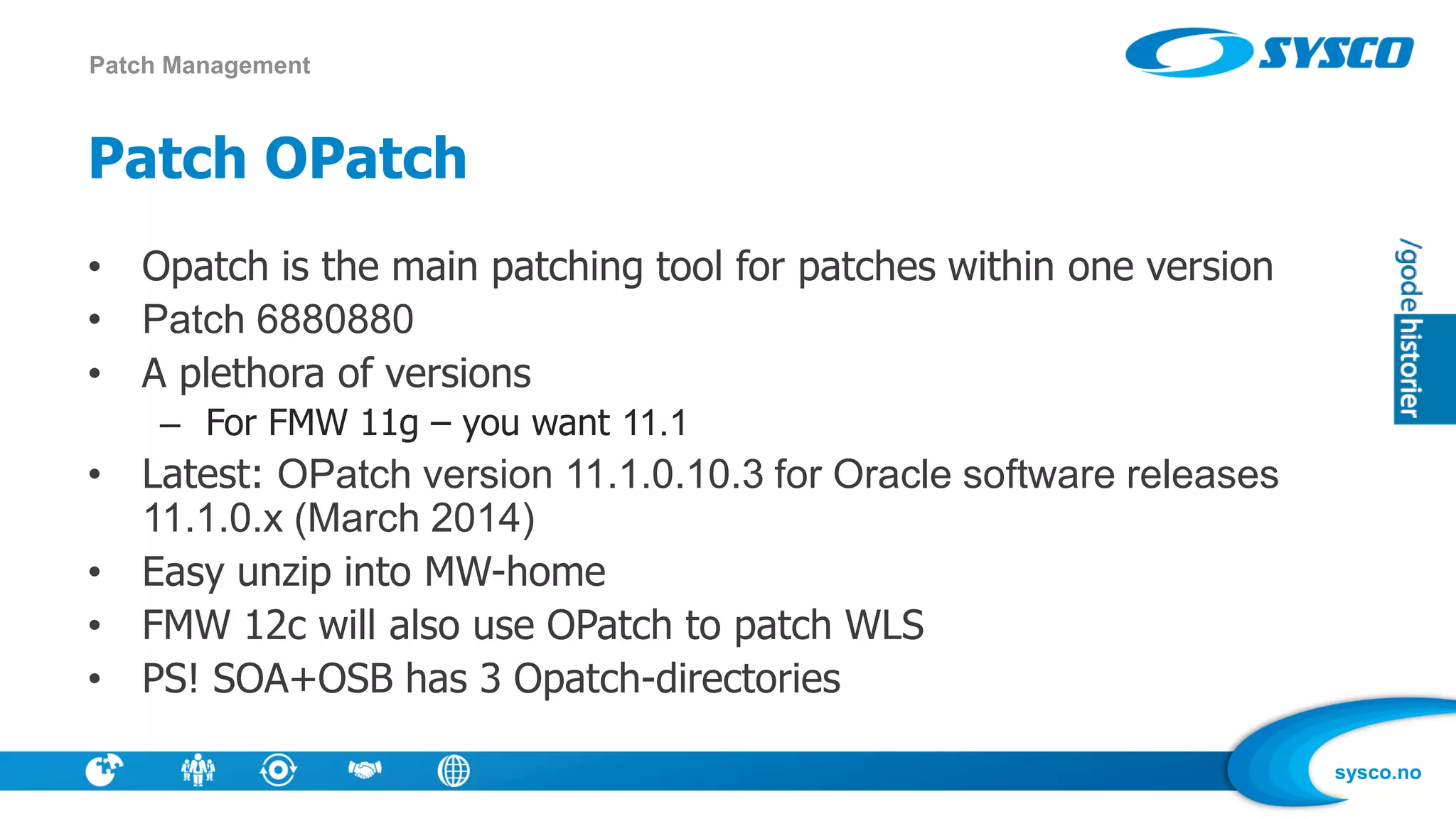
Patch OPatch
• Opatch is the main patching tool for patches within one version
• Patch 6880880
• A plethora of versions
– For FMW 11g – you want 11.1
• Latest: OPatch version 11.1.0.10.3 for Oracle software releases
11.1.0.x (March 2014)
• Easy unzip into MW-home
• FMW 12c will also use OPatch to patch WLS
• PS! SOA+OSB has 3 Opatch-directories
Patch Management
sysco.no
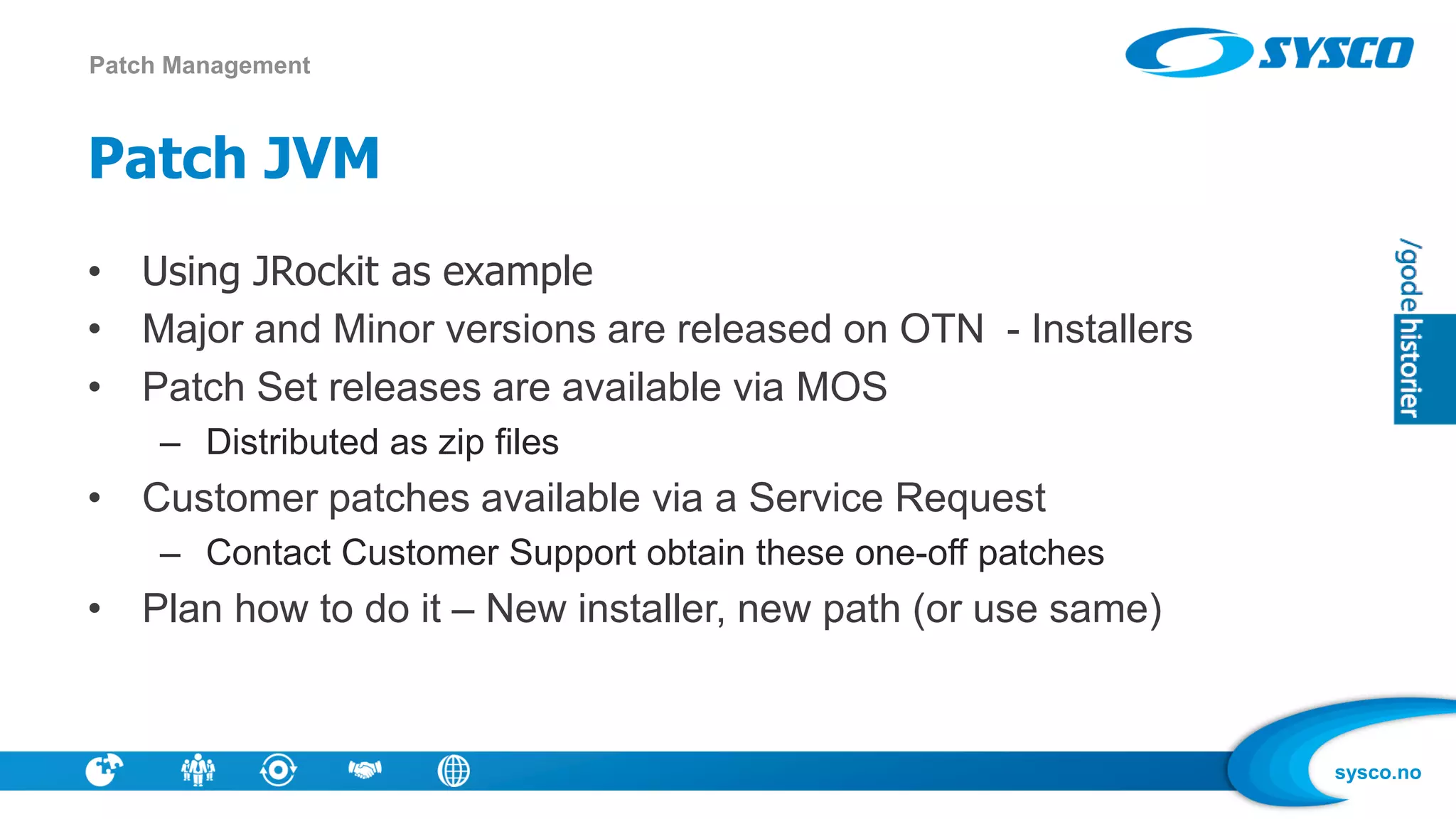
Patch JVM
• Using JRockit as example
• Major and Minor versions are released on OTN - Installers
• Patch Set releases are available via MOS
– Distributed as zip files
• Customer patches available via a Service Request
– Contact Customer Support obtain these one-off patches
• Plan how to do it – New installer, new path (or use same)
Patch Management
sysco.no
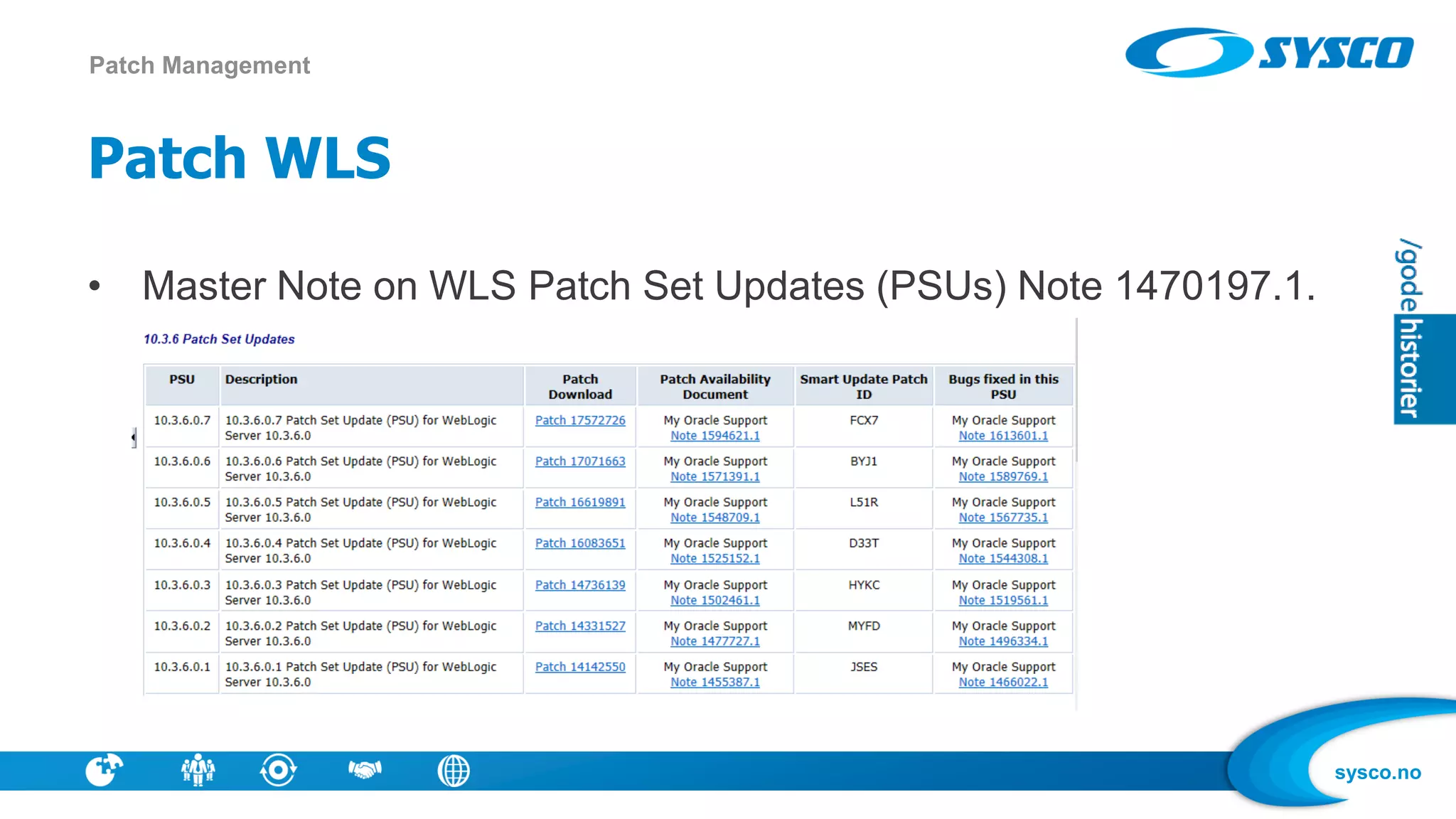
Patch WLS
• Master Note on WLS Patch Set Updates (PSUs) Note 1470197.1.
Patch Management
sysco.no
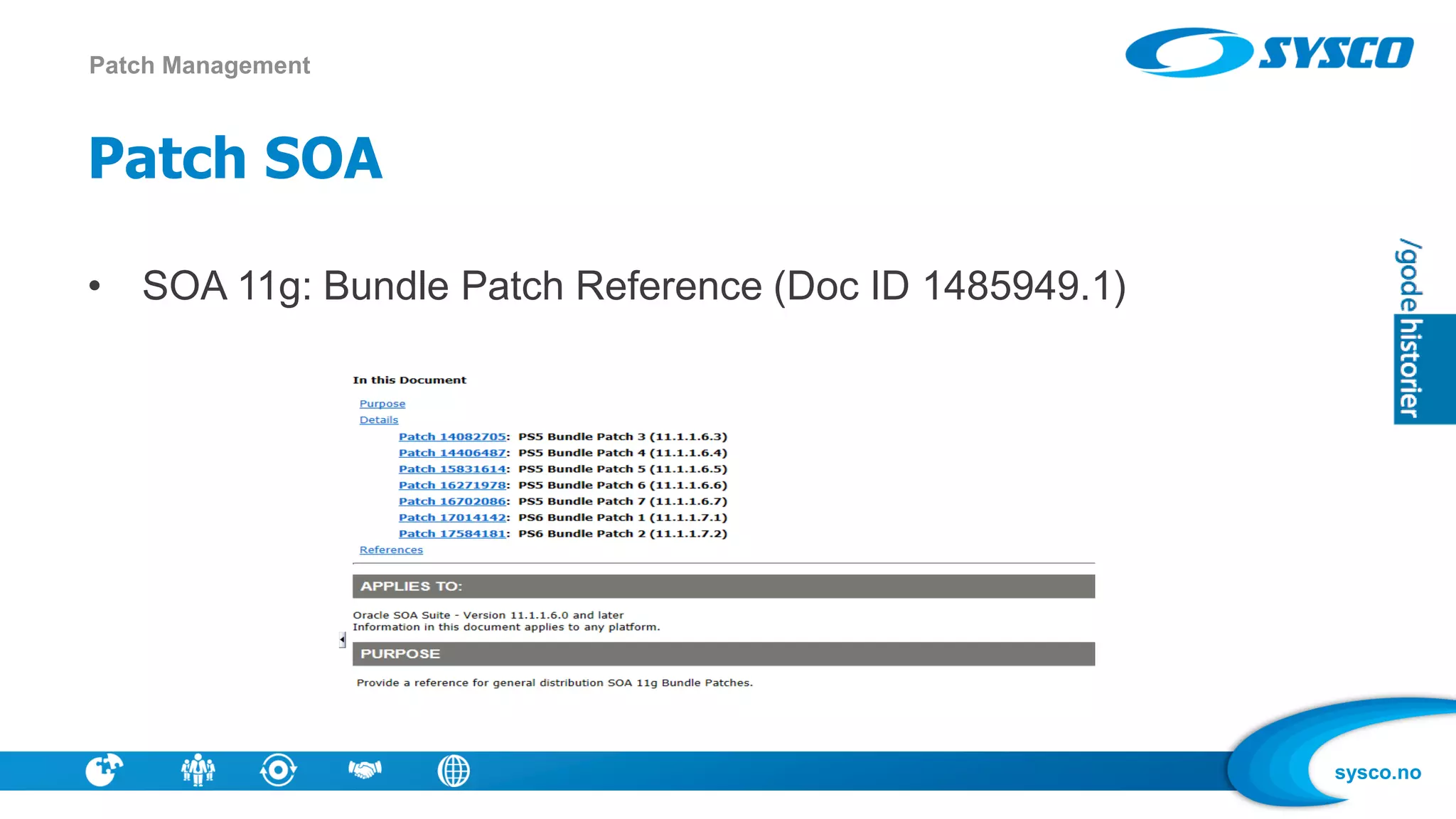
Patch SOA
• SOA 11g: Bundle Patch Reference (Doc ID 1485949.1)
Patch Management
sysco.no
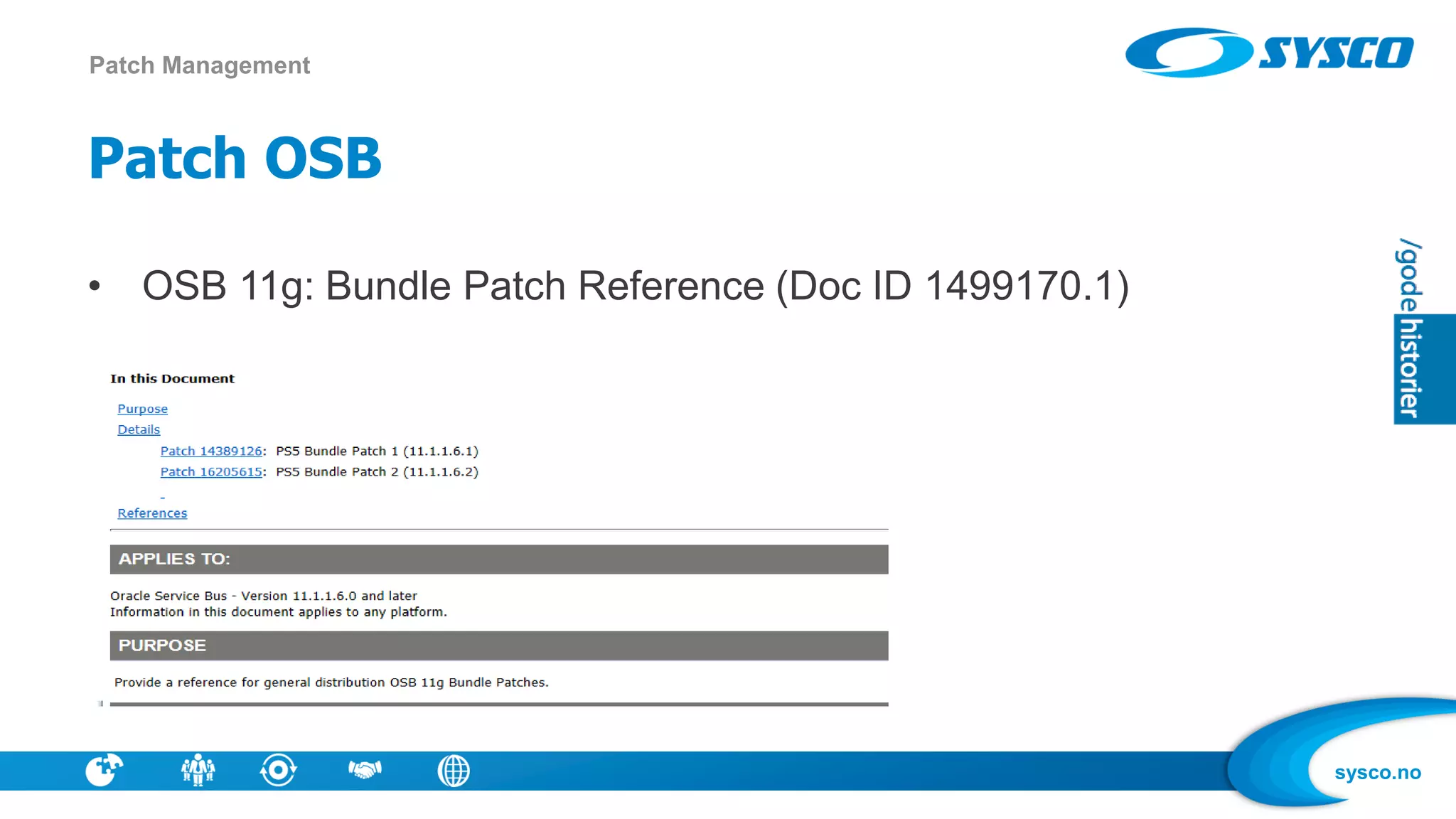
Patch OSB
• OSB 11g: Bundle Patch Reference (Doc ID 1499170.1)
Patch Management
sysco.no
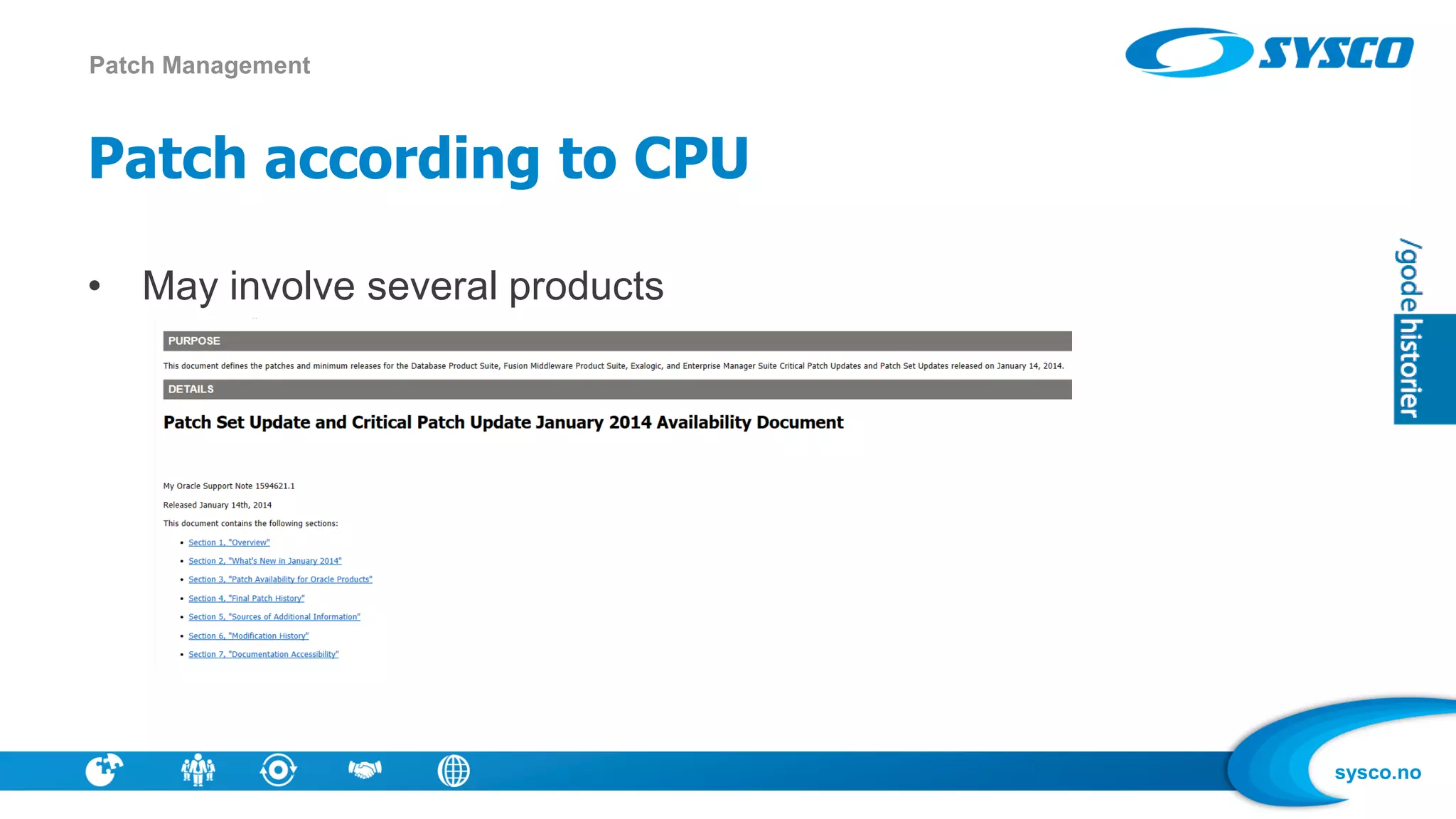
Patch according to CPU
• May involve several products
Patch Management
sysco.no
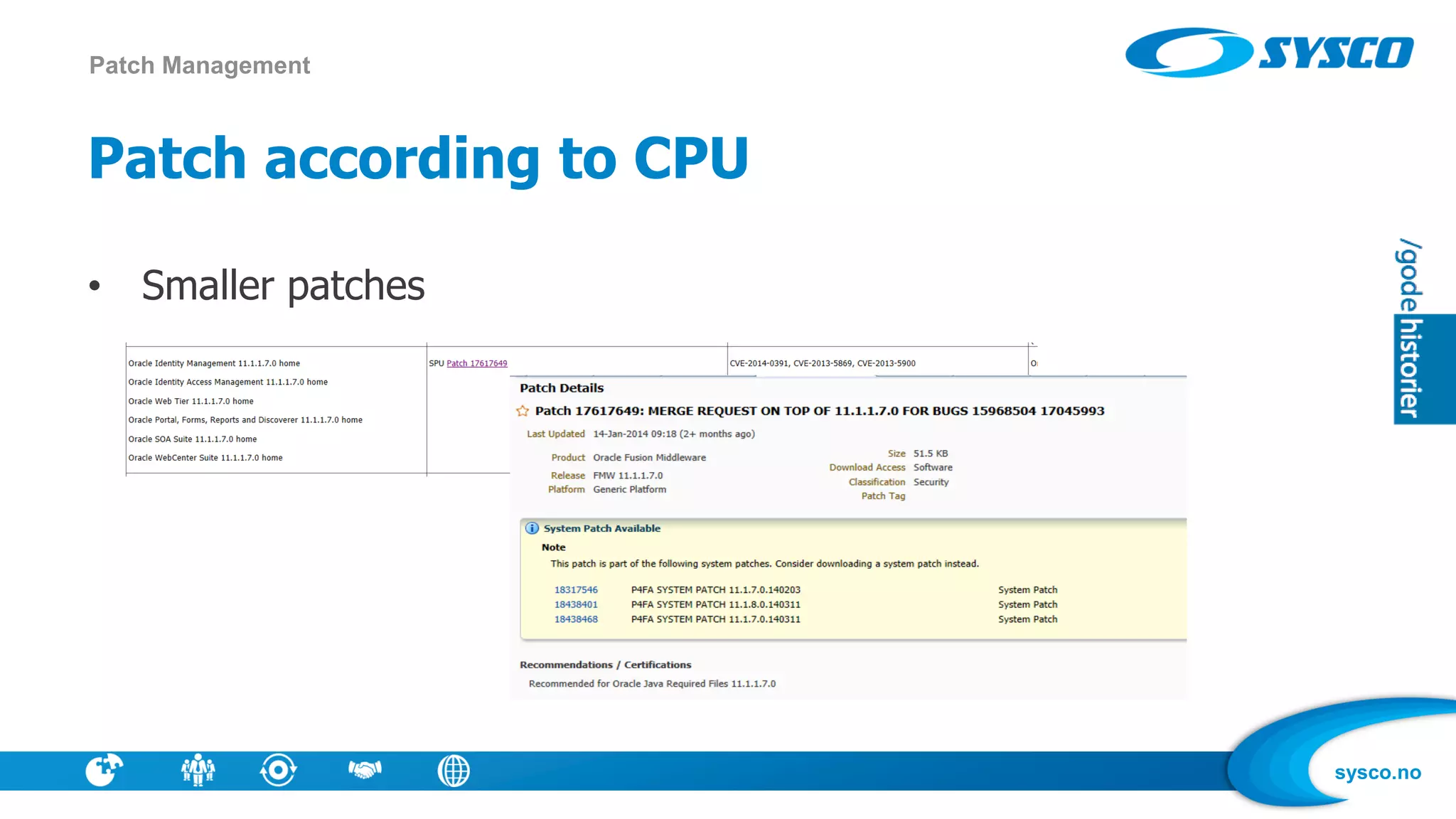
Patch according to CPU
• Smaller patches
Patch Management
sysco.no
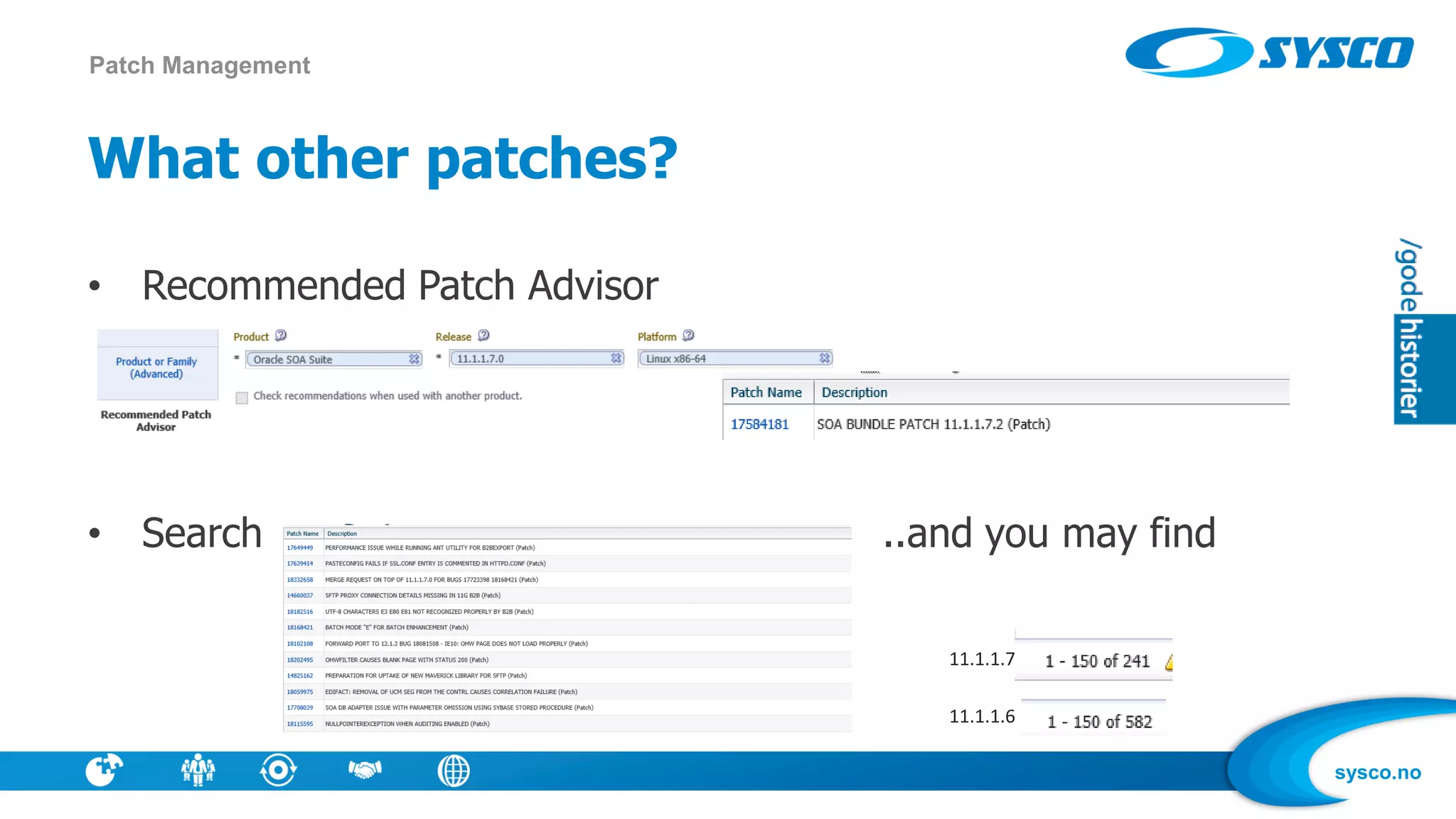
What other patches?
• Recommended Patch Advisor
• Search ..and you may find
Patch Management
11.1.1.7
11.1.1.6
sysco.no
A sample strategy
• Patch for Bundle Patches
• Patch according to CPU
• Patch for bugs that is relevant for your use (ex clustered env, use DVM)
• Install new version in separate environment – run same tests there as
in todays environment
• Or: Use patching advice in EM 12c
Patch Management
sysco.no
What to monitor ?
• CPU, Disk, Logs, Memory
• Throughput
• Composite instances failed
• Locked threads
Monitoring
sysco.no
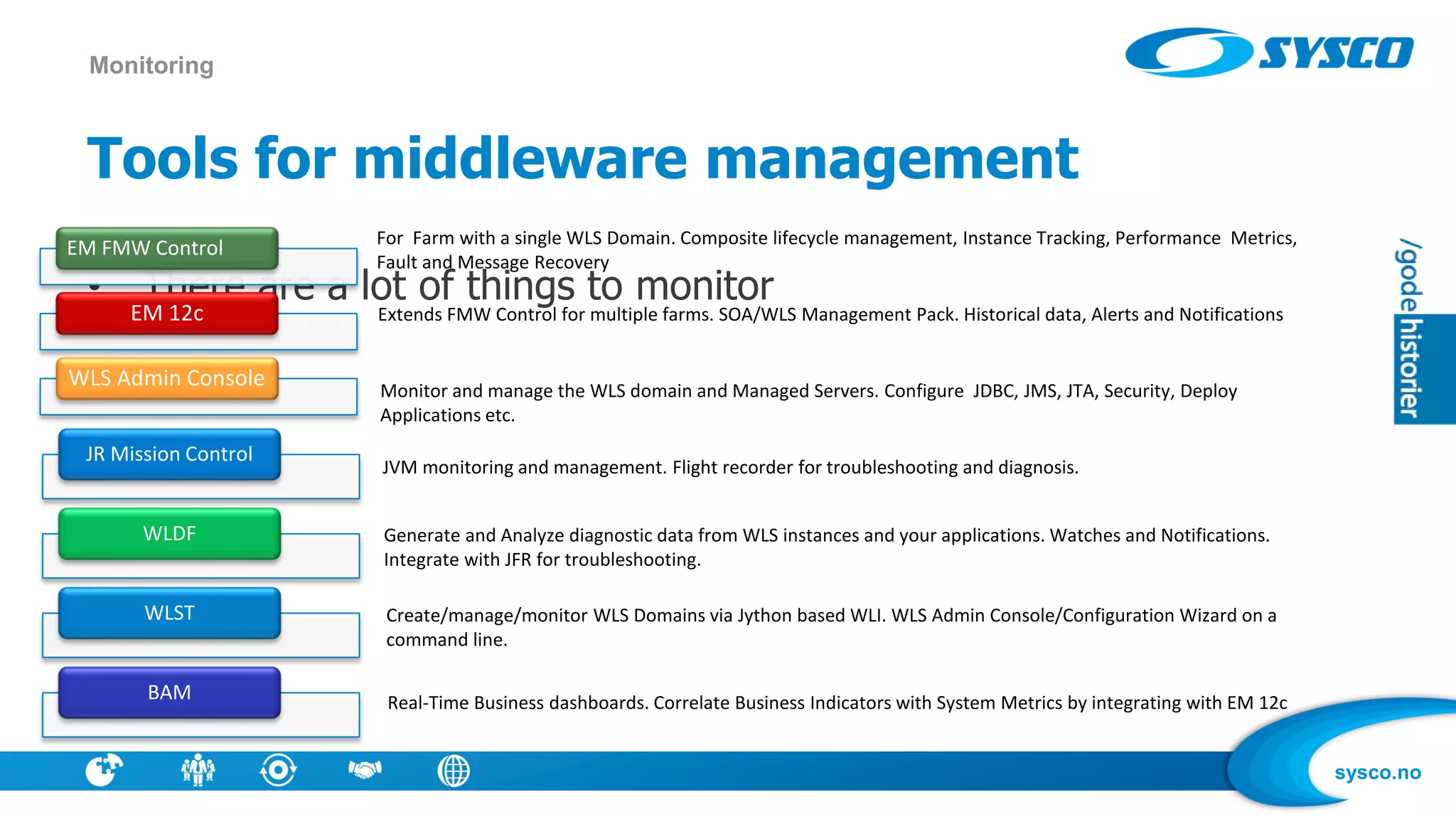
Tools for middleware management
• There are a lot of things to monitor
Monitoring
EM FMW Control
EM 12c
WLS Admin Console
JR Mission Control
WLDF
WLST
BAM
For Farm with a single WLS Domain. Composite lifecycle management, Instance Tracking, Performance Metrics,
Fault and Message Recovery
Extends FMW Control for multiple farms. SOA/WLS Management Pack. Historical data, Alerts and Notifications
Monitor and manage the WLS domain and Managed Servers. Configure JDBC, JMS, JTA, Security, Deploy
Applications etc.
JVM monitoring and management. Flight recorder for troubleshooting and diagnosis.
Generate and Analyze diagnostic data from WLS instances and your applications. Watches and Notifications.
Integrate with JFR for troubleshooting.
Create/manage/monitor WLS Domains via Jython based WLI. WLS Admin Console/Configuration Wizard on a
command line.
Real-Time Business dashboards. Correlate Business Indicators with System Metrics by integrating with EM 12c
sysco.no
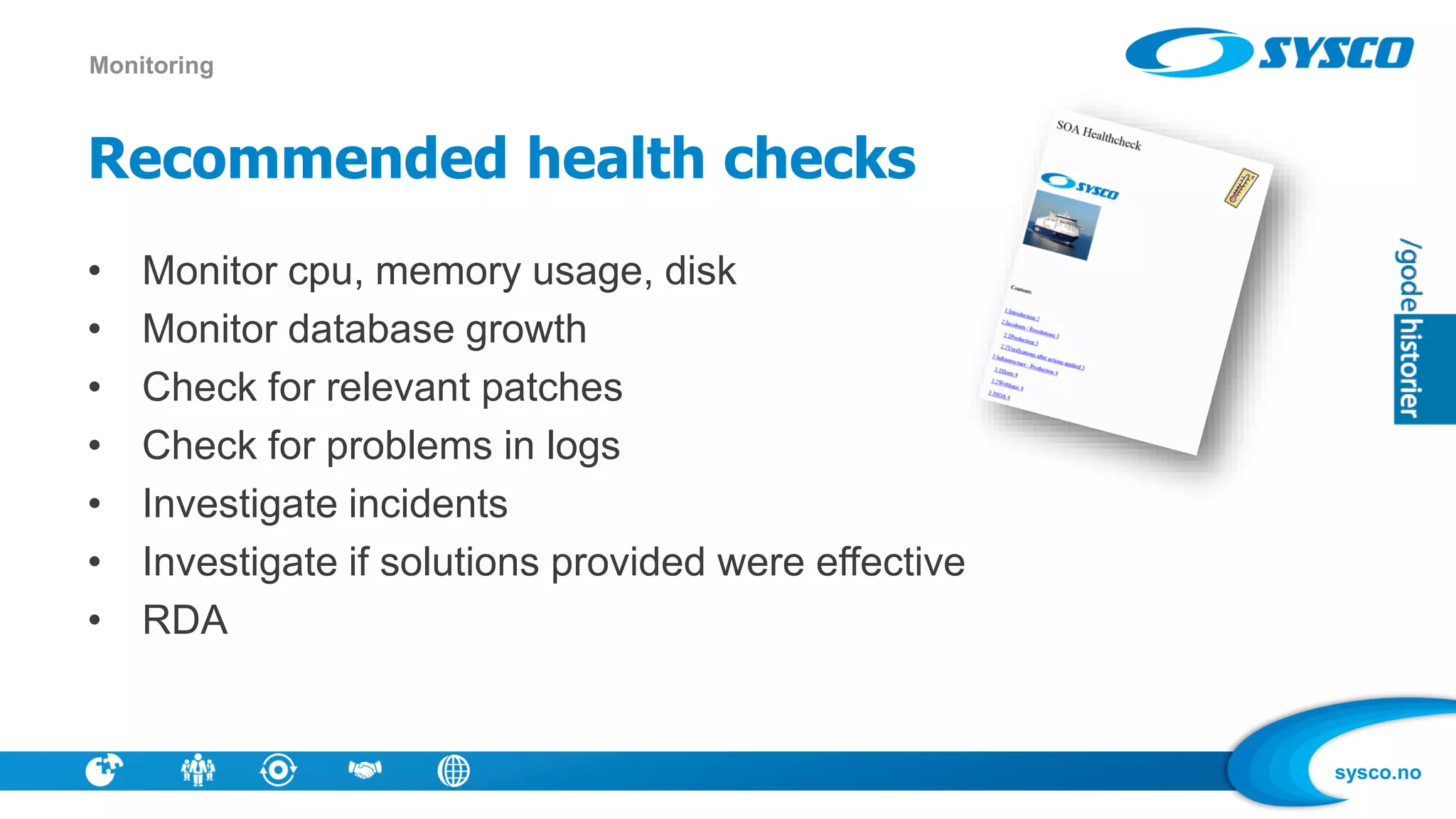
Recommended health checks
• Monitor cpu, memory usage, disk
• Monitor database growth
• Check for relevant patches
• Check for problems in logs
• Investigate incidents
• Investigate if solutions provided were effective
• RDA
Monitoring
sysco.no
What is RDA ?
• RDA is what Support will tell you to give them when you register a
SR on MOS
– Prepare so you avoid ping-pong in your SR
• RDA is a selection of files and statistics which are relevant for
diagnosting problems in your install
• Current version is RDA 8
Monitoring - RDA
sysco.no
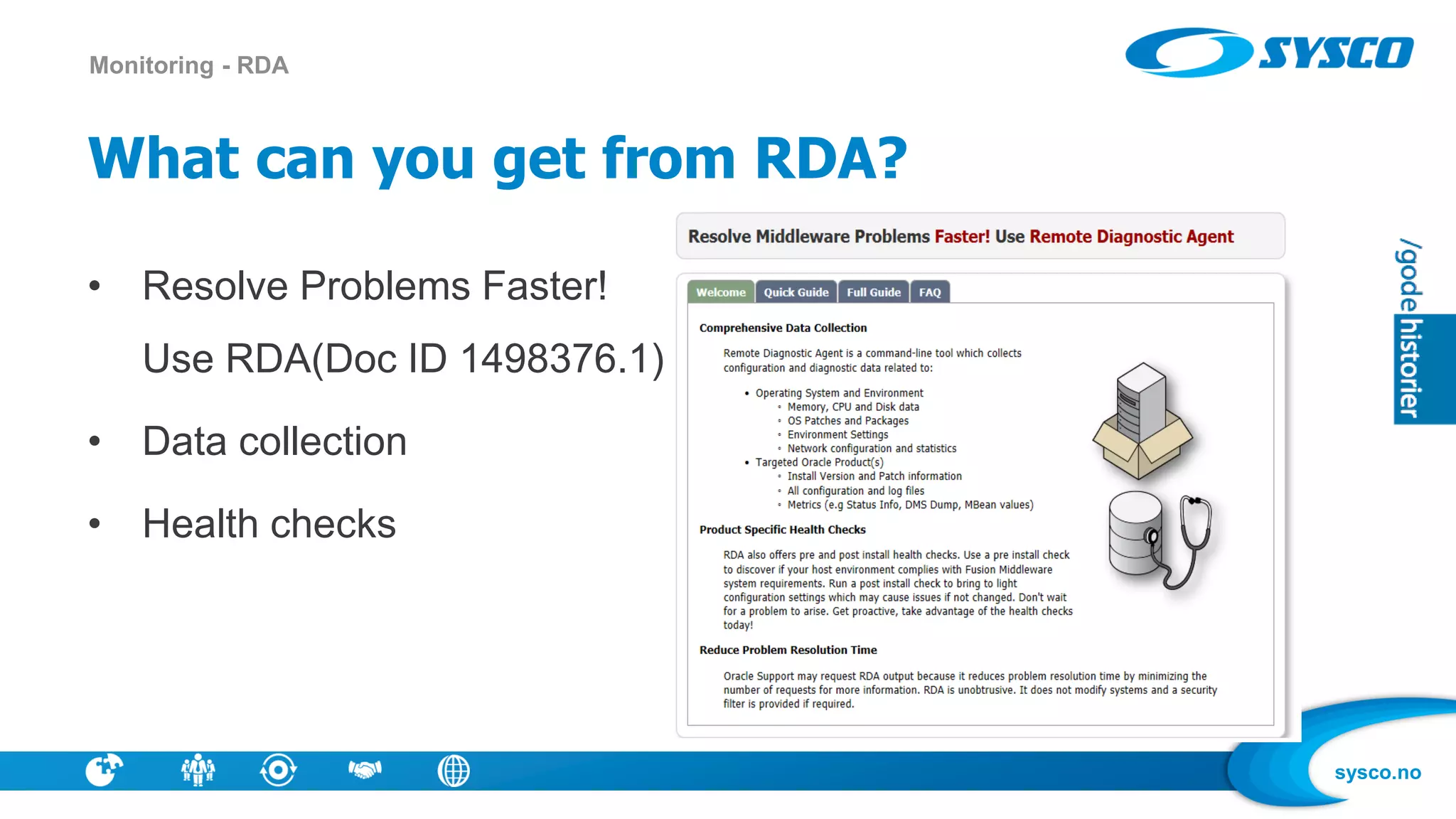
What can you get from RDA?
• Resolve Problems Faster!
Use RDA(Doc ID 1498376.1)
• Data collection
• Health checks
Monitoring - RDA
sysco.no
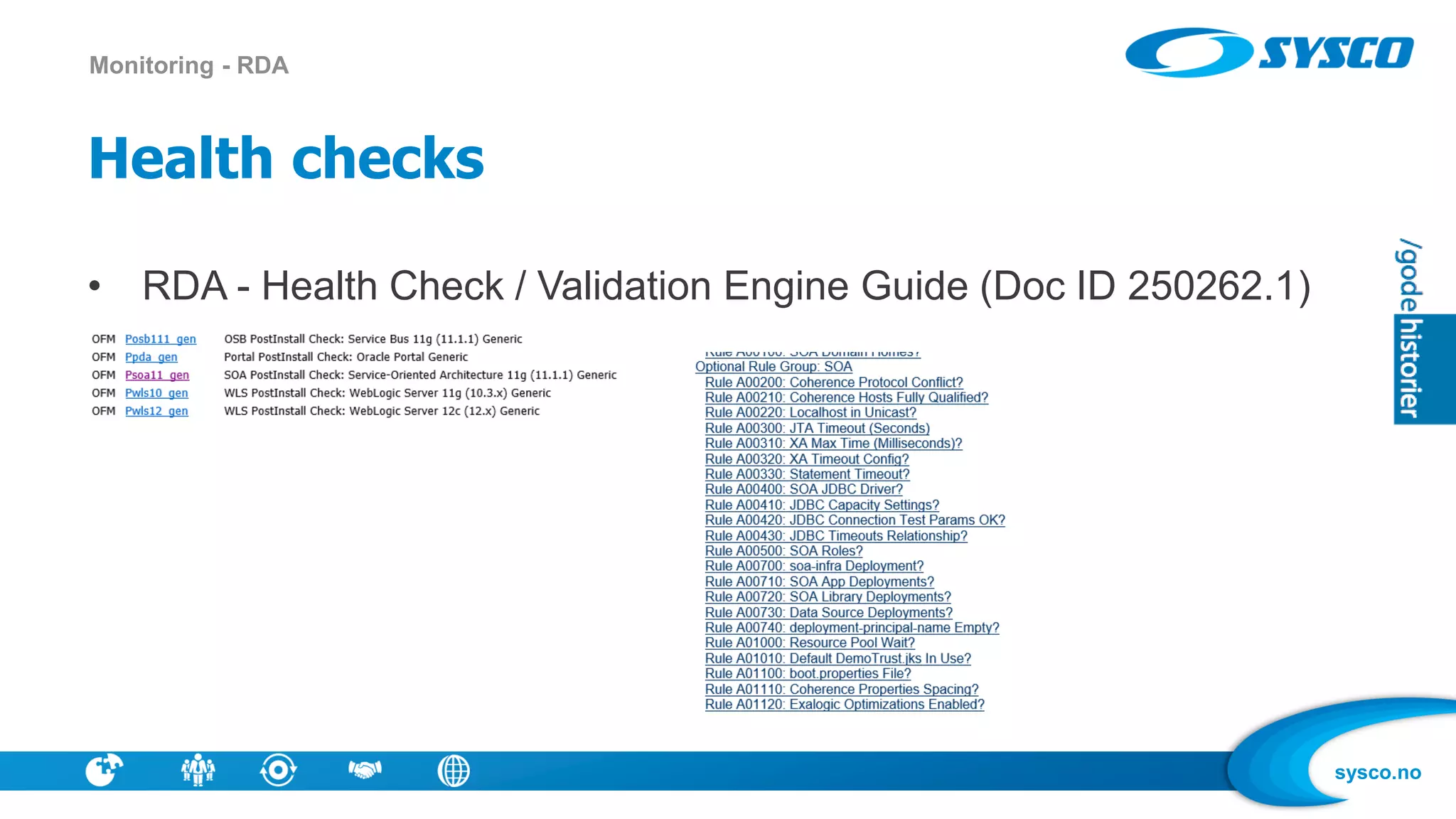
Health checks
• RDA - Health Check / Validation Engine Guide (Doc ID 250262.1)
Monitoring - RDA
sysco.no
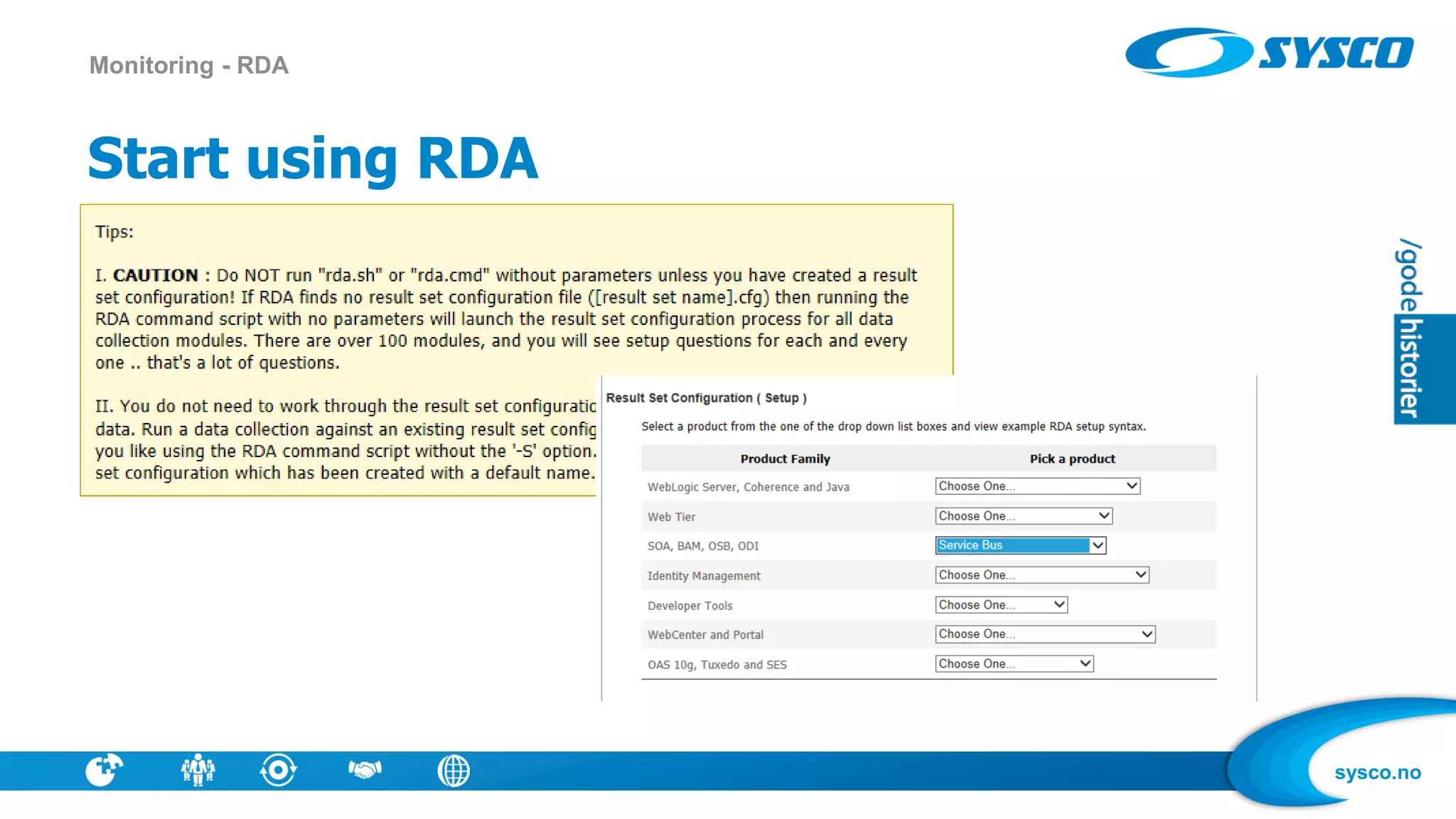
Start using RDA
Monitoring - RDA
sysco.no
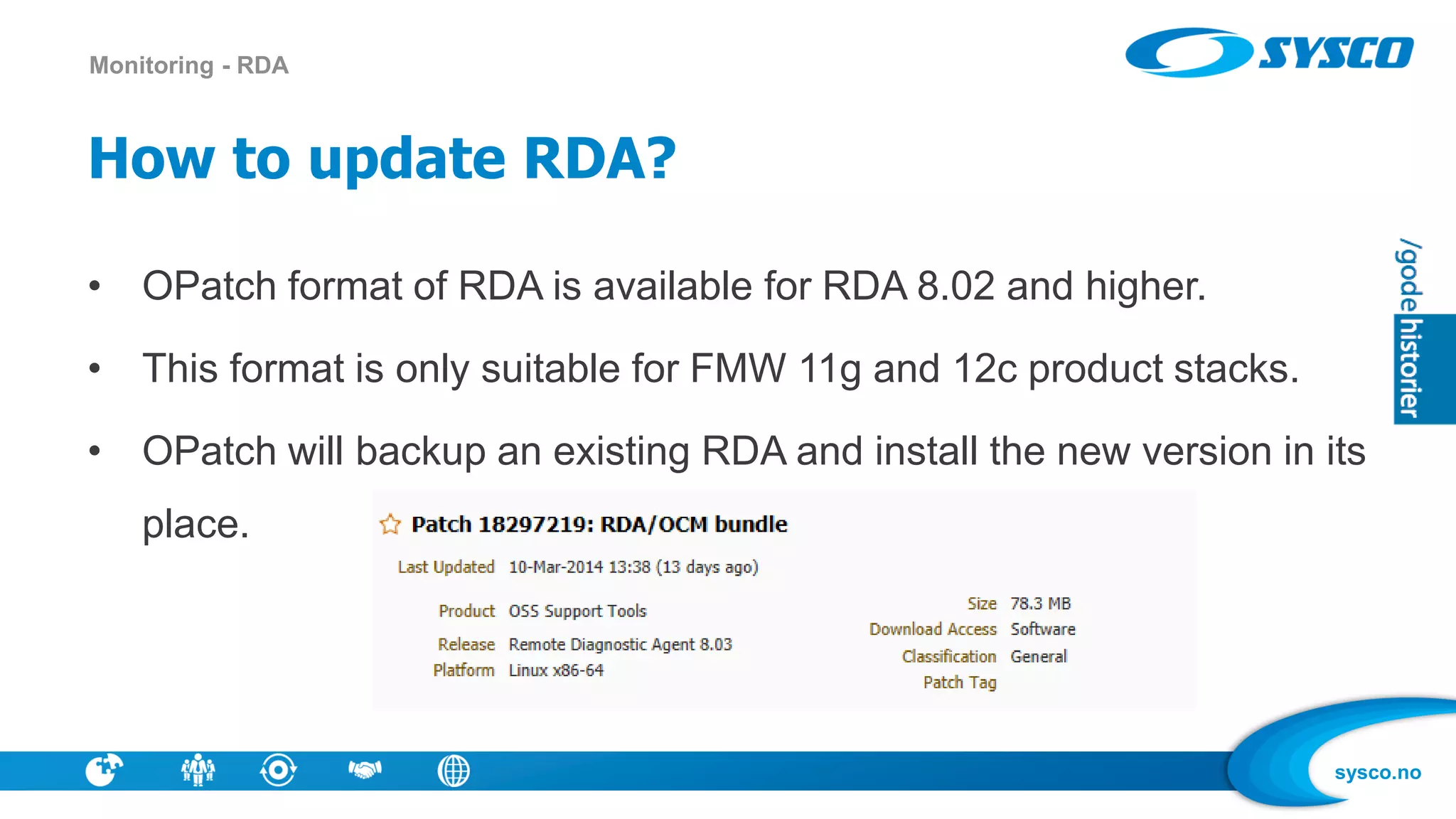
How to update RDA?
• OPatch format of RDA is available for RDA 8.02 and higher.
• This format is only suitable for FMW 11g and 12c product stacks.
• OPatch will backup an existing RDA and install the new version in its
place.
Monitoring - RDA
sysco.no
What is purging ?
• SOA Database is growing
• Purging is removing old instances that are not needed
– You can control growth, is OSB an alternative in some cases ?
– Or you must not write all instances to DB
• Not purging may result in bad performance
• You need a purging strategy
– How many instances is produced per day?
Purging
sysco.no
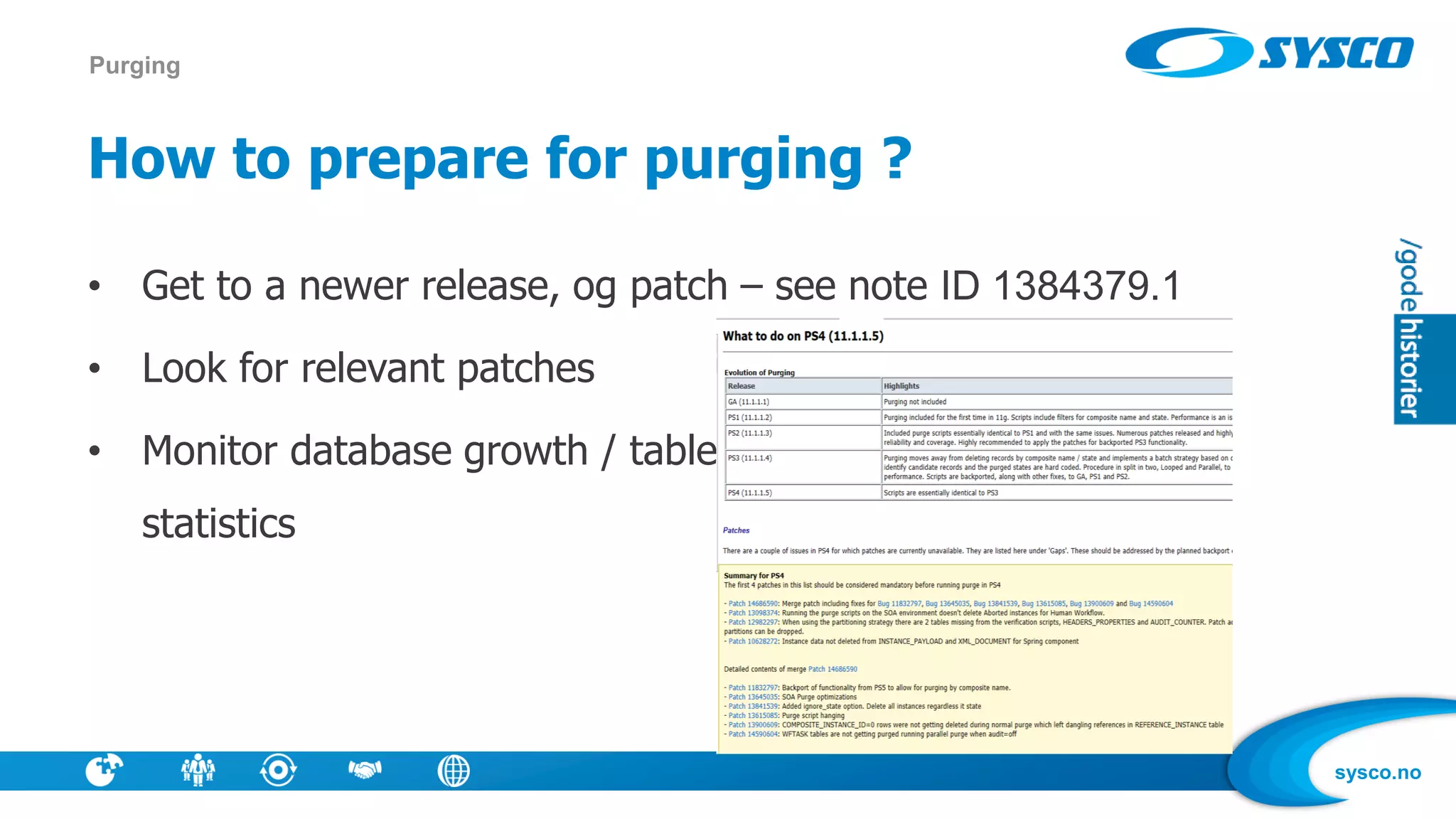
How to prepare for purging ?
• Get to a newer release, og patch – see note ID 1384379.1
• Look for relevant patches
• Monitor database growth / table
statistics
Purging
sysco.no
Purge via console or script
Purging
• Parallel
• Useful for medium [ ~500 GB total to
~10 GB daily] to large installations
• Resource intensive – hence run
during off hours.DOP indicates
number of parallel threads.
• For large installs [>~500 GB total or
> ~10 GB daily], recommended to
run a hybrid of parallel purging +
dropping partitions, using optimal
thread counts.
• Partitioning
• Dropping partitions is the fastest
way to purge.
• Time-Range Partitioning Done
at the component level.
• Decide time-range based on
average and max composite
lifetime.
• Run this in conjunction with
parallel purging for a mixed
load.
• Looping
• Useful for small installations
[~100k rows]
• Loops and runs until
max_runtime loop parameter is
exceeded.
• Not resource intensive, but slow
performance.
• All purgeable instances are
deleted.
sysco.no
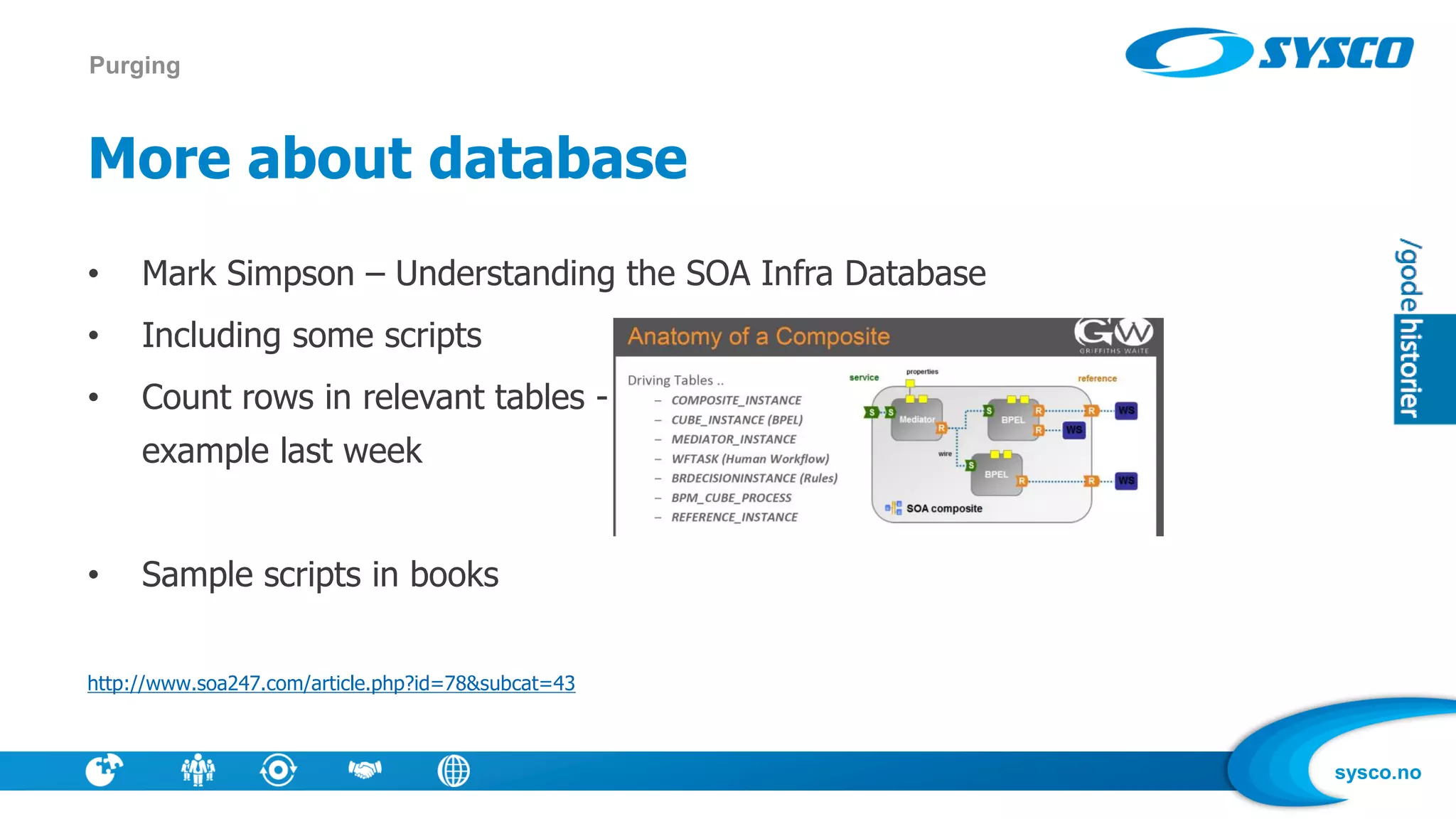
More about database
• Mark Simpson – Understanding the SOA Infra Database
• Including some scripts
• Count rows in relevant tables -
example last week
• Sample scripts in books
http://www.soa247.com/article.php?id=78&subcat=43
Purging
sysco.no
Why tune ?
• A faster solution may remove some pain
• Tuning is not simple – do small shanges, check if response is faster
– Create relevant tests
• There are some quick wins, and books / best practices out there
Tuning
sysco.no
What can be tuned ?
• Database
• OS
• WLS
• Engines
• Application code – good/bad patterns
• Do you have the right architecture for your task?
Tuning
sysco.no
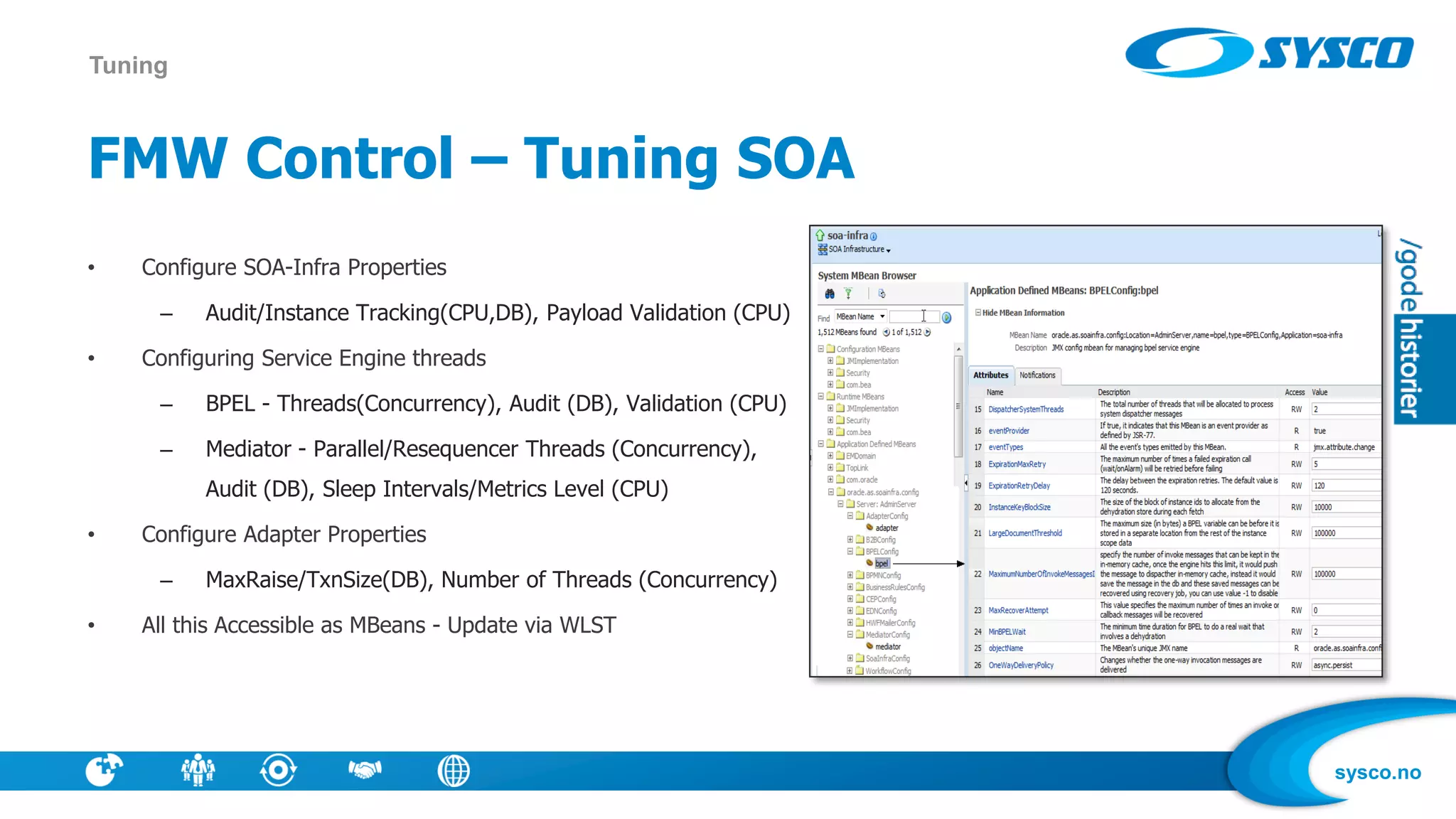
FMW Control – Tuning SOA
• Configure SOA-Infra Properties
– Audit/Instance Tracking(CPU,DB), Payload Validation (CPU)
• Configuring Service Engine threads
– BPEL - Threads(Concurrency), Audit (DB), Validation (CPU)
– Mediator - Parallel/Resequencer Threads (Concurrency),
Audit (DB), Sleep Intervals/Metrics Level (CPU)
• Configure Adapter Properties
– MaxRaise/TxnSize(DB), Number of Threads (Concurrency)
• All this Accessible as MBeans - Update via WLST
Tuning
sysco.no
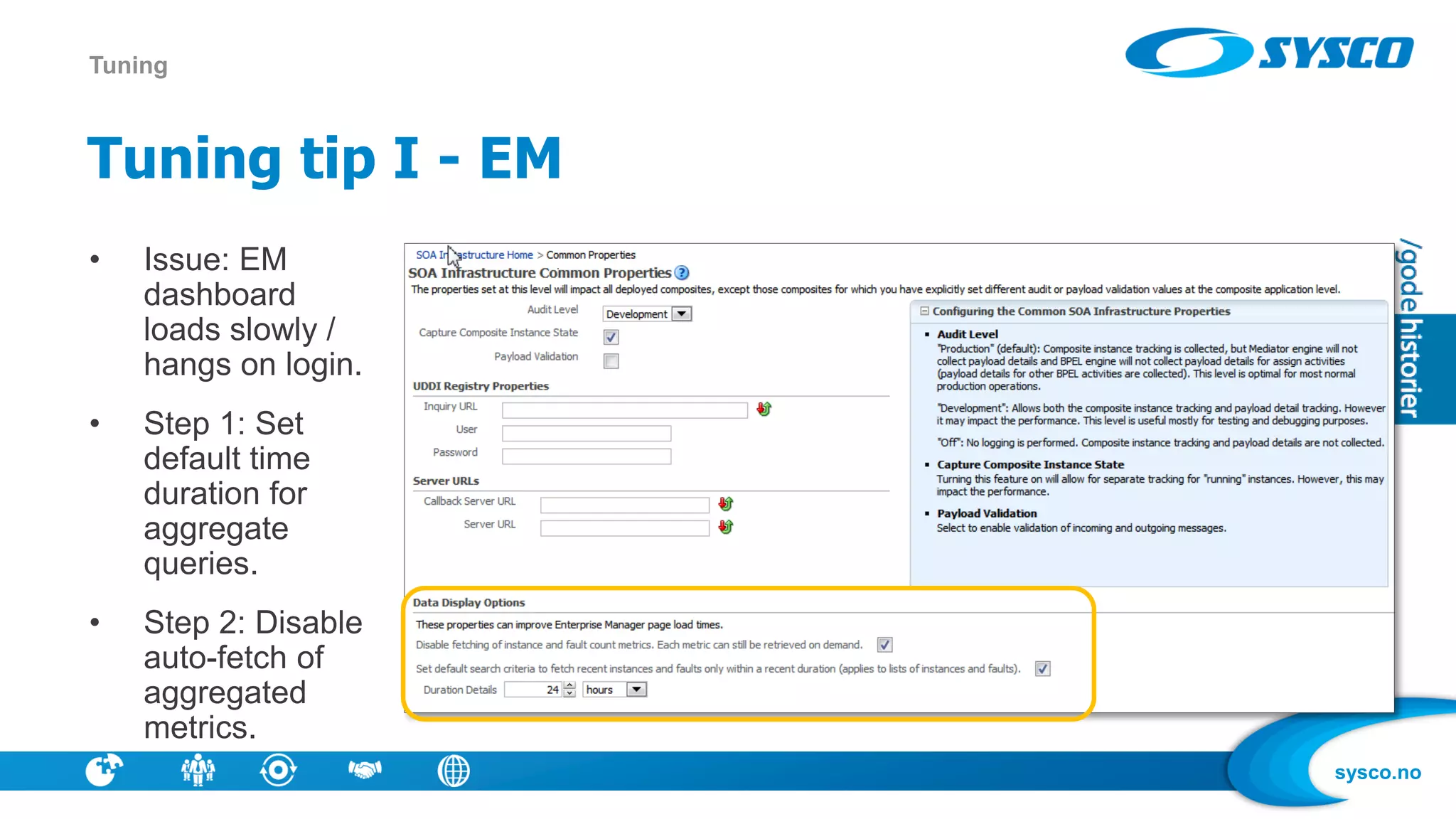
Tuning tip I - EM
Tuning
• Issue: EM
dashboard
loads slowly /
hangs on login.
• Step 1: Set
default time
duration for
aggregate
queries.
• Step 2: Disable
auto-fetch of
aggregated
metrics.
sysco.no
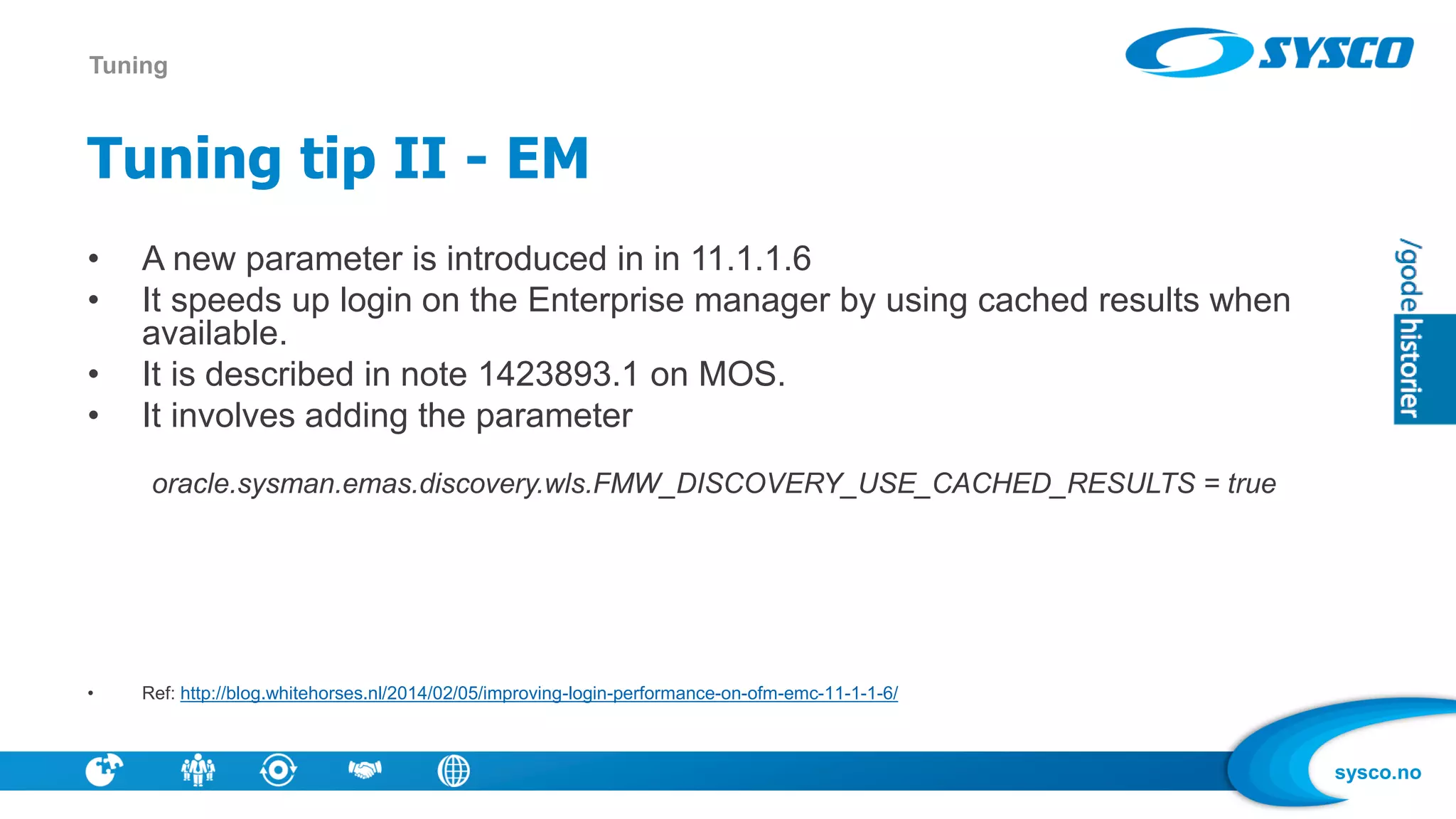
Tuning tip II - EM
• A new parameter is introduced in in 11.1.1.6
• It speeds up login on the Enterprise manager by using cached results when
available.
• It is described in note 1423893.1 on MOS.
• It involves adding the parameter
oracle.sysman.emas.discovery.wls.FMW_DISCOVERY_USE_CACHED_RESULTS = true
• Ref: http://blog.whitehorses.nl/2014/02/05/improving-login-performance-on-ofm-emc-11-1-1-6/
Tuning
sysco.no
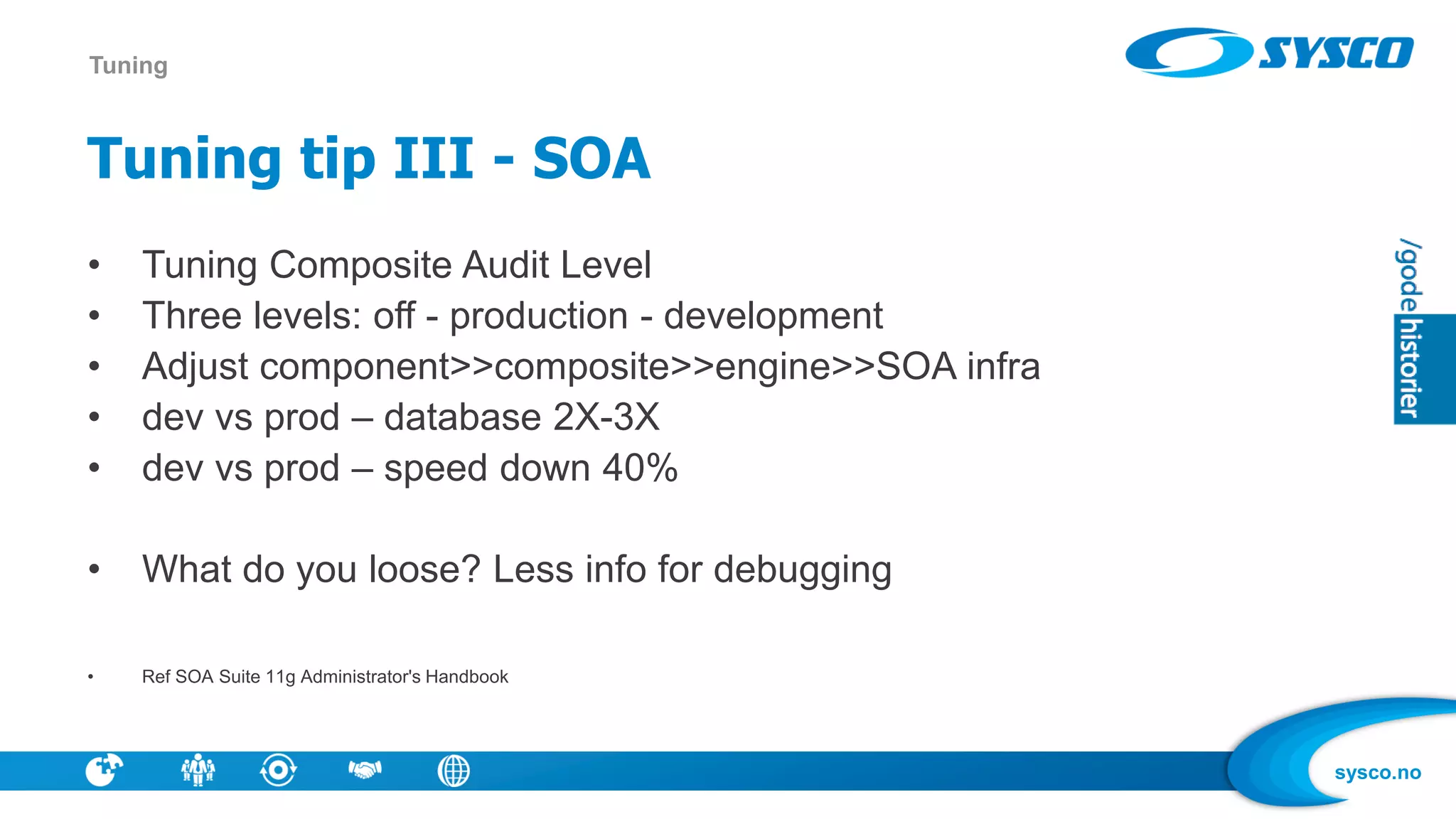
Tuning tip III - SOA
• Tuning Composite Audit Level
• Three levels: off - production - development
• Adjust component>>composite>>engine>>SOA infra
• dev vs prod – database 2X-3X
• dev vs prod – speed down 40%
• What do you loose? Less info for debugging
• Ref SOA Suite 11g Administrator's Handbook
Tuning
sysco.no
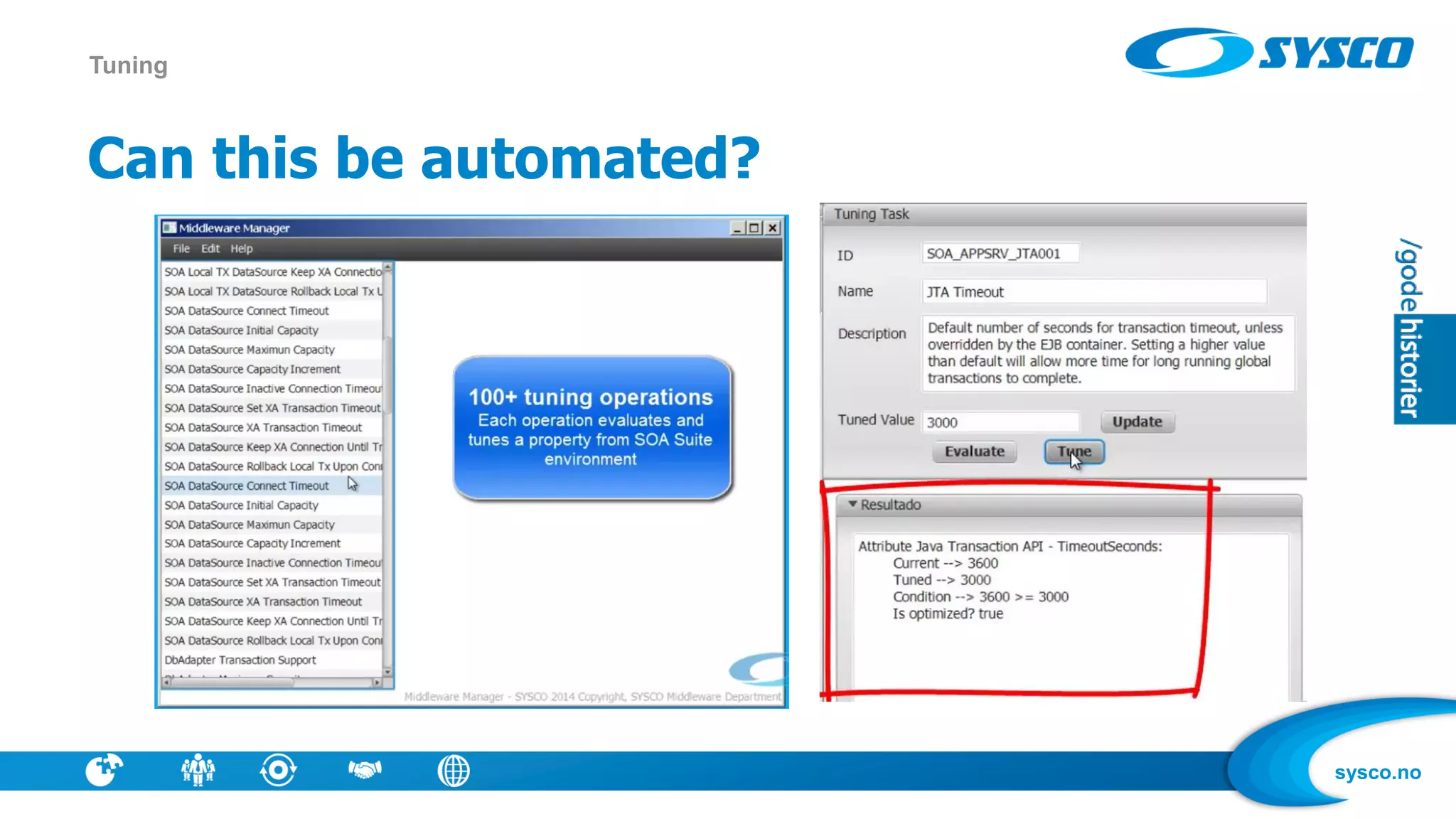
Can this be automated?
Tuning
sysco.no
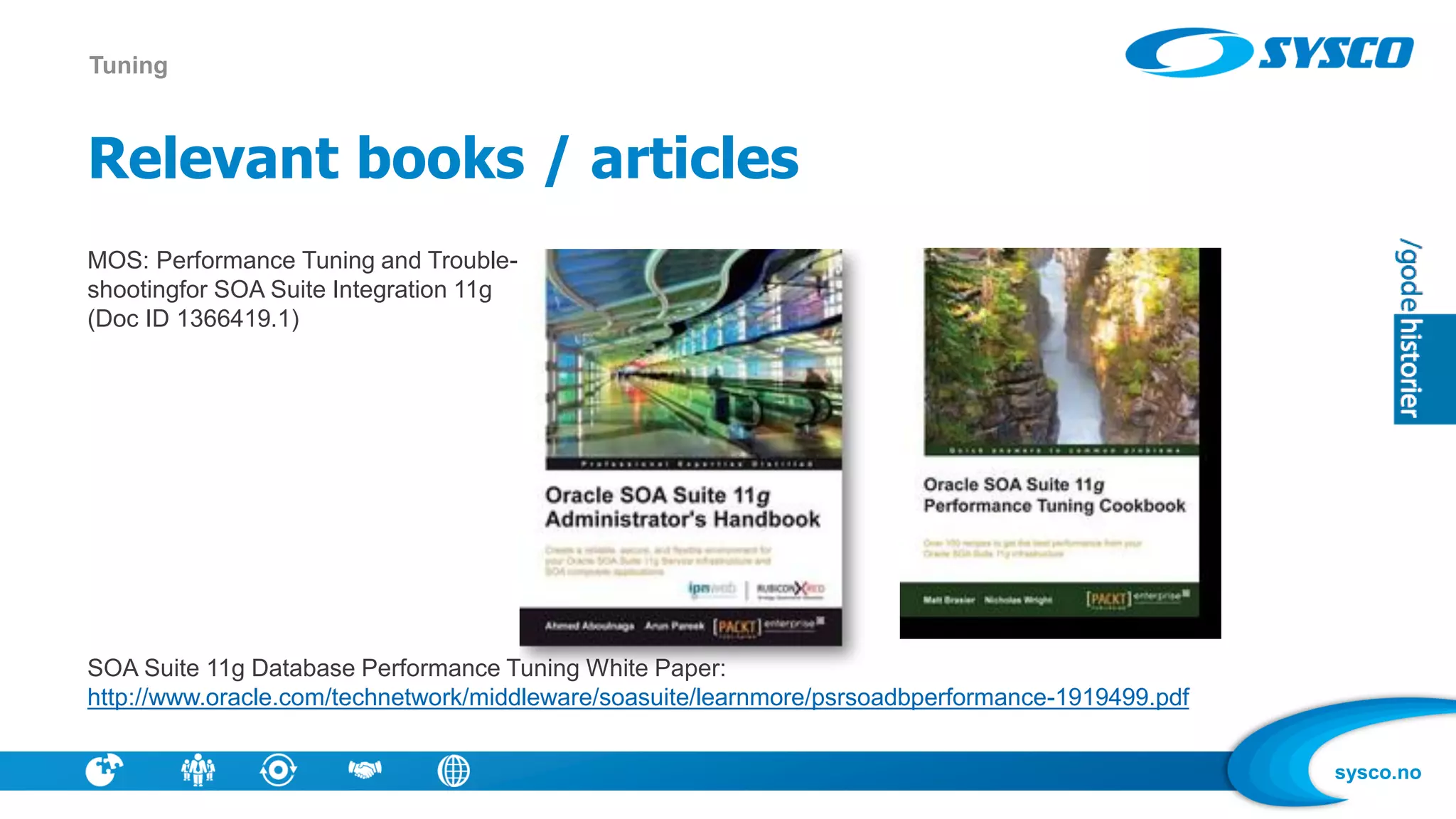
Relevant books / articles
MOS: Performance Tuning and Trouble-
shootingfor SOA Suite Integration 11g
(Doc ID 1366419.1)
SOA Suite 11g Database Performance Tuning White Paper:
http://www.oracle.com/technetwork/middleware/soasuite/learnmore/psrsoadbperformance-1919499.pdf
Tuning
sysco.no
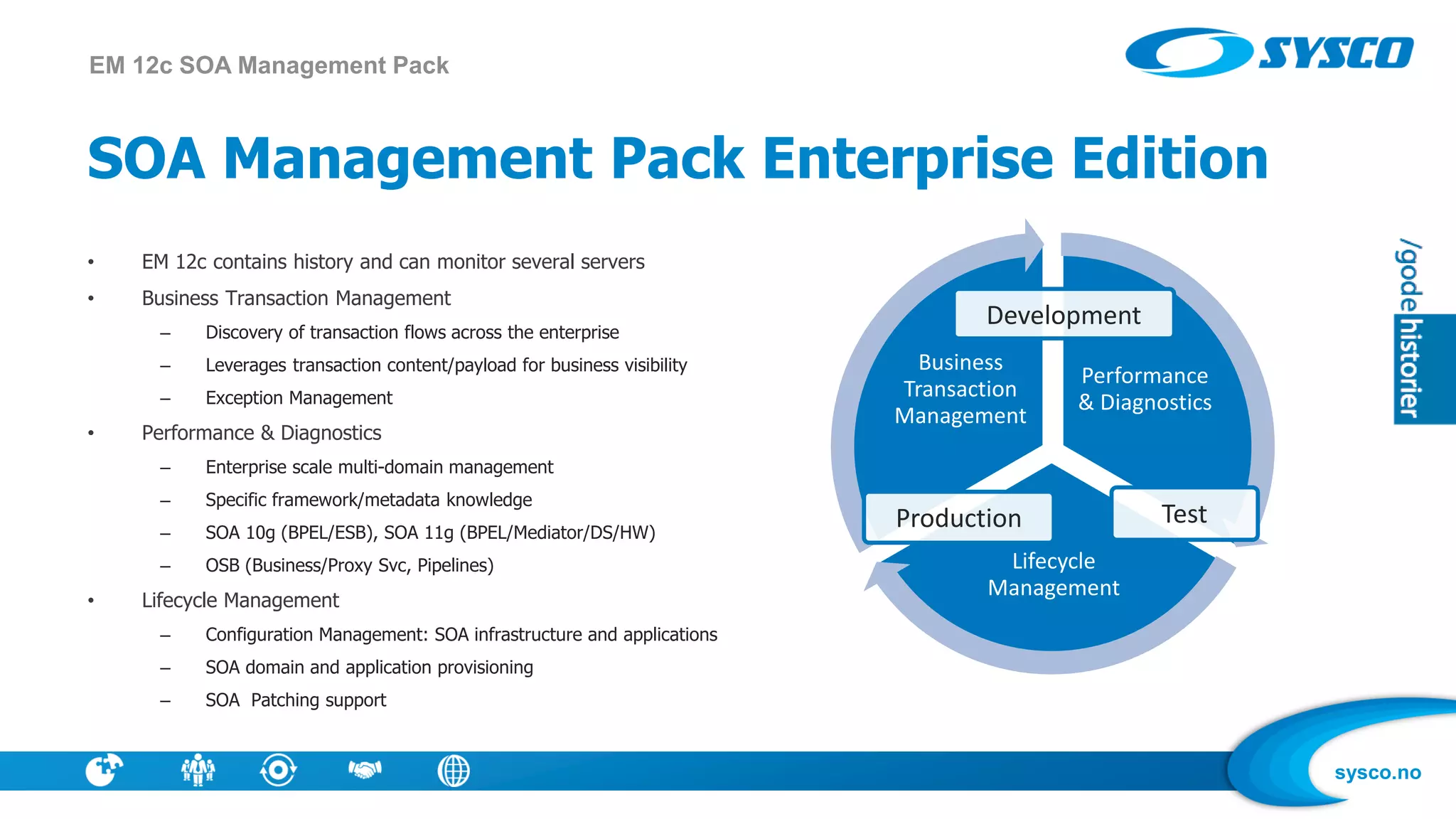
SOA Management Pack Enterprise Edition
• EM 12c contains history and can monitor several servers
• Business Transaction Management
– Discovery of transaction flows across the enterprise
– Leverages transaction content/payload for business visibility
– Exception Management
• Performance & Diagnostics
– Enterprise scale multi-domain management
– Specific framework/metadata knowledge
– SOA 10g (BPEL/ESB), SOA 11g (BPEL/Mediator/DS/HW)
– OSB (Business/Proxy Svc, Pipelines)
• Lifecycle Management
– Configuration Management: SOA infrastructure and applications
– SOA domain and application provisioning
– SOA Patching support
EM 12c SOA Management Pack
Performance
& Diagnostics
Lifecycle
Management
Business
Transaction
Management
Production Test
Development
sysco.no
Summary
• .. one more: Use scripting
• This was just a small selection, no time for deep-dive
• Being pro-active will give you better days
• Find ways to monitor and give you alerts
• Do patch, do check health periodically
• Build competence – and do things a little smarter every week
sysco.no
Thanks for attending!
• Feel free to contact me!
• Twitter: jphjulstad
• Email: jonpetter.hjulstad@sysco.no

SOA Suite Administration from OUGN 2014

  • 1.
    sysco.no Administration of SOASuite – a few tips Jon Petter Hjulstad SYSCO AS OUGN April 3rd, 2014
  • 2.
    sysco.no Information about me •Jon Petter Hjulstad • Dept Manager for Middleware at Sysco • 17 years experience with Oracle Products • Focusing on WLS, SOA Suite, BPM Suite ++ • SOA Partner Community Award 2012 • Twitter: jphjulstad • Blog: http://sysco.no/blogg/ Info
  • 3.
    sysco.no Information about SYSCO •IT company established 2004 • Continuous growth, over 100 employees • Operations, development, consulting in technology and economics • Competence in database technology, middleware • Special focus in the energy sector • Engineered Systems Partner of the Year 2014 • Haugesund, Bergen, Stavanger, Oslo, Ølen, Stord, Lima Info
  • 4.
    sysco.no SYSCO Middleware Info • CertifiedConsultants • Architecture, Proactive Support • Developing: SOA, BPM, Java • Testing, Tuning, Fixing • Installation, Patching, Monitoring
  • 5.
    sysco.no Energy •Lyse •Eidsiva Energi •Agder Energi •BKK •Hafslund •SKL •NTE •HaugalandKraft •Gassco Public Sector •Statens Innkrevingssentral •Stavanger kommune •Haugesund kommune •Karmøy kommune •50+ other municipalities •Sjøfartsdirektoratet •Several counties Shipping •DeepOcean •Solstad •Grieg Star Shipping •Westfal Larsen •Aibel •Knutsen OAS Media •TV2 •Altibox •Haugesunds Avis •TV Haugaland •Radio102 •Stavanger Aftenblad Others •GE Money Bank •CGI •Enoro •Karmsund Havnevesen •Marine Aluminium •FKH •Ungt Entreprenørskap Customers and industries Customer portfolio
  • 6.
    sysco.no Overview • Introduction • Patching •Monitoring / Health Check • RDA • Purging • Tuning
  • 7.
    sysco.no What is SOAadministration ? • «Not Development» – The way NoSQL is defined – «everything but SQL» • You get a SOA installation, and some SOA apps – what now ? • Keeping the wheels running - uptime • Installing, provisioning, monitoring, tuning, checking logs, patching for security, patching for bugs .. • How do we make changes with low risk and without breaking SLA ? • Are you ready ? Introduction – SOA Administration
  • 8.
    sysco.no SOA running onWeblogic Introduction – Fusion Middleware
  • 9.
    sysco.no Enhanced My OracleSupport • Is not a lot better! • More interactive, useful information centers, advisors. • Patching experience is not yet like Windows Update Example: Oracle Fusion Middleware (FMW) SOA 11g Infrastructure Database: Installation, Maintenance, Administration and Purging Guide (Doc ID 1384379.1) Introduction – MOS
  • 10.
    sysco.no Why patch? • Softwareis never without bugs • Others may have experienced problems you have not seen yet • Changes in load / type of applications may trigger new problems • You may have problems that you have not yet discovered • Why not patch: A patch may give other problems (Software is never without bugs) Patch Management
  • 11.
    sysco.no How do wekeep Software up to date? • What Products ? – WLS, JVM, SOA, OSB, DB • New versions coming – 11.1.1.4, 11.1.1.5, ... • Patch Bundles – SOA 11.1.1.7.1, 11.1.1.7.2 • CPU – Security focused Quarterly updates from Oracle – Release dates known upfront Patch Management
  • 12.
    sysco.no What type ofpatches exist? New name Previous Used Name(s) Description Interim Patch PSE, MLR, Exception release One-Off, x-fix, Hotfix, Security One-Off Fixes available to customers who cannot wait until the next patch set Bundle Patch Maintenance Pack, Service Pack, MLRs, Cumulative Patch, Update Release An iterative, cumulative patch that is issued between patch sets Security Patch Update (SPU) Critical Patch Updates CPUs An iterative, cumulative patch consisting of security fixes. Formerly known as Critical Patch Update. Patch Set Updates (PSUs) Patch Set Updates are used to patch WLS only. Patch Set Updates - quarterly Patch Management
  • 13.
    sysco.no Should we keepSW up to date all the time? • No! Upgrades cost • Being the first may be a risk – Being the last may also not be the best strategy • Do we need new functionality ? • Is security a strong consern ? • Are your problems fixed in newer version? • Is current version supported ? Patch Management
  • 14.
    sysco.no Patch OPatch • Opatchis the main patching tool for patches within one version • Patch 6880880 • A plethora of versions – For FMW 11g – you want 11.1 • Latest: OPatch version 11.1.0.10.3 for Oracle software releases 11.1.0.x (March 2014) • Easy unzip into MW-home • FMW 12c will also use OPatch to patch WLS • PS! SOA+OSB has 3 Opatch-directories Patch Management
  • 15.
    sysco.no Patch JVM • UsingJRockit as example • Major and Minor versions are released on OTN - Installers • Patch Set releases are available via MOS – Distributed as zip files • Customer patches available via a Service Request – Contact Customer Support obtain these one-off patches • Plan how to do it – New installer, new path (or use same) Patch Management
  • 16.
    sysco.no Patch WLS • MasterNote on WLS Patch Set Updates (PSUs) Note 1470197.1. Patch Management
  • 17.
    sysco.no Patch SOA • SOA11g: Bundle Patch Reference (Doc ID 1485949.1) Patch Management
  • 18.
    sysco.no Patch OSB • OSB11g: Bundle Patch Reference (Doc ID 1499170.1) Patch Management
  • 19.
    sysco.no Patch according toCPU • May involve several products Patch Management
  • 20.
    sysco.no Patch according toCPU • Smaller patches Patch Management
  • 21.
    sysco.no What other patches? •Recommended Patch Advisor • Search ..and you may find Patch Management 11.1.1.7 11.1.1.6
  • 22.
    sysco.no A sample strategy •Patch for Bundle Patches • Patch according to CPU • Patch for bugs that is relevant for your use (ex clustered env, use DVM) • Install new version in separate environment – run same tests there as in todays environment • Or: Use patching advice in EM 12c Patch Management
  • 23.
    sysco.no What to monitor? • CPU, Disk, Logs, Memory • Throughput • Composite instances failed • Locked threads Monitoring
  • 24.
    sysco.no Tools for middlewaremanagement • There are a lot of things to monitor Monitoring EM FMW Control EM 12c WLS Admin Console JR Mission Control WLDF WLST BAM For Farm with a single WLS Domain. Composite lifecycle management, Instance Tracking, Performance Metrics, Fault and Message Recovery Extends FMW Control for multiple farms. SOA/WLS Management Pack. Historical data, Alerts and Notifications Monitor and manage the WLS domain and Managed Servers. Configure JDBC, JMS, JTA, Security, Deploy Applications etc. JVM monitoring and management. Flight recorder for troubleshooting and diagnosis. Generate and Analyze diagnostic data from WLS instances and your applications. Watches and Notifications. Integrate with JFR for troubleshooting. Create/manage/monitor WLS Domains via Jython based WLI. WLS Admin Console/Configuration Wizard on a command line. Real-Time Business dashboards. Correlate Business Indicators with System Metrics by integrating with EM 12c
  • 25.
    sysco.no Recommended health checks •Monitor cpu, memory usage, disk • Monitor database growth • Check for relevant patches • Check for problems in logs • Investigate incidents • Investigate if solutions provided were effective • RDA Monitoring
  • 26.
    sysco.no What is RDA? • RDA is what Support will tell you to give them when you register a SR on MOS – Prepare so you avoid ping-pong in your SR • RDA is a selection of files and statistics which are relevant for diagnosting problems in your install • Current version is RDA 8 Monitoring - RDA
  • 27.
    sysco.no What can youget from RDA? • Resolve Problems Faster! Use RDA(Doc ID 1498376.1) • Data collection • Health checks Monitoring - RDA
  • 28.
    sysco.no Health checks • RDA- Health Check / Validation Engine Guide (Doc ID 250262.1) Monitoring - RDA
  • 29.
  • 30.
    sysco.no How to updateRDA? • OPatch format of RDA is available for RDA 8.02 and higher. • This format is only suitable for FMW 11g and 12c product stacks. • OPatch will backup an existing RDA and install the new version in its place. Monitoring - RDA
  • 31.
    sysco.no What is purging? • SOA Database is growing • Purging is removing old instances that are not needed – You can control growth, is OSB an alternative in some cases ? – Or you must not write all instances to DB • Not purging may result in bad performance • You need a purging strategy – How many instances is produced per day? Purging
  • 32.
    sysco.no How to preparefor purging ? • Get to a newer release, og patch – see note ID 1384379.1 • Look for relevant patches • Monitor database growth / table statistics Purging
  • 33.
    sysco.no Purge via consoleor script Purging • Parallel • Useful for medium [ ~500 GB total to ~10 GB daily] to large installations • Resource intensive – hence run during off hours.DOP indicates number of parallel threads. • For large installs [>~500 GB total or > ~10 GB daily], recommended to run a hybrid of parallel purging + dropping partitions, using optimal thread counts. • Partitioning • Dropping partitions is the fastest way to purge. • Time-Range Partitioning Done at the component level. • Decide time-range based on average and max composite lifetime. • Run this in conjunction with parallel purging for a mixed load. • Looping • Useful for small installations [~100k rows] • Loops and runs until max_runtime loop parameter is exceeded. • Not resource intensive, but slow performance. • All purgeable instances are deleted.
  • 34.
    sysco.no More about database •Mark Simpson – Understanding the SOA Infra Database • Including some scripts • Count rows in relevant tables - example last week • Sample scripts in books http://www.soa247.com/article.php?id=78&subcat=43 Purging
  • 35.
    sysco.no Why tune ? •A faster solution may remove some pain • Tuning is not simple – do small shanges, check if response is faster – Create relevant tests • There are some quick wins, and books / best practices out there Tuning
  • 36.
    sysco.no What can betuned ? • Database • OS • WLS • Engines • Application code – good/bad patterns • Do you have the right architecture for your task? Tuning
  • 37.
    sysco.no FMW Control –Tuning SOA • Configure SOA-Infra Properties – Audit/Instance Tracking(CPU,DB), Payload Validation (CPU) • Configuring Service Engine threads – BPEL - Threads(Concurrency), Audit (DB), Validation (CPU) – Mediator - Parallel/Resequencer Threads (Concurrency), Audit (DB), Sleep Intervals/Metrics Level (CPU) • Configure Adapter Properties – MaxRaise/TxnSize(DB), Number of Threads (Concurrency) • All this Accessible as MBeans - Update via WLST Tuning
  • 38.
    sysco.no Tuning tip I- EM Tuning • Issue: EM dashboard loads slowly / hangs on login. • Step 1: Set default time duration for aggregate queries. • Step 2: Disable auto-fetch of aggregated metrics.
  • 39.
    sysco.no Tuning tip II- EM • A new parameter is introduced in in 11.1.1.6 • It speeds up login on the Enterprise manager by using cached results when available. • It is described in note 1423893.1 on MOS. • It involves adding the parameter oracle.sysman.emas.discovery.wls.FMW_DISCOVERY_USE_CACHED_RESULTS = true • Ref: http://blog.whitehorses.nl/2014/02/05/improving-login-performance-on-ofm-emc-11-1-1-6/ Tuning
  • 40.
    sysco.no Tuning tip III- SOA • Tuning Composite Audit Level • Three levels: off - production - development • Adjust component>>composite>>engine>>SOA infra • dev vs prod – database 2X-3X • dev vs prod – speed down 40% • What do you loose? Less info for debugging • Ref SOA Suite 11g Administrator's Handbook Tuning
  • 41.
    sysco.no Can this beautomated? Tuning
  • 42.
    sysco.no Relevant books /articles MOS: Performance Tuning and Trouble- shootingfor SOA Suite Integration 11g (Doc ID 1366419.1) SOA Suite 11g Database Performance Tuning White Paper: http://www.oracle.com/technetwork/middleware/soasuite/learnmore/psrsoadbperformance-1919499.pdf Tuning
  • 43.
    sysco.no SOA Management PackEnterprise Edition • EM 12c contains history and can monitor several servers • Business Transaction Management – Discovery of transaction flows across the enterprise – Leverages transaction content/payload for business visibility – Exception Management • Performance & Diagnostics – Enterprise scale multi-domain management – Specific framework/metadata knowledge – SOA 10g (BPEL/ESB), SOA 11g (BPEL/Mediator/DS/HW) – OSB (Business/Proxy Svc, Pipelines) • Lifecycle Management – Configuration Management: SOA infrastructure and applications – SOA domain and application provisioning – SOA Patching support EM 12c SOA Management Pack Performance & Diagnostics Lifecycle Management Business Transaction Management Production Test Development
  • 44.
    sysco.no Summary • .. onemore: Use scripting • This was just a small selection, no time for deep-dive • Being pro-active will give you better days • Find ways to monitor and give you alerts • Do patch, do check health periodically • Build competence – and do things a little smarter every week
  • 45.
    sysco.no Thanks for attending! •Feel free to contact me! • Twitter: jphjulstad • Email: jonpetter.hjulstad@sysco.no