Smooth-as-Silk Oracle Exadata
Patching
Fahd Mirza
© 2012 – Pythian
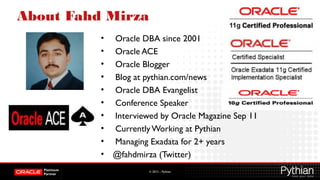
About Fahd Mirza
• Oracle DBA since 2001
• Oracle ACE
• Oracle Blogger
• Blog at pythian.com/news
• Oracle DBA Evangelist
• Conference Speaker
• Interviewed by Oracle Magazine Sep 11
• Currently Working at Pythian
• Managing Exadata for 2+ years
• @fahdmirza (Twitter)
© 2012 – Pythian
Why Pythian
• Recognized Leader:
• Global industry leader in data infrastructure managed services and consulting with expertise
in Oracle, Oracle Applications, Microsoft SQL Server, MySQL, big data and systems
administration
• Work with over 200 multinational companies such as Forbes.com, Fox Sports, Nordion and
Western Union to help manage their complex IT deployments
• Expertise:
• One of the world’s largest concentrations of dedicated, full-time DBA expertise. Employ 8
Oracle ACEs/ACE Directors
• Hold 7 Specializations under Oracle Platinum Partner program, including Oracle Exadata,
Oracle GoldenGate & Oracle RAC
• Global Reach & Scalability:
• 24/7/365 global remote support for DBA and consulting, systems administration, special
projects or emergency response
© 2012 – Pythian
• Overview
• Types of Exadata Patching
• Patching Scenarios
• Best Practices
• RecommendedTools
© 2012 – Pythian
Pythia, Pythian, Patching
© 2012 – Pythian
Golden Rule of Exadata Patching
Don’t Delay Don’t RushAND
© 2012 – Pythian
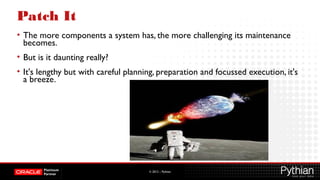
Patch It
• The more components a system has, the more challenging its maintenance
becomes.
• But is it daunting really?
• It's lengthy but with careful planning, preparation and focussed execution, it's
a breeze.
© 2012 – Pythian
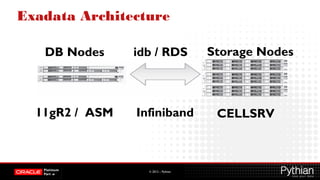
Exadata Architecture
DB Nodes idb / RDS Storage Nodes
Infiniband11gR2 / ASM CELLSRV
© 2012 – Pythian
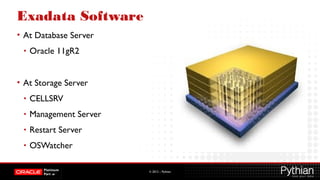
Exadata Software
• At Database Server
• Oracle 11gR2
• At Storage Server
• CELLSRV
• Management Server
• Restart Server
• OSWatcher
© 2012 – Pythian
Types of Exadata Patches
• There are different types of patches that are required to maintain Exadata
Database Machine:
• Exadata Storage Server
• Database server
• RDBMS and GI
• Operating system and firmware
• InfiniBand switch
• Additional components
© 2012 – Pythian
Exadata Storage Server Patches
• An Exadata Storage Server patch contains updates to
• Firmware
• Operating system
• Exadata Storage Server software.
• Only use single downloadable patch from MOS for Storage Server update.
• Don’t manually update firmware or software on storage servers.
• Storage Server patch may contain updates to firmware and OS to apply to
DB servers. Known as a database server minimal pack.
© 2012 – Pythian
Installation of Exadata Storage Server
Patches
• Storage Server patches are installed using patchmgr, which is a script
supplied with the patch.
• The patches may be installed in one of two ways:
• Rolling: Storage server patching performed in a rolling manner is applied
one storage server at a time while databases remain operational until all
storage servers are patched.
• Non-rolling: Storage server patching performed in a non-rolling manner is
applied to all storage servers simultaneously with databases offline.
• Prerequisites and instructions for installing the patch are provided in a
README supplied with the patch.
© 2012 – Pythian
Compatibility of Exadata Storage Server
Patches
• Exadata Storage Server patches are supplied independent of Oracle
Database Server patches
• i.e. patches applied to RDBMS or Grid Infrastructure homes using OPatch.
• Exadata Storage Server patch may require a specific Oracle Database
Server patch level, or database server firmware or operating system
version.
© 2012 – Pythian
Database Server Patches
• Database servers have two types of patches
• Oracle Database Software Patches
• Firmware / Operating System Patches
© 2012 – Pythian
DB Server : DB Software Patches
• Oracle Database Server software patches contain updates to Oracle
Database and Oracle Clusterware software.
• They are supplied as one or more downloadable patches from MOS.
• Most updates are delivered in bundle patches created specifically for
Exadata
• For Oracle Database (DB_BP) and Oracle Clusterware (GI_BP).
© 2012 – Pythian
DB Server : DB Software Patches
• Bundle patches contain no Exadata-specific code and may be installed on
non-Exadata systems.
• However, that priority for requests to merge one-off fixes into Exadata
bundle patches is given to Exadata customers.
• Bundle patches are cumulative.
• Bundle patches contain a recently released Patch Set Update (PSU), which,
in turn, contain a recently released Critical Patch Update (CPU).
• Patches in addition to bundle patches may be recommended or required.
© 2012 – Pythian
DB Server : DB Software Patches
Installation
• Opatch utility is used to apply the DB server patches in RDBMS and Grid
Homes.
• Prerequisites and instructions for installing a patch are provided in a
README supplied with the patch.
• There may be supplementary documentation for a patch that is
referenced in a MOS note.
• Oracle Database Server software patches may be installed in any order
unless otherwise indicated in a patch README
© 2012 – Pythian
DB Server : DB Software Patches
Compatibility
• Oracle Database Server software may require a minimum Exadata Storage
Server software version.
• Patches listed together as the current set of recommended patches in
Note 888828.1 have been tested as a group by MOS.
• If OPatch reports a conflict with one or more patches in this list, you
should not force apply your patch.
• Contact Oracle Support for assistance to resolve the patch conflict.
© 2012 – Pythian
DB Server: Firmware / OS Patches
• Minimal Pack for pre 11.2.3.1.0 / yum for 11.2.3.1.0 and above
• Obtain updates for firmware from the hardware support site that is
specific to the database server.
• Firmware downloads for Sun Fire DB can be obtained from OTN.
• Don’t update Storage Servers with firmware downloaded from OTN.
• Use only Exadata Storage Server patches.
• The database server manufacturer and model used can be obtained with
the commands:
• 'dmidecode --string system-manufacturer' and 'dmidecode --string system-product-
name'.
© 2012 – Pythian
DB Server: Firmware / OS Patches
• Oracle Linux (OL, earlier Oracle Enterprise Linux OEL) is the required
Linux distribution.
• Obtain updates for OL from the Unbreakable Linux Network (ULN).
• Do not automatically apply kernel updates because it may break
compatibility with OFED software.
• Be careful when installing packages that reconfigure operating system
parameters, such as the oracle-validated RPM.
• Parameter changes may remove Exadata-specific best practice
configuration provided when the system was deployed.
© 2012 – Pythian
DB Server: Firmware / OS Patches
Database Server Minimal Pack
• Storage Server patch may contain updates to firmware and operating
system to apply to database servers.
• This is known as a database server minimal pack.
• Minimal pack is designed to only patch database servers that
• are running the original deployed operating system,
• or have been updated only with a previous minimal pack.
• Minimal pack update to a specific version does not provide a database
server that is equivalent to a newly shipped database server at the same
version.
© 2012 – Pythian
DB Server: Firmware / OS Patches
Installation
• Any firmware or OS update may be installed, uninstalled, or reconfigured
provided the following guidelines are satisfied:
• Requirements to run Oracle Database 11g, Release 2 (11.2) remain intact.
• Storage Servers and database servers should interoperate with same InfiniBand host
channel adapter (HCA) firmware version.
• Obtain installed InfiniBand HCA firmware version with command "/usr/sbin/ibstat".
• Exadata Storage Servers and database servers should interoperate with same InfiniBand
(OFED) software versions.
• OFED software version is obtained with command "rpm --query ofa-$(uname -r)".
© 2012 – Pythian
DB Server: QDPE
• New strategy for patch releases for Database and GI on Exadata
• Customers will be less stressed because
• Number and Frequency of patches will decrease
• Quality of patching will improve
• Quarterly Bundle Patches will be released for GI and RDBMS
• They are being called as Quarterly Database Patches for Exadata
• They are cumulative and include latest PSU which include CPU.
• Interim bundle patches will still be available to address critical issues
• 11.2.0.3.11 - Oct 2012 QDPE is scheduled for Oct 2012
© 2012 – Pythian
InfiniBand Switch Patching
• An InfiniBand switch patch contains updates to the software and/or
firmware for InfiniBand switches.
• Updates to InfiniBand switch software and/or firmware must occur only
with the patch downloaded from MOS.
• Prerequisites and instructions for installing a patch are provided in a
README supplied with the patch.
• InfiniBand switch software version has no dependency on Exadata Storage
Server software version, unless indicated patch README.
© 2012 – Pythian
InfiniBand Switch Patching
• IB Switch patches are installed and rolled back via ILOM
• Infiniband patches are not cumulative.
• You have to upgrade version by version in order.
• For migrate from version 1.0.1-1 to 1.3.3-2, first upgrade 1.0.1-1 to 1.1.3-2 and
then 1.1.3-2 to 1.3.3-2.
• First patch Spine switch, reboot it, and then proceed it to patching the leaf
switches.
© 2012 – Pythian
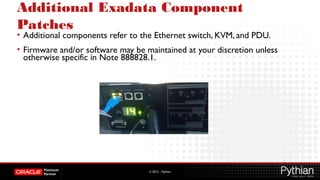
Additional Exadata Component
Patches
• Additional components refer to the Ethernet switch, KVM, and PDU.
• Firmware and/or software may be maintained at your discretion unless
otherwise specific in Note 888828.1.
© 2012 – Pythian
Quarterly Full Stack Download
Patch(QFSDP)
• Oracle is making things easier for downloading Exadata patching
• QFSDP includes all the patches for:
• Exadata Storage Server
• RDBMS Home and Grid Infrastructure Home
• Infiniband Switches
• OPLAN and OPATCH
• PDU
• EM Agent and EM Plug-in and EM OMS
• Individual downloads for the above components will also be available.
© 2012 – Pythian
Experience of Upgrading Exadata to 11.2.0.3
• This is about Upgrade from version 11.2.0.2 BP10 to 11.2.0.3 BP2.
• MOS note [ID 1373255.1] is your friend
• Most of steps can be done rolling mode so don't require full downtime.
• Prepare the list of all one-off patches which you need to apply and see if
they have been fixed in 11.2.0.3.
© 2012 – Pythian
Experience of Upgrading Exadata to
11.2.0.3
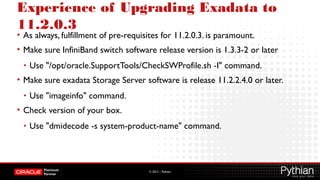
• As always, fulfillment of pre-requisites for 11.2.0.3. is paramount.
• Make sure InfiniBand switch software release version is 1.3.3-2 or later
• Use "/opt/oracle.SupportTools/CheckSWProfile.sh -I" command.
• Make sure exadata Storage Server software is release 11.2.2.4.0 or later.
• Use "imageinfo" command.
• Check version of your box.
• Use "dmidecode -s system-product-name" command.
© 2012 – Pythian
Experience of Upgrading Exadata to
11.2.0.3
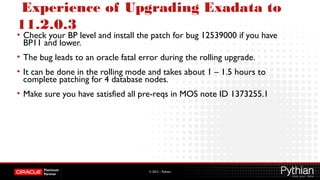
• Check your BP level and install the patch for bug 12539000 if you have
BP11 and lower.
• The bug leads to an oracle fatal error during the rolling upgrade.
• It can be done in the rolling mode and takes about 1 – 1.5 hours to
complete patching for 4 database nodes.
• Make sure you have satisfied all pre-reqs in MOS note ID 1373255.1
© 2012 – Pythian
Experience of Upgrading Exadata to
11.2.0.3
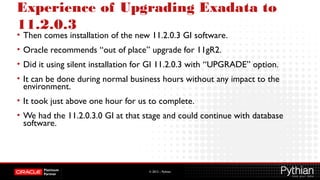
• Then comes installation of the new 11.2.0.3 GI software.
• Oracle recommends “out of place” upgrade for 11gR2.
• Did it using silent installation for GI 11.2.0.3 with “UPGRADE” option.
• It can be done during normal business hours without any impact to the
environment.
• It took just above one hour for us to complete.
• We had the 11.2.0.3.0 GI at that stage and could continue with database
software.
© 2012 – Pythian
Experience of Upgrading Exadata to
11.2.0.3
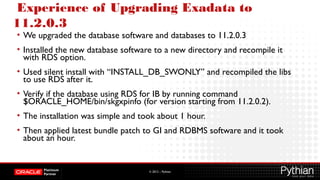
• We upgraded the database software and databases to 11.2.0.3
• Installed the new database software to a new directory and recompile it
with RDS option.
• Used silent install with “INSTALL_DB_SWONLY” and recompiled the libs
to use RDS after it.
• Verify if the database using RDS for IB by running command
$ORACLE_HOME/bin/skgxpinfo (for version starting from 11.2.0.2).
• The installation was simple and took about 1 hour.
• Then applied latest bundle patch to GI and RDBMS software and it took
about an hour.
© 2012 – Pythian
Experience of Upgrading Exadata to
11.2.0.3
• Next we upgraded the database after verifying all the parameters and pre-
upgrade checks.
• The MOS note [ID 1373255.1] is very helpful.
• It should not take more than one hour to perform upgrade and
postupgrade steps on a database.
• Make sure to gather statistics for the fixed objects after the upgrade.
• Adjust database compatible parameter,ASM and disk group compatibility
accordingly.
© 2012 – Pythian
Step by Step Patching Scenario
• Half Rack ofV2 Exadata
- 4 database nodes, 7 cell nodes
• Exadata Storage Cell Patch (Upgrade to 11.2.2.4)
• Minimal Pack on the database Node
© 2012 – Pythian
Exadata Storage Cell Patch (Upgrade to
11.2.2.4) - Step by Step
• Run as root.
• This is only done on one database node only
• This will call dcli under the cover to patch all storage Cell nodes
© 2012 – Pythian
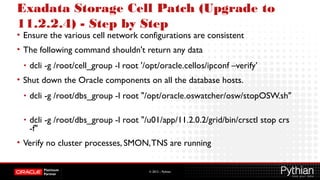
Exadata Storage Cell Patch (Upgrade to
11.2.2.4) - Step by Step
• Ensure the various cell network configurations are consistent
• The following command shouldn't return any data
• dcli -g /root/cell_group -l root '/opt/oracle.cellos/ipconf –verify’
• Shut down the Oracle components on all the database hosts.
• dcli -g /root/dbs_group -l root "/opt/oracle.oswatcher/osw/stopOSW.sh"
• dcli -g /root/dbs_group -l root "/u01/app/11.2.0.2/grid/bin/crsctl stop crs
-f"
• Verify no cluster processes, SMON,TNS are running
© 2012 – Pythian
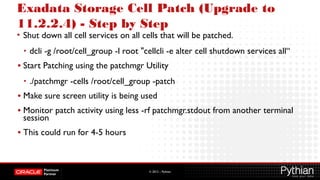
Exadata Storage Cell Patch (Upgrade to
11.2.2.4) - Step by Step
• Shut down all cell services on all cells that will be patched.
• dcli -g /root/cell_group -l root "cellcli -e alter cell shutdown services all“
• Start Patching using the patchmgr Utility
• ./patchmgr -cells /root/cell_group -patch
• Make sure screen utility is being used
• Monitor patch activity using less -rf patchmgr.stdout from another terminal
session
• This could run for 4-5 hours
© 2012 – Pythian
Exadata Storage Cell Patch (Upgrade to
11.2.2.4) - Step by Step
• Once patching is done, a few verification steps
• Gather image status and history
dcli -g /root/cell_group -l root "imageinfo"
dcli -g /root/cell_group -l root "imagehistory"
• The imageinfo command shows the current (Active), and previous
(Inactive) system info on the storage cell.
© 2012 – Pythian
Exadata Storage Cell Patch (Upgrade to
11.2.2.4) - Step by Step
• Check the /var/log/cellos/validations.log and /var/log/cellos/vldrun*.log files
for any failures.
• In output of imageinfo, the image status is marked as failure when there is a
failure reported in one or more places in these validations.
• If a specific validation failed, then the log will indicate where to look for the
logs for that validation.
• Examine the specific log to determine the problem, and check against know
issues.
• If the issue is not listed as a known issue in the My Oracle Support note for
the patch, then contact MOS
© 2012 – Pythian
Exadata Storage Cell Patch (Upgrade to
11.2.2.4) - Step by Step
• Check following logs with the commands for any failure:
• dcli -g /root/cell_group -l root "tail -50 /var/log/cellos/validations.log"
• dcli -g /root/cell_group -l root "tail -50 /var/log/cellos/vldrun.each_boot.log"
• dcli -g /root/cell_group -l root "tail -50 /var/log/cellos/vldrun.first_upgrade_boot.log"
• dcli -g /root/cell_group -l root "tail -50
/var/log/cellos/vldrun.upgrade_reimage_boot.log"
© 2012 – Pythian
Exadata Storage Cell Patch (Upgrade to
11.2.2.4) - Step by Step
• To rollback the patch:
• Check the prerequisites:
• ./patchmgr -cells /root/cell_group -rollback_check_prereq
• Perform the rollback:
• ./patchmgr -cells /root/cell_group -rollback
© 2012 – Pythian
Exadata Minimal Patch on Database
Nodes
• The storage cell patching is tightly knitted together with the database
patching.
• After the storage cell patching, you have to apply the minimal patch to the
database nodes.
• Not doing so could result in bugs, errors, uncertain behaviors like disabling
of storage indexes
• Apply database minimal patch on each database node as root
• Go to patch install directory and run it as ./install.sh –force
• This will run it in background and database nodes will reboot
• Check imageinfo and dopatch.sh.log after patching for any errors
© 2012 – Pythian
Patching Exadata with OEM
• Oracle Enterprise Manager currently does not support patching of the
Exadata Database Machine
• Compute Node and the Storage Cells.
• No support available for Oracle Databases running on Oracle Data Guard
Configuration.
• It can apply Bundle Patches on DB and GI homes
© 2012 – Pythian
Patching Exadata with OEM
• Quarterly Exadata Bundle Patches Released by Oracle
• Bundle Patches Include Fixes to both GI and DB Homes
• Manual Patching is Lengthy and Cumbersome
• On Quarter Rack it requires 100+ steps
• OPatch auto does not provide automation of out-of-place patching.
© 2012 – Pythian
Patching Exadata with OEM
• Oracle Enterprise Manager provides
• Complete automation to patch the cluster in zero-downtime
• Both in In-place and Out of Place modes.
• Oracle recommends that customers apply these patches out of place.
© 2012 – Pythian
Patching Exadata with OEM
• Out of Place Patching
• OEM 12c introduces Out of Place patching method.
• Clones of the existing oracle homes are created, and the patches are
applied to the cloned home instead of the original home.
• Once the cloned home is patched, user can selectively switch the database
instances to run from the cloned home.
© 2012 – Pythian
Patching Exadata with OEM
• Advantages of Out of Place Patching by OEM
• Minimal downtime
• Flexibility
• Recoverability
• Easy and Intuitive Approach
© 2012 – Pythian
Patching Guidelines
• Review the patch README file for known issues, patch installation and
deinstallation instructions, and special notes.
• Validate patch installation on theTEST system by applying it.
• Evaluate technologies and practices that may reduce downtime and risk,
such as transient logical standby patching, Data Guard Standby-First Patch
Apply, and rolling patch apply.
• Define, document, and test fallback procedures required if a patch must be
rolled back.
© 2012 – Pythian
Patching Guidelines
• If applying the patch to address a specific issue, verify that the patch
provides the functionality desired.
• Verify there is no performance, availability, or operational regression while
running workload that is representative to that which runs on the
PRODUCTION system.
• AWR and SQL Performance Analyzer may be used to assess performance
improvement or regression resulting from the patch.
• Before and after patch application, run exachk
© 2012 – Pythian
Patch Helping Features
• Cell Rolling Apply
• Exadata Storage Server software patches may be applied in a rolling
fashion, one storage server at a time.
• The supplied patching utility manages rolling patch application to all
storage servers.
© 2012 – Pythian
Patch Helping Features
• Bundle Patch Merge
• In 11.2.0.1 patches for Oracle Database and Oracle Clusterware were
delivered separately.
• A bundle patch for 11.2.0.2 combines both sets of updates which reduces
patching time by reducing the number of patches to install.
© 2012 – Pythian
Patch Helping Features
• OPatch Auto Installable:
• Opatch Auto command replaces manual steps to apply BP
• Opatch Auto:
• Stops the Clusterware and Database
• Applies the Patch to Grid home and database home
• Starts the Clusterware and the database
• Opatch Auto is repeated on all database nodes
© 2012 – Pythian
OPLAN
• No need to manually identify environment specific patching commands
• No need to spend huge time in understanding target configuration and
generating commands
• OPLAN automatically collects configuration information for target
• Step by step patching instructions can be generated
• Instructions cover both patch application and patch rollback steps.
• Instructions cover patch options for In place / Out-of-Place methods.
• The OPLAN utility works directly on the target, similar to OPatch.
© 2012 – Pythian
OPLAN Installation
• Oplan available from MOS, look for patch 11846294
• Download patch file to Oracle Home in the target
• Take backup of $ORACLE_HOME/Opatch, just in case.
• Remove $ORACLE_HOME/OPatch/oplan if already present by running:
• rm -r $ORACLE_HOME/OPatch/oplan
• As Oracle Home owner, unzip the oplan patch in the Oracle Home under
'OPatch' folder:
• unzip p11846294_<version_platform>.zip -d $ORACLE_HOME/Opatch
• Oplan will be installed under $ORACLE_HOME/OPatch/oplan folder.
© 2012 – Pythian
OPLAN Configuration
• Download actual patch you want to apply to local directory on target
• Set the ORACLE_HOME variable to theTargets Oracle Home
• As Oracle Home owner, run the following command:
• $ORACLE_HOME/oplan/oplan generateApplySteps <bundle patch location>
• OPLAN generates instructions in HTML and Text format.
• $ORACLE_HOME/cfgtoollogs/oplan/<TimeStamp>/InstallInstructions.html
• $ORACLE_HOME/cfgtoollogs/oplan/<TimeStamp>/InstallInstructions.txt
© 2012 – Pythian
OPLAN Configuration
• Verify the configuration by Oplan matches your configuration.
• Oplan may offer options across In Place / Out of Place patching
• Follow the patching instructions and apply the patch to the target.
• In order to rollback the patch use:
• $ORACLE_HOME/oplan/oplan generateRollbackSteps <bundle patch
location>
• The OPlan logs are located in $ORACLE_HOME/cfgtoollog/Oplan.
© 2012 – Pythian
Exachk
• Exachk is Exadata assessment tool
• Exachk audits various important configuration settings for Exadata:
• Database Servers,
• Storage Servers
• Infiniband Switches.
• Recommended to run routinely to check for any errors or warnings in the
system at every level.
• Provides detailed recommendations
© 2012 – Pythian
Exachk
• The tool audits configuration settings within the following categories
• OS kernel parameters
• OS packages
• Many other OS configuration settings important to RAC.
• CRS/Grid Infrastructure
• RDBMS
• ASM
• Database parameters
• Many other configuration settings.
© 2012 – Pythian
How to run Exachk
• Log in to the system as the oracle
• Stage exachk.zip kit on the node on which the tool will be executed
• Unzip exachk.zip kit, leaving script / driver files in same directory
• Verify permissions on exachk
• Run the tool
• $ ./exachk
• Follow the prompts. Read and understand all the messages
• Upon completion, review the report findings.
© 2012 – Pythian
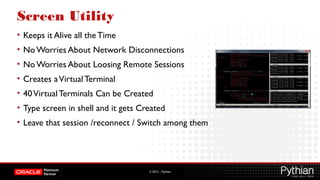
Screen Utility
• Keeps it Alive all theTime
• No Worries About Network Disconnections
• No Worries About Loosing Remote Sessions
• Creates aVirtualTerminal
• 40VirtualTerminals Can be Created
• Type screen in shell and it gets Created
• Leave that session /reconnect / Switch among them
© 2012 – Pythian
Patch Release Frequency
• Subject to Change By Oracle anytime
• Exadata Storage Server Patches
• Quarterly
• Database Patch for Exadata
• Quarterly
• Infiniband Patches
• Between 6 months to anYear
© 2012 – Pythian
Word of Caution
• Exadata is still New
• Evolving Rapidly
• Many components, many changes, many bugs, many patches
• Consult My Oracle Support for Latest Patches and Releases available before
applying
© 2012 – Pythian
Conclusion
• The complexity of the Exadata patching can be a bit daunting at first
• Careful planning and execution can make it a breeze
• Open a Service Request with MOS before patching and get them review
your patching procedure
• Make sure to run Exachk before and after patching
• Patch it but don’t rush it and don’t delay it too much.
© 2012 – Pythian
Thank you and Q&A
http://www.pythian.com/news/
http://www.facebook.com/pages/The-Pythian-Group/163902527671
@pythian
http://www.linkedin.com/company/pythian
1-877-PYTHIAN
sales@pythian.com
To contact us…
To follow us…
@pythianjobs

Smooth as Silk Exadata Patching

  • 1.
  • 2.
    © 2012 –Pythian About Fahd Mirza • Oracle DBA since 2001 • Oracle ACE • Oracle Blogger • Blog at pythian.com/news • Oracle DBA Evangelist • Conference Speaker • Interviewed by Oracle Magazine Sep 11 • Currently Working at Pythian • Managing Exadata for 2+ years • @fahdmirza (Twitter)
  • 3.
    © 2012 –Pythian Why Pythian • Recognized Leader: • Global industry leader in data infrastructure managed services and consulting with expertise in Oracle, Oracle Applications, Microsoft SQL Server, MySQL, big data and systems administration • Work with over 200 multinational companies such as Forbes.com, Fox Sports, Nordion and Western Union to help manage their complex IT deployments • Expertise: • One of the world’s largest concentrations of dedicated, full-time DBA expertise. Employ 8 Oracle ACEs/ACE Directors • Hold 7 Specializations under Oracle Platinum Partner program, including Oracle Exadata, Oracle GoldenGate & Oracle RAC • Global Reach & Scalability: • 24/7/365 global remote support for DBA and consulting, systems administration, special projects or emergency response
  • 4.
    © 2012 –Pythian • Overview • Types of Exadata Patching • Patching Scenarios • Best Practices • RecommendedTools
  • 5.
    © 2012 –Pythian Pythia, Pythian, Patching
  • 6.
    © 2012 –Pythian Golden Rule of Exadata Patching Don’t Delay Don’t RushAND
  • 7.
    © 2012 –Pythian Patch It • The more components a system has, the more challenging its maintenance becomes. • But is it daunting really? • It's lengthy but with careful planning, preparation and focussed execution, it's a breeze.
  • 8.
    © 2012 –Pythian Exadata Architecture DB Nodes idb / RDS Storage Nodes Infiniband11gR2 / ASM CELLSRV
  • 9.
    © 2012 –Pythian Exadata Software • At Database Server • Oracle 11gR2 • At Storage Server • CELLSRV • Management Server • Restart Server • OSWatcher
  • 10.
    © 2012 –Pythian Types of Exadata Patches • There are different types of patches that are required to maintain Exadata Database Machine: • Exadata Storage Server • Database server • RDBMS and GI • Operating system and firmware • InfiniBand switch • Additional components
  • 11.
    © 2012 –Pythian Exadata Storage Server Patches • An Exadata Storage Server patch contains updates to • Firmware • Operating system • Exadata Storage Server software. • Only use single downloadable patch from MOS for Storage Server update. • Don’t manually update firmware or software on storage servers. • Storage Server patch may contain updates to firmware and OS to apply to DB servers. Known as a database server minimal pack.
  • 12.
    © 2012 –Pythian Installation of Exadata Storage Server Patches • Storage Server patches are installed using patchmgr, which is a script supplied with the patch. • The patches may be installed in one of two ways: • Rolling: Storage server patching performed in a rolling manner is applied one storage server at a time while databases remain operational until all storage servers are patched. • Non-rolling: Storage server patching performed in a non-rolling manner is applied to all storage servers simultaneously with databases offline. • Prerequisites and instructions for installing the patch are provided in a README supplied with the patch.
  • 13.
    © 2012 –Pythian Compatibility of Exadata Storage Server Patches • Exadata Storage Server patches are supplied independent of Oracle Database Server patches • i.e. patches applied to RDBMS or Grid Infrastructure homes using OPatch. • Exadata Storage Server patch may require a specific Oracle Database Server patch level, or database server firmware or operating system version.
  • 14.
    © 2012 –Pythian Database Server Patches • Database servers have two types of patches • Oracle Database Software Patches • Firmware / Operating System Patches
  • 15.
    © 2012 –Pythian DB Server : DB Software Patches • Oracle Database Server software patches contain updates to Oracle Database and Oracle Clusterware software. • They are supplied as one or more downloadable patches from MOS. • Most updates are delivered in bundle patches created specifically for Exadata • For Oracle Database (DB_BP) and Oracle Clusterware (GI_BP).
  • 16.
    © 2012 –Pythian DB Server : DB Software Patches • Bundle patches contain no Exadata-specific code and may be installed on non-Exadata systems. • However, that priority for requests to merge one-off fixes into Exadata bundle patches is given to Exadata customers. • Bundle patches are cumulative. • Bundle patches contain a recently released Patch Set Update (PSU), which, in turn, contain a recently released Critical Patch Update (CPU). • Patches in addition to bundle patches may be recommended or required.
  • 17.
    © 2012 –Pythian DB Server : DB Software Patches Installation • Opatch utility is used to apply the DB server patches in RDBMS and Grid Homes. • Prerequisites and instructions for installing a patch are provided in a README supplied with the patch. • There may be supplementary documentation for a patch that is referenced in a MOS note. • Oracle Database Server software patches may be installed in any order unless otherwise indicated in a patch README
  • 18.
    © 2012 –Pythian DB Server : DB Software Patches Compatibility • Oracle Database Server software may require a minimum Exadata Storage Server software version. • Patches listed together as the current set of recommended patches in Note 888828.1 have been tested as a group by MOS. • If OPatch reports a conflict with one or more patches in this list, you should not force apply your patch. • Contact Oracle Support for assistance to resolve the patch conflict.
  • 19.
    © 2012 –Pythian DB Server: Firmware / OS Patches • Minimal Pack for pre 11.2.3.1.0 / yum for 11.2.3.1.0 and above • Obtain updates for firmware from the hardware support site that is specific to the database server. • Firmware downloads for Sun Fire DB can be obtained from OTN. • Don’t update Storage Servers with firmware downloaded from OTN. • Use only Exadata Storage Server patches. • The database server manufacturer and model used can be obtained with the commands: • 'dmidecode --string system-manufacturer' and 'dmidecode --string system-product- name'.
  • 20.
    © 2012 –Pythian DB Server: Firmware / OS Patches • Oracle Linux (OL, earlier Oracle Enterprise Linux OEL) is the required Linux distribution. • Obtain updates for OL from the Unbreakable Linux Network (ULN). • Do not automatically apply kernel updates because it may break compatibility with OFED software. • Be careful when installing packages that reconfigure operating system parameters, such as the oracle-validated RPM. • Parameter changes may remove Exadata-specific best practice configuration provided when the system was deployed.
  • 21.
    © 2012 –Pythian DB Server: Firmware / OS Patches Database Server Minimal Pack • Storage Server patch may contain updates to firmware and operating system to apply to database servers. • This is known as a database server minimal pack. • Minimal pack is designed to only patch database servers that • are running the original deployed operating system, • or have been updated only with a previous minimal pack. • Minimal pack update to a specific version does not provide a database server that is equivalent to a newly shipped database server at the same version.
  • 22.
    © 2012 –Pythian DB Server: Firmware / OS Patches Installation • Any firmware or OS update may be installed, uninstalled, or reconfigured provided the following guidelines are satisfied: • Requirements to run Oracle Database 11g, Release 2 (11.2) remain intact. • Storage Servers and database servers should interoperate with same InfiniBand host channel adapter (HCA) firmware version. • Obtain installed InfiniBand HCA firmware version with command "/usr/sbin/ibstat". • Exadata Storage Servers and database servers should interoperate with same InfiniBand (OFED) software versions. • OFED software version is obtained with command "rpm --query ofa-$(uname -r)".
  • 23.
    © 2012 –Pythian DB Server: QDPE • New strategy for patch releases for Database and GI on Exadata • Customers will be less stressed because • Number and Frequency of patches will decrease • Quality of patching will improve • Quarterly Bundle Patches will be released for GI and RDBMS • They are being called as Quarterly Database Patches for Exadata • They are cumulative and include latest PSU which include CPU. • Interim bundle patches will still be available to address critical issues • 11.2.0.3.11 - Oct 2012 QDPE is scheduled for Oct 2012
  • 24.
    © 2012 –Pythian InfiniBand Switch Patching • An InfiniBand switch patch contains updates to the software and/or firmware for InfiniBand switches. • Updates to InfiniBand switch software and/or firmware must occur only with the patch downloaded from MOS. • Prerequisites and instructions for installing a patch are provided in a README supplied with the patch. • InfiniBand switch software version has no dependency on Exadata Storage Server software version, unless indicated patch README.
  • 25.
    © 2012 –Pythian InfiniBand Switch Patching • IB Switch patches are installed and rolled back via ILOM • Infiniband patches are not cumulative. • You have to upgrade version by version in order. • For migrate from version 1.0.1-1 to 1.3.3-2, first upgrade 1.0.1-1 to 1.1.3-2 and then 1.1.3-2 to 1.3.3-2. • First patch Spine switch, reboot it, and then proceed it to patching the leaf switches.
  • 26.
    © 2012 –Pythian Additional Exadata Component Patches • Additional components refer to the Ethernet switch, KVM, and PDU. • Firmware and/or software may be maintained at your discretion unless otherwise specific in Note 888828.1.
  • 27.
    © 2012 –Pythian Quarterly Full Stack Download Patch(QFSDP) • Oracle is making things easier for downloading Exadata patching • QFSDP includes all the patches for: • Exadata Storage Server • RDBMS Home and Grid Infrastructure Home • Infiniband Switches • OPLAN and OPATCH • PDU • EM Agent and EM Plug-in and EM OMS • Individual downloads for the above components will also be available.
  • 28.
    © 2012 –Pythian Experience of Upgrading Exadata to 11.2.0.3 • This is about Upgrade from version 11.2.0.2 BP10 to 11.2.0.3 BP2. • MOS note [ID 1373255.1] is your friend • Most of steps can be done rolling mode so don't require full downtime. • Prepare the list of all one-off patches which you need to apply and see if they have been fixed in 11.2.0.3.
  • 29.
    © 2012 –Pythian Experience of Upgrading Exadata to 11.2.0.3 • As always, fulfillment of pre-requisites for 11.2.0.3. is paramount. • Make sure InfiniBand switch software release version is 1.3.3-2 or later • Use "/opt/oracle.SupportTools/CheckSWProfile.sh -I" command. • Make sure exadata Storage Server software is release 11.2.2.4.0 or later. • Use "imageinfo" command. • Check version of your box. • Use "dmidecode -s system-product-name" command.
  • 30.
    © 2012 –Pythian Experience of Upgrading Exadata to 11.2.0.3 • Check your BP level and install the patch for bug 12539000 if you have BP11 and lower. • The bug leads to an oracle fatal error during the rolling upgrade. • It can be done in the rolling mode and takes about 1 – 1.5 hours to complete patching for 4 database nodes. • Make sure you have satisfied all pre-reqs in MOS note ID 1373255.1
  • 31.
    © 2012 –Pythian Experience of Upgrading Exadata to 11.2.0.3 • Then comes installation of the new 11.2.0.3 GI software. • Oracle recommends “out of place” upgrade for 11gR2. • Did it using silent installation for GI 11.2.0.3 with “UPGRADE” option. • It can be done during normal business hours without any impact to the environment. • It took just above one hour for us to complete. • We had the 11.2.0.3.0 GI at that stage and could continue with database software.
  • 32.
    © 2012 –Pythian Experience of Upgrading Exadata to 11.2.0.3 • We upgraded the database software and databases to 11.2.0.3 • Installed the new database software to a new directory and recompile it with RDS option. • Used silent install with “INSTALL_DB_SWONLY” and recompiled the libs to use RDS after it. • Verify if the database using RDS for IB by running command $ORACLE_HOME/bin/skgxpinfo (for version starting from 11.2.0.2). • The installation was simple and took about 1 hour. • Then applied latest bundle patch to GI and RDBMS software and it took about an hour.
  • 33.
    © 2012 –Pythian Experience of Upgrading Exadata to 11.2.0.3 • Next we upgraded the database after verifying all the parameters and pre- upgrade checks. • The MOS note [ID 1373255.1] is very helpful. • It should not take more than one hour to perform upgrade and postupgrade steps on a database. • Make sure to gather statistics for the fixed objects after the upgrade. • Adjust database compatible parameter,ASM and disk group compatibility accordingly.
  • 34.
    © 2012 –Pythian Step by Step Patching Scenario • Half Rack ofV2 Exadata - 4 database nodes, 7 cell nodes • Exadata Storage Cell Patch (Upgrade to 11.2.2.4) • Minimal Pack on the database Node
  • 35.
    © 2012 –Pythian Exadata Storage Cell Patch (Upgrade to 11.2.2.4) - Step by Step • Run as root. • This is only done on one database node only • This will call dcli under the cover to patch all storage Cell nodes
  • 36.
    © 2012 –Pythian Exadata Storage Cell Patch (Upgrade to 11.2.2.4) - Step by Step • Ensure the various cell network configurations are consistent • The following command shouldn't return any data • dcli -g /root/cell_group -l root '/opt/oracle.cellos/ipconf –verify’ • Shut down the Oracle components on all the database hosts. • dcli -g /root/dbs_group -l root "/opt/oracle.oswatcher/osw/stopOSW.sh" • dcli -g /root/dbs_group -l root "/u01/app/11.2.0.2/grid/bin/crsctl stop crs -f" • Verify no cluster processes, SMON,TNS are running
  • 37.
    © 2012 –Pythian Exadata Storage Cell Patch (Upgrade to 11.2.2.4) - Step by Step • Shut down all cell services on all cells that will be patched. • dcli -g /root/cell_group -l root "cellcli -e alter cell shutdown services all“ • Start Patching using the patchmgr Utility • ./patchmgr -cells /root/cell_group -patch • Make sure screen utility is being used • Monitor patch activity using less -rf patchmgr.stdout from another terminal session • This could run for 4-5 hours
  • 38.
    © 2012 –Pythian Exadata Storage Cell Patch (Upgrade to 11.2.2.4) - Step by Step • Once patching is done, a few verification steps • Gather image status and history dcli -g /root/cell_group -l root "imageinfo" dcli -g /root/cell_group -l root "imagehistory" • The imageinfo command shows the current (Active), and previous (Inactive) system info on the storage cell.
  • 39.
    © 2012 –Pythian Exadata Storage Cell Patch (Upgrade to 11.2.2.4) - Step by Step • Check the /var/log/cellos/validations.log and /var/log/cellos/vldrun*.log files for any failures. • In output of imageinfo, the image status is marked as failure when there is a failure reported in one or more places in these validations. • If a specific validation failed, then the log will indicate where to look for the logs for that validation. • Examine the specific log to determine the problem, and check against know issues. • If the issue is not listed as a known issue in the My Oracle Support note for the patch, then contact MOS
  • 40.
    © 2012 –Pythian Exadata Storage Cell Patch (Upgrade to 11.2.2.4) - Step by Step • Check following logs with the commands for any failure: • dcli -g /root/cell_group -l root "tail -50 /var/log/cellos/validations.log" • dcli -g /root/cell_group -l root "tail -50 /var/log/cellos/vldrun.each_boot.log" • dcli -g /root/cell_group -l root "tail -50 /var/log/cellos/vldrun.first_upgrade_boot.log" • dcli -g /root/cell_group -l root "tail -50 /var/log/cellos/vldrun.upgrade_reimage_boot.log"
  • 41.
    © 2012 –Pythian Exadata Storage Cell Patch (Upgrade to 11.2.2.4) - Step by Step • To rollback the patch: • Check the prerequisites: • ./patchmgr -cells /root/cell_group -rollback_check_prereq • Perform the rollback: • ./patchmgr -cells /root/cell_group -rollback
  • 42.
    © 2012 –Pythian Exadata Minimal Patch on Database Nodes • The storage cell patching is tightly knitted together with the database patching. • After the storage cell patching, you have to apply the minimal patch to the database nodes. • Not doing so could result in bugs, errors, uncertain behaviors like disabling of storage indexes • Apply database minimal patch on each database node as root • Go to patch install directory and run it as ./install.sh –force • This will run it in background and database nodes will reboot • Check imageinfo and dopatch.sh.log after patching for any errors
  • 43.
    © 2012 –Pythian Patching Exadata with OEM • Oracle Enterprise Manager currently does not support patching of the Exadata Database Machine • Compute Node and the Storage Cells. • No support available for Oracle Databases running on Oracle Data Guard Configuration. • It can apply Bundle Patches on DB and GI homes
  • 44.
    © 2012 –Pythian Patching Exadata with OEM • Quarterly Exadata Bundle Patches Released by Oracle • Bundle Patches Include Fixes to both GI and DB Homes • Manual Patching is Lengthy and Cumbersome • On Quarter Rack it requires 100+ steps • OPatch auto does not provide automation of out-of-place patching.
  • 45.
    © 2012 –Pythian Patching Exadata with OEM • Oracle Enterprise Manager provides • Complete automation to patch the cluster in zero-downtime • Both in In-place and Out of Place modes. • Oracle recommends that customers apply these patches out of place.
  • 46.
    © 2012 –Pythian Patching Exadata with OEM • Out of Place Patching • OEM 12c introduces Out of Place patching method. • Clones of the existing oracle homes are created, and the patches are applied to the cloned home instead of the original home. • Once the cloned home is patched, user can selectively switch the database instances to run from the cloned home.
  • 47.
    © 2012 –Pythian Patching Exadata with OEM • Advantages of Out of Place Patching by OEM • Minimal downtime • Flexibility • Recoverability • Easy and Intuitive Approach
  • 48.
    © 2012 –Pythian Patching Guidelines • Review the patch README file for known issues, patch installation and deinstallation instructions, and special notes. • Validate patch installation on theTEST system by applying it. • Evaluate technologies and practices that may reduce downtime and risk, such as transient logical standby patching, Data Guard Standby-First Patch Apply, and rolling patch apply. • Define, document, and test fallback procedures required if a patch must be rolled back.
  • 49.
    © 2012 –Pythian Patching Guidelines • If applying the patch to address a specific issue, verify that the patch provides the functionality desired. • Verify there is no performance, availability, or operational regression while running workload that is representative to that which runs on the PRODUCTION system. • AWR and SQL Performance Analyzer may be used to assess performance improvement or regression resulting from the patch. • Before and after patch application, run exachk
  • 50.
    © 2012 –Pythian Patch Helping Features • Cell Rolling Apply • Exadata Storage Server software patches may be applied in a rolling fashion, one storage server at a time. • The supplied patching utility manages rolling patch application to all storage servers.
  • 51.
    © 2012 –Pythian Patch Helping Features • Bundle Patch Merge • In 11.2.0.1 patches for Oracle Database and Oracle Clusterware were delivered separately. • A bundle patch for 11.2.0.2 combines both sets of updates which reduces patching time by reducing the number of patches to install.
  • 52.
    © 2012 –Pythian Patch Helping Features • OPatch Auto Installable: • Opatch Auto command replaces manual steps to apply BP • Opatch Auto: • Stops the Clusterware and Database • Applies the Patch to Grid home and database home • Starts the Clusterware and the database • Opatch Auto is repeated on all database nodes
  • 53.
    © 2012 –Pythian OPLAN • No need to manually identify environment specific patching commands • No need to spend huge time in understanding target configuration and generating commands • OPLAN automatically collects configuration information for target • Step by step patching instructions can be generated • Instructions cover both patch application and patch rollback steps. • Instructions cover patch options for In place / Out-of-Place methods. • The OPLAN utility works directly on the target, similar to OPatch.
  • 54.
    © 2012 –Pythian OPLAN Installation • Oplan available from MOS, look for patch 11846294 • Download patch file to Oracle Home in the target • Take backup of $ORACLE_HOME/Opatch, just in case. • Remove $ORACLE_HOME/OPatch/oplan if already present by running: • rm -r $ORACLE_HOME/OPatch/oplan • As Oracle Home owner, unzip the oplan patch in the Oracle Home under 'OPatch' folder: • unzip p11846294_<version_platform>.zip -d $ORACLE_HOME/Opatch • Oplan will be installed under $ORACLE_HOME/OPatch/oplan folder.
  • 55.
    © 2012 –Pythian OPLAN Configuration • Download actual patch you want to apply to local directory on target • Set the ORACLE_HOME variable to theTargets Oracle Home • As Oracle Home owner, run the following command: • $ORACLE_HOME/oplan/oplan generateApplySteps <bundle patch location> • OPLAN generates instructions in HTML and Text format. • $ORACLE_HOME/cfgtoollogs/oplan/<TimeStamp>/InstallInstructions.html • $ORACLE_HOME/cfgtoollogs/oplan/<TimeStamp>/InstallInstructions.txt
  • 56.
    © 2012 –Pythian OPLAN Configuration • Verify the configuration by Oplan matches your configuration. • Oplan may offer options across In Place / Out of Place patching • Follow the patching instructions and apply the patch to the target. • In order to rollback the patch use: • $ORACLE_HOME/oplan/oplan generateRollbackSteps <bundle patch location> • The OPlan logs are located in $ORACLE_HOME/cfgtoollog/Oplan.
  • 57.
    © 2012 –Pythian Exachk • Exachk is Exadata assessment tool • Exachk audits various important configuration settings for Exadata: • Database Servers, • Storage Servers • Infiniband Switches. • Recommended to run routinely to check for any errors or warnings in the system at every level. • Provides detailed recommendations
  • 58.
    © 2012 –Pythian Exachk • The tool audits configuration settings within the following categories • OS kernel parameters • OS packages • Many other OS configuration settings important to RAC. • CRS/Grid Infrastructure • RDBMS • ASM • Database parameters • Many other configuration settings.
  • 59.
    © 2012 –Pythian How to run Exachk • Log in to the system as the oracle • Stage exachk.zip kit on the node on which the tool will be executed • Unzip exachk.zip kit, leaving script / driver files in same directory • Verify permissions on exachk • Run the tool • $ ./exachk • Follow the prompts. Read and understand all the messages • Upon completion, review the report findings.
  • 60.
    © 2012 –Pythian Screen Utility • Keeps it Alive all theTime • No Worries About Network Disconnections • No Worries About Loosing Remote Sessions • Creates aVirtualTerminal • 40VirtualTerminals Can be Created • Type screen in shell and it gets Created • Leave that session /reconnect / Switch among them
  • 61.
    © 2012 –Pythian Patch Release Frequency • Subject to Change By Oracle anytime • Exadata Storage Server Patches • Quarterly • Database Patch for Exadata • Quarterly • Infiniband Patches • Between 6 months to anYear
  • 62.
    © 2012 –Pythian Word of Caution • Exadata is still New • Evolving Rapidly • Many components, many changes, many bugs, many patches • Consult My Oracle Support for Latest Patches and Releases available before applying
  • 63.
    © 2012 –Pythian Conclusion • The complexity of the Exadata patching can be a bit daunting at first • Careful planning and execution can make it a breeze • Open a Service Request with MOS before patching and get them review your patching procedure • Make sure to run Exachk before and after patching • Patch it but don’t rush it and don’t delay it too much.
  • 64.
    © 2012 –Pythian Thank you and Q&A http://www.pythian.com/news/ http://www.facebook.com/pages/The-Pythian-Group/163902527671 @pythian http://www.linkedin.com/company/pythian 1-877-PYTHIAN sales@pythian.com To contact us… To follow us… @pythianjobs