Introducing the eDB360 Tool 
Carlos Sierra
Carlos Sierra 
• Oracle Performance and SQL Tuning 
• Consultant/Developer/DBA 
• eDB360 and eAdam 
• SQLT and SQLHC 
• Exadata 
Enkitec (c) 2014 2
What is eDB360? 
• Oracle database 360-degree view 
• A tool made of many SQL scripts 
• Installs nothing on the database 
• Executes from SQL*Plus (local or remote) 
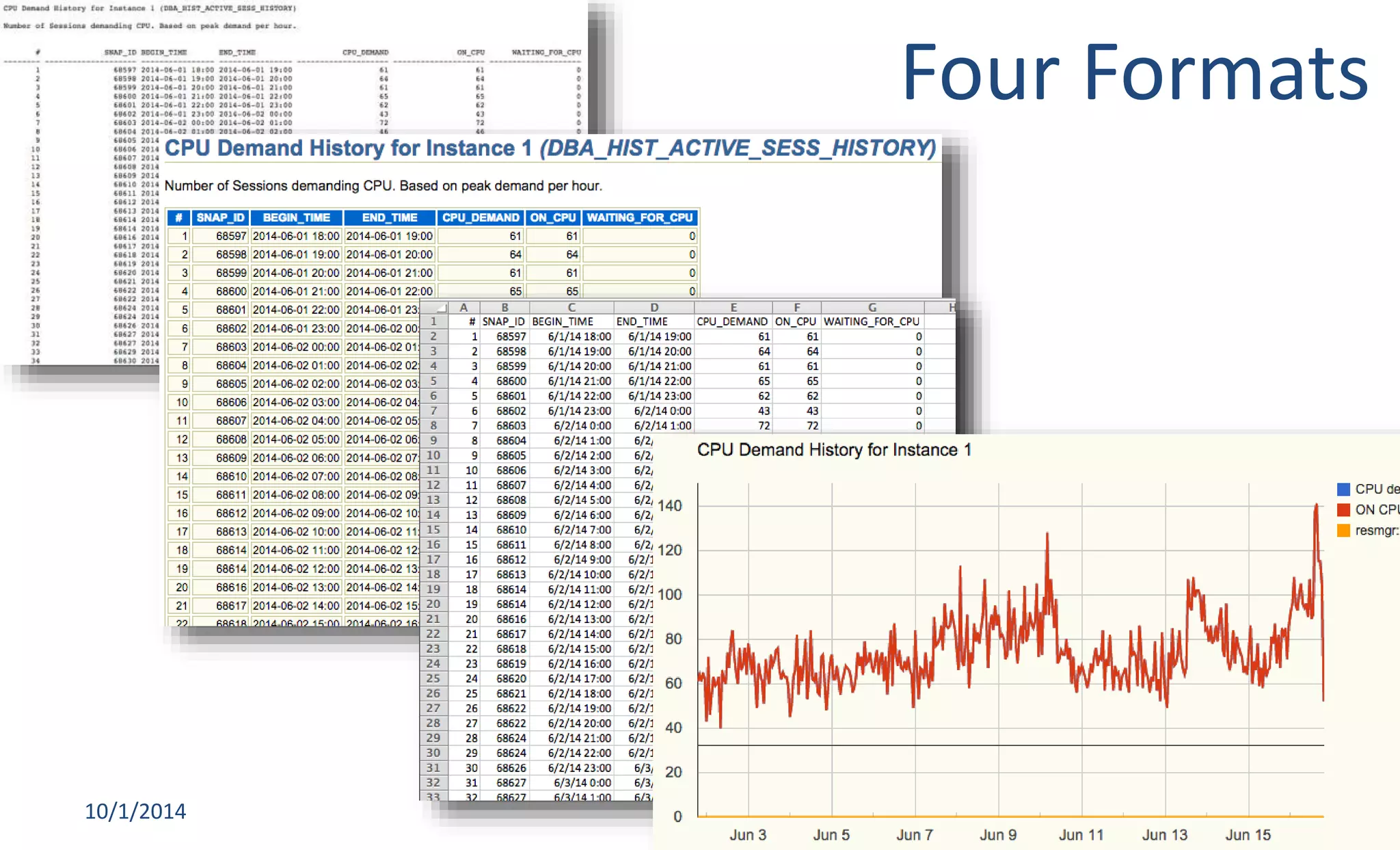
• Produces ZIP with html, text, csv and charts 
10/1/2014 Enkitec © 3
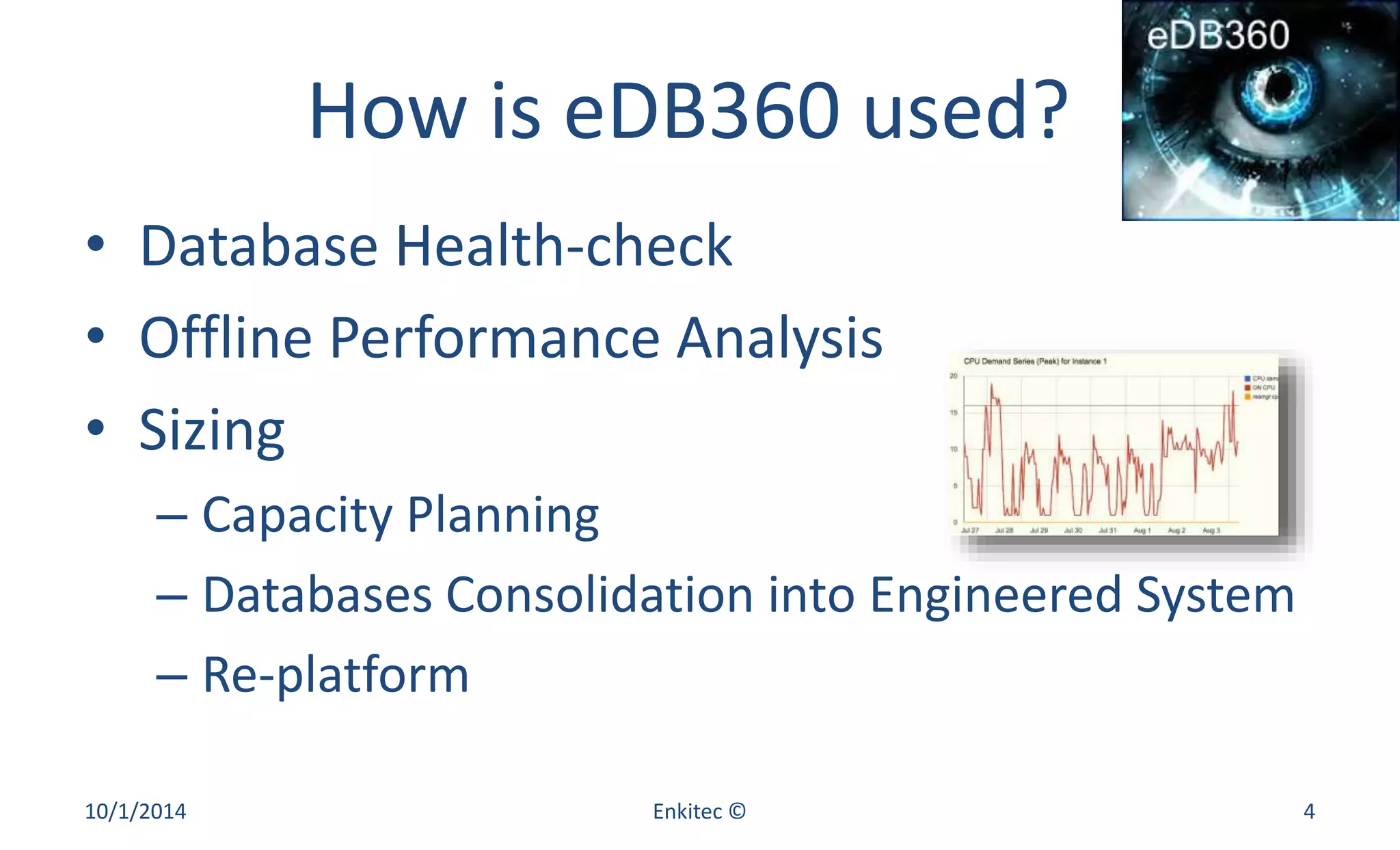
How is eDB360 used? 
• Database Health-check 
• Offline Performance Analysis 
• Sizing 
– Capacity Planning 
– Databases Consolidation into Engineered System 
– Re-platform 
10/1/2014 Enkitec © 4
Typical use of eDB360 (1) 
• Consultant onsite for one week 
– Monday noon to Friday morning 
• No access to Client’s intranet 
• Limited or no access to internet 
• Any script requires a round trip to a DBA 
– 4 hours average 
10/1/2014 Enkitec © 5
Typical use of eDB360 (2) 
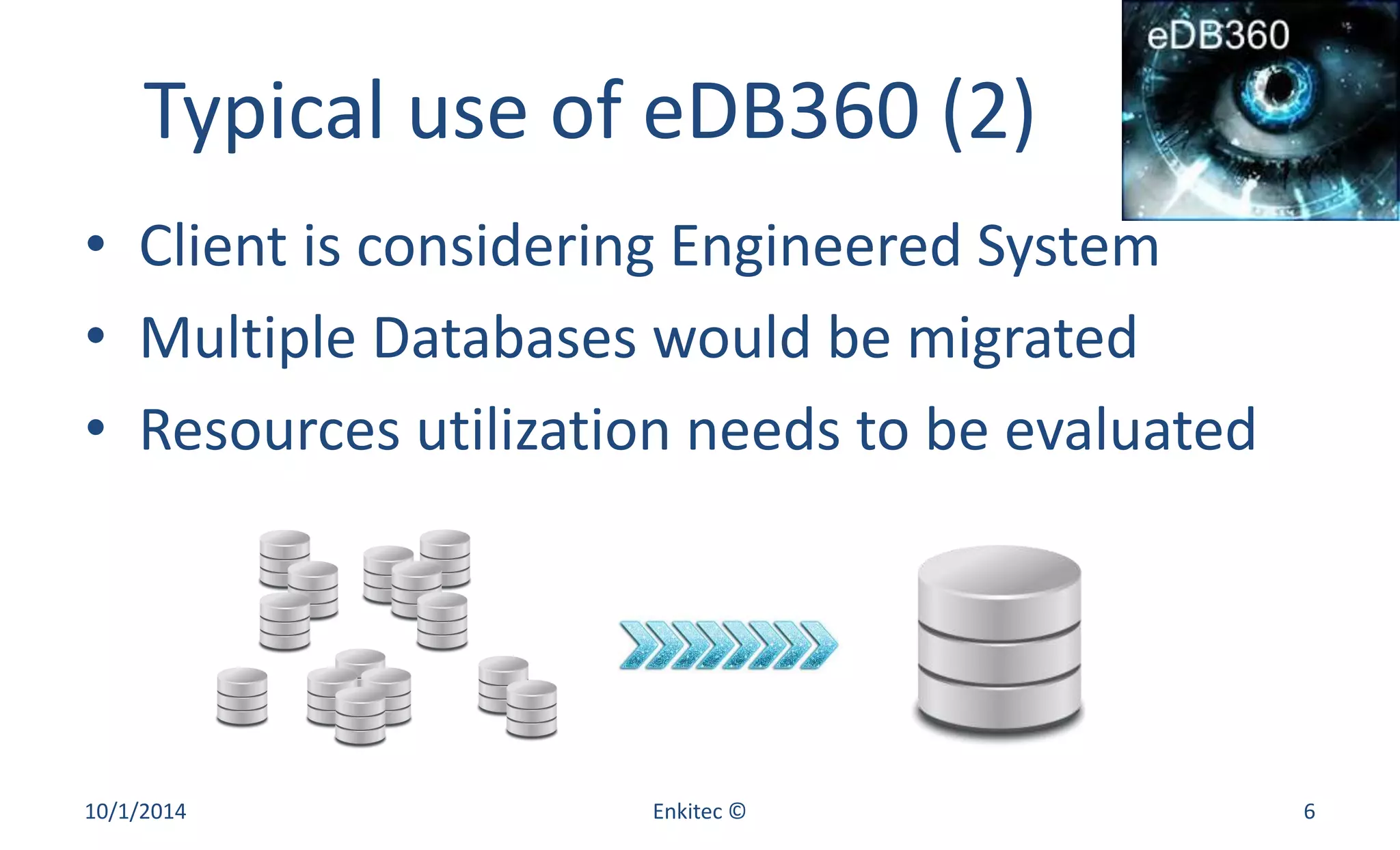
• Client is considering Engineered System 
• Multiple Databases would be migrated 
• Resources utilization needs to be evaluated 
10/1/2014 Enkitec © 6
Overlaps? 
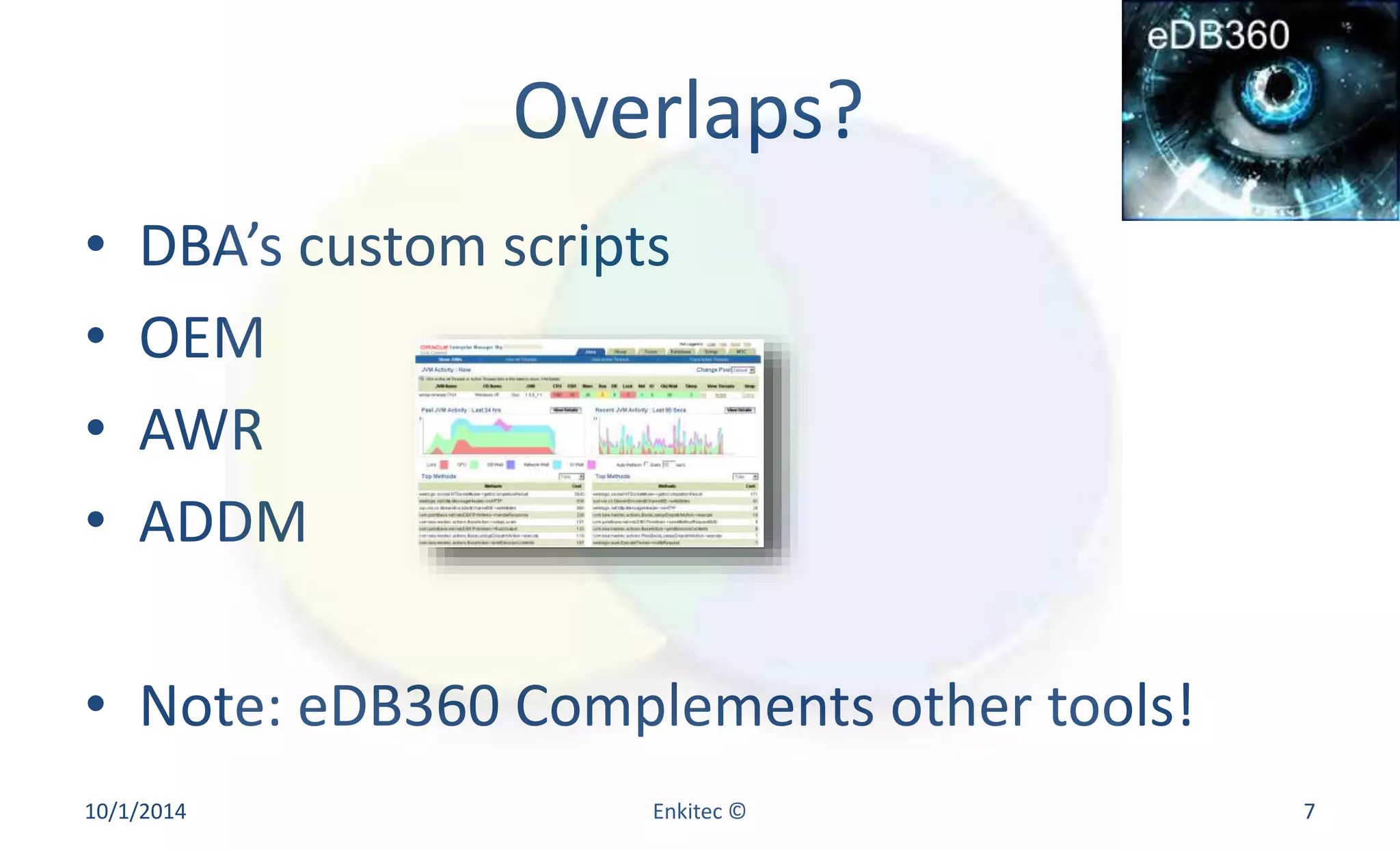
• DBA’s custom scripts 
• OEM 
• AWR 
• ADDM 
• Note: eDB360 Complements other tools! 
10/1/2014 Enkitec © 7
eDB360 Execution 
• Refer to readme.txt included 
• Connect to SQL*Plus as SYS, DBA or user with 
access to Data Dictionary 
• Parameters 
– Oracle Tuning or Diagnostics Pack? [T | D | N] 
– How many days of history (default 31) 
10/1/2014 Enkitec © 8
eDB360 Output 
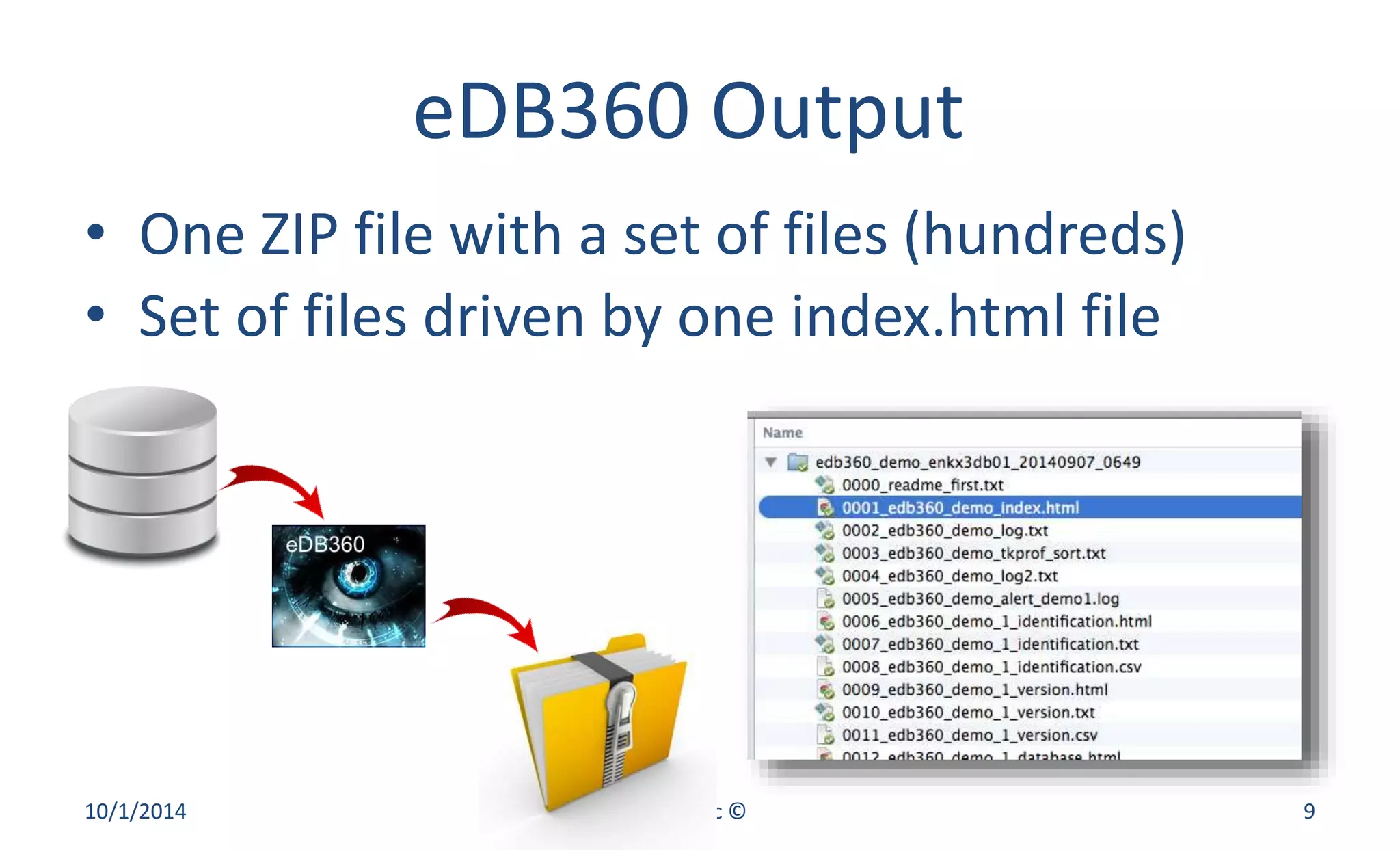
• One ZIP file with a set of files (hundreds) 
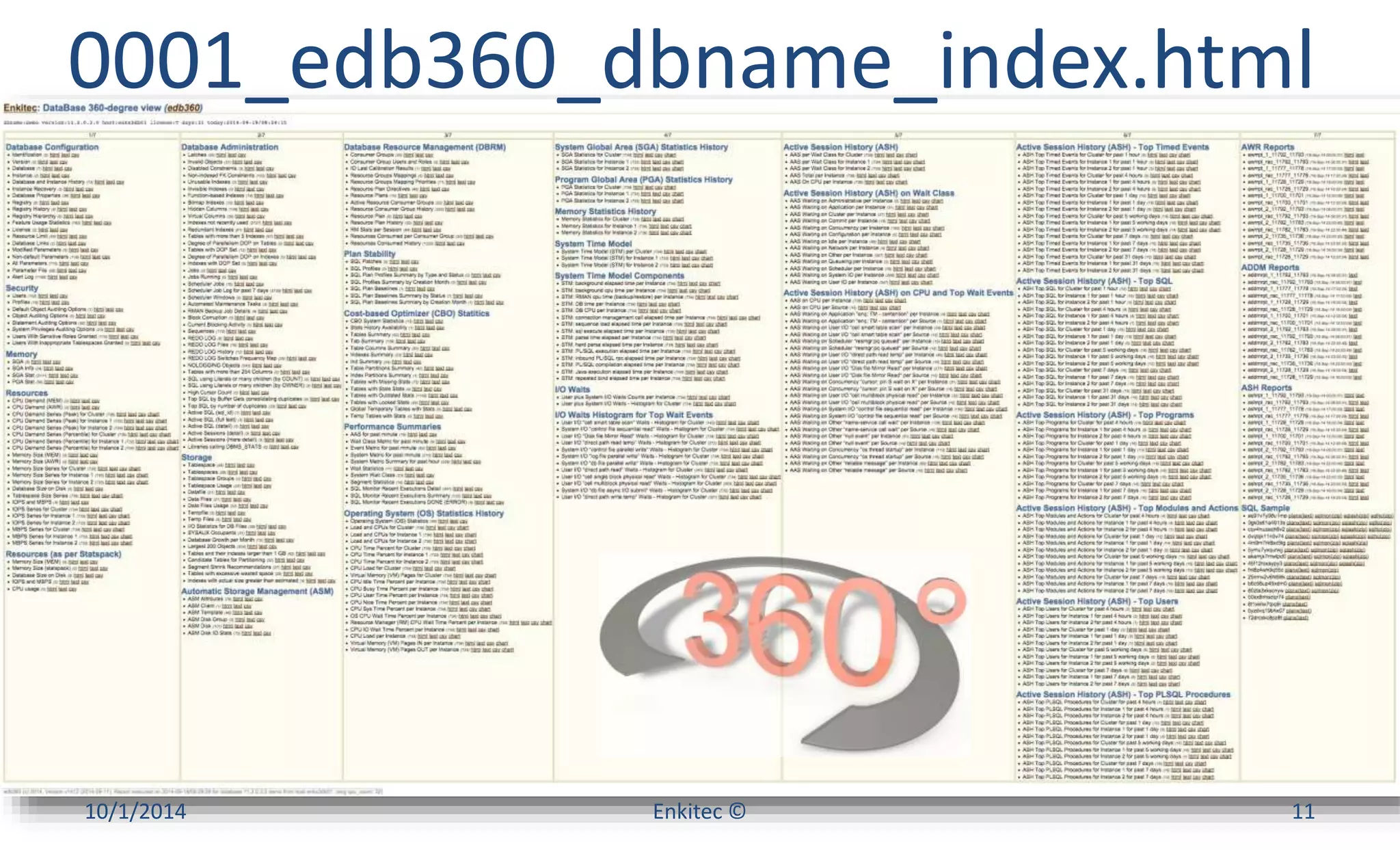
• Set of files driven by one index.html file 
10/1/2014 Enkitec © 9
Output Content 
• Queries on several DBA static views 
– Database configuration 
• Queries on several GV$ dynamic views 
– Performance 
• Some AWR, ADDM and ASH reports 
• A clever sample of SQL Statements 
10/1/2014 Enkitec © 10
0001_edb360_dbname_index.html 
10/1/2014 Enkitec © 11
Four Formats 
10/1/2014 Enkitec © 12
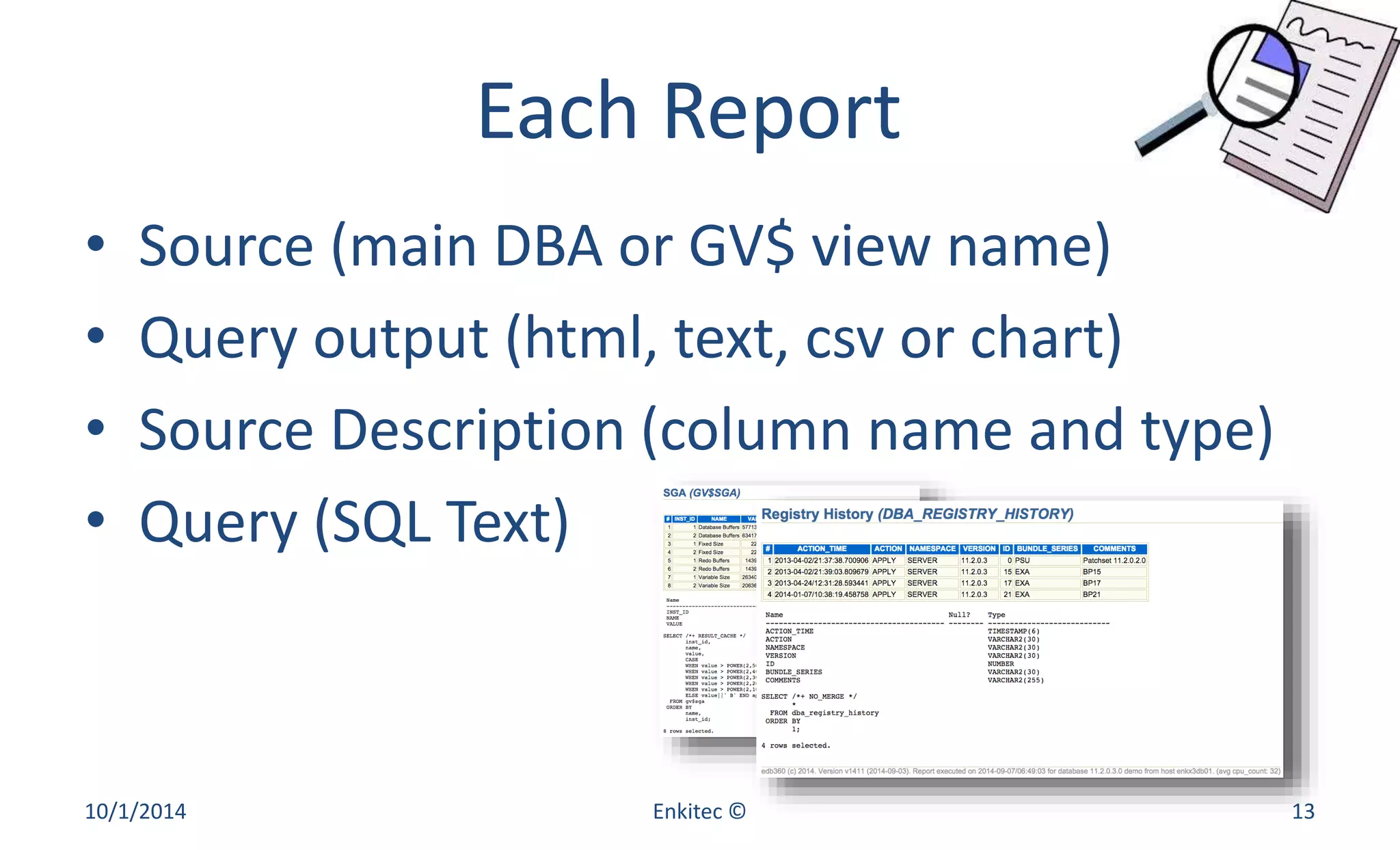
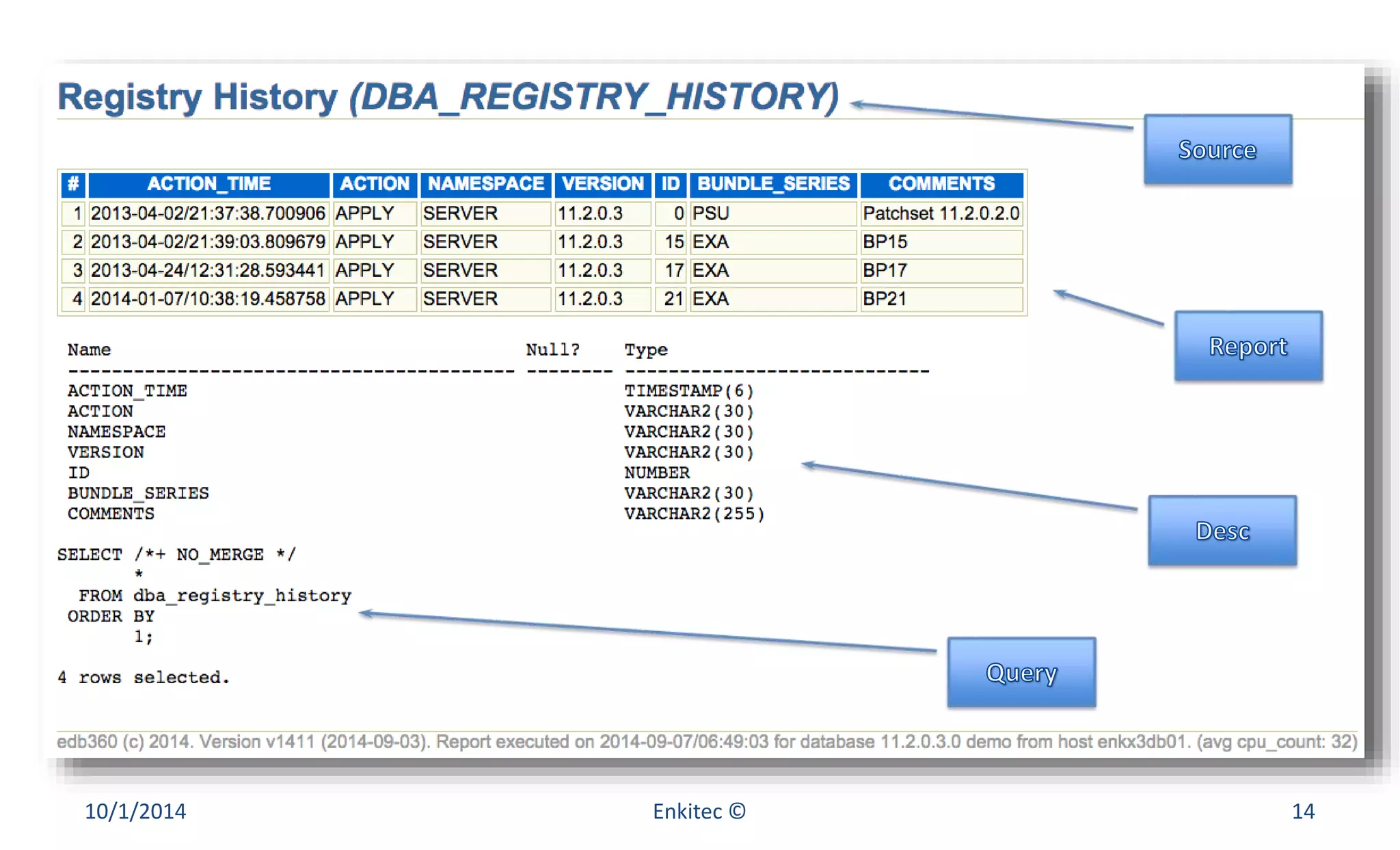
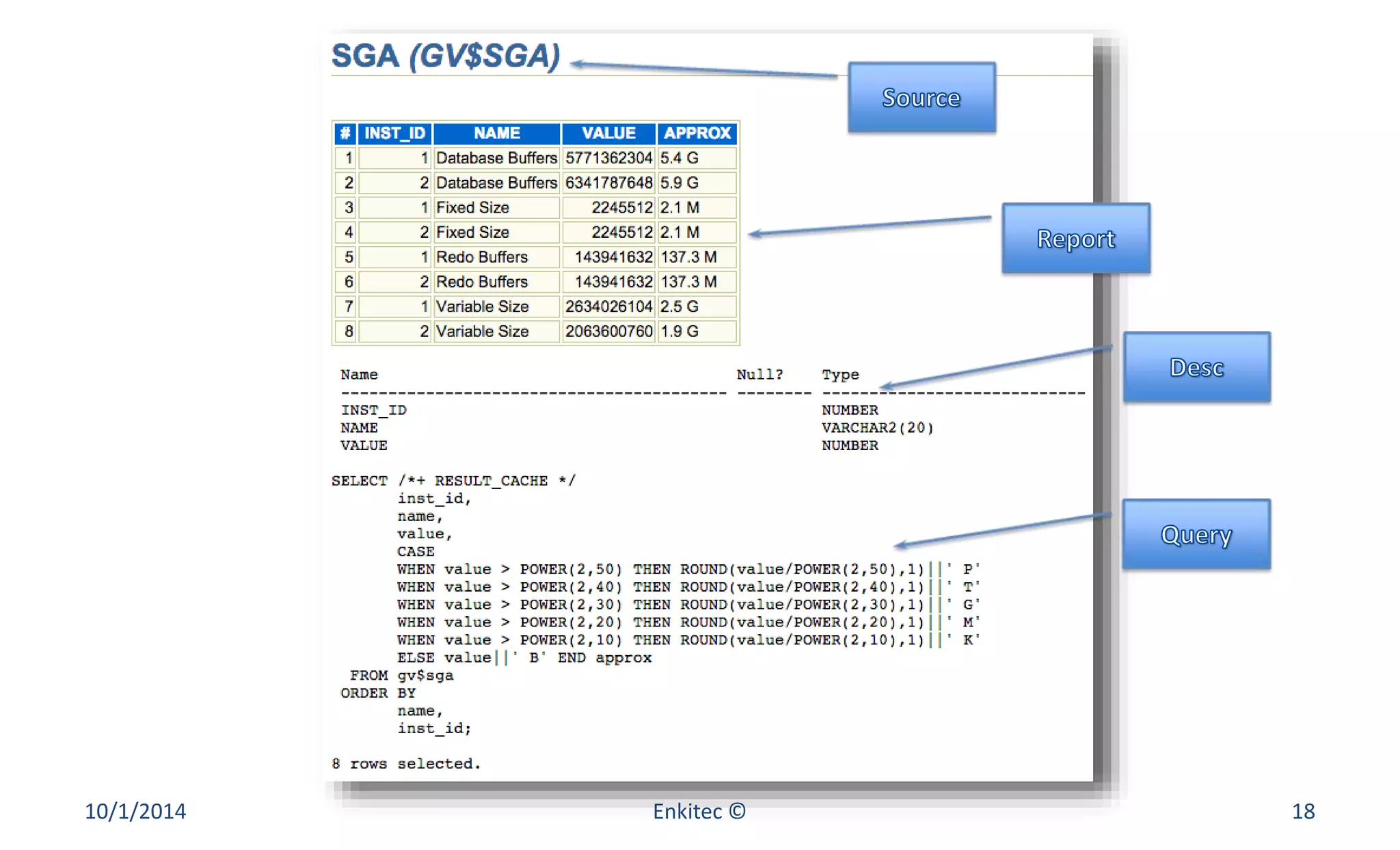
Each Report 
• Source (main DBA or GV$ view name) 
• Query output (html, text, csv or chart) 
• Source Description (column name and type) 
• Query (SQL Text) 
10/1/2014 Enkitec © 13
10/1/2014 Enkitec © 14
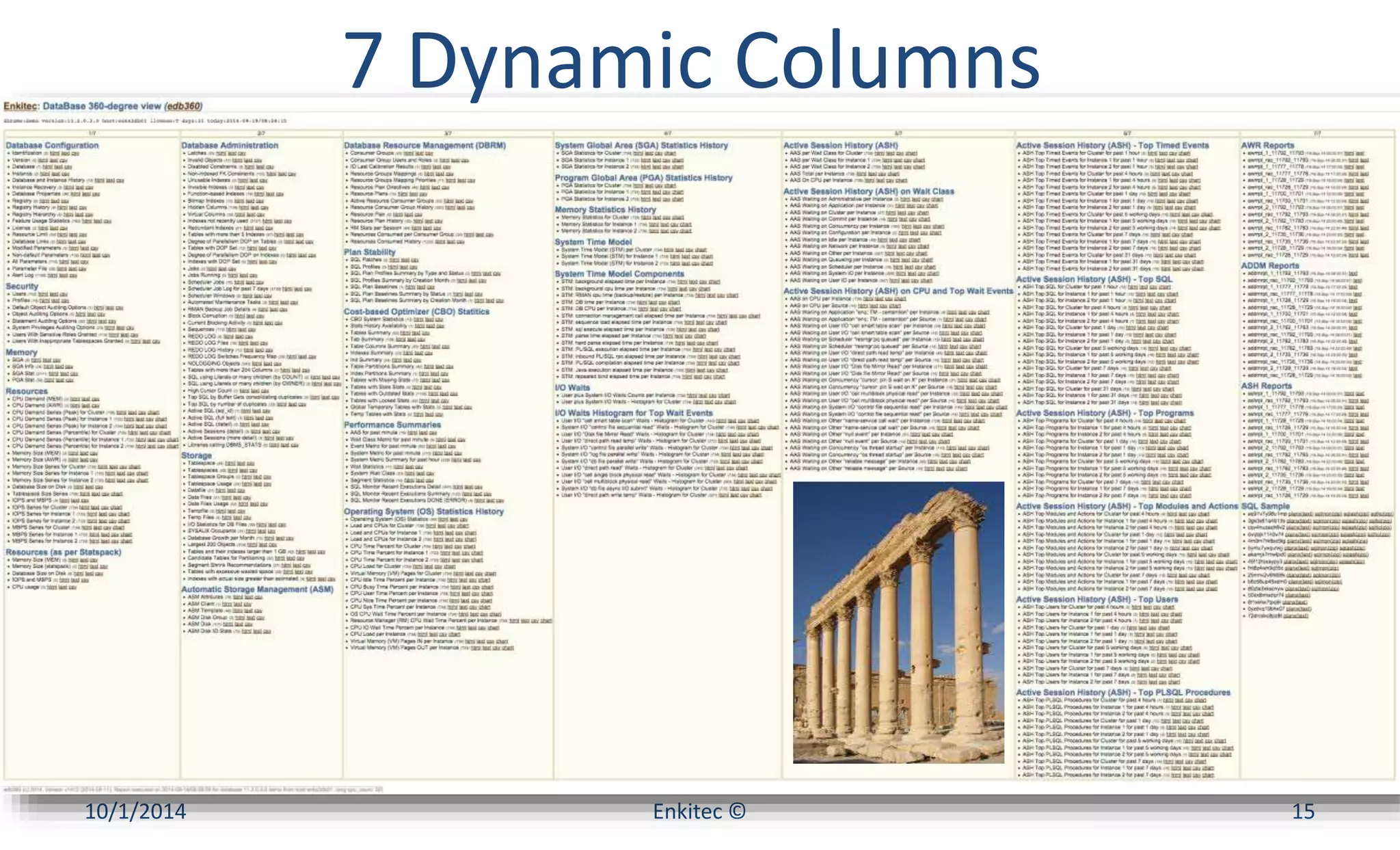
7 Dynamic Columns 
10/1/2014 Enkitec © 15
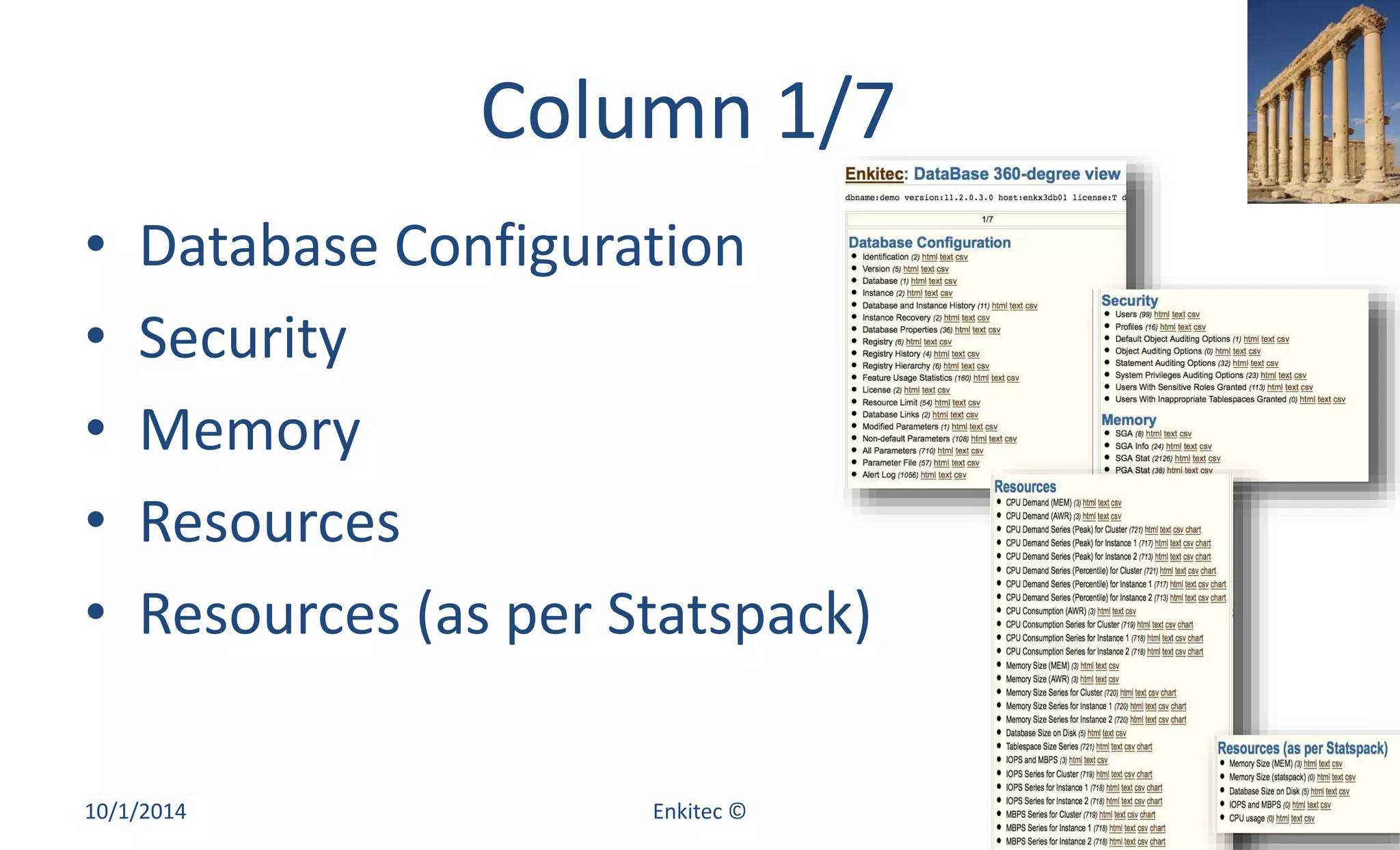
Column 1/7 
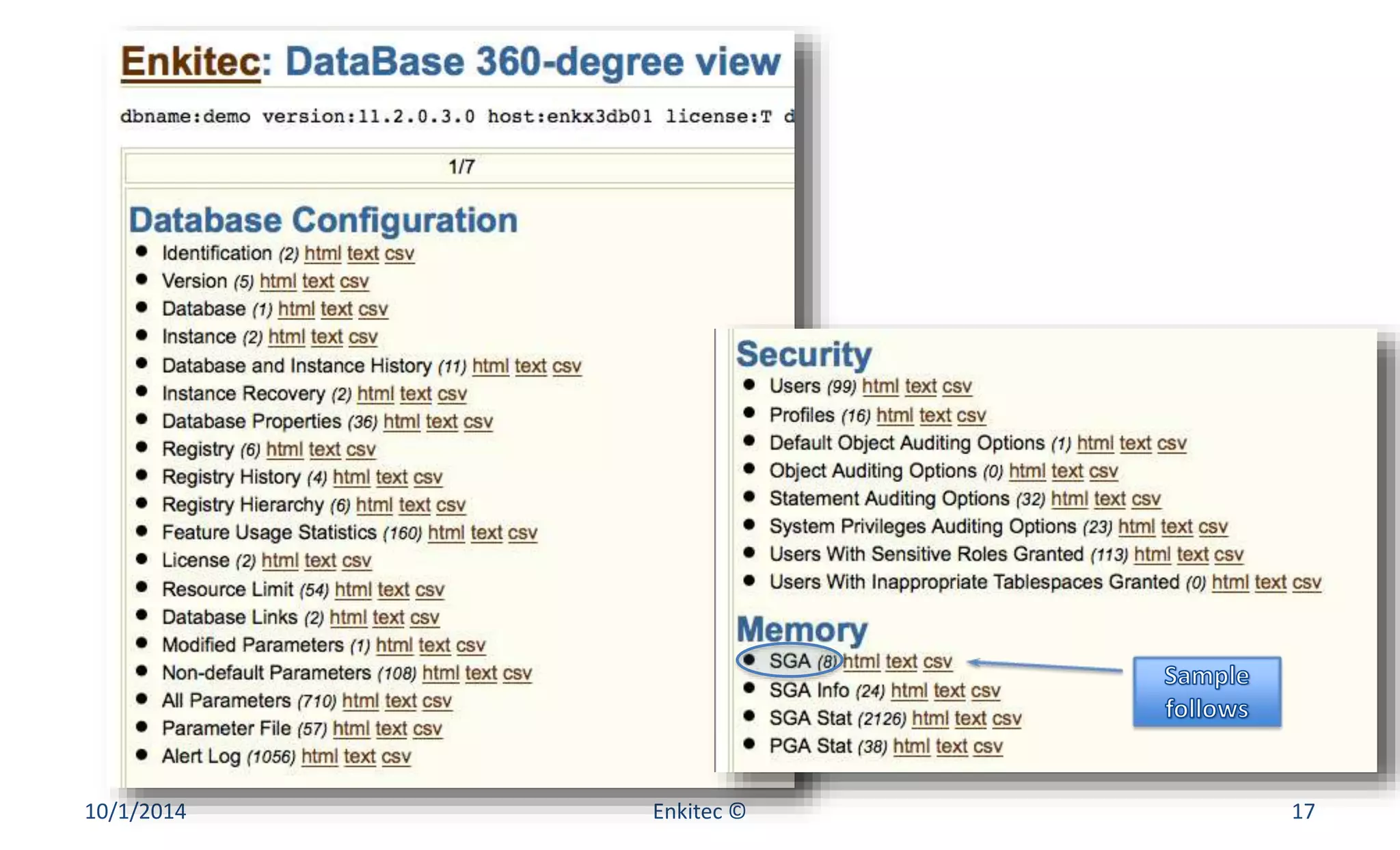
• Database Configuration 
• Security 
• Memory 
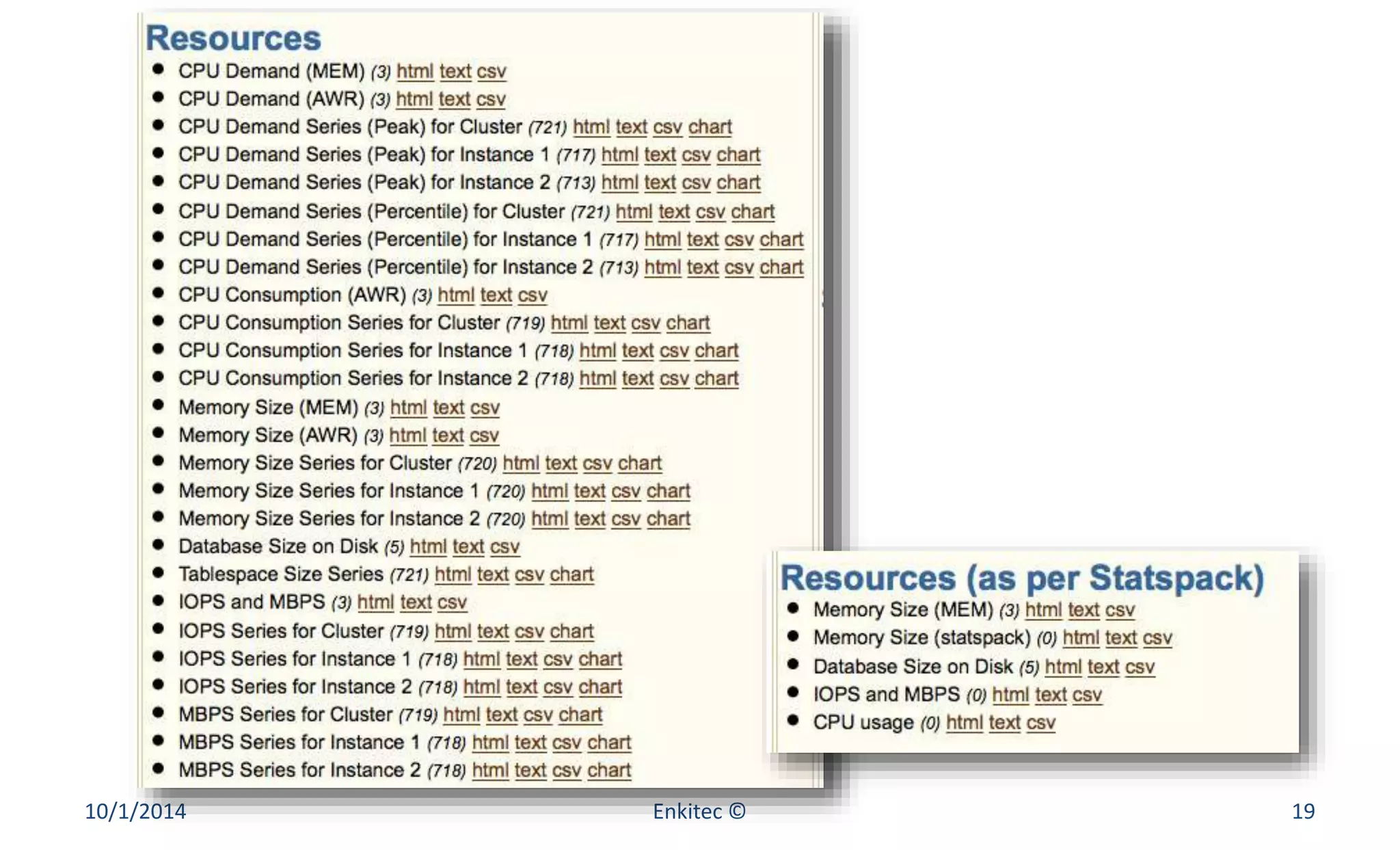
• Resources 
• Resources (as per Statspack) 
10/1/2014 Enkitec © 16
10/1/2014 Enkitec © 17
10/1/2014 Enkitec © 18
10/1/2014 Enkitec © 19
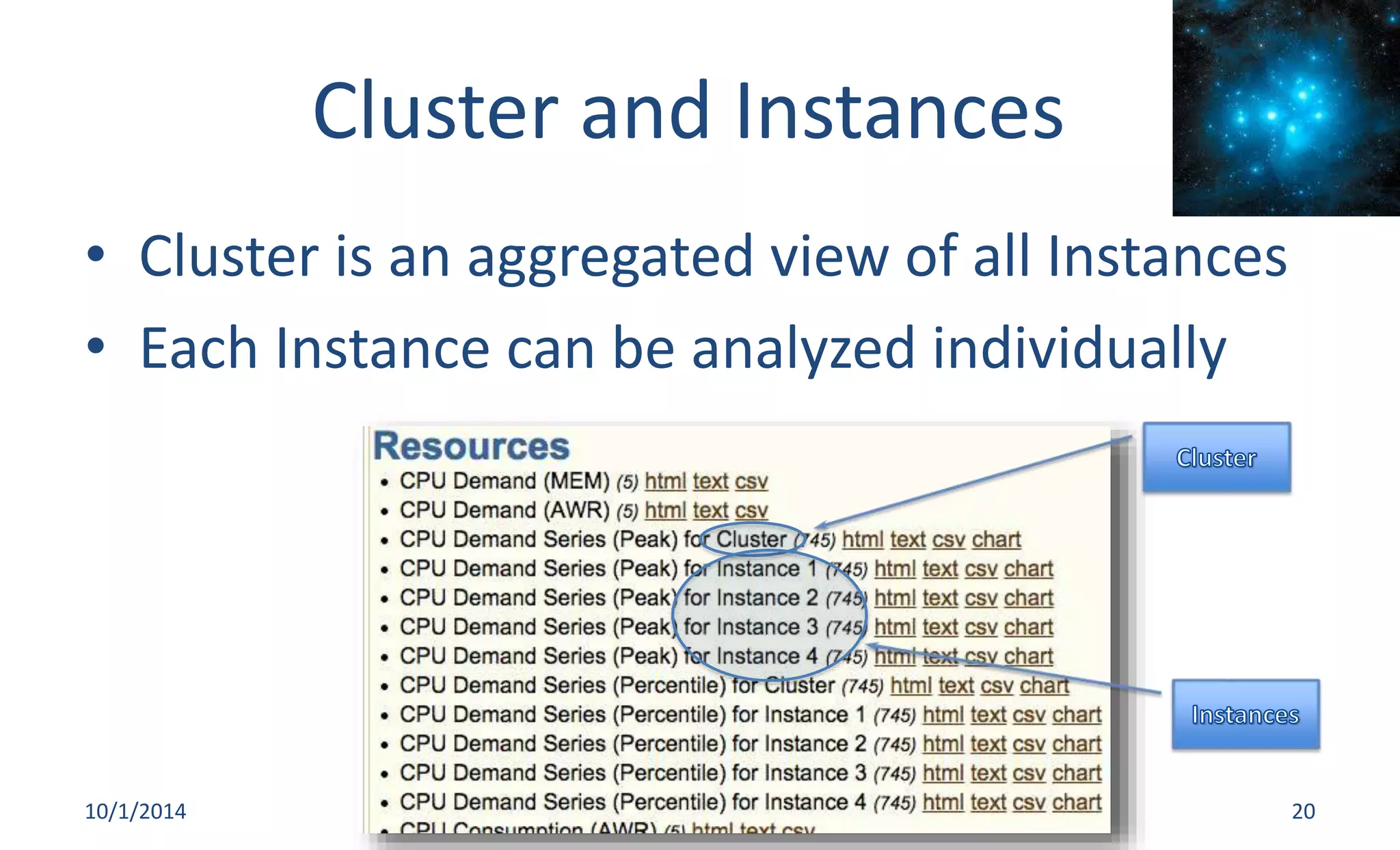
Cluster and Instances 
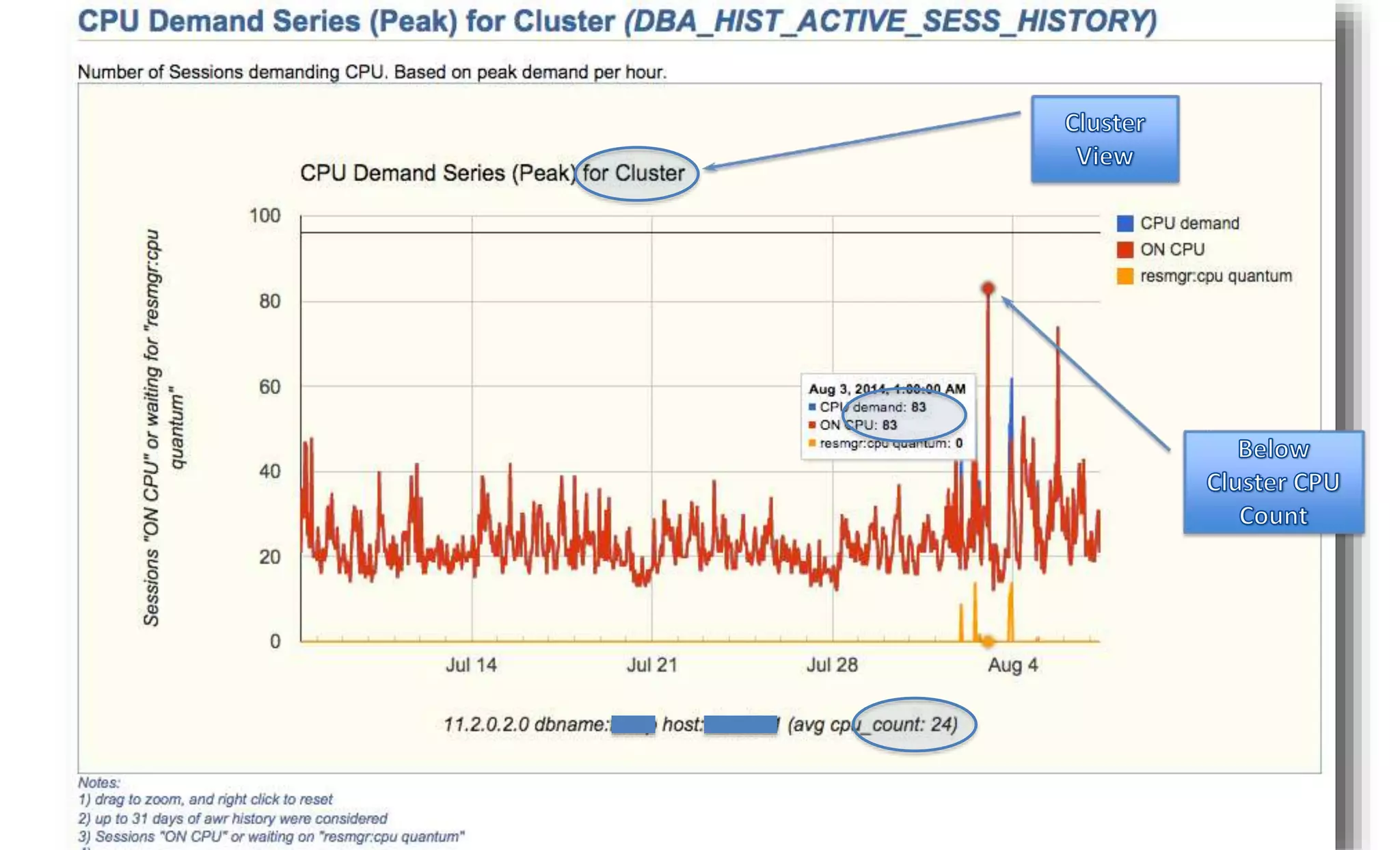
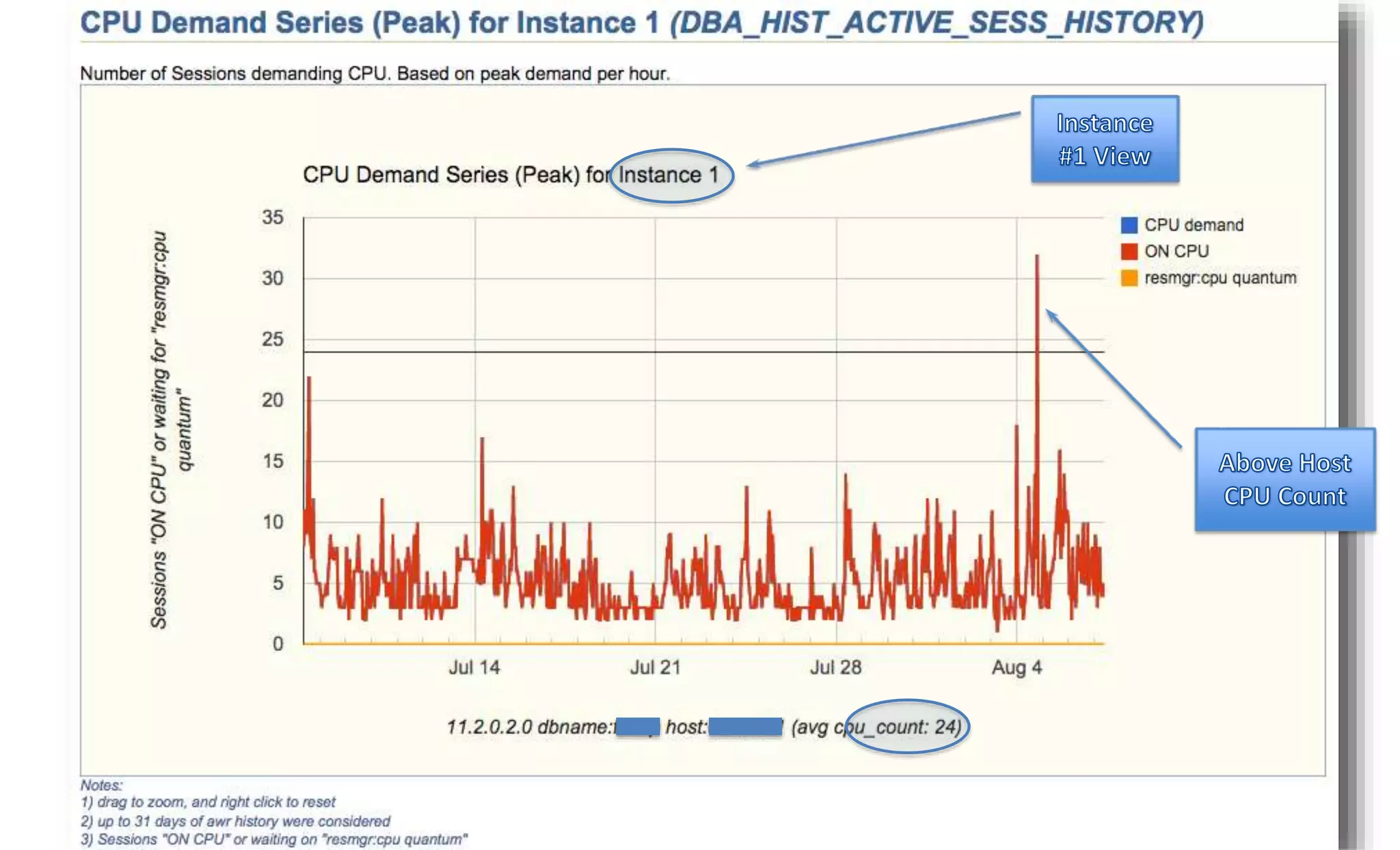
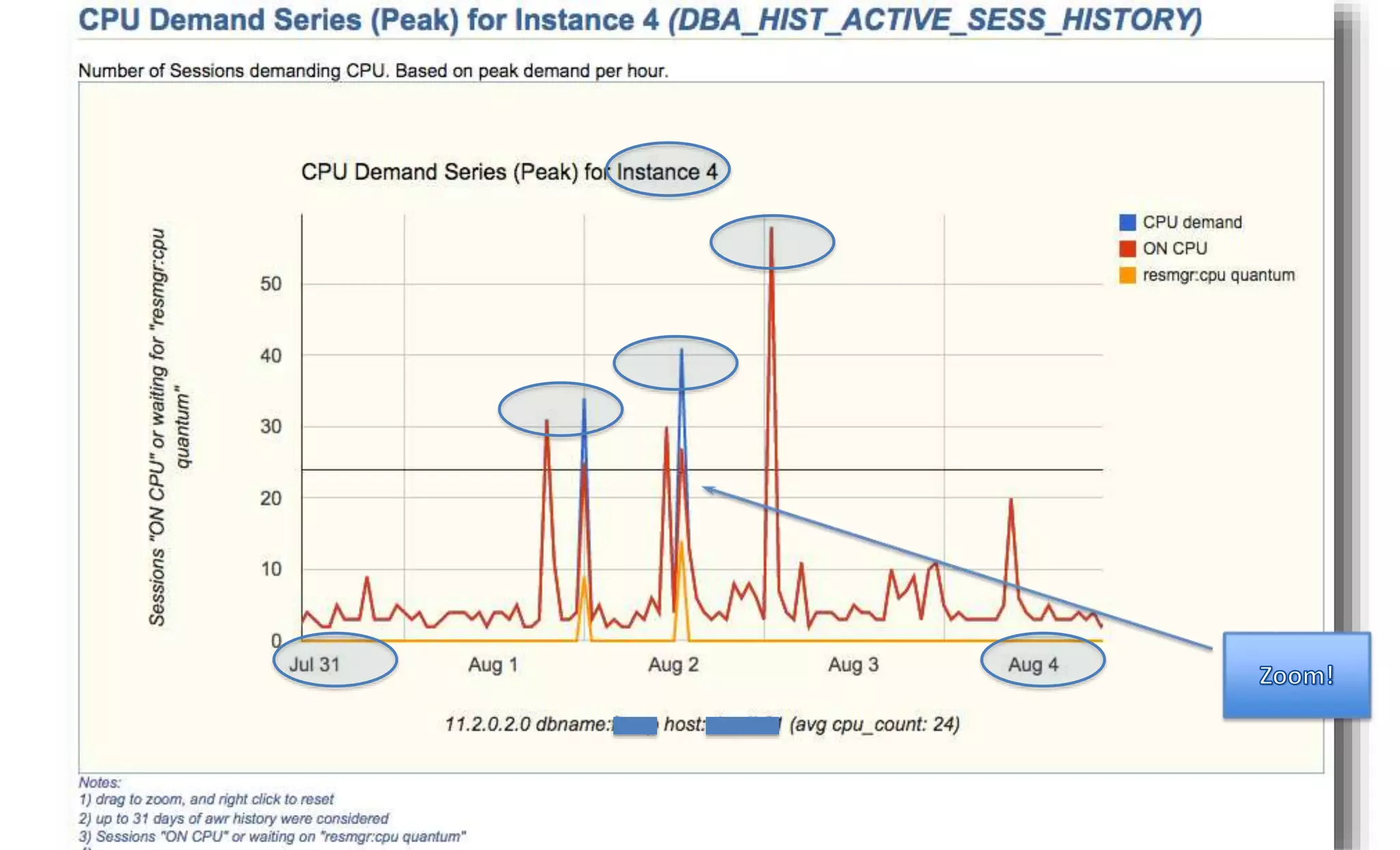
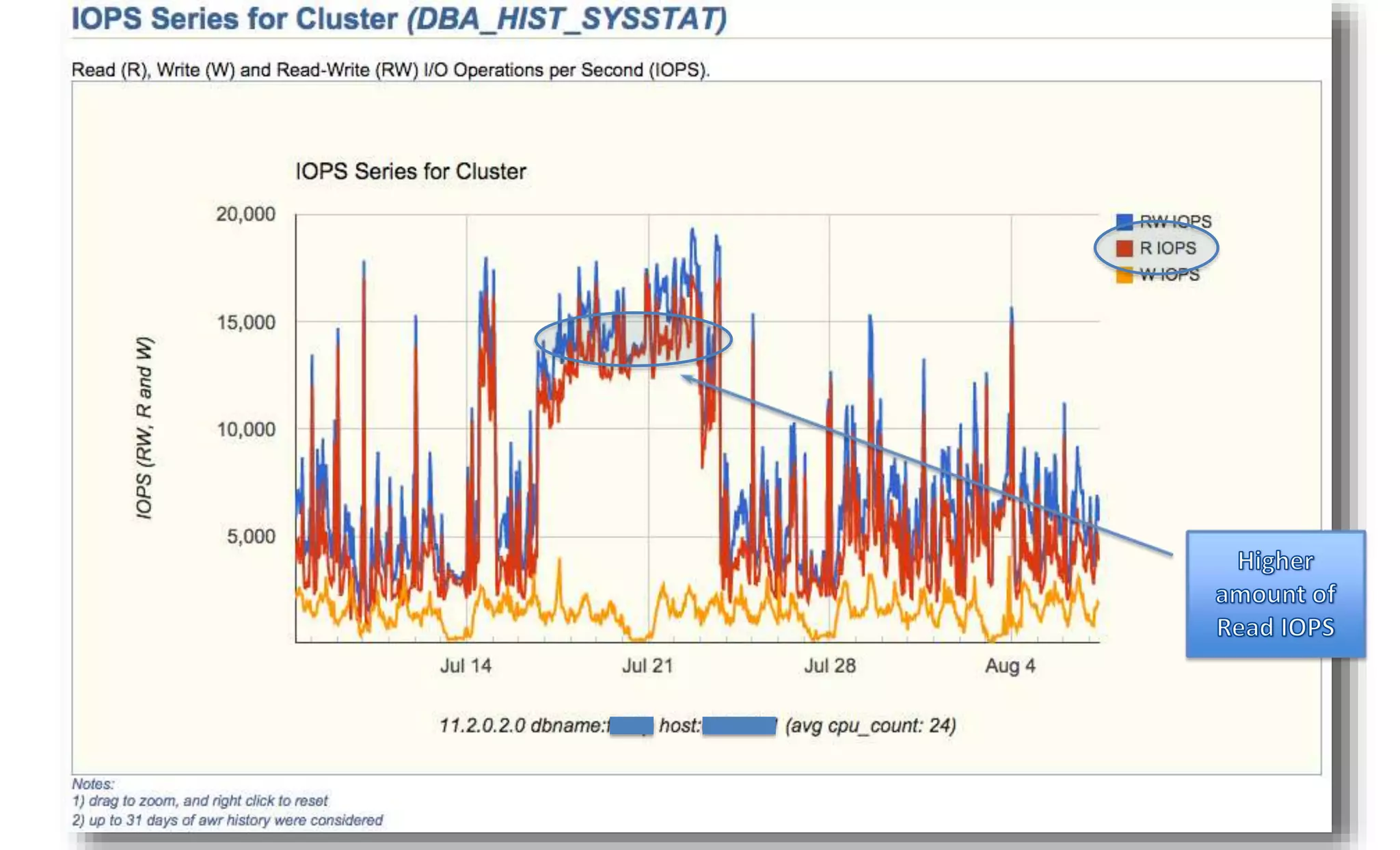
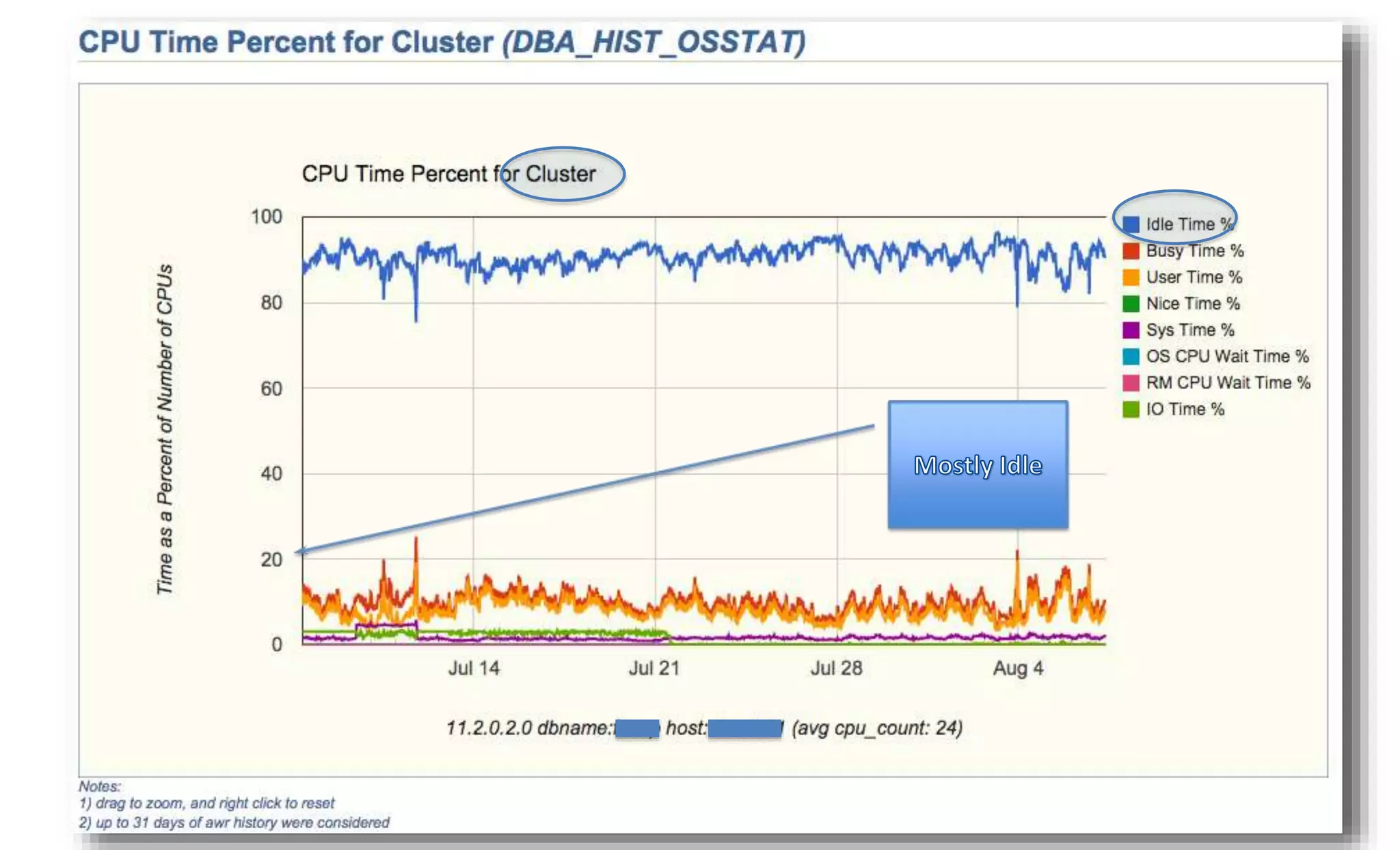
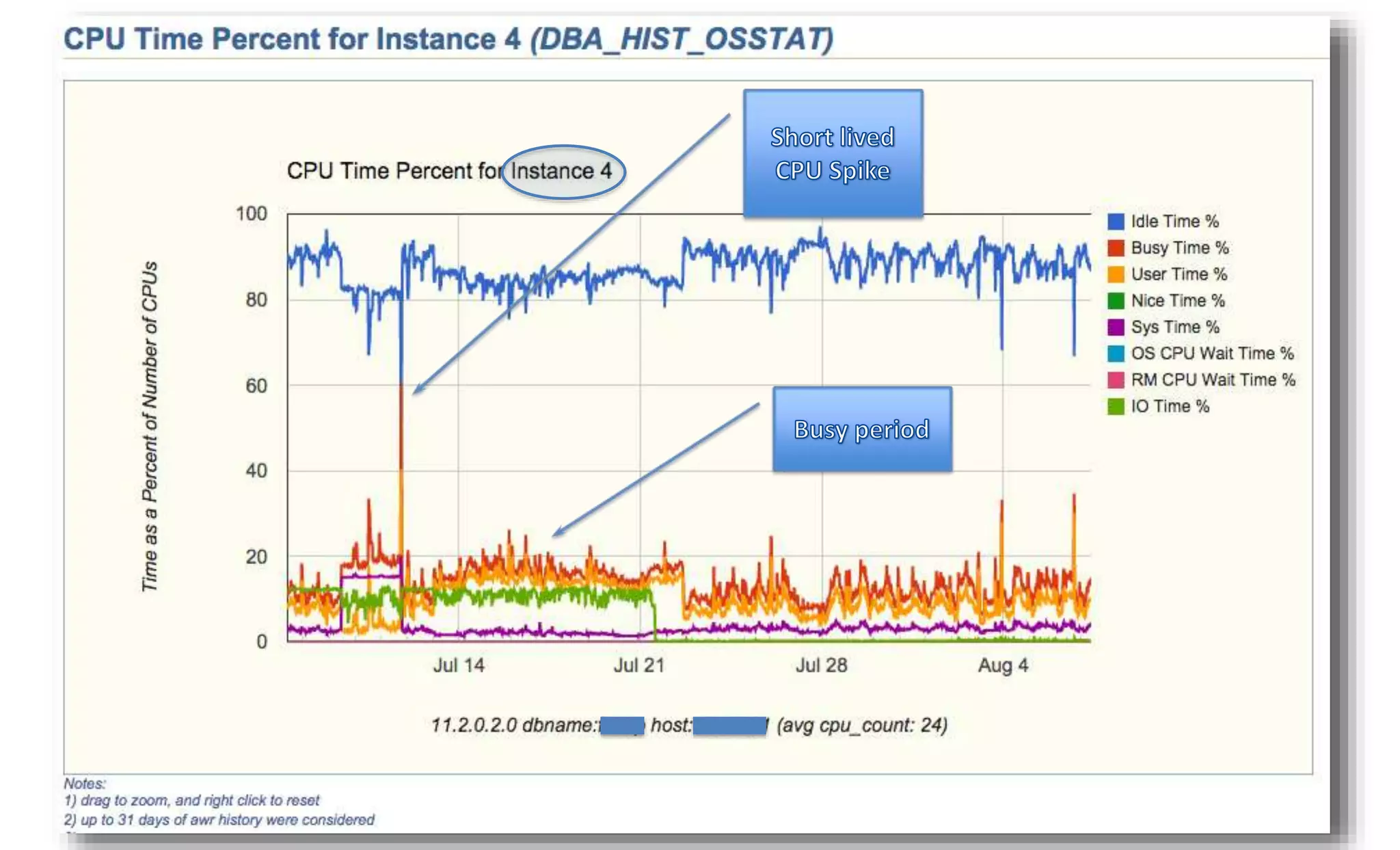
• Cluster is an aggregated view of all Instances 
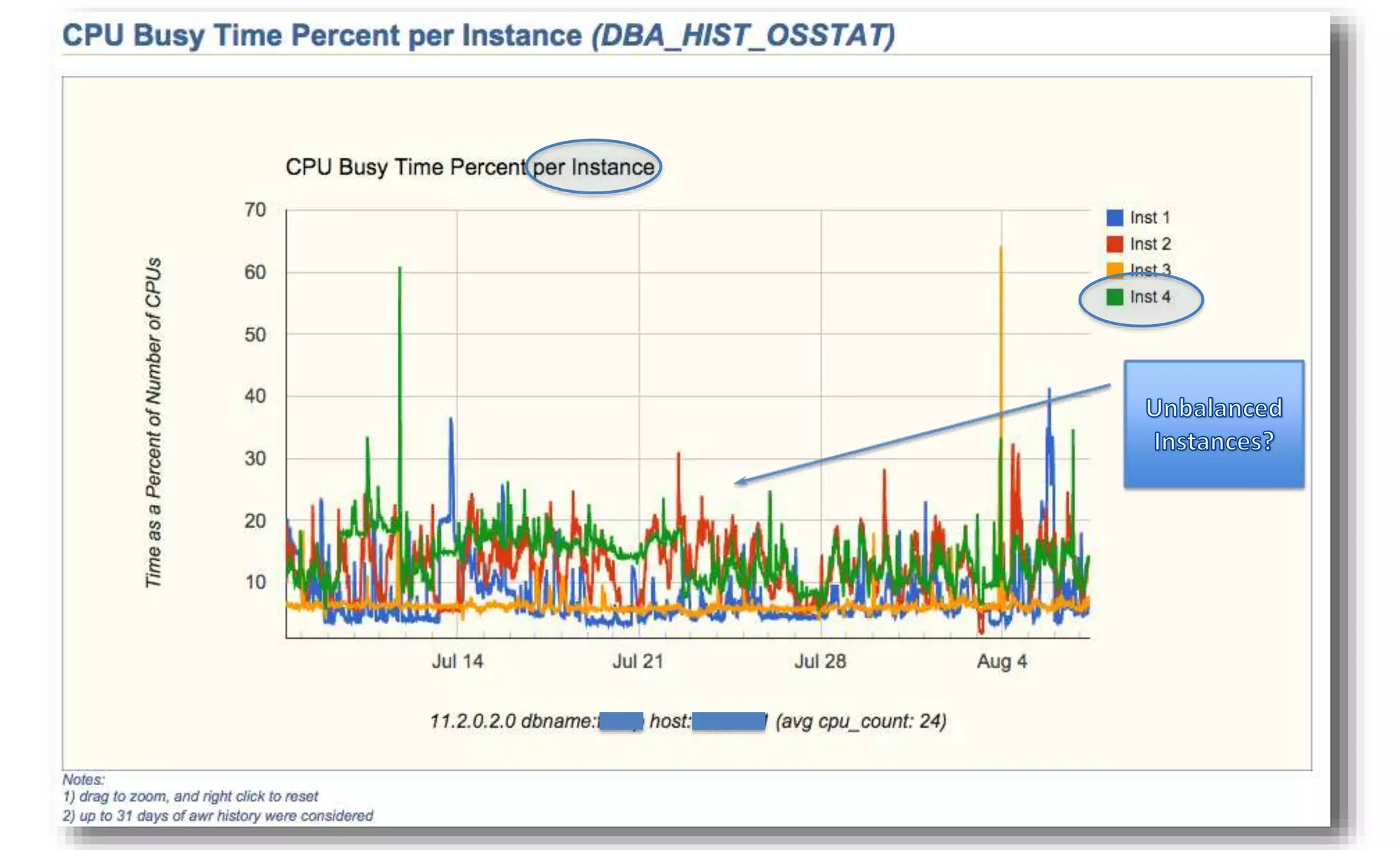
• Each Instance can be analyzed individually 
10/1/2014 Enkitec © 20
10/1/2014 Enkitec © 21
10/1/2014 Enkitec © 22
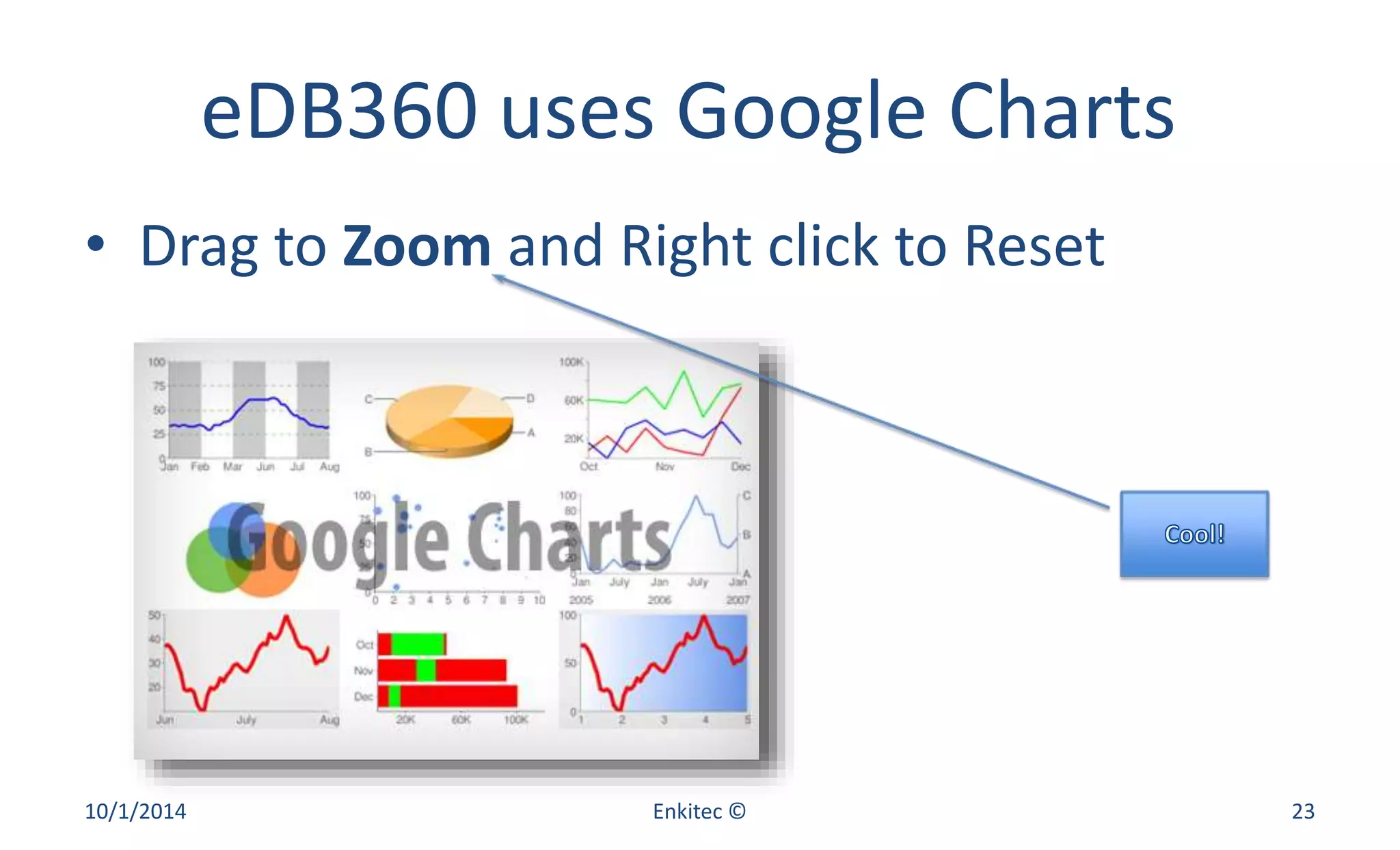
eDB360 uses Google Charts 
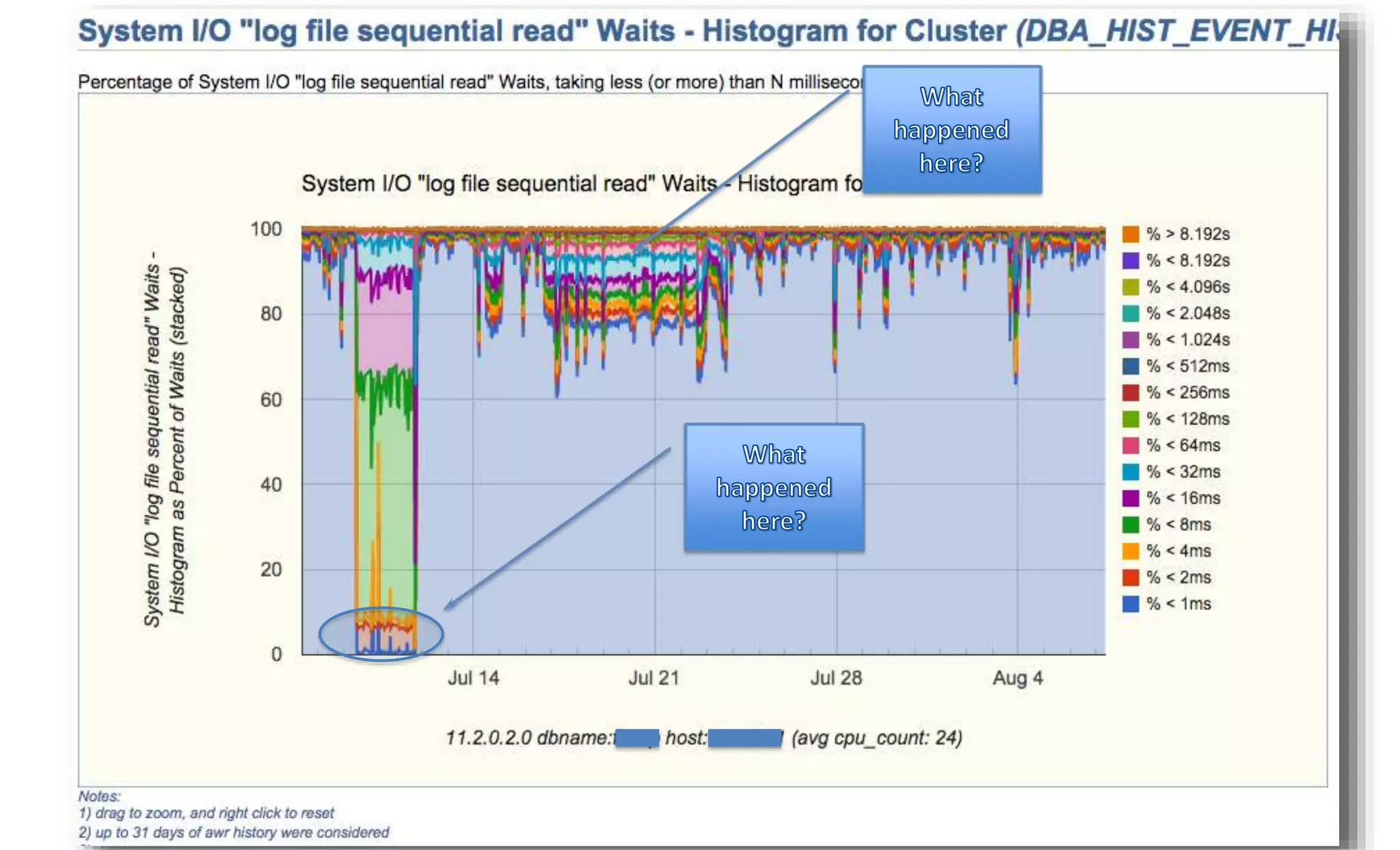
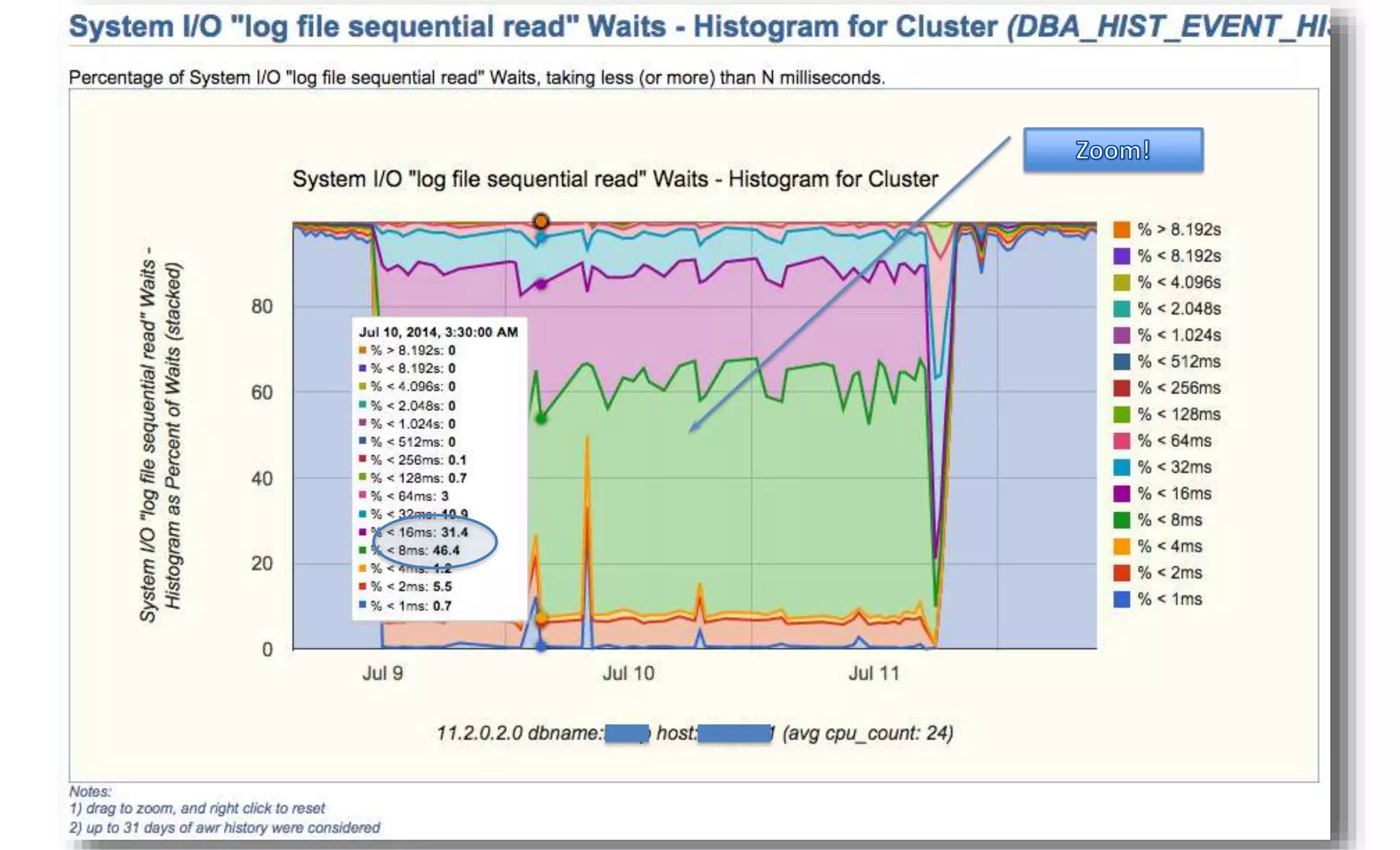
• Drag to Zoom and Right click to Reset 
10/1/2014 Enkitec © 23
10/1/2014 Enkitec © 24
10/1/2014 Enkitec © 25
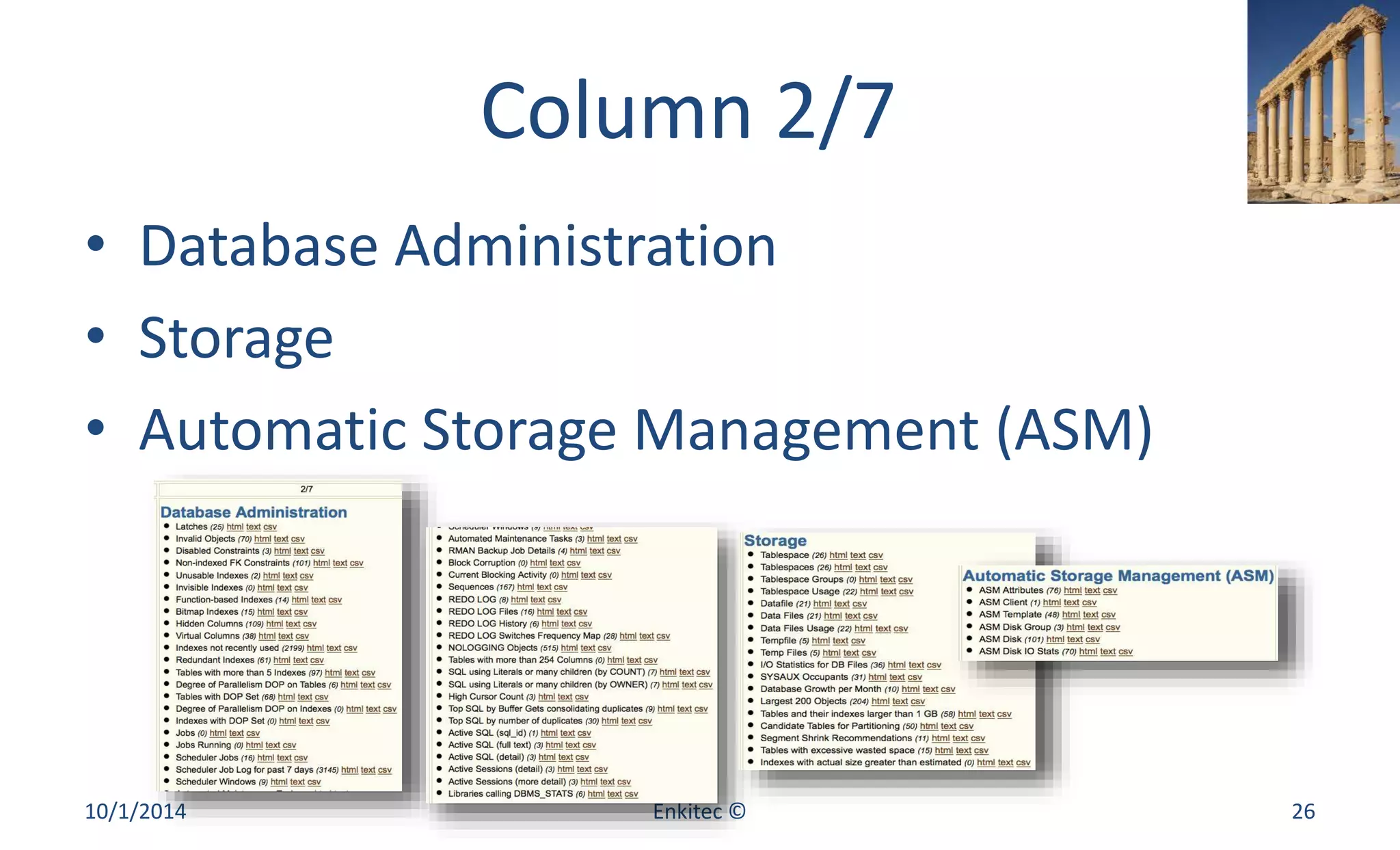
Column 2/7 
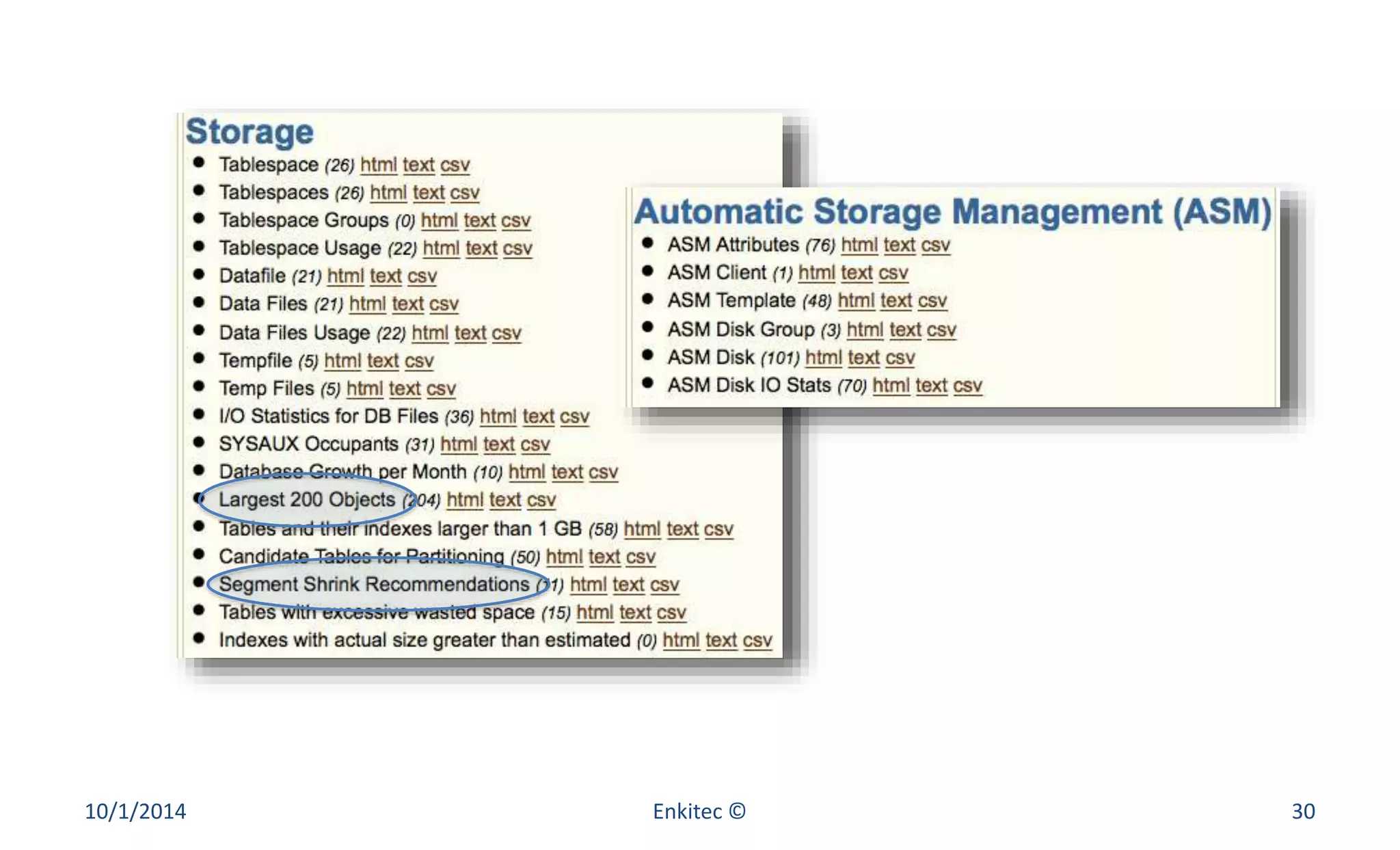
• Database Administration 
• Storage 
• Automatic Storage Management (ASM) 
10/1/2014 Enkitec © 26
10/1/2014 Enkitec © 27
10/1/2014 Enkitec © 28
10/1/2014 Enkitec © 29
10/1/2014 Enkitec © 30
10/1/2014 Enkitec © 31
10/1/2014 Enkitec © 32
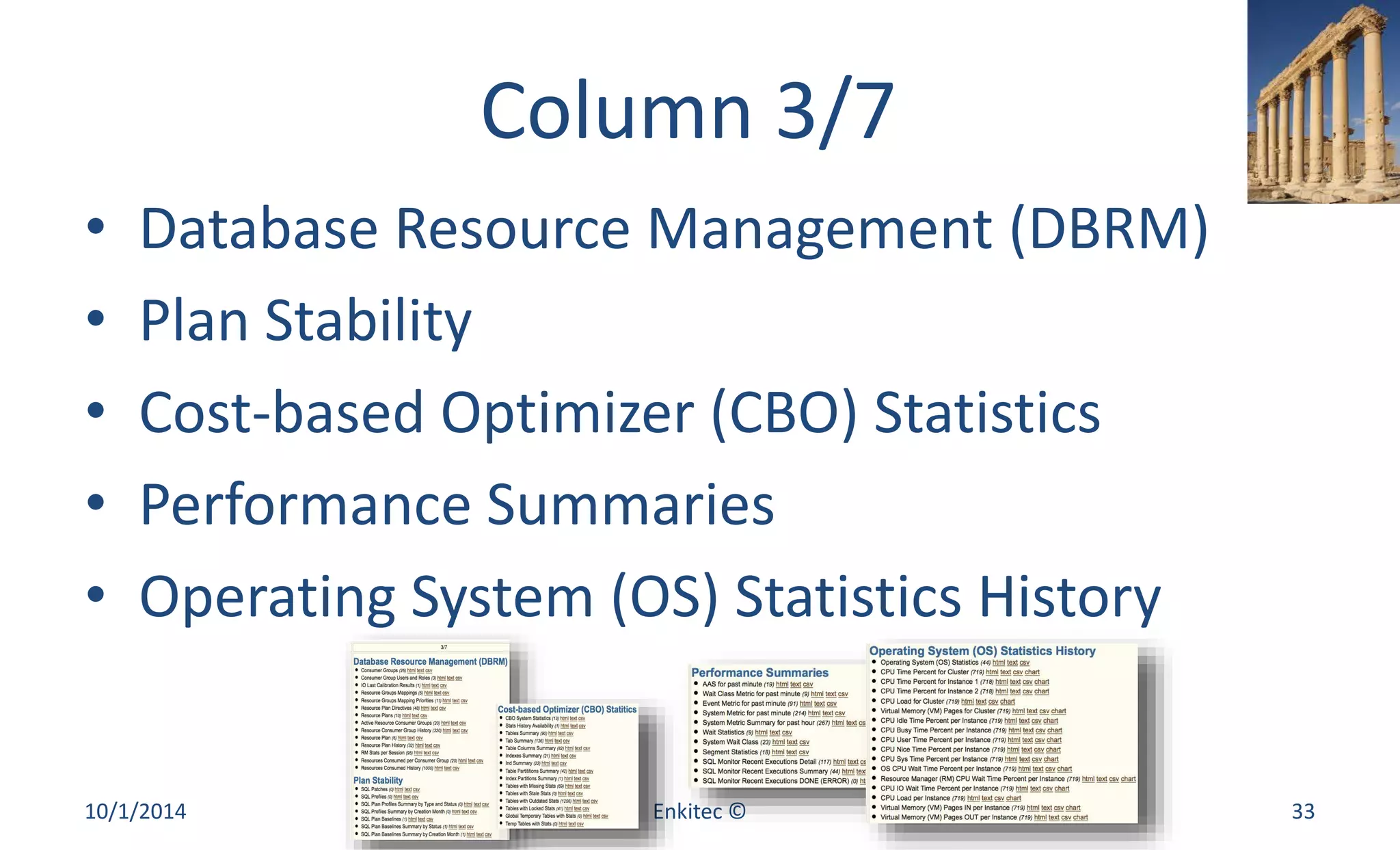
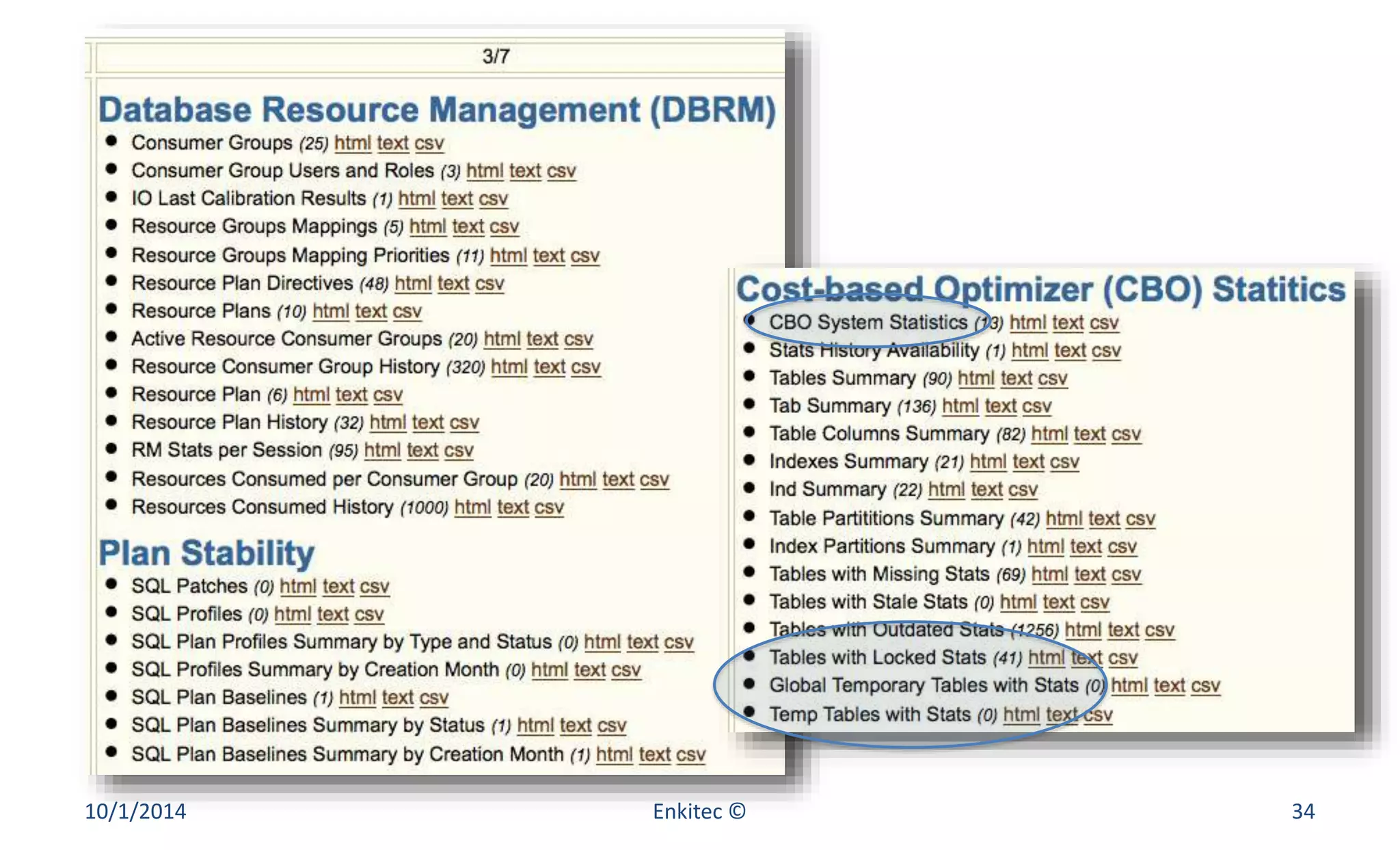
Column 3/7 
• Database Resource Management (DBRM) 
• Plan Stability 
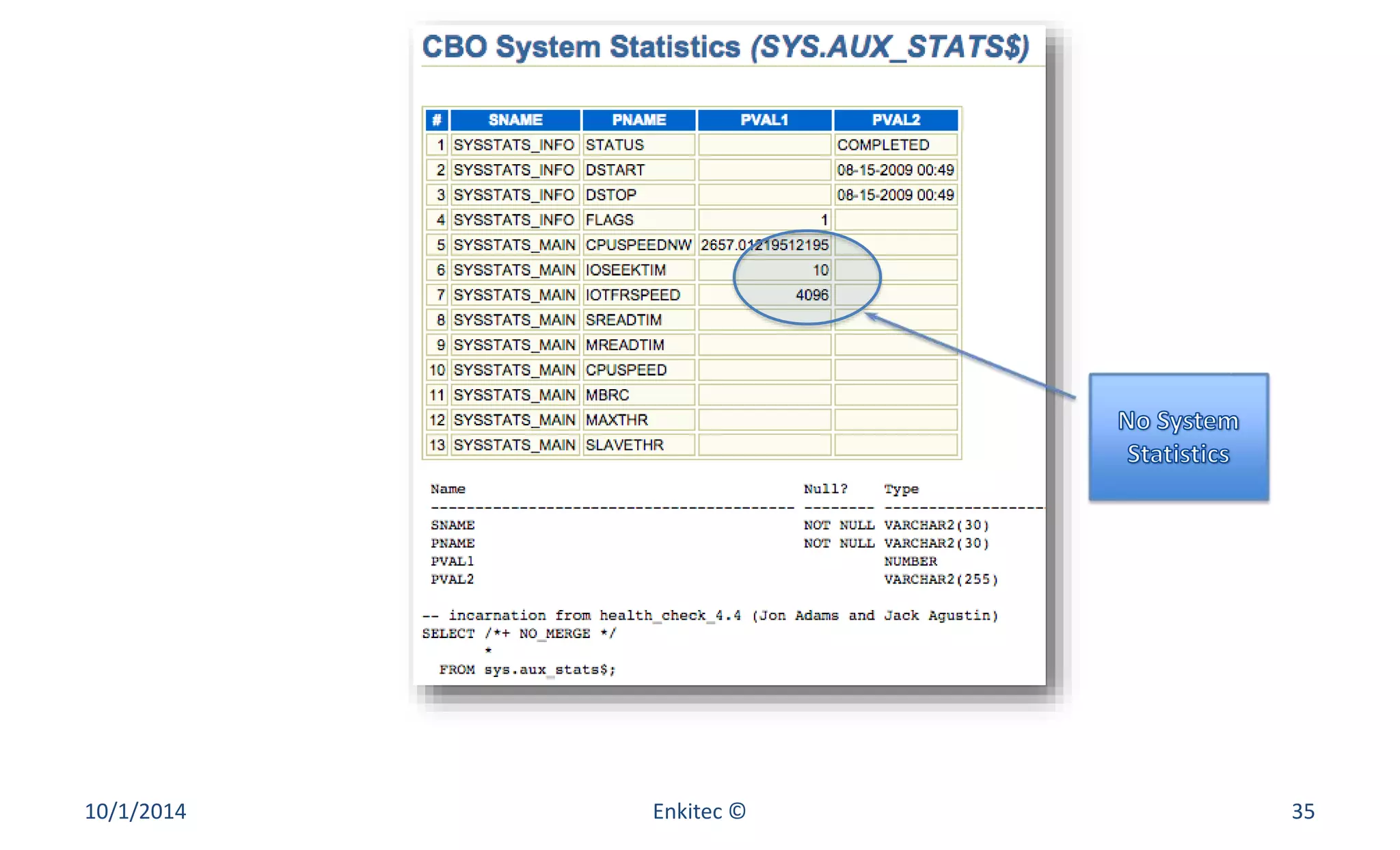
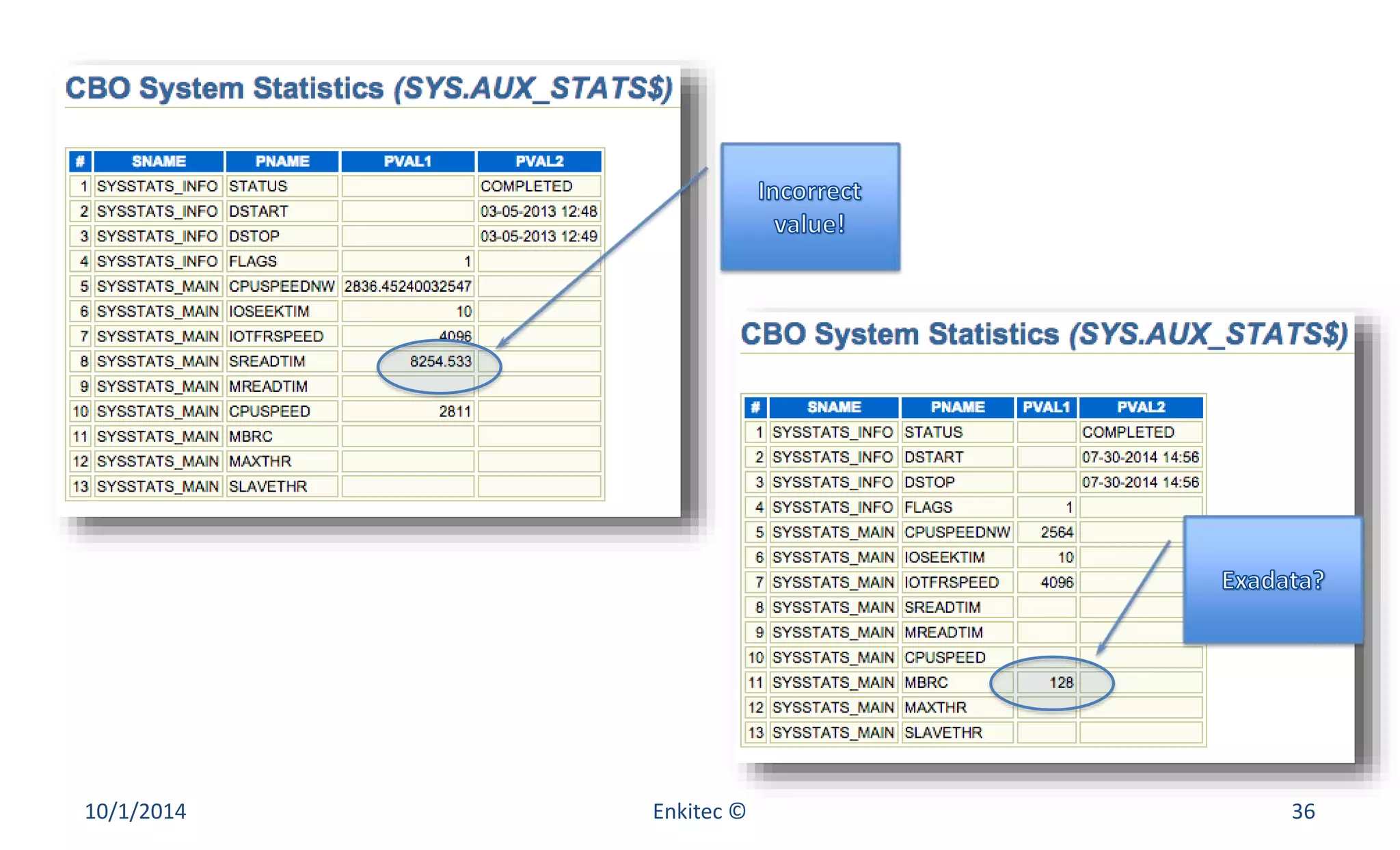
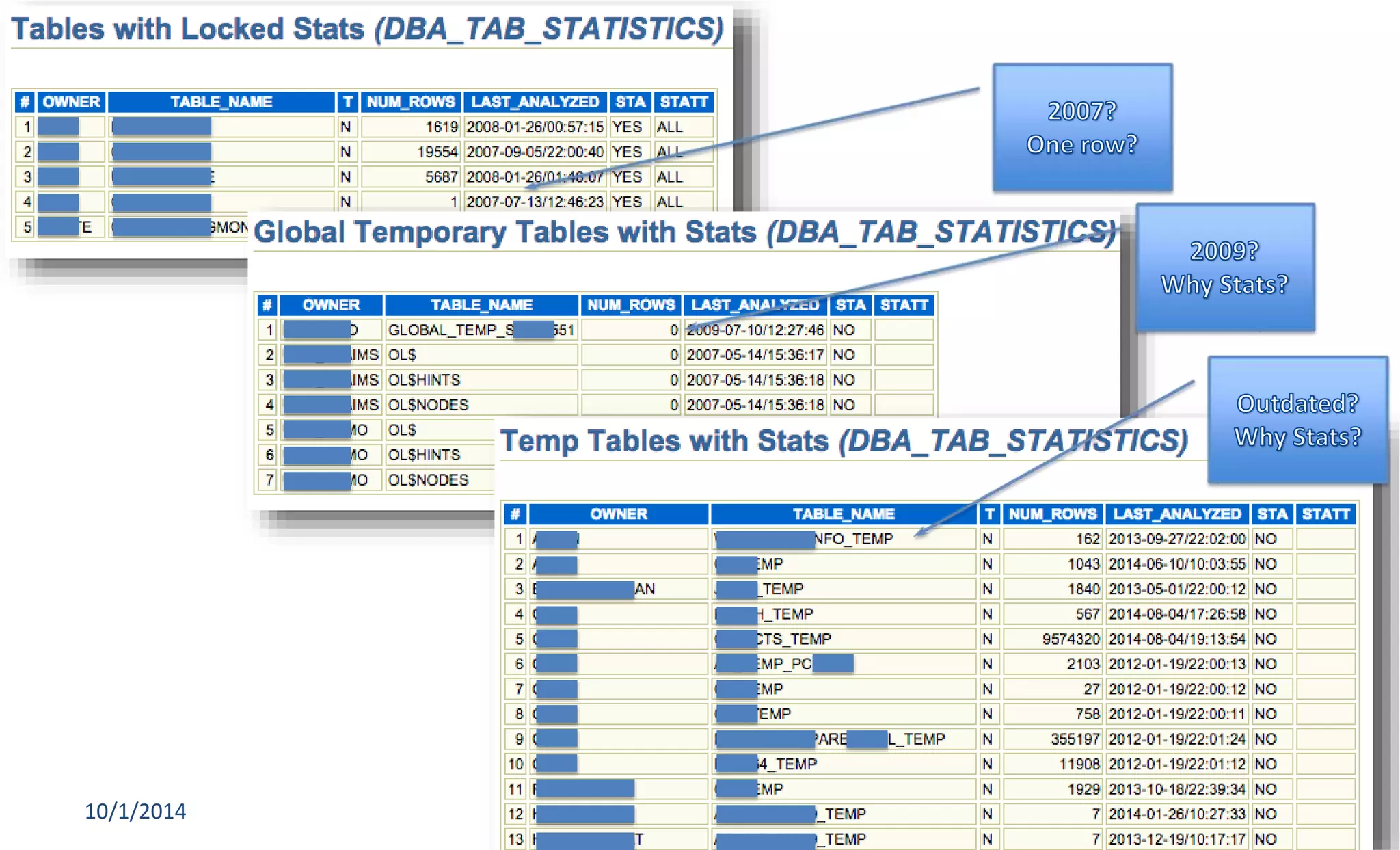
• Cost-based Optimizer (CBO) Statistics 
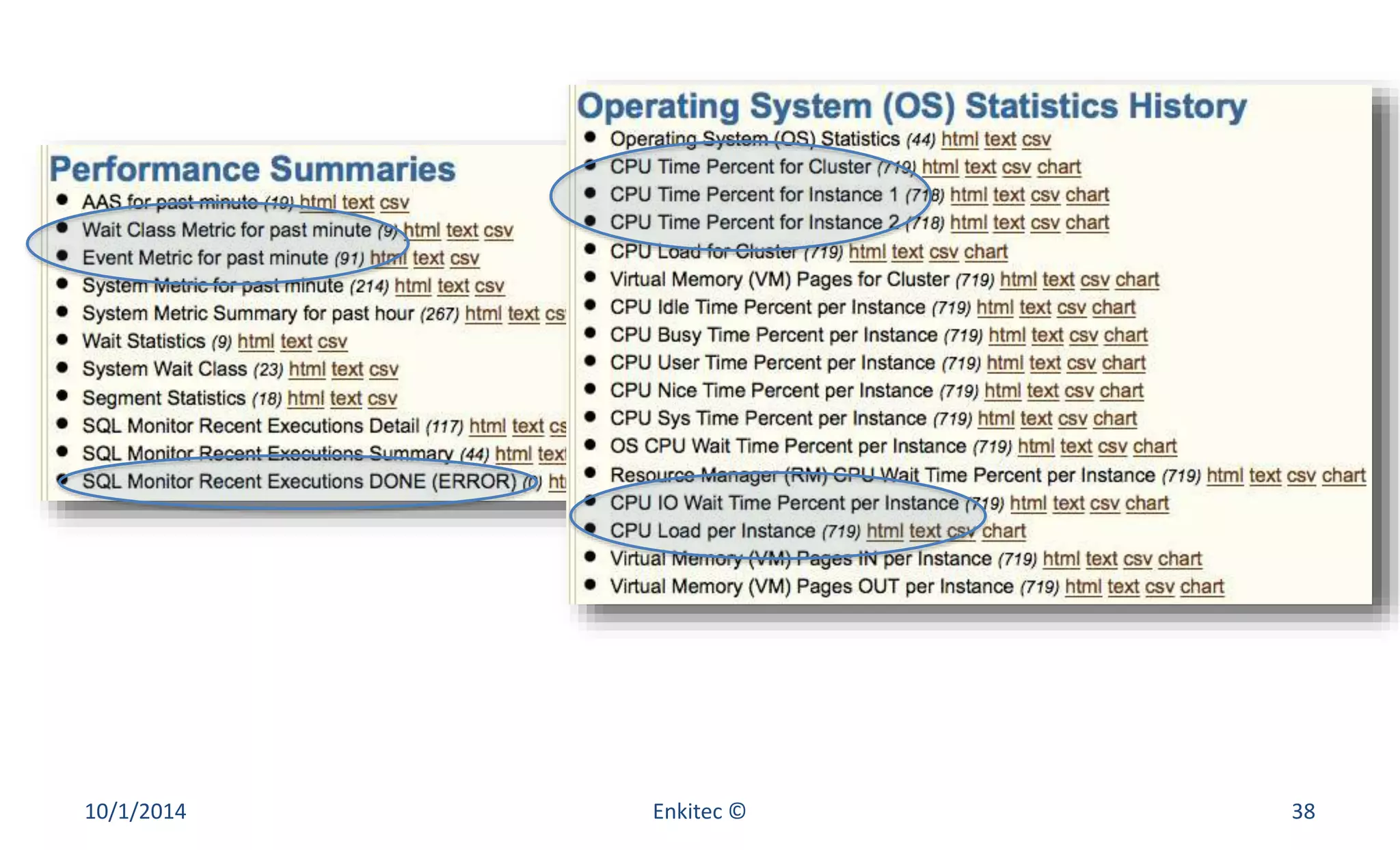
• Performance Summaries 
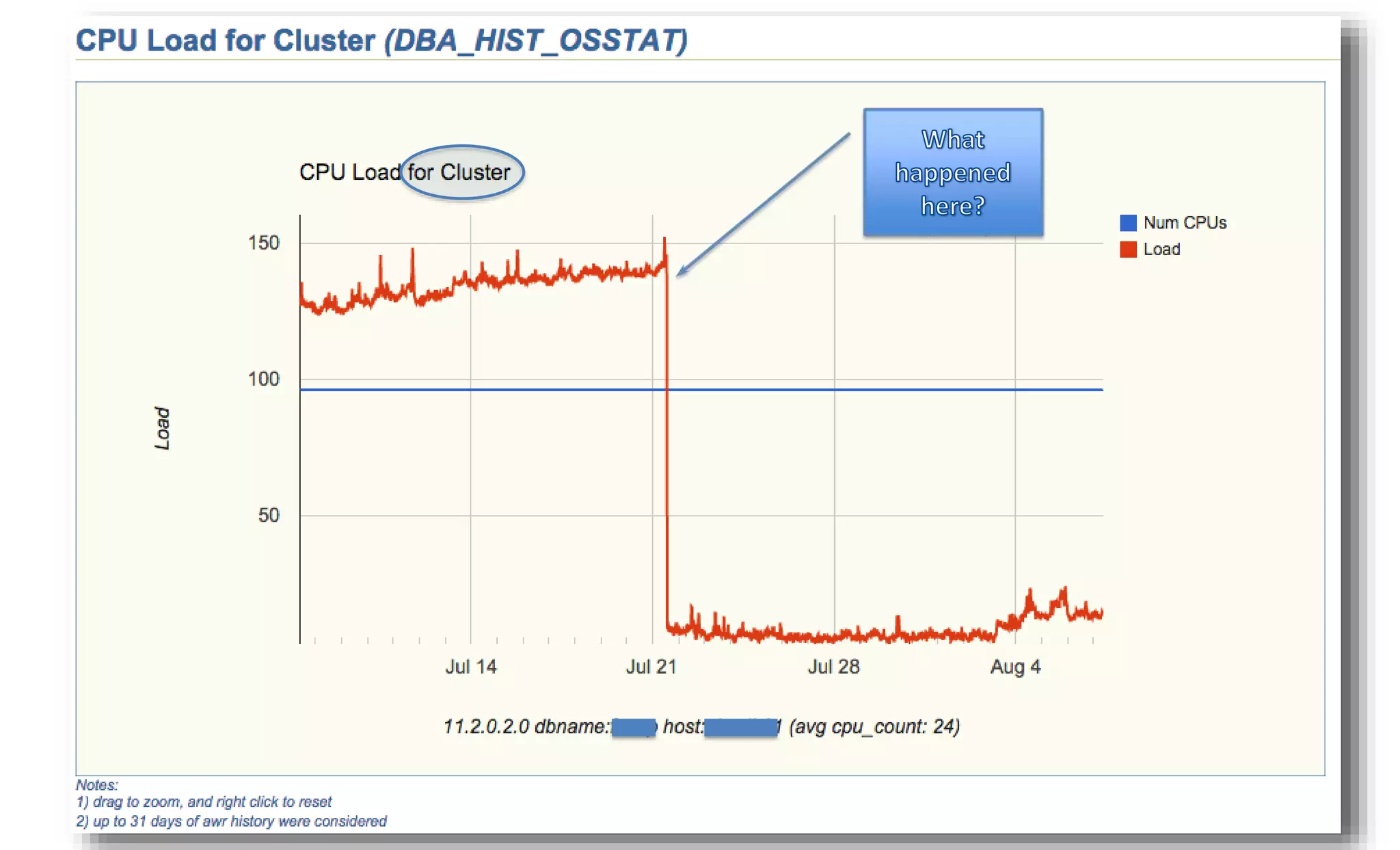
• Operating System (OS) Statistics History 
10/1/2014 Enkitec © 33
10/1/2014 Enkitec © 34
10/1/2014 Enkitec © 35
10/1/2014 Enkitec © 36
10/1/2014 Enkitec © 37
10/1/2014 Enkitec © 38
10/1/2014 Enkitec © 39
10/1/2014 Enkitec © 40
10/1/2014 Enkitec © 41
10/1/2014 Enkitec © 42
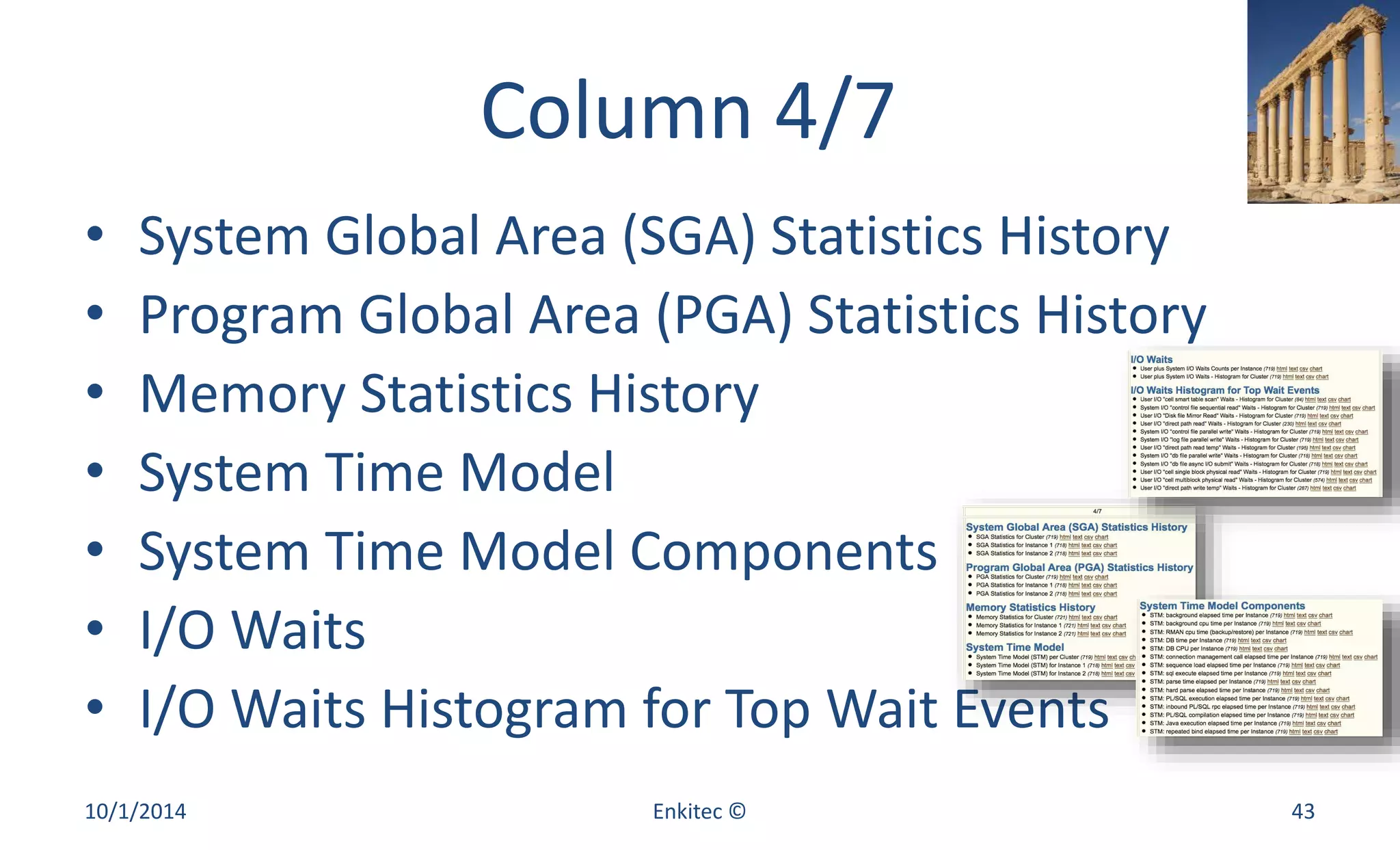
Column 4/7 
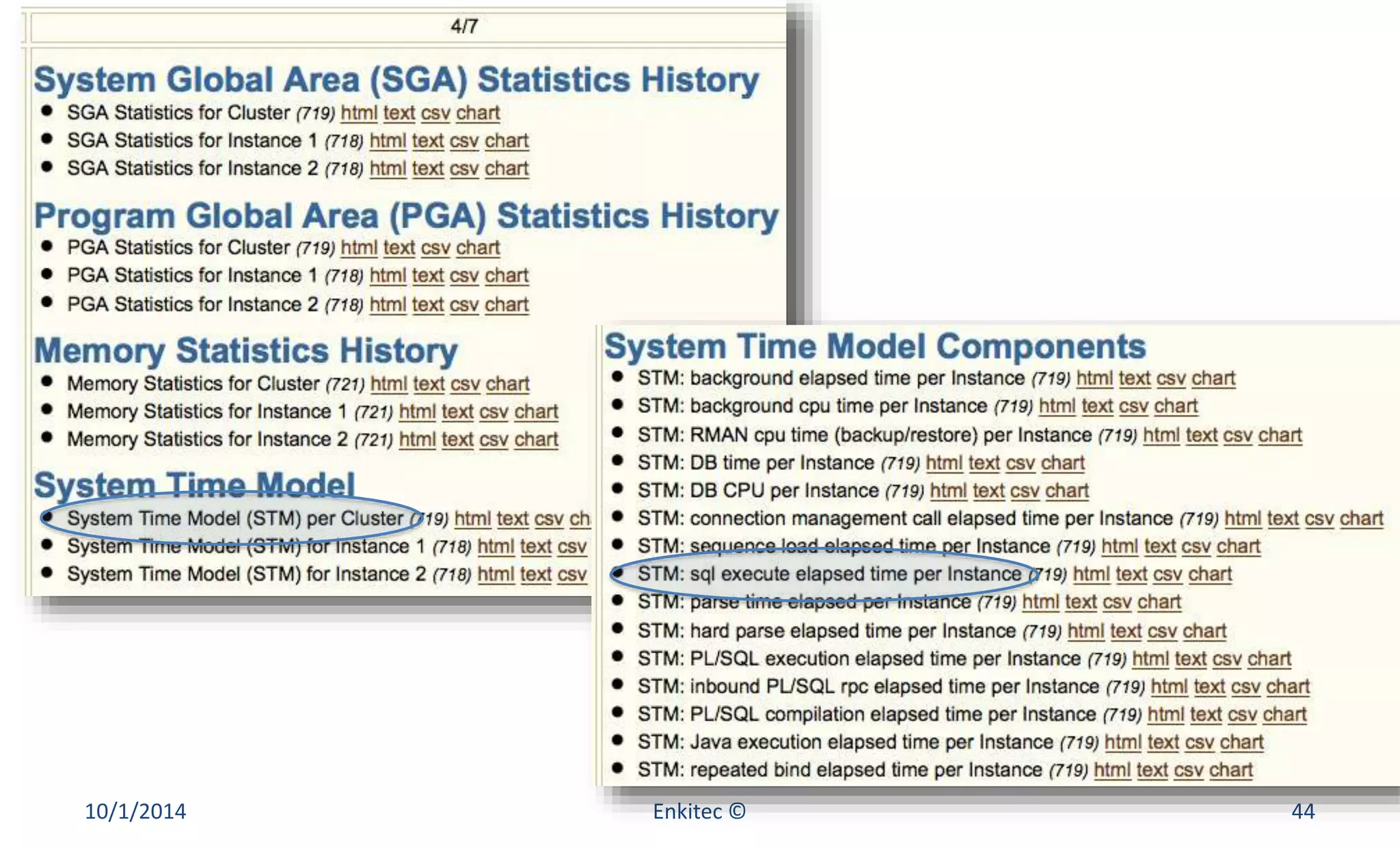
• System Global Area (SGA) Statistics History 
• Program Global Area (PGA) Statistics History 
• Memory Statistics History 
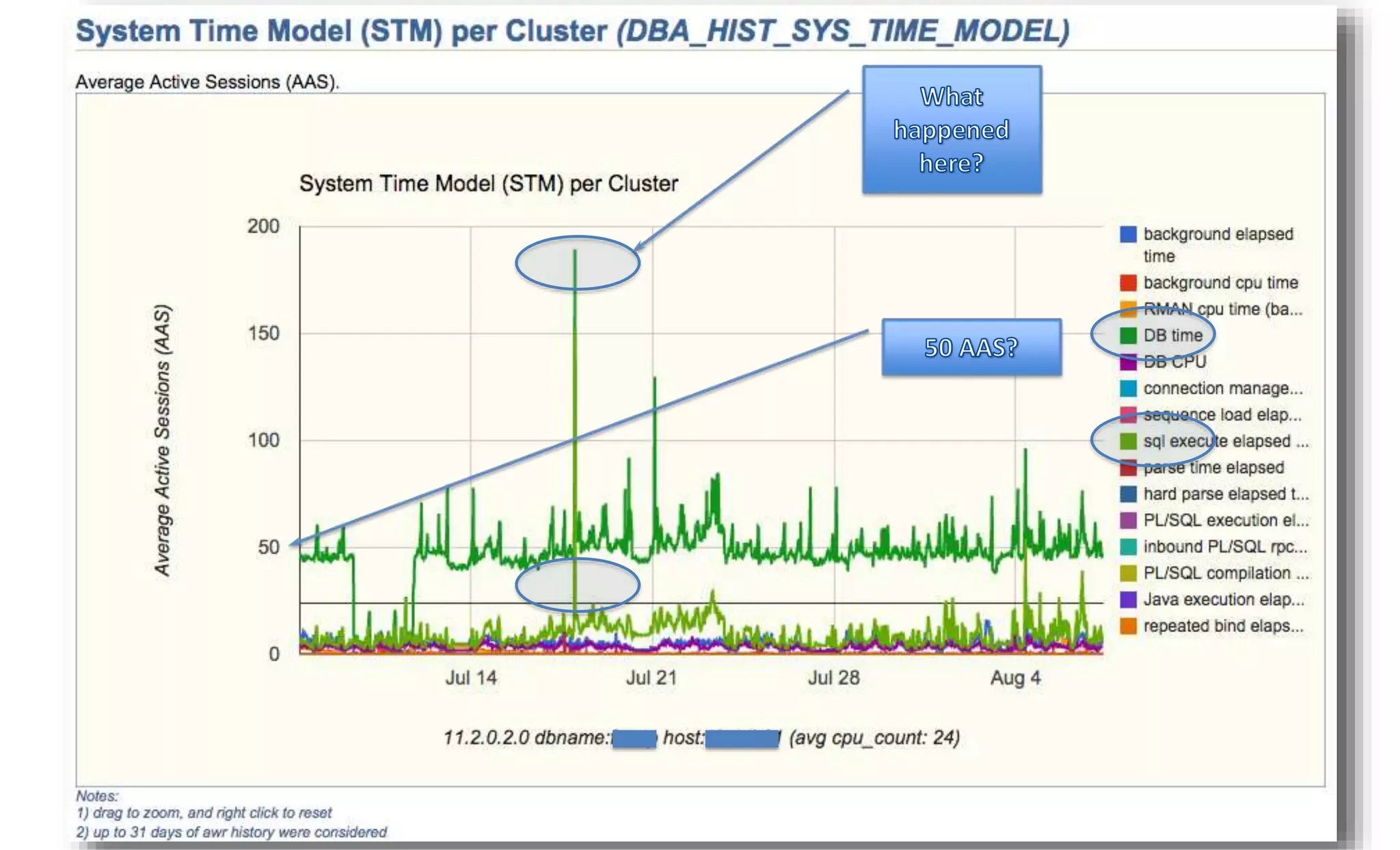
• System Time Model 
• System Time Model Components 
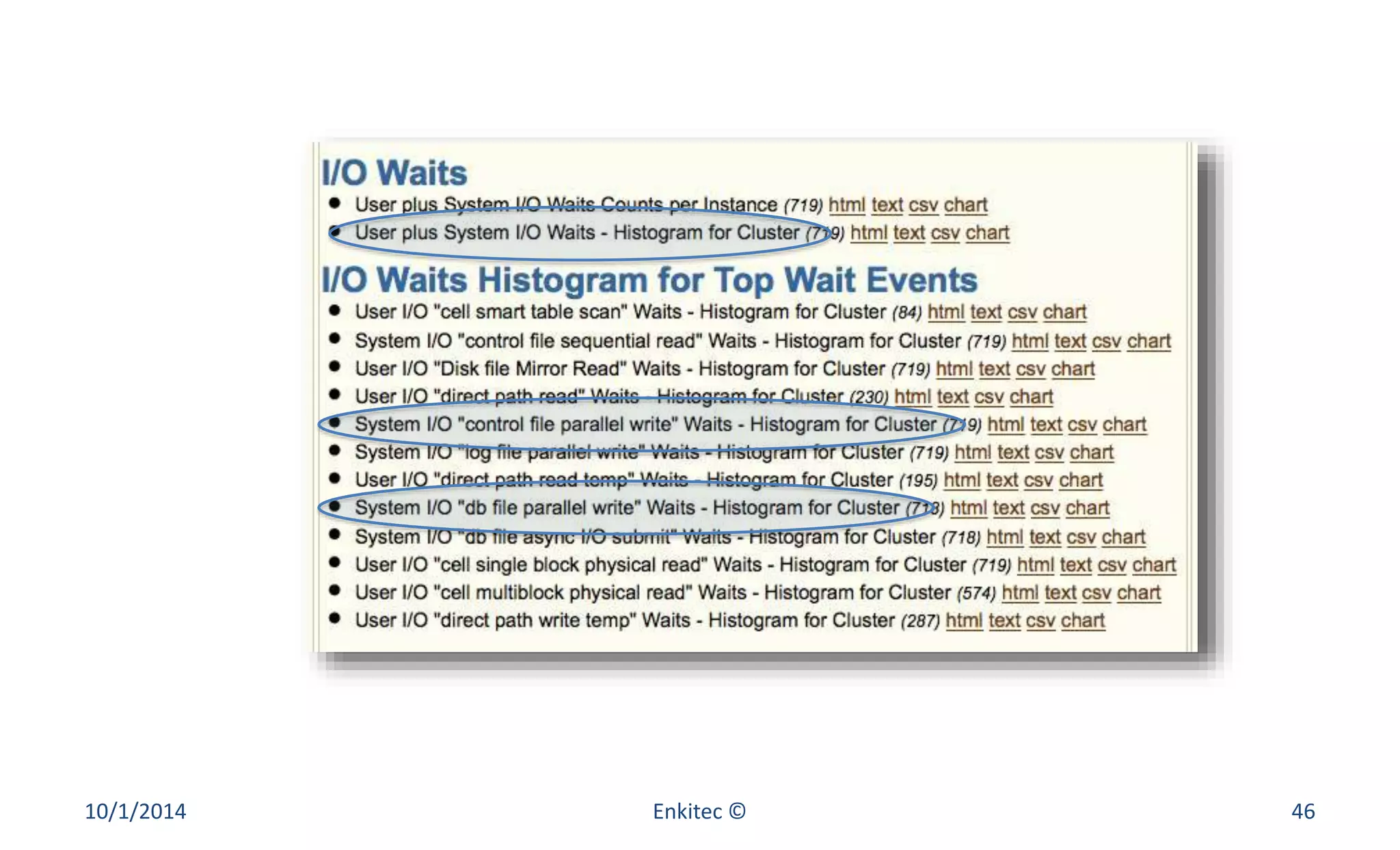
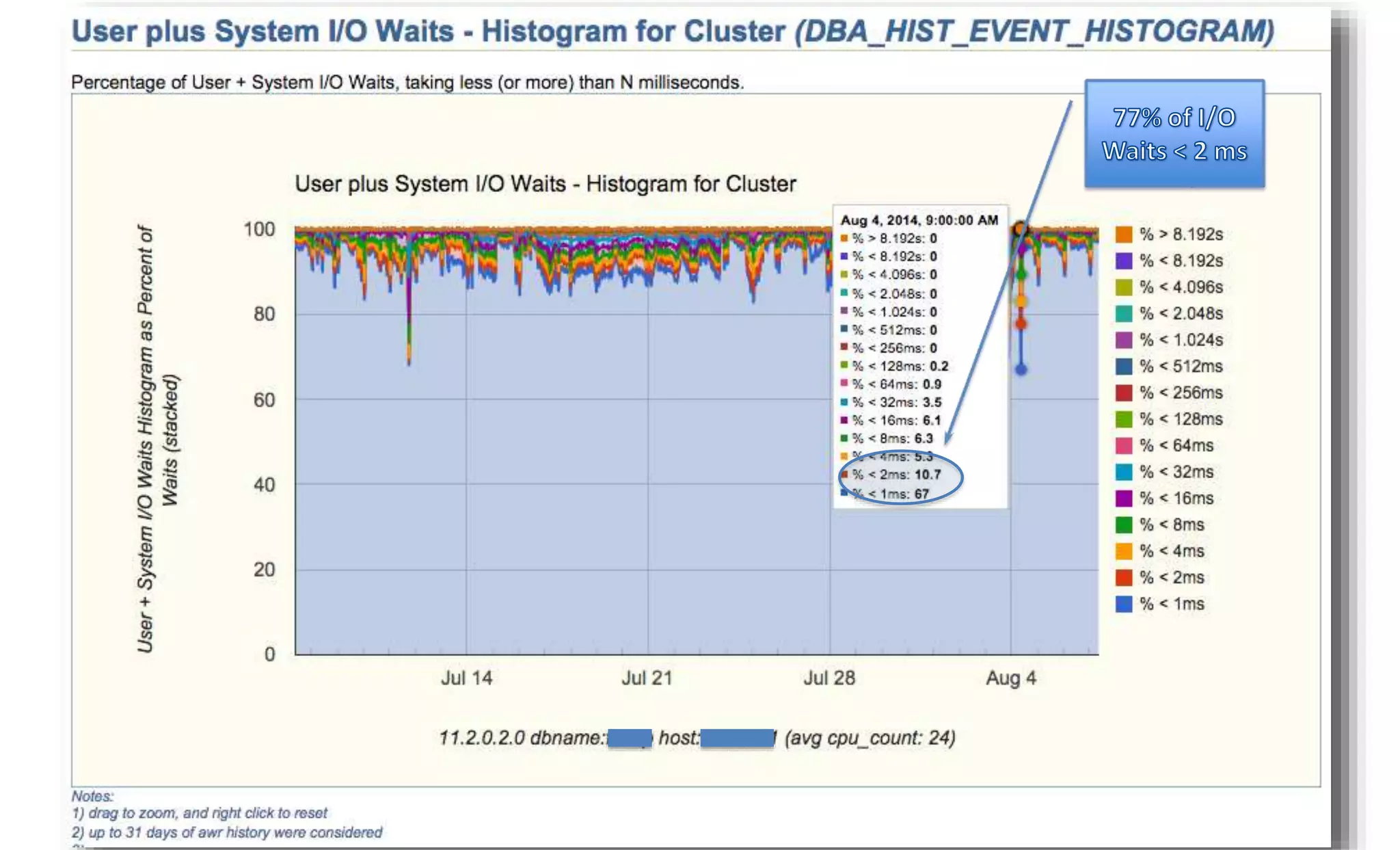
• I/O Waits 
• I/O Waits Histogram for Top Wait Events 
10/1/2014 Enkitec © 43
10/1/2014 Enkitec © 44
10/1/2014 Enkitec © 45
10/1/2014 Enkitec © 46
10/1/2014 Enkitec © 47
10/1/2014 Enkitec © 48
10/1/2014 Enkitec © 49
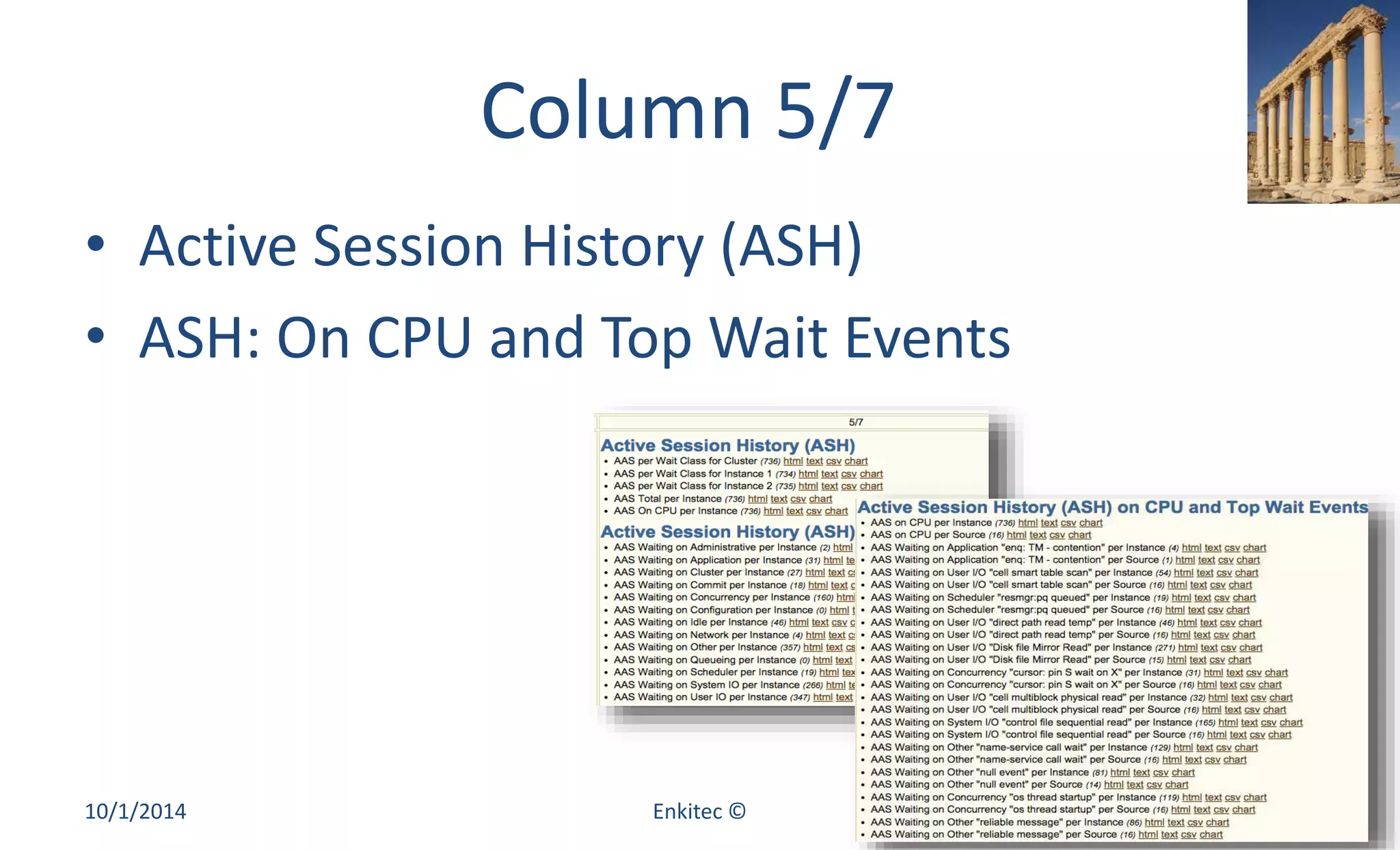
Column 5/7 
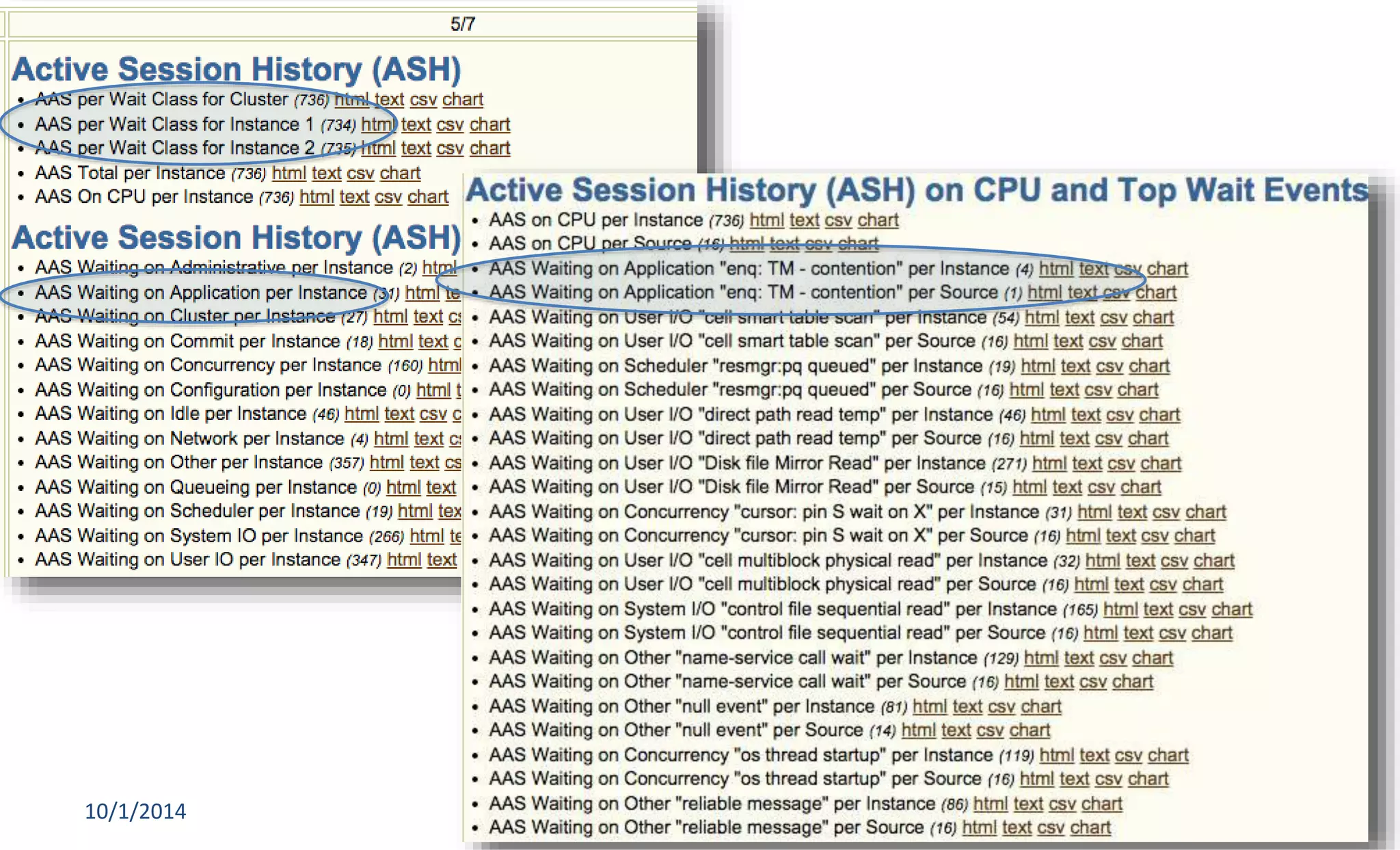
• Active Session History (ASH) 
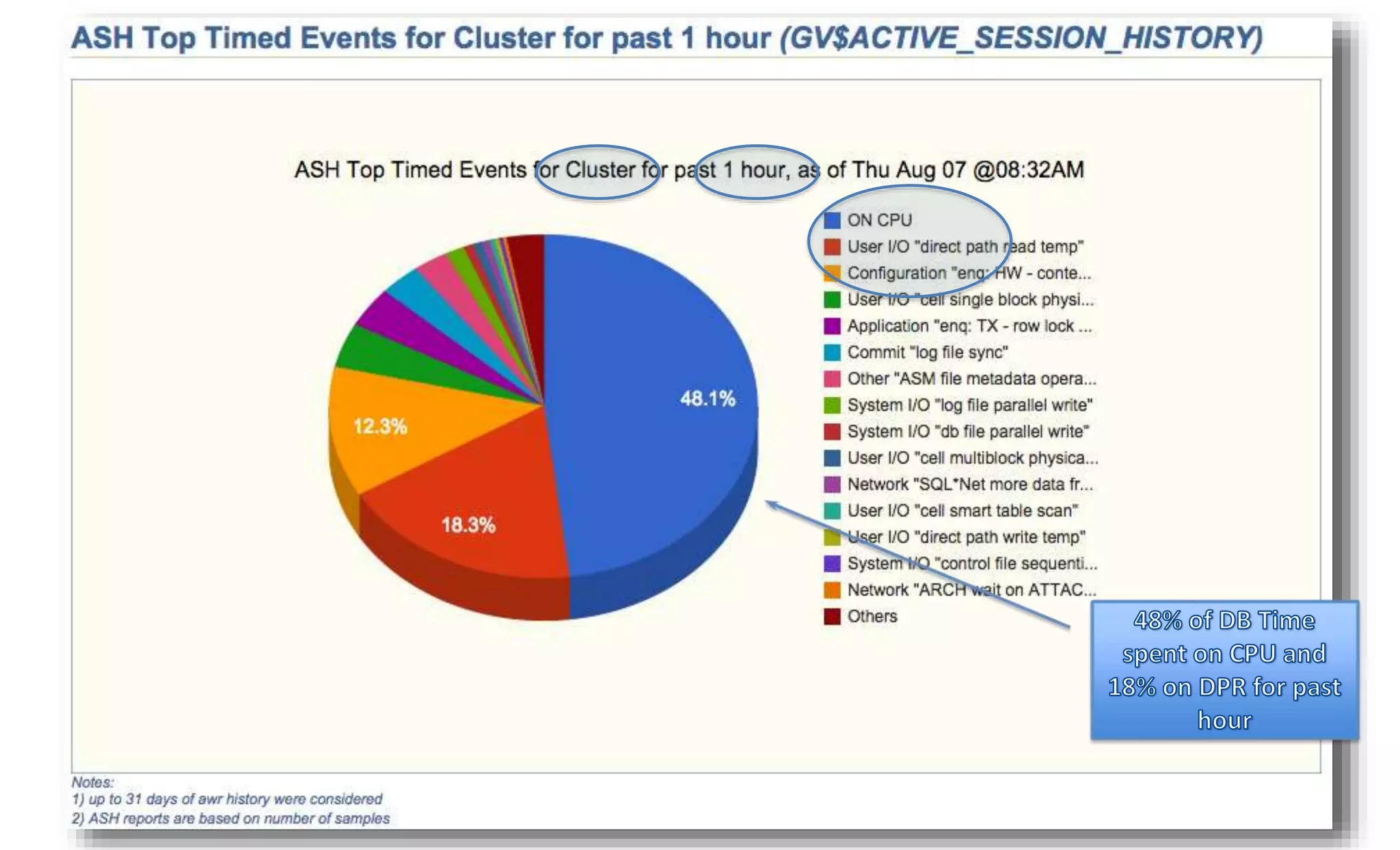
• ASH: On CPU and Top Wait Events 
10/1/2014 Enkitec © 50
10/1/2014 Enkitec © 51
10/1/2014 Enkitec © 52
10/1/2014 Enkitec © 53
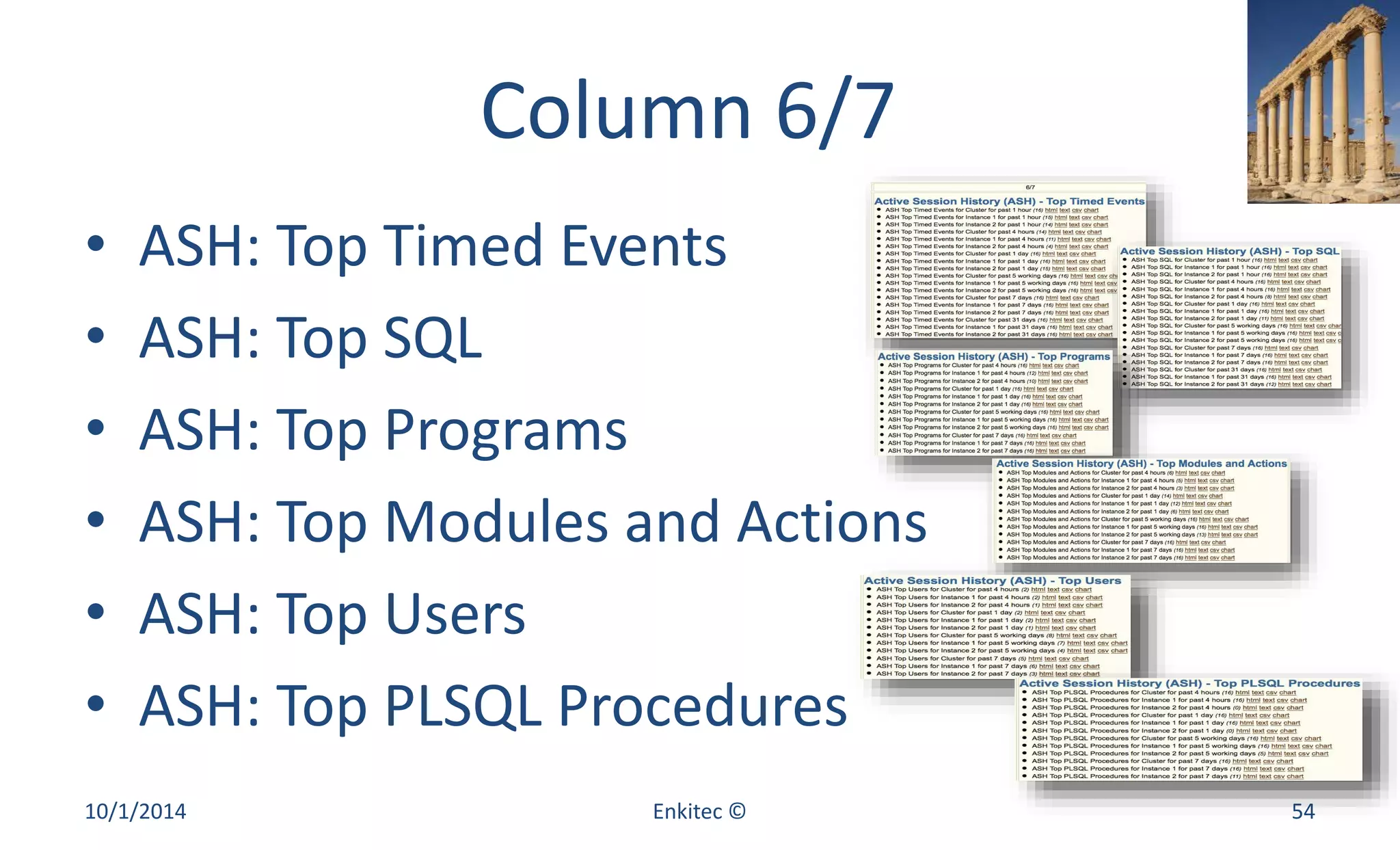
Column 6/7 
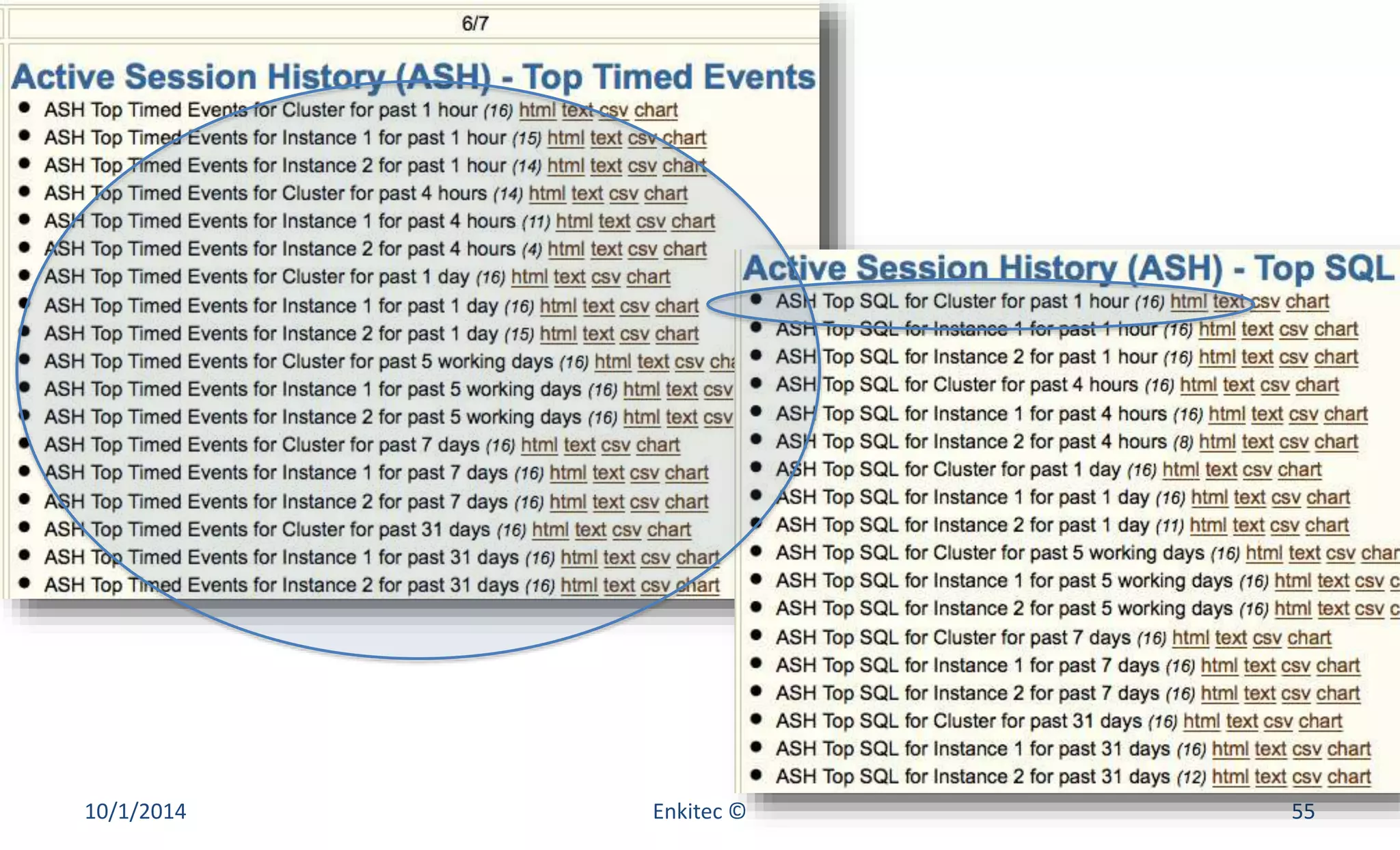
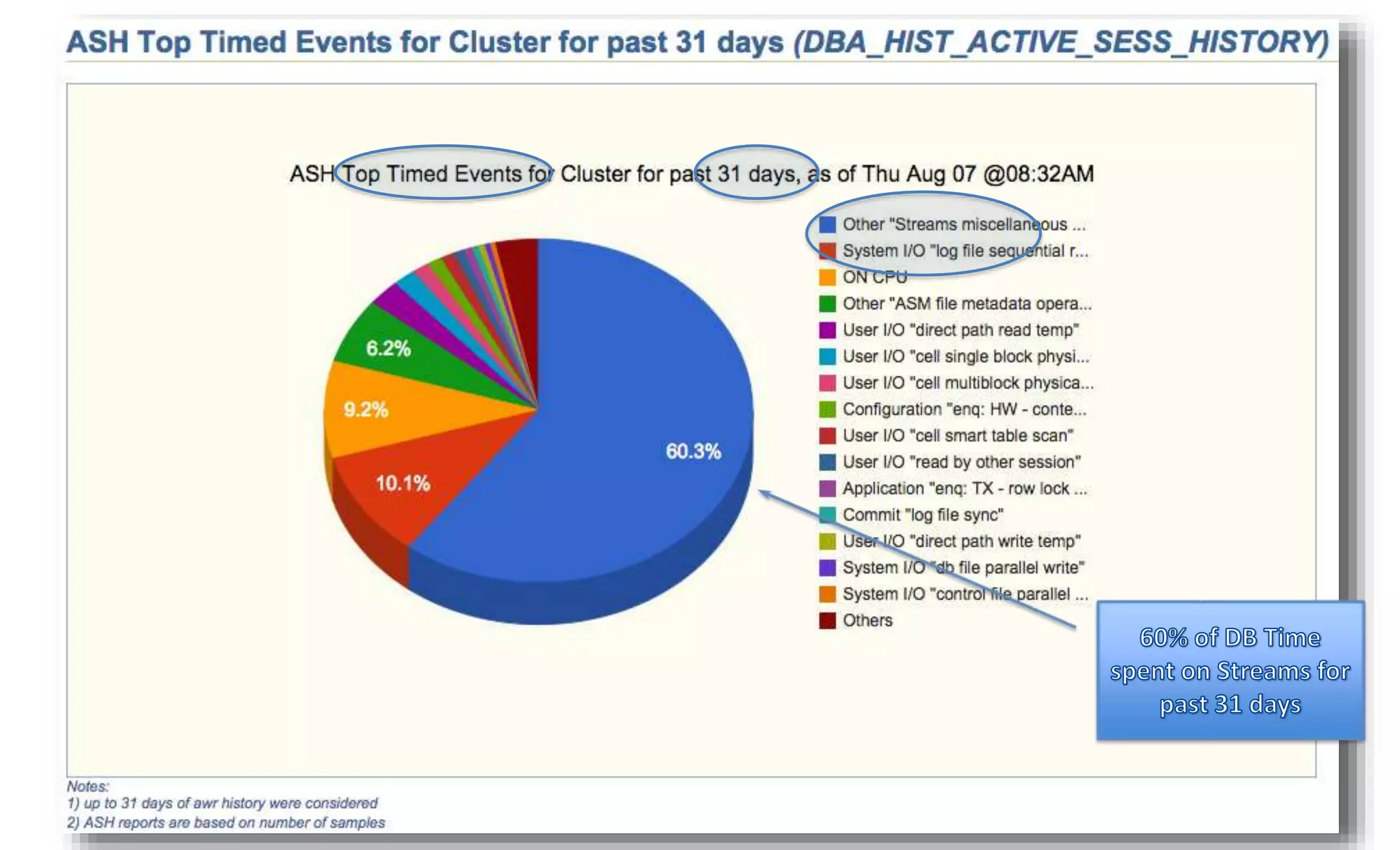
• ASH: Top Timed Events 
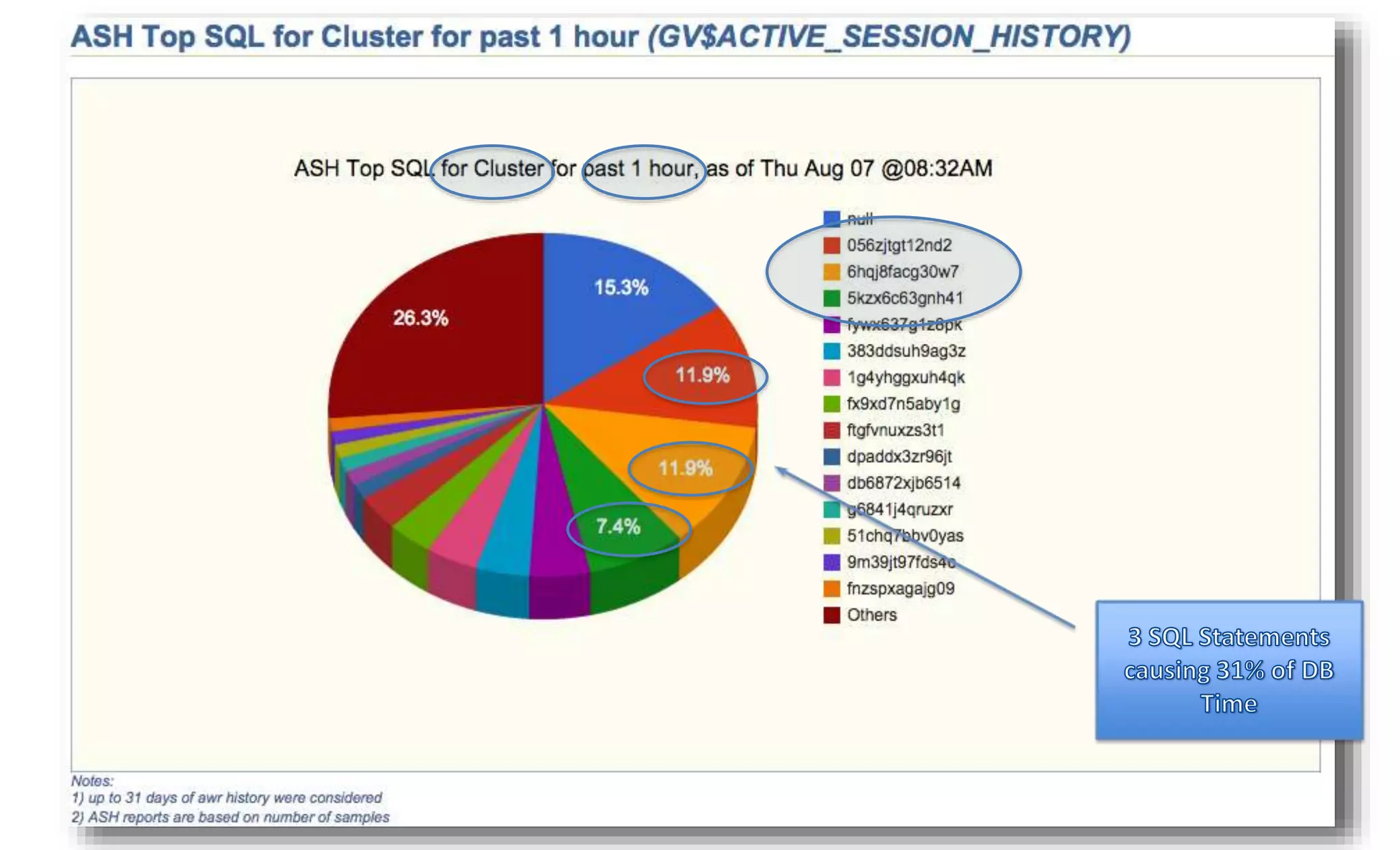
• ASH: Top SQL 
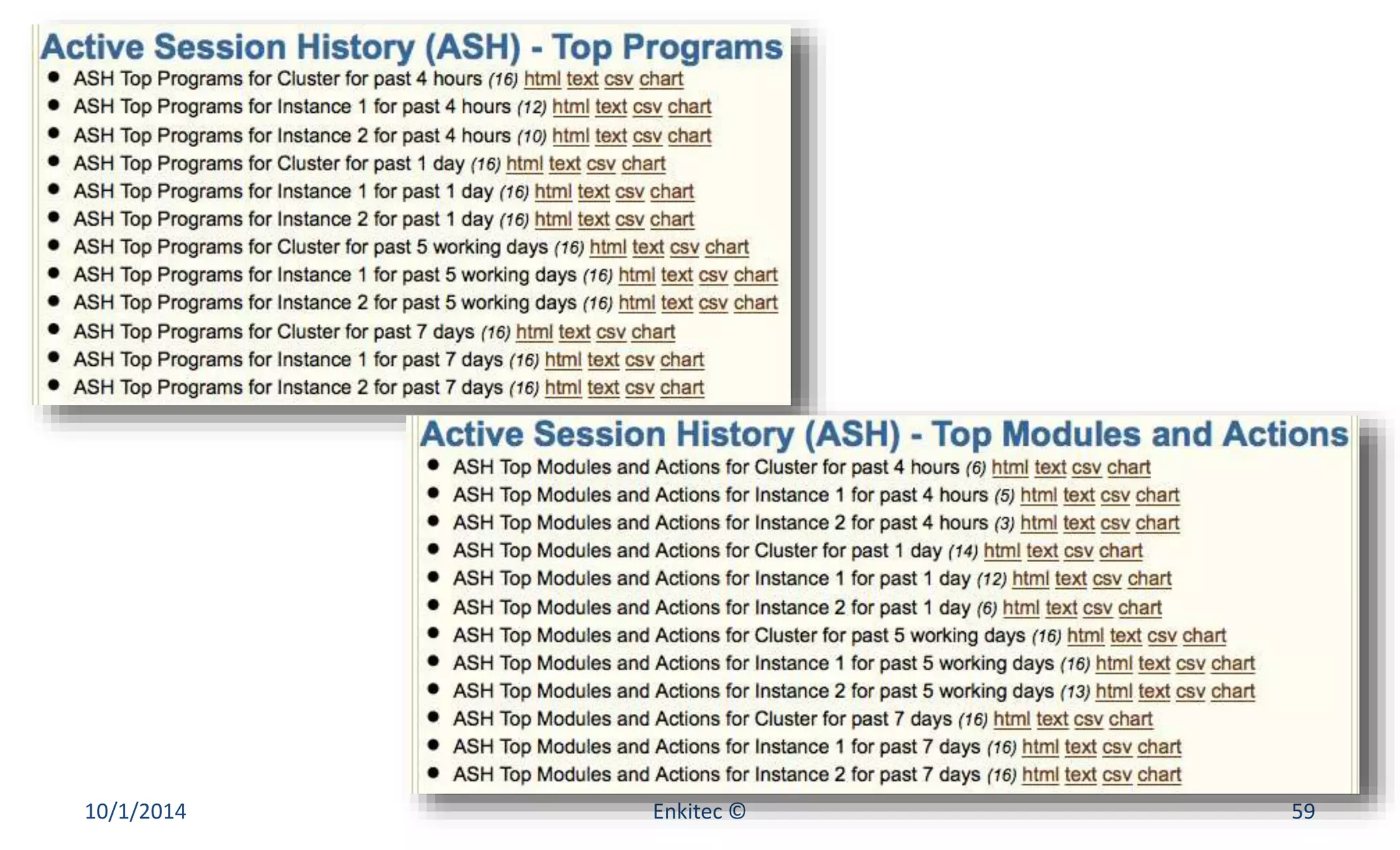
• ASH: Top Programs 
• ASH: Top Modules and Actions 
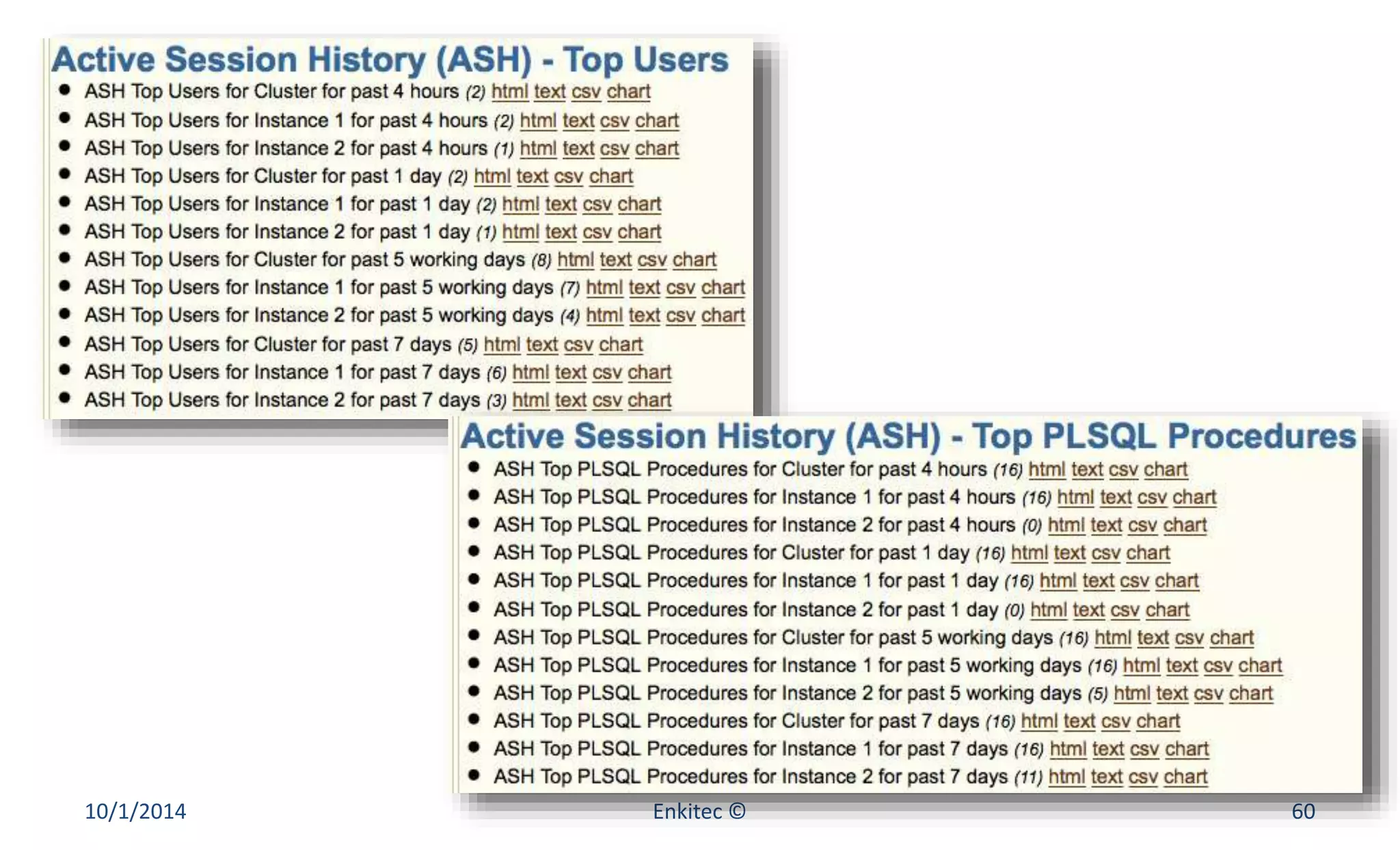
• ASH: Top Users 
• ASH: Top PLSQL Procedures 
10/1/2014 Enkitec © 54
10/1/2014 Enkitec © 55
10/1/2014 Enkitec © 56
10/1/2014 Enkitec © 57
10/1/2014 Enkitec © 58
10/1/2014 Enkitec © 59
10/1/2014 Enkitec © 60
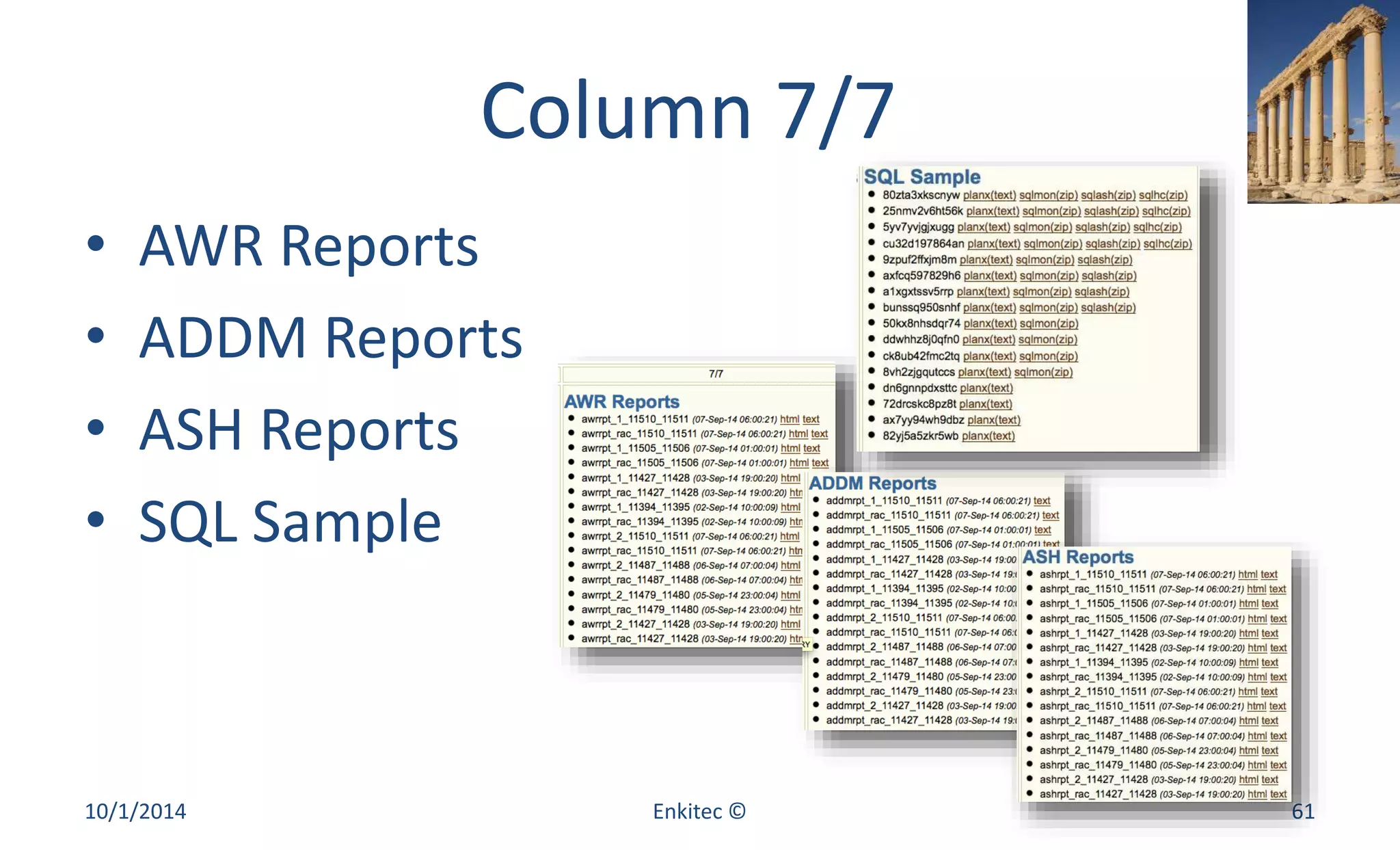
Column 7/7 
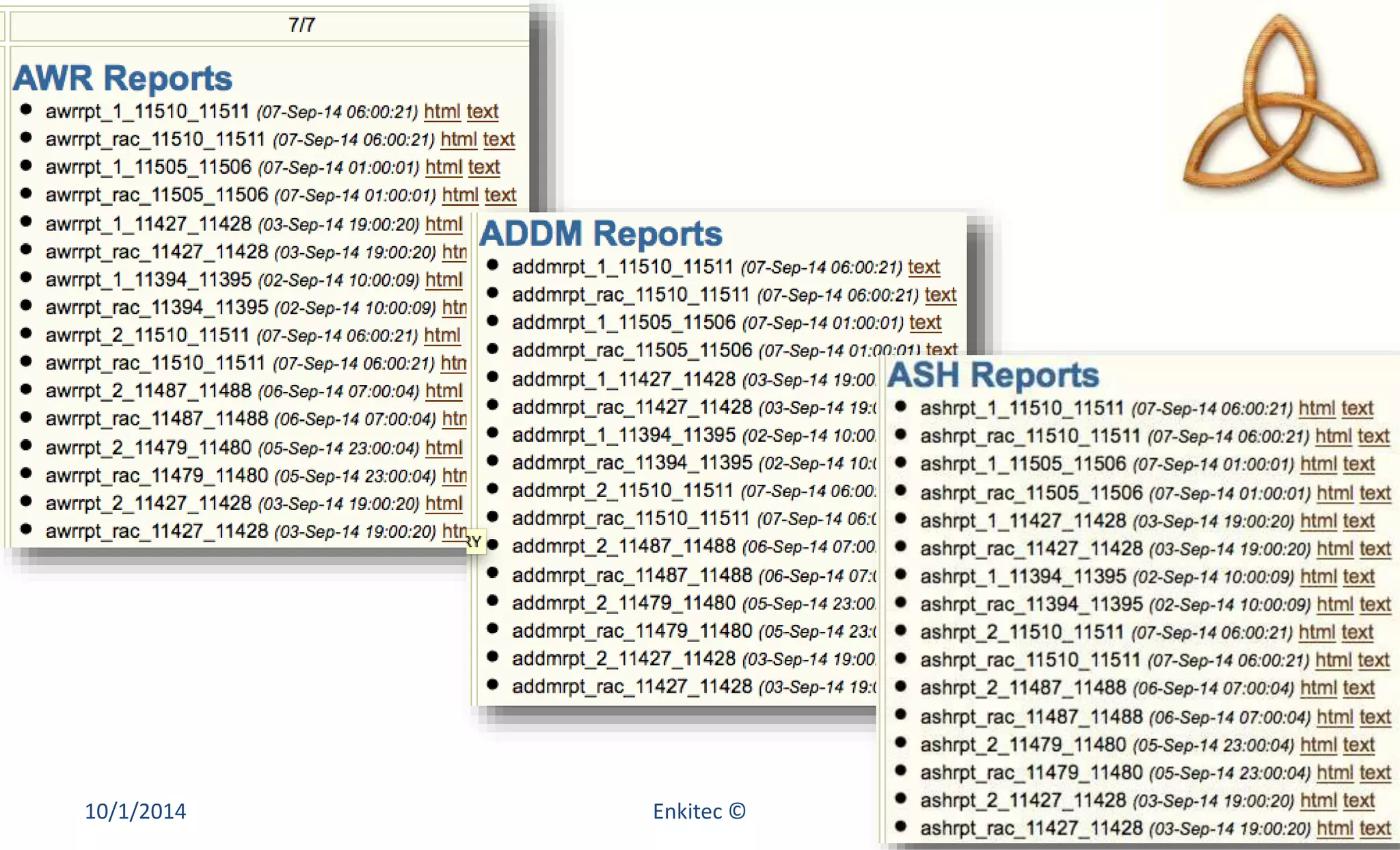
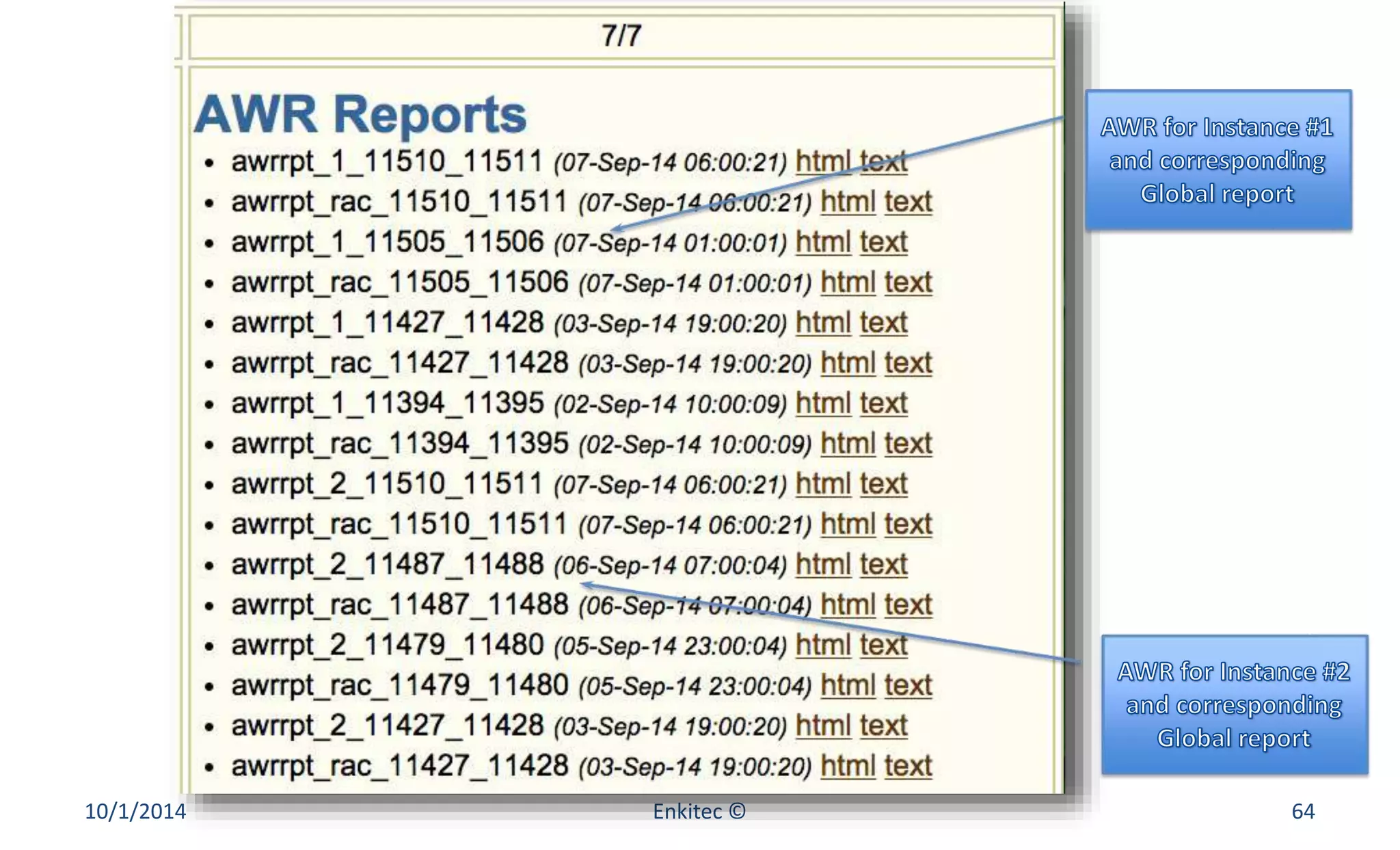
• AWR Reports 
• ADDM Reports 
• ASH Reports 
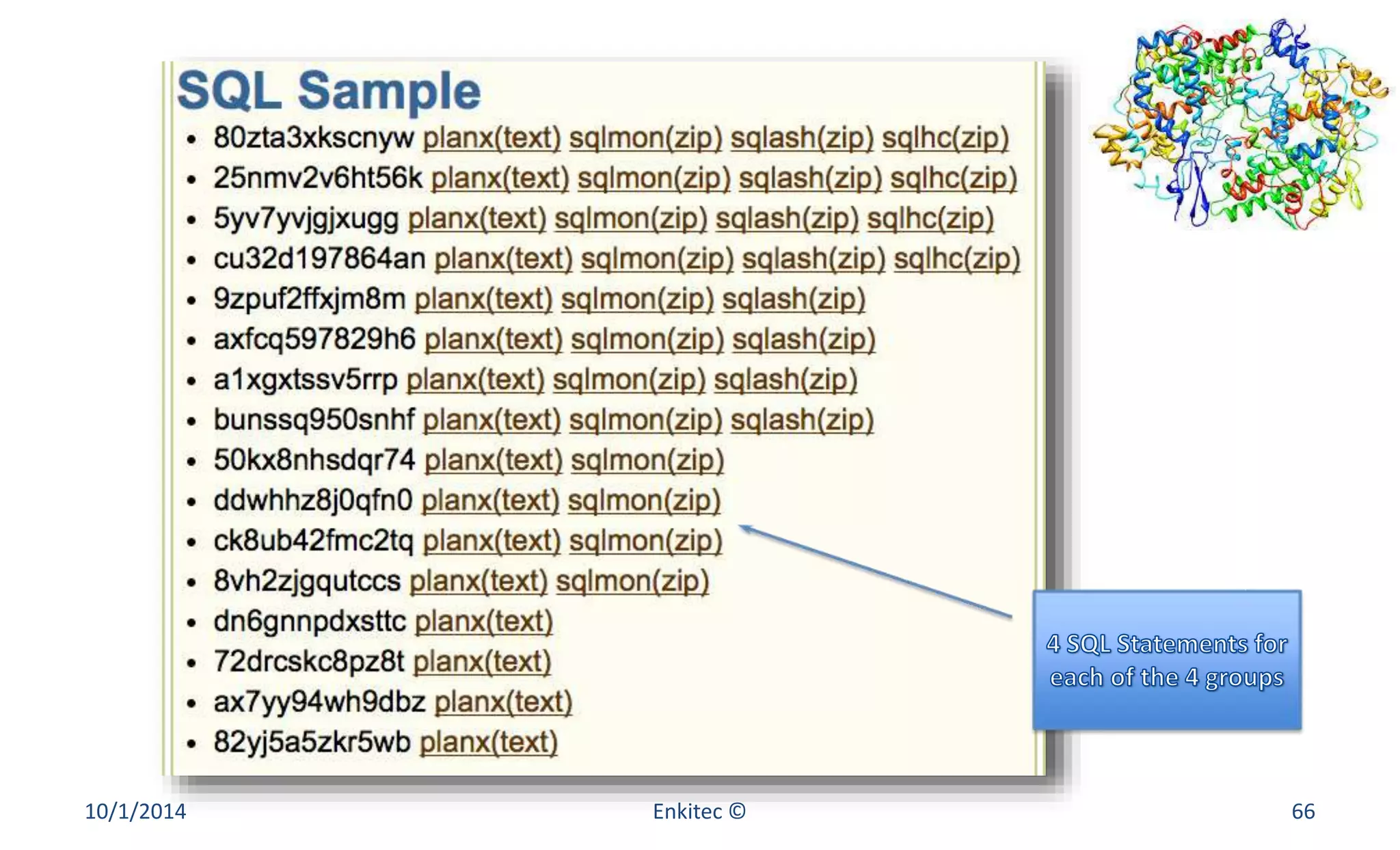
• SQL Sample 
10/1/2014 Enkitec © 61
10/1/2014 Enkitec © 62
AWR, ADDM and ASH (1) 
• “DB Time” or “background elapsed time” 
• For each Instance (avoiding duplicates) 
– Peak during past 7 days 
– Peak during past 5 work days (8AM to 7PM) 
– Peak during past 24 hours 
– Peak during past 4 hours 
• For each report get also Global (if RAC) 
10/1/2014 Enkitec © 63
10/1/2014 Enkitec © 64
AWR, ADDM and ASH (2) 
• How many reports on a 4-node RAC? 
– 4 Instances 
– 4 Time Intervals (Peak for 7d, 5wd, 24h and 4h) 
– 1 Global report for each instance report (2x) 
– 3 report types (AWR, ADDM and ASH) 
– 4 x 4 x 2 x 3 = 96 reports 
10/1/2014 Enkitec © 65
10/1/2014 Enkitec © 66
SQL Sample (1) 
• Top SQL as per number of ASH samples 
– 16 during past hour as per GV$ 
– 16 during past 4 hours as per DBA_HIST 
– 16 during past 24 hours as per DBA_HIST 
– 16 during past 5 working days as per DBA_HIST 
– 16 during past 7 days as per DBA_HIST 
• Top 10 16 popular Statements from 5 lists 
10/1/2014 Enkitec © 67
SQL Sample (2) 
• For Top 16 get planx.sql 
• For Top 12 get sqlmon.sql 
• For Top 8 get sqlash.sql 
• For Top 4 get sqlhc.sql (if available on sql dir) 
• Note: To be enhanced with sqld360 
10/1/2014 Enkitec © 68
Closing Remarks 
• eDB360 takes between 1 and 3 hours to run 
– Best time to execute is at the end of a day (COB) 
• eDB360 provides a fair view of a database 
• A shell script runs eDB360 on all databases 
• A new Release about once a month 
• Installs nothing and it is free! 
10/1/2014 Enkitec © 69
Beyond eDB360 
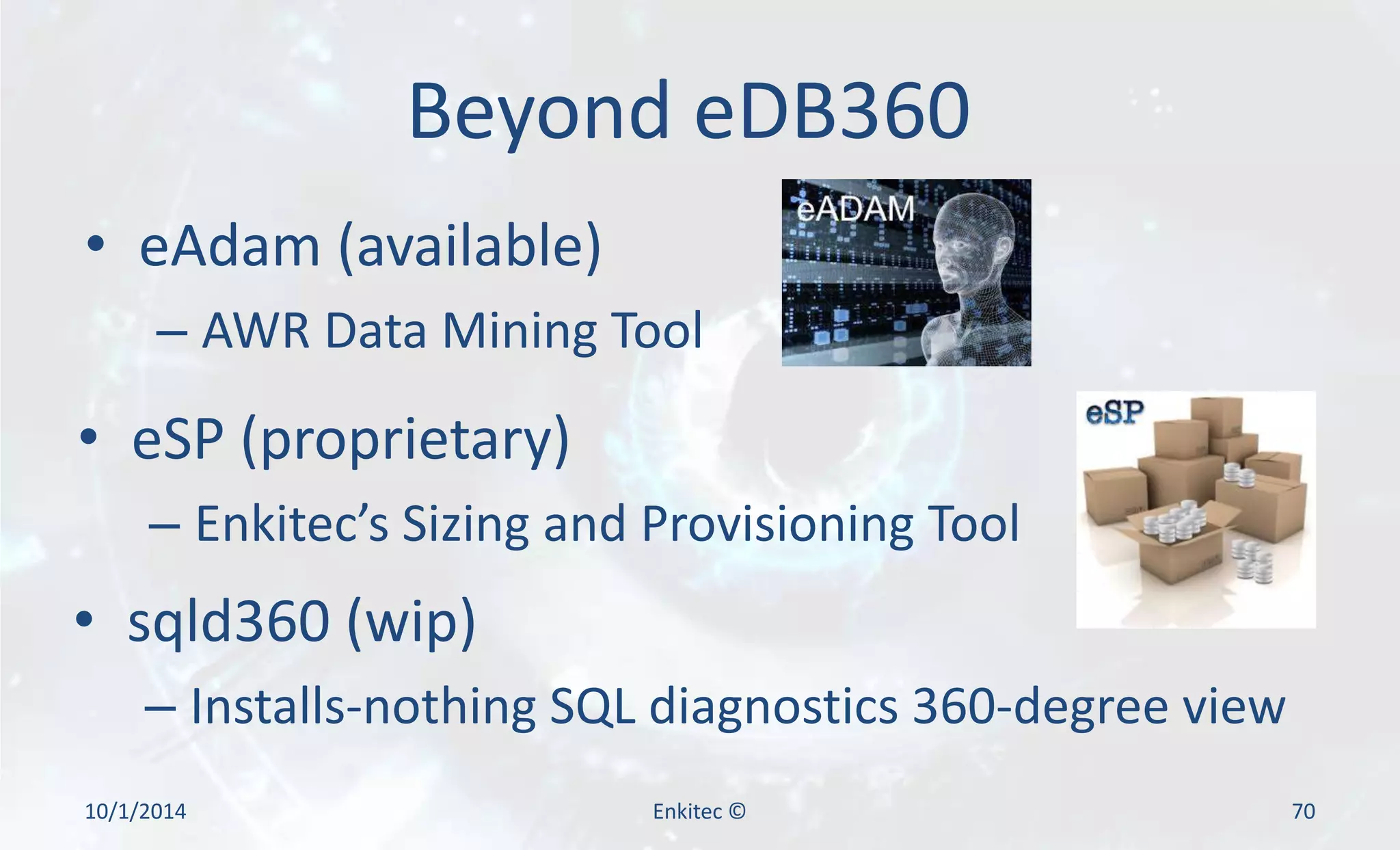
• eAdam (available) 
– AWR Data Mining Tool 
• eSP (proprietary) 
– Enkitec’s Sizing and Provisioning Tool 
• sqld360 (wip) 
– Installs-nothing SQL diagnostics 360-degree view 
10/1/2014 Enkitec © 70
References 
• eDB360 download 
– http://www.enkitec.com/products/edb360 
• eDB360 capabilities 
– http://carlos-sierra.net/2014/07/27/edb360/ 
• eAdam capabilities and download 
– http://carlos-sierra.net/2014/07/27/eadam/ 
10/1/2014 Enkitec © 71
Contact Information 
• carlos.sierra@enkitec.com 
• carlos-sierra.net 
• @csierra_usa 
Enkitec (c) 2014 72

Introducing the eDB360 Tool