

How to add PowerPoint presentations to www.blogger.com
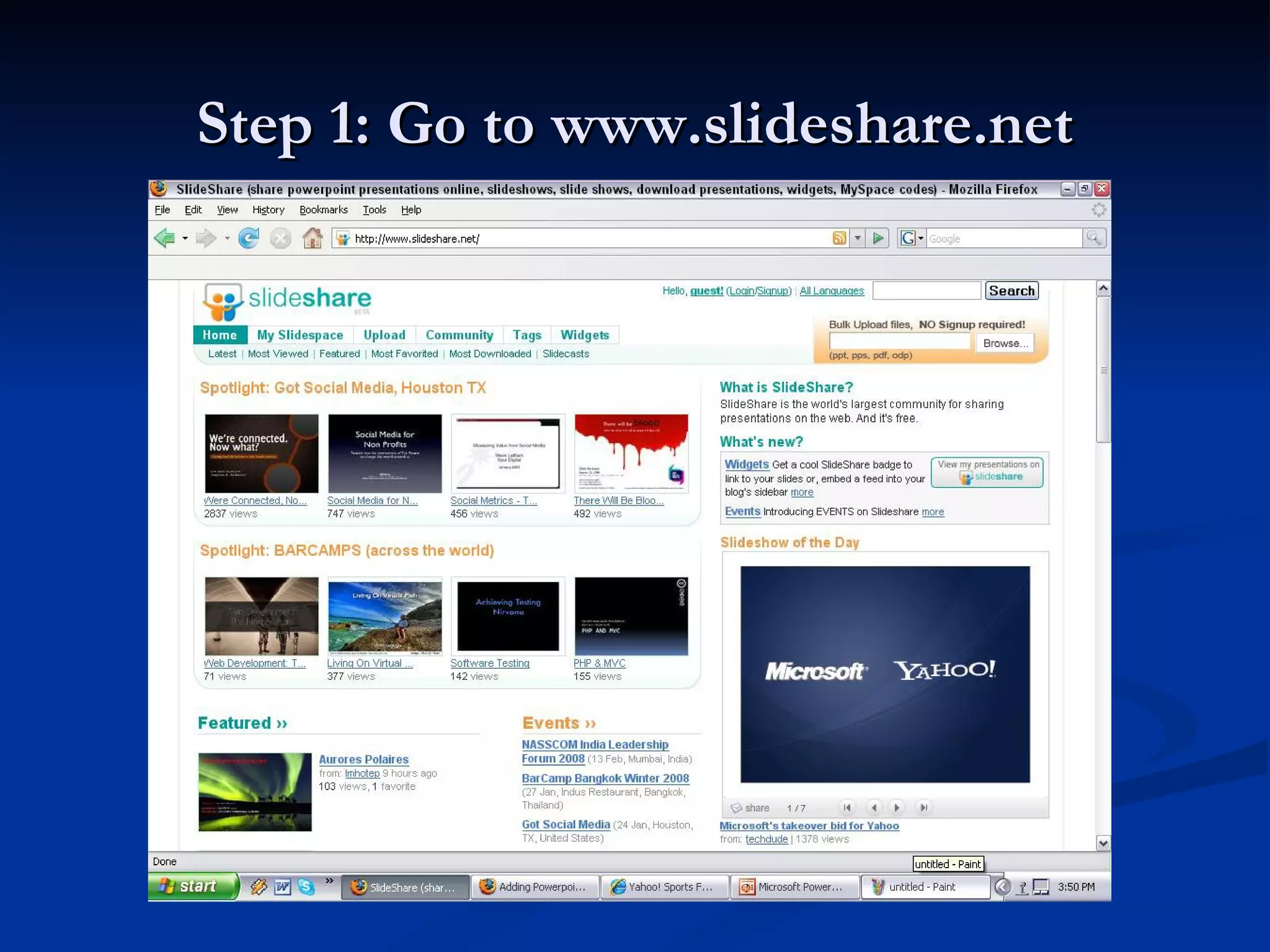
Step 1: Go to www.slideshare.net
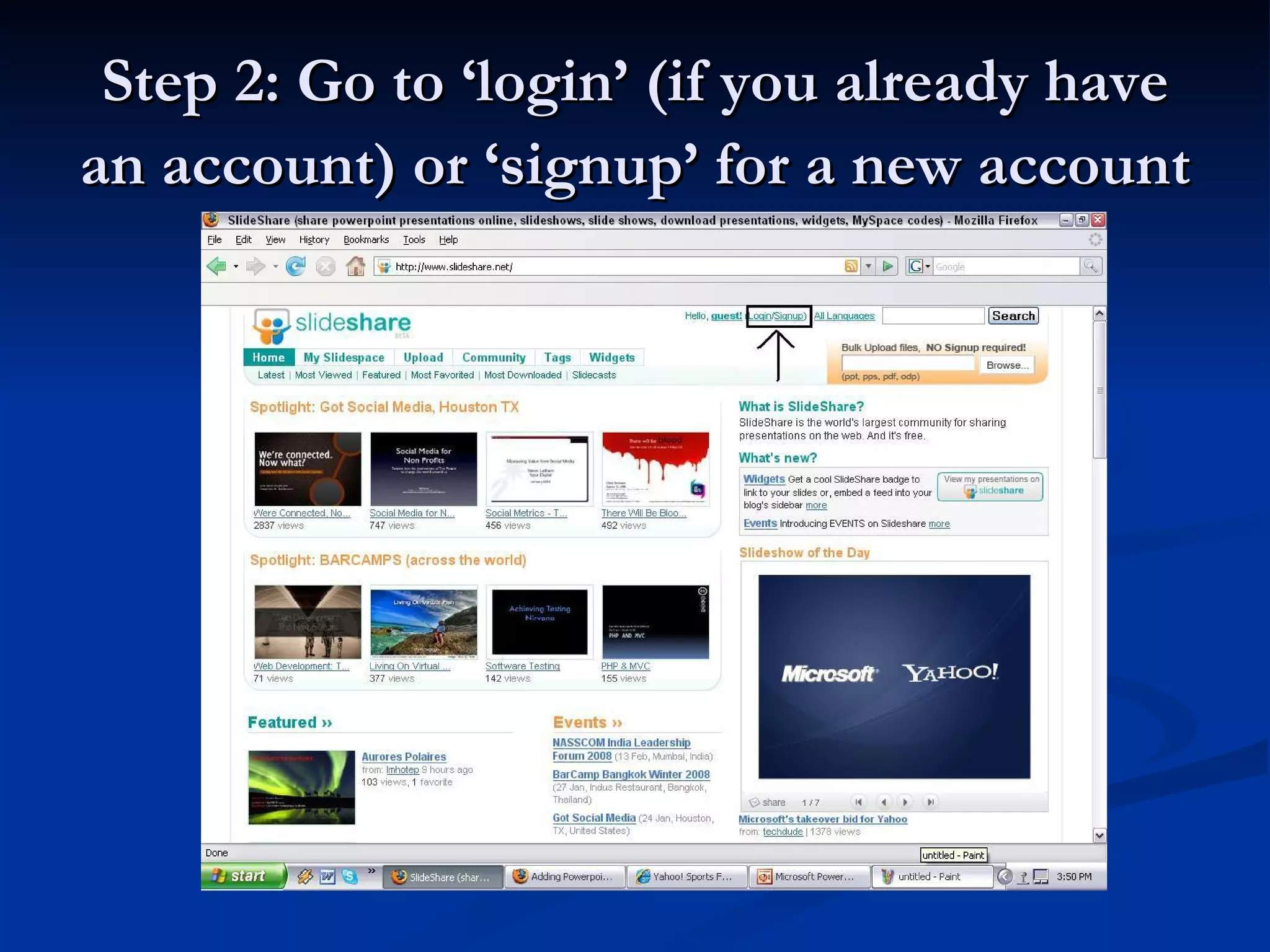
Step 2: Go to ‘login’ (if you already have an account) or ‘signup’ for a new account
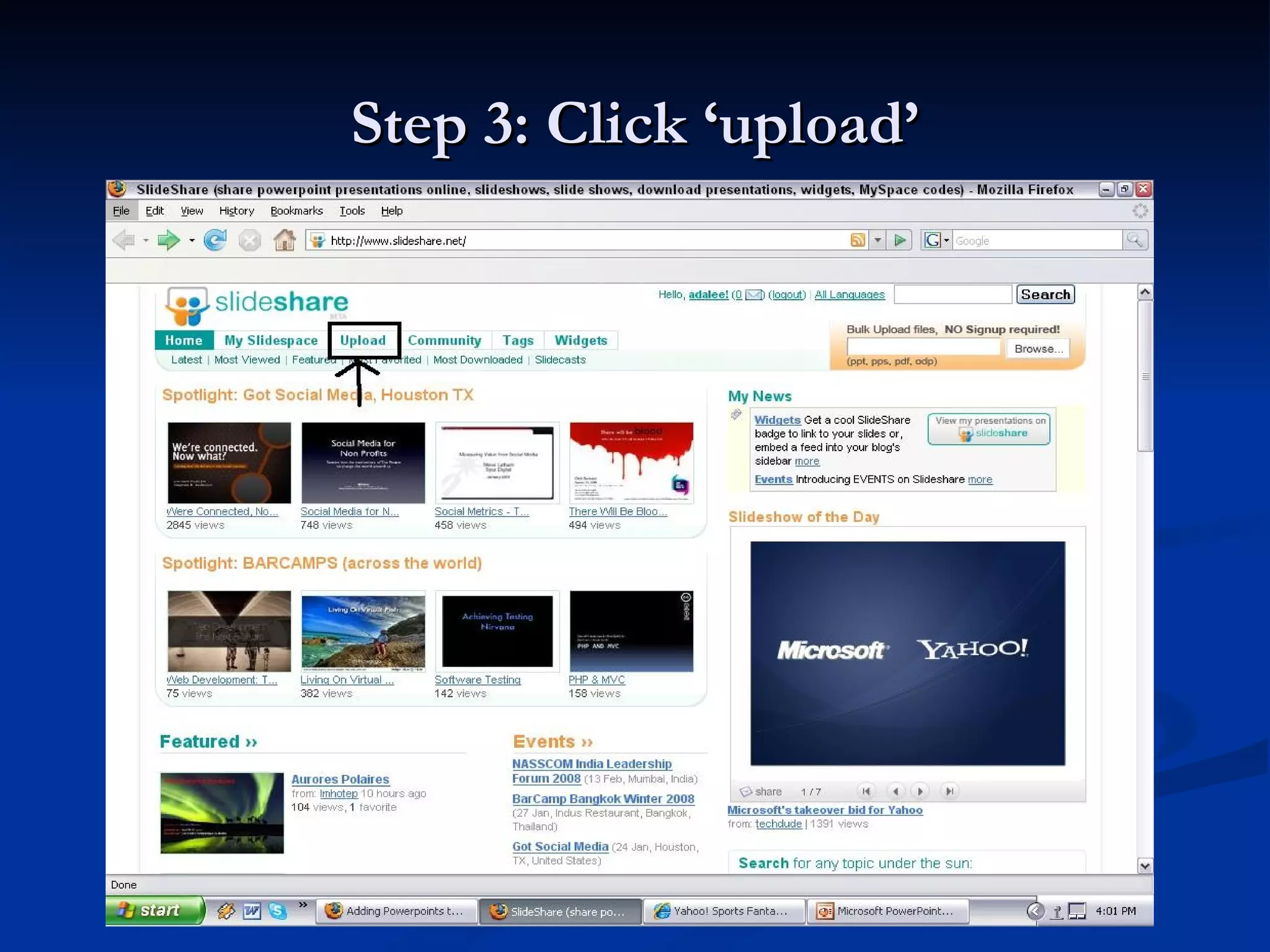
Step 3: Click ‘upload’
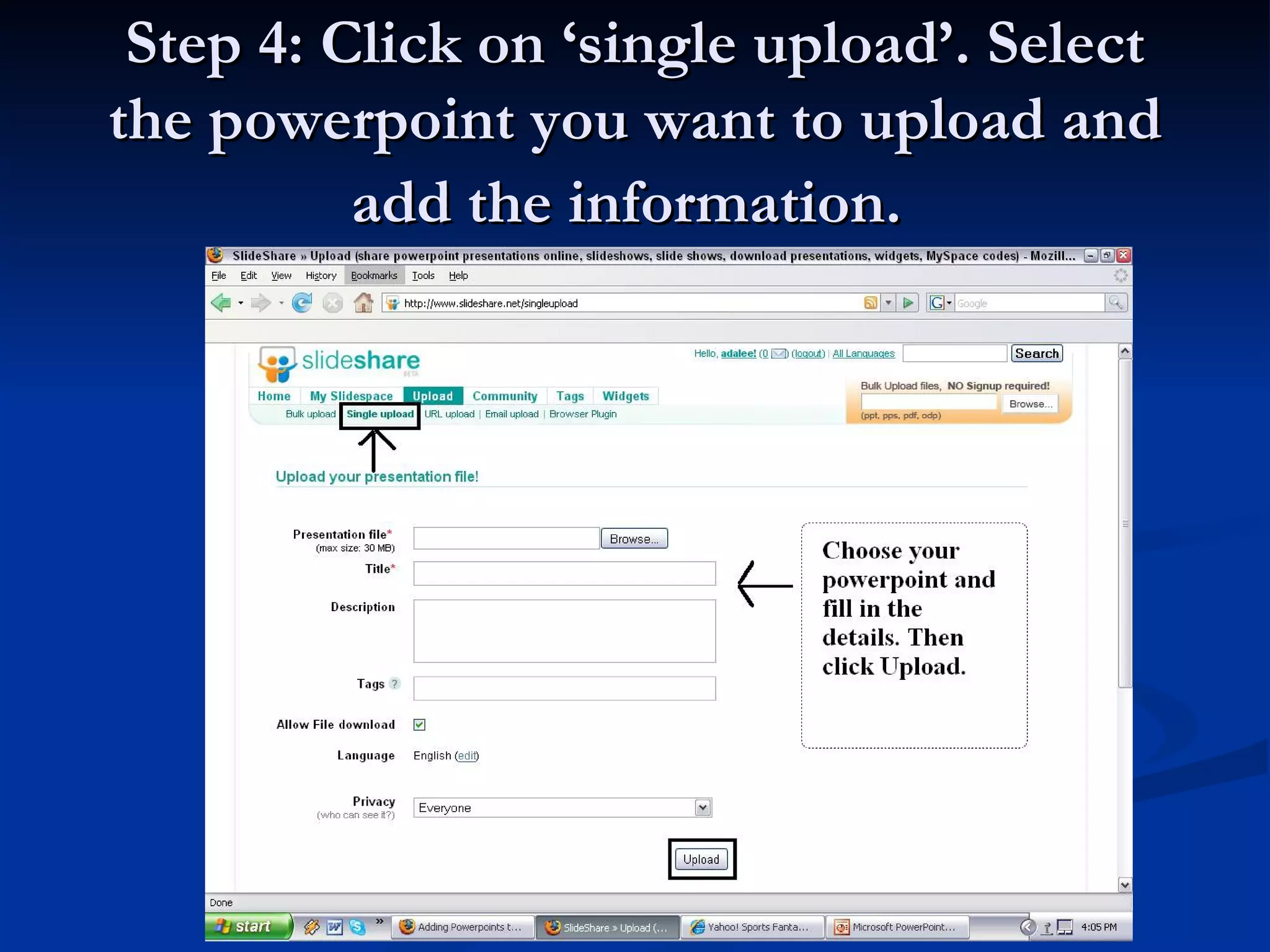
Step 4: Click on ‘single upload’. Select the powerpoint you want to upload and add the information.
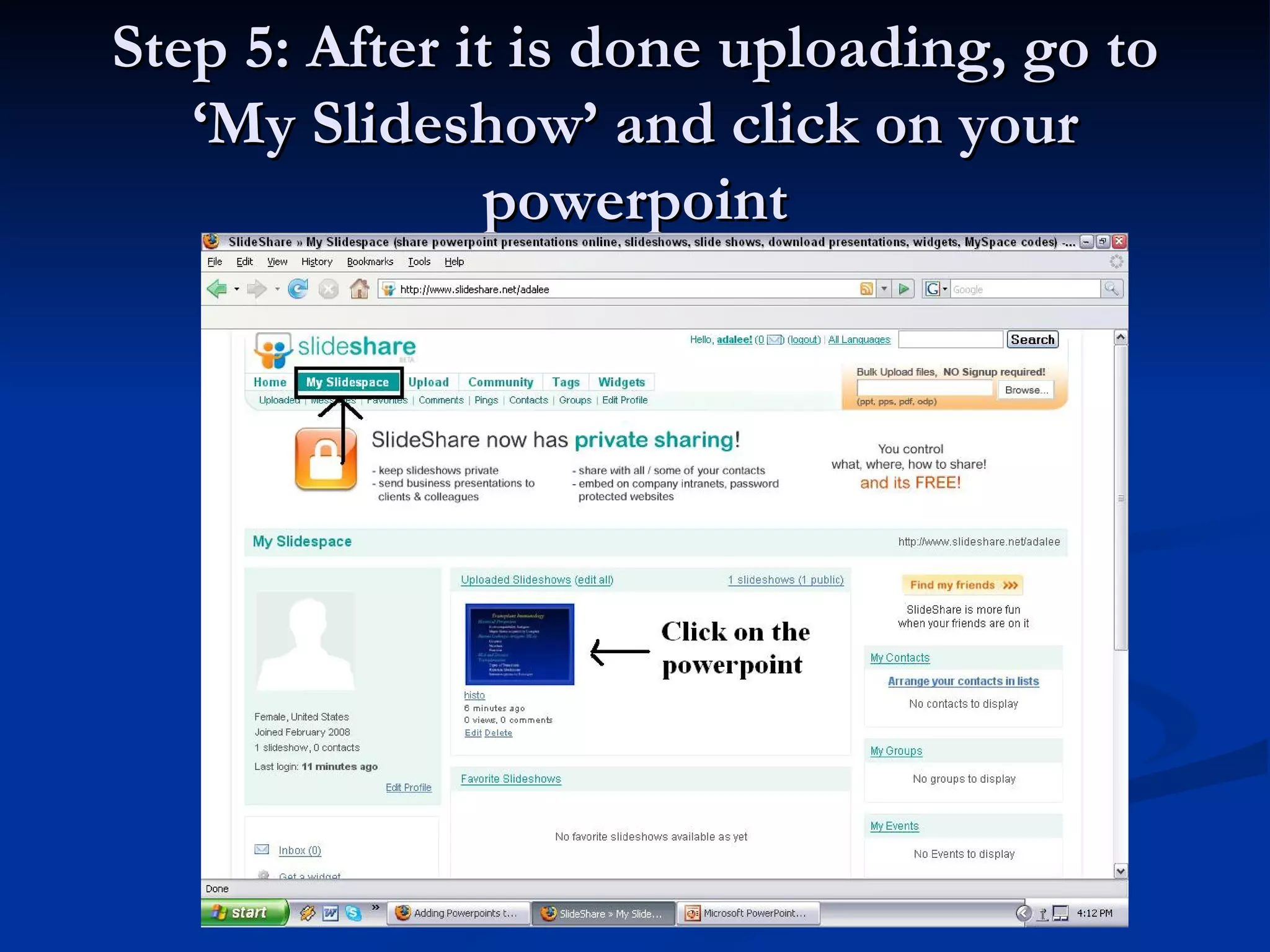
Step 5: After it is done uploading, go to ‘My Slideshow’ and click on your powerpoint
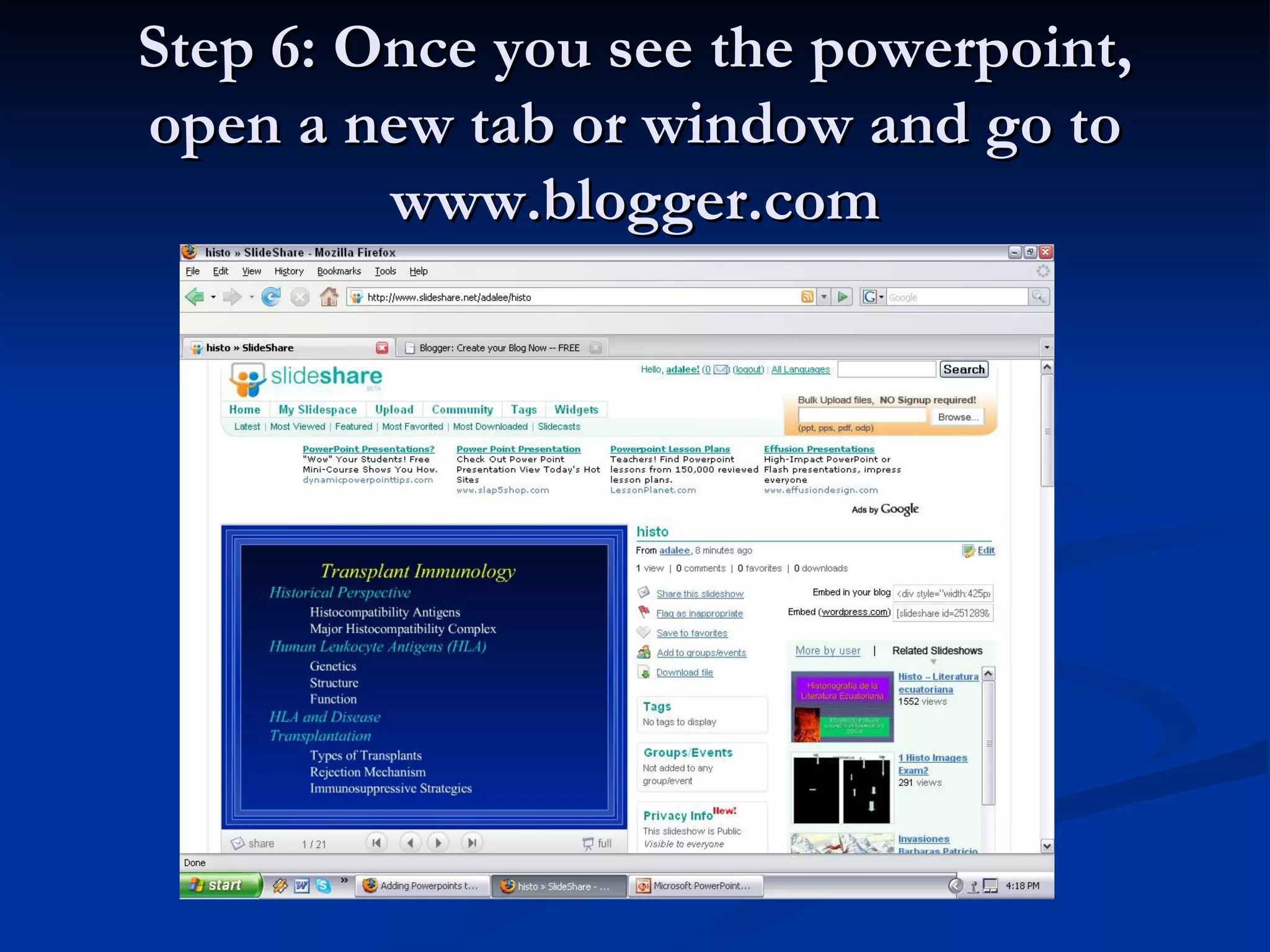
Step 6: Once you see the powerpoint, open a new tab or window and go to www.blogger.com
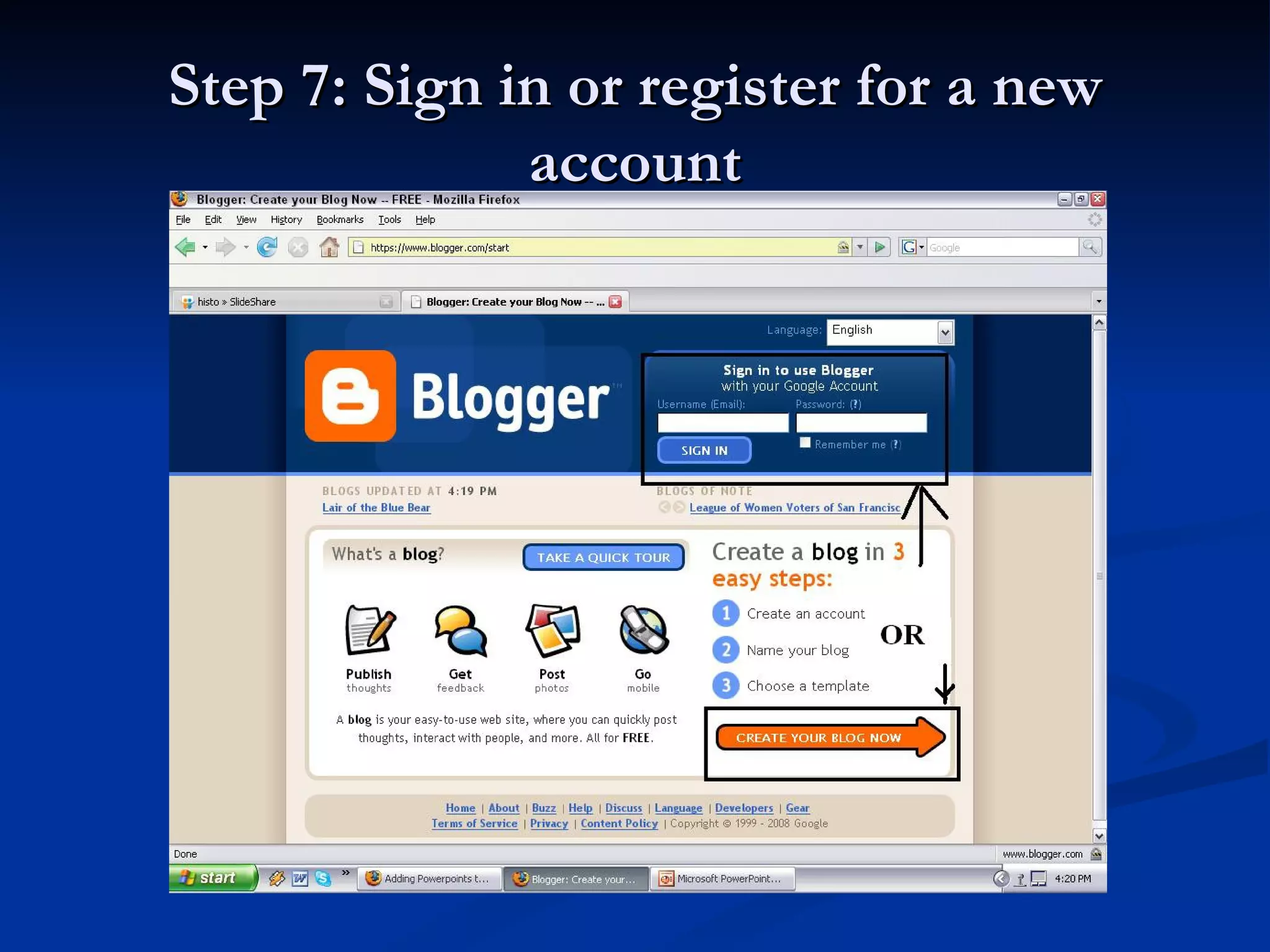
Step 7: Sign in or register for a new account
Step 8: Click on ‘New Post’
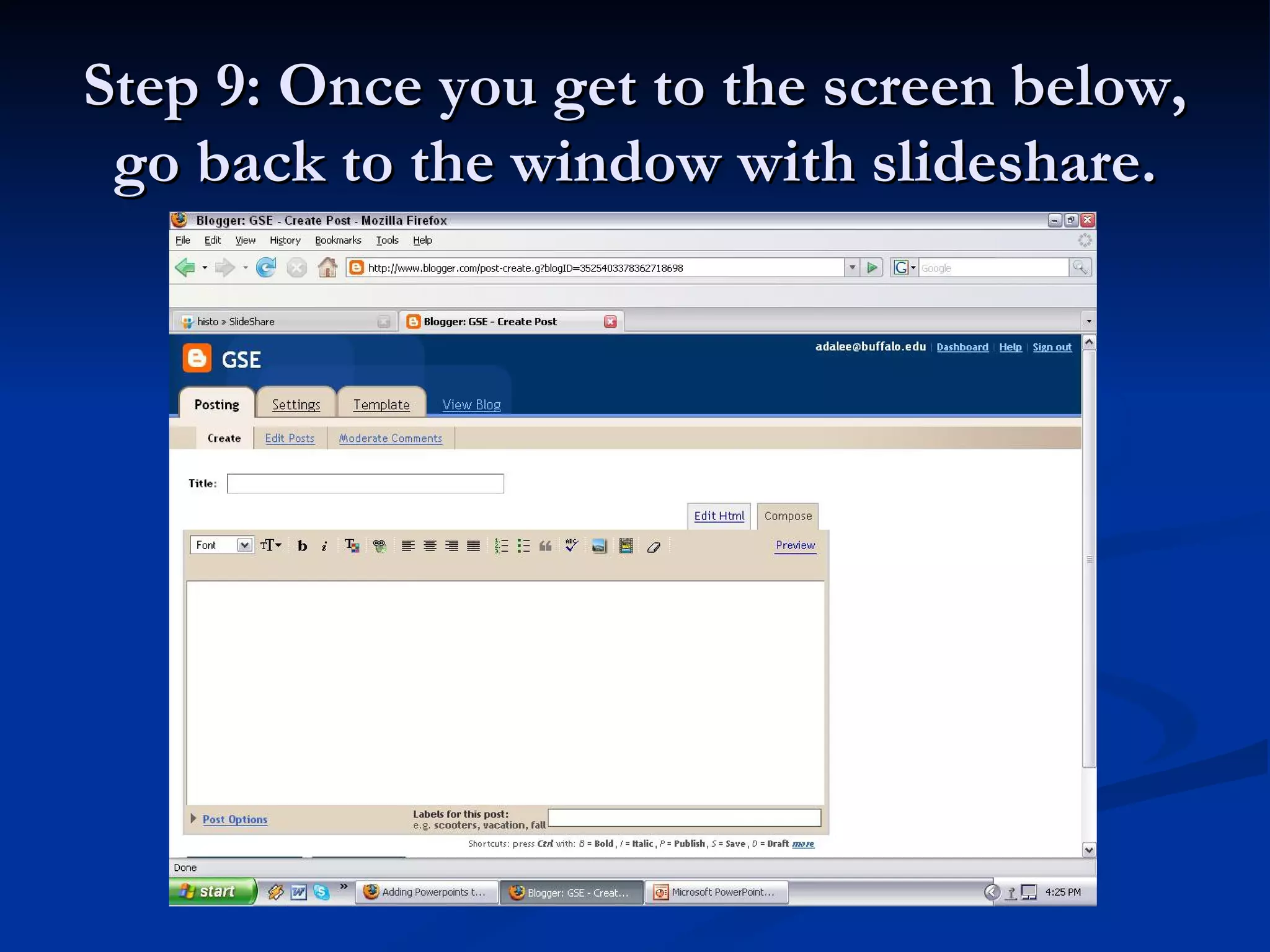
Step 9: Once you get to the screen below, go back to the window with slideshare.
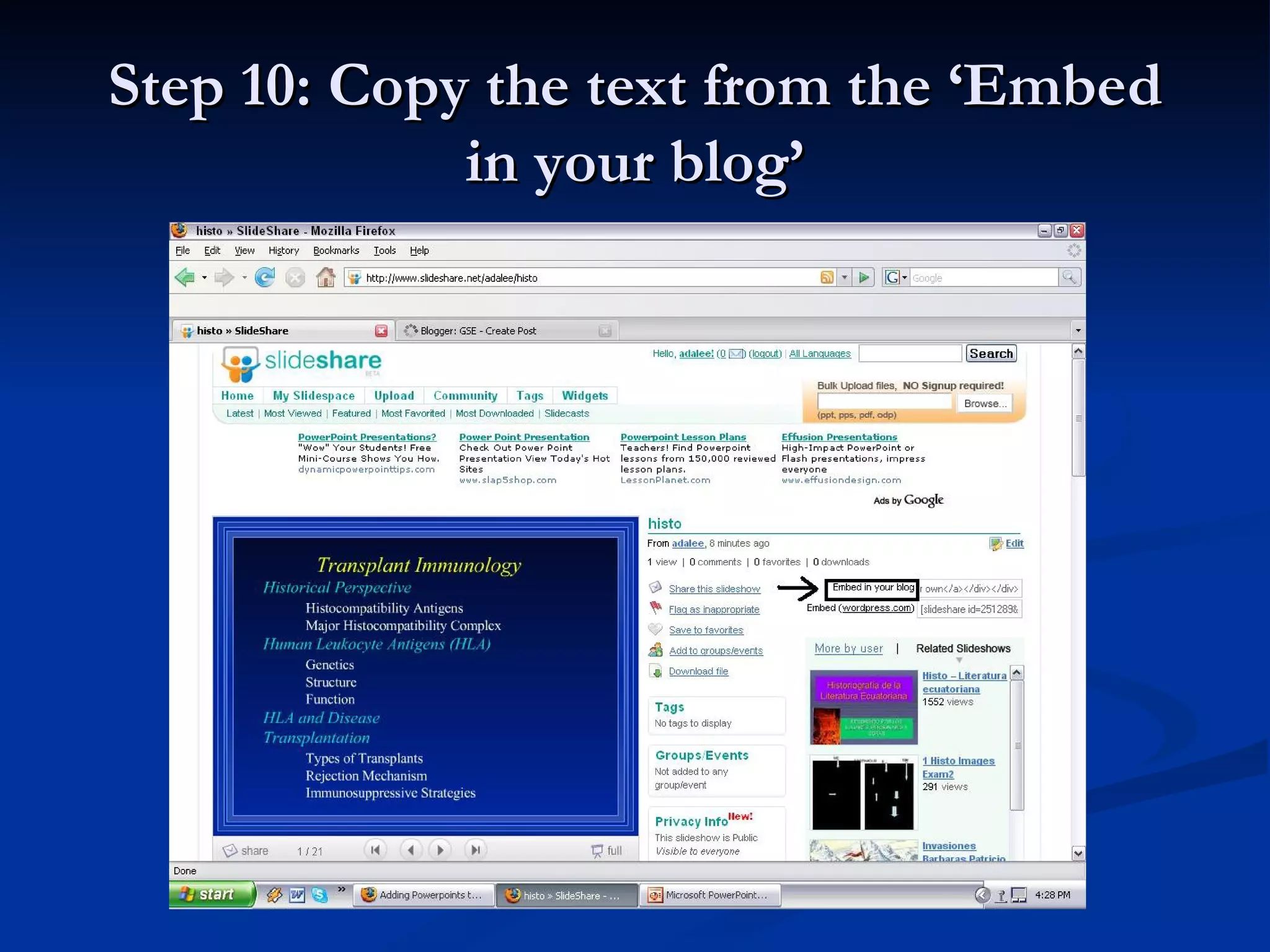
Step 10: Copy the text from the ‘Embed in your blog’
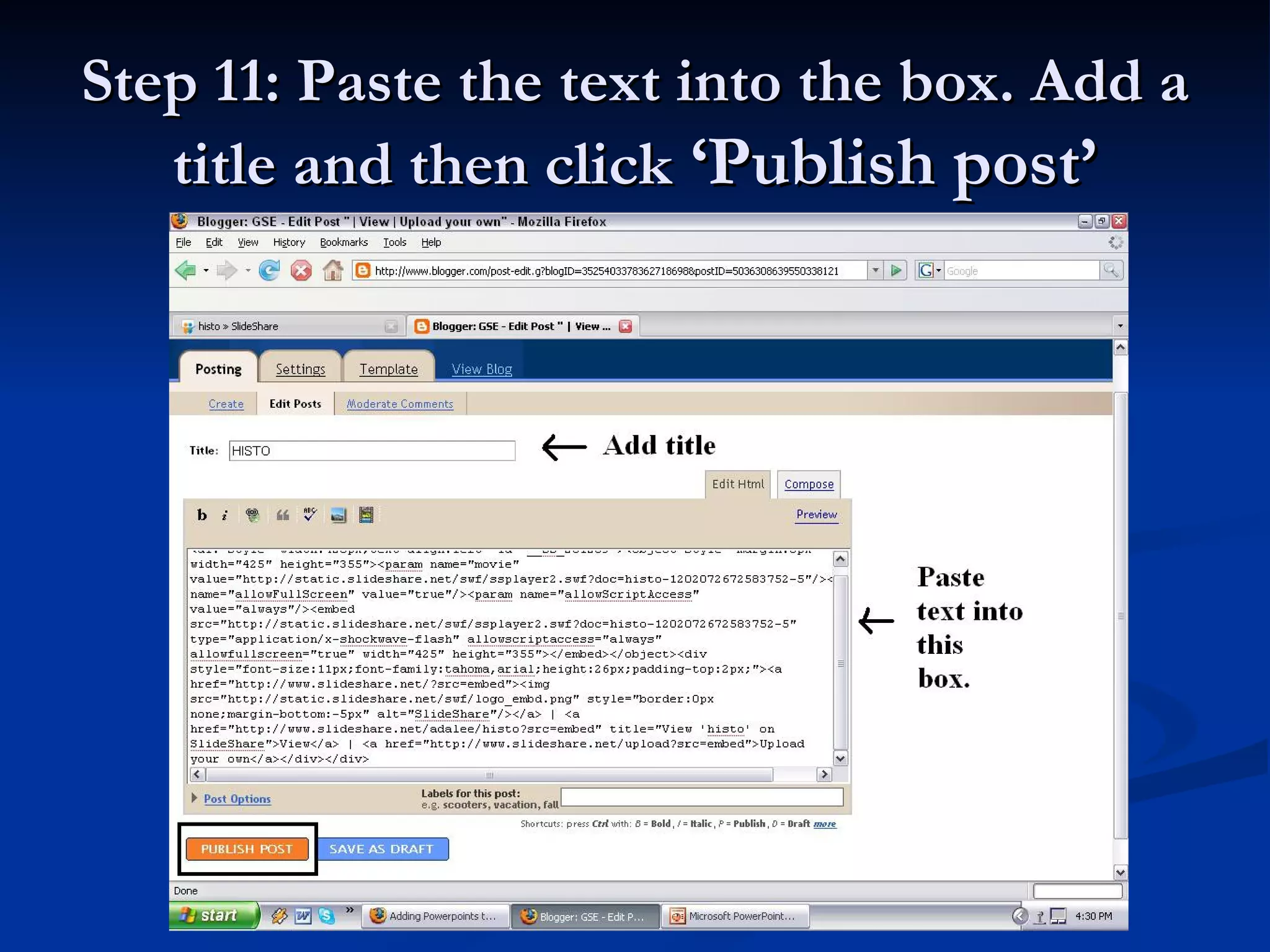
Step 11: Paste the text into the box. Add a title and then click  ‘Publish post’
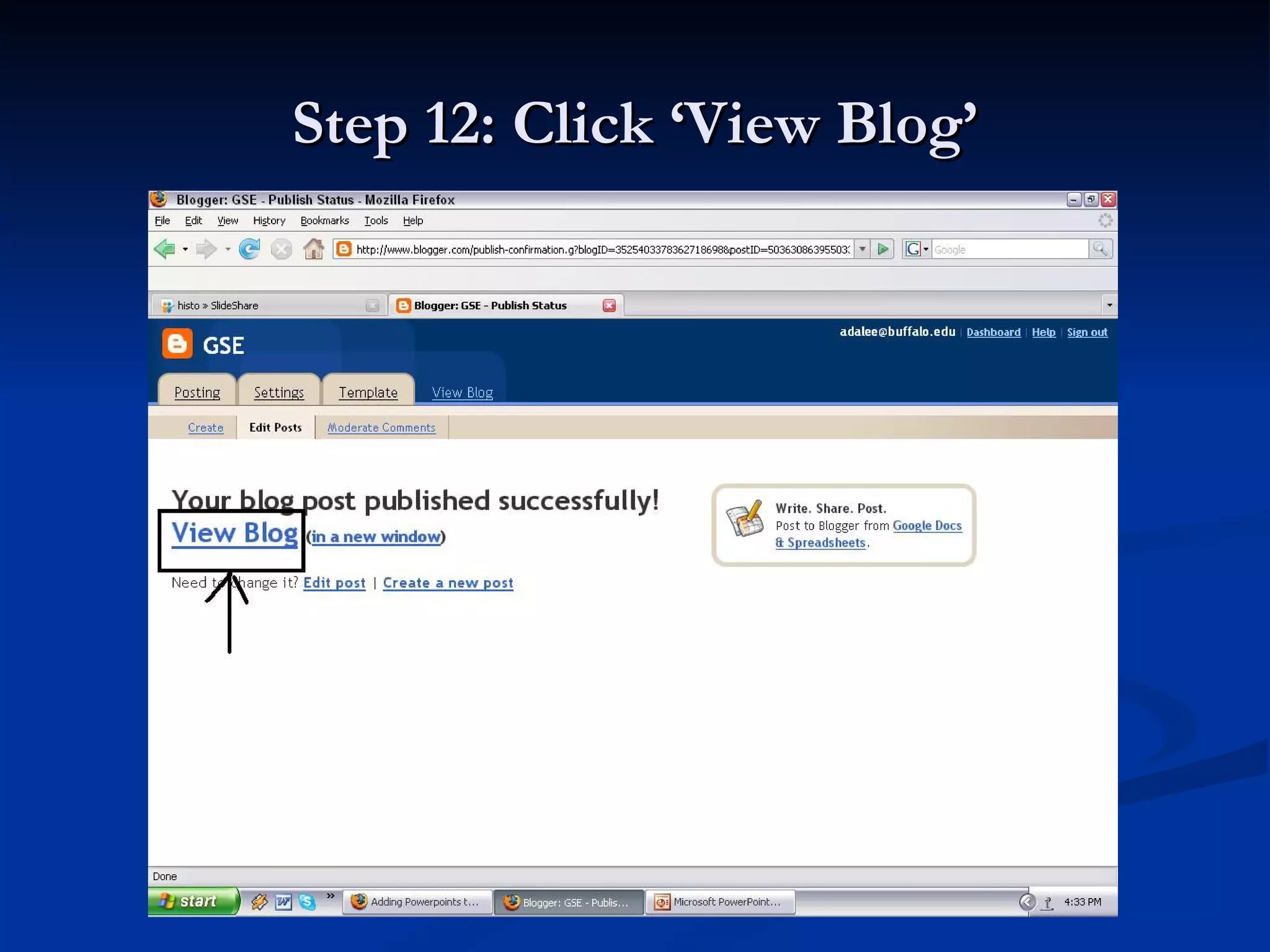
Step 12: Click ‘View Blog’
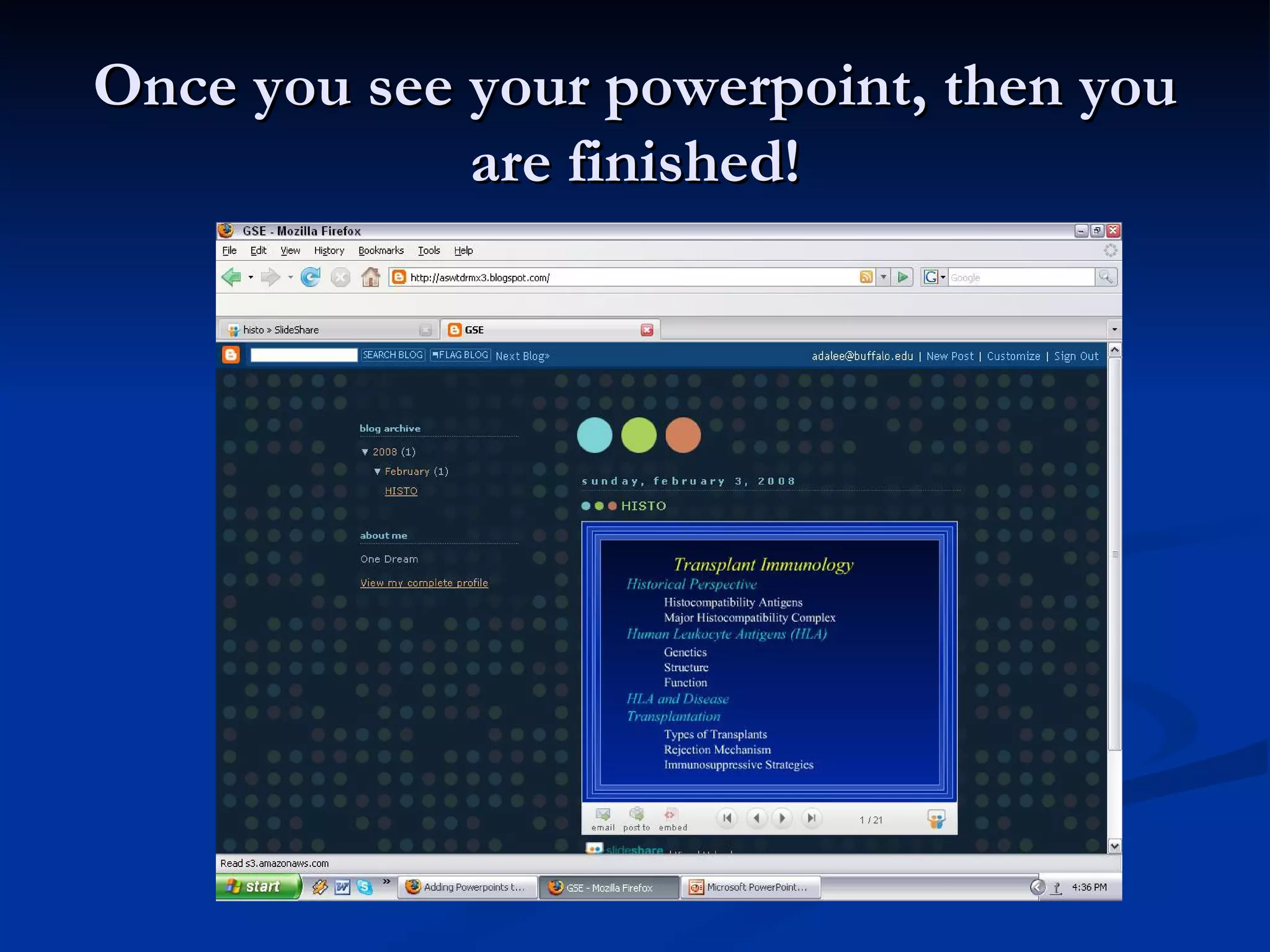
Once you see your powerpoint, then you are finished!

blogger

  • 1.
    How to addPowerPoint presentations to www.blogger.com
  • 2.
    Step 1: Goto www.slideshare.net
  • 3.
    Step 2: Goto ‘login’ (if you already have an account) or ‘signup’ for a new account
  • 4.
    Step 3: Click‘upload’
  • 5.
    Step 4: Clickon ‘single upload’. Select the powerpoint you want to upload and add the information.
  • 6.
    Step 5: Afterit is done uploading, go to ‘My Slideshow’ and click on your powerpoint
  • 7.
    Step 6: Onceyou see the powerpoint, open a new tab or window and go to www.blogger.com
  • 8.
    Step 7: Signin or register for a new account
  • 9.
    Step 8: Clickon ‘New Post’
  • 10.
    Step 9: Onceyou get to the screen below, go back to the window with slideshare.
  • 11.
    Step 10: Copythe text from the ‘Embed in your blog’
  • 12.
    Step 11: Pastethe text into the box. Add a title and then click ‘Publish post’
  • 13.
    Step 12: Click‘View Blog’
  • 14.
    Once you seeyour powerpoint, then you are finished!