Smartphone Shootout: Which One
            Is Best?
                            #CTPG5

   Christopher B. Hunt - Sugarman, Rogers, Barshak & Cohen, P.C.
           Frank Spadafino - Epstein Becker & Green, P.C.
                   Andrew Collier - Ice Miller LLP
          Jon Coleman - Baker Sterchi Cowden & Rice, L.L.C.
                      Kris Snyder - VoxMobile
                     Jim Haviland - VoxMobile
Agenda
•   Android
•   Blackberry
•   iPhone
•   Windows Phone 7
•   Mobile Management with Good
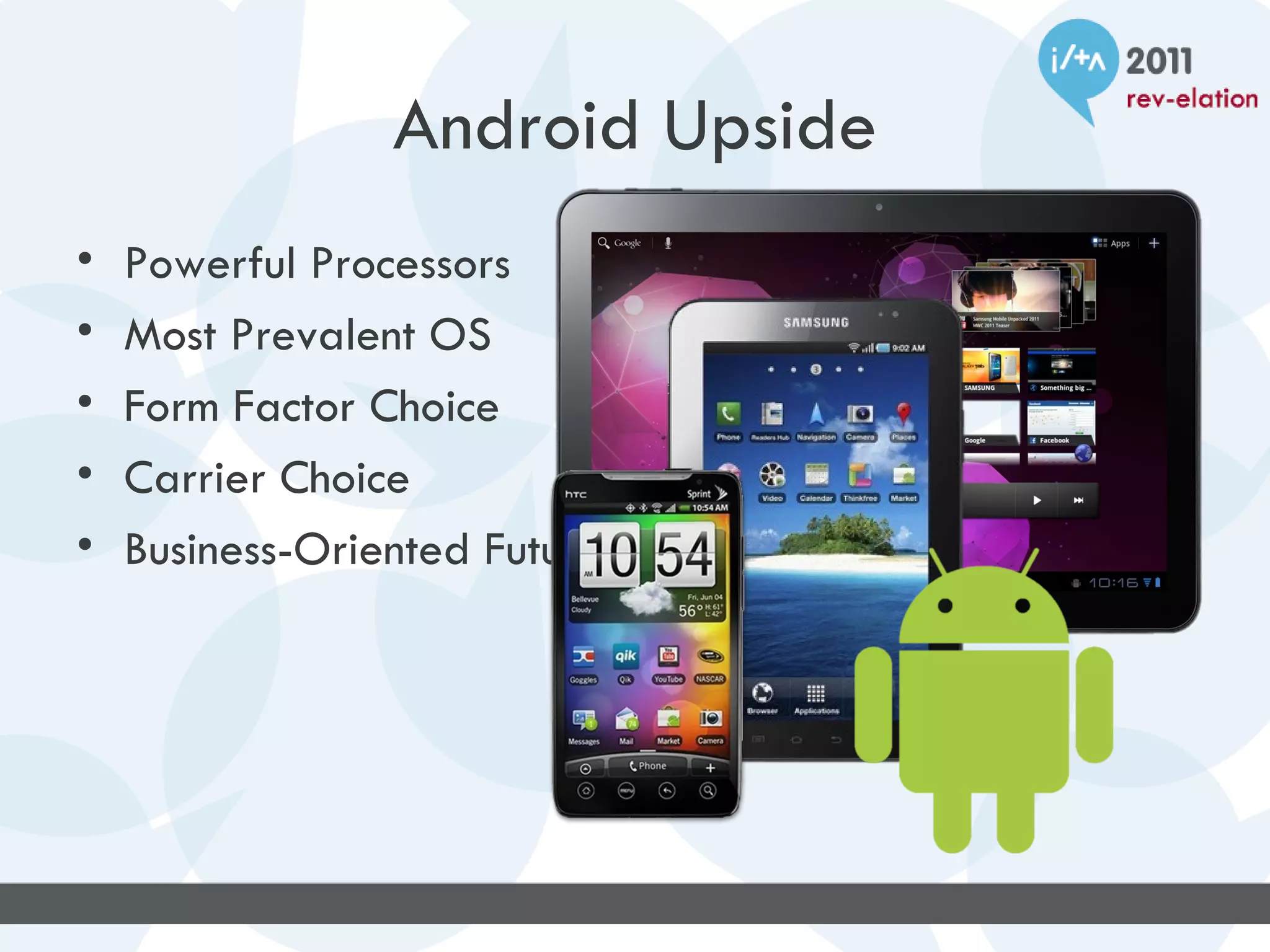
Android Upside
•   Powerful Processors
•   Most Prevalent OS
•   Form Factor Choice
•   Carrier Choice
•   Business-Oriented Future
Android Downside
• Rooting
• Encryption (past)
• Versions for every
  device and carrier
• Limited support for
  central control
• Battery Life
Questions
• Too many versions to ever be secure?
• Too easy to hack?
• Enterprise-grade controls?
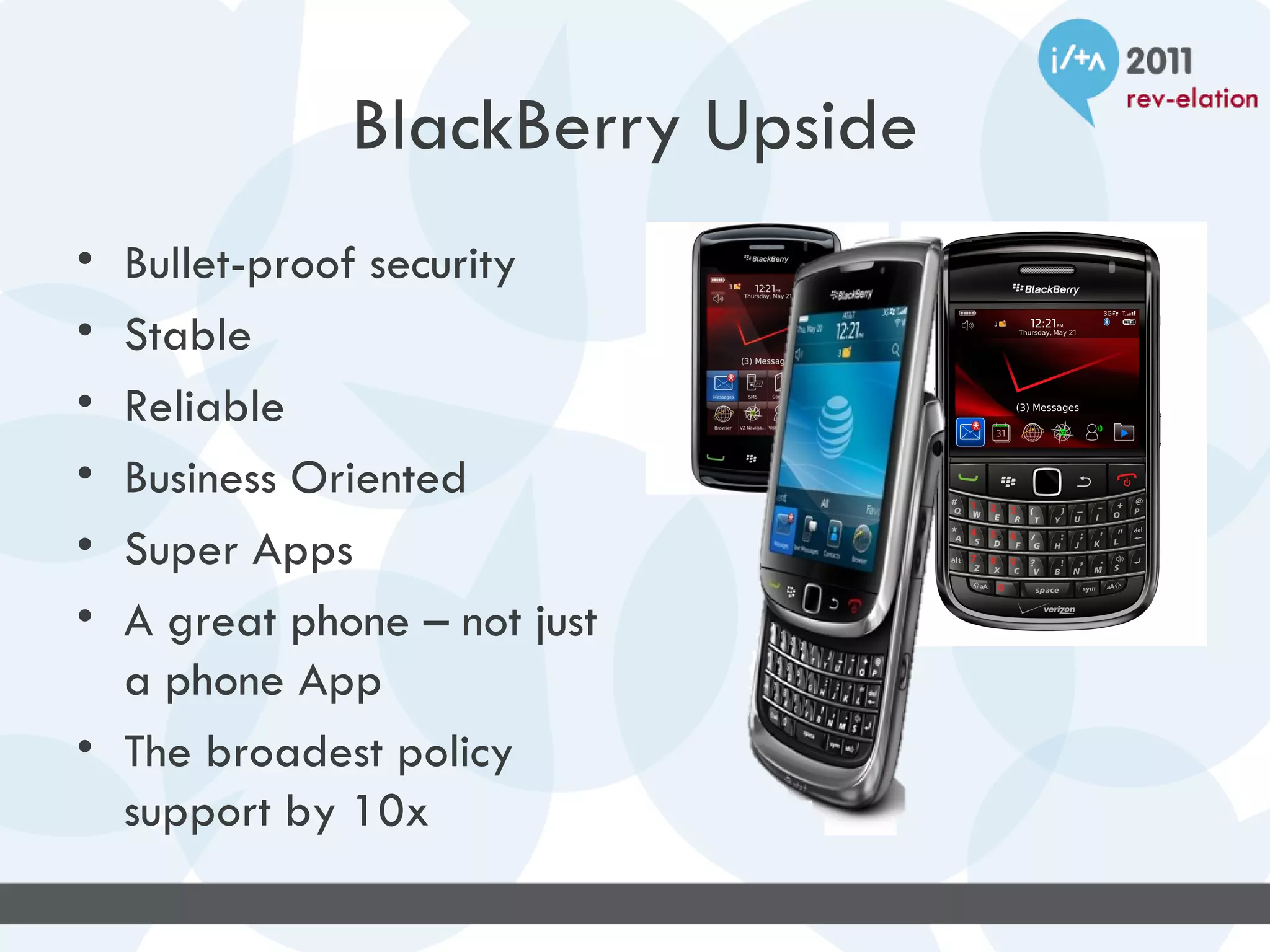
BlackBerry Upside
• Bullet-proof security
• Stable
• Reliable
• Business Oriented
• Super Apps
• A great phone – not just
  a phone App
• The broadest policy
  support by 10x
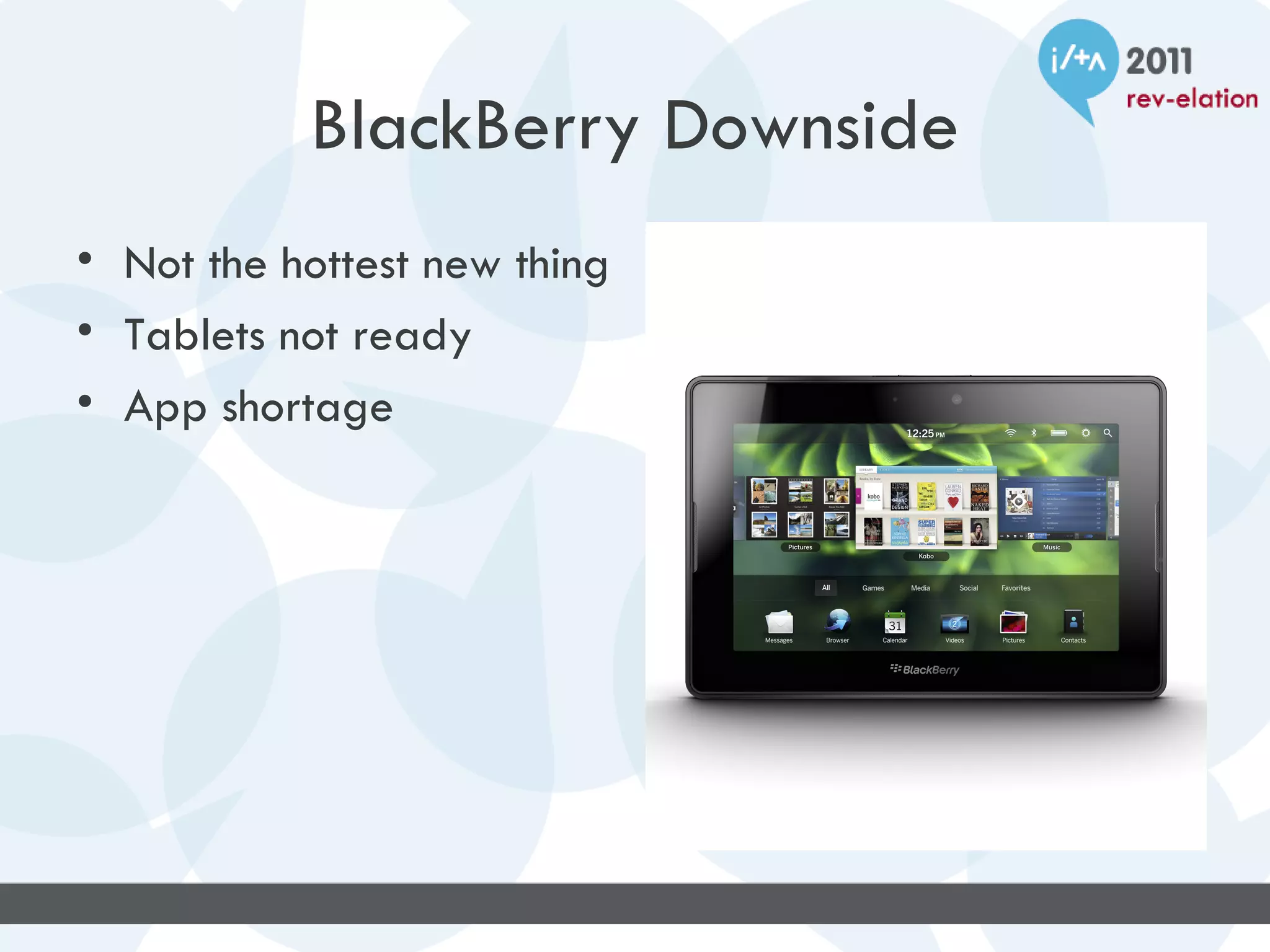
BlackBerry Downside
• Not the hottest new thing
• Tablets not ready
• App shortage
BlackBerry Questions
• Still Relavent?
• Can they survive?
• Apps for Playbook?
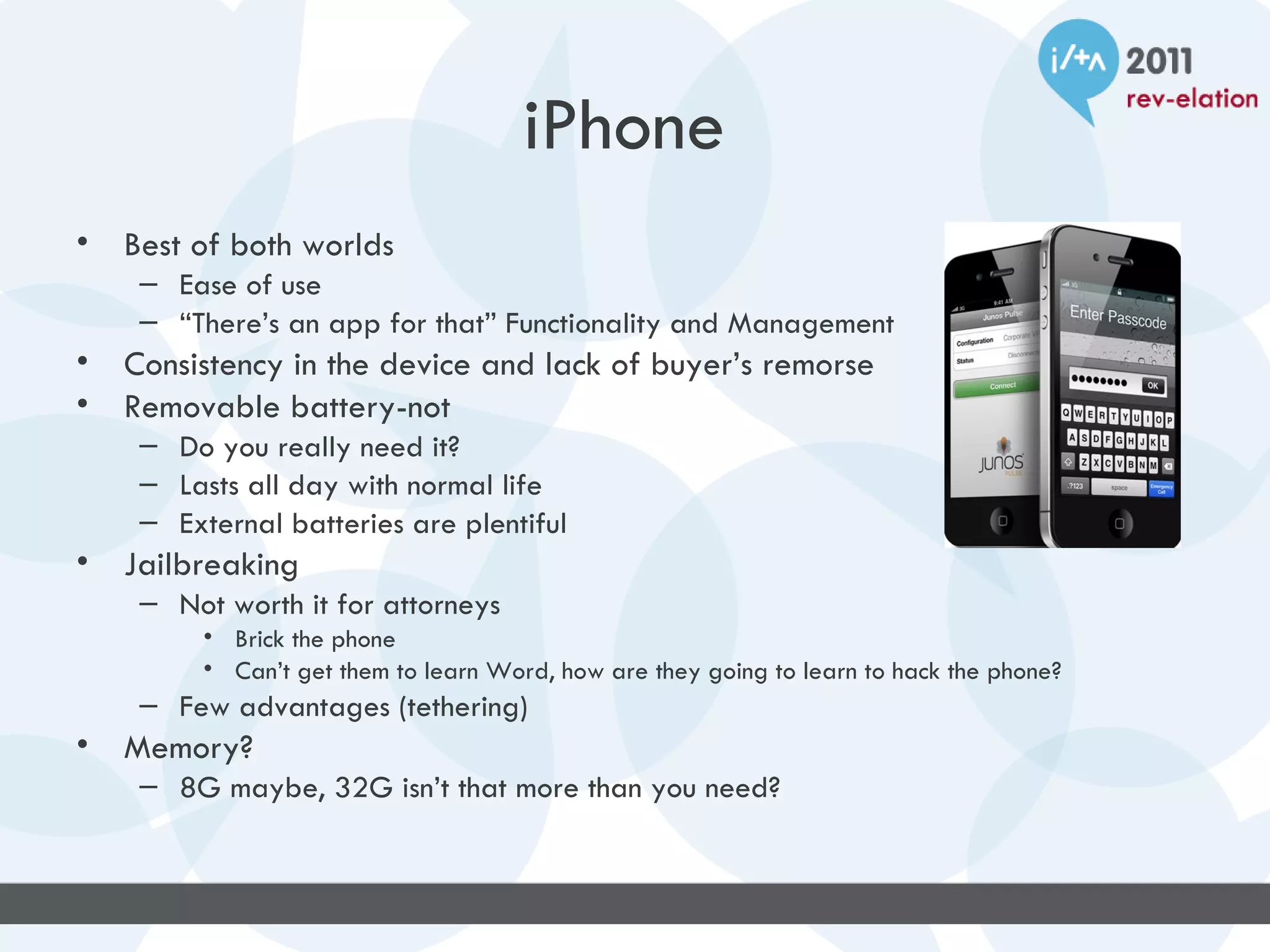
iPhone
•   Best of both worlds
     – Ease of use
     – “There’s an app for that” Functionality and Management
•   Consistency in the device and lack of buyer’s remorse
•   Removable battery-not
     – Do you really need it?
     – Lasts all day with normal life
     – External batteries are plentiful
•   Jailbreaking
     – Not worth it for attorneys
          • Brick the phone
          • Can’t get them to learn Word, how are they going to learn to hack the phone?
     – Few advantages (tethering)
•   Memory?
     – 8G maybe, 32G isn’t that more than you need?
iPhone Security
•   Device protection
•   Data Security
•   Network Security
•   Platform Security
•   Apple’s Strict control of the apps release for
    stability and quality of the coding not the
    functionality—But really, what can’t you find?
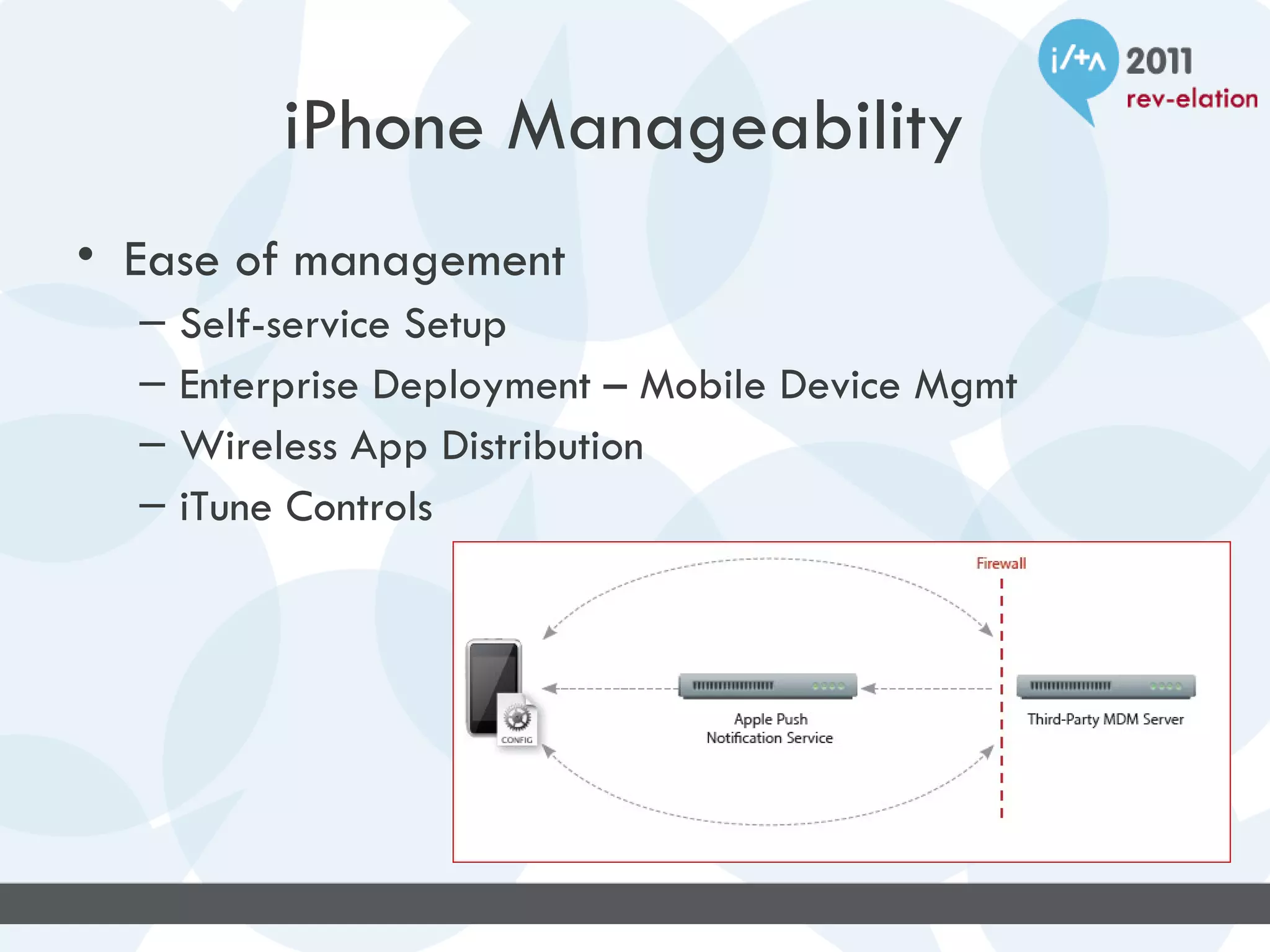
iPhone Manageability
• Ease of management
  –   Self-service Setup
  –   Enterprise Deployment – Mobile Device Mgmt
  –   Wireless App Distribution
  –   iTune Controls
WindowsPhone7
Significant Business Advantages

• Email
   – Full HTML formatting on all messages
   – All, Unread, Flagged views
   – Excellent autocorrect / typing suggestions
• Mobile versions of Word, Excel, PowerPoint
  and OneNote are included on all devices
• Multiple device types (keyboard/slate/etc)
WindowsPhone7
Significant Business Advantages
• Excellent interface
   – Not application centric, information centric
   – Concept of “Hubs”
         • People Hub
         • Pictures Hub
         • Office Hub
   – Live Tiles - Home screen provides information
         • Next appt on calendar tile
         • Current temperature on weather tile


   –   “I'm sorry, Cupertino, but Microsoft has nailed it. Windows Phone 7 feels
       like an iPhone from the future.”
       Microsoft Has Out-Appled Apple –Gizmodo
WindowsPhone7
Significant Business Disadvantages

• Application Support
   – Third party developers not likely to target
     WindowsPhone7 platform until market share
     increases
WindowsPhone7
Significant Personal Advantages

• People Hub
   – Facebook contacts in People hub
   – Facebook updates in “What’s New”
• It is a Microsoft product
   – Tight integration with Hotmail / Windows Live
   – Xbox Live
   – ZunePass support ($15/month unlimited music)
• Dedicated camera button
WindowsPhone7
Significant Personal Disadvantages

• It’s not an Apple product
   – No support for your iTunes media
   – Inability to interact with Apple media devices such
     as AppleTV
   – Inability to share apps with other Apple devices
     such as iPad or iPod Touch
• Less extensive app selection than iPhone
  platform
WindowsPhone7
”Mango” Update
• People Hub
  – Linked-in integration
  – Contact history information (email, sms, etc)
• Email
  – Conversation view
  – Set/Change Out of Office messages
  – Consolidated inbox view (for multiple accts)
• Outlook Tasks Wireless Sync
• Support for Rights Management
• Multitasking
WindowsPhone7
”Mango” Update
• Voice to text / text to voice
• Office 365 Support
    – SharePoint check-in / check-out / versioning
•   Bing Scout
•   IE9 with tabbed browsing and HTML5
•   Additional security policy enhancements
•   Twitter integration
•   Improved Facebook integration
    (face tagging on photos)
WindowsPhone7
Looking Forward


• Predicts that WindowsPhone7 will surpass
  Blackberry and iPhone in market share by
  2015
Androids in the Good Environment

• Why should you use Good on the Android?


• Active Sync vs. Good Technology on the
  Android.
Benefits of Good on the Android
• Control and management features for the firm and
  IT.

• Enhanced Security of Data.

• Ease of use for the end users.

• Ease of administration and some troubleshooting
  features too.
Considerations of using Good on an
Android
• Data plan costs vary by carrier and device.


• How are the users paying for service?


• Should you standardize on Android?
Good Mobile Messaging
Disadvantages
2. Separate email application on device
3. May not be as fully featured as native email app
4. “takes too long to load” + other user perceptions
5. Licensing can be a headache
6. Opens door to potential support headaches if
    allowing all manner of devices for corporate
    messaging
Good Mobile Messaging


Why would I choose Good over BES, or over
native Exchange ActiveSync?
Good Mobile Messaging
Advantages
2. Like BES for non-RIM hardware
3. Works on most of the popular phones today: iPhone/iOS,
   Android 2.1+, Windows Mobile 6.5, PalmOS,
   SymbianOS/Nokia
4. Common app structure across all supported phones
5. Separate email application on device – provides a secure
   “sandbox” for corporate data
6. Opens door for less restrictive hardware requirements for
   corporate messaging thanks to encrypted data both at rest on
   device and in transmission.
Thank You


Questions?

Smartphone Shootout: Which One is Best?

  • 1.
    Smartphone Shootout: WhichOne Is Best? #CTPG5 Christopher B. Hunt - Sugarman, Rogers, Barshak & Cohen, P.C. Frank Spadafino - Epstein Becker & Green, P.C. Andrew Collier - Ice Miller LLP Jon Coleman - Baker Sterchi Cowden & Rice, L.L.C. Kris Snyder - VoxMobile Jim Haviland - VoxMobile
  • 2.
    Agenda • Android • Blackberry • iPhone • Windows Phone 7 • Mobile Management with Good
  • 3.
    Android Upside • Powerful Processors • Most Prevalent OS • Form Factor Choice • Carrier Choice • Business-Oriented Future
  • 4.
    Android Downside • Rooting •Encryption (past) • Versions for every device and carrier • Limited support for central control • Battery Life
  • 5.
    Questions • Too manyversions to ever be secure? • Too easy to hack? • Enterprise-grade controls?
  • 6.
    BlackBerry Upside • Bullet-proofsecurity • Stable • Reliable • Business Oriented • Super Apps • A great phone – not just a phone App • The broadest policy support by 10x
  • 7.
    BlackBerry Downside • Notthe hottest new thing • Tablets not ready • App shortage
  • 8.
    BlackBerry Questions • StillRelavent? • Can they survive? • Apps for Playbook?
  • 9.
    iPhone • Best of both worlds – Ease of use – “There’s an app for that” Functionality and Management • Consistency in the device and lack of buyer’s remorse • Removable battery-not – Do you really need it? – Lasts all day with normal life – External batteries are plentiful • Jailbreaking – Not worth it for attorneys • Brick the phone • Can’t get them to learn Word, how are they going to learn to hack the phone? – Few advantages (tethering) • Memory? – 8G maybe, 32G isn’t that more than you need?
  • 10.
    iPhone Security • Device protection • Data Security • Network Security • Platform Security • Apple’s Strict control of the apps release for stability and quality of the coding not the functionality—But really, what can’t you find?
  • 11.
    iPhone Manageability • Easeof management – Self-service Setup – Enterprise Deployment – Mobile Device Mgmt – Wireless App Distribution – iTune Controls
  • 12.
    WindowsPhone7 Significant Business Advantages •Email – Full HTML formatting on all messages – All, Unread, Flagged views – Excellent autocorrect / typing suggestions • Mobile versions of Word, Excel, PowerPoint and OneNote are included on all devices • Multiple device types (keyboard/slate/etc)
  • 13.
    WindowsPhone7 Significant Business Advantages •Excellent interface – Not application centric, information centric – Concept of “Hubs” • People Hub • Pictures Hub • Office Hub – Live Tiles - Home screen provides information • Next appt on calendar tile • Current temperature on weather tile – “I'm sorry, Cupertino, but Microsoft has nailed it. Windows Phone 7 feels like an iPhone from the future.” Microsoft Has Out-Appled Apple –Gizmodo
  • 14.
    WindowsPhone7 Significant Business Disadvantages •Application Support – Third party developers not likely to target WindowsPhone7 platform until market share increases
  • 15.
    WindowsPhone7 Significant Personal Advantages •People Hub – Facebook contacts in People hub – Facebook updates in “What’s New” • It is a Microsoft product – Tight integration with Hotmail / Windows Live – Xbox Live – ZunePass support ($15/month unlimited music) • Dedicated camera button
  • 16.
    WindowsPhone7 Significant Personal Disadvantages •It’s not an Apple product – No support for your iTunes media – Inability to interact with Apple media devices such as AppleTV – Inability to share apps with other Apple devices such as iPad or iPod Touch • Less extensive app selection than iPhone platform
  • 17.
    WindowsPhone7 ”Mango” Update • PeopleHub – Linked-in integration – Contact history information (email, sms, etc) • Email – Conversation view – Set/Change Out of Office messages – Consolidated inbox view (for multiple accts) • Outlook Tasks Wireless Sync • Support for Rights Management • Multitasking
  • 18.
    WindowsPhone7 ”Mango” Update • Voiceto text / text to voice • Office 365 Support – SharePoint check-in / check-out / versioning • Bing Scout • IE9 with tabbed browsing and HTML5 • Additional security policy enhancements • Twitter integration • Improved Facebook integration (face tagging on photos)
  • 19.
    WindowsPhone7 Looking Forward • Predictsthat WindowsPhone7 will surpass Blackberry and iPhone in market share by 2015
  • 20.
    Androids in theGood Environment • Why should you use Good on the Android? • Active Sync vs. Good Technology on the Android.
  • 21.
    Benefits of Goodon the Android • Control and management features for the firm and IT. • Enhanced Security of Data. • Ease of use for the end users. • Ease of administration and some troubleshooting features too.
  • 22.
    Considerations of usingGood on an Android • Data plan costs vary by carrier and device. • How are the users paying for service? • Should you standardize on Android?
  • 23.
    Good Mobile Messaging Disadvantages 2.Separate email application on device 3. May not be as fully featured as native email app 4. “takes too long to load” + other user perceptions 5. Licensing can be a headache 6. Opens door to potential support headaches if allowing all manner of devices for corporate messaging
  • 24.
    Good Mobile Messaging Whywould I choose Good over BES, or over native Exchange ActiveSync?
  • 25.
    Good Mobile Messaging Advantages 2.Like BES for non-RIM hardware 3. Works on most of the popular phones today: iPhone/iOS, Android 2.1+, Windows Mobile 6.5, PalmOS, SymbianOS/Nokia 4. Common app structure across all supported phones 5. Separate email application on device – provides a secure “sandbox” for corporate data 6. Opens door for less restrictive hardware requirements for corporate messaging thanks to encrypted data both at rest on device and in transmission.
  • 26.

Editor's Notes

  • #24 For user used to native mail app (or using ActiveSync then switching to Good), this is the #1 complaint I get, that it is a pain to have to open a separate app to get at corporate email. The Good app has come a long way, and is constantly being updated (Good seems to have fallen into a quarterly release schedule for updated builds). That being said, HTML email was just recently added to the app, attachments can be problematic, and the partner who wants to email his pets pictures cannot attach them to a message in Good from the device. Are these dealbreakers? Because Good stores email on the device in an encrypted container, each time the app is launched it must decrypt the container, and when the app is closed, it is re-encrypted. How long is too long? This process takes a few seconds. How long are you willing to wait for security? Licensing Good can be a nightmare – some carriers offer plans with a Good license built in, while other carriers make you purchase licenses direct from Good. You need a separate license for every device you are provisioning – so for the partner who wants to connect is iPhone, his iPad, and just to be safe is iPod Touch, that is three licenses needed. The Good thing about purchased licenses rather than carrier licenses – they never expire. The biggest issue, and in my view the most realistic disadvantage, is the can of worms you may open by inviting a hodge-podge of devices to connect. You will be expected to support and fix every device, whether you know how to or not. You’ll need to establish some guidelines or polices up front on how far you will go – and even then you will still need to figure out why an app won’t launch or install on someone’s Droid.
  • #25 **** There are other players in the market like BoxTone, MobileIron, Zenprise, that do similar, but not exactly the same.
  • #26 Good is BES for everyone else. And it works. Couple this with point #2 and you get support for the devices that your users want to use, rather than supporting only the devices that are convenient for IT. Makes for a much , MUCH, happier user base. The Good app shares a common structure across all the platforms it supports, so a user can go from an iPhone to a Droid to an iPad and the experience will be very similar within the Good ecosystem. The argument for Good is all about security. Good installs an encrypted “sandbox” on the device, and that is where it lives. Nothing else can touch it or use it. It can be wiped out without affecting the rest of the device. It separates work from personal, all on a device that may not be ideal for the corporate environment. Does the Android OS scare you? Good is the answer. Now you can start to craft policies that shift the burden of device ownership away from the enterprise and onto the user. You want the latest and greatest toy – go ahead, as long as Good will run on it, you can get whatever you want.