www.octopai.com
The Survey: Business Glossary Automation
• We conducted a survey with Dataversity in Jan-Feb 2020
• ≈ 300 business technology professionals
• Across different vertical industries
• GOAL: to learn about respondents’ understanding of business
glossaries and the role automation in business intelligence operations
www.octopai.com
Beyond the survey data, we also
wanted to share what we’re
hearing from our customers
www.octopai.com
How are users defining a
“business glossary”?
1. All the metadata in reporting tools
2. Same as a data dictionary
3. Same as a data catalog
4. I don’t really know
www.octopai.com
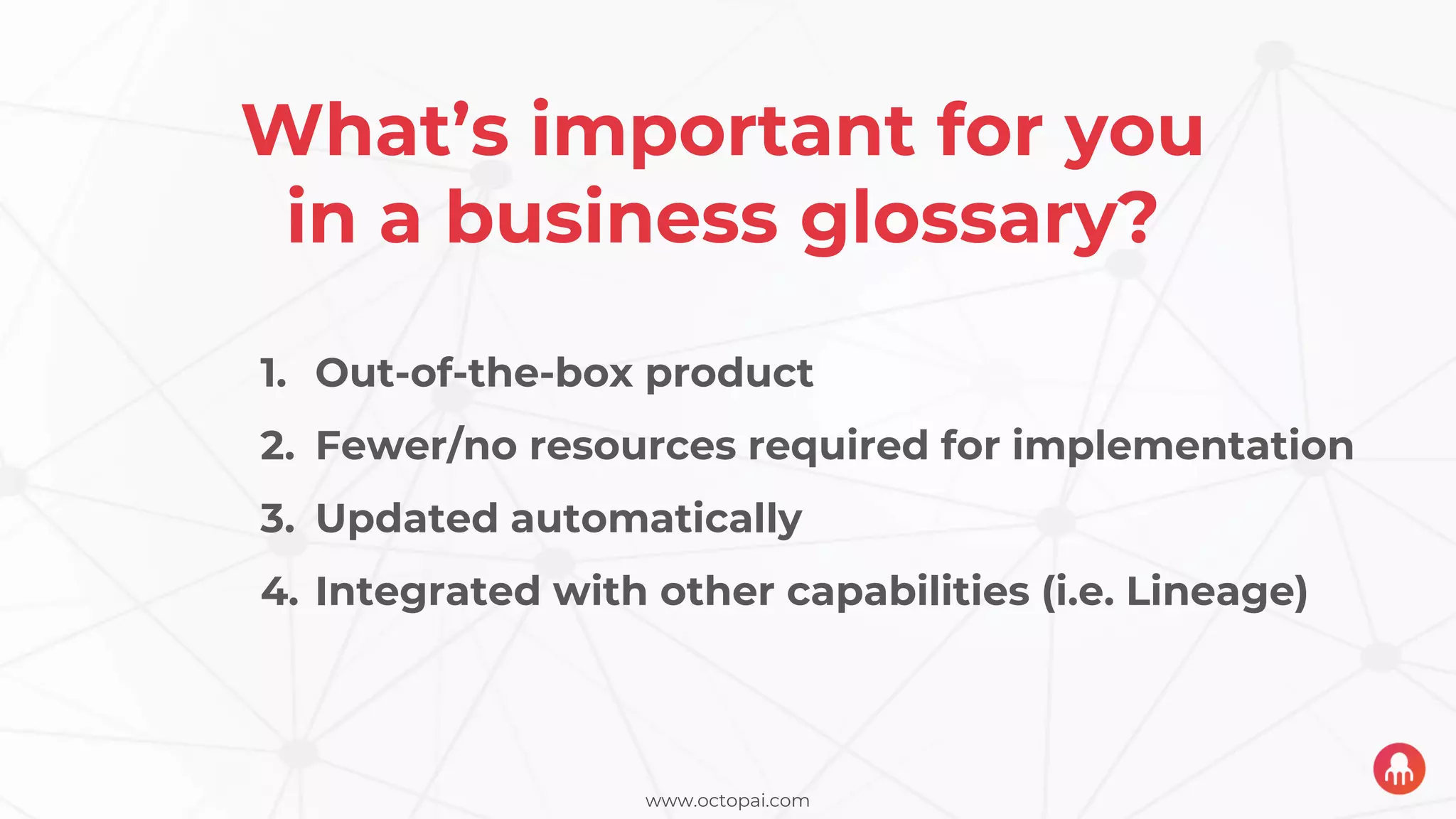
What’s important for you
in a business glossary?
1. Out-of-the-box product
2. Fewer/no resources required for implementation
3. Updated automatically
4. Integrated with other capabilities (i.e. Lineage)
www.octopai.com
What’s keeping you from
having a business glossary?
1. Requires too many internal resources
2. Too costly
3. Unclear expectations about what it should accomplish
4. Not automated
The real-life daily frustrations
plaguing the data supply chain
www.octopai.com
What are the top three BI & Analytics use cases
challenging your team?
www.octopai.com
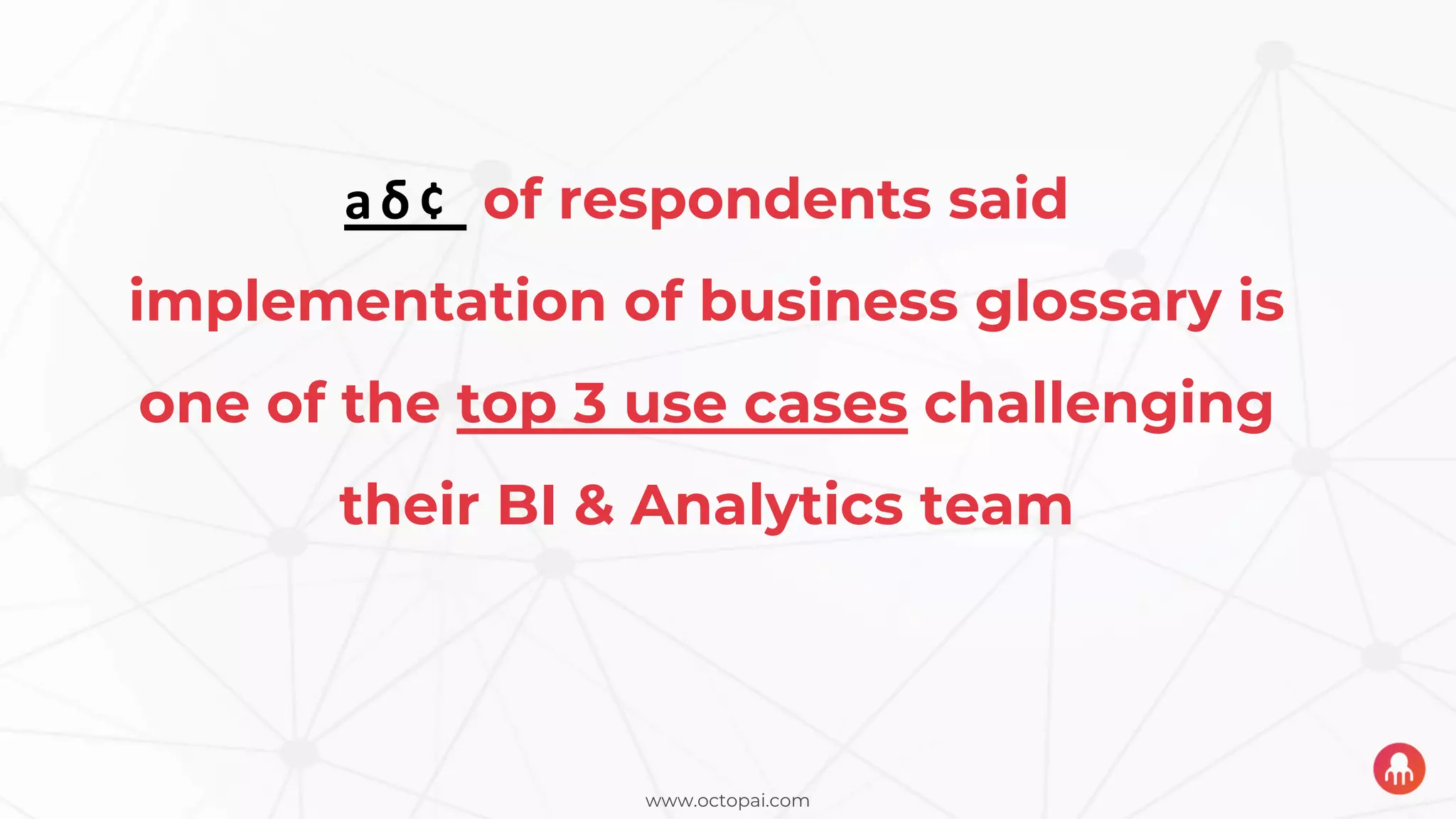
68% of respondents said
implementation of business glossary is
one of the top 3 use cases challenging
their BI & Analytics team
www.octopai.com
The Daily Struggle: Locating the Source of an Error
Question: If incorrect data is discovered in a report, how long, on
average, would it take you or your team to find the source of the error?
A few
minutes
A few
hours
A few
days
A few
weeks
Don’t
know
Other
(please
specify)
0.00%
5.00%
10.00%
15.00%
20.00%
25.00%
30.00%
35.00%
1/3 of respondents
say it can take hours
and over 1/4 go so
far as days
www.octopai.com
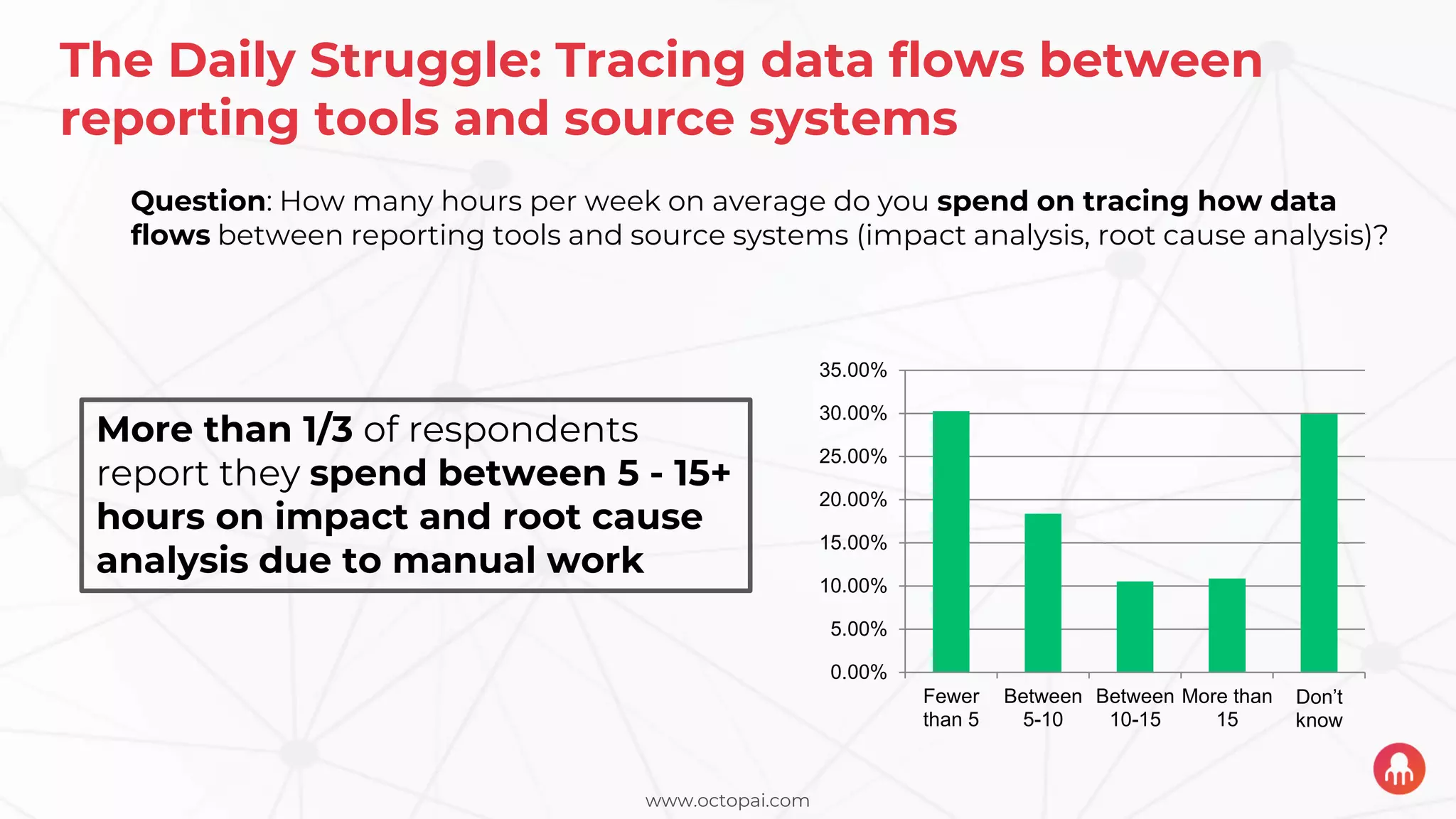
The Daily Struggle: Tracing data flows between
reporting tools and source systems
Fewer
than 5
Between
5-10
Between
10-15
More than
15
Don’t
know
0.00%
5.00%
10.00%
15.00%
20.00%
25.00%
30.00%
35.00%
Question: How many hours per week on average do you spend on tracing how data
flows between reporting tools and source systems (impact analysis, root cause analysis)?
More than 1/3 of respondents
report they spend between 5 - 15+
hours on impact and root cause
analysis due to manual work
www.octopai.com
The Daily Struggle: Impact Analysis Ahead of a Change
A few
minutes
A few
hours
A few
days
A few
weeks
More
than a
few
weeks
Don’t
know
Other
(please
specify)
0.00%
5.00%
10.00%
15.00%
20.00%
25.00%
30.00%
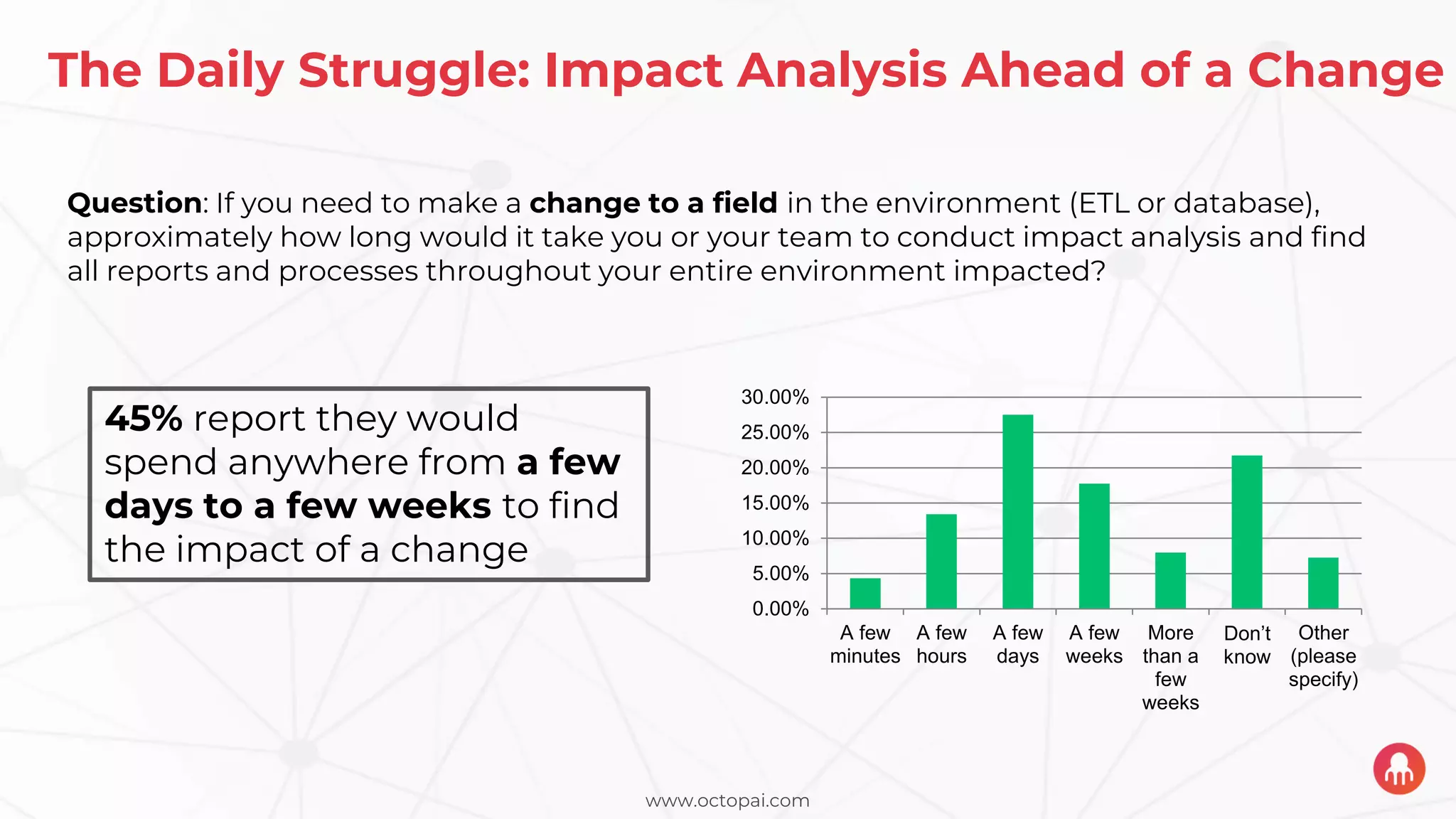
Question: If you need to make a change to a field in the environment (ETL or database),
approximately how long would it take you or your team to conduct impact analysis and find
all reports and processes throughout your entire environment impacted?
45% report they would
spend anywhere from a few
days to a few weeks to find
the impact of a change
www.octopai.com
The FRUSTRATION
0.00%
5.00%
10.00%
15.00%
20.00%
25.00%
30.00%
35.00%
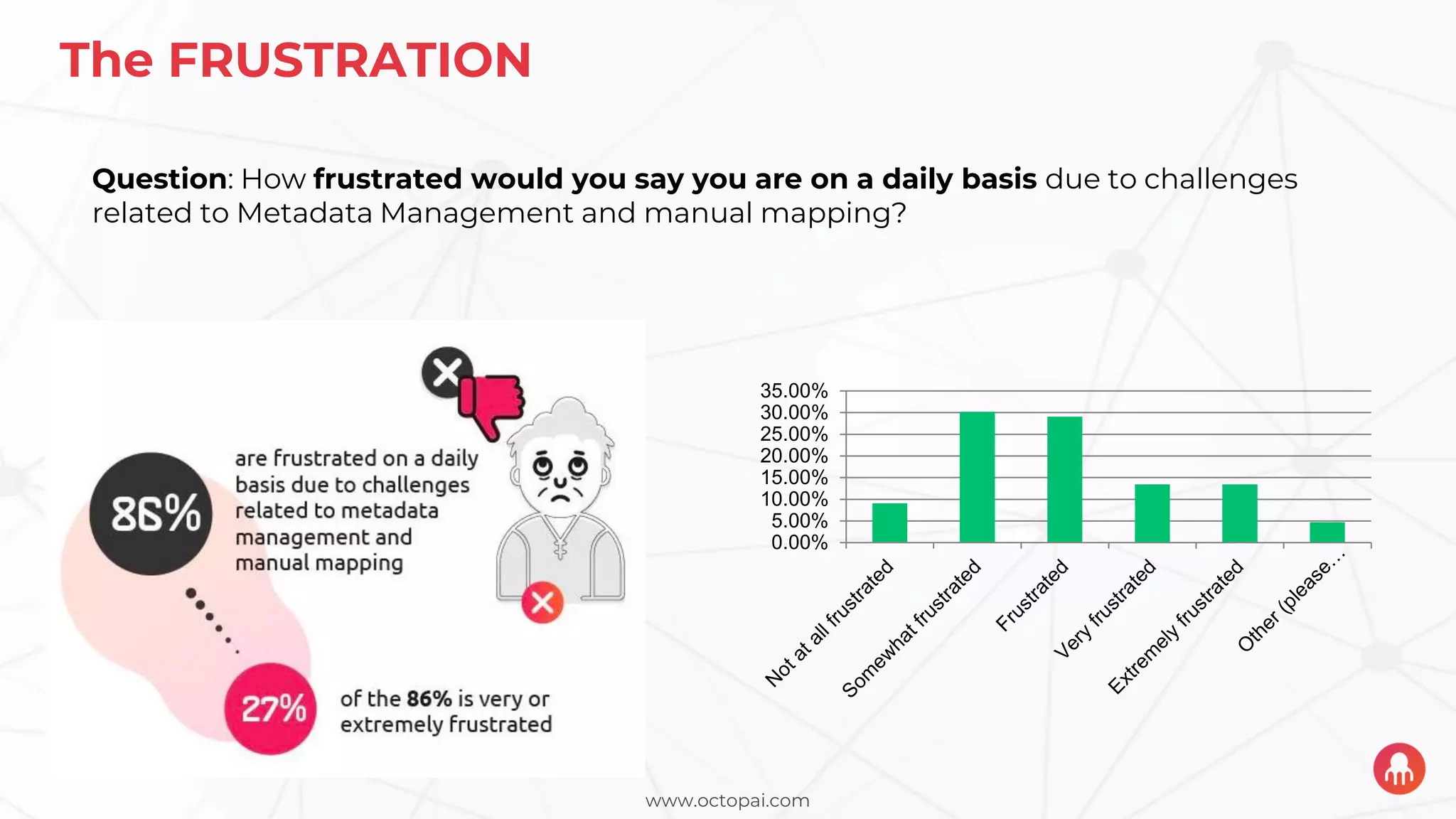
Question: How frustrated would you say you are on a daily basis due to challenges
related to Metadata Management and manual mapping?
www.octopai.com
Top 2 Capabilities to Deal With BI Use Cases
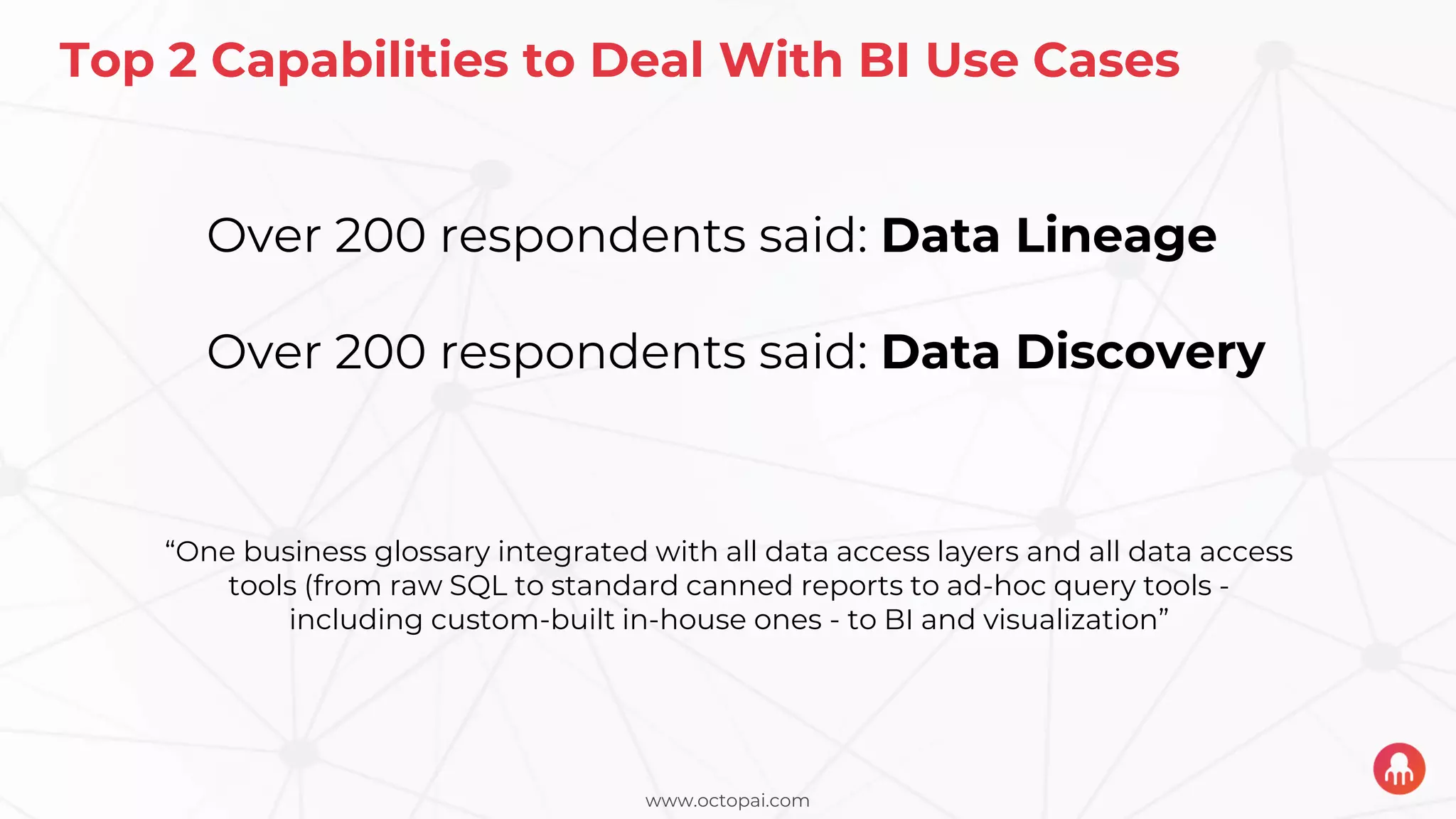
Over 200 respondents said: Data Lineage
Over 200 respondents said: Data Discovery
“One business glossary integrated with all data access layers and all data access
tools (from raw SQL to standard canned reports to ad-hoc query tools -
including custom-built in-house ones - to BI and visualization”
www.octopai.com
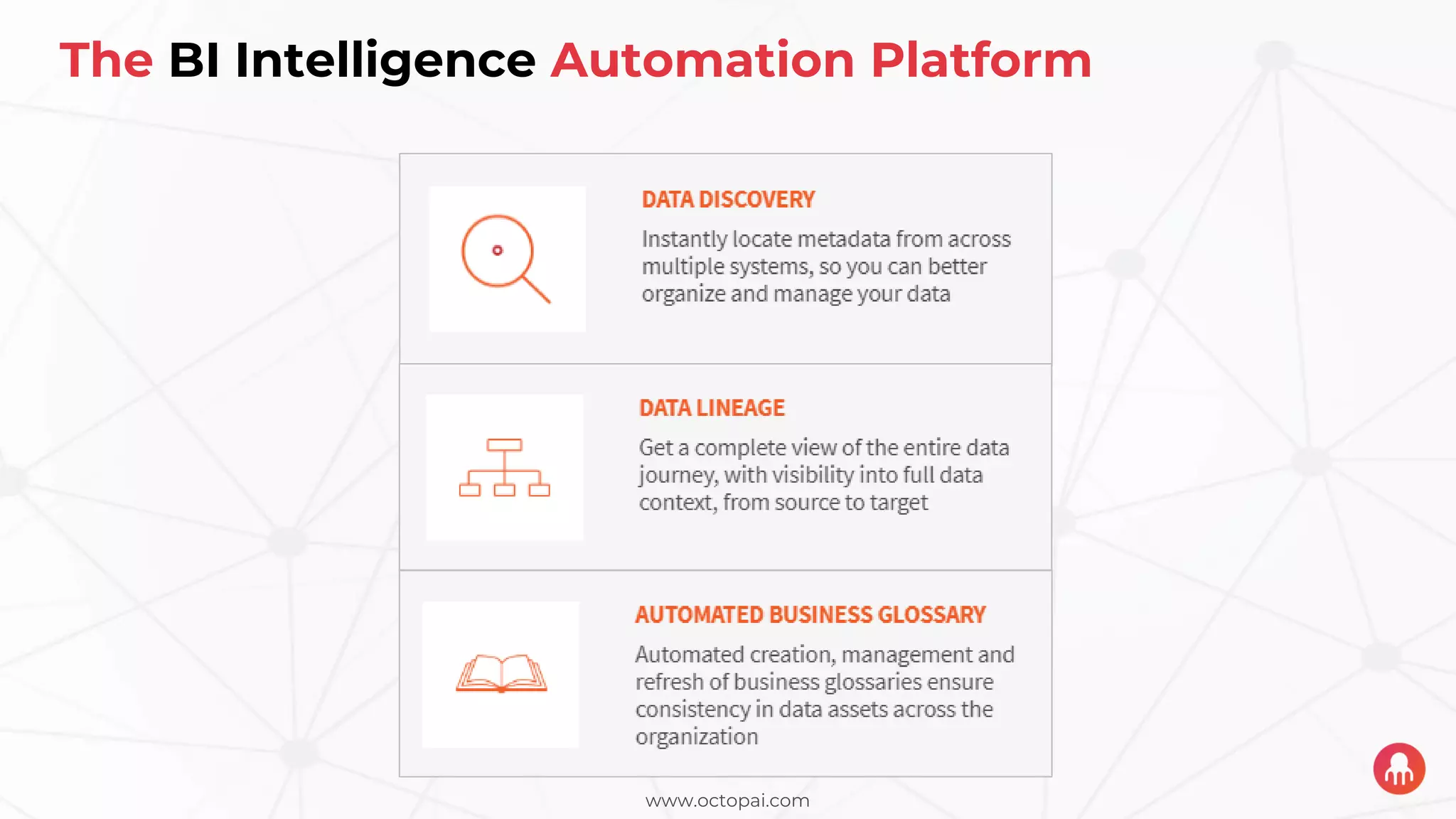
The BI Intelligence Automation Platform
www.octopai.com
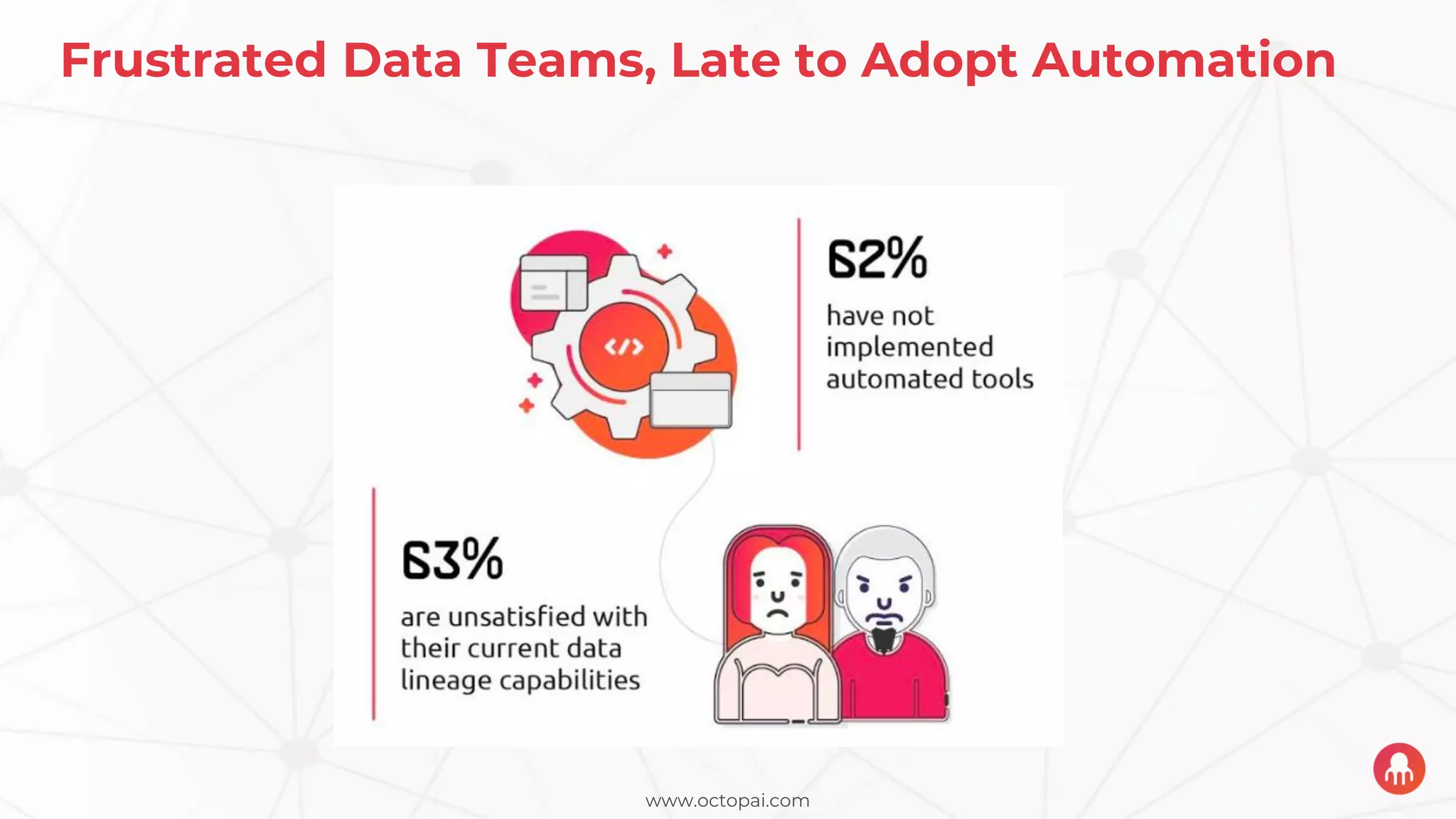
Frustrated Data Teams, Late to Adopt Automation
www.octopai.com
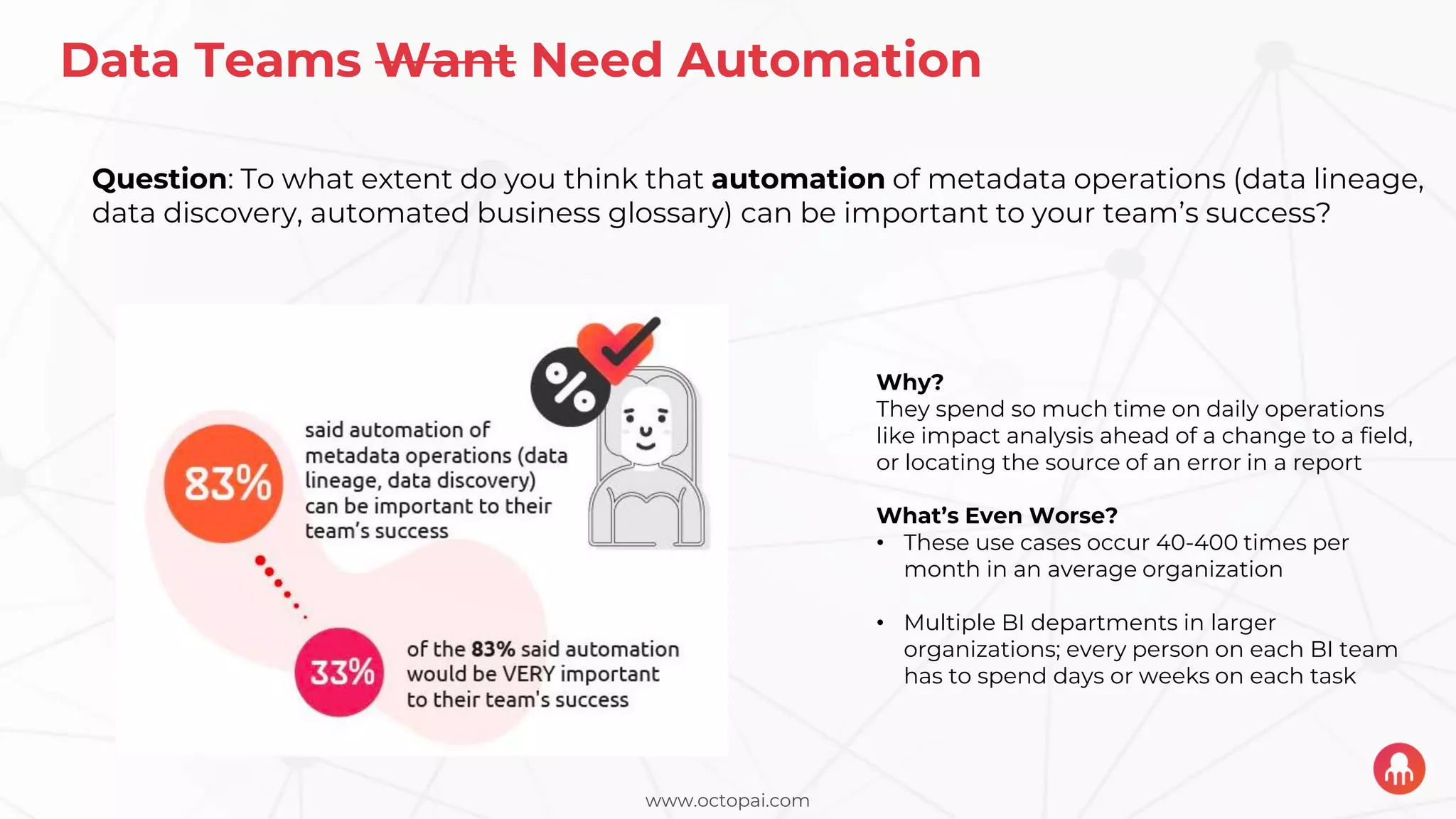
Data Teams Want Need Automation
Question: To what extent do you think that automation of metadata operations (data lineage,
data discovery, automated business glossary) can be important to your team’s success?
Why?
They spend so much time on daily operations
like impact analysis ahead of a change to a field,
or locating the source of an error in a report
What’s Even Worse?
• These use cases occur 40-400 times per
month in an average organization
• Multiple BI departments in larger
organizations; every person on each BI team
has to spend days or weeks on each task
What’s an automated business
glossary and why is it critical for
BI intelligence?
www.octopai.com
The Automated Business Glossary
• Overcome the implementation
barrier - generated on your own
metadata, automatically!
• Glossary environment must
represent the actual environment
otherwise its obsolete – automatic
refresh and syncing
• Real collaboration, no more
separating the concepts, no more
separating the tools
• Make self-service BI work better
DB Sources
Marketing
CRM
ERP
Finance
HR
Other Sources
ETL Tools
Informatica
DataStage (IBM)
SSIS (MS)
Others
(ODI, Talend, etc.)
Data Warehouse
Oracle
Others
(Hadoop, etc.)
SQL Server(MS)
Teradata
Vertica HP
Reporting & Analysis
Tools
Cognos (IBM)
BO (SAP)
Power BI
Tableau
OBIEE (Oracle)
Others (Qlik, etc)
SSAS-OLAP,
TABULAR
Complete data lineage to and from reports
OCTOPAI AUTOMATED BI INTELLIGENCE PLATFORM
It’s All On The Cloud
www.octopai.com
Use Case 1: Insurance Company
The Business Request:
“I need to be able to trust the data that I see because I need to
make quick decisions in this changing environment.”
The BI Challenge:
“How do I find the exact ETL process and database tables that
collectively land the data in this particular report?”
www.octopai.com
Use Case 2: Healthcare Company
The Business Request:
“I need more data so I can make more accurate decisions during
this uncertain time.”
The BI Challenge:
“How do I understand the impact of all the changes when I enrich
an ETL process?”
www.octopai.com
Use Case 3: Manufacturing Company
The Business Request:
“I need to understand what this specific data element means”
The BI Challenge:
“Where can I find the definition of that specific data element?”
Get in touch for a free trial!
amnond@octopai.com
www.octopai.com

Slides: The Automated Business Glossary

  • 2.
    www.octopai.com The Survey: BusinessGlossary Automation • We conducted a survey with Dataversity in Jan-Feb 2020 • ≈ 300 business technology professionals • Across different vertical industries • GOAL: to learn about respondents’ understanding of business glossaries and the role automation in business intelligence operations
  • 3.
    www.octopai.com Beyond the surveydata, we also wanted to share what we’re hearing from our customers
  • 4.
    www.octopai.com How are usersdefining a “business glossary”? 1. All the metadata in reporting tools 2. Same as a data dictionary 3. Same as a data catalog 4. I don’t really know
  • 5.
    www.octopai.com What’s important foryou in a business glossary? 1. Out-of-the-box product 2. Fewer/no resources required for implementation 3. Updated automatically 4. Integrated with other capabilities (i.e. Lineage)
  • 6.
    www.octopai.com What’s keeping youfrom having a business glossary? 1. Requires too many internal resources 2. Too costly 3. Unclear expectations about what it should accomplish 4. Not automated
  • 7.
    The real-life dailyfrustrations plaguing the data supply chain
  • 8.
    www.octopai.com What are thetop three BI & Analytics use cases challenging your team?
  • 9.
    www.octopai.com 68% of respondentssaid implementation of business glossary is one of the top 3 use cases challenging their BI & Analytics team
  • 10.
    www.octopai.com The Daily Struggle:Locating the Source of an Error Question: If incorrect data is discovered in a report, how long, on average, would it take you or your team to find the source of the error? A few minutes A few hours A few days A few weeks Don’t know Other (please specify) 0.00% 5.00% 10.00% 15.00% 20.00% 25.00% 30.00% 35.00% 1/3 of respondents say it can take hours and over 1/4 go so far as days
  • 11.
    www.octopai.com The Daily Struggle:Tracing data flows between reporting tools and source systems Fewer than 5 Between 5-10 Between 10-15 More than 15 Don’t know 0.00% 5.00% 10.00% 15.00% 20.00% 25.00% 30.00% 35.00% Question: How many hours per week on average do you spend on tracing how data flows between reporting tools and source systems (impact analysis, root cause analysis)? More than 1/3 of respondents report they spend between 5 - 15+ hours on impact and root cause analysis due to manual work
  • 12.
    www.octopai.com The Daily Struggle:Impact Analysis Ahead of a Change A few minutes A few hours A few days A few weeks More than a few weeks Don’t know Other (please specify) 0.00% 5.00% 10.00% 15.00% 20.00% 25.00% 30.00% Question: If you need to make a change to a field in the environment (ETL or database), approximately how long would it take you or your team to conduct impact analysis and find all reports and processes throughout your entire environment impacted? 45% report they would spend anywhere from a few days to a few weeks to find the impact of a change
  • 13.
    www.octopai.com The FRUSTRATION 0.00% 5.00% 10.00% 15.00% 20.00% 25.00% 30.00% 35.00% Question: Howfrustrated would you say you are on a daily basis due to challenges related to Metadata Management and manual mapping?
  • 14.
    www.octopai.com Top 2 Capabilitiesto Deal With BI Use Cases Over 200 respondents said: Data Lineage Over 200 respondents said: Data Discovery “One business glossary integrated with all data access layers and all data access tools (from raw SQL to standard canned reports to ad-hoc query tools - including custom-built in-house ones - to BI and visualization”
  • 15.
  • 16.
  • 17.
    www.octopai.com Data Teams WantNeed Automation Question: To what extent do you think that automation of metadata operations (data lineage, data discovery, automated business glossary) can be important to your team’s success? Why? They spend so much time on daily operations like impact analysis ahead of a change to a field, or locating the source of an error in a report What’s Even Worse? • These use cases occur 40-400 times per month in an average organization • Multiple BI departments in larger organizations; every person on each BI team has to spend days or weeks on each task
  • 18.
    What’s an automatedbusiness glossary and why is it critical for BI intelligence?
  • 19.
    www.octopai.com The Automated BusinessGlossary • Overcome the implementation barrier - generated on your own metadata, automatically! • Glossary environment must represent the actual environment otherwise its obsolete – automatic refresh and syncing • Real collaboration, no more separating the concepts, no more separating the tools • Make self-service BI work better
  • 20.
    DB Sources Marketing CRM ERP Finance HR Other Sources ETLTools Informatica DataStage (IBM) SSIS (MS) Others (ODI, Talend, etc.) Data Warehouse Oracle Others (Hadoop, etc.) SQL Server(MS) Teradata Vertica HP Reporting & Analysis Tools Cognos (IBM) BO (SAP) Power BI Tableau OBIEE (Oracle) Others (Qlik, etc) SSAS-OLAP, TABULAR Complete data lineage to and from reports OCTOPAI AUTOMATED BI INTELLIGENCE PLATFORM It’s All On The Cloud
  • 21.
    www.octopai.com Use Case 1:Insurance Company The Business Request: “I need to be able to trust the data that I see because I need to make quick decisions in this changing environment.” The BI Challenge: “How do I find the exact ETL process and database tables that collectively land the data in this particular report?”
  • 22.
    www.octopai.com Use Case 2:Healthcare Company The Business Request: “I need more data so I can make more accurate decisions during this uncertain time.” The BI Challenge: “How do I understand the impact of all the changes when I enrich an ETL process?”
  • 23.
    www.octopai.com Use Case 3:Manufacturing Company The Business Request: “I need to understand what this specific data element means” The BI Challenge: “Where can I find the definition of that specific data element?”
  • 24.
    Get in touchfor a free trial! amnond@octopai.com www.octopai.com