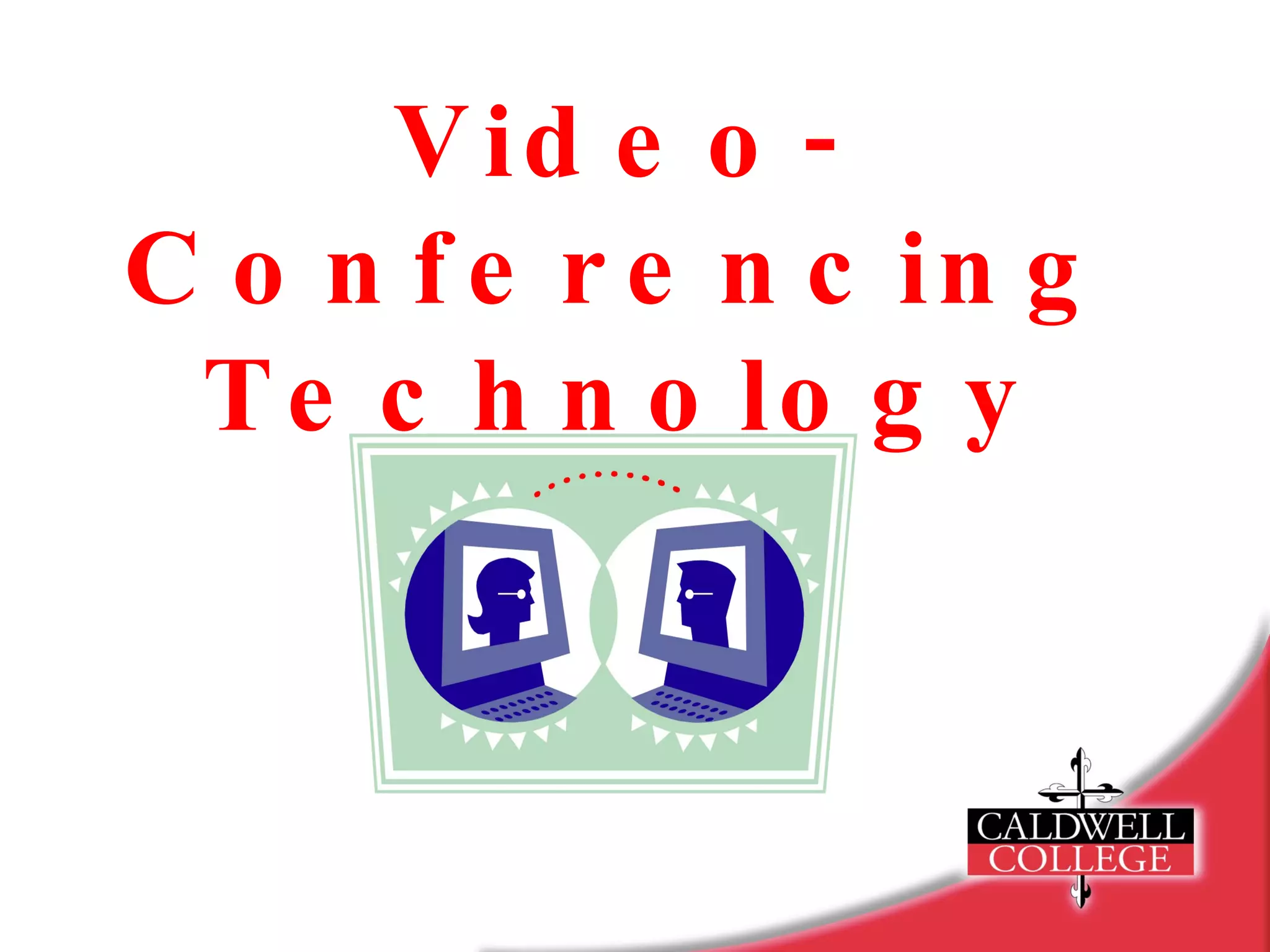
Video-Conferencing Technology
Outline What is video-conferencing? Technical requirements Benefits of video-conferencing
Video-Conferencing Technology   Allows two or more individuals to talk, see, and view documents in real time from different locations. Provides instant feedback for its users. Video-conferencing technology has evolved into a practical tool for business, medicine, and classrooms.
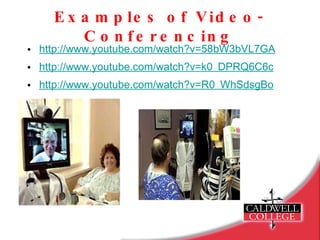
Examples of Video-Conferencing http://www.youtube.com/watch?v=58bW3bVL7GA http://www.youtube.com/watch?v=k0_DPRQ6C6c   http://www.youtube.com/watch?v=R0_WhSdsgBo
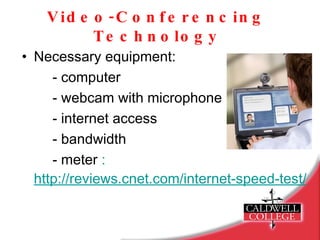
Video-Conferencing Technology Necessary equipment: - computer - webcam with microphone - internet access  - bandwidth - meter  :  http://reviews.cnet.com/internet-speed-tes t/
Video-Conferencing Technology There are several internet sites that provide video conferencing. e.g. – iChat, ooVoo, AOL instant    messanger Many have a monthly paid subscription to use their service. One provider of video conferencing is  Skype  which does not have a monthly service fee.
Skype: Basic Info Skype is a program that uses the internet to make calls and videocalls, to send texts  and files. It has approximately 521 million registered users in the world.
Skype: Basic Info Calls can be made from a computer to any other Skype user that is connected to the internet. Calls without video between computers and video calls with webcams are completely free.
Skype: Basic Info To install Skype download the free software from the Skype website  www.skype.com - there is no activation fee - create a user name - make a contact list of other Skype    users that you want to call
Applications of Skype There are three useful applications for Skype in the ABA classroom: - Consultation - Supervision - Collaboration
Consultation Consultants can be video conferenced into the classroom to provide feedback on: Student programs observation of individual teaching sessions with students provide instant feedback on observed sessions assist with the writing of teaching procedures and behavior intervention plans curriculum development
Consultation Staff training individual instructor sessions discrete trial sessions group instructor sessions circle time, music group adaptive physical education (APE) weekly staff training sessions provide presentations on various behavior analytic principles (e.g.- reinforcement, prompting strategies, stimulus control)
Supervision Consultants can supervise class sessions using Skype. ensure effectiveness of prior in-class recommendations immediate ability to adjust suggestions maintain knowledge of student’s progress BCBA and BCaBA supervision http://www.bacb.com/becom_frame.html
Collaboration Working with other professionals  professionals from anywhere can be video-conferenced into the classroom and/or home to provide assistance with their specific area of expertise time saving tool when important issues arise that require immediate attention Ability to share files instantly without the use of email. Demonstration of teaching procedures from other educational settings.
Confidentiality Before using any video-conference  technology, written consent must be obtained from the individual or parent/guardian. Make sure while you are viewing the video conference from the computer, you are in a private location where no one can view the screen. Any information shared via video conference is completely secure through Skype.
Privacy Policy Privacy and security must be considered when choosing a video conferencing provider. Visit the website of the provider and review the privacy policy. http://www.skype.com/security/security-privacy/
Some Considerations  The consultant should be familiar with the student. - video-conferencing should be used only    as a supplemental tool and not replace    face-to-face in class observation   - only verbal instructions can be    provided
Some Considerations  Make sure video-conferencing application is not distracting to classroom environment. - teacher can wear an earpiece to listen and follow consultant’s directions while working with student - monitor can be turned off by teacher to reduce  distractions Video-conferencing can be used as a reinforcer. - student can make a video call to parents,  siblings or friends from school
Time and Cost Benefits Professionals can address specific areas of concern immediately. a consultant may have only one specific issue to address that would not require an on-site visit allows consultant to be virtually in the classroom at a moment’s notice Professionals become cost effective. better connected professionals can reach a broader number of students Efficient professionals = saved money
Accessibility Internet-based many people have access to the  internet Mobil Devices   - ability to text through use of iPhone    and Blackberry   - video chat is dependent on your  service provider
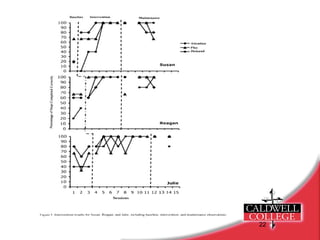
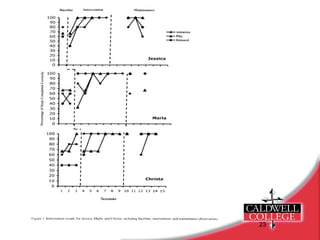
Research Machalicek et al. (in press) use of video tele-conferencing (VTC) to provide performance feedback to special education teachers conducting functional analysis procedures with children with autism Multiple baseline design with embedded multiple-element design VTC used once per week for an average of six weeks until teachers met criterion of implementing functional analysis procedures at 100% accuracy for three consecutive sessions VTC was found effective in training teachers to conduct functional analysis conditions
Demonstration of making a Skype video call
References Israel, M., Knowlton, E., Griswald, D., & Rowland, A., (2009).  Applications of video-conferencing in special education teacher  preparation. Journal of Special Education Technology, 15-25. Machalicek, W., O'Reilly, M.F., Rispoli, M., Davis, T., Lang, R.,  Hetlinger-Franco, J., & Chan, J. (in press). Training teachers to  assess the challenging behaviors of student with autism using  video tele-conferencing. Education and Training in Developmental  Disabilities.

Skype2

  • 1.
  • 2.
    Outline What isvideo-conferencing? Technical requirements Benefits of video-conferencing
  • 3.
    Video-Conferencing Technology Allows two or more individuals to talk, see, and view documents in real time from different locations. Provides instant feedback for its users. Video-conferencing technology has evolved into a practical tool for business, medicine, and classrooms.
  • 4.
    Examples of Video-Conferencinghttp://www.youtube.com/watch?v=58bW3bVL7GA http://www.youtube.com/watch?v=k0_DPRQ6C6c http://www.youtube.com/watch?v=R0_WhSdsgBo
  • 5.
    Video-Conferencing Technology Necessaryequipment: - computer - webcam with microphone - internet access - bandwidth - meter : http://reviews.cnet.com/internet-speed-tes t/
  • 6.
    Video-Conferencing Technology Thereare several internet sites that provide video conferencing. e.g. – iChat, ooVoo, AOL instant messanger Many have a monthly paid subscription to use their service. One provider of video conferencing is Skype which does not have a monthly service fee.
  • 7.
    Skype: Basic InfoSkype is a program that uses the internet to make calls and videocalls, to send texts and files. It has approximately 521 million registered users in the world.
  • 8.
    Skype: Basic InfoCalls can be made from a computer to any other Skype user that is connected to the internet. Calls without video between computers and video calls with webcams are completely free.
  • 9.
    Skype: Basic InfoTo install Skype download the free software from the Skype website www.skype.com - there is no activation fee - create a user name - make a contact list of other Skype users that you want to call
  • 10.
    Applications of SkypeThere are three useful applications for Skype in the ABA classroom: - Consultation - Supervision - Collaboration
  • 11.
    Consultation Consultants canbe video conferenced into the classroom to provide feedback on: Student programs observation of individual teaching sessions with students provide instant feedback on observed sessions assist with the writing of teaching procedures and behavior intervention plans curriculum development
  • 12.
    Consultation Staff trainingindividual instructor sessions discrete trial sessions group instructor sessions circle time, music group adaptive physical education (APE) weekly staff training sessions provide presentations on various behavior analytic principles (e.g.- reinforcement, prompting strategies, stimulus control)
  • 13.
    Supervision Consultants cansupervise class sessions using Skype. ensure effectiveness of prior in-class recommendations immediate ability to adjust suggestions maintain knowledge of student’s progress BCBA and BCaBA supervision http://www.bacb.com/becom_frame.html
  • 14.
    Collaboration Working withother professionals professionals from anywhere can be video-conferenced into the classroom and/or home to provide assistance with their specific area of expertise time saving tool when important issues arise that require immediate attention Ability to share files instantly without the use of email. Demonstration of teaching procedures from other educational settings.
  • 15.
    Confidentiality Before usingany video-conference technology, written consent must be obtained from the individual or parent/guardian. Make sure while you are viewing the video conference from the computer, you are in a private location where no one can view the screen. Any information shared via video conference is completely secure through Skype.
  • 16.
    Privacy Policy Privacyand security must be considered when choosing a video conferencing provider. Visit the website of the provider and review the privacy policy. http://www.skype.com/security/security-privacy/
  • 17.
    Some Considerations The consultant should be familiar with the student. - video-conferencing should be used only as a supplemental tool and not replace face-to-face in class observation - only verbal instructions can be provided
  • 18.
    Some Considerations Make sure video-conferencing application is not distracting to classroom environment. - teacher can wear an earpiece to listen and follow consultant’s directions while working with student - monitor can be turned off by teacher to reduce distractions Video-conferencing can be used as a reinforcer. - student can make a video call to parents, siblings or friends from school
  • 19.
    Time and CostBenefits Professionals can address specific areas of concern immediately. a consultant may have only one specific issue to address that would not require an on-site visit allows consultant to be virtually in the classroom at a moment’s notice Professionals become cost effective. better connected professionals can reach a broader number of students Efficient professionals = saved money
  • 20.
    Accessibility Internet-based manypeople have access to the internet Mobil Devices - ability to text through use of iPhone and Blackberry - video chat is dependent on your service provider
  • 21.
    Research Machalicek etal. (in press) use of video tele-conferencing (VTC) to provide performance feedback to special education teachers conducting functional analysis procedures with children with autism Multiple baseline design with embedded multiple-element design VTC used once per week for an average of six weeks until teachers met criterion of implementing functional analysis procedures at 100% accuracy for three consecutive sessions VTC was found effective in training teachers to conduct functional analysis conditions
  • 24.
    Demonstration of makinga Skype video call
  • 25.
    References Israel, M.,Knowlton, E., Griswald, D., & Rowland, A., (2009). Applications of video-conferencing in special education teacher preparation. Journal of Special Education Technology, 15-25. Machalicek, W., O'Reilly, M.F., Rispoli, M., Davis, T., Lang, R., Hetlinger-Franco, J., & Chan, J. (in press). Training teachers to assess the challenging behaviors of student with autism using video tele-conferencing. Education and Training in Developmental Disabilities.