PEPNet Advancing educational opportunities for people who are deaf or hard of hearing
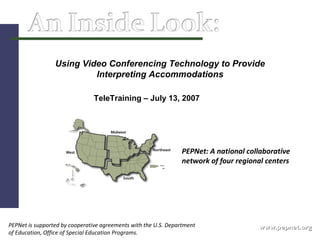
www.pepnet.org PEPNet: A national collaborative network of four regional centers PEPNet is supported by cooperative agreements with the U.S. Department of Education, Office of Special Education Programs. Using Video Conferencing Technology to Provide Interpreting Accommodations TeleTraining – July 13, 2007
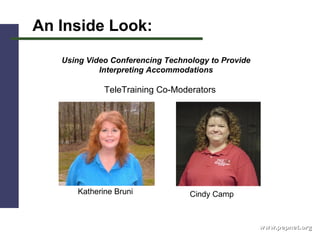
www.pepnet.org An Inside Look: Using Video Conferencing Technology to Provide Interpreting Accommodations Katherine Bruni Cindy Camp TeleTraining Co-Moderators
www.pepnet.org Lisa Caringer,  Senior Interpreter/Coordinator for Sensory Disabilities Disability Support Services Southern Illinois University Carbondale Carbondale, Il 62901 [email_address] http://www.siu.edu/~dss/distance.htm              
www.pepnet.org Chris McCuller                                  Computer Support Specialist I  Video Conferencing   Special Education & Communications Disorders  College of Education  Valdosta State University  [email_address] 229.249.2725 (w) 168.18.146.81 (webcam)
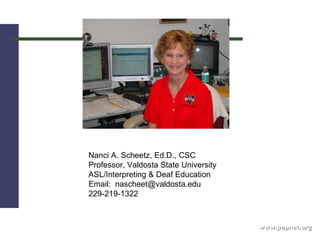
www.pepnet.org            Nanci A. Scheetz, Ed.D., CSC  Professor, Valdosta State University  ASL/Interpreting & Deaf Education  Email:  nascheet@valdosta.edu  229-219-1322
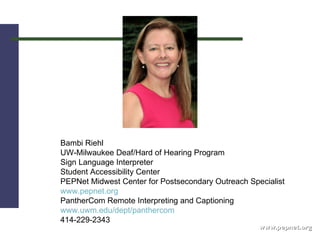
www.pepnet.org Bambi Riehl UW-Milwaukee Deaf/Hard of Hearing Program Sign Language Interpreter Student Accessibility Center PEPNet Midwest Center for Postsecondary Outreach Specialist www.pepnet.org PantherCom Remote Interpreting and Captioning www.uwm.edu/dept/panthercom 414-229-2343
www.pepnet.org Technology/Equipment/Costs: What is video conferencing technology, and how can it be used to provide interpreting services? 2.  Would each of our panelists please share information about the emerging technology and equipment that they are currently using that is successful and explain its capabilities?
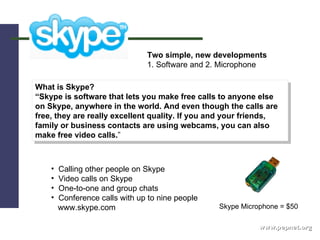
www.pepnet.org What is Skype? “ Skype is software that lets you make free calls to anyone else on Skype, anywhere in the world. And even though the calls are free, they are really excellent quality. If you and your friends, family or business contacts are using webcams, you can also make free video calls. ” Two simple, new developments 1. Software and 2. Microphone Calling other people on Skype Video calls on Skype One-to-one and group chats Conference calls with up to nine people www.skype.com Skype Microphone = $50
www.pepnet.org 3.  What technology and equipment have the panelists experimented with  that has not been successful, and why was it not successful?  4.  Can video conferencing technology be used to deliver interpreting  services to several sites? 5. Can the equipment track an instructor if he/she moves around the  room?
www.pepnet.org 6. What infrastructure is needed at institutions and within bureaucracies  in order to use video conferencing technology? What technology  infrastructure (network infrastructure, bandwidth, etc) needs to be in  place to reliably provide interpreting services?   How do we overcome  technological obstacles at institutions and within bureaucracies (such  as firewalls?)  7. Please address difficulties that might be anticipated when  using video conferencing technology to provide interpreting services.  Please address troubleshooting issues and share some troubleshooting tips?
AIM: pepnetsouth Email: pepnet.south@gmail.com www.pepnet.org
www.pepnet.org 8. What do you do if the technology fails in the middle of service delivery? 9. What is the cost of using this technology? What might be the financial implications for institutions and systems?  10. How does an institution determine how they are going to begin using video remote interpreting? Can a campus be both a provider and a purchaser of remote services?
www.pepnet.org Read and Share ! Read Chris McCuller’s white paper, and share it with your technology specialists. Here is a link to the whitepaper:   http://pride.valdosta.edu/Whitepaper_Distance_Learning.pdf
www.pepnet.org Read and Share ! Read Dr. Nanci Scheetz article on Remote Access Interpreting:  Providing Service and Training for Interpreting Interns http://www.pepnet.org/training/train070713/
www.pepnet.org Read and Share ! Bambi Riehl’s article in the  RID View :   Beyond VRS: Video Interpreting in Postsecondary Environments  This article will be available on the website: http://www.pepnet.org/training/train070713/
www.pepnet.org Process/Procedures/Policies/Evaluation: How do you begin to provide interpreting services via video conferencing  technology? What do we need (on our campuses for example) to provide interpreting services via video conferencing technology? Please explain the process or routine of setting up interpreting services with video conferencing technology?  Who is responsible for what on a daily basis?  What does the interpreter do?  For what is the student responsible?  How do we decide which policies should be followed? 2. Is the technology department "on call" during these interpreting assignments?
www.pepnet.org Take A Look ! Links to remote interpreting videos from Valdosta State University:  Remote Interpreting:  http://pride.valdosta.edu/media/video/RemoteInterpreting.wmv
www.pepnet.org 3.  Using video conferencing technology, how does the interpreter voice for the person who is Deaf or Hard of Hearing? How does the interpreter hear the instructor and student comments in the classroom? 4.  When using video conferencing technology, do you still need to team interpreters for assignments?  5.  How do we (and should we) encourage schools and institutions to consider  the use of video conferencing technology to deliver interpreting services? When is it appropriate to consider delivering interpreting services via video conferencing technology?  6.  What policies and procedures need to be established with regard to interpreting equipment use and settings?
AIM: pepnetsouth Email: pepnet.south@gmail.com www.pepnet.org
www.pepnet.org 7. When would it be best to use a Video Remote Interpreting agency, as was discussed in the May TeleTraining, rather than to set up video conferencing technology to provide interpreting accommodations?  8. What are the advantages and disadvantages, Pros and Cons, of using video conferencing technology to provide interpreting services?  9. What qualifications does an interpreter need to use video conferencing  technology?  10. What advice do the panelists have for free-lance interpreters who are  considering using video conferencing technology as part of the services  that they offer?
www.pepnet.org 11. Please discuss training regarding the use of video conferencing  technology and interpreting services - training for: students/consumers,  interpreters, educators/instructors, administrators? 12. What are the roles and responsibilities of students/consumers, interpreters,  educators/instructors, administrators, and technology personnel? 13. What role should the technology specialist play in the training process? 14. How do you evaluate the effectiveness of delivering interpreting services through video conferencing technology?  (- - - when the technology is going smoothly.)  15.   Why is consumer satisfaction a critical part of the Remote    Interpreting Process?
AIM: pepnetsouth Email: pepnet.south@gmail.com www.pepnet.org
www.pepnet.org Appropriate Settings: 1. When is it appropriate to consider delivering interpreting services via video  conferencing technology?   2. Regarding classroom settings, please comment on age appropriate and discipline appropriate settings for video conferencing delivery of interpreting  services? What academic disciplines are served well through video  conferencing technology, and are there specific classes and situations that  are not a good match for video conferencing technology delivery of  interpreting services? 3. Could video conferencing technology be used to provide interpreting accommodations to students who are studying abroad? If so,  what challenges might be anticipated, and how would you  work with the student, the DSS office, and the receiving university to prepare for this experience?
www.pepnet.org 4. What advice does the panel have for  professionals in multi campus settings that are considering the use of video conferencing technology to provide interpreting services? What about the use of video conferencing technology in rural or remote settings? 5. Please comment on the appropriate or inappropriate use of video conferencing technology to provide interpreting services in the following settings: in postsecondary classes, in high level or difficult courses, in K-12 programs, for extra curricular activities, for IEP meetings and parent conferences, in the workplace.
www.pepnet.org Collaboration of Educators and Technology Specialists: 1. Nancy and Chris, you are an example of a successful collaboration of  educators and technology experts.  Would you discuss your collaboration  and advise our participants on how to establish their own collaborations (the Do's and Don'ts?)  Chris, from your specific perspective as a technology  specialist, would you comment on how best to establish collaborations and  relationships with technology personnel and departments? 2. Bambi, would you explain PantherCom and the collaborations that you have  experienced? 3. Lisa, would you comment on the unique collaboration you have established  with other postsecondary institutions?
www.pepnet.org Creative Use of Video Conferencing Technology: 1. It would be of interest for participants to gain some insight into creative uses of video conferencing technology. How have the panelists used video conferencing technology for projects that were not specifically related to interpreting services on their campuses?
www.pepnet.org Links to remote interpreting videos from Valdosta State University:  Distance Learning:  http://pride.valdosta.edu/media/video/DistanceLearning.wmv   Remote Observation:  http://pride.valdosta.edu/media/video/RemoteObservation.wmv   Remote Tutoring:  http://pride.valdosta.edu/media/video/RemoteTutoring.wmv
www.pepnet.org 2. What is the future of video conferencing technology, and what are the implications for services and accommodations for people who are Deaf and Hard of Hearing?
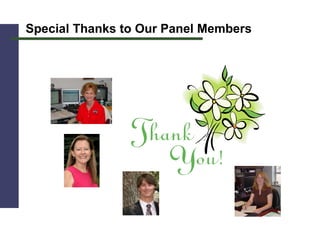
Special Thanks to Our Panel Members
www.pepnet.org What Does PEPNet Do? Conducts  training  with secondary, postsecondary, vocational, and adult education professionals and support staff regarding transition and postsecondary educational services for students who are deaf and hard of hearing Develops a  technical assistance  network for the target groups  Demonstrates how  technology  can be used to   provide access and accommodations within programs for individuals who are deaf and hard of hearing
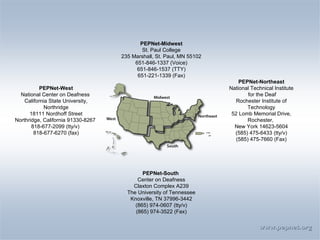
www.pepnet.org PEPNet-Midwest St. Paul College 235 Marshall, St. Paul, MN 55102 651-846-1337 (Voice) 651-846-1537 (TTY) 651-221-1339 (Fax) PEPNet-West National Center on Deafness  California State University, Northridge 18111 Nordhoff Street Northridge, California 91330-8267  818-677-2099 (tty/v)  818-677-6270 (fax) PEPNet-Northeast National Technical Institute for the Deaf Rochester Institute of Technology 52 Lomb Memorial Drive, Rochester,  New York 14623-5604 (585) 475-6433 (tty/v)  (585) 475-7660 (Fax) PEPNet-South  Center on Deafness Claxton Complex A239 The University of Tennessee Knoxville, TN 37996-3442 (865) 974-0607 (tty/v) (865) 974-3522 (Fax)
www.pepnet.org PEPNet-South  Central Office Center on Deafness Claxton Complex A239 The University of Tennessee Knoxville, TN 37996-3442 (865) 974-0607 (V/TDD) (865) 974-3522 (FAX) [email_address] Texas - Louisiana Outreach Site  Jennie Bourgeois Louisiana State University Office of Disability Services 111A Johnston Hall Baton Rouge, LA 70803 (225) 578-4913 (V) (225) 578-2600 (TDD) (225) 578-4560 (Fax) [email_address] Arkansas – Alabama – Mississippi  Outreach Site Amy Hebert University of Arkansas at Little Rock 2801 S. University DSC 113 (501)683-7629 (v) (501) 569-8068 (Fax) [email_address] Georgia – Florida Outreach Site Katherine Bruni Georgia Perimeter College 324 Knots Circle Woodstock, GA 30188 (770) 928-6785 (V/TDD) (404) 406-8194 (Cell) (770) 928-9929 (Fax) [email_address] Kentucky – Tennessee – West Virginia Outreach Site Tricia Davis Eastern Kentucky University Center on Deafness 245 Wallace Building 521 Lancaster Ave. Richmond, KY 40475-3102 (859) 622-8156 (V) (859) 622-2573 (Fax) [email_address] South Carolina – North Carolina – Virginia Outreach Site Pat Varner-Bland Clemson University 225 S. Pleasantburg Drive Greenville, SC 29606-5616 (864) 250-8878 (V) (864) 250-8889 (Fax) [email_address] PEPNet-South Outreach Centers
Upcoming Events www.pepnet.org TeleTraining - An Inside Look:  Addressing the  Needs of Consumers who are Deaf and Low Functioning  ( www.teletrain.org )  TeleTraining - An Inside Look: New Perspectives On  Reading and Writing and Implications for Instruction and Testing with Dr. Noel Gregg  ( www.teletrain.org )  Southeast Regional Institute on Deafness ( www.serid.org ) PEPNet Biennial Conference ( www.pepnet.org )  Addressing the Needs of Students Labeled Deaf and Low Functioning, At-Risk or Deaf Blind Conference ( www.esc4.net )  Sept 30 th  – Oct 4 th , 2007 April 15 th  – 18 th , 2008  November 18-20 , 2008  September 19 th , 2007 August 24 th  , 2007

Download It

  • 1.
    PEPNet Advancing educationalopportunities for people who are deaf or hard of hearing
  • 2.
    www.pepnet.org PEPNet: Anational collaborative network of four regional centers PEPNet is supported by cooperative agreements with the U.S. Department of Education, Office of Special Education Programs. Using Video Conferencing Technology to Provide Interpreting Accommodations TeleTraining – July 13, 2007
  • 3.
    www.pepnet.org An InsideLook: Using Video Conferencing Technology to Provide Interpreting Accommodations Katherine Bruni Cindy Camp TeleTraining Co-Moderators
  • 4.
    www.pepnet.org Lisa Caringer, Senior Interpreter/Coordinator for Sensory Disabilities Disability Support Services Southern Illinois University Carbondale Carbondale, Il 62901 [email_address] http://www.siu.edu/~dss/distance.htm              
  • 5.
    www.pepnet.org Chris McCuller                                 Computer Support Specialist I  Video Conferencing   Special Education & Communications Disorders College of Education Valdosta State University [email_address] 229.249.2725 (w) 168.18.146.81 (webcam)
  • 6.
    www.pepnet.org            NanciA. Scheetz, Ed.D., CSC Professor, Valdosta State University ASL/Interpreting & Deaf Education Email:  nascheet@valdosta.edu 229-219-1322
  • 7.
    www.pepnet.org Bambi RiehlUW-Milwaukee Deaf/Hard of Hearing Program Sign Language Interpreter Student Accessibility Center PEPNet Midwest Center for Postsecondary Outreach Specialist www.pepnet.org PantherCom Remote Interpreting and Captioning www.uwm.edu/dept/panthercom 414-229-2343
  • 8.
    www.pepnet.org Technology/Equipment/Costs: Whatis video conferencing technology, and how can it be used to provide interpreting services? 2. Would each of our panelists please share information about the emerging technology and equipment that they are currently using that is successful and explain its capabilities?
  • 9.
    www.pepnet.org What isSkype? “ Skype is software that lets you make free calls to anyone else on Skype, anywhere in the world. And even though the calls are free, they are really excellent quality. If you and your friends, family or business contacts are using webcams, you can also make free video calls. ” Two simple, new developments 1. Software and 2. Microphone Calling other people on Skype Video calls on Skype One-to-one and group chats Conference calls with up to nine people www.skype.com Skype Microphone = $50
  • 10.
    www.pepnet.org 3. What technology and equipment have the panelists experimented with that has not been successful, and why was it not successful? 4. Can video conferencing technology be used to deliver interpreting services to several sites? 5. Can the equipment track an instructor if he/she moves around the room?
  • 11.
    www.pepnet.org 6. Whatinfrastructure is needed at institutions and within bureaucracies in order to use video conferencing technology? What technology infrastructure (network infrastructure, bandwidth, etc) needs to be in place to reliably provide interpreting services? How do we overcome technological obstacles at institutions and within bureaucracies (such as firewalls?) 7. Please address difficulties that might be anticipated when using video conferencing technology to provide interpreting services. Please address troubleshooting issues and share some troubleshooting tips?
  • 12.
    AIM: pepnetsouth Email:pepnet.south@gmail.com www.pepnet.org
  • 13.
    www.pepnet.org 8. Whatdo you do if the technology fails in the middle of service delivery? 9. What is the cost of using this technology? What might be the financial implications for institutions and systems? 10. How does an institution determine how they are going to begin using video remote interpreting? Can a campus be both a provider and a purchaser of remote services?
  • 14.
    www.pepnet.org Read andShare ! Read Chris McCuller’s white paper, and share it with your technology specialists. Here is a link to the whitepaper: http://pride.valdosta.edu/Whitepaper_Distance_Learning.pdf
  • 15.
    www.pepnet.org Read andShare ! Read Dr. Nanci Scheetz article on Remote Access Interpreting: Providing Service and Training for Interpreting Interns http://www.pepnet.org/training/train070713/
  • 16.
    www.pepnet.org Read andShare ! Bambi Riehl’s article in the RID View : Beyond VRS: Video Interpreting in Postsecondary Environments This article will be available on the website: http://www.pepnet.org/training/train070713/
  • 17.
    www.pepnet.org Process/Procedures/Policies/Evaluation: Howdo you begin to provide interpreting services via video conferencing technology? What do we need (on our campuses for example) to provide interpreting services via video conferencing technology? Please explain the process or routine of setting up interpreting services with video conferencing technology? Who is responsible for what on a daily basis? What does the interpreter do? For what is the student responsible? How do we decide which policies should be followed? 2. Is the technology department "on call" during these interpreting assignments?
  • 18.
    www.pepnet.org Take ALook ! Links to remote interpreting videos from Valdosta State University: Remote Interpreting: http://pride.valdosta.edu/media/video/RemoteInterpreting.wmv
  • 19.
    www.pepnet.org 3. Using video conferencing technology, how does the interpreter voice for the person who is Deaf or Hard of Hearing? How does the interpreter hear the instructor and student comments in the classroom? 4. When using video conferencing technology, do you still need to team interpreters for assignments? 5. How do we (and should we) encourage schools and institutions to consider the use of video conferencing technology to deliver interpreting services? When is it appropriate to consider delivering interpreting services via video conferencing technology? 6. What policies and procedures need to be established with regard to interpreting equipment use and settings?
  • 20.
    AIM: pepnetsouth Email:pepnet.south@gmail.com www.pepnet.org
  • 21.
    www.pepnet.org 7. Whenwould it be best to use a Video Remote Interpreting agency, as was discussed in the May TeleTraining, rather than to set up video conferencing technology to provide interpreting accommodations? 8. What are the advantages and disadvantages, Pros and Cons, of using video conferencing technology to provide interpreting services? 9. What qualifications does an interpreter need to use video conferencing technology? 10. What advice do the panelists have for free-lance interpreters who are considering using video conferencing technology as part of the services that they offer?
  • 22.
    www.pepnet.org 11. Pleasediscuss training regarding the use of video conferencing technology and interpreting services - training for: students/consumers, interpreters, educators/instructors, administrators? 12. What are the roles and responsibilities of students/consumers, interpreters, educators/instructors, administrators, and technology personnel? 13. What role should the technology specialist play in the training process? 14. How do you evaluate the effectiveness of delivering interpreting services through video conferencing technology? (- - - when the technology is going smoothly.) 15. Why is consumer satisfaction a critical part of the Remote Interpreting Process?
  • 23.
    AIM: pepnetsouth Email:pepnet.south@gmail.com www.pepnet.org
  • 24.
    www.pepnet.org Appropriate Settings:1. When is it appropriate to consider delivering interpreting services via video conferencing technology? 2. Regarding classroom settings, please comment on age appropriate and discipline appropriate settings for video conferencing delivery of interpreting services? What academic disciplines are served well through video conferencing technology, and are there specific classes and situations that are not a good match for video conferencing technology delivery of interpreting services? 3. Could video conferencing technology be used to provide interpreting accommodations to students who are studying abroad? If so, what challenges might be anticipated, and how would you work with the student, the DSS office, and the receiving university to prepare for this experience?
  • 25.
    www.pepnet.org 4. Whatadvice does the panel have for professionals in multi campus settings that are considering the use of video conferencing technology to provide interpreting services? What about the use of video conferencing technology in rural or remote settings? 5. Please comment on the appropriate or inappropriate use of video conferencing technology to provide interpreting services in the following settings: in postsecondary classes, in high level or difficult courses, in K-12 programs, for extra curricular activities, for IEP meetings and parent conferences, in the workplace.
  • 26.
    www.pepnet.org Collaboration ofEducators and Technology Specialists: 1. Nancy and Chris, you are an example of a successful collaboration of educators and technology experts. Would you discuss your collaboration and advise our participants on how to establish their own collaborations (the Do's and Don'ts?) Chris, from your specific perspective as a technology specialist, would you comment on how best to establish collaborations and relationships with technology personnel and departments? 2. Bambi, would you explain PantherCom and the collaborations that you have experienced? 3. Lisa, would you comment on the unique collaboration you have established with other postsecondary institutions?
  • 27.
    www.pepnet.org Creative Useof Video Conferencing Technology: 1. It would be of interest for participants to gain some insight into creative uses of video conferencing technology. How have the panelists used video conferencing technology for projects that were not specifically related to interpreting services on their campuses?
  • 28.
    www.pepnet.org Links toremote interpreting videos from Valdosta State University: Distance Learning: http://pride.valdosta.edu/media/video/DistanceLearning.wmv Remote Observation: http://pride.valdosta.edu/media/video/RemoteObservation.wmv Remote Tutoring: http://pride.valdosta.edu/media/video/RemoteTutoring.wmv
  • 29.
    www.pepnet.org 2. Whatis the future of video conferencing technology, and what are the implications for services and accommodations for people who are Deaf and Hard of Hearing?
  • 30.
    Special Thanks toOur Panel Members
  • 31.
    www.pepnet.org What DoesPEPNet Do? Conducts training with secondary, postsecondary, vocational, and adult education professionals and support staff regarding transition and postsecondary educational services for students who are deaf and hard of hearing Develops a technical assistance network for the target groups Demonstrates how technology can be used to provide access and accommodations within programs for individuals who are deaf and hard of hearing
  • 32.
    www.pepnet.org PEPNet-Midwest St.Paul College 235 Marshall, St. Paul, MN 55102 651-846-1337 (Voice) 651-846-1537 (TTY) 651-221-1339 (Fax) PEPNet-West National Center on Deafness California State University, Northridge 18111 Nordhoff Street Northridge, California 91330-8267 818-677-2099 (tty/v) 818-677-6270 (fax) PEPNet-Northeast National Technical Institute for the Deaf Rochester Institute of Technology 52 Lomb Memorial Drive, Rochester, New York 14623-5604 (585) 475-6433 (tty/v) (585) 475-7660 (Fax) PEPNet-South Center on Deafness Claxton Complex A239 The University of Tennessee Knoxville, TN 37996-3442 (865) 974-0607 (tty/v) (865) 974-3522 (Fax)
  • 33.
    www.pepnet.org PEPNet-South Central Office Center on Deafness Claxton Complex A239 The University of Tennessee Knoxville, TN 37996-3442 (865) 974-0607 (V/TDD) (865) 974-3522 (FAX) [email_address] Texas - Louisiana Outreach Site Jennie Bourgeois Louisiana State University Office of Disability Services 111A Johnston Hall Baton Rouge, LA 70803 (225) 578-4913 (V) (225) 578-2600 (TDD) (225) 578-4560 (Fax) [email_address] Arkansas – Alabama – Mississippi Outreach Site Amy Hebert University of Arkansas at Little Rock 2801 S. University DSC 113 (501)683-7629 (v) (501) 569-8068 (Fax) [email_address] Georgia – Florida Outreach Site Katherine Bruni Georgia Perimeter College 324 Knots Circle Woodstock, GA 30188 (770) 928-6785 (V/TDD) (404) 406-8194 (Cell) (770) 928-9929 (Fax) [email_address] Kentucky – Tennessee – West Virginia Outreach Site Tricia Davis Eastern Kentucky University Center on Deafness 245 Wallace Building 521 Lancaster Ave. Richmond, KY 40475-3102 (859) 622-8156 (V) (859) 622-2573 (Fax) [email_address] South Carolina – North Carolina – Virginia Outreach Site Pat Varner-Bland Clemson University 225 S. Pleasantburg Drive Greenville, SC 29606-5616 (864) 250-8878 (V) (864) 250-8889 (Fax) [email_address] PEPNet-South Outreach Centers
  • 34.
    Upcoming Events www.pepnet.orgTeleTraining - An Inside Look: Addressing the Needs of Consumers who are Deaf and Low Functioning ( www.teletrain.org ) TeleTraining - An Inside Look: New Perspectives On Reading and Writing and Implications for Instruction and Testing with Dr. Noel Gregg ( www.teletrain.org ) Southeast Regional Institute on Deafness ( www.serid.org ) PEPNet Biennial Conference ( www.pepnet.org ) Addressing the Needs of Students Labeled Deaf and Low Functioning, At-Risk or Deaf Blind Conference ( www.esc4.net ) Sept 30 th – Oct 4 th , 2007 April 15 th – 18 th , 2008 November 18-20 , 2008 September 19 th , 2007 August 24 th , 2007