Simple Security for Startups
Mark Bate Solutions Architect
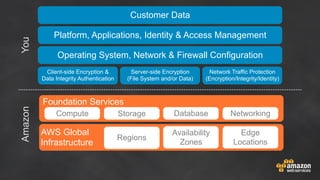
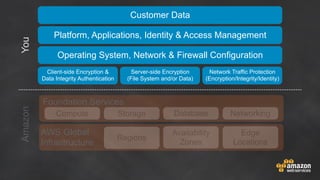
Shared Responsibility
Foundation Services
Compute
Customer Data
Server-side Encryption
(File System and/or Data)
Platform, Applications, Identity & Access Management
Storage Database
Client-side Encryption &
Data Integrity Authentication
AmazonYou
Networking
AWS Global
Infrastructure
Operating System, Network & Firewall Configuration
Network Traffic Protection
(Encryption/Integrity/Identity)
Regions
Availability
Zones
Edge
Locations
Foundation Services
Compute
Customer Data
Server-side Encryption
(File System and/or Data)
Platform, Applications, Identity & Access Management
Storage Database
Client-side Encryption &
Data Integrity Authentication
AmazonYou
Networking
AWS Global
Infrastructure
Operating System, Network & Firewall Configuration
Network Traffic Protection
(Encryption/Integrity/Identity)
Regions
Availability
Zones
Edge
Locations
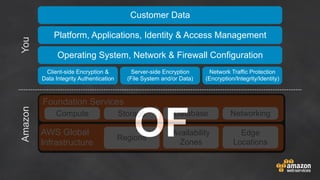
OF
Foundation Services
Compute
Customer Data
Server-side Encryption
(File System and/or Data)
Platform, Applications, Identity & Access Management
Storage Database
Client-side Encryption &
Data Integrity Authentication
AmazonYou
Networking
AWS Global
Infrastructure
Operating System, Network & Firewall Configuration
Network Traffic Protection
(Encryption/Integrity/Identity)
Regions
Availability
Zones
Edge
Locations
OF
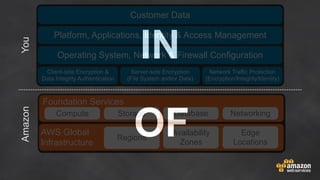
IN
Foundation Services
Compute
Customer Data
Server-side Encryption
(File System and/or Data)
Platform, Applications, Identity & Access Management
Storage Database
Client-side Encryption &
Data Integrity Authentication
AmazonYou
Networking
AWS Global
Infrastructure
Operating System, Network & Firewall Configuration
Network Traffic Protection
(Encryption/Integrity/Identity)
Regions
Availability
Zones
Edge
Locations
Your Cloud Environment
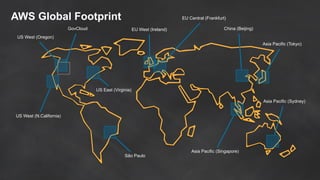
AWS Global Footprint
US West (N.California)
US West (Oregon)
GovCloud
US East (Virginia)
EU West (Ireland)
Asia Pacific (Tokyo)
Asia Pacific (Singapore)
Asia Pacific (Sydney)
China (Beijing)
São Paulo
EU Central (Frankfurt)
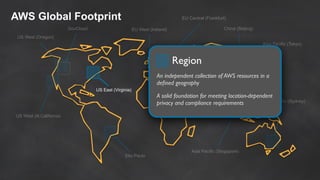
AWS Global Footprint
US West (N.California)
US West (Oregon)
GovCloud
US East (Virginia)
EU West (Ireland)
Asia Pacific (Tokyo)
Asia Pacific (Singapore)
Asia Pacific (Sydney)
China (Beijing)
São Paulo
EU Central (Frankfurt)
Region
An independent collection of AWS resources in a
defined geography
A solid foundation for meeting location-dependent
privacy and compliance requirements
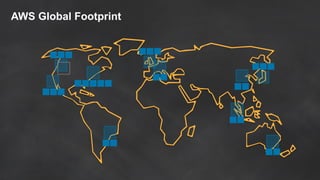
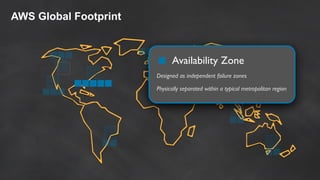
AWS Global Footprint
Availability Zone
Designed as independent failure zones
Physically separated within a typical metropolitan region
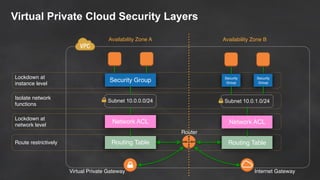
Virtual Private Cloud Security Layers
Security Group
Subnet 10.0.0.0/24
Routing Table
Network ACL
Security
Group
Subnet 10.0.1.0/24
Routing Table
Network ACL
Security
Group
Virtual Private Gateway Internet Gateway
Lockdown at
instance level
Isolate network
functions
Lockdown at
network level
Route restrictively
Router
Availability Zone A Availability Zone B
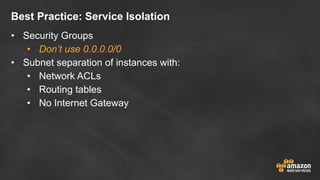
Best Practice: Service Isolation
• Security Groups
• Don’t use 0.0.0.0/0
• Subnet separation of instances with:
• Network ACLs
• Routing tables
• No Internet Gateway
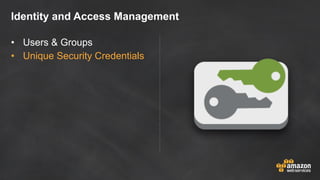
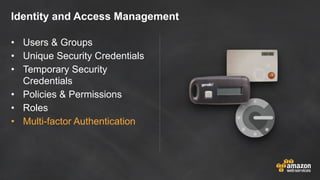
Identity and Access Management
• Users & Groups
Identity and Access Management
• Users & Groups
• Unique Security Credentials
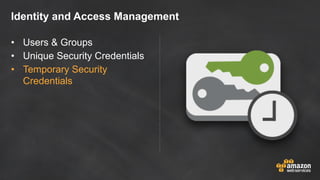
Identity and Access Management
• Users & Groups
• Unique Security Credentials
• Temporary Security
Credentials
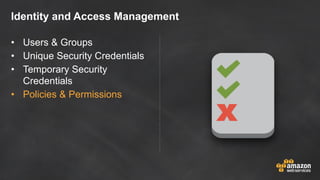
Identity and Access Management
• Users & Groups
• Unique Security Credentials
• Temporary Security
Credentials
• Policies & Permissions
Identity and Access Management
• Users & Groups
• Unique Security Credentials
• Temporary Security
Credentials
• Policies & Permissions
• Roles
Identity and Access Management
• Users & Groups
• Unique Security Credentials
• Temporary Security
Credentials
• Policies & Permissions
• Roles
• Multi-factor Authentication
IAM Best Practices
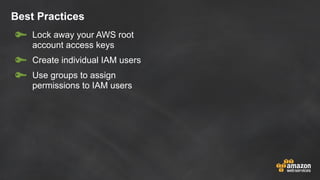
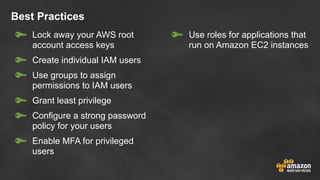
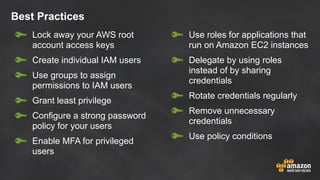
Best Practices
Lock away your AWS root
account access keys
Best Practices
Lock away your AWS root
account access keys
Create individual IAM users
Best Practices
Lock away your AWS root
account access keys
Create individual IAM users
Use groups to assign
permissions to IAM users
Best Practices
Lock away your AWS root
account access keys
Create individual IAM users
Use groups to assign
permissions to IAM users
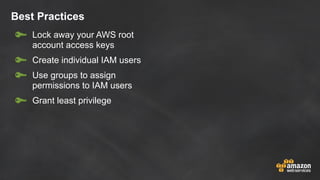
Grant least privilege
Best Practices
Lock away your AWS root
account access keys
Create individual IAM users
Use groups to assign
permissions to IAM users
Grant least privilege
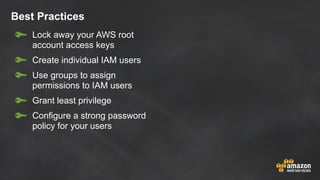
Configure a strong password
policy for your users
Best Practices
Lock away your AWS root
account access keys
Create individual IAM users
Use groups to assign
permissions to IAM users
Grant least privilege
Configure a strong password
policy for your users
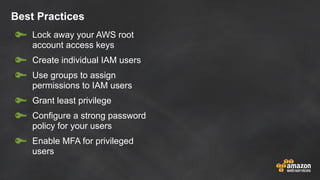
Enable MFA for privileged
users
Best Practices
Lock away your AWS root
account access keys
Create individual IAM users
Use groups to assign
permissions to IAM users
Grant least privilege
Configure a strong password
policy for your users
Enable MFA for privileged
users
Use roles for applications that
run on Amazon EC2 instances
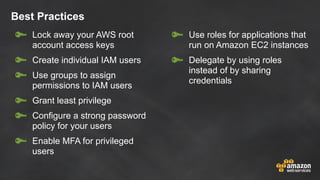
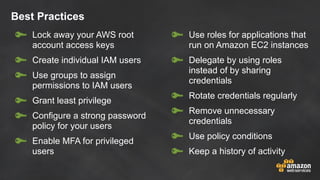
Best Practices
Lock away your AWS root
account access keys
Create individual IAM users
Use groups to assign
permissions to IAM users
Grant least privilege
Configure a strong password
policy for your users
Enable MFA for privileged
users
Use roles for applications that
run on Amazon EC2 instances
Delegate by using roles
instead of by sharing
credentials
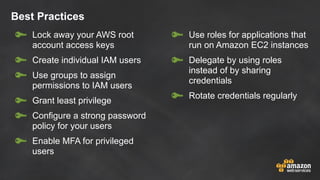
Best Practices
Lock away your AWS root
account access keys
Create individual IAM users
Use groups to assign
permissions to IAM users
Grant least privilege
Configure a strong password
policy for your users
Enable MFA for privileged
users
Use roles for applications that
run on Amazon EC2 instances
Delegate by using roles
instead of by sharing
credentials
Rotate credentials regularly
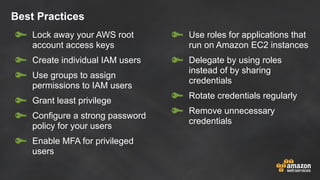
Best Practices
Lock away your AWS root
account access keys
Create individual IAM users
Use groups to assign
permissions to IAM users
Grant least privilege
Configure a strong password
policy for your users
Enable MFA for privileged
users
Use roles for applications that
run on Amazon EC2 instances
Delegate by using roles
instead of by sharing
credentials
Rotate credentials regularly
Remove unnecessary
credentials
Best Practices
Lock away your AWS root
account access keys
Create individual IAM users
Use groups to assign
permissions to IAM users
Grant least privilege
Configure a strong password
policy for your users
Enable MFA for privileged
users
Use roles for applications that
run on Amazon EC2 instances
Delegate by using roles
instead of by sharing
credentials
Rotate credentials regularly
Remove unnecessary
credentials
Use policy conditions
Best Practices
Lock away your AWS root
account access keys
Create individual IAM users
Use groups to assign
permissions to IAM users
Grant least privilege
Configure a strong password
policy for your users
Enable MFA for privileged
users
Use roles for applications that
run on Amazon EC2 instances
Delegate by using roles
instead of by sharing
credentials
Rotate credentials regularly
Remove unnecessary
credentials
Use policy conditions
Keep a history of activity
Protecting your Data: Simplified
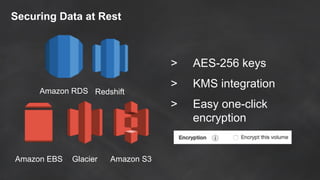
Securing Data at Rest
Amazon RDS Redshift
Amazon S3GlacierAmazon EBS
> AES-256 keys
> KMS integration
> Easy one-click
encryption
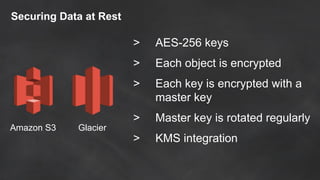
Securing Data at Rest
Amazon S3 Glacier
> AES-256 keys
> Each object is encrypted
> Each key is encrypted with a
master key
> Master key is rotated regularly
> KMS integration
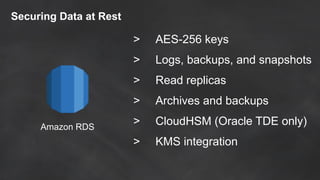
Amazon RDS
Securing Data at Rest
> AES-256 keys
> Logs, backups, and snapshots
> Read replicas
> Archives and backups
> CloudHSM (Oracle TDE only)
> KMS integration
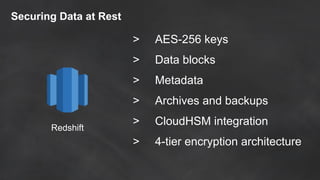
Redshift
Securing Data at Rest
> AES-256 keys
> Data blocks
> Metadata
> Archives and backups
> CloudHSM integration
> 4-tier encryption architecture
Amazon EBS
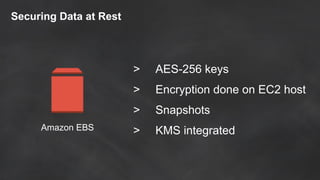
Securing Data at Rest
> AES-256 keys
> Encryption done on EC2 host
> Snapshots
> KMS integrated
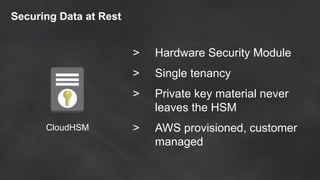
Securing Data at Rest
CloudHSM
> Hardware Security Module
> Single tenancy
> Private key material never
leaves the HSM
> AWS provisioned, customer
managed
Whitepaper: Encrypting Data at Rest
http://bit.ly/1VVY1H4
Securing data in flight
Use SSL/TLS for all of your traffic
just like you do for your API access
Pro Tip: Validate the SSL Certificate!
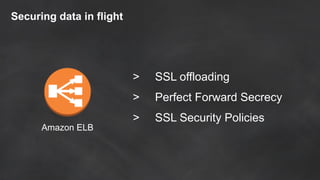
Securing data in flight
Amazon ELB
> SSL offloading
> Perfect Forward Secrecy
> SSL Security Policies
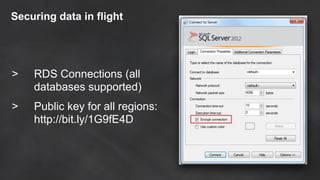
Securing data in flight
> RDS Connections (all
databases supported)
> Public key for all regions:
http://bit.ly/1G9fE4D
Auditing Made Easy
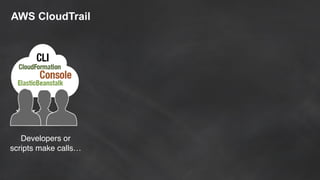
AWS CloudTrail
AWS CloudTrail
Developers or
scripts make calls…
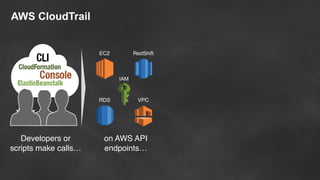
AWS CloudTrail
Developers or
scripts make calls…
EC2 RedShift
IAM
VPCRDS
on AWS API
endpoints…
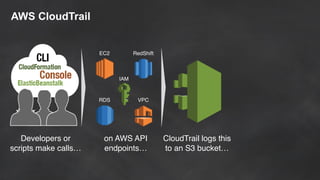
AWS CloudTrail
Developers or
scripts make calls…
EC2 RedShift
IAM
VPCRDS
on AWS API
endpoints…
CloudTrail logs this
to an S3 bucket…
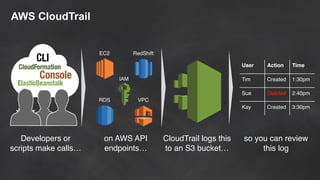
AWS CloudTrail
Developers or
scripts make calls…
EC2 RedShift
IAM
VPCRDS
on AWS API
endpoints…
CloudTrail logs this
to an S3 bucket…
User Action Time
Tim Created 1:30pm
Sue Deleted 2:40pm
Kay Created 3:30pm
so you can review
this log
AWS CloudTrail
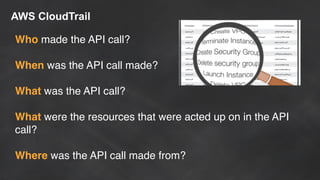
Who made the API call?
When was the API call made?
What was the API call?
What were the resources that were acted up on in the API
call?
Where was the API call made from?
CloudTrail Partners
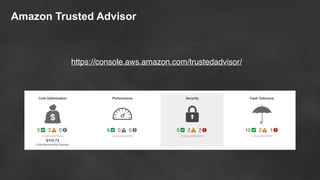
Trusted Advisor
Amazon Trusted Advisor
https://console.aws.amazon.com/trustedadvisor/
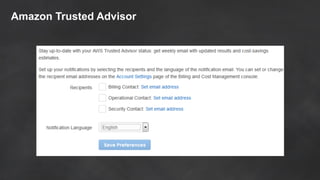
Amazon Trusted Advisor
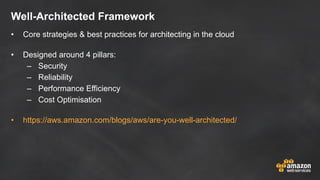
Well-Architected Framework
• Core strategies & best practices for architecting in the cloud
• Designed around 4 pillars:
– Security
– Reliability
– Performance Efficiency
– Cost Optimisation
• https://aws.amazon.com/blogs/aws/are-you-well-architected/
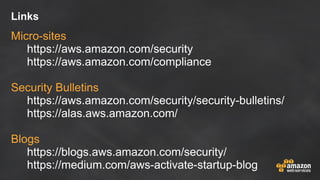
Links
Micro-sites
https://aws.amazon.com/security
https://aws.amazon.com/compliance
Security Bulletins
https://aws.amazon.com/security/security-bulletins/
https://alas.aws.amazon.com/
Blogs
https://blogs.aws.amazon.com/security/
https://medium.com/aws-activate-startup-blog
Thank You
Mark Bate Solutions Architect
markbate@amazon.com
@markbate

Simple Security for Startups

  • 1.
    Simple Security forStartups Mark Bate Solutions Architect
  • 2.
  • 3.
    Foundation Services Compute Customer Data Server-sideEncryption (File System and/or Data) Platform, Applications, Identity & Access Management Storage Database Client-side Encryption & Data Integrity Authentication AmazonYou Networking AWS Global Infrastructure Operating System, Network & Firewall Configuration Network Traffic Protection (Encryption/Integrity/Identity) Regions Availability Zones Edge Locations
  • 4.
    Foundation Services Compute Customer Data Server-sideEncryption (File System and/or Data) Platform, Applications, Identity & Access Management Storage Database Client-side Encryption & Data Integrity Authentication AmazonYou Networking AWS Global Infrastructure Operating System, Network & Firewall Configuration Network Traffic Protection (Encryption/Integrity/Identity) Regions Availability Zones Edge Locations OF
  • 5.
    Foundation Services Compute Customer Data Server-sideEncryption (File System and/or Data) Platform, Applications, Identity & Access Management Storage Database Client-side Encryption & Data Integrity Authentication AmazonYou Networking AWS Global Infrastructure Operating System, Network & Firewall Configuration Network Traffic Protection (Encryption/Integrity/Identity) Regions Availability Zones Edge Locations OF IN
  • 6.
    Foundation Services Compute Customer Data Server-sideEncryption (File System and/or Data) Platform, Applications, Identity & Access Management Storage Database Client-side Encryption & Data Integrity Authentication AmazonYou Networking AWS Global Infrastructure Operating System, Network & Firewall Configuration Network Traffic Protection (Encryption/Integrity/Identity) Regions Availability Zones Edge Locations
  • 7.
  • 8.
    AWS Global Footprint USWest (N.California) US West (Oregon) GovCloud US East (Virginia) EU West (Ireland) Asia Pacific (Tokyo) Asia Pacific (Singapore) Asia Pacific (Sydney) China (Beijing) São Paulo EU Central (Frankfurt)
  • 9.
    AWS Global Footprint USWest (N.California) US West (Oregon) GovCloud US East (Virginia) EU West (Ireland) Asia Pacific (Tokyo) Asia Pacific (Singapore) Asia Pacific (Sydney) China (Beijing) São Paulo EU Central (Frankfurt) Region An independent collection of AWS resources in a defined geography A solid foundation for meeting location-dependent privacy and compliance requirements
  • 10.
  • 11.
    AWS Global Footprint AvailabilityZone Designed as independent failure zones Physically separated within a typical metropolitan region
  • 12.
    Virtual Private CloudSecurity Layers Security Group Subnet 10.0.0.0/24 Routing Table Network ACL Security Group Subnet 10.0.1.0/24 Routing Table Network ACL Security Group Virtual Private Gateway Internet Gateway Lockdown at instance level Isolate network functions Lockdown at network level Route restrictively Router Availability Zone A Availability Zone B
  • 13.
    Best Practice: ServiceIsolation • Security Groups • Don’t use 0.0.0.0/0 • Subnet separation of instances with: • Network ACLs • Routing tables • No Internet Gateway
  • 14.
  • 15.
    Identity and AccessManagement • Users & Groups
  • 16.
    Identity and AccessManagement • Users & Groups • Unique Security Credentials
  • 17.
    Identity and AccessManagement • Users & Groups • Unique Security Credentials • Temporary Security Credentials
  • 18.
    Identity and AccessManagement • Users & Groups • Unique Security Credentials • Temporary Security Credentials • Policies & Permissions
  • 19.
    Identity and AccessManagement • Users & Groups • Unique Security Credentials • Temporary Security Credentials • Policies & Permissions • Roles
  • 20.
    Identity and AccessManagement • Users & Groups • Unique Security Credentials • Temporary Security Credentials • Policies & Permissions • Roles • Multi-factor Authentication
  • 21.
  • 22.
    Best Practices Lock awayyour AWS root account access keys
  • 23.
    Best Practices Lock awayyour AWS root account access keys Create individual IAM users
  • 24.
    Best Practices Lock awayyour AWS root account access keys Create individual IAM users Use groups to assign permissions to IAM users
  • 25.
    Best Practices Lock awayyour AWS root account access keys Create individual IAM users Use groups to assign permissions to IAM users Grant least privilege
  • 26.
    Best Practices Lock awayyour AWS root account access keys Create individual IAM users Use groups to assign permissions to IAM users Grant least privilege Configure a strong password policy for your users
  • 27.
    Best Practices Lock awayyour AWS root account access keys Create individual IAM users Use groups to assign permissions to IAM users Grant least privilege Configure a strong password policy for your users Enable MFA for privileged users
  • 28.
    Best Practices Lock awayyour AWS root account access keys Create individual IAM users Use groups to assign permissions to IAM users Grant least privilege Configure a strong password policy for your users Enable MFA for privileged users Use roles for applications that run on Amazon EC2 instances
  • 29.
    Best Practices Lock awayyour AWS root account access keys Create individual IAM users Use groups to assign permissions to IAM users Grant least privilege Configure a strong password policy for your users Enable MFA for privileged users Use roles for applications that run on Amazon EC2 instances Delegate by using roles instead of by sharing credentials
  • 30.
    Best Practices Lock awayyour AWS root account access keys Create individual IAM users Use groups to assign permissions to IAM users Grant least privilege Configure a strong password policy for your users Enable MFA for privileged users Use roles for applications that run on Amazon EC2 instances Delegate by using roles instead of by sharing credentials Rotate credentials regularly
  • 31.
    Best Practices Lock awayyour AWS root account access keys Create individual IAM users Use groups to assign permissions to IAM users Grant least privilege Configure a strong password policy for your users Enable MFA for privileged users Use roles for applications that run on Amazon EC2 instances Delegate by using roles instead of by sharing credentials Rotate credentials regularly Remove unnecessary credentials
  • 32.
    Best Practices Lock awayyour AWS root account access keys Create individual IAM users Use groups to assign permissions to IAM users Grant least privilege Configure a strong password policy for your users Enable MFA for privileged users Use roles for applications that run on Amazon EC2 instances Delegate by using roles instead of by sharing credentials Rotate credentials regularly Remove unnecessary credentials Use policy conditions
  • 33.
    Best Practices Lock awayyour AWS root account access keys Create individual IAM users Use groups to assign permissions to IAM users Grant least privilege Configure a strong password policy for your users Enable MFA for privileged users Use roles for applications that run on Amazon EC2 instances Delegate by using roles instead of by sharing credentials Rotate credentials regularly Remove unnecessary credentials Use policy conditions Keep a history of activity
  • 34.
  • 35.
    Securing Data atRest Amazon RDS Redshift Amazon S3GlacierAmazon EBS > AES-256 keys > KMS integration > Easy one-click encryption
  • 36.
    Securing Data atRest Amazon S3 Glacier > AES-256 keys > Each object is encrypted > Each key is encrypted with a master key > Master key is rotated regularly > KMS integration
  • 37.
    Amazon RDS Securing Dataat Rest > AES-256 keys > Logs, backups, and snapshots > Read replicas > Archives and backups > CloudHSM (Oracle TDE only) > KMS integration
  • 38.
    Redshift Securing Data atRest > AES-256 keys > Data blocks > Metadata > Archives and backups > CloudHSM integration > 4-tier encryption architecture
  • 39.
    Amazon EBS Securing Dataat Rest > AES-256 keys > Encryption done on EC2 host > Snapshots > KMS integrated
  • 40.
    Securing Data atRest CloudHSM > Hardware Security Module > Single tenancy > Private key material never leaves the HSM > AWS provisioned, customer managed
  • 41.
    Whitepaper: Encrypting Dataat Rest http://bit.ly/1VVY1H4
  • 42.
    Securing data inflight Use SSL/TLS for all of your traffic just like you do for your API access Pro Tip: Validate the SSL Certificate!
  • 43.
    Securing data inflight Amazon ELB > SSL offloading > Perfect Forward Secrecy > SSL Security Policies
  • 44.
    Securing data inflight > RDS Connections (all databases supported) > Public key for all regions: http://bit.ly/1G9fE4D
  • 45.
  • 46.
  • 47.
  • 48.
    AWS CloudTrail Developers or scriptsmake calls… EC2 RedShift IAM VPCRDS on AWS API endpoints…
  • 49.
    AWS CloudTrail Developers or scriptsmake calls… EC2 RedShift IAM VPCRDS on AWS API endpoints… CloudTrail logs this to an S3 bucket…
  • 50.
    AWS CloudTrail Developers or scriptsmake calls… EC2 RedShift IAM VPCRDS on AWS API endpoints… CloudTrail logs this to an S3 bucket… User Action Time Tim Created 1:30pm Sue Deleted 2:40pm Kay Created 3:30pm so you can review this log
  • 51.
    AWS CloudTrail Who madethe API call? When was the API call made? What was the API call? What were the resources that were acted up on in the API call? Where was the API call made from?
  • 52.
  • 53.
  • 54.
  • 55.
  • 56.
  • 57.
    Well-Architected Framework • Corestrategies & best practices for architecting in the cloud • Designed around 4 pillars: – Security – Reliability – Performance Efficiency – Cost Optimisation • https://aws.amazon.com/blogs/aws/are-you-well-architected/
  • 58.
  • 59.
    Thank You Mark BateSolutions Architect markbate@amazon.com @markbate