ianmas@amazon.com
@IanMmmm
Ian Massingham — Technical Evangelist
Security Best Practices
Architected to be one of the most flexible and secure cloud environments

Removes many of the security headaches that come with infrastructure

Built in Security Features
Agenda
Sharing the Security Responsibility 

Overview of AWS Security Features

Current Recommendations

Verifying our Security 

Case Studies & Useful Resources
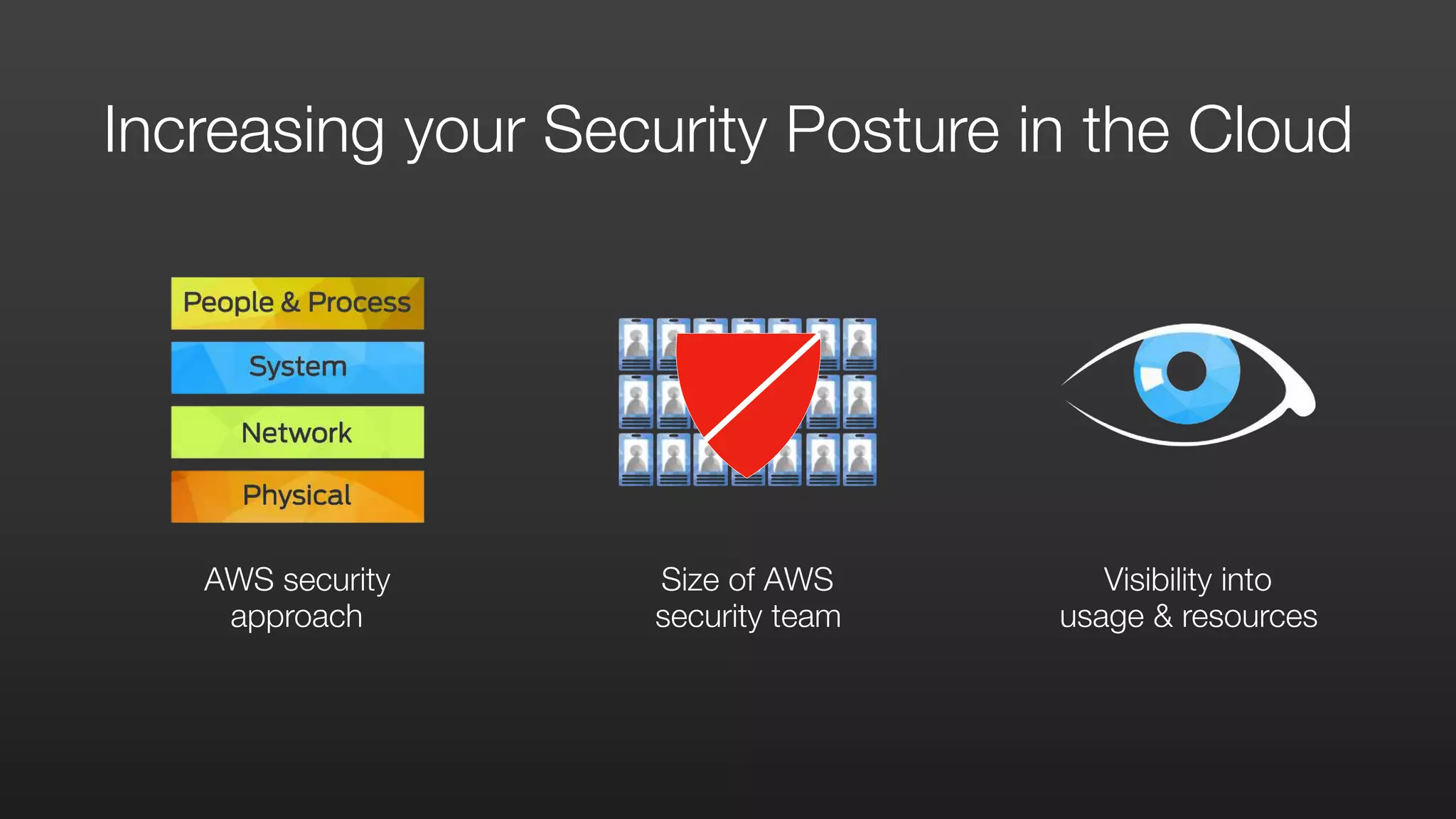
AWS security
approach
Size of AWS

security team
Visibility into

usage & resources
Increasing your Security Posture in the Cloud
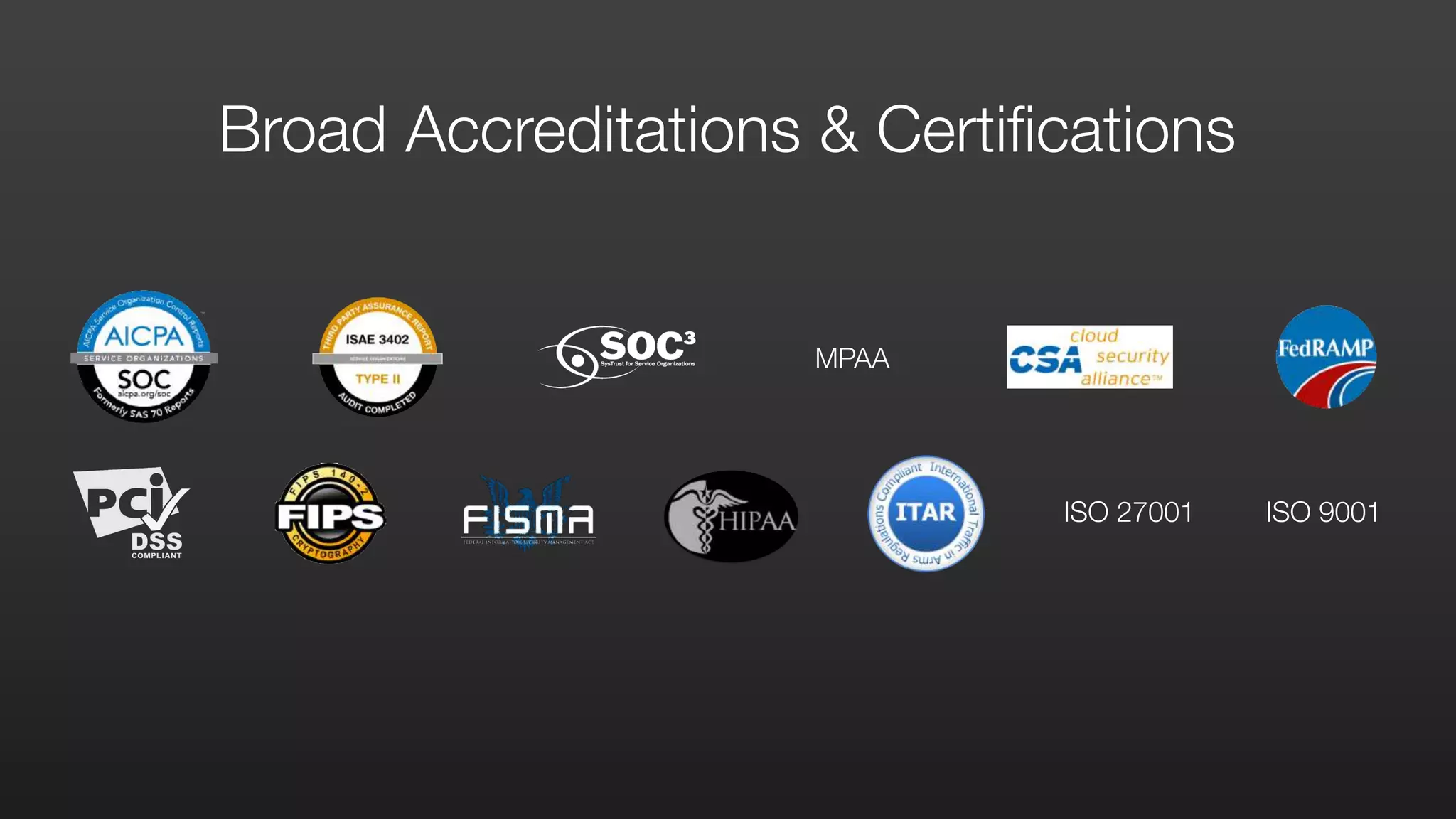
Broad Accreditations & Certifications
ISO 27001 ISO 9001
MPAA
Partner ecosystem Customer ecosystem Everyone benefits
Security Benefits from Community Network Effect
SHARING THE
SECURITY RESPONSIBILITY
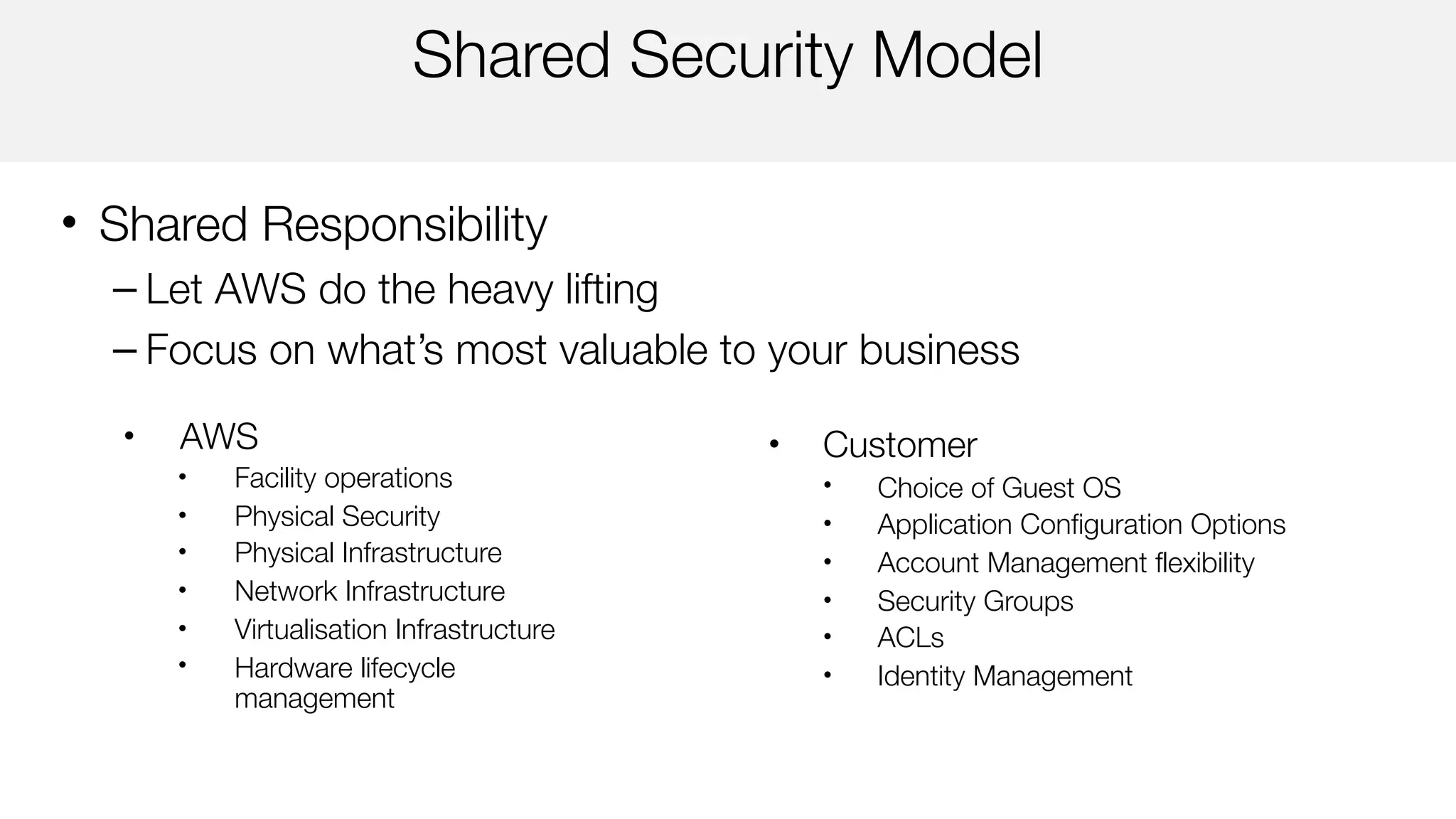
Shared Security Model
• Shared Responsibility
– Let AWS do the heavy lifting
– Focus on what’s most valuable to your business
• Customer
• Choice of Guest OS
• Application Configuration Options
• Account Management flexibility
• Security Groups
• ACLs
• Identity Management
• AWS
• Facility operations
• Physical Security
• Physical Infrastructure
• Network Infrastructure
• Virtualisation Infrastructure
• Hardware lifecycle
management
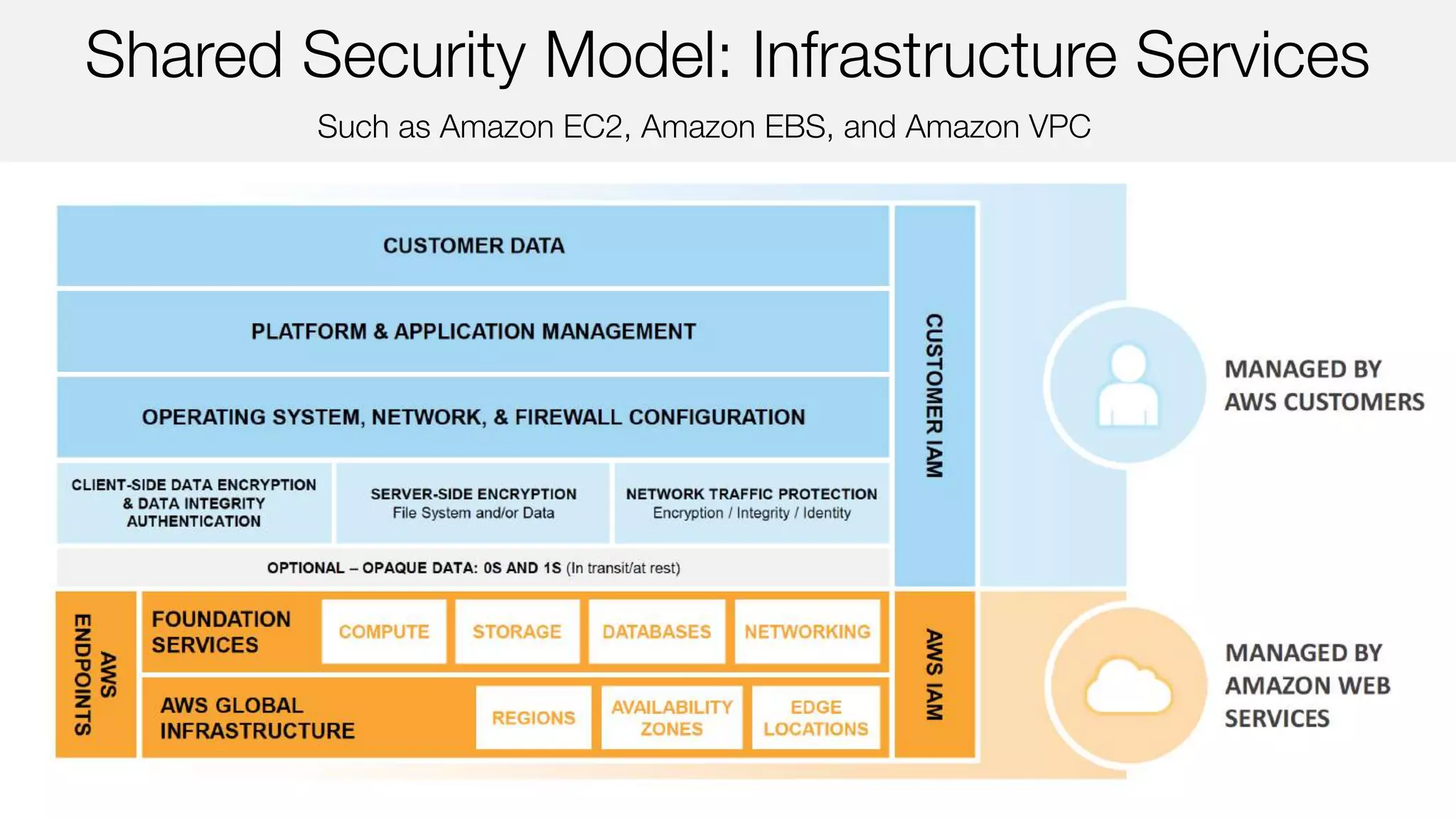
Such as Amazon EC2, Amazon EBS, and Amazon VPC
Shared Security Model: Infrastructure Services
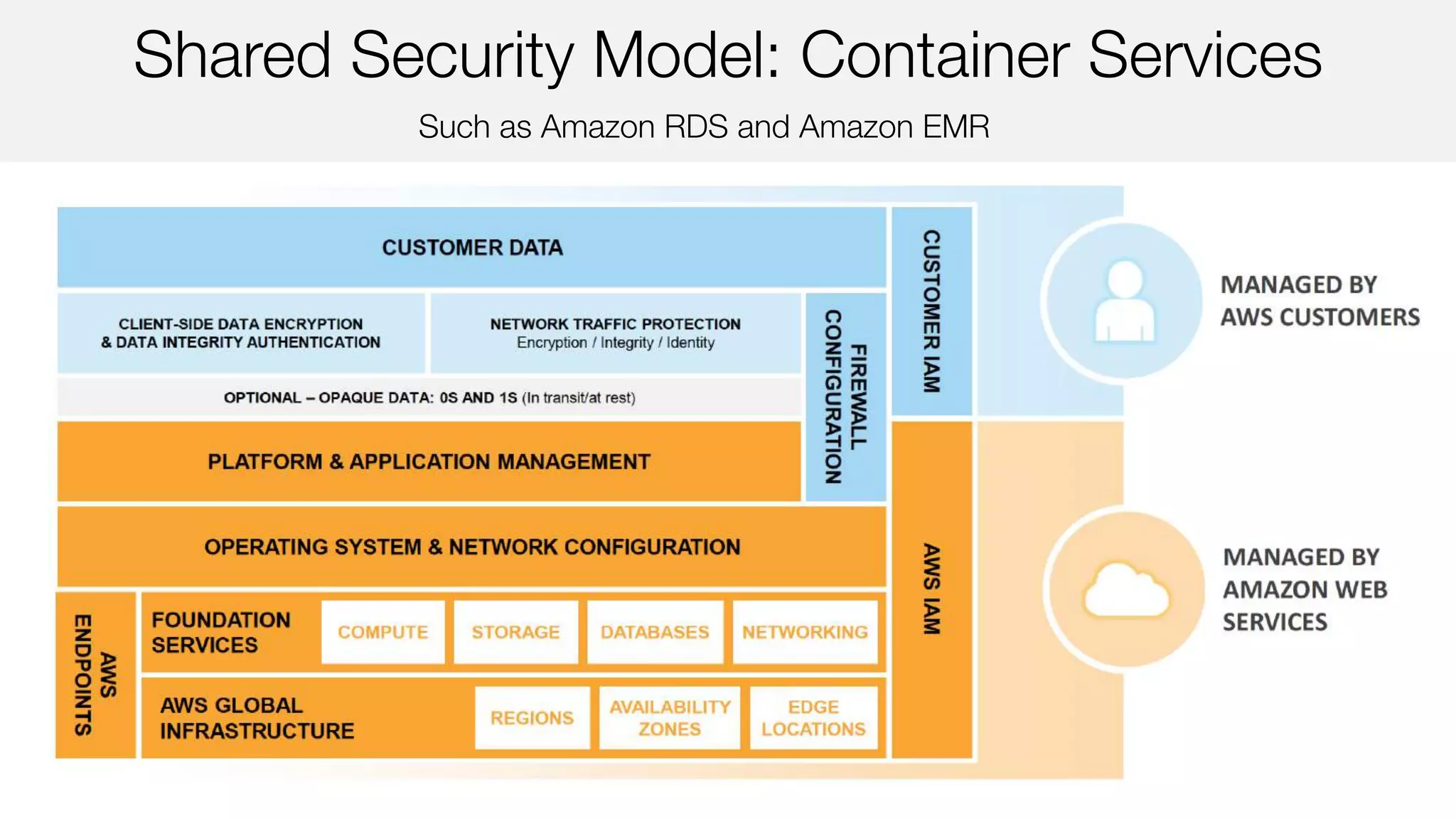
Such as Amazon RDS and Amazon EMR
Shared Security Model: Container Services
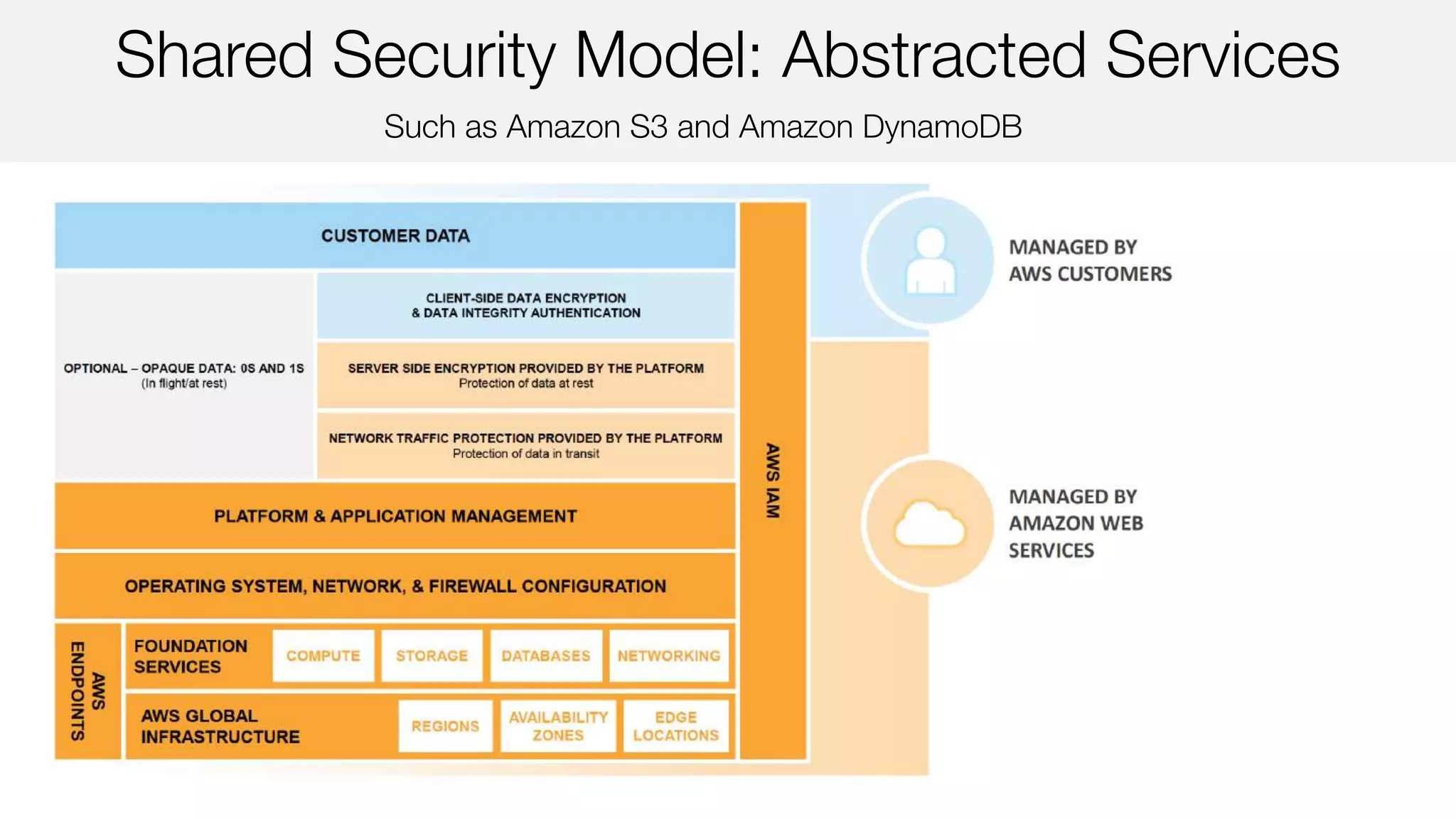
Such as Amazon S3 and Amazon DynamoDB
Shared Security Model: Abstracted Services
AWS SECURITY FEATURES
SECURE ACCESS
API ENDPOINTS USE TLS
BUILT-IN FIREWALLS
YOU CONTROL ACCESS TO YOUR INSTANCES
ROLE-BASED
ACCESS CONTROL
WITH FINE-GRAINED PERMISSIONS
MULTI-FACTOR
AUTHENTICATION
BUILT IN
PRIVATE SUBNETS
WITHIN YOUR AWS VIRTUAL PRIVATE CLOUD
ENCRYPT YOUR
DATA AT REST
USING AES 256 BIT ENCRYPTION KEYS
CLOUD HSM
A HIGHLY SECURE WAY TO STORE KEYS
DEDICATED
CONNECTION
AN OPTION WITH AWS DIRECT CONNECT
SECURITY LOGS
AWS CLOUDTRAIL, AWS CONFIG &
AMAZON CLOUDWATCH LOGS
TRUSTED ADVISOR
YOUR CUSTOMISED CLOUD EXPERT
CURRENT RECOMMENDATIONS
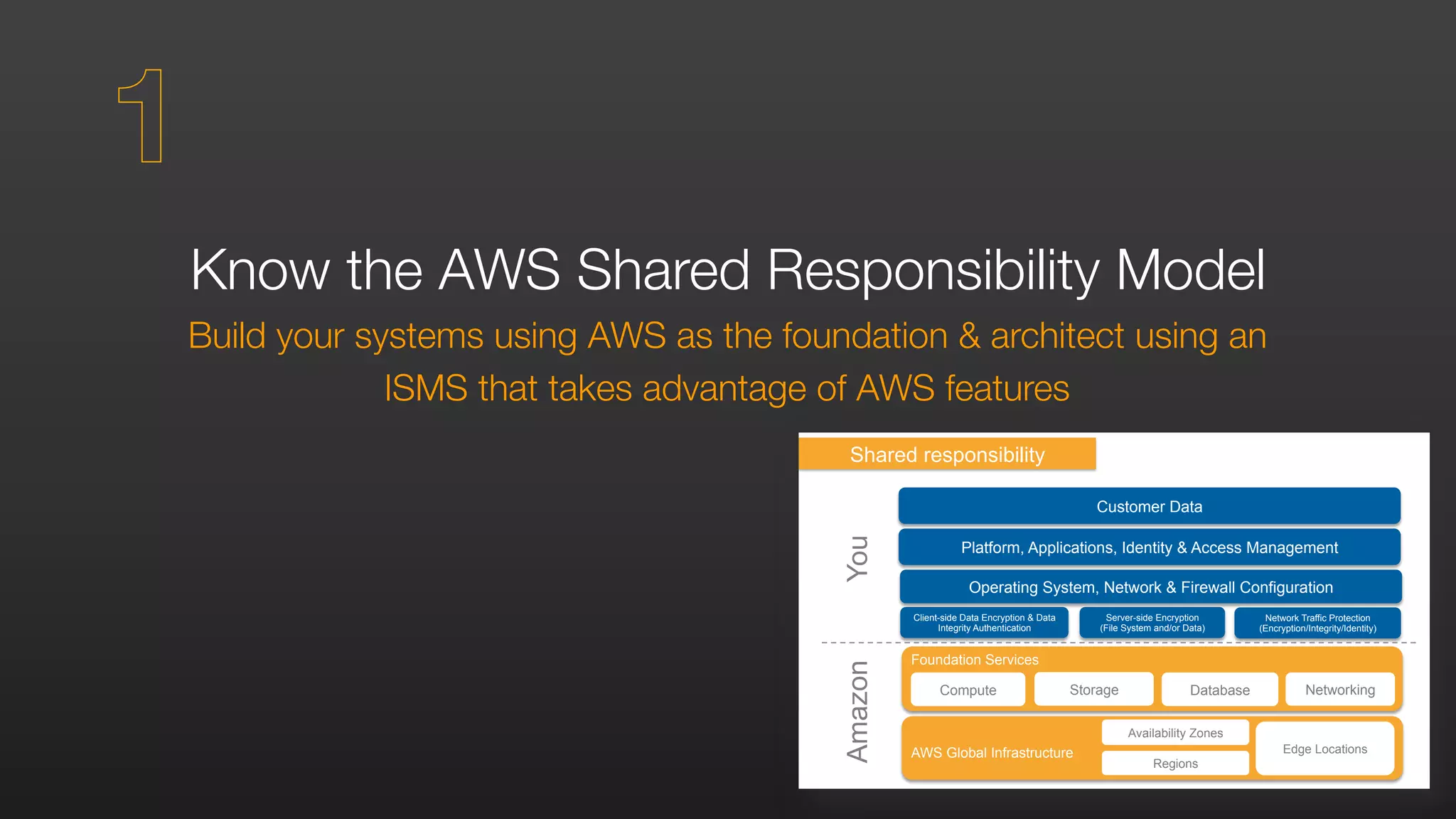
Foundation Services
Compute Storage Database Networking
Client-side Data Encryption & Data
Integrity Authentication
Server-side Encryption
(File System and/or Data)
Network Traffic Protection
(Encryption/Integrity/Identity)
Platform, Applications, Identity & Access Management
Operating System, Network & Firewall Configuration
Customer Data
Amazon
Shared responsibility
You
AWS Global Infrastructure
Regions
Availability Zones
Edge Locations
Know the AWS Shared Responsibility Model
Build your systems using AWS as the foundation & architect using an
ISMS that takes advantage of AWS features
1
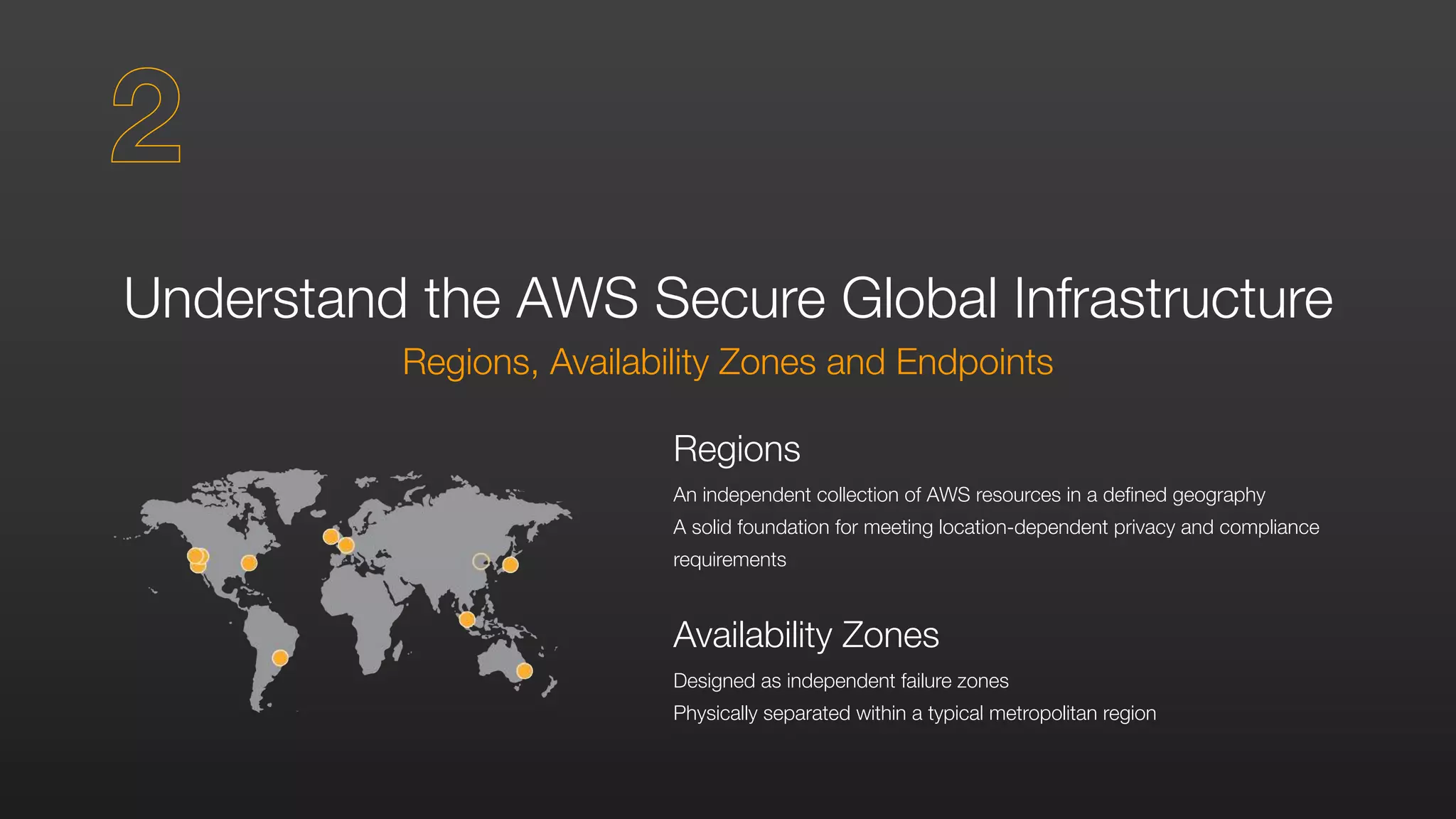
Understand the AWS Secure Global Infrastructure
Regions, Availability Zones and Endpoints
Regions
An independent collection of AWS resources in a defined geography
A solid foundation for meeting location-dependent privacy and compliance
requirements
Availability Zones
Designed as independent failure zones
Physically separated within a typical metropolitan region
2
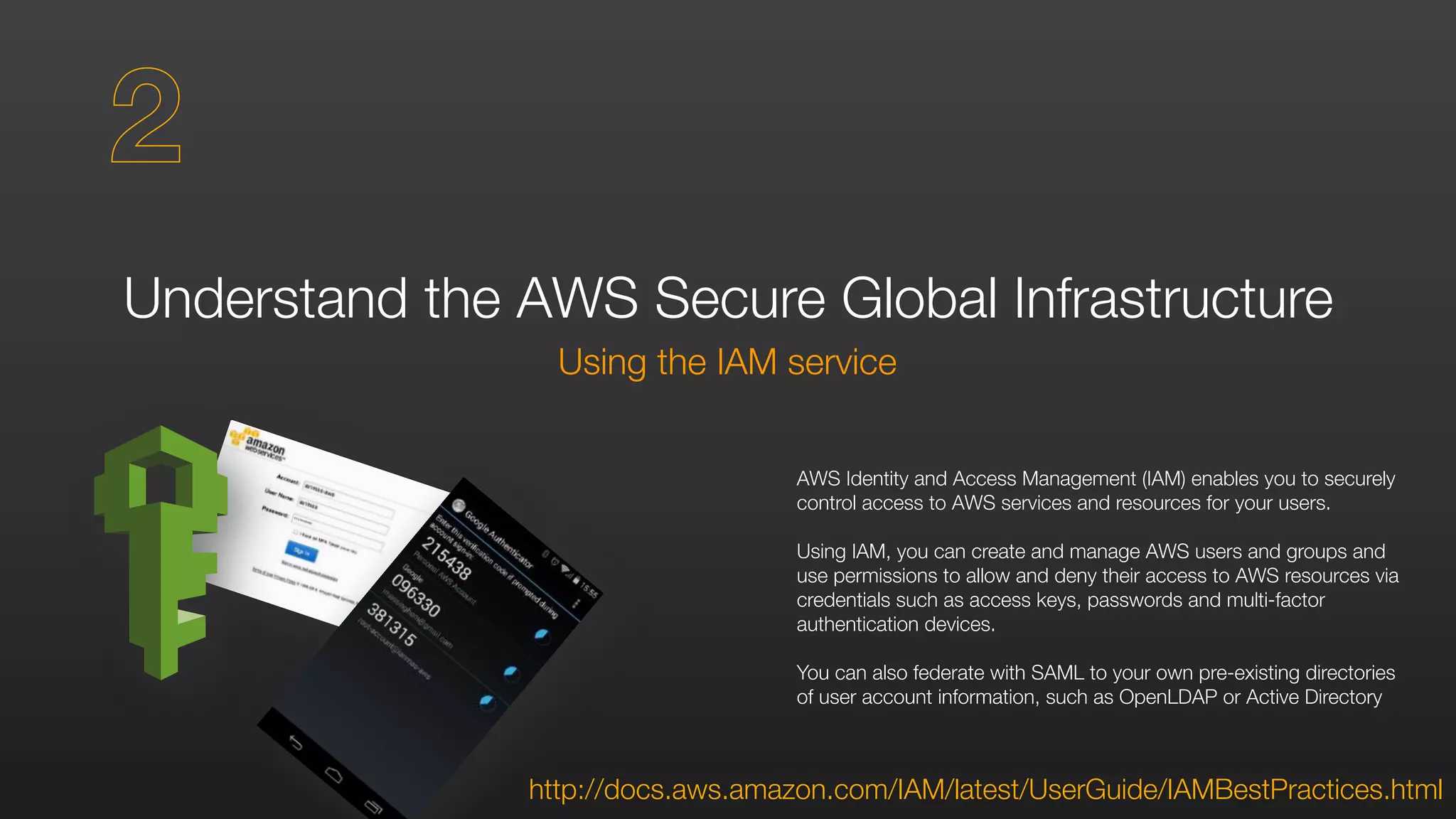
Understand the AWS Secure Global Infrastructure
Using the IAM service
http://docs.aws.amazon.com/IAM/latest/UserGuide/IAMBestPractices.html
AWS Identity and Access Management (IAM) enables you to securely
control access to AWS services and resources for your users.
Using IAM, you can create and manage AWS users and groups and
use permissions to allow and deny their access to AWS resources via
credentials such as access keys, passwords and multi-factor
authentication devices.
You can also federate with SAML to your own pre-existing directories
of user account information, such as OpenLDAP or Active Directory
2
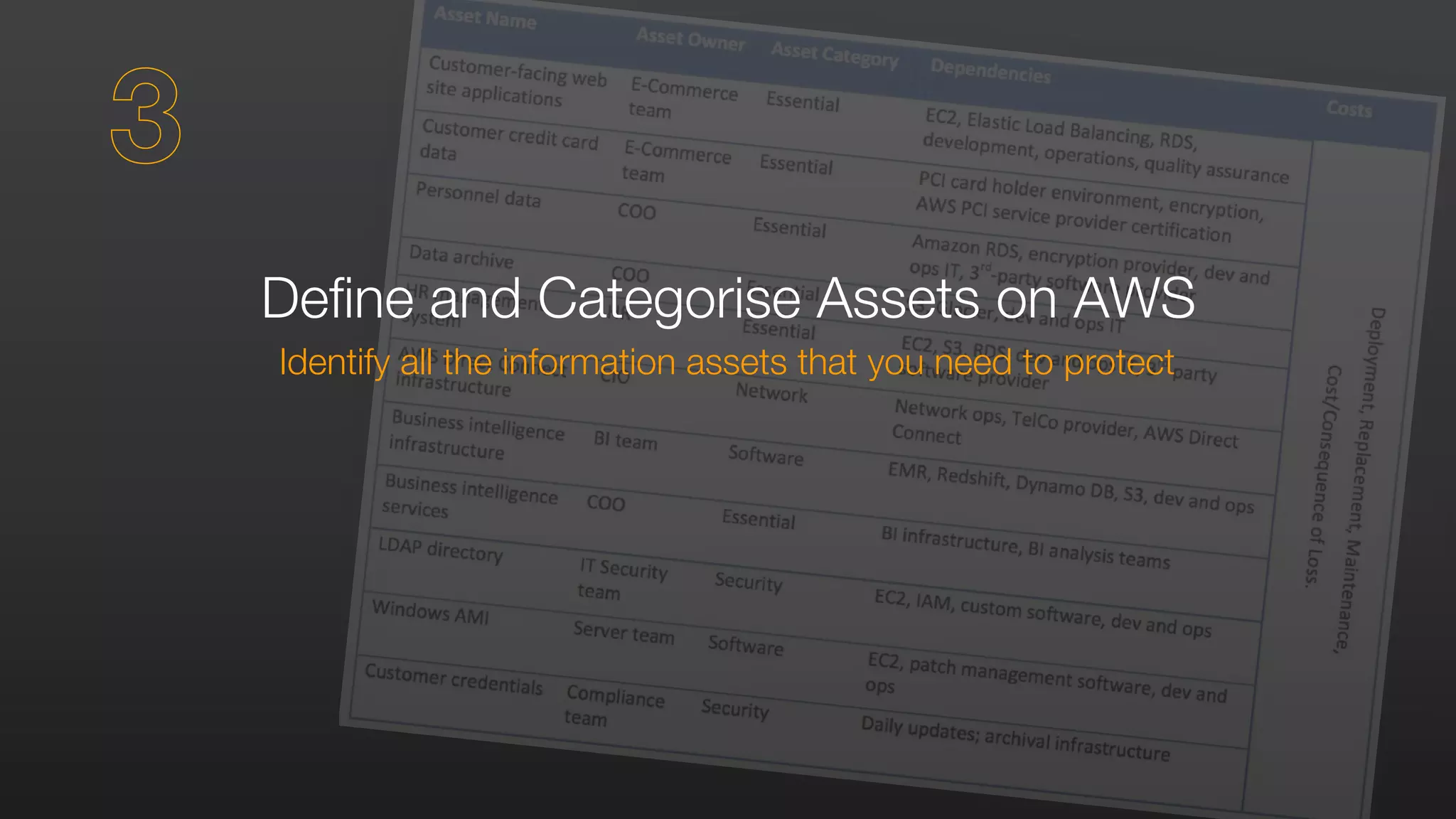
Define and Categorise Assets on AWS
Identify all the information assets that you need to protect
3
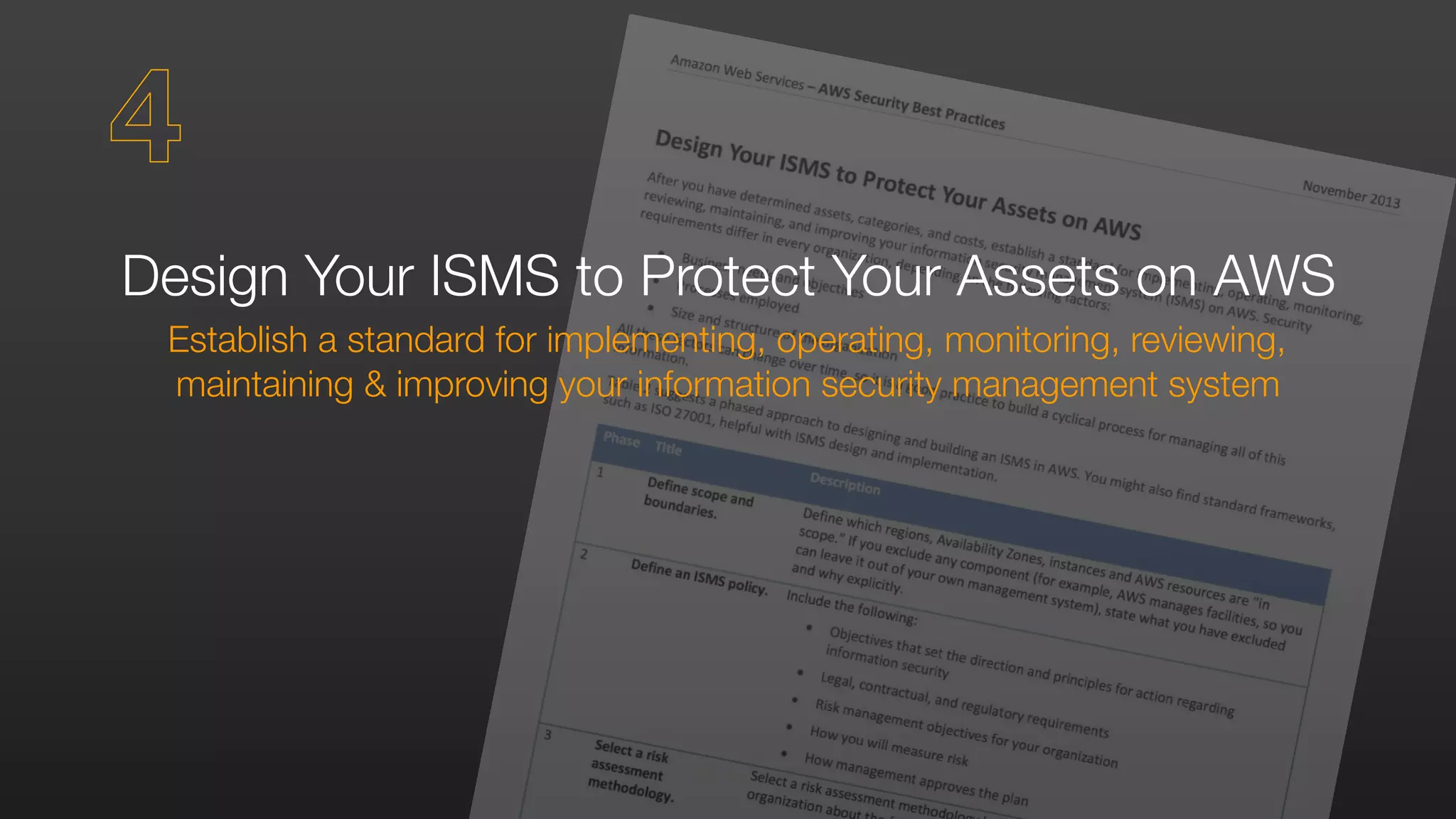
Design Your ISMS to Protect Your Assets on AWS
Establish a standard for implementing, operating, monitoring, reviewing,
maintaining & improving your information security management system
4
Manage AWS Accounts, IAM Users, Groups & Roles
Operate under the principle of Least Privilege
AWS Account
Your AWS account represents a business relationship between you and AWS.
AWS accounts have root permissions to all AWS resources and services, so they
are very powerful.
IAM Users
With IAM you can create multiple users, each with individual security credentials, all
controlled under a single AWS account.
IAM users can be a person, service, or application that needs access to your AWS
resources through the management console, CLI, or directly via APIs.
5
Manage AWS Accounts, IAM Users, Groups & Roles
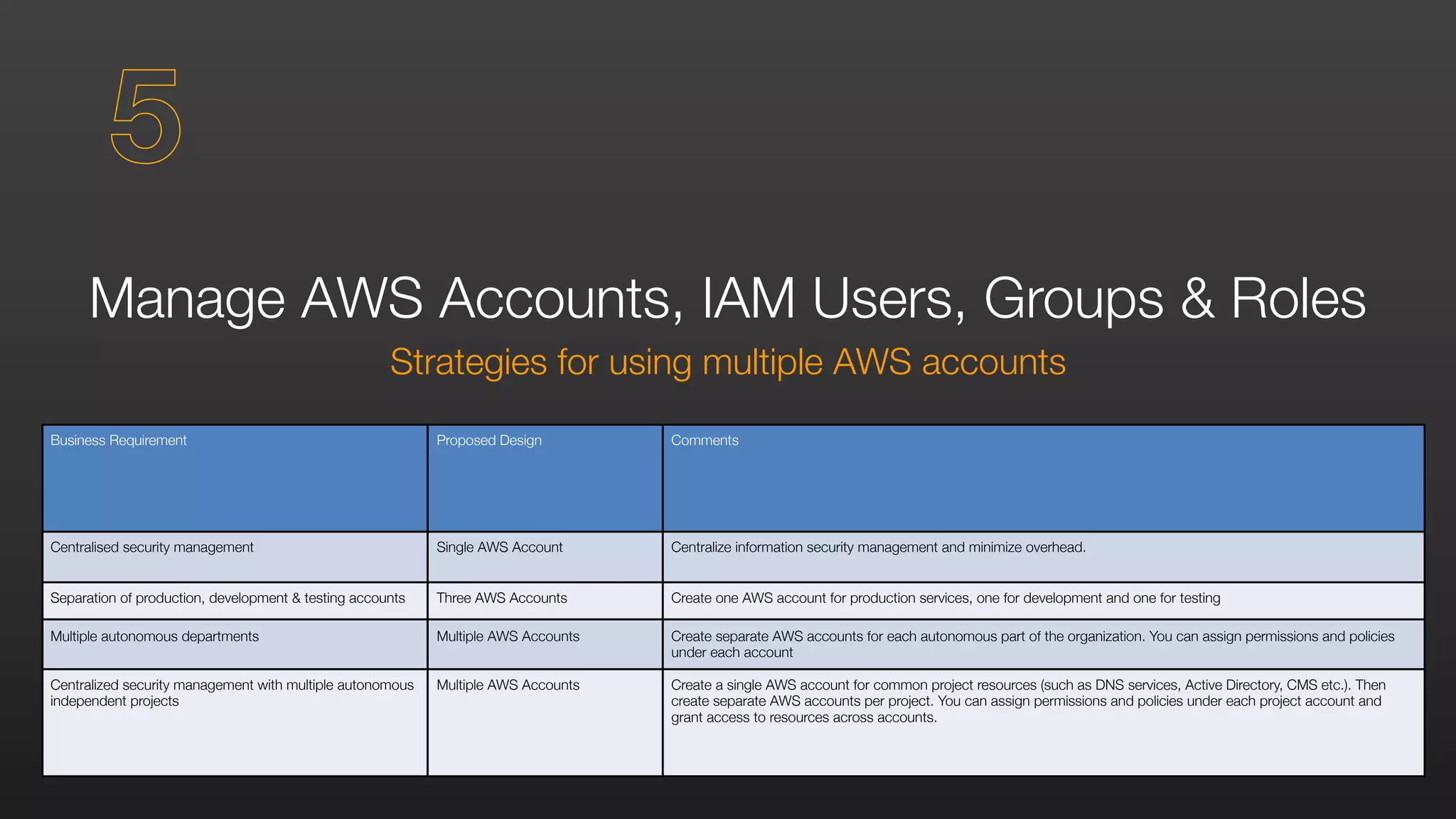
Strategies for using multiple AWS accounts
Business Requirement Proposed Design Comments
Centralised security management Single AWS Account Centralize information security management and minimize overhead.
Separation of production, development & testing accounts Three AWS Accounts Create one AWS account for production services, one for development and one for testing
Multiple autonomous departments Multiple AWS Accounts Create separate AWS accounts for each autonomous part of the organization. You can assign permissions and policies
under each account
Centralized security management with multiple autonomous
independent projects
Multiple AWS Accounts Create a single AWS account for common project resources (such as DNS services, Active Directory, CMS etc.). Then
create separate AWS accounts per project. You can assign permissions and policies under each project account and
grant access to resources across accounts.
5
Manage AWS Accounts, IAM Users, Groups & Roles
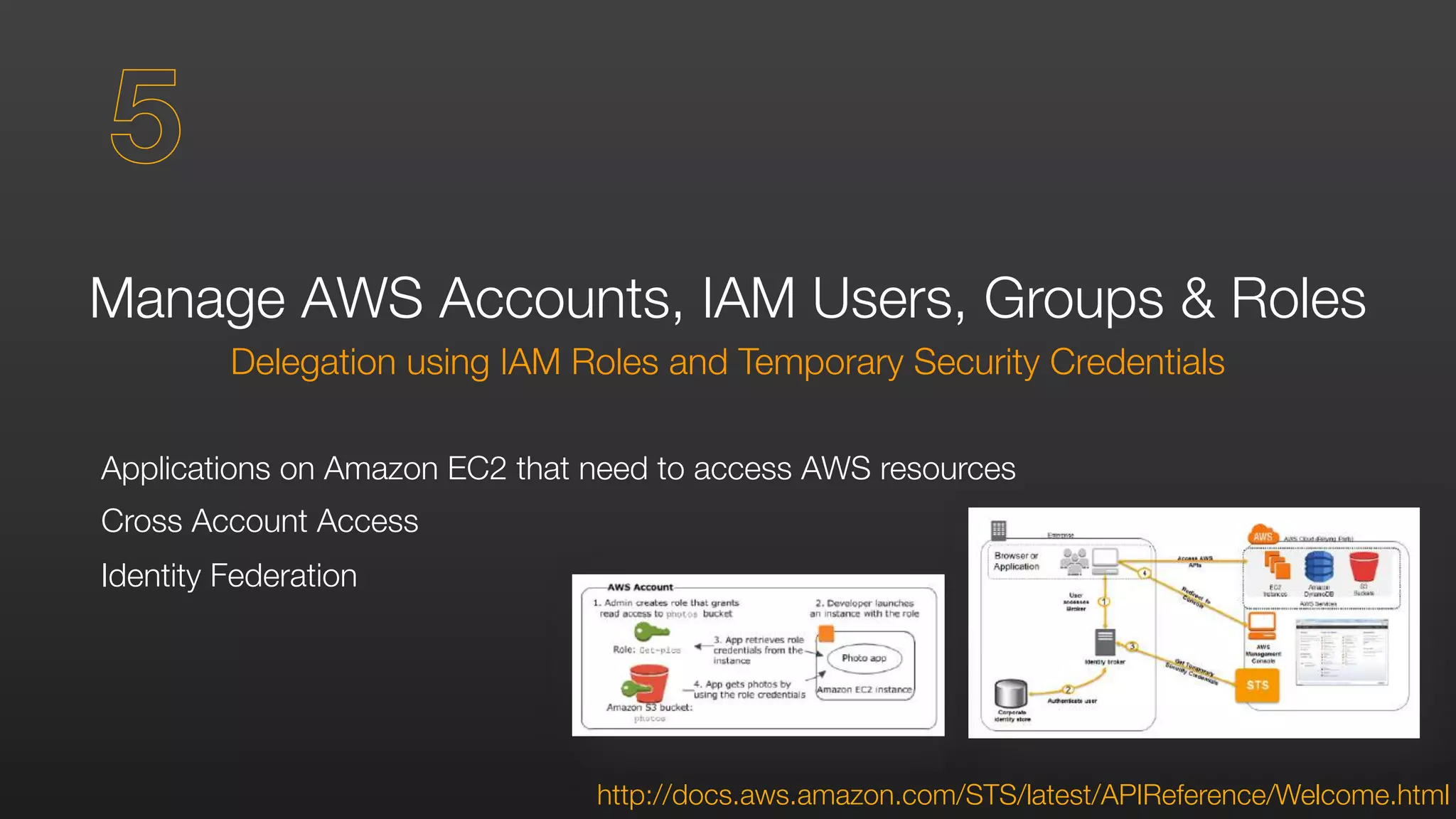
Delegation using IAM Roles and Temporary Security Credentials
Applications on Amazon EC2 that need to access AWS resources
Cross Account Access
Identity Federation
5
http://docs.aws.amazon.com/STS/latest/APIReference/Welcome.html
Manage OS-level Access to Amazon EC2 Instances
You own the credentials, but AWS helps you bootstrap initial access to the OS
Amazon EC2 Key Pairs
Used to authenticate SSH access to Linux instances and to generate the initial
administrator password on Windows instances.
If you have higher security requirements, you are free to implement alternative
authentication mechanisms and disable Amazon EC2 Key Pair Authentication
6
Secure Your Data
At rest & in transit
Resource Access Authorisation
Users or IAM Roles can only access resources after authentication
Fine-grained resources policies can restrict users or permit users to access only
the resources that you specify
{	
"Effect": "Allow”,	
"Action": ["s3:GetObject”,"s3:PutObject”],	
"Resource": ["arn:aws:s3:::myBucket/amazon/snakegame/${cognito-identity.amazonaws.com:sub}"]	
}
7
Secure Your Data
At rest & in transit
Storing and Managing Encryption Keys
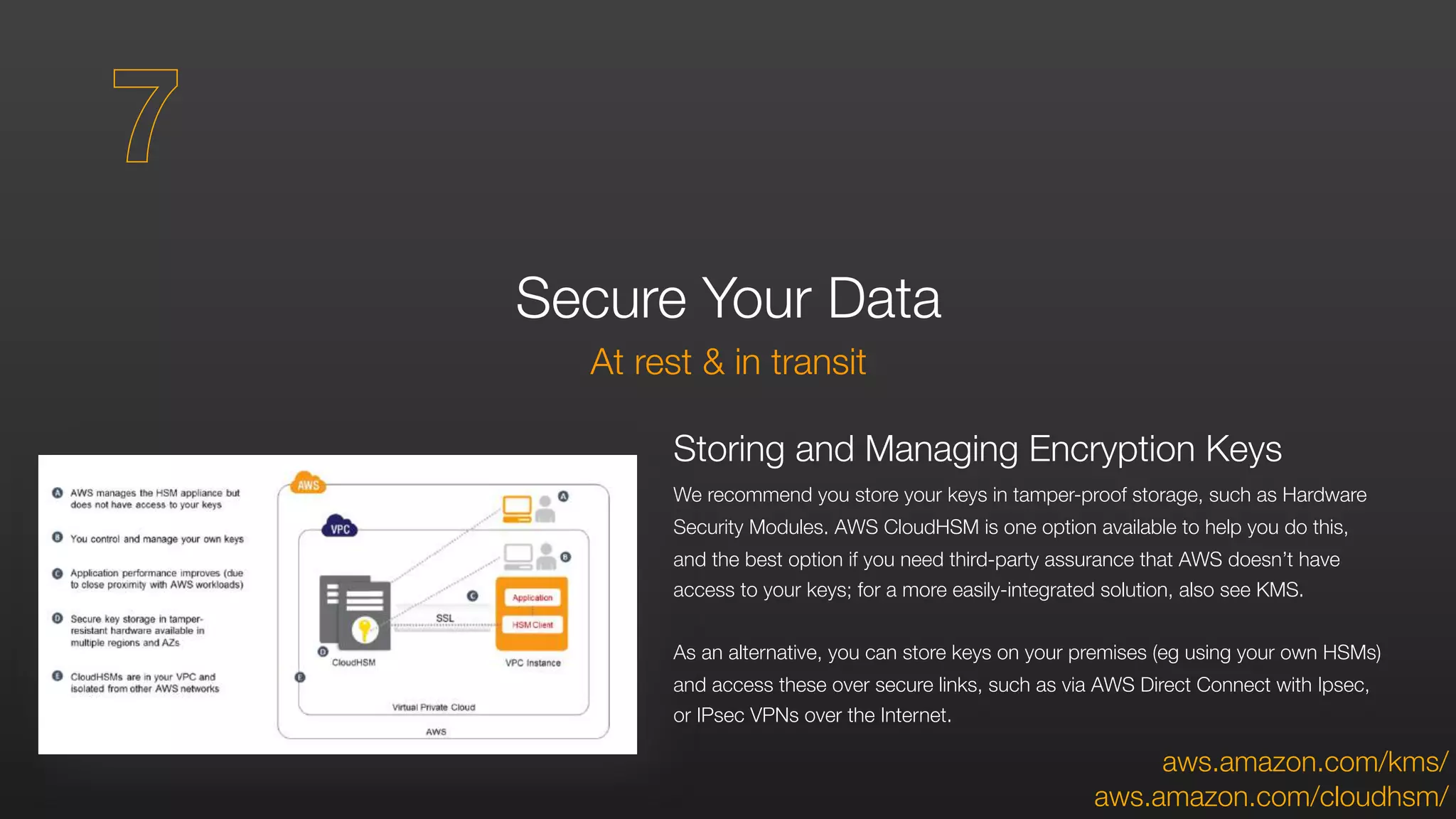
We recommend you store your keys in tamper-proof storage, such as Hardware
Security Modules. AWS CloudHSM is one option available to help you do this,
and the best option if you need third-party assurance that AWS doesn’t have
access to your keys; for a more easily-integrated solution, also see KMS.
As an alternative, you can store keys on your premises (eg using your own HSMs)
and access these over secure links, such as via AWS Direct Connect with Ipsec,
or IPsec VPNs over the Internet.
aws.amazon.com/cloudhsm/
7
aws.amazon.com/kms/
Protecting Data at Rest
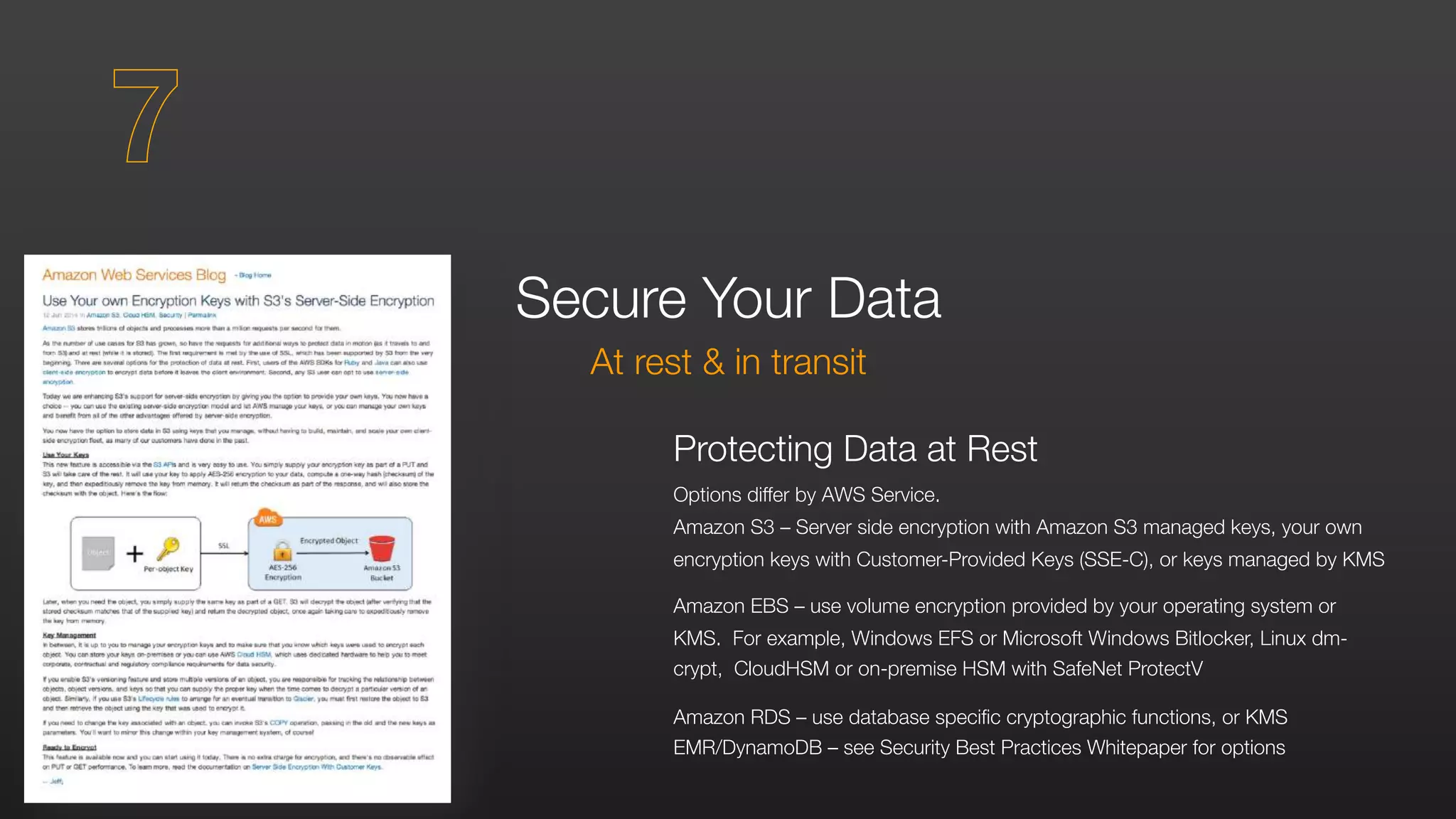
Options differ by AWS Service.
Amazon S3 – Server side encryption with Amazon S3 managed keys, your own
encryption keys with Customer-Provided Keys (SSE-C), or keys managed by KMS
Amazon EBS – use volume encryption provided by your operating system or
KMS. For example, Windows EFS or Microsoft Windows Bitlocker, Linux dm-
crypt, CloudHSM or on-premise HSM with SafeNet ProtectV
Amazon RDS – use database specific cryptographic functions, or KMS
EMR/DynamoDB – see Security Best Practices Whitepaper for options
Secure Your Data
At rest & in transit
7
Secure Your Operating Systems & Applications
With the shared responsibility model you manage
operating systems & application security
OS Hardening and Updates
Use of Amazon Machine Images (AMIs) makes it easy to deploy standardized
operating system and application builds
Amazon provides and maintains a preconfigured set of AMIs, but you are also free
to create your own and use these as the basis for EC2 instances that you deploy
Standard OS hardening principles (eg CIS Benchmarks, DISA STIGs) can and
should be applied to the operating systems that you chose to run on EC2
instances
There are lots more detailed recommendations for securing your OS environment
in the AWS Security Best Practices Whitepaper
8
Secure Your Infrastructure
Using AWS platform features
Amazon Virtual Private Cloud (VPC)
Create private clouds with Layer 2 separation, within the AWS Cloud
Use your own IP address space, allocated by you. Use RFC1918 private address
space for non-internet-routable networks
Connect to your VPC via the Internet, IPsec over the Internet, AWS Direct
Connect, AWS Direct Connect with IPsec or a combination of these.
Define your own subnet topology, routing table and create custom service
instances such as DNS or time servers
9
Secure Your Infrastructure
Using AWS platform features
Security Zoning and Network Segmentation
Network segmentation simply isolates one network from another
Security zones are groups of system components with similar security levels that
have common controls applied to them
Combine AWS platform security features with your own overlay infrastructure
components such as repositories, DNS & time servers to segment networks and
create security zones
The AWS elastic cloud infrastructure & automated deployment tools mean that
you can apply the same security controls across all AWS regions
Repeatable and uniform deployments improve your overall security posture
9
Monitoring, Alerting, Audit Trail & Incident Response
Adapt existing processes, tools & methodologies for use in the cloud
Implement OS & Higher Level Monitoring
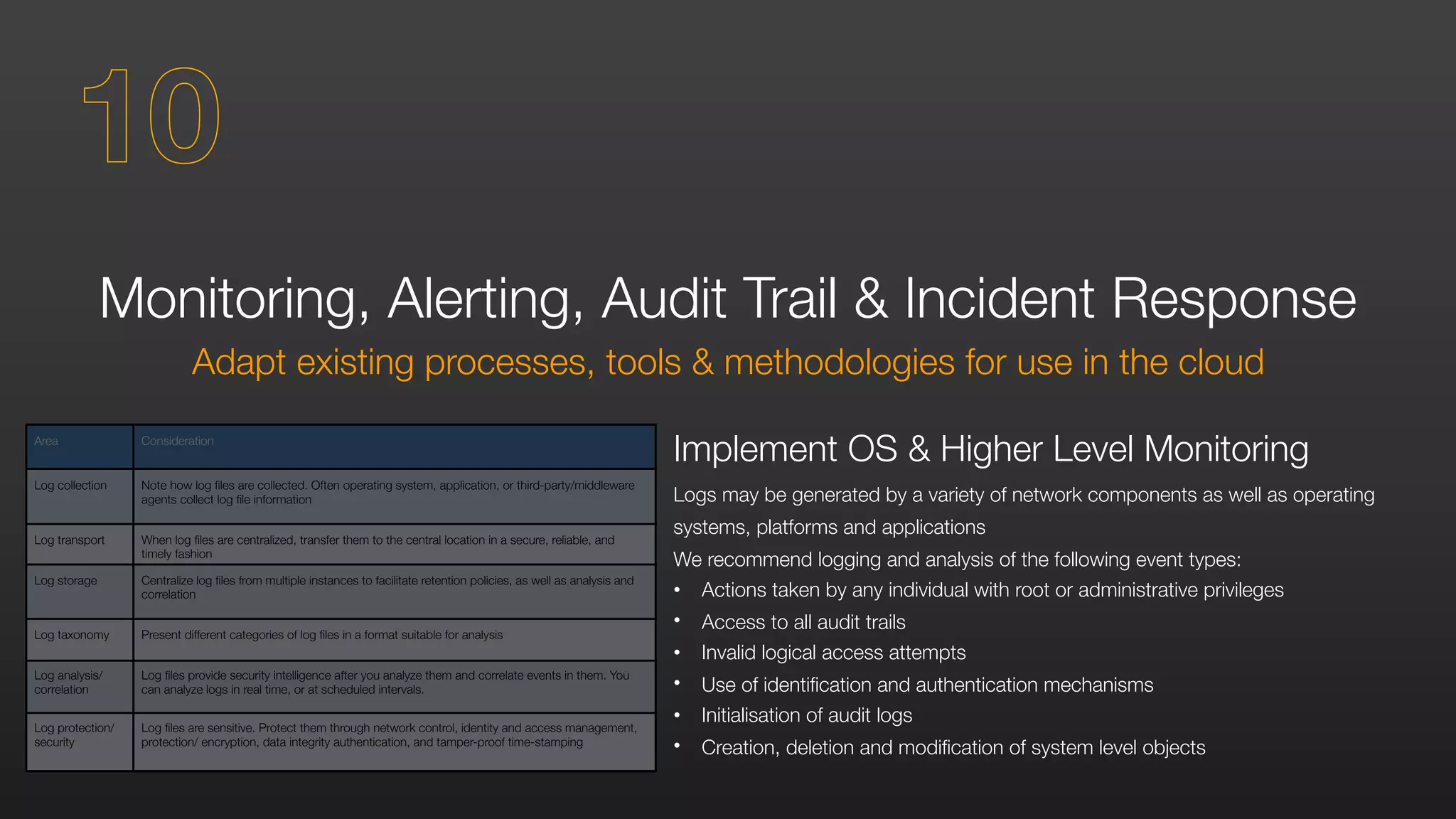
Logs may be generated by a variety of network components as well as operating
systems, platforms and applications
We recommend logging and analysis of the following event types:
• Actions taken by any individual with root or administrative privileges
• Access to all audit trails
• Invalid logical access attempts
• Use of identification and authentication mechanisms
• Initialisation of audit logs
• Creation, deletion and modification of system level objects
10
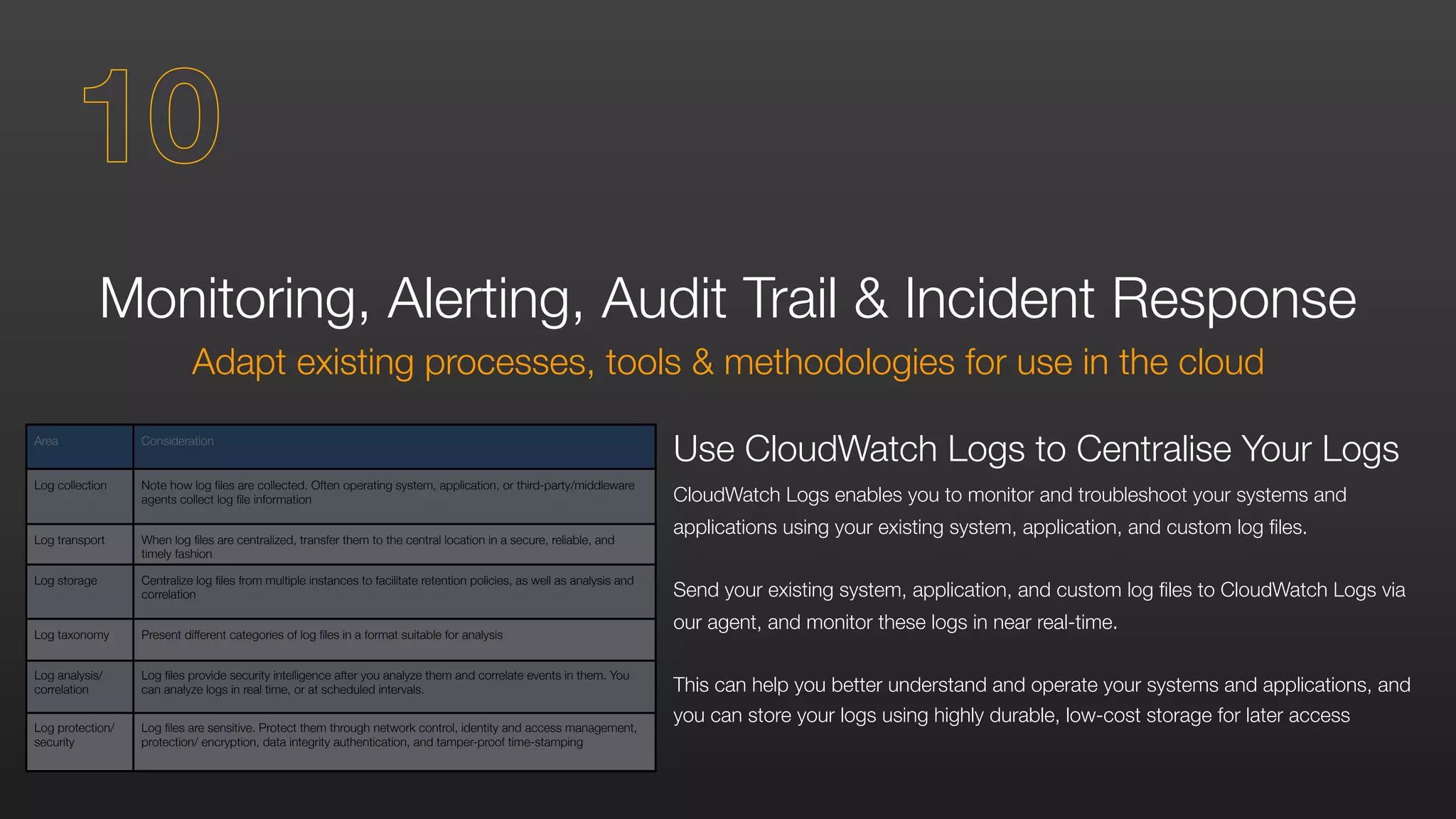
Area Consideration
Log collection Note how log files are collected. Often operating system, application, or third-party/middleware
agents collect log file information
Log transport When log files are centralized, transfer them to the central location in a secure, reliable, and
timely fashion
Log storage Centralize log files from multiple instances to facilitate retention policies, as well as analysis and
correlation
Log taxonomy Present different categories of log files in a format suitable for analysis
Log analysis/
correlation
Log files provide security intelligence after you analyze them and correlate events in them. You
can analyze logs in real time, or at scheduled intervals.
Log protection/
security
Log files are sensitive. Protect them through network control, identity and access management,
protection/ encryption, data integrity authentication, and tamper-proof time-stamping
Area Consideration
Log collection Note how log files are collected. Often operating system, application, or third-party/middleware
agents collect log file information
Log transport When log files are centralized, transfer them to the central location in a secure, reliable, and
timely fashion
Log storage Centralize log files from multiple instances to facilitate retention policies, as well as analysis and
correlation
Log taxonomy Present different categories of log files in a format suitable for analysis
Log analysis/
correlation
Log files provide security intelligence after you analyze them and correlate events in them. You
can analyze logs in real time, or at scheduled intervals.
Log protection/
security
Log files are sensitive. Protect them through network control, identity and access management,
protection/ encryption, data integrity authentication, and tamper-proof time-stamping
Monitoring, Alerting, Audit Trail & Incident Response
Adapt existing processes, tools & methodologies for use in the cloud
Use CloudWatch Logs to Centralise Your Logs
CloudWatch Logs enables you to monitor and troubleshoot your systems and
applications using your existing system, application, and custom log files.
Send your existing system, application, and custom log files to CloudWatch Logs via
our agent, and monitor these logs in near real-time.
This can help you better understand and operate your systems and applications, and
you can store your logs using highly durable, low-cost storage for later access
10
Monitoring, Alerting, Audit Trail & Incident Response
Adapt existing processes, tools & methodologies for use in the cloud
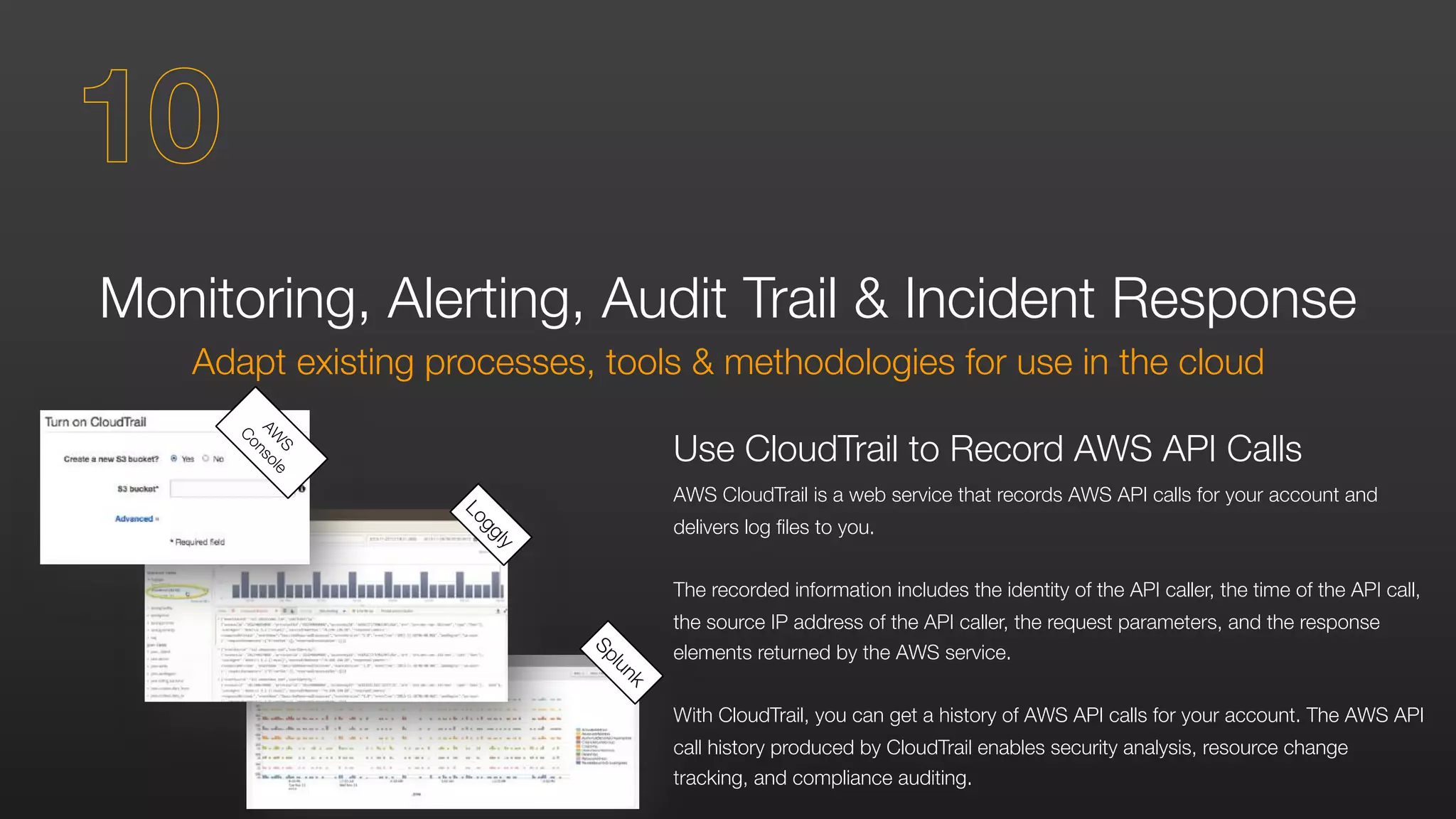
Use CloudTrail to Record AWS API Calls
AWS CloudTrail is a web service that records AWS API calls for your account and
delivers log files to you.
The recorded information includes the identity of the API caller, the time of the API call,
the source IP address of the API caller, the request parameters, and the response
elements returned by the AWS service.
With CloudTrail, you can get a history of AWS API calls for your account. The AWS API
call history produced by CloudTrail enables security analysis, resource change
tracking, and compliance auditing.
Splunk
Loggly
AW
S
Console
10
Monitoring, Alerting, Audit Trail & Incident Response
Adapt existing processes, tools & methodologies for use in the cloud
Use AWS Config to Record AWS Environment
Changes
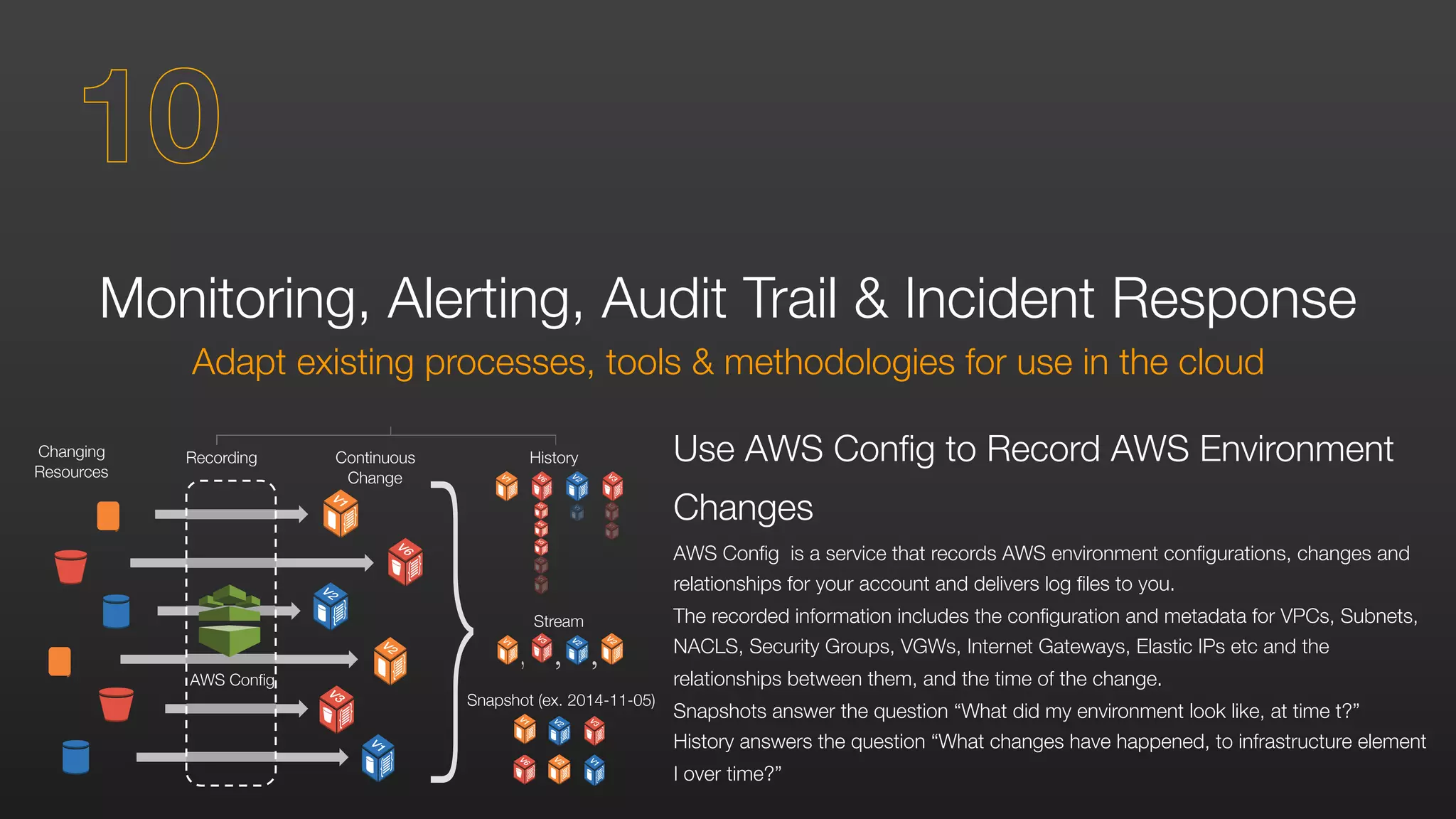
AWS Config is a service that records AWS environment configurations, changes and
relationships for your account and delivers log files to you.
The recorded information includes the configuration and metadata for VPCs, Subnets,
NACLS, Security Groups, VGWs, Internet Gateways, Elastic IPs etc and the
relationships between them, and the time of the change.
Snapshots answer the question “What did my environment look like, at time t?”
History answers the question “What changes have happened, to infrastructure element
I over time?”
Continuous
Change
RecordingChanging
Resources
History
Stream
Snapshot (ex. 2014-11-05)
AWS Config
10
Monitoring, Alerting, Audit Trail & Incident Response
Adapt existing processes, tools & methodologies for use in the cloud
10
VERIFYING OUR SECURITY
AWS is Level 1 compliant under the Payment Card Industry (PCI) Data
Security Standard (DSS). Customers can run applications on our PCI-
compliant technology infrastructure for storing, processing, and
transmitting credit card information in the cloud.
AWS is ISO 27001 certified under the International Organization for
Standardization (ISO) 27001 standard. ISO 27001 is a widely-adopted
global security standard that outlines the requirements for information
security management systems.
Many other government and industry compliance requirements are
also met by AWS. Find more at:
	 	 	 	 	 	 	 aws.amazon.com/compliance
Compliance at AWS
RESOURCES YOU CAN USE
TO LEARN MORE
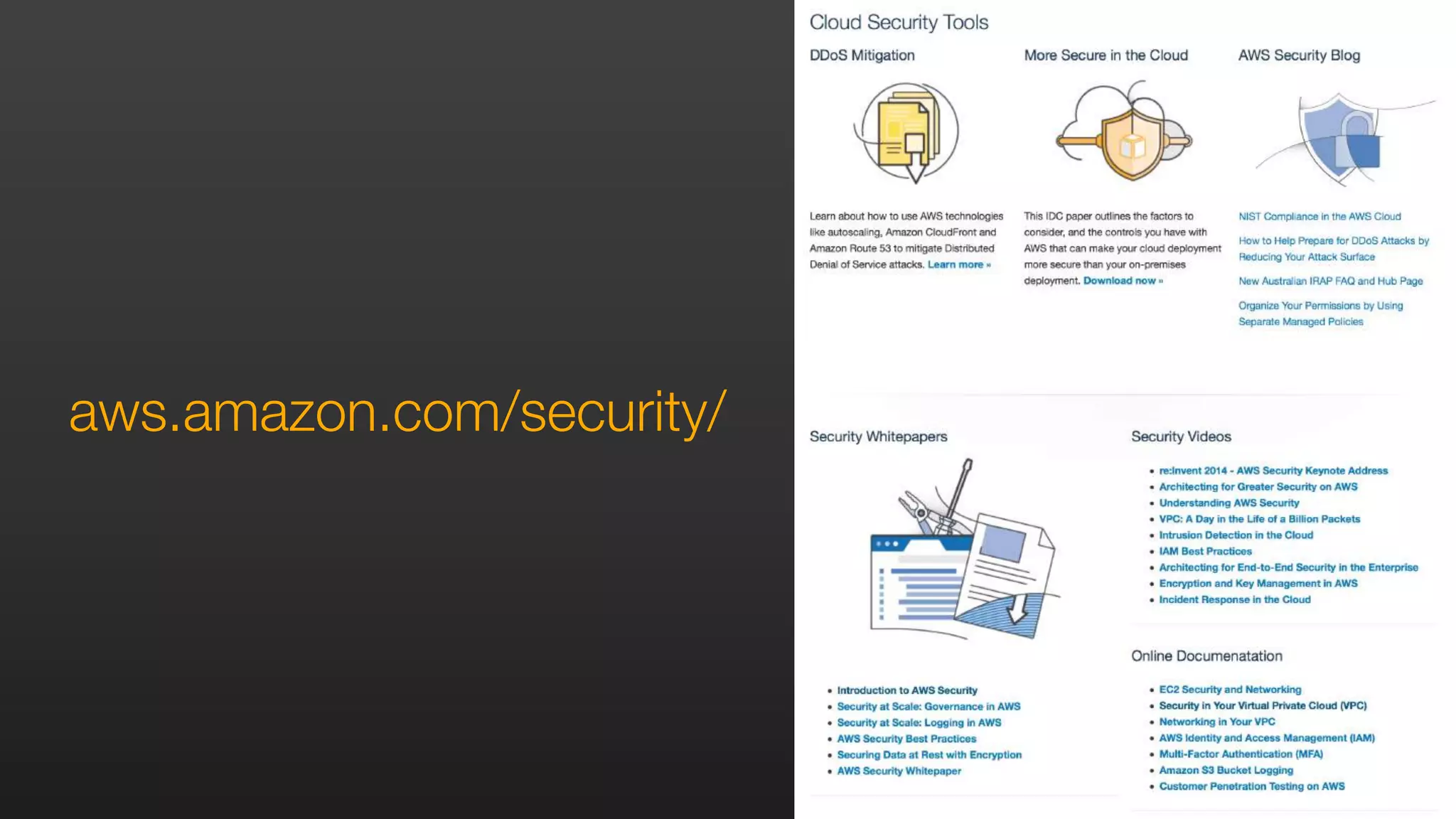
aws.amazon.com/security/
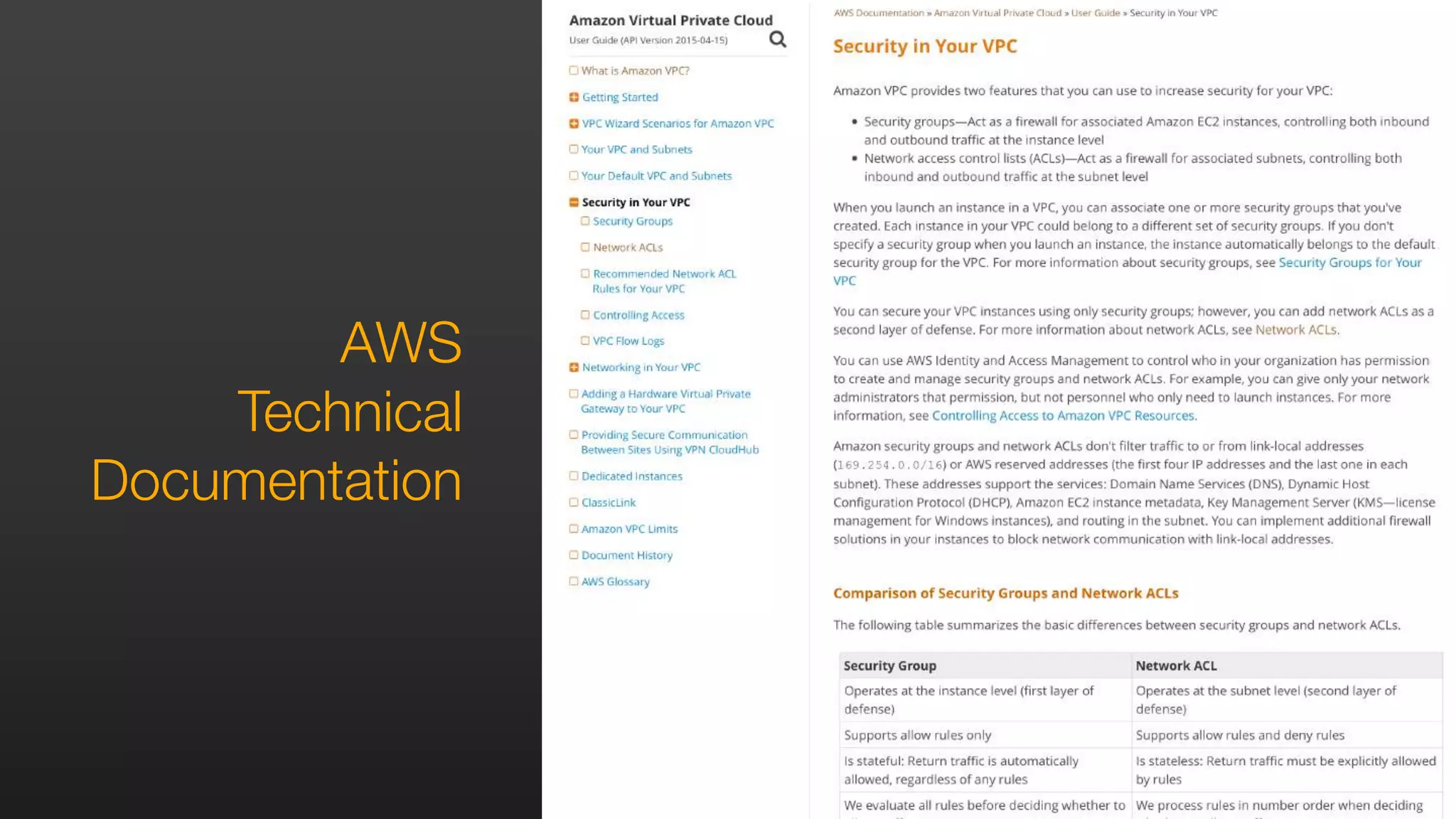
AWS
Technical
Documentation
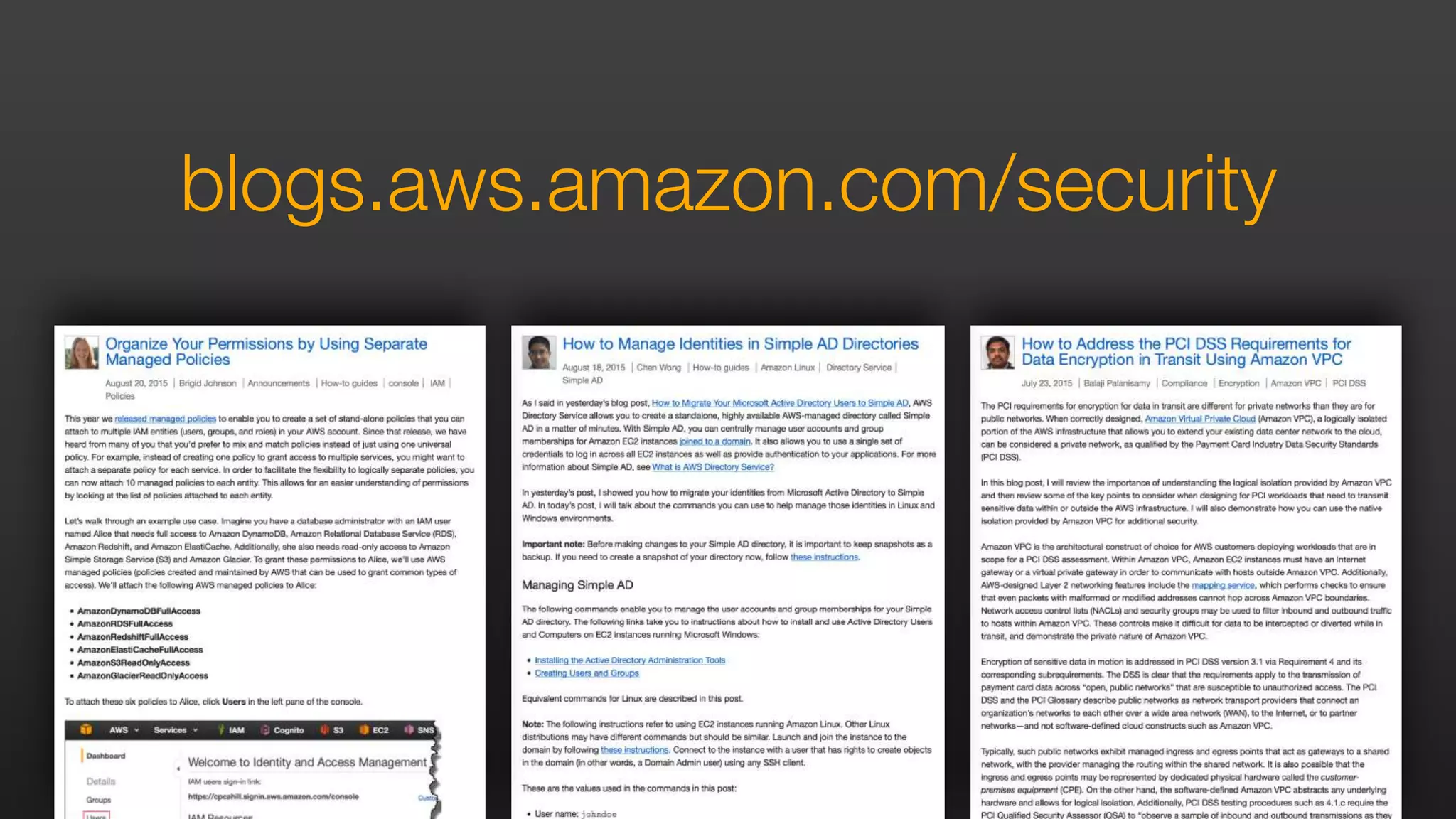
blogs.aws.amazon.com/security
Introduction to AWS Security
Security at Scale: Governance in AWS
Security at Scale: Logging in AWS
AWS Security Best Practices
Securing Data at Rest with Encryption
AWS Security Whitepaper
AWS Security White Papers
aws.amazon.com/iam
aws.amazon.com/vpc
aws.amazon.com/kms
aws.amazon.com/config
aws.amazon.com/cloudtrail
aws.amazon.com/cloudhsm
aws.amazon.com/cloudwatch
aws.amazon.com/trustedadvisor
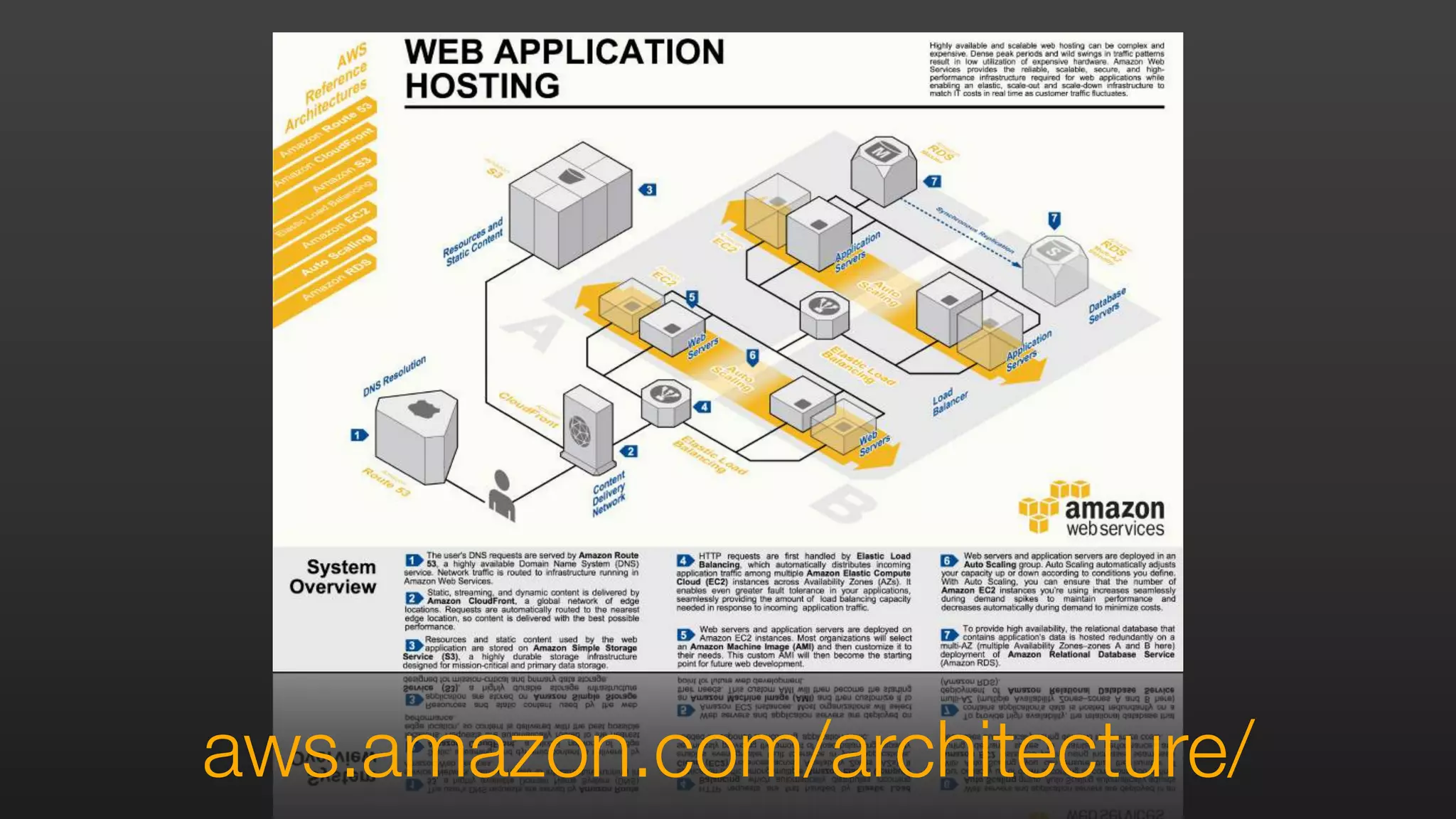
aws.amazon.com/architecture/
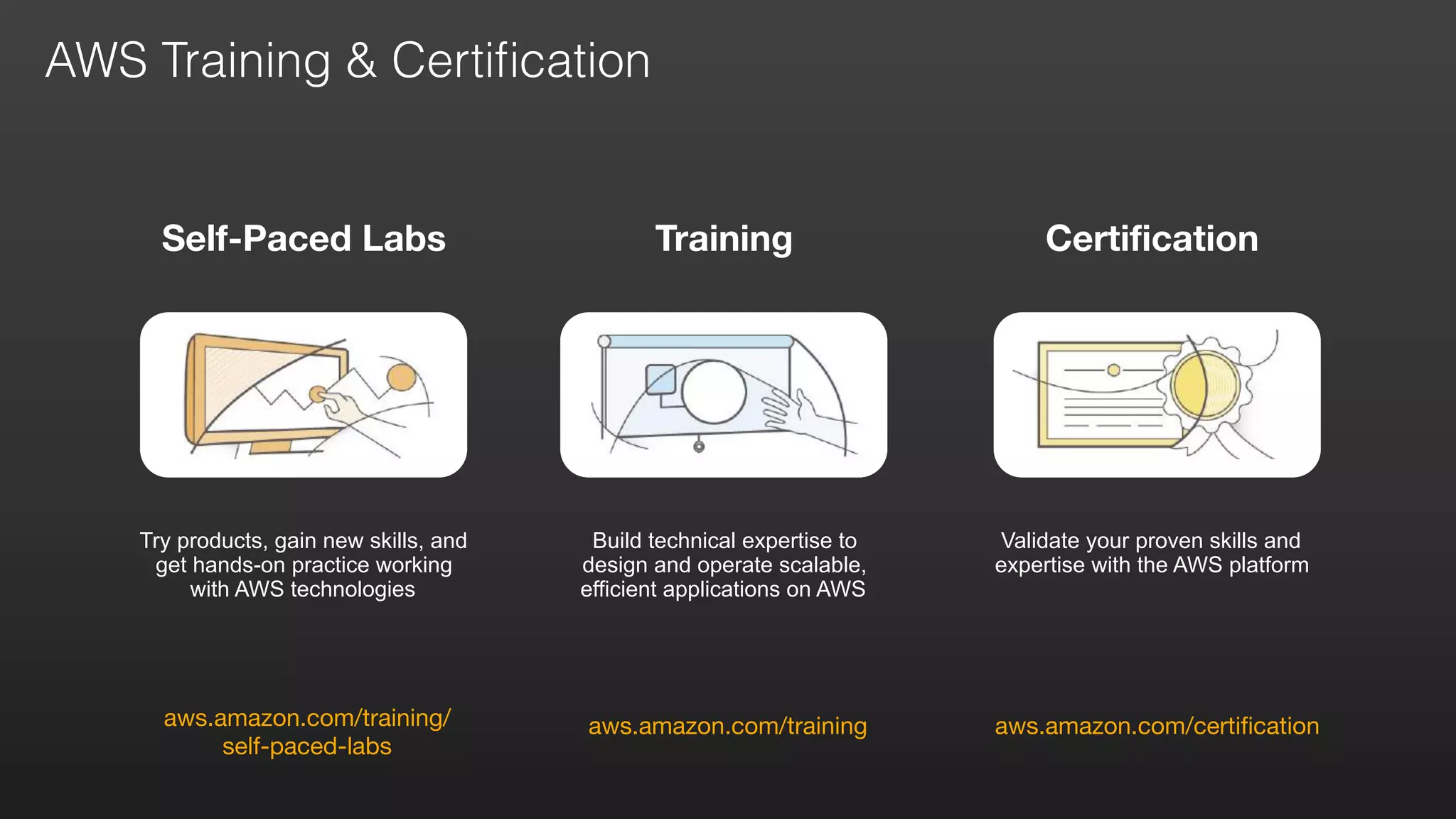
Certification
aws.amazon.com/certification
Self-Paced Labs
aws.amazon.com/training/

self-paced-labs
Try products, gain new skills, and
get hands-on practice working
with AWS technologies
aws.amazon.com/training
Training
Validate your proven skills and
expertise with the AWS platform
Build technical expertise to
design and operate scalable,
efficient applications on AWS
AWS Training & Certification
Follow
us
for m
ore
events
&
w
ebinars
@AWScloud for Global AWS News & Announcements
@AWS_UKI for local AWS events & news
@IanMmmm
Ian Massingham — Technical Evangelist

Security Best Practices: AWS AWSome Day Management Track

  • 1.
    ianmas@amazon.com @IanMmmm Ian Massingham —Technical Evangelist Security Best Practices
  • 2.
    Security Best Practices Architectedto be one of the most flexible and secure cloud environments
 Removes many of the security headaches that come with infrastructure
 Built in Security Features
  • 3.
    Agenda Sharing the SecurityResponsibility 
 Overview of AWS Security Features
 Current Recommendations
 Verifying our Security 
 Case Studies & Useful Resources
  • 4.
    AWS security approach Size ofAWS
 security team Visibility into
 usage & resources Increasing your Security Posture in the Cloud
  • 5.
    Broad Accreditations &Certifications ISO 27001 ISO 9001 MPAA
  • 6.
    Partner ecosystem Customerecosystem Everyone benefits Security Benefits from Community Network Effect
  • 7.
  • 8.
    Shared Security Model •Shared Responsibility – Let AWS do the heavy lifting – Focus on what’s most valuable to your business • Customer • Choice of Guest OS • Application Configuration Options • Account Management flexibility • Security Groups • ACLs • Identity Management • AWS • Facility operations • Physical Security • Physical Infrastructure • Network Infrastructure • Virtualisation Infrastructure • Hardware lifecycle management
  • 9.
    Such as AmazonEC2, Amazon EBS, and Amazon VPC Shared Security Model: Infrastructure Services
  • 10.
    Such as AmazonRDS and Amazon EMR Shared Security Model: Container Services
  • 11.
    Such as AmazonS3 and Amazon DynamoDB Shared Security Model: Abstracted Services
  • 12.
  • 13.
  • 15.
    BUILT-IN FIREWALLS YOU CONTROLACCESS TO YOUR INSTANCES
  • 16.
  • 17.
  • 18.
    PRIVATE SUBNETS WITHIN YOURAWS VIRTUAL PRIVATE CLOUD
  • 19.
    ENCRYPT YOUR DATA ATREST USING AES 256 BIT ENCRYPTION KEYS
  • 20.
    CLOUD HSM A HIGHLYSECURE WAY TO STORE KEYS
  • 21.
  • 22.
    SECURITY LOGS AWS CLOUDTRAIL,AWS CONFIG & AMAZON CLOUDWATCH LOGS
  • 23.
  • 24.
  • 25.
    Foundation Services Compute StorageDatabase Networking Client-side Data Encryption & Data Integrity Authentication Server-side Encryption (File System and/or Data) Network Traffic Protection (Encryption/Integrity/Identity) Platform, Applications, Identity & Access Management Operating System, Network & Firewall Configuration Customer Data Amazon Shared responsibility You AWS Global Infrastructure Regions Availability Zones Edge Locations Know the AWS Shared Responsibility Model Build your systems using AWS as the foundation & architect using an ISMS that takes advantage of AWS features 1
  • 26.
    Understand the AWSSecure Global Infrastructure Regions, Availability Zones and Endpoints Regions An independent collection of AWS resources in a defined geography A solid foundation for meeting location-dependent privacy and compliance requirements Availability Zones Designed as independent failure zones Physically separated within a typical metropolitan region 2
  • 27.
    Understand the AWSSecure Global Infrastructure Using the IAM service http://docs.aws.amazon.com/IAM/latest/UserGuide/IAMBestPractices.html AWS Identity and Access Management (IAM) enables you to securely control access to AWS services and resources for your users. Using IAM, you can create and manage AWS users and groups and use permissions to allow and deny their access to AWS resources via credentials such as access keys, passwords and multi-factor authentication devices. You can also federate with SAML to your own pre-existing directories of user account information, such as OpenLDAP or Active Directory 2
  • 28.
    Define and CategoriseAssets on AWS Identify all the information assets that you need to protect 3
  • 29.
    Design Your ISMSto Protect Your Assets on AWS Establish a standard for implementing, operating, monitoring, reviewing, maintaining & improving your information security management system 4
  • 30.
    Manage AWS Accounts,IAM Users, Groups & Roles Operate under the principle of Least Privilege AWS Account Your AWS account represents a business relationship between you and AWS. AWS accounts have root permissions to all AWS resources and services, so they are very powerful. IAM Users With IAM you can create multiple users, each with individual security credentials, all controlled under a single AWS account. IAM users can be a person, service, or application that needs access to your AWS resources through the management console, CLI, or directly via APIs. 5
  • 31.
    Manage AWS Accounts,IAM Users, Groups & Roles Strategies for using multiple AWS accounts Business Requirement Proposed Design Comments Centralised security management Single AWS Account Centralize information security management and minimize overhead. Separation of production, development & testing accounts Three AWS Accounts Create one AWS account for production services, one for development and one for testing Multiple autonomous departments Multiple AWS Accounts Create separate AWS accounts for each autonomous part of the organization. You can assign permissions and policies under each account Centralized security management with multiple autonomous independent projects Multiple AWS Accounts Create a single AWS account for common project resources (such as DNS services, Active Directory, CMS etc.). Then create separate AWS accounts per project. You can assign permissions and policies under each project account and grant access to resources across accounts. 5
  • 32.
    Manage AWS Accounts,IAM Users, Groups & Roles Delegation using IAM Roles and Temporary Security Credentials Applications on Amazon EC2 that need to access AWS resources Cross Account Access Identity Federation 5 http://docs.aws.amazon.com/STS/latest/APIReference/Welcome.html
  • 33.
    Manage OS-level Accessto Amazon EC2 Instances You own the credentials, but AWS helps you bootstrap initial access to the OS Amazon EC2 Key Pairs Used to authenticate SSH access to Linux instances and to generate the initial administrator password on Windows instances. If you have higher security requirements, you are free to implement alternative authentication mechanisms and disable Amazon EC2 Key Pair Authentication 6
  • 34.
    Secure Your Data Atrest & in transit Resource Access Authorisation Users or IAM Roles can only access resources after authentication Fine-grained resources policies can restrict users or permit users to access only the resources that you specify { "Effect": "Allow”, "Action": ["s3:GetObject”,"s3:PutObject”], "Resource": ["arn:aws:s3:::myBucket/amazon/snakegame/${cognito-identity.amazonaws.com:sub}"] } 7
  • 35.
    Secure Your Data Atrest & in transit Storing and Managing Encryption Keys We recommend you store your keys in tamper-proof storage, such as Hardware Security Modules. AWS CloudHSM is one option available to help you do this, and the best option if you need third-party assurance that AWS doesn’t have access to your keys; for a more easily-integrated solution, also see KMS. As an alternative, you can store keys on your premises (eg using your own HSMs) and access these over secure links, such as via AWS Direct Connect with Ipsec, or IPsec VPNs over the Internet. aws.amazon.com/cloudhsm/ 7 aws.amazon.com/kms/
  • 36.
    Protecting Data atRest Options differ by AWS Service. Amazon S3 – Server side encryption with Amazon S3 managed keys, your own encryption keys with Customer-Provided Keys (SSE-C), or keys managed by KMS Amazon EBS – use volume encryption provided by your operating system or KMS. For example, Windows EFS or Microsoft Windows Bitlocker, Linux dm- crypt, CloudHSM or on-premise HSM with SafeNet ProtectV Amazon RDS – use database specific cryptographic functions, or KMS EMR/DynamoDB – see Security Best Practices Whitepaper for options Secure Your Data At rest & in transit 7
  • 37.
    Secure Your OperatingSystems & Applications With the shared responsibility model you manage operating systems & application security OS Hardening and Updates Use of Amazon Machine Images (AMIs) makes it easy to deploy standardized operating system and application builds Amazon provides and maintains a preconfigured set of AMIs, but you are also free to create your own and use these as the basis for EC2 instances that you deploy Standard OS hardening principles (eg CIS Benchmarks, DISA STIGs) can and should be applied to the operating systems that you chose to run on EC2 instances There are lots more detailed recommendations for securing your OS environment in the AWS Security Best Practices Whitepaper 8
  • 38.
    Secure Your Infrastructure UsingAWS platform features Amazon Virtual Private Cloud (VPC) Create private clouds with Layer 2 separation, within the AWS Cloud Use your own IP address space, allocated by you. Use RFC1918 private address space for non-internet-routable networks Connect to your VPC via the Internet, IPsec over the Internet, AWS Direct Connect, AWS Direct Connect with IPsec or a combination of these. Define your own subnet topology, routing table and create custom service instances such as DNS or time servers 9
  • 39.
    Secure Your Infrastructure UsingAWS platform features Security Zoning and Network Segmentation Network segmentation simply isolates one network from another Security zones are groups of system components with similar security levels that have common controls applied to them Combine AWS platform security features with your own overlay infrastructure components such as repositories, DNS & time servers to segment networks and create security zones The AWS elastic cloud infrastructure & automated deployment tools mean that you can apply the same security controls across all AWS regions Repeatable and uniform deployments improve your overall security posture 9
  • 40.
    Monitoring, Alerting, AuditTrail & Incident Response Adapt existing processes, tools & methodologies for use in the cloud Implement OS & Higher Level Monitoring Logs may be generated by a variety of network components as well as operating systems, platforms and applications We recommend logging and analysis of the following event types: • Actions taken by any individual with root or administrative privileges • Access to all audit trails • Invalid logical access attempts • Use of identification and authentication mechanisms • Initialisation of audit logs • Creation, deletion and modification of system level objects 10 Area Consideration Log collection Note how log files are collected. Often operating system, application, or third-party/middleware agents collect log file information Log transport When log files are centralized, transfer them to the central location in a secure, reliable, and timely fashion Log storage Centralize log files from multiple instances to facilitate retention policies, as well as analysis and correlation Log taxonomy Present different categories of log files in a format suitable for analysis Log analysis/ correlation Log files provide security intelligence after you analyze them and correlate events in them. You can analyze logs in real time, or at scheduled intervals. Log protection/ security Log files are sensitive. Protect them through network control, identity and access management, protection/ encryption, data integrity authentication, and tamper-proof time-stamping
  • 41.
    Area Consideration Log collectionNote how log files are collected. Often operating system, application, or third-party/middleware agents collect log file information Log transport When log files are centralized, transfer them to the central location in a secure, reliable, and timely fashion Log storage Centralize log files from multiple instances to facilitate retention policies, as well as analysis and correlation Log taxonomy Present different categories of log files in a format suitable for analysis Log analysis/ correlation Log files provide security intelligence after you analyze them and correlate events in them. You can analyze logs in real time, or at scheduled intervals. Log protection/ security Log files are sensitive. Protect them through network control, identity and access management, protection/ encryption, data integrity authentication, and tamper-proof time-stamping Monitoring, Alerting, Audit Trail & Incident Response Adapt existing processes, tools & methodologies for use in the cloud Use CloudWatch Logs to Centralise Your Logs CloudWatch Logs enables you to monitor and troubleshoot your systems and applications using your existing system, application, and custom log files. Send your existing system, application, and custom log files to CloudWatch Logs via our agent, and monitor these logs in near real-time. This can help you better understand and operate your systems and applications, and you can store your logs using highly durable, low-cost storage for later access 10
  • 42.
    Monitoring, Alerting, AuditTrail & Incident Response Adapt existing processes, tools & methodologies for use in the cloud Use CloudTrail to Record AWS API Calls AWS CloudTrail is a web service that records AWS API calls for your account and delivers log files to you. The recorded information includes the identity of the API caller, the time of the API call, the source IP address of the API caller, the request parameters, and the response elements returned by the AWS service. With CloudTrail, you can get a history of AWS API calls for your account. The AWS API call history produced by CloudTrail enables security analysis, resource change tracking, and compliance auditing. Splunk Loggly AW S Console 10
  • 43.
    Monitoring, Alerting, AuditTrail & Incident Response Adapt existing processes, tools & methodologies for use in the cloud Use AWS Config to Record AWS Environment Changes AWS Config is a service that records AWS environment configurations, changes and relationships for your account and delivers log files to you. The recorded information includes the configuration and metadata for VPCs, Subnets, NACLS, Security Groups, VGWs, Internet Gateways, Elastic IPs etc and the relationships between them, and the time of the change. Snapshots answer the question “What did my environment look like, at time t?” History answers the question “What changes have happened, to infrastructure element I over time?” Continuous Change RecordingChanging Resources History Stream Snapshot (ex. 2014-11-05) AWS Config 10
  • 44.
    Monitoring, Alerting, AuditTrail & Incident Response Adapt existing processes, tools & methodologies for use in the cloud 10
  • 45.
  • 46.
    AWS is Level1 compliant under the Payment Card Industry (PCI) Data Security Standard (DSS). Customers can run applications on our PCI- compliant technology infrastructure for storing, processing, and transmitting credit card information in the cloud. AWS is ISO 27001 certified under the International Organization for Standardization (ISO) 27001 standard. ISO 27001 is a widely-adopted global security standard that outlines the requirements for information security management systems. Many other government and industry compliance requirements are also met by AWS. Find more at: aws.amazon.com/compliance Compliance at AWS
  • 47.
    RESOURCES YOU CANUSE TO LEARN MORE
  • 48.
  • 49.
  • 50.
  • 51.
    Introduction to AWSSecurity Security at Scale: Governance in AWS Security at Scale: Logging in AWS AWS Security Best Practices Securing Data at Rest with Encryption AWS Security Whitepaper AWS Security White Papers
  • 52.
  • 53.
  • 54.
    Certification aws.amazon.com/certification Self-Paced Labs aws.amazon.com/training/
 self-paced-labs Try products,gain new skills, and get hands-on practice working with AWS technologies aws.amazon.com/training Training Validate your proven skills and expertise with the AWS platform Build technical expertise to design and operate scalable, efficient applications on AWS AWS Training & Certification
  • 55.
    Follow us for m ore events & w ebinars @AWScloud forGlobal AWS News & Announcements @AWS_UKI for local AWS events & news @IanMmmm Ian Massingham — Technical Evangelist