CheckMate Stockroom

  Inventory Control System
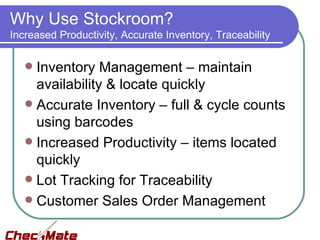
Why Use Stockroom?
Increased Productivity, Accurate Inventory, Traceability

    Inventory Management – maintain
     availability & locate quickly
    Accurate Inventory – full & cycle counts
     using barcodes
    Increased Productivity – items located
     quickly
    Lot Tracking for Traceability
    Customer Sales Order Management
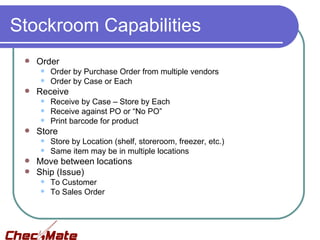
Stockroom Capabilities
    Order
        Order by Purchase Order from multiple vendors
        Order by Case or Each
    Receive
        Receive by Case – Store by Each
        Receive against PO or “No PO”
        Print barcode for product
    Store
        Store by Location (shelf, storeroom, freezer, etc.)
        Same item may be in multiple locations
  Move between locations
  Ship (Issue)
        To Customer
        To Sales Order
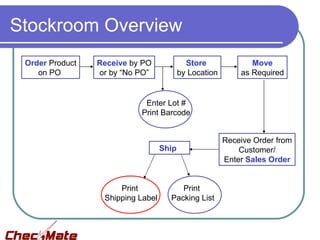
Stockroom Overview
 Order Product   Receive by PO              Store              Move
    on PO        or by “No PO”            by Location       as Required


                            Enter Lot #
                           Print Barcode


                                                        Receive Order from
                                   Ship                     Customer/
                                                        Enter Sales Order


                      Print             Print
                  Shipping Label     Packing List
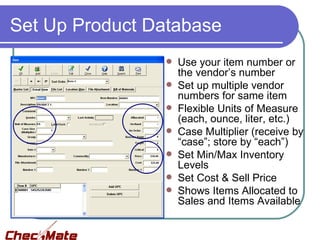
Set Up Product Database
                   Use your item number or
                    the vendor’s number
                   Set up multiple vendor
                    numbers for same item
                   Flexible Units of Measure
                    (each, ounce, liter, etc.)
                   Case Multiplier (receive by
                    “case”; store by “each”)
                   Set Min/Max Inventory
                    Levels
                   Set Cost & Sell Price
                   Shows Items Allocated to
                    Sales and Items Available
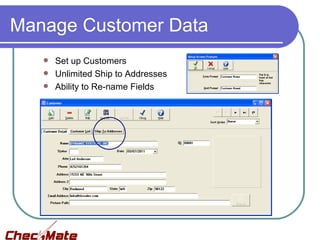
Manage Customer Data
    Set up Customers
    Unlimited Ship to Addresses
    Ability to Re-name Fields
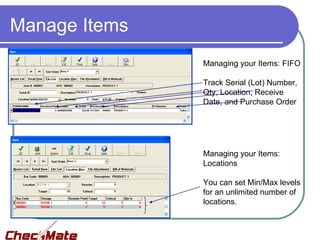
Manage Items
               Managing your Items: FIFO

               Track Serial (Lot) Number,
               Qty, Location, Receive
               Date, and Purchase Order


               Managing your Items:
               Locations

               You can set Min/Max levels
               for an unlimited number of
               locations.
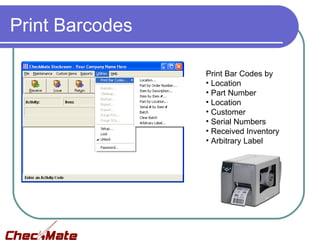
Print Barcodes

                 Print Bar Codes by
                 • Location
                 • Part Number
                 • Location
                 • Customer
                 • Serial Numbers
                 • Received Inventory
                 • Arbitrary Label
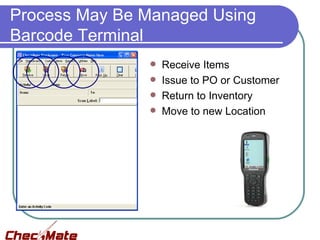
Process May Be Managed Using
Barcode Terminal
                  Receive Items
                  Issue to PO or Customer
                  Return to Inventory
                  Move to new Location
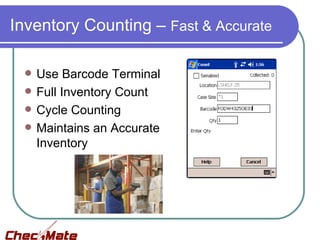
Inventory Counting – Fast & Accurate

    Use Barcode Terminal
    Full Inventory Count
    Cycle Counting
    Maintains an Accurate
     Inventory
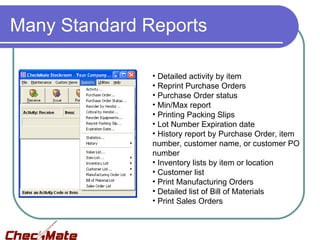
Many Standard Reports

               • Detailed activity by item
               • Reprint Purchase Orders
               • Purchase Order status
               • Min/Max report
               • Printing Packing Slips
               • Lot Number Expiration date
               • History report by Purchase Order, item
               number, customer name, or customer PO
               number
               • Inventory lists by item or location
               • Customer list
               • Print Manufacturing Orders
               • Detailed list of Bill of Materials
               • Print Sales Orders
Dynamic Systems’ Capabilities

  Over 30 years’ experience with barcode
   inventory systems
  Available for on-site consultation – Best
   Practices & Workflow Evaluation
  Great support team – there when you
   need them!
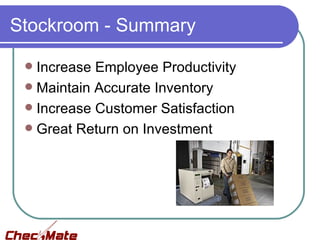
Stockroom - Summary

  Increase Employee Productivity
  Maintain Accurate Inventory
  Increase Customer Satisfaction
  Great Return on Investment
Contact Us


     15331 NE 90th Street   Lee Falco
     Redmond, WA 98053      425-284-1655 (direct)
     800-342-3999           leef@dsisales.com

     www.a-barcode.com

Simba stockroom 9 11

  • 1.
    CheckMate Stockroom Inventory Control System
  • 2.
    Why Use Stockroom? IncreasedProductivity, Accurate Inventory, Traceability  Inventory Management – maintain availability & locate quickly  Accurate Inventory – full & cycle counts using barcodes  Increased Productivity – items located quickly  Lot Tracking for Traceability  Customer Sales Order Management
  • 3.
    Stockroom Capabilities  Order  Order by Purchase Order from multiple vendors  Order by Case or Each  Receive  Receive by Case – Store by Each  Receive against PO or “No PO”  Print barcode for product  Store  Store by Location (shelf, storeroom, freezer, etc.)  Same item may be in multiple locations  Move between locations  Ship (Issue)  To Customer  To Sales Order
  • 4.
    Stockroom Overview OrderProduct Receive by PO Store Move on PO or by “No PO” by Location as Required Enter Lot # Print Barcode Receive Order from Ship Customer/ Enter Sales Order Print Print Shipping Label Packing List
  • 5.
    Set Up ProductDatabase  Use your item number or the vendor’s number  Set up multiple vendor numbers for same item  Flexible Units of Measure (each, ounce, liter, etc.)  Case Multiplier (receive by “case”; store by “each”)  Set Min/Max Inventory Levels  Set Cost & Sell Price  Shows Items Allocated to Sales and Items Available
  • 6.
    Manage Customer Data  Set up Customers  Unlimited Ship to Addresses  Ability to Re-name Fields
  • 7.
    Manage Items Managing your Items: FIFO Track Serial (Lot) Number, Qty, Location, Receive Date, and Purchase Order Managing your Items: Locations You can set Min/Max levels for an unlimited number of locations.
  • 8.
    Print Barcodes Print Bar Codes by • Location • Part Number • Location • Customer • Serial Numbers • Received Inventory • Arbitrary Label
  • 9.
    Process May BeManaged Using Barcode Terminal  Receive Items  Issue to PO or Customer  Return to Inventory  Move to new Location
  • 10.
    Inventory Counting –Fast & Accurate  Use Barcode Terminal  Full Inventory Count  Cycle Counting  Maintains an Accurate Inventory
  • 11.
    Many Standard Reports • Detailed activity by item • Reprint Purchase Orders • Purchase Order status • Min/Max report • Printing Packing Slips • Lot Number Expiration date • History report by Purchase Order, item number, customer name, or customer PO number • Inventory lists by item or location • Customer list • Print Manufacturing Orders • Detailed list of Bill of Materials • Print Sales Orders
  • 12.
    Dynamic Systems’ Capabilities  Over 30 years’ experience with barcode inventory systems  Available for on-site consultation – Best Practices & Workflow Evaluation  Great support team – there when you need them!
  • 13.
    Stockroom - Summary  Increase Employee Productivity  Maintain Accurate Inventory  Increase Customer Satisfaction  Great Return on Investment
  • 14.
    Contact Us 15331 NE 90th Street Lee Falco Redmond, WA 98053 425-284-1655 (direct) 800-342-3999 leef@dsisales.com www.a-barcode.com