More Than  Flash  &  Dash: Edina Fitzpatrick Coord. Of Instructional Technology Using Technology to Engage & Support Students with Learning Disabilities Heather Krenzer MS Math &  Expeditionary Learning Jeff Parker HS ELA & Writing
 
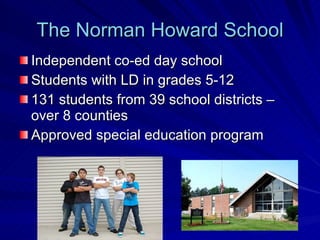
The Norman Howard School Independent co-ed day school Students with LD in grades 5-12 131 students from 39 school districts – over 8 counties Approved special education program
Our Program Supports… Students with a variety of language or learning disabilities including Dyslexia Non-Verbal LD Asperger’s Syndrome Anxiety ADHD Students with average or higher cognitive potential and free of any primary emotional and/or behavioral concerns
How is technology used at NHS? Facilitate communication Enhance productivity Engage students Prepare & present effective instruction Promote learning by capitalizing on student’s strengths & circumventing weaknesses Encourage respect, responsibility, and safety while using technology And. . .
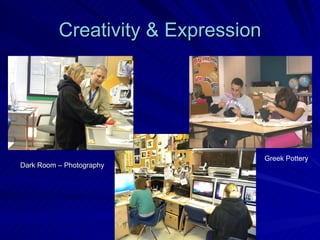
Creativity & Expression Dark Room – Photography   Greek Pottery
What Resources are available? High-speed Internet access throughout the school network  Classroom computers (2-6 per room) 3 Computer Labs Mobile Laptop Cart Computer projectors SMARTBoards  (interactive whiteboards) Online resources:  Castle Learning BrainPop Education City Bookshare Accessible Book Collection Atomic Learning
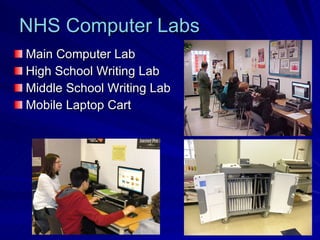
Main Computer Lab High School Writing Lab Middle School Writing Lab Mobile Laptop Cart NHS Computer Labs
Technology in the Curriculum Keyboarding Part of Writing Curriculum  Middle School  (grades 5-8) Tech Class Rotation Develop & reinforce skills  Explore new concepts  (simulations) Research & problem solve Express & assess knowledge
Assistive Technology Any item, piece of equipment or system that helps people bypass, work around, or compensate for learning difficulties… Including: Dragon Naturally Speaking Kurzweil 3000  (text-reader, word prediction, phonemic spell-checker, talking word processor) WordQ  (text-reader, word prediction) Ginger Spell  Thinking Maps Inspiration LiveScribe SmartPens
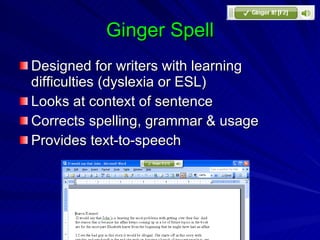
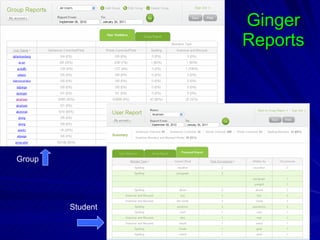
Ginger Spell Designed for writers with learning difficulties (dyslexia or ESL) Looks at context of sentence Corrects spelling, grammar & usage Provides text-to-speech
http://gingersoftware.com/
Ginger Reports Group Student
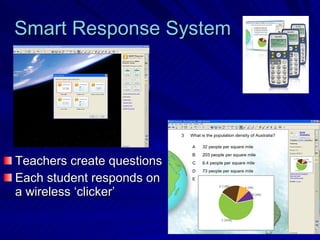
Smart Response System Teachers create questions Each student responds on a wireless ‘clicker’
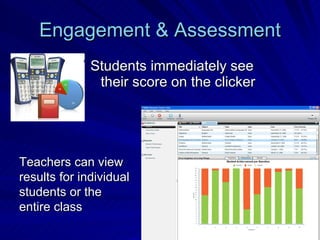
Engagement & Assessment Students immediately see their score on the clicker Teachers can view results for individual students or the entire class
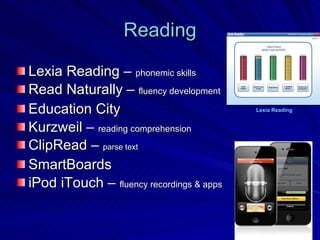
Reading Lexia Reading –  phonemic skills Read Naturally –  fluency development Education City Kurzweil –  reading comprehension ClipRead –  parse text SmartBoards iPod iTouch –  fluency recordings & apps Lexia Reading
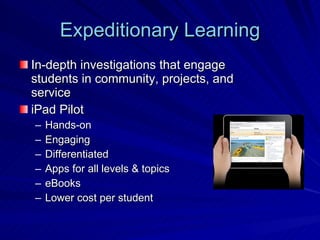
Expeditionary Learning In-depth investigations that engage students in community, projects, and service iPad Pilot Hands-on Engaging Differentiated Apps for all levels & topics eBooks Lower cost per student
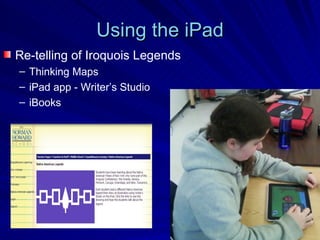
Using the iPad Re-telling of Iroquois Legends  Thinking Maps iPad app - Writer’s Studio iBooks
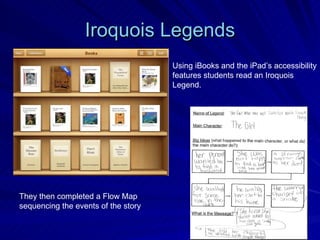
Iroquois Legends They then completed a Flow Map  sequencing the events of the story  Using iBooks and the iPad’s accessibility features students read an Iroquois  Legend.
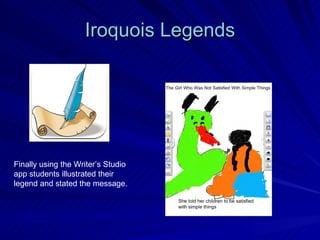
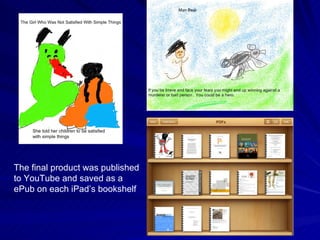
Iroquois Legends Finally using the Writer’s Studio app students illustrated their legend and stated the message.
The final product was published to YouTube and saved as a ePub on each iPad’s bookshelf
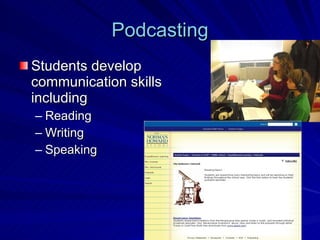
Podcasting Students develop communication skills including Reading Writing Speaking
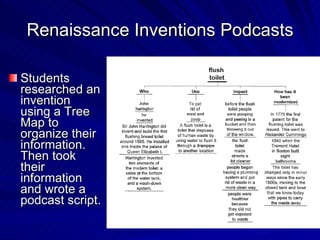
Renaissance Inventions Podcasts Students researched an invention using a Tree Map to organize their information.  Then took their information and wrote a podcast script.
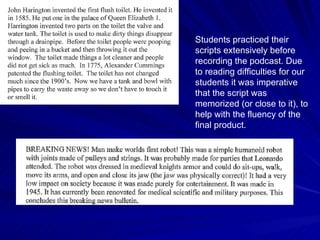
Students practiced their scripts extensively before recording the podcast. Due to reading difficulties for our students it was imperative that the script was memorized (or close to it), to help with the fluency of the final product.
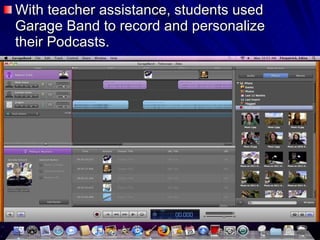
With teacher assistance, students used Garage Band to record and personalize their Podcasts.
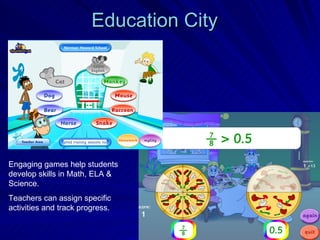
Education City Engaging games help students develop skills in Math, ELA & Science. Teachers can assign specific activities and track progress.
Jeff Parker Engaging & Supporting  Students with Learning Disabilities  at the High School Level

More than Flash and Dash

  • 1.
    More Than Flash & Dash: Edina Fitzpatrick Coord. Of Instructional Technology Using Technology to Engage & Support Students with Learning Disabilities Heather Krenzer MS Math & Expeditionary Learning Jeff Parker HS ELA & Writing
  • 2.
  • 3.
    The Norman HowardSchool Independent co-ed day school Students with LD in grades 5-12 131 students from 39 school districts – over 8 counties Approved special education program
  • 4.
    Our Program Supports…Students with a variety of language or learning disabilities including Dyslexia Non-Verbal LD Asperger’s Syndrome Anxiety ADHD Students with average or higher cognitive potential and free of any primary emotional and/or behavioral concerns
  • 5.
    How is technologyused at NHS? Facilitate communication Enhance productivity Engage students Prepare & present effective instruction Promote learning by capitalizing on student’s strengths & circumventing weaknesses Encourage respect, responsibility, and safety while using technology And. . .
  • 6.
    Creativity & ExpressionDark Room – Photography Greek Pottery
  • 7.
    What Resources areavailable? High-speed Internet access throughout the school network Classroom computers (2-6 per room) 3 Computer Labs Mobile Laptop Cart Computer projectors SMARTBoards (interactive whiteboards) Online resources: Castle Learning BrainPop Education City Bookshare Accessible Book Collection Atomic Learning
  • 8.
    Main Computer LabHigh School Writing Lab Middle School Writing Lab Mobile Laptop Cart NHS Computer Labs
  • 9.
    Technology in theCurriculum Keyboarding Part of Writing Curriculum Middle School (grades 5-8) Tech Class Rotation Develop & reinforce skills Explore new concepts (simulations) Research & problem solve Express & assess knowledge
  • 10.
    Assistive Technology Anyitem, piece of equipment or system that helps people bypass, work around, or compensate for learning difficulties… Including: Dragon Naturally Speaking Kurzweil 3000 (text-reader, word prediction, phonemic spell-checker, talking word processor) WordQ (text-reader, word prediction) Ginger Spell Thinking Maps Inspiration LiveScribe SmartPens
  • 11.
    Ginger Spell Designedfor writers with learning difficulties (dyslexia or ESL) Looks at context of sentence Corrects spelling, grammar & usage Provides text-to-speech
  • 12.
  • 13.
  • 14.
    Smart Response SystemTeachers create questions Each student responds on a wireless ‘clicker’
  • 15.
    Engagement & AssessmentStudents immediately see their score on the clicker Teachers can view results for individual students or the entire class
  • 16.
    Reading Lexia Reading– phonemic skills Read Naturally – fluency development Education City Kurzweil – reading comprehension ClipRead – parse text SmartBoards iPod iTouch – fluency recordings & apps Lexia Reading
  • 17.
    Expeditionary Learning In-depthinvestigations that engage students in community, projects, and service iPad Pilot Hands-on Engaging Differentiated Apps for all levels & topics eBooks Lower cost per student
  • 18.
    Using the iPadRe-telling of Iroquois Legends Thinking Maps iPad app - Writer’s Studio iBooks
  • 19.
    Iroquois Legends Theythen completed a Flow Map sequencing the events of the story Using iBooks and the iPad’s accessibility features students read an Iroquois Legend.
  • 20.
    Iroquois Legends Finallyusing the Writer’s Studio app students illustrated their legend and stated the message.
  • 21.
    The final productwas published to YouTube and saved as a ePub on each iPad’s bookshelf
  • 22.
    Podcasting Students developcommunication skills including Reading Writing Speaking
  • 23.
    Renaissance Inventions PodcastsStudents researched an invention using a Tree Map to organize their information. Then took their information and wrote a podcast script.
  • 24.
    Students practiced theirscripts extensively before recording the podcast. Due to reading difficulties for our students it was imperative that the script was memorized (or close to it), to help with the fluency of the final product.
  • 25.
    With teacher assistance,students used Garage Band to record and personalize their Podcasts.
  • 26.
    Education City Engaginggames help students develop skills in Math, ELA & Science. Teachers can assign specific activities and track progress.
  • 27.
    Jeff Parker Engaging& Supporting Students with Learning Disabilities at the High School Level