SHARING ABOUT MENDIX
ADITYA HIKMAT TSAUQI
ENTERPRISE APPLICATION SERVICES
What is Mendix ?
 Mendix is an industry leading, all-in-one, low-code application development platform
that helps organizations build multi-experience, enterprise grade applications at
scale.
 The platform is designed to accelerate the entire development lifecycle, from
ideation to deployment and operation, while enabling collaboration at each step.
 Low-code is an application development method that elevates coding from textual to
visual.
 LCAP is an application development platform, which supports rapid app development
in one-step handling, deployment, and execution.
Features of Mendix
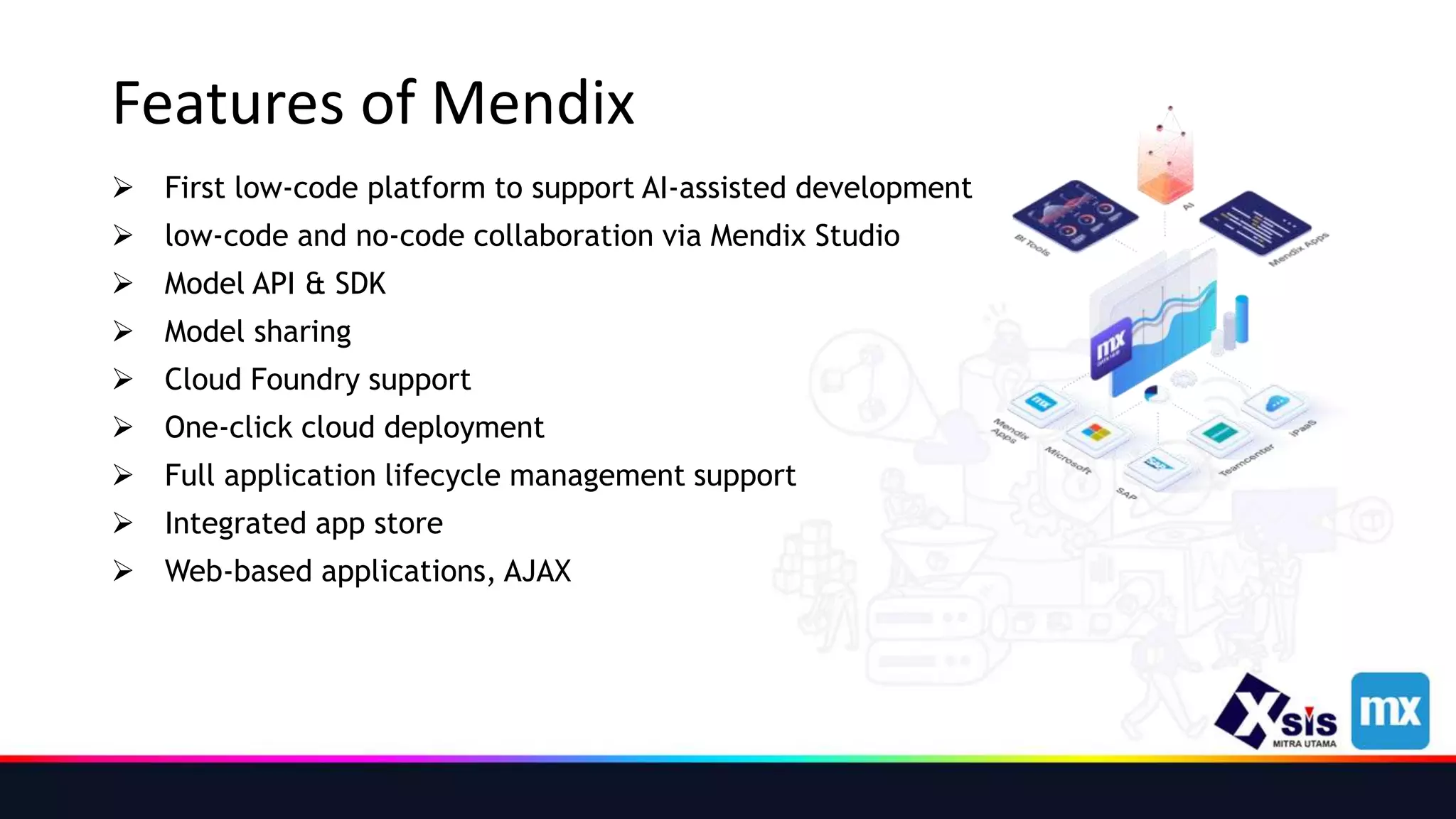
 First low-code platform to support AI-assisted development
 low-code and no-code collaboration via Mendix Studio
 Model API & SDK
 Model sharing
 Cloud Foundry support
 One-click cloud deployment
 Full application lifecycle management support
 Integrated app store
 Web-based applications, AJAX
Mendix Ecosystem
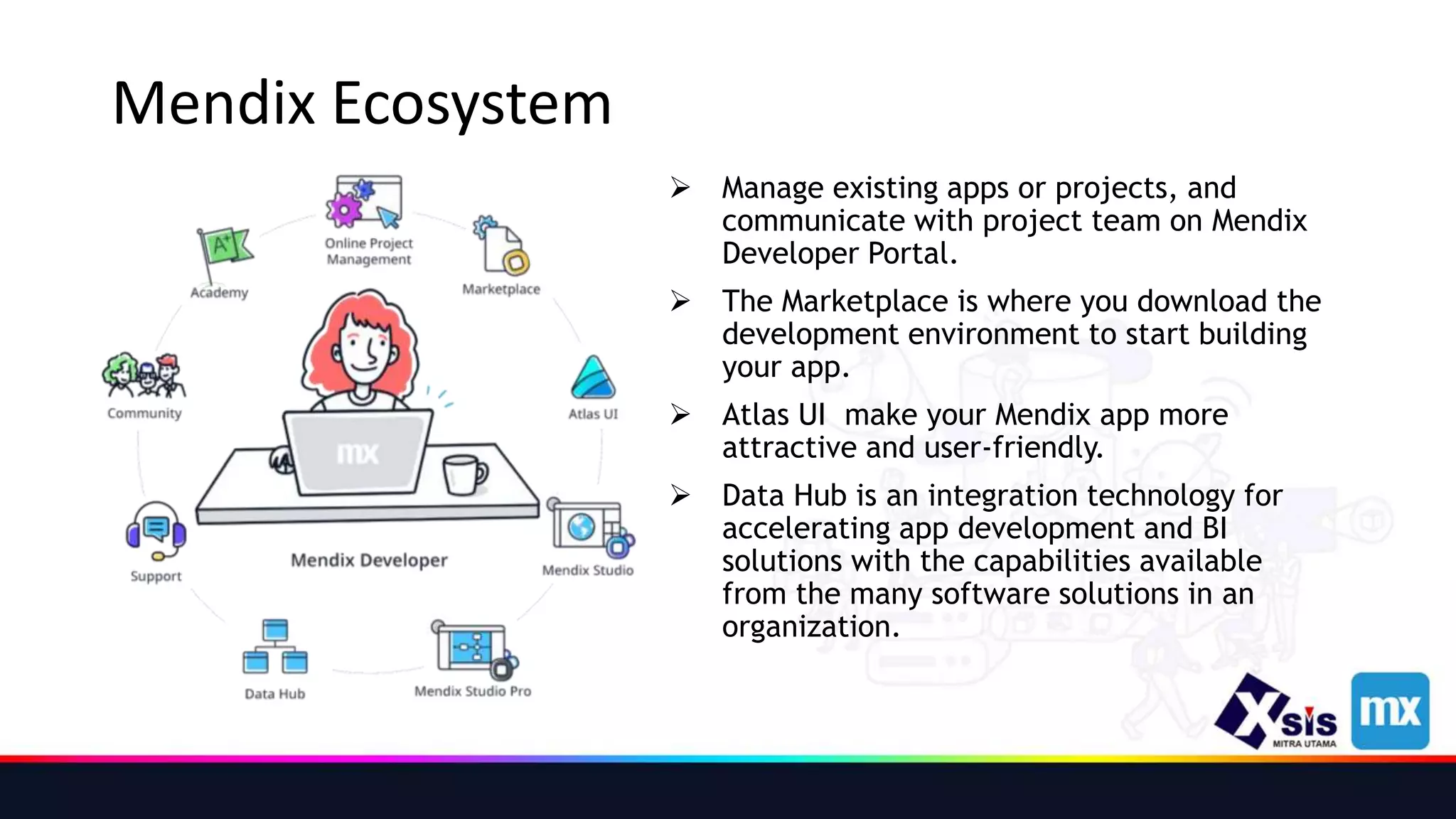
 Manage existing apps or projects, and
communicate with project team on Mendix
Developer Portal.
 The Marketplace is where you download the
development environment to start building
your app.
 Atlas UI make your Mendix app more
attractive and user-friendly.
 Data Hub is an integration technology for
accelerating app development and BI
solutions with the capabilities available
from the many software solutions in an
organization.
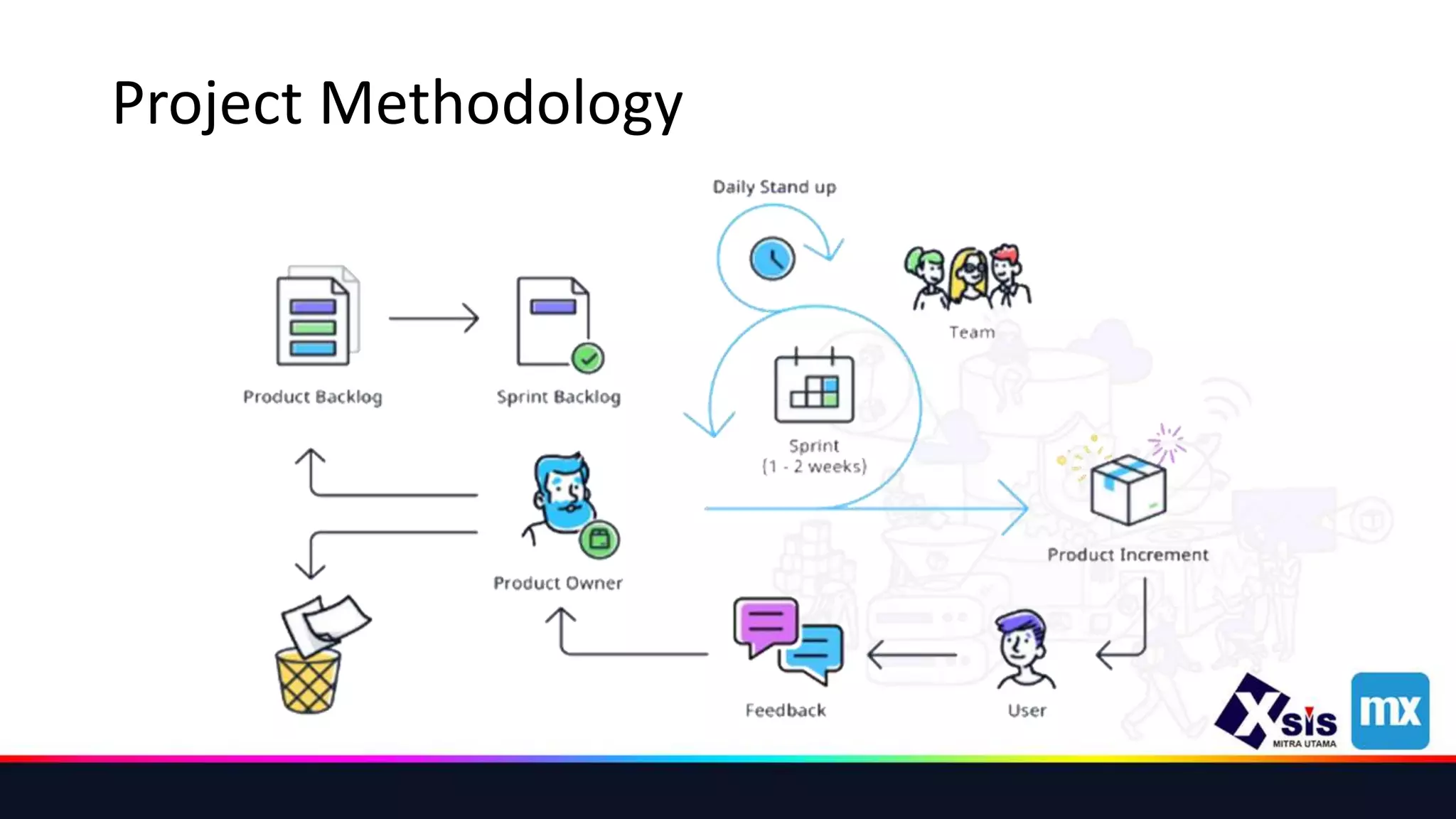
Project Methodology
Project Role
 The Product Owner keeps track of the project stakeholders’ expectations and
defines the requirements for the project. In addition, the Product Owner
communicates the vision to the team in order to set priorities.
 The Scrum Master makes sure that the Scrum team can work according to the Scrum
methodology and focuses on optimizing processes within the team. If the team gets
stuck because of things that are out of their control , it's the Scrum Master's job to
remove those impediments.
 The Development Team consists of the people who actually build the app. A Mendix
App Team usually consists of two to three members such as engineers, designers,
architects, and testers.
User Stories
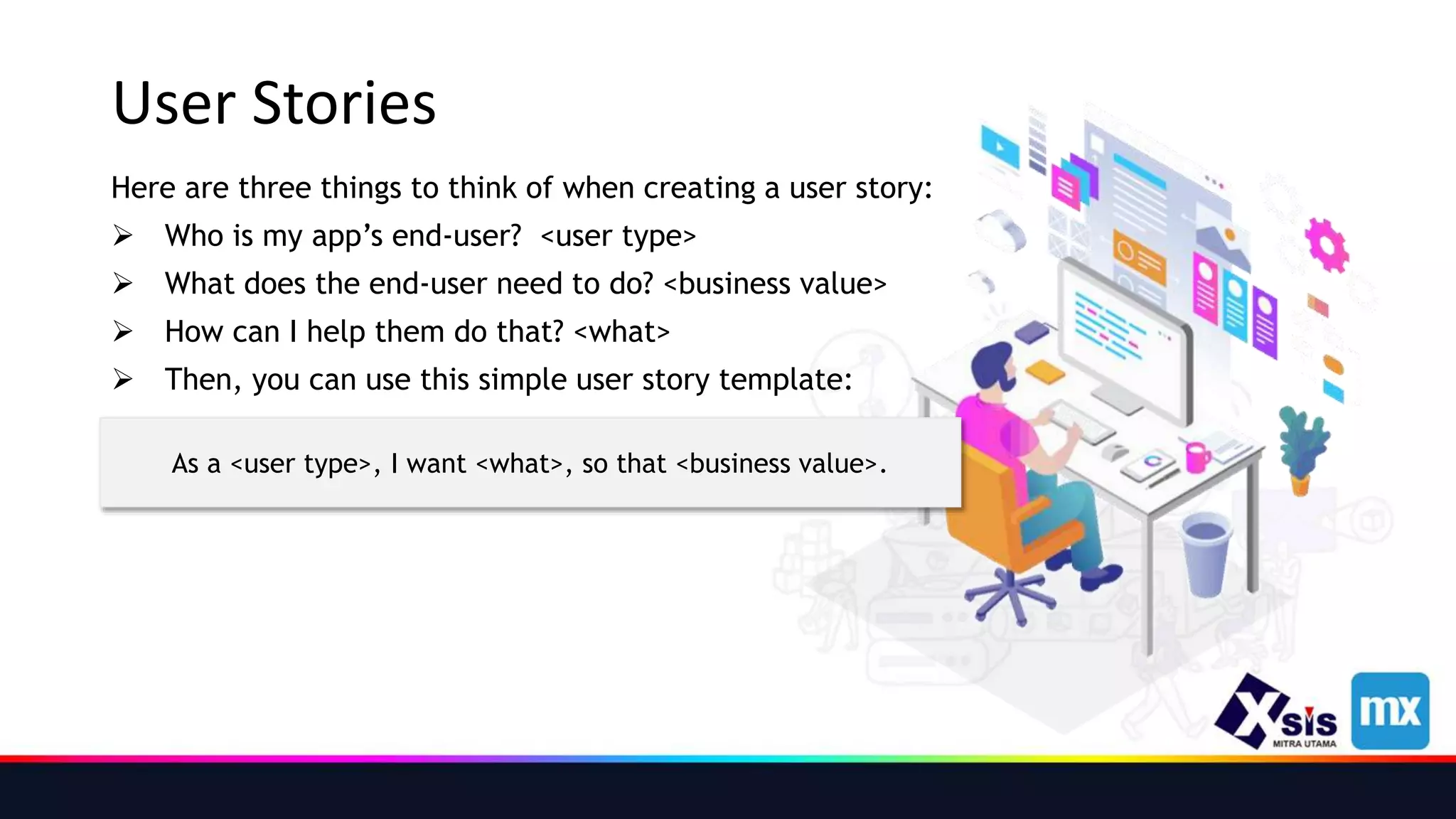
Here are three things to think of when creating a user story:
 Who is my app’s end-user? <user type>
 What does the end-user need to do? <business value>
 How can I help them do that? <what>
 Then, you can use this simple user story template:
As a <user type>, I want <what>, so that <business value>.
Mendix Developer Portal
 The Developer Portal supports Collaboration with your team and the tracking of
Sprints and other tasks in your Mendix apps.
 Deployment
 Operations
 Metrics, On the Metrics page you can monitor the performance and health of your app.
 Alerts, When you click Alerts in the Developer Portal, you can inspect your application’s health in the
Mendix Cloud.
 Logs, you can access the logs produced by your app.
 Backups, Backup snapshots are created every night or on-demand, as described in the Backups
section.
 Control Center
 Community Tools
 Mendix Support
Mendix Marketplace
 In this containing complete sample apps that can be used right away as well as various
components that can be used to build custom apps more quickly.
 In the Mendix Marketplace, you can browse all the content, get what you need, and
share the content you have created.
 The app services available in the Mendix Marketplace are packages of preconfigured
business capabilities provided as modules containing logic (microflows and
nanoflows), UIs, workflows (activities), connectors, and APIs.
 The connectors available in the Mendix Marketplace can be used to connect your
Mendix application with other systems.
 The modules available in the Mendix Marketplace can be added to your app to provide
new functionality with accompanying domain models and security options.
 The widgets available in the Mendix Marketplace are single user-interface elements
that can be configured, such as containers, drop-down menus, and buttons.
What Is Data Hub ?
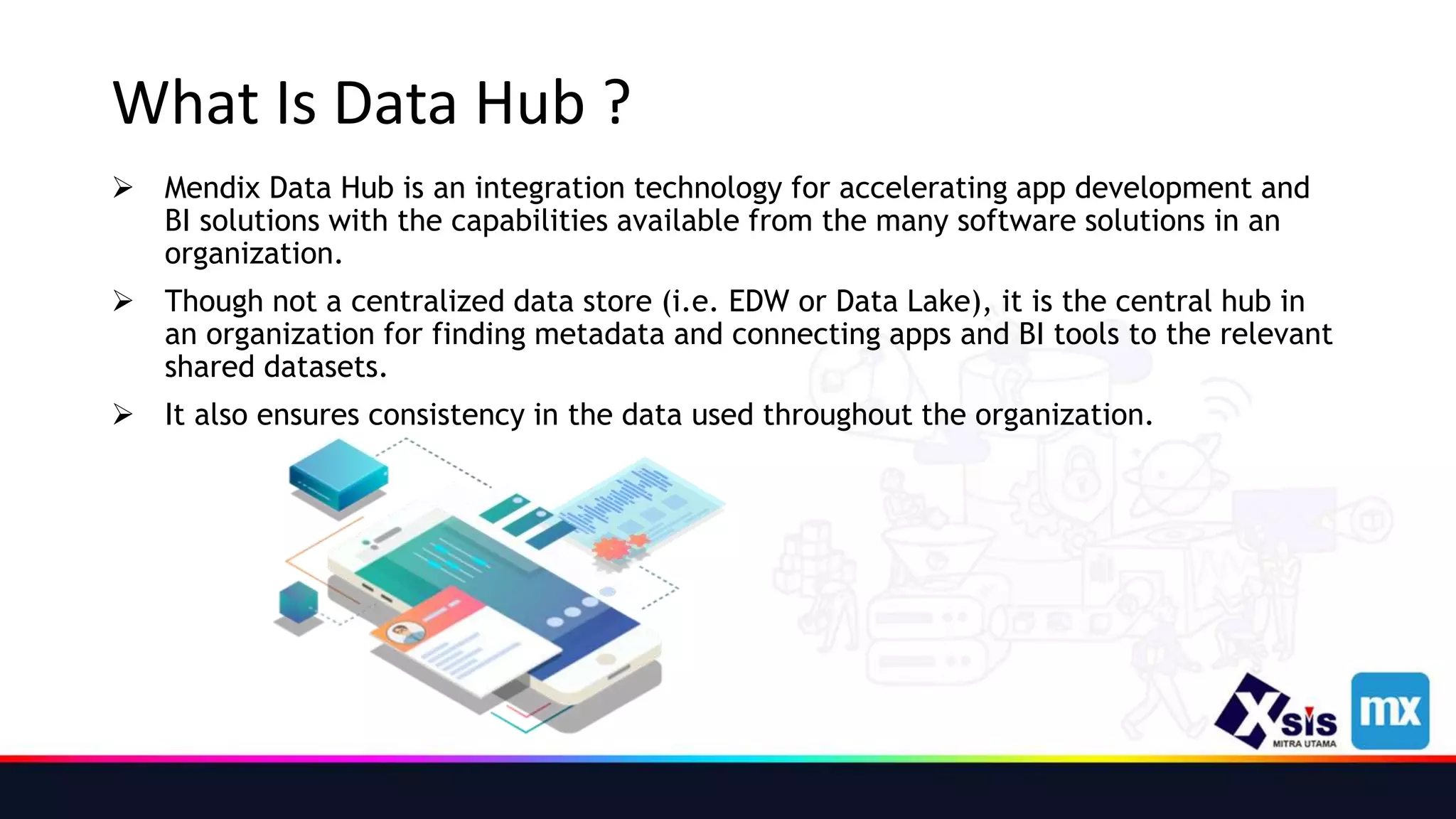
 Mendix Data Hub is an integration technology for accelerating app development and
BI solutions with the capabilities available from the many software solutions in an
organization.
 Though not a centralized data store (i.e. EDW or Data Lake), it is the central hub in
an organization for finding metadata and connecting apps and BI tools to the relevant
shared datasets.
 It also ensures consistency in the data used throughout the organization.
Data Hub Provided Values
 Data Hub allows you to save time and resources when building or maintaining an
integration to another system.
 It will help you as a developer to focus on what matters: working with data.
 If you are an architect, Data Hub will allow you to keep an overview of what is going
on in your landscape, including what system is retrieving which data from what other
application.
 If you are a non-technical business user, Data Hub will allow you to discover and
understand the context of connected data, while also letting you quickly pull data
into BI tools such as Excel, Tableau, Power BI, QlikView/QlikSense, and more —
without needing to talk to IT.
Entities and Attributes
 Entities - To show data in your app, you need to connect the list view to an entity.
 Attributes - Attributes determine what kind of information regarding the courses you
can see and add (for example, a title and description).
 An Entity is the Data that is displayed, and the attribute defines the format of that
Data.
 The following Attribute types are available, each with their possible values:
• AutoNumber
• Binary
• Boolean
• Decimal
• DateTime
• Enumeration
• HashString
• Integer, Long
• String
Entities and Attributes
Introducing Microflows
 Microflows add logic to your app. Logic is used to make your app smarter, automate
things, and make it maintainable.
 Microflow logic is modeled using a visual editor, which makes it very accessible for
everyone involved.
 microflows needed in the following scenarios:
• Extend or change default behavior. Ex: Extending the behavior of default buttons (New, Edit, etc.) with
additional actions, as in a validation check
• Handle business specific processes. Ex:
 Checking if a selected trainee meets the prerequisites of a course
 Automatically determining the course end-date based on the start-date
• Integrate with other systems, databases, web services. Ex: Integrating with a personnel database to pull
users
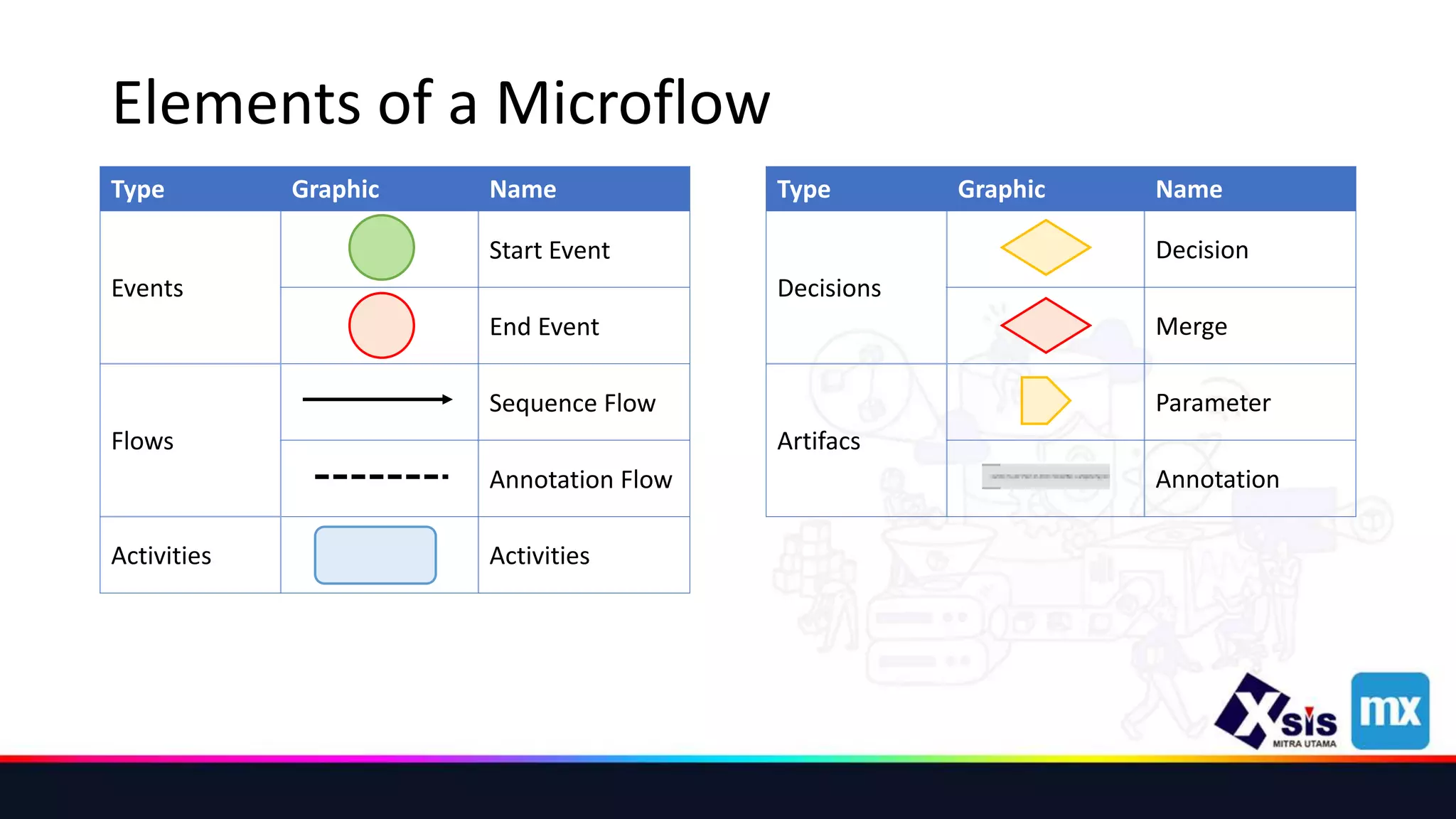
Elements of a Microflow
Type Graphic Name
Events
Start Event
End Event
Flows
Sequence Flow
Annotation Flow
Activities Activities
Type Graphic Name
Decisions
Decision
Merge
Artifacs
Parameter
Annotation
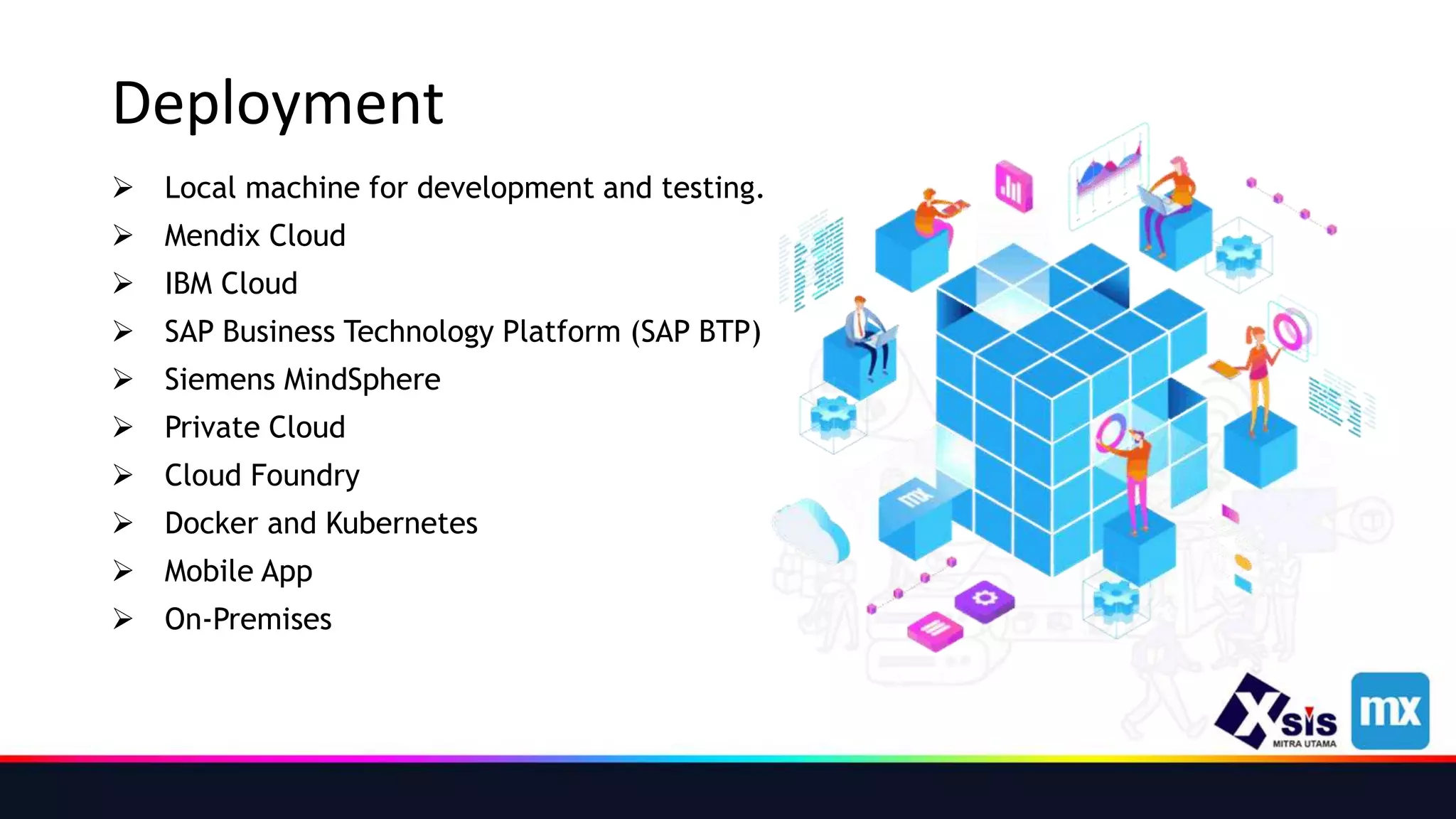
Deployment
 Local machine for development and testing.
 Mendix Cloud
 IBM Cloud
 SAP Business Technology Platform (SAP BTP)
 Siemens MindSphere
 Private Cloud
 Cloud Foundry
 Docker and Kubernetes
 Mobile App
 On-Premises
THANK YOU

Sharing Knowladge - Mendix.pptx

  • 1.
    SHARING ABOUT MENDIX ADITYAHIKMAT TSAUQI ENTERPRISE APPLICATION SERVICES
  • 2.
    What is Mendix?  Mendix is an industry leading, all-in-one, low-code application development platform that helps organizations build multi-experience, enterprise grade applications at scale.  The platform is designed to accelerate the entire development lifecycle, from ideation to deployment and operation, while enabling collaboration at each step.  Low-code is an application development method that elevates coding from textual to visual.  LCAP is an application development platform, which supports rapid app development in one-step handling, deployment, and execution.
  • 3.
    Features of Mendix First low-code platform to support AI-assisted development  low-code and no-code collaboration via Mendix Studio  Model API & SDK  Model sharing  Cloud Foundry support  One-click cloud deployment  Full application lifecycle management support  Integrated app store  Web-based applications, AJAX
  • 4.
    Mendix Ecosystem  Manageexisting apps or projects, and communicate with project team on Mendix Developer Portal.  The Marketplace is where you download the development environment to start building your app.  Atlas UI make your Mendix app more attractive and user-friendly.  Data Hub is an integration technology for accelerating app development and BI solutions with the capabilities available from the many software solutions in an organization.
  • 5.
  • 6.
    Project Role  TheProduct Owner keeps track of the project stakeholders’ expectations and defines the requirements for the project. In addition, the Product Owner communicates the vision to the team in order to set priorities.  The Scrum Master makes sure that the Scrum team can work according to the Scrum methodology and focuses on optimizing processes within the team. If the team gets stuck because of things that are out of their control , it's the Scrum Master's job to remove those impediments.  The Development Team consists of the people who actually build the app. A Mendix App Team usually consists of two to three members such as engineers, designers, architects, and testers.
  • 7.
    User Stories Here arethree things to think of when creating a user story:  Who is my app’s end-user? <user type>  What does the end-user need to do? <business value>  How can I help them do that? <what>  Then, you can use this simple user story template: As a <user type>, I want <what>, so that <business value>.
  • 8.
    Mendix Developer Portal The Developer Portal supports Collaboration with your team and the tracking of Sprints and other tasks in your Mendix apps.  Deployment  Operations  Metrics, On the Metrics page you can monitor the performance and health of your app.  Alerts, When you click Alerts in the Developer Portal, you can inspect your application’s health in the Mendix Cloud.  Logs, you can access the logs produced by your app.  Backups, Backup snapshots are created every night or on-demand, as described in the Backups section.  Control Center  Community Tools  Mendix Support
  • 9.
    Mendix Marketplace  Inthis containing complete sample apps that can be used right away as well as various components that can be used to build custom apps more quickly.  In the Mendix Marketplace, you can browse all the content, get what you need, and share the content you have created.  The app services available in the Mendix Marketplace are packages of preconfigured business capabilities provided as modules containing logic (microflows and nanoflows), UIs, workflows (activities), connectors, and APIs.  The connectors available in the Mendix Marketplace can be used to connect your Mendix application with other systems.  The modules available in the Mendix Marketplace can be added to your app to provide new functionality with accompanying domain models and security options.  The widgets available in the Mendix Marketplace are single user-interface elements that can be configured, such as containers, drop-down menus, and buttons.
  • 10.
    What Is DataHub ?  Mendix Data Hub is an integration technology for accelerating app development and BI solutions with the capabilities available from the many software solutions in an organization.  Though not a centralized data store (i.e. EDW or Data Lake), it is the central hub in an organization for finding metadata and connecting apps and BI tools to the relevant shared datasets.  It also ensures consistency in the data used throughout the organization.
  • 11.
    Data Hub ProvidedValues  Data Hub allows you to save time and resources when building or maintaining an integration to another system.  It will help you as a developer to focus on what matters: working with data.  If you are an architect, Data Hub will allow you to keep an overview of what is going on in your landscape, including what system is retrieving which data from what other application.  If you are a non-technical business user, Data Hub will allow you to discover and understand the context of connected data, while also letting you quickly pull data into BI tools such as Excel, Tableau, Power BI, QlikView/QlikSense, and more — without needing to talk to IT.
  • 12.
    Entities and Attributes Entities - To show data in your app, you need to connect the list view to an entity.  Attributes - Attributes determine what kind of information regarding the courses you can see and add (for example, a title and description).  An Entity is the Data that is displayed, and the attribute defines the format of that Data.  The following Attribute types are available, each with their possible values: • AutoNumber • Binary • Boolean • Decimal • DateTime • Enumeration • HashString • Integer, Long • String
  • 13.
  • 14.
    Introducing Microflows  Microflowsadd logic to your app. Logic is used to make your app smarter, automate things, and make it maintainable.  Microflow logic is modeled using a visual editor, which makes it very accessible for everyone involved.  microflows needed in the following scenarios: • Extend or change default behavior. Ex: Extending the behavior of default buttons (New, Edit, etc.) with additional actions, as in a validation check • Handle business specific processes. Ex:  Checking if a selected trainee meets the prerequisites of a course  Automatically determining the course end-date based on the start-date • Integrate with other systems, databases, web services. Ex: Integrating with a personnel database to pull users
  • 15.
    Elements of aMicroflow Type Graphic Name Events Start Event End Event Flows Sequence Flow Annotation Flow Activities Activities Type Graphic Name Decisions Decision Merge Artifacs Parameter Annotation
  • 16.
    Deployment  Local machinefor development and testing.  Mendix Cloud  IBM Cloud  SAP Business Technology Platform (SAP BTP)  Siemens MindSphere  Private Cloud  Cloud Foundry  Docker and Kubernetes  Mobile App  On-Premises
  • 17.

Editor's Notes

  • #3 Mendix adalah platform pengembangan aplikasi berkode rendah all-in-one terdepan di industri yang membantu organisasi membangun aplikasi multi-pengalaman kelas perusahaan dalam skala besar. Platform ini dirancang untuk mempercepat seluruh siklus pengembangan, mulai dari pembuatan ide hingga penerapan dan pengoperasian, sekaligus memungkinkan kolaborasi di setiap langkah. Low-code adalah metode pengembangan aplikasi yang mengangkat coding dari tekstual ke visual. LCAP (Low-Code Application Platform) adalah platform pengembangan aplikasi, yang mendukung pengembangan aplikasi cepat dalam penanganan, penerapan, dan eksekusi satu langkah.
  • #5 Kelola aplikasi atau proyek yang ada, dan komunikasikan dengan tim proyek di Portal Pengembang Mendix. Marketplace adalah tempat Anda mengunduh lingkungan pengembangan untuk mulai membangun aplikasi Anda. Atlas UI membuat aplikasi Mendix Anda lebih menarik dan ramah pengguna. Data Hub adalah teknologi integrasi untuk mempercepat pengembangan aplikasi dan solusi BI dengan kemampuan yang tersedia dari banyak solusi perangkat lunak dalam suatu organisasi.
  • #10 Di dalamnya berisi contoh aplikasi lengkap yang dapat langsung digunakan serta berbagai komponen yang dapat digunakan untuk membuat aplikasi khusus dengan lebih cepat. Di Mendix Marketplace, Anda dapat menelusuri semua konten, mendapatkan apa yang Anda butuhkan, dan membagikan konten yang telah Anda buat. Layanan aplikasi yang tersedia di Mendix Marketplace adalah paket kemampuan bisnis yang telah dikonfigurasi sebelumnya yang disediakan sebagai modul yang berisi logika (aliran mikro dan nano), UI, alur kerja (aktivitas), konektor, dan API. Konektor yang tersedia di Mendix Marketplace dapat digunakan untuk menghubungkan aplikasi Mendix Anda dengan sistem lain. Modul yang tersedia di Mendix Marketplace dapat ditambahkan ke aplikasi Anda untuk menyediakan fungsionalitas baru dengan model domain dan opsi keamanan yang menyertainya. Widget yang tersedia di Mendix Marketplace adalah elemen antarmuka pengguna tunggal yang dapat dikonfigurasi, seperti wadah, menu tarik-turun, dan tombol.
  • #11 Mendix Data Hub adalah teknologi integrasi untuk mempercepat pengembangan aplikasi dan solusi BI dengan kemampuan yang tersedia dari banyak solusi perangkat lunak dalam suatu organisasi. Meskipun bukan penyimpanan data terpusat (yaitu EDW atau Data Lake), ini adalah hub pusat dalam organisasi untuk menemukan metadata dan menghubungkan aplikasi dan alat BI ke kumpulan data bersama yang relevan. Ini juga memastikan konsistensi dalam data yang digunakan di seluruh organisasi.
  • #12 Data Hub memungkinkan Anda menghemat waktu dan sumber daya saat membangun atau memelihara integrasi ke sistem lain. Ini akan membantu Anda sebagai pengembang untuk fokus pada apa yang penting: bekerja dengan data. Jika Anda seorang arsitek, Data Hub akan memungkinkan Anda untuk menyimpan gambaran umum tentang apa yang terjadi di lanskap Anda, termasuk sistem apa yang mengambil data mana dari aplikasi lain. Jika Anda adalah pengguna bisnis non-teknis, Data Hub akan memungkinkan Anda menemukan dan memahami konteks data yang terhubung, sekaligus memungkinkan Anda dengan cepat menarik data ke alat BI seperti Excel, Tableau, Power BI, QlikView/QlikSense, dan lainnya — tanpa perlu berbicara dengan TI.
  • #14 Nama produk dalam toples (Strawberry Jam). Ini bisa menjadi atribut Name, tipe String, karena ini adalah teks. Harga toples (€ 1,99). Ini akan menjadi atribut Harga, tipe Desimal, karena ini adalah angka dengan angka setelah titik desimal. Tanggal kedaluwarsa (9/2019). Ini akan menjadi atribut DateAndTime yang disebut Expiration Date, karena ini adalah nilai tanggal. Apakah segel rusak atau tidak akan menjadi tipe atribut Boolean, karena ini adalah pertanyaan yang dapat Anda jawab dengan Benar (Ya) atau Salah (Tidak). Bahan toples bisa berupa kaca, plastik, atau logam. Ini akan diterjemahkan ke dalam atribut Material, yang akan menjadi Enumeration, karena ini adalah daftar opsi yang tetap. Nomor produksi (#014698). Itu sedikit rumit. Itu bisa menjadi nomor biasa, yang berarti itu akan menjadi Integer. Tetapi pertimbangkan bahwa jumlah produksi harus naik satu untuk setiap toples yang baru dibuat. Ini dapat dengan mudah dicapai dengan menjadikannya atribut AutoNumber.