IT13 - Extranets and Internet Facing Environments in the Real World Deployment and Management  European Microsoft SharePoint Conference 2007 February 12th to 14th, 2007 Convention Center Hotel Estrel, Berlin, Germany
Important If you’re looking for “Building Internet Facing SharePoint Sites” session, it’s tomorrow (Wednesday) at 11:45AM. This session is about how MS IT implemented SharePoint extranets and Internet accessible internal applications.
Agenda Three extranet/Internet facing case studies Key features Challenges Today’s workarounds 2007 enhancements Secure, flexible, scalable topologies Demo ISA 2006 web publishing Exchange 2007 offline SharePoint files
Three Scenarios MS IT hosted collaboration extranet For collaboration with business partners MCS Intellectual Capital Exchange For MS consultants on site with customers Enterprise intranet web presence For employees working away from work
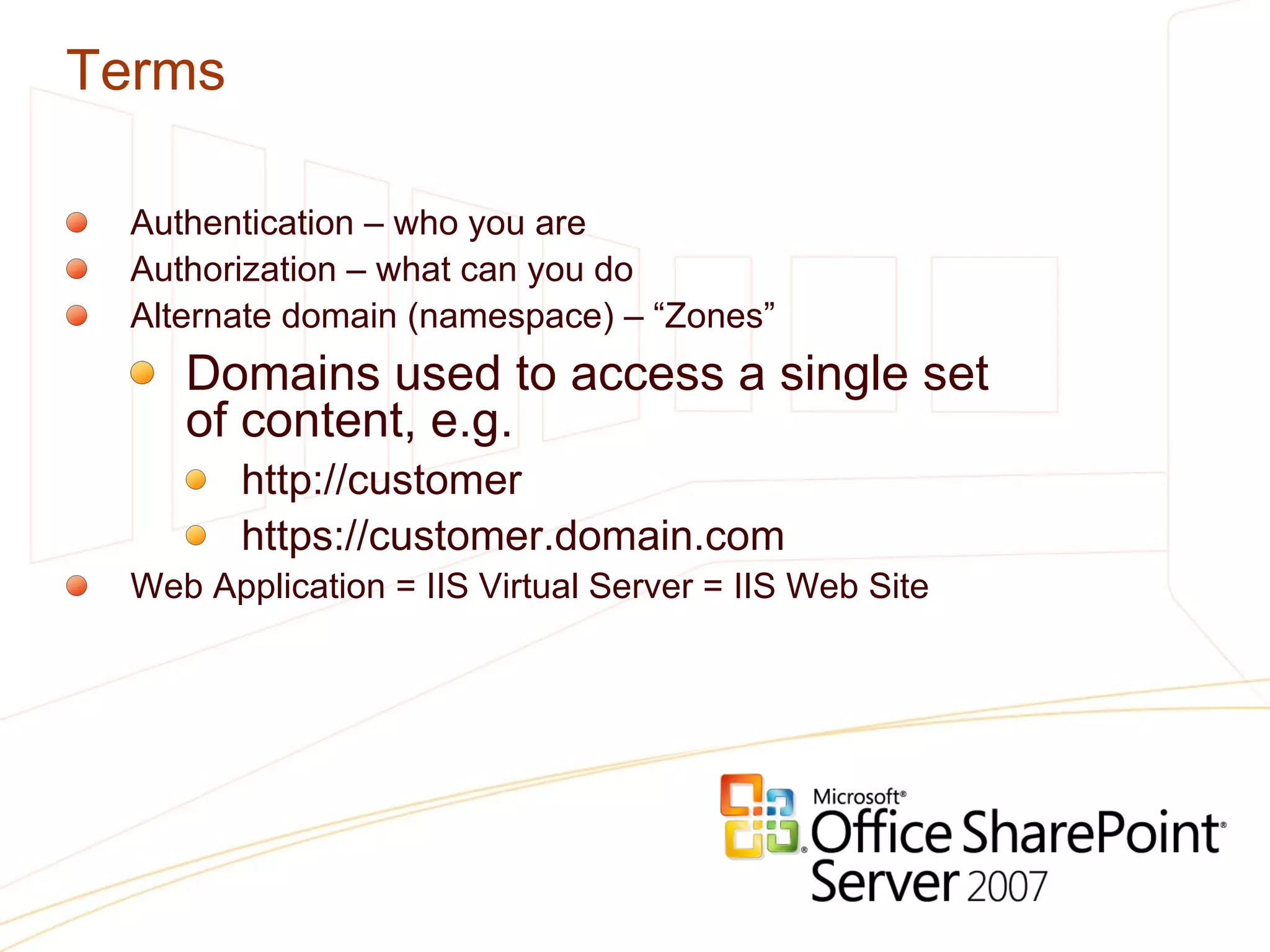
Terms Authentication – who you are Authorization – what can you do Alternate domain (namespace) – “Zones”  Domains used to access a single set  of content, e.g. http://customer https://customer.domain.com  Web Application = IIS Virtual Server = IIS Web Site
Three Scenarios MS IT hosted collaboration extranet For collaboration with business partners MCS Intellectual Capital Exchange For MS consultants on site with customers Enterprise intranet web presence For employees working away from work
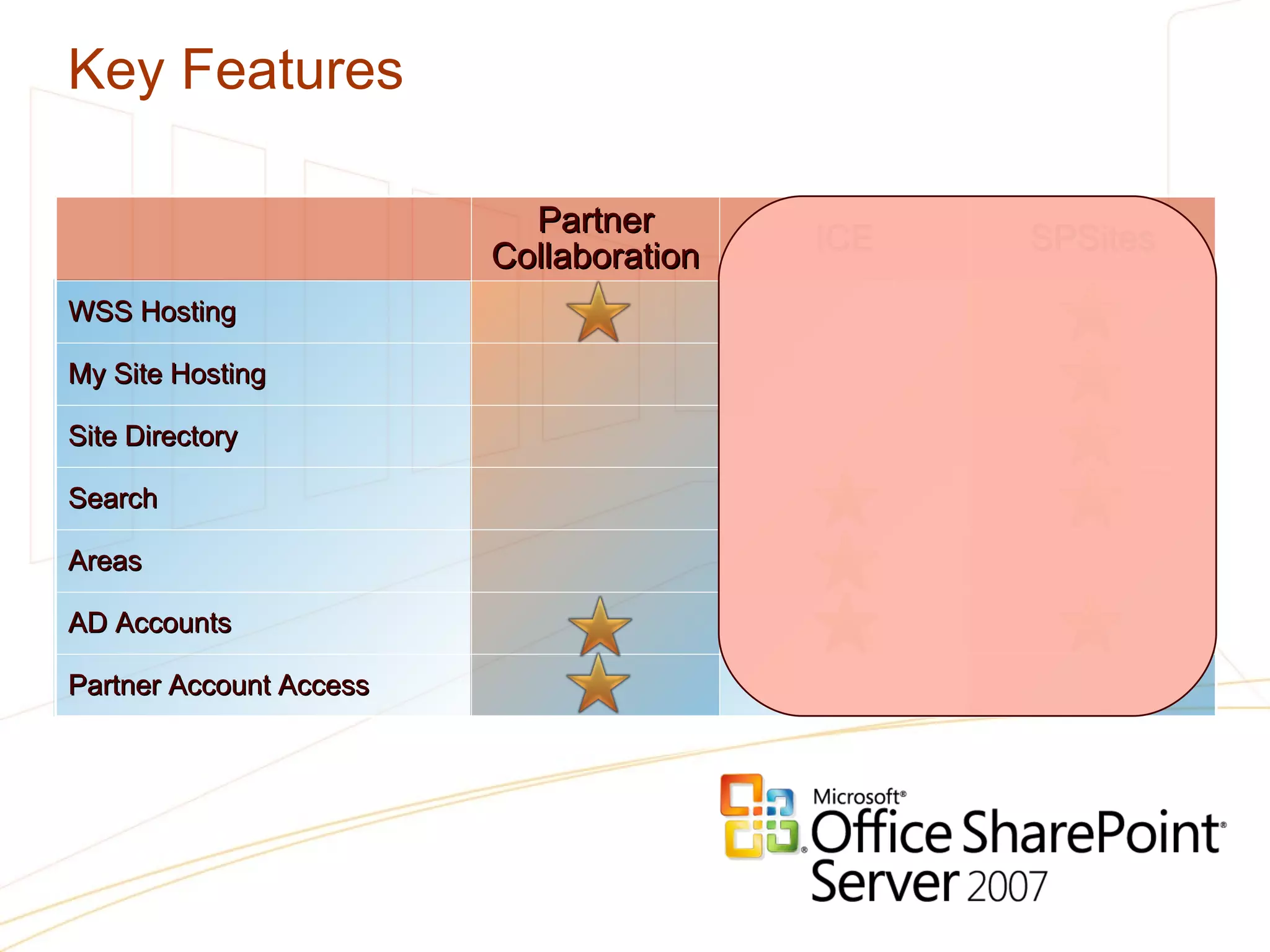
Key Features Partner Collaboration ICE SPSites WSS Hosting My Site Hosting Site Directory Search Areas AD Accounts Partner Account Access
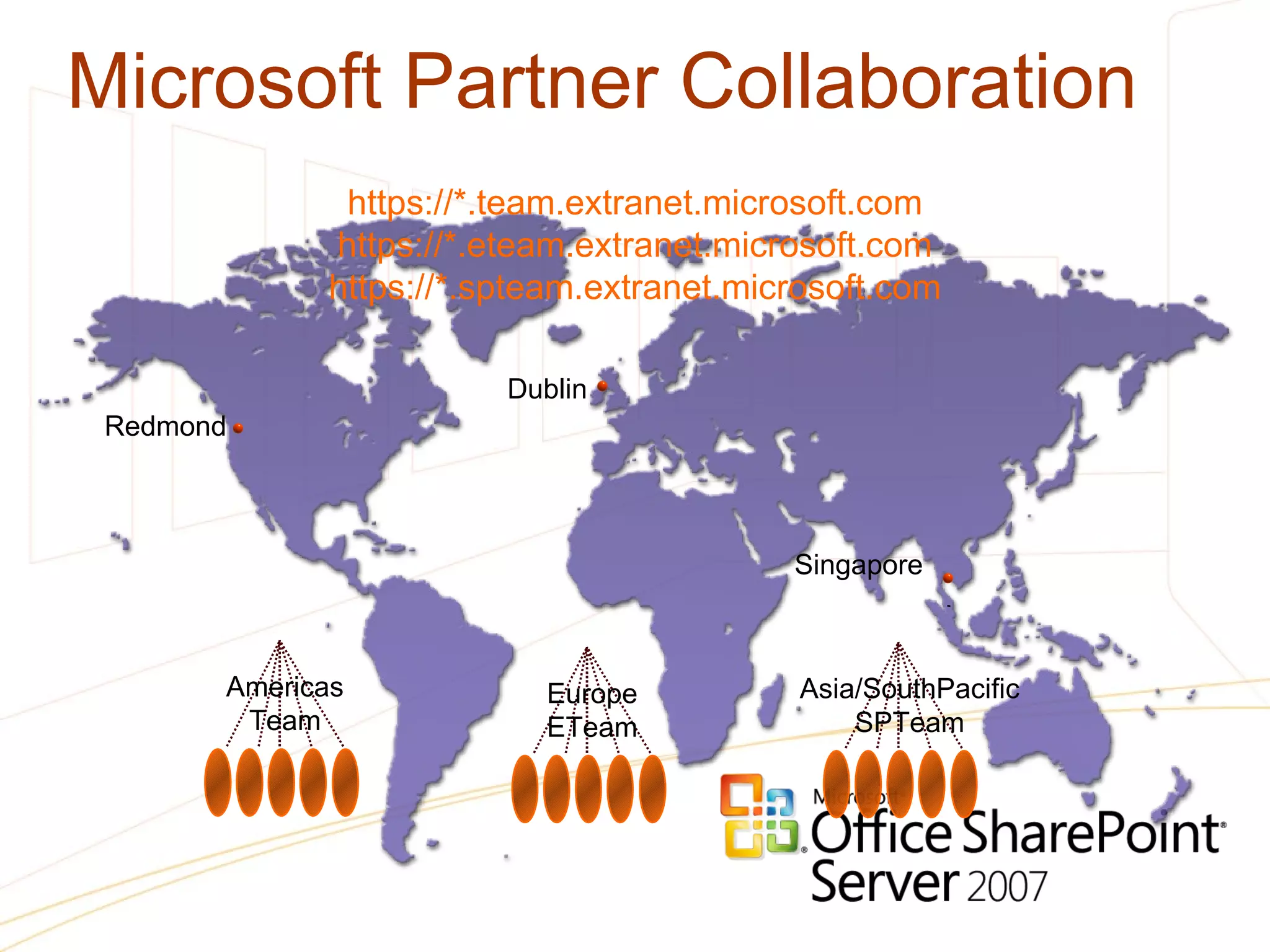
Microsoft Partner Collaboration Dublin Singapore Redmond Americas Team Asia/SouthPacific SPTeam Europe ETeam https://*.team.extranet.microsoft.com https://*.eteam.extranet.microsoft.com https://*.spteam.extranet.microsoft.com
Issues Authentication Two factor? Account management AD Account Creation Mode? Isolation of partner accounts Separate AD forest?
Workarounds for SharePoint 2003 Authentication Basic over SSL with logout button Auth delegation with ISA 2006 support  for forms and cookies Account management Managed partner forest Custom web account provisioning Isolation of partner access Separate farm in DMZ
Enhancements in SharePoint 2007 Authentication Pluggable authentication (ASP.NET 2.0) Forms based authentication (FBA) with cookies ADFS federation with Passport/LiveID, others Account management LDAP directories Users database (SQL Server, etc.) Isolation of partner access Application isolation with Web application Multiple authentication providers
ASP.NET 2.0 Authentication Pluggable authentication provider framework User identity is independent from Windows or Activity Directory identity Custom code to handle authentication Two related providers Membership – user identities Role – roles/groups/attributes for a user Out of the box providers LDAP v3 (provided by MOSS 2007) SQL Server (ASP.NET 2.0) AD – single domain only (ASP.NET 2.0)
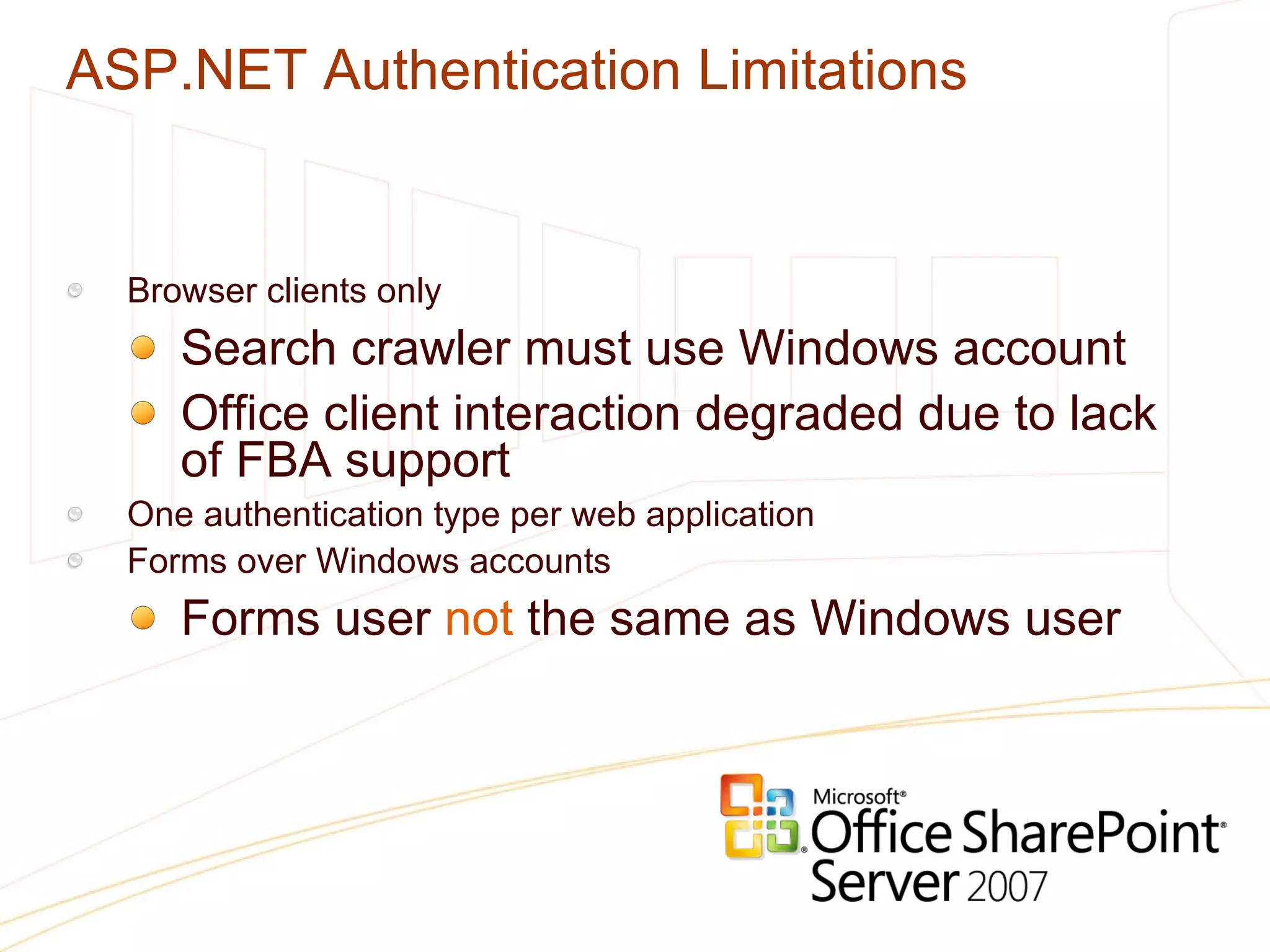
ASP.NET Authentication Limitations Browser clients only Search crawler must use Windows account Office client interaction degraded due to lack of FBA support One authentication type per web application Forms over Windows accounts Forms user  not  the same as Windows user
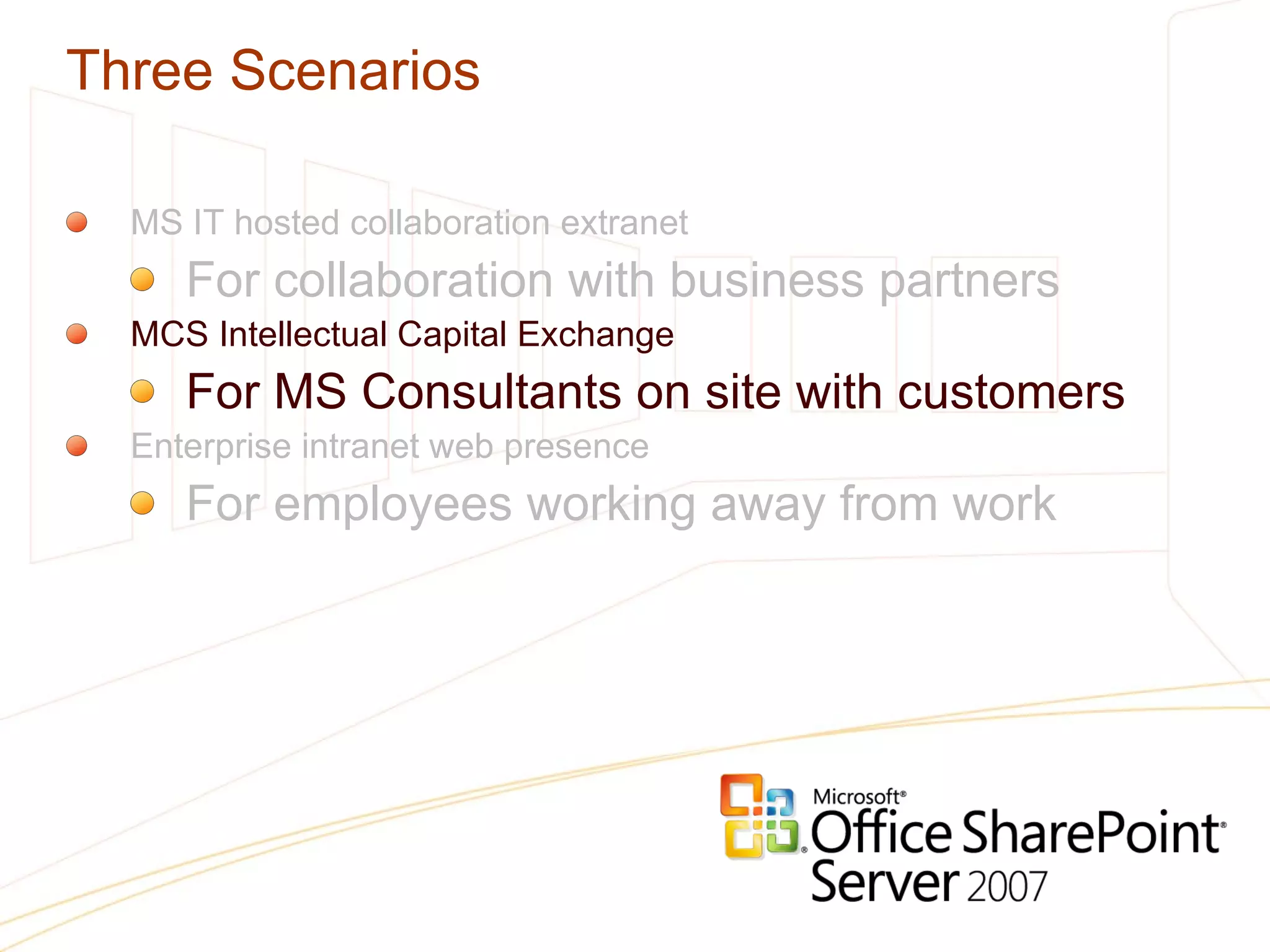
Three Scenarios MS IT hosted collaboration extranet For collaboration with business partners MCS Intellectual Capital Exchange For MS Consultants on site with customers Enterprise intranet web presence For employees working away from work
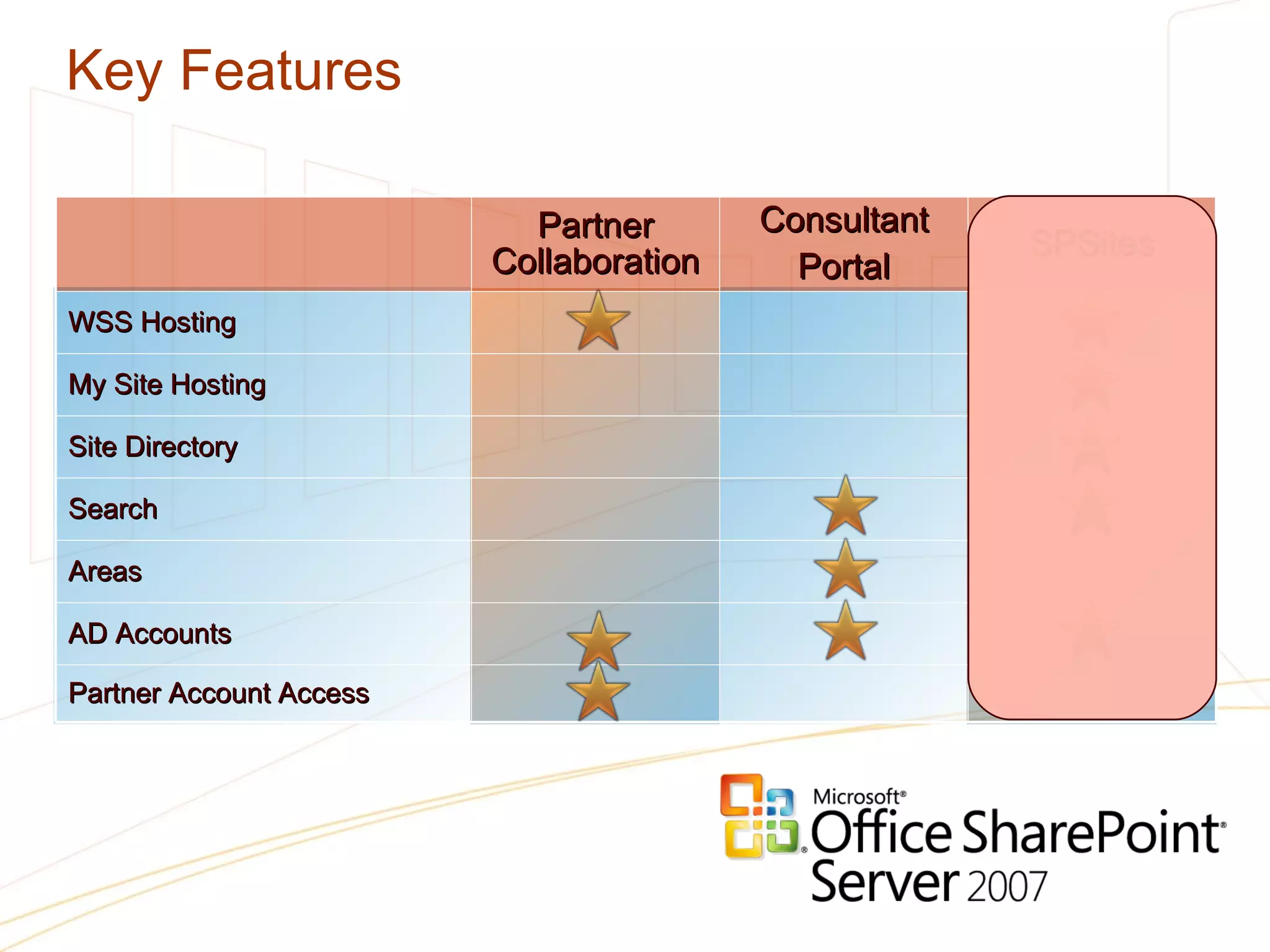
Key Features Partner Collaboration Consultant Portal SPSites WSS Hosting My Site Hosting Site Directory Search Areas AD Accounts Partner Account Access
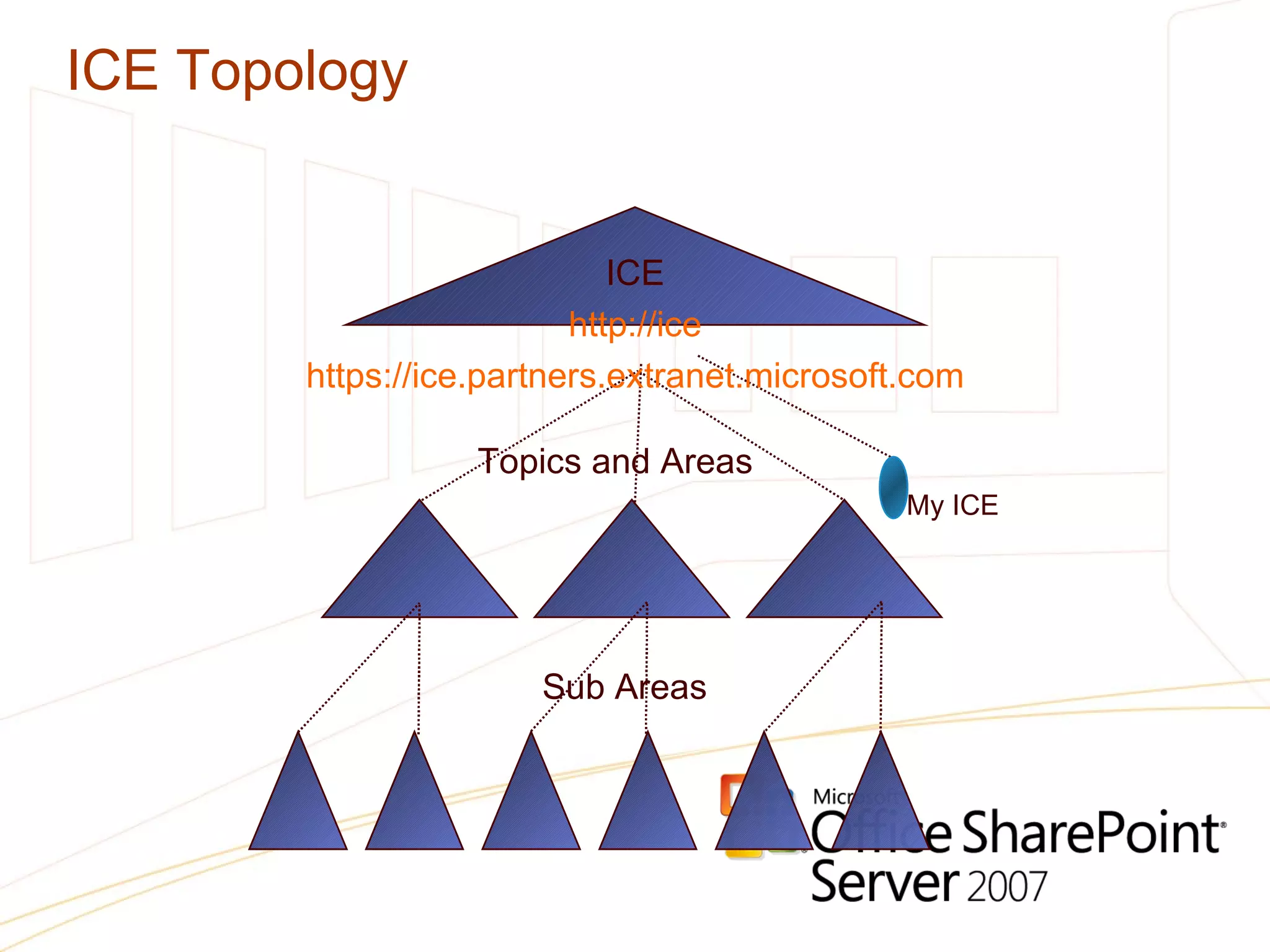
ICE Topology Topics and Areas My ICE Sub Areas ICE http://ice https://ice.partners.extranet.microsoft.com
Challenges Granular security Cross Browser Compatibility Reverse publishing/zones
Workarounds for SharePoint 2003 Granular security IRM’d documents Cross Browser Compatibility End user education re: depreciated functionality Reverse publishing/zones Use ISA web publishing for reverse proxying Zones in WSS 2.0 SP2
Enhancements in SharePoint 2007 Granular security Item level security Server side IRM policy enforcement Cross Browser Compatibility Improved cross browser support Reverse publishing/zones No absolute URLs Support for reverse proxy Zone based policy support
Three Scenarios MS IT hosted collaboration extranet For collaboration with business partners MCS Intellectual Capital Exchange For consultants on site with customers Enterprise intranet web presence For employees working away from work
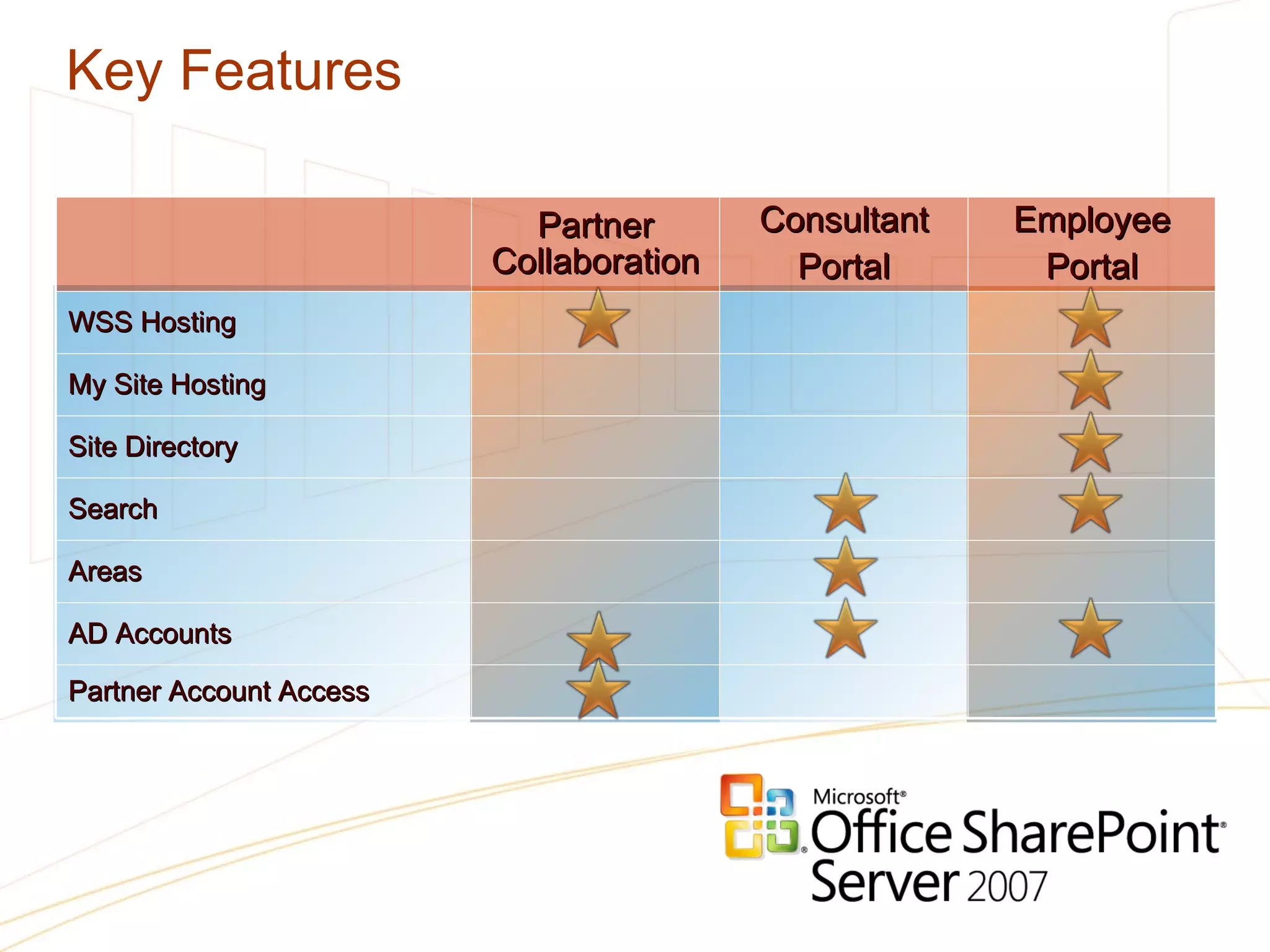
Key Features Partner Collaboration Consultant Portal Employee Portal WSS Hosting My Site Hosting Site Directory Search Areas AD Accounts Partner Account Access
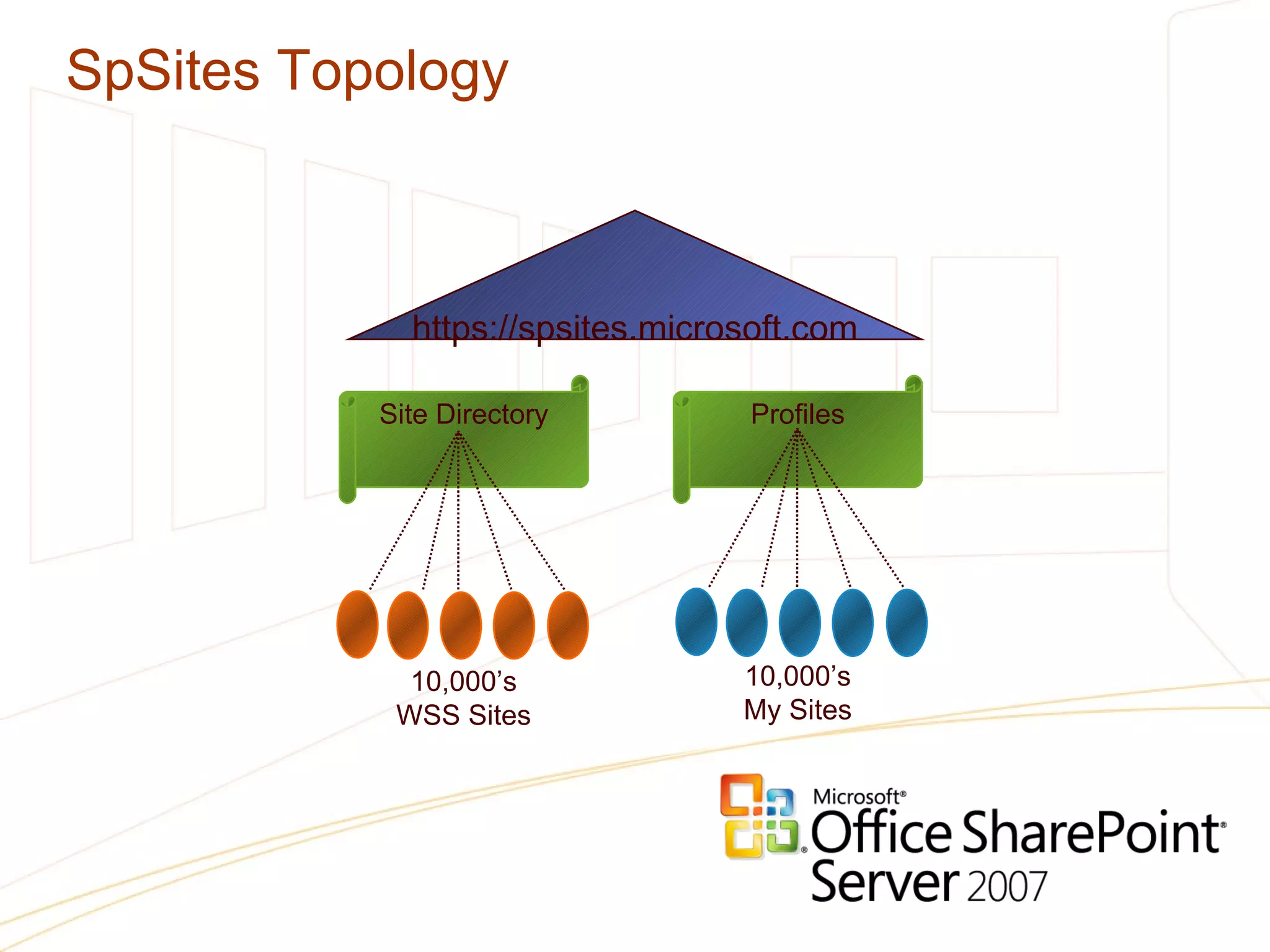
SpSites Topology https://spsites.microsoft.com 10,000’s WSS Sites 10,000’s My Sites Site Directory Profiles
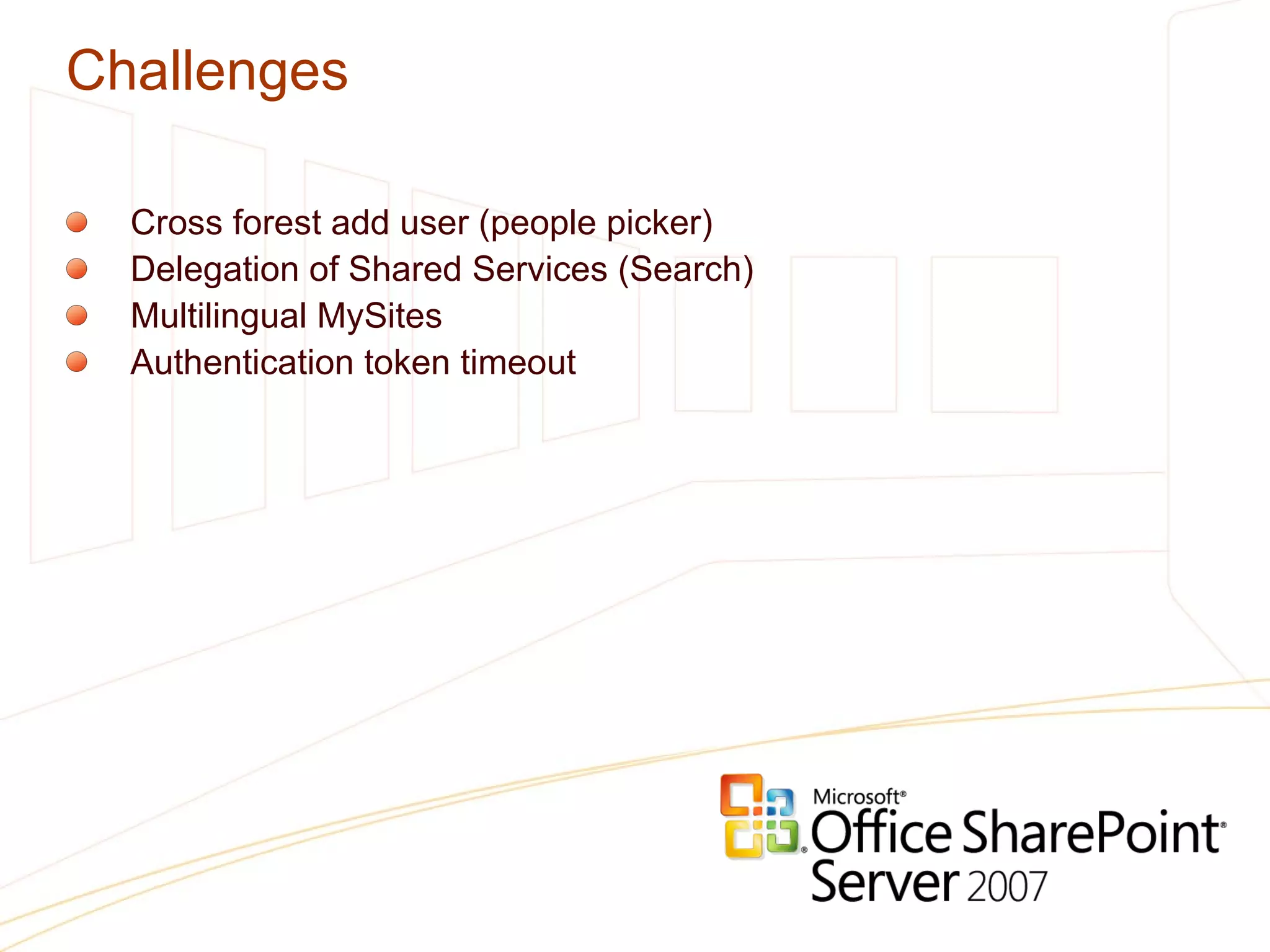
Challenges Cross forest add user (people picker) Delegation of Shared Services (Search) Multilingual MySites Authentication token timeout
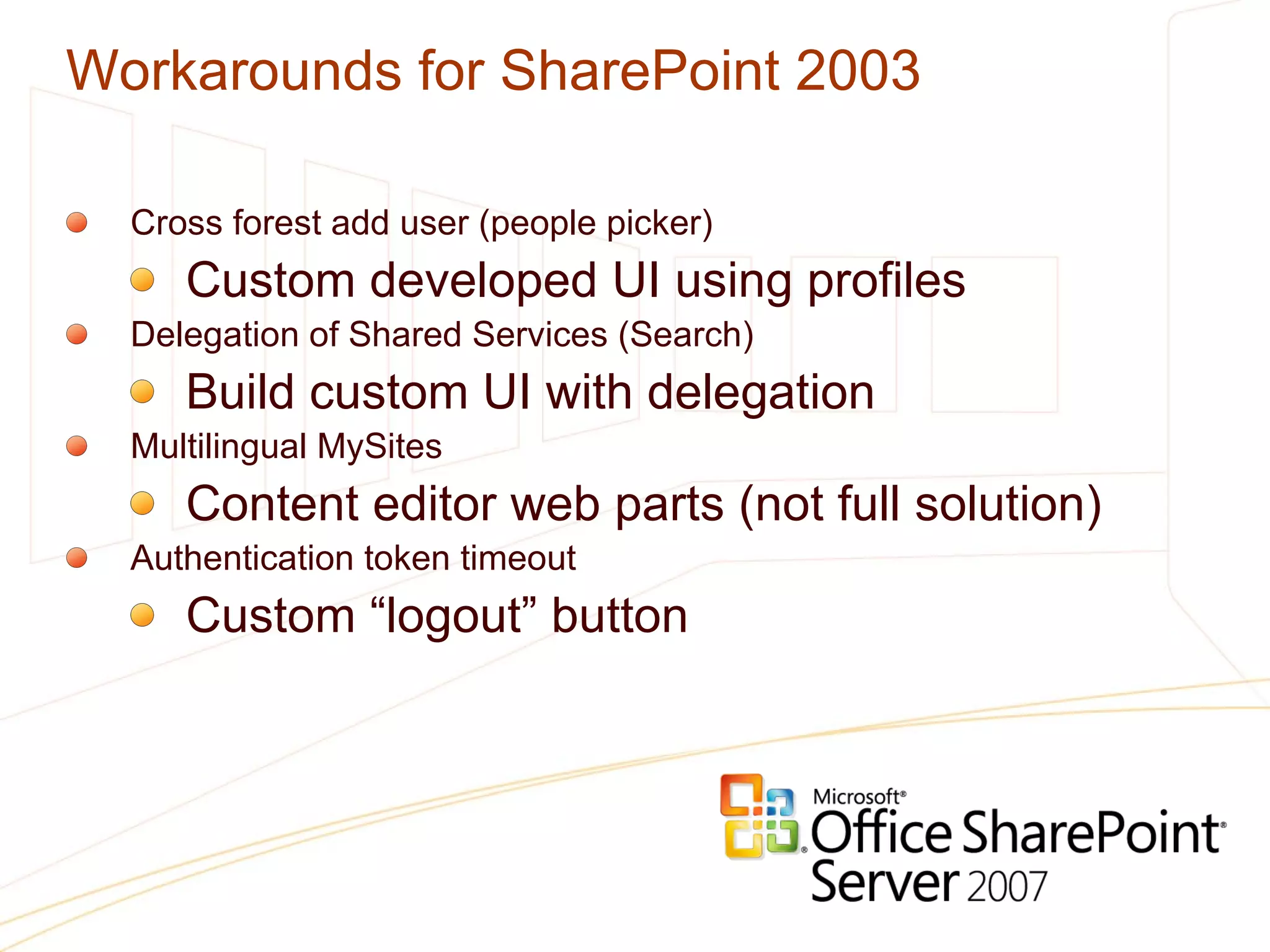
Workarounds for SharePoint 2003 Cross forest add user (people picker) Custom developed UI using profiles Delegation of Shared Services (Search) Build custom UI with delegation Multilingual MySites Content editor web parts (not full solution) Authentication token timeout Custom “logout” button
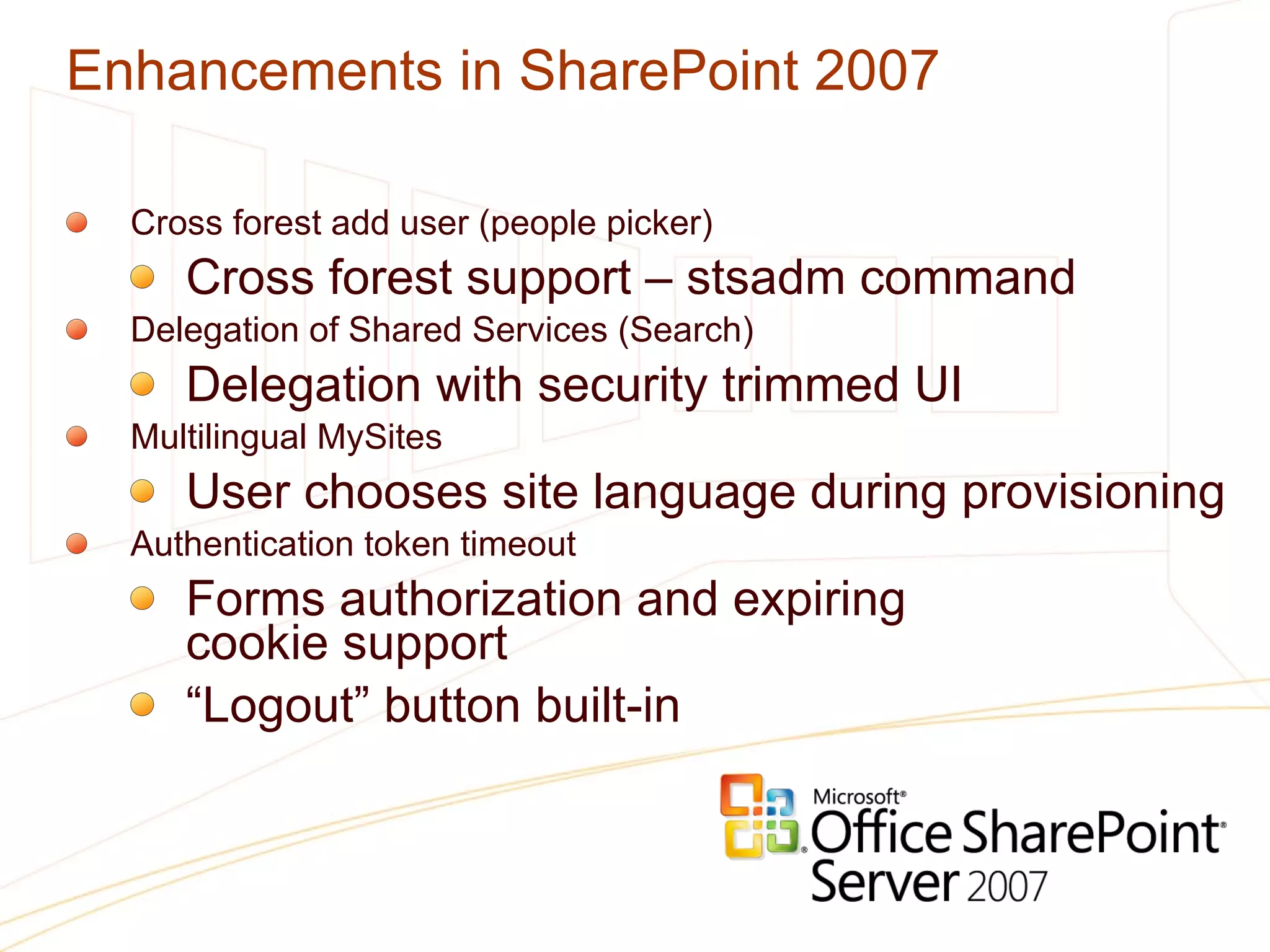
Enhancements in SharePoint 2007 Cross forest add user (people picker) Cross forest support – stsadm command Delegation of Shared Services (Search) Delegation with security trimmed UI Multilingual MySites User chooses site language during provisioning Authentication token timeout Forms authorization and expiring  cookie support “ Logout” button built-in
Secure, Scalable, Flexible Topologies
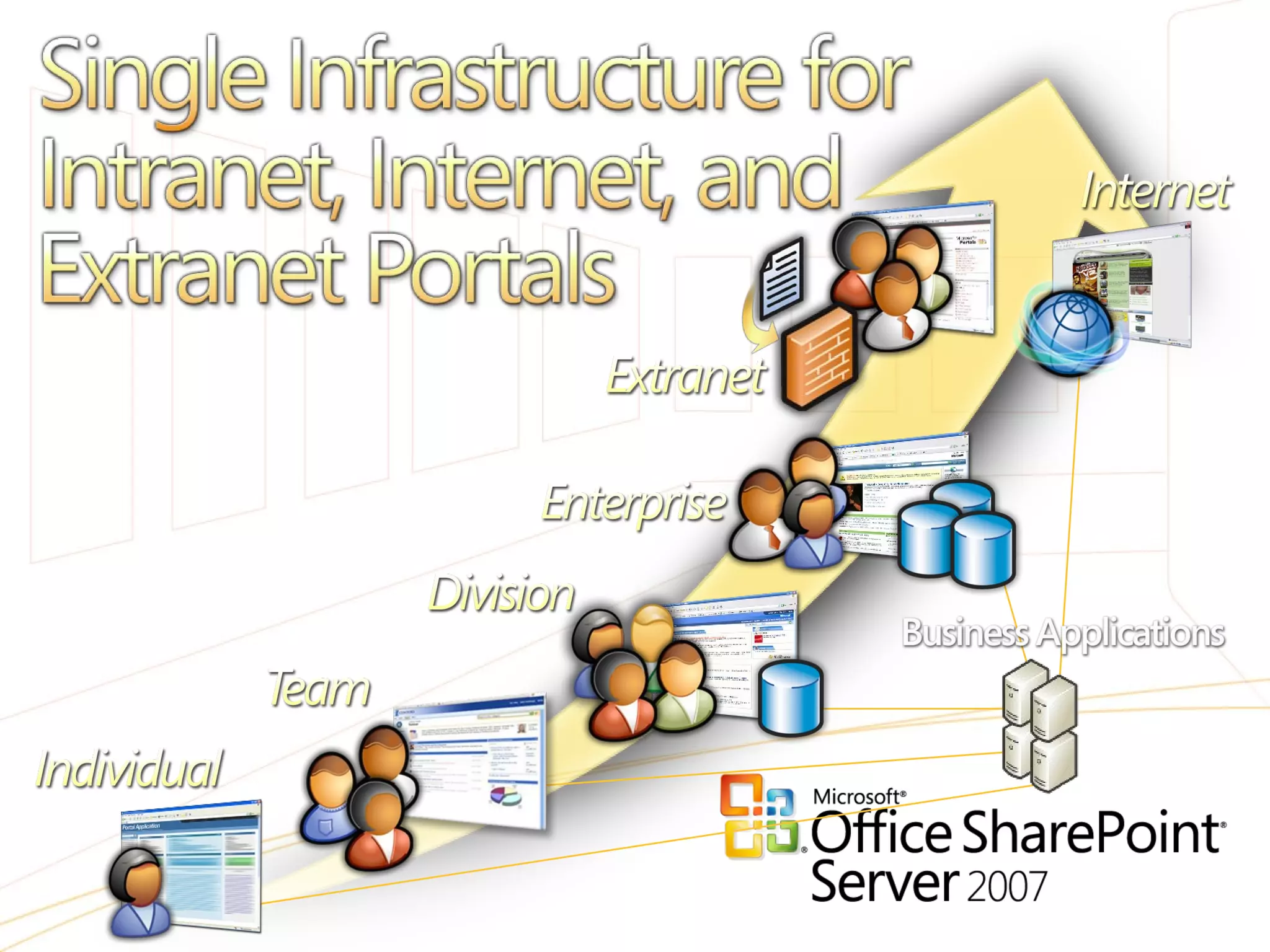
Single Infrastructure for Intranet, Internet, and Extranet Portals
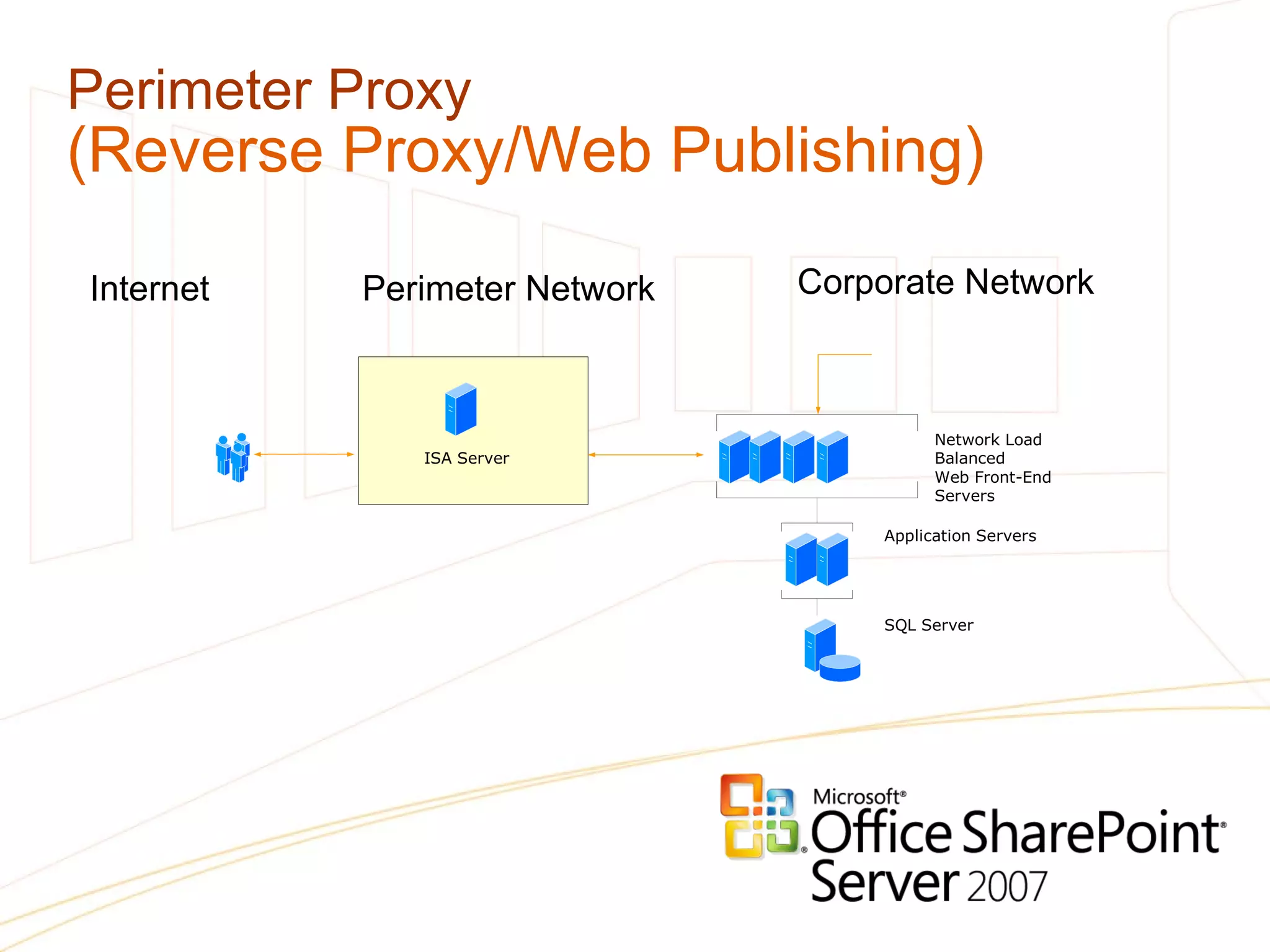
Perimeter Proxy  (Reverse Proxy/Web Publishing) Internet Perimeter Network Corporate Network
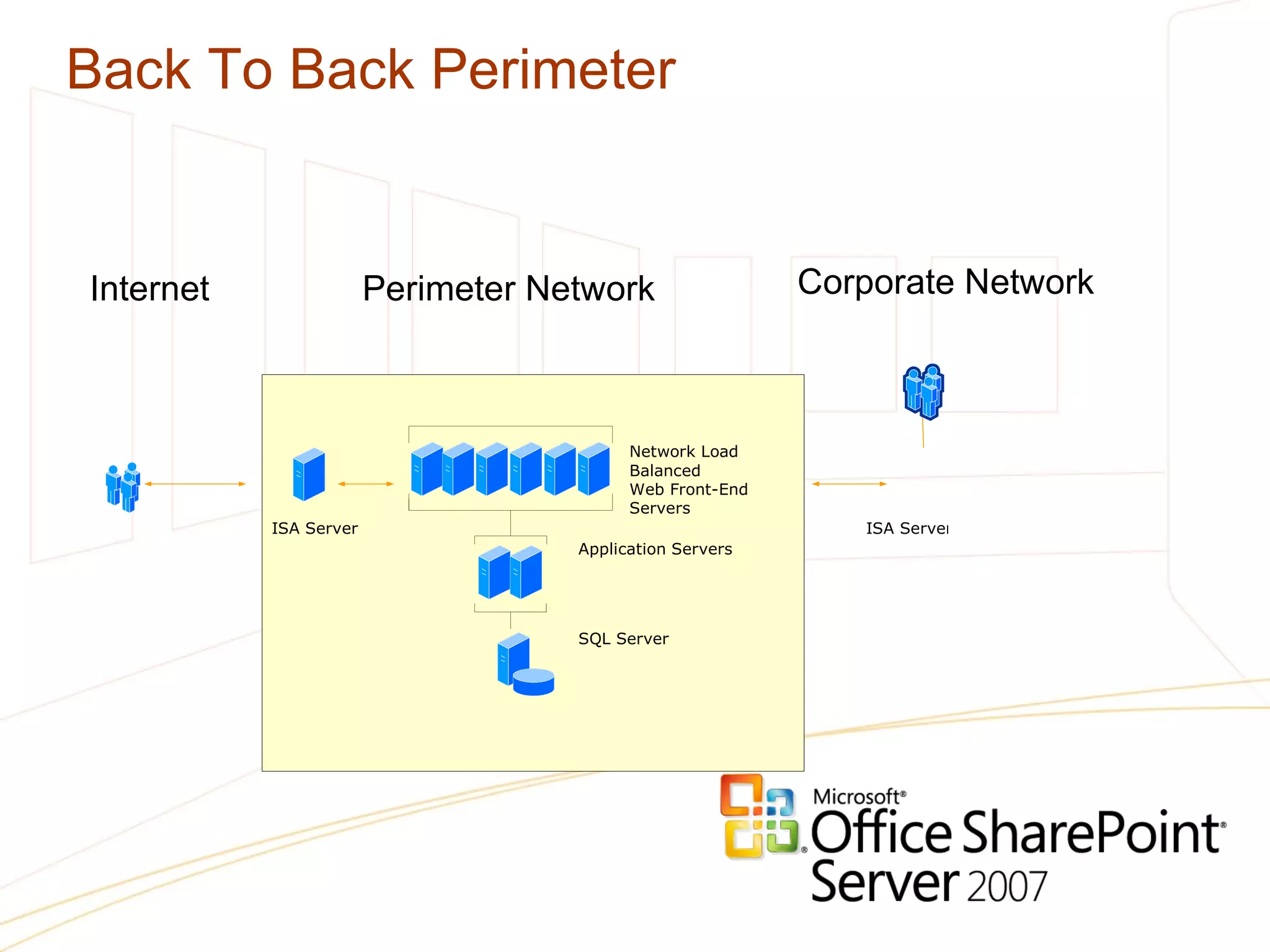
Back To Back Perimeter Internet Perimeter Network Corporate Network
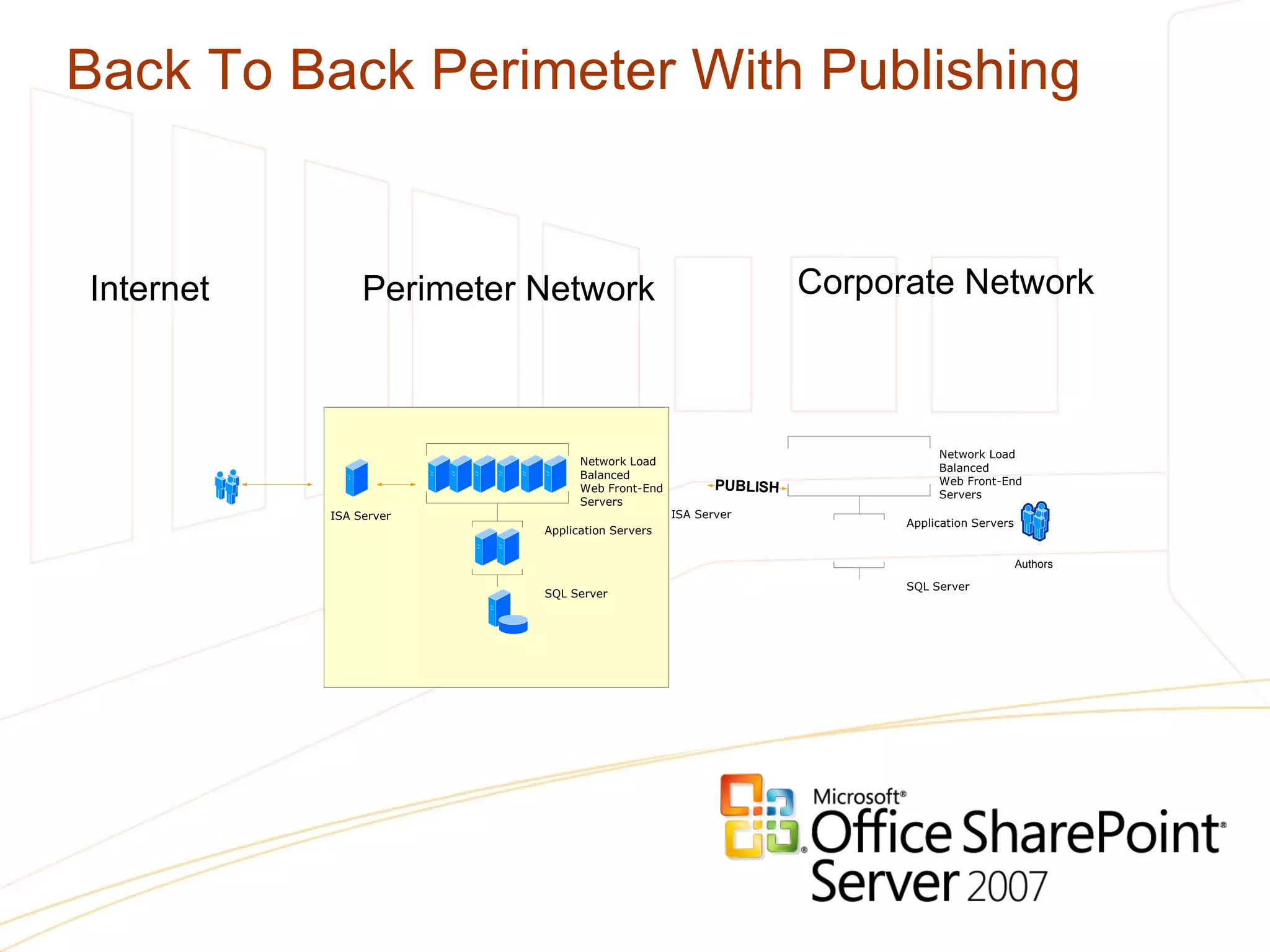
Back To Back Perimeter With Publishing Internet Perimeter Network Corporate Network
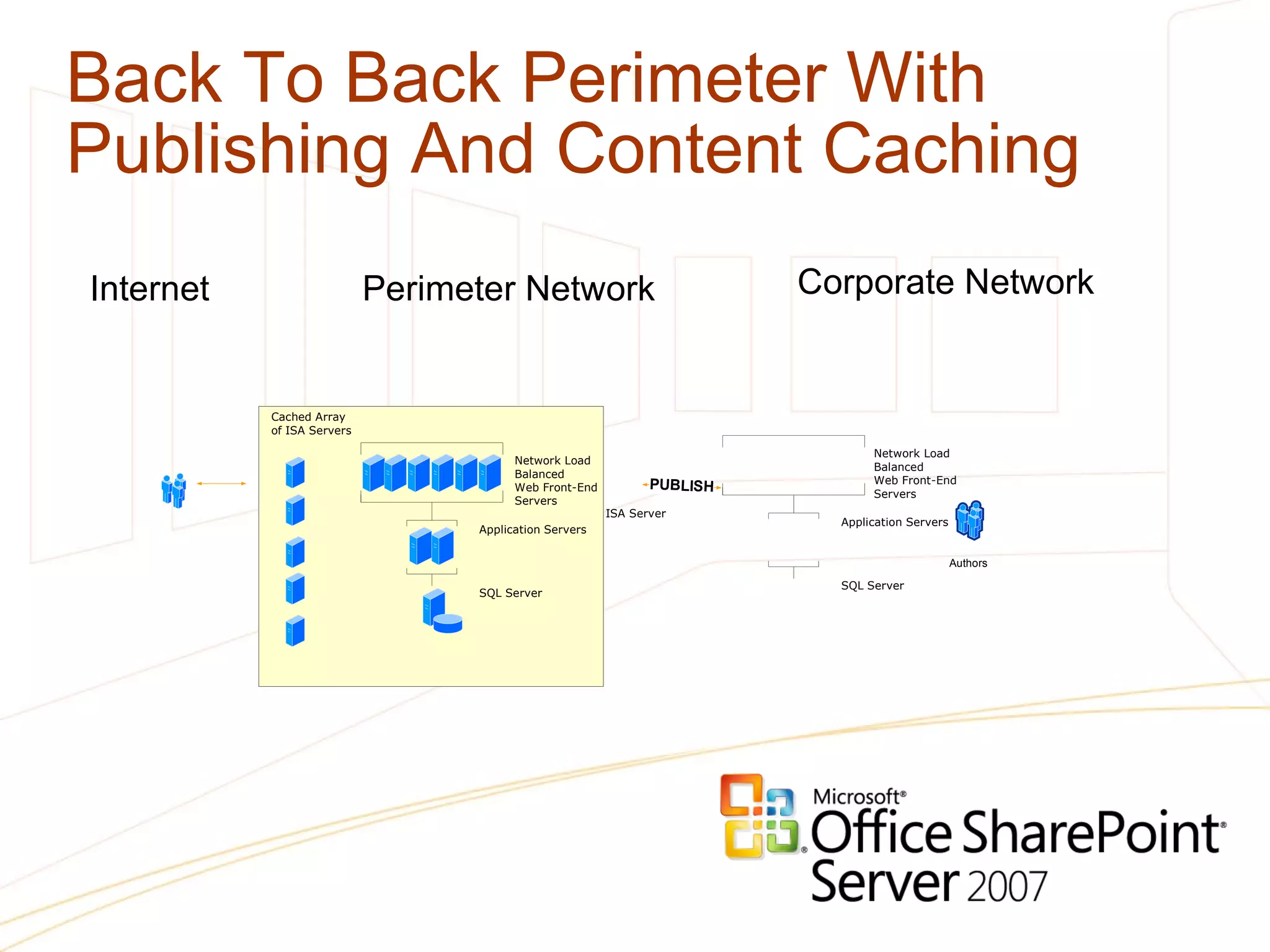
Back To Back Perimeter With Publishing And Content Caching Internet Perimeter Network Corporate Network
 
4-Factor Authentication with ISA 2006
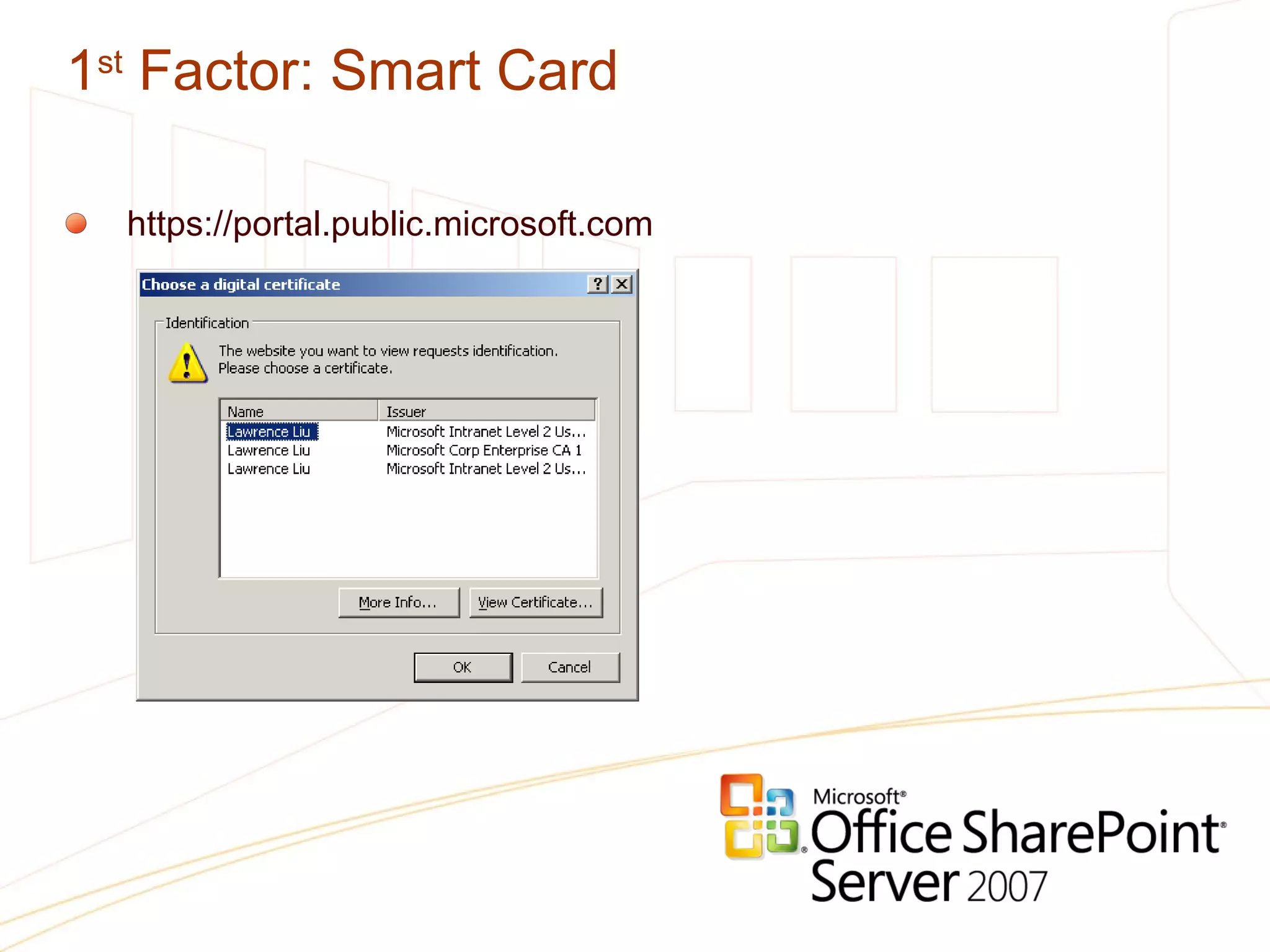
1 st  Factor: Smart Card https://portal.public.microsoft.com
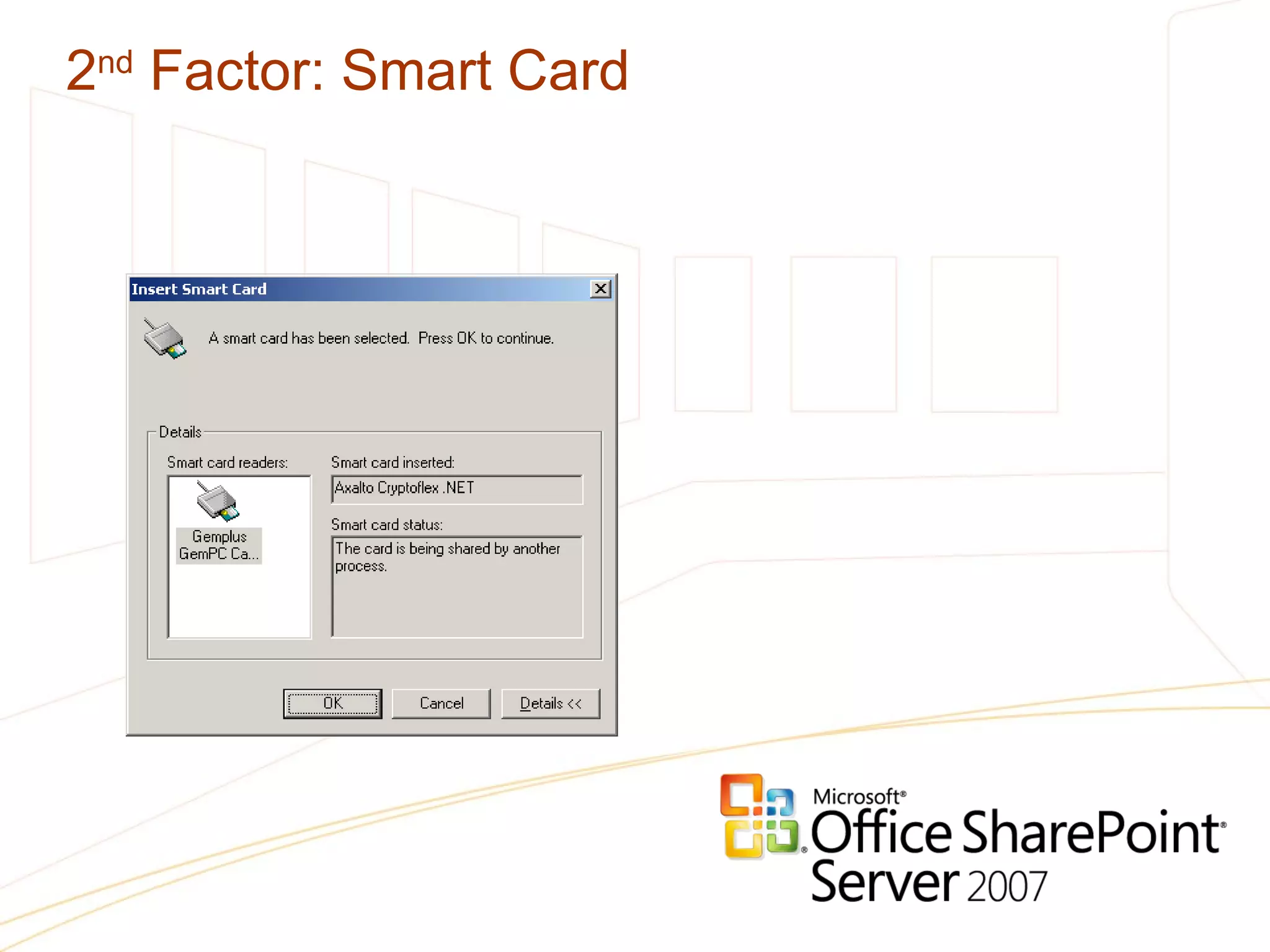
2 nd  Factor: Smart Card
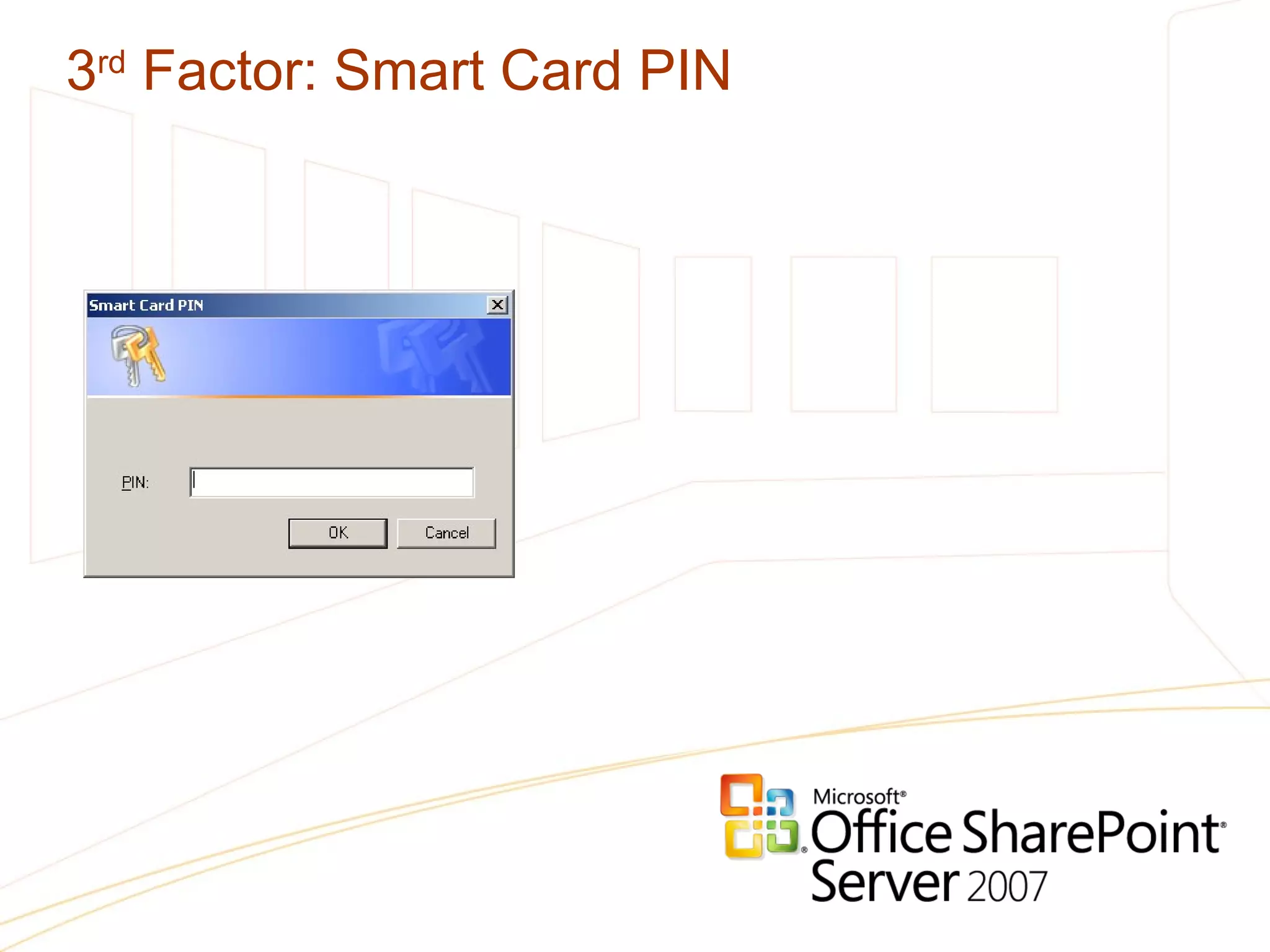
3 rd  Factor: Smart Card PIN
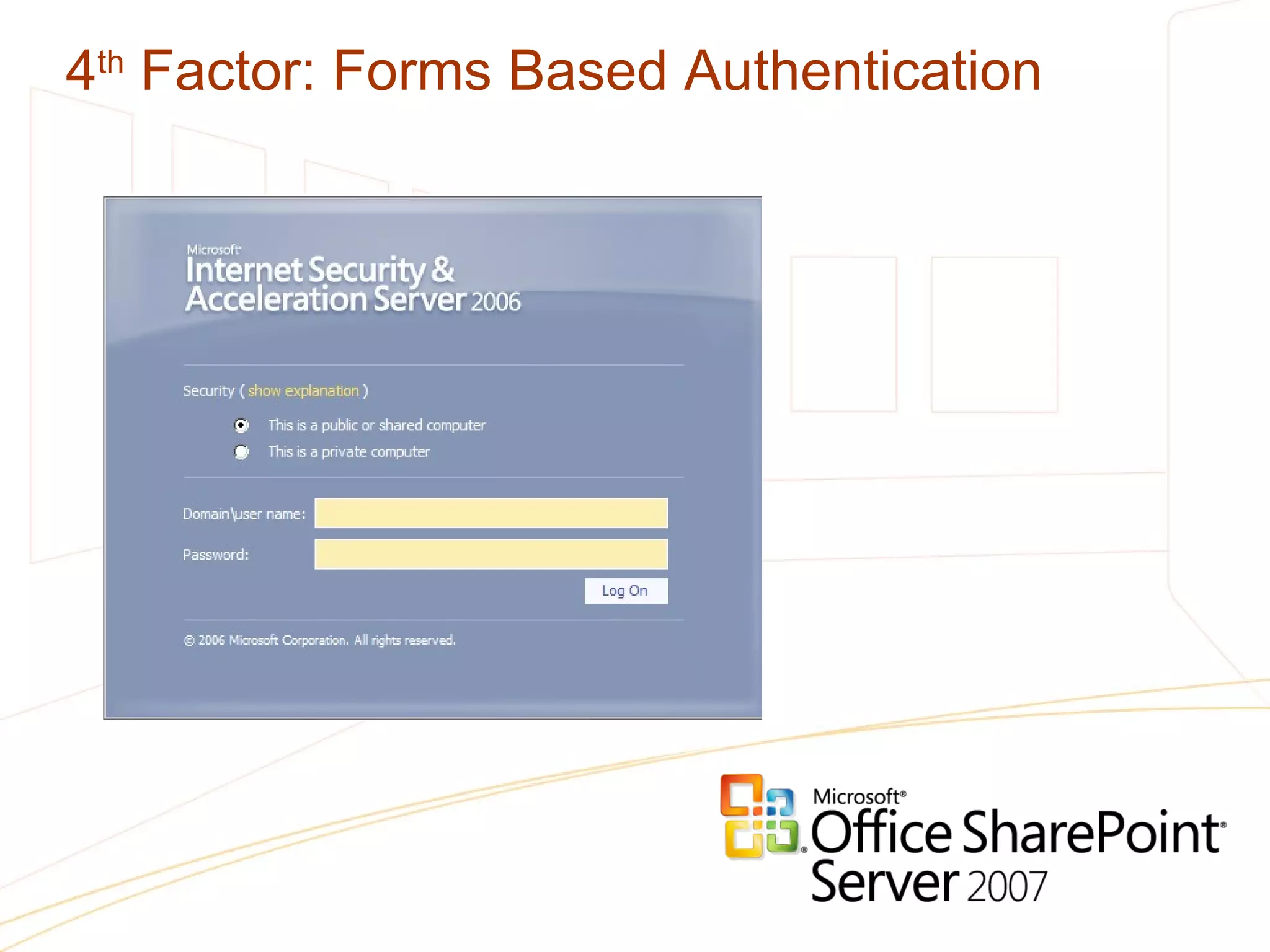
4 th  Factor: Forms Based Authentication
“ SharePoint Web Access”
No Smart Card, No VPN Required https://spsites.microsoft.com
Key Take Aways Flexible scalable topologies Consolidation with isolation Internal URL, external URL, partner URL Isolate Partner accounts from Intranet Employees use same account in intranet & extranet Internet ready/Publishing Cross forest support  Extensible authentication ASP.NET 2.0 pluggable auth/multi auth Zone policies Forms/cookies/logout
Key Take Aways Test! Test! Test! Network latency and bandwidth  Locally: 50-80 ms Globally: 180-250 ms (as much as 450 ms) Understand the datasizes Engineering & Manufacturing documents (large) Understand usage scenarios Understand the collaboration policy in the organization Authorization, roles, retention policies.
Resources Planning, Designing & Securing an Extranet and Internet Facing WSSv3 and SharePoint Server 2007 Environments http://blogs.msdn.com/sharepoint/archive/2006/08/08/planning-designing-amp-securing-an-extranet-and-internet-facing-wssv3-and-sharepoint-server-2007-environments.aspx SharePoint Community Search http://search.live.com/macros/lliu/spsearch   SharePoint Community Portal http://sharepoint.microsoft.com/sharepoint
Sweepstake Complete your Feedback form  and have a chance   to win a Zune!* * English US version

sharepoint.microsoft.com

  • 1.
    IT13 - Extranetsand Internet Facing Environments in the Real World Deployment and Management European Microsoft SharePoint Conference 2007 February 12th to 14th, 2007 Convention Center Hotel Estrel, Berlin, Germany
  • 2.
    Important If you’relooking for “Building Internet Facing SharePoint Sites” session, it’s tomorrow (Wednesday) at 11:45AM. This session is about how MS IT implemented SharePoint extranets and Internet accessible internal applications.
  • 3.
    Agenda Three extranet/Internetfacing case studies Key features Challenges Today’s workarounds 2007 enhancements Secure, flexible, scalable topologies Demo ISA 2006 web publishing Exchange 2007 offline SharePoint files
  • 4.
    Three Scenarios MSIT hosted collaboration extranet For collaboration with business partners MCS Intellectual Capital Exchange For MS consultants on site with customers Enterprise intranet web presence For employees working away from work
  • 5.
    Terms Authentication –who you are Authorization – what can you do Alternate domain (namespace) – “Zones” Domains used to access a single set of content, e.g. http://customer https://customer.domain.com Web Application = IIS Virtual Server = IIS Web Site
  • 6.
    Three Scenarios MSIT hosted collaboration extranet For collaboration with business partners MCS Intellectual Capital Exchange For MS consultants on site with customers Enterprise intranet web presence For employees working away from work
  • 7.
    Key Features PartnerCollaboration ICE SPSites WSS Hosting My Site Hosting Site Directory Search Areas AD Accounts Partner Account Access
  • 8.
    Microsoft Partner CollaborationDublin Singapore Redmond Americas Team Asia/SouthPacific SPTeam Europe ETeam https://*.team.extranet.microsoft.com https://*.eteam.extranet.microsoft.com https://*.spteam.extranet.microsoft.com
  • 9.
    Issues Authentication Twofactor? Account management AD Account Creation Mode? Isolation of partner accounts Separate AD forest?
  • 10.
    Workarounds for SharePoint2003 Authentication Basic over SSL with logout button Auth delegation with ISA 2006 support for forms and cookies Account management Managed partner forest Custom web account provisioning Isolation of partner access Separate farm in DMZ
  • 11.
    Enhancements in SharePoint2007 Authentication Pluggable authentication (ASP.NET 2.0) Forms based authentication (FBA) with cookies ADFS federation with Passport/LiveID, others Account management LDAP directories Users database (SQL Server, etc.) Isolation of partner access Application isolation with Web application Multiple authentication providers
  • 12.
    ASP.NET 2.0 AuthenticationPluggable authentication provider framework User identity is independent from Windows or Activity Directory identity Custom code to handle authentication Two related providers Membership – user identities Role – roles/groups/attributes for a user Out of the box providers LDAP v3 (provided by MOSS 2007) SQL Server (ASP.NET 2.0) AD – single domain only (ASP.NET 2.0)
  • 13.
    ASP.NET Authentication LimitationsBrowser clients only Search crawler must use Windows account Office client interaction degraded due to lack of FBA support One authentication type per web application Forms over Windows accounts Forms user not the same as Windows user
  • 14.
    Three Scenarios MSIT hosted collaboration extranet For collaboration with business partners MCS Intellectual Capital Exchange For MS Consultants on site with customers Enterprise intranet web presence For employees working away from work
  • 15.
    Key Features PartnerCollaboration Consultant Portal SPSites WSS Hosting My Site Hosting Site Directory Search Areas AD Accounts Partner Account Access
  • 16.
    ICE Topology Topicsand Areas My ICE Sub Areas ICE http://ice https://ice.partners.extranet.microsoft.com
  • 17.
    Challenges Granular securityCross Browser Compatibility Reverse publishing/zones
  • 18.
    Workarounds for SharePoint2003 Granular security IRM’d documents Cross Browser Compatibility End user education re: depreciated functionality Reverse publishing/zones Use ISA web publishing for reverse proxying Zones in WSS 2.0 SP2
  • 19.
    Enhancements in SharePoint2007 Granular security Item level security Server side IRM policy enforcement Cross Browser Compatibility Improved cross browser support Reverse publishing/zones No absolute URLs Support for reverse proxy Zone based policy support
  • 20.
    Three Scenarios MSIT hosted collaboration extranet For collaboration with business partners MCS Intellectual Capital Exchange For consultants on site with customers Enterprise intranet web presence For employees working away from work
  • 21.
    Key Features PartnerCollaboration Consultant Portal Employee Portal WSS Hosting My Site Hosting Site Directory Search Areas AD Accounts Partner Account Access
  • 22.
    SpSites Topology https://spsites.microsoft.com10,000’s WSS Sites 10,000’s My Sites Site Directory Profiles
  • 23.
    Challenges Cross forestadd user (people picker) Delegation of Shared Services (Search) Multilingual MySites Authentication token timeout
  • 24.
    Workarounds for SharePoint2003 Cross forest add user (people picker) Custom developed UI using profiles Delegation of Shared Services (Search) Build custom UI with delegation Multilingual MySites Content editor web parts (not full solution) Authentication token timeout Custom “logout” button
  • 25.
    Enhancements in SharePoint2007 Cross forest add user (people picker) Cross forest support – stsadm command Delegation of Shared Services (Search) Delegation with security trimmed UI Multilingual MySites User chooses site language during provisioning Authentication token timeout Forms authorization and expiring cookie support “ Logout” button built-in
  • 26.
  • 27.
    Single Infrastructure forIntranet, Internet, and Extranet Portals
  • 28.
    Perimeter Proxy (Reverse Proxy/Web Publishing) Internet Perimeter Network Corporate Network
  • 29.
    Back To BackPerimeter Internet Perimeter Network Corporate Network
  • 30.
    Back To BackPerimeter With Publishing Internet Perimeter Network Corporate Network
  • 31.
    Back To BackPerimeter With Publishing And Content Caching Internet Perimeter Network Corporate Network
  • 32.
  • 33.
  • 34.
    1 st Factor: Smart Card https://portal.public.microsoft.com
  • 35.
    2 nd Factor: Smart Card
  • 36.
    3 rd Factor: Smart Card PIN
  • 37.
    4 th Factor: Forms Based Authentication
  • 38.
  • 39.
    No Smart Card,No VPN Required https://spsites.microsoft.com
  • 40.
    Key Take AwaysFlexible scalable topologies Consolidation with isolation Internal URL, external URL, partner URL Isolate Partner accounts from Intranet Employees use same account in intranet & extranet Internet ready/Publishing Cross forest support Extensible authentication ASP.NET 2.0 pluggable auth/multi auth Zone policies Forms/cookies/logout
  • 41.
    Key Take AwaysTest! Test! Test! Network latency and bandwidth Locally: 50-80 ms Globally: 180-250 ms (as much as 450 ms) Understand the datasizes Engineering & Manufacturing documents (large) Understand usage scenarios Understand the collaboration policy in the organization Authorization, roles, retention policies.
  • 42.
    Resources Planning, Designing& Securing an Extranet and Internet Facing WSSv3 and SharePoint Server 2007 Environments http://blogs.msdn.com/sharepoint/archive/2006/08/08/planning-designing-amp-securing-an-extranet-and-internet-facing-wssv3-and-sharepoint-server-2007-environments.aspx SharePoint Community Search http://search.live.com/macros/lliu/spsearch SharePoint Community Portal http://sharepoint.microsoft.com/sharepoint
  • 43.
    Sweepstake Complete yourFeedback form and have a chance to win a Zune!* * English US version

Editor's Notes

  • #2 12/04/10 13:10 © 2006 Microsoft Corporation. All rights reserved. This presentation is for informational purposes only. Microsoft makes no warranties, express or implied, in this summary.
  • #3 Joel Oleson and Charles Ofori
  • #4 Joel Oleson and Charles Ofori
  • #5 Joel Oleson and Charles Ofori
  • #6 Joel Oleson and Charles Ofori
  • #7 Joel Oleson and Charles Ofori
  • #8 Joel Oleson and Charles Ofori
  • #9 Joel Oleson and Charles Ofori
  • #10 Joel Oleson and Charles Ofori
  • #11 Joel Oleson and Charles Ofori
  • #12 Joel Oleson and Charles Ofori
  • #13 Joel Oleson and Charles Ofori 04/12/10 13:10
  • #14 Joel Oleson and Charles Ofori 04/12/10 13:10
  • #15 Joel Oleson and Charles Ofori
  • #16 Joel Oleson and Charles Ofori
  • #17 Joel Oleson and Charles Ofori
  • #18 Joel Oleson and Charles Ofori
  • #19 Joel Oleson and Charles Ofori
  • #20 Joel Oleson and Charles Ofori
  • #21 Joel Oleson and Charles Ofori
  • #22 Joel Oleson and Charles Ofori
  • #23 Joel Oleson and Charles Ofori
  • #24 Joel Oleson and Charles Ofori
  • #25 Joel Oleson and Charles Ofori
  • #26 Joel Oleson and Charles Ofori
  • #27 Joel Oleson and Charles Ofori
  • #28 Joel Oleson and Charles Ofori 04/12/10 13:10
  • #29 Joel Oleson and Charles Ofori
  • #30 Joel Oleson and Charles Ofori
  • #31 Joel Oleson and Charles Ofori
  • #32 Joel Oleson and Charles Ofori
  • #35 12/04/10 13:10 © 2006 Microsoft Corporation. All rights reserved. This presentation is for informational purposes only. Microsoft makes no warranties, express or implied, in this summary.
  • #36 12/04/10 13:10 © 2006 Microsoft Corporation. All rights reserved. This presentation is for informational purposes only. Microsoft makes no warranties, express or implied, in this summary.
  • #37 12/04/10 13:10 © 2006 Microsoft Corporation. All rights reserved. This presentation is for informational purposes only. Microsoft makes no warranties, express or implied, in this summary.
  • #38 Joel Oleson and Charles Ofori
  • #40 12/04/10 13:10 © 2006 Microsoft Corporation. All rights reserved. This presentation is for informational purposes only. Microsoft makes no warranties, express or implied, in this summary.
  • #41 Joel Oleson and Charles Ofori
  • #42 Joel Oleson and Charles Ofori
  • #43 Joel Oleson and Charles Ofori
  • #44 12/04/10 13:10 © 2006 Microsoft Corporation. All rights reserved. This presentation is for informational purposes only. Microsoft makes no warranties, express or implied, in this summary.