SharePoint
Turn on or Turn off?
Contact/ info
    emeamarketing@workshare.com


    @jesbreslaw
    @Workshare
    Twitter.com/jesbreslaw/sharepoint


    www.evernote.com/pub/jesbreslaw/sharepoint

    www.slideshare.net/Workshare
                                                 @workshare
Agenda
•   Why do users turn off?
•   8 Tips to increase adoption
•   Where can Workshare help?
•   Workshare Point demonstration
•   Summary


                                    @workshare
About Workshare
  Document
 Collaboration
   Solutions


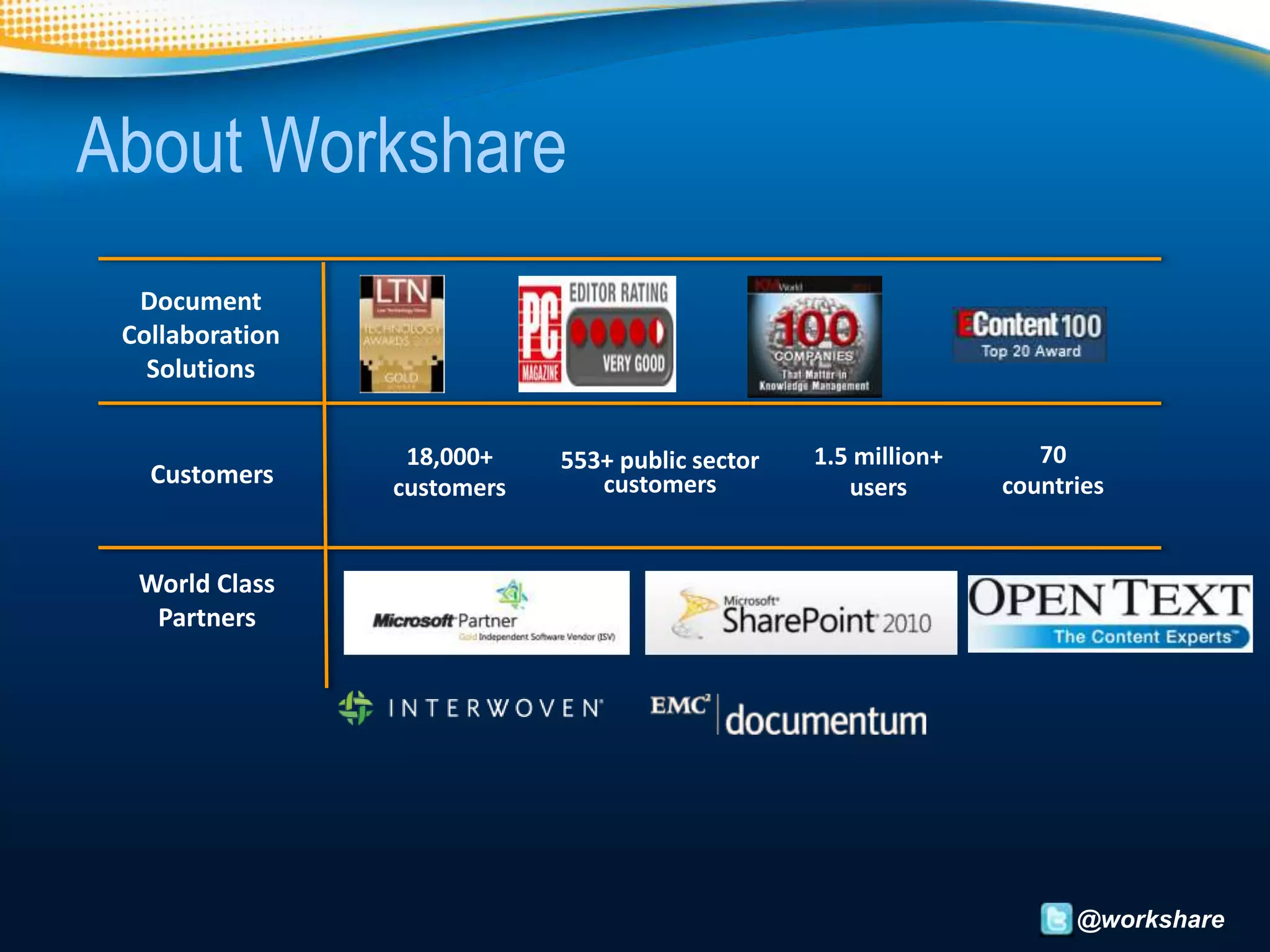
                  18,000+    553+ public sector   1.5 million+      70
   Customers     customers      customers            users       countries


  World Class
   Partners


                                                                       @workshare
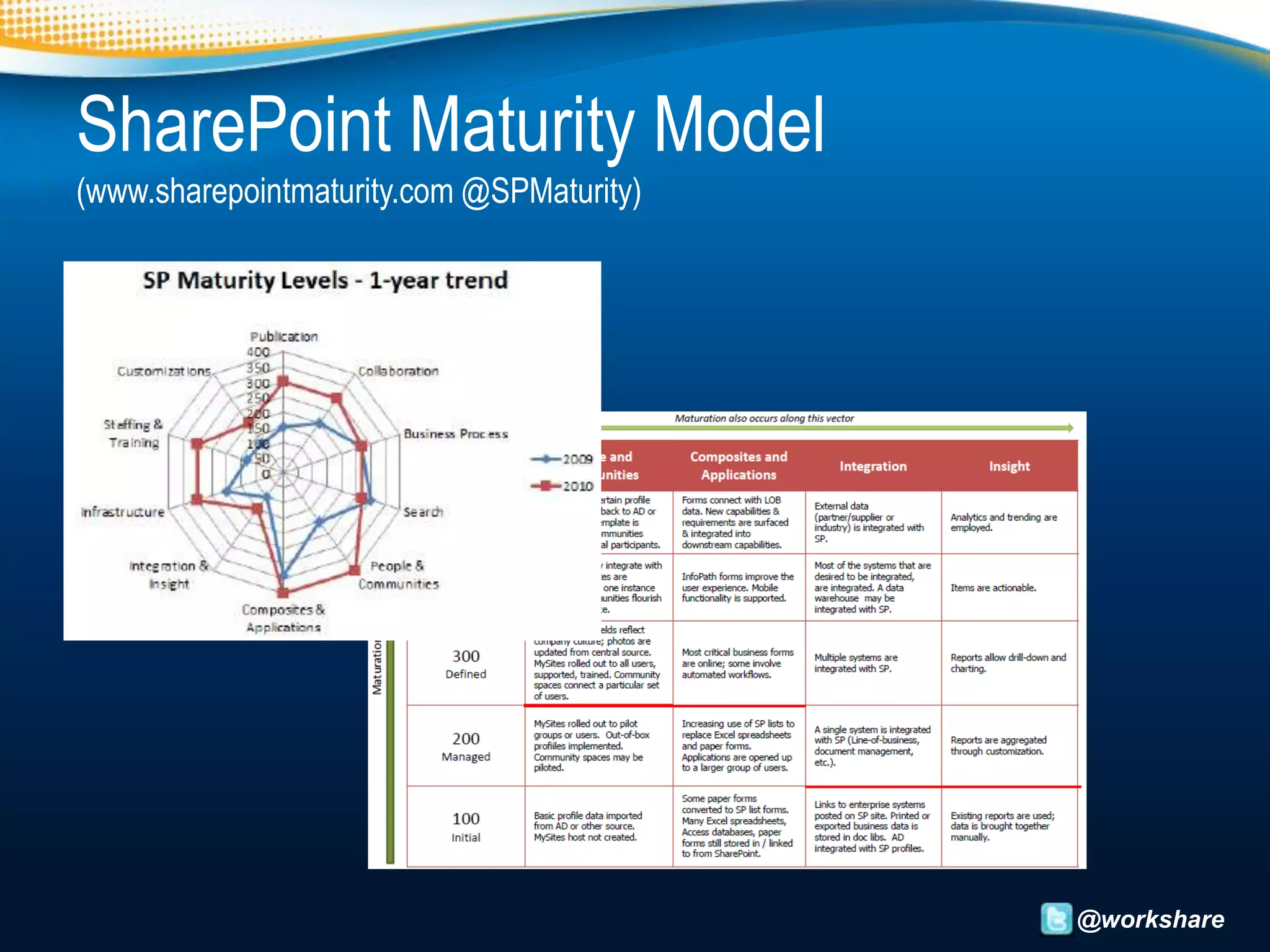
SharePoint Maturity Model
(www.sharepointmaturity.com @SPMaturity)


                                           @workshare
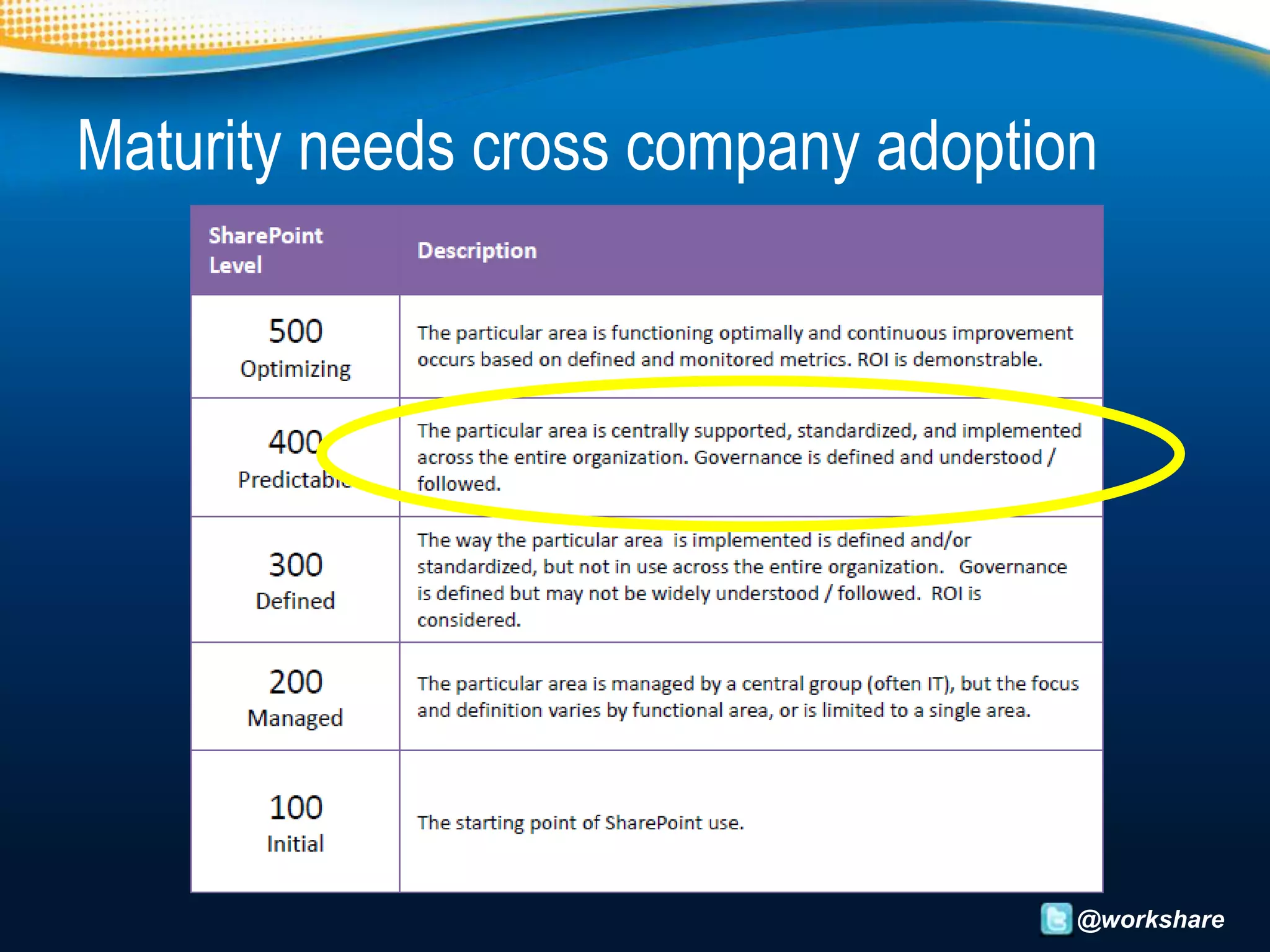
Maturity needs cross company adoption


                                    @workshare
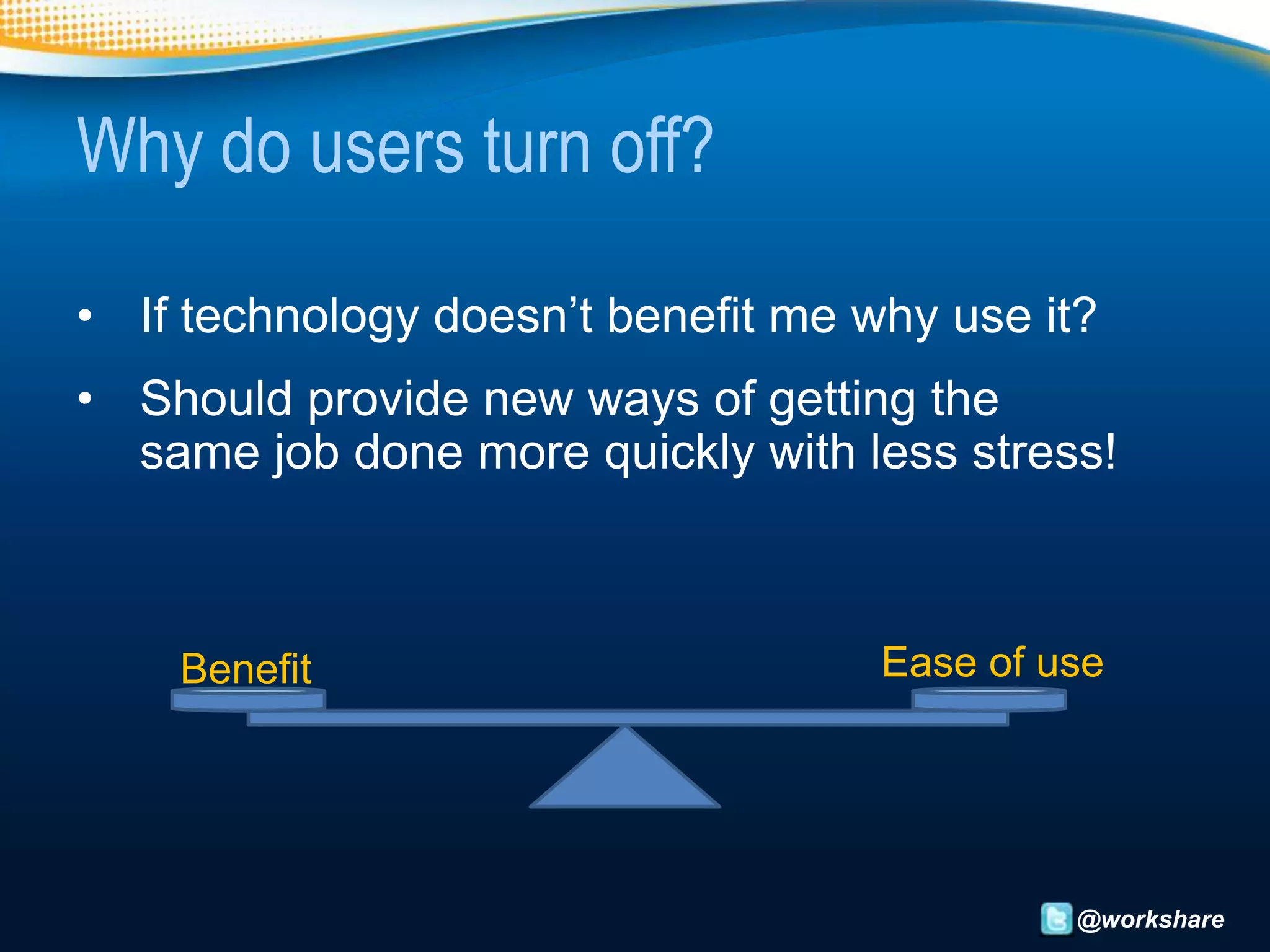
Why do users turn off?

• If technology doesn’t benefit me why use it?
• Should provide new ways of getting the
  same job done more quickly with less stress!


    Benefit                         Ease of use


                                             @workshare
The Forrester Survey: Best Practices in
SharePoint 2010 Adoption and Migration

• Fails to satisfy as a standalone product
• 57% of customers have brought third-party tools to
  augment/improve SharePoint

  “Once an organization recognizes SharePoint for
  what it is — a strategic platform investment — the
                 expectations change”
The Forrester Survey: Best Practices in
SharePoint 2010 Adoption and Migration
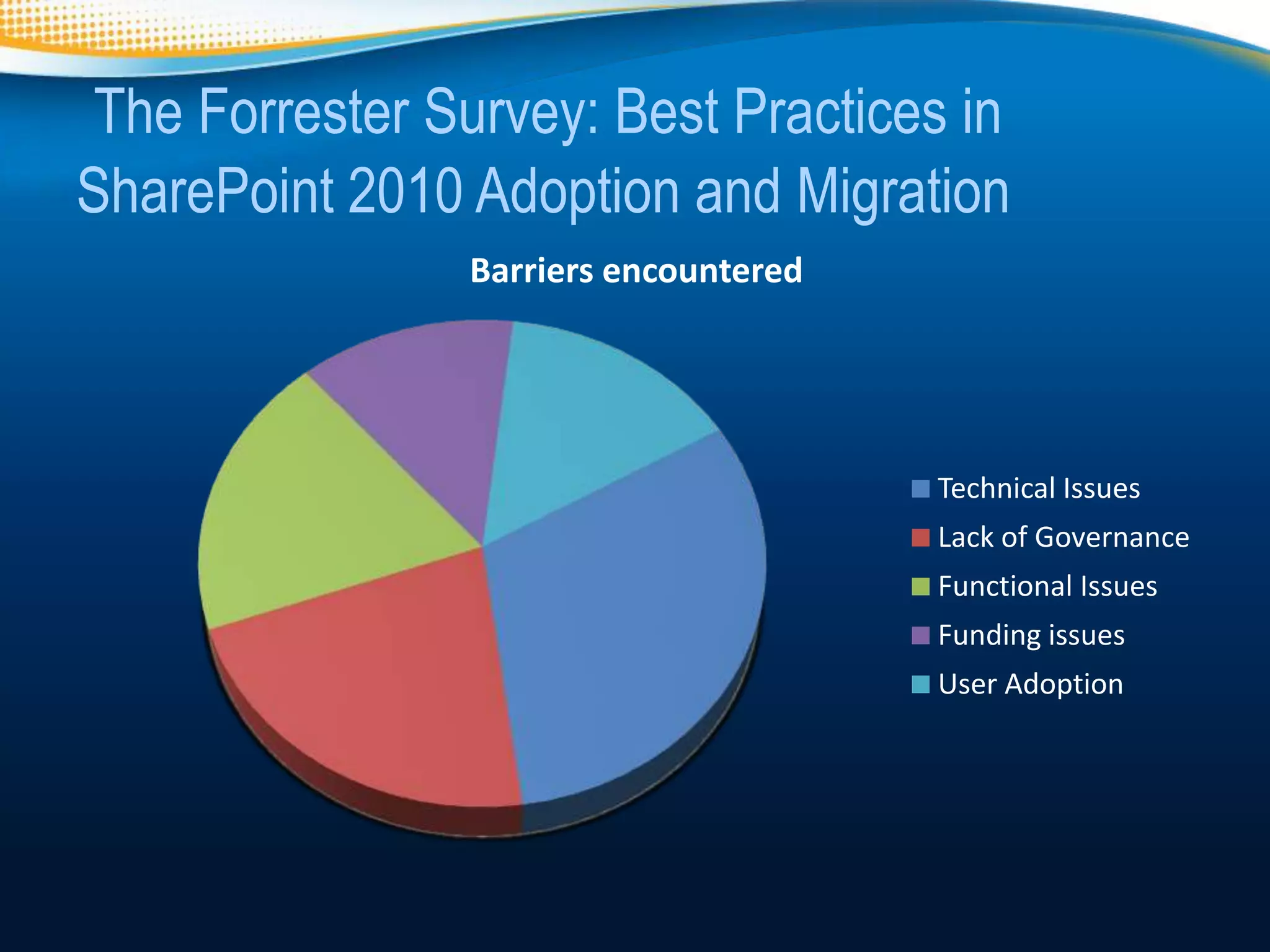
                Barriers encountered


                                       Technical Issues
                                       Lack of Governance
                                       Functional Issues
                                       Funding issues
                                       User Adoption
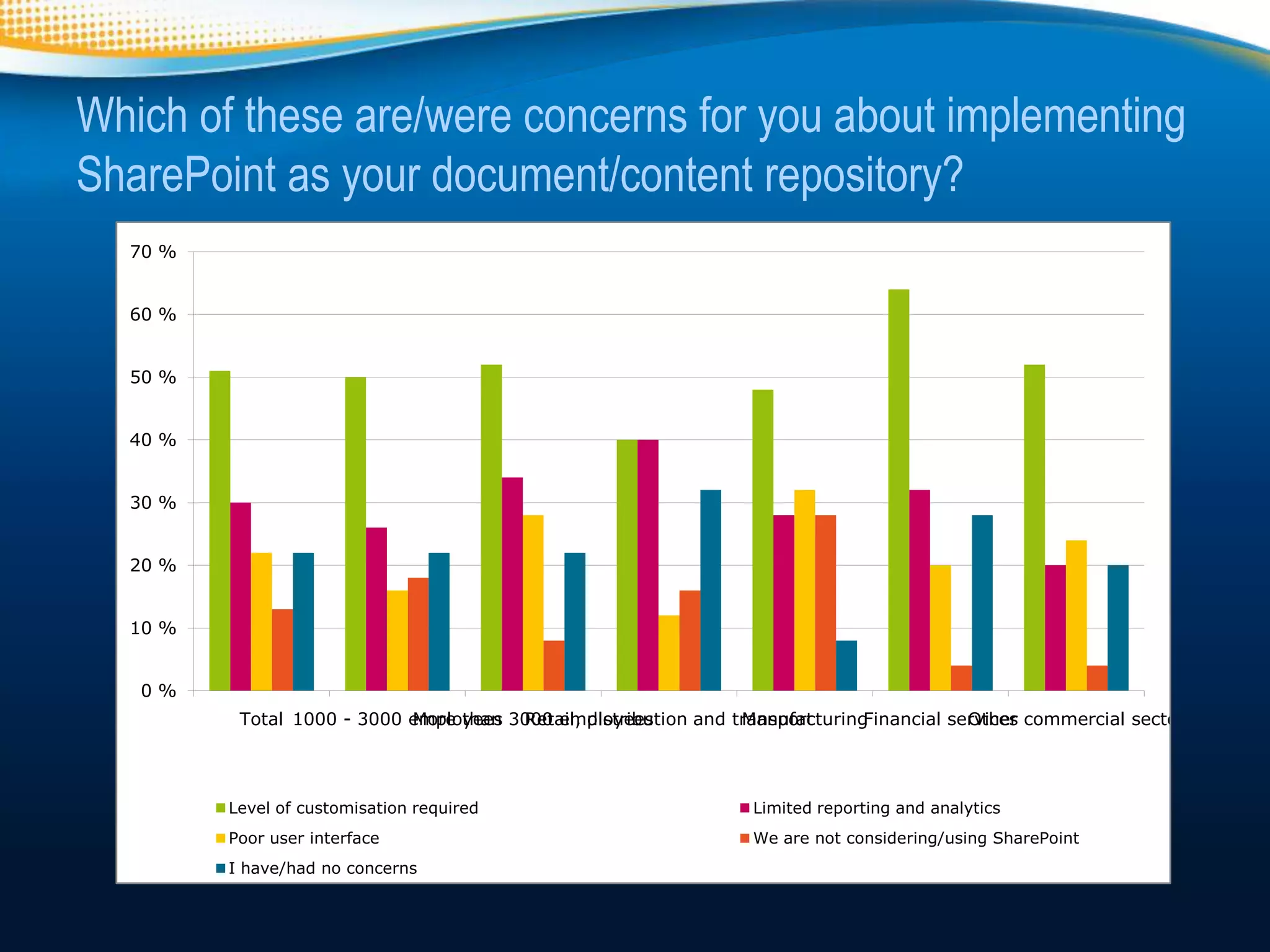
Which of these are/were concerns for you about implementing
SharePoint as your document/content repository?
  70 %


  60 %


  50 %


  40 %


  30 %


  20 %


  10 %


   0%
          Total 1000 - 3000 employees 3000 employees
                            More than Retail, distribution and transport
                                                                ManufacturingFinancial services commercial sector
                                                                                         Other


         Level of customisation required                         Limited reporting and analytics
         Poor user interface                                     We are not considering/using SharePoint
         I have/had no concerns
Not about User Adoption, but User Needs

• SharePoint requires customizations to create
  the services users want
• The interface to these services is just as
  important as the technology behind them.


Your organisation must design, build and deploy
   a SharePoint platform that users NEED.

                                               @workshare
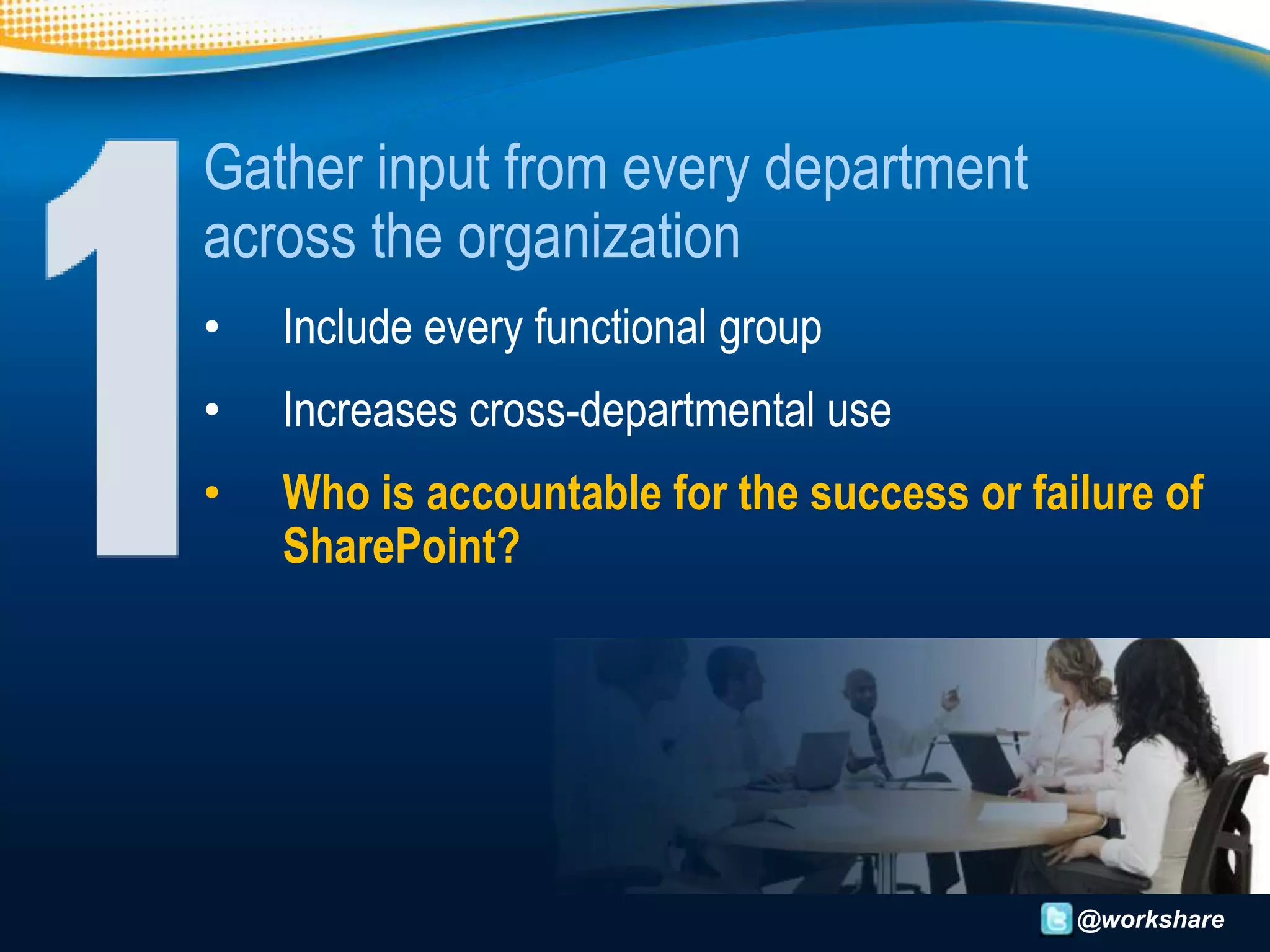
Gather input from every department
across the organization
•   Include every functional group
•   Increases cross-departmental use
•   Who is accountable for the success or failure of
    SharePoint?


                                             @workshare
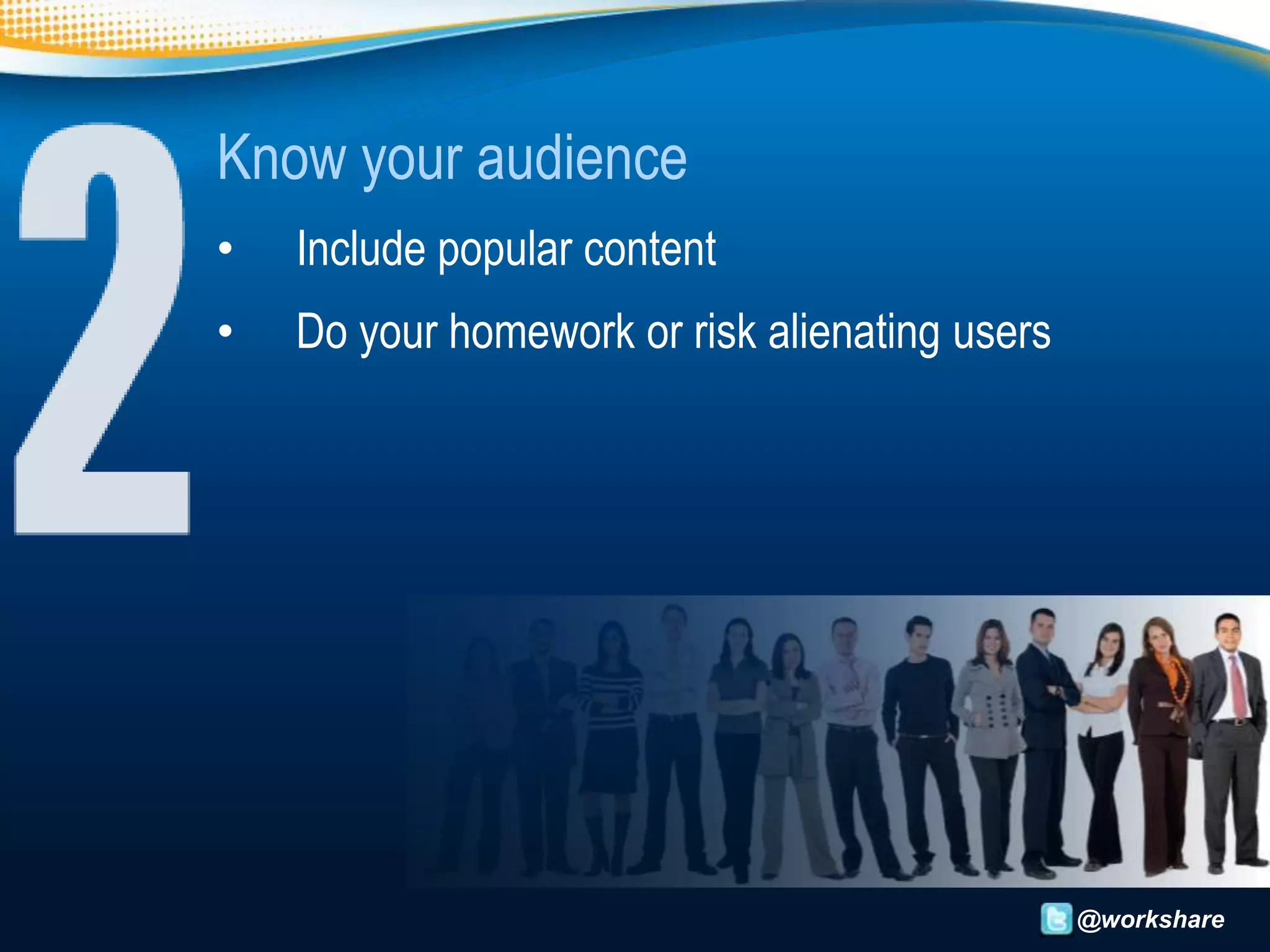
Know your audience
•   Include popular content
•   Do your homework or risk alienating users


                                                @workshare
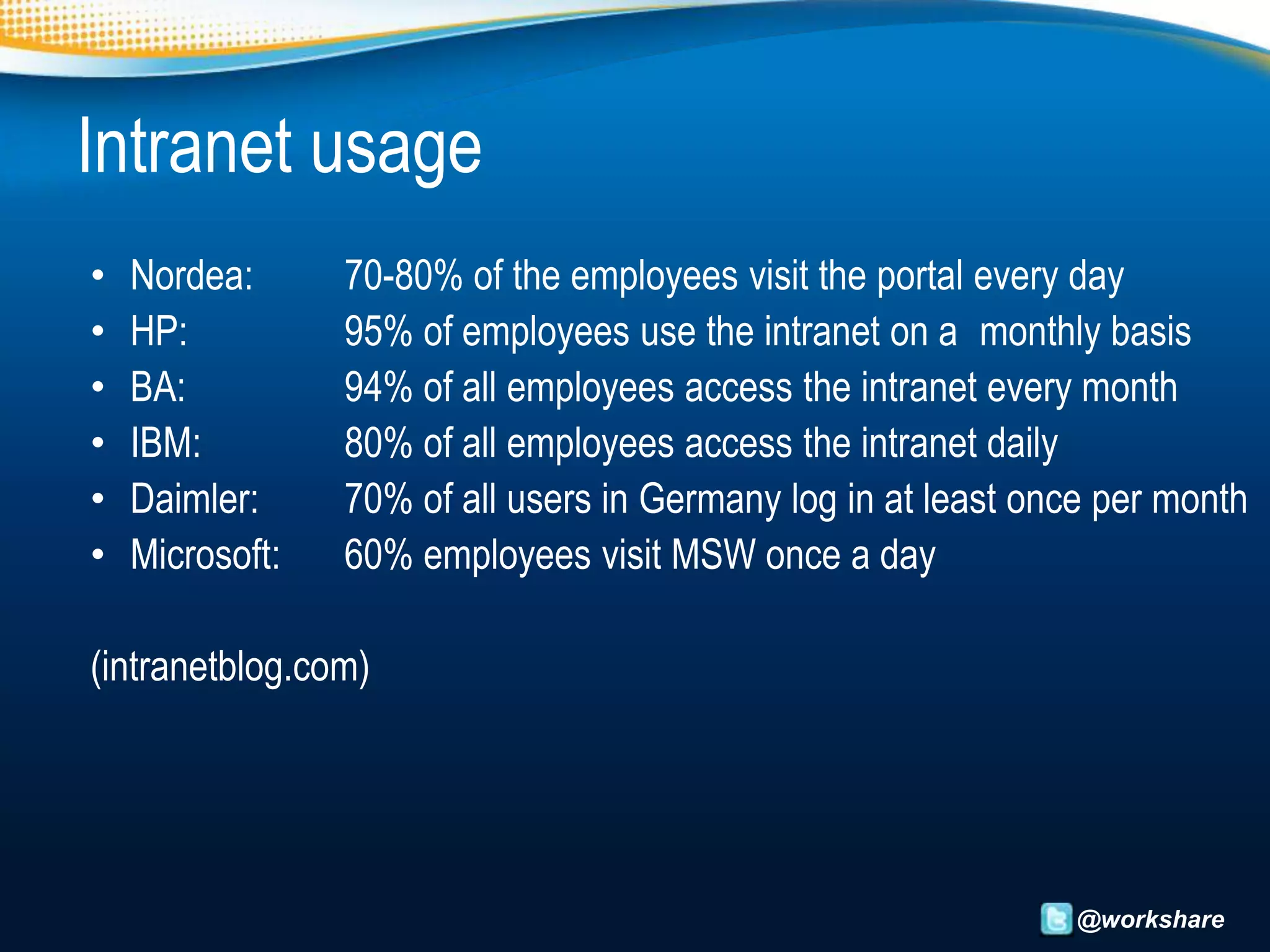
Intranet usage
•   Nordea:      70-80% of the employees visit the portal every day
•   HP:          95% of employees use the intranet on a monthly basis
•   BA:          94% of all employees access the intranet every month
•   IBM:         80% of all employees access the intranet daily
•   Daimler:     70% of all users in Germany log in at least once per month
•   Microsoft:   60% employees visit MSW once a day

(intranetblog.com)


                                                               @workshare
Personalise SharePoint for your organisation
• Match the personality & values of your organisation.
• Excite users by personalising the experience


                                                    @workshare
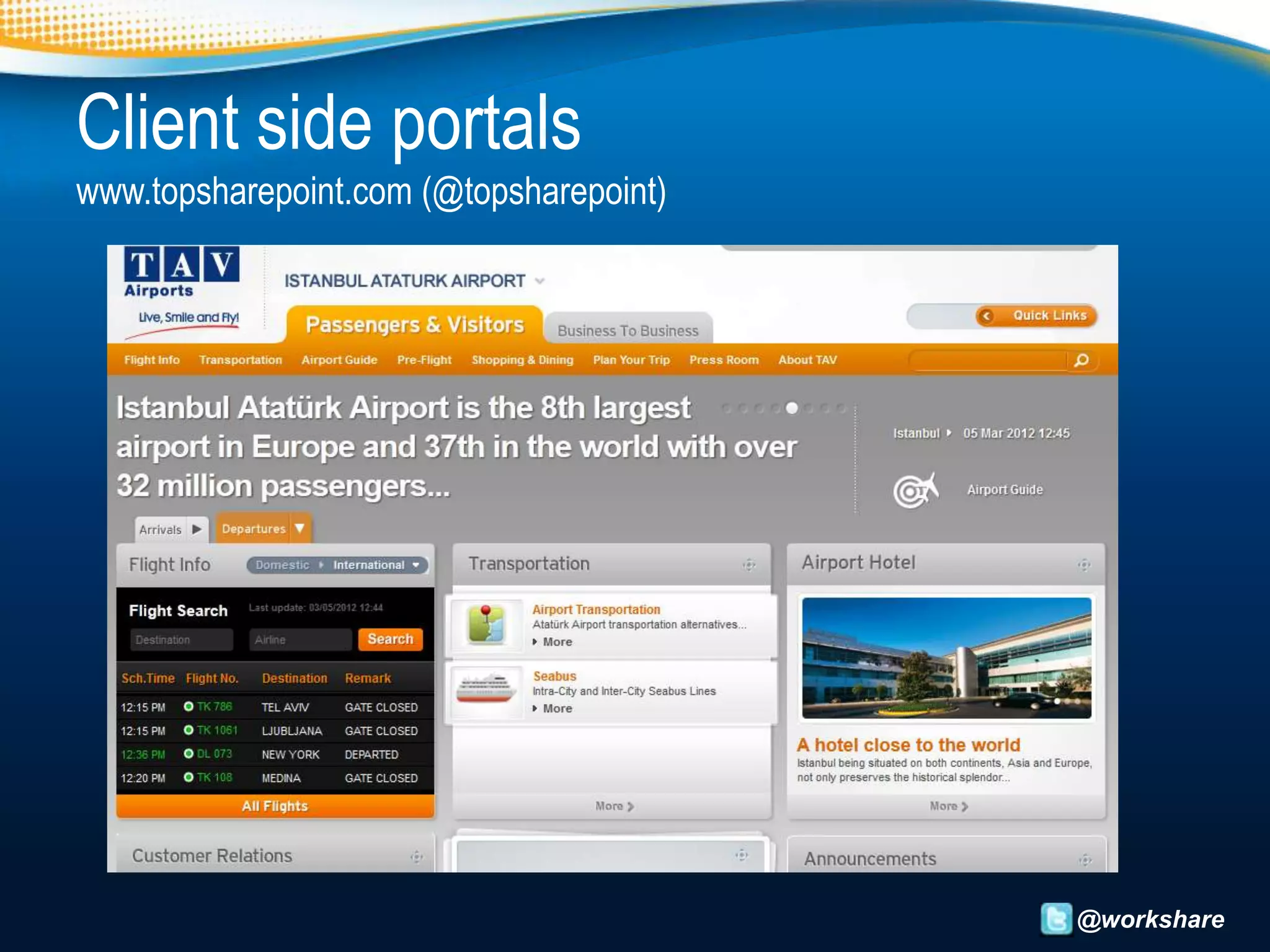
Client side portals
www.topsharepoint.com (@topsharepoint)


                                         @workshare
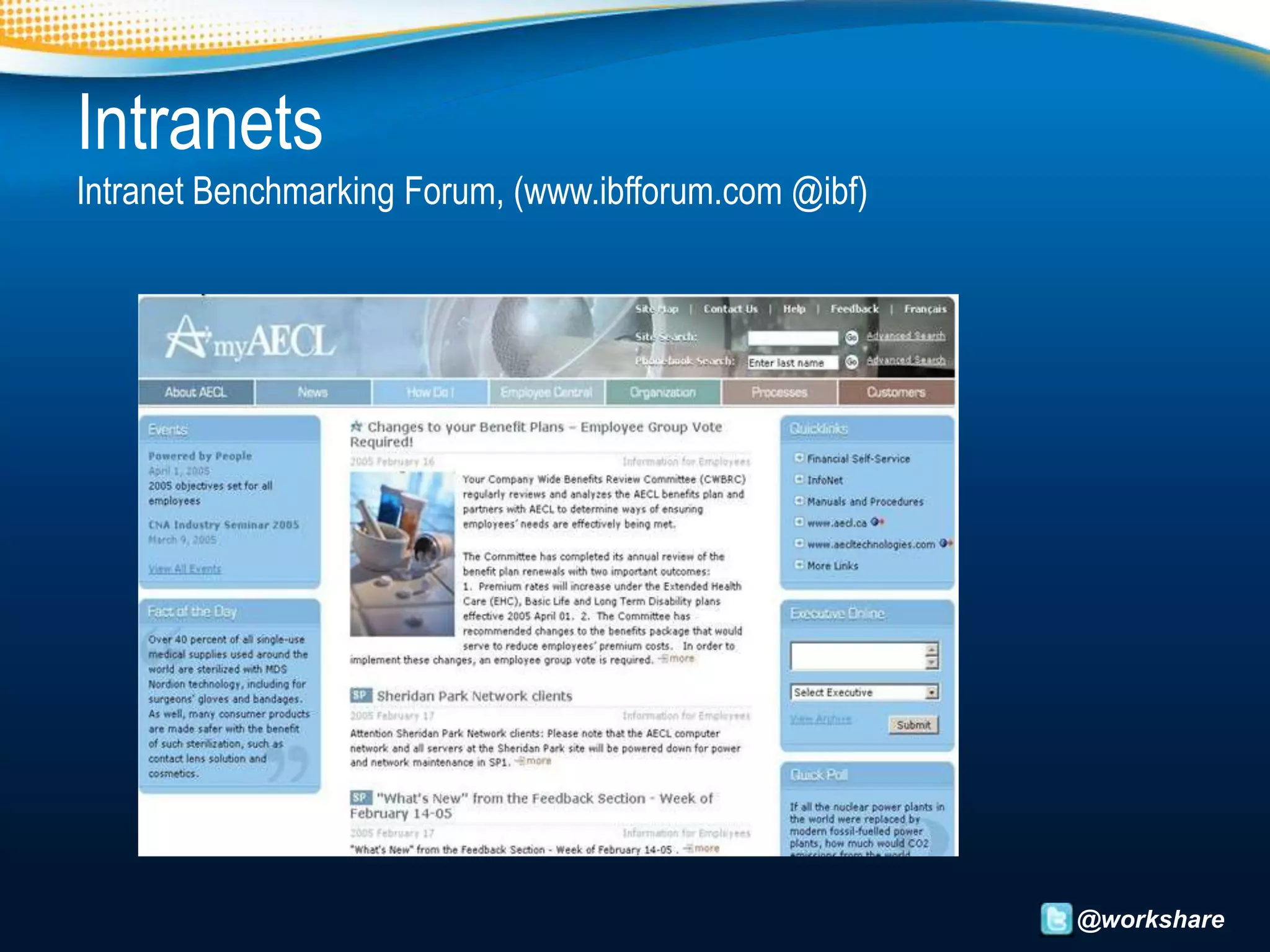
Intranets
Intranet Benchmarking Forum, (www.ibfforum.com @ibf)


                                                       @workshare
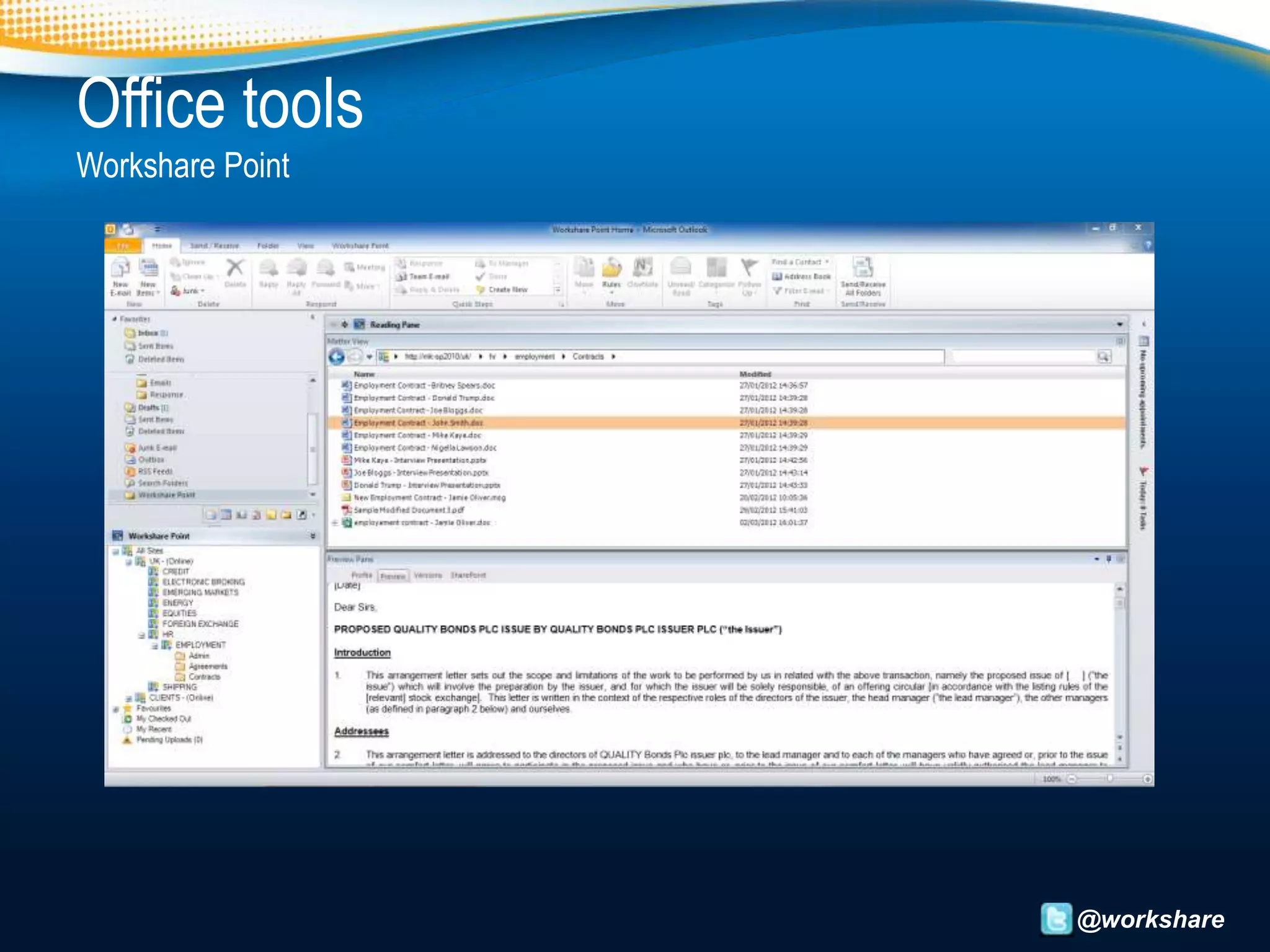
Office tools
Workshare Point


                  @workshare
Help users understand the value
• Educate users beyond their current workflow
• Encourage them to do more
• Include a training plan


                                                @workshare
Don’t just move old content to a new home
• Think carefully about what information they really need.
• Enable users to create and manage content more efficiently.


                                                    @workshare
Socialise the experience
• Let users connect through social media tools
• Create a powerful social collaboration platform


                                                 @workshare
Don’t underestimate the importance of Search
• Index content properly.
• Keep users returning to the site.


                                      @workshare
Search statistics
• 16% of your week is spent searching for information
• 1 in 5 searches are unsuccessful

(Return on Information, Google)


                                                        @workshare
Test and launch
• Iron out the kinks
• Formal kickoff with executive participation


                                                @workshare
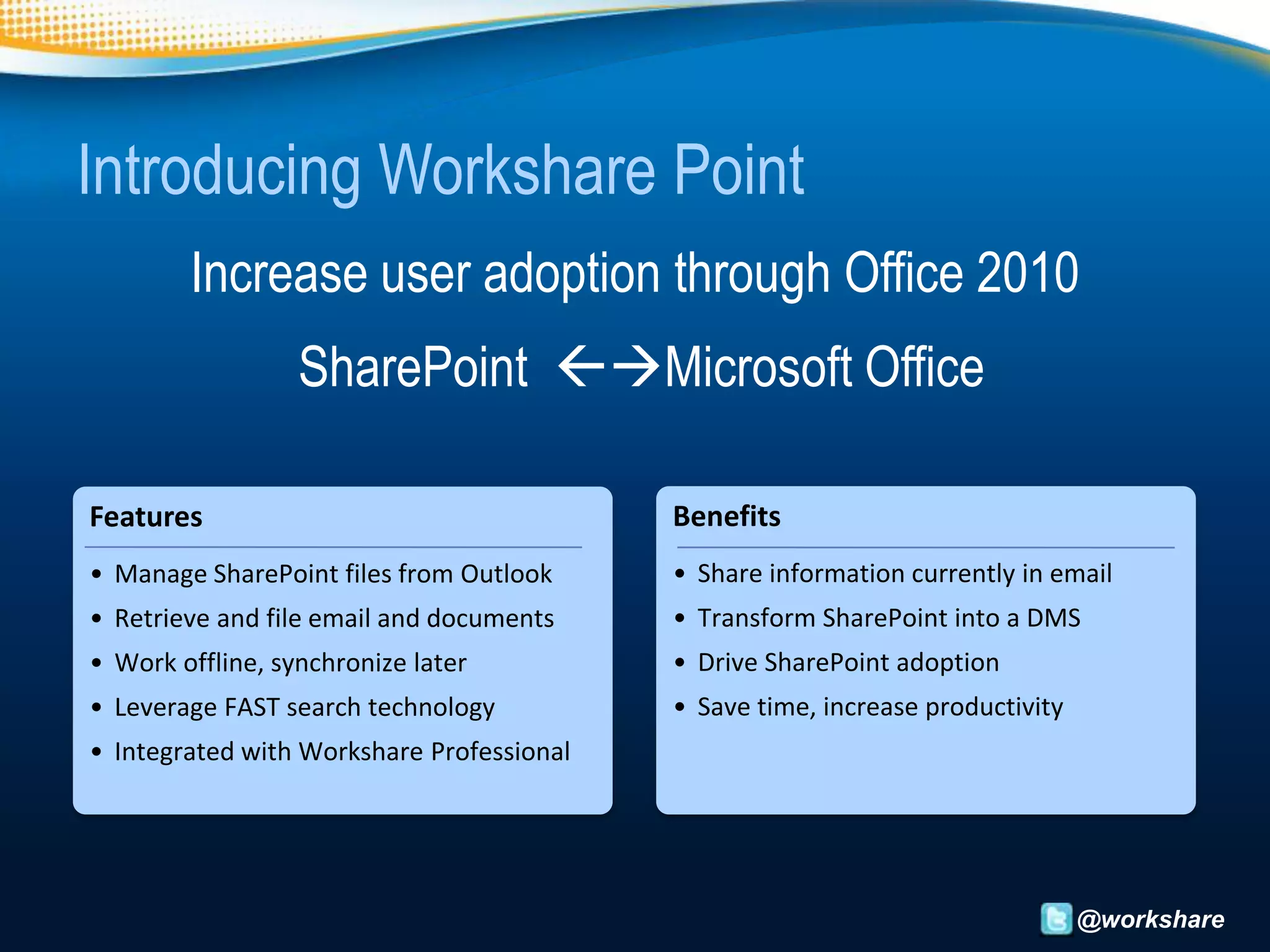
Introducing Workshare Point
        Increase user adoption through Office 2010
                  SharePoint Microsoft Office

Features                                   Benefits
• Manage SharePoint files from Outlook     • Share information currently in email
• Retrieve and file email and documents    • Transform SharePoint into a DMS
• Work offline, synchronize later          • Drive SharePoint adoption
• Leverage FAST search technology          • Save time, increase productivity
• Integrated with Workshare Professional


                                                                                @workshare
How does Workshare help user adoption?
 • Personalise the experience
    • Everyone uses Outlook differently..
                                     ..but they use it!


 • Enable users to create and manage content
    • Version control becomes the norm
    • Start benefitting from project centric filing

                                                          @workshare
How does Workshare help user adoption?
 • Help users understand the value of SharePoint
    • Saves time, more productive, happier!

 • Makes search work
    • You can’t search if you haven't filed properly!
    • Search becomes a feature not a separate tool

 • Enable collaboration
    • Seamless document review                          @workshare
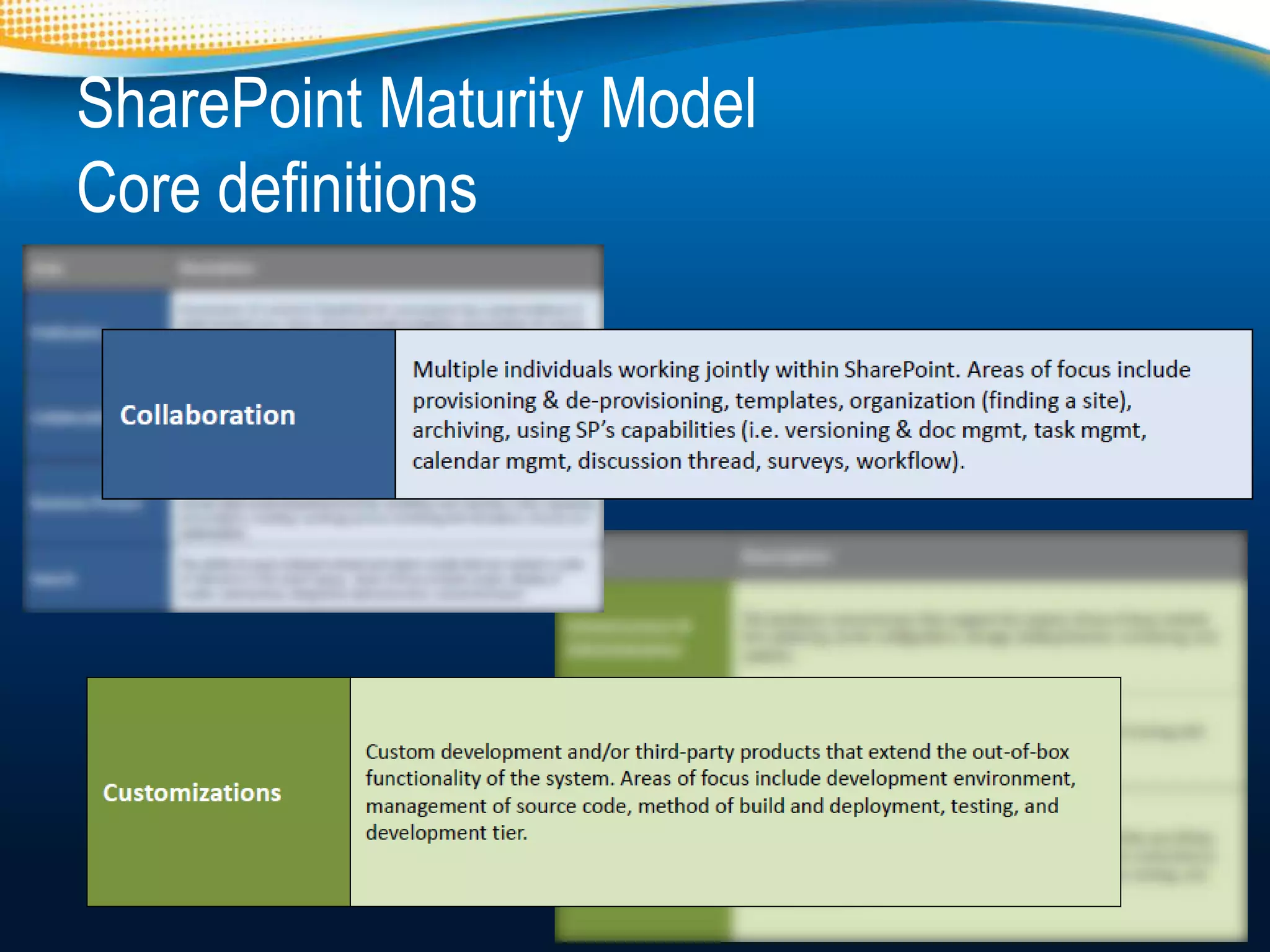
SharePoint Maturity Model
Core definitions


                            @workshare
Summary
          Organisations need effective collaboration solutions
    SharePoint must be deployed in a way that is user friendly.
        Leverage 3rd party applications to enhance SharePoint
                     and increase user adoption.
57% of customers are augmenting their
platform with third-party tools, which is a
  broad range of solutions — from web
parts to workflow to administration tools.
            - Forrester’s Survey, July 2011


                                                            @workshare
Click here for a 90 second
          demo


   Click here to watch a
 recording of the webinar


                             @workshare

Sharepoint - turn on or turn off?

  • 1.
  • 2.
    Contact/ info emeamarketing@workshare.com @jesbreslaw @Workshare Twitter.com/jesbreslaw/sharepoint www.evernote.com/pub/jesbreslaw/sharepoint www.slideshare.net/Workshare @workshare
  • 3.
    Agenda • Why do users turn off? • 8 Tips to increase adoption • Where can Workshare help? • Workshare Point demonstration • Summary @workshare
  • 4.
    About Workshare Document Collaboration Solutions 18,000+ 553+ public sector 1.5 million+ 70 Customers customers customers users countries World Class Partners @workshare
  • 5.
  • 6.
    Maturity needs crosscompany adoption @workshare
  • 7.
    Why do usersturn off? • If technology doesn’t benefit me why use it? • Should provide new ways of getting the same job done more quickly with less stress! Benefit Ease of use @workshare
  • 8.
    The Forrester Survey:Best Practices in SharePoint 2010 Adoption and Migration • Fails to satisfy as a standalone product • 57% of customers have brought third-party tools to augment/improve SharePoint “Once an organization recognizes SharePoint for what it is — a strategic platform investment — the expectations change”
  • 9.
    The Forrester Survey:Best Practices in SharePoint 2010 Adoption and Migration Barriers encountered Technical Issues Lack of Governance Functional Issues Funding issues User Adoption
  • 10.
    Which of theseare/were concerns for you about implementing SharePoint as your document/content repository? 70 % 60 % 50 % 40 % 30 % 20 % 10 % 0% Total 1000 - 3000 employees 3000 employees More than Retail, distribution and transport ManufacturingFinancial services commercial sector Other Level of customisation required Limited reporting and analytics Poor user interface We are not considering/using SharePoint I have/had no concerns
  • 11.
    Not about UserAdoption, but User Needs • SharePoint requires customizations to create the services users want • The interface to these services is just as important as the technology behind them. Your organisation must design, build and deploy a SharePoint platform that users NEED. @workshare
  • 12.
    Gather input fromevery department across the organization • Include every functional group • Increases cross-departmental use • Who is accountable for the success or failure of SharePoint? @workshare
  • 13.
    Know your audience • Include popular content • Do your homework or risk alienating users @workshare
  • 14.
    Intranet usage • Nordea: 70-80% of the employees visit the portal every day • HP: 95% of employees use the intranet on a monthly basis • BA: 94% of all employees access the intranet every month • IBM: 80% of all employees access the intranet daily • Daimler: 70% of all users in Germany log in at least once per month • Microsoft: 60% employees visit MSW once a day (intranetblog.com) @workshare
  • 15.
    Personalise SharePoint foryour organisation • Match the personality & values of your organisation. • Excite users by personalising the experience @workshare
  • 16.
    Client side portals www.topsharepoint.com(@topsharepoint) @workshare
  • 17.
    Intranets Intranet Benchmarking Forum,(www.ibfforum.com @ibf) @workshare
  • 18.
  • 19.
    Help users understandthe value • Educate users beyond their current workflow • Encourage them to do more • Include a training plan @workshare
  • 20.
    Don’t just moveold content to a new home • Think carefully about what information they really need. • Enable users to create and manage content more efficiently. @workshare
  • 21.
    Socialise the experience •Let users connect through social media tools • Create a powerful social collaboration platform @workshare
  • 22.
    Don’t underestimate theimportance of Search • Index content properly. • Keep users returning to the site. @workshare
  • 23.
    Search statistics • 16%of your week is spent searching for information • 1 in 5 searches are unsuccessful (Return on Information, Google) @workshare
  • 24.
    Test and launch •Iron out the kinks • Formal kickoff with executive participation @workshare
  • 25.
    Introducing Workshare Point Increase user adoption through Office 2010 SharePoint Microsoft Office Features Benefits • Manage SharePoint files from Outlook • Share information currently in email • Retrieve and file email and documents • Transform SharePoint into a DMS • Work offline, synchronize later • Drive SharePoint adoption • Leverage FAST search technology • Save time, increase productivity • Integrated with Workshare Professional @workshare
  • 26.
    How does Worksharehelp user adoption? • Personalise the experience • Everyone uses Outlook differently.. ..but they use it! • Enable users to create and manage content • Version control becomes the norm • Start benefitting from project centric filing @workshare
  • 27.
    How does Worksharehelp user adoption? • Help users understand the value of SharePoint • Saves time, more productive, happier! • Makes search work • You can’t search if you haven't filed properly! • Search becomes a feature not a separate tool • Enable collaboration • Seamless document review @workshare
  • 28.
    SharePoint Maturity Model Coredefinitions @workshare
  • 29.
    Summary Organisations need effective collaboration solutions SharePoint must be deployed in a way that is user friendly. Leverage 3rd party applications to enhance SharePoint and increase user adoption. 57% of customers are augmenting their platform with third-party tools, which is a broad range of solutions — from web parts to workflow to administration tools. - Forrester’s Survey, July 2011 @workshare
  • 30.
    Click here fora 90 second demo Click here to watch a recording of the webinar @workshare

Editor's Notes

  • #9 Often fails to satisfy as a standalone product; needs augmentation 54% of customers say that it fails to live up to functional expectations 46% say it fails to live up to technical expectations.57% of customers have bought third-party tools to augment/improve SharePoint, particularly BPM, workflow, reporting, and administration
  • #10 Forrester Survey, 510 IT decision-makers, involved with evaluating, specifying, or administering SharePoint.41% of respondents said their deployment went slower than expected. technical issues (at 59%) lack of governance (41%), functional issues with the product (36%), lack of skills/talent (28%), users adopted more slowly (28%), funding issues(25%).
  • #11 Recent survey conducted by Workshare targeting CIT/ IT Directors. Completed by 100 companies.
  • #13 Gather input from every department across the organization It is critical to include every functional group in the planning phase. Increases the likelihood that users in every department will leverage the technology.Article in CMS Wire asked the question 5. Who is accountable for the success or failure of SharePoint? –- IT cannot be solely be responsible for SharePoint. - should be a steering or governance committee-like entity that is headed by an executive level individual and represented by key business decision makers and IT.- group should be responsible for defining the roadmap and regularly validating how SharePoint is meeting business needs. - Without this, he-said-she-said and finger-pointing games will be common should issues arise.
  • #14 Know your audience Look at your existing intranet, review website analytics and usage reports to ensure popular content and features are included.Without doing your homework, you risk alienating users and creating an uphill battle to increase SharePoint adoption.
  • #16 Personalise SharePoint for your organisationCreate a look and feel for the site that fits the personality of yourorganisation and matches the mission and values of your company. Use the customisation tools in SharePoint to provide a personalised online experience that gets users excited about the site.
  • #17 Client side portal
  • #18 Client side portal
  • #19 Client side portal
  • #20 Help users understand the value You need to help educate users beyond their current workflow Encourage them to do more than just store and access documents Be sure to include a training plan
  • #21 Don’t just move old content to a new home Only bring over content that is relevant, think carefully about how your users work and what information they really need.Opportunity to introduce your users to new collaboration features that enable them to create and manage content more efficiently.
  • #22 Socialise the experience Users expect to easily connect with other people through social media toolsCreate a powerful social collaboration platform for your organisationCreate a sharing cultureNewsfeeds, Blogs, wiki’sFeedbacks – tags, likes, notes/ comments, ratings
  • #23 Don’t underestimate the importance of Search It is imperative that you index content properly. A positive search experience will keep users returning to the site.Search if often the last thing deployed with no process to implement
  • #25 Test and launch A soft rollout may be beneficial to iron out the kinksOnce ready, a formal kickoff with executive participation will help illustrate the strategic importance of your new site.
  • #27 Personalise the experienceBring SharePoint back into Office. Familiar user interface that is easy to useSearch CapabilitiesHelp users understand the valueBecause SharePoint is accessed from within Outlook and Office applications users are able to understand the value and use SharePoint more efficientlySearch CapabilitiesBeing able to search for document is important. Our search tool bar within Office applications returns fast accurate results.Socialise the experienceFile, retrieve and collaborate on documents with colleagues from within your Outlook. Integrates with Workshare Professional to compare and collaborate on documents.
  • #28 Personalise the experienceBring SharePoint back into Office. Familiar user interface that is easy to useSearch CapabilitiesHelp users understand the valueBecause SharePoint is accessed from within Outlook and Office applications users are able to understand the value and use SharePoint more efficientlySearch CapabilitiesBeing able to search for document is important. Our search tool bar within Office applications returns fast accurate results.Socialise the experienceFile, retrieve and collaborate on documents with colleagues from within your Outlook. Integrates with Workshare Professional to compare and collaborate on documents.