


SharePoint Moneyball – The Art of
Winning the SharePoint Metrics Game
Susan Hanley – President, Susan Hanley LLC
2
3
4
5
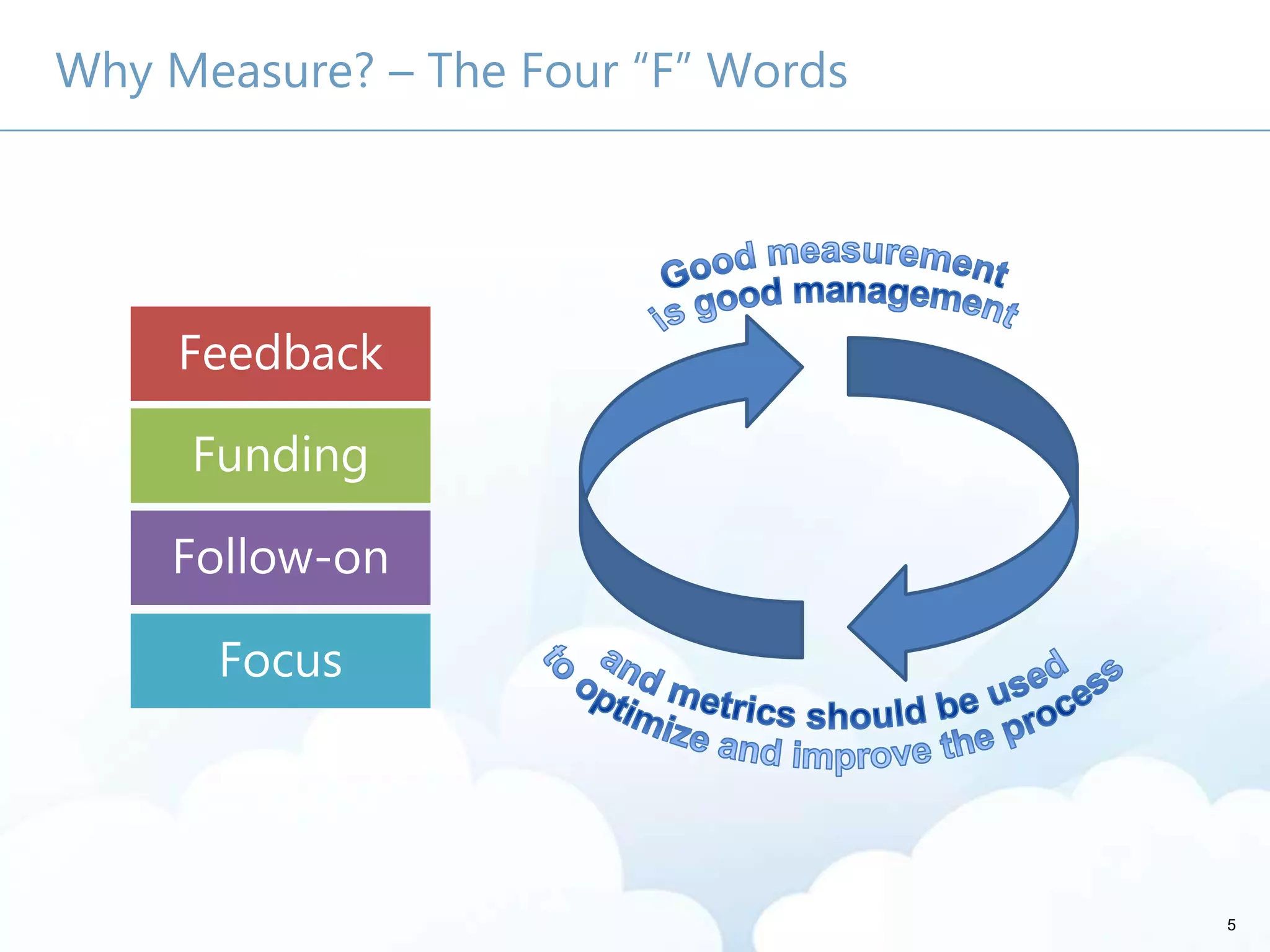
Why Measure? – The Four “F” Words
Feedback
Funding
Follow-on
Focus
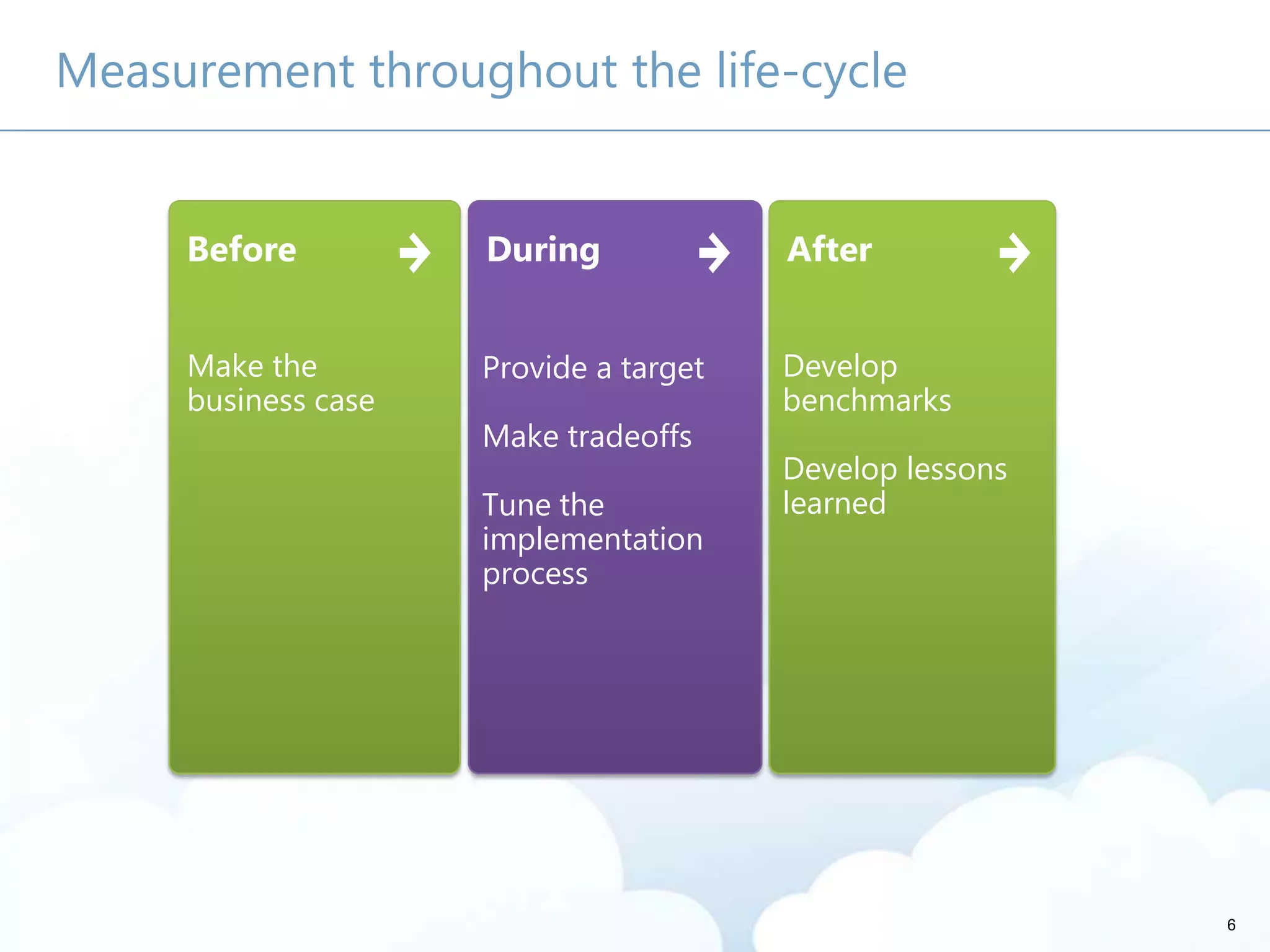
Measurement throughout the life-cycle
Before
Make the
business case
During
Provide a target
Make tradeoffs
Tune the
implementation
process
After
Develop
benchmarks
Develop lessons
learned
6
7
Make your case for the solution SharePoint enables
8
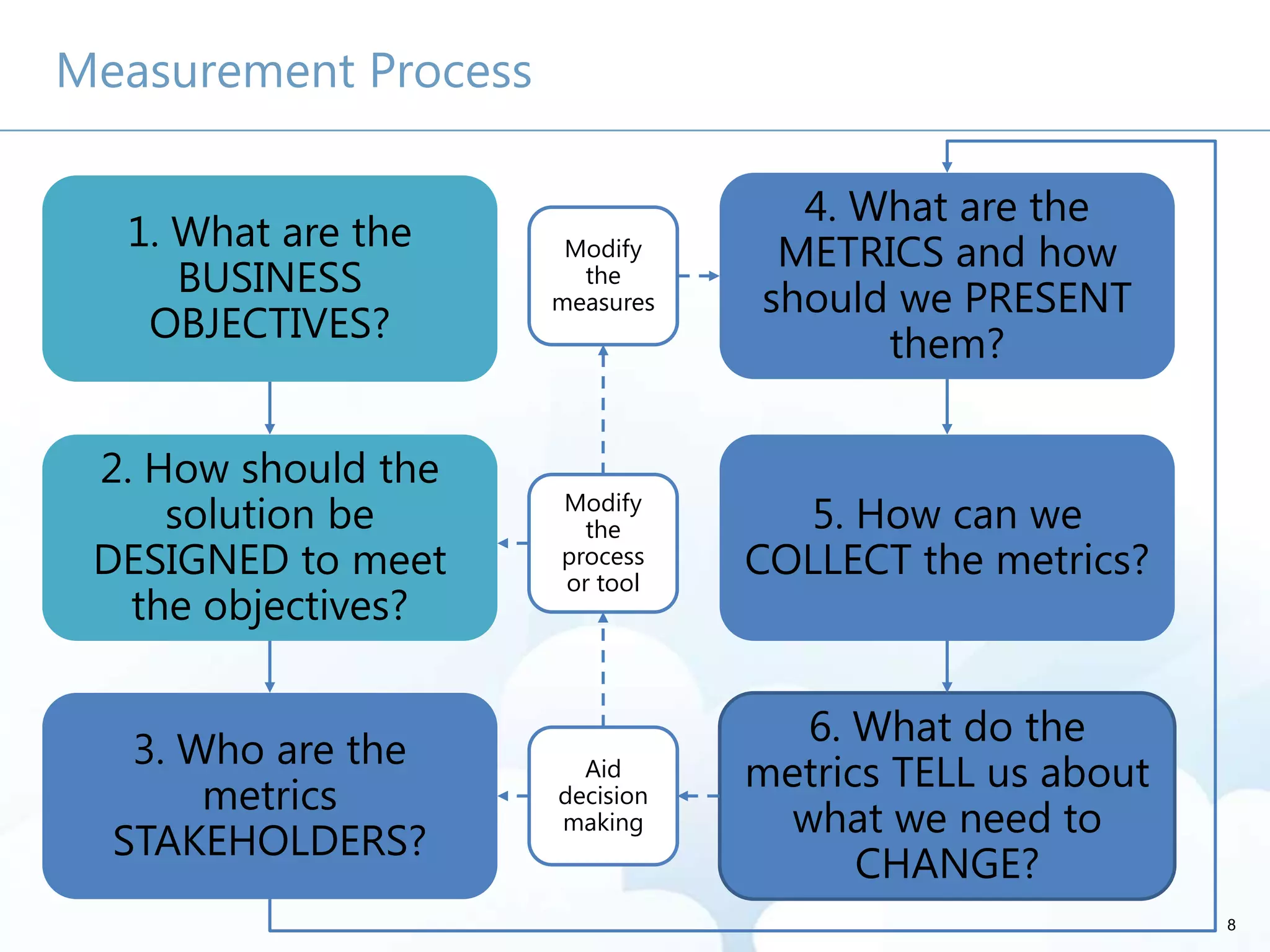
Measurement Process
3. Who are the
metrics
STAKEHOLDERS?
6. What do the
metrics TELL us about
what we need to
CHANGE?
1. What are the
BUSINESS
OBJECTIVES?
2. How should the
solution be
DESIGNED to meet
the objectives?
5. How can we
COLLECT the metrics?
4. What are the
METRICS and how
should we PRESENT
them?
Aid
decision
making
Modify
the
process
or tool
Modify
the
measures
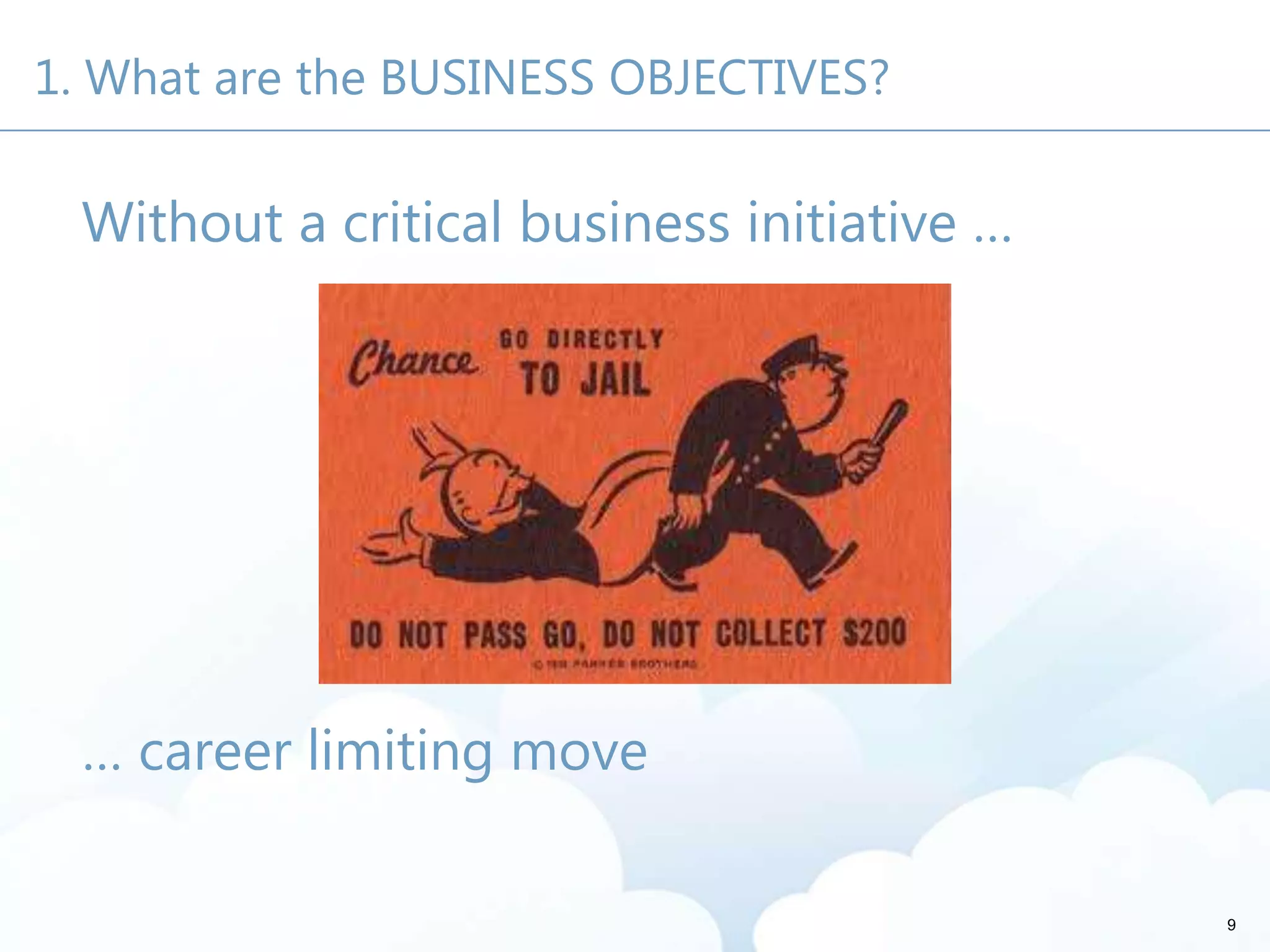
1. What are the BUSINESS OBJECTIVES?
Without a critical business initiative …
… career limiting move
9
10
Be the main event
It’s easy to go for the “motherhood” objectives …
More innovative products and services
More effective marketing
Better access to knowledge
Lower cost of doing business – reduction in
travel and other operational costs
Higher revenues
Improved employee, customer, and partner
satisfaction
11
12
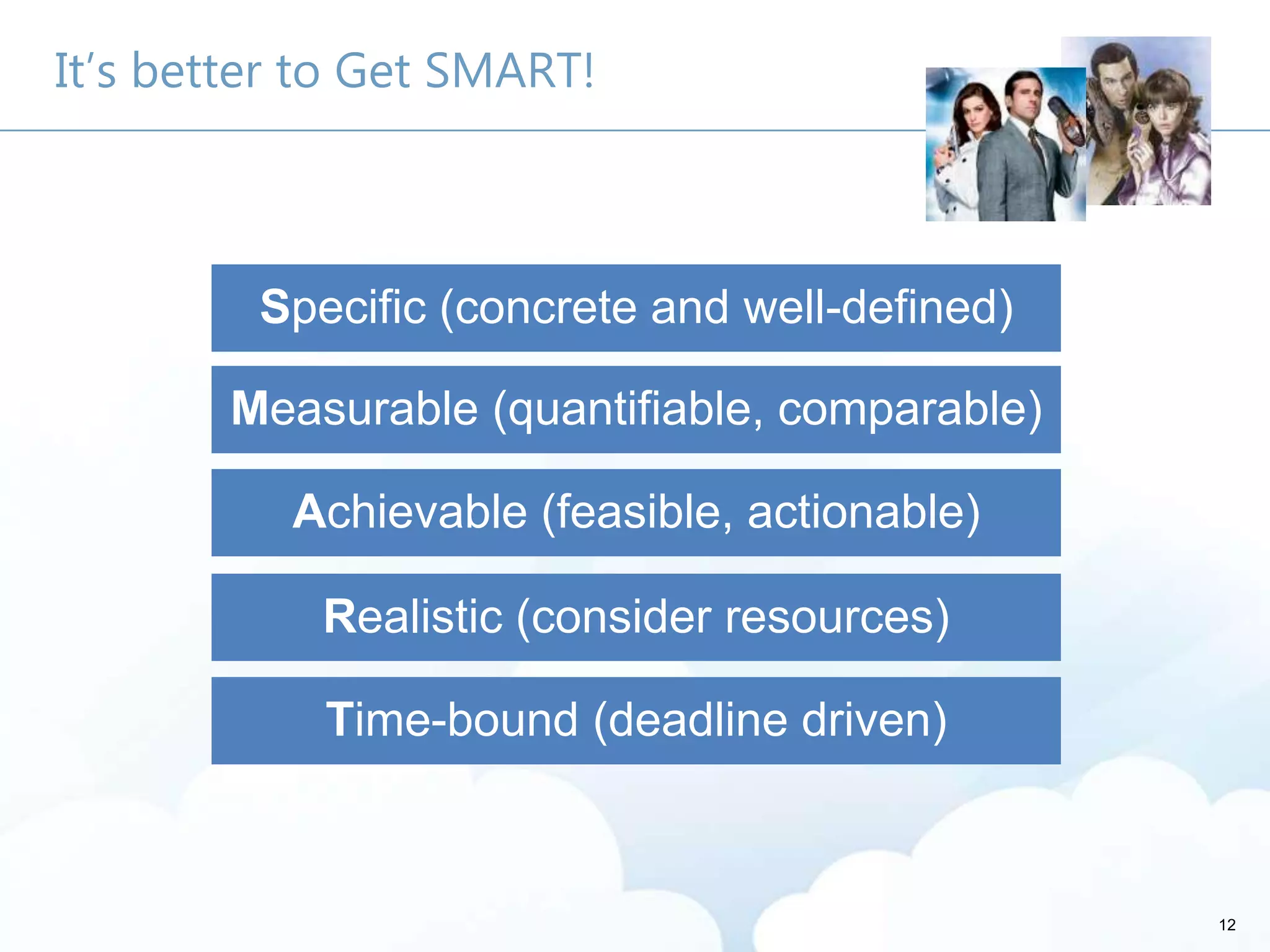
It’s better to Get SMART!
Measurable (quantifiable, comparable)
Achievable (feasible, actionable)
Realistic (consider resources)
Time-bound (deadline driven)
Specific (concrete and well-defined)
13
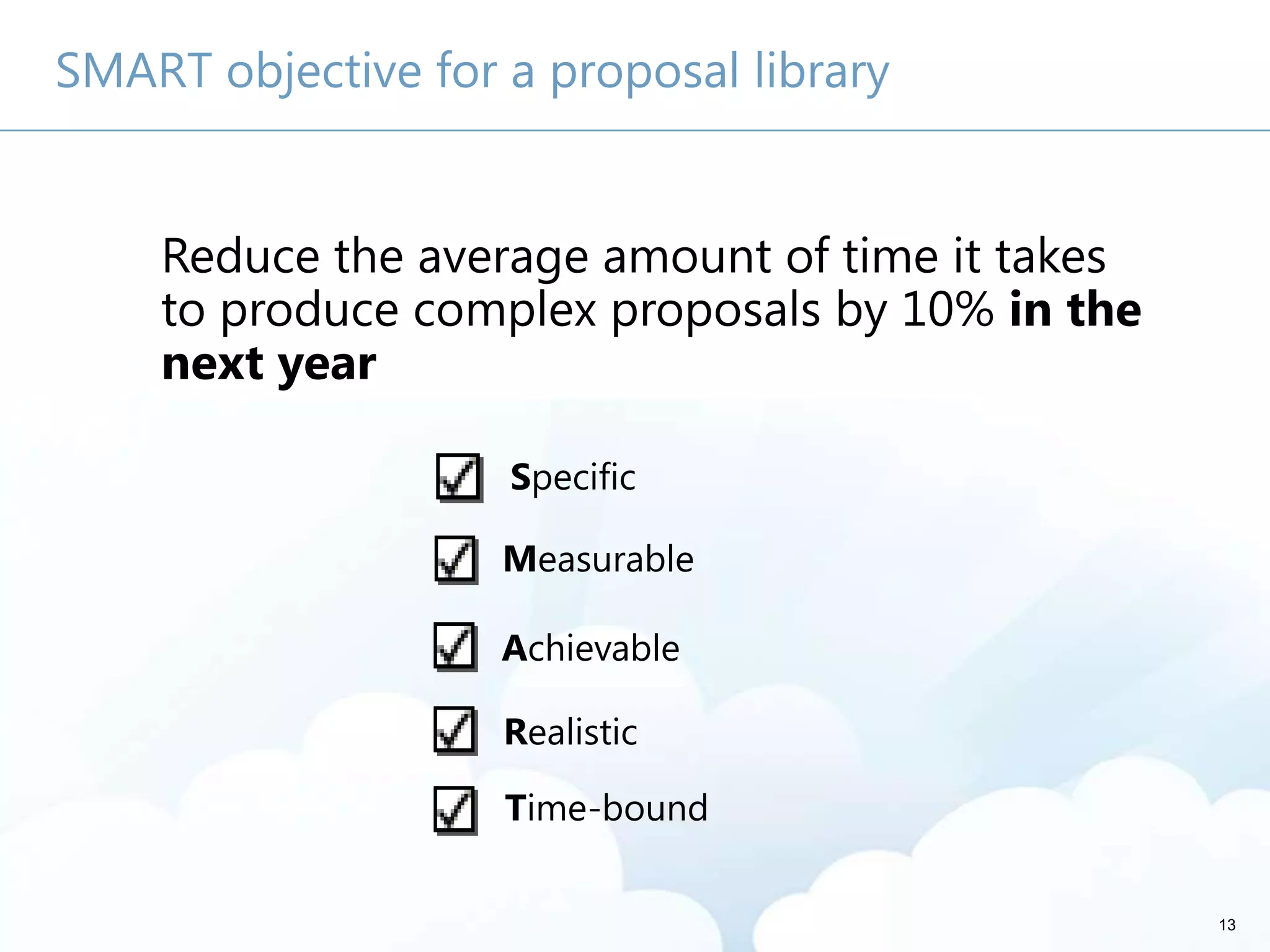
SMART objective for a proposal library
Reduce the average amount of time it takes
to produce complex proposals by 10% in the
next year
Specific
Measurable
Time-bound
Achievable
Realistic
Reduce the average amount of time it takes
to produce complex proposals by 10% in
the next year
Reduce the average amount of time it takes
to produce complex proposals by 10% in the
next year
14
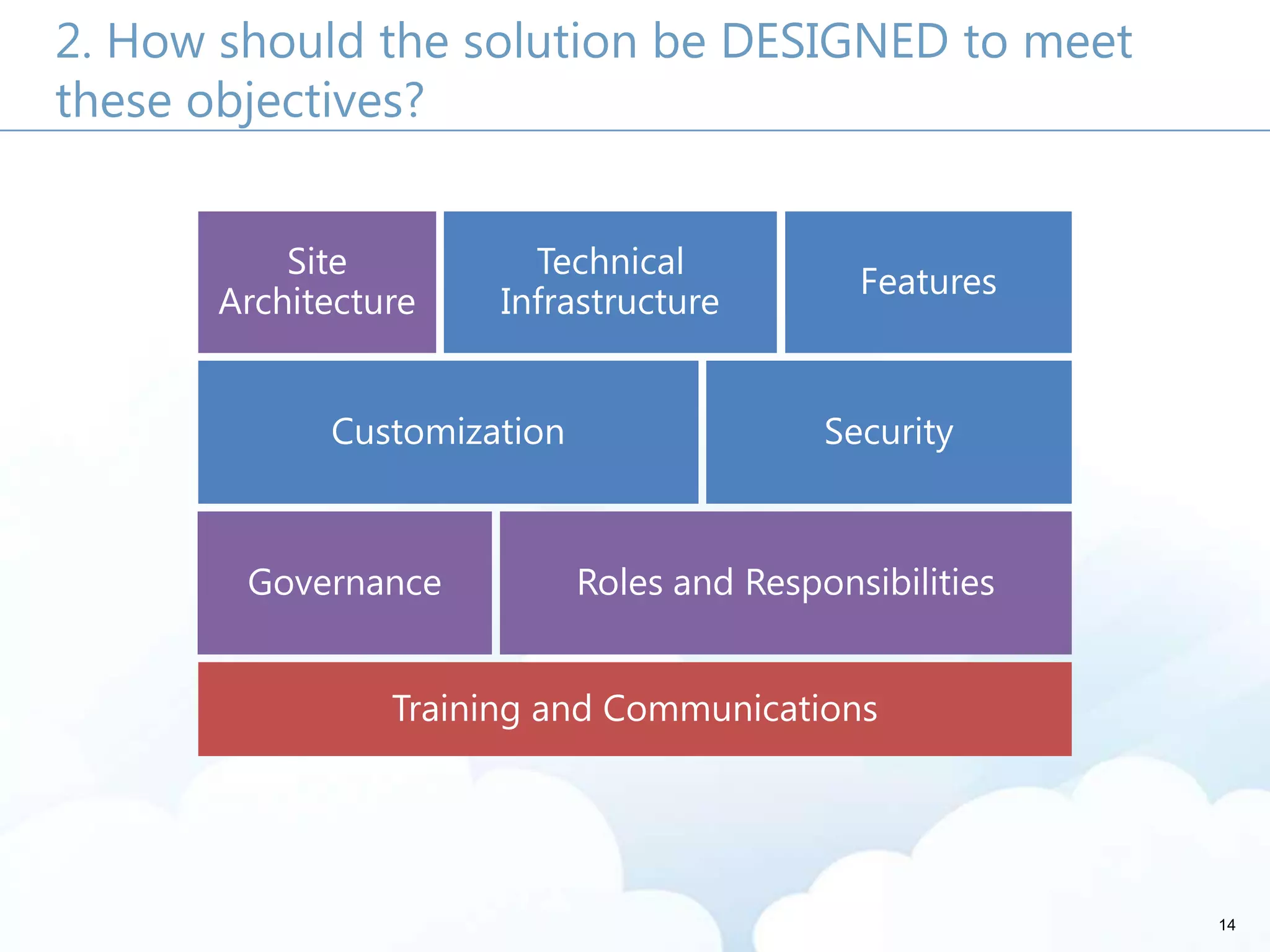
2. How should the solution be DESIGNED to meet
these objectives?
Site
Architecture
Technical
Infrastructure
Features
Customization Security
Governance Roles and Responsibilities
Training and Communications
15
Your business case is
personal
3. Who are the metrics STAKEHOLDERS?
They’re at all levels -
especially in the middle
They care about different
things
16
17
For each key stakeholder, ask …
What counts?
What keeps you up at
night?
What do you already
use?
What do I need to tell
you?
18
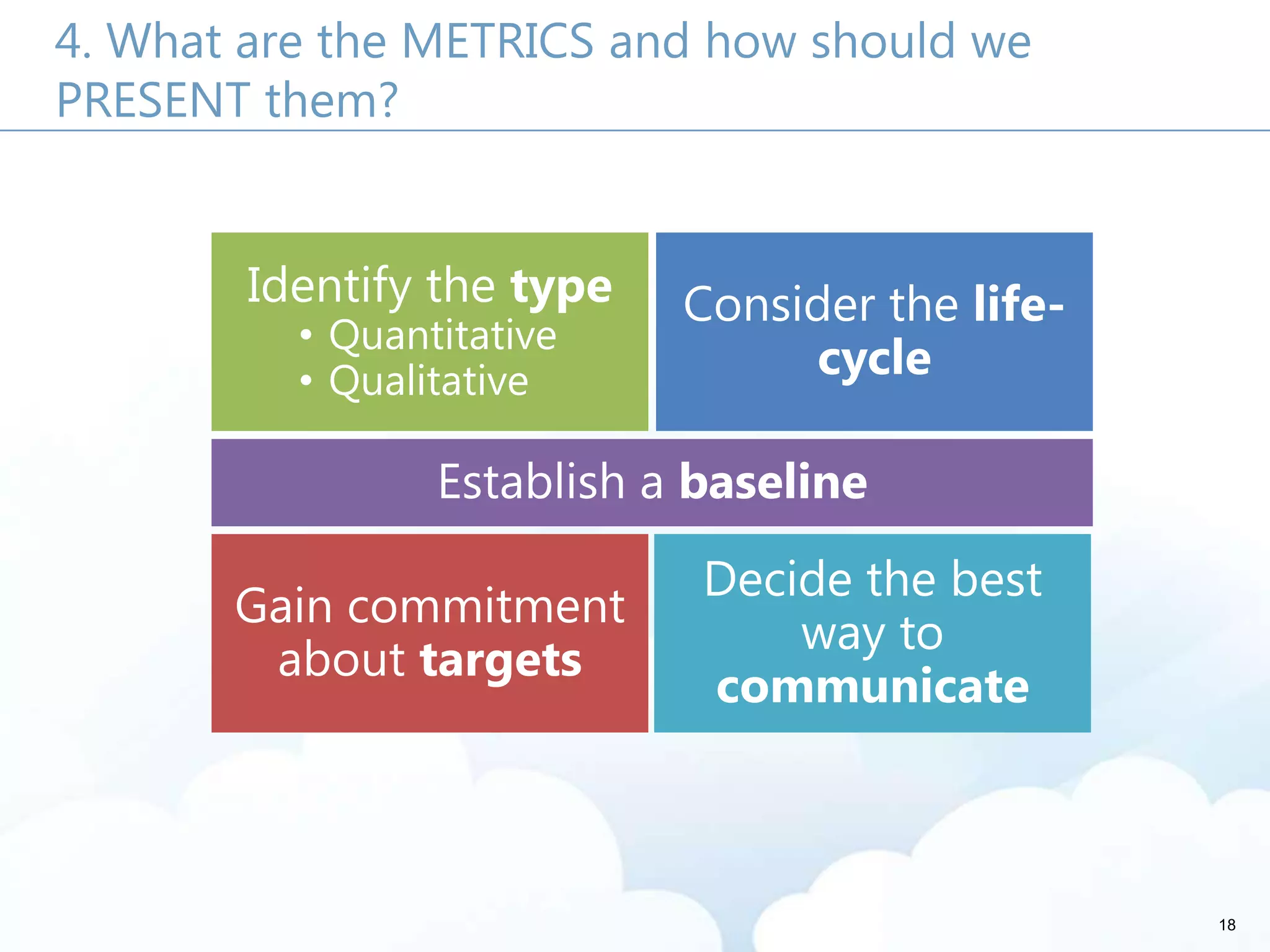
4. What are the METRICS and how should we
PRESENT them?
Identify the type
• Quantitative
• Qualitative
Consider the life-
cycle
Establish a baseline
Gain commitment
about targets
Decide the best
way to
communicate
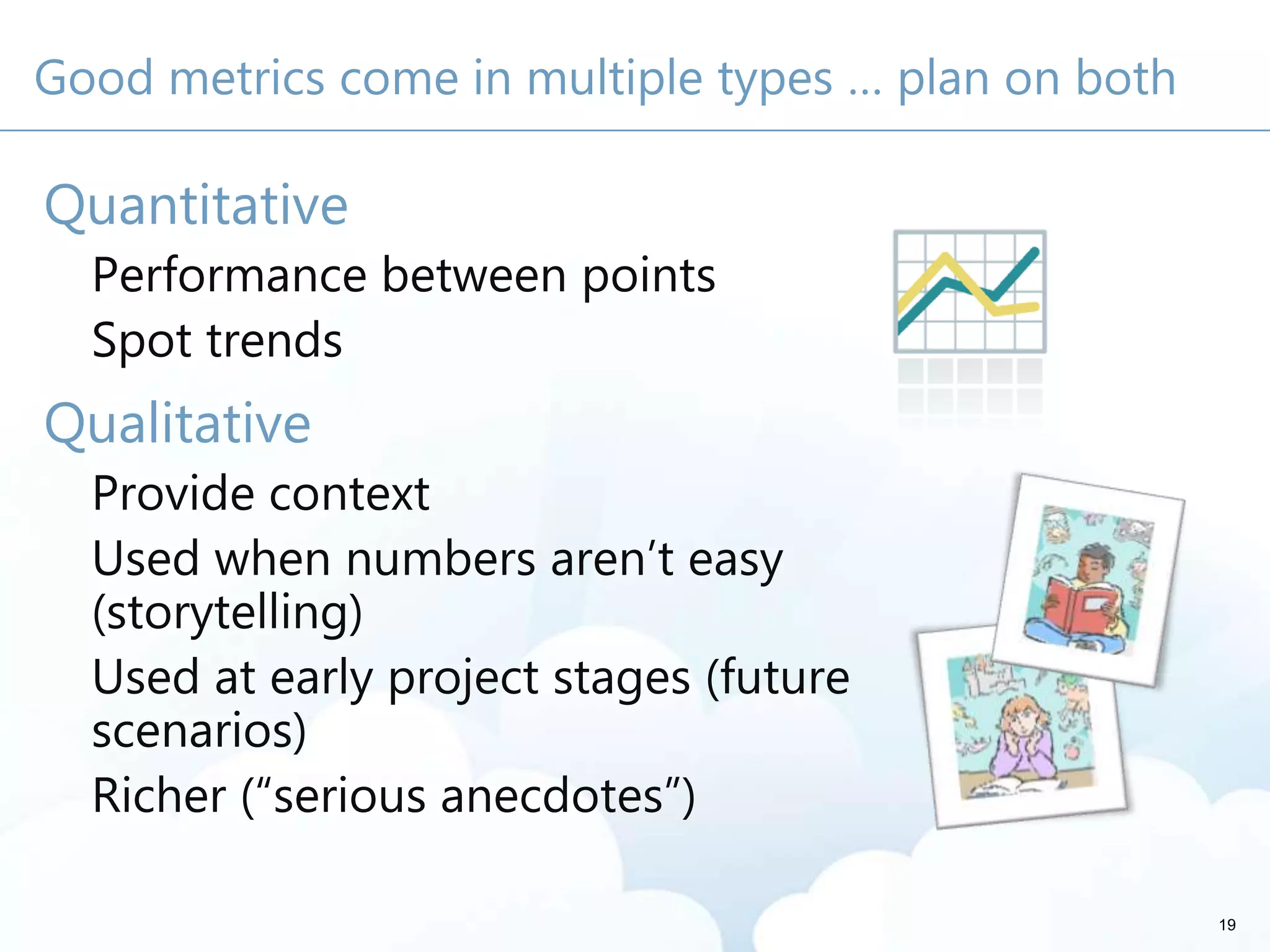
Good metrics come in multiple types … plan on both
Quantitative
Performance between points
Spot trends
Qualitative
Provide context
Used when numbers aren’t easy
(storytelling)
Used at early project stages (future
scenarios)
Richer (“serious anecdotes”)
19
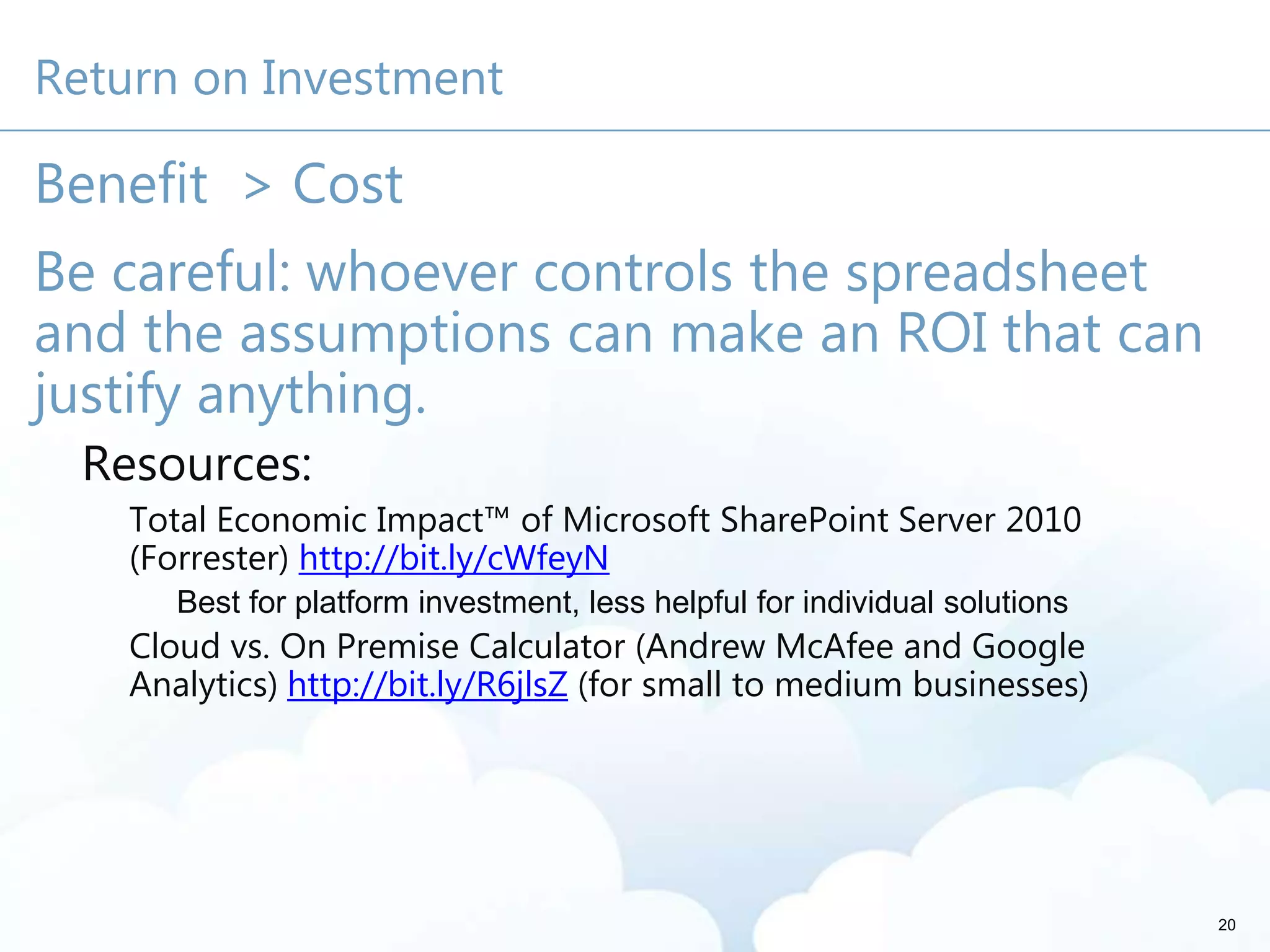
Return on Investment
Benefit > Cost
Be careful: whoever controls the spreadsheet
and the assumptions can make an ROI that can
justify anything.
Resources:
Total Economic Impact™ of Microsoft SharePoint Server 2010
(Forrester) http://bit.ly/cWfeyN
Best for platform investment, less helpful for individual solutions
Cloud vs. On Premise Calculator (Andrew McAfee and Google
Analytics) http://bit.ly/R6jlsZ (for small to medium businesses)
20
21
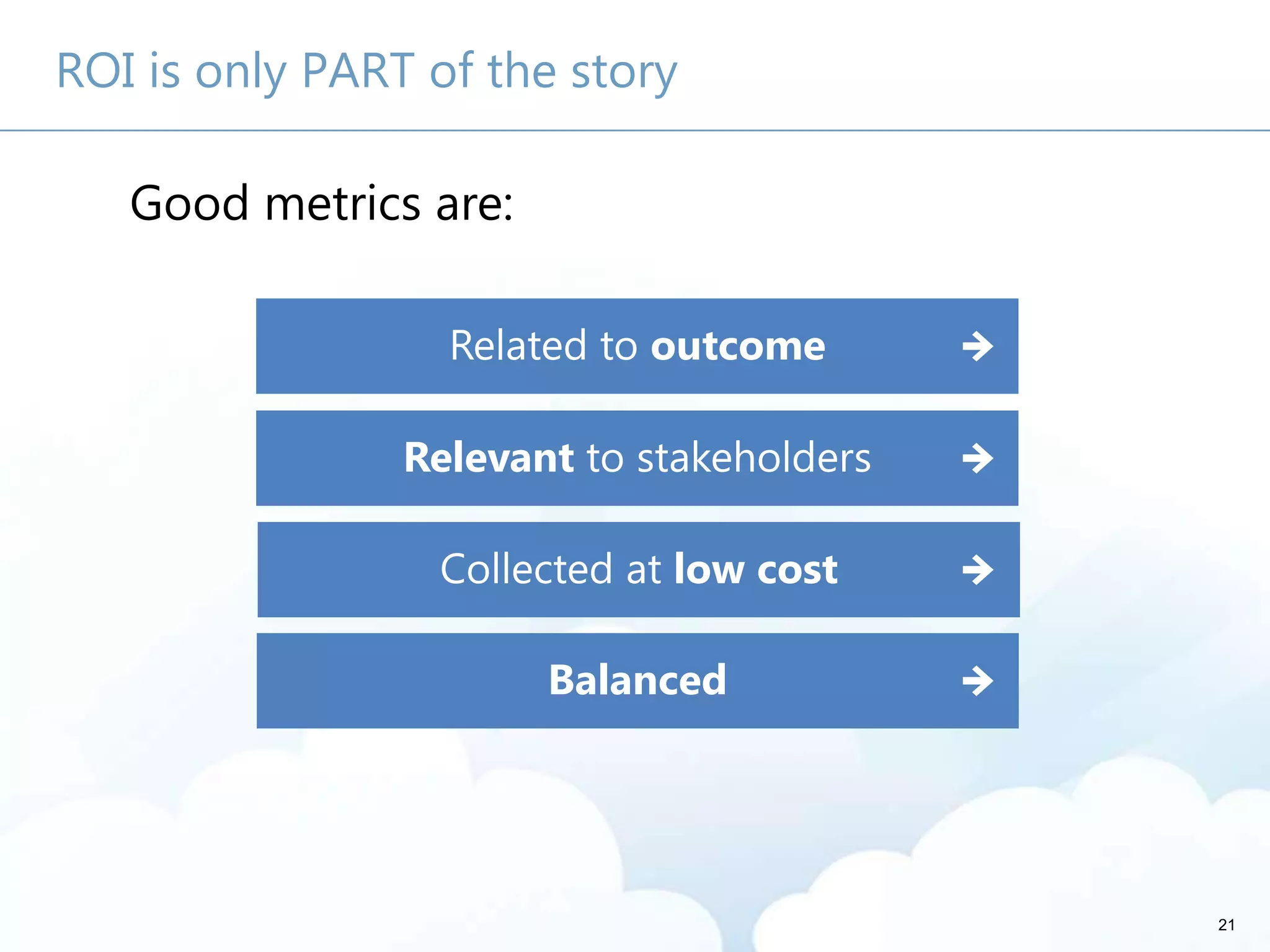
ROI is only PART of the story
Good metrics are:
Related to outcome
Relevant to stakeholders
Collected at low cost
Balanced
22
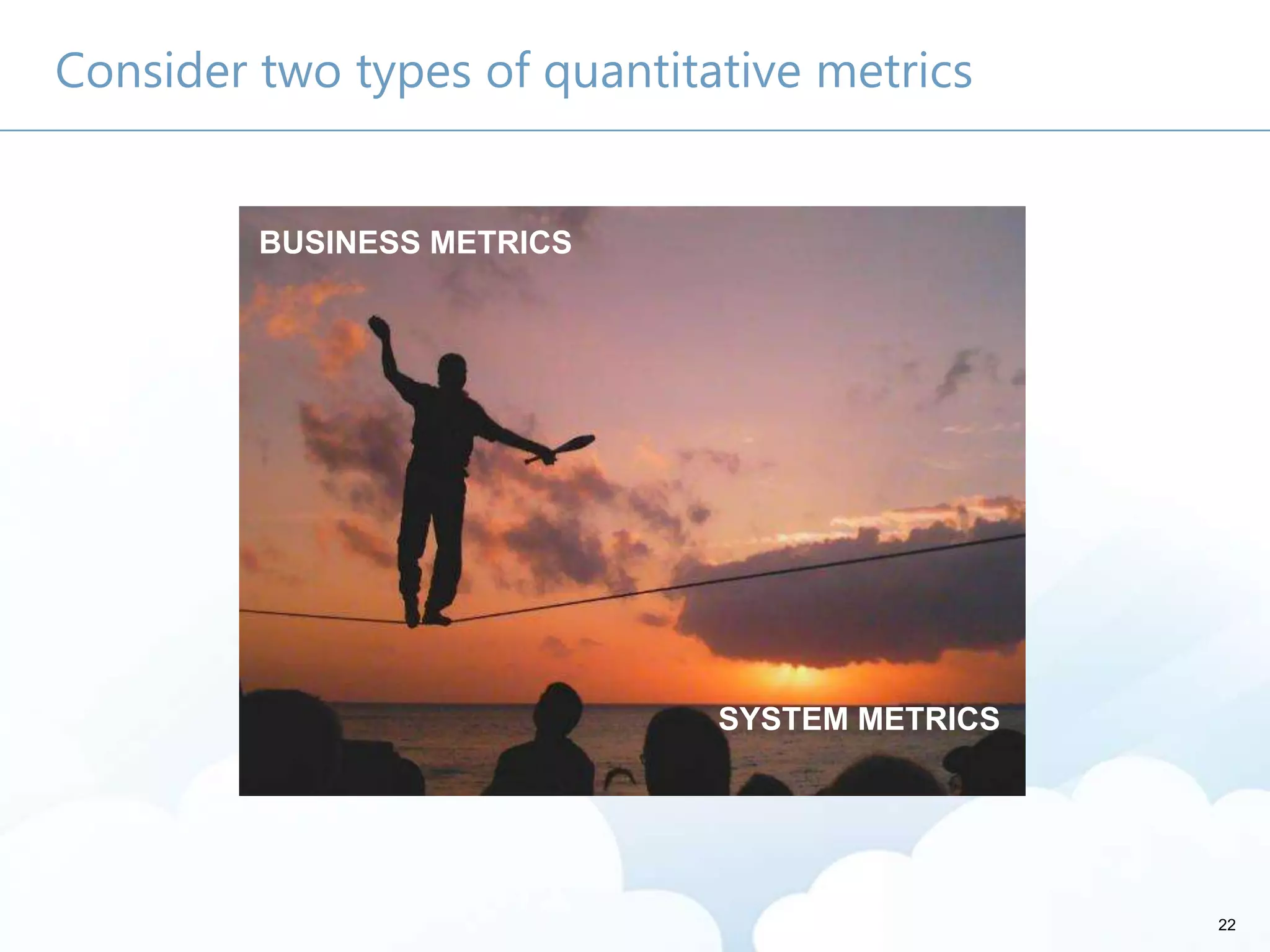
Consider two types of quantitative metrics
BUSINESS METRICS
SYSTEM METRICS
Sample Business Metrics
Hours per week to execute a process
Number of Proposals/Contracts per year
Number of “[My Organization]-All” emails
Number of email attachments
Call center or support call deflection
Average application training costs
Cost savings to retire a legacy application
23
24
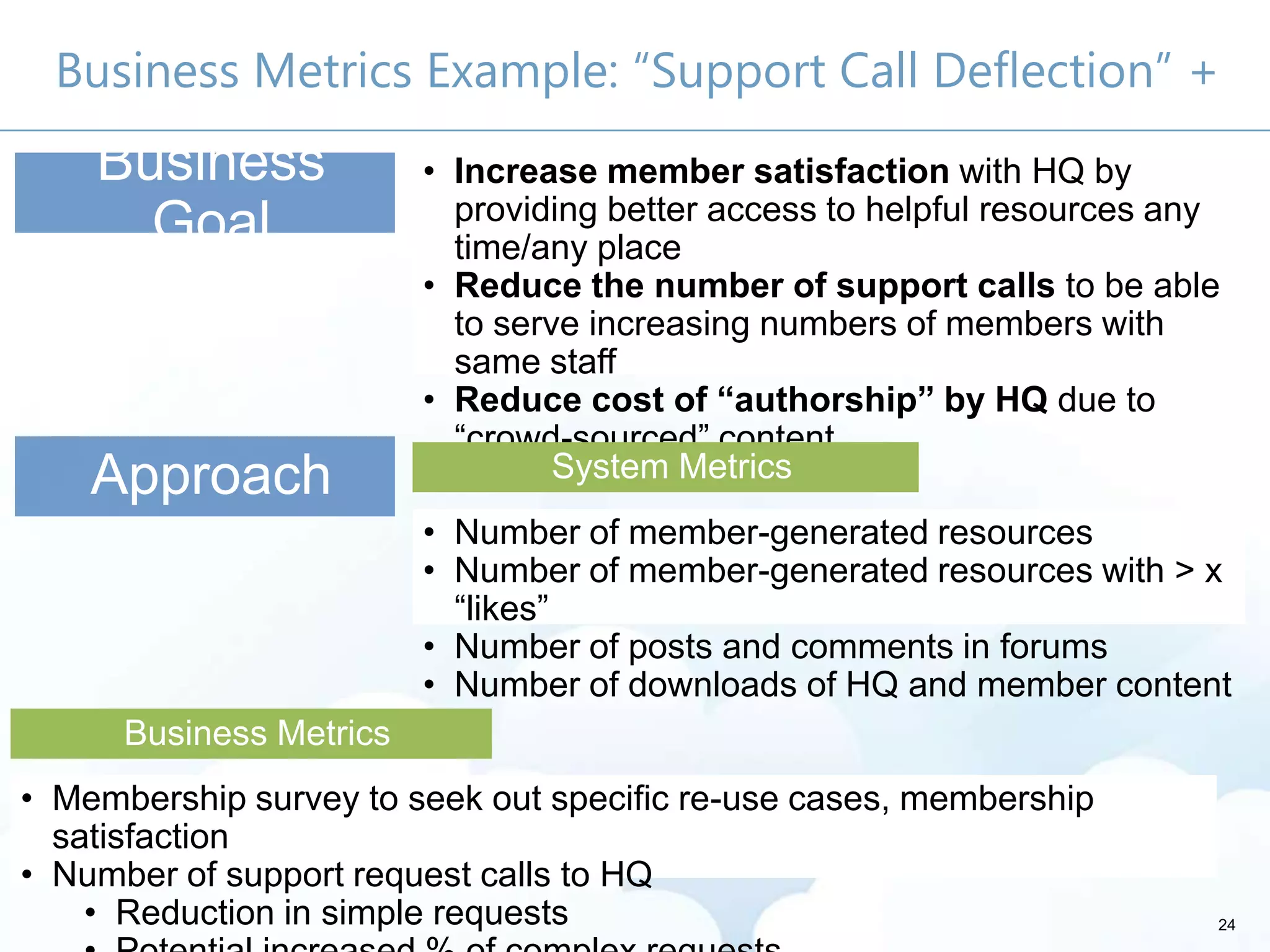
Business Metrics Example: “Support Call Deflection” +
Business
Goal
• Increase member satisfaction with HQ by
providing better access to helpful resources any
time/any place
• Reduce the number of support calls to be able
to serve increasing numbers of members with
same staff
• Reduce cost of “authorship” by HQ due to
―crowd-sourced‖ content
Approach
• Number of member-generated resources
• Number of member-generated resources with > x
―likes‖
• Number of posts and comments in forums
• Number of downloads of HQ and member content
System Metrics
• Membership survey to seek out specific re-use cases, membership
satisfaction
• Number of support request calls to HQ
• Reduction in simple requests
Business Metrics
25
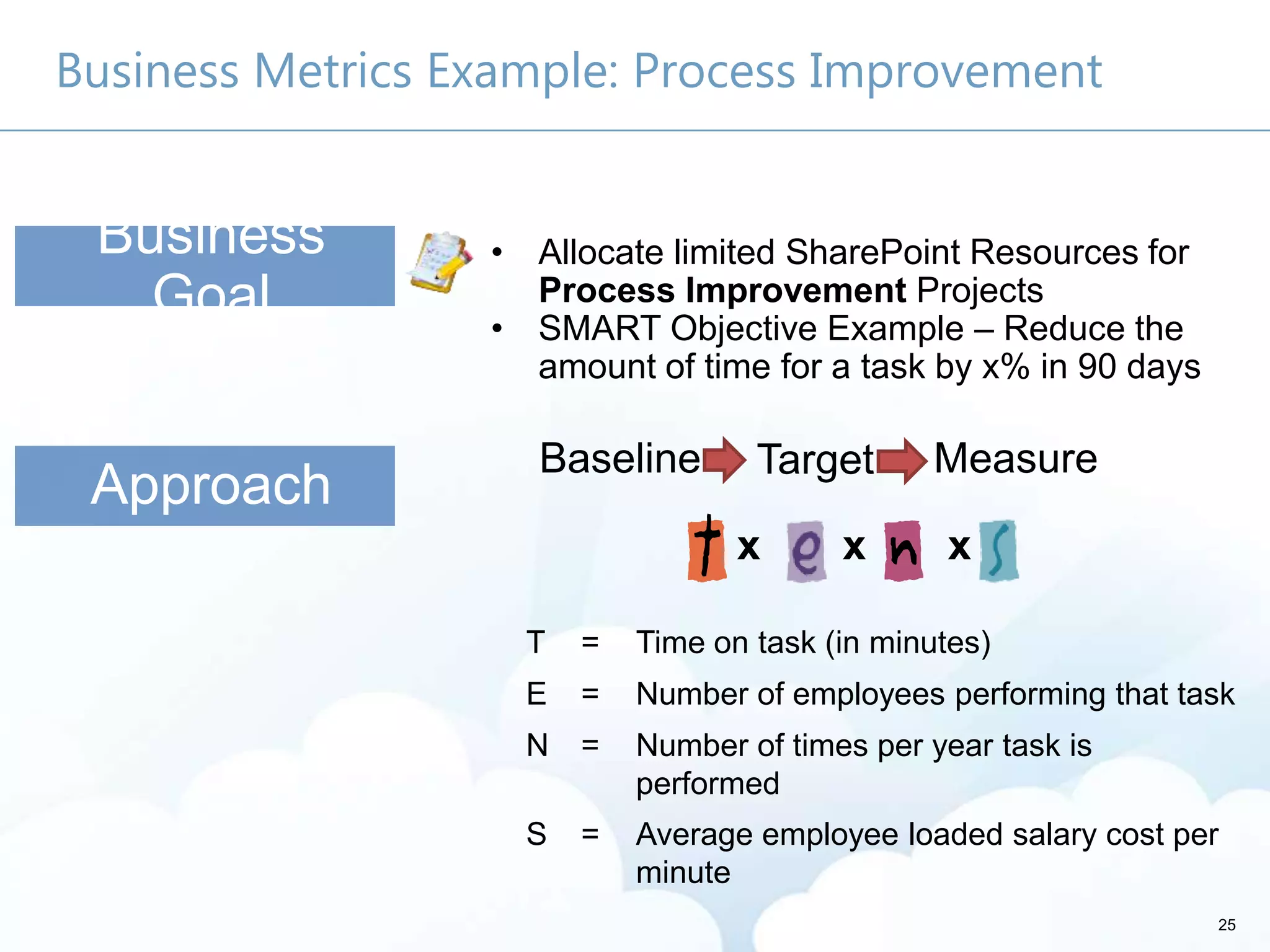
Business Metrics Example: Process Improvement
Approach
Business
Goal
• Allocate limited SharePoint Resources for
Process Improvement Projects
• SMART Objective Example – Reduce the
amount of time for a task by x% in 90 days
x x x
T = Time on task (in minutes)
E = Number of employees performing that task
N = Number of times per year task is
performed
S = Average employee loaded salary cost per
minute
26
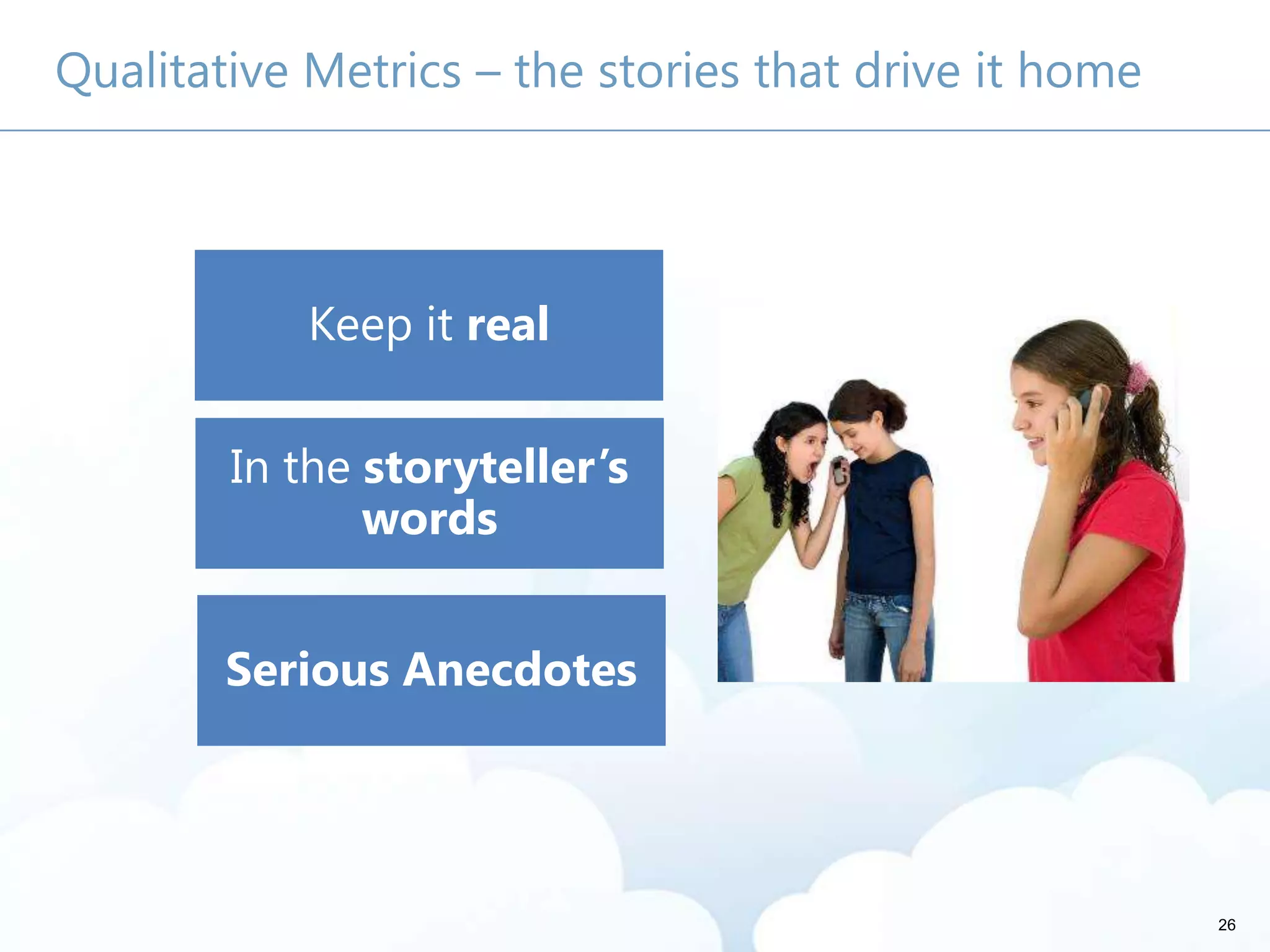
Qualitative Metrics – the stories that drive it home
Keep it real
In the storyteller’s
words
Serious Anecdotes
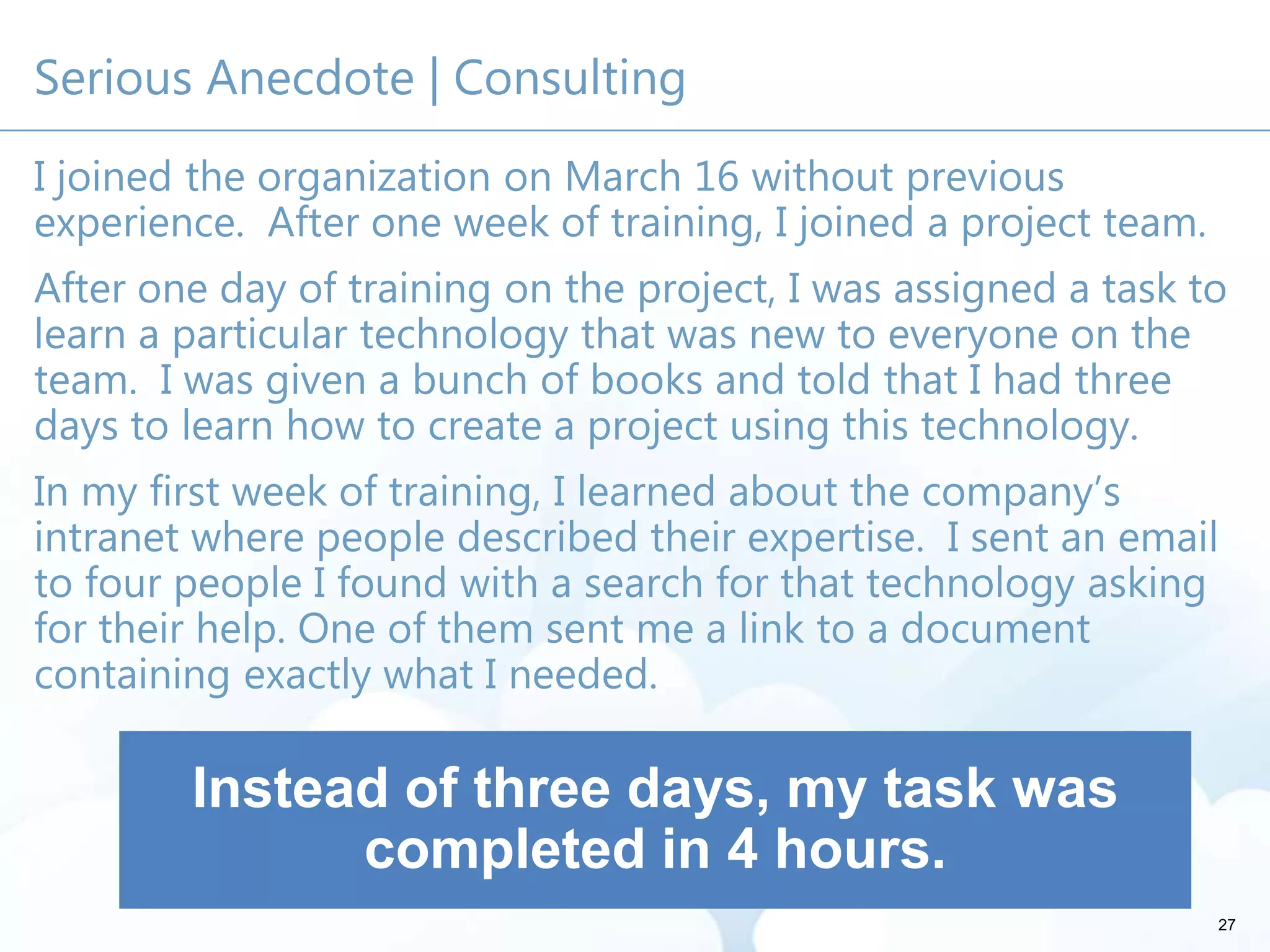
Serious Anecdote | Consulting
I joined the organization on March 16 without previous
experience. After one week of training, I joined a project team.
After one day of training on the project, I was assigned a task to
learn a particular technology that was new to everyone on the
team. I was given a bunch of books and told that I had three
days to learn how to create a project using this technology.
In my first week of training, I learned about the company’s
intranet where people described their expertise. I sent an email
to four people I found with a search for that technology asking
for their help. One of them sent me a link to a document
containing exactly what I needed.
27
Instead of three days, my task was
completed in 4 hours.
28
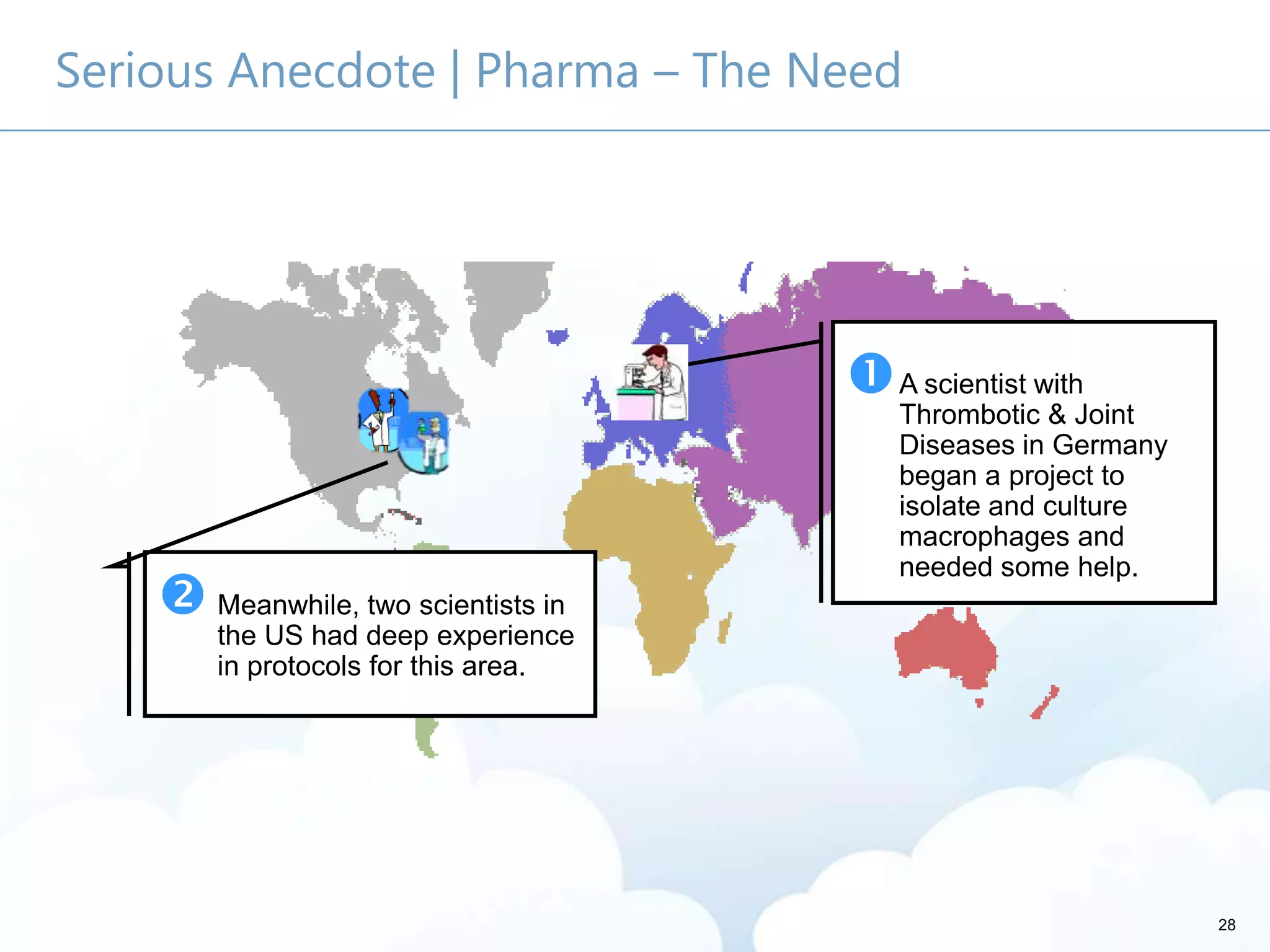
Serious Anecdote | Pharma – The Need
A scientist with
Thrombotic & Joint
Diseases in Germany
began a project to
isolate and culture
macrophages and
needed some help.
 Meanwhile, two scientists in
the US had deep experience
in protocols for this area.
29
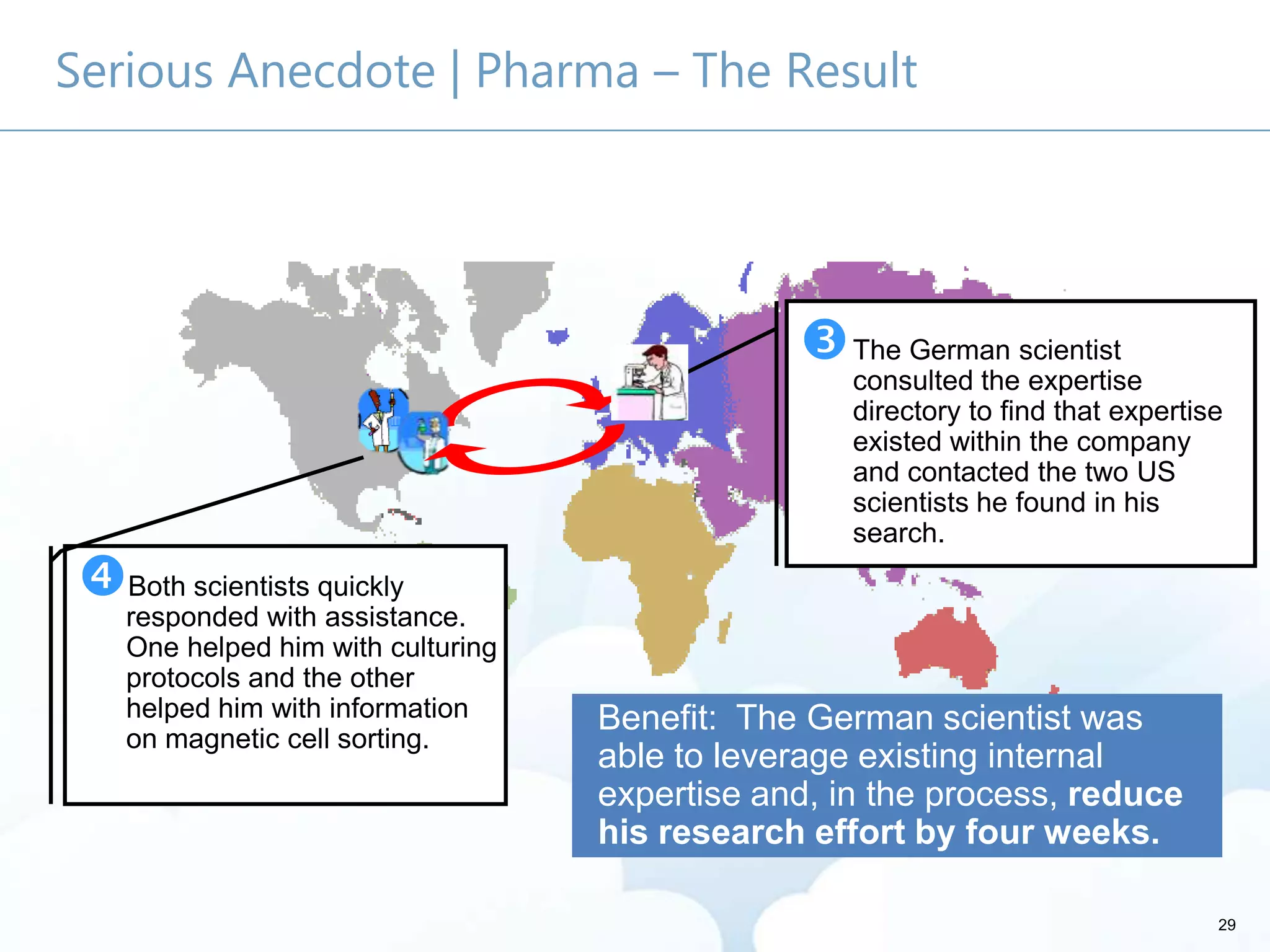
Serious Anecdote | Pharma – The Result
Benefit: The German scientist was
able to leverage existing internal
expertise and, in the process, reduce
his research effort by four weeks.
Both scientists quickly
responded with assistance.
One helped him with culturing
protocols and the other
helped him with information
on magnetic cell sorting.
The German scientist
consulted the expertise
directory to find that expertise
existed within the company
and contacted the two US
scientists he found in his
search.
30
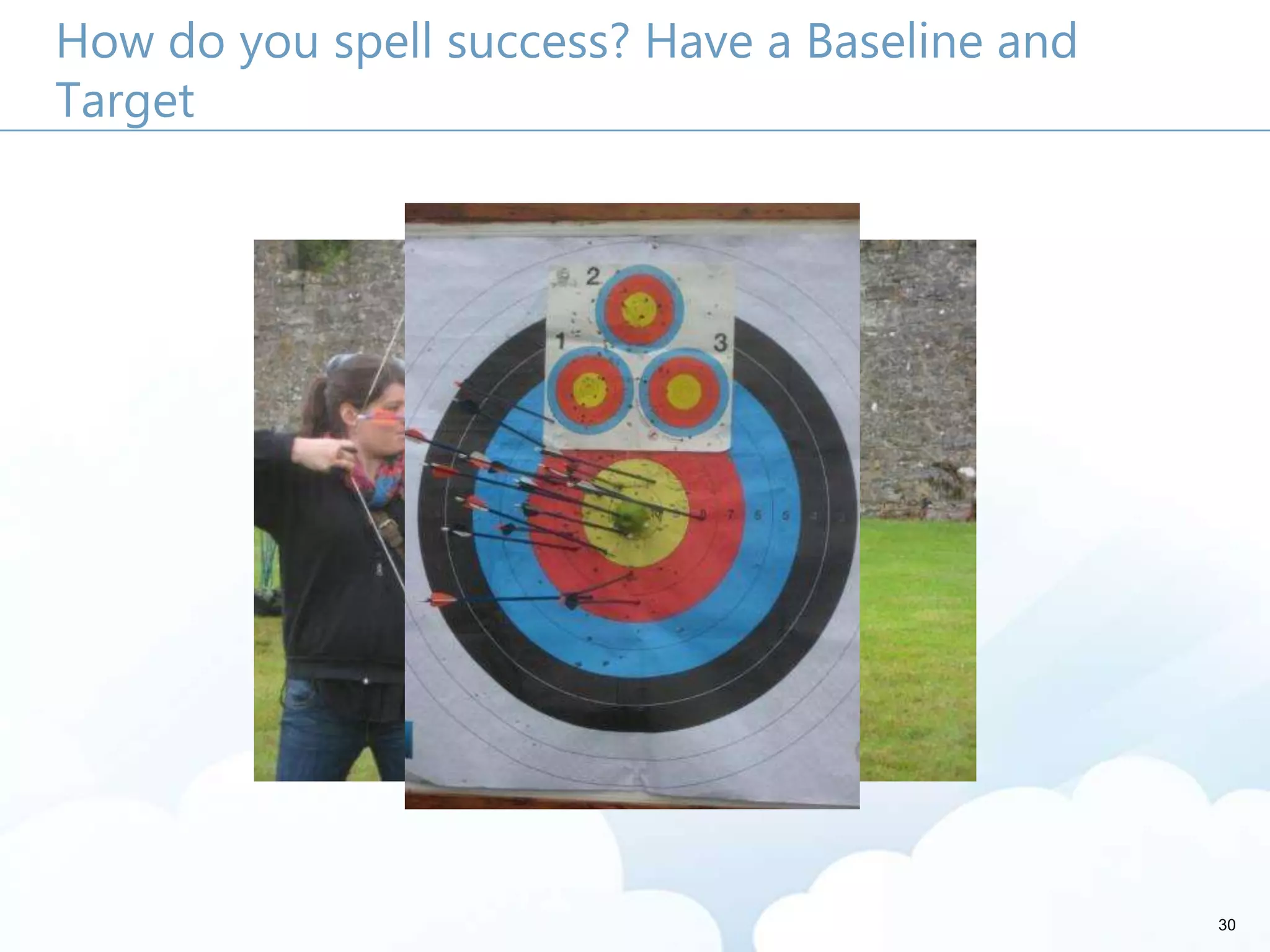
How do you spell success? Have a Baseline and
Target
31
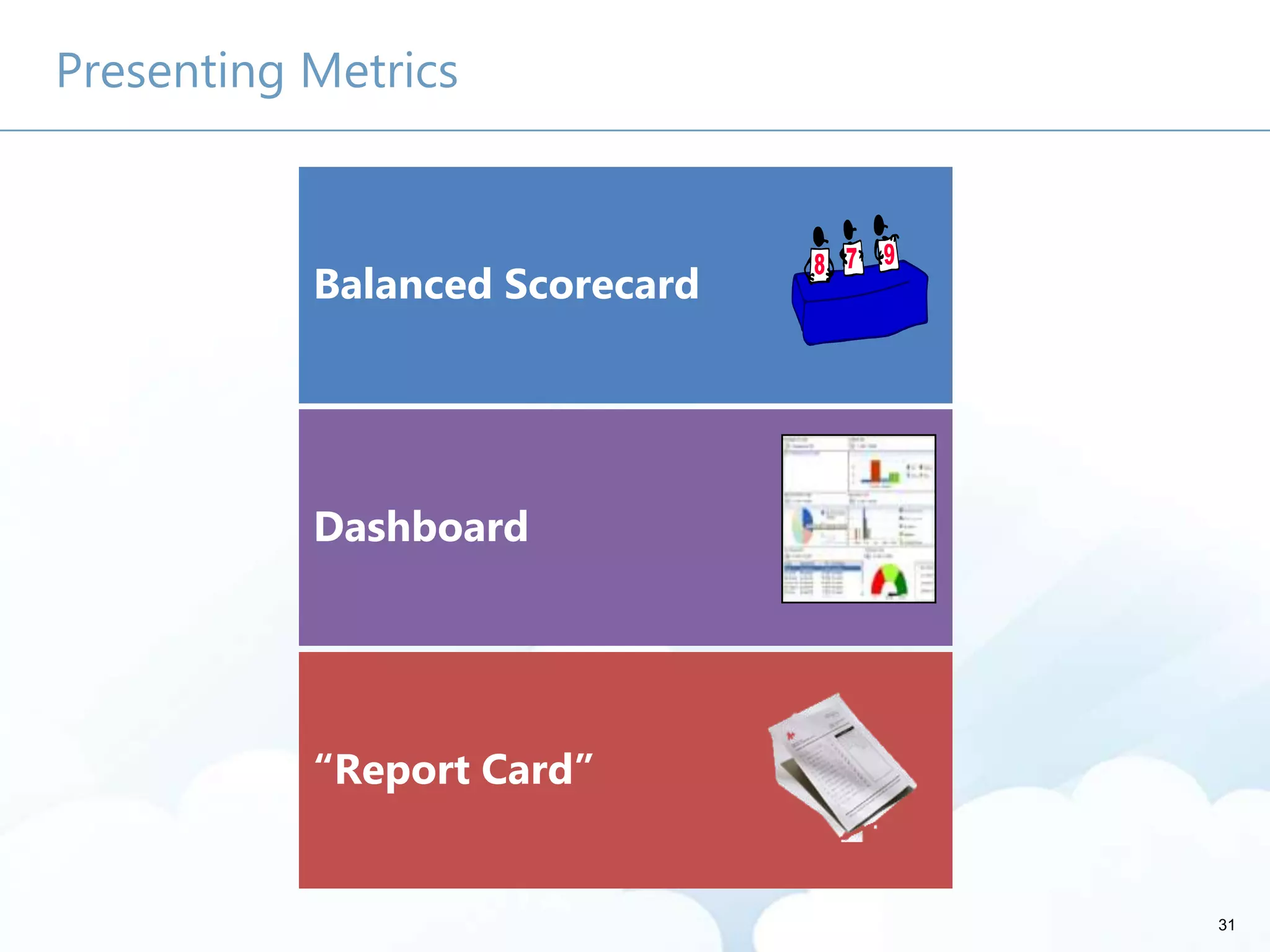
Presenting Metrics
Balanced Scorecard
Dashboard
“Report Card”
32
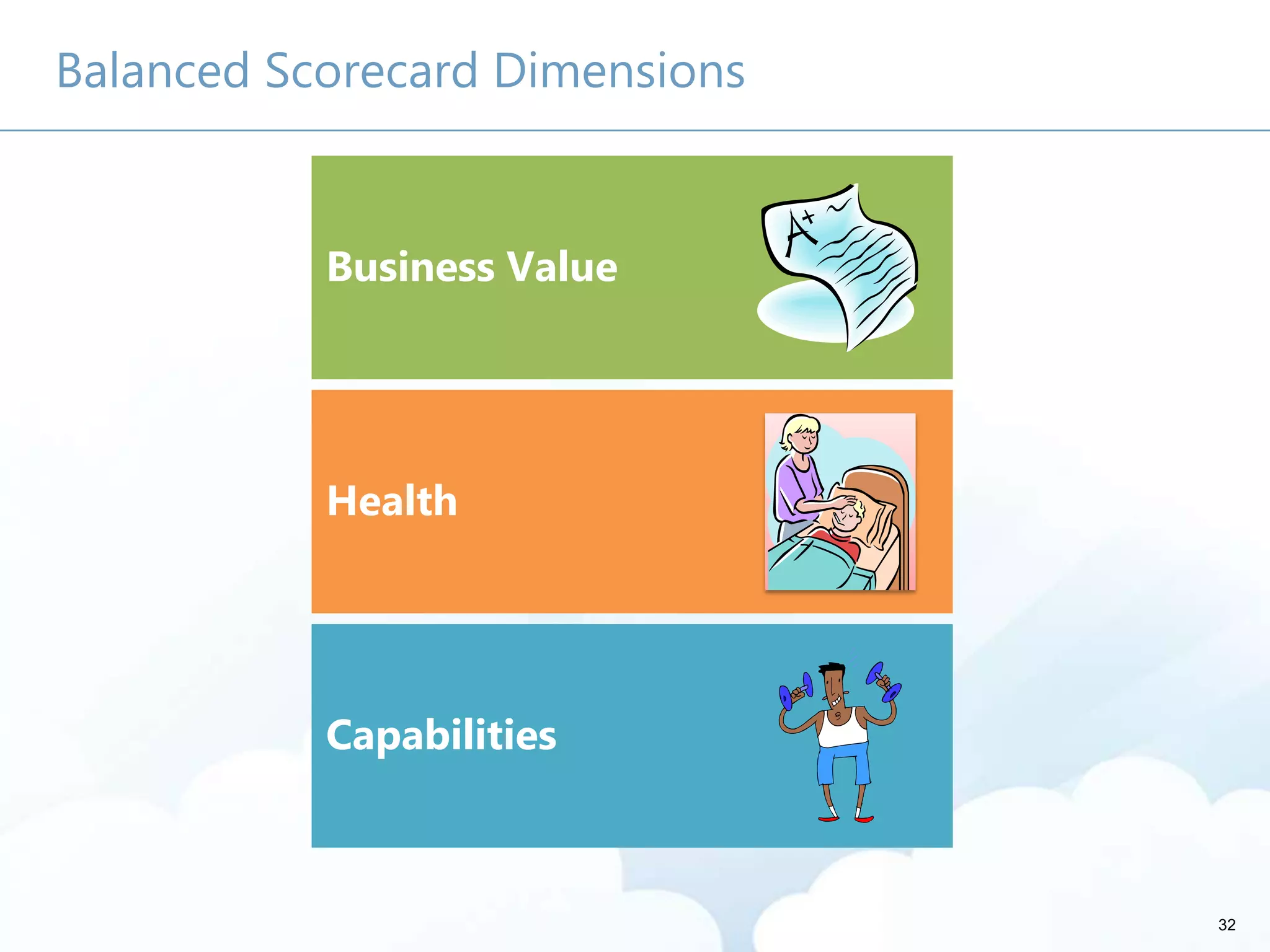
Balanced Scorecard Dimensions
Capabilities
Business Value
Health
33
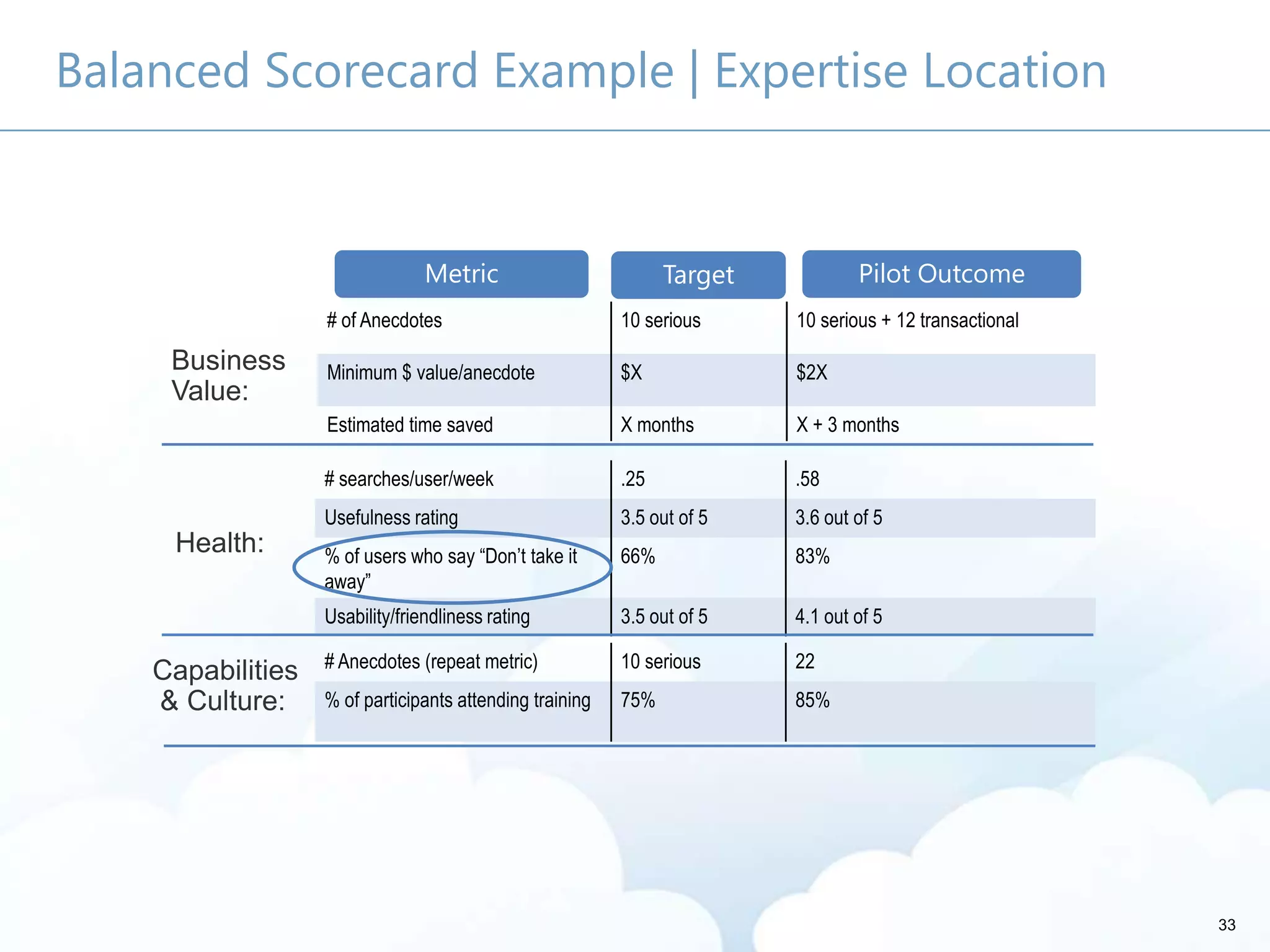
Balanced Scorecard Example | Expertise Location
Business
Value:
Health:
Capabilities
& Culture:
Metric Target Pilot Outcome
# searches/user/week .25 .58
Usefulness rating 3.5 out of 5 3.6 out of 5
% of users who say “Don’t take it
away”
66% 83%
Usability/friendliness rating 3.5 out of 5 4.1 out of 5
# Anecdotes (repeat metric) 10 serious 22
% of participants attending training 75% 85%
# of Anecdotes 10 serious 10 serious + 12 transactional
Minimum $ value/anecdote $X $2X
Estimated time saved X months X + 3 months
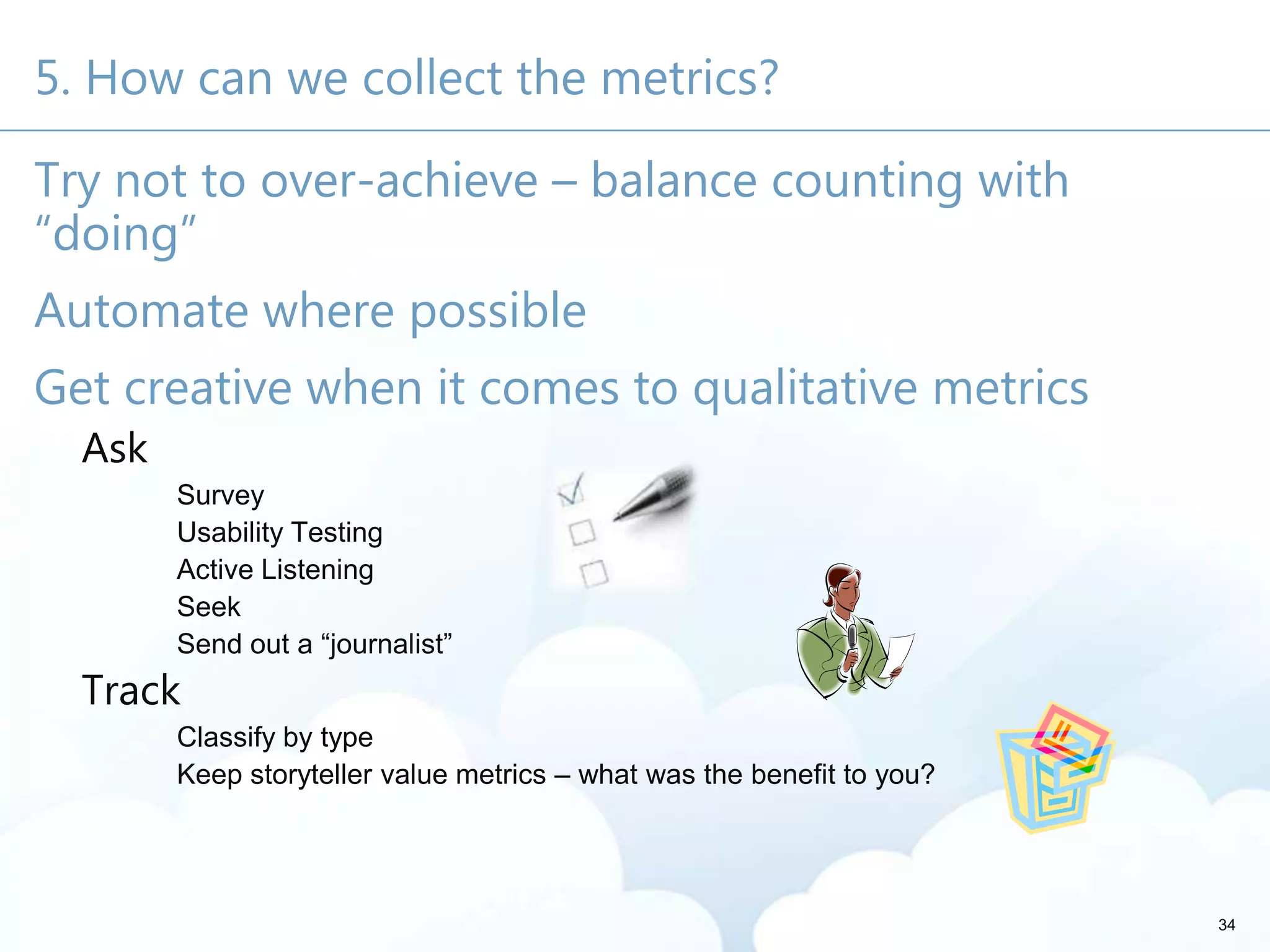
5. How can we collect the metrics?
Try not to over-achieve – balance counting with
“doing”
Automate where possible
Get creative when it comes to qualitative metrics
Ask
Survey
Usability Testing
Active Listening
Seek
Send out a ―journalist‖
Track
Classify by type
Keep storyteller value metrics – what was the benefit to you?
34
35
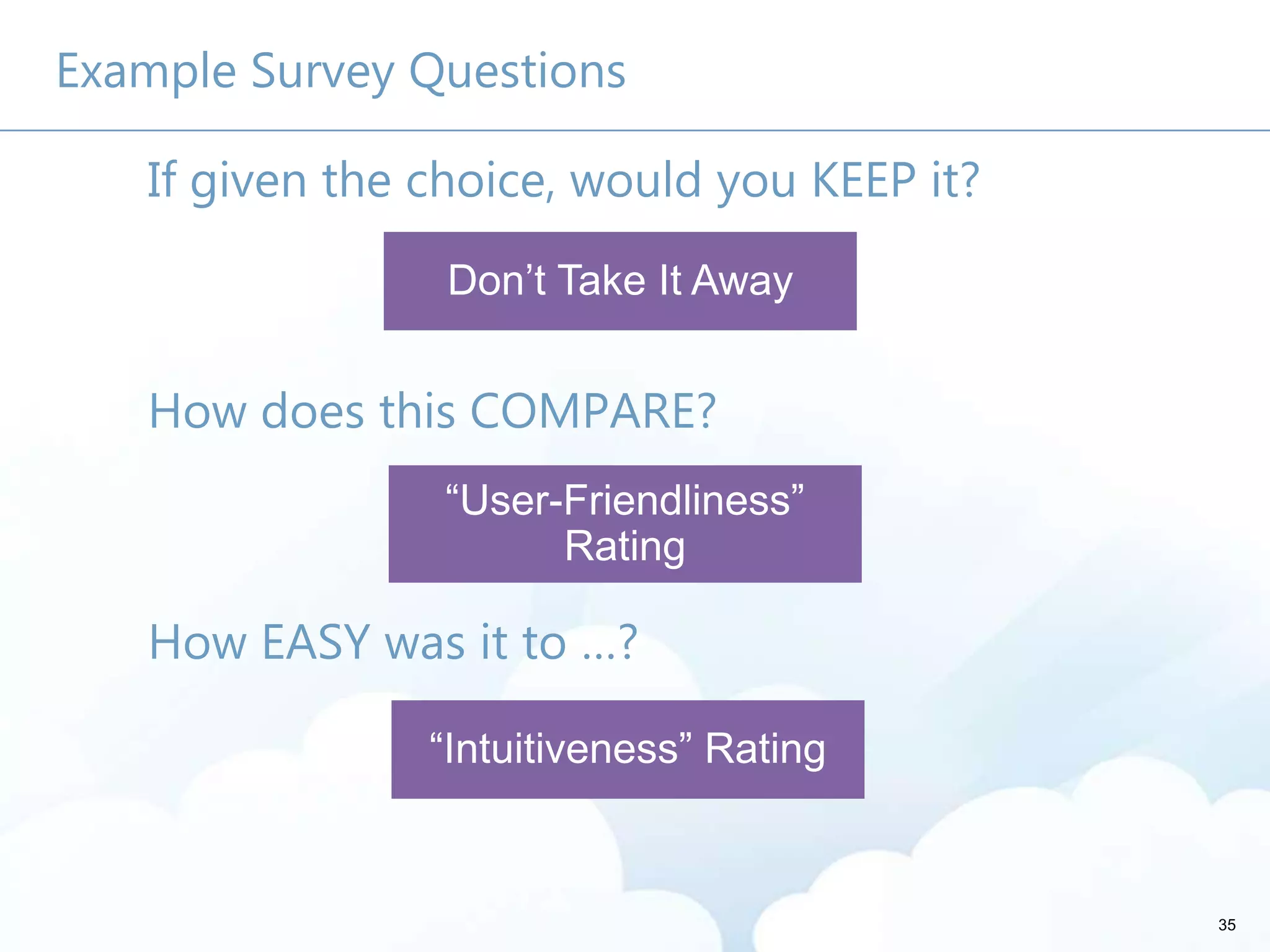
Example Survey Questions
If given the choice, would you KEEP it?
How does this COMPARE?
How EASY was it to …?
6. What do the metrics tell us about how we need to
change?
Are we doing the right thing?
What areas are most successful?
What areas should we be promoting?
In which areas should we be investing?
Which initiatives should we discontinue?
36
37
Keep in mind
Metrics alone won’t make your program successful
You need someone
whose job it is to
monitor them
You need someone who is
accountable for making
changes based on analysis
It’s as important to have a plan for acting on metrics
as it is to have a plan for collecting them!
38
Call to Action
Develop a plan to capture
quantitative and qualitative metrics.
Make sure metrics
are part of
someone’s job.
Identify baseline measures – and gain commitment on
targets – before you start!!
Develop a library or list to
capture and categorize
qualitative metrics.
Develop an approach to
produce and promote
metrics.
About Me
• Governance
• User Adoption
• Metrics
• Information Architecture
• Knowledge Management
• Portals
• Collaboration Solutions
• President, Susan Hanley LLC
• Led national Portals, Management Collaboration,
and Content practice for Dell
• Director of Knowledge Management at American
Management Systems
susanhanle
y
sue@susanhanley.co
m
39
August 2013!
Susan Hanley
Susan Hanley LLC
sue@susanhanley.com
301 469 0770 (o)
301 442 0127 (m)
@susanhanley
www.susanhanley.com
http://www.networkworld.com
/community/sharepoint
Thank you for your attention!
This presentation will be available on the Toronto
SharePoint Summit web site a few days after the event.
Please rate this session!
Fill out the survey and get a chance to win a Surface
Extras
43
White Paper
For a white paper that explains the concepts in
this presentation in more detail – with lots more
examples, please go to
http://www.susanhanley.com.
44
45
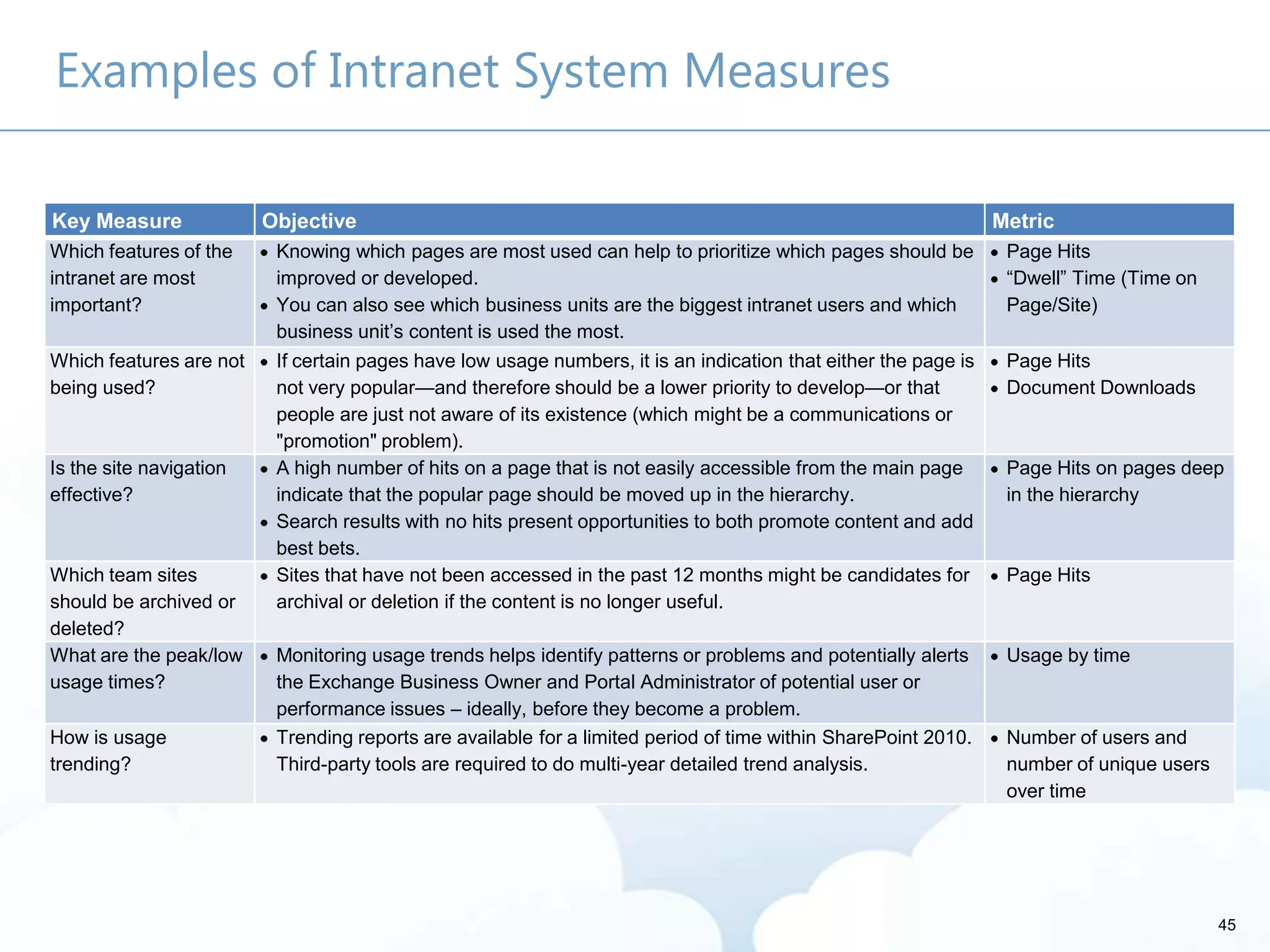
Examples of Intranet System Measures
Key Measure Objective Metric
Which features of the
intranet are most
important?
Knowing which pages are most used can help to prioritize which pages should be
improved or developed.
You can also see which business units are the biggest intranet users and which
business unit’s content is used the most.
Page Hits
―Dwell‖ Time (Time on
Page/Site)
Which features are not
being used?
If certain pages have low usage numbers, it is an indication that either the page is
not very popular—and therefore should be a lower priority to develop—or that
people are just not aware of its existence (which might be a communications or
"promotion" problem).
Page Hits
Document Downloads
Is the site navigation
effective?
A high number of hits on a page that is not easily accessible from the main page
indicate that the popular page should be moved up in the hierarchy.
Search results with no hits present opportunities to both promote content and add
best bets.
Page Hits on pages deep
in the hierarchy
Which team sites
should be archived or
deleted?
Sites that have not been accessed in the past 12 months might be candidates for
archival or deletion if the content is no longer useful.
Page Hits
What are the peak/low
usage times?
Monitoring usage trends helps identify patterns or problems and potentially alerts
the Exchange Business Owner and Portal Administrator of potential user or
performance issues – ideally, before they become a problem.
Usage by time
How is usage
trending?
Trending reports are available for a limited period of time within SharePoint 2010.
Third-party tools are required to do multi-year detailed trend analysis.
Number of users and
number of unique users
over time
46
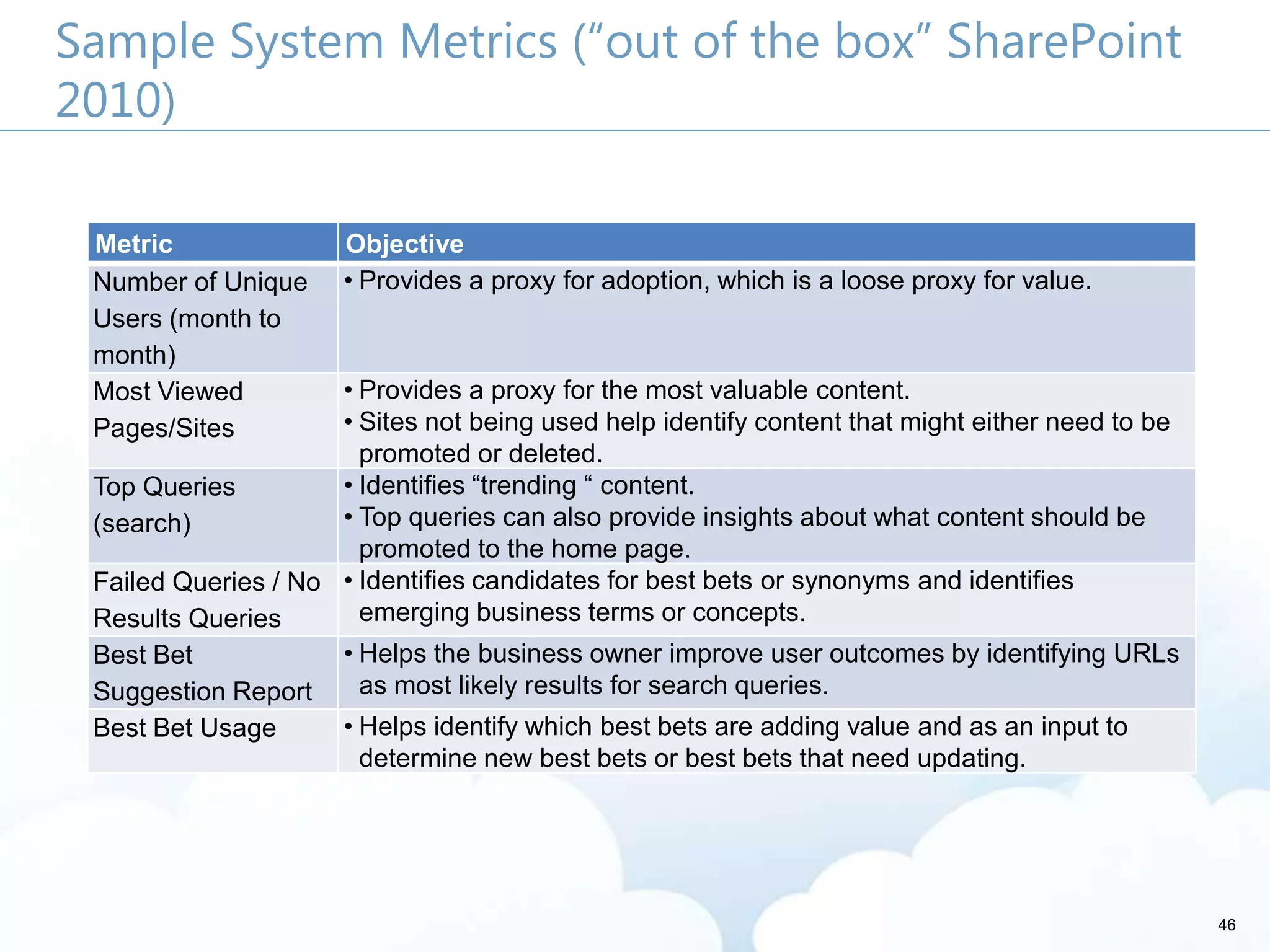
Sample System Metrics (“out of the box” SharePoint
2010)
Metric Objective
Number of Unique
Users (month to
month)
• Provides a proxy for adoption, which is a loose proxy for value.
Most Viewed
Pages/Sites
• Provides a proxy for the most valuable content.
• Sites not being used help identify content that might either need to be
promoted or deleted.
Top Queries
(search)
• Identifies ―trending ― content.
• Top queries can also provide insights about what content should be
promoted to the home page.
Failed Queries / No
Results Queries
• Identifies candidates for best bets or synonyms and identifies
emerging business terms or concepts.
Best Bet
Suggestion Report
• Helps the business owner improve user outcomes by identifying URLs
as most likely results for search queries.
Best Bet Usage • Helps identify which best bets are adding value and as an input to
determine new best bets or best bets that need updating.
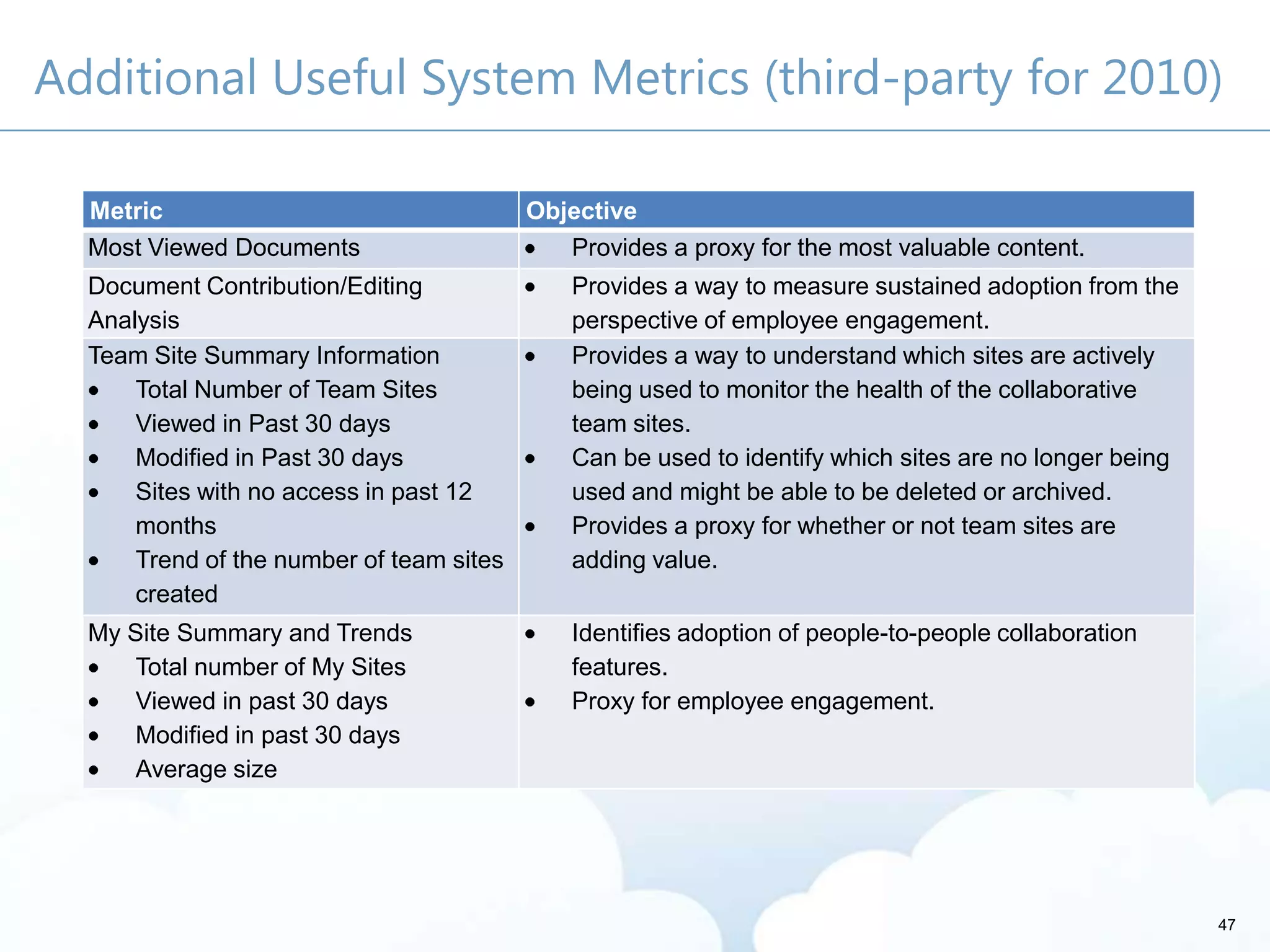
Additional Useful System Metrics (third-party for 2010)
Metric Objective
Most Viewed Documents Provides a proxy for the most valuable content.
Document Contribution/Editing
Analysis
Provides a way to measure sustained adoption from the
perspective of employee engagement.
Team Site Summary Information
Total Number of Team Sites
Viewed in Past 30 days
Modified in Past 30 days
Sites with no access in past 12
months
Trend of the number of team sites
created
Provides a way to understand which sites are actively
being used to monitor the health of the collaborative
team sites.
Can be used to identify which sites are no longer being
used and might be able to be deleted or archived.
Provides a proxy for whether or not team sites are
adding value.
My Site Summary and Trends
Total number of My Sites
Viewed in past 30 days
Modified in past 30 days
Average size
Identifies adoption of people-to-people collaboration
features.
Proxy for employee engagement.
47
48
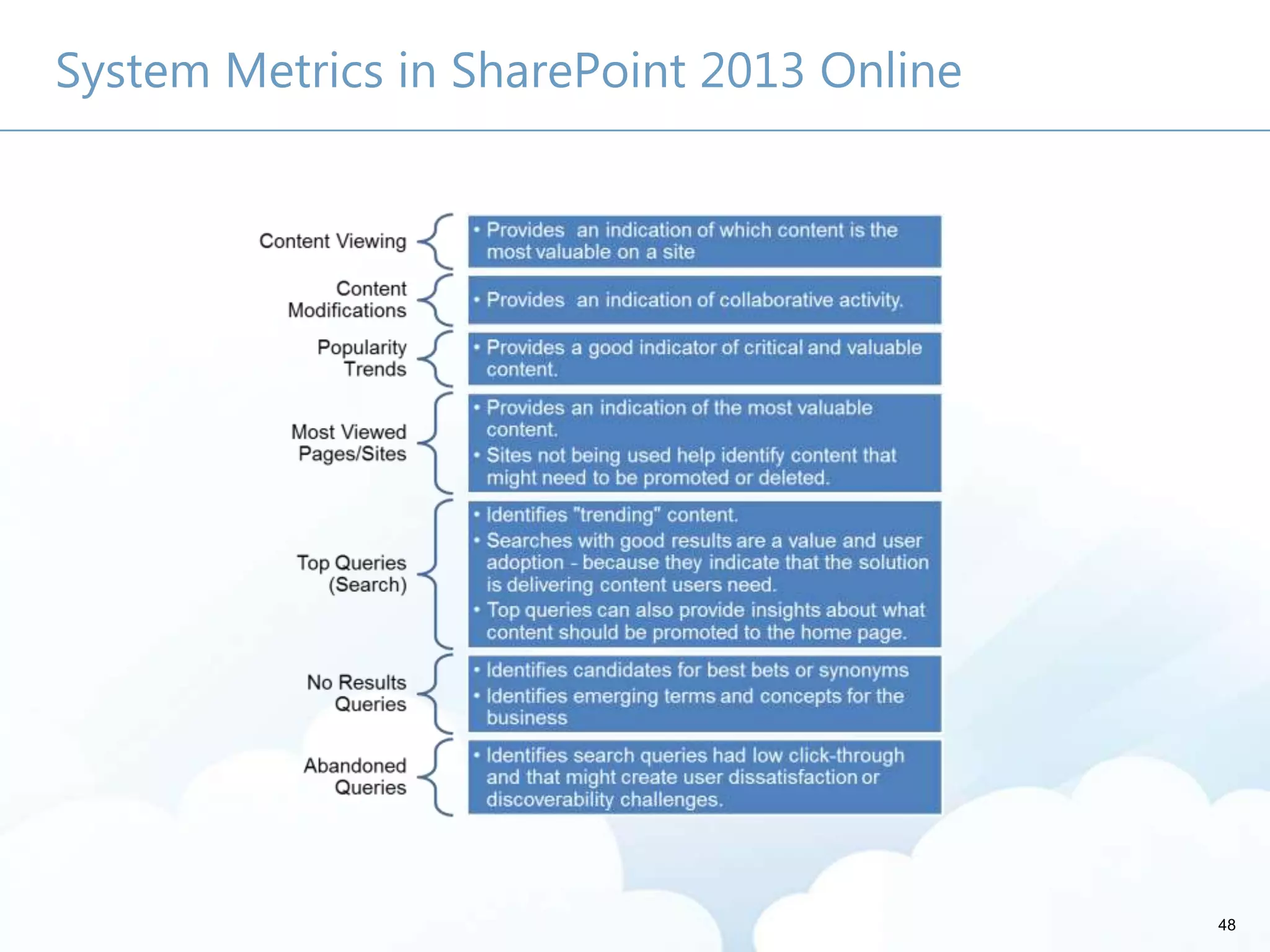
System Metrics in SharePoint 2013 Online
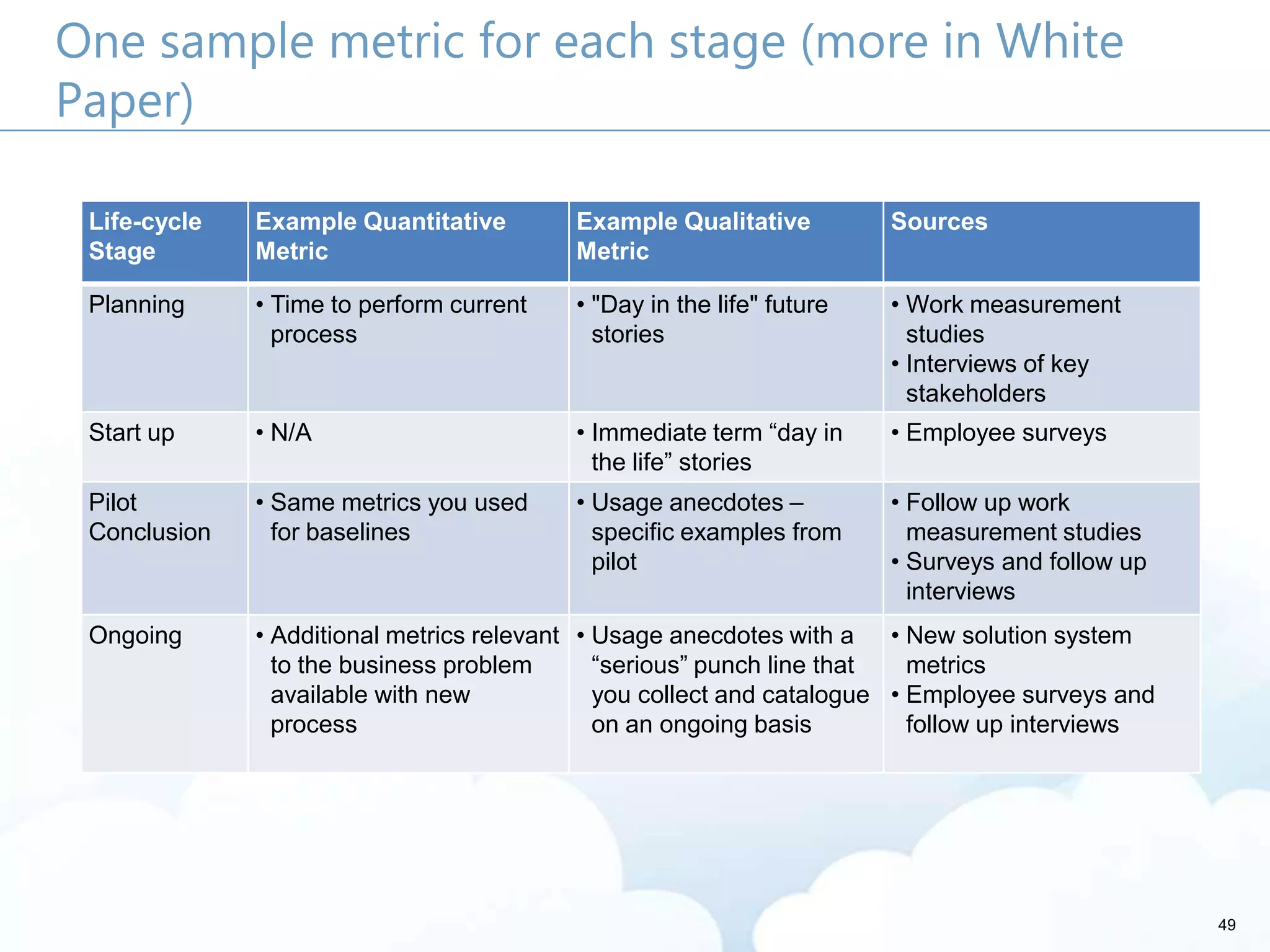
49
One sample metric for each stage (more in White
Paper)
Life-cycle
Stage
Example Quantitative
Metric
Example Qualitative
Metric
Sources
Planning • Time to perform current
process
• "Day in the life" future
stories
• Work measurement
studies
• Interviews of key
stakeholders
Start up • N/A • Immediate term ―day in
the life‖ stories
• Employee surveys
Pilot
Conclusion
• Same metrics you used
for baselines
• Usage anecdotes –
specific examples from
pilot
• Follow up work
measurement studies
• Surveys and follow up
interviews
Ongoing • Additional metrics relevant
to the business problem
available with new
process
• Usage anecdotes with a
―serious‖ punch line that
you collect and catalogue
on an ongoing basis
• New solution system
metrics
• Employee surveys and
follow up interviews
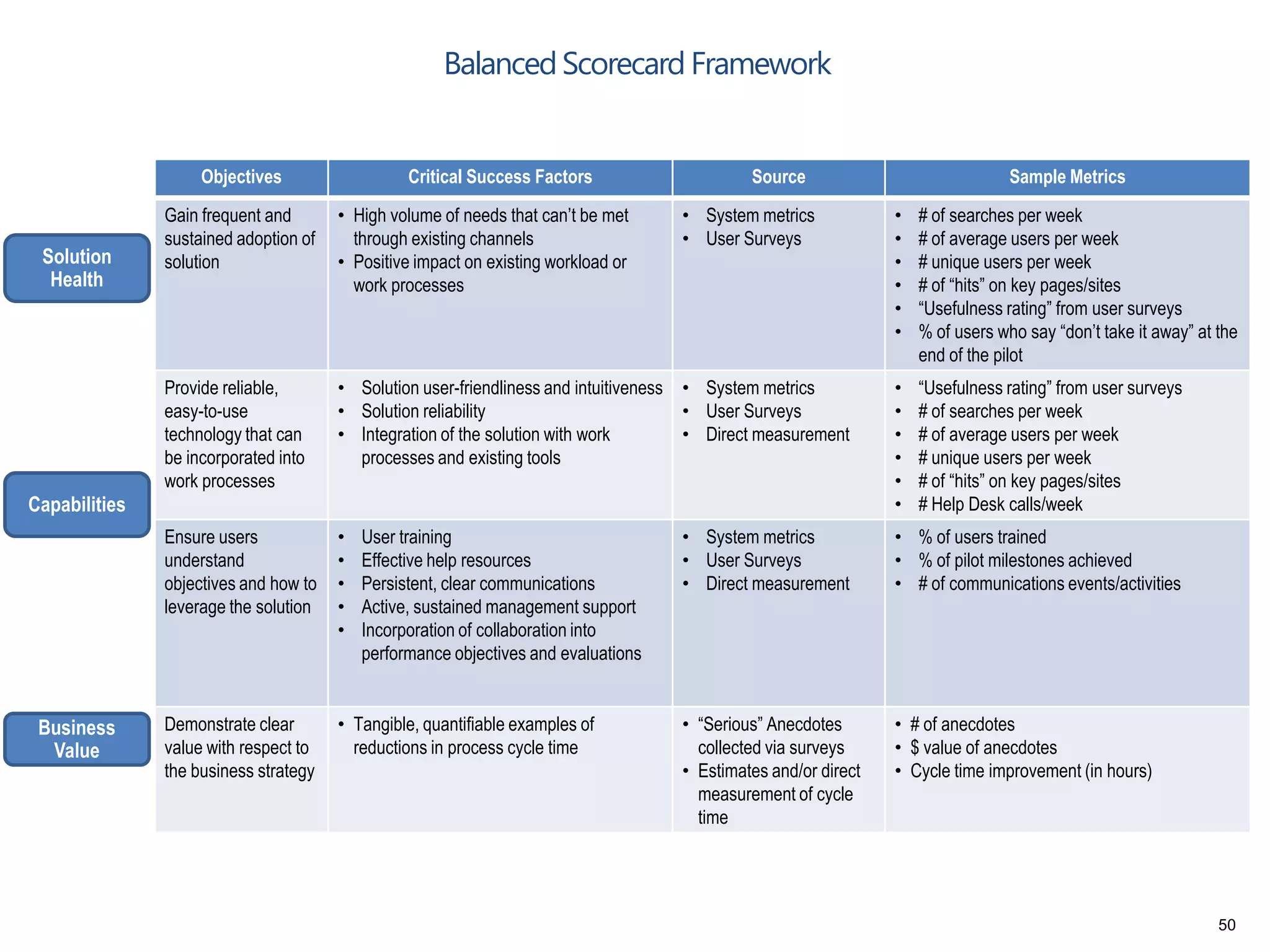
Objectives Critical Success Factors Source Sample Metrics
Gain frequent and
sustained adoption of
solution
• High volume of needs that can’t be met
through existing channels
• Positive impact on existing workload or
work processes
• System metrics
• User Surveys
• # of searches per week
• # of average users per week
• # unique users per week
• # of “hits” on key pages/sites
• “Usefulness rating” from user surveys
• % of users who say “don’t take it away” at the
end of the pilot
Provide reliable,
easy-to-use
technology that can
be incorporated into
work processes
• Solution user-friendliness and intuitiveness
• Solution reliability
• Integration of the solution with work
processes and existing tools
• System metrics
• User Surveys
• Direct measurement
• “Usefulness rating” from user surveys
• # of searches per week
• # of average users per week
• # unique users per week
• # of “hits” on key pages/sites
• # Help Desk calls/week
Ensure users
understand
objectives and how to
leverage the solution
• User training
• Effective help resources
• Persistent, clear communications
• Active, sustained management support
• Incorporation of collaboration into
performance objectives and evaluations
• System metrics
• User Surveys
• Direct measurement
• % of users trained
• % of pilot milestones achieved
• # of communications events/activities
Demonstrate clear
value with respect to
the business strategy
• Tangible, quantifiable examples of
reductions in process cycle time
• “Serious” Anecdotes
collected via surveys
• Estimates and/or direct
measurement of cycle
time
• # of anecdotes
• $ value of anecdotes
• Cycle time improvement (in hours)
Business
Value
Solution
Health
Capabilities
BalancedScorecard Framework
50
51
Survey Example: Post-Pilot Usability
Usability Question Metric
If presented the choice, do you want to keep the
solution?
―Don’t Take it
Away‖
Don't take it away Take it away
Usability/friendliness - how does the usability of this
solution compare to other solutions you use on a
regular basis?
―User
Friendliness
Rating‖
Much easier to
use
Easier to use
About the same
Harder to use
Much harder to use
How easy and intuitive was the solution to use for
each of the following [specific task]?
―Intuitiveness
Rating‖
Very easy
Easy
Moderate
Difficult
Very Difficult
Other Resources
How to Measure Anything: Finding the Value of Intangibles in Business by
Douglas Hubbard
Jakob Nielen’s Alert Box - Current Issues in Web Usability:
http://www.useit.com/alertbox/
Determining the Value of Social Business ROI: Myths, Facts, and Potentially
High Returns: http://www.idc.com/getdoc.jsp?containerId=225497
Social Software for Business Performance: The missing link in social software:
Measureable business process performance:
http://www.deloitte.com/assets/Dcom-
UnitedStates/Local%20Assets/Documents/TMT_us_tmt/us_tmt_socialsoftware
execsummary_021411.pdf
SharePoint Lifecycle Management Solution with Project Server 2010:
http://www.microsoft.com/download/en/details.aspx?displaylang=en&id=17
058
52

SharePoint "Moneyball" - The Art and Science of Winning the SharePoint Metrics Game

  • 1.
    SharePoint Moneyball –The Art of Winning the SharePoint Metrics Game Susan Hanley – President, Susan Hanley LLC
  • 2.
  • 3.
  • 4.
  • 5.
    5 Why Measure? –The Four “F” Words Feedback Funding Follow-on Focus
  • 6.
    Measurement throughout thelife-cycle Before Make the business case During Provide a target Make tradeoffs Tune the implementation process After Develop benchmarks Develop lessons learned 6
  • 7.
    7 Make your casefor the solution SharePoint enables
  • 8.
    8 Measurement Process 3. Whoare the metrics STAKEHOLDERS? 6. What do the metrics TELL us about what we need to CHANGE? 1. What are the BUSINESS OBJECTIVES? 2. How should the solution be DESIGNED to meet the objectives? 5. How can we COLLECT the metrics? 4. What are the METRICS and how should we PRESENT them? Aid decision making Modify the process or tool Modify the measures
  • 9.
    1. What arethe BUSINESS OBJECTIVES? Without a critical business initiative … … career limiting move 9
  • 10.
  • 11.
    It’s easy togo for the “motherhood” objectives … More innovative products and services More effective marketing Better access to knowledge Lower cost of doing business – reduction in travel and other operational costs Higher revenues Improved employee, customer, and partner satisfaction 11
  • 12.
    12 It’s better toGet SMART! Measurable (quantifiable, comparable) Achievable (feasible, actionable) Realistic (consider resources) Time-bound (deadline driven) Specific (concrete and well-defined)
  • 13.
    13 SMART objective fora proposal library Reduce the average amount of time it takes to produce complex proposals by 10% in the next year Specific Measurable Time-bound Achievable Realistic Reduce the average amount of time it takes to produce complex proposals by 10% in the next year Reduce the average amount of time it takes to produce complex proposals by 10% in the next year
  • 14.
    14 2. How shouldthe solution be DESIGNED to meet these objectives? Site Architecture Technical Infrastructure Features Customization Security Governance Roles and Responsibilities Training and Communications
  • 15.
  • 16.
    3. Who arethe metrics STAKEHOLDERS? They’re at all levels - especially in the middle They care about different things 16
  • 17.
    17 For each keystakeholder, ask … What counts? What keeps you up at night? What do you already use? What do I need to tell you?
  • 18.
    18 4. What arethe METRICS and how should we PRESENT them? Identify the type • Quantitative • Qualitative Consider the life- cycle Establish a baseline Gain commitment about targets Decide the best way to communicate
  • 19.
    Good metrics comein multiple types … plan on both Quantitative Performance between points Spot trends Qualitative Provide context Used when numbers aren’t easy (storytelling) Used at early project stages (future scenarios) Richer (“serious anecdotes”) 19
  • 20.
    Return on Investment Benefit> Cost Be careful: whoever controls the spreadsheet and the assumptions can make an ROI that can justify anything. Resources: Total Economic Impact™ of Microsoft SharePoint Server 2010 (Forrester) http://bit.ly/cWfeyN Best for platform investment, less helpful for individual solutions Cloud vs. On Premise Calculator (Andrew McAfee and Google Analytics) http://bit.ly/R6jlsZ (for small to medium businesses) 20
  • 21.
    21 ROI is onlyPART of the story Good metrics are: Related to outcome Relevant to stakeholders Collected at low cost Balanced
  • 22.
    22 Consider two typesof quantitative metrics BUSINESS METRICS SYSTEM METRICS
  • 23.
    Sample Business Metrics Hoursper week to execute a process Number of Proposals/Contracts per year Number of “[My Organization]-All” emails Number of email attachments Call center or support call deflection Average application training costs Cost savings to retire a legacy application 23
  • 24.
    24 Business Metrics Example:“Support Call Deflection” + Business Goal • Increase member satisfaction with HQ by providing better access to helpful resources any time/any place • Reduce the number of support calls to be able to serve increasing numbers of members with same staff • Reduce cost of “authorship” by HQ due to ―crowd-sourced‖ content Approach • Number of member-generated resources • Number of member-generated resources with > x ―likes‖ • Number of posts and comments in forums • Number of downloads of HQ and member content System Metrics • Membership survey to seek out specific re-use cases, membership satisfaction • Number of support request calls to HQ • Reduction in simple requests Business Metrics
  • 25.
    25 Business Metrics Example:Process Improvement Approach Business Goal • Allocate limited SharePoint Resources for Process Improvement Projects • SMART Objective Example – Reduce the amount of time for a task by x% in 90 days x x x T = Time on task (in minutes) E = Number of employees performing that task N = Number of times per year task is performed S = Average employee loaded salary cost per minute
  • 26.
    26 Qualitative Metrics –the stories that drive it home Keep it real In the storyteller’s words Serious Anecdotes
  • 27.
    Serious Anecdote |Consulting I joined the organization on March 16 without previous experience. After one week of training, I joined a project team. After one day of training on the project, I was assigned a task to learn a particular technology that was new to everyone on the team. I was given a bunch of books and told that I had three days to learn how to create a project using this technology. In my first week of training, I learned about the company’s intranet where people described their expertise. I sent an email to four people I found with a search for that technology asking for their help. One of them sent me a link to a document containing exactly what I needed. 27 Instead of three days, my task was completed in 4 hours.
  • 28.
    28 Serious Anecdote |Pharma – The Need A scientist with Thrombotic & Joint Diseases in Germany began a project to isolate and culture macrophages and needed some help.  Meanwhile, two scientists in the US had deep experience in protocols for this area.
  • 29.
    29 Serious Anecdote |Pharma – The Result Benefit: The German scientist was able to leverage existing internal expertise and, in the process, reduce his research effort by four weeks. Both scientists quickly responded with assistance. One helped him with culturing protocols and the other helped him with information on magnetic cell sorting. The German scientist consulted the expertise directory to find that expertise existed within the company and contacted the two US scientists he found in his search.
  • 30.
    30 How do youspell success? Have a Baseline and Target
  • 31.
  • 32.
  • 33.
    33 Balanced Scorecard Example| Expertise Location Business Value: Health: Capabilities & Culture: Metric Target Pilot Outcome # searches/user/week .25 .58 Usefulness rating 3.5 out of 5 3.6 out of 5 % of users who say “Don’t take it away” 66% 83% Usability/friendliness rating 3.5 out of 5 4.1 out of 5 # Anecdotes (repeat metric) 10 serious 22 % of participants attending training 75% 85% # of Anecdotes 10 serious 10 serious + 12 transactional Minimum $ value/anecdote $X $2X Estimated time saved X months X + 3 months
  • 34.
    5. How canwe collect the metrics? Try not to over-achieve – balance counting with “doing” Automate where possible Get creative when it comes to qualitative metrics Ask Survey Usability Testing Active Listening Seek Send out a ―journalist‖ Track Classify by type Keep storyteller value metrics – what was the benefit to you? 34
  • 35.
    35 Example Survey Questions Ifgiven the choice, would you KEEP it? How does this COMPARE? How EASY was it to …?
  • 36.
    6. What dothe metrics tell us about how we need to change? Are we doing the right thing? What areas are most successful? What areas should we be promoting? In which areas should we be investing? Which initiatives should we discontinue? 36
  • 37.
    37 Keep in mind Metricsalone won’t make your program successful You need someone whose job it is to monitor them You need someone who is accountable for making changes based on analysis It’s as important to have a plan for acting on metrics as it is to have a plan for collecting them!
  • 38.
    38 Call to Action Developa plan to capture quantitative and qualitative metrics. Make sure metrics are part of someone’s job. Identify baseline measures – and gain commitment on targets – before you start!! Develop a library or list to capture and categorize qualitative metrics. Develop an approach to produce and promote metrics.
  • 39.
    About Me • Governance •User Adoption • Metrics • Information Architecture • Knowledge Management • Portals • Collaboration Solutions • President, Susan Hanley LLC • Led national Portals, Management Collaboration, and Content practice for Dell • Director of Knowledge Management at American Management Systems susanhanle y sue@susanhanley.co m 39 August 2013!
  • 40.
    Susan Hanley Susan HanleyLLC sue@susanhanley.com 301 469 0770 (o) 301 442 0127 (m) @susanhanley www.susanhanley.com http://www.networkworld.com /community/sharepoint
  • 41.
    Thank you foryour attention! This presentation will be available on the Toronto SharePoint Summit web site a few days after the event.
  • 42.
    Please rate thissession! Fill out the survey and get a chance to win a Surface
  • 43.
  • 44.
    White Paper For awhite paper that explains the concepts in this presentation in more detail – with lots more examples, please go to http://www.susanhanley.com. 44
  • 45.
    45 Examples of IntranetSystem Measures Key Measure Objective Metric Which features of the intranet are most important? Knowing which pages are most used can help to prioritize which pages should be improved or developed. You can also see which business units are the biggest intranet users and which business unit’s content is used the most. Page Hits ―Dwell‖ Time (Time on Page/Site) Which features are not being used? If certain pages have low usage numbers, it is an indication that either the page is not very popular—and therefore should be a lower priority to develop—or that people are just not aware of its existence (which might be a communications or "promotion" problem). Page Hits Document Downloads Is the site navigation effective? A high number of hits on a page that is not easily accessible from the main page indicate that the popular page should be moved up in the hierarchy. Search results with no hits present opportunities to both promote content and add best bets. Page Hits on pages deep in the hierarchy Which team sites should be archived or deleted? Sites that have not been accessed in the past 12 months might be candidates for archival or deletion if the content is no longer useful. Page Hits What are the peak/low usage times? Monitoring usage trends helps identify patterns or problems and potentially alerts the Exchange Business Owner and Portal Administrator of potential user or performance issues – ideally, before they become a problem. Usage by time How is usage trending? Trending reports are available for a limited period of time within SharePoint 2010. Third-party tools are required to do multi-year detailed trend analysis. Number of users and number of unique users over time
  • 46.
    46 Sample System Metrics(“out of the box” SharePoint 2010) Metric Objective Number of Unique Users (month to month) • Provides a proxy for adoption, which is a loose proxy for value. Most Viewed Pages/Sites • Provides a proxy for the most valuable content. • Sites not being used help identify content that might either need to be promoted or deleted. Top Queries (search) • Identifies ―trending ― content. • Top queries can also provide insights about what content should be promoted to the home page. Failed Queries / No Results Queries • Identifies candidates for best bets or synonyms and identifies emerging business terms or concepts. Best Bet Suggestion Report • Helps the business owner improve user outcomes by identifying URLs as most likely results for search queries. Best Bet Usage • Helps identify which best bets are adding value and as an input to determine new best bets or best bets that need updating.
  • 47.
    Additional Useful SystemMetrics (third-party for 2010) Metric Objective Most Viewed Documents Provides a proxy for the most valuable content. Document Contribution/Editing Analysis Provides a way to measure sustained adoption from the perspective of employee engagement. Team Site Summary Information Total Number of Team Sites Viewed in Past 30 days Modified in Past 30 days Sites with no access in past 12 months Trend of the number of team sites created Provides a way to understand which sites are actively being used to monitor the health of the collaborative team sites. Can be used to identify which sites are no longer being used and might be able to be deleted or archived. Provides a proxy for whether or not team sites are adding value. My Site Summary and Trends Total number of My Sites Viewed in past 30 days Modified in past 30 days Average size Identifies adoption of people-to-people collaboration features. Proxy for employee engagement. 47
  • 48.
    48 System Metrics inSharePoint 2013 Online
  • 49.
    49 One sample metricfor each stage (more in White Paper) Life-cycle Stage Example Quantitative Metric Example Qualitative Metric Sources Planning • Time to perform current process • "Day in the life" future stories • Work measurement studies • Interviews of key stakeholders Start up • N/A • Immediate term ―day in the life‖ stories • Employee surveys Pilot Conclusion • Same metrics you used for baselines • Usage anecdotes – specific examples from pilot • Follow up work measurement studies • Surveys and follow up interviews Ongoing • Additional metrics relevant to the business problem available with new process • Usage anecdotes with a ―serious‖ punch line that you collect and catalogue on an ongoing basis • New solution system metrics • Employee surveys and follow up interviews
  • 50.
    Objectives Critical SuccessFactors Source Sample Metrics Gain frequent and sustained adoption of solution • High volume of needs that can’t be met through existing channels • Positive impact on existing workload or work processes • System metrics • User Surveys • # of searches per week • # of average users per week • # unique users per week • # of “hits” on key pages/sites • “Usefulness rating” from user surveys • % of users who say “don’t take it away” at the end of the pilot Provide reliable, easy-to-use technology that can be incorporated into work processes • Solution user-friendliness and intuitiveness • Solution reliability • Integration of the solution with work processes and existing tools • System metrics • User Surveys • Direct measurement • “Usefulness rating” from user surveys • # of searches per week • # of average users per week • # unique users per week • # of “hits” on key pages/sites • # Help Desk calls/week Ensure users understand objectives and how to leverage the solution • User training • Effective help resources • Persistent, clear communications • Active, sustained management support • Incorporation of collaboration into performance objectives and evaluations • System metrics • User Surveys • Direct measurement • % of users trained • % of pilot milestones achieved • # of communications events/activities Demonstrate clear value with respect to the business strategy • Tangible, quantifiable examples of reductions in process cycle time • “Serious” Anecdotes collected via surveys • Estimates and/or direct measurement of cycle time • # of anecdotes • $ value of anecdotes • Cycle time improvement (in hours) Business Value Solution Health Capabilities BalancedScorecard Framework 50
  • 51.
    51 Survey Example: Post-PilotUsability Usability Question Metric If presented the choice, do you want to keep the solution? ―Don’t Take it Away‖ Don't take it away Take it away Usability/friendliness - how does the usability of this solution compare to other solutions you use on a regular basis? ―User Friendliness Rating‖ Much easier to use Easier to use About the same Harder to use Much harder to use How easy and intuitive was the solution to use for each of the following [specific task]? ―Intuitiveness Rating‖ Very easy Easy Moderate Difficult Very Difficult
  • 52.
    Other Resources How toMeasure Anything: Finding the Value of Intangibles in Business by Douglas Hubbard Jakob Nielen’s Alert Box - Current Issues in Web Usability: http://www.useit.com/alertbox/ Determining the Value of Social Business ROI: Myths, Facts, and Potentially High Returns: http://www.idc.com/getdoc.jsp?containerId=225497 Social Software for Business Performance: The missing link in social software: Measureable business process performance: http://www.deloitte.com/assets/Dcom- UnitedStates/Local%20Assets/Documents/TMT_us_tmt/us_tmt_socialsoftware execsummary_021411.pdf SharePoint Lifecycle Management Solution with Project Server 2010: http://www.microsoft.com/download/en/details.aspx?displaylang=en&id=17 058 52