SET PATH
The path is required to be set for using tools such as javac,java etc.
If you are saving the java sourcefile inside the jdk/bin directory,path is not
required to be set because all the tools will be available in the current directory.
But If you are having your java file outside the jdk/bin folder,it is necessary to set
path of JDK.
There are 2 ways:
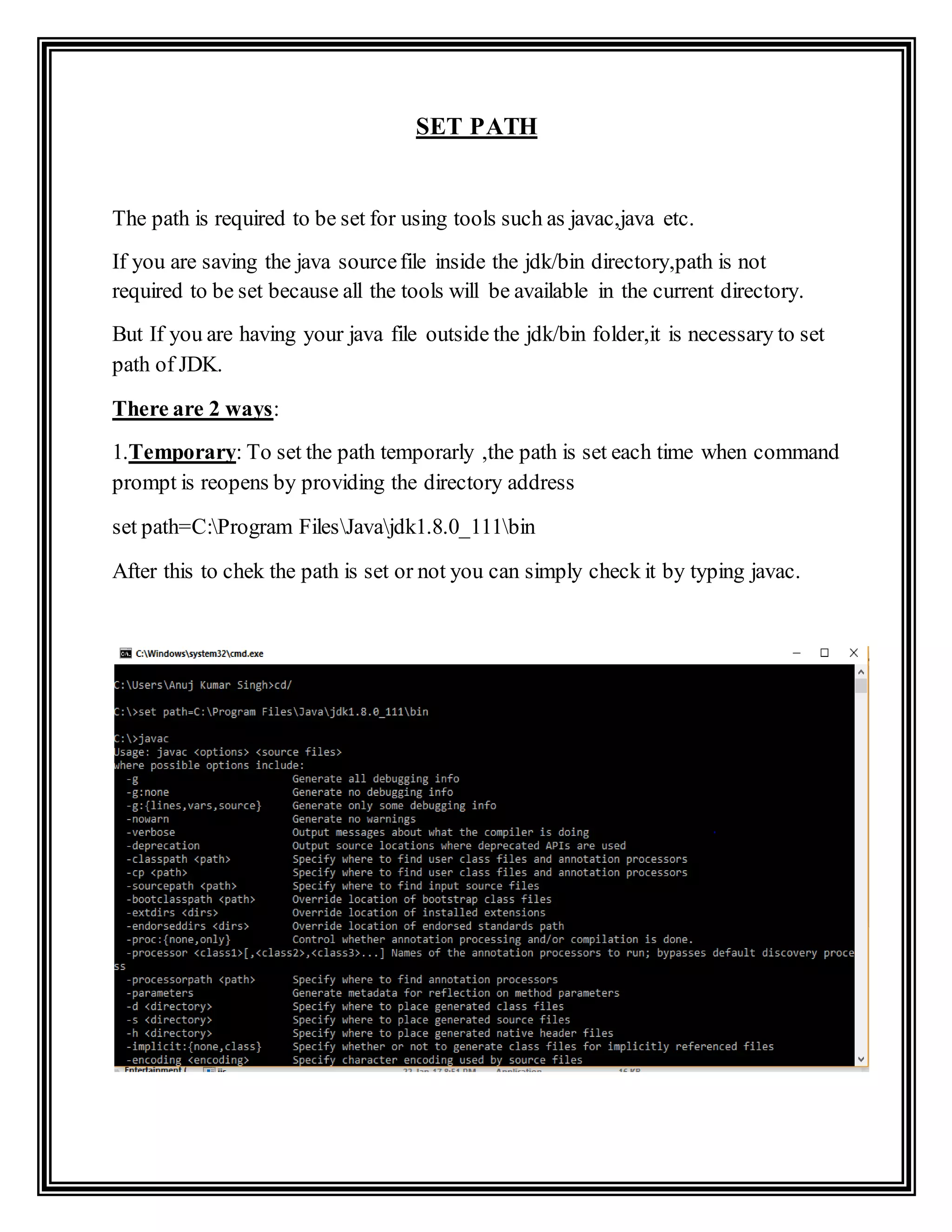
1.Temporary: To set the path temporarly ,the path is set each time when command
prompt is reopens by providing the directory address
set path=C:Program FilesJavajdk1.8.0_111bin
After this to chek the path is set or not you can simply check it by typing javac.
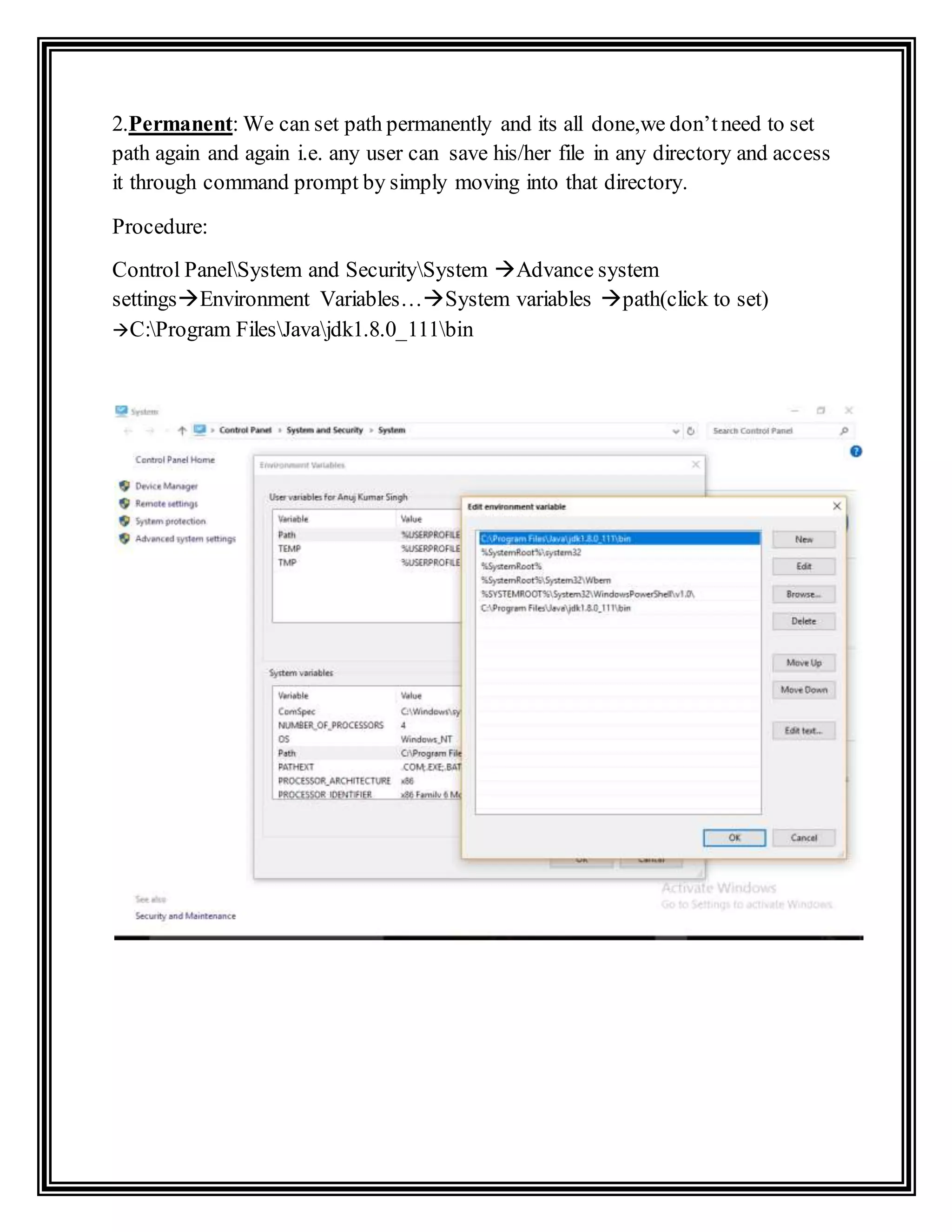
2.Permanent: We can set path permanently and its all done,we don’tneed to set
path again and again i.e. any user can save his/her file in any directory and access
it through command prompt by simply moving into that directory.
Procedure:
Control PanelSystem and SecuritySystem Advance system
settingsEnvironment Variables…System variables path(click to set)
C:Program FilesJavajdk1.8.0_111bin
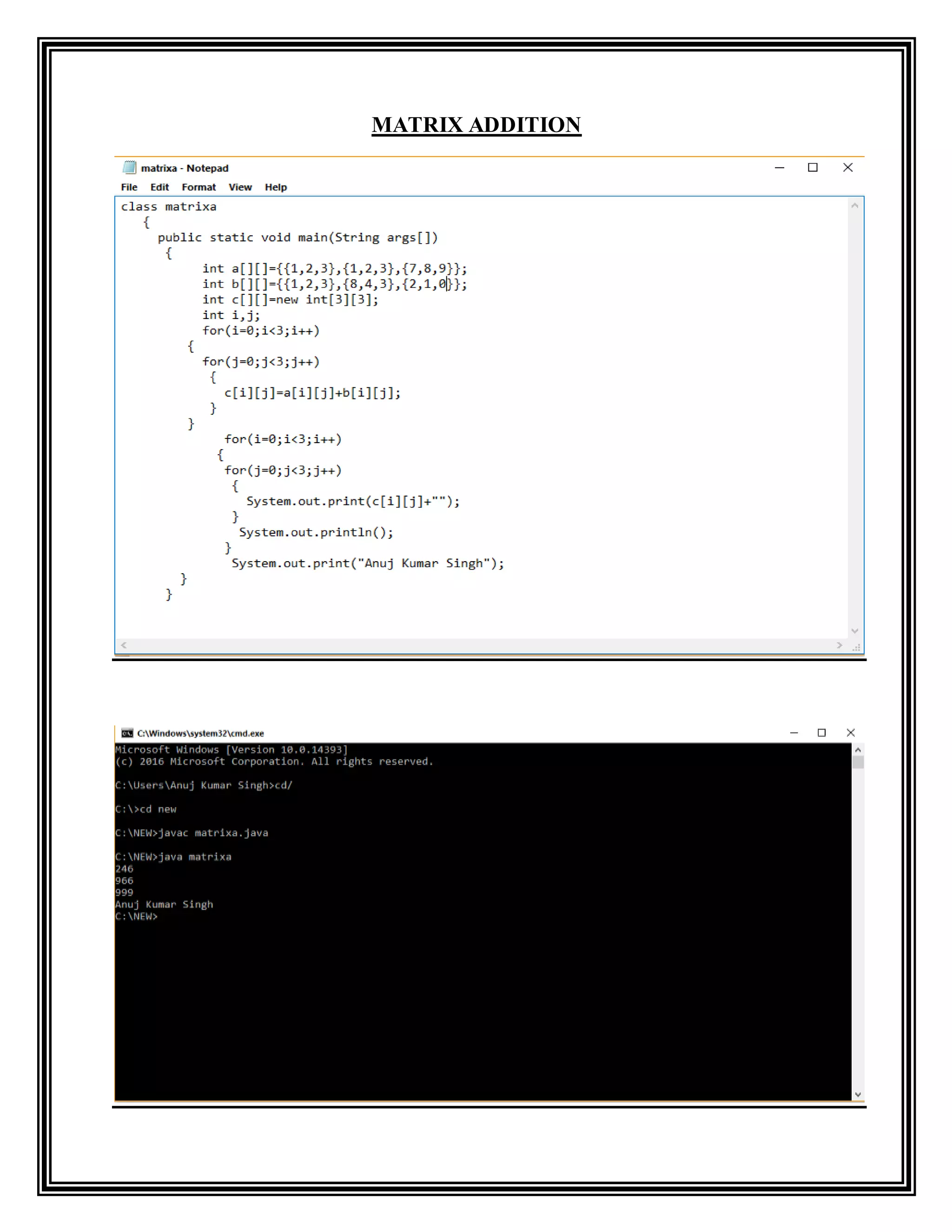
MATRIX ADDITION

Set path

  • 1.
    SET PATH The pathis required to be set for using tools such as javac,java etc. If you are saving the java sourcefile inside the jdk/bin directory,path is not required to be set because all the tools will be available in the current directory. But If you are having your java file outside the jdk/bin folder,it is necessary to set path of JDK. There are 2 ways: 1.Temporary: To set the path temporarly ,the path is set each time when command prompt is reopens by providing the directory address set path=C:Program FilesJavajdk1.8.0_111bin After this to chek the path is set or not you can simply check it by typing javac.
  • 2.
    2.Permanent: We canset path permanently and its all done,we don’tneed to set path again and again i.e. any user can save his/her file in any directory and access it through command prompt by simply moving into that directory. Procedure: Control PanelSystem and SecuritySystem Advance system settingsEnvironment Variables…System variables path(click to set) C:Program FilesJavajdk1.8.0_111bin
  • 3.