AW
Prepared and presented by :
Muhammad Hesham & Mustafa Saeed
Aspiration Webbers
Session 6 (ASP.Net)
VIEW
•The purpose of views
•Understanding view basics
•What is Razor?
Objectives
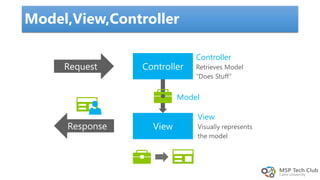
Model,View,Controller
Controller
View
Model
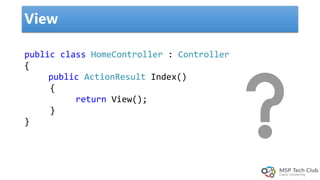
View
public class HomeController : Controller
{
public ActionResult Index()
{
return View();
}
}
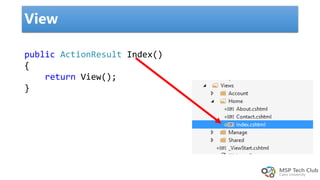
View
public ActionResult Index()
{
return View();
}
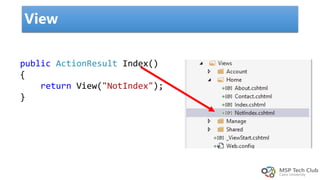
View
public ActionResult Index()
{
return View("NotIndex");
}
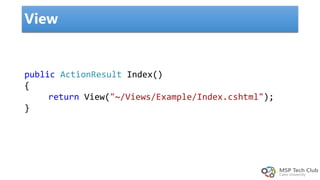
public ActionResult Index()
{
return View("~/Views/Example/Index.cshtml");
}
View
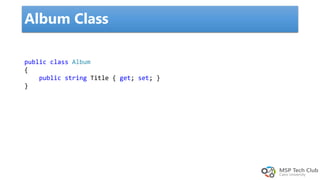
public class Album
{
public string Title { get; set; }
}
Album Class
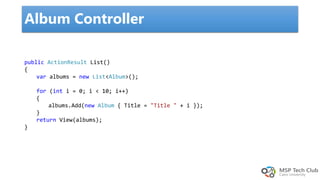
public ActionResult List()
{
var albums = new List<Album>();
for (int i = 0; i < 10; i++)
{
albums.Add(new Album { Title = "Title " + i });
}
return View(albums);
}
Album Controller
View
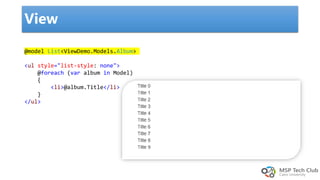
@model List<ViewDemo.Models.Album>
<ul style="list-style: none">
@foreach (var album in Model)
{
<li>@album.Title</li>
}
</ul>
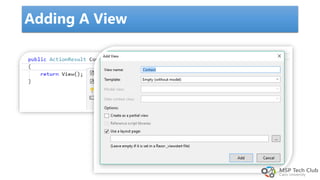
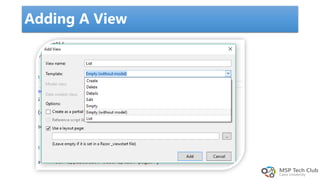
Adding A View
Adding A View
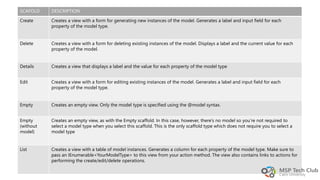
SCAFOLD DESCRIPTION
Create Creates a view with a form for generating new instances of the model. Generates a label and input field for each
property of the model type.
Delete Creates a view with a form for deleting existing instances of the model. Displays a label and the current value for each
property of the model.
Details Creates a view that displays a label and the value for each property of the model type
Edit Creates a view with a form for editing existing instances of the model. Generates a label and input field for each
property of the model type.
Empty Creates an empty view. Only the model type is specified using the @model syntax.
Empty
(without
model)
Creates an empty view, as with the Empty scaffold. In this case, however, there’s no model so you’re not required to
select a model type when you select this scaffold. This is the only scaffold type which does not require you to select a
model type
List Creates a view with a table of model instances. Generates a column for each property of the model type. Make sure to
pass an IEnumerable<YourModelType> to this view from your action method. The view also contains links to actions for
performing the create/edit/delete operations.
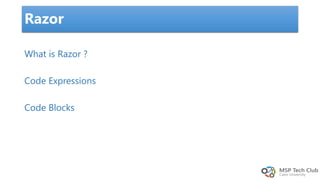
What is Razor ?
Code Expressions
Code Blocks
Razor
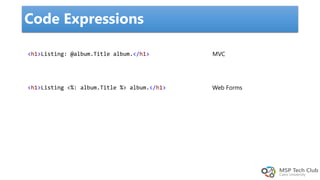
Code Expressions
<h1>Listing: @album.Title album.</h1>
<h1>Listing <%: album.Title %> album.</h1>
MVC
Web Forms
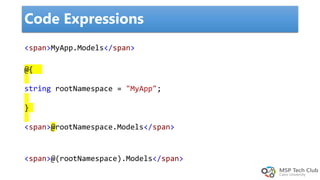
<span>MyApp.Models</span>
Code Expressions
@{
string rootNamespace = "MyApp";
}
<span>@rootNamespace.Models</span>
<span>@(rootNamespace).Models</span>
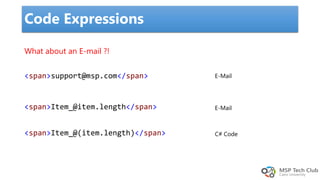
Code Expressions
What about an E-mail ?!
<span>support@msp.com</span>
<span>Item_@item.length</span>
<span>Item_@(item.length)</span>
E-Mail
E-Mail
C# Code
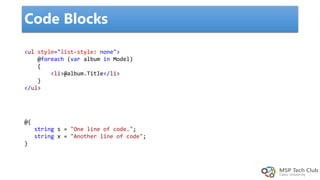
Code Blocks
<ul style="list-style: none">
@foreach (var album in Model)
{
<li>@album.Title</li>
}
</ul>
@{
string s = "One line of code.";
string x = "Another line of code";
}
HTML Helpers
 Understanding forms
 Making HTML helpers work for you
 Editing and inputting helpers
 Displaying and rendering helpers
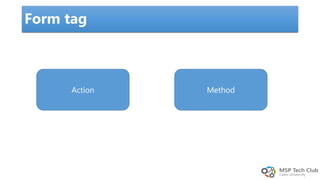
Form tag
Action Method
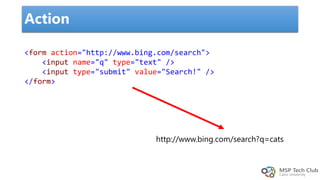
Action
<form action="http://www.bing.com/search">
<input name="q" type="text" />
<input type="submit" value="Search!" />
</form>
http://www.bing.com/search?q=cats
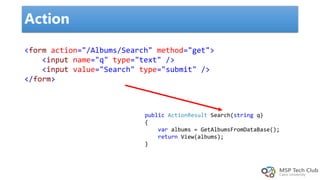
Action
<form action="/Albums/Search" method="get">
<input name="q" type="text" />
<input value="Search" type="submit" />
</form>
public ActionResult Search(string q)
{
var albums = GetAlbumsFromDataBase();
return View(albums);
}
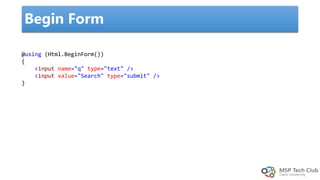
Begin Form
@using (Html.BeginForm())
{
<input name="q" type="text" />
<input value="Search" type="submit" />
}
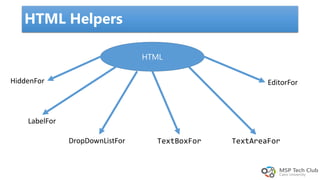
HTML Helpers
HTML
HiddenFor
LabelFor
DropDownListFor
EditorFor
TextAreaForTextBoxFor
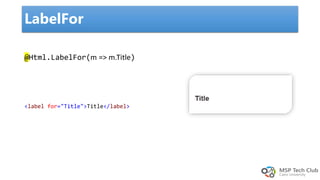
LabelFor
@Html.LabelFor(m => m.Title)
<label for="Title">Title</label>
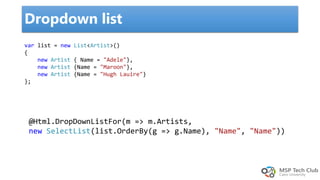
Dropdown list
@Html.DropDownListFor(m => m.Artists,
new SelectList(list.OrderBy(g => g.Name), "Name", "Name"))
var list = new List<Artist>()
{
new Artist { Name = "Adele"},
new Artist {Name = "Maroon"},
new Artist {Name = "Hugh Lauire"}
};
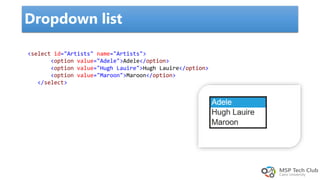
Dropdown list
<select id="Artists" name="Artists">
<option value="Adele">Adele</option>
<option value="Hugh Lauire">Hugh Lauire</option>
<option value="Maroon">Maroon</option>
</select>
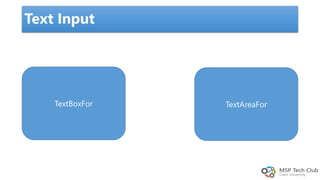
Text Input
TextBoxFor TextAreaFor
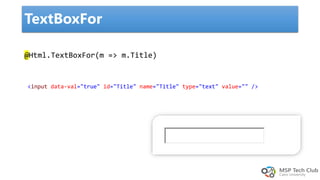
TextBoxFor
@Html.TextBoxFor(m => m.Title)
<input data-val="true" id="Title" name="Title" type="text" value="" />
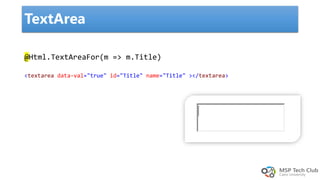
TextArea
@Html.TextAreaFor(m => m.Title)
<textarea data-val="true" id="Title" name="Title" ></textarea>
Demo
Contact :
phmustafasaeed@outlook.com
Muhammad.hesham7@outlook.com
FB.com/groups/AWMSPCU17
Session six ASP.net (MVC) View

Session six ASP.net (MVC) View