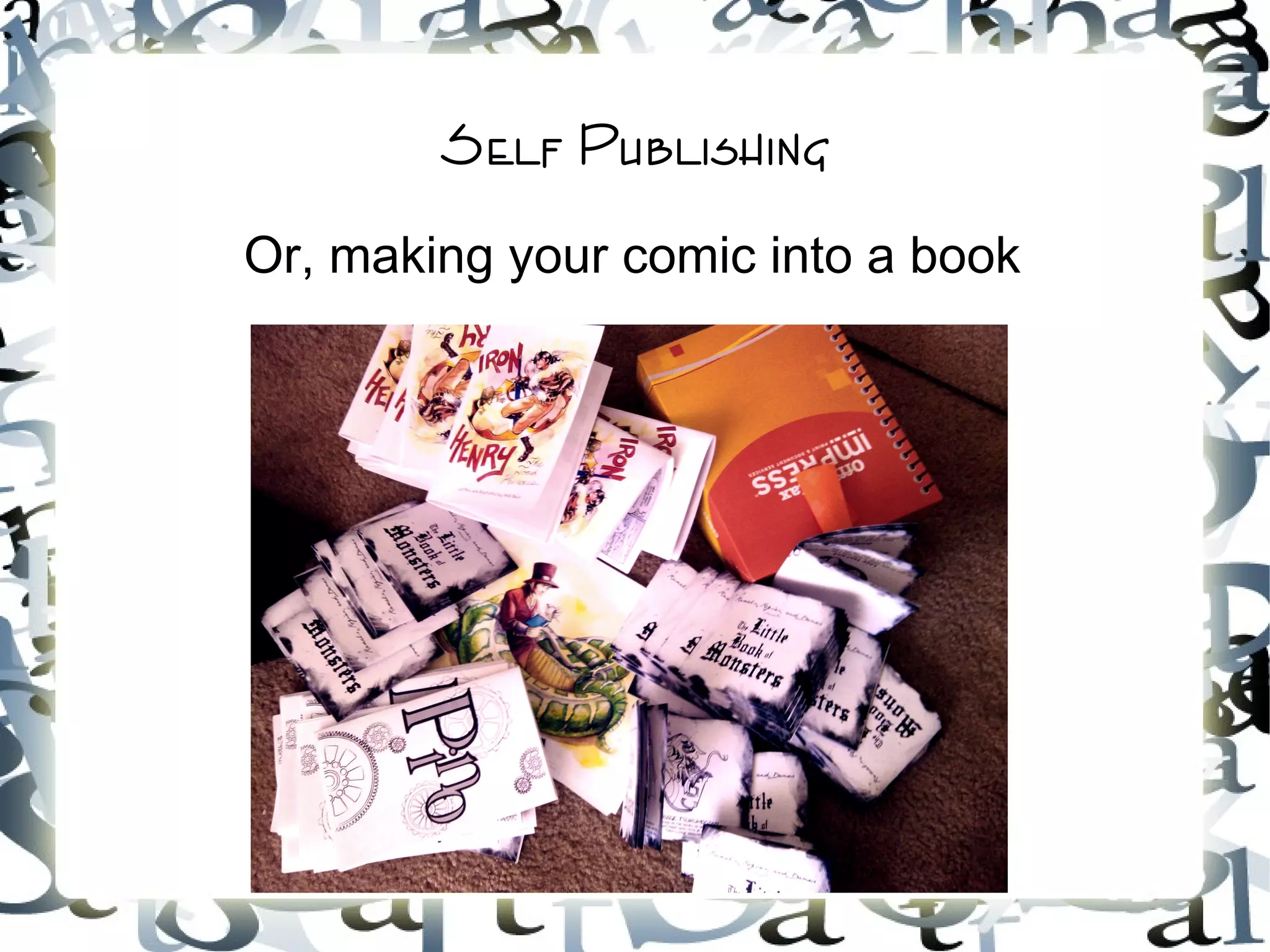
Self Publishing
Or, making your comic into a book
So you made a comic
And you thought maybe you could sell some
copies
Or perhaps you just wanted to give one to a
friend
Either way, you want to make your comic into a
book
If you have adobe in design
Then this isn't going to be too hard
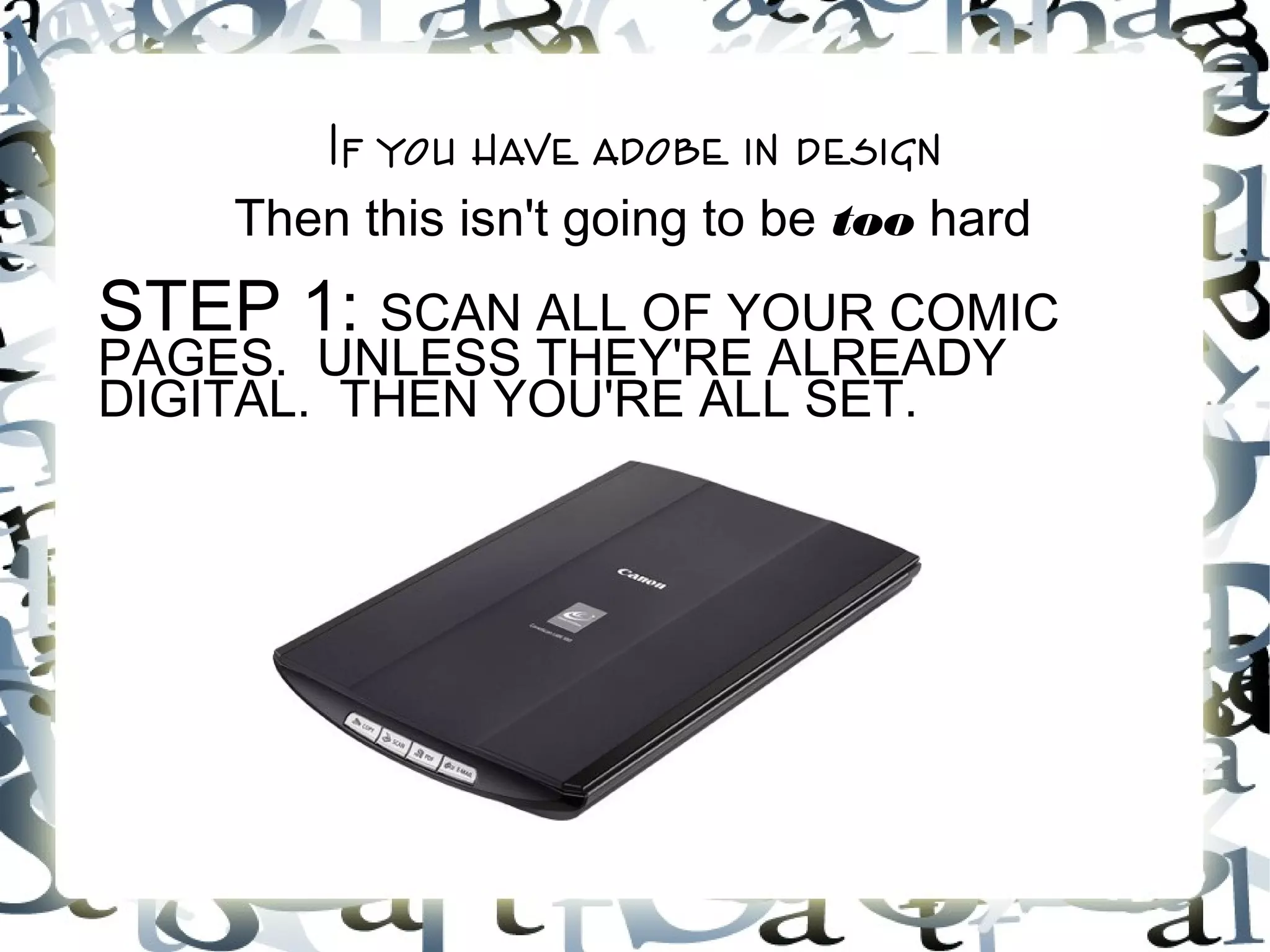
STEP 1: SCAN ALL OF YOUR COMIC
PAGES. UNLESS THEY'RE ALREADY
DIGITAL. THEN YOU'RE ALL SET.
Step 2
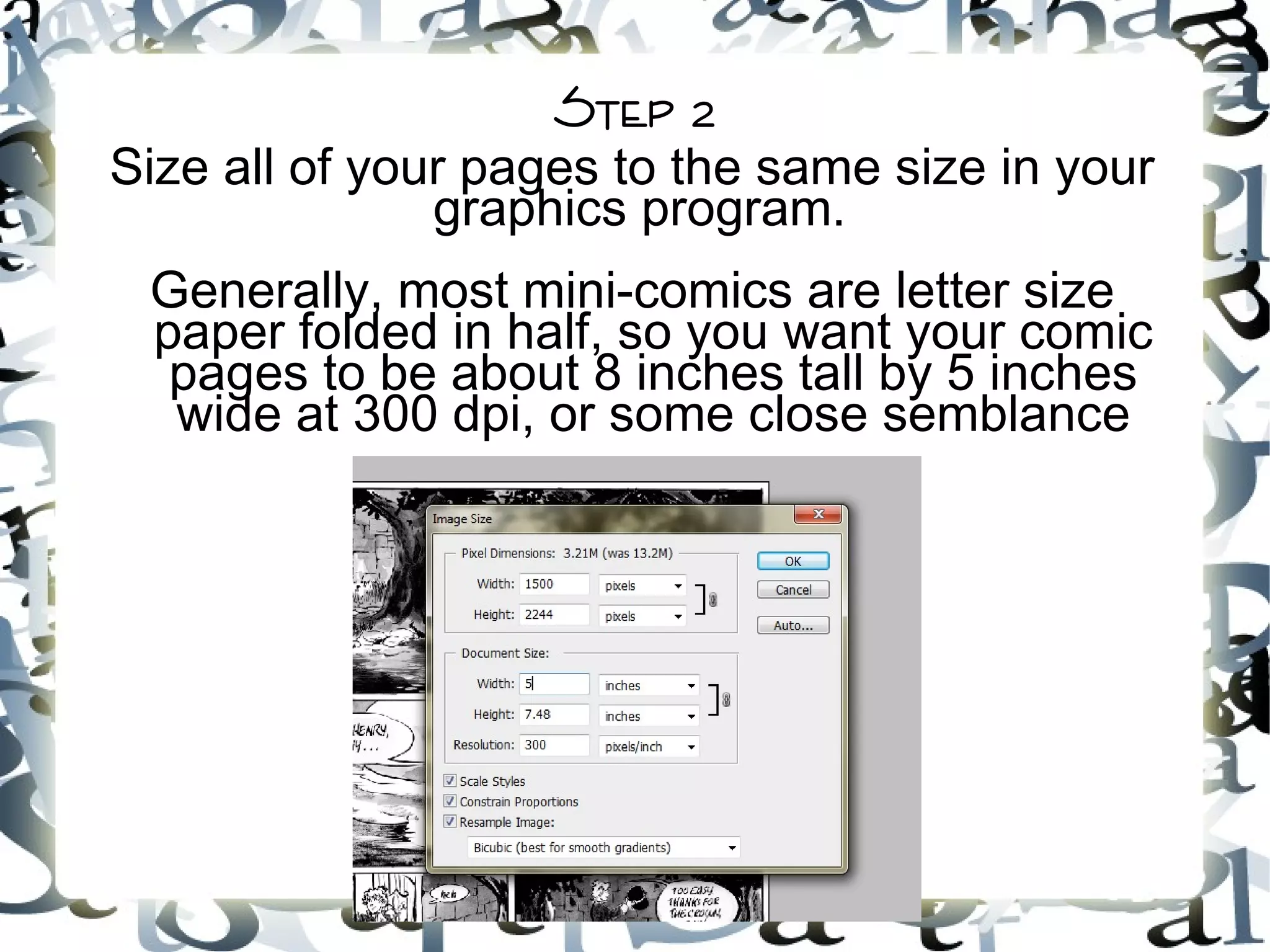
Size all of your pages to the same size in your
graphics program.
Generally, most mini-comics are letter size
paper folded in half, so you want your comic
pages to be about 8 inches tall by 5 inches
wide at 300 dpi, or some close semblance
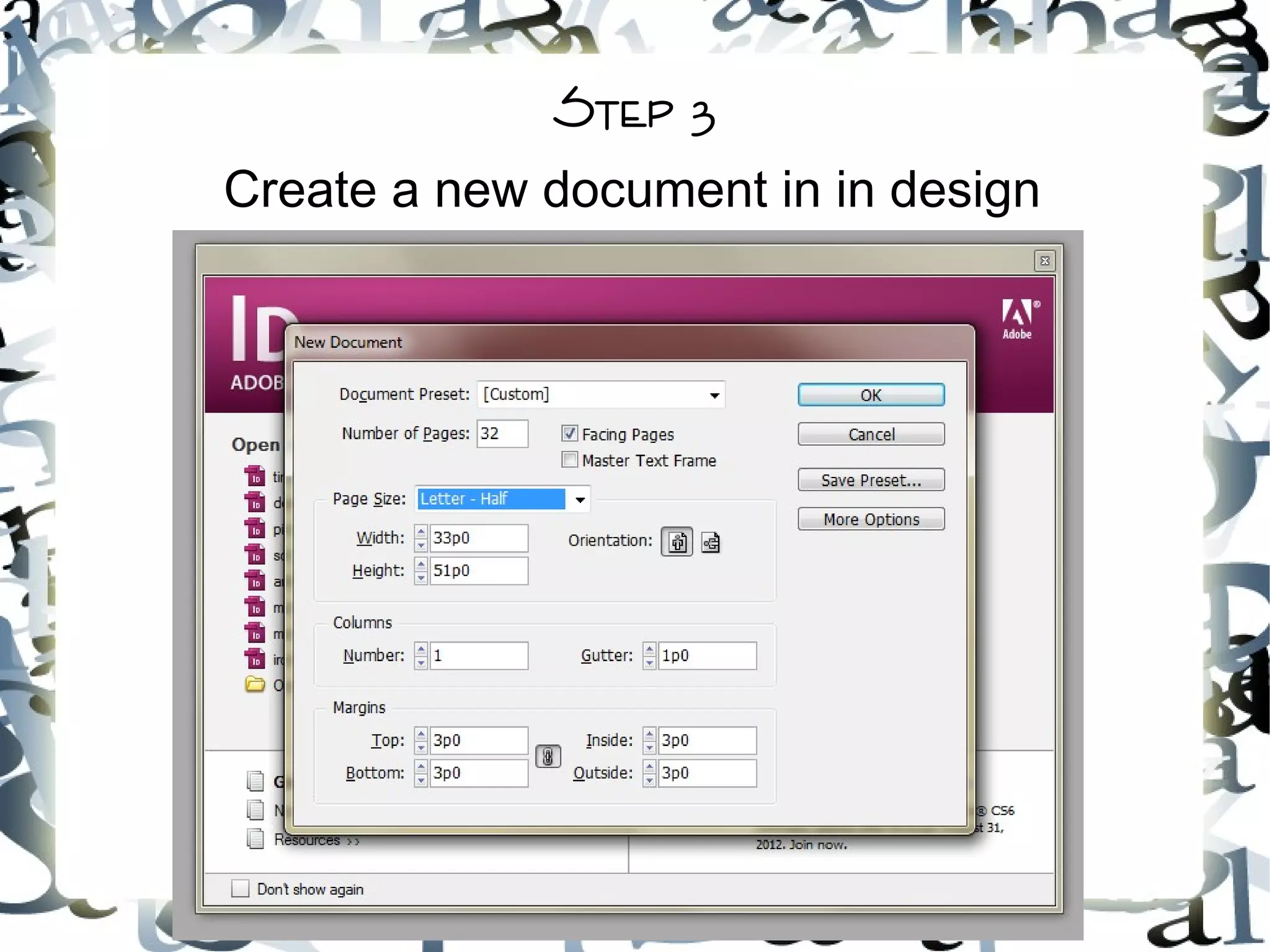
Step 3
Create a new document in in design
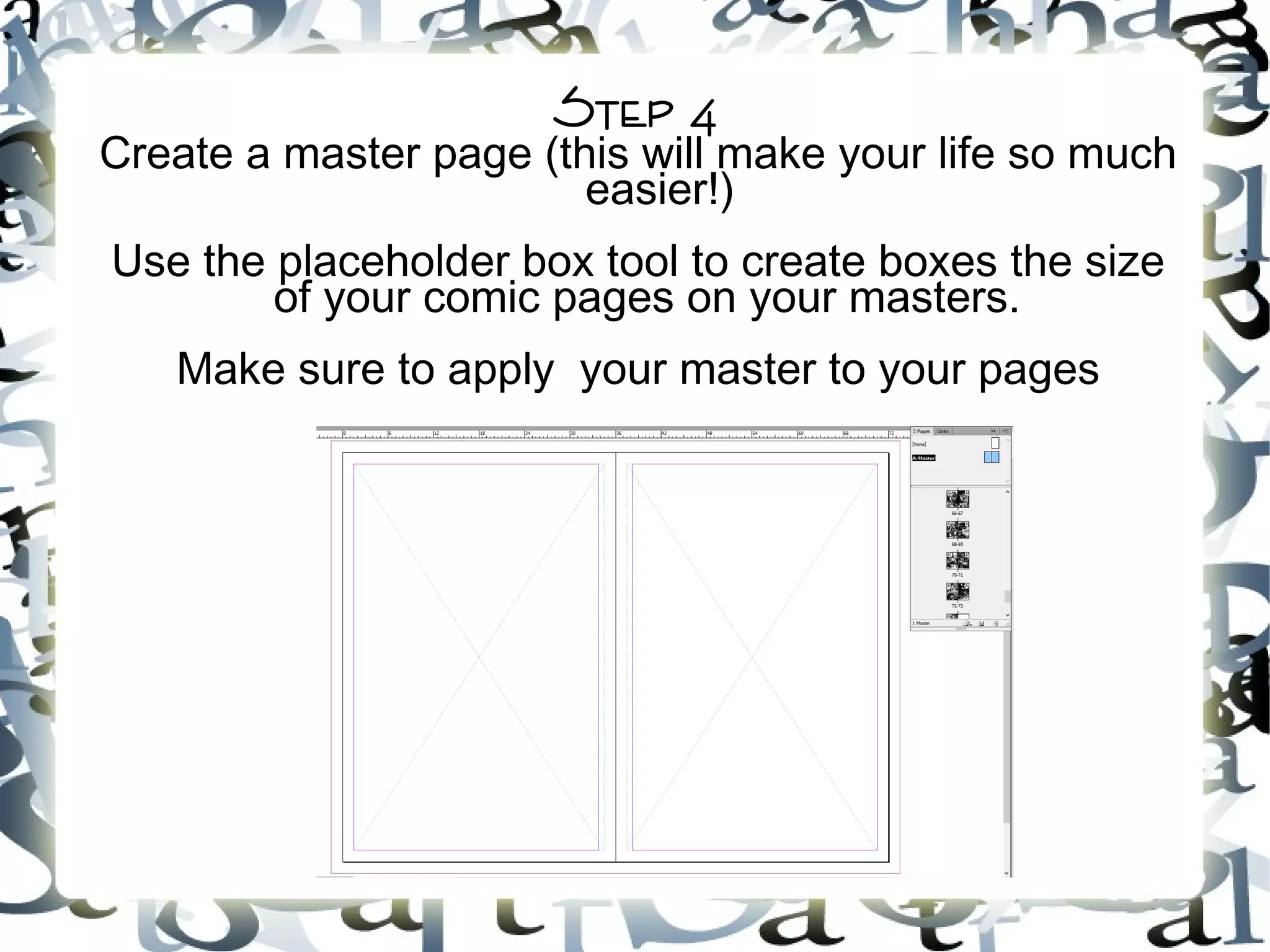
Step 4
Create a master page (this will make your life so much
easier!)
Use the placeholder box tool to create boxes the size
of your comic pages on your masters.
Make sure to apply your master to your pages
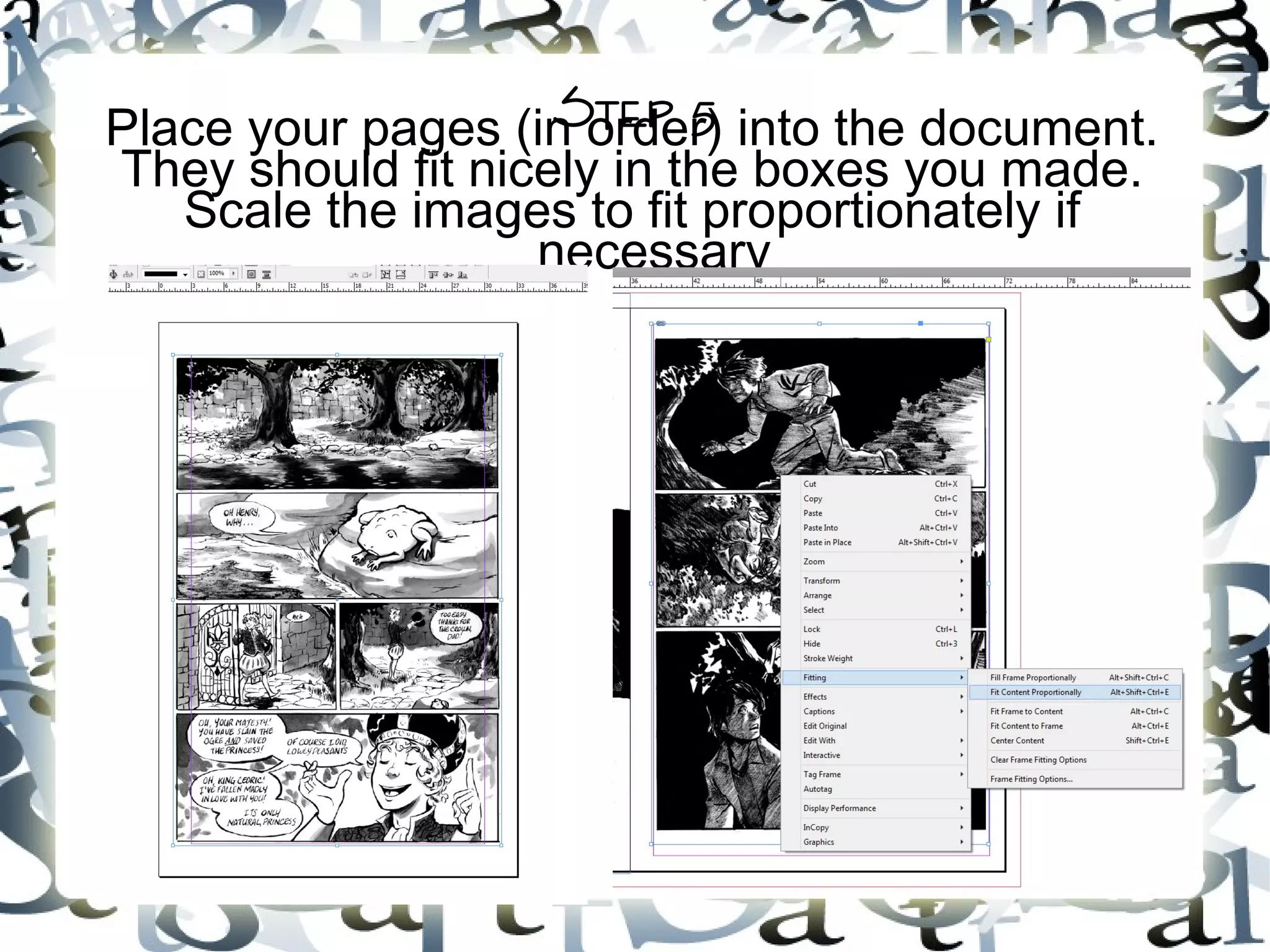
Step 5Place your pages (in order) into the document.
They should fit nicely in the boxes you made.
Scale the images to fit proportionately if
necessary
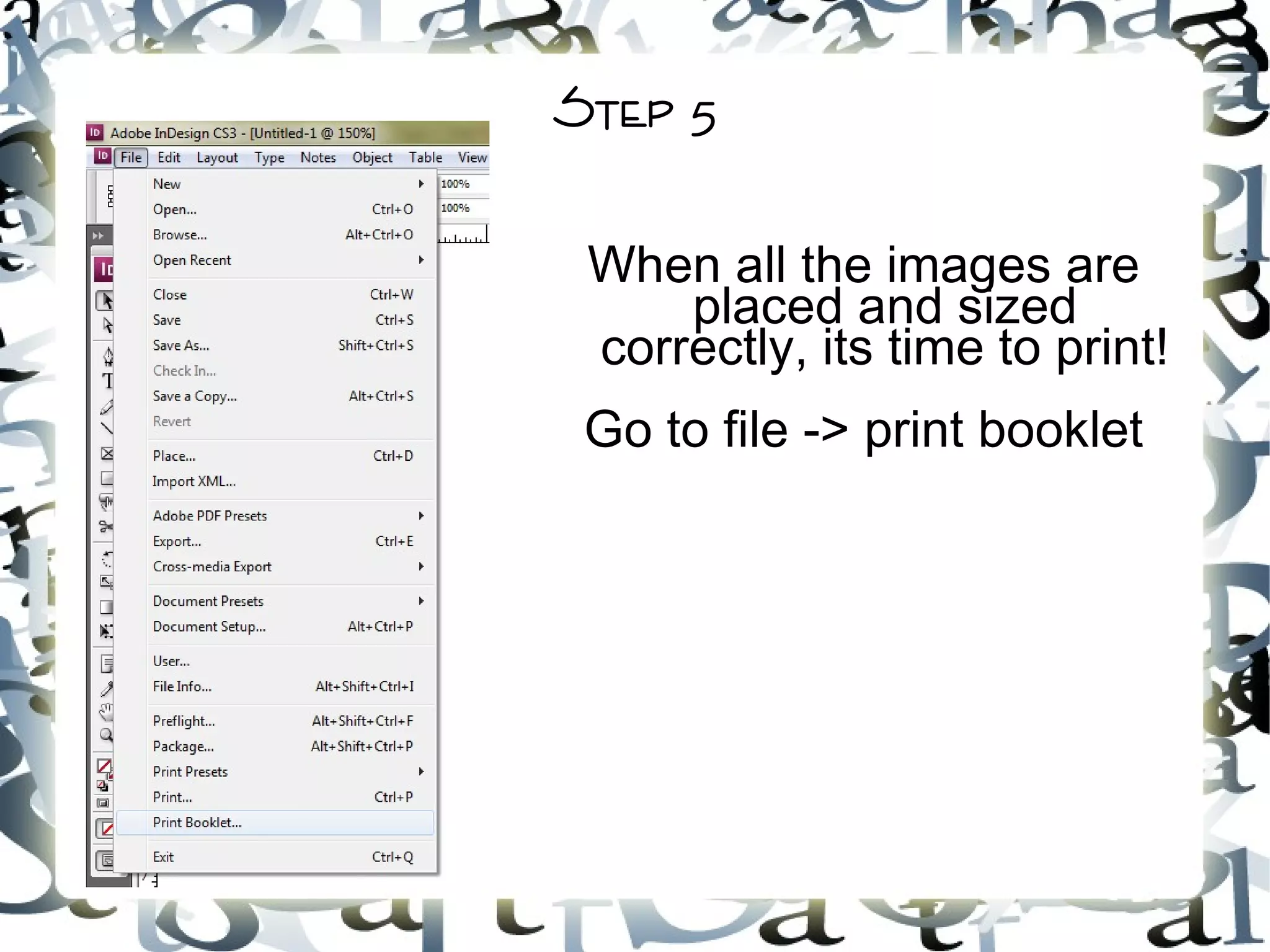
Step 5
When all the images are
placed and sized
correctly, its time to print!
Go to file -> print booklet
Step 6
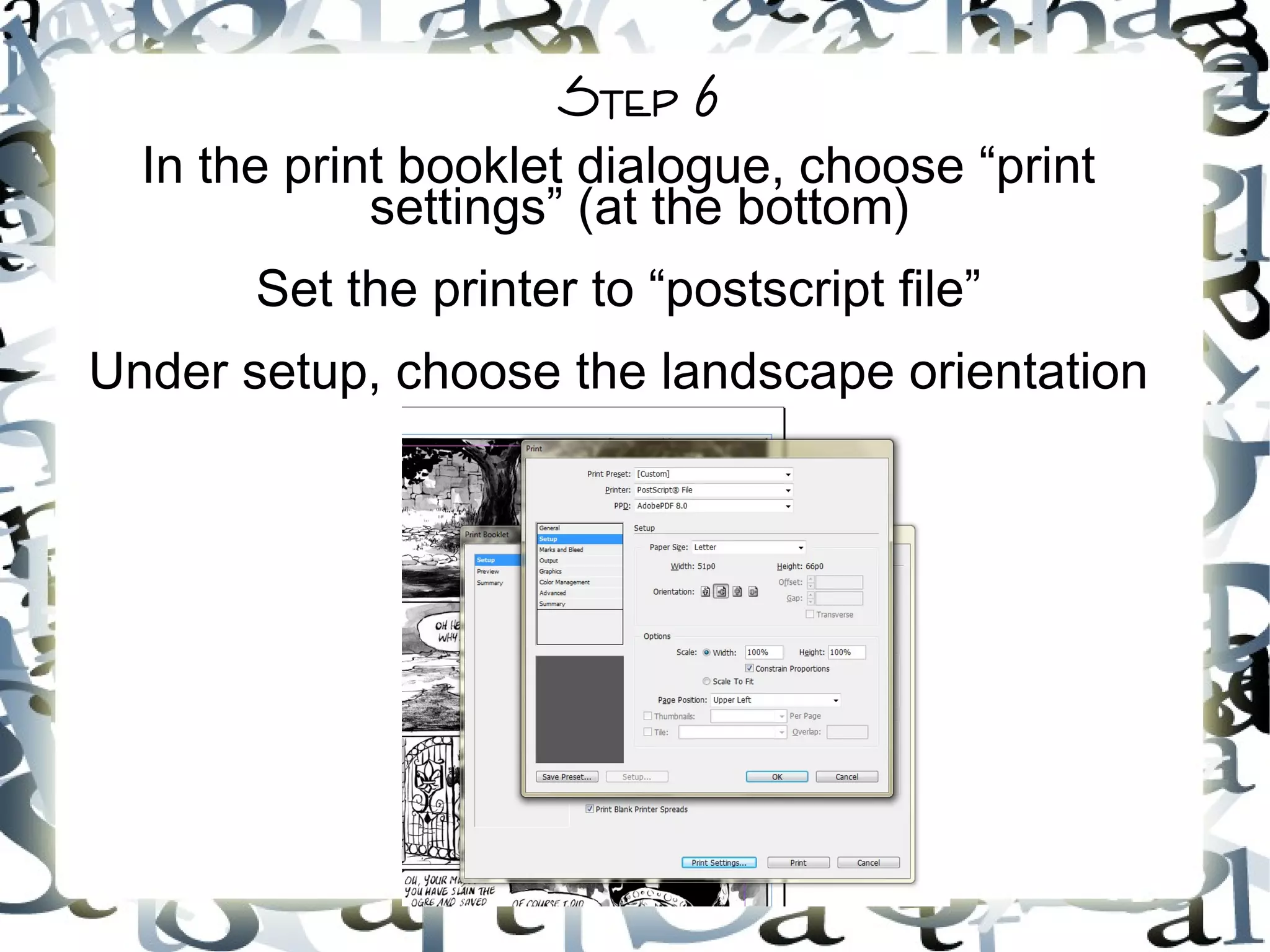
In the print booklet dialogue, choose “print
settings” (at the bottom)
Set the printer to “postscript file”
Under setup, choose the landscape orientation
Step 7
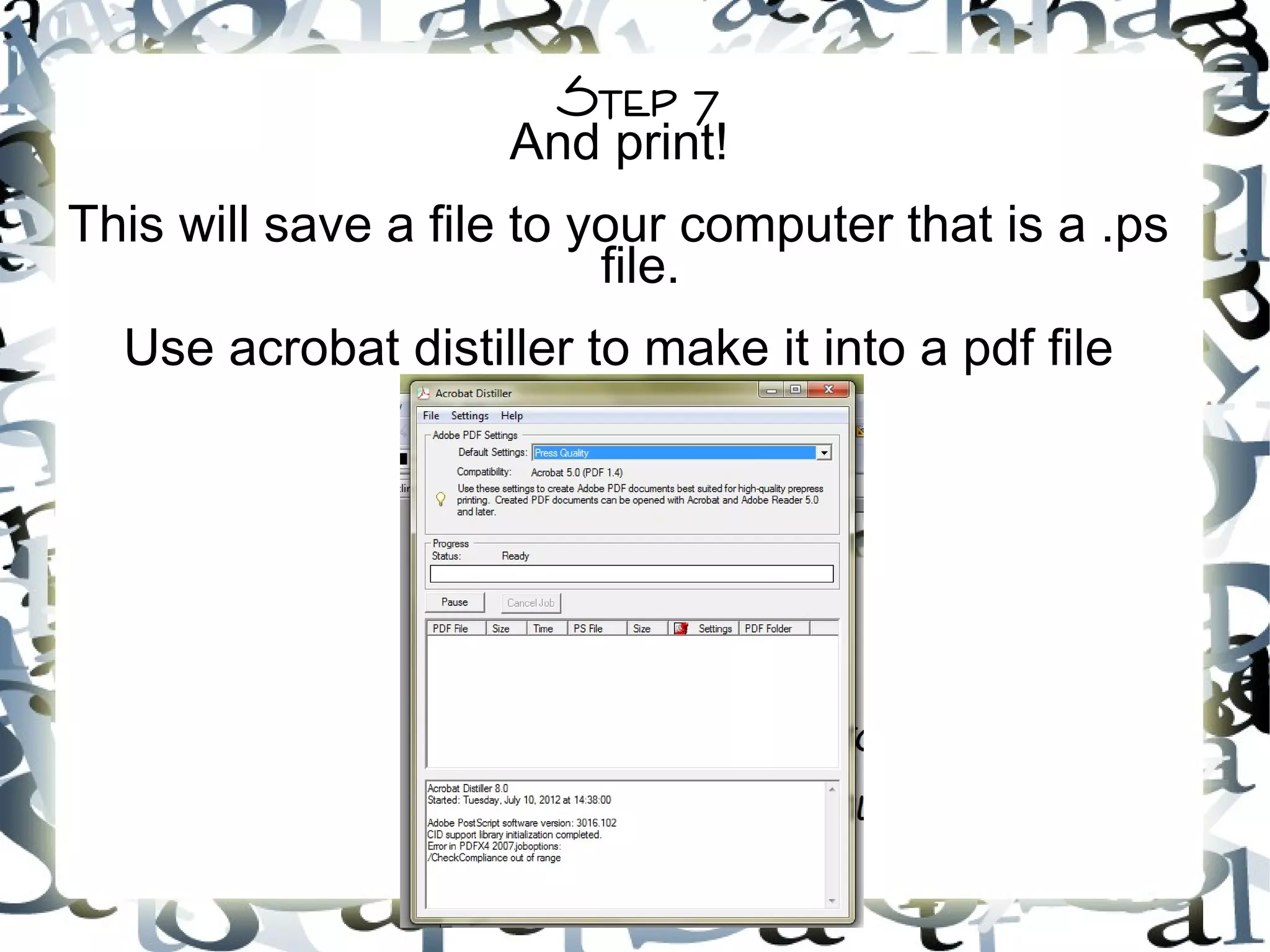
And print!
This will save a file to your computer that is a .ps
file.
Use acrobat distiller to make it into a pdf file
printing
Printing can be done on a home printer or at places
like office max or kinkos.
Home printers allow for you to be in control of each
page and is better for figuring out how to put together
a book, but is also more expensive and the quality
may not be as high
Stores with printing services sometimes have helpful
staff that can correctly print your comic, but
sometimes have people who do not know what they
are doing and will mess your work up. Black and
white copies can be as little as 10 cents at some
stores, color copies can run as expensive as $1.50
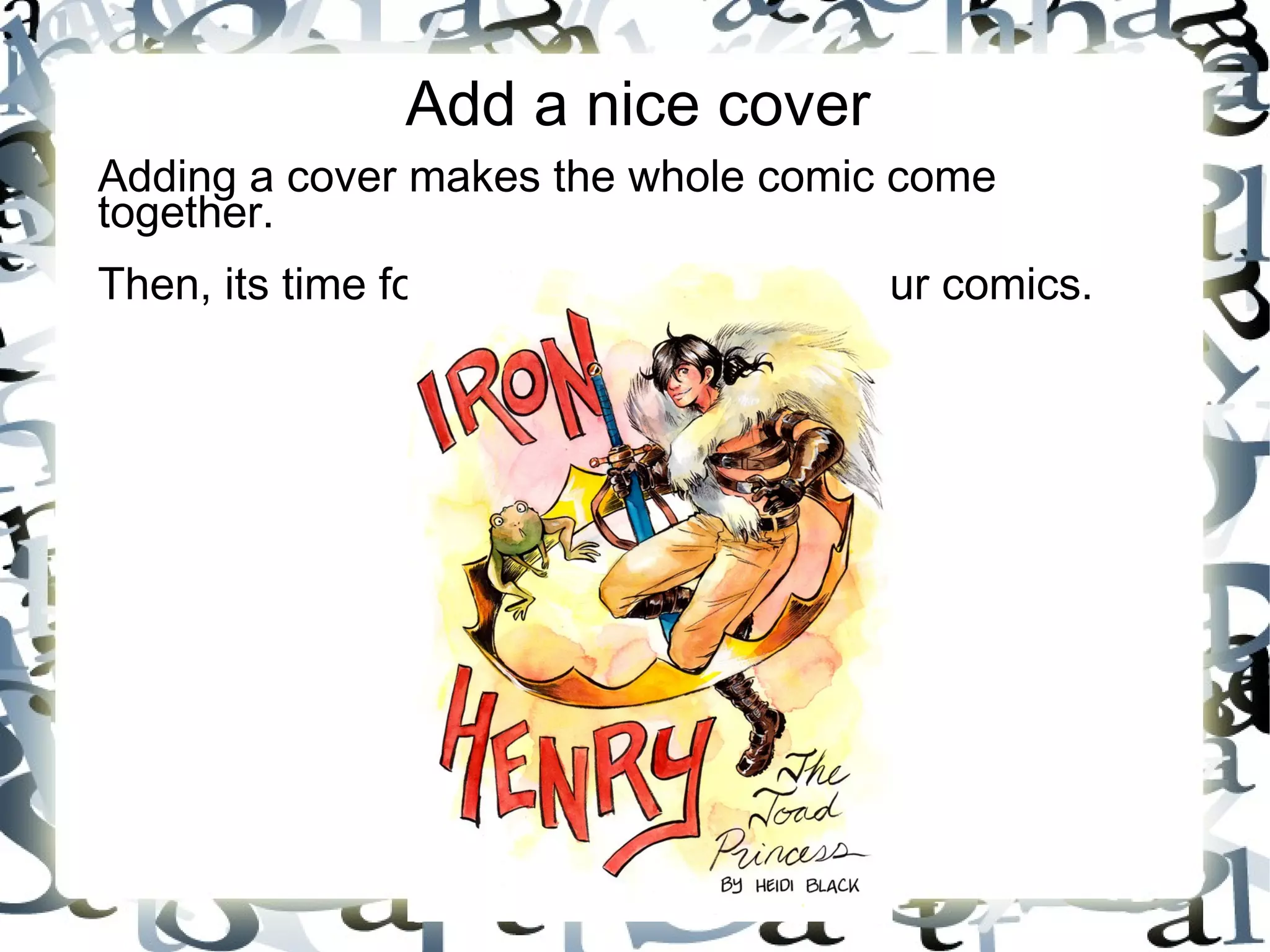
Add a nice cover
Adding a cover makes the whole comic come
together.
Then, its time for stapling and folding your comics.
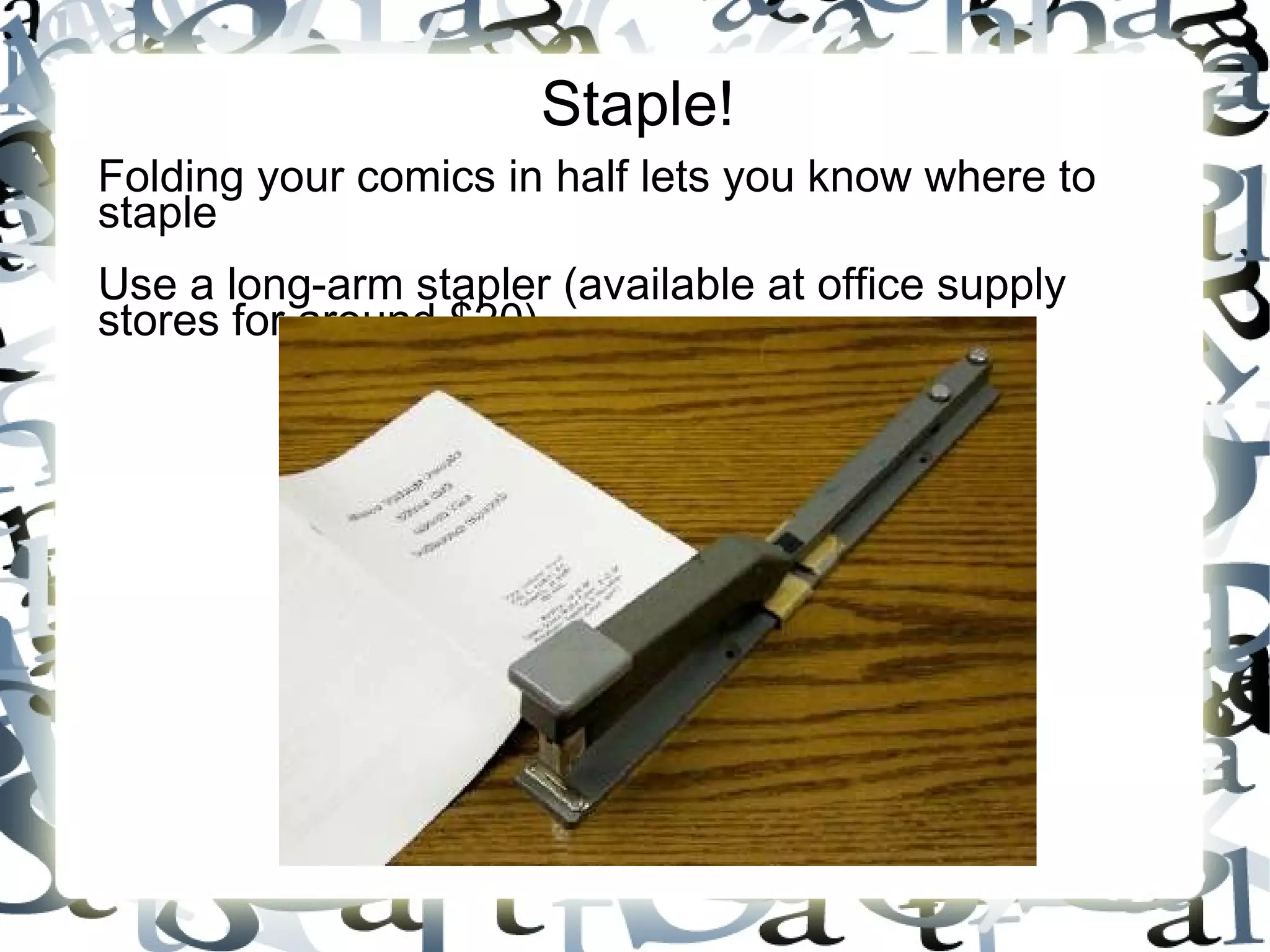
Staple!
Folding your comics in half lets you know where to
staple
Use a long-arm stapler (available at office supply
stores for around $20)
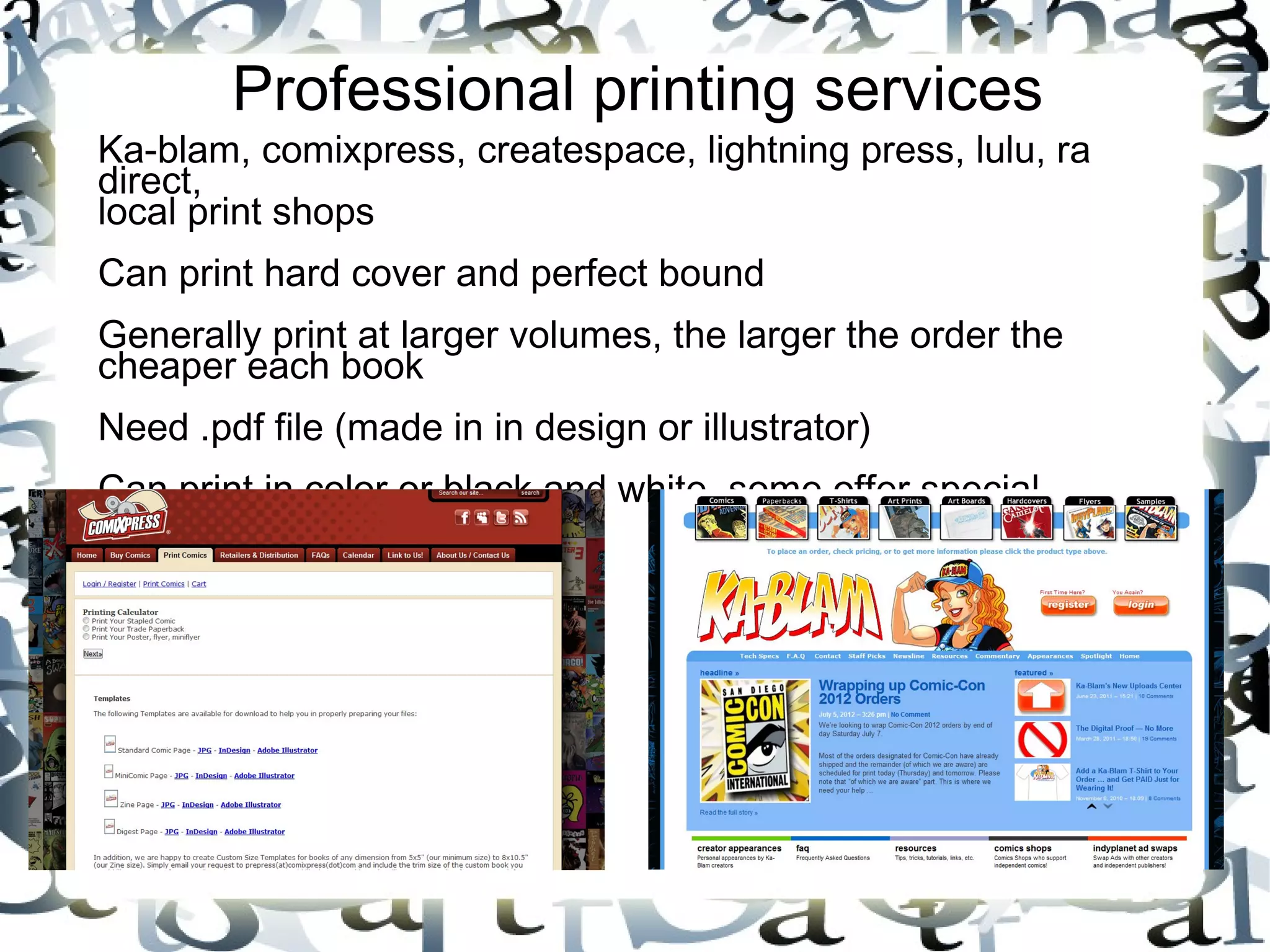
Professional printing services
Ka-blam, comixpress, createspace, lightning press, lulu, ra
direct,
local print shops
Can print hard cover and perfect bound
Generally print at larger volumes, the larger the order the
cheaper each book
Need .pdf file (made in in design or illustrator)
Can print in color or black and white, some offer special
services
Professional printing services
Turnaround times are much slower (plan several months in
advance)
Some offer proof services or professional review services,
others will print all of your mistakes
Have specific bleed and formatting requirements
Can be expensive & often have a lot of stock
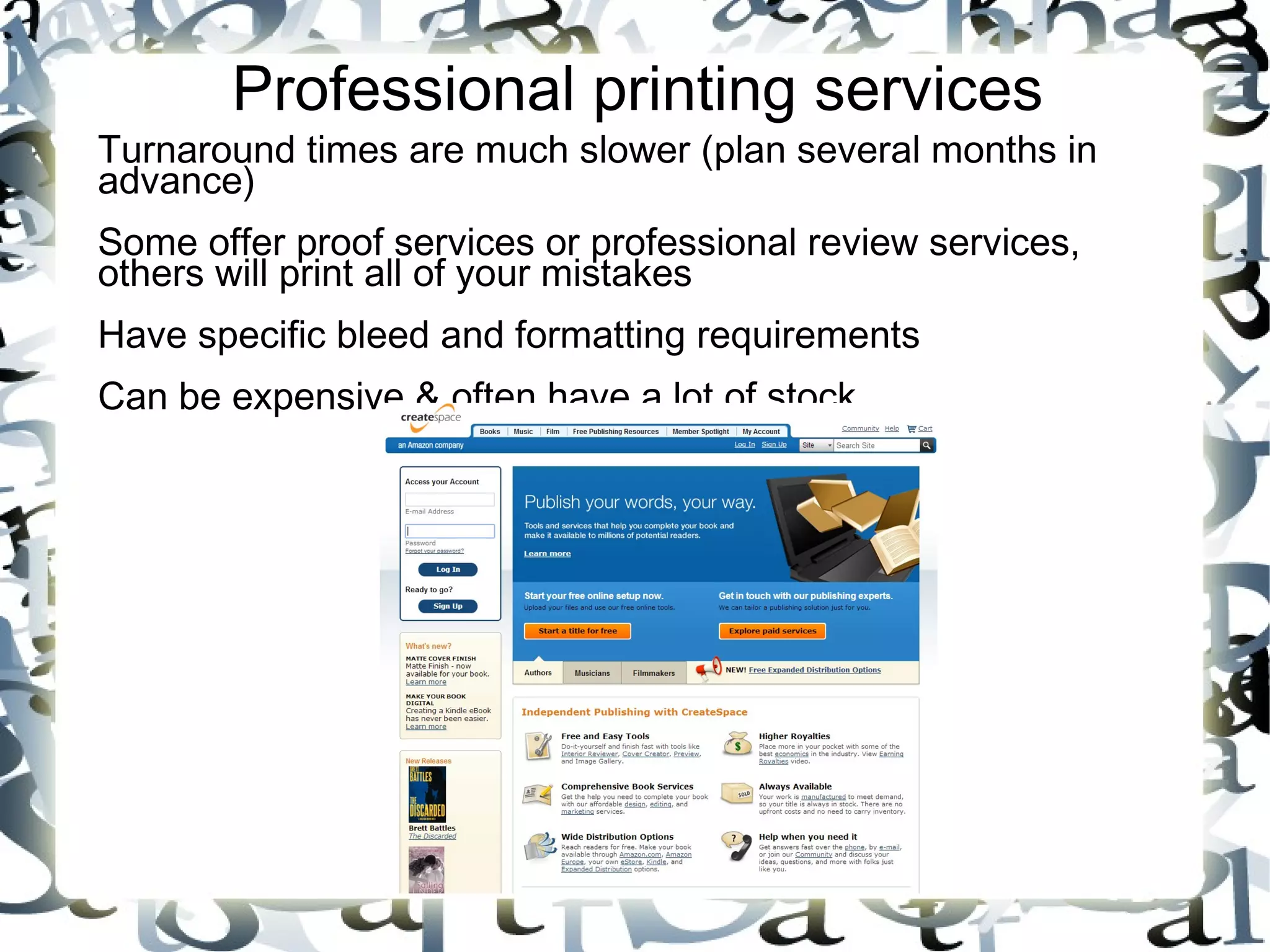
Createspace
Owned and Operated by Amazon
You submit your files to their website in PDF form, once they
approve your submission, you can view a digital proof or order
a physical proof.
Additional copies of Proof (like to members of a group) require
submitting a 'change' to CreateSpace (usually just resubmitting
your document), and will take 24 hours to approve.
Only offer perfectbound printing, can't order hardbound
Offer the option to buy as few copies as you'd like, but this
means individual copies are more expensive on your end
Books can be sold and distributed via Amazon and Kindle, but
your cut will be small
Books created through Createspace already come with an
ISBN.
Ka-Blam
Very slow turnaround (six weeks)
Digital proof is available, but not a physical proof
Very much mixed experiences
Offer both perfect bound and saddle stitched
Can get discount on order if you allow them to place their ad
on the back cover
Offer both Black + white and color, including a mix (like color
cover, black + white interior)
Distributing your Comics
Self publishing requires self promotion!
Sell your comics at conventions via a dealer's table or an artist
alley table
Contact local stores like book and comic shops to see if they'd
be willing to purchase books wholesale or offer consignment
Contact local libraries and schools to see if they'd be
interested in purchasing copies
Open an online shop (Etsy, Store Envy, Ebay, or your own)
Make sure people know about your book! Contact pertinent
blogs and request guest posts, write up tutorials that feature
techniques used in your comic, give panels at conventions
about self publishing~!
Contact sites to review your comic, you will probably have to
provide a copy for free.
Self Publishing Presentation

Self Publishing Presentation

  • 1.
    Self Publishing Or, makingyour comic into a book
  • 2.
    So you madea comic And you thought maybe you could sell some copies Or perhaps you just wanted to give one to a friend Either way, you want to make your comic into a book
  • 3.
    If you haveadobe in design Then this isn't going to be too hard STEP 1: SCAN ALL OF YOUR COMIC PAGES. UNLESS THEY'RE ALREADY DIGITAL. THEN YOU'RE ALL SET.
  • 4.
    Step 2 Size allof your pages to the same size in your graphics program. Generally, most mini-comics are letter size paper folded in half, so you want your comic pages to be about 8 inches tall by 5 inches wide at 300 dpi, or some close semblance
  • 5.
    Step 3 Create anew document in in design
  • 6.
    Step 4 Create amaster page (this will make your life so much easier!) Use the placeholder box tool to create boxes the size of your comic pages on your masters. Make sure to apply your master to your pages
  • 7.
    Step 5Place yourpages (in order) into the document. They should fit nicely in the boxes you made. Scale the images to fit proportionately if necessary
  • 8.
    Step 5 When allthe images are placed and sized correctly, its time to print! Go to file -> print booklet
  • 9.
    Step 6 In theprint booklet dialogue, choose “print settings” (at the bottom) Set the printer to “postscript file” Under setup, choose the landscape orientation
  • 10.
    Step 7 And print! Thiswill save a file to your computer that is a .ps file. Use acrobat distiller to make it into a pdf file
  • 11.
    printing Printing can bedone on a home printer or at places like office max or kinkos. Home printers allow for you to be in control of each page and is better for figuring out how to put together a book, but is also more expensive and the quality may not be as high Stores with printing services sometimes have helpful staff that can correctly print your comic, but sometimes have people who do not know what they are doing and will mess your work up. Black and white copies can be as little as 10 cents at some stores, color copies can run as expensive as $1.50
  • 12.
    Add a nicecover Adding a cover makes the whole comic come together. Then, its time for stapling and folding your comics.
  • 13.
    Staple! Folding your comicsin half lets you know where to staple Use a long-arm stapler (available at office supply stores for around $20)
  • 14.
    Professional printing services Ka-blam,comixpress, createspace, lightning press, lulu, ra direct, local print shops Can print hard cover and perfect bound Generally print at larger volumes, the larger the order the cheaper each book Need .pdf file (made in in design or illustrator) Can print in color or black and white, some offer special services
  • 15.
    Professional printing services Turnaroundtimes are much slower (plan several months in advance) Some offer proof services or professional review services, others will print all of your mistakes Have specific bleed and formatting requirements Can be expensive & often have a lot of stock
  • 16.
    Createspace Owned and Operatedby Amazon You submit your files to their website in PDF form, once they approve your submission, you can view a digital proof or order a physical proof. Additional copies of Proof (like to members of a group) require submitting a 'change' to CreateSpace (usually just resubmitting your document), and will take 24 hours to approve. Only offer perfectbound printing, can't order hardbound Offer the option to buy as few copies as you'd like, but this means individual copies are more expensive on your end Books can be sold and distributed via Amazon and Kindle, but your cut will be small Books created through Createspace already come with an ISBN.
  • 17.
    Ka-Blam Very slow turnaround(six weeks) Digital proof is available, but not a physical proof Very much mixed experiences Offer both perfect bound and saddle stitched Can get discount on order if you allow them to place their ad on the back cover Offer both Black + white and color, including a mix (like color cover, black + white interior)
  • 18.
    Distributing your Comics Selfpublishing requires self promotion! Sell your comics at conventions via a dealer's table or an artist alley table Contact local stores like book and comic shops to see if they'd be willing to purchase books wholesale or offer consignment Contact local libraries and schools to see if they'd be interested in purchasing copies Open an online shop (Etsy, Store Envy, Ebay, or your own) Make sure people know about your book! Contact pertinent blogs and request guest posts, write up tutorials that feature techniques used in your comic, give panels at conventions about self publishing~! Contact sites to review your comic, you will probably have to provide a copy for free.