INKING!
A great way to ruin white clothes
Paper
Every paper takes ink differntly
& copy paper (20lb, 24lb, 28lb, 32lb – also in sizes of
letter, legal, a4)
& thicker papers (cardstock/presentation paper)
& manga papers (deleter, maxon, copic)
& bristol board (canson, strathmore)
& other media/illustration boards (for wet
media/paints)
Inking tools – ink and nib
& the nib, holder, and ink are all separate items
& types of ink: water-soluble, india ink, acrylic ink
Inking tools – ink and nib
& many different kinds of nibs – drawing, sketching,
architecture, calligraphy, lettering
& drawing nibs allow for a wide variety of line widths
& sketching and architecture are good for fine details
& calligraphy and lettering nibs (a, b, c)
& most manga-ka use “g-nibs” - highly flexible
drawing nibs
Inking tools – ink and nib
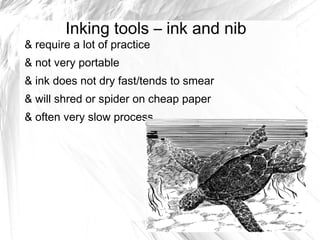
& require a lot of practice
& not very portable
& ink does not dry fast/tends to smear
& will shred or spider on cheap paper
& often very slow process
Inking tools – brush
& most variation of line weight, fast filling in of black
& great for emulating sumi-e painting
& other techniques such as dry brush for texture
& can be very difficult to learn, good brushes very
expensive
& Less portable
Technical pens
& brands such as micron, copic, pitt, rapidograph
& lots of sizes
& will give you a consistent line weight – good for
lettering, mechanical/architectural objects
& easiest to transport, easiest to learn
& do not give dynamic lines without extra work
& some tips very fragile/easy to break
Brush Pens
Nylon Bristles (Pentel Pocket Brush)
Felt Tipped (Pitt Pen, Sakura Micron Brush,
Copic Multiliner Brush)
Rubber Tipped (Fude pens)
portable
Other tools
& ruler/t-square/triangle/straight edge
& french curves
& circle and ellipse templates
& eraser (vynl, plastic, kneaded)
Computer programs
& adobe photoshop – considered the standard
& adobe illustrator – difficult to learn
& corel painter – better for illustration
& manga studio – offers a lot of templates,
screentones, used by many professionals
& paint tool sai – cheaper alternative, also good for
coloring
& free alternatives such as gimp, open canvas
That's a lot of stuff!
Relax!
You don't need all of those things
Start simple. Find what works best for you. It isn't
the same for everyone!
Lets ink!

Materials and Techniques Part 2: Inking

  • 1.
    INKING! A great wayto ruin white clothes
  • 2.
    Paper Every paper takesink differntly & copy paper (20lb, 24lb, 28lb, 32lb – also in sizes of letter, legal, a4) & thicker papers (cardstock/presentation paper) & manga papers (deleter, maxon, copic) & bristol board (canson, strathmore) & other media/illustration boards (for wet media/paints)
  • 3.
    Inking tools –ink and nib & the nib, holder, and ink are all separate items & types of ink: water-soluble, india ink, acrylic ink
  • 4.
    Inking tools –ink and nib & many different kinds of nibs – drawing, sketching, architecture, calligraphy, lettering & drawing nibs allow for a wide variety of line widths & sketching and architecture are good for fine details & calligraphy and lettering nibs (a, b, c) & most manga-ka use “g-nibs” - highly flexible drawing nibs
  • 5.
    Inking tools –ink and nib & require a lot of practice & not very portable & ink does not dry fast/tends to smear & will shred or spider on cheap paper & often very slow process
  • 6.
    Inking tools –brush & most variation of line weight, fast filling in of black & great for emulating sumi-e painting & other techniques such as dry brush for texture & can be very difficult to learn, good brushes very expensive & Less portable
  • 7.
    Technical pens & brandssuch as micron, copic, pitt, rapidograph & lots of sizes & will give you a consistent line weight – good for lettering, mechanical/architectural objects & easiest to transport, easiest to learn & do not give dynamic lines without extra work & some tips very fragile/easy to break
  • 8.
    Brush Pens Nylon Bristles(Pentel Pocket Brush) Felt Tipped (Pitt Pen, Sakura Micron Brush, Copic Multiliner Brush) Rubber Tipped (Fude pens) portable
  • 9.
    Other tools & ruler/t-square/triangle/straightedge & french curves & circle and ellipse templates & eraser (vynl, plastic, kneaded)
  • 10.
    Computer programs & adobephotoshop – considered the standard & adobe illustrator – difficult to learn & corel painter – better for illustration & manga studio – offers a lot of templates, screentones, used by many professionals & paint tool sai – cheaper alternative, also good for coloring & free alternatives such as gimp, open canvas
  • 11.
    That's a lotof stuff! Relax! You don't need all of those things Start simple. Find what works best for you. It isn't the same for everyone!
  • 12.