Security Monitoring for big Infrastructures
without a Million Dollar budget
o
Monitoring like the NSA (con precios
cuidados)
#eko10
About us
● Juan Berner
○ @89berner
○ Hobbies = ['Movies/Series','Reading','Programming']
○ Mostly Blue Team
○ http://secureandscalable.wordpress.com/
● Hernán Costante
○ @hachedece
○ Security Monitoring & Incident Response fan
○ Open Source lover ♥
About MercadoLibre
● Devops culture (everyone and their mothers can access the boxes)
● Hybrid Cloud of Openstack & Others (servers being destroyed constantly)
● Infrastructure as a service
● Database as a service
● Database servers > 1K && Servers > 15K
● Daily logs > 100GB (and growing)
What is this talk about?
● ELK (Elasticsearch - Logstash - Kibana)
● Controlling the infrastructure that supports it
● Monitoring at scale with open source tools
Outline
● Introduction to Monitoring
● How it used to be
● Background
● Implementation
● Demo
● Outro
Intro
So why monitoring?
Monitoring helps in
● Fulfilling compliance (PCI, SOX, BACEN, HIPAA, BCRA, etc)
● Not just trusting your audits (what happens in the mean time?)
● Crucial for Incident Response
● Know how your infrastructure works (you can’t protect what you don’t know
is there)
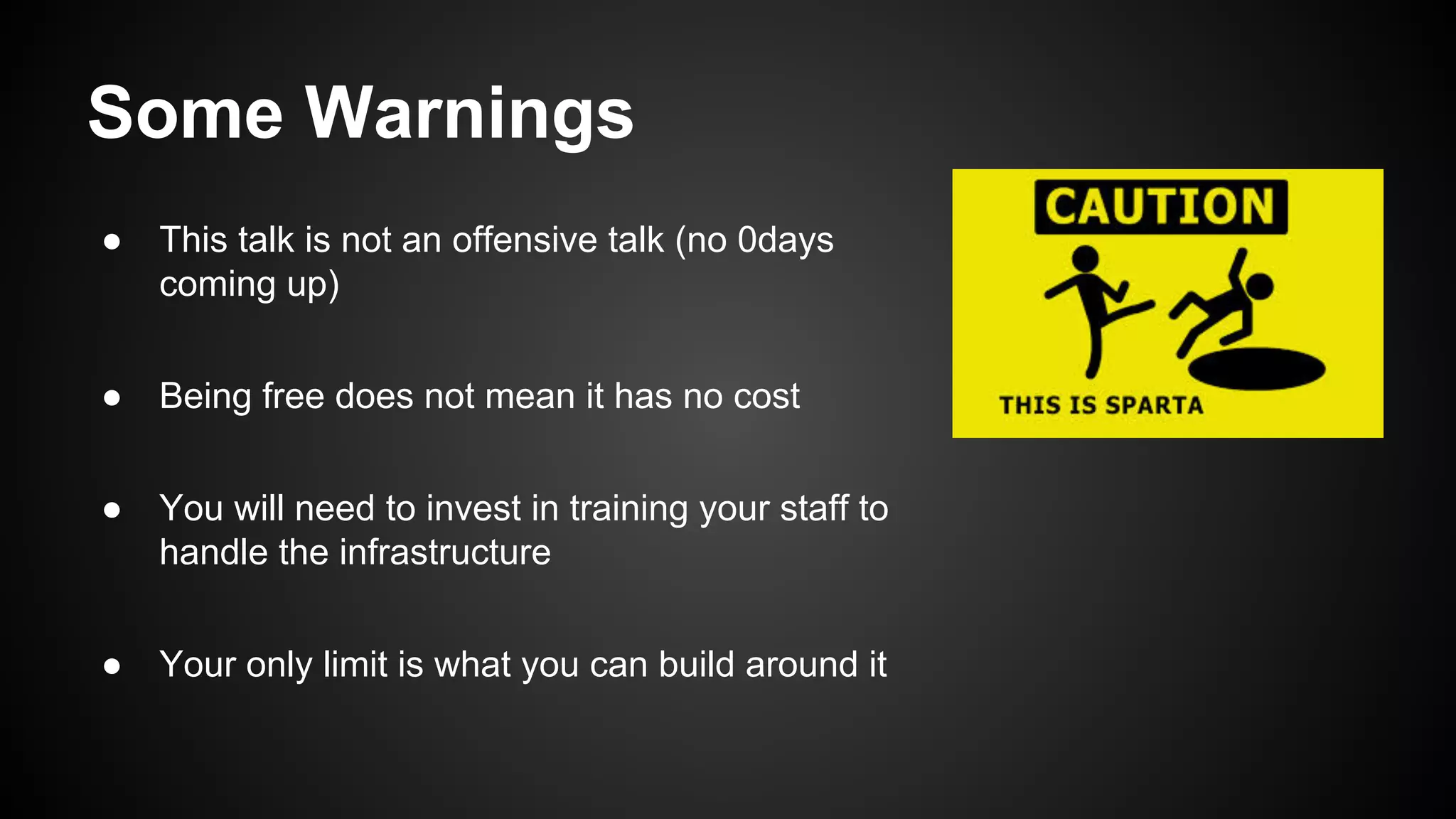
Some Warnings
● This talk is not an offensive talk (no 0days
coming up)
● Being free does not mean it has no cost
● You will need to invest in training your staff to
handle the infrastructure
● Your only limit is what you can build around it
What we mean is
● We will talk about a LOT of open source solutions
● Every setup can be different (choose what helps your environment)
● > 30k lines of code supporting the infrastructure (ruby, python, node.js and
go mostly)
● You will do most of the support but will not be limited by a vendor
● google -> irc -> mailing lists
We will talk about the old security
monitoring for just a moment
The old monitoring paradigm
● A lot of limitations
○ Limited storage
○ Only security logs
○ Select and filter inputs…
○ Regex everywhere: lifestyle & nightmares
○ Relational databases for storage
The old monitoring paradigm (2)
● Commercial SIEMs
○ Expensive
○ Hard & soft closed
○ Inflexible
○ Licenses & support & professional services ($$$)
○ You are learning about a product
○ Being a Gartner’s Magic Quadrant Leader doesn’t
resolve security incidents
… and now about their problems
Efficiency
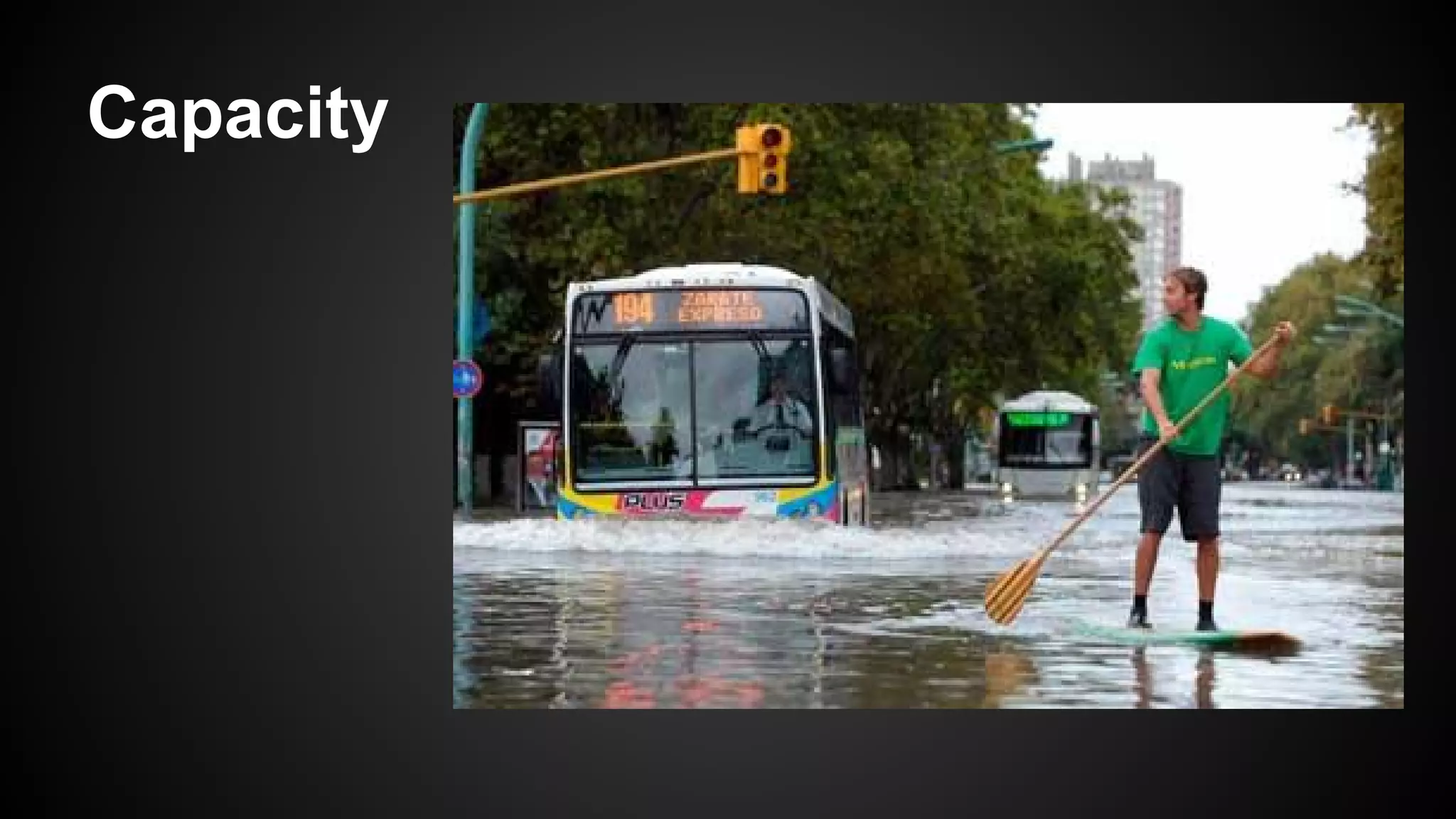
Capacity
Complexity
Preparing for the worst
Consider that sooner or later:
Are you prepared?
Can you resolve a complex security incident with your old SIEM?
...but things are changing
New security monitoring paradigm
● Ask for your logs in huge amounts of data at any time
● Get fast responses
● Log absolutely everything... even the network flows
● Contextualization
● Behavior analysis & historical comparisons
● Holistic visualization
● Metadata (tags)
New security monitoring paradigm (2)
● Hybrid cloud (private & public)
● Integration
● Bigger security monitoring infrastructure
● Resilience & distribution
● Hybrid storage (expensive & cheap)
● Open source synergy
How we Implement it
● ELK (Elasticsearch - Logstash - Kibana)
● Archiving with Hadoop and Block Storage
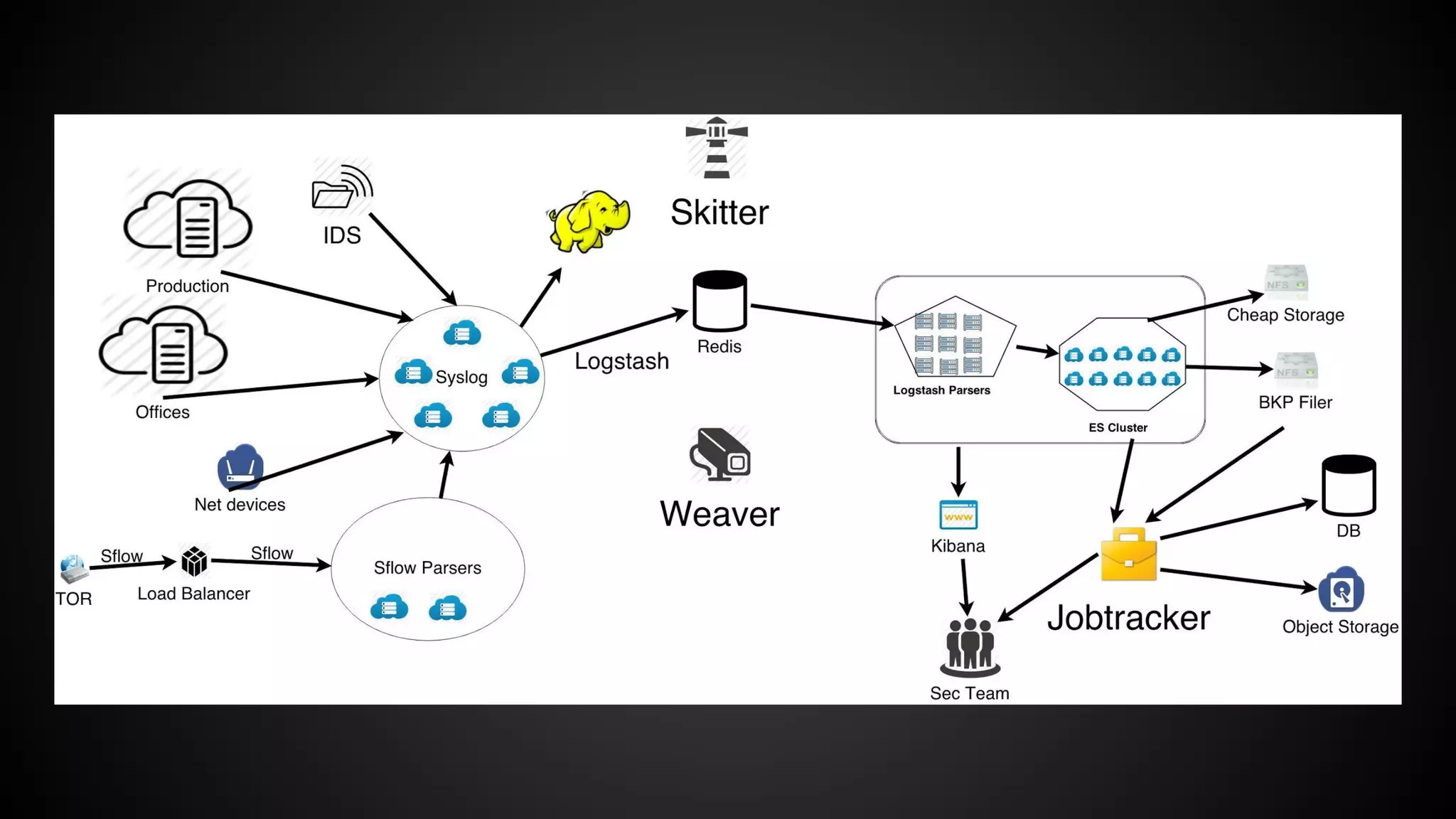
● Centralized reporting tool
● Our own system to control our infrastructure
● A custom monitoring tool
Some Inputs
● Server logs
● Firewalls
● User activity
● WAF
● Databases
● Netflow
● Load Balancers
● DNS
● Honeypots
● Sflow
● IDS
● IPS
● Switches
● Routers
● Applications
● Storage
● Openldap
● Cloud logs
● etc..
If it can log, you can collect it.
Delivery
● syslog, syslog-ng, rsyslog, nxlog, lumberjack
● Centralization all of the logs in one place
● Not just for shipping, you will need to keep them
● Consider some redundancy for fail over
● Not the same as shipping
Delivery - Shipper - Broker - Tagging - Storage
Meet the event
An sflow event:
Oct 23 18:59:40 my-host sflow: FLOW,10.10.10.10,137,0,0020cbba0000,
00003e001111,0x0800,1,1,23.23.109.234,172.10.10.10,6,0x00,45,12345,80,0
x18,336,318,1600
Delivery - Shipper - Broker - Tagging - Storage
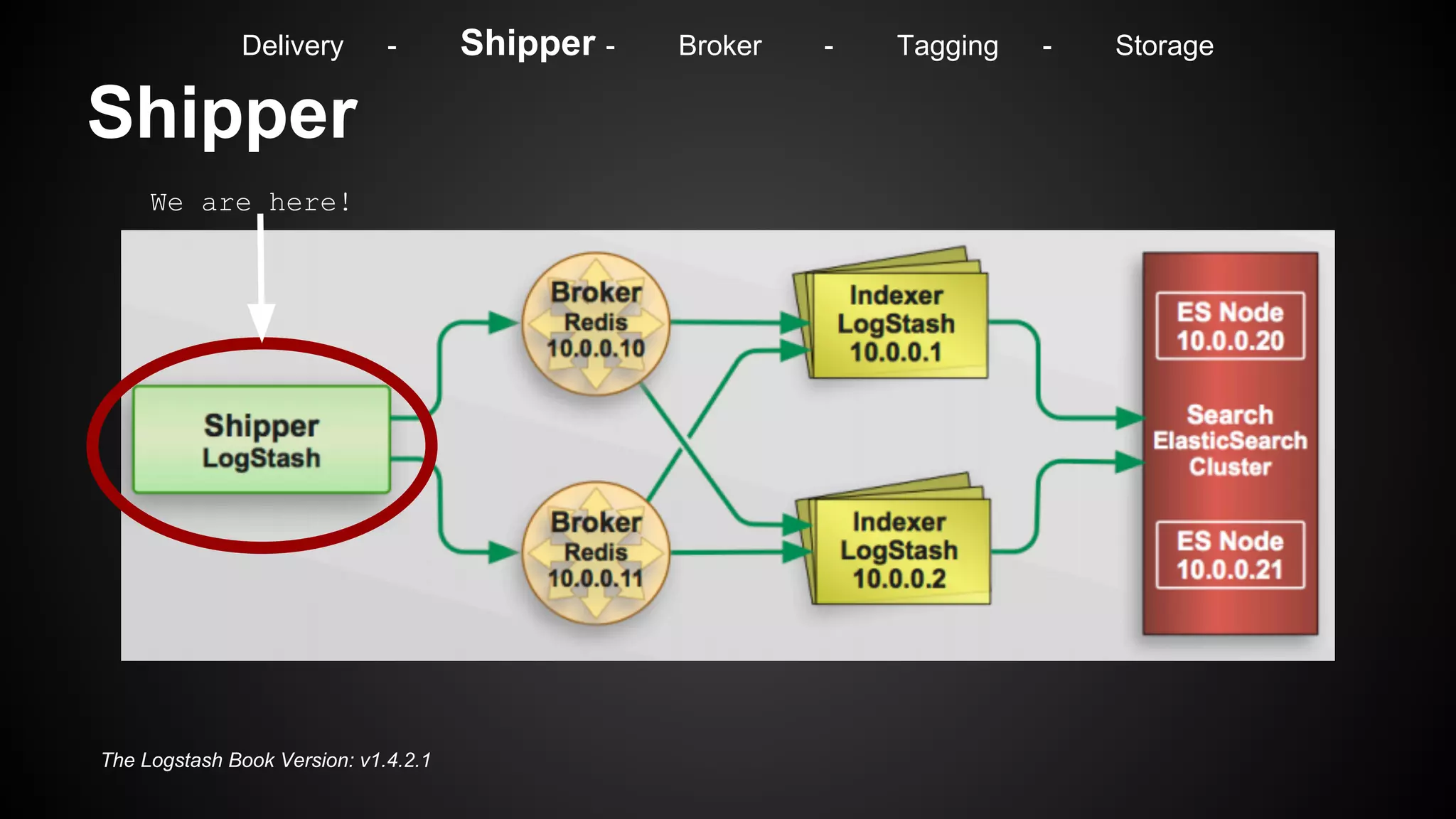
Shipper
The Logstash Book Version: v1.4.2.1
We are here!
Delivery - Shipper - Broker - Tagging - Storage
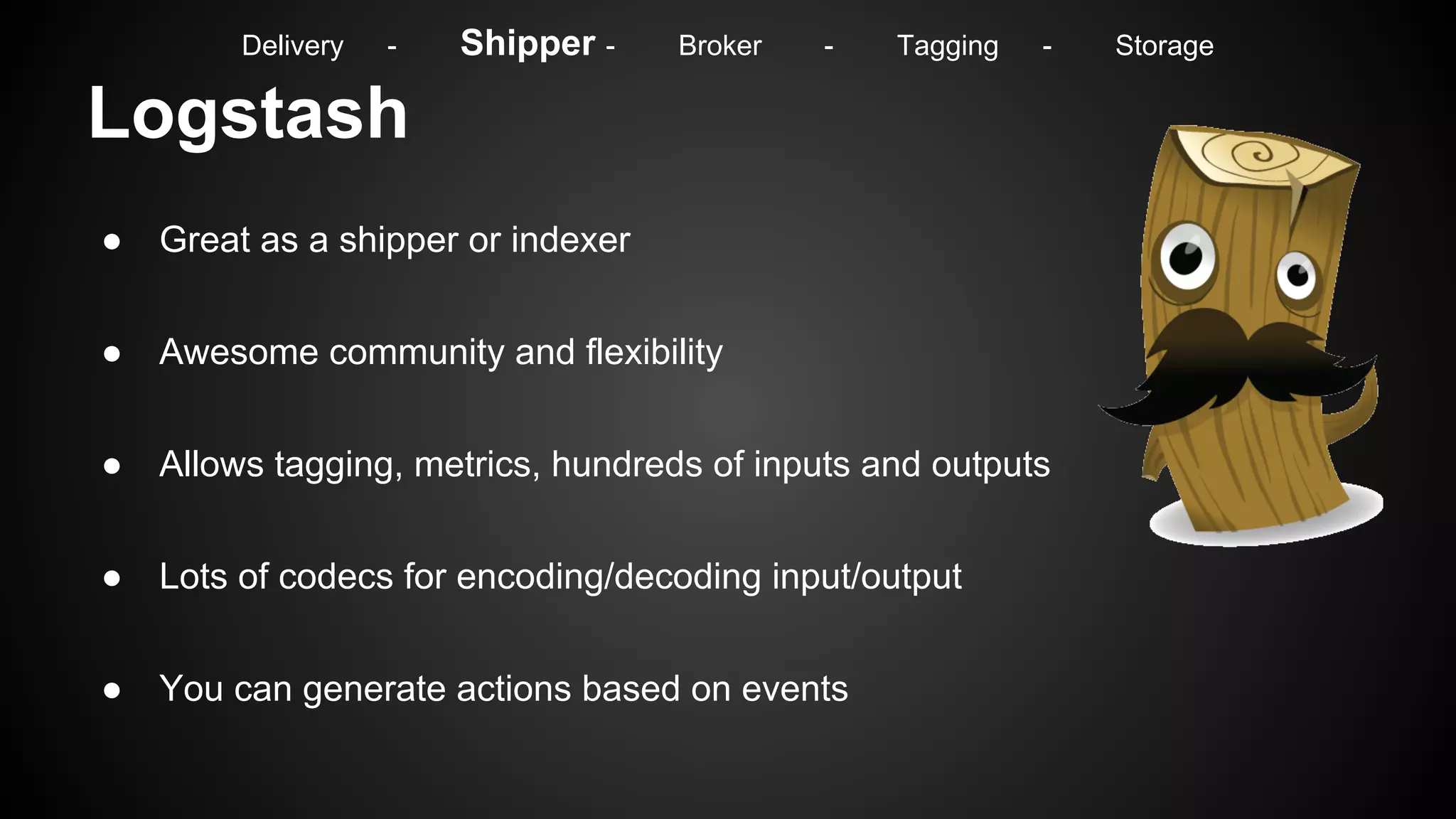
Logstash
● Great as a shipper or indexer
● Awesome community and flexibility
● Allows tagging, metrics, hundreds of inputs and outputs
● Lots of codecs for encoding/decoding input/output
● You can generate actions based on events
Delivery - Shipper - Broker - Tagging - Storage
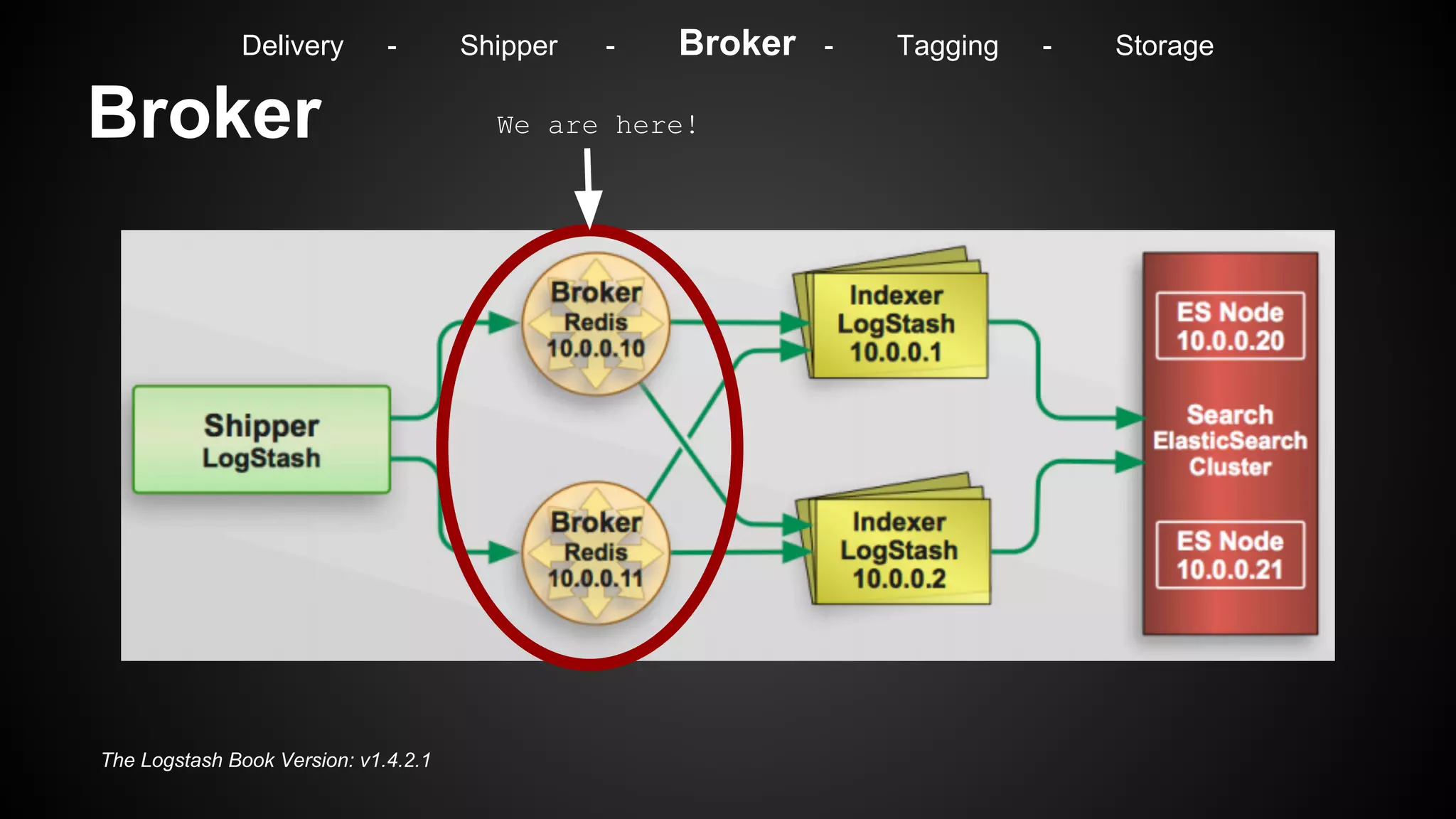
Broker
The Logstash Book Version: v1.4.2.1
We are here!
Delivery - Shipper - Broker - Tagging - Storage
Broker
● We use Redis, but there are other options
● Allows for a better parallelization of event indexing
● At least 2 nodes for redundancy
● Buffer in case of failure (size the ram accordingly)
Delivery - Shipper - Broker - Tagging - Storage
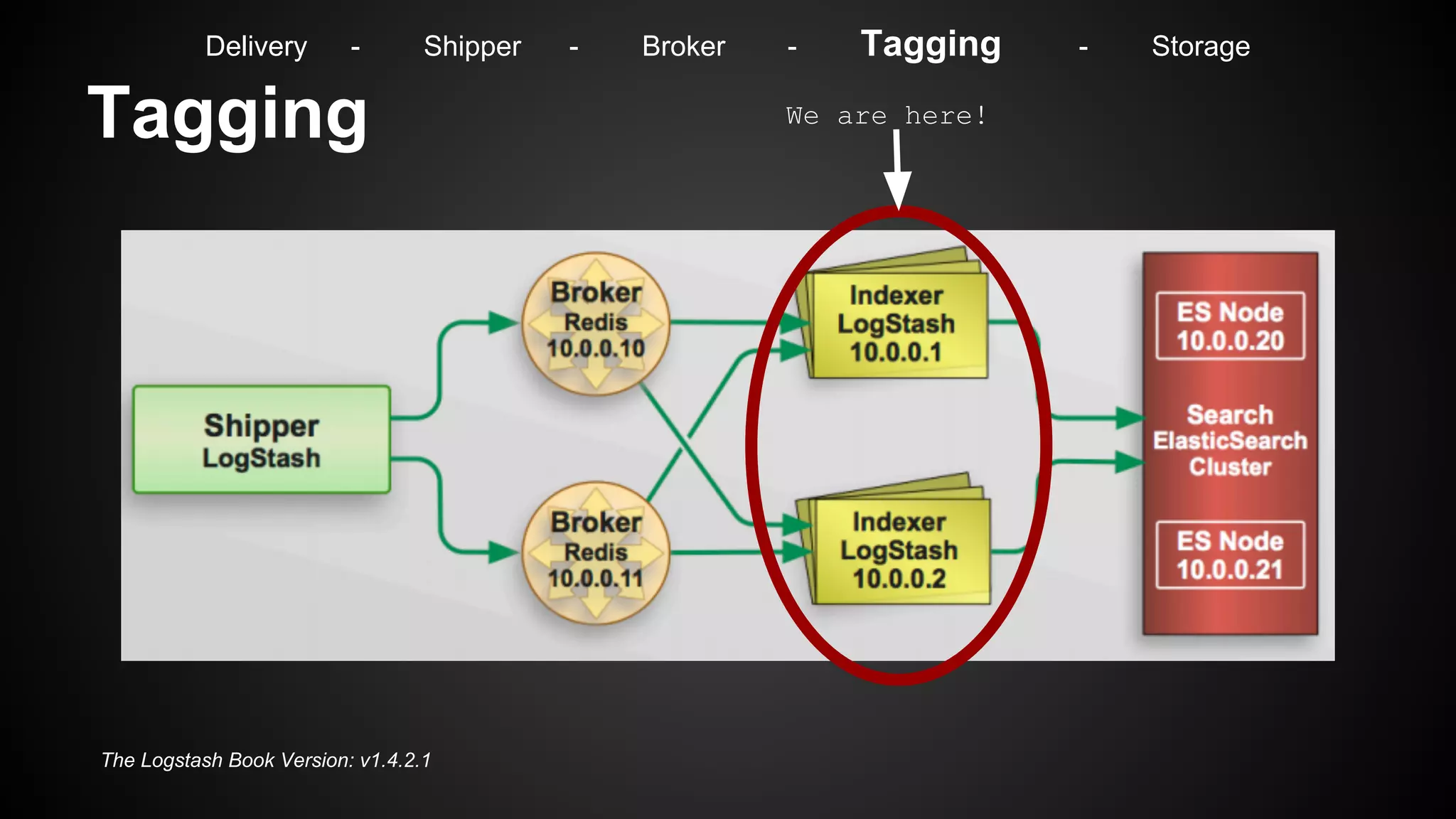
Tagging
The Logstash Book Version: v1.4.2.1
We are here!
Delivery - Shipper - Broker - Tagging - Storage
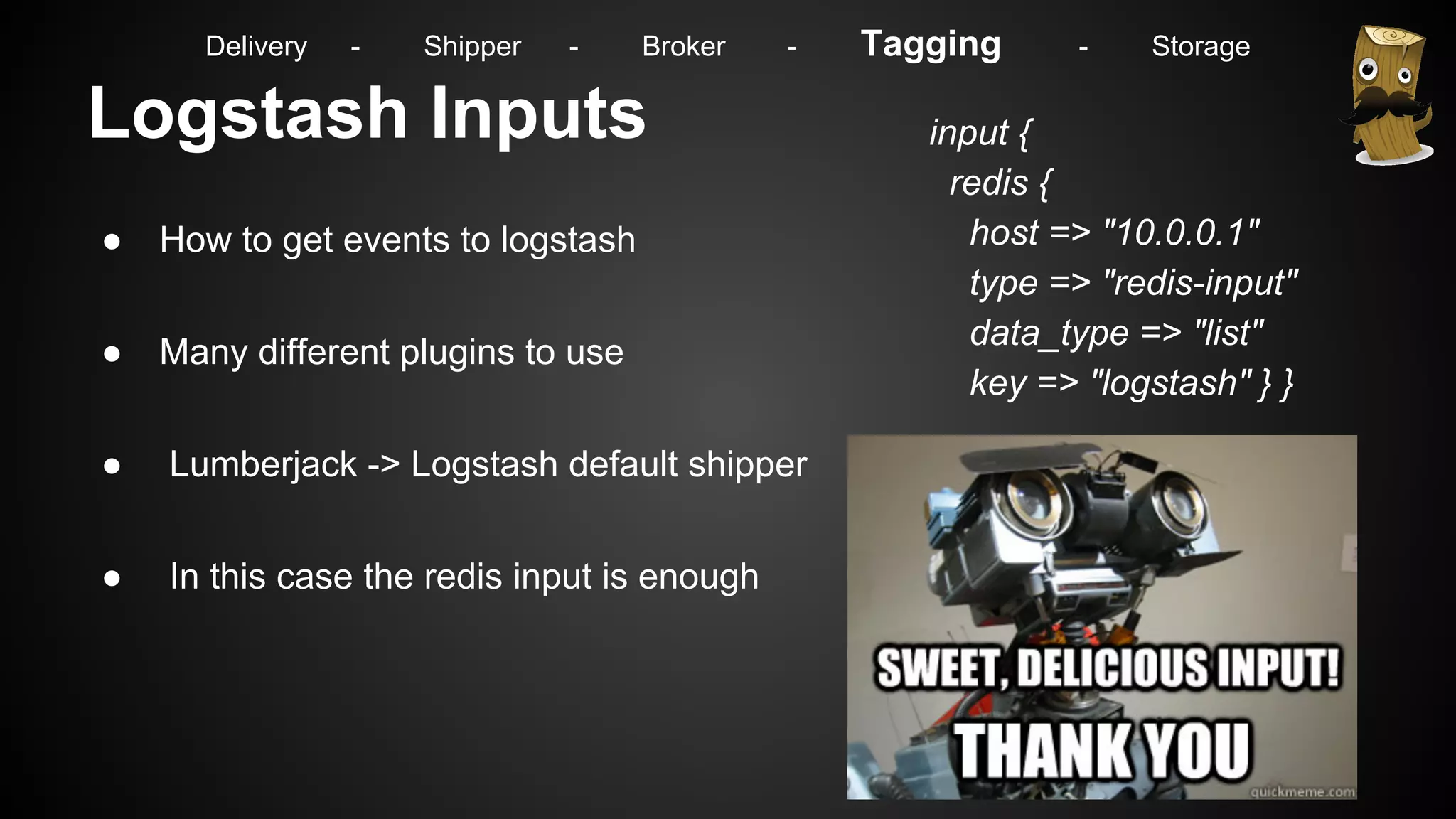
Logstash Inputs
● How to get events to logstash
● Many different plugins to use
● Lumberjack -> Logstash default shipper
● In this case the redis input is enough
input {
redis {
host => "10.0.0.1"
type => "redis-input"
data_type => "list"
key => "logstash" } }
Delivery - Shipper - Broker - Tagging - Storage
Logstash Filters
● They can help you parse, tag and modify
events on the fly
● GROK => Replacing regex with names
● You can build your own custom GROK
patterns
● Other useful filters such as Metrics,
Geoip, DNS, Anonymize, Date, etc..
filter {
grok {
pattern => "%
{SYSLOGTIMESTAMP:date}...%
{HOSTNAME:srcip},%{HOSTNAME:
dstip}...%{NUMBER:srcport},%{NUMBER:
dstport}..."
}
geoip {
source => "dstip"
target => "dst_geo"
fields => ["country_code2"]
}
dns {
resolve => [ "@dns"]
action => "replace"
}
}
Delivery - Shipper - Broker - Tagging - Storage
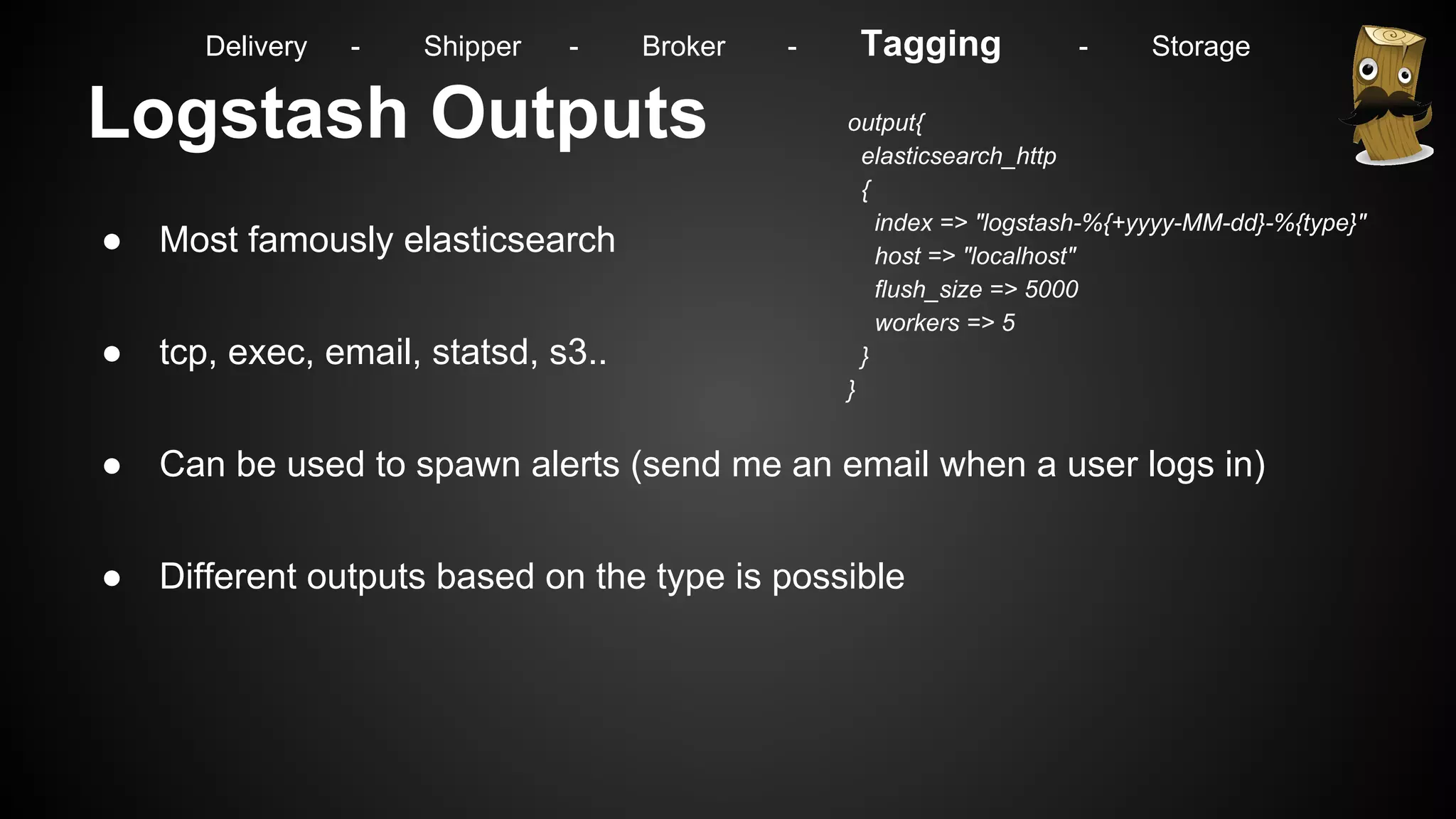
Logstash Outputs
● Most famously elasticsearch
● tcp, exec, email, statsd, s3..
● Can be used to spawn alerts (send me an email when a user logs in)
● Different outputs based on the type is possible
output{
elasticsearch_http
{
index => "logstash-%{+yyyy-MM-dd}-%{type}"
host => "localhost"
flush_size => 5000
workers => 5
}
}
Delivery - Shipper - Broker - Tagging - Storage
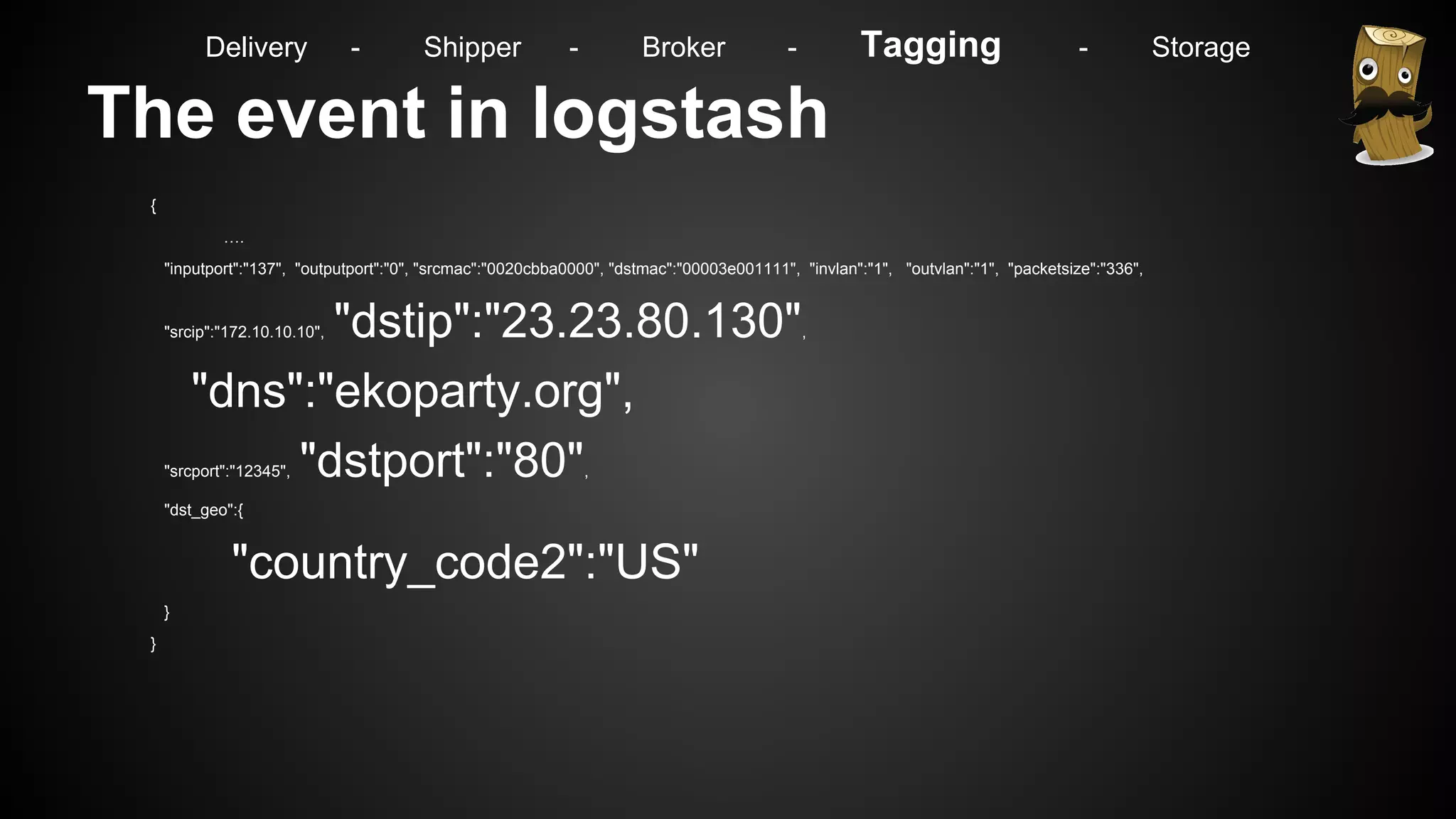
The event in logstash
{
….
"inputport":"137", "outputport":"0", "srcmac":"0020cbba0000", "dstmac":"00003e001111", "invlan":"1", "outvlan":"1", "packetsize":"336",
"srcip":"172.10.10.10", "dstip":"23.23.80.130",
"dns":"ekoparty.org",
"srcport":"12345", "dstport":"80",
"dst_geo":{
"country_code2":"US"
}
}
Delivery - Shipper - Broker - Tagging - Storage
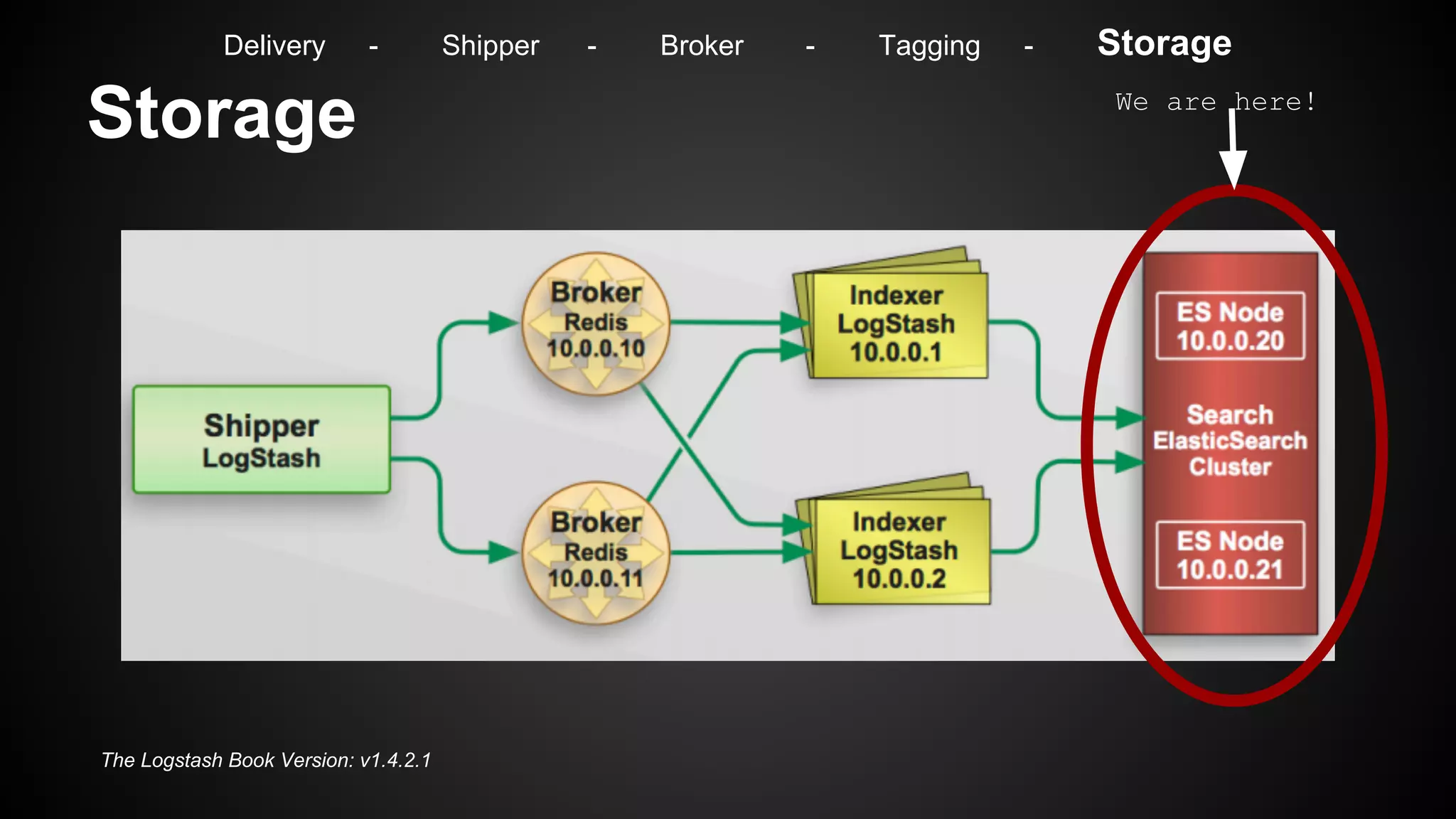
Storage
The Logstash Book Version: v1.4.2.1
We are here!
Delivery - Shipper - Broker - Tagging - Storage
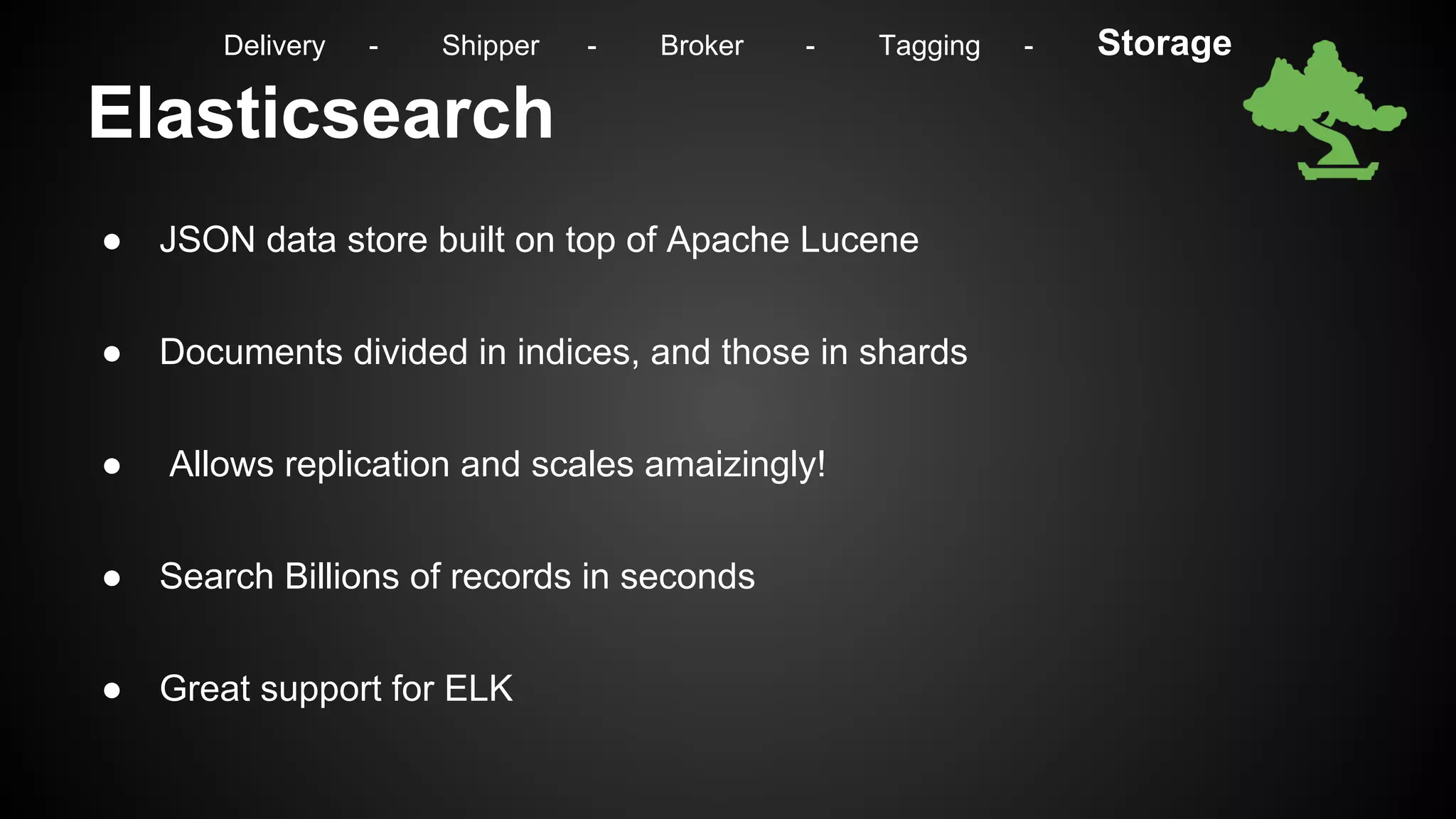
Elasticsearch
● JSON data store built on top of Apache Lucene
● Documents divided in indices, and those in shards
● Allows replication and scales amaizingly!
● Search Billions of records in seconds
● Great support for ELK
Delivery - Shipper - Broker - Tagging - Storage
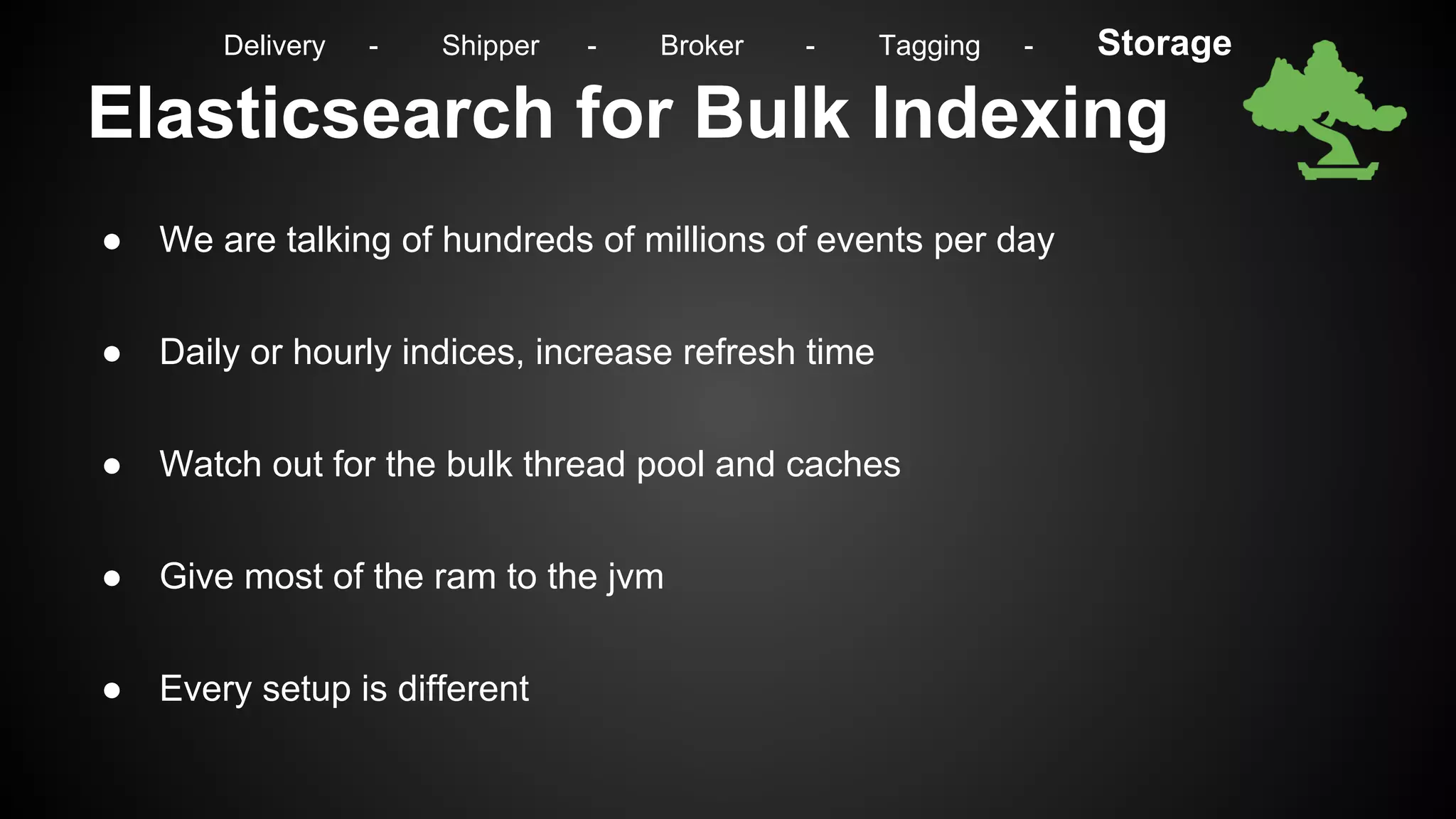
Elasticsearch for Bulk Indexing
● We are talking of hundreds of millions of events per day
● Daily or hourly indices, increase refresh time
● Watch out for the bulk thread pool and caches
● Give most of the ram to the jvm
● Every setup is different
Delivery - Shipper - Broker - Tagging - Storage
The event in ElasticSearch{
"_index":"logstash-2014-10-23-sflow",
"_type":"sflow",
"_id":"JKWMv9J2T767IjxyasWjZw", …
"_source":{
"message":"Oct 23 18:59:40 mihost sflow: FLOW,10.5.4.11,137,0,0020cbbbb000,00003eee1111,0x0800,1,1,10.10.10.100,10.10.10.10,6,0x00,45,80,14887,0x18,336,318,1600",
"@timestamp":"2014-10-23T18:59:40.000-04:00",
"@version":"1",
….
},
"sort":[
1414105180000
] }
Delivery - Shipper - Broker - Tagging - Storage
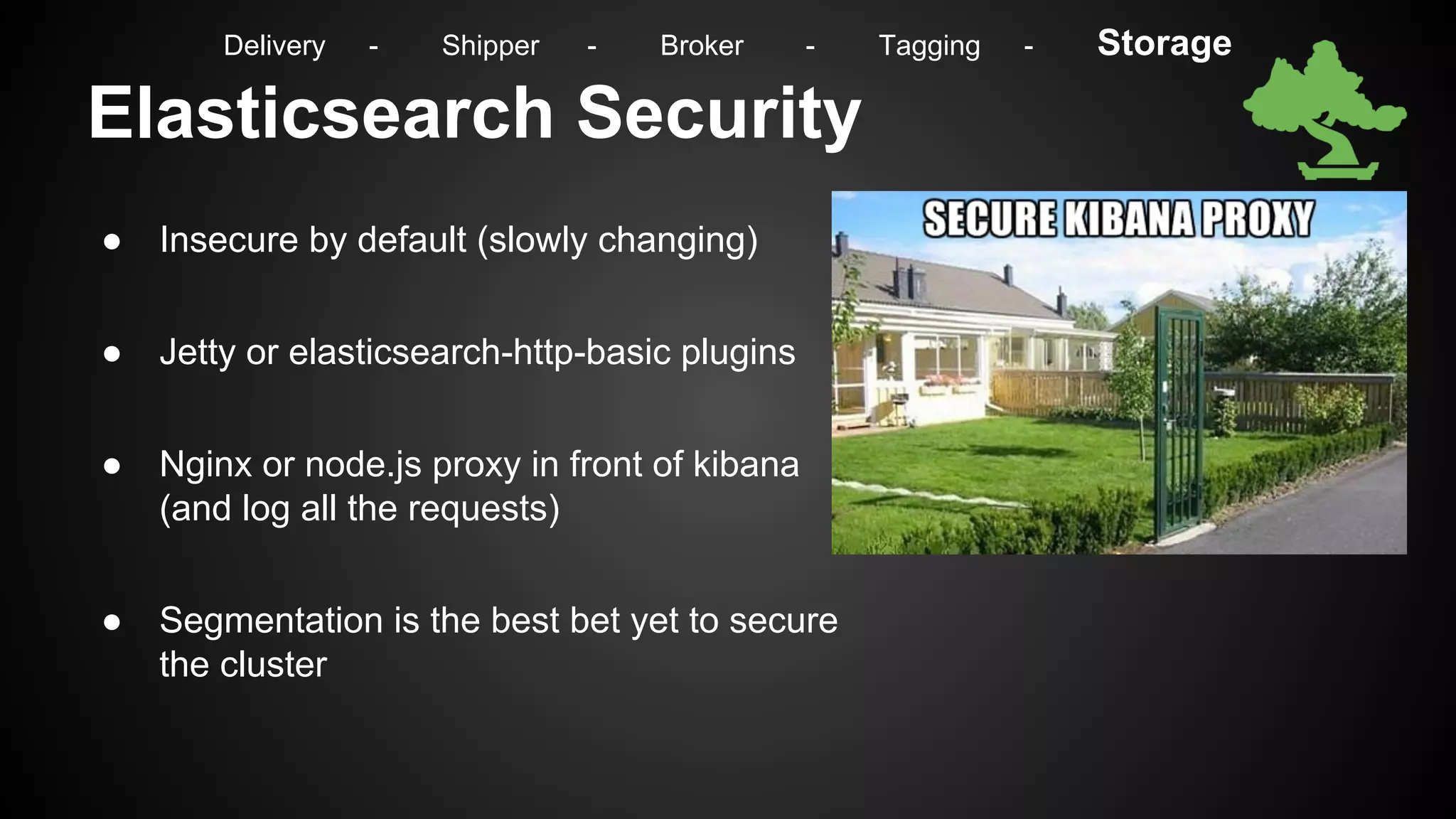
Elasticsearch Security
● Insecure by default (slowly changing)
● Jetty or elasticsearch-http-basic plugins
● Nginx or node.js proxy in front of kibana
(and log all the requests)
● Segmentation is the best bet yet to secure
the cluster
Delivery - Shipper - Broker - Tagging - Storage
What Elasticsearch is not for
● Not a primary data store
● There are no transactions, you might lose some data
● Few tools to help with reporting besides kibana
● Not stable enough (yet)
Delivery - Shipper - Broker - Tagging - Storage
Backup
● Filesystem replicas (hardware problems)
● Filesystem snapshots (human mistakes)
● External backup of your raw logs (total disaster)
● Int/Ext backup of you ES indices (to avoid reindexing)
Delivery - Shipper - Broker - Tagging - Storage
Archiving
● Hadoop
○ Open source!
○ Process large amounts of data
○ Distributed process & storage
○ Highly scalable (linearly) & fault tolerant
○ SQL language (with Hive or Impala)
● Excellent to store all our data in a queryable way!
Delivery - Shipper - Broker - Tagging - Storage
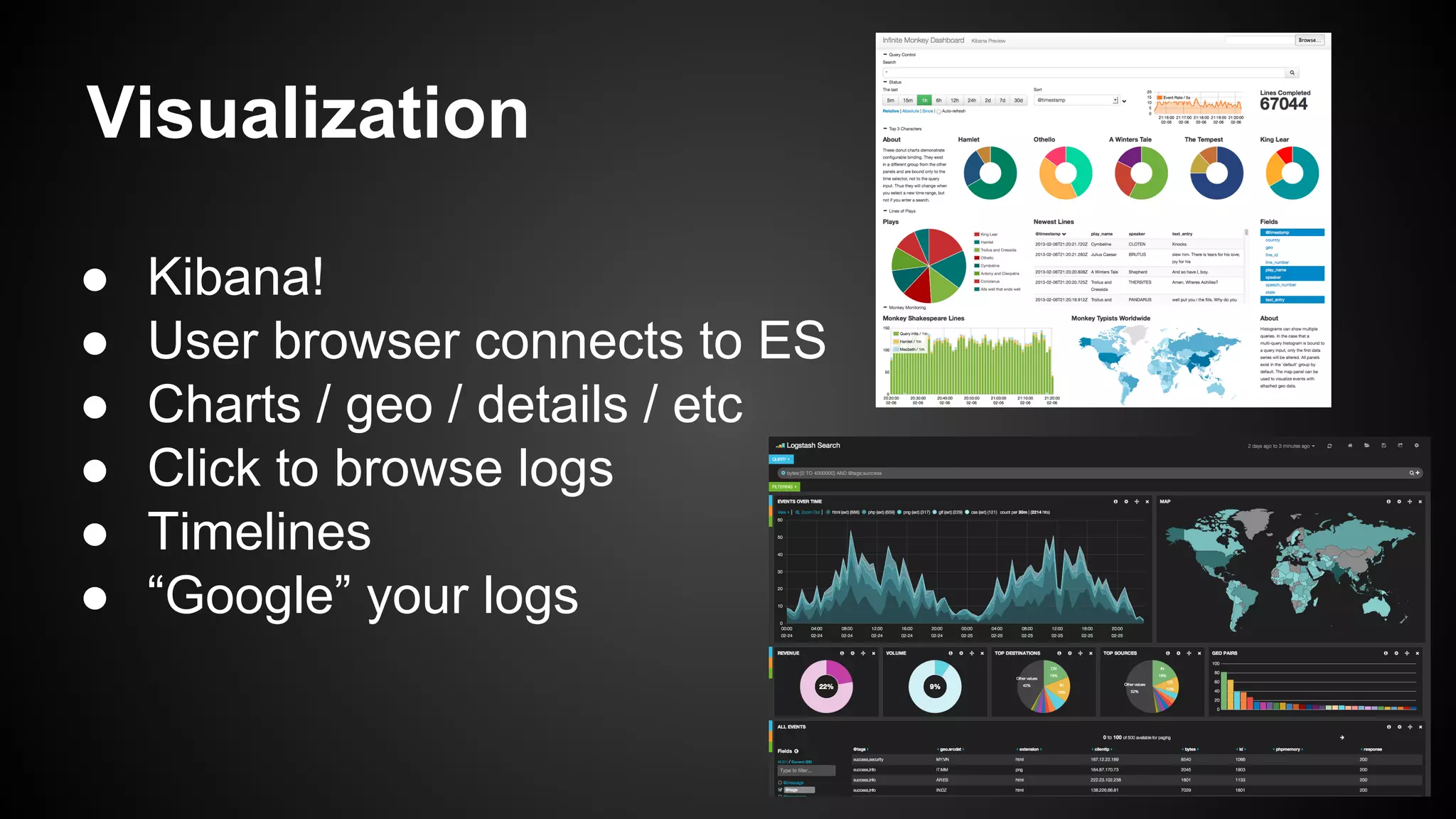
Visualization
● Kibana!
● User browser connects to ES
● Charts / geo / details / etc
● Click to browse logs
● Timelines
● “Google” your logs
Visualization (2)
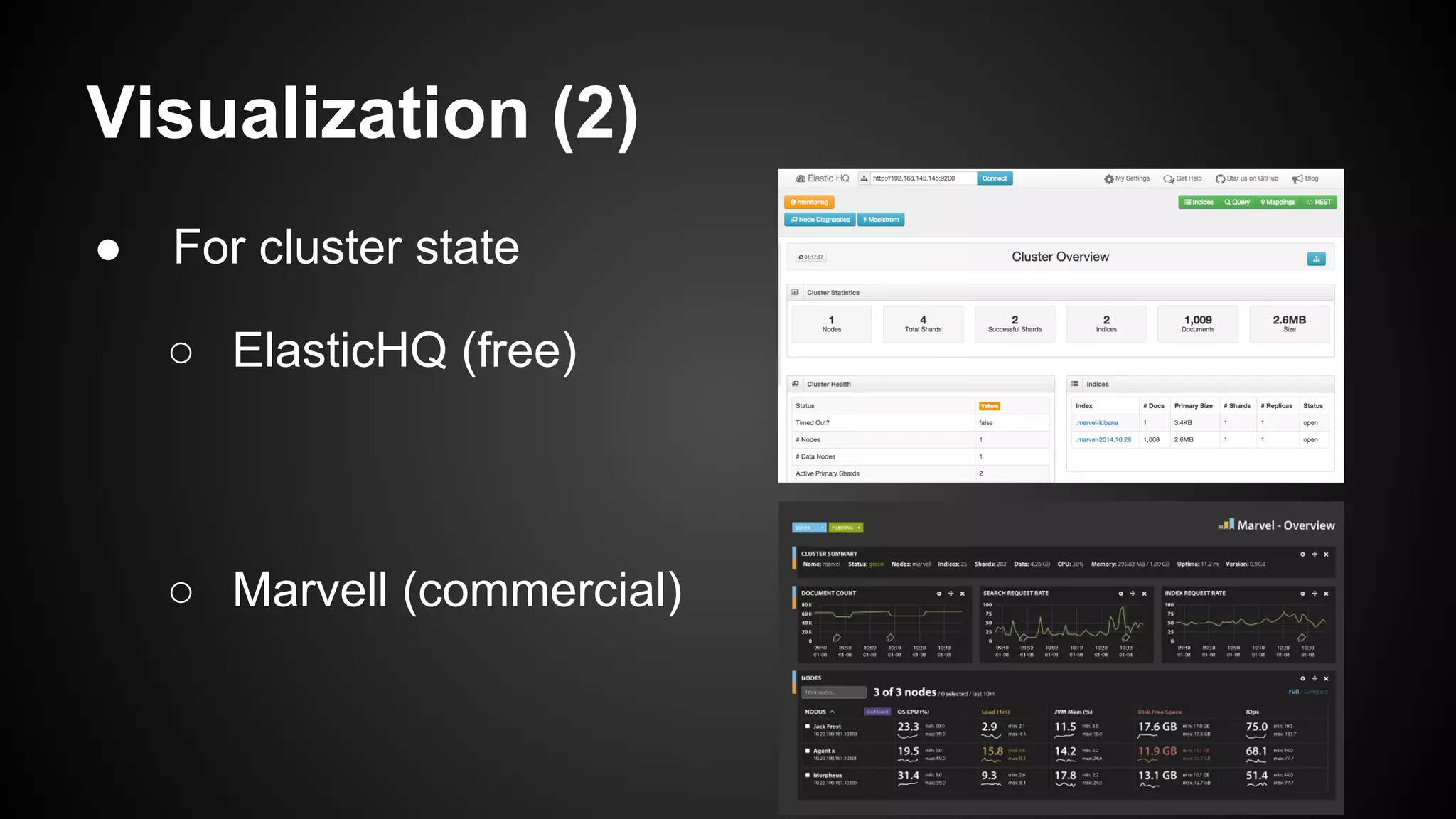
● For cluster state
○ ElasticHQ (free)
○ Marvell (commercial)
Reporting
● Avoid crons
● Hadoop is better than ElasticSearch for reporting
Controlling your infrastructure
Everything is
working, right?
Are you sure they are working?
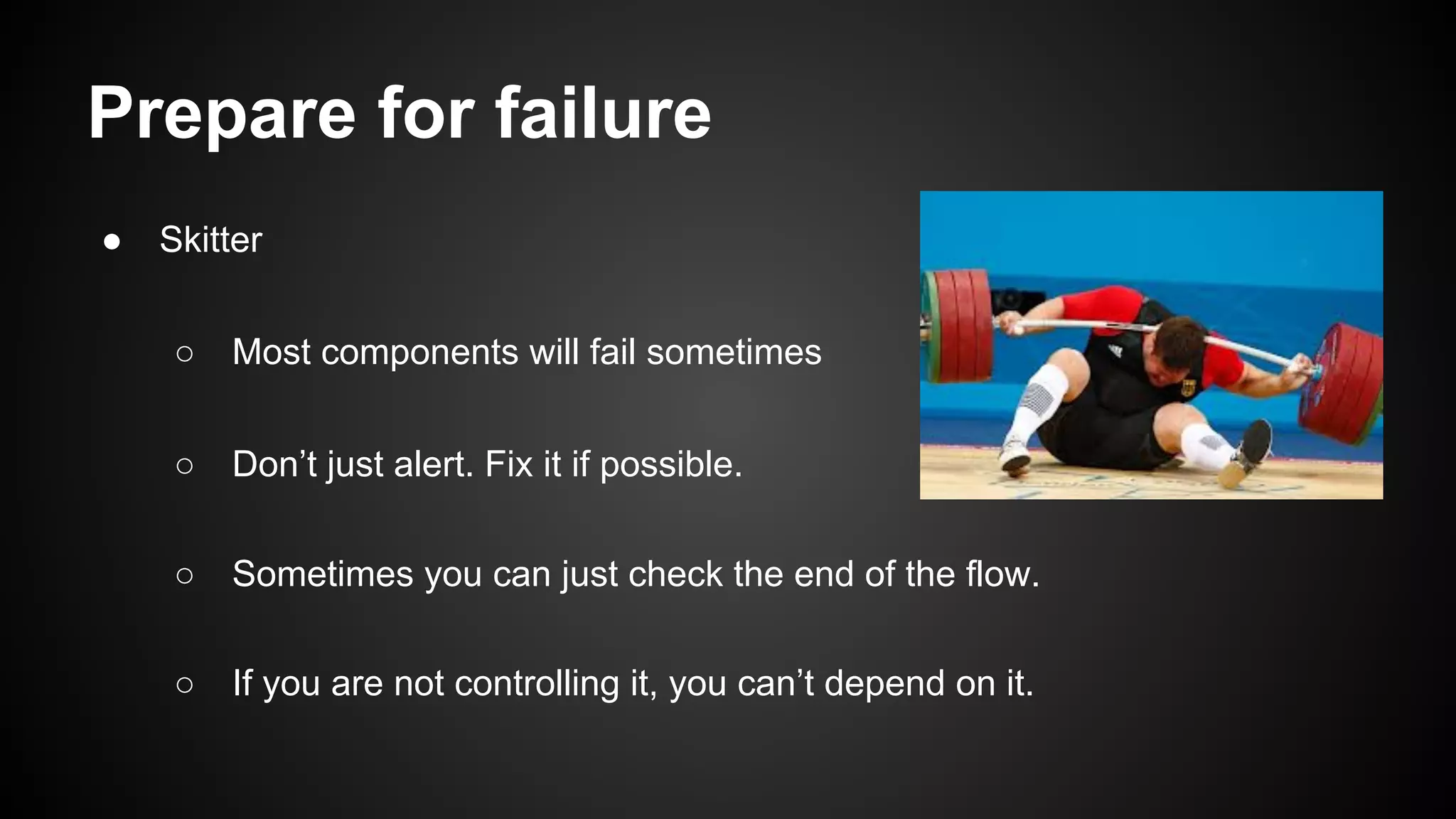
Prepare for failure
● Skitter
○ Most components will fail sometimes
○ Don’t just alert. Fix it if possible.
○ Sometimes you can just check the end of the flow.
○ If you are not controlling it, you can’t depend on it.
Alerts
● Inline
○ Attaching to the logs (Logstash / Syslog-ng)
○ Less flexibility
○ As you grow your correlation will decrease
● Batch
○ “Near real time”
○ The power of elasticsearch at your disposal
○ Great correlation capabilities (has this
happened in the last 6 months?)
○ Creating rules for behaviour not actions
Alerts
● Weaver
○ Modular approach
○ Tie behaviour from multiple sources
○ What would a hacker do? (nmap|nc) & cat /etc/passwd = Alert
○ Reduce false positives with statistics
○ There are services that can call you!
Example of an Alert (1)
● We look for connections to countries outside AR for this period of time
{ "query":{ "filtered":{ "query":{ "match_all":{ } }, "filter":{ "and":[ {
"bool":{ "must":{ } }, "should":{ },
"must_not":{
"regexp": { "country_code2":"AR" }
} } }, { "range":{
"@timestamp":{
"from":"2014-10-12T12:20:45-03:00",
"to":"2014-10-12T12:26:45-03:00" } } } ] } } } } }
Example of an Alert (2)
● Guess who we found:
{
"_index":"logstash-2014-10-23-sflow",
"_type":"sflow", "_id":"JKWMv9J2T767IjxyasWjZw", … "_source":{
….
"srcip":"172.10.10.10", "dstip":"23.23.80.130", "dns":"
ekoparty.org", ...
"dst_geo":{ "country_code2":"US" } },
"sort":[ 1414105180000 ] }
Example of an Alert (3)
● We check if this connection has happened in the last 3 months
{ "query":{ "filtered":{ "query":{ "match_all":{ } }, "filter":{ "and":[ {
"bool":{
"must":{ "srcip":"172.10.10.10”,"dstip":"23.23.80.130" }
}, "should":{ }, "must_not":{ } } }, {
"range":{
"@timestamp":{
"from":"2014-07-12T12:19:45-03:00",
"to":"2014-10-12T12:26:45-03:00" } } } ] } } } } }
Example of an Alert (4)
● Our result is:
[] => Nothing
Example of an Alert (5)
● We now check what users and commands happened in that timeframe in that
server for evidence to attach to the alert
{ "query":{ "filtered":{ "query":{ "match_all":{ } }, "filter":{ "and":[ {
"bool":{ "must":{ } }, "should":{ },
"must_not":{
"regexp": { “host”:”172.10.10.10” }
} } }, { "range":{
"@timestamp":{
"from":"2014-10-12T12:20:45-03:00",
"to":"2014-10-12T12:26:45-03:00" } } } ] } } } } }
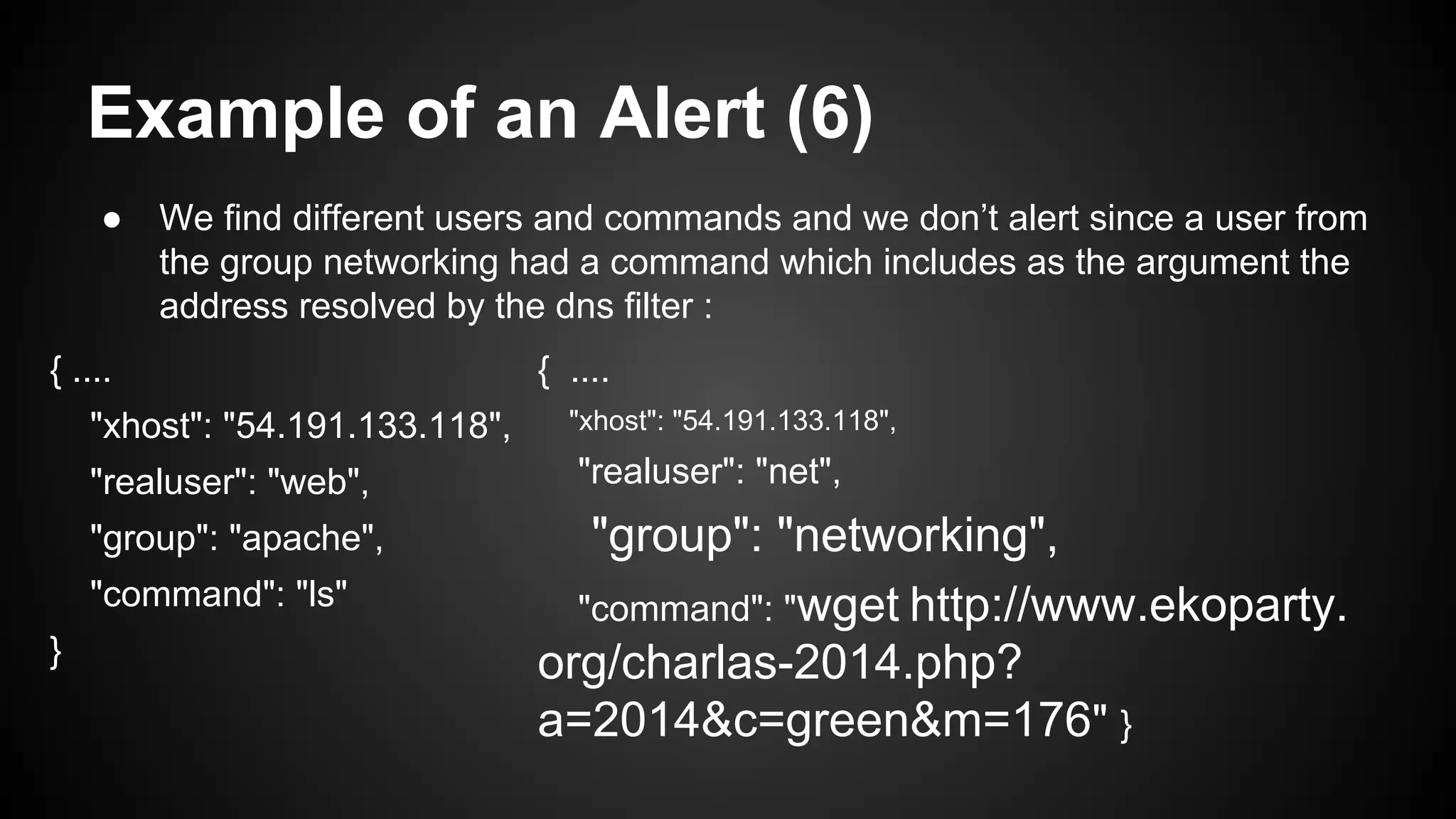
Example of an Alert (6)
● We find different users and commands and we don’t alert since a user from
the group networking had a command which includes as the argument the
address resolved by the dns filter :
{ ....
"xhost": "54.191.133.118",
"realuser": "web",
"group": "apache",
"command": "ls"
}
{ ....
"xhost": "54.191.133.118",
"realuser": "net",
"group": "networking",
"command": "wget http://www.ekoparty.
org/charlas-2014.php?
a=2014&c=green&m=176" }
So how does this look like?
DEMO!
ssh 54.191.133.118
outro
what’s next?
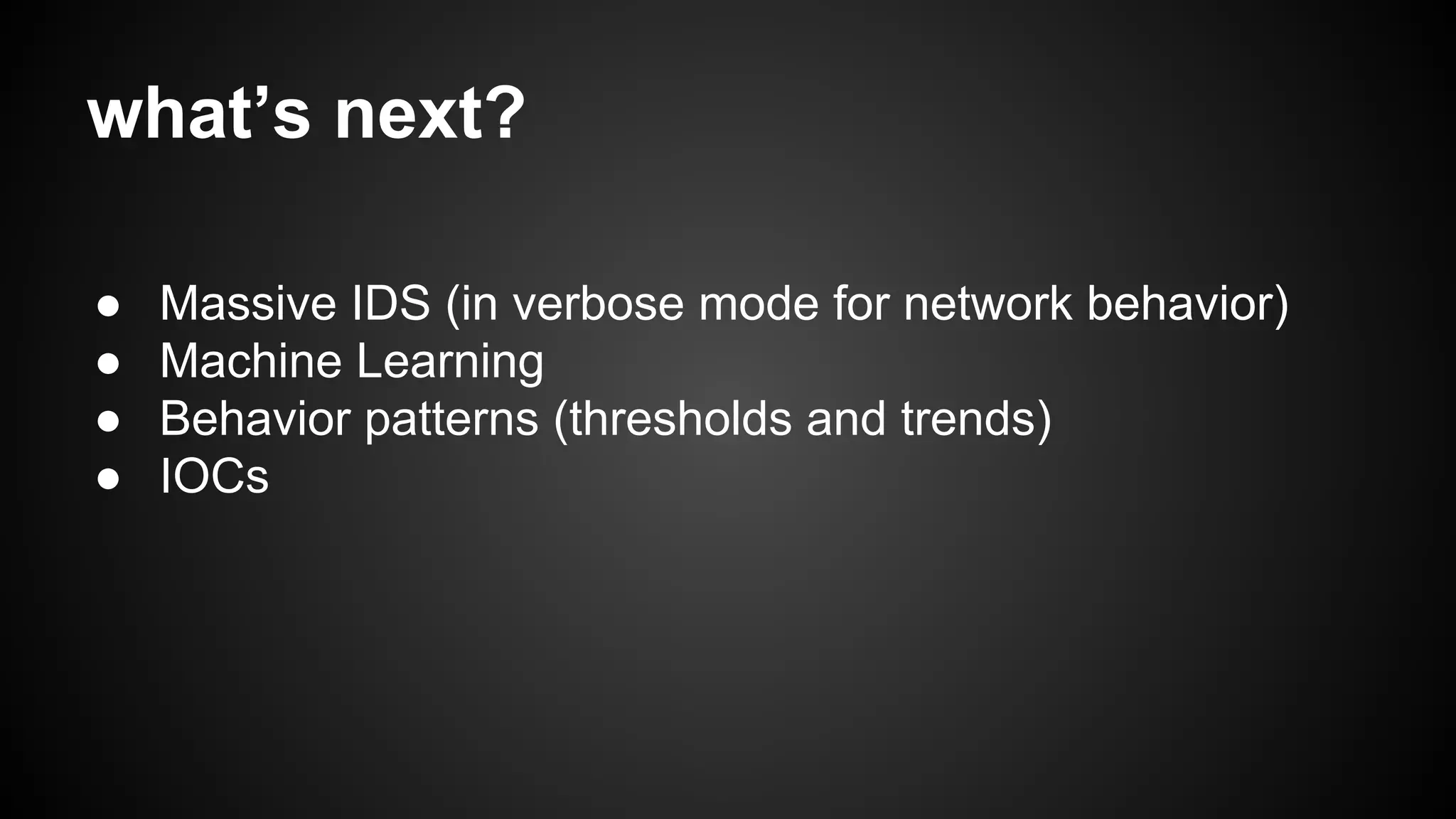
● Massive IDS (in verbose mode for network behavior)
● Machine Learning
● Behavior patterns (thresholds and trends)
● IOCs
biblio & references
● https://github.com/89berner/Monitor
● The Logstash Book by James Turnbull
● elastichsearch.org
greetings
● Audience
● Ekoparty staff
● Meli’s SegInf Team
questions?
89berner@gmail.com / @89berner
hernancostante@gmail.com / @hachedece
Contact us!
thank you!

Security Monitoring for big Infrastructures without a Million Dollar budget

  • 1.
    Security Monitoring forbig Infrastructures without a Million Dollar budget o Monitoring like the NSA (con precios cuidados) #eko10
  • 2.
    About us ● JuanBerner ○ @89berner ○ Hobbies = ['Movies/Series','Reading','Programming'] ○ Mostly Blue Team ○ http://secureandscalable.wordpress.com/ ● Hernán Costante ○ @hachedece ○ Security Monitoring & Incident Response fan ○ Open Source lover ♥
  • 3.
    About MercadoLibre ● Devopsculture (everyone and their mothers can access the boxes) ● Hybrid Cloud of Openstack & Others (servers being destroyed constantly) ● Infrastructure as a service ● Database as a service ● Database servers > 1K && Servers > 15K ● Daily logs > 100GB (and growing)
  • 4.
    What is thistalk about? ● ELK (Elasticsearch - Logstash - Kibana) ● Controlling the infrastructure that supports it ● Monitoring at scale with open source tools
  • 5.
    Outline ● Introduction toMonitoring ● How it used to be ● Background ● Implementation ● Demo ● Outro
  • 6.
  • 7.
    Monitoring helps in ●Fulfilling compliance (PCI, SOX, BACEN, HIPAA, BCRA, etc) ● Not just trusting your audits (what happens in the mean time?) ● Crucial for Incident Response ● Know how your infrastructure works (you can’t protect what you don’t know is there)
  • 8.
    Some Warnings ● Thistalk is not an offensive talk (no 0days coming up) ● Being free does not mean it has no cost ● You will need to invest in training your staff to handle the infrastructure ● Your only limit is what you can build around it
  • 9.
    What we meanis ● We will talk about a LOT of open source solutions ● Every setup can be different (choose what helps your environment) ● > 30k lines of code supporting the infrastructure (ruby, python, node.js and go mostly) ● You will do most of the support but will not be limited by a vendor ● google -> irc -> mailing lists
  • 10.
    We will talkabout the old security monitoring for just a moment
  • 11.
    The old monitoringparadigm ● A lot of limitations ○ Limited storage ○ Only security logs ○ Select and filter inputs… ○ Regex everywhere: lifestyle & nightmares ○ Relational databases for storage
  • 12.
    The old monitoringparadigm (2) ● Commercial SIEMs ○ Expensive ○ Hard & soft closed ○ Inflexible ○ Licenses & support & professional services ($$$) ○ You are learning about a product ○ Being a Gartner’s Magic Quadrant Leader doesn’t resolve security incidents
  • 13.
    … and nowabout their problems
  • 14.
  • 15.
  • 16.
  • 17.
    Preparing for theworst Consider that sooner or later: Are you prepared? Can you resolve a complex security incident with your old SIEM?
  • 18.
  • 19.
    New security monitoringparadigm ● Ask for your logs in huge amounts of data at any time ● Get fast responses ● Log absolutely everything... even the network flows ● Contextualization ● Behavior analysis & historical comparisons ● Holistic visualization ● Metadata (tags)
  • 20.
    New security monitoringparadigm (2) ● Hybrid cloud (private & public) ● Integration ● Bigger security monitoring infrastructure ● Resilience & distribution ● Hybrid storage (expensive & cheap) ● Open source synergy
  • 22.
    How we Implementit ● ELK (Elasticsearch - Logstash - Kibana) ● Archiving with Hadoop and Block Storage ● Centralized reporting tool ● Our own system to control our infrastructure ● A custom monitoring tool
  • 23.
    Some Inputs ● Serverlogs ● Firewalls ● User activity ● WAF ● Databases ● Netflow ● Load Balancers ● DNS ● Honeypots ● Sflow ● IDS ● IPS ● Switches ● Routers ● Applications ● Storage ● Openldap ● Cloud logs ● etc.. If it can log, you can collect it.
  • 24.
    Delivery ● syslog, syslog-ng,rsyslog, nxlog, lumberjack ● Centralization all of the logs in one place ● Not just for shipping, you will need to keep them ● Consider some redundancy for fail over ● Not the same as shipping Delivery - Shipper - Broker - Tagging - Storage
  • 25.
    Meet the event Ansflow event: Oct 23 18:59:40 my-host sflow: FLOW,10.10.10.10,137,0,0020cbba0000, 00003e001111,0x0800,1,1,23.23.109.234,172.10.10.10,6,0x00,45,12345,80,0 x18,336,318,1600 Delivery - Shipper - Broker - Tagging - Storage
  • 26.
    Shipper The Logstash BookVersion: v1.4.2.1 We are here! Delivery - Shipper - Broker - Tagging - Storage
  • 27.
    Logstash ● Great asa shipper or indexer ● Awesome community and flexibility ● Allows tagging, metrics, hundreds of inputs and outputs ● Lots of codecs for encoding/decoding input/output ● You can generate actions based on events Delivery - Shipper - Broker - Tagging - Storage
  • 28.
    Broker The Logstash BookVersion: v1.4.2.1 We are here! Delivery - Shipper - Broker - Tagging - Storage
  • 29.
    Broker ● We useRedis, but there are other options ● Allows for a better parallelization of event indexing ● At least 2 nodes for redundancy ● Buffer in case of failure (size the ram accordingly) Delivery - Shipper - Broker - Tagging - Storage
  • 30.
    Tagging The Logstash BookVersion: v1.4.2.1 We are here! Delivery - Shipper - Broker - Tagging - Storage
  • 31.
    Logstash Inputs ● Howto get events to logstash ● Many different plugins to use ● Lumberjack -> Logstash default shipper ● In this case the redis input is enough input { redis { host => "10.0.0.1" type => "redis-input" data_type => "list" key => "logstash" } } Delivery - Shipper - Broker - Tagging - Storage
  • 32.
    Logstash Filters ● Theycan help you parse, tag and modify events on the fly ● GROK => Replacing regex with names ● You can build your own custom GROK patterns ● Other useful filters such as Metrics, Geoip, DNS, Anonymize, Date, etc.. filter { grok { pattern => "% {SYSLOGTIMESTAMP:date}...% {HOSTNAME:srcip},%{HOSTNAME: dstip}...%{NUMBER:srcport},%{NUMBER: dstport}..." } geoip { source => "dstip" target => "dst_geo" fields => ["country_code2"] } dns { resolve => [ "@dns"] action => "replace" } } Delivery - Shipper - Broker - Tagging - Storage
  • 33.
    Logstash Outputs ● Mostfamously elasticsearch ● tcp, exec, email, statsd, s3.. ● Can be used to spawn alerts (send me an email when a user logs in) ● Different outputs based on the type is possible output{ elasticsearch_http { index => "logstash-%{+yyyy-MM-dd}-%{type}" host => "localhost" flush_size => 5000 workers => 5 } } Delivery - Shipper - Broker - Tagging - Storage
  • 34.
    The event inlogstash { …. "inputport":"137", "outputport":"0", "srcmac":"0020cbba0000", "dstmac":"00003e001111", "invlan":"1", "outvlan":"1", "packetsize":"336", "srcip":"172.10.10.10", "dstip":"23.23.80.130", "dns":"ekoparty.org", "srcport":"12345", "dstport":"80", "dst_geo":{ "country_code2":"US" } } Delivery - Shipper - Broker - Tagging - Storage
  • 35.
    Storage The Logstash BookVersion: v1.4.2.1 We are here! Delivery - Shipper - Broker - Tagging - Storage
  • 36.
    Elasticsearch ● JSON datastore built on top of Apache Lucene ● Documents divided in indices, and those in shards ● Allows replication and scales amaizingly! ● Search Billions of records in seconds ● Great support for ELK Delivery - Shipper - Broker - Tagging - Storage
  • 37.
    Elasticsearch for BulkIndexing ● We are talking of hundreds of millions of events per day ● Daily or hourly indices, increase refresh time ● Watch out for the bulk thread pool and caches ● Give most of the ram to the jvm ● Every setup is different Delivery - Shipper - Broker - Tagging - Storage
  • 38.
    The event inElasticSearch{ "_index":"logstash-2014-10-23-sflow", "_type":"sflow", "_id":"JKWMv9J2T767IjxyasWjZw", … "_source":{ "message":"Oct 23 18:59:40 mihost sflow: FLOW,10.5.4.11,137,0,0020cbbbb000,00003eee1111,0x0800,1,1,10.10.10.100,10.10.10.10,6,0x00,45,80,14887,0x18,336,318,1600", "@timestamp":"2014-10-23T18:59:40.000-04:00", "@version":"1", …. }, "sort":[ 1414105180000 ] } Delivery - Shipper - Broker - Tagging - Storage
  • 39.
    Elasticsearch Security ● Insecureby default (slowly changing) ● Jetty or elasticsearch-http-basic plugins ● Nginx or node.js proxy in front of kibana (and log all the requests) ● Segmentation is the best bet yet to secure the cluster Delivery - Shipper - Broker - Tagging - Storage
  • 40.
    What Elasticsearch isnot for ● Not a primary data store ● There are no transactions, you might lose some data ● Few tools to help with reporting besides kibana ● Not stable enough (yet) Delivery - Shipper - Broker - Tagging - Storage
  • 41.
    Backup ● Filesystem replicas(hardware problems) ● Filesystem snapshots (human mistakes) ● External backup of your raw logs (total disaster) ● Int/Ext backup of you ES indices (to avoid reindexing) Delivery - Shipper - Broker - Tagging - Storage
  • 42.
    Archiving ● Hadoop ○ Opensource! ○ Process large amounts of data ○ Distributed process & storage ○ Highly scalable (linearly) & fault tolerant ○ SQL language (with Hive or Impala) ● Excellent to store all our data in a queryable way! Delivery - Shipper - Broker - Tagging - Storage
  • 43.
    Visualization ● Kibana! ● Userbrowser connects to ES ● Charts / geo / details / etc ● Click to browse logs ● Timelines ● “Google” your logs
  • 44.
    Visualization (2) ● Forcluster state ○ ElasticHQ (free) ○ Marvell (commercial)
  • 45.
    Reporting ● Avoid crons ●Hadoop is better than ElasticSearch for reporting
  • 46.
  • 47.
    Are you surethey are working?
  • 48.
    Prepare for failure ●Skitter ○ Most components will fail sometimes ○ Don’t just alert. Fix it if possible. ○ Sometimes you can just check the end of the flow. ○ If you are not controlling it, you can’t depend on it.
  • 49.
    Alerts ● Inline ○ Attachingto the logs (Logstash / Syslog-ng) ○ Less flexibility ○ As you grow your correlation will decrease ● Batch ○ “Near real time” ○ The power of elasticsearch at your disposal ○ Great correlation capabilities (has this happened in the last 6 months?) ○ Creating rules for behaviour not actions
  • 50.
    Alerts ● Weaver ○ Modularapproach ○ Tie behaviour from multiple sources ○ What would a hacker do? (nmap|nc) & cat /etc/passwd = Alert ○ Reduce false positives with statistics ○ There are services that can call you!
  • 51.
    Example of anAlert (1) ● We look for connections to countries outside AR for this period of time { "query":{ "filtered":{ "query":{ "match_all":{ } }, "filter":{ "and":[ { "bool":{ "must":{ } }, "should":{ }, "must_not":{ "regexp": { "country_code2":"AR" } } } }, { "range":{ "@timestamp":{ "from":"2014-10-12T12:20:45-03:00", "to":"2014-10-12T12:26:45-03:00" } } } ] } } } } }
  • 52.
    Example of anAlert (2) ● Guess who we found: { "_index":"logstash-2014-10-23-sflow", "_type":"sflow", "_id":"JKWMv9J2T767IjxyasWjZw", … "_source":{ …. "srcip":"172.10.10.10", "dstip":"23.23.80.130", "dns":" ekoparty.org", ... "dst_geo":{ "country_code2":"US" } }, "sort":[ 1414105180000 ] }
  • 53.
    Example of anAlert (3) ● We check if this connection has happened in the last 3 months { "query":{ "filtered":{ "query":{ "match_all":{ } }, "filter":{ "and":[ { "bool":{ "must":{ "srcip":"172.10.10.10”,"dstip":"23.23.80.130" } }, "should":{ }, "must_not":{ } } }, { "range":{ "@timestamp":{ "from":"2014-07-12T12:19:45-03:00", "to":"2014-10-12T12:26:45-03:00" } } } ] } } } } }
  • 54.
    Example of anAlert (4) ● Our result is: [] => Nothing
  • 55.
    Example of anAlert (5) ● We now check what users and commands happened in that timeframe in that server for evidence to attach to the alert { "query":{ "filtered":{ "query":{ "match_all":{ } }, "filter":{ "and":[ { "bool":{ "must":{ } }, "should":{ }, "must_not":{ "regexp": { “host”:”172.10.10.10” } } } }, { "range":{ "@timestamp":{ "from":"2014-10-12T12:20:45-03:00", "to":"2014-10-12T12:26:45-03:00" } } } ] } } } } }
  • 56.
    Example of anAlert (6) ● We find different users and commands and we don’t alert since a user from the group networking had a command which includes as the argument the address resolved by the dns filter : { .... "xhost": "54.191.133.118", "realuser": "web", "group": "apache", "command": "ls" } { .... "xhost": "54.191.133.118", "realuser": "net", "group": "networking", "command": "wget http://www.ekoparty. org/charlas-2014.php? a=2014&c=green&m=176" }
  • 57.
    So how doesthis look like?
  • 59.
  • 60.
  • 61.
    what’s next? ● MassiveIDS (in verbose mode for network behavior) ● Machine Learning ● Behavior patterns (thresholds and trends) ● IOCs
  • 62.
    biblio & references ●https://github.com/89berner/Monitor ● The Logstash Book by James Turnbull ● elastichsearch.org
  • 63.
    greetings ● Audience ● Ekopartystaff ● Meli’s SegInf Team
  • 64.
  • 65.