Search API: tips and tricks -
from beginning to custom
solutions
Oleg Bogut
Drupal developer at AnyforSoft
9+ years with Drupal
Drupal Senior/Lead developer
I'm giving Drupal lections in the University
Some words about me
And we will talk about
Search in Drupal
Search API
Search backends
Facets
Custom extensions for Search API, and other stuff
In the beginning client says...
Convenient
Flexible
Fast
Better than others
- I want to have a search on my site. It should be:
Looks easy
Uninstall Core Search
Install Search API
Select and setup search backend
Setup Search API server and indexes
Setup search pages, views and facets (if needed)
Uninstall Core Search
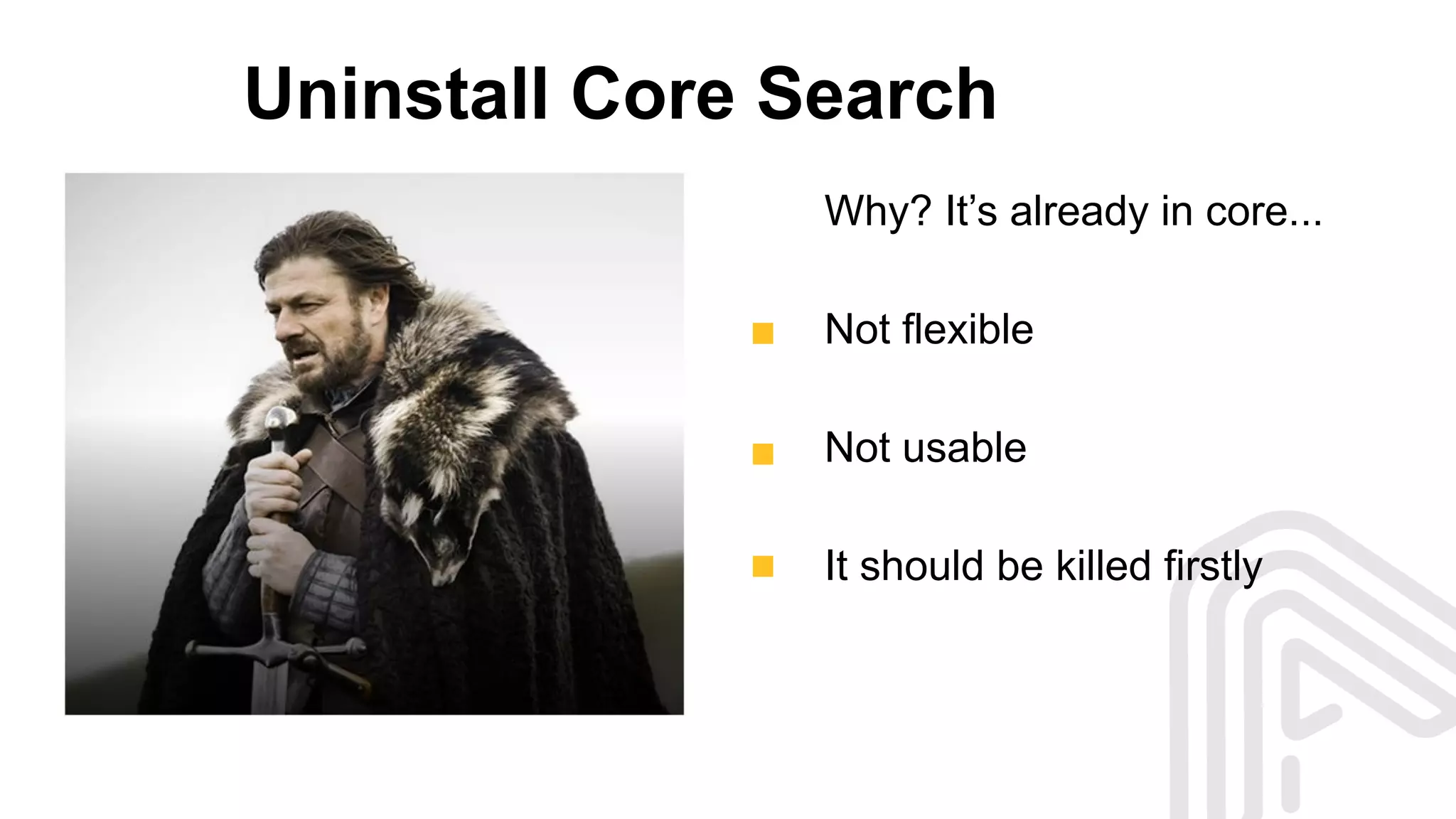
Why? It’s already in core...
Not flexible
Not usable
It should be killed firstly
Install Search API and others
Use composer:
composer require 'drupal/search_api:1.x-dev'
composer require 'drupal/facets:1.x-dev'
composer require 'drupal/search_api_page:1.x-dev'
and do the basic setup
Install Search API and others
Why not manually install?
Using composer is a Drupal8-way solution
It allows us to manage dependencies
Easier updates and maintaining
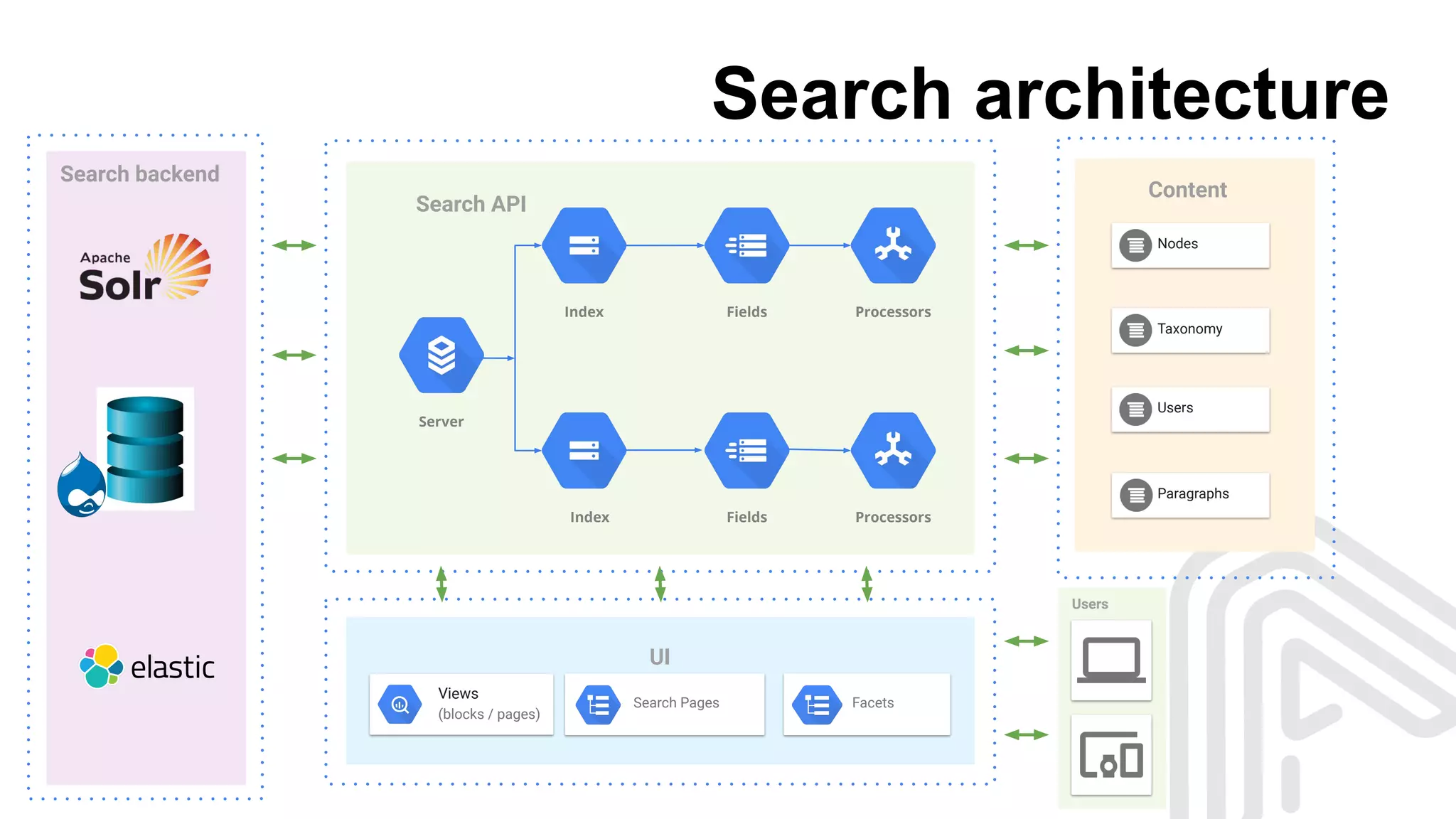
Search architecture
Search backend
Search API
Server
Index
Index
Fields
Fields
Content
Nodes
Taxonomy
Users
Paragraphs
Processors
Processors
UI
Users
Views
(blocks / pages)
FacetsSearch Pages
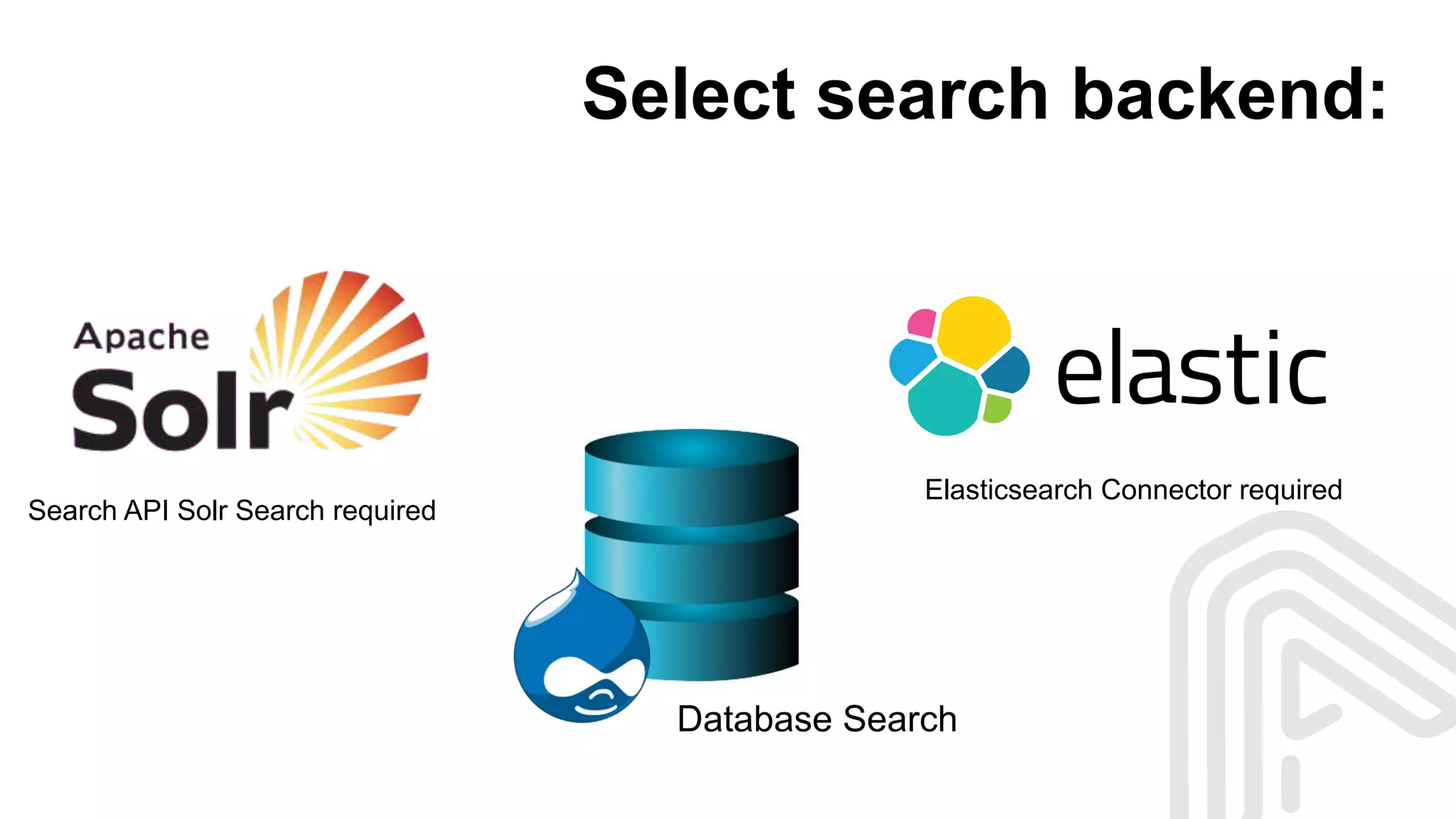
Select search backend:
Database Search
Search API Solr Search required
Elasticsearch Connector required
Search API Database search backend
Good solution for small and simple sites
Fastest and easiest setup
Simplest maintaining
Already available (out of the box)
Apache SOLR search backend
Full-text search
Faceted search
NoSQL features
Dynamic clustering
Elastic search backend
Distributed search
Highlighting support
Wildcard search
Analytical search
A lot of alternatives
How to take a proper solution?
What can be a criteria?
Scared scared scared
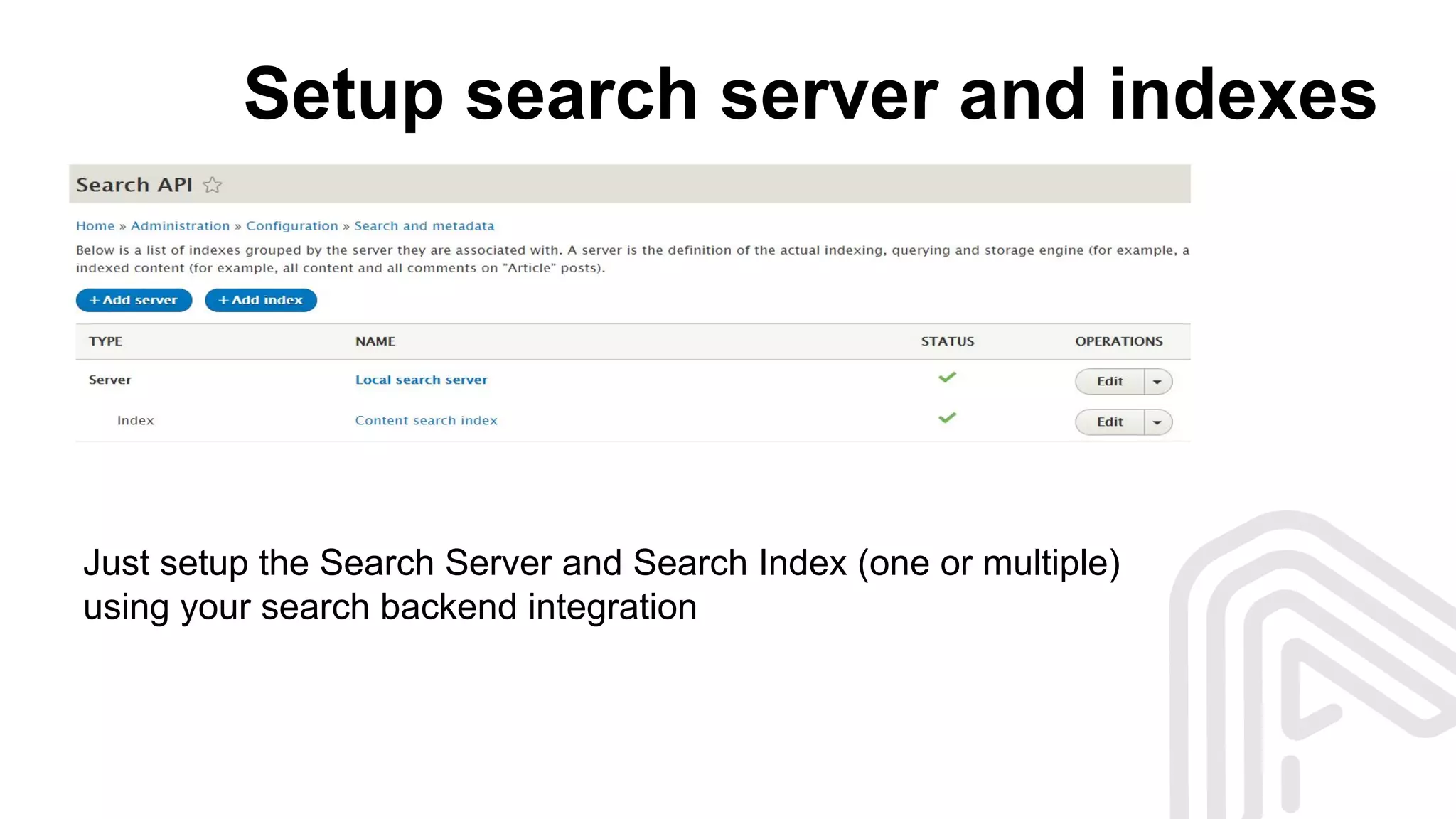
Setup search server and indexes
Just setup the Search Server and Search Index (one or multiple)
using your search backend integration
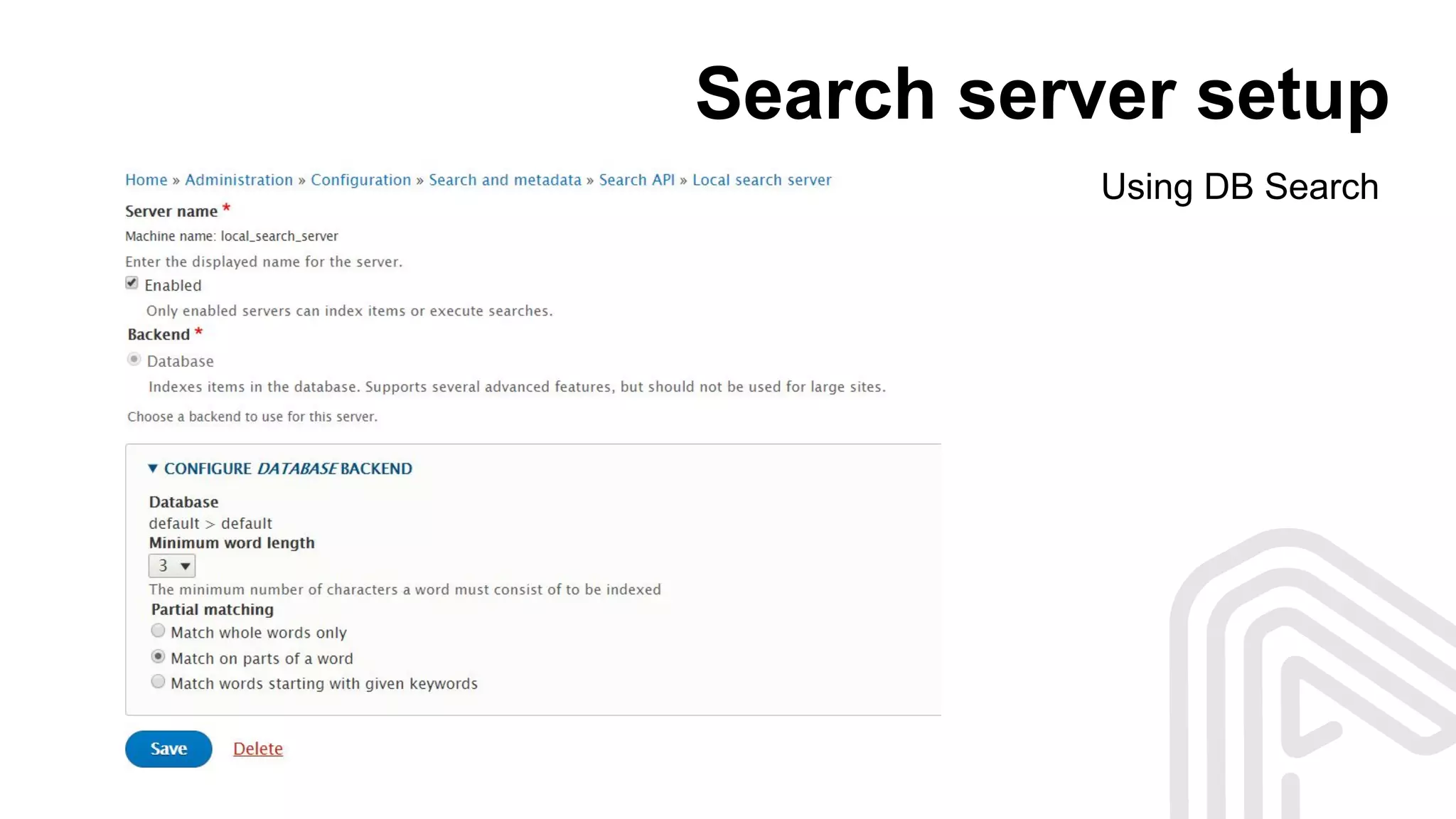
Search server setup
Using DB Search
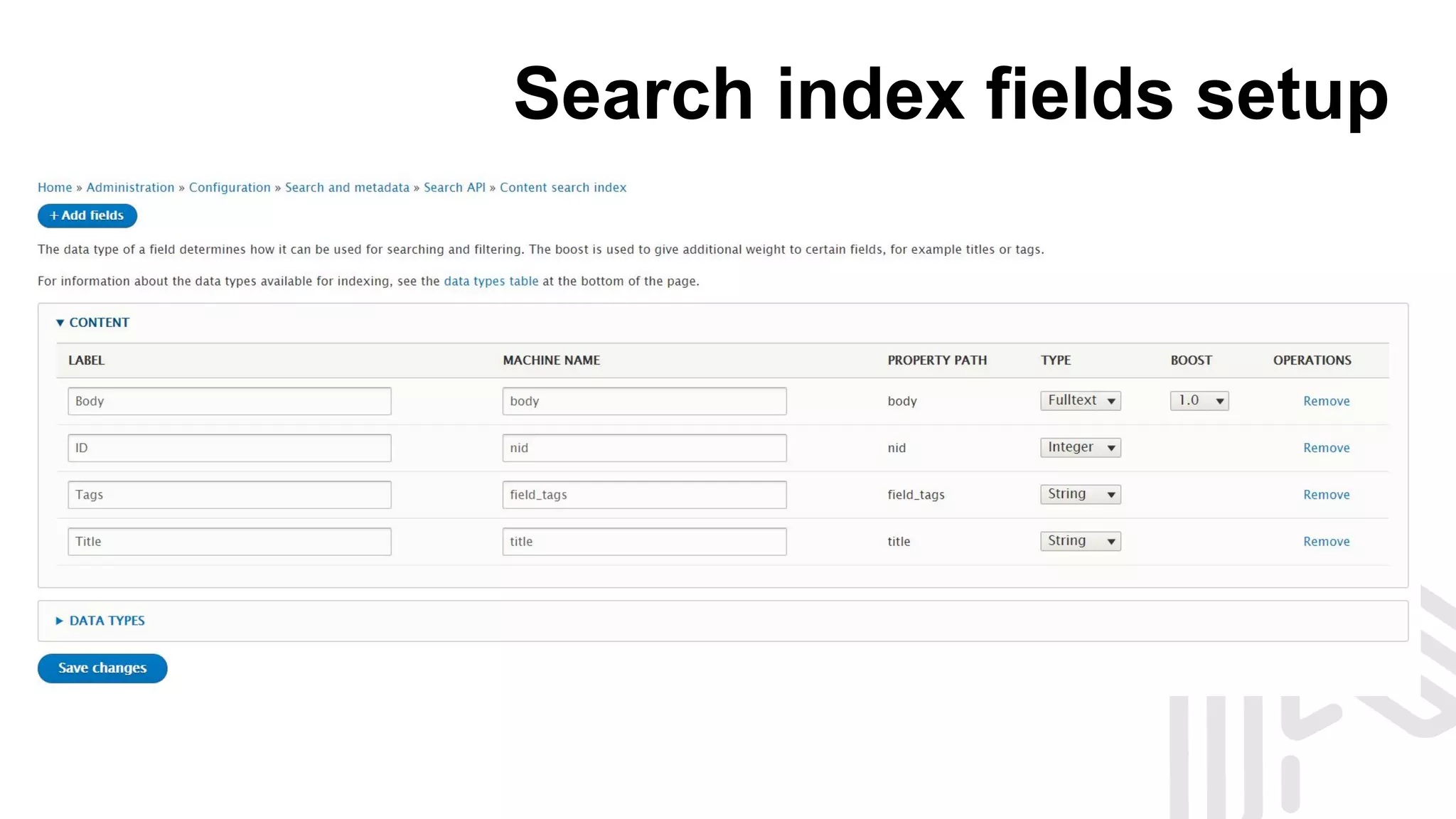
Search index fields setup
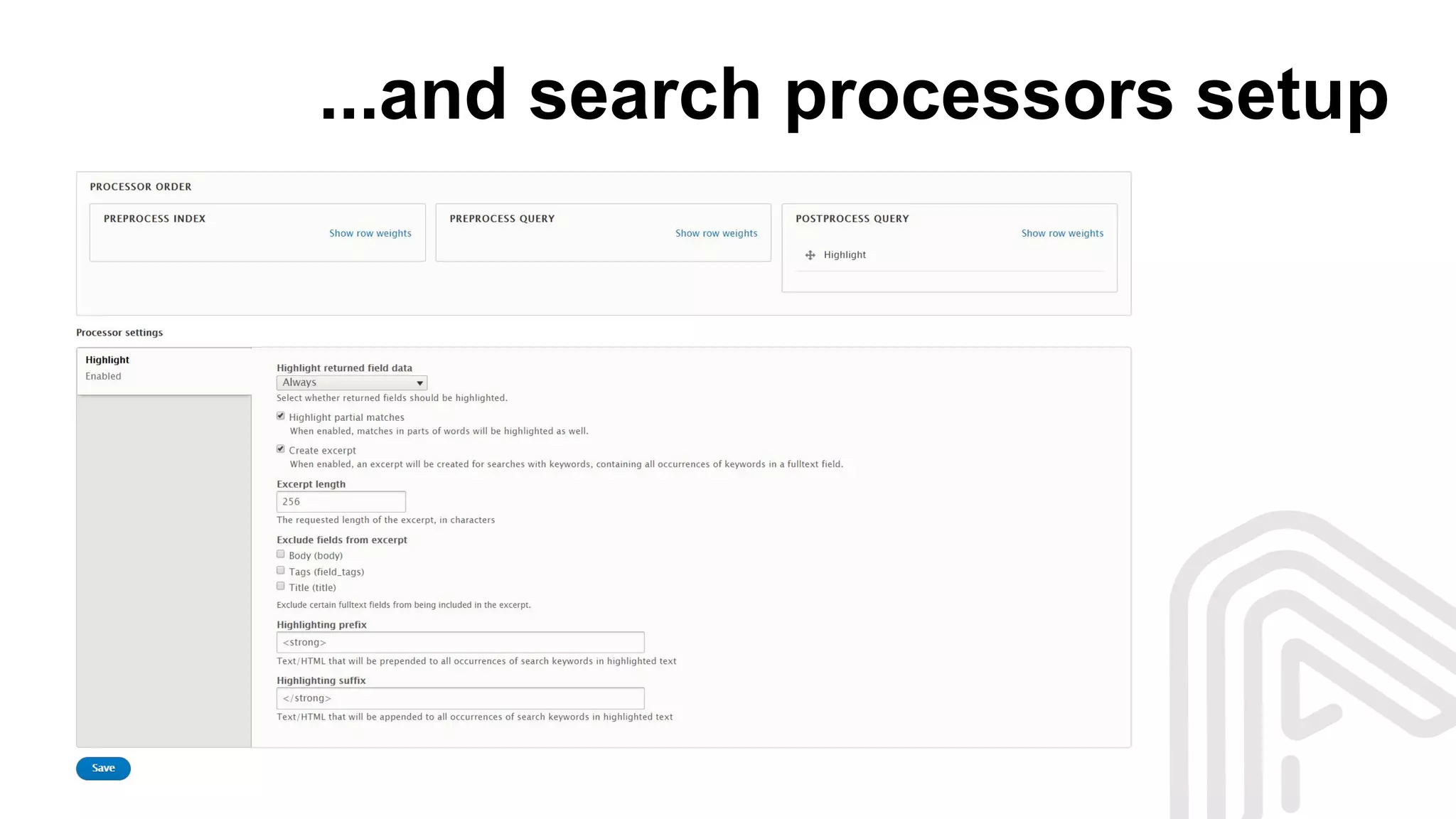
...and search processors setup
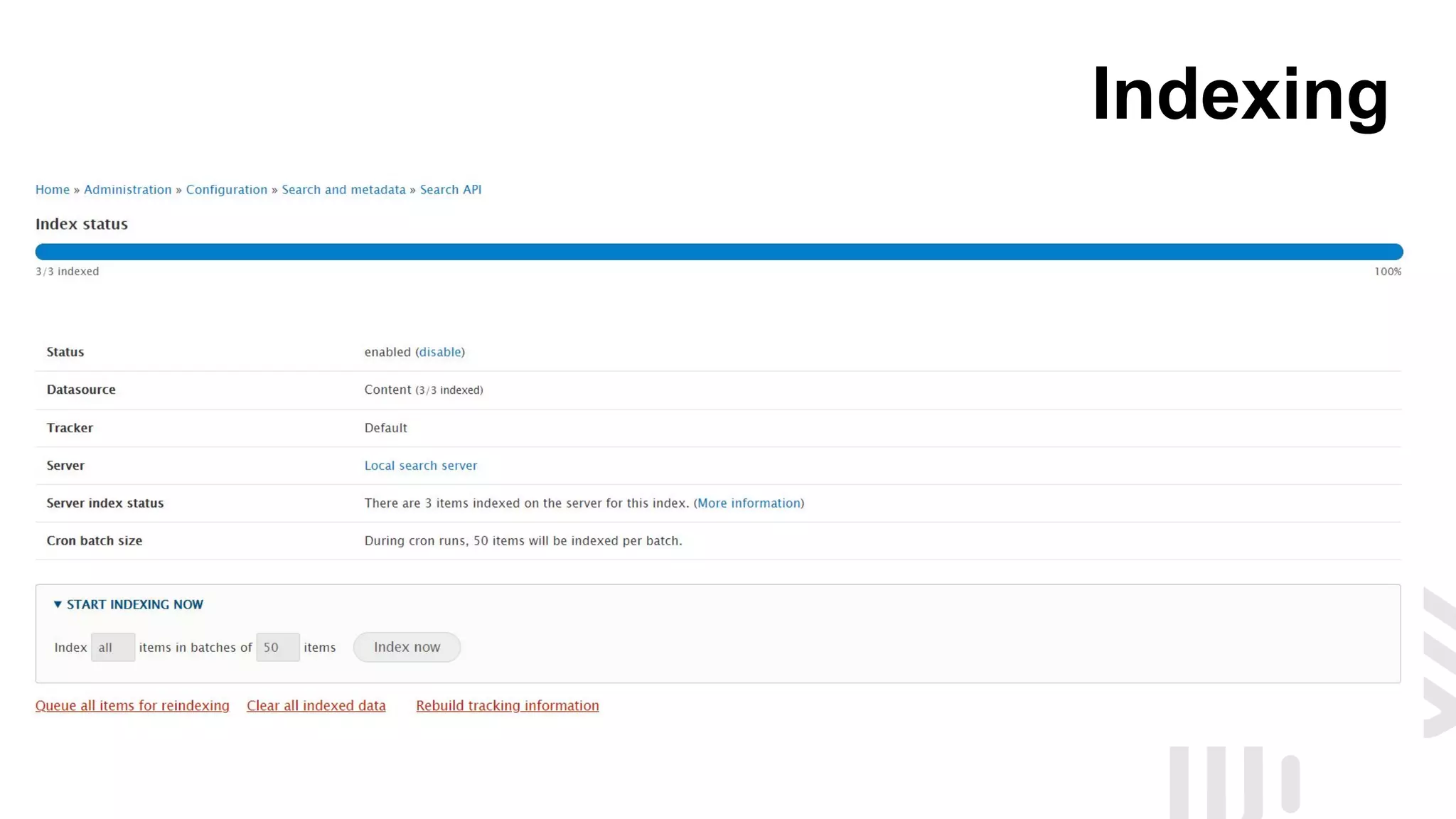
Indexing
Create search page
...and we have a search on site
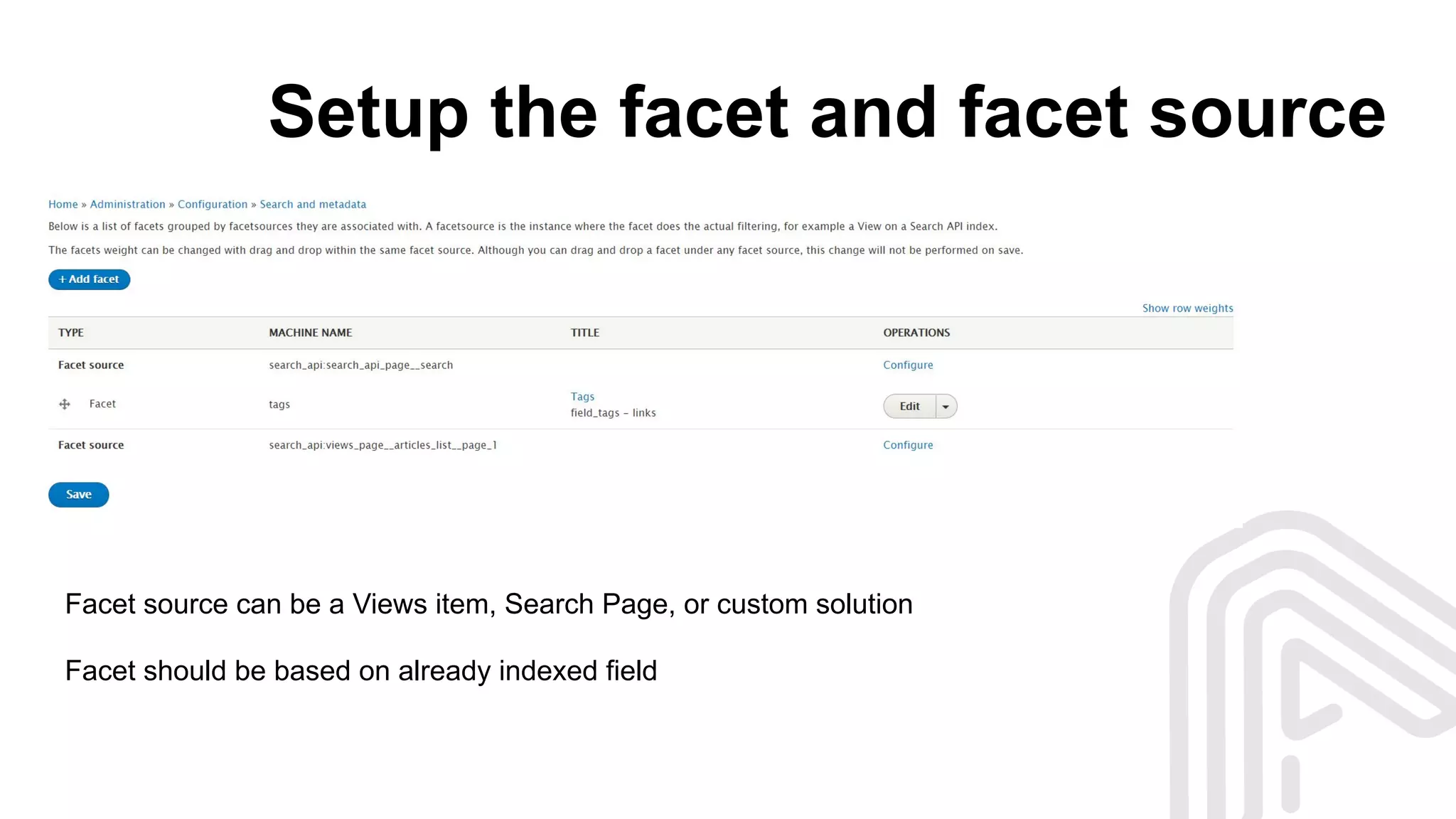
Setup the facet and facet source
Facet source can be a Views item, Search Page, or custom solution
Facet should be based on already indexed field
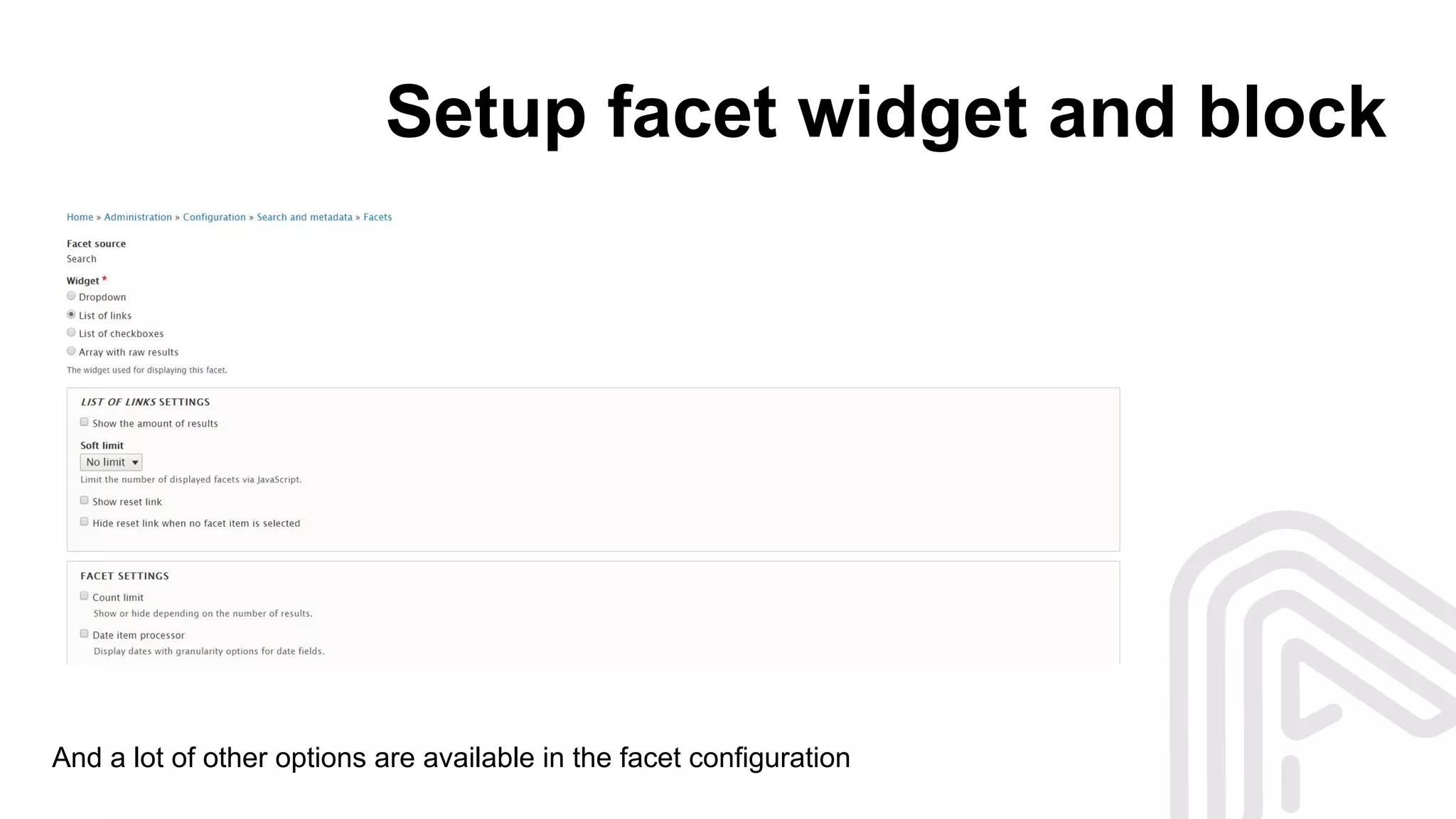
Setup facet widget and block
And a lot of other options are available in the facet configuration
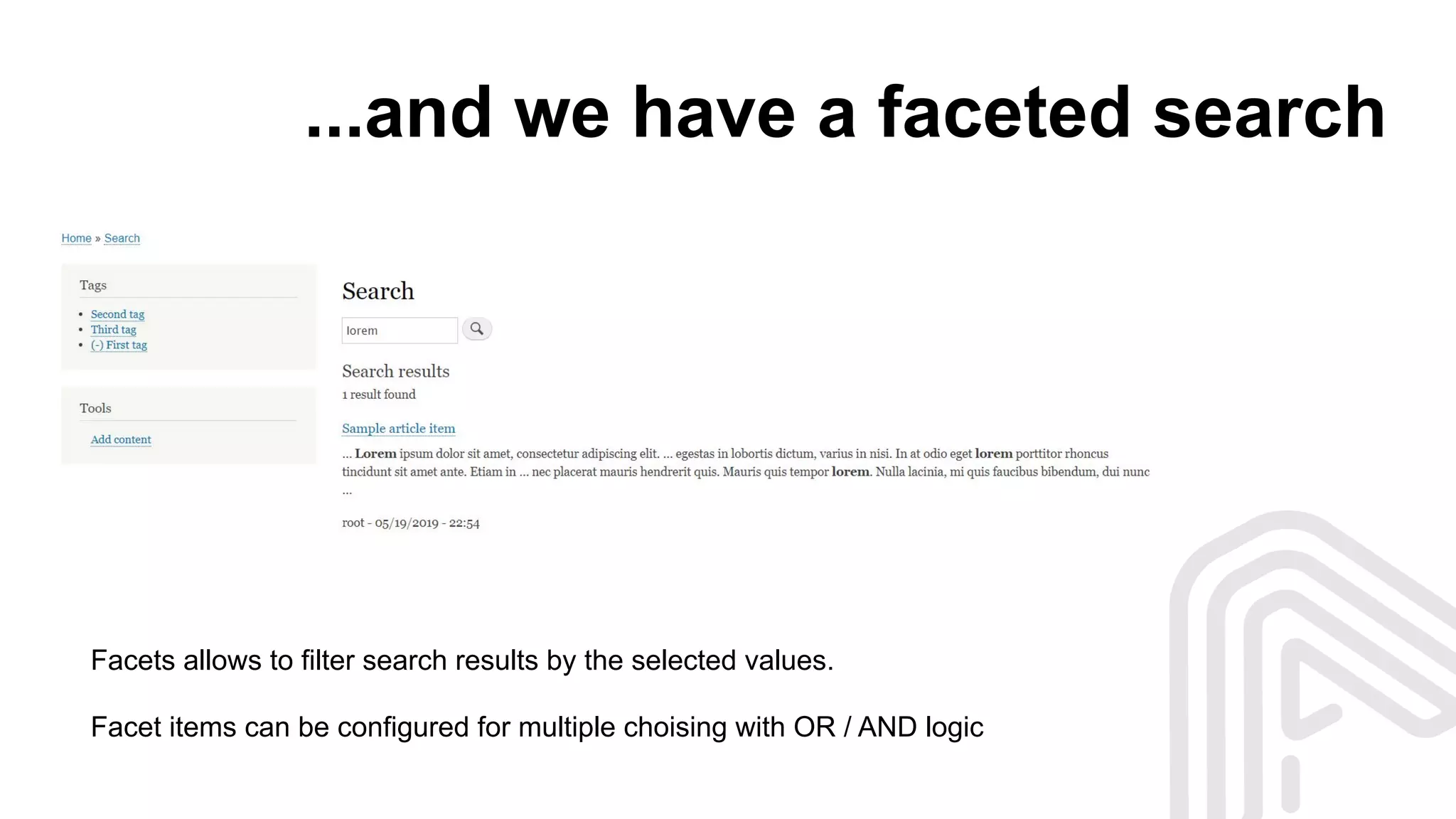
...and we have a faceted search
Facets allows to filter search results by the selected values.
Facet items can be configured for multiple choising with OR / AND logic
Simple and powerful thing
Your feelings, when you have set up the search from scratch and it works
But when you need to extend something...
… you will see that all things
looks unclear at first view
So, let’s do a little research
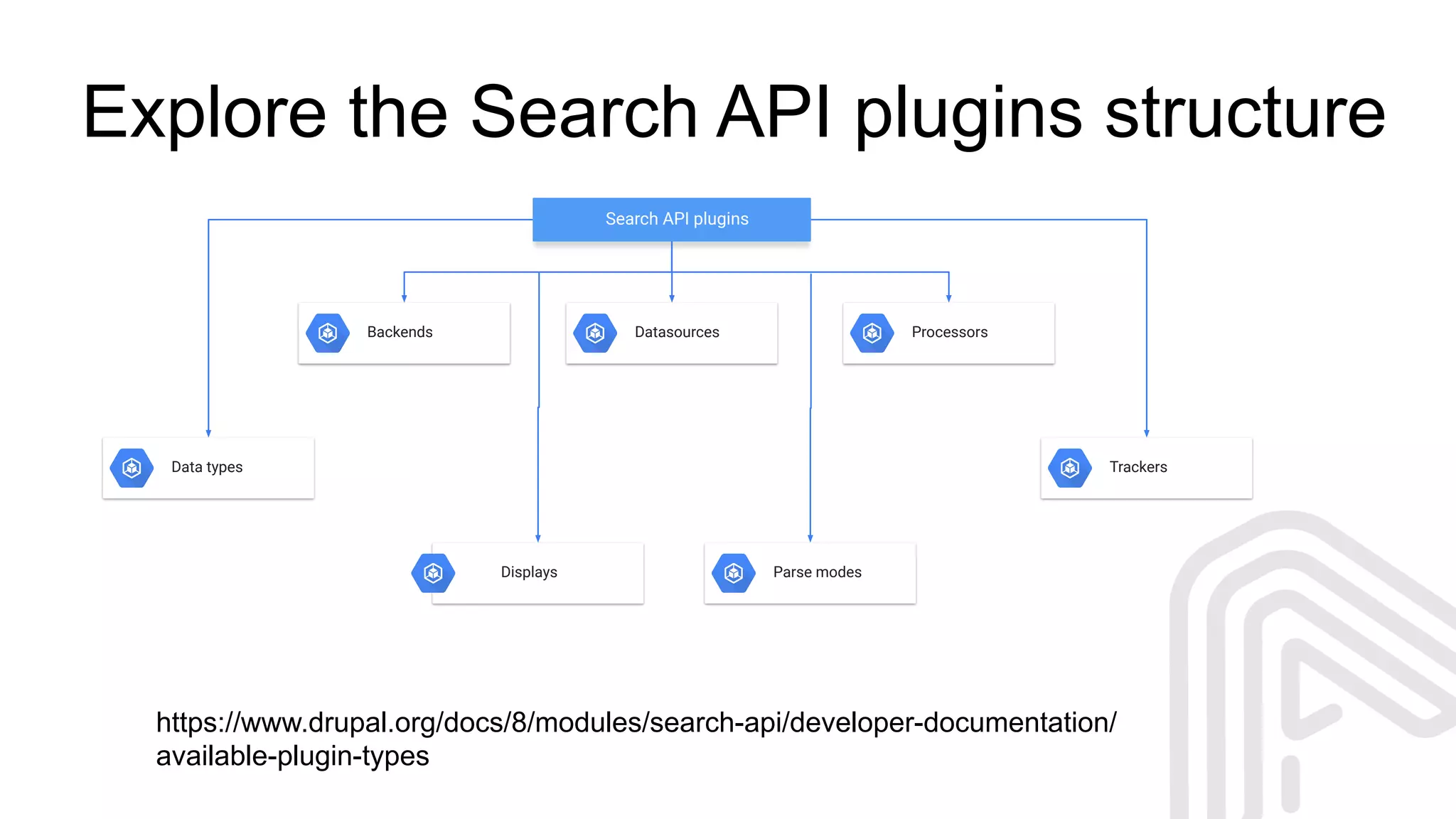
Explore the Search API plugins structure
Search API plugins
Backends Datasources Processors
Data types
Displays Parse modes
Trackers
https://www.drupal.org/docs/8/modules/search-api/developer-documentation/
available-plugin-types
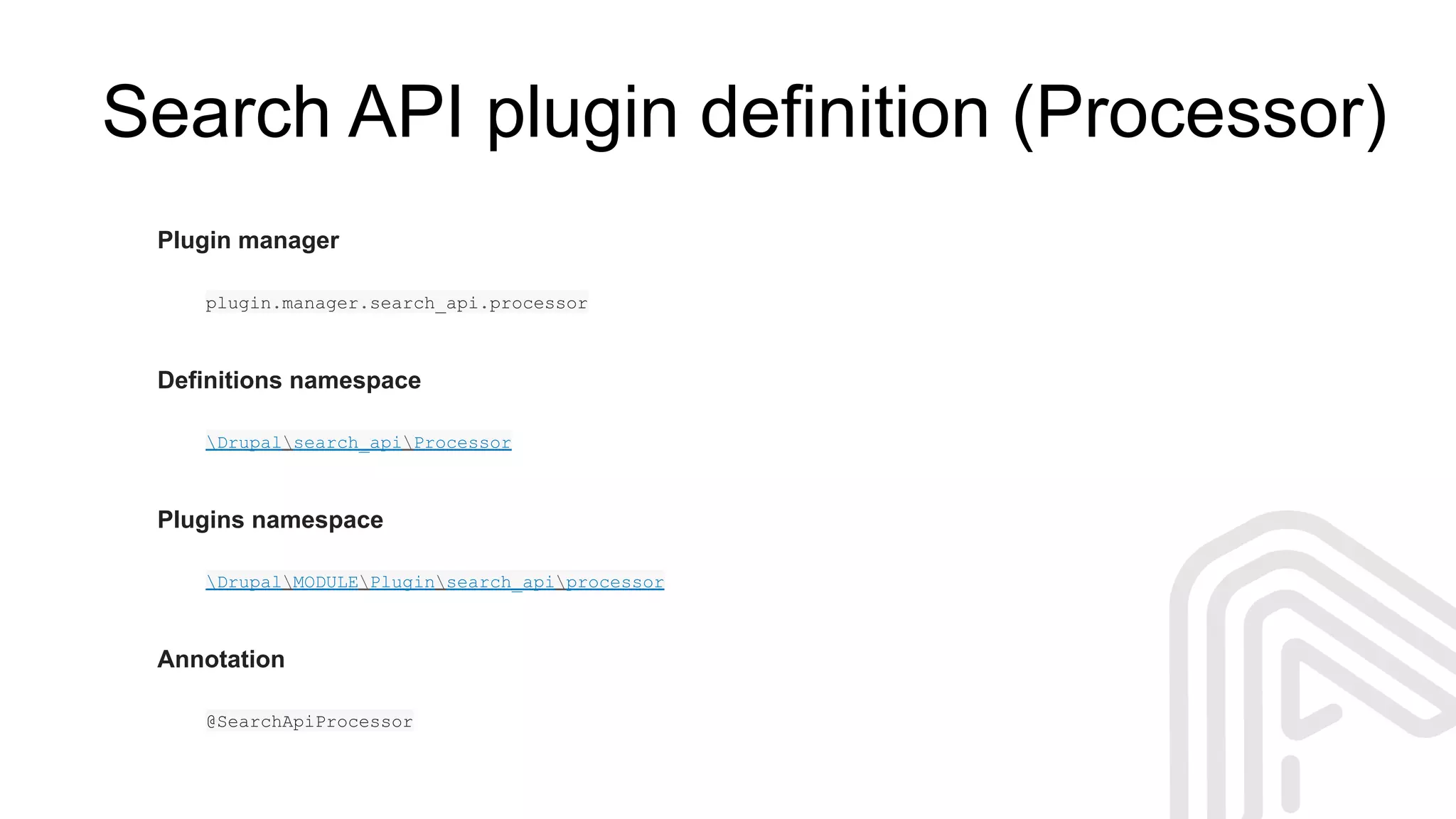
Search API plugin definition (Processor)
Plugin manager
plugin.manager.search_api.processor
Definitions namespace
Drupalsearch_apiProcessor
Plugins namespace
DrupalMODULEPluginsearch_apiprocessor
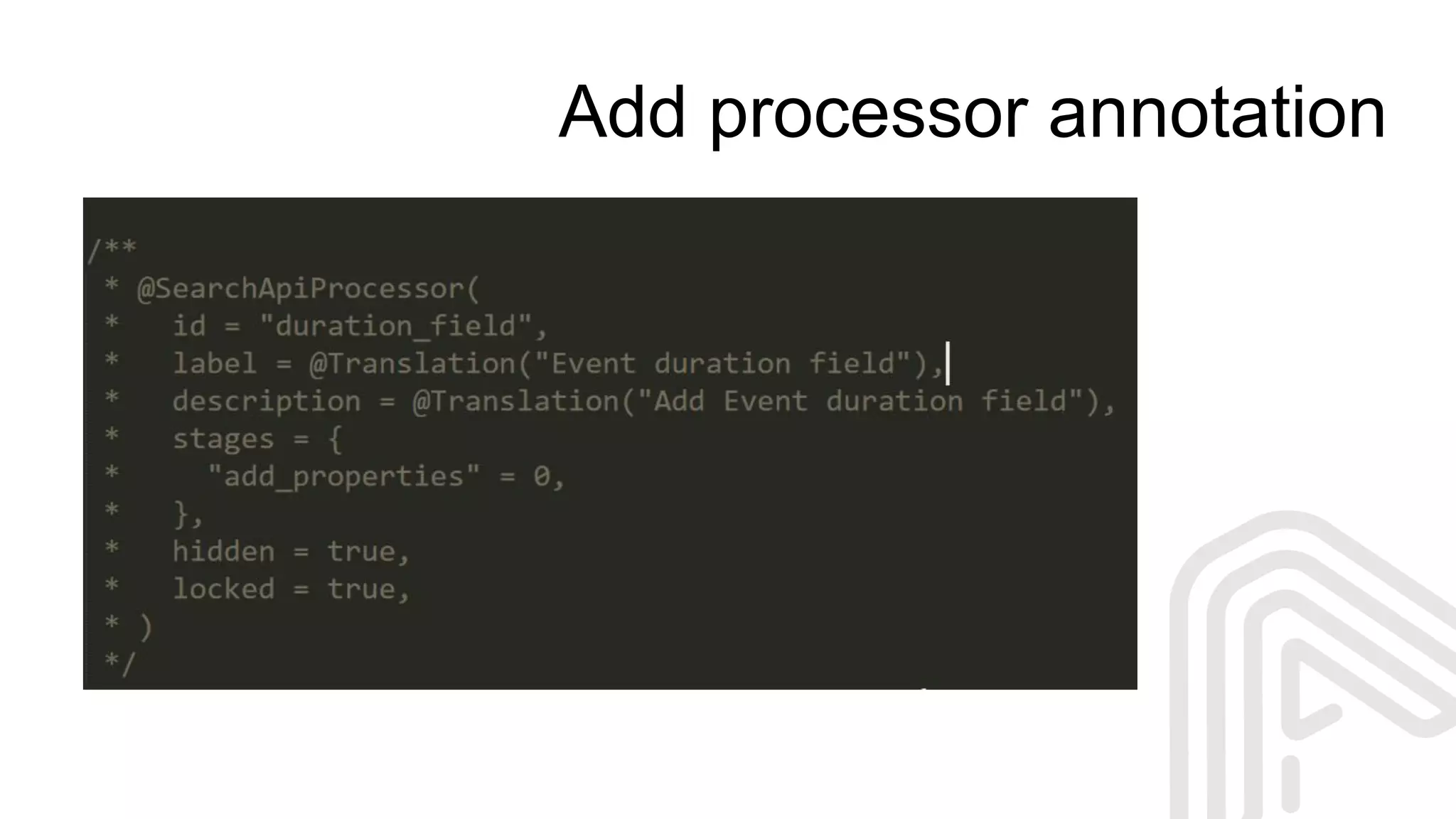
Annotation
@SearchApiProcessor
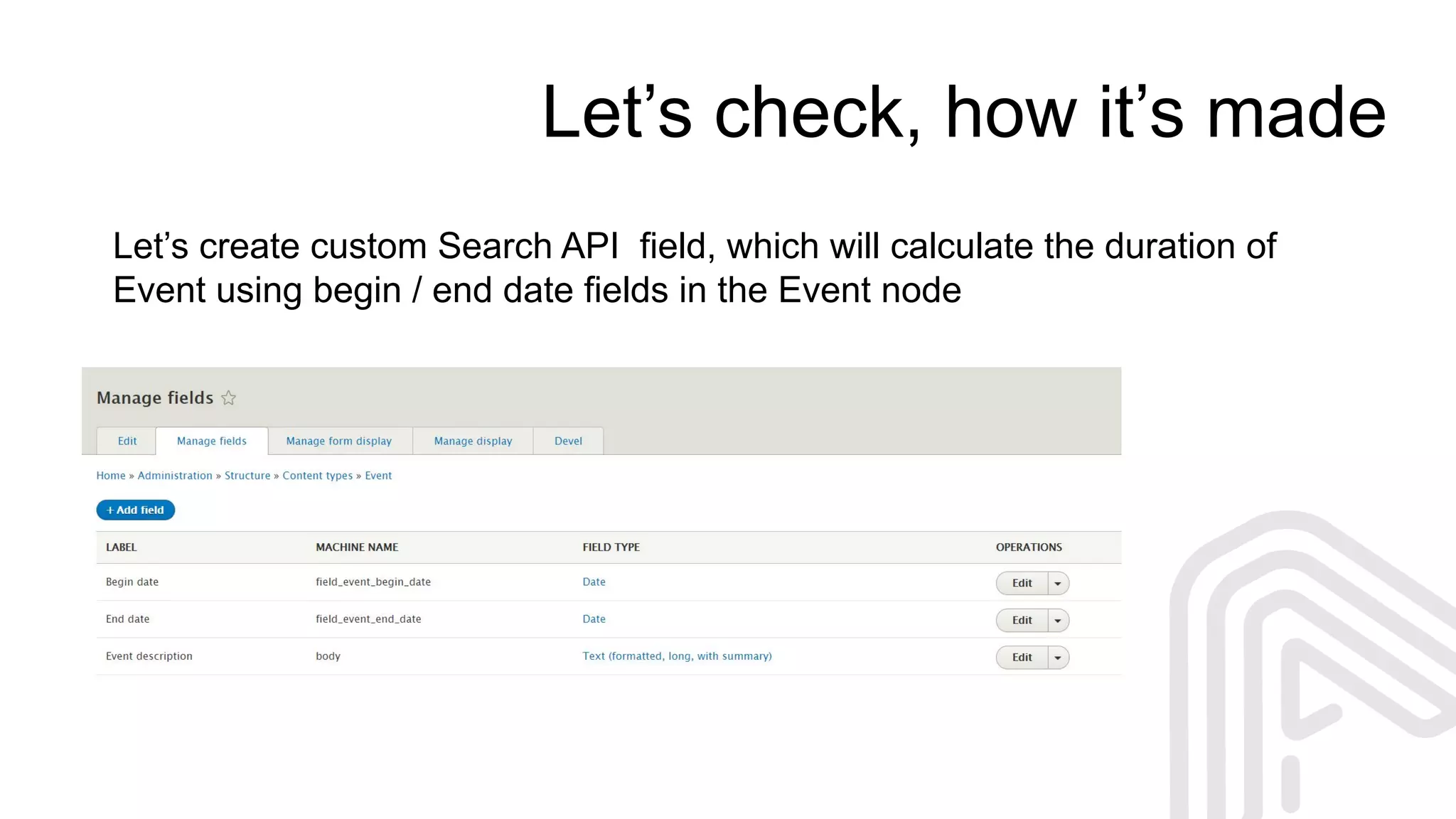
Let’s check, how it’s made
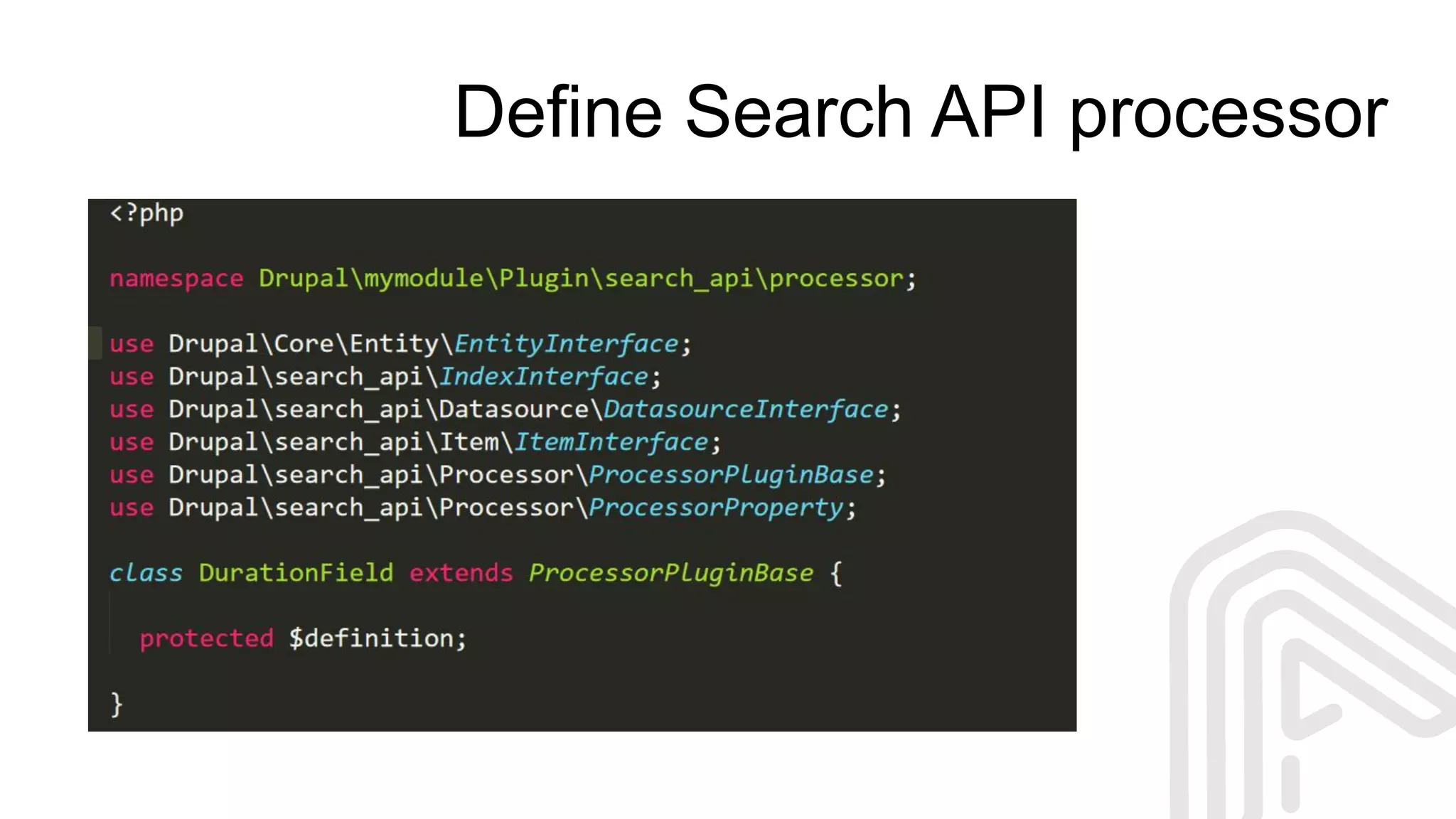
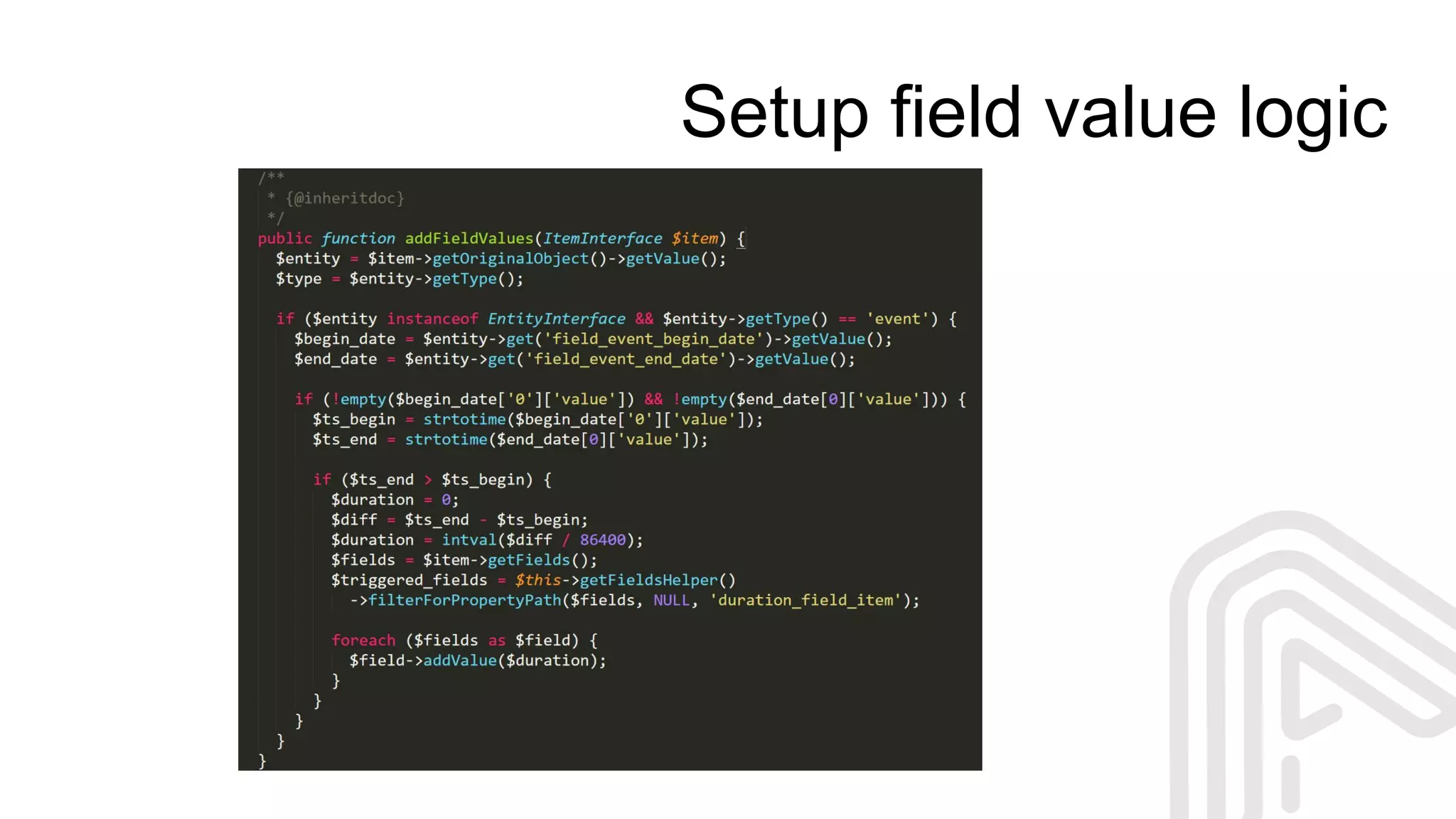
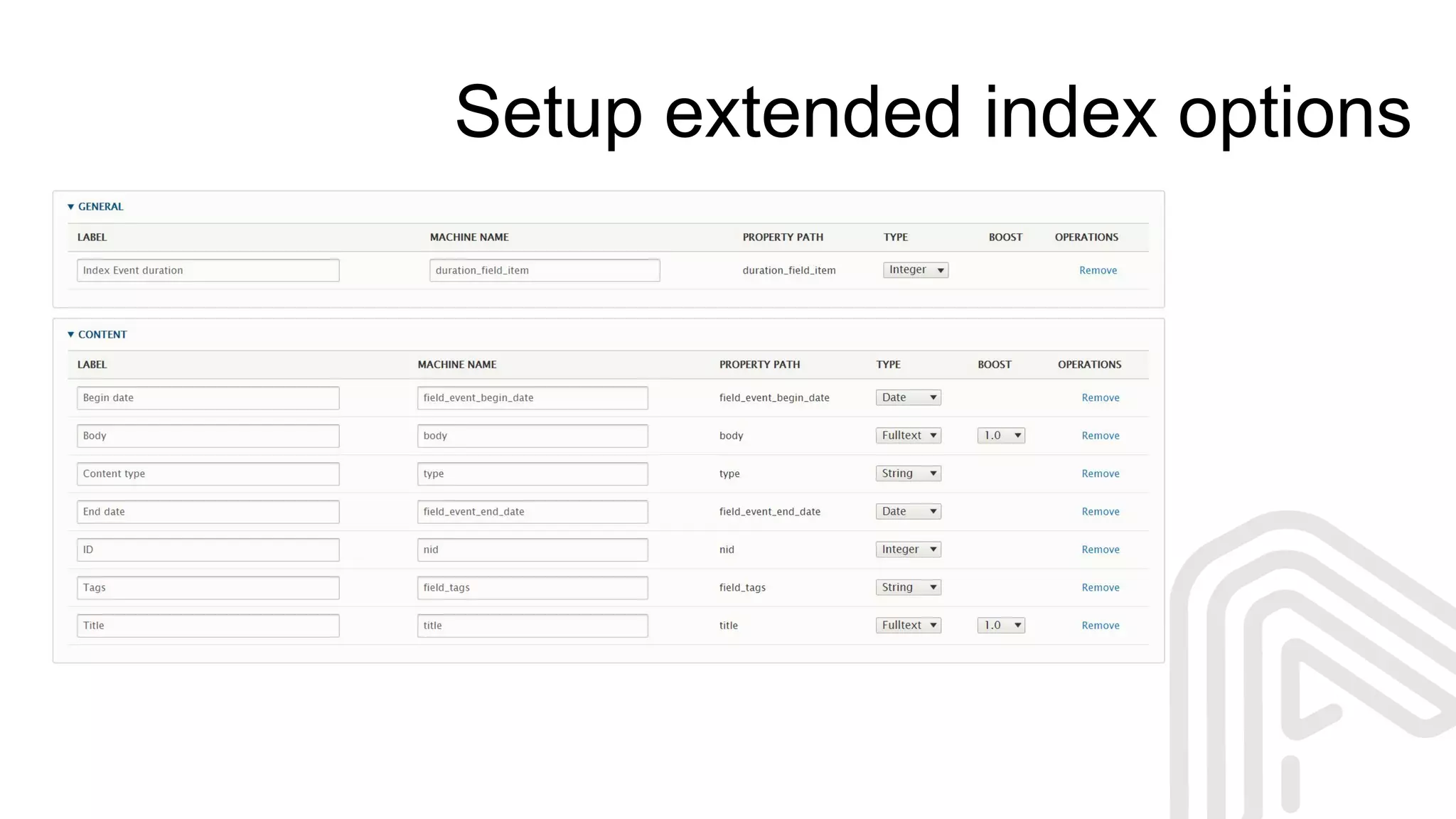
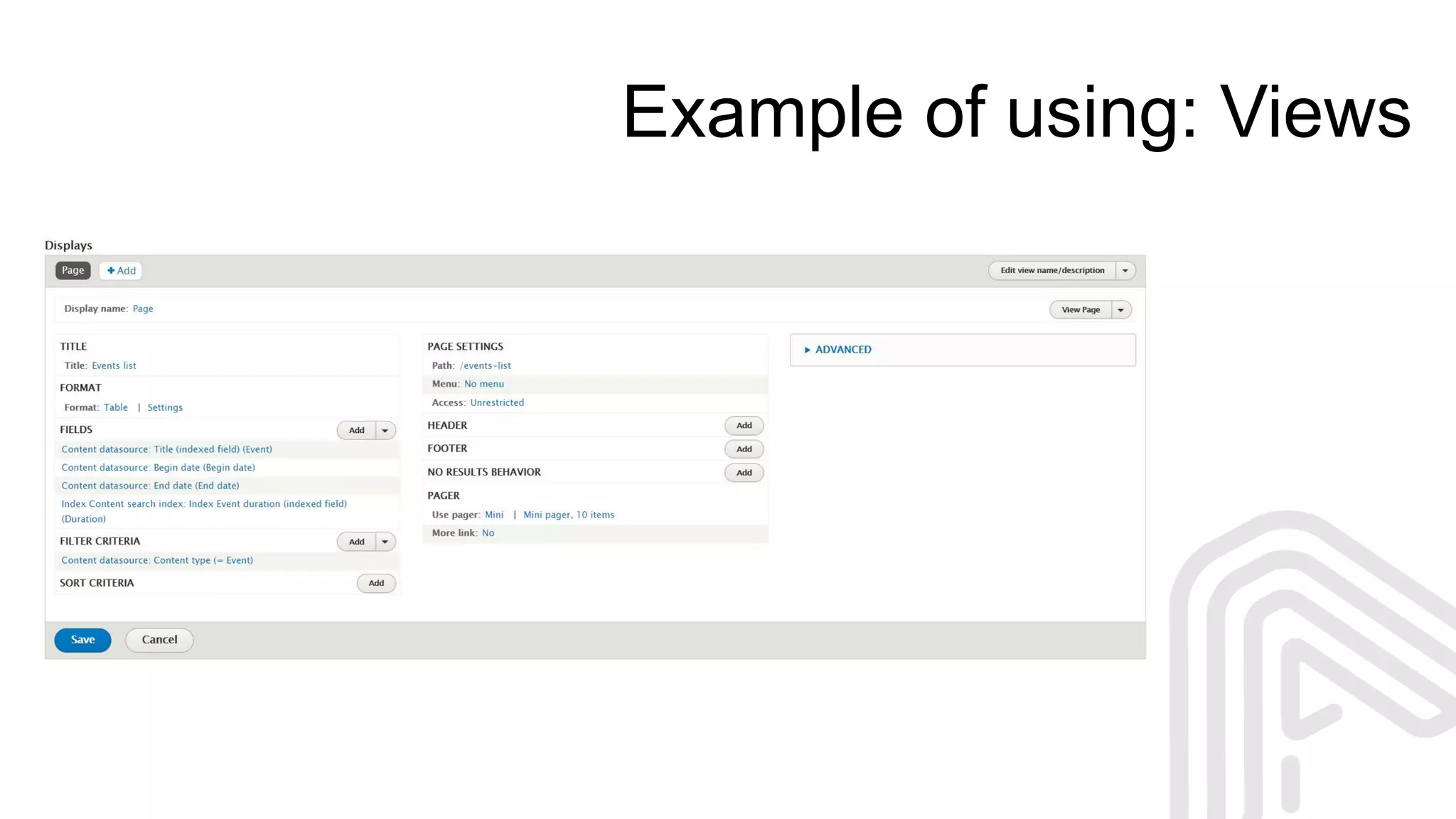
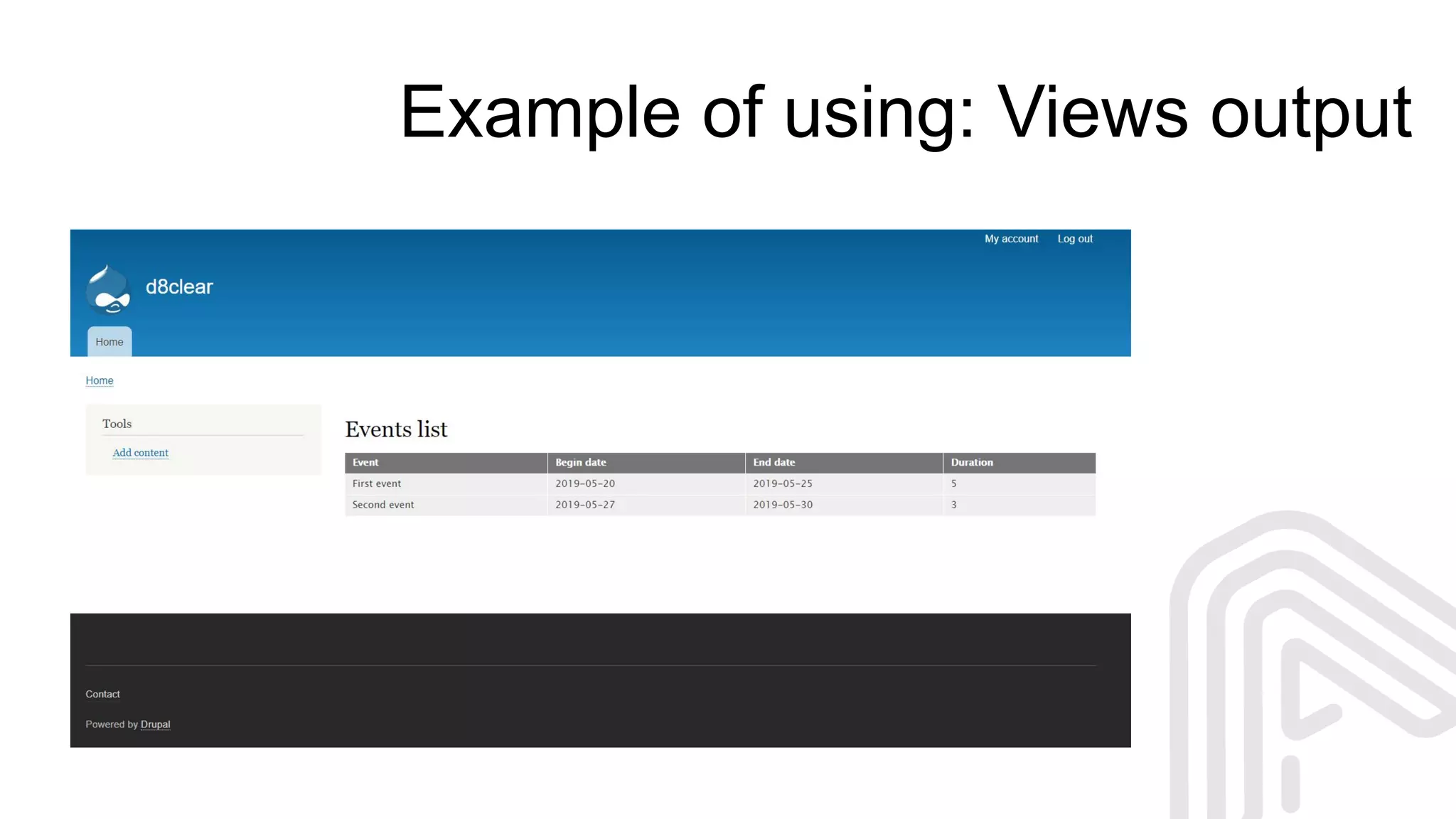
Let’s create custom Search API field, which will calculate the duration of
Event using begin / end date fields in the Event node
Define Search API processor
Add processor annotation
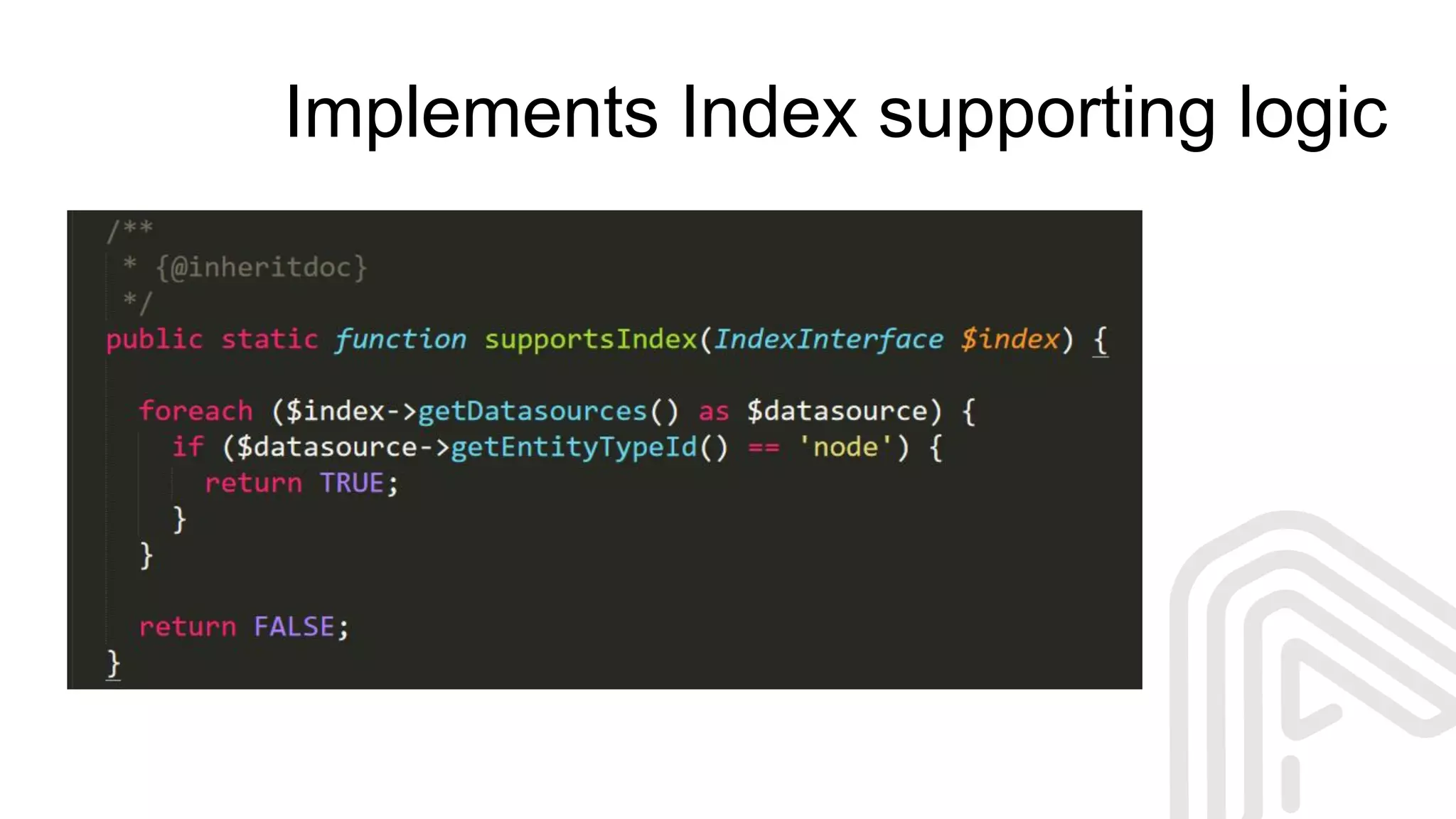
Implements Index supporting logic
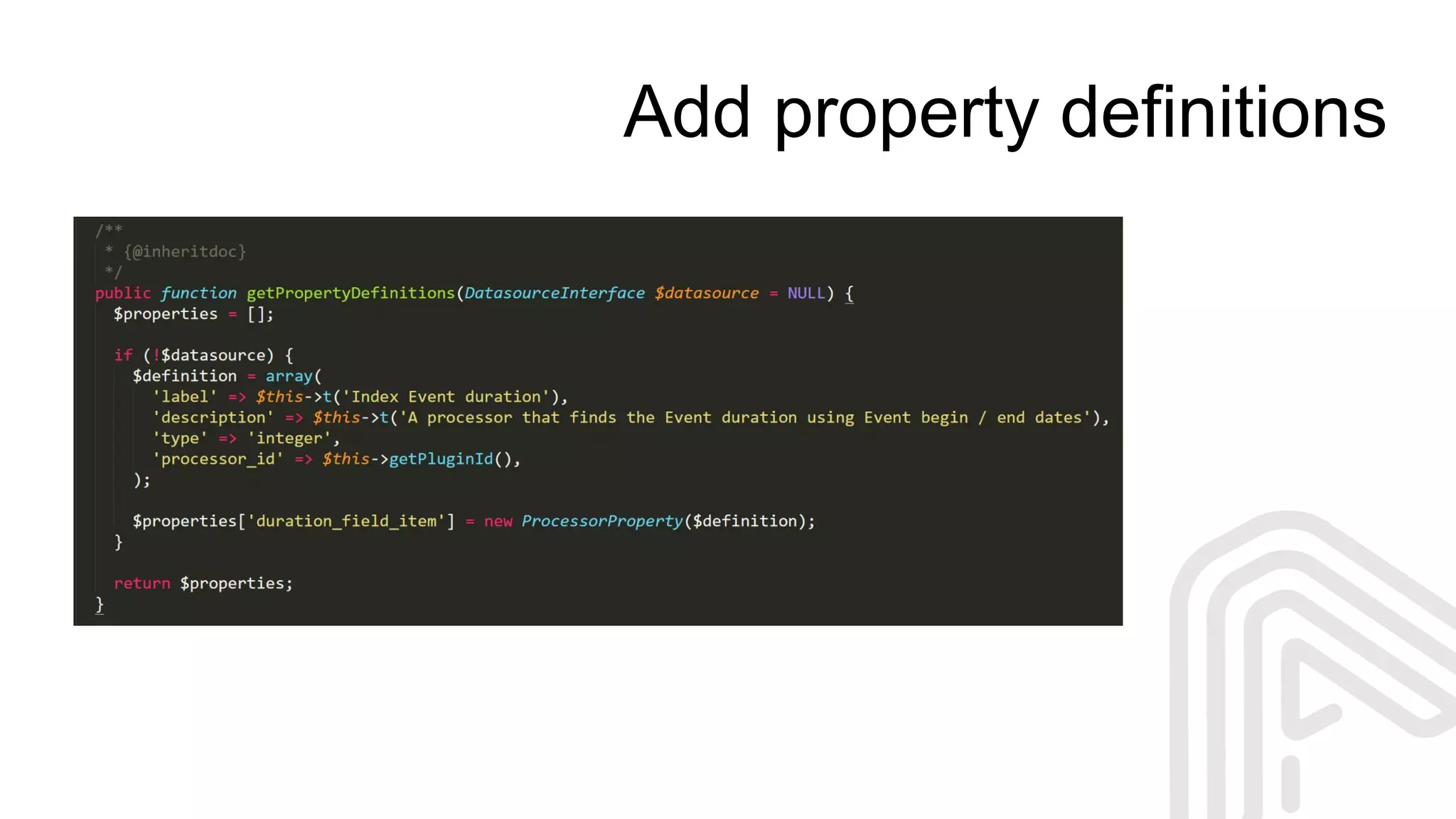
Add property definitions
Setup field value logic
Setup extended index options
Example of using: Views
Example of using: Views output
Why and when we need to customize?
When we don’t have this feature in contribs
When we need some performance tweaks
Customization vs contrib solutions
Wow! I can create a search using Search API UI and contribs
Wow! I can create my own services for Search API
I know, how to create complex solutions using contribs and custom
code (without any “wow” reactions).
How to don’t reinvent the wheel?
Check for solutions from contrib modules
Check it twice!
Try to extend instead of create it from scratch
Re-use contrib code in custom solutions
Keep It Simple!
Some performance tweaks
Use Search API Fast for better performance of indexing
Exclude unpublished content from index
Do not use DB search backend, if you have too many entities
Use caching best practices
Using Ajax / async loading can be a good trick
So, if you will follow the best practices...
Questions?
/anyforsoft
anyforsoft.com
Oleg Bogut
oleg.bogut
https://drupal.org/u/sun-fire
oleg.b@team.anyforsoft.com

SEARCH API: TIPS AND TRICKS - FROM BEGINNING TO CUSTOM SOLUTIONS

  • 1.
    Search API: tipsand tricks - from beginning to custom solutions Oleg Bogut Drupal developer at AnyforSoft
  • 2.
    9+ years withDrupal Drupal Senior/Lead developer I'm giving Drupal lections in the University Some words about me
  • 3.
    And we willtalk about Search in Drupal Search API Search backends Facets Custom extensions for Search API, and other stuff
  • 4.
    In the beginningclient says... Convenient Flexible Fast Better than others - I want to have a search on my site. It should be:
  • 5.
    Looks easy Uninstall CoreSearch Install Search API Select and setup search backend Setup Search API server and indexes Setup search pages, views and facets (if needed)
  • 6.
    Uninstall Core Search Why?It’s already in core... Not flexible Not usable It should be killed firstly
  • 7.
    Install Search APIand others Use composer: composer require 'drupal/search_api:1.x-dev' composer require 'drupal/facets:1.x-dev' composer require 'drupal/search_api_page:1.x-dev' and do the basic setup
  • 8.
    Install Search APIand others Why not manually install? Using composer is a Drupal8-way solution It allows us to manage dependencies Easier updates and maintaining
  • 9.
    Search architecture Search backend SearchAPI Server Index Index Fields Fields Content Nodes Taxonomy Users Paragraphs Processors Processors UI Users Views (blocks / pages) FacetsSearch Pages
  • 10.
    Select search backend: DatabaseSearch Search API Solr Search required Elasticsearch Connector required
  • 11.
    Search API Databasesearch backend Good solution for small and simple sites Fastest and easiest setup Simplest maintaining Already available (out of the box)
  • 12.
    Apache SOLR searchbackend Full-text search Faceted search NoSQL features Dynamic clustering
  • 13.
    Elastic search backend Distributedsearch Highlighting support Wildcard search Analytical search
  • 14.
    A lot ofalternatives How to take a proper solution? What can be a criteria? Scared scared scared
  • 15.
    Setup search serverand indexes Just setup the Search Server and Search Index (one or multiple) using your search backend integration
  • 16.
  • 17.
  • 18.
  • 19.
  • 20.
  • 21.
    ...and we havea search on site
  • 22.
    Setup the facetand facet source Facet source can be a Views item, Search Page, or custom solution Facet should be based on already indexed field
  • 23.
    Setup facet widgetand block And a lot of other options are available in the facet configuration
  • 24.
    ...and we havea faceted search Facets allows to filter search results by the selected values. Facet items can be configured for multiple choising with OR / AND logic
  • 25.
    Simple and powerfulthing Your feelings, when you have set up the search from scratch and it works
  • 26.
    But when youneed to extend something... … you will see that all things looks unclear at first view So, let’s do a little research
  • 27.
    Explore the SearchAPI plugins structure Search API plugins Backends Datasources Processors Data types Displays Parse modes Trackers https://www.drupal.org/docs/8/modules/search-api/developer-documentation/ available-plugin-types
  • 28.
    Search API plugindefinition (Processor) Plugin manager plugin.manager.search_api.processor Definitions namespace Drupalsearch_apiProcessor Plugins namespace DrupalMODULEPluginsearch_apiprocessor Annotation @SearchApiProcessor
  • 29.
    Let’s check, howit’s made Let’s create custom Search API field, which will calculate the duration of Event using begin / end date fields in the Event node
  • 30.
  • 31.
  • 32.
  • 33.
  • 34.
  • 35.
  • 36.
  • 37.
    Example of using:Views output
  • 38.
    Why and whenwe need to customize? When we don’t have this feature in contribs When we need some performance tweaks
  • 39.
    Customization vs contribsolutions Wow! I can create a search using Search API UI and contribs Wow! I can create my own services for Search API I know, how to create complex solutions using contribs and custom code (without any “wow” reactions).
  • 40.
    How to don’treinvent the wheel? Check for solutions from contrib modules Check it twice! Try to extend instead of create it from scratch Re-use contrib code in custom solutions Keep It Simple!
  • 41.
    Some performance tweaks UseSearch API Fast for better performance of indexing Exclude unpublished content from index Do not use DB search backend, if you have too many entities Use caching best practices Using Ajax / async loading can be a good trick
  • 42.
    So, if youwill follow the best practices...
  • 43.