Evie selects which
categories she would
like her item of
clothing to appear in.
E.g Summer Clothes
Evie opens up
the app StyleX.
She clicks on the
camera icon on the
main page of the
StyleX app.
She takes a
pictures of an item
of clothing.
E.g A summer
dress
Does she have to
login/sign up to
open the app?
Will she be able to
put it in multiple
categories?
Will she be able to
edit her photo. E.g
crop, add filter
She does not have
to login/sign up to
enter the app but
she will have to
make an account to
use SXSocial.
Yes, she will be
able to put it in
different categories.
Yes, she will be
able to crop, add
filter and zoom
in/out.
Once she has
chosen a day, Evie
goes back to main
menu and selects
the calendar icon.
Evie saves her
picture and goes
back top the main
menu of the app.
She clicks on the
‘Weather’ icon on
the main page.
Evie checks the
weather for the next
few days and looks
for a day that she
would be able to
wear her dress.
Will her picture be
saved on her
phone’s photo
album?
How will StyleX
know the location?
Yes, it will be saved
on her phone’s
photo album so that
she can upload it in
the future if she
chooses to.
StyleX will either
use GPS to pinpoint
the location or she’ll
type in the
address/postcode.
She click on the
‘Upload’ icon and
selects the image of
her summer dress.
She selects the
date that she plans
on wearing the
summer dress for.
Evie selects her
summer dress on
the ‘Add a clothing’
icon
Then, she decides
that she wants to
show everyone her
dress so she goes
back to the main
menu and selects the
‘SXSocial’ icon.
Can she put an
alternative outfit in
case the weather
changes?
Can she also share
it on other social
networking sites like
Facebook or
Instagram?
She will be able to put
three outfits on a date
so that if theweather
does change or she
can’t decide between
outfits, she will have
them saved.
Evie will be able to
take pictures as well
choose existing
ones.
She will be able to
share it with other
social networking
sites to stay
connected.
Will she be able to
take a picture or will
she just be able to
take existing photos
from the album?
She types in ‘shoes’
and a list of
products from a
variety of shops
comes up.
She adds a short
description of her
dress and uploads
the image.
Evie returns to the
main menu and
decides that she
would like a pair of
shoes that would
suit her dress.
She clicks on the
‘Shopping’ icon and
then clicks ‘Search’.
Will she be able to
sort it in categories?
(price: low to high)
Can Evie make an
outfit collage for her
outfit?
Evie will be able to
make a collage so
that she can see
what her clothes
look like together.
She can use
hashtags so that
others will be able
to find her images.
Evie can choose to
categorise her
search results to
make it easier to
find the one she
wants.
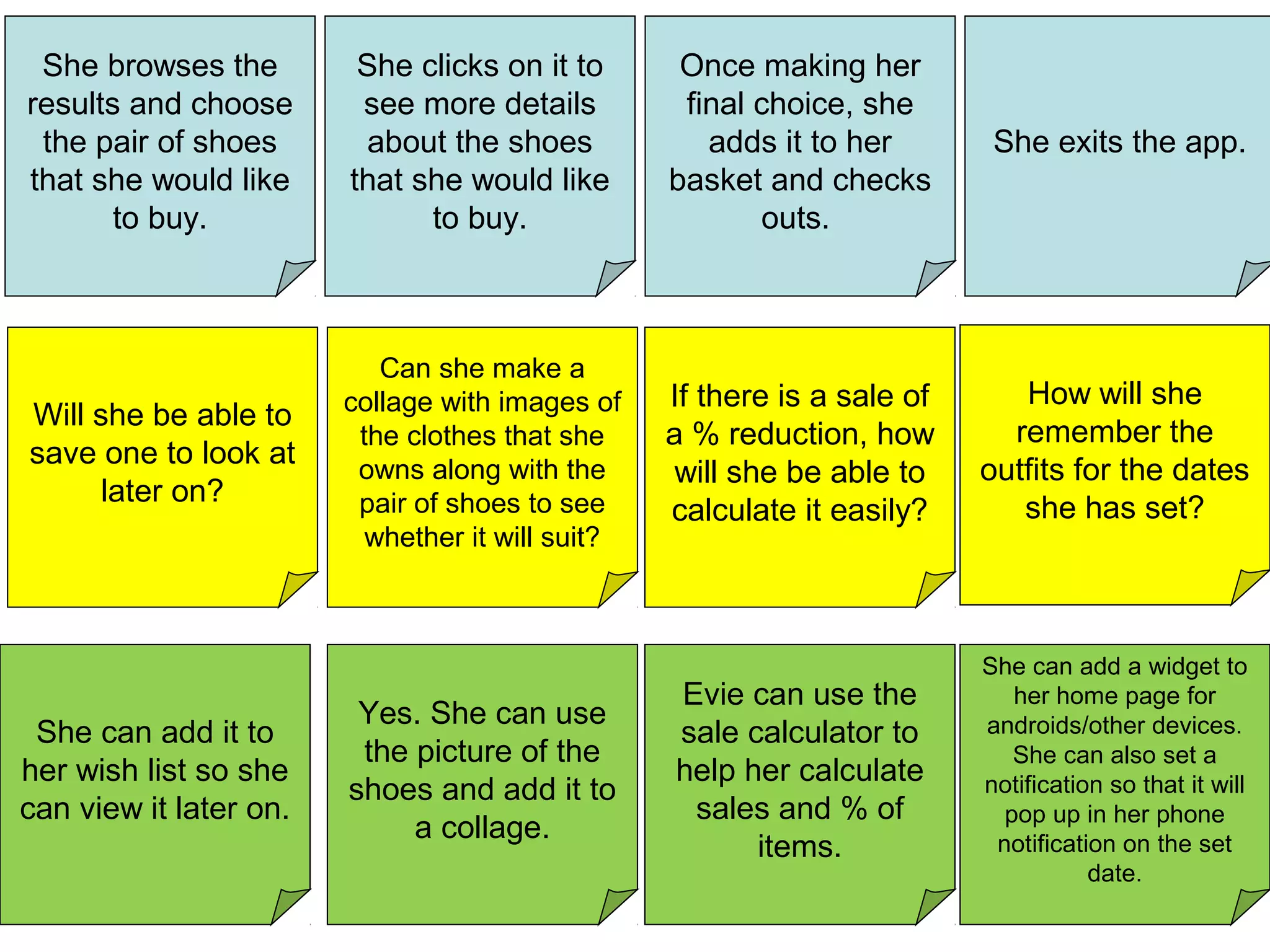
She exits the app.
She browses the
results and choose
the pair of shoes
that she would like
to buy.
She clicks on it to
see more details
about the shoes
that she would like
to buy.
Once making her
final choice, she
adds it to her
basket and checks
outs.
Will she be able to
save one to look at
later on?
If there is a sale of
a % reduction, how
will she be able to
calculate it easily?
Can she make a
collage with images of
the clothes that she
owns along with the
pair of shoes to see
whether it will suit?
Yes. She can use
the picture of the
shoes and add it to
a collage.
She can add it to
her wish list so she
can view it later on.
She can add a widget to
her home page for
androids/other devices.
She can also set a
notification so that it will
pop up in her phone
notification on the set
date.
Evie can use the
sale calculator to
help her calculate
sales and % of
items.
How will she
remember the
outfits for the dates
she has set?
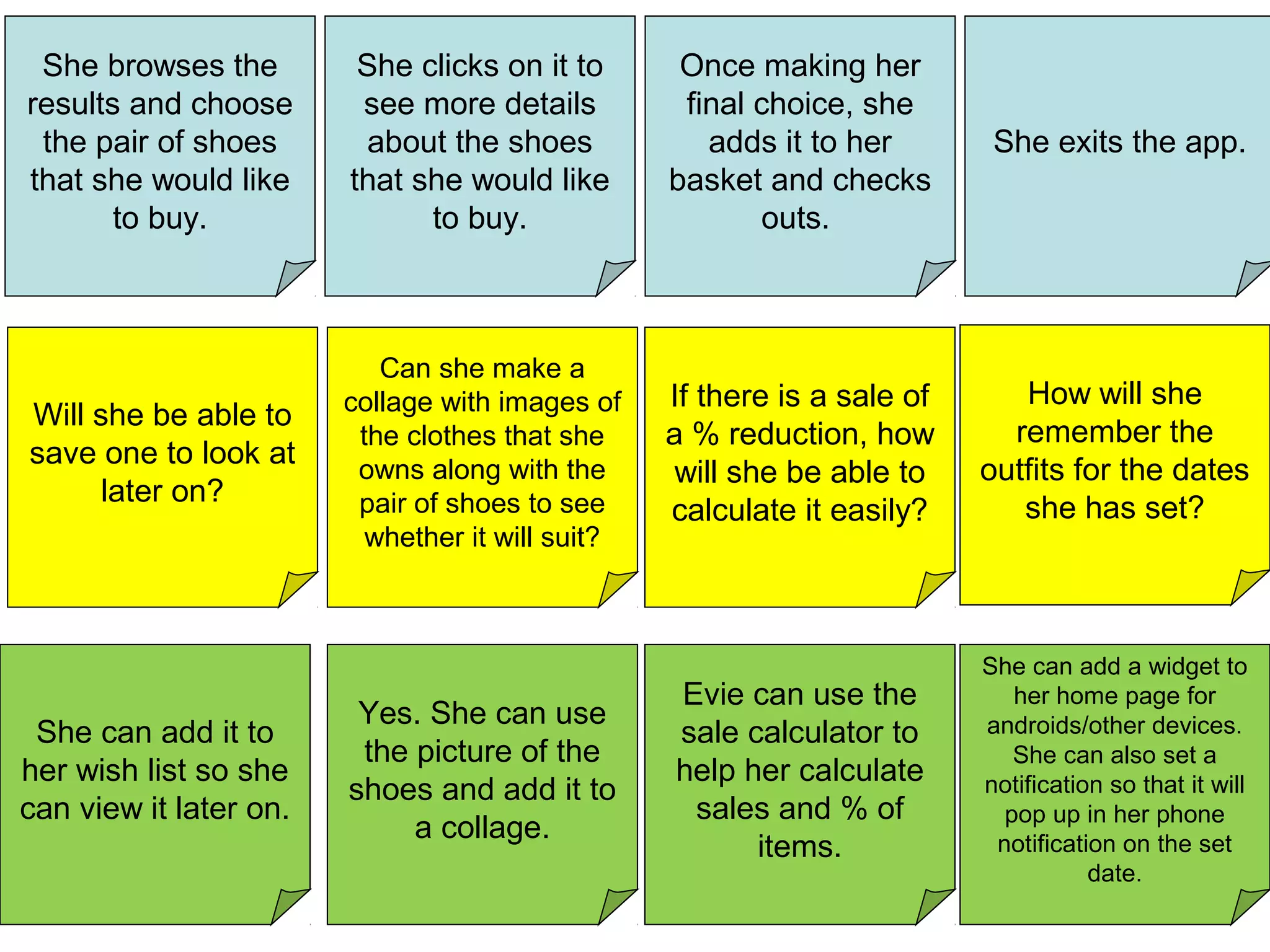
She exits the app.
She browses the
results and choose
the pair of shoes
that she would like
to buy.
She clicks on it to
see more details
about the shoes
that she would like
to buy.
Once making her
final choice, she
adds it to her
basket and checks
outs.
Will she be able to
save one to look at
later on?
If there is a sale of
a % reduction, how
will she be able to
calculate it easily?
Can she make a
collage with images of
the clothes that she
owns along with the
pair of shoes to see
whether it will suit?
Yes. She can use
the picture of the
shoes and add it to
a collage.
She can add it to
her wish list so she
can view it later on.
She can add a widget to
her home page for
androids/other devices.
She can also set a
notification so that it will
pop up in her phone
notification on the set
date.
Evie can use the
sale calculator to
help her calculate
sales and % of
items.
How will she
remember the
outfits for the dates
she has set?

Scenario Mapping

  • 1.
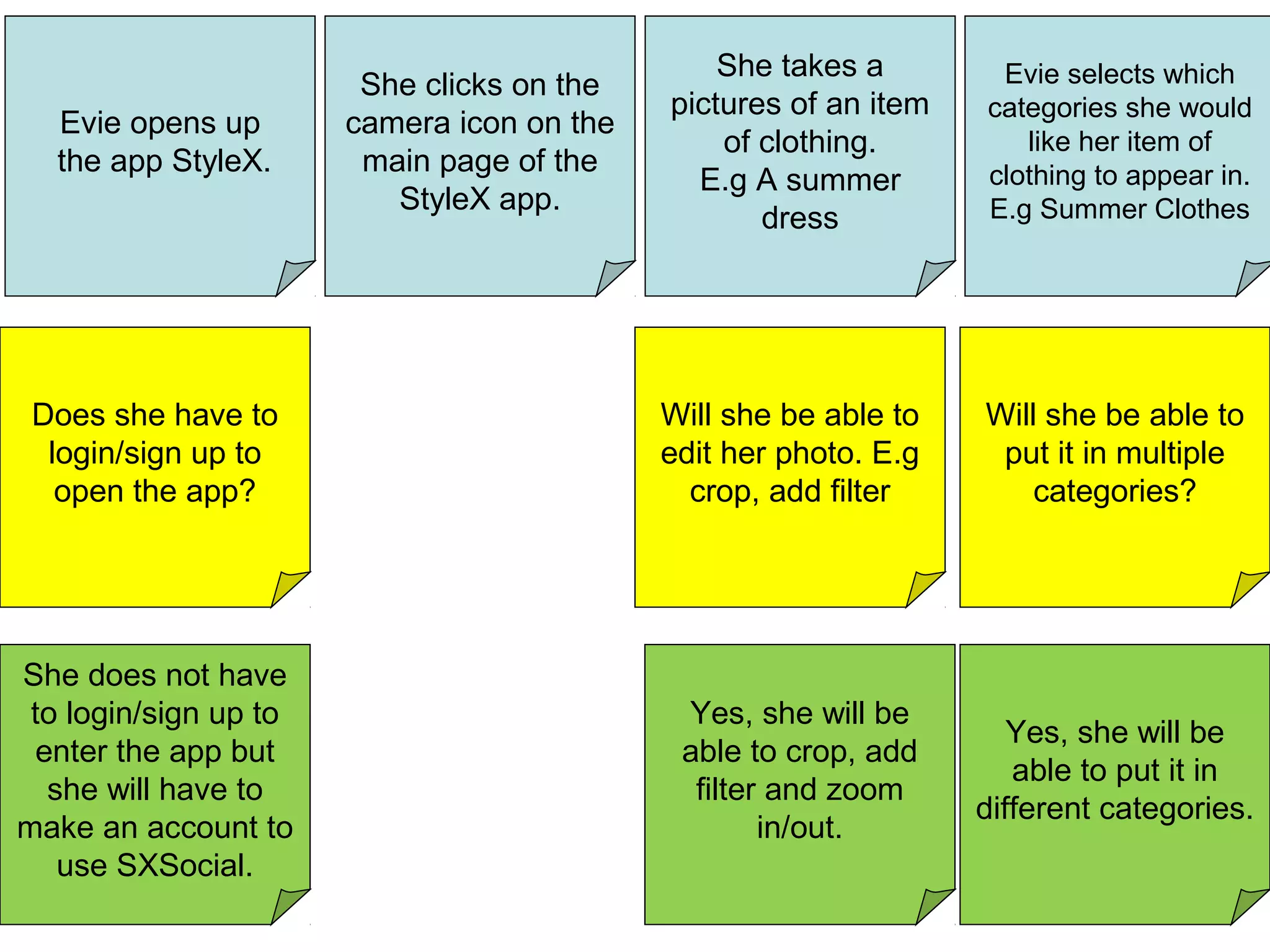
    Evie selects which categoriesshe would like her item of clothing to appear in. E.g Summer Clothes Evie opens up the app StyleX. She clicks on the camera icon on the main page of the StyleX app. She takes a pictures of an item of clothing. E.g A summer dress Does she have to login/sign up to open the app? Will she be able to put it in multiple categories? Will she be able to edit her photo. E.g crop, add filter She does not have to login/sign up to enter the app but she will have to make an account to use SXSocial. Yes, she will be able to put it in different categories. Yes, she will be able to crop, add filter and zoom in/out.
  • 2.
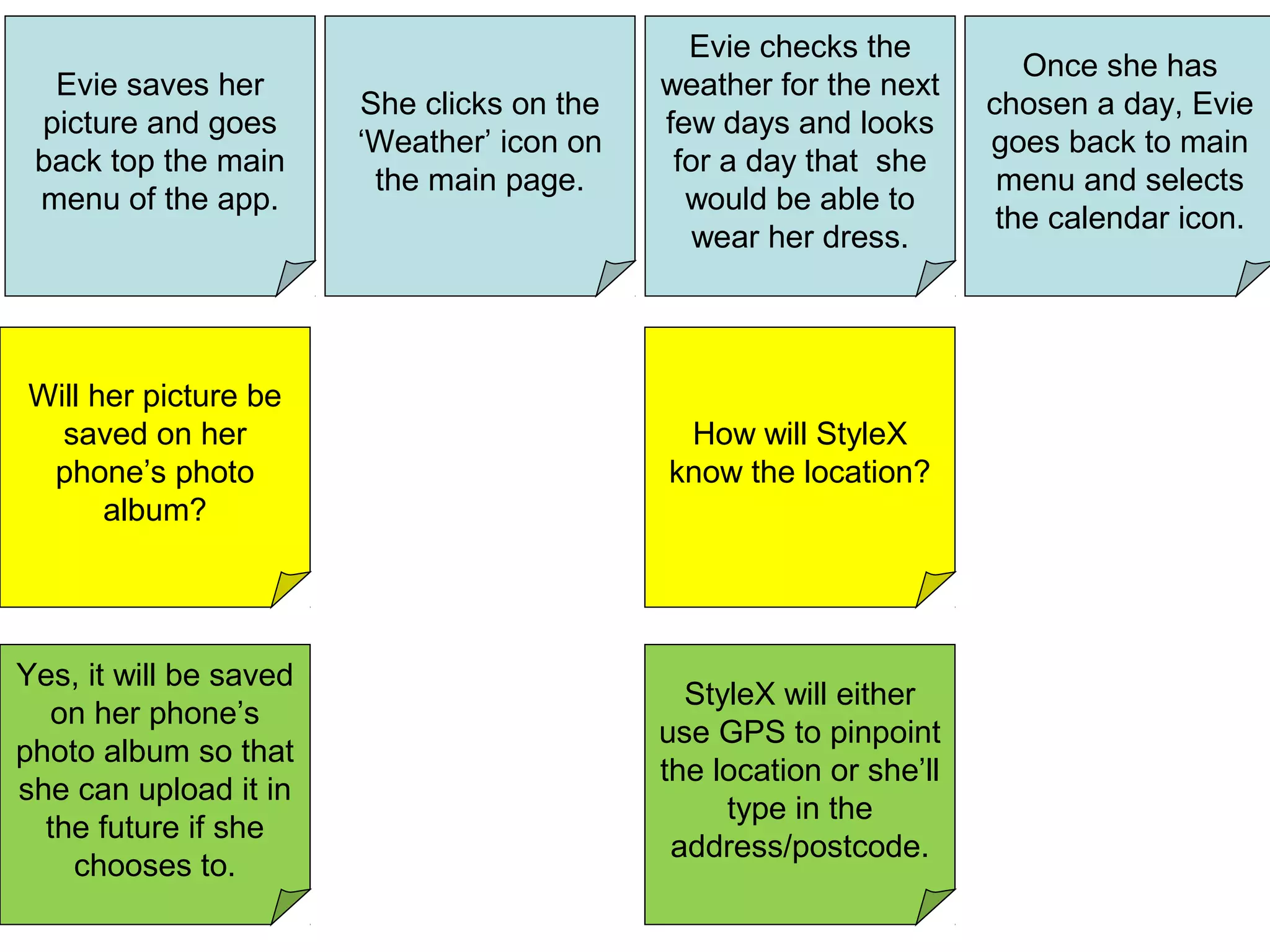
    Once she has chosena day, Evie goes back to main menu and selects the calendar icon. Evie saves her picture and goes back top the main menu of the app. She clicks on the ‘Weather’ icon on the main page. Evie checks the weather for the next few days and looks for a day that she would be able to wear her dress. Will her picture be saved on her phone’s photo album? How will StyleX know the location? Yes, it will be saved on her phone’s photo album so that she can upload it in the future if she chooses to. StyleX will either use GPS to pinpoint the location or she’ll type in the address/postcode.
  • 3.
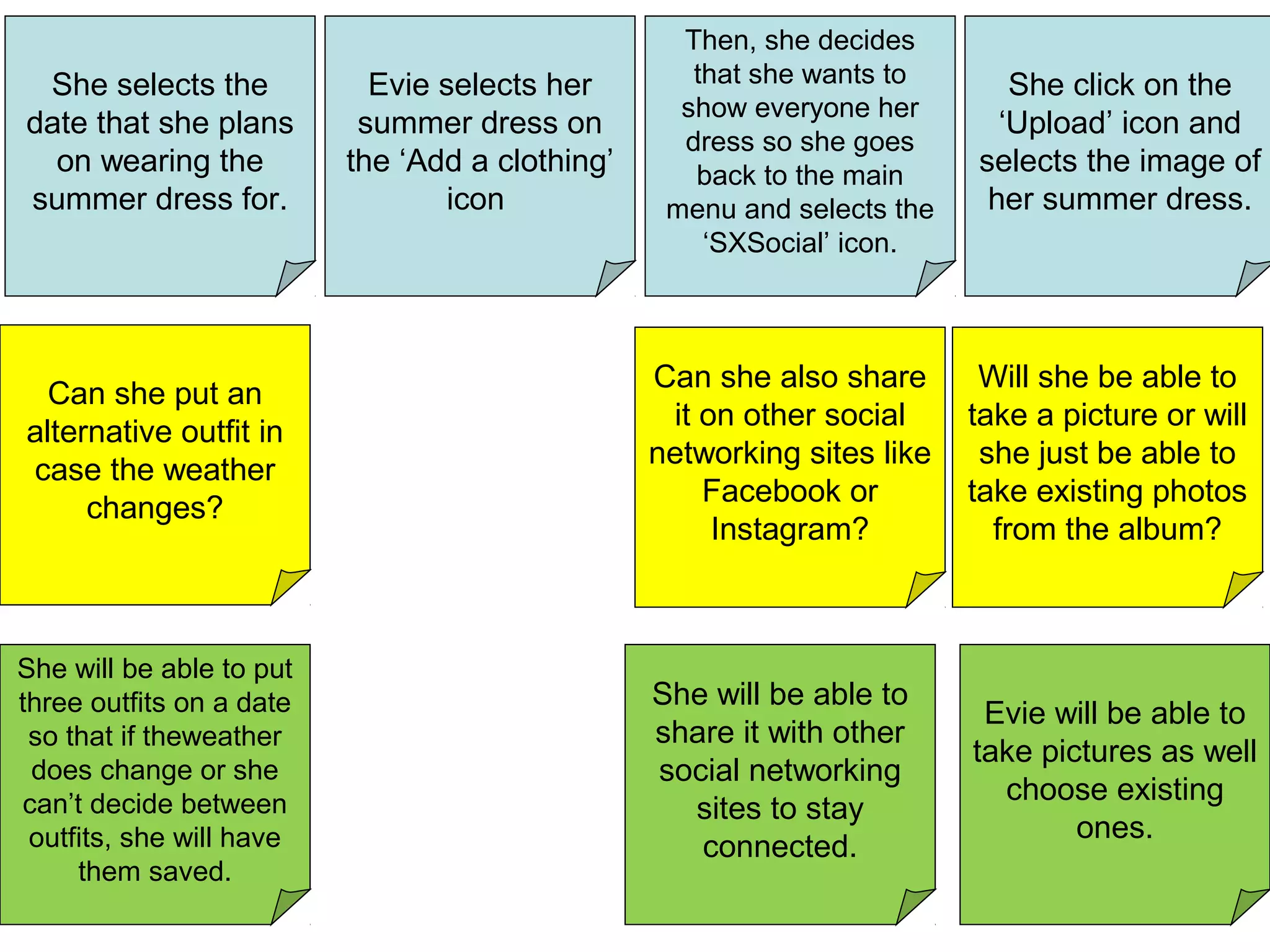
    She click onthe ‘Upload’ icon and selects the image of her summer dress. She selects the date that she plans on wearing the summer dress for. Evie selects her summer dress on the ‘Add a clothing’ icon Then, she decides that she wants to show everyone her dress so she goes back to the main menu and selects the ‘SXSocial’ icon. Can she put an alternative outfit in case the weather changes? Can she also share it on other social networking sites like Facebook or Instagram? She will be able to put three outfits on a date so that if theweather does change or she can’t decide between outfits, she will have them saved. Evie will be able to take pictures as well choose existing ones. She will be able to share it with other social networking sites to stay connected. Will she be able to take a picture or will she just be able to take existing photos from the album?
  • 4.
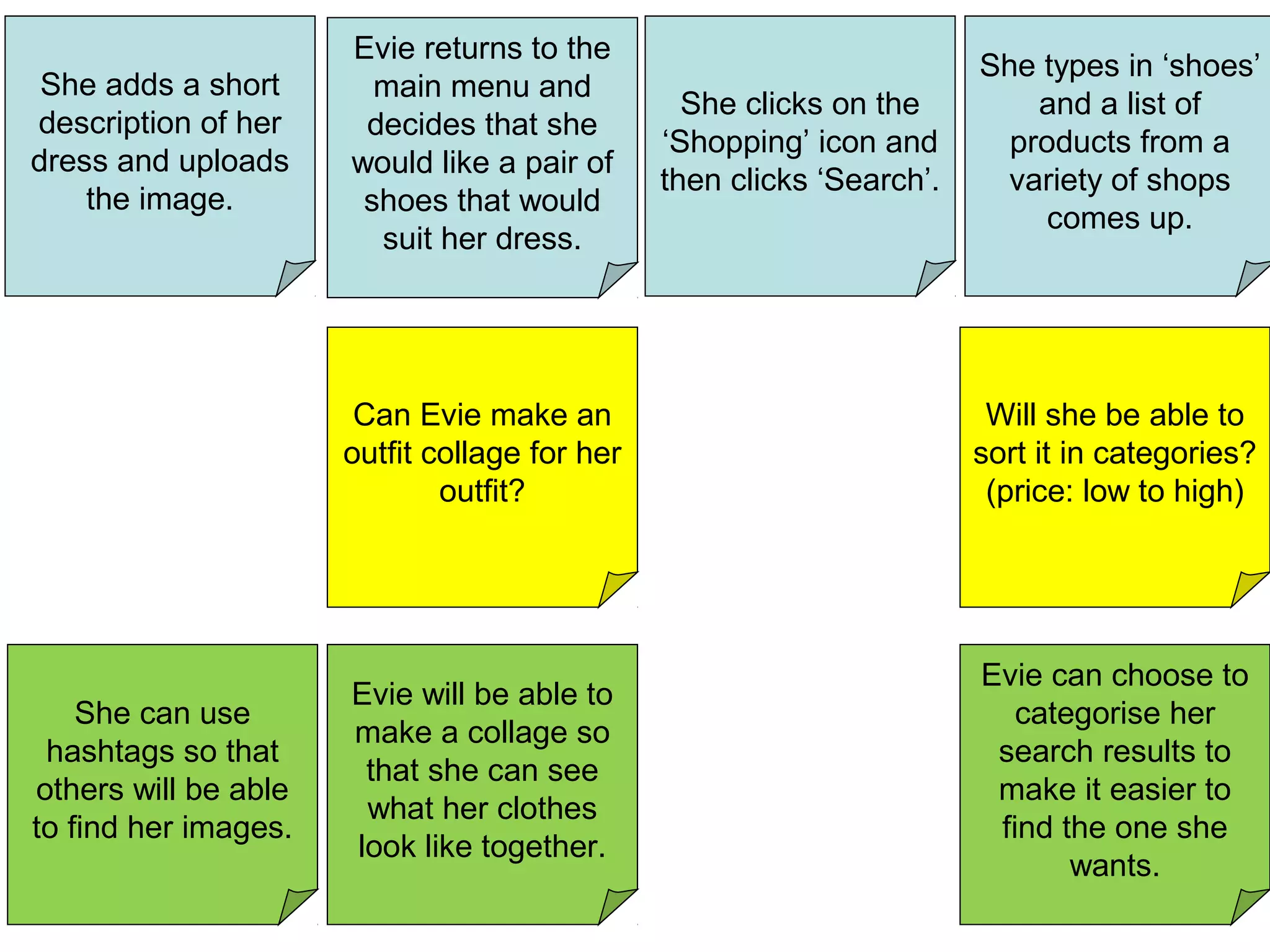
    She types in‘shoes’ and a list of products from a variety of shops comes up. She adds a short description of her dress and uploads the image. Evie returns to the main menu and decides that she would like a pair of shoes that would suit her dress. She clicks on the ‘Shopping’ icon and then clicks ‘Search’. Will she be able to sort it in categories? (price: low to high) Can Evie make an outfit collage for her outfit? Evie will be able to make a collage so that she can see what her clothes look like together. She can use hashtags so that others will be able to find her images. Evie can choose to categorise her search results to make it easier to find the one she wants.
  • 5.
    She exits theapp. She browses the results and choose the pair of shoes that she would like to buy. She clicks on it to see more details about the shoes that she would like to buy. Once making her final choice, she adds it to her basket and checks outs. Will she be able to save one to look at later on? If there is a sale of a % reduction, how will she be able to calculate it easily? Can she make a collage with images of the clothes that she owns along with the pair of shoes to see whether it will suit? Yes. She can use the picture of the shoes and add it to a collage. She can add it to her wish list so she can view it later on. She can add a widget to her home page for androids/other devices. She can also set a notification so that it will pop up in her phone notification on the set date. Evie can use the sale calculator to help her calculate sales and % of items. How will she remember the outfits for the dates she has set?
  • 6.
    She exits theapp. She browses the results and choose the pair of shoes that she would like to buy. She clicks on it to see more details about the shoes that she would like to buy. Once making her final choice, she adds it to her basket and checks outs. Will she be able to save one to look at later on? If there is a sale of a % reduction, how will she be able to calculate it easily? Can she make a collage with images of the clothes that she owns along with the pair of shoes to see whether it will suit? Yes. She can use the picture of the shoes and add it to a collage. She can add it to her wish list so she can view it later on. She can add a widget to her home page for androids/other devices. She can also set a notification so that it will pop up in her phone notification on the set date. Evie can use the sale calculator to help her calculate sales and % of items. How will she remember the outfits for the dates she has set?