©2018 Avanade Inc. All Rights Reserved.©2018 Avanade Inc. All Rights Reserved.
Kevin Timmerman – November 15th 2018
Using ARM templates to deploy solutions on
Azure
©2018 Avanade Inc. All Rights Reserved.
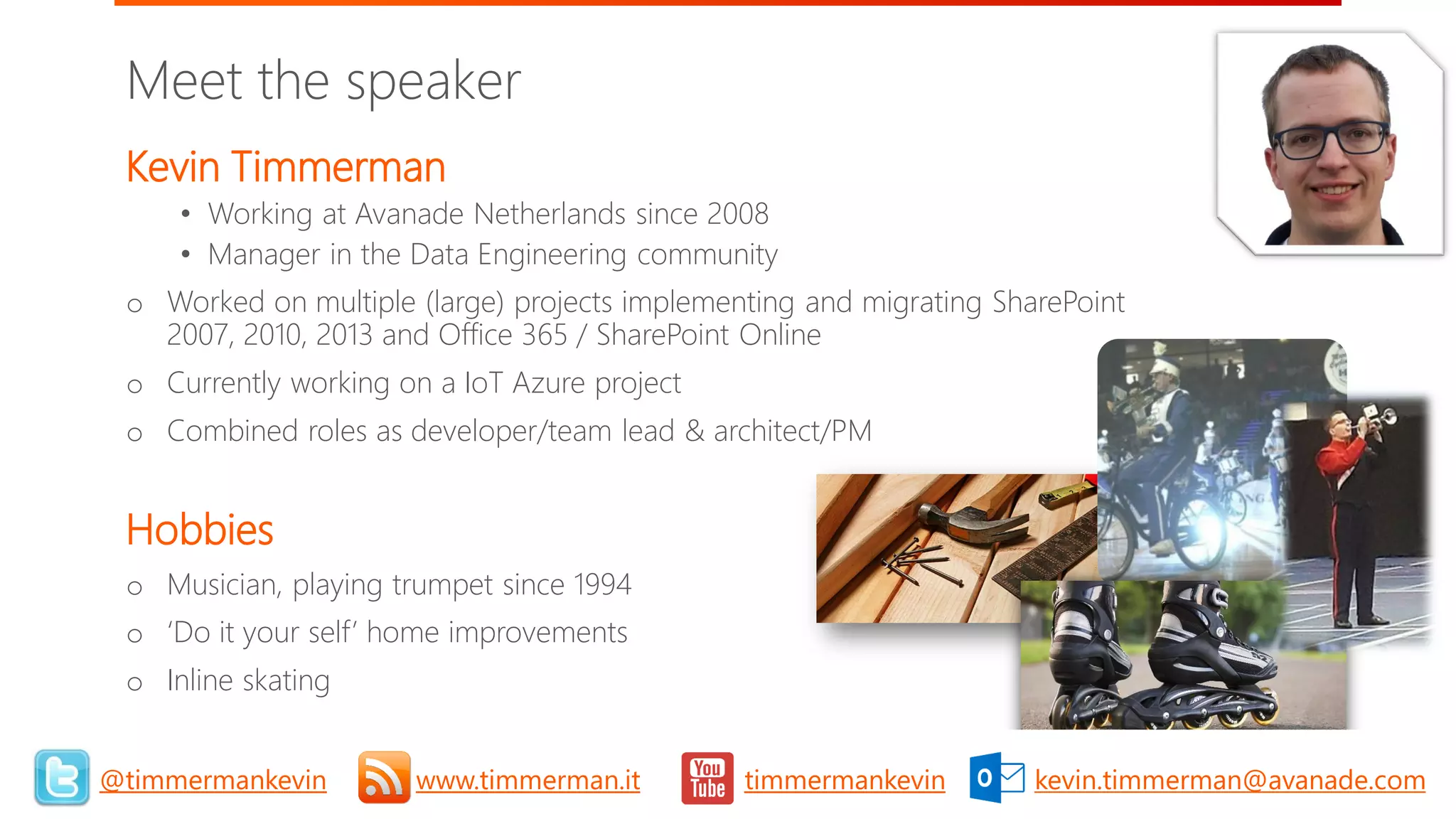
Kevin Timmerman
• Working at Avanade Netherlands since 2008
• Manager in the Data Engineering community
o Worked on multiple (large) projects implementing and migrating SharePoint
2007, 2010, 2013 and Office 365 / SharePoint Online
o Currently working on a IoT Azure project
o Combined roles as developer/team lead & architect/PM
Hobbies
o Musician, playing trumpet since 1994
o ‘Do it your self’ home improvements
o Inline skating
Meet the speaker
3@timmermankevin www.timmerman.it timmermankevin kevin.timmerman@avanade.com
©2018 Avanade Inc. All Rights Reserved.
✓ Introduction into ARM Templates
✓ Getting started
✓ Parameters, outputs and functions
✓ Linked and Nested templates
✓ Implementation into your CI/CD Pipeline
✓ Real life experiences (and challenges)
✓ Summary
✓ Questions
Agenda
4
©2018 Avanade Inc. All Rights Reserved.
Introduction into ARM Templates
©2018 Avanade Inc. All Rights Reserved.
6
Issues with classic (application) deployments
Have you ever faced:
1. Unexpected differences between environments
2. Difficulties/issues with manual deployment steps
3. Missing dependencies
4. (Undocumented) manual configuration changes
5. Long request time for application/resource to be available
Then ARM Templates help to solve the above!
©2018 Avanade Inc. All Rights Reserved.
7
Why use ARM Templates
1. Grouping of related resources into one deployment
2. Consistent deployment throughout development lifecycle
3. Accelerated provisioning and deployments
4. Define dependencies between resources for correct order of deployment
5. Huge reduction of requirement for manual steps (and mistakes)
6. Can be reused within a project/solution, but also across teams and solutions
7. Many example/quickstart templates available
©2018 Avanade Inc. All Rights Reserved.
8
Introduction into ARM Templates
1. Azure Resource Manager (ARM) is a management framework to deploy, manage and
monitor Azure resources
2. Infrastructure as code
3. Declarative (JSON files)
4. Specify resources and dependencies
5. Repeated and consistent (incremental) deployments
©2018 Avanade Inc. All Rights Reserved.
9
Introduction into ARM Templates
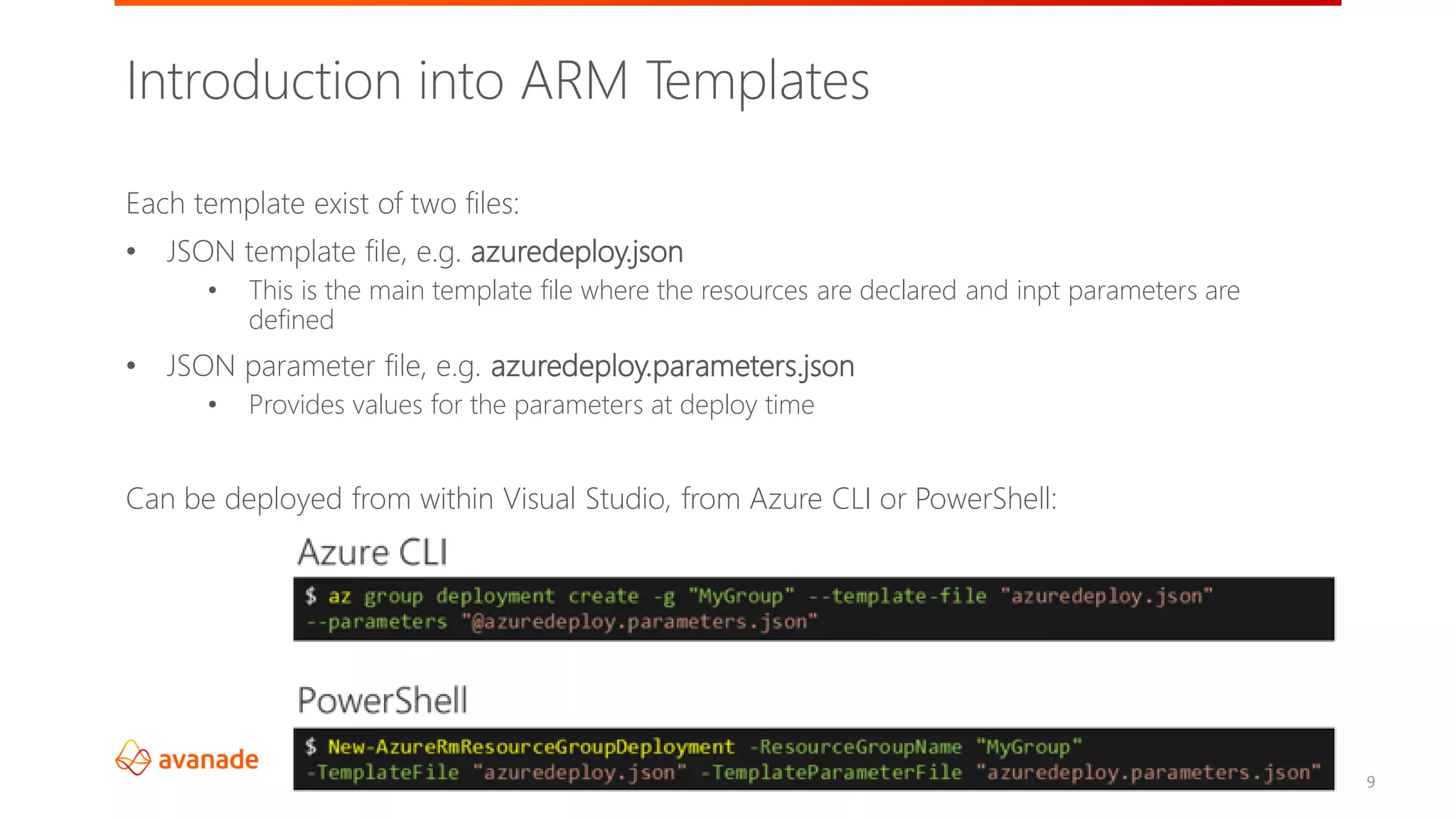
Each template exist of two files:
• JSON template file, e.g. azuredeploy.json
• This is the main template file where the resources are declared and inpt parameters are
defined
• JSON parameter file, e.g. azuredeploy.parameters.json
• Provides values for the parameters at deploy time
Can be deployed from within Visual Studio, from Azure CLI or PowerShell:
©2018 Avanade Inc. All Rights Reserved.
10
Template format
{
"$schema": "http://schema.management.azure.com/schemas/2015-01-
01/deploymentTemplate.json#",
"contentVersion": "",
"parameters": { },
"variables": { },
"functions": [ ],
"resources": [ ],
"outputs": { }
}
©2018 Avanade Inc. All Rights Reserved.
11
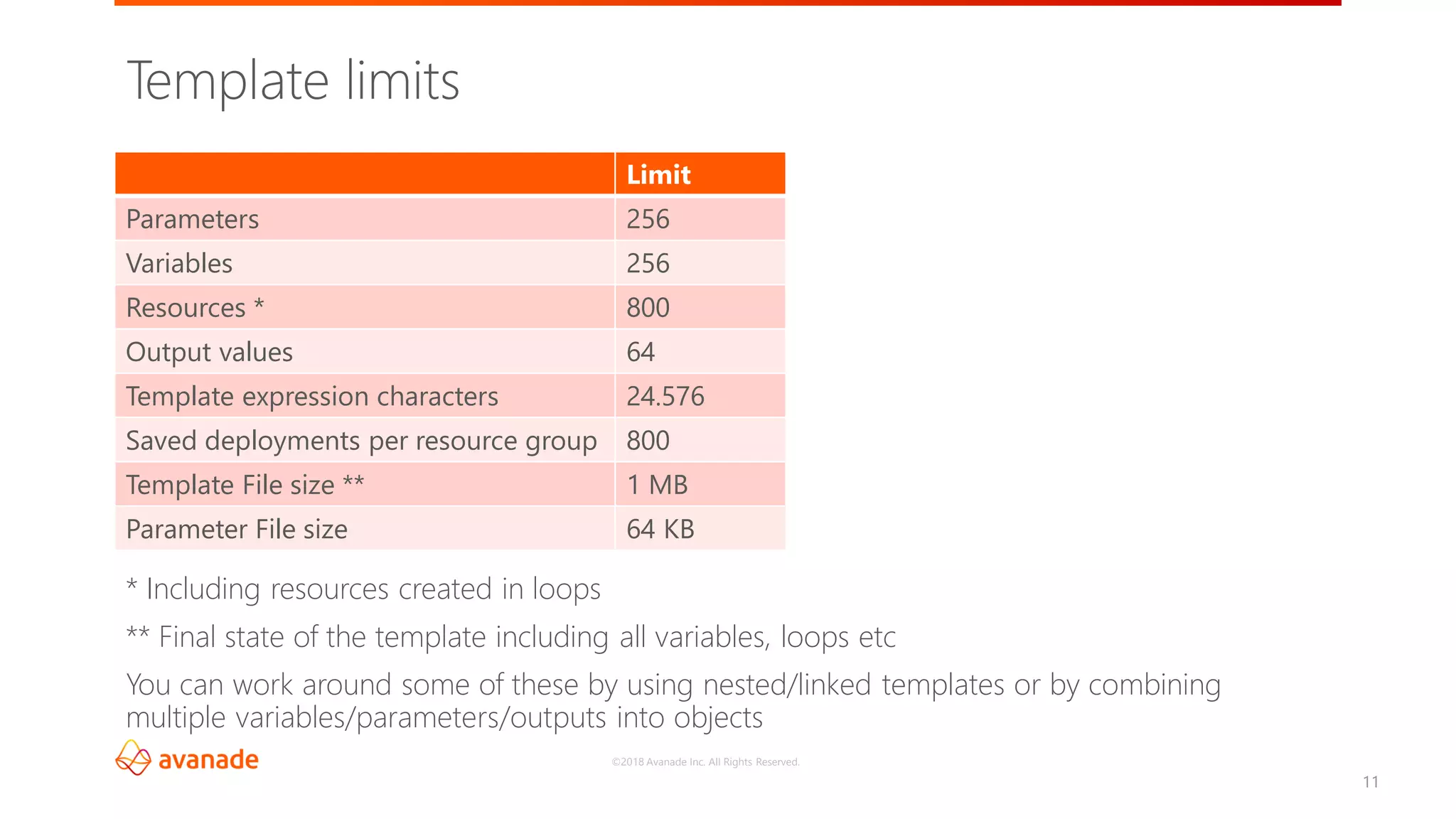
Template limits
Limit
Parameters 256
Variables 256
Resources * 800
Output values 64
Template expression characters 24.576
Saved deployments per resource group 800
Template File size ** 1 MB
Parameter File size 64 KB
* Including resources created in loops
** Final state of the template including all variables, loops etc
You can work around some of these by using nested/linked templates or by combining
multiple variables/parameters/outputs into objects
©2018 Avanade Inc. All Rights Reserved.
Getting started
©2018 Avanade Inc. All Rights Reserved.
13
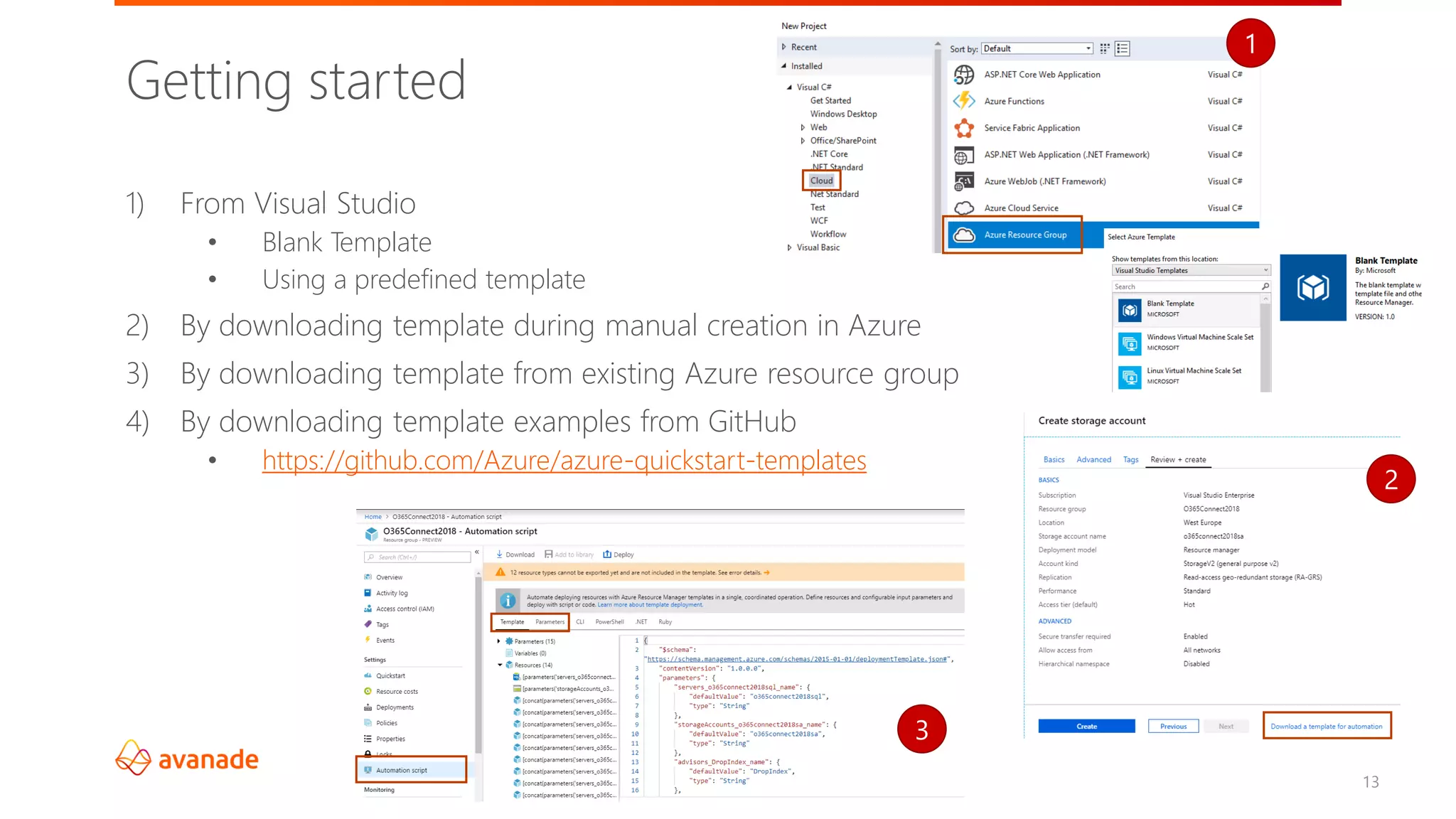
Getting started
1) From Visual Studio
• Blank Template
• Using a predefined template
2) By downloading template during manual creation in Azure
3) By downloading template from existing Azure resource group
4) By downloading template examples from GitHub
• https://github.com/Azure/azure-quickstart-templates
2
1
3
©2018 Avanade Inc. All Rights Reserved.
14
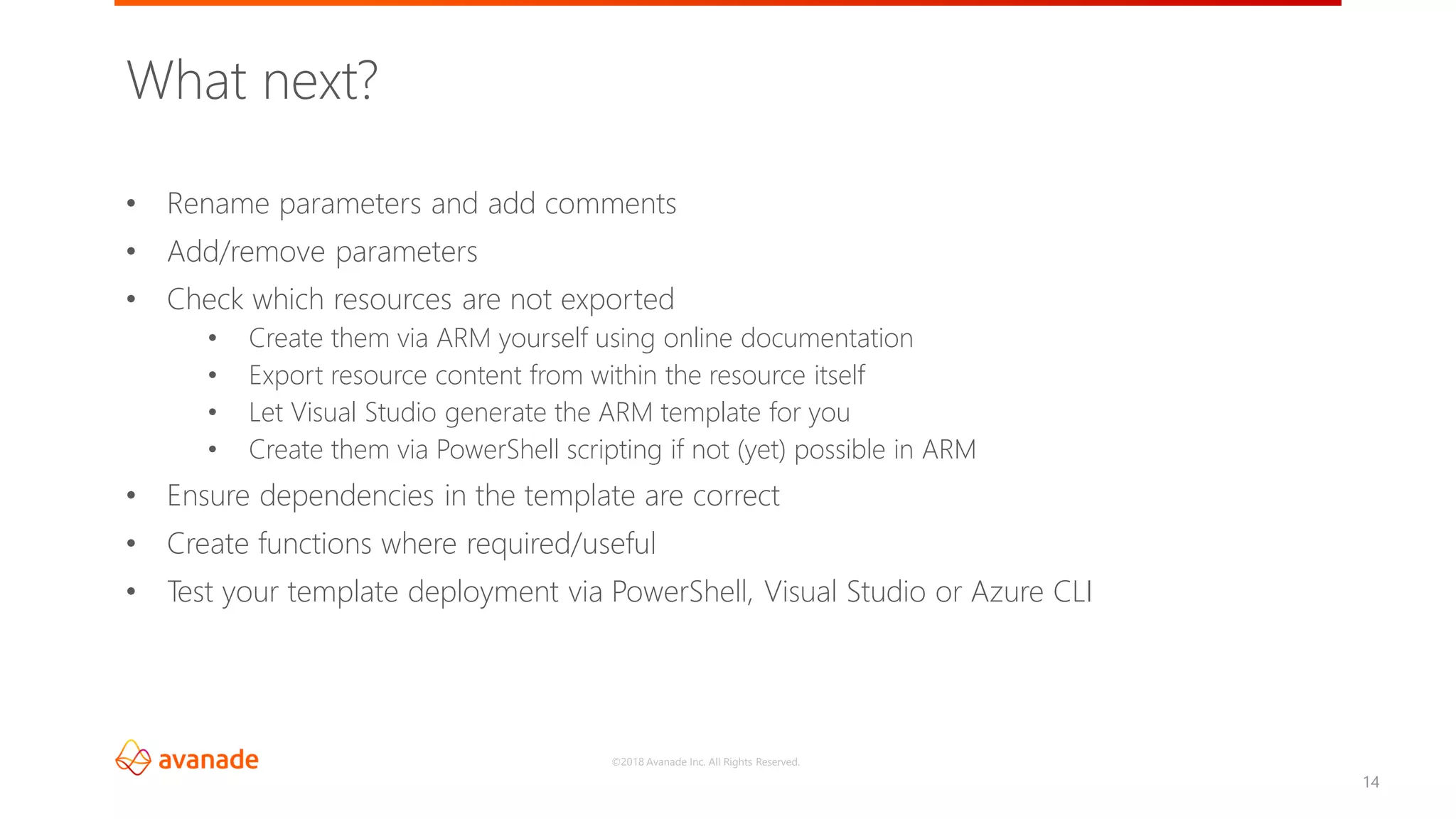
• Rename parameters and add comments
• Add/remove parameters
• Check which resources are not exported
• Create them via ARM yourself using online documentation
• Export resource content from within the resource itself
• Let Visual Studio generate the ARM template for you
• Create them via PowerShell scripting if not (yet) possible in ARM
• Ensure dependencies in the template are correct
• Create functions where required/useful
• Test your template deployment via PowerShell, Visual Studio or Azure CLI
What next?
©2018 Avanade Inc. All Rights Reserved.
Data Factory
Storage
accounts
15
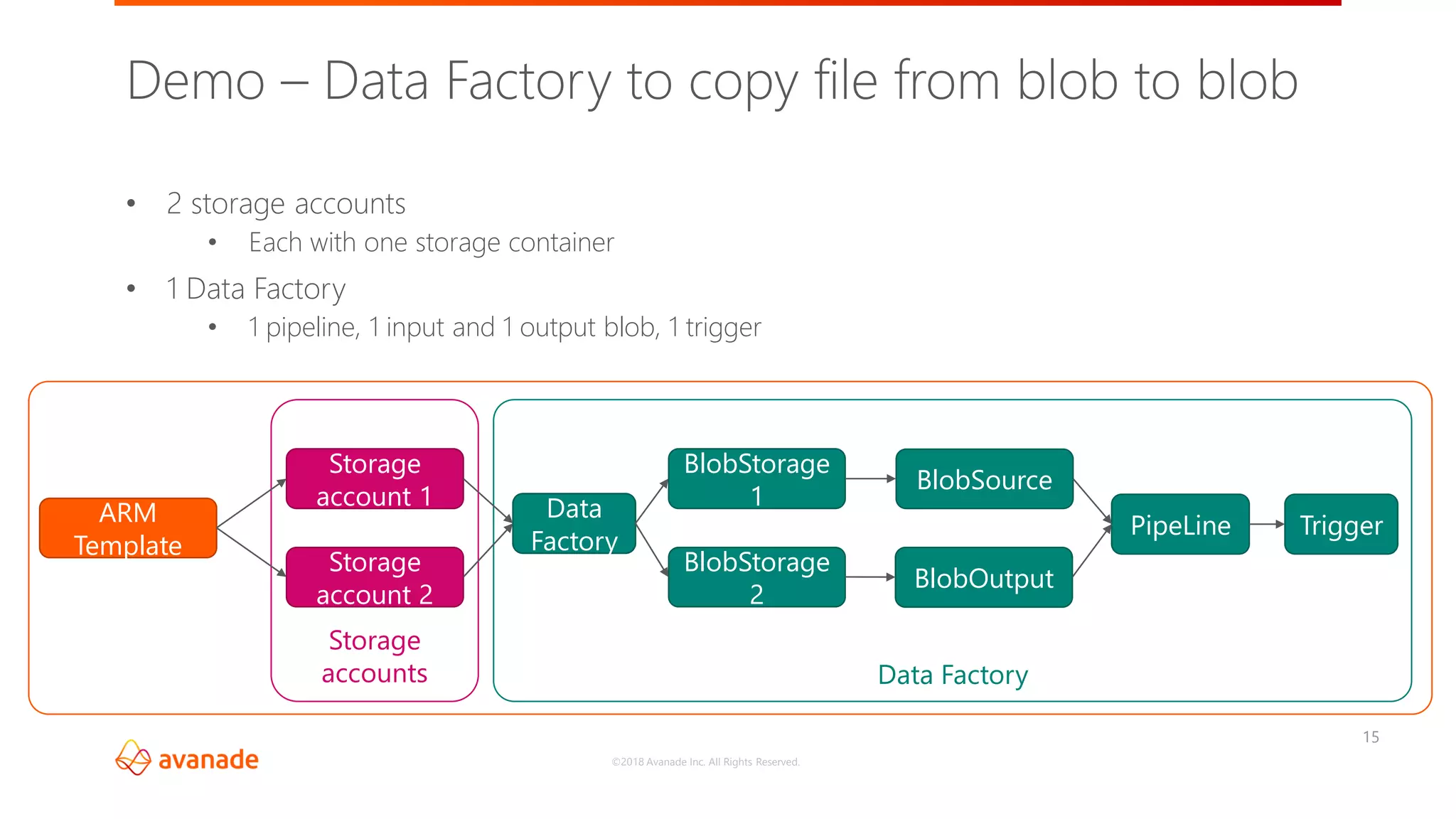
• 2 storage accounts
• Each with one storage container
• 1 Data Factory
• 1 pipeline, 1 input and 1 output blob, 1 trigger
Demo – Data Factory to copy file from blob to blob
ARM
Template
Storage
account 1
Storage
account 2
Data
Factory
BlobStorage
1
BlobStorage
2
BlobSource
BlobOutput
PipeLine Trigger
Parameters, outputs and functions
©2018 Avanade Inc. All Rights Reserved.
17
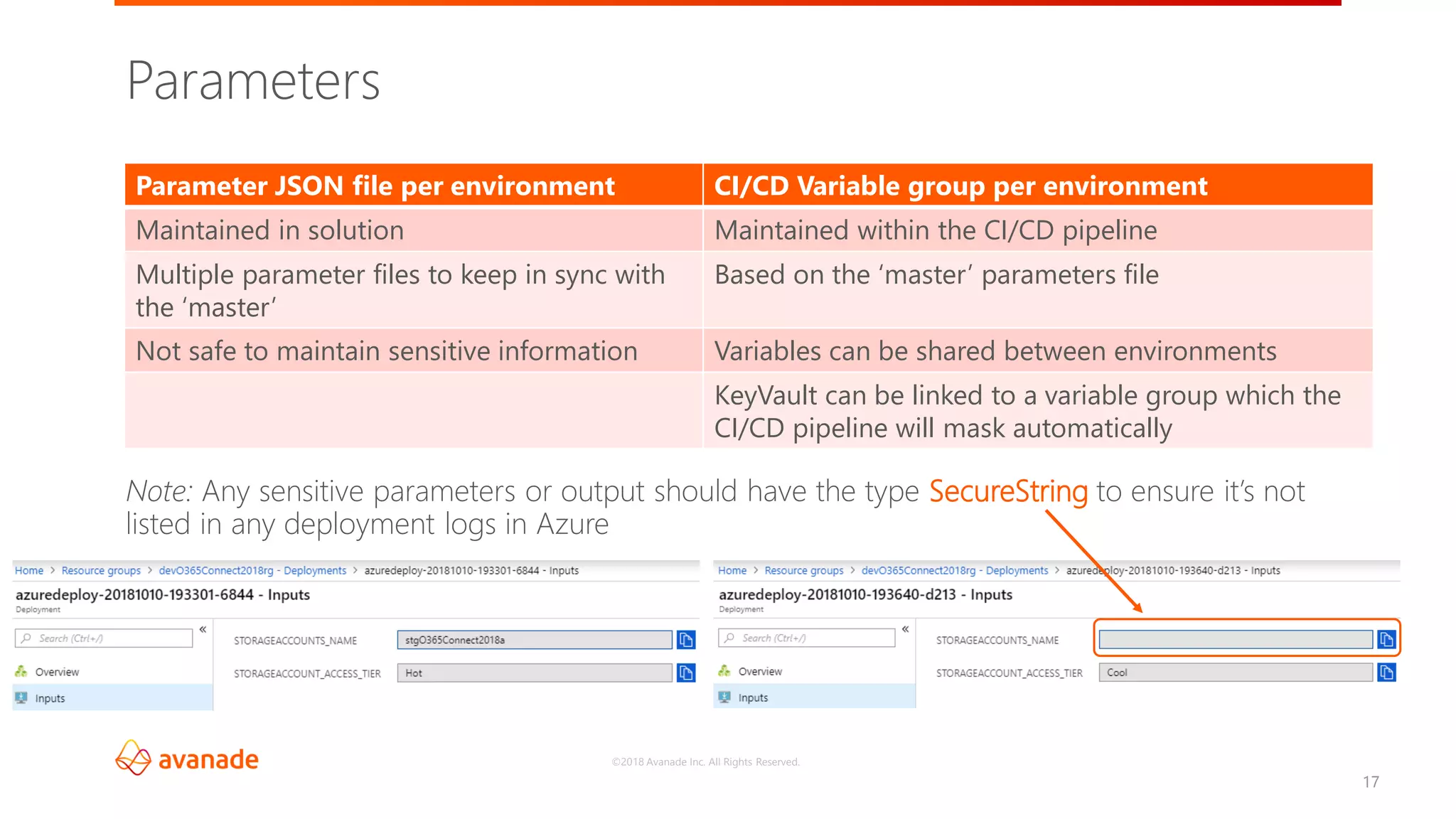
Parameters
Note: Any sensitive parameters or output should have the type SecureString to ensure it’s not
listed in any deployment logs in Azure
Parameter JSON file per environment CI/CD Variable group per environment
Maintained in solution Maintained within the CI/CD pipeline
Multiple parameter files to keep in sync with
the ‘master’
Based on the ‘master’ parameters file
Not safe to maintain sensitive information Variables can be shared between environments
KeyVault can be linked to a variable group which the
CI/CD pipeline will mask automatically
©2018 Avanade Inc. All Rights Reserved.
18
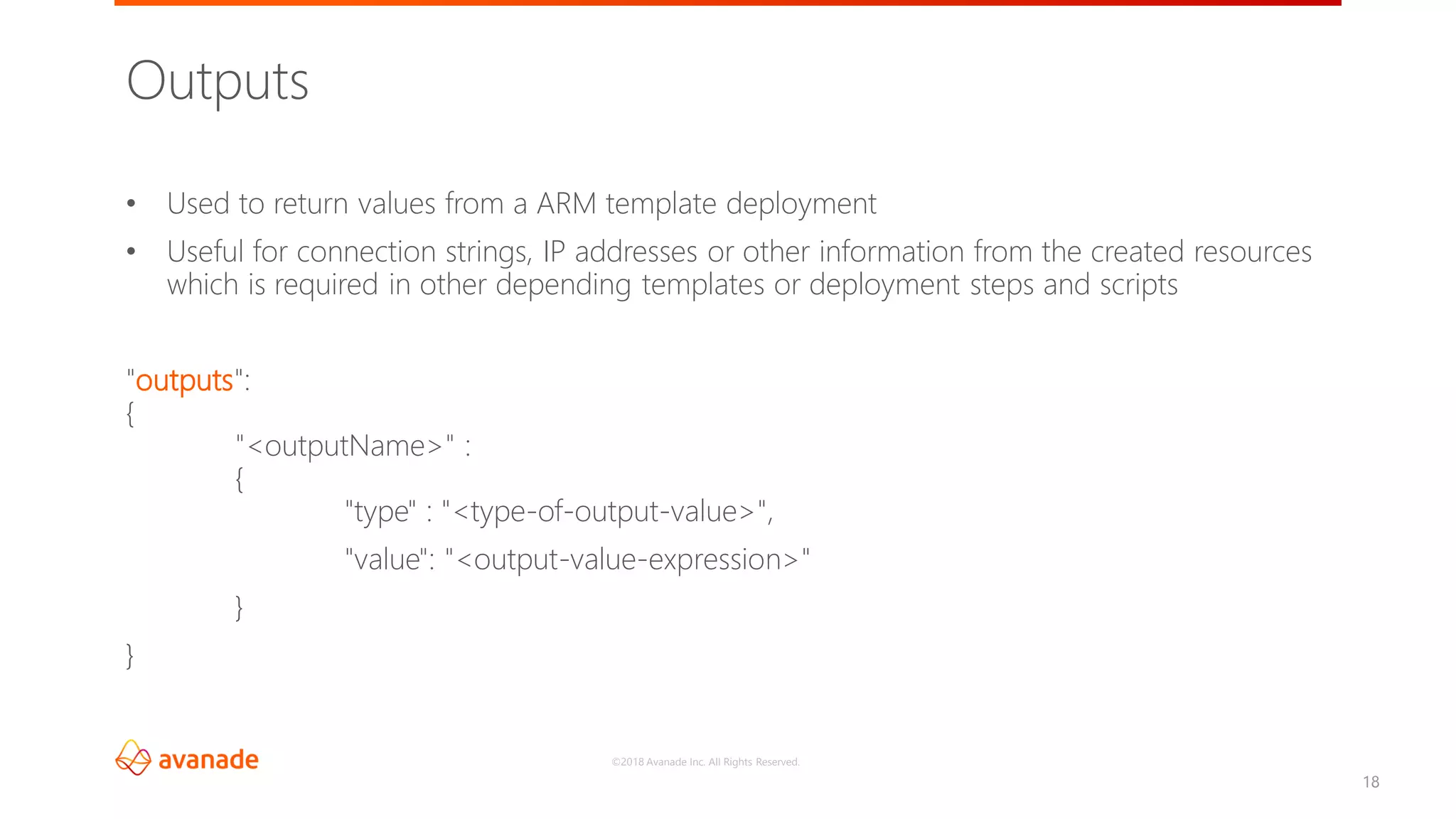
• Used to return values from a ARM template deployment
• Useful for connection strings, IP addresses or other information from the created resources
which is required in other depending templates or deployment steps and scripts
"outputs":
{
"<outputName>" :
{
"type" : "<type-of-output-value>",
"value": "<output-value-expression>"
}
}
Outputs
©2018 Avanade Inc. All Rights Reserved.
19
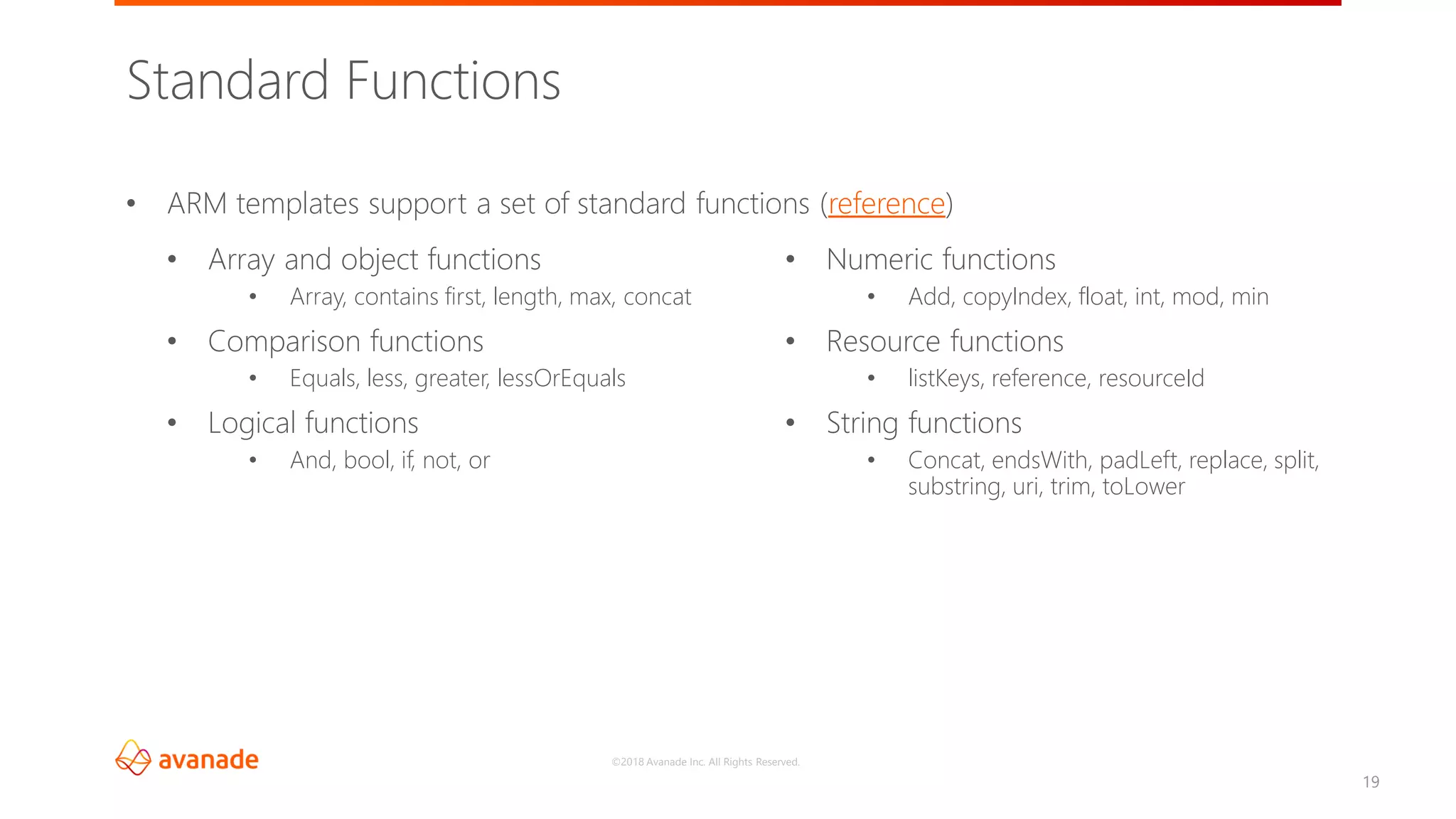
• ARM templates support a set of standard functions (reference)
Standard Functions
• Array and object functions
• Array, contains first, length, max, concat
• Comparison functions
• Equals, less, greater, lessOrEquals
• Logical functions
• And, bool, if, not, or
• Numeric functions
• Add, copyIndex, float, int, mod, min
• Resource functions
• listKeys, reference, resourceId
• String functions
• Concat, endsWith, padLeft, replace, split,
substring, uri, trim, toLower
©2018 Avanade Inc. All Rights Reserved.
20
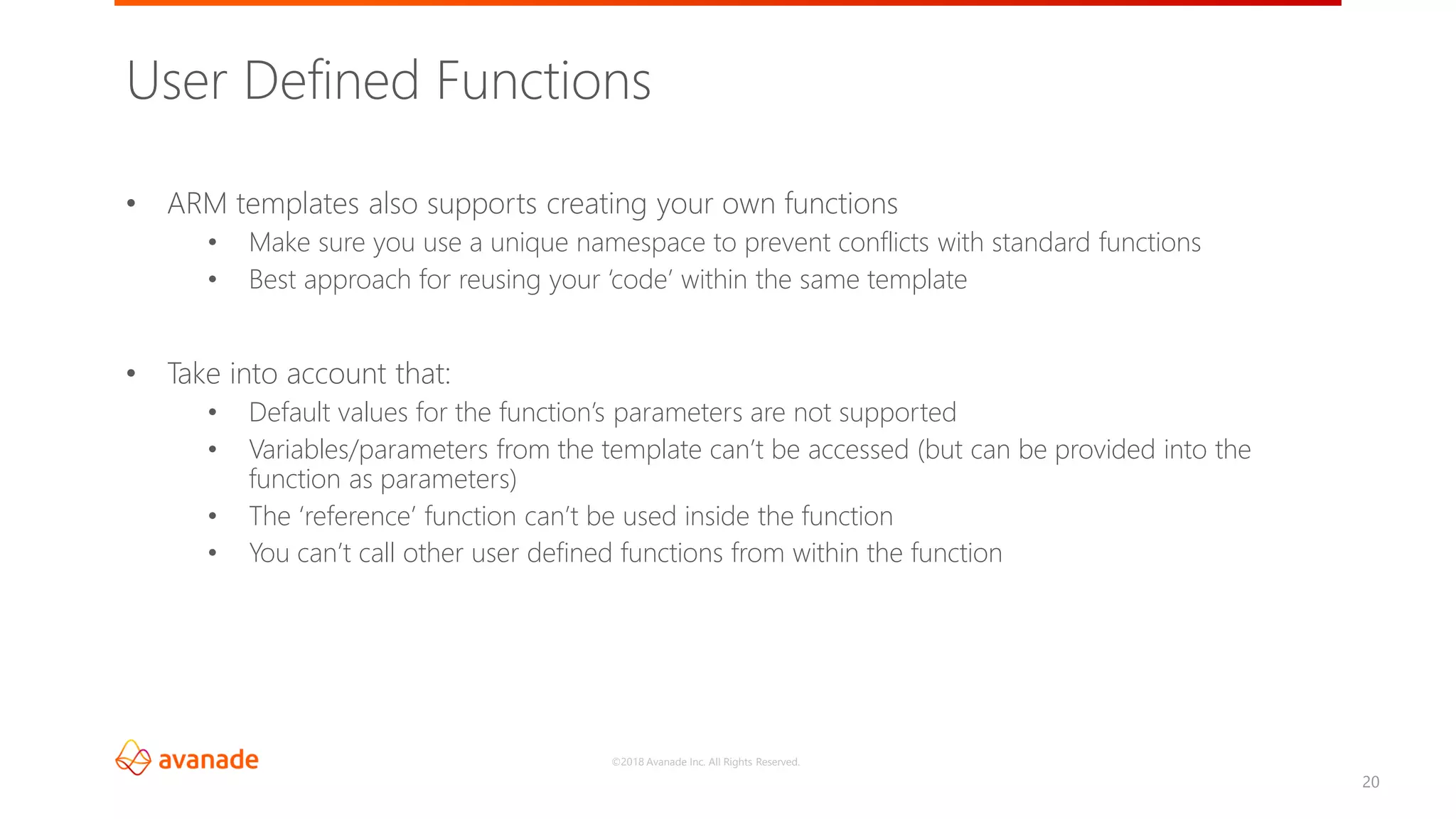
• ARM templates also supports creating your own functions
• Make sure you use a unique namespace to prevent conflicts with standard functions
• Best approach for reusing your ‘code’ within the same template
• Take into account that:
• Default values for the function’s parameters are not supported
• Variables/parameters from the template can’t be accessed (but can be provided into the
function as parameters)
• The ‘reference’ function can’t be used inside the function
• You can’t call other user defined functions from within the function
User Defined Functions
©2018 Avanade Inc. All Rights Reserved.
21
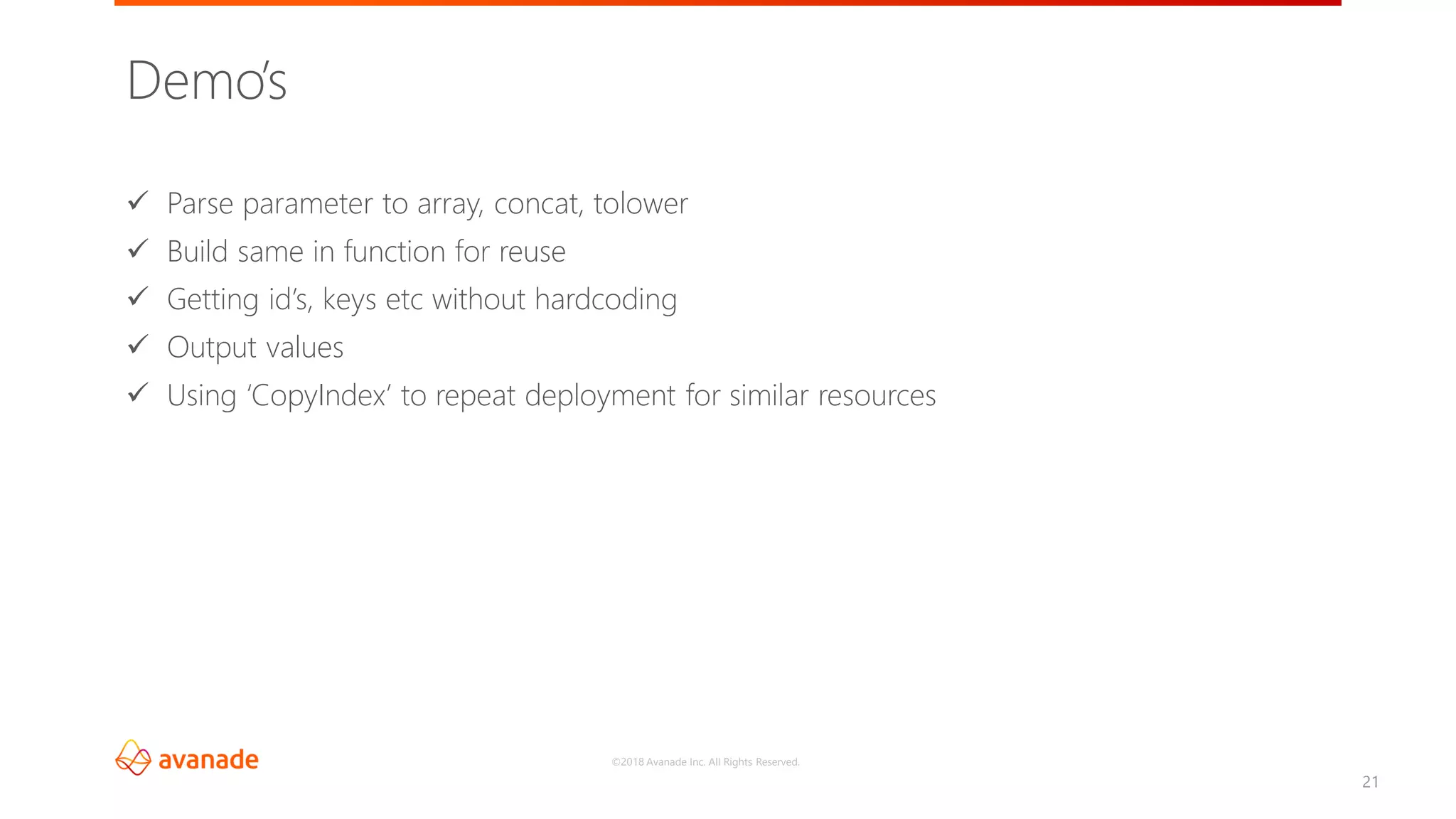
✓ Parse parameter to array, concat, tolower
✓ Build same in function for reuse
✓ Getting id’s, keys etc without hardcoding
✓ Output values
✓ Using ‘CopyIndex’ to repeat deployment for similar resources
Demo’s
Linked and Nested Templates
©2018 Avanade Inc. All Rights Reserved.
23
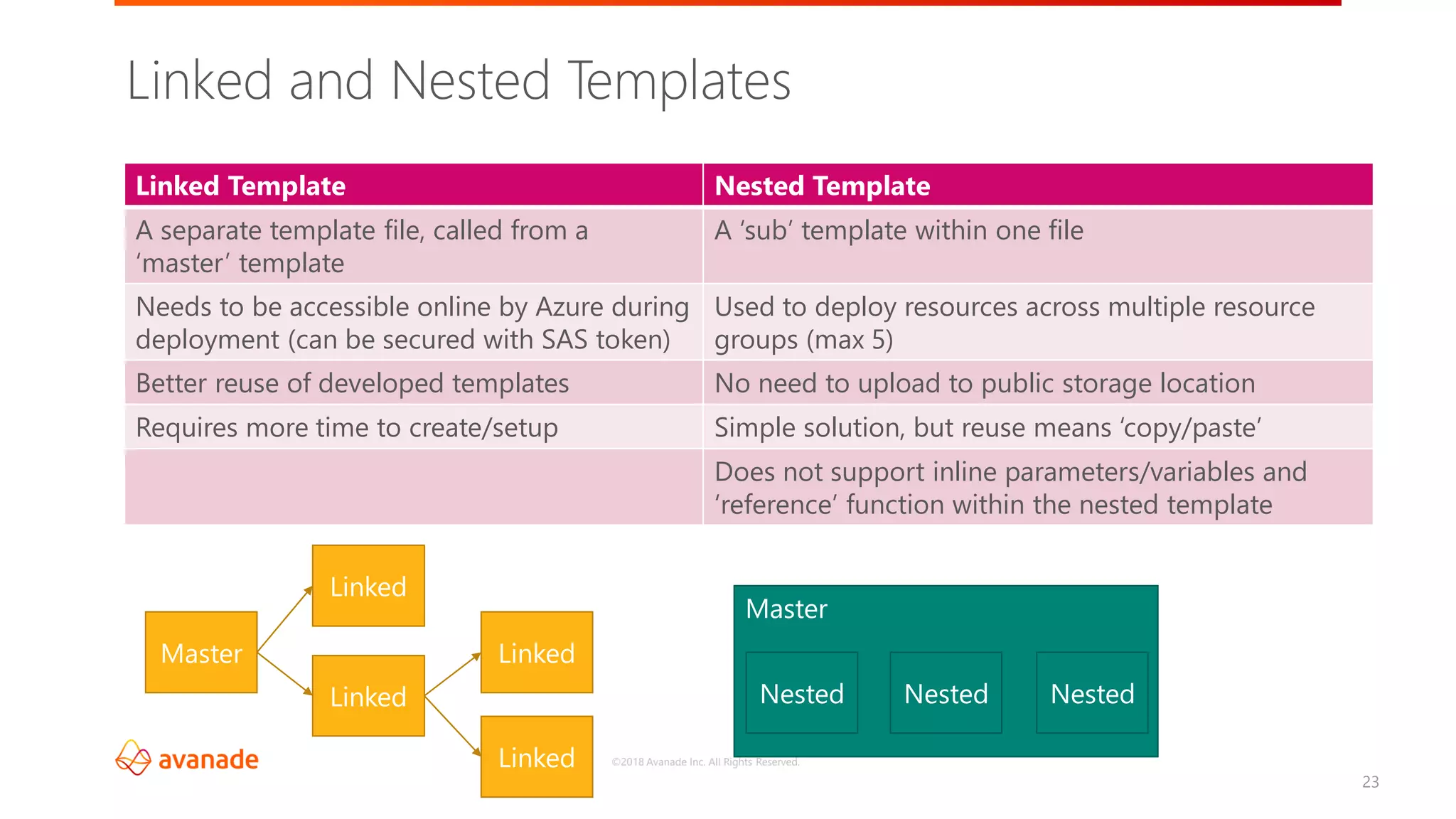
Linked and Nested Templates
Linked Template Nested Template
A separate template file, called from a
‘master’ template
A ‘sub’ template within one file
Needs to be accessible online by Azure during
deployment (can be secured with SAS token)
Used to deploy resources across multiple resource
groups (max 5)
Better reuse of developed templates No need to upload to public storage location
Requires more time to create/setup Simple solution, but reuse means ‘copy/paste’
Does not support inline parameters/variables and
‘reference’ function within the nested template
Master
Linked
Linked
Linked
Linked
Master
Nested Nested Nested
©2018 Avanade Inc. All Rights Reserved.
24
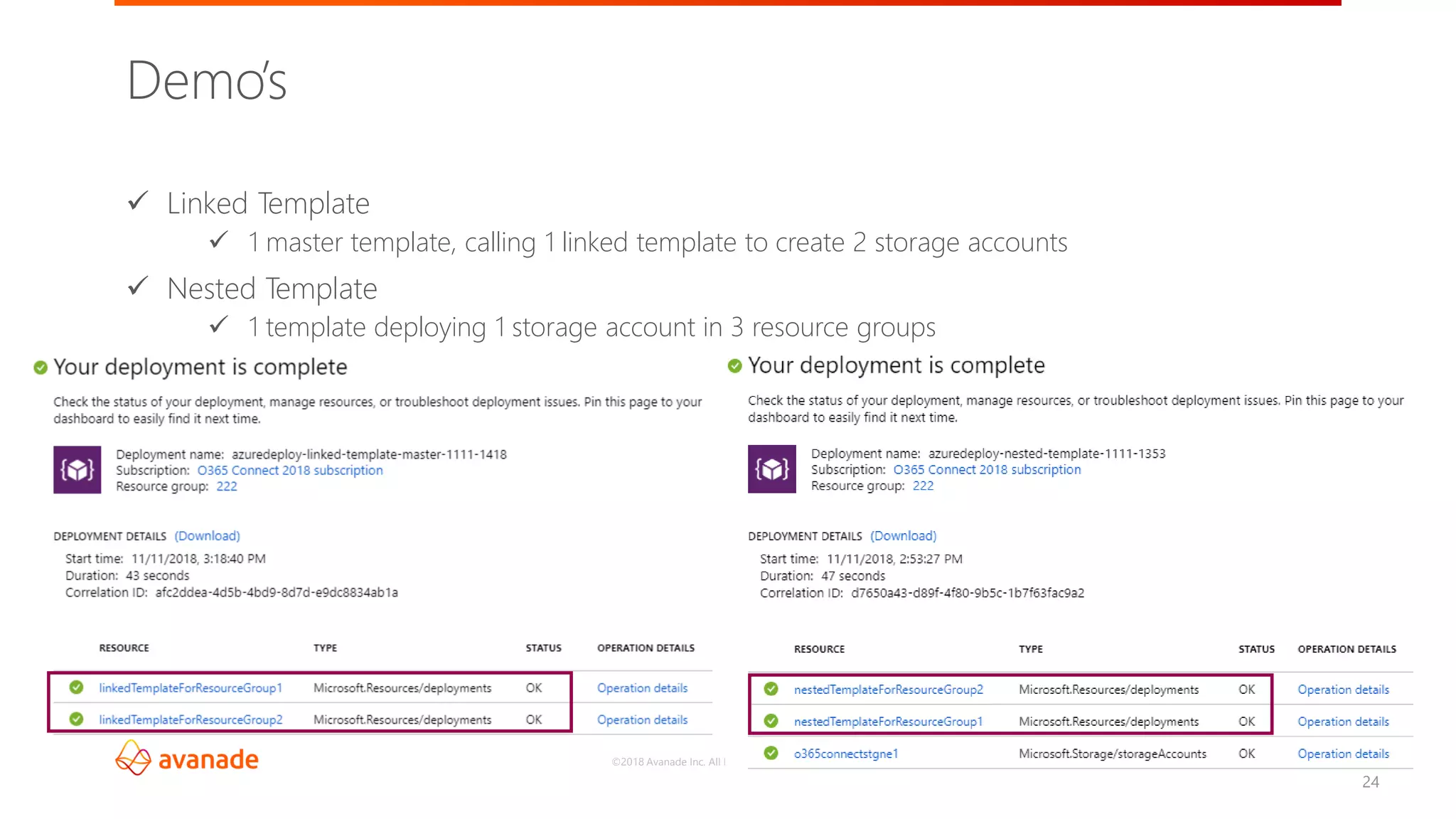
✓ Linked Template
✓ 1 master template, calling 1 linked template to create 2 storage accounts
✓ Nested Template
✓ 1 template deploying 1 storage account in 3 resource groups
Demo’s
Implementation into your CI/CD Pipeline
26
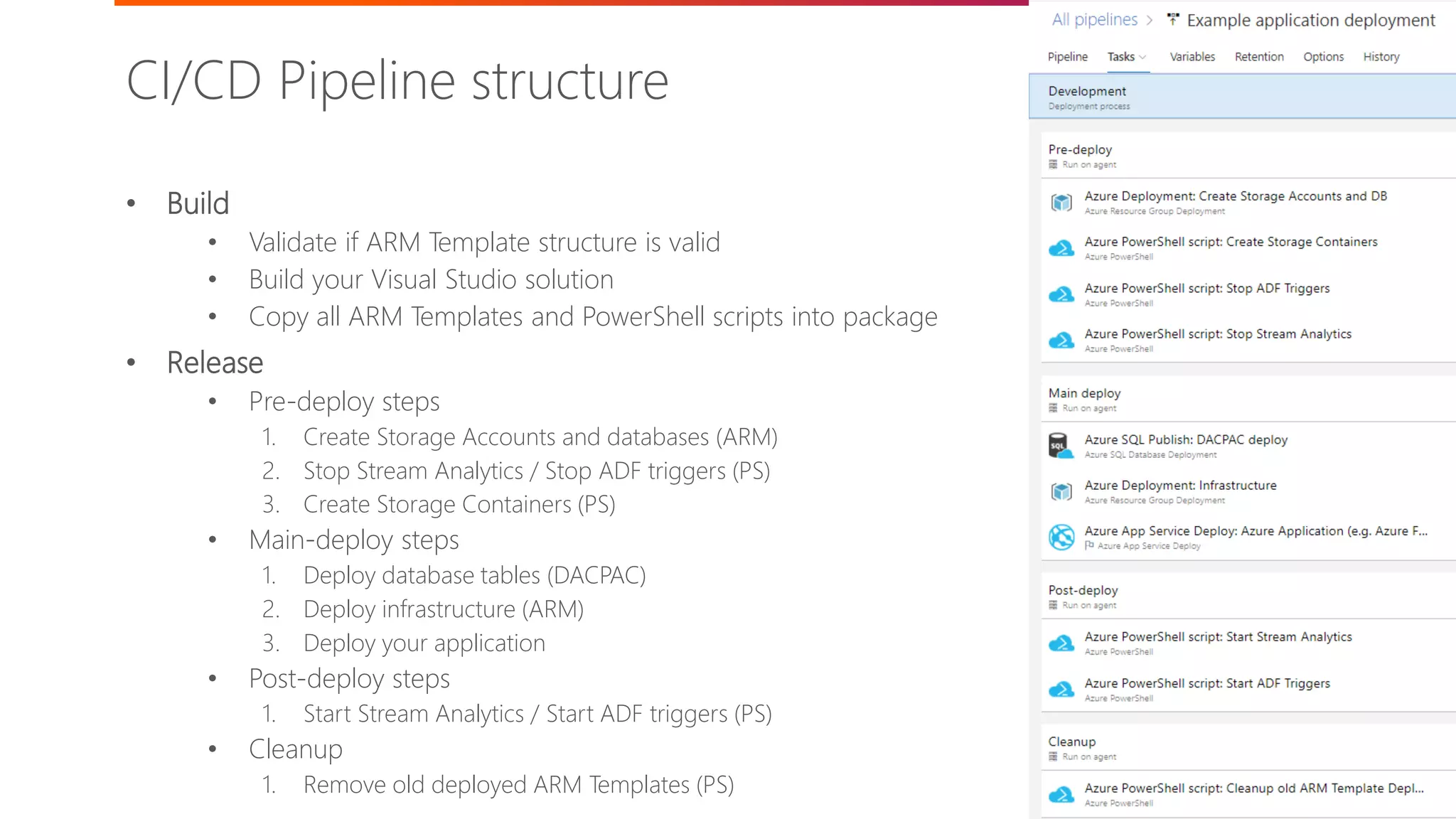
• Build
• Validate if ARM Template structure is valid
• Build your Visual Studio solution
• Copy all ARM Templates and PowerShell scripts into package
• Release
• Pre-deploy steps
1. Create Storage Accounts and databases (ARM)
2. Stop Stream Analytics / Stop ADF triggers (PS)
3. Create Storage Containers (PS)
• Main-deploy steps
1. Deploy database tables (DACPAC)
2. Deploy infrastructure (ARM)
3. Deploy your application
• Post-deploy steps
1. Start Stream Analytics / Start ADF triggers (PS)
• Cleanup
1. Remove old deployed ARM Templates (PS)
CI/CD Pipeline structure
27
✓ Usage of variable groups and KeyVault
✓ Stages per environment
✓ Approvals
✓ Automatically test/unit test
✓ Build pipeline
✓ Release pipeline
Demo’s
Real life experiences (and challenges)
©2018 Avanade Inc. All Rights Reserved.
29
▪ Components not exportable to ARM (Stream Analytics)
▪ Components not deployable via ARM (storage container)
▪ Limited documentation/examples for some settings/resources
▪ Content from within components (ADF)
▪ 800 deployment limit per resource group
▪ Naming conventions of Azure resources (lower case, character limits, globally unique)
▪ Case sensitivity of some values within ARM template
▪ Secure strings / create connection dynamically, use KeyVault if possible
▪ Lock critical resources for accidental manual or ARM deletion
▪ At times, perform a disaster recovery test to ensure your deployment works from scratch as well
(instead of incremental only)
Real life experiences (and challenges)
Summary
©2018 Avanade Inc. All Rights Reserved.
31
• Reduce errors and deployment timelines by using ARM Templates
• Automate your application lifecycle processes using CI/CD in Azure DevOps
• Use linked templates over nested templates where possible
• Properly secure sensitive information in your pipelines and templates
• For parameters which you reuse/modify, do this in variables
• Take into account the Azure naming conventions per resource
• Use ARM first, then PowerShell and as last option manually
Summary
Questions?
©2018 Avanade Inc. All Rights Reserved.
Thanks for attending!
33@timmermankevin www.timmerman.it timmermankevin kevin.timmerman@avanade.com
©2018 Avanade Inc. All Rights Reserved.©2017 Avanade Inc. All Rights Reserved.

O365Con18 - Using ARM Templates to Deploy Solutions on Azure - Kevin Timmermann

  • 1.
    ©2018 Avanade Inc.All Rights Reserved.©2018 Avanade Inc. All Rights Reserved.
  • 2.
    ©2018 Avanade Inc.All Rights Reserved.©2018 Avanade Inc. All Rights Reserved. Kevin Timmerman – November 15th 2018 Using ARM templates to deploy solutions on Azure
  • 3.
    ©2018 Avanade Inc.All Rights Reserved. Kevin Timmerman • Working at Avanade Netherlands since 2008 • Manager in the Data Engineering community o Worked on multiple (large) projects implementing and migrating SharePoint 2007, 2010, 2013 and Office 365 / SharePoint Online o Currently working on a IoT Azure project o Combined roles as developer/team lead & architect/PM Hobbies o Musician, playing trumpet since 1994 o ‘Do it your self’ home improvements o Inline skating Meet the speaker 3@timmermankevin www.timmerman.it timmermankevin kevin.timmerman@avanade.com
  • 4.
    ©2018 Avanade Inc.All Rights Reserved. ✓ Introduction into ARM Templates ✓ Getting started ✓ Parameters, outputs and functions ✓ Linked and Nested templates ✓ Implementation into your CI/CD Pipeline ✓ Real life experiences (and challenges) ✓ Summary ✓ Questions Agenda 4
  • 5.
    ©2018 Avanade Inc.All Rights Reserved. Introduction into ARM Templates
  • 6.
    ©2018 Avanade Inc.All Rights Reserved. 6 Issues with classic (application) deployments Have you ever faced: 1. Unexpected differences between environments 2. Difficulties/issues with manual deployment steps 3. Missing dependencies 4. (Undocumented) manual configuration changes 5. Long request time for application/resource to be available Then ARM Templates help to solve the above!
  • 7.
    ©2018 Avanade Inc.All Rights Reserved. 7 Why use ARM Templates 1. Grouping of related resources into one deployment 2. Consistent deployment throughout development lifecycle 3. Accelerated provisioning and deployments 4. Define dependencies between resources for correct order of deployment 5. Huge reduction of requirement for manual steps (and mistakes) 6. Can be reused within a project/solution, but also across teams and solutions 7. Many example/quickstart templates available
  • 8.
    ©2018 Avanade Inc.All Rights Reserved. 8 Introduction into ARM Templates 1. Azure Resource Manager (ARM) is a management framework to deploy, manage and monitor Azure resources 2. Infrastructure as code 3. Declarative (JSON files) 4. Specify resources and dependencies 5. Repeated and consistent (incremental) deployments
  • 9.
    ©2018 Avanade Inc.All Rights Reserved. 9 Introduction into ARM Templates Each template exist of two files: • JSON template file, e.g. azuredeploy.json • This is the main template file where the resources are declared and inpt parameters are defined • JSON parameter file, e.g. azuredeploy.parameters.json • Provides values for the parameters at deploy time Can be deployed from within Visual Studio, from Azure CLI or PowerShell:
  • 10.
    ©2018 Avanade Inc.All Rights Reserved. 10 Template format { "$schema": "http://schema.management.azure.com/schemas/2015-01- 01/deploymentTemplate.json#", "contentVersion": "", "parameters": { }, "variables": { }, "functions": [ ], "resources": [ ], "outputs": { } }
  • 11.
    ©2018 Avanade Inc.All Rights Reserved. 11 Template limits Limit Parameters 256 Variables 256 Resources * 800 Output values 64 Template expression characters 24.576 Saved deployments per resource group 800 Template File size ** 1 MB Parameter File size 64 KB * Including resources created in loops ** Final state of the template including all variables, loops etc You can work around some of these by using nested/linked templates or by combining multiple variables/parameters/outputs into objects
  • 12.
    ©2018 Avanade Inc.All Rights Reserved. Getting started
  • 13.
    ©2018 Avanade Inc.All Rights Reserved. 13 Getting started 1) From Visual Studio • Blank Template • Using a predefined template 2) By downloading template during manual creation in Azure 3) By downloading template from existing Azure resource group 4) By downloading template examples from GitHub • https://github.com/Azure/azure-quickstart-templates 2 1 3
  • 14.
    ©2018 Avanade Inc.All Rights Reserved. 14 • Rename parameters and add comments • Add/remove parameters • Check which resources are not exported • Create them via ARM yourself using online documentation • Export resource content from within the resource itself • Let Visual Studio generate the ARM template for you • Create them via PowerShell scripting if not (yet) possible in ARM • Ensure dependencies in the template are correct • Create functions where required/useful • Test your template deployment via PowerShell, Visual Studio or Azure CLI What next?
  • 15.
    ©2018 Avanade Inc.All Rights Reserved. Data Factory Storage accounts 15 • 2 storage accounts • Each with one storage container • 1 Data Factory • 1 pipeline, 1 input and 1 output blob, 1 trigger Demo – Data Factory to copy file from blob to blob ARM Template Storage account 1 Storage account 2 Data Factory BlobStorage 1 BlobStorage 2 BlobSource BlobOutput PipeLine Trigger
  • 16.
  • 17.
    ©2018 Avanade Inc.All Rights Reserved. 17 Parameters Note: Any sensitive parameters or output should have the type SecureString to ensure it’s not listed in any deployment logs in Azure Parameter JSON file per environment CI/CD Variable group per environment Maintained in solution Maintained within the CI/CD pipeline Multiple parameter files to keep in sync with the ‘master’ Based on the ‘master’ parameters file Not safe to maintain sensitive information Variables can be shared between environments KeyVault can be linked to a variable group which the CI/CD pipeline will mask automatically
  • 18.
    ©2018 Avanade Inc.All Rights Reserved. 18 • Used to return values from a ARM template deployment • Useful for connection strings, IP addresses or other information from the created resources which is required in other depending templates or deployment steps and scripts "outputs": { "<outputName>" : { "type" : "<type-of-output-value>", "value": "<output-value-expression>" } } Outputs
  • 19.
    ©2018 Avanade Inc.All Rights Reserved. 19 • ARM templates support a set of standard functions (reference) Standard Functions • Array and object functions • Array, contains first, length, max, concat • Comparison functions • Equals, less, greater, lessOrEquals • Logical functions • And, bool, if, not, or • Numeric functions • Add, copyIndex, float, int, mod, min • Resource functions • listKeys, reference, resourceId • String functions • Concat, endsWith, padLeft, replace, split, substring, uri, trim, toLower
  • 20.
    ©2018 Avanade Inc.All Rights Reserved. 20 • ARM templates also supports creating your own functions • Make sure you use a unique namespace to prevent conflicts with standard functions • Best approach for reusing your ‘code’ within the same template • Take into account that: • Default values for the function’s parameters are not supported • Variables/parameters from the template can’t be accessed (but can be provided into the function as parameters) • The ‘reference’ function can’t be used inside the function • You can’t call other user defined functions from within the function User Defined Functions
  • 21.
    ©2018 Avanade Inc.All Rights Reserved. 21 ✓ Parse parameter to array, concat, tolower ✓ Build same in function for reuse ✓ Getting id’s, keys etc without hardcoding ✓ Output values ✓ Using ‘CopyIndex’ to repeat deployment for similar resources Demo’s
  • 22.
  • 23.
    ©2018 Avanade Inc.All Rights Reserved. 23 Linked and Nested Templates Linked Template Nested Template A separate template file, called from a ‘master’ template A ‘sub’ template within one file Needs to be accessible online by Azure during deployment (can be secured with SAS token) Used to deploy resources across multiple resource groups (max 5) Better reuse of developed templates No need to upload to public storage location Requires more time to create/setup Simple solution, but reuse means ‘copy/paste’ Does not support inline parameters/variables and ‘reference’ function within the nested template Master Linked Linked Linked Linked Master Nested Nested Nested
  • 24.
    ©2018 Avanade Inc.All Rights Reserved. 24 ✓ Linked Template ✓ 1 master template, calling 1 linked template to create 2 storage accounts ✓ Nested Template ✓ 1 template deploying 1 storage account in 3 resource groups Demo’s
  • 25.
  • 26.
    26 • Build • Validateif ARM Template structure is valid • Build your Visual Studio solution • Copy all ARM Templates and PowerShell scripts into package • Release • Pre-deploy steps 1. Create Storage Accounts and databases (ARM) 2. Stop Stream Analytics / Stop ADF triggers (PS) 3. Create Storage Containers (PS) • Main-deploy steps 1. Deploy database tables (DACPAC) 2. Deploy infrastructure (ARM) 3. Deploy your application • Post-deploy steps 1. Start Stream Analytics / Start ADF triggers (PS) • Cleanup 1. Remove old deployed ARM Templates (PS) CI/CD Pipeline structure
  • 27.
    27 ✓ Usage ofvariable groups and KeyVault ✓ Stages per environment ✓ Approvals ✓ Automatically test/unit test ✓ Build pipeline ✓ Release pipeline Demo’s
  • 28.
    Real life experiences(and challenges)
  • 29.
    ©2018 Avanade Inc.All Rights Reserved. 29 ▪ Components not exportable to ARM (Stream Analytics) ▪ Components not deployable via ARM (storage container) ▪ Limited documentation/examples for some settings/resources ▪ Content from within components (ADF) ▪ 800 deployment limit per resource group ▪ Naming conventions of Azure resources (lower case, character limits, globally unique) ▪ Case sensitivity of some values within ARM template ▪ Secure strings / create connection dynamically, use KeyVault if possible ▪ Lock critical resources for accidental manual or ARM deletion ▪ At times, perform a disaster recovery test to ensure your deployment works from scratch as well (instead of incremental only) Real life experiences (and challenges)
  • 30.
  • 31.
    ©2018 Avanade Inc.All Rights Reserved. 31 • Reduce errors and deployment timelines by using ARM Templates • Automate your application lifecycle processes using CI/CD in Azure DevOps • Use linked templates over nested templates where possible • Properly secure sensitive information in your pipelines and templates • For parameters which you reuse/modify, do this in variables • Take into account the Azure naming conventions per resource • Use ARM first, then PowerShell and as last option manually Summary
  • 32.
  • 33.
    ©2018 Avanade Inc.All Rights Reserved. Thanks for attending! 33@timmermankevin www.timmerman.it timmermankevin kevin.timmerman@avanade.com
  • 34.
    ©2018 Avanade Inc.All Rights Reserved.©2017 Avanade Inc. All Rights Reserved.