Can the Cloud makes  Business love IT again?
Business and IT Business & IT Alignment Has been a big issue for many years … still a pain in most organizations Why IT projects fail…  ( from the Top 10 – the Standish Group) Lack of user input Incomplete requirements & specifications Changing requirements & specifications Technology incompetence Lack of resources Unrealistic time frames
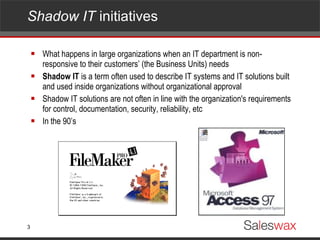
Shadow IT  initiatives  What happens in large organizations when an IT department is non-responsive to their customers’ (the Business Units) needs Shadow IT  is a term often used to describe IT systems and IT solutions built and used inside organizations without organizational approval Shadow IT solutions are not often in line with the organization's requirements for control, documentation, security, reliability, etc In the 90’s
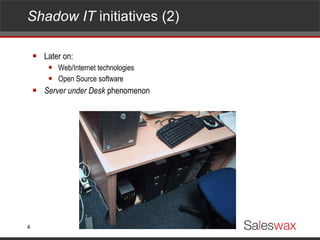
Shadow IT  initiatives (2)  Later on: Web/Internet technologies Open Source software Server under Desk  phenomenon
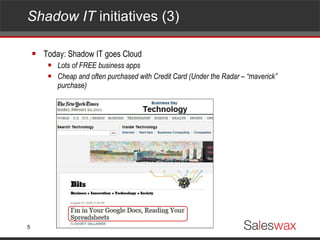
Shadow IT  initiatives (3)  Today: Shadow IT goes Cloud Lots of FREE business apps Cheap and often purchased with Credit Card (Under the Radar – “maverick” purchase)
And things might get worse… Arrival of App Marketplaces
Arrival  of App Marketplaces Meanwhile, in the (mobile) consumer market: “ There’s an app for that ” The arrival of managed marketplaces Apple App Store Google Android Market Microsoft Windows Phone 7 Marketplace Etc. BTW: Individual developers all seem to be working on the next “killer app”
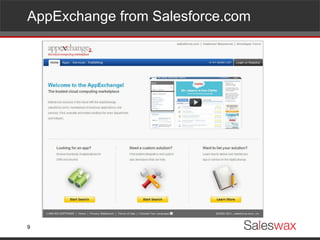
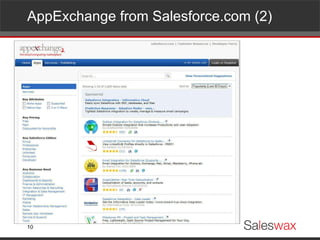
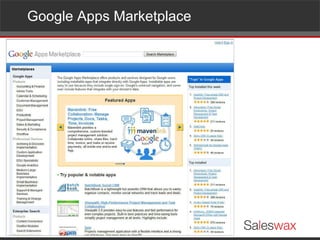
Also flourishing… Business  App Marketplaces
AppExchange from Salesforce.com
AppExchange from Salesforce.com (2)
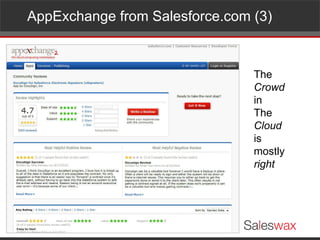
AppExchange from Salesforce.com (3) The  Crowd in  The Cloud is  mostly right
Google Apps Marketplace
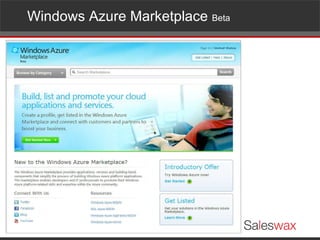
Windows Azure Marketplace  Beta
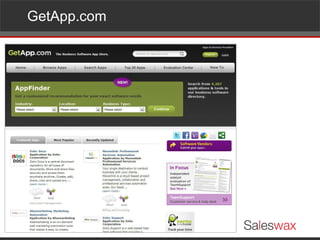
GetApp.com
As an IT department,… How to cope with these…?
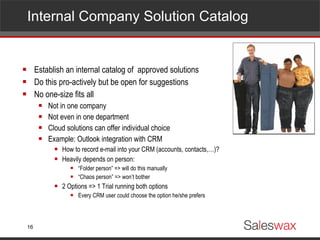
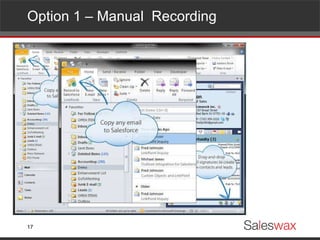
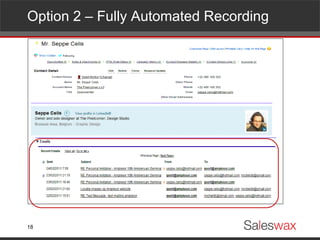
Internal Company Solution Catalog Establish an internal catalog of  approved solutions Do this pro-actively but be open for suggestions No one-size fits all  Not in one company Not even in one department Cloud solutions can offer individual choice Example: Outlook integration with CRM How to record e-mail into your CRM (accounts, contacts,…)? Heavily depends on person: “ Folder person” => will do this manually “ Chaos person” => won’t bother 2 Options => 1 Trial running both options Every CRM user could choose the option he/she prefers
Option 1 – Manual  Recording
Option 2 – Fully Automated Recording
Selection criteria for Cloud/SaaS Apps Points of attention…?
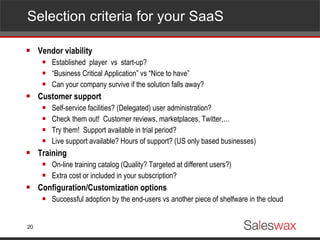
Selection criteria for your SaaS  Vendor viability Established  player  vs  start-up? “ Business Critical Application” vs “Nice to have” Can your company survive if the solution falls away? Customer support Self-service facilities? (Delegated) user administration? Check them out!  Customer reviews, marketplaces, Twitter,… Try them!  Support available in trial period? Live support available? Hours of support? (US only based businesses) Training On-line training catalog (Quality? Targeted at different users?) Extra cost or included in your subscription? Configuration/Customization options Successful adoption by the end-users vs another piece of shelfware in the cloud
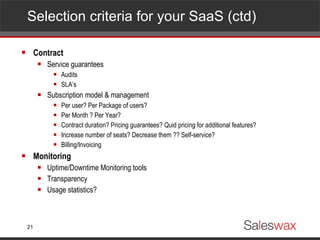
Selection criteria for your SaaS (ctd)  Contract Service guarantees Audits SLA’s Subscription model & management Per user? Per Package of users? Per Month ? Per Year? Contract duration? Pricing guarantees? Quid pricing for additional features? Increase number of seats? Decrease them ?? Self-service?  Billing/Invoicing Monitoring Uptime/Downtime Monitoring tools Transparency Usage statistics?
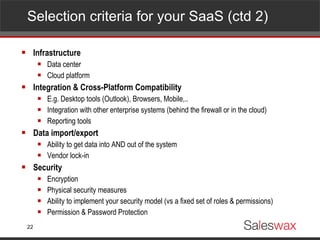
Selection criteria for your SaaS (ctd 2)  Infrastructure Data center Cloud platform Integration & Cross-Platform Compatibility E.g. Desktop tools (Outlook), Browsers, Mobile,.. Integration with other enterprise systems (behind the firewall or in the cloud) Reporting tools Data import/export Ability to get data into AND out of the system Vendor lock-in Security Encryption Physical security measures Ability to implement your security model (vs a fixed set of roles & permissions) Permission & Password Protection
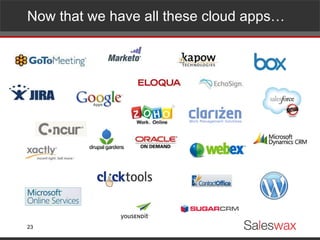
Now that we have all these cloud apps…
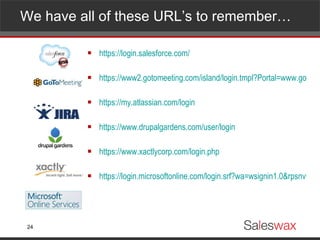
We have all of these URL’s to remember… https://login.salesforce.com/ https://www2.gotomeeting.com/island/login.tmpl?Portal=www.gotomeeting.com https://my.atlassian.com/login https://www.drupalgardens.com/user/login https://www.xactlycorp.com/login.php https://login.microsoftonline.com/login.srf?wa=wsignin1.0&rpsnv=2&ct=1298453309&rver=6.1.6206.0&wp=MCMBI&wreply=https:%2F%2Fportal.microsoftonline.com%2FDefault.aspx&lc=1033&id=271346
… and all these logins… [email_address] [email_address] jan.claes [email_address] Mycompany [email_address]
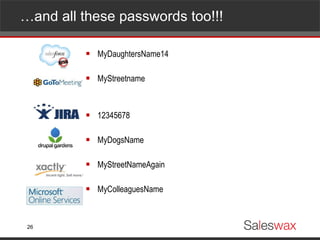
… and all these passwords too!!! MyDaughtersName14 MyStreetname 12345678 MyDogsName MyStreetNameAgain MyColleaguesName
Frustration, risks and costs! Login related support Costly – Loss of productivity (“Forgotten Password?”) Bad user experience => poor user adoption Security risk End user behavior Integration with existing directories (Active Directory, LDAP)
New solutions come to the rescue
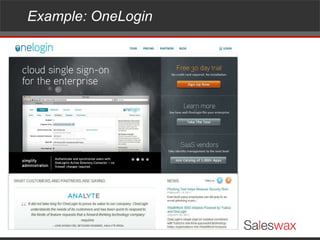
Example: OneLogin
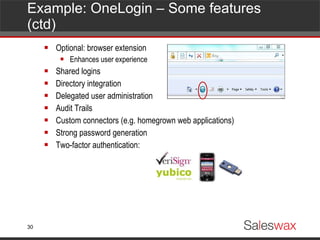
Example: OneLogin – Some features (ctd) Optional: browser extension Enhances user experience Shared logins Directory integration Delegated user administration Audit Trails Custom connectors (e.g. homegrown web applications) Strong password generation Two-factor authentication:
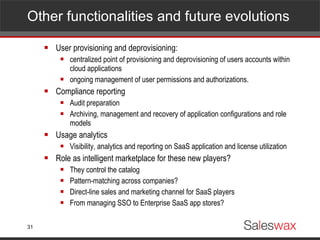
Other functionalities and future evolutions User provisioning and deprovisioning: centralized point of provisioning and deprovisioning of users accounts within cloud applications ongoing management of user permissions and authorizations. Compliance reporting Audit preparation Archiving, management and recovery of application configurations and role models Usage analytics Visibility, analytics and reporting on SaaS application and license utilization Role as intelligent marketplace for these new players? They control the catalog Pattern-matching across companies? Direct-line sales and marketing channel for SaaS players From managing SSO to Enterprise SaaS app stores?
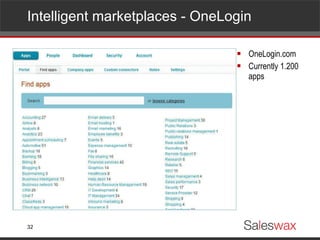
Intelligent marketplaces - OneLogin OneLogin.com Currently 1.200 apps
Wrap-up Cloud applications look very appealing to the business Consumer - like: discovery through marketplaces, ratings,… Fast deployment Closer involvement by the business in the project implementation Business should be educated regarding: Manageability Compliance Integration Security Pro-active attitude required by IT Overview SaaS subscriptions centrally Build up expertise regarding SaaS contracts Develop an internal application catalog Provide management and monitoring tools
Contact us Geert Mortier Managing Director [email_address] SalesWax Hof Ter Eikenlaan 1 B-3020 Herent  - Belgium [email_address] http://twitter.com/saleswax www.saleswax.com

Saleswax - -public

  • 1.
    Can the Cloudmakes Business love IT again?
  • 2.
    Business and ITBusiness & IT Alignment Has been a big issue for many years … still a pain in most organizations Why IT projects fail… ( from the Top 10 – the Standish Group) Lack of user input Incomplete requirements & specifications Changing requirements & specifications Technology incompetence Lack of resources Unrealistic time frames
  • 3.
    Shadow IT initiatives What happens in large organizations when an IT department is non-responsive to their customers’ (the Business Units) needs Shadow IT is a term often used to describe IT systems and IT solutions built and used inside organizations without organizational approval Shadow IT solutions are not often in line with the organization's requirements for control, documentation, security, reliability, etc In the 90’s
  • 4.
    Shadow IT initiatives (2) Later on: Web/Internet technologies Open Source software Server under Desk phenomenon
  • 5.
    Shadow IT initiatives (3) Today: Shadow IT goes Cloud Lots of FREE business apps Cheap and often purchased with Credit Card (Under the Radar – “maverick” purchase)
  • 6.
    And things mightget worse… Arrival of App Marketplaces
  • 7.
    Arrival ofApp Marketplaces Meanwhile, in the (mobile) consumer market: “ There’s an app for that ” The arrival of managed marketplaces Apple App Store Google Android Market Microsoft Windows Phone 7 Marketplace Etc. BTW: Individual developers all seem to be working on the next “killer app”
  • 8.
  • 9.
  • 10.
  • 11.
    AppExchange from Salesforce.com(3) The Crowd in The Cloud is mostly right
  • 12.
  • 13.
  • 14.
  • 15.
    As an ITdepartment,… How to cope with these…?
  • 16.
    Internal Company SolutionCatalog Establish an internal catalog of approved solutions Do this pro-actively but be open for suggestions No one-size fits all Not in one company Not even in one department Cloud solutions can offer individual choice Example: Outlook integration with CRM How to record e-mail into your CRM (accounts, contacts,…)? Heavily depends on person: “ Folder person” => will do this manually “ Chaos person” => won’t bother 2 Options => 1 Trial running both options Every CRM user could choose the option he/she prefers
  • 17.
    Option 1 –Manual Recording
  • 18.
    Option 2 –Fully Automated Recording
  • 19.
    Selection criteria forCloud/SaaS Apps Points of attention…?
  • 20.
    Selection criteria foryour SaaS Vendor viability Established player vs start-up? “ Business Critical Application” vs “Nice to have” Can your company survive if the solution falls away? Customer support Self-service facilities? (Delegated) user administration? Check them out! Customer reviews, marketplaces, Twitter,… Try them! Support available in trial period? Live support available? Hours of support? (US only based businesses) Training On-line training catalog (Quality? Targeted at different users?) Extra cost or included in your subscription? Configuration/Customization options Successful adoption by the end-users vs another piece of shelfware in the cloud
  • 21.
    Selection criteria foryour SaaS (ctd) Contract Service guarantees Audits SLA’s Subscription model & management Per user? Per Package of users? Per Month ? Per Year? Contract duration? Pricing guarantees? Quid pricing for additional features? Increase number of seats? Decrease them ?? Self-service? Billing/Invoicing Monitoring Uptime/Downtime Monitoring tools Transparency Usage statistics?
  • 22.
    Selection criteria foryour SaaS (ctd 2) Infrastructure Data center Cloud platform Integration & Cross-Platform Compatibility E.g. Desktop tools (Outlook), Browsers, Mobile,.. Integration with other enterprise systems (behind the firewall or in the cloud) Reporting tools Data import/export Ability to get data into AND out of the system Vendor lock-in Security Encryption Physical security measures Ability to implement your security model (vs a fixed set of roles & permissions) Permission & Password Protection
  • 23.
    Now that wehave all these cloud apps…
  • 24.
    We have allof these URL’s to remember… https://login.salesforce.com/ https://www2.gotomeeting.com/island/login.tmpl?Portal=www.gotomeeting.com https://my.atlassian.com/login https://www.drupalgardens.com/user/login https://www.xactlycorp.com/login.php https://login.microsoftonline.com/login.srf?wa=wsignin1.0&rpsnv=2&ct=1298453309&rver=6.1.6206.0&wp=MCMBI&wreply=https:%2F%2Fportal.microsoftonline.com%2FDefault.aspx&lc=1033&id=271346
  • 25.
    … and allthese logins… [email_address] [email_address] jan.claes [email_address] Mycompany [email_address]
  • 26.
    … and allthese passwords too!!! MyDaughtersName14 MyStreetname 12345678 MyDogsName MyStreetNameAgain MyColleaguesName
  • 27.
    Frustration, risks andcosts! Login related support Costly – Loss of productivity (“Forgotten Password?”) Bad user experience => poor user adoption Security risk End user behavior Integration with existing directories (Active Directory, LDAP)
  • 28.
    New solutions cometo the rescue
  • 29.
  • 30.
    Example: OneLogin –Some features (ctd) Optional: browser extension Enhances user experience Shared logins Directory integration Delegated user administration Audit Trails Custom connectors (e.g. homegrown web applications) Strong password generation Two-factor authentication:
  • 31.
    Other functionalities andfuture evolutions User provisioning and deprovisioning: centralized point of provisioning and deprovisioning of users accounts within cloud applications ongoing management of user permissions and authorizations. Compliance reporting Audit preparation Archiving, management and recovery of application configurations and role models Usage analytics Visibility, analytics and reporting on SaaS application and license utilization Role as intelligent marketplace for these new players? They control the catalog Pattern-matching across companies? Direct-line sales and marketing channel for SaaS players From managing SSO to Enterprise SaaS app stores?
  • 32.
    Intelligent marketplaces -OneLogin OneLogin.com Currently 1.200 apps
  • 33.
    Wrap-up Cloud applicationslook very appealing to the business Consumer - like: discovery through marketplaces, ratings,… Fast deployment Closer involvement by the business in the project implementation Business should be educated regarding: Manageability Compliance Integration Security Pro-active attitude required by IT Overview SaaS subscriptions centrally Build up expertise regarding SaaS contracts Develop an internal application catalog Provide management and monitoring tools
  • 34.
    Contact us GeertMortier Managing Director [email_address] SalesWax Hof Ter Eikenlaan 1 B-3020 Herent - Belgium [email_address] http://twitter.com/saleswax www.saleswax.com