SAFETY ISSUES WITH
ICT


MARIA PAULA ALDANA, NICOLE CAMPBELL,
MARIA CAMILA QUESADA,NADIA GUETE
CONTENT
 Introduction
 Objectives
 General working environment
 Employers obligations
 Trailing cables
 Spilt drinks or food
 Overloaded power sockets
 Comclusion
INTRODUCTION

   The general working environment must
    always be a safe place to perform tasks,
    especially when it requires the use of ICT.
    The grade of safety in trhe environment will
    determine the time that hardware and
    equipment will endure, as well as the
    success od the tasks performed.
OBJECTIVES

 Provide information about the common
  problems in the general working
  environment.
 Provide measures that can help to prevent
  accidents during the use of ICT.
GENERAL WORKING ENVIRONMENT
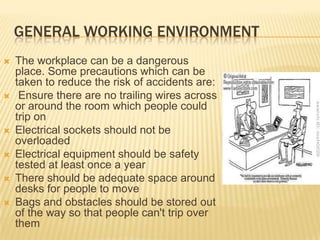
   The workplace can be a dangerous
    place. Some precautions which can be
    taken to reduce the risk of accidents are:
    Ensure there are no trailing wires across
    or around the room which people could
    trip on
   Electrical sockets should not be
    overloaded
   Electrical equipment should be safety
    tested at least once a year
   There should be adequate space around
    desks for people to move
   Bags and obstacles should be stored out
    of the way so that people can't trip over
    them
   Food and drink should not be
    placed near a machine
   Heating and ventilation should be
    suitable for the working environment
   Work desks should be strong
    enough to support computers and
    equipment
   Staff should follow the safety
    regulations
   Fire extinguishers should be
    available, including specialist ones
    to deal with electrical fires.
   Fire exits should be clearly marked
    and free from clutter
EMPLOYER OBLIGATIONS
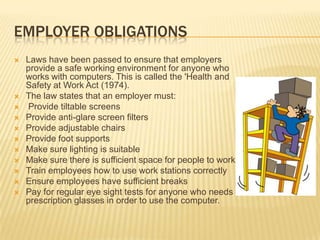
   Laws have been passed to ensure that employers
    provide a safe working environment for anyone who
    works with computers. This is called the 'Health and
    Safety at Work Act (1974).
   The law states that an employer must:
   Provide tiltable screens
   Provide anti-glare screen filters
   Provide adjustable chairs
   Provide foot supports
   Make sure lighting is suitable
   Make sure there is sufficient space for people to work
   Train employees how to use work stations correctly
   Ensure employees have sufficient breaks
   Pay for regular eye sight tests for anyone who needs
    prescription glasses in order to use the computer.
TRAILING CABLES


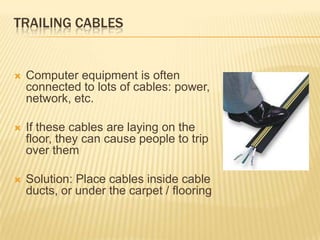
   Computer equipment is often
    connected to lots of cables: power,
    network, etc.

   If these cables are laying on the
    floor, they can cause people to trip
    over them

   Solution: Place cables inside cable
    ducts, or under the carpet / flooring
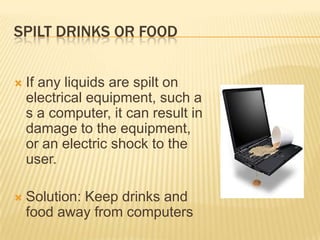
SPILT DRINKS OR FOOD


   If any liquids are spilt on
    electrical equipment, such a
    s a computer, it can result in
    damage to the equipment,
    or an electric shock to the
    user.

   Solution: Keep drinks and
    food away from computers
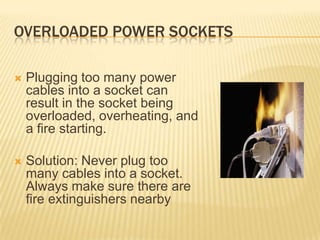
OVERLOADED POWER SOCKETS

   Plugging too many power
    cables into a socket can
    result in the socket being
    overloaded, overheating, and
    a fire starting.

   Solution: Never plug too
    many cables into a socket.
    Always make sure there are
    fire extinguishers nearby
CONCLUSION

   The security of the investment in
    technological equipment requires a
    environment able to provide the proper
    measures to protect it form possible damage.
    The measures to protect the equipment also
    have to seek for the security of the user and
    the organization of data and resources , in
    order to obtain the maximum advantage of
    the ICT.
BIBLIOGRAPHY

 http://www.bbc.co.uk/schools/gcsebitesize/ict
  /implications/3healthandsafetyrev1.shtml
 http://www.igcseict.info/theory/6/safe/index.ht
  ml
 http://mryusuf.com/0417/sites/default/files/S6
  HealthAndSafety.pdf

Safety issues with ict

  • 1.
    SAFETY ISSUES WITH ICT MARIAPAULA ALDANA, NICOLE CAMPBELL, MARIA CAMILA QUESADA,NADIA GUETE
  • 2.
    CONTENT  Introduction  Objectives General working environment  Employers obligations  Trailing cables  Spilt drinks or food  Overloaded power sockets  Comclusion
  • 3.
    INTRODUCTION  The general working environment must always be a safe place to perform tasks, especially when it requires the use of ICT. The grade of safety in trhe environment will determine the time that hardware and equipment will endure, as well as the success od the tasks performed.
  • 4.
    OBJECTIVES  Provide informationabout the common problems in the general working environment.  Provide measures that can help to prevent accidents during the use of ICT.
  • 5.
    GENERAL WORKING ENVIRONMENT  The workplace can be a dangerous place. Some precautions which can be taken to reduce the risk of accidents are:  Ensure there are no trailing wires across or around the room which people could trip on  Electrical sockets should not be overloaded  Electrical equipment should be safety tested at least once a year  There should be adequate space around desks for people to move  Bags and obstacles should be stored out of the way so that people can't trip over them
  • 6.
    Food and drink should not be placed near a machine  Heating and ventilation should be suitable for the working environment  Work desks should be strong enough to support computers and equipment  Staff should follow the safety regulations  Fire extinguishers should be available, including specialist ones to deal with electrical fires.  Fire exits should be clearly marked and free from clutter
  • 7.
    EMPLOYER OBLIGATIONS  Laws have been passed to ensure that employers provide a safe working environment for anyone who works with computers. This is called the 'Health and Safety at Work Act (1974).  The law states that an employer must:  Provide tiltable screens  Provide anti-glare screen filters  Provide adjustable chairs  Provide foot supports  Make sure lighting is suitable  Make sure there is sufficient space for people to work  Train employees how to use work stations correctly  Ensure employees have sufficient breaks  Pay for regular eye sight tests for anyone who needs prescription glasses in order to use the computer.
  • 8.
    TRAILING CABLES  Computer equipment is often connected to lots of cables: power, network, etc.  If these cables are laying on the floor, they can cause people to trip over them  Solution: Place cables inside cable ducts, or under the carpet / flooring
  • 9.
    SPILT DRINKS ORFOOD  If any liquids are spilt on electrical equipment, such a s a computer, it can result in damage to the equipment, or an electric shock to the user.  Solution: Keep drinks and food away from computers
  • 10.
    OVERLOADED POWER SOCKETS  Plugging too many power cables into a socket can result in the socket being overloaded, overheating, and a fire starting.  Solution: Never plug too many cables into a socket. Always make sure there are fire extinguishers nearby
  • 11.
    CONCLUSION  The security of the investment in technological equipment requires a environment able to provide the proper measures to protect it form possible damage. The measures to protect the equipment also have to seek for the security of the user and the organization of data and resources , in order to obtain the maximum advantage of the ICT.
  • 12.
    BIBLIOGRAPHY  http://www.bbc.co.uk/schools/gcsebitesize/ict /implications/3healthandsafetyrev1.shtml  http://www.igcseict.info/theory/6/safe/index.ht ml  http://mryusuf.com/0417/sites/default/files/S6 HealthAndSafety.pdf