RSS => Twitter and more
                                  a few steps to a full automative proces

                                             Hans Kuijpers
                                            2Value & Jira ICT

                                                  hans2103


donderdag 6 augustus 2009 (wk )
Why connect RSS to Twitter?
    • People following you on Twitter get updates about new
      post on your website.

           •       It saves time, because you post it once and it will be
                   published on multiple sites.


donderdag 6 augustus 2009 (wk )
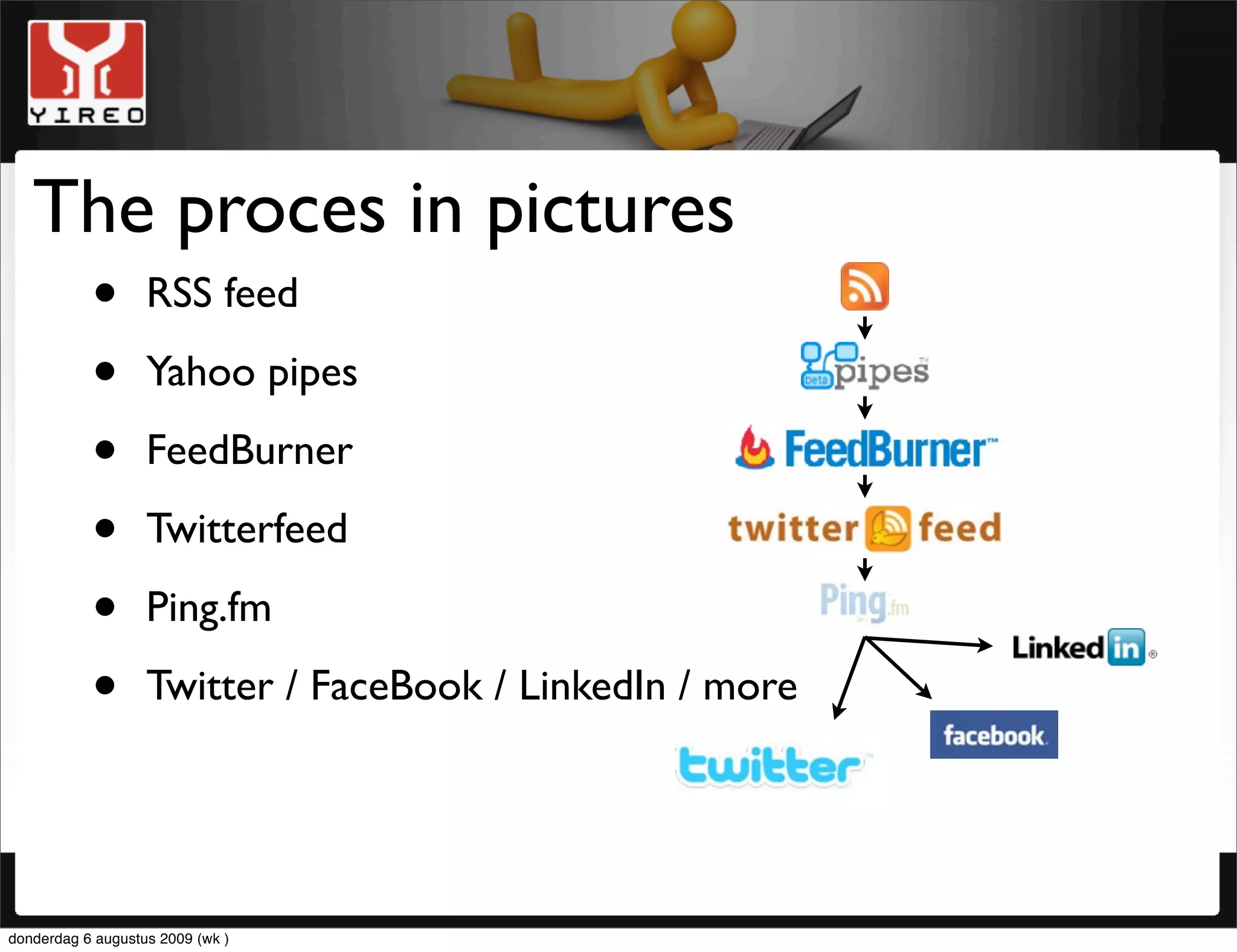
The proces in pictures
    • RSS feed
    • Yahoo pipes
    • FeedBurner
    • Twitterfeed
    • Ping.fm
    • Twitter / FaceBook / LinkedIn / more


donderdag 6 augustus 2009 (wk )
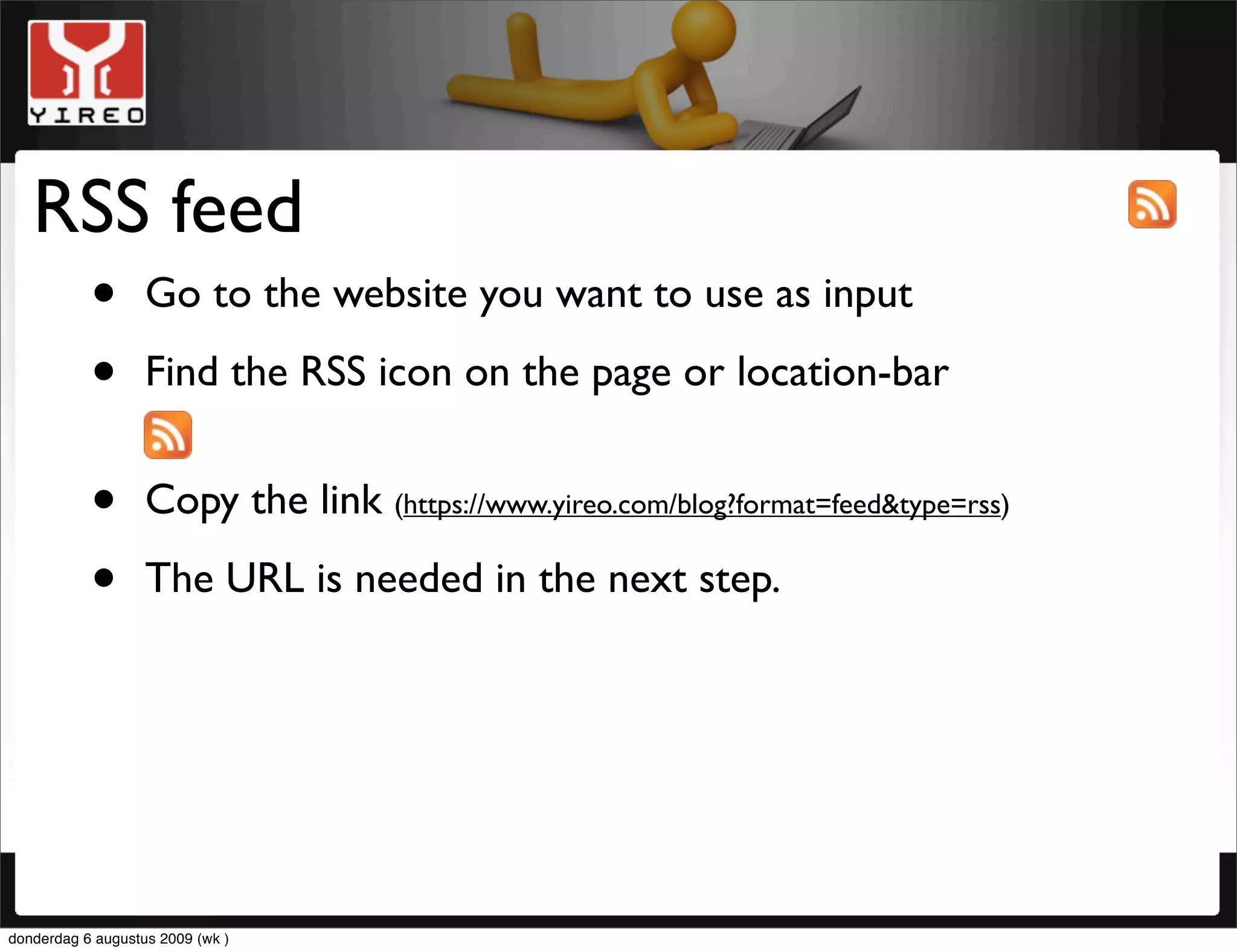
RSS feed
    • Go to the website you want to use as input
    • Find the RSS icon on the page or location-bar
           •       Copy the link (https://www.yireo.com/blog?format=feed&type=rss)

           •       The URL is needed in the next step.


donderdag 6 augustus 2009 (wk )
Yahoo pipes
     • Pipes is a powerful composition tool to aggregate,
       manipulate, and mash-up content from around the web.

           •       Learn How to Build a Pipe in Just a Few Minutes
                   Pipes only sounds hard.Yahoo made a video tutorial.
                   Watch it and see how you can quickly turn your idea into
                   a usable, working feed. (http://video.yahoo.com/watch/5260536/13878389)

           •       The output of Yahoo pipes is a new RSS feed, to be used
                   in the next step.


donderdag 6 augustus 2009 (wk )
FeedBurner
     • Use FeedBurner to get a SEO RSS link
     • Use FeedBurner so others can signup for mail
     • Use FeedBurner to get statistics
     • Read the Crash course #FeedBurner written by Dae Punt
                   (http://www.daepunt.com/en/crash-course-feedburner/)


     • The output of FeedBurner is a new RSS feed, to be used
       in the next step.


donderdag 6 augustus 2009 (wk )
TwitterFeed
    • To automatically feed Ping.fm or Twitter
      I’ve chosen for Ping.fm, so I can automatically can feed
                   LinkedIn, FaceBook and others as well

           •       Before using feeding to Ping.fm from Twitterfeed, we’ll
                   have to do some work in Ping.fm

           •       Twitterfeed will come back after two slides


donderdag 6 augustus 2009 (wk )
Ping.fm
     • Ping.fm can be used to feed multiple social networks at
       once. FaceBook, LinkedIn, Twitter and more

           •       Login to Ping.fm

           •       Add Twitter as a service, make sure “status updates” is
                   enabled.

           •       Go to http://ping.fm/key and copy your application key.
                   (To be used in the next step,Twitterfeed)


donderdag 6 augustus 2009 (wk )
Bit.ly
     • Use bit.ly to shorten URL
     • Use bit.ly to get statistics
     • Log in and add your Twitter details to “Linked Accounts”
     • Use the “API login” and “API key” in Twitterfeed


donderdag 6 augustus 2009 (wk )
Twitterfeed
    • Login to Twitterfeed and create a new feed to Ping.fm
    • Use the application key from Ping.fm
    • Click ‘get available methods’ and set methode to ‘status’
    • Paste your feed from FeedBurner at ‘RSS Feed URL’
    • Go to “Advanced Settings” and set “Update Frequency”,
      “Post Content”. Shorten URL using bit.ly. Use the
                   application login and key from Bit.ly


donderdag 6 augustus 2009 (wk )
Final
     • It can take a while before Twitterfeed add your newly
       created feed into their process. After that it will proceed
                   on your given frequency.

           •       Don’t post on the pages you get your input from. It will
                   turn into a loop.

           •       We’ve used our own website as input in Yahoo Pipes. You
                   can take any website you like, as long as it generates RSS
                   feeds.

           •       Good luck and have fun


donderdag 6 augustus 2009 (wk )
this tutorial was written for
                                     blog.opensourcenetwork.eu
                                        more tutorials about
                                  MageBridge, Magento or Joomla! on
                                           www.yireo.com


donderdag 6 augustus 2009 (wk )

RSS -> Twitter

  • 1.
    RSS => Twitterand more a few steps to a full automative proces Hans Kuijpers 2Value & Jira ICT hans2103 donderdag 6 augustus 2009 (wk )
  • 2.
    Why connect RSSto Twitter? • People following you on Twitter get updates about new post on your website. • It saves time, because you post it once and it will be published on multiple sites. donderdag 6 augustus 2009 (wk )
  • 3.
    The proces inpictures • RSS feed • Yahoo pipes • FeedBurner • Twitterfeed • Ping.fm • Twitter / FaceBook / LinkedIn / more donderdag 6 augustus 2009 (wk )
  • 4.
    RSS feed • Go to the website you want to use as input • Find the RSS icon on the page or location-bar • Copy the link (https://www.yireo.com/blog?format=feed&type=rss) • The URL is needed in the next step. donderdag 6 augustus 2009 (wk )
  • 5.
    Yahoo pipes • Pipes is a powerful composition tool to aggregate, manipulate, and mash-up content from around the web. • Learn How to Build a Pipe in Just a Few Minutes Pipes only sounds hard.Yahoo made a video tutorial. Watch it and see how you can quickly turn your idea into a usable, working feed. (http://video.yahoo.com/watch/5260536/13878389) • The output of Yahoo pipes is a new RSS feed, to be used in the next step. donderdag 6 augustus 2009 (wk )
  • 6.
    FeedBurner • Use FeedBurner to get a SEO RSS link • Use FeedBurner so others can signup for mail • Use FeedBurner to get statistics • Read the Crash course #FeedBurner written by Dae Punt (http://www.daepunt.com/en/crash-course-feedburner/) • The output of FeedBurner is a new RSS feed, to be used in the next step. donderdag 6 augustus 2009 (wk )
  • 7.
    TwitterFeed • To automatically feed Ping.fm or Twitter I’ve chosen for Ping.fm, so I can automatically can feed LinkedIn, FaceBook and others as well • Before using feeding to Ping.fm from Twitterfeed, we’ll have to do some work in Ping.fm • Twitterfeed will come back after two slides donderdag 6 augustus 2009 (wk )
  • 8.
    Ping.fm • Ping.fm can be used to feed multiple social networks at once. FaceBook, LinkedIn, Twitter and more • Login to Ping.fm • Add Twitter as a service, make sure “status updates” is enabled. • Go to http://ping.fm/key and copy your application key. (To be used in the next step,Twitterfeed) donderdag 6 augustus 2009 (wk )
  • 9.
    Bit.ly • Use bit.ly to shorten URL • Use bit.ly to get statistics • Log in and add your Twitter details to “Linked Accounts” • Use the “API login” and “API key” in Twitterfeed donderdag 6 augustus 2009 (wk )
  • 10.
    Twitterfeed • Login to Twitterfeed and create a new feed to Ping.fm • Use the application key from Ping.fm • Click ‘get available methods’ and set methode to ‘status’ • Paste your feed from FeedBurner at ‘RSS Feed URL’ • Go to “Advanced Settings” and set “Update Frequency”, “Post Content”. Shorten URL using bit.ly. Use the application login and key from Bit.ly donderdag 6 augustus 2009 (wk )
  • 11.
    Final • It can take a while before Twitterfeed add your newly created feed into their process. After that it will proceed on your given frequency. • Don’t post on the pages you get your input from. It will turn into a loop. • We’ve used our own website as input in Yahoo Pipes. You can take any website you like, as long as it generates RSS feeds. • Good luck and have fun donderdag 6 augustus 2009 (wk )
  • 12.
    this tutorial waswritten for blog.opensourcenetwork.eu more tutorials about MageBridge, Magento or Joomla! on www.yireo.com donderdag 6 augustus 2009 (wk )