SOCIAL MEDIA OUTREACH
     Carnegie-Knight Initiative on the Future of Journalism Education


Saturday, November 7, 2009
How Journalists Can
                             Use Social Networking
     • Content                distribution.

     • Social            Linking.

     • Crowdsourcing.

     • Finding               sources.

     •A        central hub for facilitating discussion on a topic.

     • Connecting                with a community.

Saturday, November 7, 2009
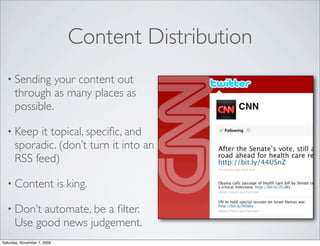
Content Distribution
  • Sending     your content out
      through as many places as
      possible.

  • Keep    it topical, specific, and
      sporadic. (don’t turn it into an
      RSS feed)

  • Content                  is king.

  • Don’t   automate, be a filter.
      Use good news judgement.
Saturday, November 7, 2009
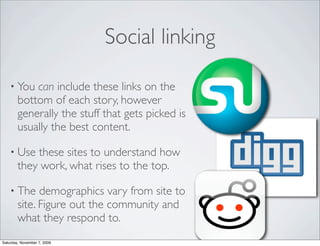
Social linking

    • You   can include these links on the
        bottom of each story, however
        generally the stuff that gets picked is
        usually the best content.

    • Use   these sites to understand how
        they work, what rises to the top.

    • The     demographics vary from site to
        site. Figure out the community and
        what they respond to.
Saturday, November 7, 2009
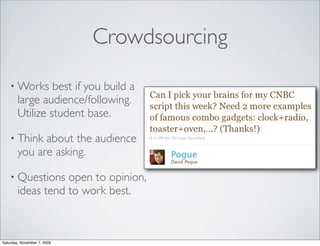
Crowdsourcing

    • Works      best if you build a
        large audience/following.
        Utilize student base.

    • Think   about the audience
        you are asking.

    • Questions    open to opinion,
        ideas tend to work best.


Saturday, November 7, 2009
Finding Sources (research)

    • Use     the natural filter of social
        networks to help you find
        links to your questions.

    • People   usually weed through
        the crud, and only the best
        content reaches the top.

    • Searches     looking for the “best
        of ” usually work.


Saturday, November 7, 2009
Finding sources

    • Identify  the demographics for
        each social network (MySpace
        vs Facebook vs Twitter, etc.)

    • Build           cachet with groups early.

    • Join   groups and networks
        related to the topic. Seek out
        sites and communities related
        to the issue.


Saturday, November 7, 2009
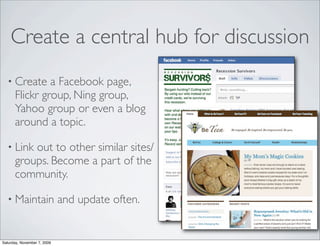
Create a central hub for discussion
  • Create     a Facebook page,
      Flickr group, Ning group,
      Yahoo group or even a blog
      around a topic.

  • Link  out to other similar sites/
      groups. Become a part of the
      community.

  • Maintain                 and update often.


Saturday, November 7, 2009
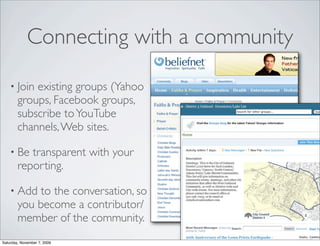
Connecting with a community

    • Join  existing groups (Yahoo
        groups, Facebook groups,
        subscribe to YouTube
        channels, Web sites.

    • Be   transparent with your
        reporting.

    • Add    to the conversation, so
        you become a contributor/
        member of the community.
Saturday, November 7, 2009
“It’s easier to join a conversation
                 online than to start one”


Saturday, November 7, 2009
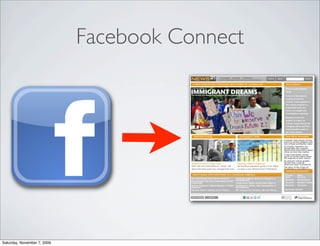
Facebook Connect


Saturday, November 7, 2009
Facebook Connect
    • Access  to users Facebook data when they are logged into
        Facebook.

    • Give    users the opportunity to publish a story, invite their
        friends, or send an event from your site. Their friends click
        back to your site.

    • Allows                 people to update their FB status from your site.

    • Use          Facebook login so they don’t have to register for your site.

    • Pull        data from a person’s Facebook page to your site.
Saturday, November 7, 2009
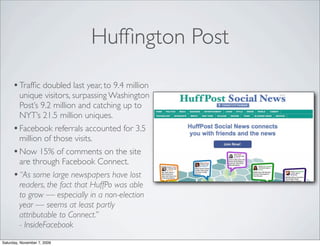
Huffington Post
     • Traffic doubled last year, to 9.4 million
       unique visitors, surpassing Washington
       Post’s 9.2 million and catching up to
       NYT’s 21.5 million uniques.
     • Facebook referrals accounted for 3.5
       million of those visits.
     • Now 15% of comments on the site
       are through Facebook Connect.
     • “As some large newspapers have lost
       readers, the fact that HuffPo was able
       to grow — especially in a non-election
       year — seems at least partly
       attributable to Connect.”
       - InsideFacebook
Saturday, November 7, 2009
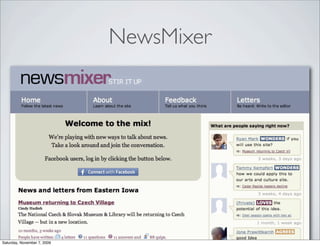
NewsMixer


Saturday, November 7, 2009
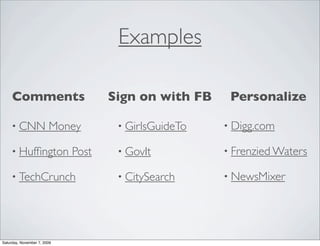
Examples

     Comments                       Sign on with FB    Personalize

     • CNN              Money        • GirlsGuideTo   • Digg.com

     • Huffington             Post    • GovIt          • Frenzied Waters

     • TechCrunch                    • CitySearch     • NewsMixer


Saturday, November 7, 2009
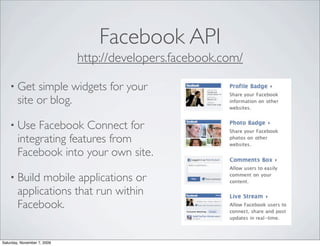
Facebook API
                             http://developers.facebook.com/

    • Get    simple widgets for your
        site or blog.

    • Use    Facebook Connect for
        integrating features from
        Facebook into your own site.

    • Build   mobile applications or
        applications that run within
        Facebook.


Saturday, November 7, 2009
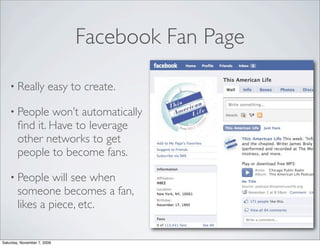
Facebook Fan Page

    • Really            easy to create.

    • People    won’t automatically
        find it. Have to leverage
        other networks to get
        people to become fans.

    • People     will see when
        someone becomes a fan,
        likes a piece, etc.


Saturday, November 7, 2009
FLICKR API
                             http://www.flickr.com/services/api/


Saturday, November 7, 2009
Flickr services

    • Create   Flickr pools so that people can add their own photos
        to your group.

    • Search  keywords and find photos related to topics of interest.
        Aggregate those photos on your site.

    • Photo   storage/linking. The photos automatically have metadata
        added by Flickr when you upload.

    • Utilize            GeoRSS features with Flickr.


Saturday, November 7, 2009
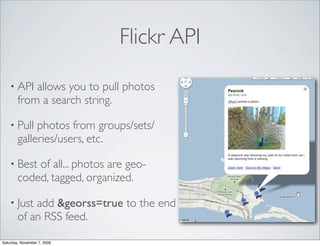
Flickr API

    • API   allows you to pull photos
        from a search string.

    • Pull   photos from groups/sets/
        galleries/users, etc.

    • Best  of all... photos are geo-
        coded, tagged, organized.

    • Just  add &georss=true to the end
        of an RSS feed.

Saturday, November 7, 2009
Flickr Widgets

    • Click    on the Flickr Slideshow and
        it will give you embed code.

    • Use   RSS feeds to build your own
        widgets using other sites (like
        widgetbox.com)

    • Post          group photos on your own
        site.


Saturday, November 7, 2009
YOUTUBE


Saturday, November 7, 2009
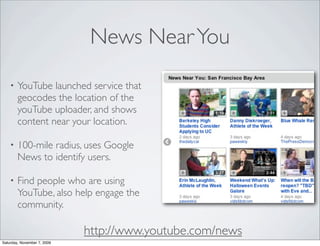
News Near You
    •   YouTube launched service that
        geocodes the location of the
        youTube uploader, and shows
        content near your location.

    •   100-mile radius, uses Google
        News to identify users.

    •   Find people who are using
        YouTube, also help engage the
        community.

                             http://www.youtube.com/news
Saturday, November 7, 2009
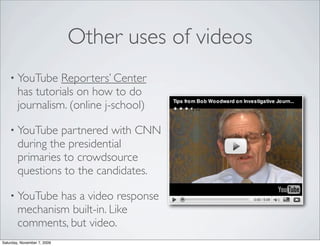
Other uses of videos
    • YouTube     Reporters’ Center
        has tutorials on how to do
        journalism. (online j-school)

    • YouTube    partnered with CNN
        during the presidential
        primaries to crowdsource
        questions to the candidates.

    • YouTube   has a video response
        mechanism built-in. Like
        comments, but video.
Saturday, November 7, 2009
YouTube Tricks:
                                  View high quality videos

    • Just  append &fmt=18 to the end of the URL for high quality
        standard definition.

    • Append                 &fmt=22 for HD high quality version.

    • Append    &ap=%2526fmt%3D18 to the URL of the embed
        code for high quality standard definition.

    • Append                 &ap=%2526fmt%3D22 to the URL for HD quality.


Saturday, November 7, 2009
YouTube Tricks:
                             Embedding parts of a video

    • Append    &start=30 to the end of the URL to skip to the first
        30 seconds of video.

    • Or   add #t=03m22s (#t=XXmYYs for XX mins and YY
        seconds) to embed that specific time of the video.

    • Need    to download YouTube? Change “youtube” to
        “kickyoutube” in the URL.


Saturday, November 7, 2009
TWITTER
                             New features on the horizon


Saturday, November 7, 2009
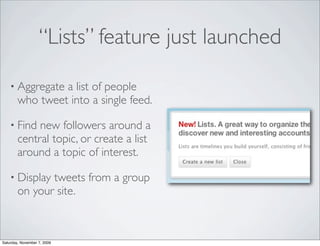
“Lists” feature just launched

    • Aggregate  a list of people
        who tweet into a single feed.

    • Find   new followers around a
        central topic, or create a list
        around a topic of interest.

    • Display  tweets from a group
        on your site.


Saturday, November 7, 2009
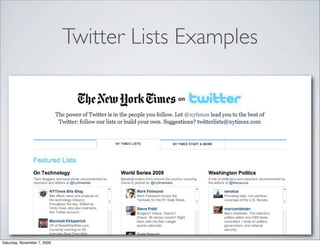
Twitter Lists Examples


Saturday, November 7, 2009
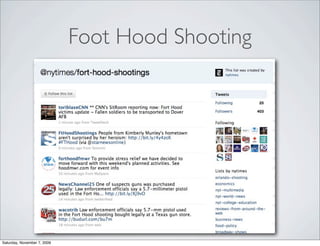
Foot Hood Shooting


Saturday, November 7, 2009
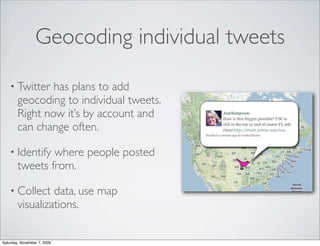
Geocoding individual tweets

    • Twitter   has plans to add
        geocoding to individual tweets.
        Right now it’s by account and
        can change often.

    • Identify  where people posted
        tweets from.

    • Collect    data, use map
        visualizations.


Saturday, November 7, 2009
Twitter Search

    • http://search.twitter.com   However, it only goes back about a
        week.

    • http://www.bing.com/twitter Tries   to find topics and links
        within Tweets.

    • http://www.google.com     Search “[query] site:twitter.com”


Saturday, November 7, 2009
Web 2.0 Summit: Content
                               & search get social

                             Play Conference: Gaming
                                  is getting social

                     Social Networking is #1 growth
                      area in marketing, eMarketing
Saturday, November 7, 2009

News21 Social Networking

  • 1.
    SOCIAL MEDIA OUTREACH Carnegie-Knight Initiative on the Future of Journalism Education Saturday, November 7, 2009
  • 2.
    How Journalists Can Use Social Networking • Content distribution. • Social Linking. • Crowdsourcing. • Finding sources. •A central hub for facilitating discussion on a topic. • Connecting with a community. Saturday, November 7, 2009
  • 3.
    Content Distribution • Sending your content out through as many places as possible. • Keep it topical, specific, and sporadic. (don’t turn it into an RSS feed) • Content is king. • Don’t automate, be a filter. Use good news judgement. Saturday, November 7, 2009
  • 4.
    Social linking • You can include these links on the bottom of each story, however generally the stuff that gets picked is usually the best content. • Use these sites to understand how they work, what rises to the top. • The demographics vary from site to site. Figure out the community and what they respond to. Saturday, November 7, 2009
  • 5.
    Crowdsourcing • Works best if you build a large audience/following. Utilize student base. • Think about the audience you are asking. • Questions open to opinion, ideas tend to work best. Saturday, November 7, 2009
  • 6.
    Finding Sources (research) • Use the natural filter of social networks to help you find links to your questions. • People usually weed through the crud, and only the best content reaches the top. • Searches looking for the “best of ” usually work. Saturday, November 7, 2009
  • 7.
    Finding sources • Identify the demographics for each social network (MySpace vs Facebook vs Twitter, etc.) • Build cachet with groups early. • Join groups and networks related to the topic. Seek out sites and communities related to the issue. Saturday, November 7, 2009
  • 8.
    Create a centralhub for discussion • Create a Facebook page, Flickr group, Ning group, Yahoo group or even a blog around a topic. • Link out to other similar sites/ groups. Become a part of the community. • Maintain and update often. Saturday, November 7, 2009
  • 9.
    Connecting with acommunity • Join existing groups (Yahoo groups, Facebook groups, subscribe to YouTube channels, Web sites. • Be transparent with your reporting. • Add to the conversation, so you become a contributor/ member of the community. Saturday, November 7, 2009
  • 10.
    “It’s easier tojoin a conversation online than to start one” Saturday, November 7, 2009
  • 11.
  • 12.
    Facebook Connect • Access to users Facebook data when they are logged into Facebook. • Give users the opportunity to publish a story, invite their friends, or send an event from your site. Their friends click back to your site. • Allows people to update their FB status from your site. • Use Facebook login so they don’t have to register for your site. • Pull data from a person’s Facebook page to your site. Saturday, November 7, 2009
  • 13.
    Huffington Post • Traffic doubled last year, to 9.4 million unique visitors, surpassing Washington Post’s 9.2 million and catching up to NYT’s 21.5 million uniques. • Facebook referrals accounted for 3.5 million of those visits. • Now 15% of comments on the site are through Facebook Connect. • “As some large newspapers have lost readers, the fact that HuffPo was able to grow — especially in a non-election year — seems at least partly attributable to Connect.” - InsideFacebook Saturday, November 7, 2009
  • 14.
  • 15.
    Examples Comments Sign on with FB Personalize • CNN Money • GirlsGuideTo • Digg.com • Huffington Post • GovIt • Frenzied Waters • TechCrunch • CitySearch • NewsMixer Saturday, November 7, 2009
  • 16.
    Facebook API http://developers.facebook.com/ • Get simple widgets for your site or blog. • Use Facebook Connect for integrating features from Facebook into your own site. • Build mobile applications or applications that run within Facebook. Saturday, November 7, 2009
  • 17.
    Facebook Fan Page • Really easy to create. • People won’t automatically find it. Have to leverage other networks to get people to become fans. • People will see when someone becomes a fan, likes a piece, etc. Saturday, November 7, 2009
  • 18.
    FLICKR API http://www.flickr.com/services/api/ Saturday, November 7, 2009
  • 19.
    Flickr services • Create Flickr pools so that people can add their own photos to your group. • Search keywords and find photos related to topics of interest. Aggregate those photos on your site. • Photo storage/linking. The photos automatically have metadata added by Flickr when you upload. • Utilize GeoRSS features with Flickr. Saturday, November 7, 2009
  • 20.
    Flickr API • API allows you to pull photos from a search string. • Pull photos from groups/sets/ galleries/users, etc. • Best of all... photos are geo- coded, tagged, organized. • Just add &georss=true to the end of an RSS feed. Saturday, November 7, 2009
  • 21.
    Flickr Widgets • Click on the Flickr Slideshow and it will give you embed code. • Use RSS feeds to build your own widgets using other sites (like widgetbox.com) • Post group photos on your own site. Saturday, November 7, 2009
  • 22.
  • 23.
    News Near You • YouTube launched service that geocodes the location of the youTube uploader, and shows content near your location. • 100-mile radius, uses Google News to identify users. • Find people who are using YouTube, also help engage the community. http://www.youtube.com/news Saturday, November 7, 2009
  • 24.
    Other uses ofvideos • YouTube Reporters’ Center has tutorials on how to do journalism. (online j-school) • YouTube partnered with CNN during the presidential primaries to crowdsource questions to the candidates. • YouTube has a video response mechanism built-in. Like comments, but video. Saturday, November 7, 2009
  • 25.
    YouTube Tricks: View high quality videos • Just append &fmt=18 to the end of the URL for high quality standard definition. • Append &fmt=22 for HD high quality version. • Append &ap=%2526fmt%3D18 to the URL of the embed code for high quality standard definition. • Append &ap=%2526fmt%3D22 to the URL for HD quality. Saturday, November 7, 2009
  • 26.
    YouTube Tricks: Embedding parts of a video • Append &start=30 to the end of the URL to skip to the first 30 seconds of video. • Or add #t=03m22s (#t=XXmYYs for XX mins and YY seconds) to embed that specific time of the video. • Need to download YouTube? Change “youtube” to “kickyoutube” in the URL. Saturday, November 7, 2009
  • 27.
    TWITTER New features on the horizon Saturday, November 7, 2009
  • 28.
    “Lists” feature justlaunched • Aggregate a list of people who tweet into a single feed. • Find new followers around a central topic, or create a list around a topic of interest. • Display tweets from a group on your site. Saturday, November 7, 2009
  • 29.
  • 30.
  • 31.
    Geocoding individual tweets • Twitter has plans to add geocoding to individual tweets. Right now it’s by account and can change often. • Identify where people posted tweets from. • Collect data, use map visualizations. Saturday, November 7, 2009
  • 32.
    Twitter Search • http://search.twitter.com However, it only goes back about a week. • http://www.bing.com/twitter Tries to find topics and links within Tweets. • http://www.google.com Search “[query] site:twitter.com” Saturday, November 7, 2009
  • 33.
    Web 2.0 Summit:Content & search get social Play Conference: Gaming is getting social Social Networking is #1 growth area in marketing, eMarketing Saturday, November 7, 2009