Where in the World? Or, Adding a Directory Map Using a Spreadsheet to Your Wiki By Denise Krebs @mrsdkrebs
Where in the World are You?
Let me know what you already know, please! Yes or No - I have a Google Docs account. (NOT a school Google Apps account, but my own gmail account.
2. Yes or No - I have created a spreadsheet on Google Docs.
3.  Yes or No - I have published a form for others to complete online using a Google Docs spreadsheet.
Yes or No - I have created a map that updates automatically for my blog or wiki.
5.  Yes or No - I have used batchgeo.com or another program to create a static map for a blog or wiki.
6.  Yes or No - I have a wiki or blog to which I would likely add a participant map.
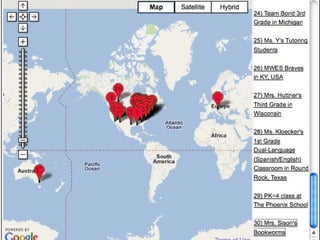
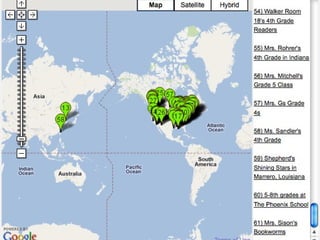
Using Zadling.com Pros: As participants complete the form, the map updates automatically. Great for large group events or many participants. Little to no maintenance! Cons: I’ve only been successful adding these maps to Wikispaces. I’m sure someone else can help expand my knowledge!
 
 
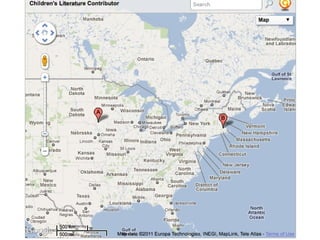
Using BatchGeo.com Pros Very simple process Uploads to many different platforms. Great, easy way to show fewer participants. Cons A little more work to update map
 
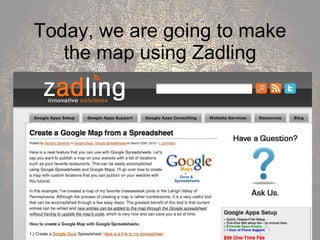
Today, we are going to make the map using Zadling
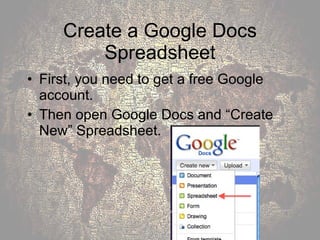
Create a Google Docs Spreadsheet First, you need to get a free Google account. Then open Google Docs and “Create New” Spreadsheet.
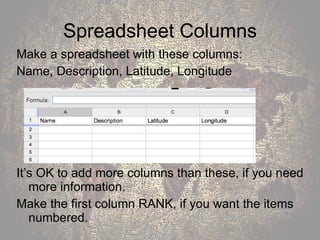
Spreadsheet Columns Make a spreadsheet with these columns: Name, Description, Latitude, Longitude It’s OK to add more columns than these, if you need more information. Make the first column RANK, if you want the items numbered.
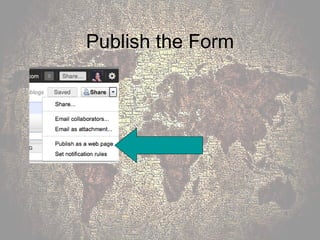
Publish the Form
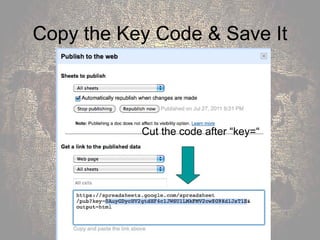
Copy the Key Code & Save It Cut the code after “key=“
Making the Map Go to the zadling post: “Create a Google Map From a Spreadsheet” at  http://www. zadling .com/2010/03/create-a-google-map-from-a-spreadsheet/ Don’t use Zadling’s way of getting latitude and longitude. Itouchmap.com is the only way to go. We’re ready for Step #9 and click on the Google wizard.  http: //gmaps-samples . googlecode . com/svn/trunk/spreadsheetsmapwizard/makecustommap . htm
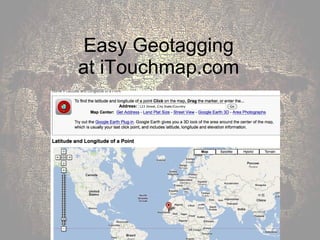
Easy Geotagging at iTouchmap.com
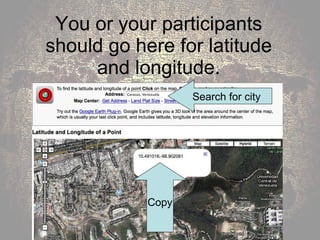
You or your participants should go here for latitude and longitude. Search for city Copy
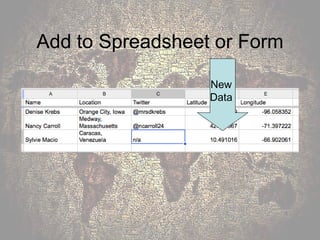
Add to Spreadsheet or Form New  Data
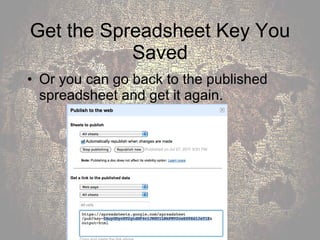
Get the Spreadsheet Key You Saved Or you can go back to the published spreadsheet and get it again.
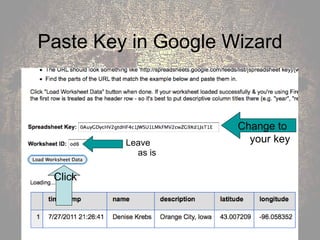
Paste Key in Google Wizard Leave as is Change to your key Click
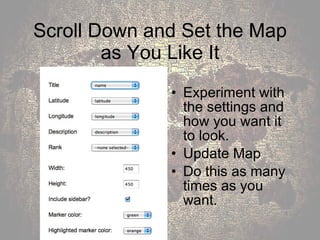
Scroll Down and Set the Map as You Like It Experiment with the settings and how you want it to look.  Update Map Do this as many times as you want.
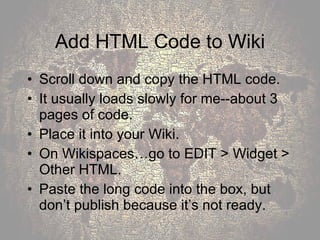
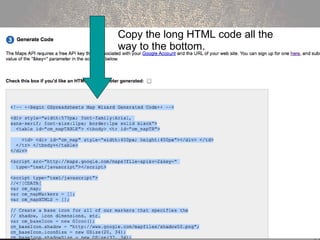
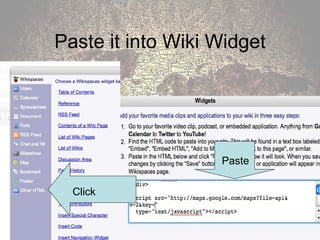
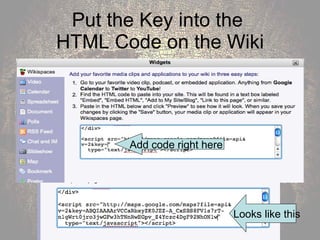
Add HTML Code to Wiki Scroll down and copy the HTML code.  It usually loads slowly for me--about 3 pages of code. Place it into your Wiki.  On Wikispaces…go to EDIT > Widget > Other HTML.  Paste the long code into the box, but don’t publish because it’s not ready.
Copy the long HTML code all the way to the bottom.
Paste it into Wiki Widget Click Paste
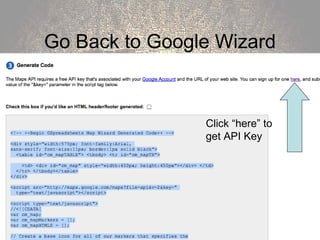
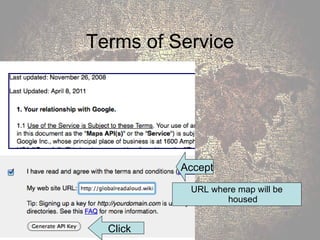
Go Back to Google Wizard Click “here” to get API Key
Terms of Service URL where map will be housed Accept Click
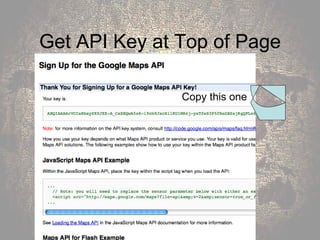
Get API Key at Top of Page Copy this one
Put the Key into the  HTML Code on the Wiki Add code right here Looks like this
Finally… You are finally ready to save and publish to the web. Your map should be up and running, ready to be updated as people complete the form.
Blog Post at  http://mrsdkrebs.edublogs.org with these slides and links to the Google Doc.


RSCON Map Presentation

  • 1.
  • 2.
    Where in theWorld? Or, Adding a Directory Map Using a Spreadsheet to Your Wiki By Denise Krebs @mrsdkrebs
  • 3.
    Where in theWorld are You?
  • 4.
    Let me knowwhat you already know, please! Yes or No - I have a Google Docs account. (NOT a school Google Apps account, but my own gmail account.
  • 5.
    2. Yes orNo - I have created a spreadsheet on Google Docs.
  • 6.
    3. Yesor No - I have published a form for others to complete online using a Google Docs spreadsheet.
  • 7.
    Yes or No- I have created a map that updates automatically for my blog or wiki.
  • 8.
    5. Yesor No - I have used batchgeo.com or another program to create a static map for a blog or wiki.
  • 9.
    6. Yesor No - I have a wiki or blog to which I would likely add a participant map.
  • 10.
    Using Zadling.com Pros:As participants complete the form, the map updates automatically. Great for large group events or many participants. Little to no maintenance! Cons: I’ve only been successful adding these maps to Wikispaces. I’m sure someone else can help expand my knowledge!

  • 11.
  • 12.
  • 13.
    Using BatchGeo.com ProsVery simple process Uploads to many different platforms. Great, easy way to show fewer participants. Cons A little more work to update map
  • 14.
  • 15.
    Today, we aregoing to make the map using Zadling
  • 16.
    Create a GoogleDocs Spreadsheet First, you need to get a free Google account. Then open Google Docs and “Create New” Spreadsheet.
  • 17.
    Spreadsheet Columns Makea spreadsheet with these columns: Name, Description, Latitude, Longitude It’s OK to add more columns than these, if you need more information. Make the first column RANK, if you want the items numbered.
  • 18.
  • 19.
    Copy the KeyCode & Save It Cut the code after “key=“
  • 20.
    Making the MapGo to the zadling post: “Create a Google Map From a Spreadsheet” at http://www. zadling .com/2010/03/create-a-google-map-from-a-spreadsheet/ Don’t use Zadling’s way of getting latitude and longitude. Itouchmap.com is the only way to go. We’re ready for Step #9 and click on the Google wizard. http: //gmaps-samples . googlecode . com/svn/trunk/spreadsheetsmapwizard/makecustommap . htm
  • 21.
    Easy Geotagging atiTouchmap.com
  • 22.
    You or yourparticipants should go here for latitude and longitude. Search for city Copy
  • 23.
    Add to Spreadsheetor Form New Data
  • 24.
    Get the SpreadsheetKey You Saved Or you can go back to the published spreadsheet and get it again.
  • 25.
    Paste Key inGoogle Wizard Leave as is Change to your key Click
  • 26.
    Scroll Down andSet the Map as You Like It Experiment with the settings and how you want it to look. Update Map Do this as many times as you want.
  • 27.
    Add HTML Codeto Wiki Scroll down and copy the HTML code. It usually loads slowly for me--about 3 pages of code. Place it into your Wiki. On Wikispaces…go to EDIT > Widget > Other HTML. Paste the long code into the box, but don’t publish because it’s not ready.
  • 28.
    Copy the longHTML code all the way to the bottom.
  • 29.
    Paste it intoWiki Widget Click Paste
  • 30.
    Go Back toGoogle Wizard Click “here” to get API Key
  • 31.
    Terms of ServiceURL where map will be housed Accept Click
  • 32.
    Get API Keyat Top of Page Copy this one
  • 33.
    Put the Keyinto the HTML Code on the Wiki Add code right here Looks like this
  • 34.
    Finally… You arefinally ready to save and publish to the web. Your map should be up and running, ready to be updated as people complete the form.
  • 35.
    Blog Post at http://mrsdkrebs.edublogs.org with these slides and links to the Google Doc.
  • 36.
  • 37.